The MacBook Air including its price was left untouched by Apple over the years. In the year of 2016 the 11- inch model did disappear from the market and a lot of people has been looking to buy a starter laptop from Apple at a price tag of $999 and more which is actually a very tough sale according to the very old architecture and design of it! But you can get it at a good value before time goes up! Ming-Chi Kuo, the KGI analyst, claims that a new version of MacBook Air will be released this spring. Undoubtedly this news is very much true as he has the most solid track records for Apple rumours and leaks.
Details and specifications
The specifications and details are not known that much at the present time, but ‘9to5Mac’ gave a very sketchy overview of it from the “Digitimes”. This does not particularly mean that the design of the MacBook Air will be redesigned by Apple. It is being speculated that in June 2017 Apple will be including a number of modest specification jolts using the same version of the older processor. There are also a number of reasons for which Apple have to implement more considerable upgrades this year.
And the questions arise!
There is no choice left for Apple for not upgrading the older processor into a more modern and fast one and this happened due to the ‘ Meltdown and Spectre vulnerabilities’. Also, the question arises about the ports that are being included into the laptop as a huge number of people still use USB-A cables and as it is very tough to watch that Apple is keeping the adapters on laptops for a very long time when the 15 inch MacBook and MacBook Pro uses USB C exclusively!
Another huge question arises from the fact that whether or not, Apple will be able to move past the old Air’s 1,440*900 display or not! This is a huge matter as newer laptops have displays of 1080 with more rich colours. Thus Apple can lose the competition without any question!
When Apple does offer a lower price for its new MacBook Air, whatever happens to the hardware of it, this will symbolize a gratitude that this laptop is very much important to cut from the queue.
A number of people speculate that the 12 inch Apple laptops will eventually take the place of MacBook Air. But due to the limited performance, lone port, and newer machine’s high price, the throne of MacBook Air is still alive and moving! Apple does not want to leave MacBook Air and move on because it still leans toward it. This means that if Apple can make the MacBook Air more attractive and includes more specifications it will be enough to get buyers who would buy it at the kind price range. And the most important thing is that these buyers won’t refuse to buy any other Mac portables.
Though the digital wallet companies are repeatedly appealing for the factor that lots of users will stay away from using mobile wallets as they have to fill up full Know Your Customer (KYC) forms, the Reserve Bank of India (RBI) is not standing away from the decision that was being taken earlier. “The Economic Times” published a report that said that a number of customers are constantly threatening to discard these kinds of online wallet services if the full Know Your Customer (KYC) forms are not officially cancelled. According to the rules of RBI KYC, no customer can add or receive money from their own wallet if they do not agree with the rule and it starts from 1st March only!
All operational digital wallets will be also forced to shut down after 1st March according to top banks. A number of digital wallets like Ola Money, Mobikwik, Freecharge, Paytm, and many others are stopping services for all the customers who are not fulfilling the minimum requirements of the KYC forms. Thus user having minimum requirements fulfilled of the KYC can enjoy the limited features! The total validation process as per the apex bank actually requires all digital wallets to store all information and data on each and every customer. This includes photographs, details of identification and also biometrics.
Matching of currency in circulation with pre-demonetisation levels
The directive plans of RBI is nothing but to make all these wallets safe and secure but experts say the 8 out of ten wallet users have not filled the KYC forms! Already digital companies were asked in the year 2017 to ensure the instruments of payment with the full KYC standards. The report says that a sum of 32 crore transactions that amount to Rs 14,334 crore was recorded which was sent with the help of prepaid instruments. Of the total number of transacted, 28.83 crores were done with the help of wallet transactions that summed into Rs 12,568 crore. It is expected that there will be drops in profit because of the new RBI KYC rules.
What happens if you fail to complete your KYC?
80-90% of all the digital wallet transactions were lost which amounted to a total of Rs 12,000 crore. A number of experts do fear of the fact that a huge number of online wallets will end and they will turn to cash. Simultaneously this pressure of KYC is causing problems for the profitability of the wallet companies. A data is showed by RBI that the circulation of currency is same as it was before the demonetisation and this has happened after almost 15 months.
These companies suffered an exponential growth and a huge profit after demonetisation came into play and cleared out 86% of the cash. The biggest gainer was undoubtedly Paytm and other companies joined later.
From your point of view, if you have digital money in your wallets, you can easily use them with fulfilling minimum RBI KYC standards. But if you don’t comply with the standards you cannot add or receive money at the present time.
The hard disk as we know is a vulnerable area and is prone to data loss. The partitions in a hard disk often encounter critical issues which may result in permanent loss of data. Now, losing data over sudden hard disk depletion is a matter of extreme inconvenience and the process to subjugate this situation and obtain full partition data recovery is boon in the name of technical processing. To make things easier, Disk Drill has their very own tool to restore deleted partition in the most hassle-free way. This tool has separate versions for Mac and Windows and offers the best way to reinstate lost data within a matter of a few clicks only!
Disk Drill is a partition data recovery software for Windows and Mac that allows systemic changes depending on the origin and type of data lost over time. The encryption that is saturated along the hierarchy of the system may not allow the visibility of a certain file or partition. It is possible in reality that the deleted partition has its ways of reconstruction but cannot be detected otherwise. Disk Drill comes into play and does functional scanning and detects what qualifies for a full recovery before the actual process starts.
Let us explore the valiant steps involved in the restoration of lost partitions with Disk Drill equipped for Windows systems.
Keeping lost data from being overwritten
Lost data is often hidden or encapsulated and hence cannot be easily detected by the user. Again, there are certain cases where data is visible but there is no way to access it. User access is a different story to tell but nevertheless, Disk Drill’s job is to fetch these lost data and fins ways of constructing it back to usable data. At times, it so happens that the size allocated to the lost data is often utilized in storing some other file. To avoid this and allow Disk Drill to do its scanning effectively, the user is recommended to cease the use of hard drive and use an external docking device. The booting should also be done from a different system to increase job coherence. A free scanning by Disk Drill will be done that detects the partitions to be restored. To recover deleted partition on Windows, Disk Drill has an affiliated lineage of good servicing without the hassles of authentication or user accessibility.
Data Restoration
Disk Drill is compatible with any version of Windows 10, 8, 7 or earlier. The process of using the tool after a quick few minutes for its installation is extremely easy and user-friendly. Not only does the user get a 100% securely stamp but the whole thing takes just a literal minute. After the installation and detection of the hard drive, there is a “Recovery” button on the tool window which when clicked starts the process. The recovery mechanisms of this tool come with all bug fixes and the filtering options are all of advanced clarity. The advantage of this tool lies in the fact that is very easy to use and infallible. There is no way of using the tool and not utilize its full potential.
Scan
Before the restoration process starts, there is another scanning step that detects reconstruct-able data. One thing to keep in mind is that, although Disk Drill promises data recovery, not all partitions are fixable. The availability of the partition depends on a lot of factors. Fragmentation of data by file system or corrupted file will scan out as denied partition for required eligibility. Scanning is done through the entire length and breadth of the surface of the hard drive for a thorough scrutiny. This step is crucial because otherwise a lot of junk files will pass through and cause bottleneck. Also, it may be the user’s wish to recover only select files. A process done easy, Disk Drill has made the data restoration process a matter of a click. No more cleaning, no more overcrowding of hard disk.
Recovery
After the scanning process is completed, all files that are identified under possible reconstruction for recovery are enlisted. To recover deleted partition on Windows 10or any other version for that matter, the process is similar. From the list of eligible files, the user can choose the ones they wish to restore and after selecting the location of saving the file, just by clicking the ‘Recovery’ button, the process starts by itself and data is restored without a flaw.
Partitions are often lost or deleted to a point that it is untraceable in Windows Disk Management. The reasons behind this are many including accidental deletion, improper manipulation, power outage, software conflict or a virus attack among many other things. Partition loss is not at all uncommon in the scope of computer use. Disk Drill has made this conflict a matter of the past and helps in recovering data without any difficulty. The easy to access functionalities work effectively on the recovery of partitions and fill in for the discrepancies of the hard drive. So, install and use and recover data partitions like it is nobody’s business!
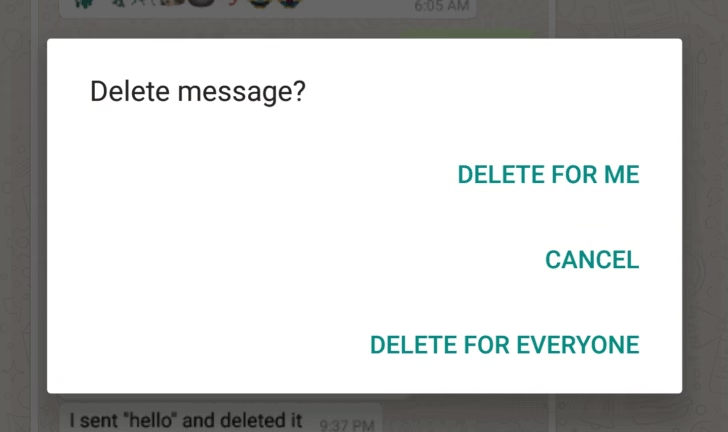
The “Delete for Everyone” feature was rolled out officially by WhatsApp in last year in November for all Windows, iOS and Android users! This feature allows the user to delete any sent messages (images, audios, videos) within 68mins and 16secs or 4096 seconds which was 7 minutes or 420 seconds in the earlier version. But according to a fan site, “WABetaInfo”, this particular feature works only in WhatsApp Android in the 2.18.69 beta version. The stable version will be soon released for iOS and Android. So till now, only beta testers of WhatsApp Android can take help of this new feature of the increased deadline.
Related: Now You Can Easily Read Deleted WhatsApp Messages: Here’s How!
Starting off this feature
In last year November when this feature was launched it allowed WhatsApp users to erase sent messages within 7 minutes after they have already sent that particular message. When the message was successfully deleted, both the sender and the receiver used to get a notification. Since this new feature was a blast for the people, a number of users started to complain since the time for erasing a particular message was very limited. So that is why it is being noted by WhatsApp who will undoubtedly take care of this matter with a new update that will allow each and every user to delete a message or media after 1 hour also!
Upcoming new features!
In the meantime, WhatsApp is also working simultaneously over its newest feature that will let users mark particular messages as ‘Forwarded message’ for a same or different chat. Presumably, this new feature will be available for beta version 2.18.67 of Android. Another new feature that is simultaneously under development is the sticker feature for Android that will come to limelight in sometime soon! WhatsApp, which is possessed by Facebook now, has joined support for a feature that is now currently disabled; that is to redirect stickers to any other chats.
Another feature that is also being tested by WhatsApp is a new feature called ‘Group Description’ (which is available on the beta version). This new ‘Group Description’ features let you add a type of group description and you can do it by just tapping simply on the name of a particular group. At the bottom of the group, you will find the option to add a description. Another little information about this update is that adding a group description can also be done by a Non-group admin.
For iOS user, with the WhatsApp version 2.18.30, you get the option of sharing location and time stickers just like you can do it on Snapchat and Instagram. Open a chat and click on the ‘+’ option and choose ‘Photo and Library’ option and then select a picture. Click on the smiley icon which then appears and you will find location stamps, emojis, time stamps. When you choose a location, do pinpoint the location when WhatsApp asks you. Along with this, you can also search a new participant from a group info window itself with the new update!
Keeping a track of the viral topics for professional purposes or for the sake of gaining knowledge, has always been an in-thing! It not only keeps you updated but it’s also one habit that’ll never get out of fashion! On the other side, have you ever thought how a certain story makes it to the top or what is the trending content of the day? The task is a bit tricky, but once you establish a grip over these skills, everything happens in a flash!
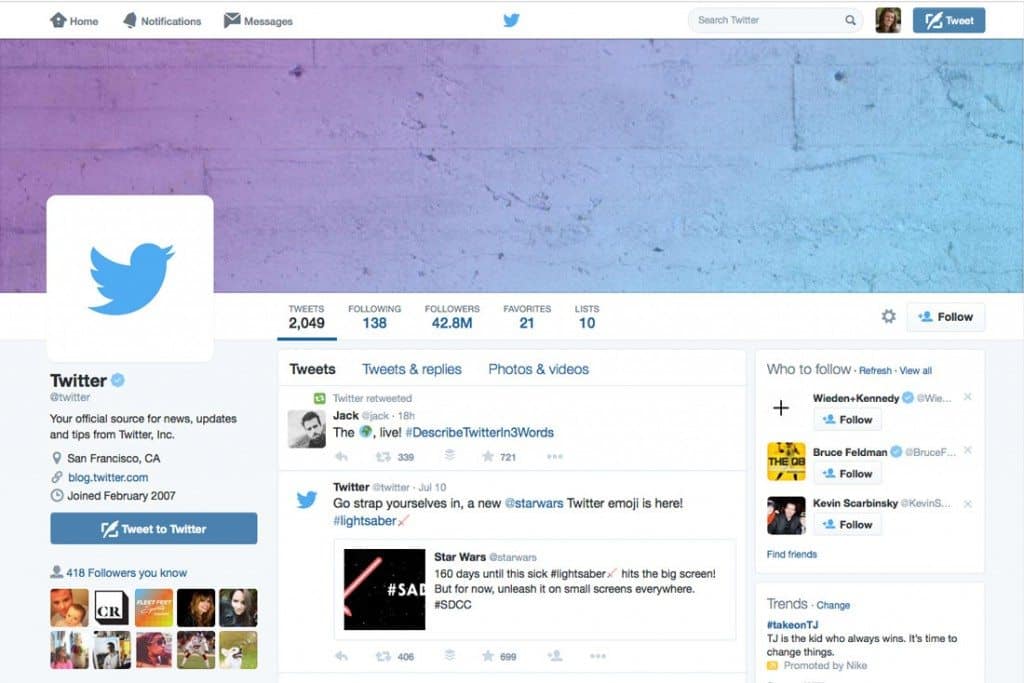
Twitter serves its purpose of updating trending topics by enlisting the current trends instantly on its homepage and profile pages. This is the easiest way to find out what’s trending on twitter not just nationwide but also worldwide. You can also find topics from twitter handles that’ve blocked you!
Google has always been the most trusted brand especially in terms of the statistics it provides to the users. It makes your life simpler through Google trends which is the simplest way to find trending topics. You can filter through specific country to find the topics. And for an even more focused search, you can dig through specific states and/ or region.
Reddit has a huge viewership and is widely popular amongst all of us. The topics posted on this portal are tremendously discussed and debated upon. The site provides its users with a voting feature that displays the most voted topics on the homepage. However, for an in-depth view of the story, related sub-pages offer further insights.
Ruzzit shares quite a few similarities with BuzzSumo. You can easily search viral content to see a series of stories rated the top-most on the basis of social shares for that moment of time. It also allows you to personalize your results based on content type, categories, social network, and time.
Brand mentions is a site that counts every string attached to generate the hottest trending content on the internet. They dig every corner of the internet to find your brand mentions or links or social mentions including the likes from YouTube, Facebook, Twitter, FriendFeed and many more.
Interestingly, this site also helps to resolve your query by enlisting a series of influencers who regularly publish content you are interested in, on social networks, sharing a huge number of followers.
This unique portal allows users to follow the trail of hashtags on Instagram, Twitter, and Facebook. This works for the social media by pinning notifications on the topics one is interested and observe in real time.
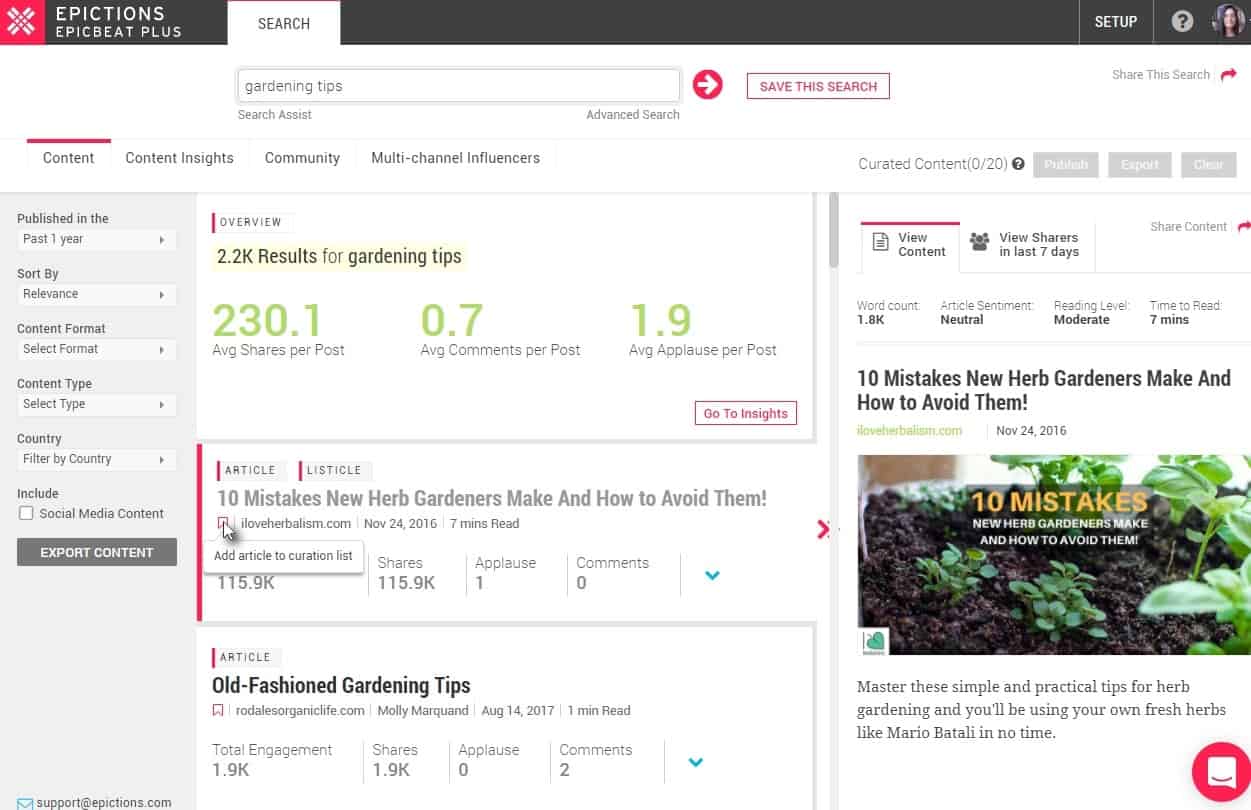
EpicBeat offers more than just finding trending content on the internet today. It goes beyond the topics which are shared the highest number of times. In fact, it keeps a track of the content in terms of word count, reading level, sentiments and observes the pattern of reactions on the issues by different groups and channels.
This content finder gives utmost information to the users holding free accounts, but provides maximum privileges to users subscribing the paid version. Preferences of the content can be set according to the country, content format, content type etc.
The secret to success of Buzzfeed is posting viral content so there’s no reason for you to have trust issues! In the ‘Trending Now’ section, you can get easy access to topics on the homepage by scrolling through it.
9. Topsy:
This portal allows to search for trending content on the basis of date, time and place all through its database. You can set notification to monitor and analyse the trends and observe the current social behavior.
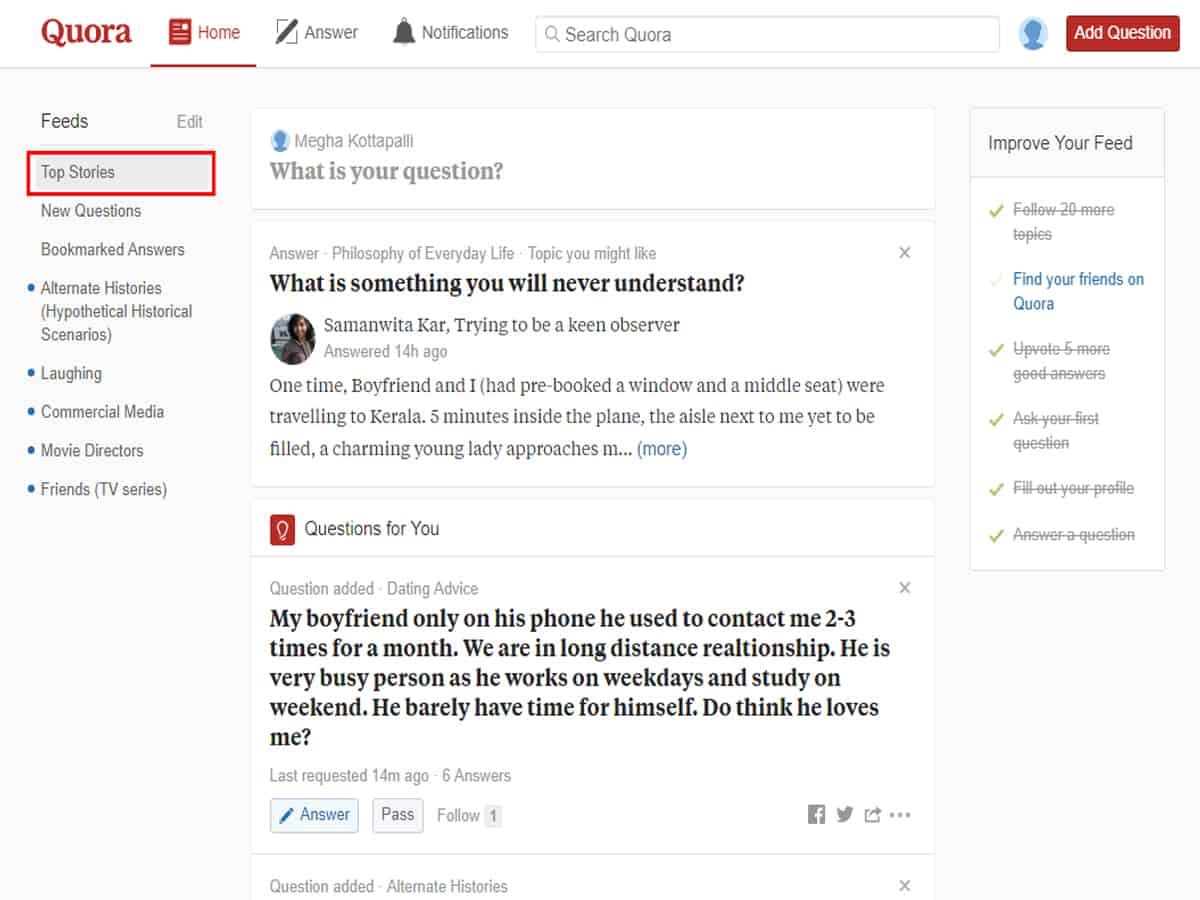
Quora is a Q&A platform that has questions from basic to extreme. Active users answer these questions to help another user understand the topic with a detailed view. You can go through top stories/ new questions and find a lot of trending content related to science, love, gadgets and more.
Do let us know how you liked the article through the comment section below. We would love to hear from you!
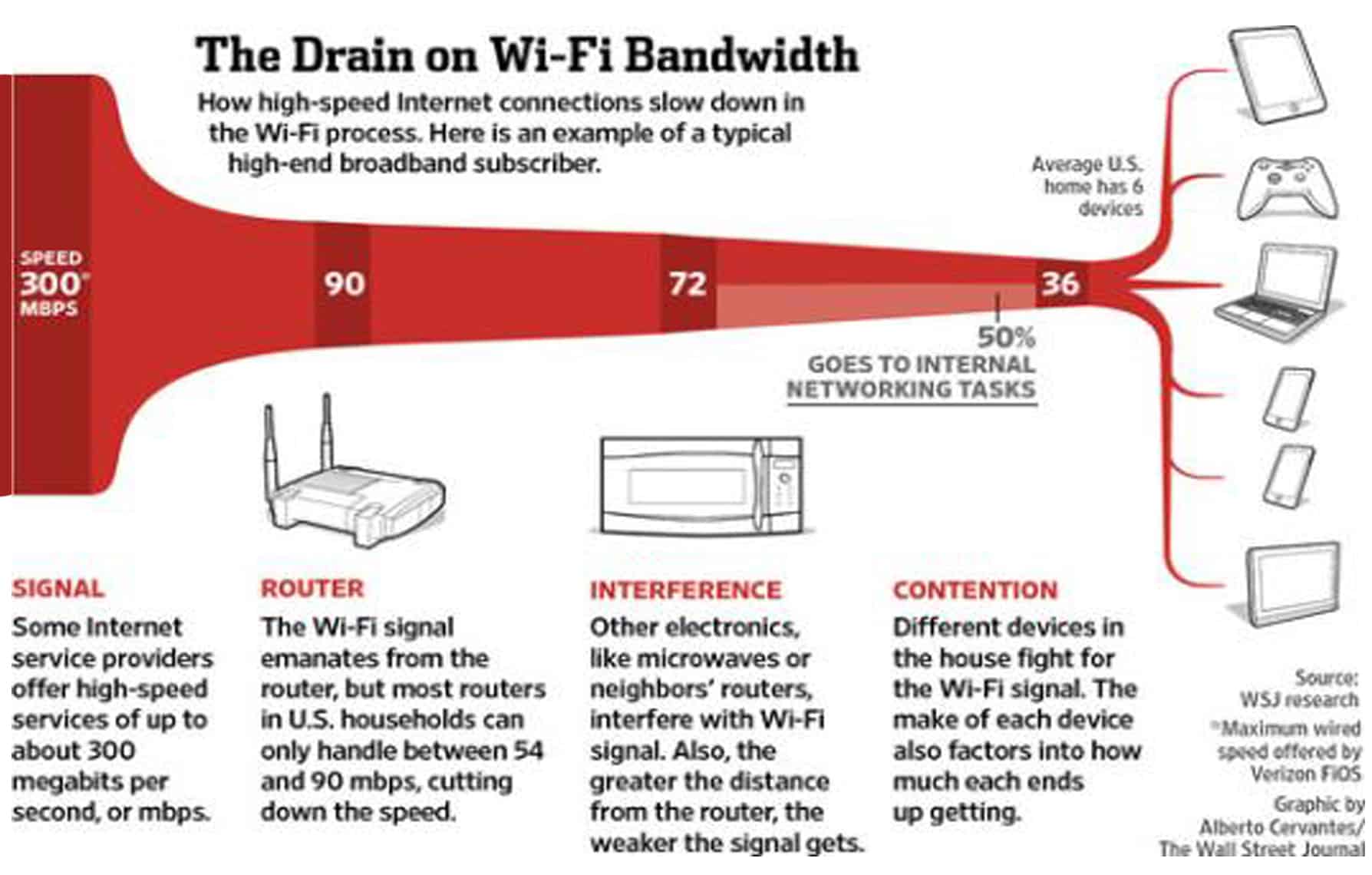
Working on an urgent deadline and minute by minute, the submissions are getting closer. However, your slow internet and related network issues are also frustrating alongside. But such connectivity issues can actually happen at just any time of the day or night. These happen due to several unavoidable conditions. But, in circumstances like these, you will have to act smart and make a few changes, in fact, apply some tips and tricks to not encounter any further issues. Therefore, here are 10 simple ways to manage your work on a slow internet connection without any critical interruptions.
Image Courtesy: gladly.io
1. Turn Off Data Downloads
First-things-first, do not forget that if you have background downloads running on your device, it’s not going to help you. Make sure you turn off the downloads, to prioritize your work.
A lot of programs run in the background, which may also be the reason for the downfall of your internet speed. To keep a control on these background programs press ‘Ctrl+Alt+Delete’ and open ‘Task Manager’ you will notice three columns displaying which application or software is using the internet more. Accordingly, you can click on the application and select ‘End Task’ in the bottom-right corner. For Mac, use ‘Command+Spacebar’ which will open ‘Activity Monitor’, selecting the program you want to end click ‘Quit Process’ on the top-left corner.
Image Courtesy: Forum 4 Business Growth
‘NetLimiter’ is recommended for Windows operating system and ‘Little Snitch‘ for Mac operating system. These work as good as Task Manager or Activity Monitor which is inbuilt. Now boosting your slow internet will not be a problem!
2. Turn-off Auto Refreshing Apps and Websites
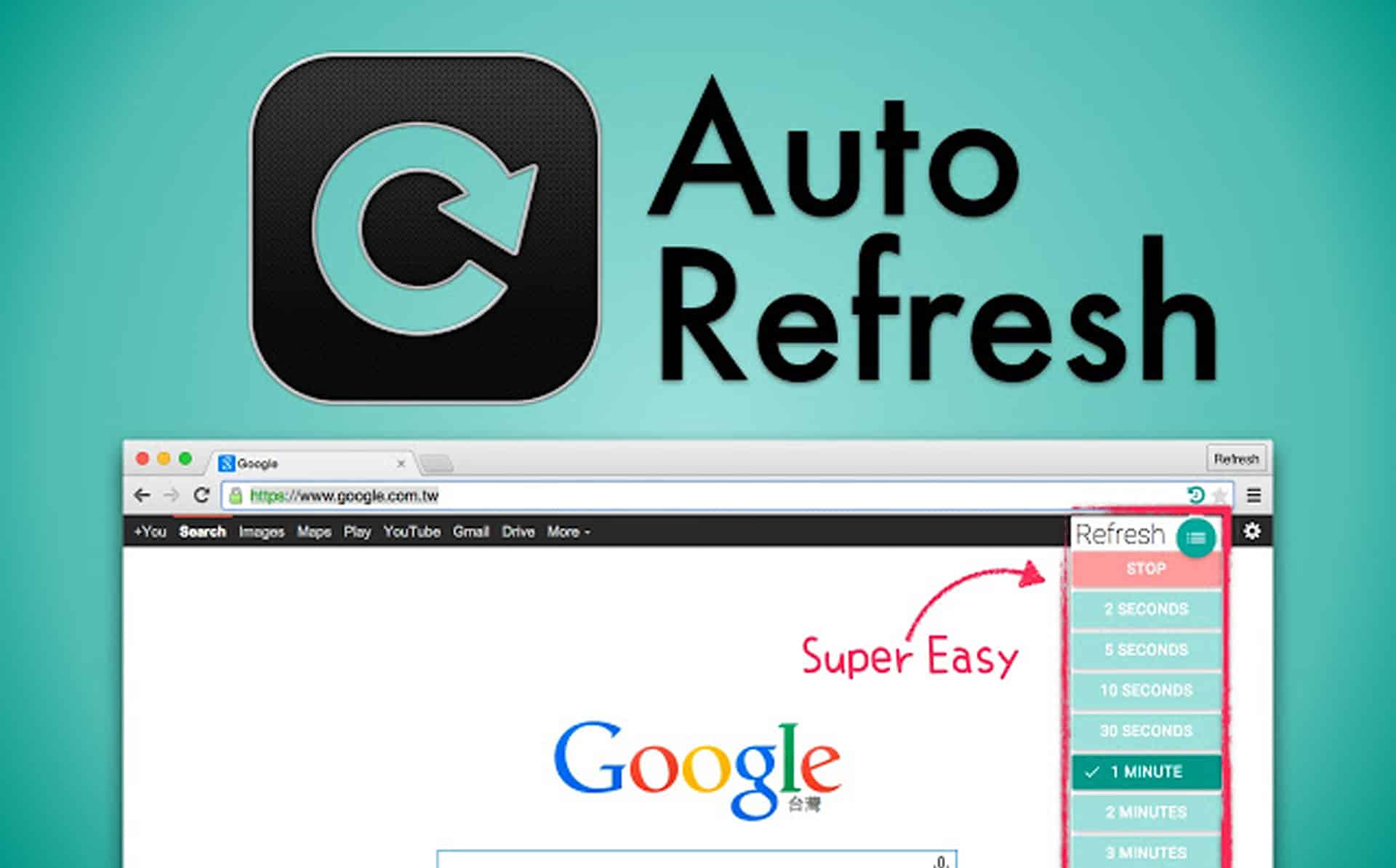
Tabs like Facebook, Twitter,WhatsApp web use the auto-refresh feature to keep updating those pages which consume most of your internet speed. These social media sites refresh every time someone publishes some or the other new content. Open the find an extension suitable for the browser you are using and search ‘stop auto-refresh’, ‘stop auto-reload’ or ‘suspend tab’.
Image Courtesy: Chrome – Google
I would suggest not to use Facebook or Twitter, in your peak working hour as they start loading the videos and photos uploaded on your Facebook page, slowing down your work extremely.
3. Slow Internet? Disable Google Instant!
Google instant has been an essential part of our lives since 2010, to update our knowledge base. However, this technology consumes a large amount of data which you may want to use for something significant.
Image Courtesy: YouTube – Sagar S
4. Bandwidth Hogging
Bandwidth hogging can also be a cause of your network working slow. There may be other elements which may be hogging on your data.
Try installing, AdBlock Plus and FlashBlock, assisting your data to minimize bandwidth-hogging ads, videos, animations or any downloads running in the background for example in BitTorrent.
Image Courtesy: SiliconANGLE
Also, your PC encounters system updates from time to time, instead of letting it update automatically, set it to notify you before updating. This way you can save your data to yourself for the time and update your PC in your absence.
5. Optimize Web
What is it that you do when you don’t have enough energy or time to cook food with your stomach starving? You end up being near a restaurant. In the same way, when you know you have a slow connection, you need to think the other way round. Do the smart work!
Use your mobile phones, as they use a small part of the data
Use HTML versions of the sites, it sounds a bit complicated but you’ll get used to it and understand it better
Put off video/ image autoplay
Try using Opera Turbo
Be prepared with secondary browser options for such situations. Opera Mini, UC Browser, Google Chrome are a few of those.
Image Courtesy: buzztownmarketing.com
6. Turn ON the Off-Road Mode
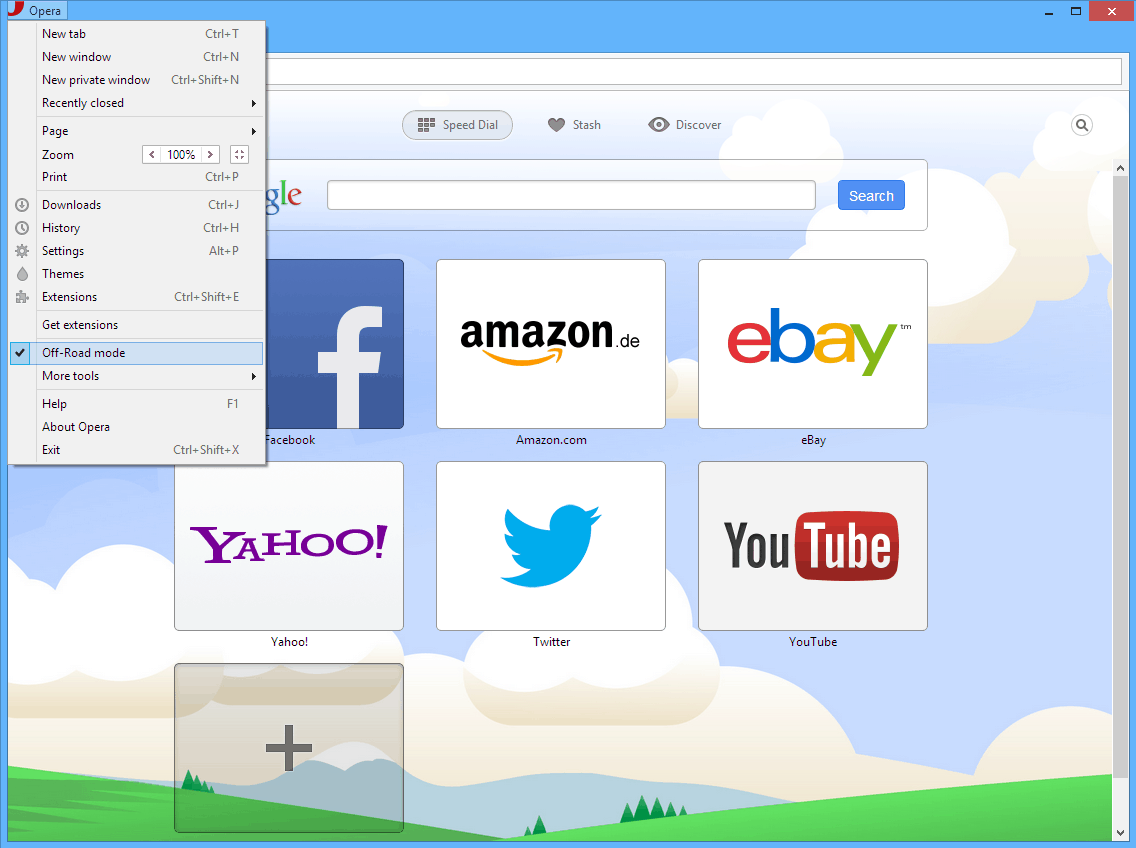
This feature is available in Opera 15. This feature is designed specifically in such a way that it switches to a lower quality of images, videos, etc making the website work faster. This feature is somewhat similar to Opera Turbo feature. You can view the high-resolution images by right clicking on the image. You can switch on this mode by clicking on the logo of opera and choose Off road mode in the drop down list.
Image Courtesy: Softpedia News
7. New DNS Server
Every URL address uses DNS, which creates it into computer-friendly IP address. These DNS may also undergo issues at times, for which switching to a new DNS server is recommended. If the current DNS is not facing any problem then shifting to another DNS server would not make a difference.
8. Fast Networks Around You
For a quicker alternate for your slow internet, you can try searching for faster networks around you. Sites like ‘foursquare’ provide with information where hotspots are available. This site is suitable for IOS users, ‘4sqwifi’ can also be used. Android users can head on to ‘VenueSpot’. If you prefer free wi-fi you can search on the site as ‘free wi-fi’.
Image Courtesy: Lifewire
9. YouTube Feather
Does YouTube form an important part of your routine activities? But is the slow internet troubling you each time? Here’s an alternative to getting you through your slow internet connection! Enable YouTube Feather beta to speed up the loading time and eliminate unnecessary elements like commenting, video information, extended suggestions and much more. Advanced techniques are used in this version of the site for a faster loading experience.
Image Courtesy: TechnoBuzz
10. AdBlock Plus
AdBlock Plus helps you avoid unnecessary pop-up advertisements. Apart from this, it also saves your data by blocking all the ads and eliminating everything that keeps loading in the background. There’s absolutely no interruption! And moreover, if you’re using internet on your phone, AdBlock Plus is a free thing to download for both Apple and Android devices and also worth spending your storage on.
Image Courtesy: The Technology Geek
Let us know through the comment section below how you liked the article along with your personal experience or opinions. We would love to hear from you!
The Mobile World Congress MWC ’18 started off with a bang on Day One (26th February) and it will go on till 1st March 2018. This is an annual event which brings to the forefront some of the coolest, smartest and futuristic consumer electronics. After Samsung and Nokia grabbed all the news headlines on Day 1, it’s time for letting you know the biggest announcements of Day 2 at MWC ’18.
(Image Courtesy: Trak)
Day 2 at MWC ’18 – Quick Roundup
1. 7 wallet-friendly and high specs smartphones launched by Alcatel
2.Nokia phones will not be getting into the US territories this year
3. ZTE’s under $300 (mid-range) Blade V9 along with Blade 9 Vita have been showcased
4. Lenovo unveils Yoga 730 and Flex 14 foldable laptops that offer a laptop to tablet kind of an experience
5. Land Rover Explorer, world’s most rugged yet modular smartphone as of now. It’s not just tough but water resistant and comes with competitive features.
6. Nokia 8 is getting in line with today’s Android flagship devices. It comes with the latest OS along with specs like slimmer bezels and more.
7. Western Digital (WD) launches high performing and power efficient SSDs.
What’s More?
8. DeX Pad launched particularly for Samsung Galaxy S9 and S9 Plus devices to provide a PC-like experience upon connecting it with a monitor.
9.Sony comes up with two new Xperia smartphones – Xperia XZ2 and Xperia XZ2 Compact.
10.Vivo is back with the smartphone of future with three astounding features – under-screen fingerprint reader, pop-out selfie camera, and a vibrating screen. However, it’s just a word in the air for now and nothing’s concrete.
11. T-Mobile announces at the event that it will start building 5G services across 30 cities including Las Vegas, Los Angeles, New York and Dallas. They certainly have bigger plans for the year 2018-2019.
12. VISA has signed 14 new tech companies for it’s Ready for Transit program that too across 10 different countries.
13. Alibaba is all set with its cloud computing products including Intelligent Service Robot, Image Search, Super Computing Cluster and more.
14. Last but not the least, Freeman, a global provider of brand experiences, has officially been announced as the partner for all the MWC events in a three year deal with GSMA (event producers).
Hope you liked the article. Let us know through the comment section below. We would love to hear from you!