Backup Photos from Android– if You are searching easy ways to backup Photos from Android phone then you can follow some simple steps to enable automatic backup using Google app.With the coming of endless Android camera smartphones, you are most likely to use your smartphone to grab memories instead of using digital cameras. Smartphones come up with high-end cameras and high storage with which you can click a lot of pictures and save them in your phone.
But, what if you lost your smartphone or your SD card got corrupted? Your photos and videos will get lost! The only downside of smartphones is that you cannot recover your photos without a backup in this case. It is imperative that you have a backup in case you lost your phone to avoid losing those memories. Thanks to Android technology which offers some ways to backup your whole smartphone data including photos, videos, contacts, messages and much more. We will discuss manual and automatic ways to successfully backup android photos.
How to Backup Photos From Android Phone Manually?
First of all, connect your Android phone to your computer through USB cable.
Now open File Explorer on your computer by right clicking the Start Menu and choose File Explorer.
On the left side of the File Explorer, you will find your phone name. Click your phone name.
Now find your photos from your phone, mark them all and copy all the photos by clicking right from your mouse.
Now just paste your photos on your computer wherever you want to keep your photos and you’re done.
In this way, you can take backup photos from android smartphone and save them. But if you are looking for an automated way to backup your images more safely, then we have some automatic ways too. You can enable automatic backup in the Android phone using Google Photos app like Apple offers iCloud service to backup data automatically. You can also use the mobogenie if you want to control your android devices from your laptops.
How to Backup Photos From Android Phone Automatically?
1. Google Photos Backup
Apart from social network services, Google+ is a free service for Android users to take automatic backup for the smartphone data. You just have to follow some simple steps to enable automatic backup.
Google Plus Auto Backup
Open the app and choose Settings from the Menu.
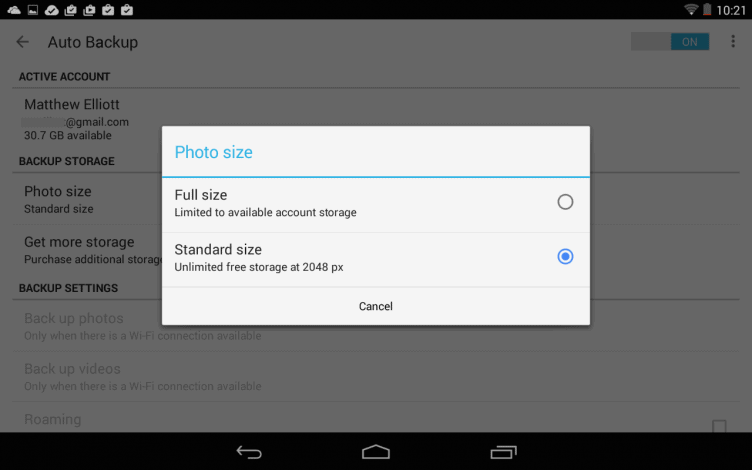
Now tap AutoBackup in the top titled section GeneralSettings to enable the feature.
You can also choose to take backups when charging or on Wi-Fi. There is also an option available through which you can start backup immediately.
Pros: You can store unlimited number of photos if you choose the Standard Size ( backup are restricted to 2048 pixels )
Cons: If you choose the Full-length size then you can store photos with limited storage ( up to 15GB). You can buy 100GB of storage for $1.99 per month and 1TB storage for $9.99 per month.
2. Dropbox Photos Backup
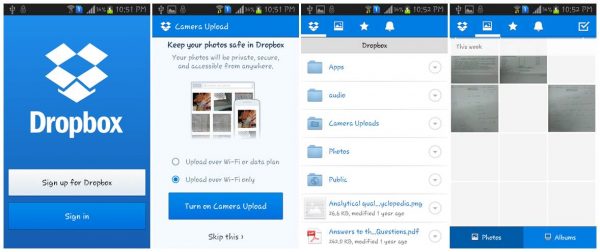
The father of cloud storage now offers you a feature to upload your photos to cloud storage and save them. The service is available for both Android and iOS. You just have to install the backup Dropbox app to and even it provides you an attractive viewer to view and manage your uploaded photos and videos.
Install the Dropbox app and tap the Settings button in the upper left corner.
Select the Backup option and enable the toggle switch to set up the feature.
You can also select whether you want to backup using only Wi-Fi or using either cellular data or Wi-Fi.
Pros: You can upload full resolutions images and videos without any pixel loss.
Cons: Free service is only up to 2GB storage and after that, you have to purchase the pro version for $99.99 per year.
3. Microsoft OneDrive Backup
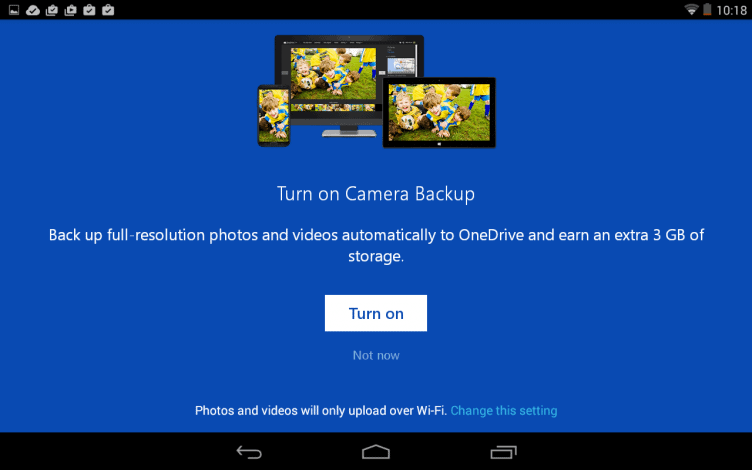
OneDrive is another cloud storage app to backup photos on the android phone. You just need to install this app from the Google app store and sign up if don’t have Microsoft account. After signing up, you will be asked whether you did like to take backup of your photos. You will get 10GB free storage to upload your photos and videos
Open the OneDrive app and go to Settings.
You can tap and enable the Camera Backup option On or OFF to enable the feature.
Additionally, there are other options to include videos, upload via phone data, and perform the backup in the background.
Pros: Photo viewer included to manage and view your photos and videos.
Cons: You will have to purchase additional storage after 10GB. 100GB storage will cost you $27.99 per year.
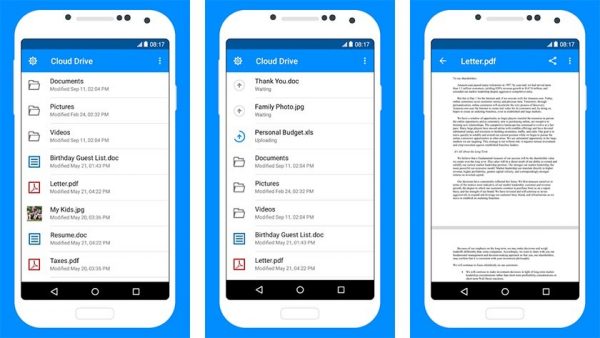
4. Amazon Cloud Drive
Its amazing features makes it one of the best apps to backup photos from the android phone. After downloading the app, you will be asked whether you want to set up automatic backup feature.
Open the app and go to Settings.
You can enable the Auto-Save to enable automatic upload feature.
You can also choose to upload photos or videos, upload using Wi-Fi only, upload using either Wi-Fi or mobile data.
Amazon Cloud Drive offers 5GB free storage and allows you to upload Full-Length photos.
Pros: Photo viewer included. Apart from photos and videos, you can also save other data like documents.
Cons: Beyond 5GB, you have to one pro plan from premium plans which offers 20GB for $10 a year, 1000GB for $500 a year.
Conclusion
As everyone loves their grabbed memories, you are recommended not to depend only on one option. As all the automatic backup apps offer free storage up to some extent, so you should take Backup Photos from Android on multiple platforms.
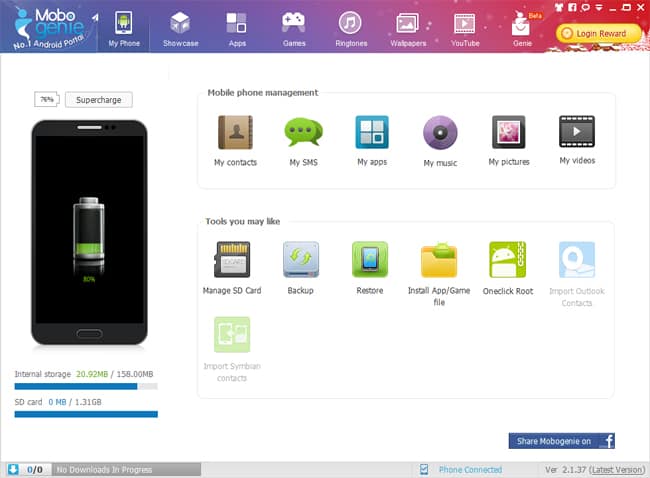
Mobogenie For PC: Now phone is not just a “phone”, it has become “smart phone” and though it needs a smarter PC suite to manage the mobile data, Mobogenie is such a FREE smarter PC suite that helps you to easily manage your android device from your computer, all you need is to connect your phone with a USB cable and you are ready to manage your phone data in your PC and sync the data.
Possibilities of Mobogenie PC
Mobogenie is more than a usual PC suite that offers many useful features to operate your Android device directly from your PC or laptop. There are many possibilities with Mobogenie PC Suit-
Inbox on your Desktop
Sending and receiving the messages is now easy with Mobogenie PC suite, you can send and read the SMS from directly from your desktop, not only you can read the SMS but you can easily forward or delete them from your desktop without touching your mobile.
Easy Contacts Manager
Managing your contacts in a small screen is a difficult task, but it makes it easy by bringing your contacts on your large desktop screen, with Mobogenie you can easily view or add new contacts along with contact image.
Multimedia on a Large Screen
With Mobogenie Smartphone Manager you can listen to the music, view photos and watch the videos of your mobile on your laptop or PC screen and also browse the SD card data.
Mobogenie PC Backup and Restore Made Easy
Backing up your personal data from your mobile is an avid task, Mobogenie offers seamless backup and restore option to backup your important data so that you can restore your valuable information in case you lose it. You should not worry of losing your personal contacts and information when you are using its software.
Fun on the Top
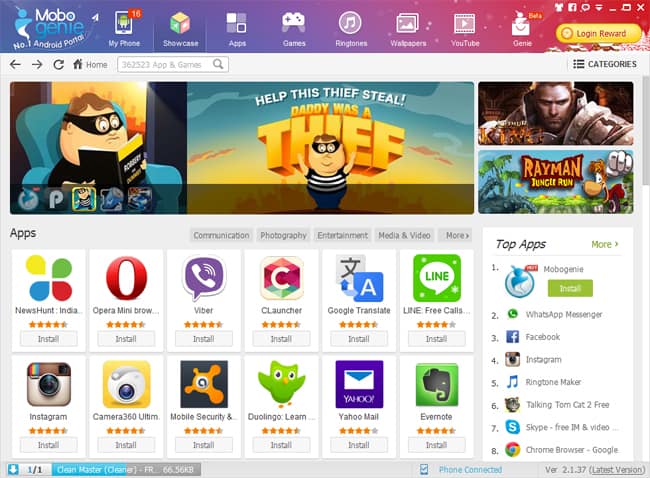
You will get to see a panel with buttons apps, games, ringtones, wallpapers and youtube on the top of the Mobogenie window from where you can search and download your favourite apps, games, ringtones and wallpapers straight to your mobile. Here you get a top apps list from where you can download best hand picked apps by it. You can also filter the apps by category in this panel. You need not login to your Google Play account to download and install these apps, all you need is to press “install” button and apps will be downloaded and installed automatically in your mobile.
Install APKs
It allows you to install app and game apk files from your PC, just select the app you want to install and click on “Confirm” button to install the selected app or game. This method is far better than copying your apk to your mobile then running the setup from your device, it saves lots of time and avoids unnecessary steps to install apk in your mobile.
One Click Root Tool
Rooting an Android mobile is a sophisticated job that also requires some technical skills but Mobogenie makes it damn easy. It comes with one click root tool to root your android device in minutes. You need not have any special technical skill to use this rooting tool to root your device.
Super Charge Your Mobile
It offers supercharge option which accelerates the charging speed of your mobile, connect your mobile to your laptop or PC via USB cable and just press the “supercharge” button to charge your mobile quickly.
Minimum System Requirements for Mobogenie
Mobogenie PC: It works well in Windows 8, Windows 7, Windows XP, Windows 2003 and Windows Vista. It installs a small app in your android mobile automatically that needs minimum Android 2.2 or higher version. The installed it app in your mobile automatically detects the USB connection and runs to show off latest apps.
Conclusion
Managing the mobile data with Mobogenie is simple, the software is easy to install and user friendly interface which consists of all the necessary options and tools to manage your Android device directly from your PC or laptop. It is a best Android synchronization software that every Android mobile user must have. Not only it makes your job easy but it also secures your important personal mobile data with its backup feature.
Craving a Bollywood binge or a dose of desi drama without denting your wallet? You’re in for a treat! India’s entertainment scene is a vibrant mosaic, showcasing its rich cultural diversity. With 22 officially recognized languages and over 700 dialects, the country boasts a prolific film industry spanning various regional sectors like Bollywood (Hindi cinema), Kollywood (Tamil cinema), and Mollywood (Malayalam cinema). In 2023 alone, India unveiled more than 1,700 films, reflecting an 11% surge from the previous year.
This impressive output positions India as the world’s leading film producer, outpacing other major industries. For instance, Hollywood, centered in the United States, produces fewer films annually but often with higher budgets and global box office appeal. China’s film industry has been expanding rapidly, with significant investments in production and a growing number of releases each year. However, India’s unique linguistic diversity sets it apart; films are produced in multiple languages, with Telugu leading at 317 films in 2023, followed by Tamil and Kannada.
Let us give you an expansive list of best OTT websites to watch live Indian TV channels online from whichever part of the world you are. Bollywood movies have a huge audience world wide, and I’m sure that’s why you are here on this page.
Whether you’re in Mumbai or Manhattan, these sites ensure you’re just a click away from your favorite Indian content.
Fun Fact: Did you know that in 2023, the Indian film industry released over 1,700 films? That’s more than four movies every day!
Here’s a curated list of platforms to satisfy your streaming cravings:
With these online sites, users can watch online TV at your fingertips, all you need is a stable internet connection and a phone, laptop or Smart TV to watch. From your favorite reality show to favorite TV serials, favorite movie to live matches, you aren’t going to miss them. So here is the list of Best Websites To Watch Live Indian TV Channels Online for free.
Certainly! Here’s an updated table of platforms offering live Indian TV channels online, with expanded descriptions:
JioTV provides access to over 1,000 live TV channels across 15+ languages, including sports, news, entertainment, and more. Features include a 7-day catch-up service and HD quality streaming. Available exclusively for Jio users. ?cite?turn0search5?
Airtel Xstream offers over 350 live TV channels, covering genres like entertainment, news, sports, and regional content. It also provides catch-up TV, on-demand movies, and shows. Accessible to Airtel subscribers on various devices.
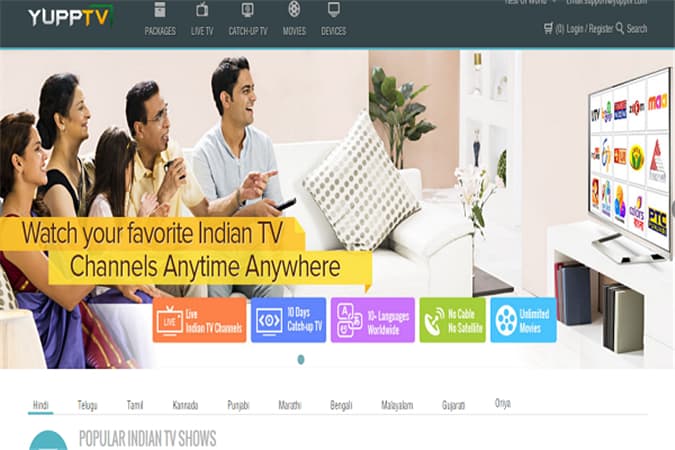
YuppTV is a global streaming platform offering over 200 Indian live TV channels in multiple languages, including Hindi, Telugu, Tamil, Malayalam, and more. It also provides a vast library of on-demand content like movies and TV shows. Accessible on multiple devices worldwide. ?cite?turn0search0?
Disney+ Hotstar streams select live channels, primarily focusing on sports, news, and entertainment. It offers a rich library of movies, TV shows, and original content in multiple languages. Both free content and premium subscriptions are available, with the latter providing an ad-free experience and access to exclusive content.
Zee5 hosts live streaming of Zee Network channels, encompassing a variety of genres such as entertainment, news, and regional programs. The platform offers a vast library of on-demand content, including TV shows, movies, and originals in 12 languages. Users can enjoy features like offline downloads, seamless streaming, and personalized recommendations.
SonyLIV offers live access to Sony Network channels, including entertainment, sports, and regional content. The platform is known for streaming live sports events, exclusive web series, and a vast collection of movies. Subscription plans provide additional premium content, an ad-free experience, and early access to select shows.
MX Player provides live streaming of channels focusing on news, regional content, and movies. Operating on an ad-supported model, it offers free access to a vast library of on-demand content, including web series, TV shows, and movies across multiple languages. The platform supports offline downloads and is accessible on various devices.
Voot streams live channels from the Colors Network, covering entertainment and regional programming. It offers a diverse range of content, including TV shows, movies, and Voot Originals in multiple languages. Both free content and premium subscriptions are available, with the latter providing an ad-free experience and access to exclusive content.
NewsOnAir is a government-backed platform offering live news channels and radio services. It provides live streaming of All India Radio stations and Doordarshan channels, keeping users informed with the latest news, cultural programs, and educational content. The platform is accessible on web browsers and through its mobile app.
WellTV provides live streaming of channels focusing on entertainment, spiritual, and regional content. Catering to diverse viewer preferences, it offers a variety of programs, including devotional shows, regional movies, and cultural events. The platform is accessible for free on web browsers.
Watcho offers live TV channels alongside a collection of web series, short films, and on-demand content. It provides a mix of live and original content across genres like drama, comedy, and thriller. Available to DishTV and D2H subscribers, the platform supports streaming on multiple devices, including smartphones and tablets.
Squid TV aggregates global and Indian TV channels, allowing users to access a variety of live streams across different genres. It serves as a directory, providing links to official live streams of news, entertainment, and regional channels. The platform is free to use and accessible worldwide.
TrackDish serves as a comprehensive TV installation guide, offering information on Indian streaming channels, satellite TV, and radio FM channels. It provides detailed tutorials, frequency lists, and technical support for setting up satellite and cable TV connections. The platform is a valuable resource for DIY enthusiasts and professionals in the broadcasting industry.
DesiFree.TV focuses on Hindi and regional TV shows and live channels, offering a selection of entertainment content. It provides access to popular Indian TV serials, reality shows, and live events. The platform is free to use and caters to audiences seeking Desi content worldwide.
BXTV provides access to international and Indian live TV channels, covering various genres and regions. It offers a diverse range of content, including news, entertainment, sports, and cultural programs. The platform is free and accessible on web browsers, catering to a global audience.
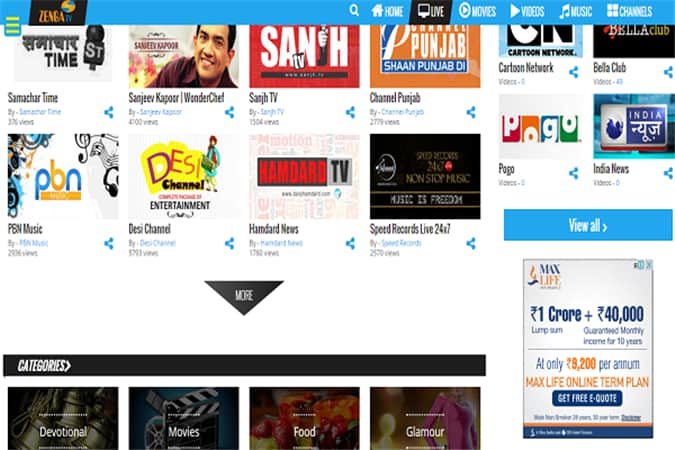
Zenga TV offers live streaming of channels across news, entertainment, sports, spiritual, kids, and movies. Operating on a free access model, it provides a user-friendly interface with high-quality streaming. The platform is accessible on multiple devices, including smartphones, tablets, and desktops.
DistroTV Desi features a lineup of live channels focusing on news, music, entertainment, and lifestyle, catering to the Desi audience. It offers a variety of content from South Asian countries, including India, Pakistan, and Bangladesh. The platform is free to use and accessible globally, supporting multiple devices.
Live TV Central provides access to various Indian TV channels, allowing users to stream live content across different genres.
Here’s our Top List to Watch Live Indian TV Channels Online.
1. DesiTVBox
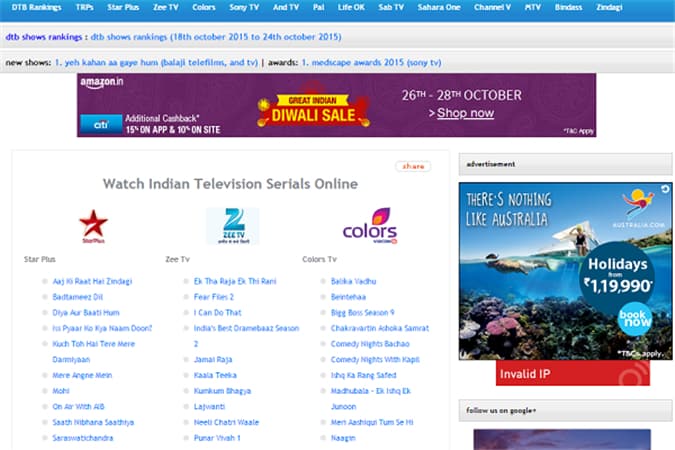
When it comes to the best website to watch Indian TV channels online, DesiTVBox comes at the first position. You can choose from multiple shows and serials and offers a plethora of channels. You can also check the ranking of every serial and show. According to the ranking, you can make choices and you can stay updated with all the TV shows. The website offers a user-friendly interface to access all the favourite shows. The website does not offer ads so that you can watch your favourite shows without any problem. It is a great platform if you are looking to expand your knowledge about Indian Television. It is a great website where you can watch all indian tv channels for free. Here is an article about YouView Internet TV – Television Over Broadband.
2. Zenga TV
Zenga TV is another best website to watch live Indian tv channels online. This platform keeps you updated to the ongoing trend. You can choose between various languages, categories, trends, and state channels. You can watch online tv free using this website through your mobile or pc. The user-interface is very light that lets you choose from range channels easily. You can find the best movies made in India on this online Indian channel watching platform. This is one of the best website to watch all indian tv channels for free.
3. YuppTV
YuppTV comes at the third position in the list of best online portals to watch Indian TV channels. It offers the users the luxury to watch the hit movies. Moreover, you can browse your favourite TV shows and serials that you watch daily. With its most flexible user-interface, you can choose channels from multiple languages, state channels, categories like comedy, cinema, business, and much more. The website does not offer its in-between ads to get you frustrated. You can watch your favorite online tv shows using this website. On this website, you can watch all indian tv channels for free and without advertisement. Check this article if you want to find best online deals on electronics.
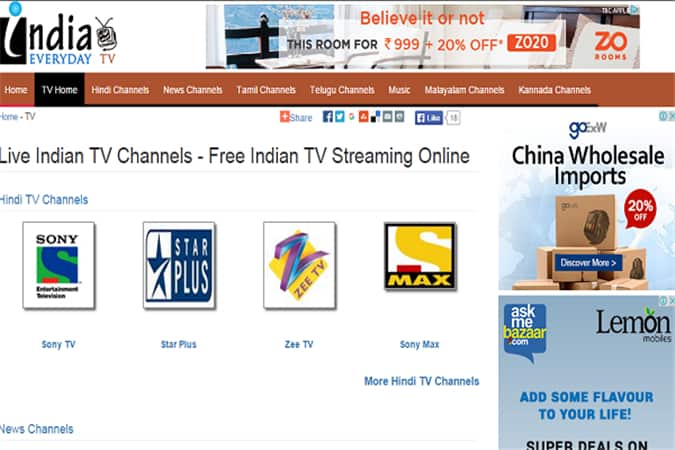
4. India Everyday TV
India Everyday TV offers proper satisfaction to its users and keeps them hooked with its awesome user-interface. You can choose from a wide variety of channels and shows that it offers to its users. You can stay updated with the trending shows, movies, modern day happening of India, catch-up with some recent and old movies. The website offers its users the flexibility to choose from different languages, state channels also and you can watch all indian tv channels for free. If you intend to discover the countless colors of Indian Television in the form of shows, serials, movies, then it is a must visit portal for you.
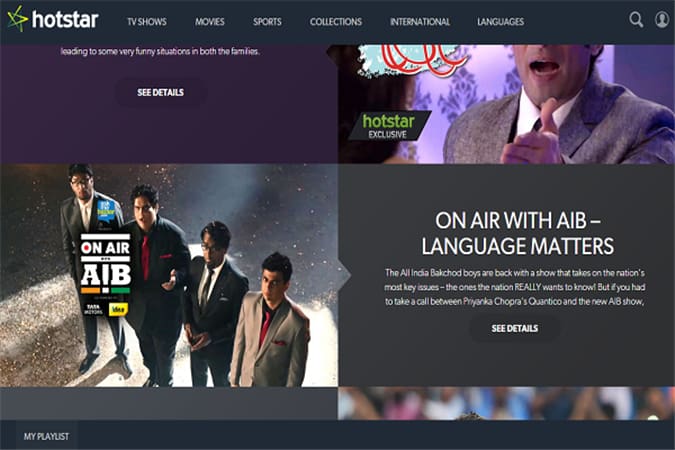
5. HotStar
This is another online portal to watch Indian TV channels live. You may have watched HotStar’s ad on the T. It is one of the popular online Indian TV channel watching platforms in India. But it offers shows that are broadcasted on the Star Network only. The interface is probably the best if we compare it with other platforms, but still, the platform has many fronts to explore and grow. You can also check Best Website On the Internet For Movies.
6. FreeTVAll
As the name suggests, it is one the of the free online Indian TV channel watching platforms. The channels here offered are not only Indians, but it does offer channels from other countries across the world. For getting enjoyable viewing experience, you can browse through the various channels that it offers and watch all indian tv channels for free. It offers channels of various categories like news, comedy, business, songs, cinema, sports and many other.
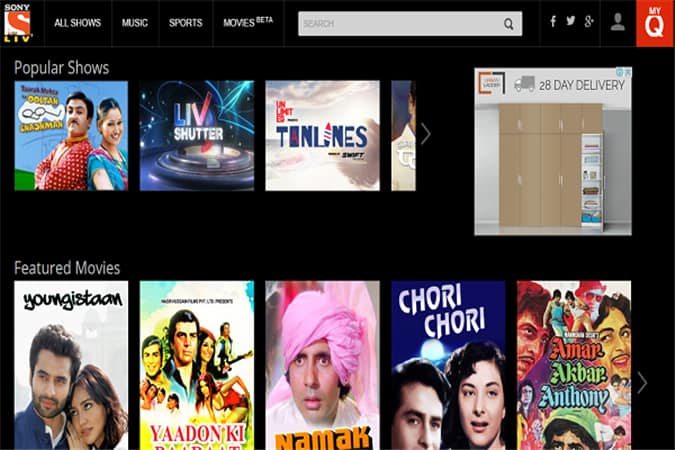
7. Sony Liv
Sony Liv offers parallel functionality to the HotStar. It offers to stream your favourite shows that are telecasted on Sony Network. If your TV watching is limited to only Sony Network channels, then it is the best option for you. It also has an Android app and it comes with every Sony smartphone. You can watch any Sony Network channel on the go, or if you are traveling somewhere. With its access limited to only Sony Network channels, it’s not much popular platform among Indians. SonyLiv is best functionality to watch online tv shows. But still, if you like to watch all the channels of this network then its a must visit portal for you. You can find various categories of shows on this portal like comedy, sports, drama etc.
8. The Viral Fever
The Viral fever is one of the rising Indian Live TV streaming. Although the portal offers limited Indian TV channels online, but still, it suits best for the ones who wants to watch something different. Apart from Indian live TV channels, it offers its own shows that have been receiving positive reviews from many users. The portal has managed to reach millions of users with its unique shows based on the concepts of society. This is amazing website for watching online tv free. Also, check Best Movies To Inspire You As An Entrepreneur
To Sum Up
The websites that are listed above are the best to watch Live Indian TV Channels Online. Whether you are traveling somewhere, or you spend most of the time where the cable connection is not there, these websites are the best option for you to not miss your favorite Indian TV shows and watch all indian tv channels for free. If we missed any other best website or if you have any doubt, please let us know in the comment section below.
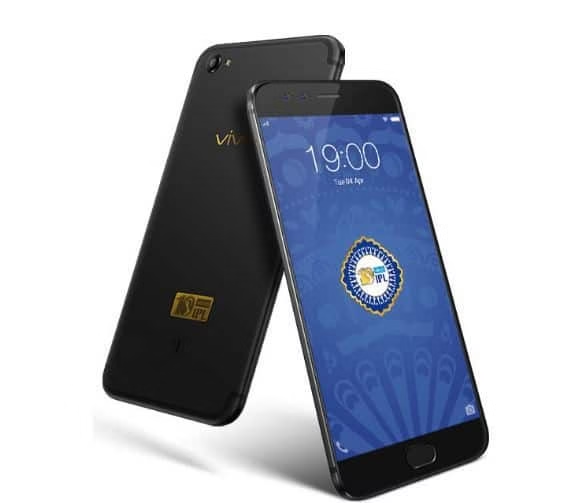
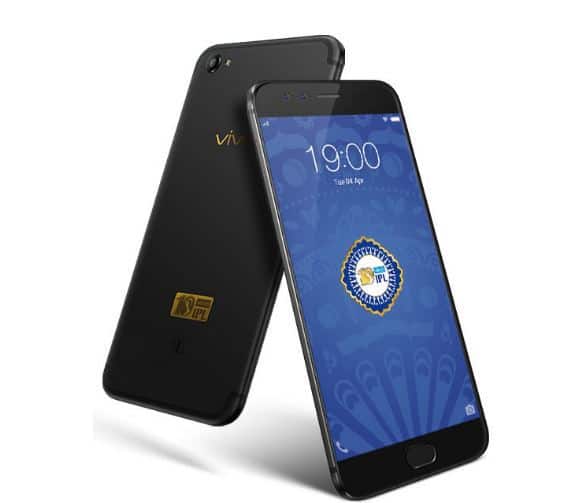
Vivo, is the one of the best phone manufacturer has announced the launch of Vivo V5 Plus Limited Edition to celebrate the 10 years of IPL in India. The previous version of this phone: V5 Plus was launched in January 2017. The T-20 cricket league: IPL celebrates its 10th anniversary and Vivo has announced the limited IPL edition of the phone. The smartphone has new features such as matte black finish with “Vivo IPL” logo inscribed in it. Vivo has also declared their partnership with E-Commerce giants Flipkart for online sale of “IPL Edition” of the smartphone from April 10.
The smartphone has a 2GHz Octa-Core Snapdragon 625 processor, Adreno 506 GPU, 4GB Ram, 16 MP rear camera and 64 GB internal memory. The screen is also big (5.5-inch) FHD display with Gorilla Glass 5 and also a 3055 mAh battery which will last a day. This newer version of smartphone has Funtouch OS 3.0 which is based on Marshmallow. There are other features like Smart Split 2.0, 1.78 mm Ultra-slim Bezel and also Eye Protection mode. The main highlight of the smartphone is its 20MP front camera which is capable of taking high-resolution selfies. There is also an additional 8-MP camera to take depth-of-field information.
The smartphone has some best features with the excellent features but is also available at best price: Rs. 25990 only on Flipkart, Vivo exclusive stores and retail stores. This IPL edition phone would surely be a delight to all the users.
Vivek Zhang, CMO, Vivo India, said “The idea behind the launch of limited edition phone was to offer our consumers with not just the phone but an experience they can cherish for a lifetime. We have given strictest attention to the design and feel of the phone and our focus is to offer an exclusive experience to the cricket crazy audience”.
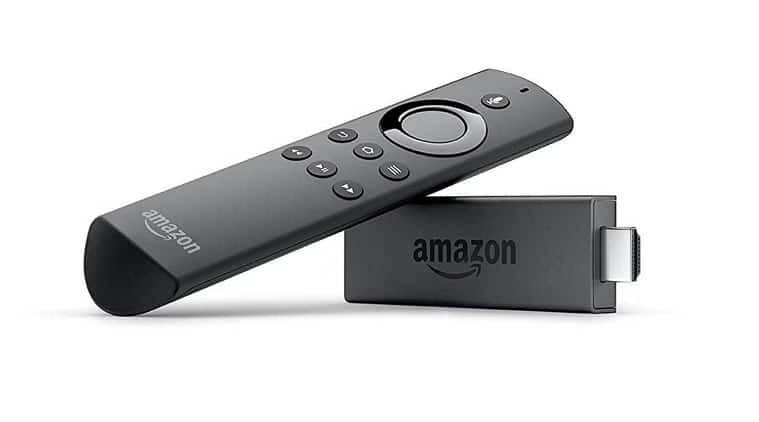
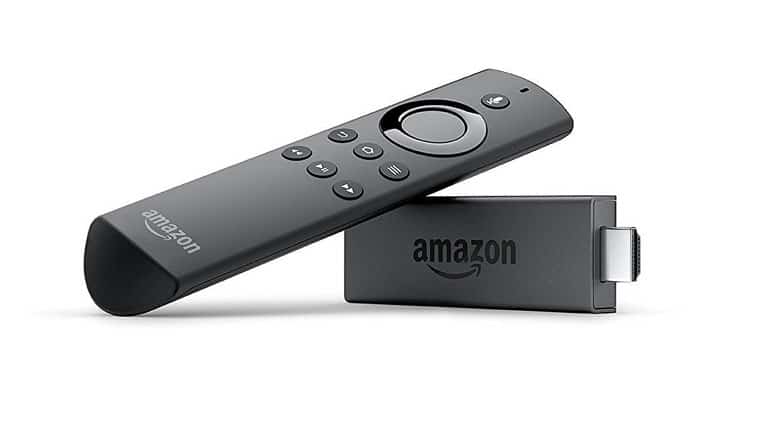
On Wednesday 19th April, Global e-commerce company Amazon launched an internet based streaming device, Fire TV Stick with a voice remote in the Indian market. The device costs at Rs 3,999 and India is the fifth market where Amazon has launched this device. The other big markets where this device is already launched are the US, UK, Germany and Japan.
Amazon Fire TV Stick With Voice Remote
Indian customers can purchase this product online on Amazon website. Apart from this, this product will also be available to purchase in offline stores like Reliance Digital and Croma. The company has launched this product in competition with Apple TV, Google Chromecast, and other digital set-top boxes that are available in Indian market. The users can get access to Amazon Prime Videos and other contents like Hotstar, Airtel Movies, Voot, Eros Now, Netflix, and other.
Amazon has tied up with Airtel to provide the customers up to 100 GB of free data for streaming content the Airtel Broadband service and 4G home Wi-Fi devices for 3 months. Apart from this, YOU broadband customers will get 240 GB of free data for three months. The users will also get six months of unlimited ad-free music streaming from Gaana.
Other offers like the users will also get six months of unlimited ad-free music streaming from Gaana, one month of ad-free video streaming from Voot and Voot kids and three months of free premium video membership from Eros Now to the Fire TV stick customers.
The users who will buy its Prime membership before 31 May will receive Rs 499 cashback in Amazon Pay Balance. The director head and country head of Amazon Prime Video – Nitesh Kriplani said the company is looking at offering the latest and best of Indian movies, American shows and much more to the customers. He said, “Some of the content is not available anywhere else and the kind of experience viewers will have, will be very different”.
The Senior Vice President and Country Manager of Amazon India – Amit Aggarwal at the press launch said that “We started Prime with unlimited fast delivery and then added unlimited access to Prime Video at no additional cost. Now, Fire TV Stick transforms TV viewing and makes the Prime experience even better”.
Amazon Fire TV vice-president Marc Whitten | Image Source: Reuters
Marc Whitten, vice-president at Amazon Fire TV said that Fire Stick TV is one of the most superior open-source platforms which provides OTT content. He also added “Apart from Amazon Prime Video, we will also offer over 3,000 apps, services, and games and it is fully customised for the Indian market. It can work on lower bandwidth and also have features designed specifically for Indian consumers”.
Specifications, Features, and Working of Amazon Fire Stick TV
The Amazon Fire Stick looks like a large pen drive which turns any TV into a smartTV with HDMI port. The device can be connected to any regular television to enjoy smartTV services. Basically, it runs on a forked version of Android with Fire TV User-Interface. Currently, there isn’t any app store but there are some popular applications included like Prime Video, YouTube, Netflix, and others.
The device includes a powerful quad-core MediaTek ARM processor clocked at 1.3 GHz and 1 GB of RAM. It is powered by Mali 450 GPU and weighs only 32g. Some other specifications include 1080p HD capability, Dolby Audio, 802.11ac MIMO Wi-Fi, Bluetoothv4.1.
The device also comes with a remote which supports voice commands and Alexa assistant. With its voice search feature, users can search content across various categories like actors, singers, languages, and many others. There is a remote app for Fire, iOS, and Android.
Once the customers purchase this device from Amazon shopping website, there is not any need to for detailed setup. It will automatically be pre-registered to their Amazon account.
Jigsaw Academy (an online school for analytics) in collaboration with the University of Chicago’s Graham School introduces an Integrated Program in Data Science and Machine Learning (IDM). Jigsaw Academy is also funded by the Manipal Global Education Services (MaGE).
Jigsaw Academy in association with University of Chicago launches an Integrated Program in Data Science and Machine Learning (IDM)
All the content & curriculum for this course has been exclusively designed by the qualified lecturers of the University of Chicago and industry experts from the Jigsaw Academy. It’s a program open for all the young professionals working across several domains and functions ranging over a nine-months time period costing around $5,000 (approximately Rs. 3.25 lakhs). It perfectly features specific electives to address the analytical needs throughout different industry sectors.
According to Rob Schnieders, Senior Associate Dean, Academic Affairs, Graham School of Continuing Liberal & Professional Studies, University of Chicago:
“Globally, we are producing more data than ever before. We have the tools to harness the power of data to draw insights that can affect real world change. With Jigsaw Academy’s considerable industry expertise, we have launched a comprehensive program that equips the tech workers of tomorrow with the necessary skills to remain competitive and relevant in a dynamic industry environment.”
Data-driven strategic & tactical recommendations will be provided to the enrolling students along with the exposure of working on real data sets. The program modules integrate business strategies along with project-based learning, case studies, and simulations. The curriculum incorporates a module on “Spark” being one of the most engagingly used platforms for machine learning combining with R and Big Data.
In another statement, the Co-Founder and CEO Gaurav Vohra said:
“The analytics space is fast changing. While courses on SAS and R used to be popular five years ago (for analytics), newer courses in big data and machine learning have replaced them.”
Sarita Digumarti, Cofounder of Jigsaw Academy said:
“We are confident that the IDM program is unique in its approach. We have created this course keeping in mind both – the requisite technical skills and crucial softer aspects like storytelling and project management in analytics. With this program, we have built a strong industry connect with guest speakers, industry projects, company contests. Beyond the classroom, we also empower our students with valuable networking opportunities and career connections.”
Are you looking for best uTorrent alternatives to download latest movies and other stuff? There was the time when uTorrent was leading the torrent downloaders until BitTorrent Inc. bought it. Earlier it was very lightweight, trounced and open source. After BitTorrent bought it, uTorrent becomes the closed source and now filled with frustrating ads and spammy offers which you cannot block. So we decided to come up with the best utorrent alternatives to download torrents safely and faster.
The popularity of this service has declined and now users are moving to other alternatives to utorrent. If you are one of them, fortunately, there are some utorrent alternatives like software which you can use. Some are open source and some are closed source. Some cannot beat uTorrent and some have better features than uTorrent. Even there are some Torrent clients which may damage your computer as they can add viruses. You can also check Android Apps For Tablets
With some careful research, we have found some best uTorrent alternatives to download the latest software, movies, and other stuff for free. Some offer ads, adware but perform fine.
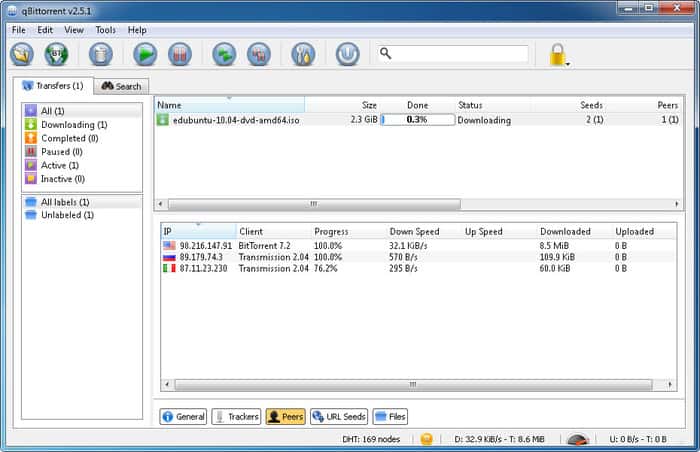
If you are looking for the best utorrent alternatives, then it may be the best option for you. It is an open-source, lightweight, and completely free torrent client which is created to be a replacement for uTorrent. This uTorrent alternatives doesn’t offer spammy ads and you can use it without any frustration. You can also check the best video editing tools for Mac users if you are a video editing geek and is using Mac.
The user interface is very simple and you can use it very easily with all the information in front of you. You can do all basic as well as average tasks like add filters, search torrents, download torrents, control ports, control bandwidth, and much more. You may have a similar user experience if you ever used uTorrent before as qBittorrent is developed based on the same source code on which uTorrent was built.
2. Vuze
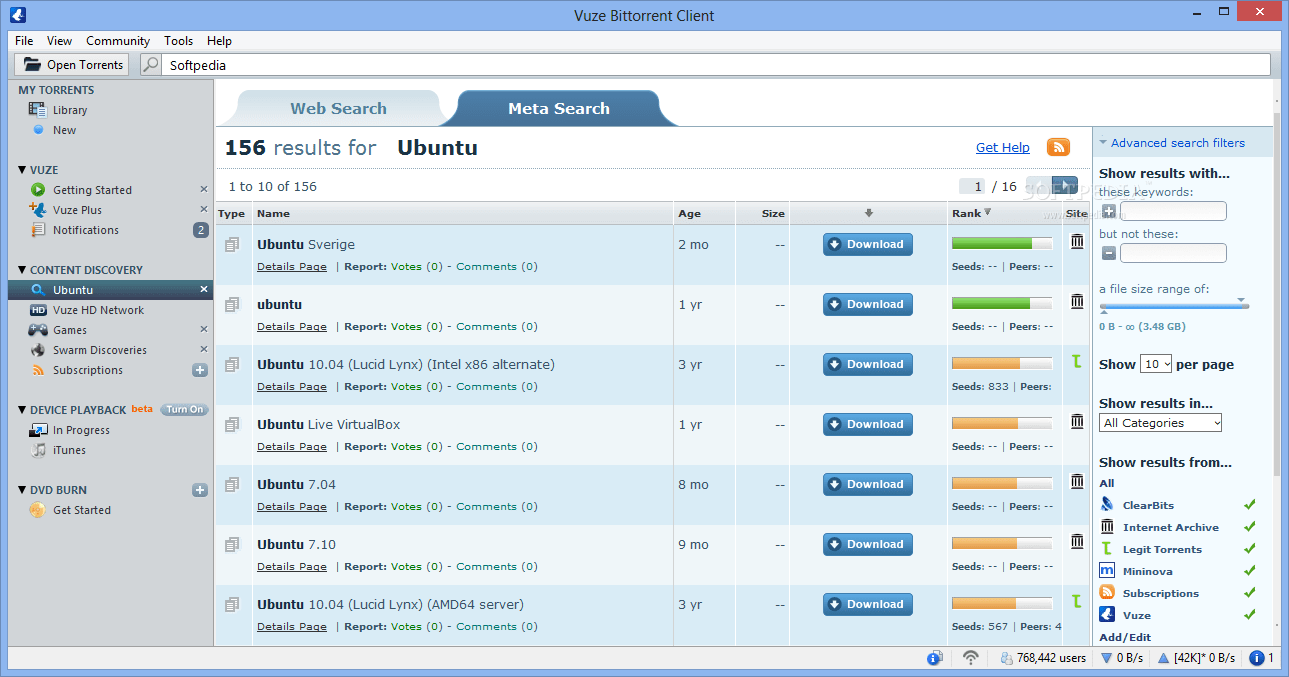
It is another best alternatives to utorrent. It is a closed source torrent system and to get access to advanced features, you have to purchase its paid version. Because of its awesome advanced features, it comes in the list of best uTorrent alternatives software. The user interface is amazing, but it offers ads in the interface and adware while installation.
It has all the advanced features like RSS subscription, bandwidth control, remote control, notifications, file converter, media player, filters, plugin support and much more.
3. Deluge
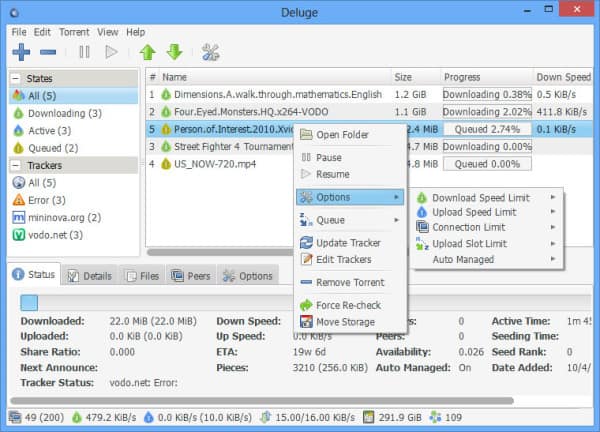
Deluge is based on BitTorrent source code and is one of the best uTorrent alternatives with bit similar features to BitTorrent and older version of uTorrent. The interface of the torrent client is very simple and does not offer any malware, adware in the package. It includes all basic features that are included in utorrent alternatives clients like peer exchange, bandwidth control, password protection, speed limit, encryption. The tool is free to use and is available for all major operating systems like Windows XP and upper versions, Mac OS, Linux, and FreeBSD.
4. Boxopus
Boxopus was initially designed to let you send torrents directly to your Dropbox account so that you can download it anytime and anywhere. But Dropbox withdrew this support to Boxopus. Fortunately, now you can send torrent files to Boxopus servers from where it can be downloaded easily. The torrent client also has an Android app and is available for all major operating systems like Windows, Mac Os, Linux etc.
5. Tixati
Tixati is a free and closed source torrent client with a lot of options for both novice and power users. The user-interface of this uTorrent alternatives is quite different with all the information provided in a proper manner and does not have unnecessary ads and crapware. There is a unique feature of this utorrent alternatives is “Channels”. You can join different channels. You can chat with your peers and stay updated with statistics. It includes all basic features that any other torrent client have like bandwidth control, Torrent search, DHT, filters, UPnP etc.
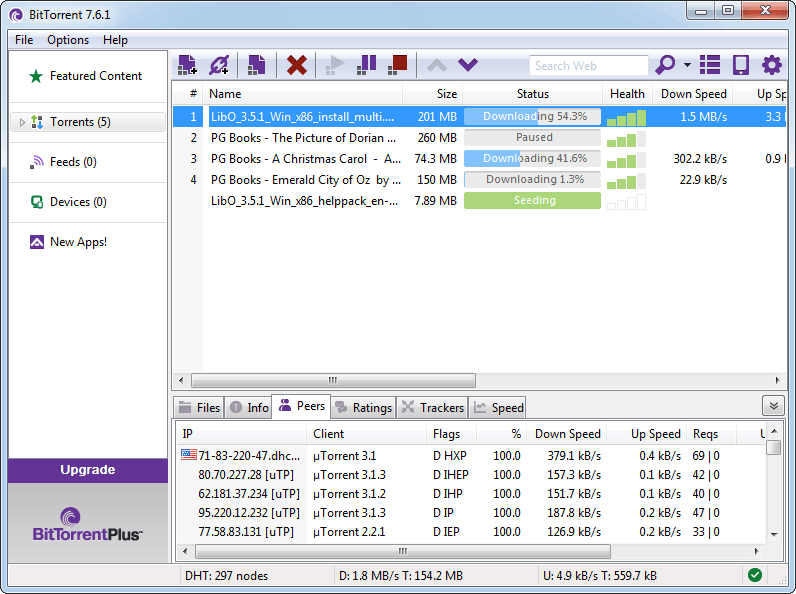
BitTorrent is another one of the best uTorrent alternatives which are brought to you by BitTorrent Inc. It is alternatives to utorrent with slight changes like logo changes, color changes. It has some frustrating adware while installing and ads in the interface. You can buy the pro version if want to get extra features and ad-free interface. If you don’t want to place your trust on other third-party tools, then it would be worth try. The tool is available for Windows, Mac, and Android.
7. Transmission
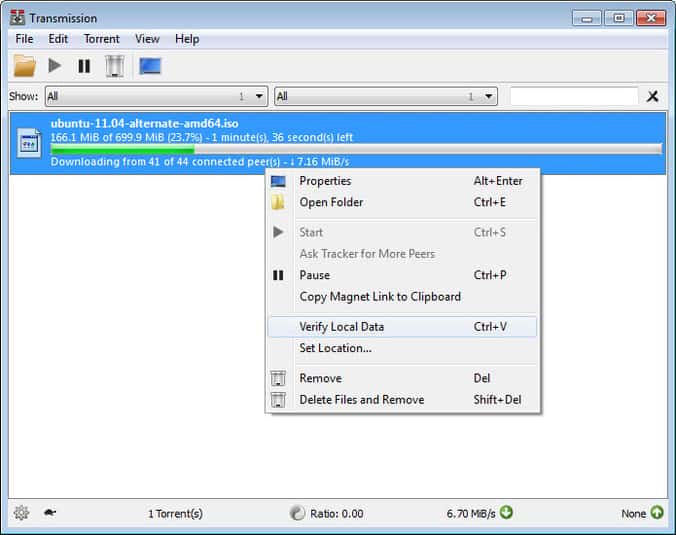
Transmission is utorrent alternatives and was initially made for Mac OS and Linux, but a third-party copy of this tool is also available for Windows now. Earlier, this torrent client has faced many issues with malware and security, but now it is working fine. It is an open-source torrent client which offers very clean interface without ads and crapware. It is packed with some basic features like web seed support, peer exchange, web interface, tracker editing, DHT, encryption, and speed controls. It is compatible with Windows, Mac, Linux and it comes built-in with Ubuntu as default torrent manager.
BitLord comes with VLC media player and is one of the simplest alternatives to utorrent. You can easily play any kind of media files within this torrent client. You can easily download torrent files with its clean and simple user-interface. It includes all the basic features that the best torrent client must-have. It includes bandwidth control, speed controls, encryption etc. You can use this utorrent alternatives tool on Windows, Mac, and Linux.
9. FrostWire
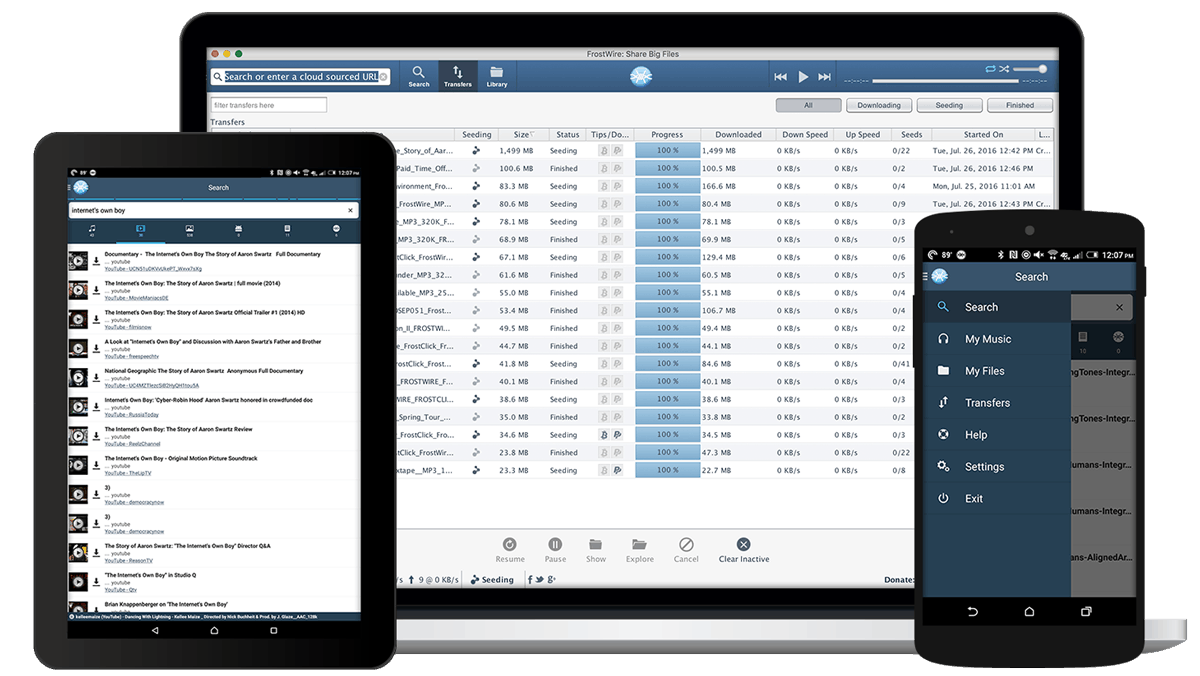
FrostWire allows you to find torrent files over cloud sources and BitTorrent search engines very easily. You don’t have to look for your torrent files outside the tool on Google or other search engines. You can find them on FrostWire without leaving it. It comes with all the basic features and you can have full control over your downloads.
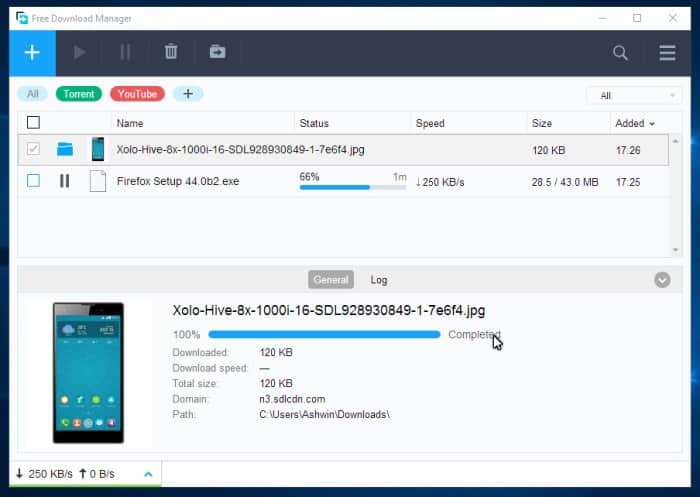
Free Download manager is a complete alternatives to utorrent client including music files, video files, torrent files and even you can download YouTube videos directly on your computer. it is also the alternative of Internet Download Manager (IDM) which works very efficiently. You can adjust bandwidth usage, organise downloads by file types, control priorities for torrent files. You can download multiple files, with this one of the best uTorrent alternatives. You can enjoy the fast downloading feature and you can resume downloads with its resume downloading feature if the file is too large.
If you are really fed up of uTorrent, then you can try any best utorrent alternatives from the above list. I would recommend you to go with Bittorrent if you really want a reliable and efficient working program like uTorrent. This list is the best utorrent alternatives in 2017 to let you choose the best torrent client to replace uTorrent.