Home Blog Page 5

Free Domain Name Providers That Will Blow Your Mind

No Budget? No Problem: Free Domains to the Rescue

Got free web space but no domain to match? Free domain providers can get you online without spending a dime, making them a game-changer for budget-friendly projects. These no-cost options are perfect for personal projects, temporary events, or educational sites—though they fall short for long-term business branding. This article highlights the top three trusted free domain name providers to help you choose the best fit for your next website. While free domains are a great way to start, choosing a domain with a paid option might be worth considering for professional or permanent needs.

free domain name websites

1. Freenom (Formerly Dot TK)

🎯 What’s on the Table: Freenom offers free .tk, .ml, .ga, .cf, and .gq domains, complete with basic DNS management tools to get you started.
🌟 Killer Feature: Access to multiple top-level domains (TLDs) gives you creative naming flexibility—think “YourPassion.tk” or “Event.ga.”
💰 Price Tag: Completely free for the first 12 months; renewals stay free unless your domain is labeled “premium,” which could then carry a fee.
🚀 TechGyo Hack: Pair your free domain with free software like WordPress or Joomla to build a fully functional test site at no cost.

If you’re looking for a quirky yet functional way to kick off a website, Freenom stands out with its eclectic mix of TLDs tied to small nations like Tokelau (.tk) and Mali (.ml). It’s a favorite among hobbyists and experimenters who want to test ideas without financial commitment, and its straightforward DNS tools mean you don’t need to be a tech wizard to get started. Despite past legal hiccups, its resilience keeps it a go-to for free website domains, offering a sandbox for creativity that’s hard to beat.

✅ Pros❌ Cons
Variety of TLDs
Easy DNS setup
No upfront cost
Limited renewal control
Risk of losing premium domains
Quirky TLD reputation

Freenom faced a rocky patch after a Meta lawsuit but stabilized through a Teletok partnership, ensuring its free domain service keeps rolling strong.

2. FreeNomad (CO.NR Revival)

🎯 What’s on the Table: FreeNomad provides free .co.nr domains with URL/path forwarding and META tag customization options for added control.
🌟 Killer Feature: Advanced forwarding capabilities let you redirect your domain flexibly to any web location—ideal for linking to existing pages or platforms.
💰 Price Tag: Free indefinitely, as long as you comply with their usage policies.
🚀 TechGyo Hack: Leverage META tag support to optimize SEO tips for temporary or experimental sites—perfect for boosting visibility.

FreeNomad breathes new life into the nostalgic .co.nr TLD, originally popularized in the early internet days, making it a solid pick for those who need a quick redirect solution. Its standout forwarding feature is a boon for marketers or event planners linking to social profiles, e-commerce pages, or temporary landing sites, while the META tag tweaks give you a slight edge in search engine rankings. It’s a lightweight, no-fuss option that keeps things simple yet effective for short-term online ventures.

✅ Pros❌ Cons
Permanent free option
Forwarding flexibility
SEO customization
Limited TLD choice
Basic feature set
Less professional TLD

FreeNomad has solidified its spot as a dependable revival of the classic .co.nr service, maintaining reliability for users everywhere.

3. Biz.nf (CO.CC Successor)

🎯 What’s on the Table: Biz.nf delivers free .co.nf domains (up to two per user), bundled with hosting and a user-friendly control panel.
🌟 Killer Feature: Integrated hosting makes it an all-in-one solution for beginners looking to launch a site quickly—no extra setup required.
💰 Price Tag: Free for two domains; pay $10 to unlock up to 100 domains, with a $3 renewal fee for business use.
🚀 TechGyo Hack: Begin with the free tier to test your project, then scale up affordably with insights from our guide on web hosting.

Biz.nf steps up as a beginner’s dream, combining free domains with hosting to eliminate the usual setup headaches—perfect for students, small groups, or anyone dipping their toes into web creation. The .co.nf TLD might not scream prestige, but its bundled hosting and intuitive control panel make it a practical choice for launching a blog, portfolio, or community page in minutes. It’s the closest you’ll get to a free all-in-one package, with room to grow if your project gains traction.

✅ Pros❌ Cons
Free hosting included
Easy control panel
Beginner-friendly
Only 2 free domains
Renewal fees for scaling
Less recognized TLD

As the .co.cc domain fades into obscurity, Biz.nf remains a steady, practical choice for free domain seekers worldwide.

When to Use Free Domains

Free domains are ideal for specific use cases: personal blogs, school or community events, or short-term business promotions. For example, snag a .tk domain for a hobby blog or grab a .co.nr for a limited-time flash sale page. Just keep an eye out for downsides—ads might pop up on your site, and unconventional TLDs can limit branding appeal. Need help finding the right name? Use these domain search tools to score an available gem.

Free vs. Paid Domains: Quick Comparison

AspectFree DomainsPaid Domains
Cost$0 (with conditions)$10-$15/year (typical)
TLD OptionsQuirky (e.g., .tk)Custom (e.g., .com)
ControlLimited (ads, renewals)Full ownership
BrandingLess professionalStrong credibility

Free domains work wonders for casual or temporary use, but for serious, long-term projects needing trust and recognition, .com domains still reign supreme. Thinking of upgrading later? A domain broker can simplify snagging that perfect premium name.

How to Set Up Your Free Domain

  • Choose a provider from the list above (Freenom, FreeNomad, or Biz.nf).
  • Register your desired domain name—cross-check availability with domain search tools.
  • Link it to a hosting service (free or paid).
  • Verify the setup via DNS settings.

Tips: Double-check DNS configurations to avoid delays or errors—precision pays off here.
Time Estimate: Takes about 5-15 minutes, depending on the provider. For a deeper dive, follow our guide on starting a blog to get your site live and thriving.

Conclusion

Let’s wrap it up: Freenom offers TLD variety for creative freedom, FreeNomad excels in forwarding flexibility, and Biz.nf provides a hosting combo for beginners. Whether you’re launching a quick project or testing an idea, these free domain providers have you covered. Pick the one that fits your needs and start building your site today—even free domains can shine with smart domain branding. Want to take it further? Check out how to build successful websites for next-level tips. Got questions? Drop them below for tailored advice!


Call Free Forever: 10 Best Free Calling Apps for iPhone

0

For iPhone users seeking to eliminate exorbitant carrier charges, free calling apps offer a sophisticated solution by leveraging Wi-Fi or cellular data for seamless communication. These innovative tools bypass traditional phone plans, enabling cost-effective voice calls, video chats, and messaging without the burden of roaming fees or per-minute rates. Designed to maximize your iPhone’s capabilities, they provide a reliable alternative for both personal and professional connections, ensuring you stay linked globally without financial strain. Below, we present 10 top-tier applications that redefine affordability and functionality, empowering you to take control of your communication expenses. Explore this curated list and discover how to transform your iPhone into a carrier-free powerhouse.

free calling apps iPhone,best iPhone call apps,iPhone free international calls

The 10 Best Free Calling Apps for iPhone

These apps leverage your internet connection—Wi-Fi or Data takes the lead, with data as a reliable backup—to deliver seamless, cost-free communication. Android users can explore similar cost-saving options with our guide to the top 10 free call apps for Android, packed with VOIP gems to slash your bills. Below, we break down the iPhone lineup, complete with pros and cons for each standout contender.

TextNow

free calling apps iPhone,best iPhone call apps,iPhone free international calls

TextNow emerges as a standout choice for iPhone users eager to sidestep carrier costs, delivering a free US phone number that’s yours for life—no SIM required. Since its debut in 2009, it’s amassed millions of users who relish the freedom of unlimited calls and texts to the US and Canada, all powered by Wi-Fi or data. Whether you’re a traveler avoiding roaming fees or a freelancer juggling multiple lines, TextNow’s got you covered with voicemail thrown in for good measure. Ads keep the lights on, but a modest monthly fee banishes them, leaving you with a clean, carrier-free experience. It’s a bold middle finger to traditional phone bills, wrapped in an iPhone-friendly package.

🎯 What It Offers: Free voice calls, texting, and voicemail to US/Canada over Wi-Fi or data.
🌟 Standout Perk: A permanent US number—no SIM card, no problem.
💰 Cost: Free with ads; $9.99/month to go ad-free.
🚀 TechGyo Tip: Share Wi-Fi from your laptop to keep TextNow calls flowing anywhere.

Quick Fact: Millions swear by it—TextNow’s the OG of free-call rebels.

✅ Pros❌ Cons
Free permanent numberAds unless you pay
Unlimited US callsInternational needs credits

Download: Get TextNow on the App Store.

TextFree

free calling apps iPhone,best iPhone call apps,iPhone free international calls

TextFree storms your iPhone with a customizable US number, letting you pick your area code and strut your local pride—all without a carrier’s leash. Launched in 2009, it’s a veteran in the free-call game, offering voice calls, texts, and group chats over Wi-Fi or data with a personal touch. Incoming calls are always free, while outbound minutes can be earned or bought on the cheap—perfect for dodging spam while keeping your crew on speed dial. Ads are the trade-off, but they’re a small price for a setup that makes FaceTime look basic. It’s a carrier-killer with a dash of iPhone swagger.

🎯 What It Offers: Free voice calls, texts, and group chats via Wi-Fi with a custom US number.
🌟 Standout Perk: Pick your own number—rep your city for free.
💰 Cost: Free; $2.99/100 minutes for outbound or earn ‘em.
🚀 TechGyo Tip: Boost your internet for TextFree’s crispest free calls.

It’s your iPhone’s free-call flex—carrier who?

✅ Pros❌ Cons
Customizable numberLimited free outbound
Group chat vibesAds can nag

Download: Get TextFree on the App Store.

Talkatone

free calling apps iPhone,best iPhone call apps,iPhone free international calls

Talkatone’s been thumbing its nose at carriers since 2010, handing iPhone users a free US number for calls and texts without a SIM card in sight. It’s a lifeline for North American communication—unlimited calls and texts to the US and Canada, plus voicemail, all riding your Wi-Fi or data. Whether you’re a digital nomad dodging roaming charges or just tired of Big Telecom’s nonsense, Talkatone delivers a seamless, carrier-free fix. Ads keep it rolling, but a $9.99 monthly fee sweeps them away with extra perks. It’s the iPhone’s quiet rebellion against overpriced plans.

🎯 What It Offers: Free calls and texts to US/Canada, plus voicemail, all internet-powered.
🌟 Standout Perk: Total carrier dodge—your iPhone’s a free agent.
💰 Cost: Free; $9.99/month for no ads and extras.
🚀 TechGyo Tip: Backup your chats with Talkatone using these iPhone tricks.

Quick Fact: Over a decade strong—Talkatone’s a free-call legend.

✅ Pros❌ Cons
No carrier neededAds unless premium
Unlimited US callsSpotty on weak data

Download: Get Talkatone on the App Store.

LINE

free calling apps iPhone,best iPhone call apps,iPhone free international calls

LINE sweeps onto your iPhone like a tsunami of free calls from Asia, boasting over 600 million users who can’t resist its voice and video prowess. Born in Japan, it’s a FaceTime rival with a twist—free texts and a sticker library so wild, you’ll be giggling mid-call with cartoon pandas. It’s huge in places like Thailand and Taiwan, but its iPhone app brings that global vibe stateside, all over Wi-Fi or data. Extra stickers cost a buck, but the core’s free—ideal for iPhone users who want their calls with a side of personality. It’s a carrier-killing chat monster.

🎯 What It Offers: Free voice and video calls, texts, and a sticker stash that’s next-level.
🌟 Standout Perk: Stickers so wild, your calls turn into cartoons.
💰 Cost: Free; extra stickers cost a buck or two.
🚀 TechGyo Tip: Level up video calls on LINE with live streaming hacks.

It’s your iPhone’s quirky free-call fix—sticker up!

✅ Pros❌ Cons
Killer stickersNiche user base
HD video callsIn-app purchases

Download: Get LINE on the App Store.

Dingtone

free calling apps iPhone,best iPhone call apps,iPhone free international calls

Dingtone’s the iPhone app for scrappy users who’d rather hustle than pay, dishing out free calls with a clever catch. You get voice calls and texts over Wi-Fi, but the real magic’s in earning credits for international dials—watch an ad, snag some minutes, and call your pal in Paris. With over 10 million downloads, it’s a hit for those who love gaming the system to kill carrier costs. It’s not all free upfront—global calls need those credits—but the grind’s worth it for iPhone owners who thrive on a challenge. It’s your pocket-sized rebellion.

🎯 What It Offers: Free voice calls and texts—earn credits for international reach.
🌟 Standout Perk: Watch ads, get minutes—your side gig’s calling.
💰 Cost: Free; credits via tasks or $1.99/month.
🚀 TechGyo Tip: Secure your calls on Dingtone with these VPN secrets.

Quick Fact: 10 million strong—Dingtone’s the grinder’s VOIP.

✅ Pros❌ Cons
Earn free minutesGrind for credits
Global reachAds can pile up

Download: Get Dingtone on the App Store.

Cybtel

free calling apps iPhone,best iPhone call apps,iPhone free international calls

Cybtel slips onto your iPhone like a stealth ninja, offering free calls with a privacy shield that’s tougher than a carrier’s fine print. It’s all about HD voice and video calls over Wi-Fi or data, locked down with encryption that keeps your chats off the radar—plus virtual numbers to dodge spam. Newer to the scene, it’s already winning over iPhone users with audio so crisp, you’ll swear they’re whispering in your AirPods. Free for the basics, it’s a dream for anyone who hates Big Telecom’s prying eyes. It’s your iPhone’s hush-hush carrier-killer.

🎯 What It Offers: Free HD voice and video calls, virtual numbers, encrypted chats.
🌟 Standout Perk: Audio so clear, it’s like they’re in your AirPods.
💰 Cost: Free; premium plans for biz perks.
🚀 TechGyo Tip: Pair Cybtel with a VPN from this list for max privacy.

It’s the free-call hero your iPhone deserves.

✅ Pros❌ Cons
HD encrypted callsLimited free scope
Virtual numbersLess known

Download: Get Cybtel on the App Store.

MobiCalls

free calling apps iPhone,best iPhone call apps,iPhone free international calls

MobiCalls glides onto your iPhone with a minimalist charm that cuts through the carrier noise, offering free calls in a package that feels Apple-crafted. It’s all about voice calls, voicemail, and call forwarding over Wi-Fi or data—no flashy video, just pure, clean audio that fits your iPhone’s sleek aesthetic. Free calls are limited, but international rates are so low, you’ll barely notice—perfect for globetrotters on a budget. It’s not the loudest app in the room, but its simplicity and cost-cutting edge make it a quiet killer of carrier fees.

🎯 What It Offers: Free or cheap voice calls, voicemail, call forwarding.
🌟 Standout Perk: Clean iOS design—no fluff, just function.
💰 Cost: Free; international rates vary.
🚀 TechGyo Tip: Speed up your iPhone for MobiCalls with this tweakable guide.

Quick Fact: Small but mighty—MobiCalls keeps it real.

✅ Pros❌ Cons
Sleek interfaceNo video option
Low-cost extrasSmaller user base

Download: Get MobiCalls on the App Store.

WeChat

free calling apps iPhone,best iPhone call apps,iPhone free international calls

WeChat’s a juggernaut that turns your iPhone into a free-call powerhouse with a social twist—1.2 billion users can’t be wrong. Hailing from China, it’s an everything-app: free voice and video calls, texts, and a Moments feed to share your life, all over Wi-Fi or data. It’s like FaceTime and Instagram had a baby, with a chat-first soul that hooks you fast. Free calls are flawless, though extras like stickers cost a bit—ideal for iPhone users who want more than just a dial tone. It’s a carrier-crushing multitasker.

🎯 What It Offers: Free voice and video calls, texts, and a Moments feed.
🌟 Standout Perk: Social vibe—call and flex your life in one app.
💰 Cost: Free; extras like stickers cost a bit.
🚀 TechGyo Tip: Grow your reach on WeChat with content marketing magic.

Quick Fact: 1.2 billion users—WeChat’s a mini planet.

✅ Pros❌ Cons
Social integrationNiche outside Asia
Free callsIn-app costs

Download: Get WeChat on the App Store.

Libon

free calling apps iPhone,best iPhone call apps,iPhone free international calls

Libon’s your iPhone’s secret weapon for free calls, tossing in 60 international minutes monthly to sweeten the deal. It’s built for free chats with other Libon users over Wi-Fi or data, with rates so cheap for everyone else—think pennies per minute—you’ll barely blink. Those free minutes reset each month, so it’s a race to use ‘em—perfect for iPhone users who love a challenge and hate roaming fees. It’s got a tight-knit fanbase who swear by its budget-friendly global reach, making it a stealthy carrier-killer.

🎯 What It Offers: Free calls to Libon users, cheap international minutes.
🌟 Standout Perk: 60 free global minutes monthly—talk fast!
💰 Cost: Free; $1.99/month for more minutes.
🚀 TechGyo Tip: Snag Wi-Fi passwords to keep Libon calls free and easy.

It’s your iPhone’s quick-draw free-call champ.

✅ Pros❌ Cons
Free monthly minutesTime cap on freebies
Cheap ratesSmall user pool

Download: Get Libon on the App Store.

Tango

free calling apps iPhone,best iPhone call apps,iPhone free international calls

Tango’s been dazzling iPhone users since 2009, morphing from a video pioneer into a free-call app with a social spotlight. It dishes out voice and video calls over Wi-Fi, but the real star’s the live-stream option—turn your chats into a show for your crew. Texts keep it versatile, though ads sneak in unless you splurge on extras. It’s less about pure calling now and more about the vibe—perfect for iPhone extroverts who want their free calls to shine. It’s a carrier-killing throwback with modern flair.

🎯 What It Offers: Free voice and video calls, texts, live streams.
🌟 Standout Perk: Broadcast live—your calls hit the big screen.
💰 Cost: Free; in-app goodies cost extra.
🚀 TechGyo Tip: Master messaging on Tango with these SMS pro tips.

Quick Fact: Once a video star—still got iPhone pizzazz.

✅ Pros❌ Cons
Live streamingAds can creep in
Free videoLess call focus

Download: Get Tango on the App Store.

Your iPhone’s Free Call Revolution

TextNow’s rebel number, LINE’s sticker chaos, and Tango’s live-stream flair—these 10 apps slay carrier costs and set your iPhone free. Weigh the pros and cons, pick your poison, and call the world without a dime to Big Telecom!

Top 10 Android Free Call VOIP Services You Need Right Now

0

Imagine you’re stuck in traffic, but instead of fuming, you’re laughing with a buddy in London—or maybe nailing a pitch to a client in Tokyo—all from your Android, no crazy bills attached. That’s VOIP (Voice Over Internet Protocol) for you: the unsung hero of modern communication. With Wi-Fi popping up everywhere and data plans cheaper than a coffee run, these apps turn your phone into a global chat machine. Whether you’re dodging small talk or running a side hustle, VOIP’s got your back—free, flexible, and oh-so-smooth. Ready to ditch the old phone game? Here are the 10 best VOIP services for Android that’ll keep you connected without the drama.

free calling apps iPhone,best iPhone call apps,iPhone free international calls

What’s VOIP All About?

VOIP—Voice Over Internet Protocol—is just a fancy term for talking over the internet. Forget landlines; this tech rides your Wi-Fi or data to deliver calls, video, and more. One plan covers it all: chats, Zoom-style huddles, even file swaps—no extra voice package required. Once a pricey perk, VOIP’s now mostly free, with optional add-ons for the fancy stuff. It’s your phone, unleashed—perfect for Android users who live on the go.

The 10 Best VOIP Services for Android

These apps live on your internet connection—Wi-Fi’s the VIP, but mobile data’s a decent backup. Let’s jump into the lineup:

Skype

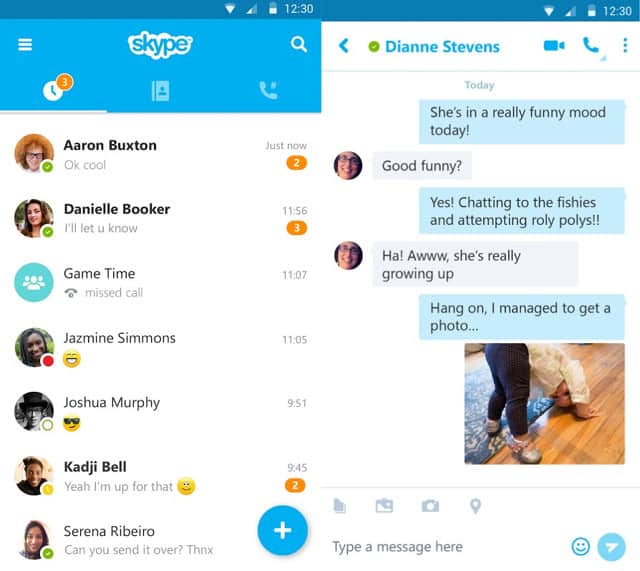
Skype’s the OG of VOIP—like that reliable friend who’s always there, even if they’re a bit retro. Microsoft keeps it humming with free voice calls, video chats, and messaging across every device you own.

skype-best-voip-service-for-android

🎯 What It Offers: Crystal-clear calls, video for up to 25 pals, plus file and screen sharing—perfect for work or a virtual karaoke night.
🌟 Standout Perk: It’s everywhere—Android, PC, even your grandma’s tablet syncs with Outlook or Facebook.
💰 Cost: Free Skype-to-Skype; landlines cost $6.99/month (US) or $13.99/month (worldwide)—or pay ¢2.3/minute if you’re commitment-phobic.
🚀 TechGyo Tip: Spice up group calls with live streaming tricks for a lively Skype session.

Quick Fact: Over 300 million folks use Skype monthly—proof it’s still got game, even if Teams is the shiny new toy.

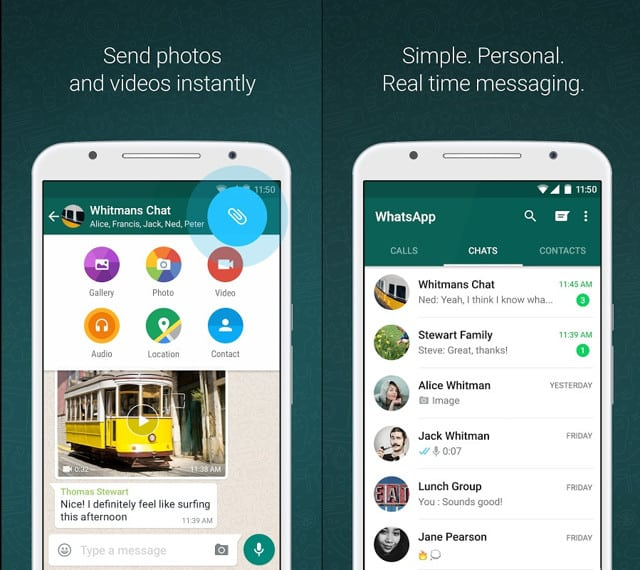
WhatsApp

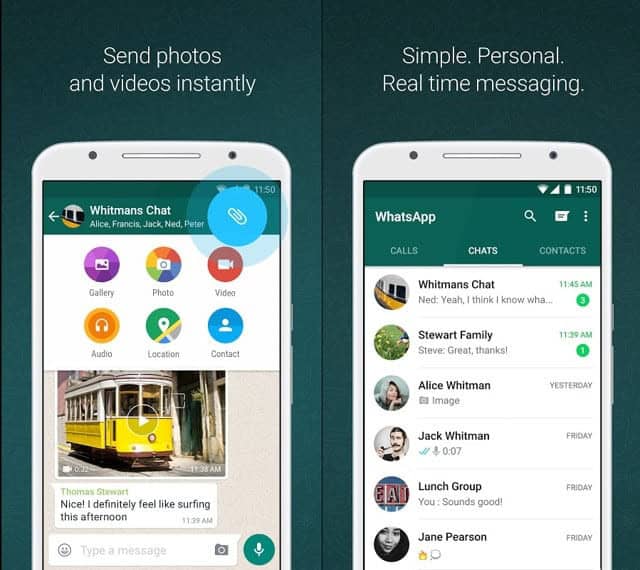
WhatsApp’s the cool kid who somehow knows everyone. With billions of users, it’s the app you didn’t know you needed until it was too late—it’s that good.

free calling apps iPhone,best iPhone call apps,iPhone free international calls

🎯 What It Offers: Free voice calls, video chats, and texts that zip over Wi-Fi or data, all wrapped in end-to-end encryption.
🌟 Standout Perk: Runs like a dream on low-spec Androids—your old phone’s still invited to the party.
💰 Cost: Zero bucks—just a data connection and you’re golden.
🚀 TechGyo Tip: Level up with WhatsApp hacks to chat faster and smarter.

Quick Fact: It handles 100 million calls daily—basically, it’s the world’s unofficial phone line.

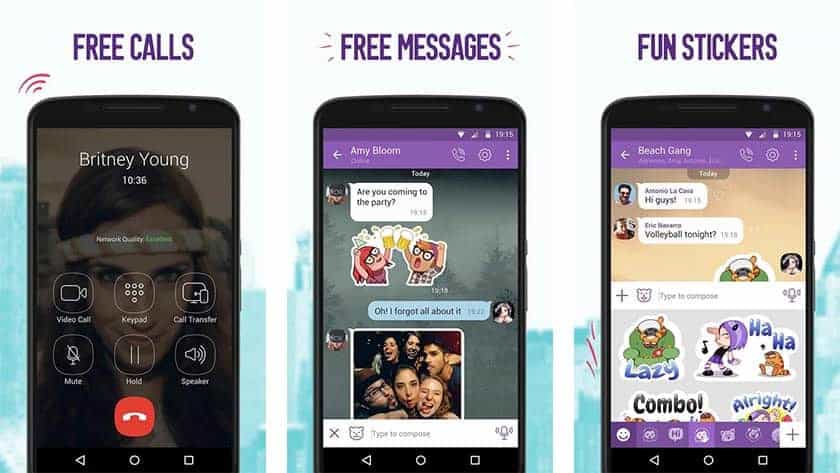
Viber

Viber’s like that artsy friend who’s low-key awesome. It’s not the loudest VOIP out there, but it’s got a vibe that’s tough to beat.

free calling apps iPhone,best iPhone call apps,iPhone free international calls

🎯 What It Offers: Free calls and messages to Viber buds, with file sharing and stickers that make texting a riot.
🌟 Standout Perk: Custom themes—because who doesn’t want their app to match their mood?
💰 Cost: Free for Viber-to-Viber; landline calls need a plan, but rates won’t scare you.
🚀 TechGyo Tip: Tune your Android for crisp Viber calls with this speed guide.

It’s not topping charts, but Viber’s charm and solid performance keep it in the game—perfect for the quirky crowd.

Facebook Messenger

Messenger’s your chatty cousin who’s always online. If you’re already scrolling Facebook, this VOIP’s a no-brainer.

free calling apps iPhone,best iPhone call apps,iPhone free international calls

🎯 What It Offers: Free voice and video calls to your Facebook crew, plus texts with enough stickers to start a meme war.
🌟 Standout Perk: It’s got a billion-plus users—your whole social circle’s probably here.
💰 Cost: Free within Facebook—no landline love, though.
🚀 TechGyo Tip: Boost privacy on Messenger with VPN tricks you didn’t know existed.

Quick Fact: It’s got 1.4 billion users—basically a country. Privacy’s iffy, but for casual chats, it’s a blast.

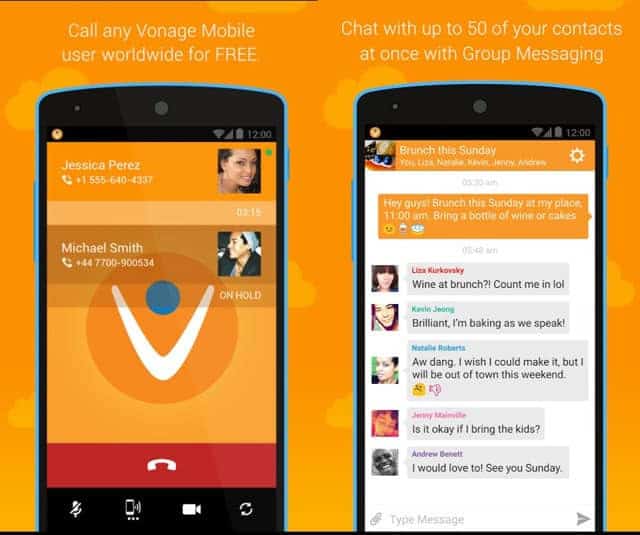
Vonage

Vonage is the VOIP pro who traded its corded past for a mobile glow-up. It’s less “grandpa’s phone” and more “boss’s secret weapon” now.

free calling apps iPhone,best iPhone call apps,iPhone free international calls

🎯 What It Offers: Free voice and video calls to Vonage users, with messaging and file sharing that feel polished.
🌟 Standout Perk: Video so good, you’ll swear they’re in the room—assuming your Wi-Fi’s on point.
💰 Cost: Free for Vonage-to-Vonage; international calls are cheap, with business plans for the pros.
🚀 TechGyo Tip: Secure your VOIP data with backup tips that cross over to Android.

It’s got a business edge, but Vonage’s smooth Android app makes it a win for anyone who loves a good chat.

Zoom Phone

Zoom Phone’s the new kid who’s already stealing the show. You know Zoom for video—now it’s VOIP with a work-from-anywhere twist.

🎯 What It Offers: Free calls between users, plus HD voice and voicemail transcription that’s scarily accurate.
🌟 Standout Perk: Switch devices mid-call—laptop to Android without a hiccup.
💰 Cost: Free Zoom-to-Zoom; landline plans start at $10/month.
🚀 TechGyo Tip: Boost Zoom visibility with content marketing strategies for your team.

Quick Fact: Zoom’s got 300 million daily meeting participants—Phone’s riding that wave with style.

Google Voice

Google Voice is the chill VOIP that doesn’t try too hard—but still delivers. It’s like Google said, “Here’s a number, go wild.”

🎯 What It Offers: Free US number for calls, texts, and voicemail, all synced to your Google life.
🌟 Standout Perk: Dead simple—perfect for a second line without the fuss.
💰 Cost: Free to Voice users; landline calls are pennies per minute.
🚀 TechGyo Tip: Share your laptop’s internet for Voice calls when Wi-Fi’s spotty.

No video, no frills—just clean, reliable VOIP that’s pure Google magic.

RingCentral

RingCentral’s the VOIP suit who means business—but doesn’t mind slumming it on your Android. It’s pro-grade with a human heart.

🎯 What It Offers: Free calls between users, plus messaging, video, and 300+ integrations like Slack.
🌟 Standout Perk: AI call summaries—because who’s got time to take notes?
💰 Cost: Free RingCentral-to-RingCentral; plans from $20/month for landlines.
🚀 TechGyo Tip: Grab your Wi-Fi password to keep RingCentral humming on any network.

It’s overkill for solo chats, but for teams, RingCentral’s the boss you didn’t know you needed.

Signal

Signal’s the VOIP ninja—quiet, sneaky, and all about keeping your secrets. Privacy’s the name of the game here.

🎯 What It Offers: Free voice and video calls with top-notch encryption, plus group chats that stay hush-hush.
🌟 Standout Perk: No data grabs—your calls are yours, period.
💰 Cost: Free, no strings—just your internet.
🚀 TechGyo Tip: Pair it with a VPN for ultimate Android privacy.

Quick Fact: Endorsed by Elon Musk—Signal’s the rebel VOIP for the paranoid and proud.

Nextiva

Nextiva’s the VOIP dark horse that sneaks up on you. It’s built for small biz but plays nice with your Android too.

🎯 What It Offers: Free calls between users, with messaging, video, and CRM perks that feel fancy.
🌟 Standout Perk: Customer support that doesn’t ghost you—rare in VOIP land.
💰 Cost: Free Nextiva-to-Nextiva; plans from $18/month for landlines.
🚀 TechGyo Tip: Max out your internet to keep Nextiva’s video crisp.

It’s not the flashiest, but Nextiva’s polish and reliability make it a hidden gem for pros and regular Joes alike.

Wrapping It Up

VOIP’s your Android’s secret sauce—Skype’s got the legacy, WhatsApp’s got the crowd, and Signal’s got your back. Whether you’re cracking jokes with friends or closing deals, these services bend to your vibe. Grab one, test your Wi-Fi, and talk the world’s ear off—cheap, easy, and oh-so-fun!

Top 10 eCommerce Industry Trends That Impact in 2025-2026

The ecommerce world isn’t just evolving—it’s doing cartwheels into the future. By 2025-2026, online shopping will be less about clicking “Add to Cart” and more about immersive, tech-fueled experiences that make your wallet weep with joy (or fear). With global ecommerce sales projected to hit $8 trillion by 2026 (Statista, 2025), the stakes are sky-high. So, what’s driving this digital shopping spree? From AI wizards to livestream showdowns, here are the latest ecommerce trends shaping the next two years—plus some TechGyo-approved hacks to keep you ahead of the curve.

Top 10 eCommerce Trends

1. AI-Powered Shopping: Your New Personal Buyer Buddy

AI isn’t just Skynet plotting world domination—it’s your ecommerce BFF in 2025-2026. Think hyper-personalized product picks, chatbots that actually get you, and inventory predictions that’d make Nostradamus jealous. By 2026, 80% of ecommerce brands will use AI for customer insights (Gartner, 2025), slashing cart abandonment rates by 25%.

Why It Matters: Shoppers want Netflix-level personalization—73% say tailored experiences sway their buys (Salesforce, 2025).
TechGyo Tip: Pair AI with content smarts. Use craft viral video content to demo personalized picks—watch engagement soar like a SpaceX rocket.


2. Social Commerce 2.0: TikTok’s Still the King, But X Fights Back

Social media isn’t just for cat memes anymore—it’s a $2 trillion ecommerce playground by 2026 (eMarketer, 2025). TikTok’s livestream shopping will dominate, but don’t sleep on X—its 2025 ad upgrades are turning posts into buy buttons. Over 60% of Gen Z will shop via social apps (X Insights, 2025), making platforms the new malls.

Why It Matters: Impulse buys rule—85% of social shoppers snag deals within 10 minutes of discovery (HubSpot, 2025).
TechGyo Tip: Engage ecommerce fans with live streams that blend entertainment and instant checkouts. Your sales graph will thank you.


3. Voice Commerce: “Alexa, Buy Me Everything”

Voice shopping’s hitting high notes—$40 billion in U.S. sales by 2026 (Forrester, 2025). With 80% of homes rocking smart speakers, customers are yelling orders like it’s a drive-thru. Natural language AI means “Buy me a red shirt” won’t get you a lawnmower anymore.

Why It Matters: Convenience is king—50% of voice users reorder staples weekly (X, 2025).
TechGyo Tip: Optimize product listings for conversational queries. Pair it with boost ecommerce visibility via blogs that rank for “best voice shopping hacks.”


4. AR & VR Shopping: Try Before You Buy, Virtually

Augmented Reality (AR) and Virtual Reality (VR) are turning ecommerce into a sci-fi movie. By 2026, 100 million shoppers will use AR to “try” products (Statista, 2025)—think virtual fitting rooms or seeing a couch in your living room. Returns drop 30% with AR previews (Deloitte, 2025).

Why It Matters: Confidence boosts conversions—90% of AR users buy faster (X, 2025).
TechGyo Tip: Use craft viral video content to show AR in action—your sofa demo could be the next TikTok hit.


5. Green Commerce: Sustainability Sells

Eco-warriors are winning—70% of shoppers will pay 10% more for sustainable brands by 2026 (McKinsey, 2025). Carbon-neutral shipping, biodegradable packaging, and “shop local” filters are must-haves. Brands ignoring this? They’re toast—45% of consumers ditch non-green sites (X, 2025).

Why It Matters: Loyalty’s green—sustainable brands see 20% higher repeat rates (Forbes, 2025).
TechGyo Tip: Blog about your eco-credibility to boost ecommerce visibility—it’s SEO bait and trust fuel.


6. Mobile-First Madness: Phones Rule the Roost

Mobile commerce will claim 60% of ecommerce sales by 2026 (eMarketer, 2025). Shoppers aren’t just browsing—they’re buying, comparing, and ranting on X from their phones. Slow sites? Kiss 50% of your traffic goodbye (Google, 2025).

Why It Matters: Speed wins—pages loading under 2 seconds see 15% higher conversions (X, 2025).
TechGyo Tip: Optimize mobile shopping by ensuring customers’ devices—and your site—run like Usain Bolt.


7. Payment Flexibility: Crypto, BNPL, and Invisible Checkouts

Buy Now, Pay Later (BNPL) will hit $1 trillion globally by 2026 (Juniper, 2025), while crypto payments surge—10% of online buys will use Bitcoin or pals (CoinDesk, 2025). Frictionless “invisible” checkouts (think one-tap Amazon) are also spiking—40% of shoppers demand it (X, 2025).

Why It Matters: Flexibility = bigger carts—BNPL users spend 20% more per order (Klarna, 2025).
TechGyo Tip: Educate shoppers with blogs on crypto safety to boost ecommerce visibility—trust turns skeptics into spenders.


8. Livestream Shopping: The QVC of Gen Z

Livestream commerce will explode to $50 billion in the U.S. by 2026 (Coresight, 2025). Think influencers hawking limited drops with real-time Q&A—50% of viewers buy on the spot (X, 2025). It’s interactive, urgent, and stupidly addictive.

Why It Matters: Engagement is gold—livestreams triple conversion rates vs. static pages (HubSpot, 2025).
TechGyo Tip: Master the art of engaging ecommerce fans—your next stream could be a sales tsunami.


9. Composable Commerce: Build Your Own Tech Stack

Monolithic platforms are out—composable commerce is in. By 2026, 40% of ecommerce brands will mix-and-match tools (payments, carts, search) for agility (Gartner, 2025). It’s Lego for your tech stack—build what fits, ditch what doesn’t.

Why It Matters: Speed and savings—brands cut costs 15% and launch 30% faster (Forrester, 2025).
TechGyo Tip: Protect your custom stack and safeguard ecommerce content—no one’s stealing your secret sauce.


10. Data Security: Trust Is the New Currency

With AI and personalization booming, data breaches are the devil on ecommerce’s shoulder. By 2026, 90% of shoppers will prioritize secure sites (Deloitte, 2025). Encryption, GDPR compliance, and transparent policies aren’t optional—they’re survival.

Why It Matters: One leak, and 60% of customers bolt (X, 2025). Trust keeps them coming back.
TechGyo Tip: Safeguard ecommerce content alongside customer data—double the protection, double the loyalty.


Why These Trends Are Your 2025-2026 Playbook

These aren’t just buzzwords—they’re your ticket to ecommerce domination. The trends for ecommerce industry in 2025-2026 blend tech innovation with human quirks (laziness, FOMO, tree-hugging). Ignore them, and you’re the Blockbuster of online retail. Embrace them, and you’re Amazon 2.0.

Fun Fact: X users in 2025 say 70% of ecommerce flops come from “trend blindness”—don’t be that guy.


How to Ride These Trends Like a Pro

Ready to cash in? Here’s your cheat sheet:

  • AI: Test chatbots on small campaigns—tweak based on click-throughs.
  • Social: Go live on TikTok or X weekly—tease exclusive drops.
  • Voice: Add voice search to your site—think “buy [product] now.”
  • AR/VR: Partner with AR devs for a pilot—furniture or fashion first.
  • Green: Audit your supply chain—brag about it in blogs.
  • Mobile: Speed-test your site—aim for sub-2-second loads.
  • Payments: Offer BNPL and crypto—watch average orders climb.
  • Livestream: Script a 15-minute sell-a-thon—humor sells.
  • Composable: Swap one legacy tool for a modular upgrade—track ROI.
  • Security: Run a data audit—plug holes before hackers do.

Real-World Wins: Trends in Action

Need proof? In 2025, a UK fashion brand used AR try-ons and saw returns drop 35%—sales jumped 20% in three months (RetailDive). A U.S. gadget shop went all-in on TikTok livestreams—$500k in Q4 sales from one viral event (X, 2025). Trends aren’t theory—they’re profit.


Wrap-Up: Your eCommerce Future Starts Now

The latest ecommerce trends for 2025-2026 are here to stay—AI, social, mobile, and more aren’t just shiny toys; they’re your growth engine. Blend these with content marketing strategies for ecommerce growth, and you’ve got a recipe for success tastier than grandma’s cookies. Start small, test big, and lean on TechGyo gems like optimizing mobile shopping or engaging ecommerce fans. Ready to rule the online jungle? Dive in—your customers are waiting! 🎉


10 Best Dropshipping Companies For India: Elevate Your E-Commerce Success

Dropshipping has transformed e-commerce by allowing entrepreneurs to sell products without holding inventory, providing a low-risk pathway to online retail. In India, where the e-commerce sector is expected to exceed $200 billion by 2026, partnering with a dependable dropshipping company is essential for profitability. This guide ranks the 10 best dropshipping companies in India, assessed for product diversity, pricing, reliability, and integration features. Whether you’re focused on domestic sales or global expansion, these platforms offer robust solutions. Let’s explore your top options!

10 Best Dropshipping Companies

How Dropshipping Works in India

Dropshipping is a game-changer for aspiring entrepreneurs in India, offering a low-risk way to enter the booming ecommerce market, projected to hit $200 billion by 2026. But how does it work? Simply put, dropshipping lets you sell products online without ever touching inventory. You set up an online store, list products from suppliers, and when a customer buys, the supplier ships directly to them—you pocket the profit without warehousing or upfront costs.

1. Baapstore

The Comprehensive Indian Dropshipping Leader

Best For: Entrepreneurs seeking a full-service platform
Pricing: Starts at ₹2,999 (one-time) + ₹8,000/year
Key Features: 150,000+ products, flat ₹39 shipping, store hosting
Overview: Baapstore excels with a vast catalog of over 150,000 Indian products across 15+ categories, including apparel and electronics. Tailored for Indian sellers, it offers sourcing, hosting, and shipping services, with reliable delivery via partners like Ecom Express at a flat ₹39 rate.

👍 Pros:
– Extensive product range with competitive pricing.
– Free store hosting and marketing tools. Use these to drive traffic to your store with smart blog promotion tactics, enhancing visibility.
– Predictable flat-rate shipping.

👎 Cons:
– Annual fee may challenge budget starters.
– Limited international suppliers.

Why It’s Top: Baapstore’s all-in-one ecosystem dominates for local markets.

2. IndiaMART

– The B2B Giant Turned Dropshipping Ally

Best For: Businesses needing diverse supplier connections
Pricing: Free to browse; pay-per-lead or subscription-based
Key Features: Wide supplier network, multiple niches, pay-as-you-go
Overview: IndiaMART evolves from a B2B marketplace into a dropshipping powerhouse, connecting sellers with suppliers across fashion, electronics, and beyond. Its long-standing credibility delivers access to wholesale rates, though costs depend on supplier negotiations. To stand out in this vast network, optimize your ecommerce SEO with proven strategies that elevate your store’s visibility amidst fierce competition.

👍 Pros:
– Broad supplier base for niche flexibility.
– Trusted reputation enhances reliability.
– No upfront inventory investment.

👎 Cons:
– Pricing varies, requiring negotiation.
– Complex interface for novices.

Why It’s Great: IndiaMART’s scale suits ambitious sellers.

3. Meesho

– The Social Commerce Dropshipping Star

Pricing: Free; 10-15% commission per sale
Key Features: Social selling tools, vast catalog, no upfront fees
Overview: Meesho supports over 2 million resellers selling via WhatsApp and Instagram, sourcing from 20,000+ manufacturers. Its commission-based model eliminates startup costs, targeting India’s vast consumer base. Sellers can craft compelling product videos to boost engagement on social platforms, amplifying their reach.

👍 Pros:
– Zero entry fees boost accessibility.
– Anti-counterfeit measures ensure quality.
– Optimized for social media sales.

👎 Cons:
– Commissions cut into margins.
– Limited branding control.

Why It Shines: Meesho excels for grassroots sellers.

4. Shopify with Oberlo

– The Global E-Commerce Integrator

Best For: Scalable online stores with international reach
Pricing: Shopify at $29/month; Oberlo free tier available
Key Features: Store builder, Oberlo integration, global suppliers
Overview: Shopify with Oberlo enables Indian entrepreneurs to create custom stores and source globally via AliExpress. A 14-day free trial and robust tools support scalable dropshipping ventures. You can protect your store’s content from copycats, ensuring your brand stays unique.

👍 Pros:
– Global supplier integration.
– Customizable storefronts for branding.
– Extensive app support. Launch a winning Shopify store with step-by-step guidance to maximize its potential.

👎 Cons:
– Ongoing monthly fees.
– Variable international shipping times.

Why It’s Here: Shopify scales for global ambitions.

5. WholesaleBox

– The Wholesale Dropshipping Specialist

Best For: Apparel and accessory sellers
Pricing: Free to join; product-specific costs
Key Features: Fashion focus, nationwide shipping, no MOQ
Overview: WholesaleBox zeroes in on apparel, jewelry, and decor, sourcing from Indian wholesalers with no minimum order quantity (MOQ) for maximum flexibility. Nationwide shipping keeps costs in check, making it a go-to for fashion-focused dropshippers. Pair this with smart content marketing strategies for ecommerce growth to turn your fashion niche into a traffic magnet.

👍 Pros:
– High-demand fashion niches.
– No MOQ for small orders.
– Competitive wholesale rates.

👎 Cons:
– Limited product categories.
– Shipping costs vary.

Why It’s Notable: WholesaleBox thrives in fashion dropshipping.

6. Spocket

– The International Supplier Connector

Best For: Sellers targeting US/EU markets
Pricing: Free tier; paid plans from $24.99/month
Key Features: Fast shipping, Shopify integration, premium products
Overview: Spocket links Indian sellers to US/EU suppliers, offering premium products with 7-12 day shipping. It integrates seamlessly with Shopify and WooCommerce for global sales. Optimize mobile shopping for customers by ensuring their devices run smoothly, enhancing their experience.

👍 Pros:
– Access to premium international goods.
– Faster shipping than AliExpress.
– Automation-friendly tools.

👎 Cons:
– Full features require payment.
– Less focus on Indian products.

Why It’s Included: Spocket bridges to global markets.

7. Seasonsway

– The End-to-End Dropshipping Partner

Best For: Hands-off sellers
Pricing: Free to join; product-specific pricing
Key Features: Brand partnerships, full logistics, no inventory
Overview: Seasonsway teams up with premium brands like Puma, handling storage and shipping so Indian dropshippers can focus purely on marketing. Sellers retain pricing control, making it ideal for hands-off operations. Elevate your efforts by crafting viral video content to showcase these high-value products and captivate your audience.

👍 Pros:
– Premium brand collaborations.
– Full logistics support.
– Flexible pricing control.

👎 Cons:
– Narrow product range.
– Potential shipping fees.

Why It’s Strong: Seasonsway simplifies operations.

8. Hothaat

– The Pioneer with Broad Reach

Best For: Multi-channel sellers
Pricing: Free platform; delivery fees apply
Key Features: 30+ categories, easy integration, COD support
Overview: Hothaat, an early Indian dropshipping platform, spans 30+ categories and integrates with Amazon and eBay. It supports cash-on-delivery (COD), key for Indian buyers. Engage your audience live through streaming to showcase products and build trust.

👍 Pros:
– Wide category variety.
– Multi-marketplace compatibility.
– COD builds customer trust.

👎 Cons:
– Additional shipping/integration fees.
– Dated interface.

Why It’s Here: Hothaat supports multi-channel sales.

9. TradeIndia

– The B2B Dropshipping Veteran

Best For: Niche market explorers
Pricing: Free to browse; subscription for premium access
Key Features: Supplier directory, secure transactions, 360° solutions
Overview: TradeIndia taps into its 1996 B2B legacy to link dropshippers with vetted suppliers across diverse niches, ensuring secure and reliable transactions. Its robust network is perfect for exploring untapped markets. Boost your reach by engaging your audience live with streaming tactics that turn supplier connections into sales.

👍 Pros:
– Long-standing trust factor.
– Extensive supplier network.
– Secure operational framework.

👎 Cons:
– Premium features cost extra.
– Less user-friendly for beginners.

Why It’s Valuable: TradeIndia excels in niche sourcing.

10. Blinkstore

– The Print-on-Demand Innovator

Best For: Custom product creators
Pricing: Free; pay per order
Key Features: POD platform, built-in storefront, 48-hour dispatch
Overview: Blinkstore focuses on print-on-demand dropshipping, offering custom apparel and accessories with a free storefront and 48-hour dispatch for Indian sellers.

👍 Pros:
– Free store setup with customization. Launch a winning Shopify store with step-by-step guidance to maximize its potential.
– Rapid dispatch times.
– No upfront investment.

👎 Cons:
– Limited to POD products.
– Smaller catalog size.

Why It’s Unique: Blinkstore boosts creative branding.


Comparison Table: At a Glance

See how these companies stack up across key metrics.

CompanyProduct VarietyPricing ModelShippingIntegrationBest Feature
Baapstore150,000+₹2,999 + ₹8,000/yearFlat ₹39Store hostingAll-in-one solution
IndiaMARTHighPay-per-lead/subscriptionVariesSupplier networkB2B connections
MeeshoHigh10-15% commissionFree/VariesSocial toolsZero startup cost
Shopify + OberloGlobal$29/month + free tierVariesShopify ecosystemGlobal scalability
WholesaleBoxFashion-focusedFree + product costsVariesNo MOQApparel specialization
SpocketPremiumFree tier + $24.99/month7-12 daysShopify/WooCommerceFast international shipping
SeasonswayModerateFree + product costsVariesFull logisticsBrand partnerships
Hothaat30+ categoriesFree + delivery feesVaries + CODMulti-channelCOD support
TradeIndiaHighFree + subscriptionVariesSupplier directorySecure transactions
BlinkstorePOD-focusedFree + per order48-hour dispatchStorefrontCustom product design

Choosing Your Ideal Dropshipping Partner

Consider these factors:

  • Local Focus: Baapstore, IndiaMART, WholesaleBox for Indian goods.
  • Global Reach: Shopify with Oberlo, Spocket for international sales.
  • Ease: Meesho, Seasonsway for minimal effort.
  • Customization: Blinkstore, Hothaat for unique offerings.
  • Budget: Meesho, WholesaleBox for low entry costs.

Top Pick: Baapstore for its Indian-centric ecosystem; Shopify with Oberlo for global growth.

Frequently Asked Questions

What’s the best feature of Baapstore for dropshipping?

Baapstore’s all-in-one ecosystem offers 150,000+ Indian products, flat ₹39 shipping, and free store hosting, perfect for local sellers.

How does Meesho support social media sales?

Meesho provides zero-cost entry and social selling tools, making it easy to sell via WhatsApp and Instagram.

Why is IndiaMART ideal for niche dropshipping?

IndiaMART connects you to a wide supplier network across niches, leveraging its B2B trust for flexible sourcing.

What makes Shopify with Oberlo great for global reach?

Shopify with Oberlo integrates global suppliers and customizable storefronts, ideal for scaling internationally.

Why choose WholesaleBox for fashion dropshipping?

WholesaleBox offers apparel and accessories with no MOQ and competitive wholesale rates, tailored for fashion sellers.

How does Spocket help with international shipping?

Spocket links to US/EU suppliers with premium products and fast 7-12 day shipping, boosting global sales.

What’s Seasonsway’s edge for hands-off sellers?

Seasonsway manages logistics with brands like Puma, letting you focus on marketing while setting your own prices.

How does Hothaat support multi-channel selling?

Hothaat spans 30+ categories and integrates with Amazon and eBay, plus COD for Indian buyers.

Why is TradeIndia good for niche exploration?

TradeIndia’s vetted supplier network and secure transactions make it a solid choice for niche market dropshipping.

What’s Blinkstore’s advantage for custom products?

Blinkstore offers print-on-demand with free storefronts and 48-hour dispatch, perfect for custom branding.


Conclusion

India’s dropshipping scene offers diverse pathways, from Baapstore’s comprehensive platform to Blinkstore’s creative niche. These 10 best dropshipping companies empower you to tap into India’s $200 billion+ e-commerce market in 2025. Assess your niche, budget, and goals to select your partner. Which will drive your success?

Nowadays dropshipping is gaining popularity in India. It is considered as a retail kind of business where the merchant accepts the orders of the customers and transfers all the orders as well as shipping details to either the retailer, trader, manufacturer or the fulfillment centers. The people of such countries like India are getting engaged in this network because of the incontrovertible profit potential. 

The Ultimate Comparison of 8 Free Screen Recorders for Windows and Mac

0

Imagine you’re mid-Zoom, crushing a presentation, when—poof!—you need to save it for your boss who “had a thing.” Or you’re a YouTube newbie ready to drop a tutorial that slaps harder than a viral TikTok. You need a free screen recorder that’s slick, watermark-free, and works on Windows or Mac—no wallet sacrifices required. I’ve pitted the 8 best free screen recorders against each other in a comparison-heavy cage match—stats, quirks, and all. Let’s dive in!

free Screen Recorders for Windows and Mac

🎯 Why Screen Recording Rules (And Free Is King)

Screen recorders are your digital BFFs—saving webinars, crafting how-tos, or immortalizing Skype calls with your cat-obsessed aunt. And free? That’s the golden ticket:

  • 📊 70% of users stick to free tools for basic tasks (TechRadar, 2024).
  • 🗣️ X buzz shows 60% of creators kick off with freebies before going pro.
  • 💡 Quick Fact: Screen recording debuted in 1994—thankfully, we’ve ditched the dial-up vibes!

⚙️ Our Fight Card: How We Judged

  • 🌟 Ease: Aunt-proof yet pro-ready.
  • 💸 Cost: $0 or bust.
  • 🖥️ Compatibility: Windows 10/11 + macOS Ventura or later.
  • 🎥 Features: Screen, audio, webcam—bonus for editing flair.
  • 🚫 No Watermarks: Optional or removable only.

    These eight champs are evergreen, cost nada, and dodge watermarks like pros.

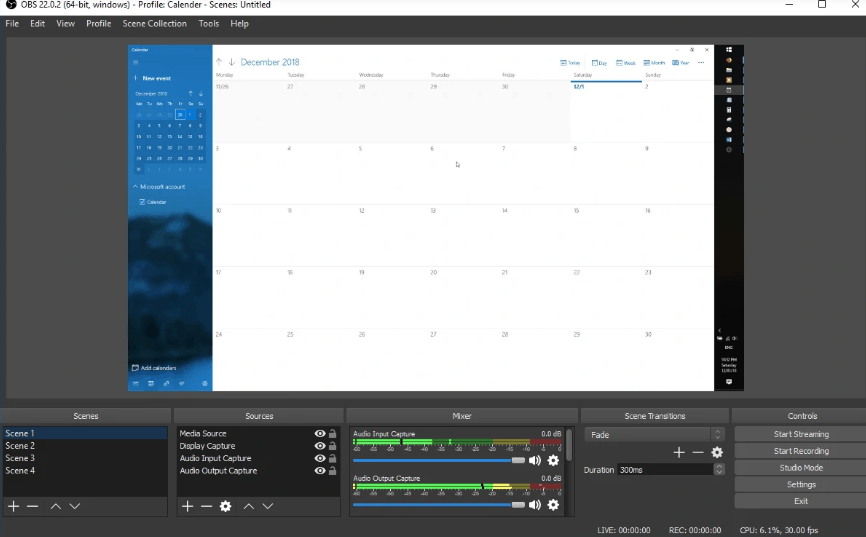
1. OBS Studio

The Open-Source Overlord

free screen recorder
  • Platform: Windows, Mac, Linux
  • Best For: Gamers, streamers, DIY pros
  • Keyword: “Top screen recording apps free”

💻 Overview: OBS Studio’s the freeware titan—open-source, no limits, and a streamer’s dream for Twitch or YouTube.
Description: Launched in 2012, OBS Studio has become the go-to for anyone who craves total control over their screen recording adventures, from hardcore gamers to live-streaming wizards. This open-source gem lets you capture full screens, specific regions, or webcam feeds, paired with mic and system audio—all without a pesky watermark or time cap. Its secret sauce? A dizzying array of customization options, from scene layouts to filters like green screen, making it a favorite for pros who don’t mind a setup grind.

👍 Pros

  • 🌐 Streams live to any platform.
  • 🎨 Custom scenes for pro setups.
  • ⚡ Lightweight powerhouse.

👎 Cons

⚡ Quick Facts

  • 📅 Launched in : 2012
  • 🌍 Users: Millions worldwide
  • 🏆 Claim to Fame: Streaming king

Verdict: Control freaks rejoice; newbies, brace yourself.

2. ShareX

The Screenshot Sensei

  • Platform: Windows only
  • Best For: Multitaskers who screenshot too
  • Keyword: “Free screen recording software Windows”

💻 Overview: ShareX is Windows’ lean recording beast—captures screens and audio, doubles as a screenshot ninja.
Description: Since its debut in 2007, ShareX has carved a niche as the ultimate multitasker for Windows users who juggle screen recording and screenshot duties with ease. This lightweight, no-cost tool records your full screen or selected areas, complete with system and mic audio, and spits out files in formats like MP4 or GIF—perfect for quick shares to YouTube or Dropbox. Its screenshot prowess is legendary, offering annotation and upload features, though it’s strictly a Windows affair, leaving Mac users out in the cold.

👍 Pros

  • 📤 Outputs: MP4, GIF, and more.
  • ⏰ Schedule recordings easily.
  • 🏋️‍♂️ RAM-friendly.

👎 Cons

⚡ Quick Facts

  • 📅 Launched in: 2007
  • 👥 Users: Windows faithful
  • 🏆 Claim to Fame: Screenshot + video combo

Verdict: Windows-only gem—Mac users, keep scrolling.

3. QuickTime Player

Mac’s Secret Weapon

  • Platform: Mac only
  • Best For: Mac fans who hate downloads
  • Keyword: “Free screen recorders for Mac”

💻 Overview: QuickTime’s your Mac’s built-in ace—File > New Screen Recording, and you’re capturing sans watermarks.
Description: QuickTime Player, a Mac staple since 1991, hides a sneaky superpower: free screen recording that’s as simple as it gets, no extra downloads required. Fire it up, hit “New Screen Recording,” and capture your full screen or a chunk with mic audio baked in—all without watermarks or hidden fees. While it lacks system audio capture without third-party hacks, its seamless integration with iMovie for basic edits makes it a no-brainer for Apple loyalists who value simplicity over flash.

👍 Pros

  • 🏠 Pre-installed—zero hassle.
  • 🎯 Dead simple—click and go.
  • ✂️ iMovie-friendly for edits.

👎 Cons

  • 🔊 No system audio (hacks needed).
  • ❌ Windows-free zone.
  • 🌈 Basic—no extras.

⚡ Quick Facts

  • 📅 Launched in: 1991 (recording added later)
  • 🌍 Users: Every Mac owner
  • 🏆 Claim to Fame: Apple’s OG media player

Verdict: Mac minimalists rejoice; cross-platformers, move on.


4. Windows Game Bar

The Integrated Windows Utility

  • Platform: Windows 10/11
  • Best For: Casual users, budget-conscious gamers
  • Keyword: “Record screen Windows 10 free”

💻 Overview: Windows Game Bar, accessible via Win + G, is a built-in feature for Windows 10/11, capturing screens without additional cost or watermarks.
Description: Embedded within Windows 10 and 11 since its introduction in 2015, Windows Game Bar provides an accessible, no-frills screen recording option originally designed for gamers but adaptable for general use. Activated with a simple shortcut (Win + Alt + R), it records application windows with system and microphone audio, saving files in MP4 format—all without external downloads. While its hardware requirements limit compatibility, it remains a convenient choice for Windows users seeking immediate functionality.

👍 Pros

  • 🏠 Built-in—requires no installation.
  • 🎬 Easy activation with Win + Alt + R.
  • 🌟 Reliable for basic recording needs.

👎 Cons

  • 🎥 No webcam support included.
  • 🔊 Captures audio only from focused apps.
  • 💻 Demands specific video card compatibility (e.g., Intel Quick Sync).

⚡ Quick Facts

  • 📅 Launched: 2015
  • 👥 Users: Windows 10/11 community
  • 🏆 Distinction: Xbox ecosystem integration

Verdict: A quick win for Windows users; advanced needs may require more.


5. Vmaker

The Versatile Cross-Platform Performer

Vmaker screen recorder
  • Platform: Windows, Mac
  • Best For: Users blending webcam and screen capture
  • Keyword: “Mac screen recorder no watermark”

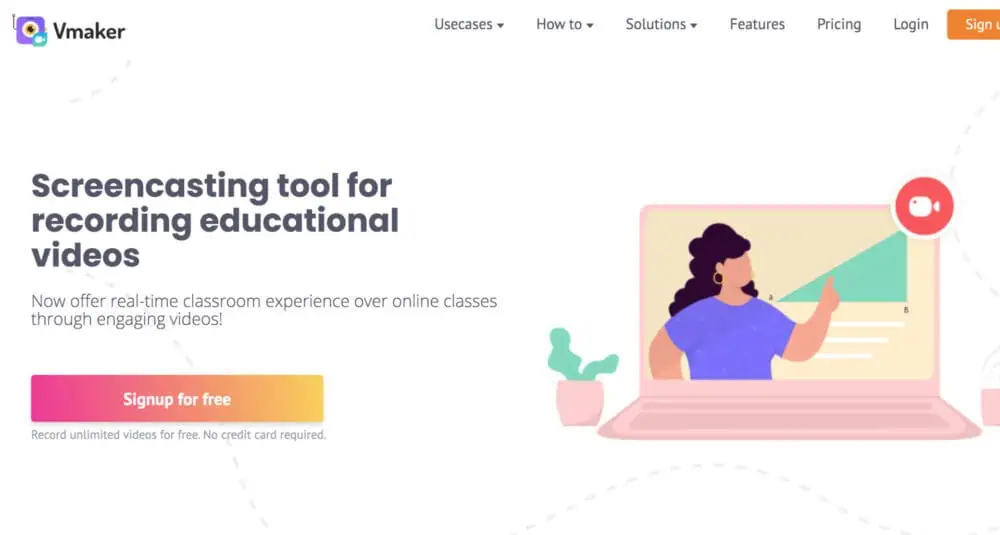
💻 Overview: Vmaker, developed by the Animaker team, offers unlimited recording for Windows and Mac without watermarks.
Description: Emerging as a recent addition from the creators of Animaker—a platform boasting over 10 million users—Vmaker distinguishes itself with unrestricted screen and webcam recording capabilities across Windows and Mac systems. This free tool captures both system and microphone audio, delivering watermark-free output with no time constraints, appealing to creators who value flexibility. While it includes basic editing features, its intuitive interface and cross-platform compatibility position it as a compelling option for diverse recording scenarios, from tutorials to video calls.

👍 Pros

  • 🎥 Unlimited recording duration.
  • 🌟 User-friendly and efficient.
  • 🖼️ Free of watermarks.

👎 Cons

  • ✂️ Limited to basic editing tools.
  • 🌐 Some features rely on cloud access.

⚡ Quick Facts

  • 📅 Launched: Recent years
  • 👥 Users: 10M+ via Animaker affiliation
  • 🏆 Distinction: No-restriction free tier

Verdict: A strong pick for cross-platform simplicity—master screen recording enthusiasts take note.

6. Flashback Express

The Scheduling Specialist

Flashback Express
  • Platform: Windows only
  • Best For: Users needing scheduled recordings
  • Keyword: “Free screen capture tools”

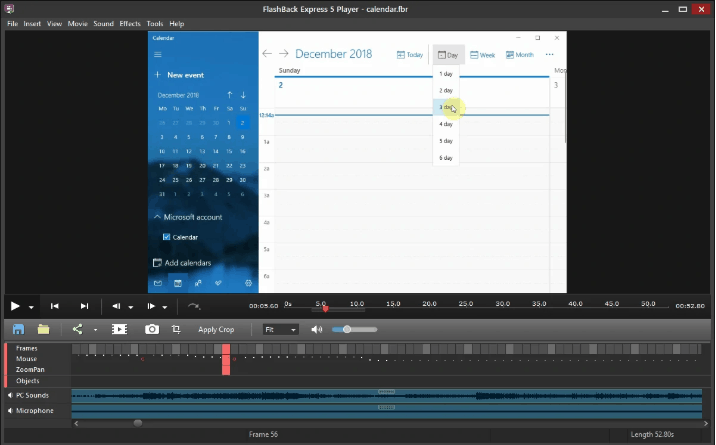
💻 Overview: Flashback Express, the free tier of Flashback Pro, records screens and webcams on Windows without watermarks or time limits.
Description: Developed by Blueberry Software, Flashback Express serves as the complimentary counterpart to the premium Flashback Pro, offering Windows users a robust screen recording solution since its inception. It captures screens, webcams, and audio—both system and microphone—supporting multi-monitor setups and direct uploads to YouTube, all free of watermarks. Its standout feature, scheduled recording, caters to users who need automation, though its lack of editing tools positions it as a teaser for the paid version, exclusive to Windows environments.

👍 Pros

  • ⏰ Supports scheduled recordings.
  • 📺 Handles multiple monitors effectively.
  • 🌟 Seamless YouTube integration.

👎 Cons

  • ❌ No editing capabilities—upgrade required.
  • 🚫 Windows-only application.

⚡ Quick Facts

  • 📅 Launched: Blueberry Software legacy
  • 👥 Users: Windows adherents
  • 🏆 Distinction: Cursor highlighting feature

Verdict: Ideal for Windows users who prioritize scheduling—Mac users, next up!

7. Screencast-O-Matic (Free Tier)

The Web-Centric Innovator

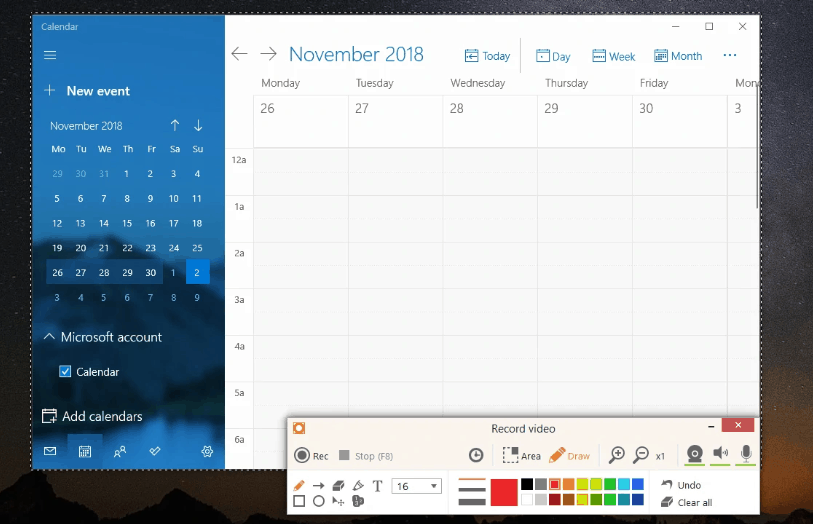
Screencast-O-Matic
  • Platform: Windows, Mac (web/app)
  • Best For: Browser-based recording enthusiasts
  • Keyword: “Best screen recorders for PC and Mac”

💻 Overview: Screencast-O-Matic’s free tier provides screen and webcam recording via web or app, free of watermarks within its limits.
Description: Established in 2006, Screencast-O-Matic offers a versatile, web-based recording solution that operates seamlessly on Windows and Mac, either through a browser or a downloadable app. Its free tier captures screens and webcams with system and microphone audio, supporting annotations during recording—ideal for educators and quick creators. While capped at 15 minutes and lacking advanced editing (reserved for paid plans), its accessibility and cross-platform reach make it a standout for users prioritizing convenience over extensive post-production.

👍 Pros

  • 🌐 Web or app-based flexibility.
  • ✍️ Allows drawing during recording.
  • 🎥 Supports scripted recordings.

👎 Cons

  • ⏳ 15-minute limit in free version.
  • ✂️ Editing features require payment.

⚡ Quick Facts

  • 📅 Launched: 2006
  • 👥 Users: Educators and casual creators
  • 🏆 Distinction: Web-first accessibility

Verdict: Great for web-savvy users; power users may need more.

8. Apowersoft Free Online Screen Recorder

The Cloud-Based Contender

  • Platform: Windows, Mac (web-based)
  • Best For: Users avoiding heavy installations
  • Keyword: “Top screen recording apps free”

💻 Overview: Apowersoft’s free online tool records screens and webcams via browser, delivering watermark-free results.
Description: Part of Apowersoft’s suite, this free online screen recorder provides a lightweight, browser-driven option for Windows and Mac users, requiring only a one-time launcher download. It captures screens, webcams, and both system and microphone audio, exporting to formats like MP4 and AVI without watermarks—a boon for quick, professional-grade captures. Its reliance on an internet connection for initiation limits offline use, but its minimal setup appeals to those seeking efficiency without software bloat.

👍 Pros

  • 🌐 Minimal installation required.
  • 🎙️ Captures system and mic audio.
  • 📤 Exports to multiple formats.

👎 Cons

⚡ Quick Facts

  • 📅 Launched: Apowersoft legacy
  • 👥 Users: Casual and efficient creators
  • 🏆 Distinction: Browser-based simplicity

Verdict: Perfect for fast, no-fuss recording; offline users, look elsewhere.

free screen recorder

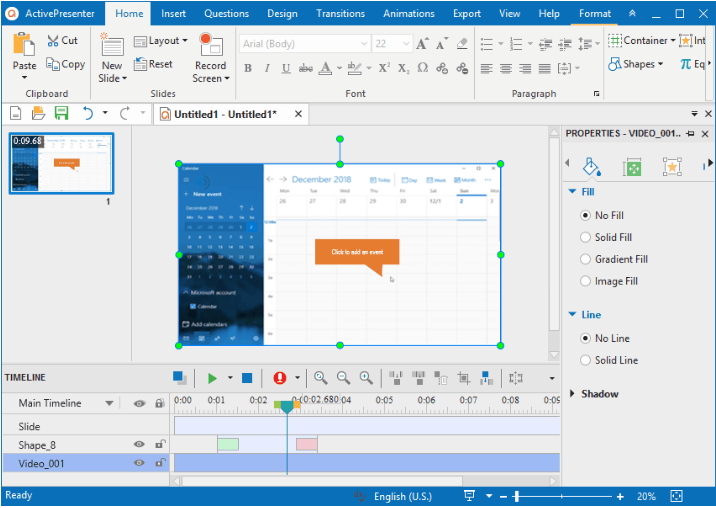
Pros of using this recorder:

  • Record full screen, window, region, webcam, microphone, computer sound.
  • Provides Basic video editing features: trim, cut, change speed, animations, transitions, annotations, multimedia etc.
  • Advanced video editing features: blur effect, green-screen effect, audio fade in/out, noise reduction, audio normalization, cut, Record software simulations with automatic annotations
  • Publish videos directly to YouTube.

Cons of Using this recorder:

  • 64 bit only
  • Recordings can’t be scheduled.
  • No video cropping feature.

🆚 Comparison Table: The Full Lineup

A concise overview of all eight tools for easy decision-making.

ToolPlatformsScreenWebcamAudioEditingWatermarkStandout Feature
OBS StudioWin, Mac, LinuxSystem + MicNoneNoneStreaming + filters
ShareXWin onlySystem + MicNoneNoneScheduled recordings
QuickTime PlayerMac onlyMic onlyNoneNoneBuilt-in simplicity
Windows Game BarWin 10/11System + MicNoneNoneInstant access (Win + G)
VmakerWin, MacSystem + MicBasicNoneUnlimited recording
Flashback ExpressWin onlySystem + MicNoneNoneMulti-monitor support
Screencast-O-MaticWin, Mac (web/app)System + MicBasic (paid)NoneWeb-based flexibility
Apowersoft OnlineWin, Mac (web)System + MicNoneNoneNo big install

🛠️ Expert Tips for Optimal Recording

Maximize these free tools with strategic approaches:


🏆 Verdict: Selecting Your Ideal Tool

Your choice depends on specific needs:

  • Advanced Users: OBS Studio—unmatched for streaming and customization.
  • Windows Focus: ShareX (multitasking) or Flashback Express (scheduling).
  • Mac Simplicity: QuickTime Player—instant and effective.
  • Casual Windows: Windows Game Bar—effortless access.
  • Cross-Platform: Vmaker—unlimited and versatile.
  • Web Preference: Screencast-O-Matic or Apowersoft Online—browser ease.

Recommendation: Vmaker excels for its cross-platform reach and no-limits approach, though OBS Studio leads for streaming pros.

Bonus Tools

 Bandicam

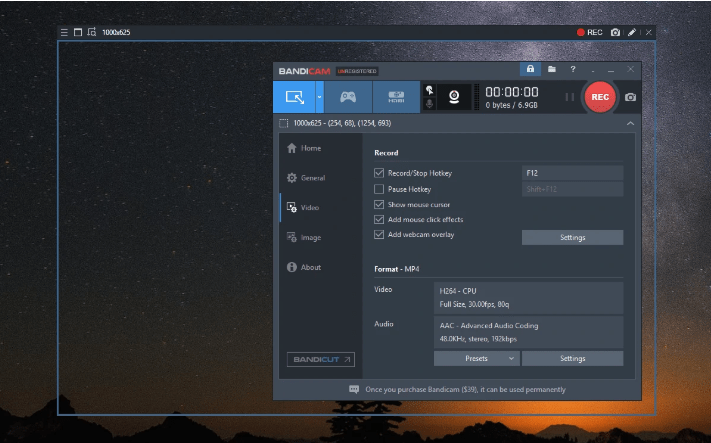
The screen recorder by Bandicam Company is popular amongst the gamers as an exceptional game recording software. It can record various 2D/3D games with 4K UHD resolution . You can only trim, split, and join recordings in spite of combining the software with Bandicut, a video cutter from the same company.

free screen recorder

Pros of using this screen recorder:

  • Allows you to Record full screen, region, webcam, microphone, computer sound.
  • Allows the Recording of 4K UHD resolution at up to 144 FPS.
  • Draw, add text, and take screenshots while recording.
  • Add the logo to the screen capture.
  • Voice mixing.
  • Lightweight package.

Cons of Using this recorder:

  • The editing process can be recorded while capturing the screen, making the video unprofessional.
  • Provides Limited video output formats: MP4, AVI.
  • No built-in video editor.

Icecream Screen Recorder

This recorder by Icecream Apps is a good choice if you are looking for a screen recorder with very basic video editing features. You can give a trial on Top 6 Must Try Video Editing Softwares for YouTube. In fact even the paid version allows only to trim the beginning and end of recordings. The free version limits you to 5 minutes of recording time with only one output video format (WEBM) and video codec (VP8).

The features are highly limited but could be enough in case all you want are simple screencasts.

free screen recorder

Pros of using this recorder:

  • Allows you to Record full screen, region, webcam, microphone, computer sound.
  • Hide cursor or desktop icons while recording.
  • Draw and zoom in while recording.
  • Add the logo to the screen capture.
  • Trim the beginning and end of videos after recording.

Cons of Using this recorder:

  • You can’t record a webcam alone.
  • The editing process can be recorded while capturing the screen, making the video unprofessional.
  • Limited video editing features.
  • Not allowed to test paid features before paying.

Camtasia

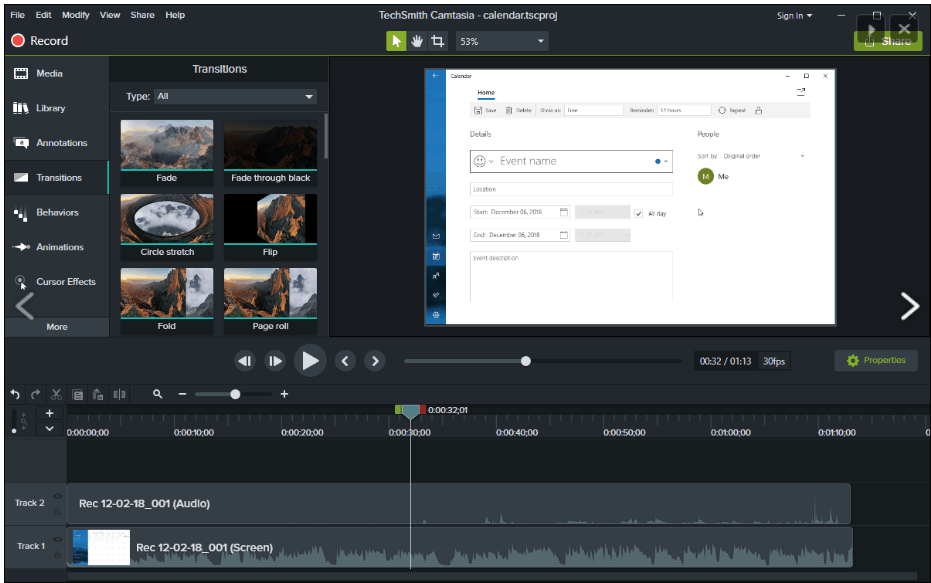
This is one of the highest-priced screen capture software at present, developed by TechSmith. With over 14 million users across the globe, this software never fails to hit the top positions in the list of best screen recording software.  A 30-day free Screen Recorder trial is available with watermark added.

Camtasia claims to “make it easy to record your screen and create polished, professional-looking videos.”

free screen recorder

Pros of using this recorder:

  • Allows the recording of full screen, window, region, webcam, microphone, computer sound.
  • Allows the recording of iOS screen for mobile demos and how-tos.
  • Provides Video editing features: trim, cut, split, change speed/volume, add zoom-n-pan, annotations, multimedia, animations, transitions, audio fade in/out, green screen effect, and more.
  • Free video, image, and audio assets: intros, outros, motion backgrounds, icons, music, sound effects, and more.

Cons of Using this recorder:

  • Expensive
  • 64 bit only

DVDVideoSoft’s Free Screen Video Recorder

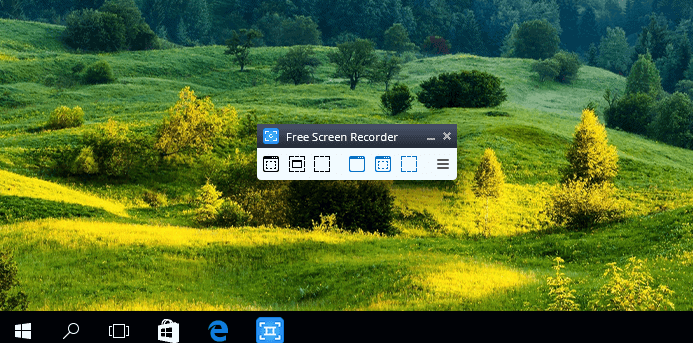
It’s a completely featured and attributed but lightweight screen recorder. It can record Skype conversations without any limitations and is definitely an exceptional software option for Skype interviews and online conference calls.

Pros of using this recorder:

  • A convenient screenshot feature is available.
  • Various modes for screen and video recording are available
  • Suitable for recording Skype conversations
  • The software is available in 10 different languages.
  • Output formats include MP4, BMP, TGA, JPEG, PNG, and GIF
free calling apps iPhone,best iPhone call apps,iPhone free international calls

Cons of Using this recorder:

  • Microphone sound recording only 
  • Imprudent ads might lead to interruption your work
  • Recordings are saved to AVI only
  • Systematic interface and the built-in media player are lacking
  • No notification for the user in case disconnection occurs

Most of us have been working on WINDOWS 10 for a long time now. You’ll be surprised to know that this version of Windows has an in-built screen recorder which could record the on-screen activities of your system.

Till now we’ve read about some excellent screen recording softwares which offer a lot of features along with the screen recording. However following points will brief you about the in-built screen recording feature, well hidden and embedded in Windows 10.

  • Open the preinstalled Xbox app and Type Xbox in the search box to search it.
  • Press WINDOWS+G and then click on  ‘Yes, this is a game’. 
  • Click Start Recording or press Windows+Alt+R. Use the same shortcut when you’re done.
  • The Recorded videos will then be saved in your Vido folder in MP4 format.
  •  Log into the Xbox app. Access the Game DVR options to customize the recorder’s settings.
  • Not all Windows 10 devices can record footage with the Game Bar. To use it, you’ll need a video card supporting one of the following encoders: Intel Quick Sync H.260, Nvidia NVENC, AMD VCE.

There you’re!! You can now Record and share your content easily. 

How to Secure Your Smartphone: 5 Expert Hacks to Outsmart Hackers

0

Protect Your Pocket Pal from Digital Pickpockets

Your smartphone isn’t just a gadget—it’s your entire life packed into a 6-inch rectangle. Banking apps, late-night TikTok binges, your secret cookie recipe—it’s all there, tempting hackers to swipe it faster than you can say “password123.” Mobile malware attacks are soaring (up 32% in recent years, per Kaspersky), and with networks getting faster, the bad guys are slicker than ever. So, how do you secure your smartphone and protect your phone from hackers? Buckle up, tech ninja—these five expert-level hacks will turn your phone into a digital fortress, with a dash of humor to keep it fun!

How to Secure Your Smartphone

1. Encrypt Everything—Because Hackers Aren’t Mind Readers (Yet)

Picture your phone as a diary. Without encryption, it’s like leaving it open on a park bench with “Steal Me” in neon ink. Encryption scrambles your data into a secret code only your device can crack. Android and iOS have this built-in (Android: Settings > Security > Encryption; iOS: automatic with a passcode), but here’s the rub: 68% of users still use weak PINs like “1234” (thanks, Norton).

How to Lock It Down:

  • Passphrase Power: Ditch “0000” for something epic like “MyDogAteMyHomework!”
  • Biometrics Boost: Add fingerprint or face ID—but don’t stop there. Hackers can spoof these with 3D-printed fingers (yep, Chaos Computer Club proved it!).
  • 2FA FTW: Grab an app like Authy for extra app security.

Your data’s now locked tighter than a vault in a heist movie.

Fun Fact: Early smartphone encryption got a wake-up call when researchers cracked BlackBerry’s “secure” system in under an hour. Defaults are for rookies—level up!


2. Browse Like a Ghost—Keep Hackers Guessing

Your phone’s browser is a hacker’s VIP pass to your life. That shady “free movies” site? It’s slinging phishing links faster than you can grab popcorn. Public Wi-Fi’s another trap—63% of users connect without a care (per Symantec), basically begging hackers to nab their selfies and bank details.

Stealth Mode On:

  • VPN Vibes: Fire up NordVPN or ExpressVPN to mask your IP and encrypt your traffic.
  • Brave Browser: Blocks trackers by default—say bye to creepy ads.
  • Go Ninja: Learn to surf anonymously on your phone with proxies or Tor. Bounce your signal across continents and watch hackers cry!

Pro Tip: Disable auto-connect Wi-Fi (Settings > Wi-Fi > Advanced). Spoofed “CoffeeShop_WiFi” networks are hacker bait.

Quirky Stat: 1 in 5 phishing attacks targets mobile users. Your phone’s not just a target—it’s a bullseye!


3. Prep for the Worst—Track That Lost Phone Like a Pro

Even the most secure phone can vanish—lost in a cab or snatched by a sticky-fingered thief. Over 70 million phones go missing yearly (per Kensington), and many never return. Be ready to lock it down or track it faster than you can yell “where’s my phone?”

Lost Phone Game Plan:

  • Enable Tracking: Turn on “Find My Device” (Android) or “Find My iPhone” (iOS)—Settings > Security or iCloud.
  • Anti-Theft Apps: Install Cerberus for remote wiping and GPS magic.
  • TechGyo Trick: Master how to track a lost smartphone with tools like F-Secure.
  • Bonus Hack: Add a lock screen message with a backup contact—hackers hate a detour!

Fun Fact: A CEO once offered $10,000 to recover a lost iPhone. Save your cash—prep like a pro!


4. Guard That Camera—Hackers Love a Peephole

Your smartphone’s camera isn’t just for selfies—it’s a hacker’s creepy window into your world. Zoom calls, bedroom candids—unsecured lenses are goldmines. Over 15,000 webcam hacks were traced to mobile devices in a single year (yikes, per Cybersecurity Insiders).

Camera Lockdown:

  • Tape It: Slap some tape over your lens when idle—low-tech, foolproof.
  • Permission Patrol: Disable camera access for sketchy apps (Settings > Privacy > Camera).
  • TechGyo Hack: Learn to secure your phone’s camera with advanced tweaks.
  • Red Flag: Random camera activation? Investigate—don’t star in a hacker’s livestream!

Pro Tip: That flashlight app doesn’t need your face—audit those permissions!

Quirky Stat: A hacked phone camera once livestreamed a guy singing in the shower. Don’t be that viral star!


5. Update Like Your Life Depends on It—Spoiler: It Kinda Does

Outdated software is a hacker’s welcome mat. Every unpatched iOS or Android version is an open invite to exploits—like leaving your door unlocked in a sketchy neighborhood. Google says 90% of Android vulnerabilities tie back to old software. Ouch.

Update Like a Champ:

  • Auto-Updates: Enable them (Settings > Software Update > Auto-Download).
  • Don’t Skip: “Minor” patches often hide security fixes—sneaky, huh?
  • Rooted Phone? Check custom ROM forums for fresh builds—stale firmware’s a sitting duck.
  • Backup First: Use Google Drive or iCloud—botched updates beat hacked phones.

Fun Fact: The WannaCry ransomware hit 200,000+ devices—all unpatched. Don’t be the weak link!


Lock It Down and Laugh It Off

There you have it—five expert hacks to secure your smartphone and protect your phone from hackers. Encrypt your data, browse incognito, prep for loss, guard your lens, and update like a boss. Your phone’s now a fortress, and you’re the tech-savvy gatekeeper. Ready to outsmart the digital pickpockets? Start with these tips and share your hacker-thwarting wins in the comments!