Home Blog Page 202

Top 12 Slow Motion Video Apps for iPhone and Android that we all wanted to know

Videography is quite a competitive field and since human imagination is limitless you can put in a lot of creativity into it.  Today we are going to have a look at one of the greatest effect you can add to your videos for making it even more fascinating. Slow Motion! Since this is a niche field and attracts demand, the free apps available are not that reliable. I have gone through the app stores and below are the Top 12 Slow Motion Video Apps. I would advise you to go with the paid app if you are planning for a professional use. If you are looking for top video editing apps for PC, do check our list of best video editing softwares.

Slow Motion Video Apps for iPhone

how to make video slow motion iphone

Slow Motion Camera Extreme
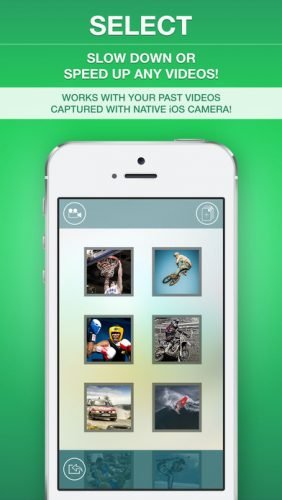
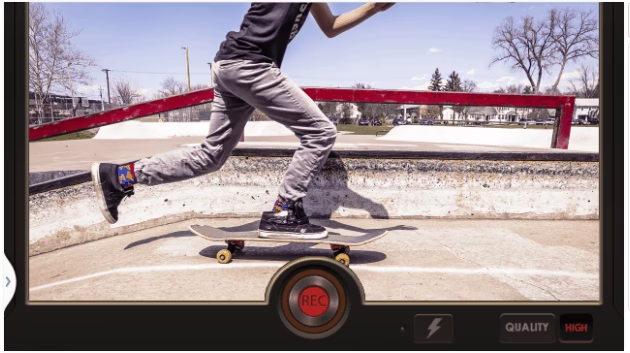
slow motion video apps,how to make video slow motion iphone,motion camera androidThis app by Scaleitapp Ltd tops the list both in terms of price and functionality. No matter which version of iPhone you own, you can easily capture and make super slow motion video. My favorite feature, you can zoom the camera view which gives a nice touch to the video. This app can be used as an extension of your primary camera app but this is only supported on iOS 8.0 and above versions. You can slow down or speed up the video. Once you are done editing, share it with your friends using the share feature. There is an inbuilt, neatly organized gallery section which will showcase your photos and videos.

Price: $2.99 (Special Price) – else $5.99

SlowCam – Slow Motion Video Camera Realtime

  SlowCam for iOS is specially for capturing slow motion videos at the best frame rate the hardware can support. You can capture videos at 60/120/240 fps. To get started, set the frame rate you would like to capture the video and press and hold (you can change this to continuous recording) the record button to start recording.

 The app supports 240fps recording from iPhone 6/6+ onwards, 120FPS in iPhone 5 and above and only support 60fps in older devices. The best part is, the app will render the previously captured video in the background so that you won’t miss your next shot.

Price: $1.99

iMotion
slow motion video apps,how to make video slow motion iphone,motion camera android slow motion video apps,how to make video slow motion iphone,motion camera android

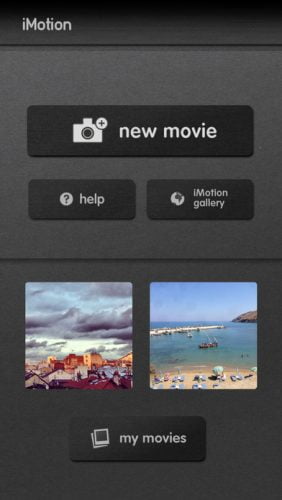
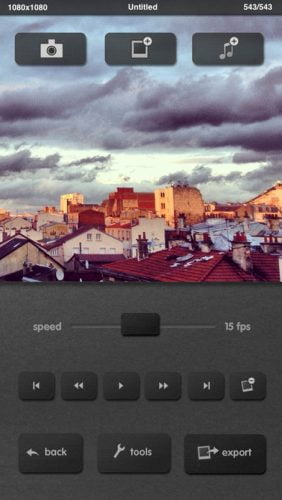
If you are looking for a clean and elegant app interface along with great functionality, then iMotion is the app. The best part, it is free! iMotion offers 4 capture mode; time-lapse, manual, Wi-Fi remote, microphone. There is also an ultra fast recording option at 10fps. The app does support Apple watch which lets you preview and trigger capture for both time-lapse and manual.

Price: Free

SlowPro – 1000fps Slow Motion Video
slow motion video apps,how to make video slow motion iphone,motion camera android

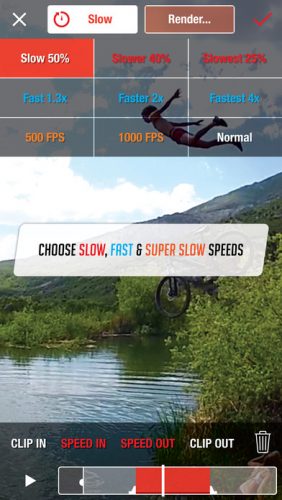
SlowPro is one of the top slow motion video apps in app store. It has been featured in many of the tech sites. The best part, super slow 500fps to 1000fps can be simulated using software. This app is available for both iPad and iPhone. There are 3 types of slow effects; optical flow, frame blending and ghost. You can upgrade to pro version via in-app purchase option.

Price: Free

Dartfish Express – Sport Video analysis
5 dart fish 5. dart fish split screen

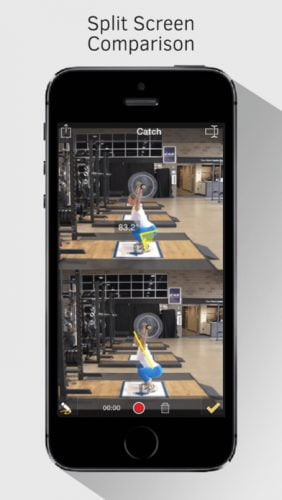
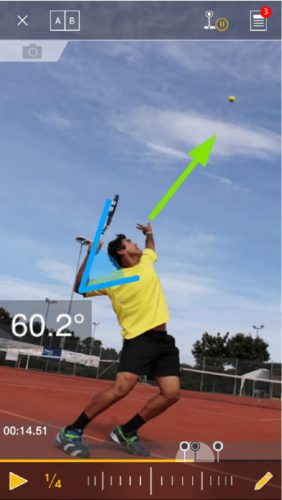
If your purpose is for coaching sport, then Dartfish Express is the best app you will find in app store. The app not only slows down the footage but also lets you analyze time in milliseconds, adding in video labels, measure angles etc. Of course, analysis feature gets the app bit pricey but I bet this will an apt companion for your coaching.

Price: $6.99

Videoshop – video editor
6 videoshop video editor ios

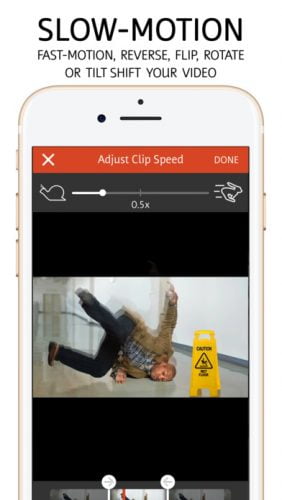
Videoshop is one stop destination to all your video editing needs. The app can perform a lot of functionalities like; add music to your videos, slow motion, fast motion, reverse video, flip video, tilt video, apply filters, merge videos and more. At $1.99 this is one of the value for money deal you will find when it comes to video editing app.

Price: $1.99

Slow Motion Camera  Android Apps

Videoshop – Video Editor
7. videoshop for android

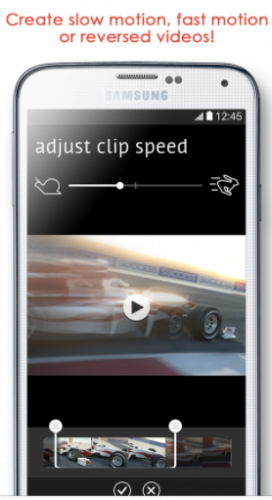
The Videoshop app for Android is pretty much same except some major UI changes, obviously, it’s a different OS. There are few additional features in android as the OS offers much better flexibility and freedom for app developers. You get to do almost all video editing options + slow or fast motion. Depending upon the hardware, you get to edit in high-resolution. The app is free to download and on top of that there are some in-app purchases.

Price: Free

Slow Motion Video FX
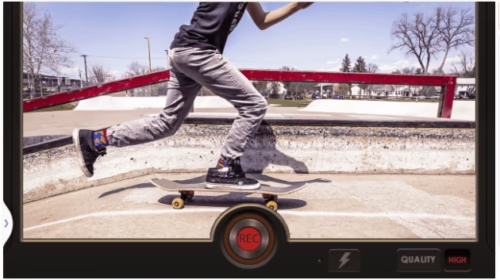
8. slowmotion video fx slow motion video app

The Slow-Motion Video FX is a free app dedicated for slow/fast motion video editing. The app also lets you increase/decrease your speech speed. If you liked it, you can make in-app purchases to make it ad free.

Price: Free

Hudl Technique formerly Ubersense
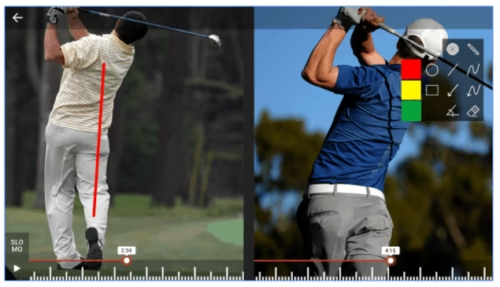
9. hudl technique ubersense slow motion video app

Hudl Technique formerly Ubersense is for professional coaches. This app does the same things the Dartfish Express in iOS does like; Analyse the motion, compare two videos side by side, you can track and compare the progress of individuals. There is also an option to create team and I bet this option will come handy for most of the coaches in sports industry. The basic app comes as free but there are in-app purchases to make your experience even better.

Price: Free

Fast & Slow Motion Video Tool
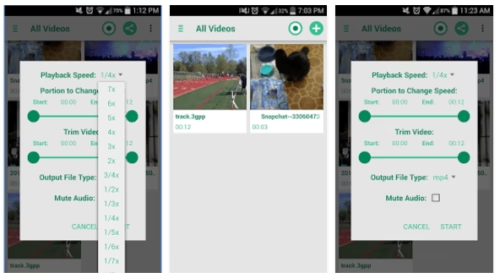
10. fast and slow motion video tool

Fast and Slow Motion video tool is a dedicated slow motion video apps for slow motion video editing. The interface looks bit cluttered but will serve the purpose. You can also choose from video formats like asf, avi, flv, mp4 and wmv for output video. The video speed can be increased upto 7x and can be slow down to 1/8x. The app also lets you mute the video, if required.

Price: Free

Free Slo Mo Video Editor
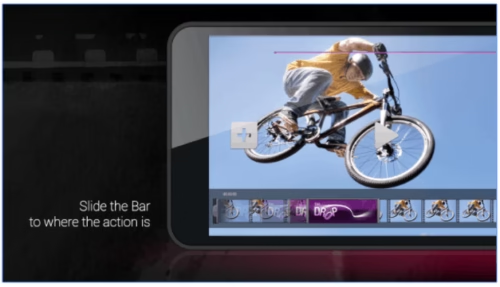
11. free slow mo video editor

Unlike the other slow motion video apps, Free Slo-Mo Video Editor comes preloaded with slow mo speed bump profiles. The profiles are nothing but the most popular effects as seen on action-adventure cameras like GoPro. In the free version, you will get to use one profile for free and additional in-app purchases are required to access the rest of them.

Price: Free

AndroidVid – Video Editor
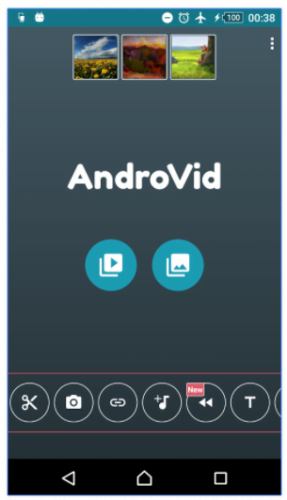
12 androvid slow motion video app

Androvid Video Editor is a fully packed video editor. There is an option to Trim, Reverse, Merge, Audio mixer, GIF, Rotate videos, apply filters and text etc. Access to most of these features are restricted in the free version. The paid version of AndroidVid costs you Rs 99 ($1.75).

Price: Free
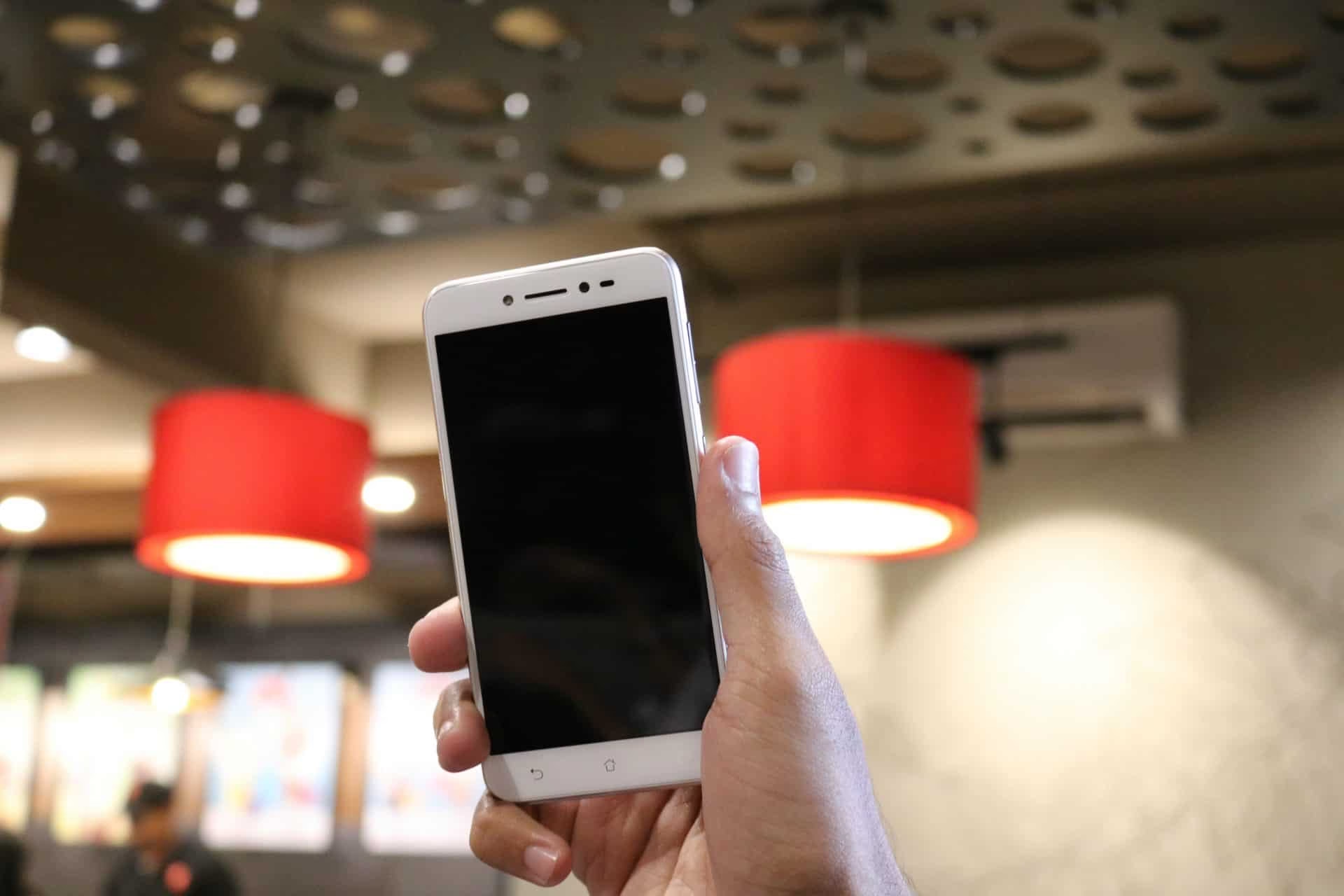
Asus Zenfone Live Review – Designed for Live Streaming, or Is it?

Going live on social media platforms is one step above everything to interact with your favorite followers. When the youth around the world clamor for taking selfies, and going live on social networking sites, parallel there is a hunt for the perfect device to facilitate this demand. Asus is trying to fill in this gap with Zenfone Live, world’s first smartphone with real time beautification technology for live-streaming, lets you telecast the even more glamorous version of yourself. When the idea itself seems brilliant, adding a beautification layer on top of every app that uses camera of the device, the choice of hardware seems to be bit of a fiasco. I used Zenfone live for 1 week as my primary device and this is a comprehensive review of the same.

asus_zenfone live

Zenfone Live Specs

  • 5 inch HD (1280*720) display
  • Snapdragon 400 Quad-core processor, Adreno 305 GPU
  • 2GB RAM
  • 16GB internal storage which is further expandable up to 128GB
  • 13MP Rear camera with an f2.0 aperture
  • 5MP with Large 1.4?m Pixel Sensor for 2x light sensitivity
  • 2650 mAh battery

What is in the Box

  • Asus Zenfone Live
  • Charger
  • USB cable
  • SIM card ejection tool
  • Paperwork

First Impressions

A typical entry level smartphone packaging, the box was small and rests easily on the palm of your hands. The minimalist approach to the packaging clearly exhibits all signs of cost cutting and with the same minimal expectation, I slide opened the box. I went high-spirited, later got irritated, the device looks small, the welcoming gold finish resembles an iPhone in many ways. FYI, the device also comes in Rose Pink and Black colors.

Design and Build quality

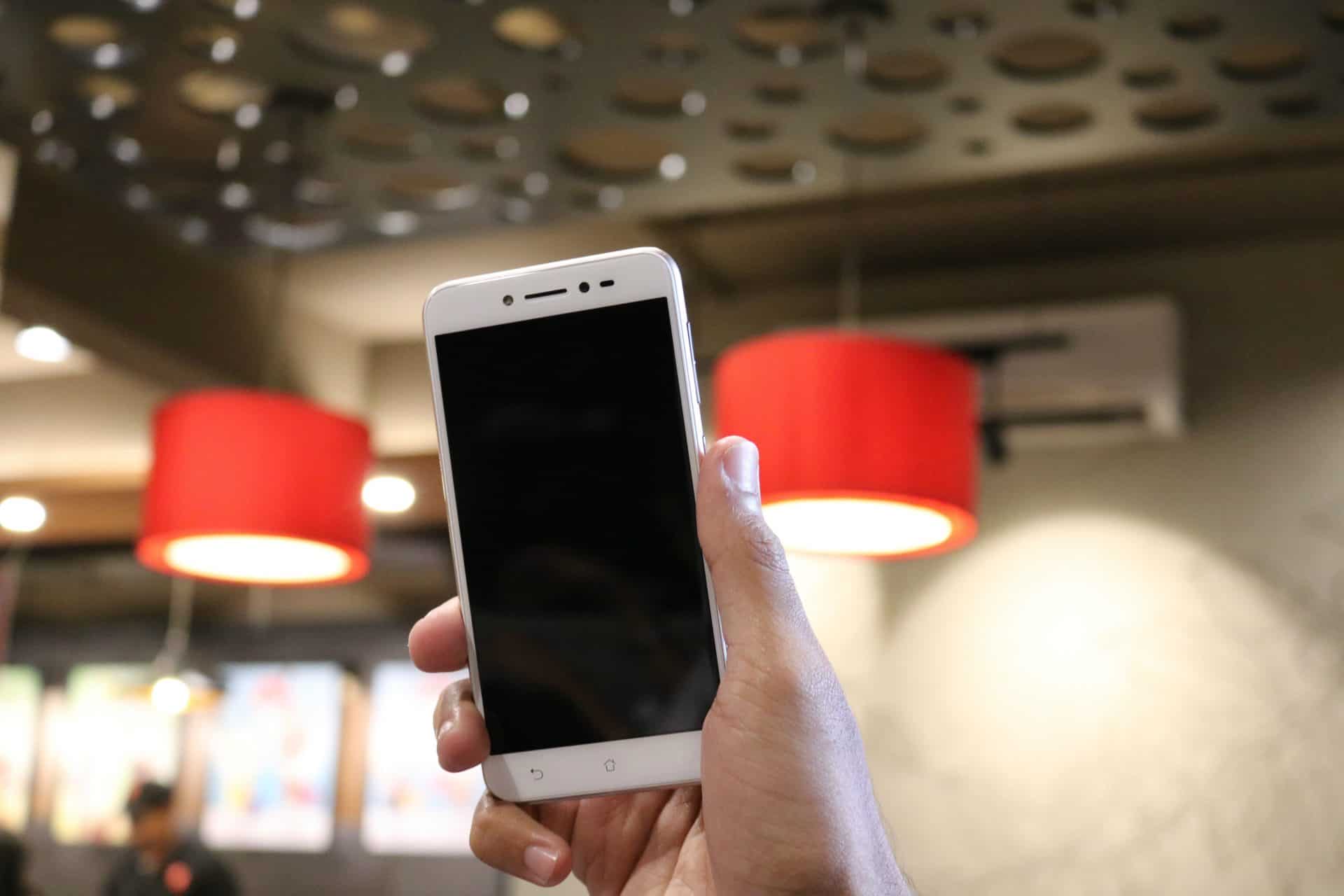
I love the overall look and feel of the device. For someone like me who uses devices with large build profile, the Zenfone Live felt lightweight and comfortable in hand. At 7.95mm thickness, ultra-thin profile and the 2.5D arc glass which snap on to the body, oozing out fluidic finish. Like I said, the phone design resembles that of an iPhone in many ways.

I don’t want to misguide the common crowd when I say the Zenfone Live has a premium-crafted ‘metallic back finish’. Like quoted it’s just a metallic finish and let me warn you, if you are not planning to put a case on, the ‘premium finish’ can easily attract hairline scratches, may be more.

No Fingerprint Scanner – Bummer!

Out of the box, for few minutes, I thought of giving a perfect rating for the build quality but when I find out that it was nothing but a metallic finish I differ and would like to go for an average rating.

There are two microphones, one at the top and one at the bottom, for capturing fine audio during live streaming.

Dimensions

The product dimensions are as follows; 14.1 x 0.8 x 7.2 cm.

For comparison, the Zenfone Live is almost similar to iPhone 6S in size.
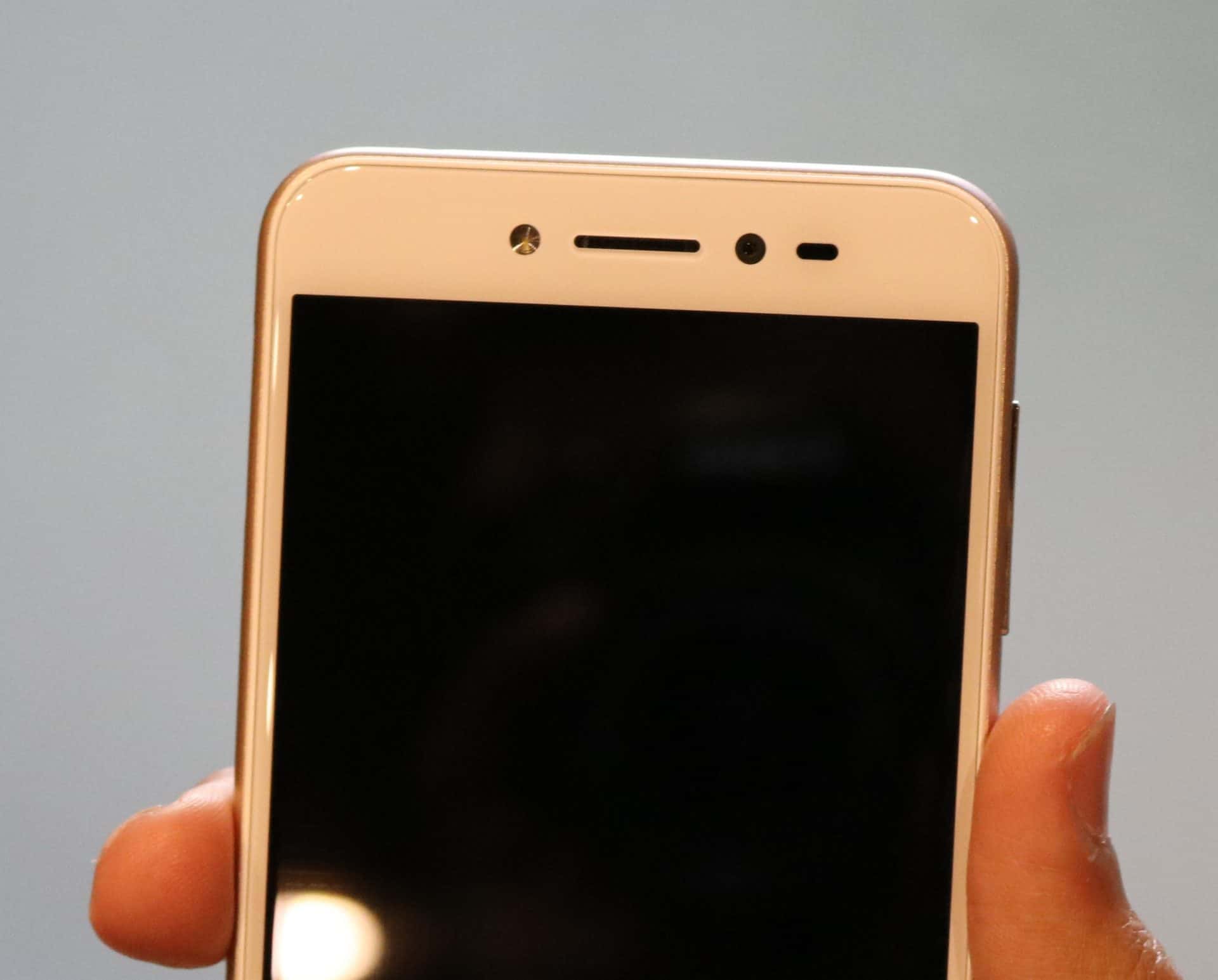
On the front top, from left to right, the front flash, earpiece, 5MP selfie camera and light sensor.

zenfone live front camera

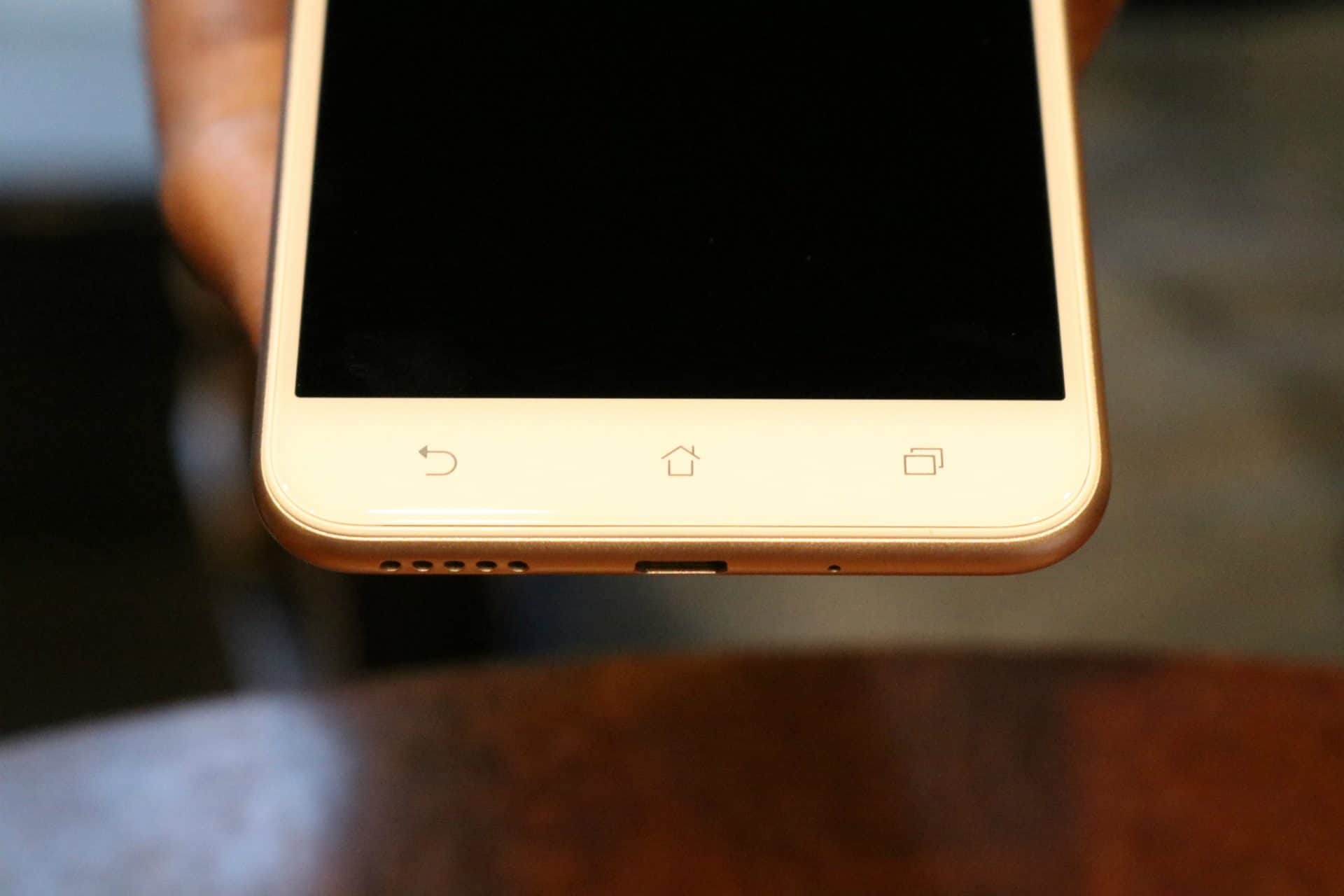
Front bottom, the capacitive back button, recent apps button and home button.Bottom: the speaker grill, micro USB port and a microphone.

zenfone live bottom front view

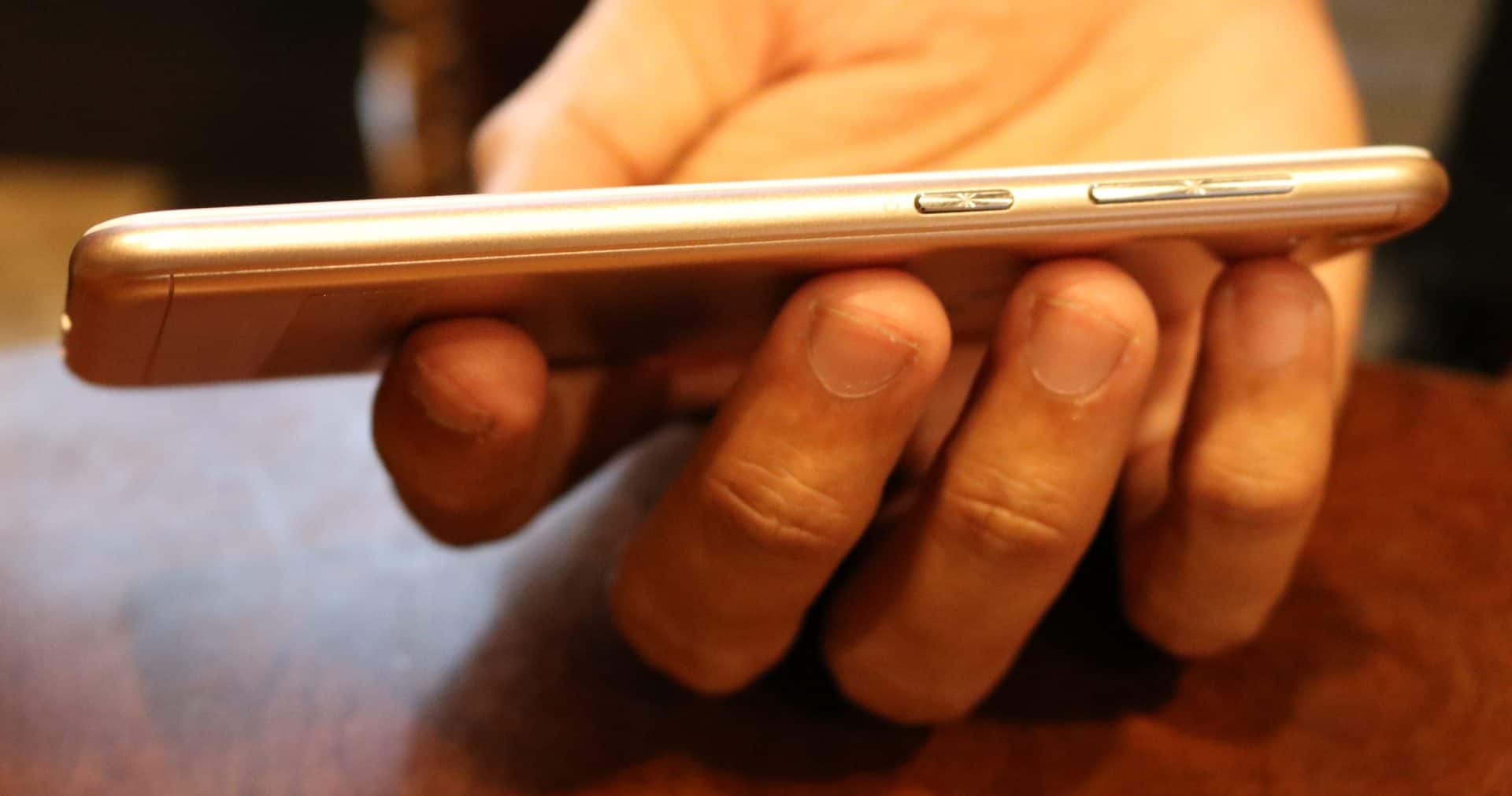
On the right side, we have the volume button and power/lock button.

zenfone live buttons

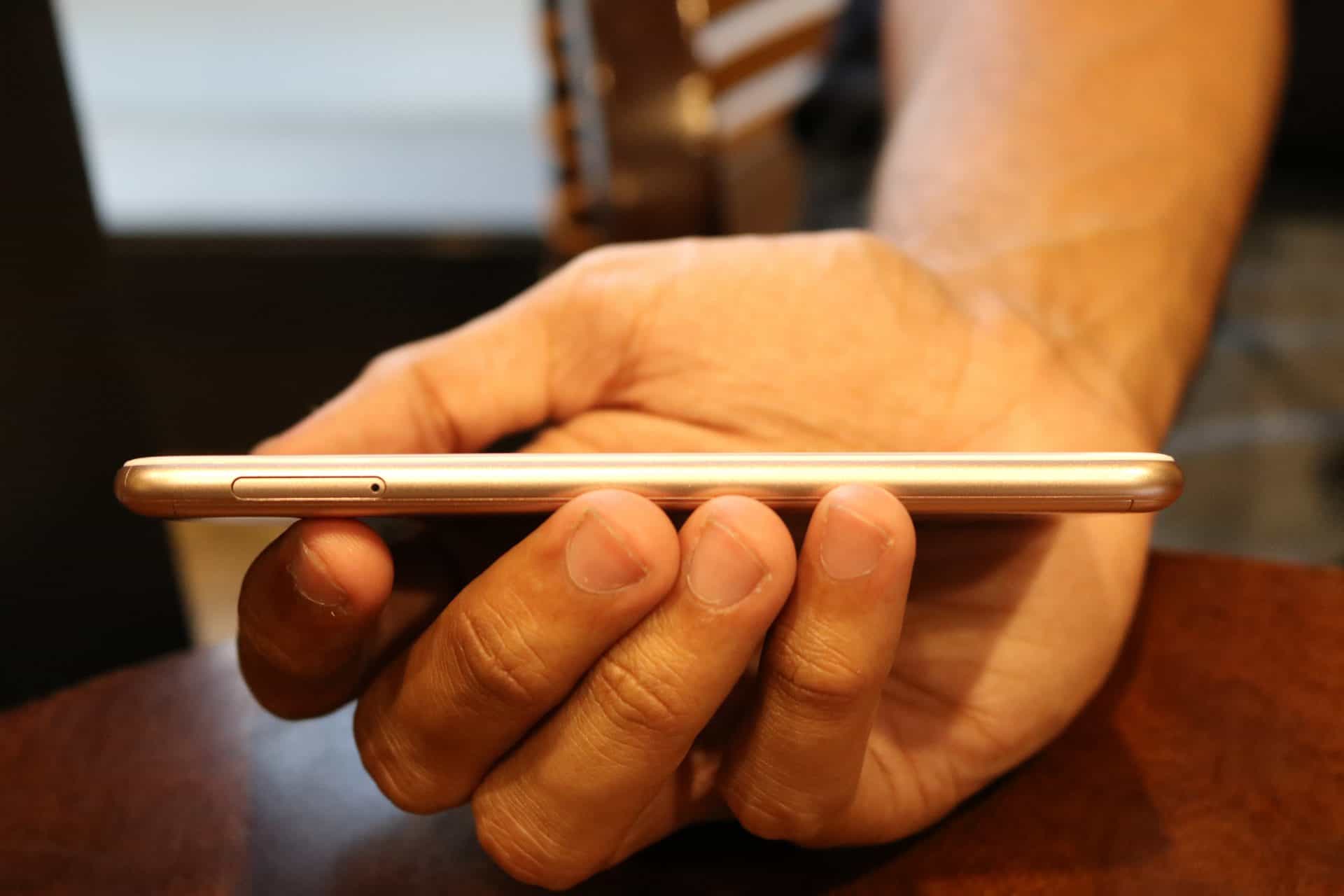
Left: SIM card slot.

zenfone live sim card

When smartphone manufacturers come up with new ideas for accessing navigation button, Asus decided to keep the old school capacitive buttons. Yes! The one with icons.

Display

The Zenfone live comes with a 5” inch HD 720p! Yes, you read it right its HD IPS display. When most of you might argue that the resolution is a perfect and is optimum screen size to pixel ratio, I am pretty discontent at this point. During my heavy user testing, I took the device in a sunny day and to my dismay, the screen didn’t hold up well under sunlight. I am using a device with FULL HD AMOLED display and the difference was obvious to me, better than anyone.

Software – ZenUI 3.0

As a user who is used to stock android UI, I find the ZenUI bit cluttered. It is true that they have added lot many options to customize the look and feel. There is some parallax scrolling effect, which is nothing but you can swipe the home screen unlimited time and you will see the screen repeating rather than coming to stop at the end. There is a clock widget and few more features.

zenui zenfone live

Since this is a device made for social media usage; Facebook, Instagram and all essentials comes pre-installed. There are some bloatwares like ZenCircle, ZenUI FAQ, ZenTalk and more. Luckily, this can be removed.

Asus BeautyLive

This won’t be a comprehensive review if I don’t talk about this distinctive feature of this Zenfone Live.

zenfone beauty live zenfone live instagram

It’s just an application which will automatically turned on every time when you open the camera application using Facebook or Instagram or YouTube. I hope you are all familiar with the beautify camera app which will smoothen and brightens your face. The Asus BeautyLive does the exact thing and the best part, it is designed to function along with all the social networking apps.

zenfone beauty live zenfone live

Features

ZenMotion: this options allows to setup Touch, Motion gestures and one hand mode. If set, you can use the features like; double tap to turn off screen, double tap to wake up and swipe up to wake up. You can also draw alphabets when in lock mode to fire up the application of your choice.

zenfone live gesture

Asus Customized Settings: Under this setting you can find the Glove mode. This is very useful if you rider who using riding gear or uses gloves for the weather.

asus customized settings zenfone live

Kids Mode transforms your device interface to child friendly. Under this option, you can set up a PIN and select the apps that you would like your kid to access. Upon entering the PIN you can revert to normal interface.

kids mode zenfone live  zenfone live kids modezenfone live kids mode (2)exit kid mode zenfone live

Easy Mode this mode offers a simple UI, I find this will be very useful for the old people who would like to stay away from lot of options popping in front of their screen.

easy mode zenfone live

Camera

Front Camera

The Zenfone Live has a 5MP shooter with large 1.4?m Pixel Sensor for 2x light sensitivity. This means that it’s a camera made for perfect shots especially during low light conditions. At f2.2 aperture and 82° wide view angle, the manufacturer has put in all the efforts to make the front camera great but, did it work? Let me tell you; in fact, I will show you a sample image. This is taken with front flash on.

front camera click zenfone live

I am not a big fan of beautification feature; it makes me looks like wax version and worst, like a doll in the output image. The camera performance, hope you can make it out from the selfie I have here.

You also get to play with 5 modes: Blush, Skin softening, Beautify, Eye Enhancement, Cheek Thinning.

Main Camera

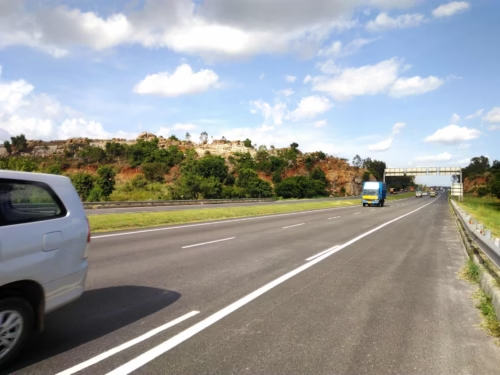
The main camera of Zenfone Live is 13MP with PixelMaster 3.0. Surprisingly, the camera output is good. See the pictures;

zenfone live rear camera

There are 12 modes that you could use to unleash your creativity. Auto, HDR Pro, Beautification, Super Resolution, Children, Low Light, QR Code, Night, Effect, Selfie, Panorama, Time Lapse.

Another good thing I liked about the main camera is, it will automatically detect the ambiance and suggest you to switch. If you are in low light area, then it will ask you to turn on the low light mode on. If you are standing against light, then it will ask you to turn on the HDR mode. Here is a picture with HDR OFF and ON.

slow motion video apps,how to make video slow motion iphone,motion camera android slow motion video apps,how to make video slow motion iphone,motion camera android

There is a considerable lag while operating the camera and it is very bad. Asus should have put some thought while choosing the processor for the device. More on this will be covered under performance.

Performance

The Zenfone Live packs a Snapdragon 400 Quad core processor combined with Adreno 305 GPU and 2GB RAM. It’s evident that the phone is not made for performance. Let me be honest with you people, I took this device out for testing and this is how it went.

I started by installing lot of apps. Installing apps takes a lot of time, thanks to the processor and the RAM. I used the device for navigation for 1.5hrs and I could feel the lag when I tried to fire up the camera app when I stopped my bike in between highway for clicking picture. I recorded 30 second video. Clicking pictures is bit tricky, it will take almost 0.25-0.5 sec for the screen to get updated even after the subject is moved out of frame. This is completely unacceptable. If you are on any special mode in camera, then the shutter lag will be more than 2 seconds. I recorded lot of Instagram stories for my followers. The front flash was very useful when I was shooting inside the cab.

Overall, the phone performance is below average. This is an obvious result if you look at the specs.

Battery Performance

Charging Time

Charging time from 0% to 100% Charge

Since there is no fast charge option, with the 1A charger which comes out of the box, it will take more than 2.5 hrs for full charge. I find it inconvenient since I use device with fast charge functionality. For others, this won’t be an issue.

Battery Usage

This test is based on heavy usage.

Installing Apps over 4G with screen on – auto brightness

  • At 12:10 PM – 100% Charge
  • 12:22 – 99%
  • 12:25 – 98%
  • 12:27 – 97%
  • 12:30 – 96%
  • 12:32 – 95%
  • 12:50 – 90%
  • 1: 10 – 85%
  • 1: 20 – 80%

20% drop in battery level in 40-50 minutes.

I used the phone for booking cab, then during my trip I took some Facebook time.

Google Maps Navigation

  • 3:14 PM – 57%
  • 4:30 PM – 29%

   28% drop in battery level after 1 hour 15 minutes Google Navigation

I updated couple of Instagram stories and there we go! 14% drop in battery within next 1 hour. At 5:29 PM the battery has reached 15%.

In 5hrs 20 minutes the battery reached 15% from 100%.

Battery Review – Conclusion

The Zenfone Live packs 2650mAh non-removable battery. The battery performance was good considering the tasks I have used it for. It have put the device under lot of pressure and it gave me a good 5hrs 20 minutes battery time.

For a heavy user like me, I find the battery unreliable.

Zenfone Live Review – Conclusion

Let’s start with the purpose of this device. The Zenfone Live is launched keeping in mind the potential users who would love to go live in front of their social media followers. There are two types of people;

First, the type of people who would like to click some selfies, also would like to go live in front of close friends and to experience ‘live on social media’. For them the integrated beatify feature comes handy and they can utilize the front flash for better low light performance. Again, you should sacrifice on the performance.

Second, the people who has lot of followers (not celebrities), or vloggers who will take lot of videos and photos. The whole purpose of a phone, for them, will be to use camera. I don’t think a below average performer like Asus Zenfone is going to stand a chance. Kudos to Asus for coming up with world’s first live streaming, real time beautification technology. I hope they will put this feature to use in a better hardware next time.

There are Xiaomis, Lenovos and Motos which comes with slightly more (may be 1.5k – 2k more) price tag with better processor, more RAM, Full HD display, fast charge, fingerprint scanners and more. For a price tag of Rs 9999, I would like you guys to think and take a decision.

Here’s Why You Need High Quality Memory Card Reader To be a Pro-Photographer

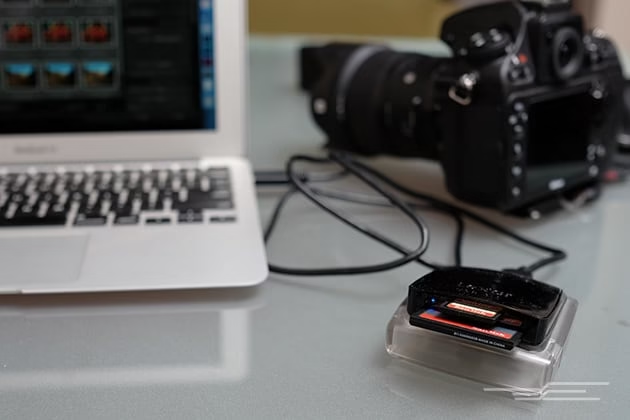
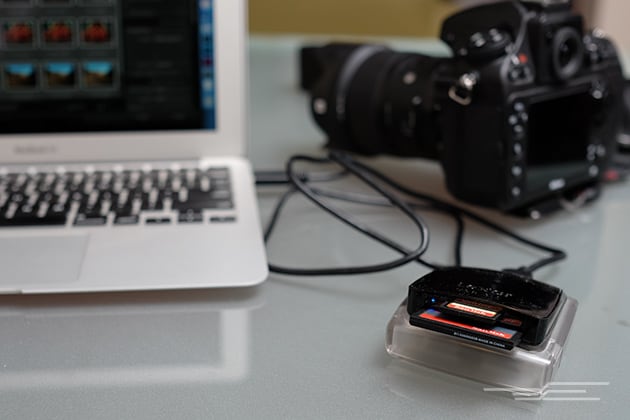
Getting great pictures is just half of what it takes to be a professional photographer. You also need to have the right equipment on hand to do your job properly. From cameras to your internet connection, and memory cards to your card readers — everything must be reliable and as hardworking as you.

high quality card reader for pro photographers

Not only does each glitch cost you time that could be better spent working with your client, but each time an equipment failure leads to lost photos, it damages your reputation.

Why You Need a Good Card Reader

Quick Computer Access

When they’re first starting out, many professional photographers try to get by without a card reader. They figure that since they can use their camera’s screen to view photos or use a cable to upload them to their computer, a card reader simply isn’t necessary. The lack of a good card reader is one of the things that separates the pros who are serious about their career and the ones who aren’t,

Card readers like the  V.TOP USB 3.1/3.0 UHS-II Multi-Card Reader RDF9 allow you to quickly use a computer to view the photos you’ve taken. Why is this important? Because the large screen lets you and the client pause in the middle of a photo shoot and really analyze everything you’ve taken so far what changes the client would like made, allowing you to adjust the shoot accordingly.

Fast Image Backup

Another advantage of a fast card reader is that in addition to allowing you to quickly analyze shots, it provides you with a super fast way to back up the shots you’ve taken. If you’re working with an assistant, you can hand them the card you’re using in camera and they’ll upload the photos while you load a new card and keep shooting.

High-quality card readers decrease the amount of time it takes for the photos on the memory card to transfer to the computer.  The faster this transfer takes place, the less risk there is that any photos will get lost.

Another advantage to using a card reader instead of a USB cord to transfer the photos from the card to the computer is that the card reader doesn’t drain your camera’s batteries.

What to Look for in a Card Reader

If a card reader isn’t able to read a variety of microcards, you should bypass it and look at other options. Even though your current camera might use microcards, the day will likely come when you find yourself using a different camera that takes a different size card. Starting out with a reader that’s equipped to read everything means you’ll never have to worry about replacing it.

You might be hooked on a particular type of memory card right now, but you don’t know what the future holds. It’s possible that something will cause you to switch brands. Or you might even have to borrow a fellow photographer’s card or even have a client ask that you use one they brought along. The best way to make sure different memory card brands don’t disturb your creative practice is by starting out with a card reader that’s designed to read an assortment of cards rather than a specific brand.

The whole point of having a memory card reader is the ability to quickly transfer the photos you’ve just snapped to your computer. This won’t happen if you purchase a slow reader. The card reader you select should have a faster read speed than the USB cable that came with your camera. You’ll be happiest when you’re using a memory card reader that has a read speed of 260 MB/s.

Don’t forget that you’re a professional and that your equipment needs to reflect your status, which is why the card reader you select should be attractive. Having nice photography equipment gives your clients a sense of confidence that’s impossible to assign a dollar amount to.

The single most important thing to remember when purchasing a memory card reader is that it’s in your best interest to purchase a high-quality product as opposed to one that is cheap. In the end, you’ll spend less money and be a great deal happier with the higher quality model.

How to Keep Your Kids Safe Online

The internet is loaded with a wealth of information and exciting possibilities. It has changed the way children play games and socialize. They can connect with other kids all over the world, discover all kinds of fun facts, watch videos and keep in touch with their friends. Many children have now abandoned desktop PCs and laptops for mobile phones and tablets, but while this is great for portability, it can make it more difficult to keep an eye on what they are doing.  Here are a few ideas to help they enjoy the internet safely.

make kids safe online

  1. Never let them go online unless you or another appropriate adult is there

If you are not around while your children are browsing, then they are more vulnerable to predators or viewing something that is inappropriate. To avoid this set up their devices, so they automatically sign out after each use. Keep the password for your Wi-Fi a secret and only allow them to go online if there is someone around to supervise them. Don’t let them use the internet when no one is around.

  1. Be open and honest with them about online dangers

Many schools now teach children about online dangers but it also a good idea if they hear it from their parents/carers too. If your children play online games or use sites or apps aimed where they might come across people, they don’t know make it clear that they should never give out their real name, age, address, school or other personal information that could help identify them and help a predator to find them. Many paedophiles sprawl the internet looking for personal information about children. Also, discourage them from posting photos of themselves and to keep accounts private where possible.

  1. Encourage them to tell you if they are worried about anything

Communication is key to good parenting and stamping out any online dangers. Encourage your children to share any fears with you. Online trolls and bullies can do as many harms as adult predators so tell them to let you know if they feel they are having issues with this and keep a close eye on chats and comments to make sure they are safe and appropriate. Older children might have different ideas of what is appropriate so be wary of sites that are aimed at a range of age groups.

  1. Use a program or app to monitor their behavior.

As mobile technology advances so too do the programs that run along aside it. As such, there are now apps and programs that you can download to help you to keep your children safe and monitor. You can do this with Kidgy The parent control features of the app allows you to locate your child using GPS, block access to certain websites and read all instant messages and emails. This helps you to keep track of their activity even when they are not with you, and it can be downloaded to either a mobile phone, a tablet or other mobile device.

Essential Mobile Security Solution for Your Smartphone You Must Install

Advancements in technology have made it possible for us to do a number of extraordinary things with the use of our smartphones. Our cell phones can even be described as an extension of our personal selves. All of our personal information is embedded into these devices. Having your phone hacked can be compared to having your home broken into or robbed. They are both complete invasions of our privacy and can have disastrous effects on our personal lives. As you can see, people will go to great lengths to protect themselves and avoid such conflicts from occurring. One of the best ways to add mobile security to your smartphone is by downloading a good antivirus mobile application. One app in particular by AVG, which is available for free on all Samsung devices, such as smartphones and tablets, can easily be download from Google Play. This easy to use app will protect you from harmful downloads, corrupted files, and even malware or spyware from being downloaded to your phone.
mobile security solution

Just as you protect your laptop or desktop computer at home, you need mobile protection for your smartphone. Hackers can gain access to your phone without you even realizing it and once that occurs, your information is in their hands. Discover how you can protect yourself with AVG.

Top Security

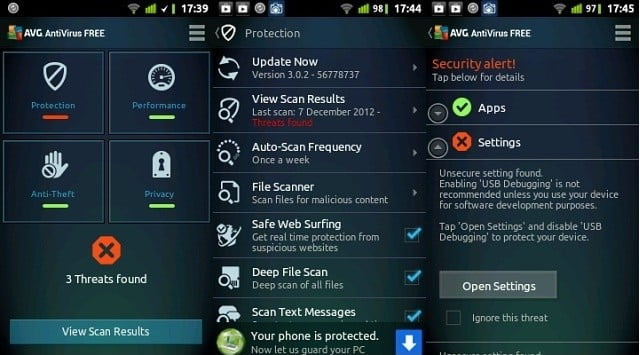
avg mobile security solution

The AVG antivirus app is one of the top free Android security downloads available that will protect you from harmful apps, weak Wi-Fi security and much more. Once you download the app itself, it starts running in the background to protect and secure your phone. You can avoid people from hacking into your personal photos and files by enabling a passcode that only you know. You can also identify who is trying to pry into your phone with the awesome Camera Trap feature. This will take a photo of whoever is trying to unsuccessfully gain access to your smartphone and email it to you. Whether that someone be a thief, sibling, or even significant other, you will have the tools to identify the culprit.
No Matter Where You Go, You’re Protected

With this antivirus installed on your phone, you can have peace of mind knowing that you are protected no matter where you go. Besides security features the app also does a lot to enhance the performance of your phone. Do you feel like your battery is running down too fast? The AVG app can help optimize your battery life by stopping and by killing items that are constantly running even when you are not using them. Are you worried that if you lose your phone your information is lost as well? You can actually lock your phone remotely or completely wipe your phones SD card if you feel it will not come back to you.

Conclusion

Overall, with all of the apps security features and the affordable price it comes with (Free), it is no wonder why so many millions of individuals have already downloaded AVG’s app. I suggest taking advantage of the free 30-day trial, which makes all of the Pro versions features available for you to explore before you are required to make a decision for purchase. The app is very easy-to-use, affordable, and highly reputable.

How to Download Facebook Videos on Android and iPhone

Ever since the launch of Facebook Videos, Facebook is trying every tactic in the book to beat YouTube in terms of video views. People love watching and downloading Facebook Videos on their Android and iPhone devices. Let’s have a look at why Facebook videos has a better potential than YouTube; Every day new people are joining Facebook and thereby creating new audiences. People on Facebook share the most, the contents that interests them among their friends than any other social media platform. Believe me! There are Facebook pages with millions of likes who create daily videos and at the same time not at all active on YouTube.

slow motion video apps,how to make video slow motion iphone,motion camera android

Nowadays people started using the comment section below videos to tag their friends and make them watch the video. It is obvious that the future is so near Facebook is going to overtake YouTube in terms of daily views. Enough with the video facts about YouTube and Facebook. Today I am going to walk you through steps on How to Download Facebook Videos on Android and iPhone devices.

Download Facebook Videos on Android

Unlike iPhone App Store, Google Play Store is not so strict about the applications that developers submit for listing. Saying that, there are myriad of applications that help you with downloading Facebook videos for your Android device and therefore finding a good application is going to take a while of your time. Don’t worry! I got this sorted out myself and I will share the same with you. MyVideoDownloader for Facebook is one of the best applications for doing the job. I have personally downloading this app for my android device and tested it. Let’s see how it works.

MyVideoDownloader for Facebook – Android

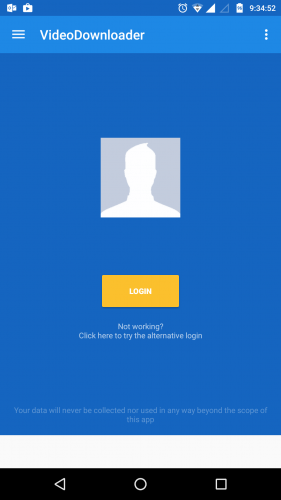
Once you download and install the app, fire up the app to see the below screen. Click on Login button.

slow motion video apps,how to make video slow motion iphone,motion camera android

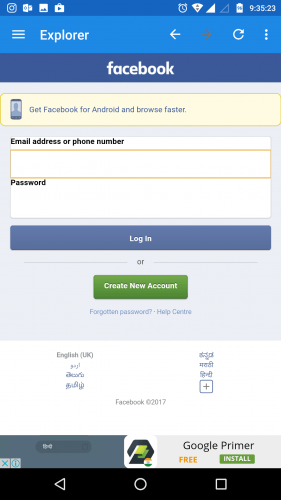
Enter your Facebook login credentials. Yes! You can enter it safely here as the app is not going to collect any information you enter.

slow motion video apps,how to make video slow motion iphone,motion camera android

Once you log in successfully you will get to see your Facebook feeds. The interface will look like the mobile version of the Facebook.

slow motion video apps,how to make video slow motion iphone,motion camera android

slow motion video apps,how to make video slow motion iphone,motion camera android

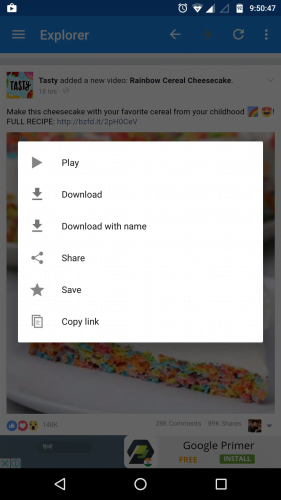
Scroll through the pages and stop if you find an interesting video that you want to download. Just click the play icon and a new pop up window with few opens will open.

  • Play – will play your video.
  • Download – will instantly start downloading the video with the same file name as that of the uploaded one.
  • Download with name – will allow you to enter a file name and save the video in the name you have choose.
  • Share – to share the video among Facebook friends
  • Save – will save the video under your Saved Videos in profile
  • Copy Link – will help you copy the link of the video

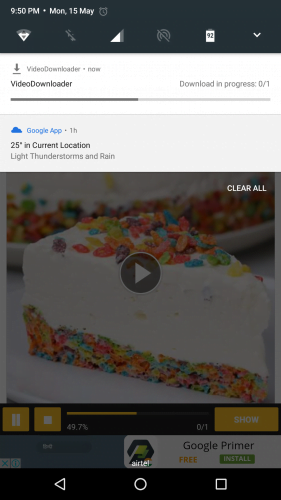
Click the Download option and your video will start downloading instantly. The download progress will be shown in the status bar.

slow motion video apps,how to make video slow motion iphone,motion camera android

MyVideoDownloader for Facebook is one of the most reliable applications I have seen for downloading Facebook videos on Android device. The service was fast; the UI was quite straight forward. The best part, you can replace your Facebook app and use this app as it does pretty much everything plus you get to download the interesting videos.

PS: The default app comes with Ads and you can make it ad-free by in-app purchases option.

Download Facebook Videos on iPhone

Coming to iPhone, there are only very limited number of apps available in the app store. Most of the apps that used to work has been pulled off from the App Store mainly due to non-compliance of developers and the rules apple have set. The available apps are mostly overcrowded with lot of ads and because of that reason I would like to take a different approach to get my Facebook videos downloaded.

My Media – File Manager

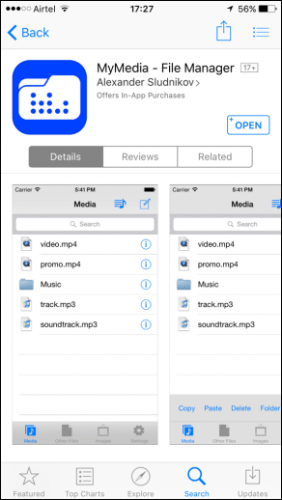
My Media File Manager is one of the most used File Manager for iPhone. You might be wondering what a file manager has to do with downloading the Facebook videos on iPhone.

First, Download and install My Media application for App Store.

slow motion video apps,how to make video slow motion iphone,motion camera android

Go to Facebook app and find the video you want to download. Click on the share button below the video and select Copy Link.

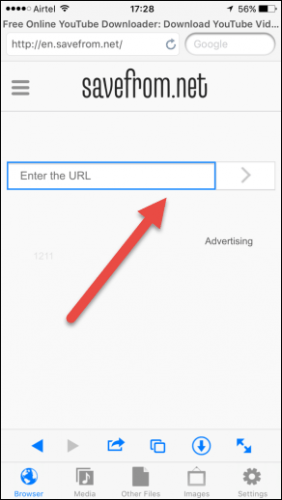
Open the My Media app on your iPhone and it has a browser. Type in savefrom.net in the URL bar. When the SaveFrom.net page opens, paste the copied link for the video and click the go button.

slow motion video apps,how to make video slow motion iphone,motion camera android

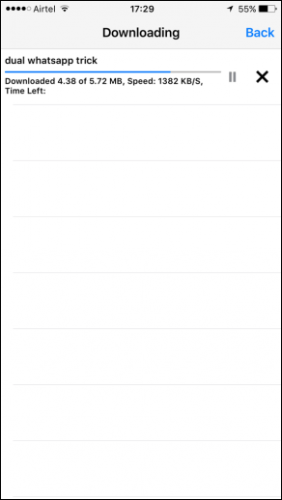
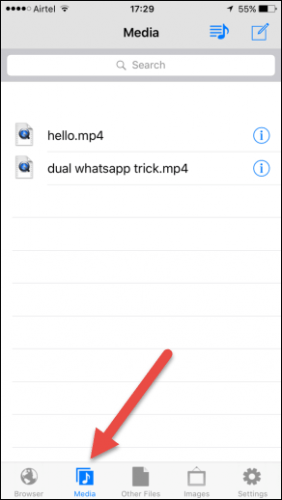
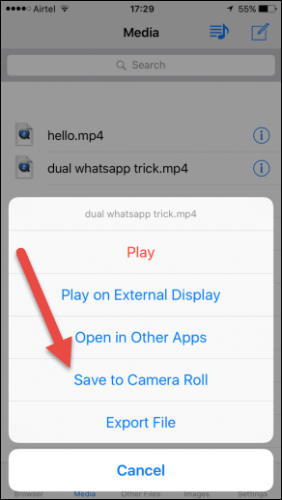
The app will ask to give a name for the video. Once your download is finished, under the Media Tab, you can see your video listed.

slow motion video apps,how to make video slow motion iphone,motion camera android

You can either see the video directly from the app or you can choose Save to Camera roll option to watch it from your camera gallery.

slow motion video apps,how to make video slow motion iphone,motion camera android

PS: the videos download super-fast and there is no technical glitch so far. Like the MyVideoDownloader for Android, the MyMedia app also shows few ads in the bottom. But ultimately you get to Download Facebook videos on iPhone and which is all it matters.

Nokia 3, Nokia 5 and Nokia 6 to be on sale in India by mid-June

0

After successful launch of Nokia 3310 2017 edition by HMD Global in May, the company is now planning to launch its Android smartphone line-up in the mid of June in Indian market. The phone was availabe only in offline stores initially. But in the last week of May, the phone started selling in via Croma. Nokia 3310 is now available at Rs. 3,310 all over India but Nokia fans are still waiting for Nokia Android smartphones.

Nokia-3-Nokia-5-Nokia-6

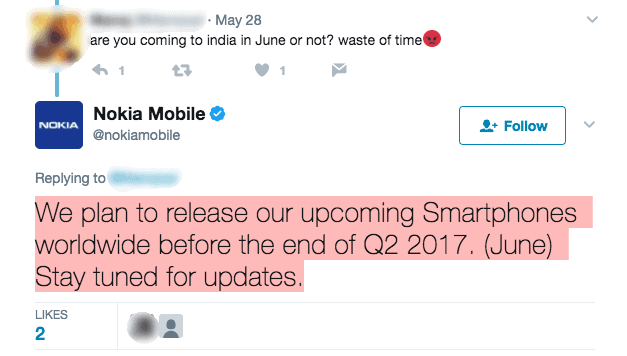
The comoany will launch three version of Android smartphones in the mid of June. Nokia 3, Nokia 5 and Nokia 6 are the Android smartphones which the company will launch first. According to reports, the company will not launch all the three smatphones at the same time. First of all, Nokia 3 will hit the market followed by Nokia 5 and Nokia 6. A die hard Nokia fan has questioned the company on its Twitter page regarding the launch date. Here is the response which the fan get – “We plan to release our upcoming Smartphones worldwide before the end of Q2 2017. (June) Stay tuned for updates,”

slow motion video apps,how to make video slow motion iphone,motion camera android

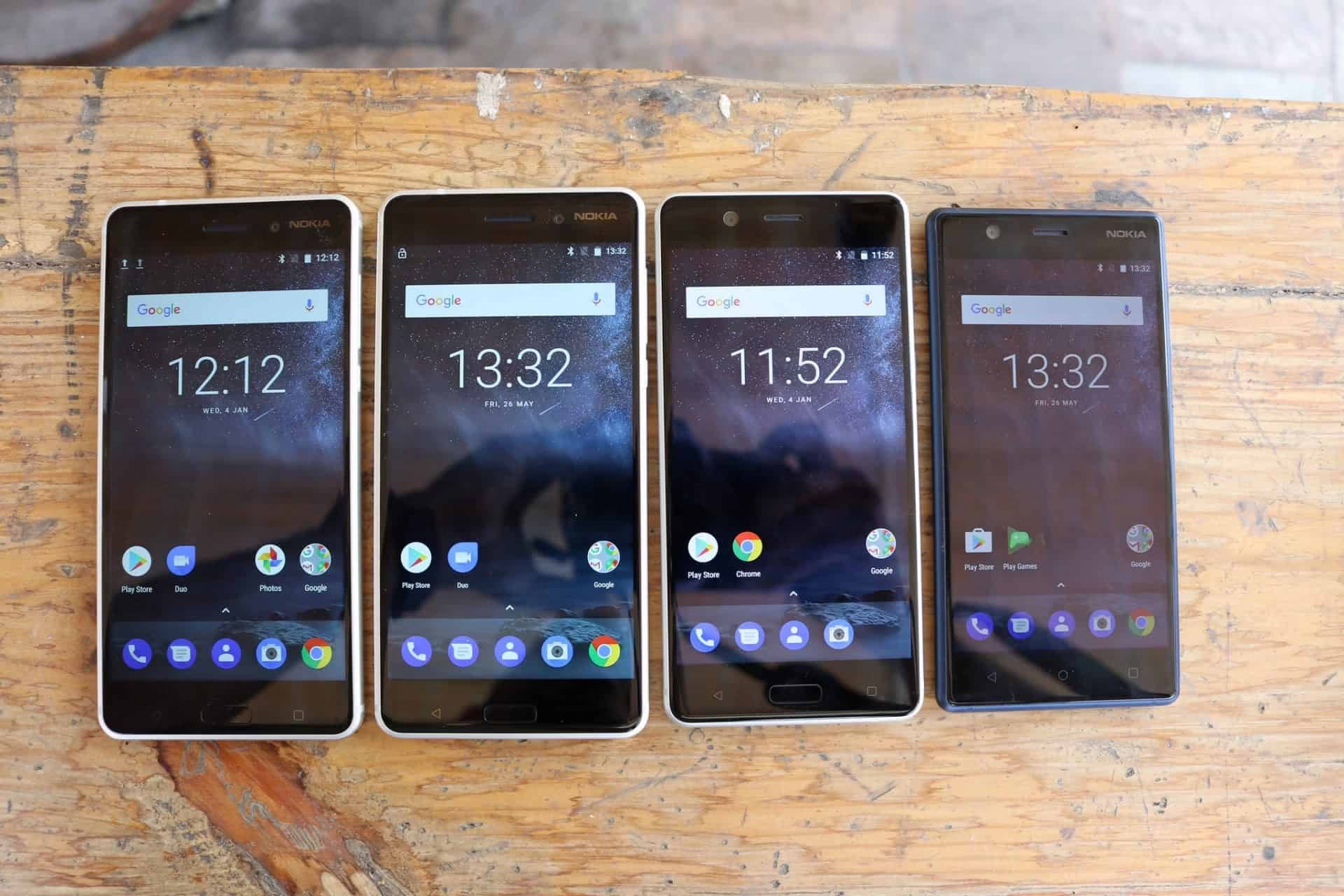
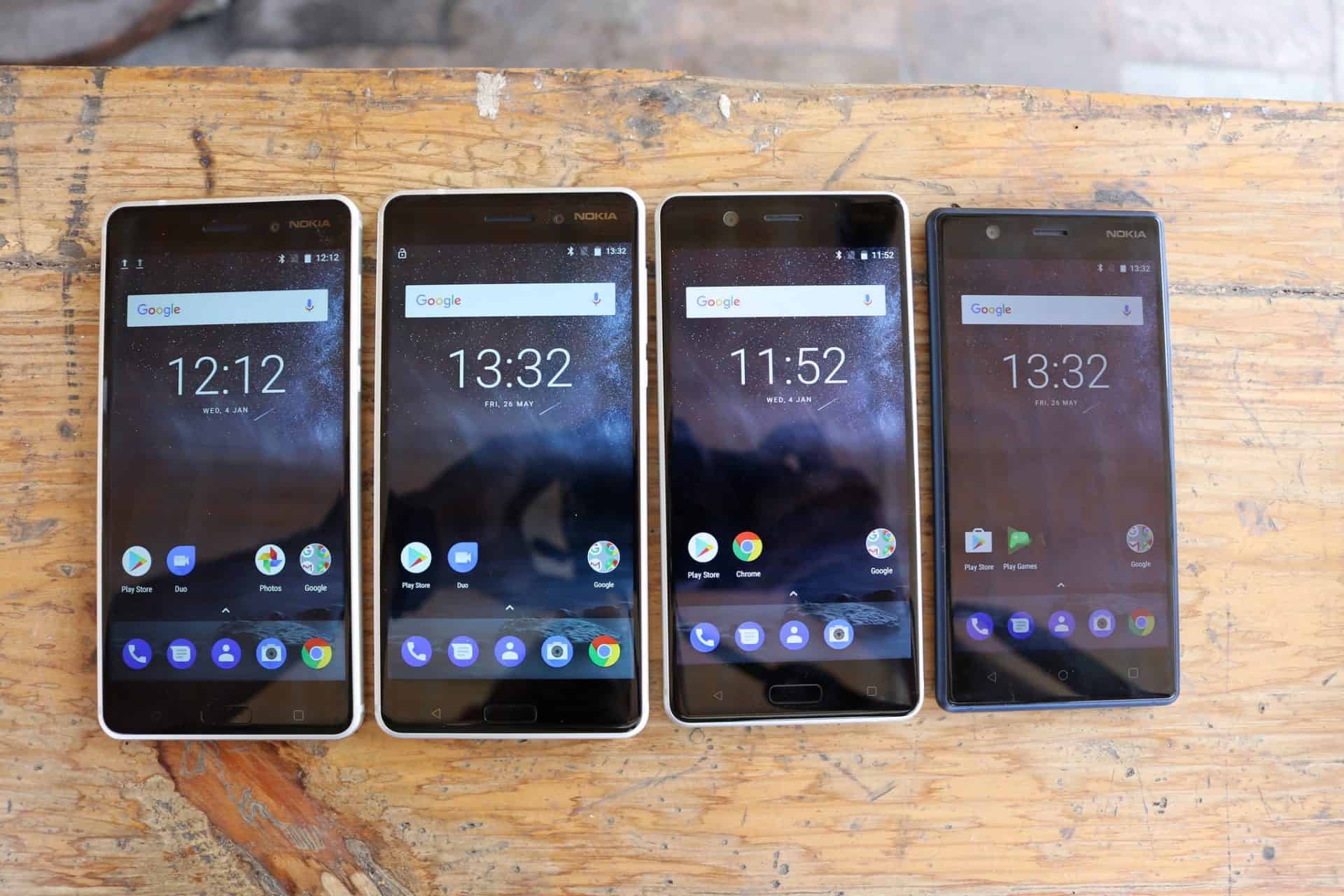
The company has already showcased the Android smartphones in major cities of India like New Delhi, Banglore. Here are some pictures taked by our team at the smartphone showcase event in Banglore.


Nokia-3-Nokia-5-Nokia-6

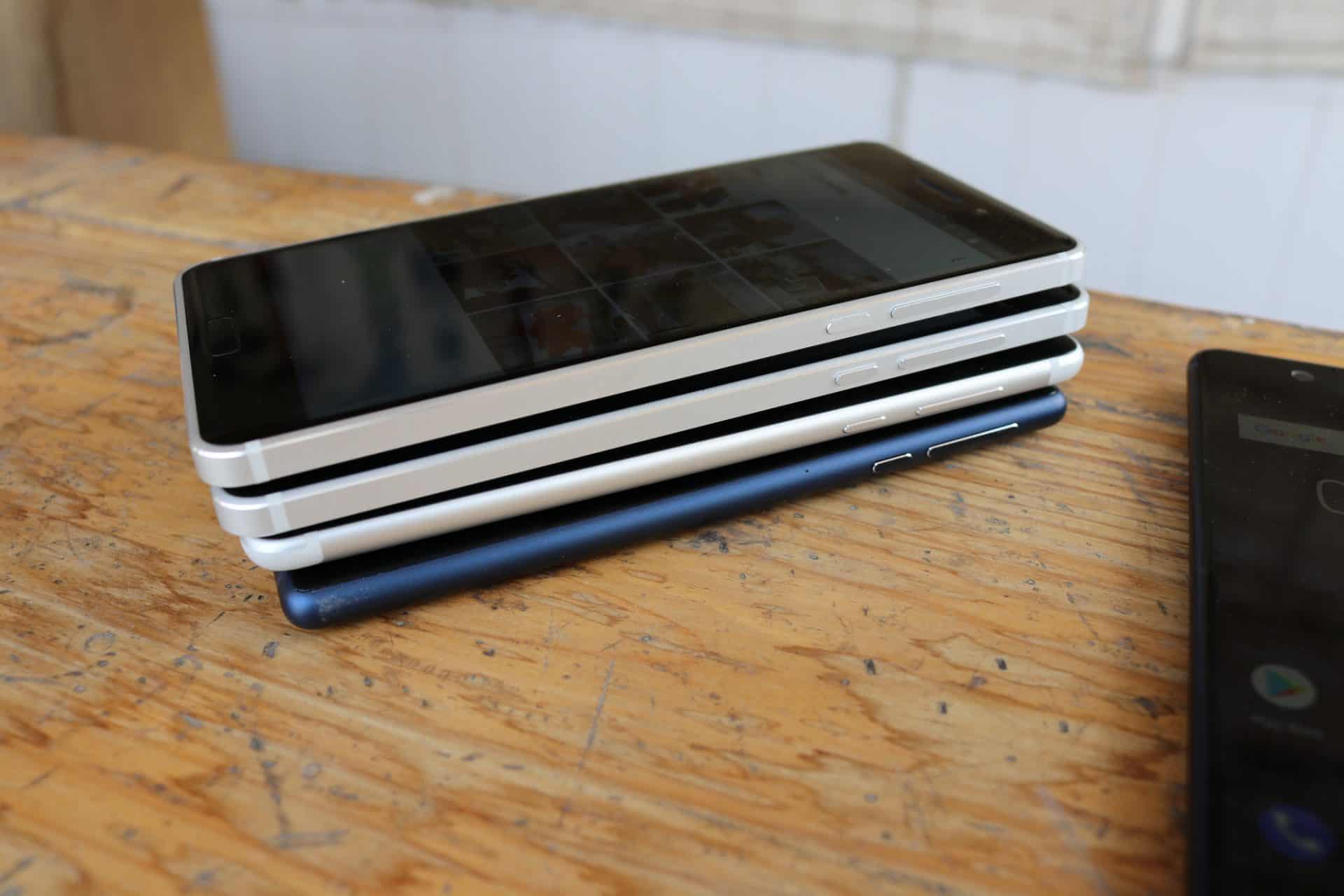
Here is how the Nokia 3, Nokia 5 and Nokia 6 looks like. At the right side, Nokia 3 is placed, Nokia 5 is placed on the second number from the right side and the Nokia 6 is on the left side. The design of all the phones is almost same. The only difference is the screen size.

Nokia has already entered in the Andorid smartphone market on China early this year. Now it is going to hit other parts of the world in the coming June. Here you can expect the specifications and price of Nokia 3, Nokia 5 and Nokia 6.

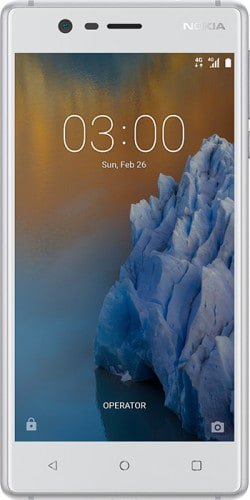
Nokia 3

nokia-3-specifications-features-price

Nokia 3 is expected to be priced at Rs. 10,000 being the low-end and the most economical model among the three smartphones. The smartphone will have a 5-inch HD 720p IPS LCD display, which is its downside as samsung is giving AMOLED dispay at this priced smartphones. Further the smartphone has is packed with a quad-core MediaTek MT6737 processor which is quite good. It has 2GB RAM and 16GB internal storage which is expandable up to 128GB with an external storage. It has 8MP front-facing and 8MP rear camera. The smartphone will run on Andorid 7.0 Nougat and has battery capacity of 2650mAh. Some other specifications including 4G LTE connectivity, Wi-Fi, OTG support and much more.

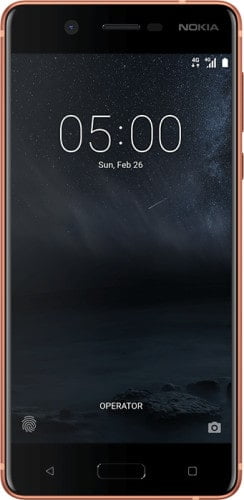
Nokia 5

nokia-5-specifications-features-price

Nokia 5 would be much better than Nokia 3 as it has high-end hardware specifications. It is said to be priced at Rs. 15,000 and it will run on the latest Andrroid 7.1.1 Nougat. The smartphone is packed with a powerful octa-core Snapdragon 430 SoC processor. It also has 2GB RAM and 16GB internal storage which can be expanded up to 128GB with a microSD card. There is a 8MP front-facing and 13MP rear camera. The smartphone will support 4G LTE connectivity and other features include NFC, OTG support, 3000mAh battery capacity and much more.

Nokia 6

nokia-6-specifications-features-price

Nokia 6 is the most high-end Android smartphone among other three which will cost you around Rs. 20,000. The smarphone has a 5.5-inch HD 1080p IPS LCD display which is much better than Nokia 3. But still it lags AMOLED display. It operates on an octa-core Snapdragon 430 processor which two variants of RAM and internal storage. One with 3GB RAM and 32 GB internal storage and the other with 4GB RAM and 64GB internal storage. There is a 8MP front-facing camera and 16MP rear camera. The battery has 3000mAh capacity and will run on 2 latest Android 7.1.1 Nougat. Other specifications and features like fingerprint sensor, dual speakers, NFC, 4G LTE connectivity and much more. With its powerful hardware specifications, Nokia 6 is going to give huge competition in the Indian smarphone market.