Home Blog Page 193

Domain name search: Tools to Make Domain Name Search Easier

A domain name holds enormous importance when you aim to give your web portal a unique identity and attract the target customer easily. Domain name shoulders the responsibility to represent your venture in the online arena, and therefore, holds prime significance.

domain name search

Requisites of an effective domain name

Domain name invariably needs to possess some qualities so as to serve the desired purpose.

Target the audience

Your domain must appeal the target audience. It should be clear, brand specific, easy to spell and remember. Complex domain names can prove dangerous for your online venture. A catchy domain name eventually creates an interest in the users and hence boosts your popularity level.

Tip! Also check out these cool free trifold brochure templates

Describe the quintessence of your venture

Domain should give a perfect idea of your product and services to the users. It should not give a dicey perception and successfully communicate the essence of your business.

Ease of memorizing

Domain name should be easy to memorize so that the user can easily visit the web portal again and can also spread the word about the products or services provided.

Tools to make domain name search easier

As far as domain names are concerned, it is difficult to craft a creative and catchy domain name as most of high level domain names are already being utilized by other online projects. Some online tools aid you in your search for an ideal domain name. This helps you in having a number of options and utilizing the most appropriate one.

Domainr

This tool permits you to discover interesting domain names without being bound by the prevalent .com, .net and .org names.

  • Checks DNS and Whois to tell if a domain name is available
  • Searches 1700 TLDs and over 1300 generic TLDs

Lean Domain Search

It has an expertise in providing unique and catchy domain utilizing suffix and prefix. It also checks for the availability of the desired domain name apart from suggesting new ones.

  • Ease of sorting and filtering results
  • Facility to mark a search result as favorite

BustAName

Popular for finding the perfect domain name by means of fascinating procedures of word combinations, similar words and available domains based on same idea.

  • Save proposed domain names for review
  • Rearrange words to create new domain name
  • Applications like us of hyphen, dropping the end vowel
  • Creative domain names

Impossibility!

This domain name creator takes the keyword and attaches selected nouns, adjectives or verbs to provide interesting domain before searching the unregistered domain names. It hence tries to keep the originality of your idea alive.

  • Improves on the provided keyword
  • Builds up on your personal idea

NameBoy

This domain database permits you to search keywords with hyphen and rhyming words. It enjoys great reputation among domain generators due to its simplified and user friendly applications.

  • Provides all relevant domain names
  • Marks the ones available differently

Domain Typer

It is an efficient and fast to use domain generator. Its intuitive technology provides the domain related searches and arranges them according to relevance and availability.

Name Mesh

This tool employs synonyms and antonyms and also utilizes creative intelligence to help attain an exclusive domain name for your venture. It uses 20 generators simultaneously to empower your search.

  • Provides short TLDs, mix words and protected SEO
  • Use of space between keywords enhances the chances of desired results.

Use of tools to make domain name easier is an intelligent way to attain the desired domain name and also reduce the time and effort associated with this brainstorming activity. Domain tools provide you:

  • Wide variety of domain name options
  • Ease of choosing the desired name
  • Creative assistance
  • Create attractive domain names.

Top 10 Must Have Tech Travel Accessories – Travel in Confidence

People love traveling! They say, “Travel until you find yourself” and it is very true. Last year I started Solo Traveling and I realized it is one of the best things I have ever done. There are different types of travelers, two types, in particular, are; the one who plans everything, from start to end and the ones who do travel in impromptu. I have been both and honestly, I entirely loved the experiences. I love the fact that I can see a lot of new places, people, culture and above all, I can share it with my followers. As a tech enthusiast and follower, I use a lot of tech travel accessories and it has helped me a lot in many situations. Today, I would like to share the list of top 10 must have travel tech gadgets when you are traveling.

Best Travel Tech Gadgets

travel tech gadgets

Powerbank

Power banks are extremely useful and trust me, without charge most of your tech gadgets are no better than stones. There are a ton of Powerbank manufacturers. Powerbanks should be selected based on the charging capacity, prices, and extra features if any.

When it comes to Powerbank, the first one in the list is MI Power Bank. In fact, it is safe to say Xiaomi is the ones who started this trend. The high battery capacity, good build quality, and compact designs made them on the top of this segment. There are three models, 20000mAh, 10000mAh Pro and 10000mAh. The Pro mode is bit expensive but it supports USB Type C and, 18W fast charging. Other brands to consider are; Honor, Ambrane, Hako, Corseca etc.

Action Camera

Though a phone camera is enough for most of the decent clicks but, since there are no limits to technology we get to consider other options. Carrying a DSLR camera will be a bit of tiresome and the fact that it is bit bulky will let you down when it comes to packaging. Action cameras are everywhere these days and it is a good option to consider buying one to self. If you are not sure about the expensive GoPro’s consider cheap but, reliable ones like; YI, Xiaomi or SJCAM. I have a SJCAM and it is available for 1/3rd of the price compared to GoPro. An Action camera is definitely one of the must have travel tech gadget to consider if you are planning adventure trips.

Waterproof Speakers/Headphones

Music is an integral part of everyone and listening to music while traveling will help you relax even more. External speakers are a good option to consider if you are traveling in a group. It is always better to buy waterproof ones since most of such models come with dustproof too. This will be an ideal companion when you plan a beach trip. The JBL Flip 4 and Ultimate Ears wonderboom speakers are good choices. If you love traveling solo, like me, then consider buying a pair of good earphones to yourself.

Travel Charger Adaptor / Travel Voltage Convertor

A small thing like travel charger adaptor comes handy when you are traveling abroad. This will help you bypass many of the fancy power adaptor plugs which is used by other countries. You can get a good one with surge protection under 200 bucks.

If you are traveling abroad and try using the electrical devices that you use on daily basis for eg, hair dryer. There is a good chance you will end up frying it because of the voltage difference. In India, we have 220V and if you plug in a hair dryer which supports only 220 V into a 110V plug you will surely end up killing the device. Though most of such gadgets come with inbuilt converter, it is always better to carry a converter while you travel abroad.

Selfie Stick

When I was solo traveling, one of the best companions was the selfie stick. I clicked thousands of pictures using selfie stick and it was fun. You will feel like clicking selfies by holding it on hand but, trust me, a selfie stick will make a huge difference. Selfie sticks come in different pricing and I would suggest you go for the basic ones. There are selfie sticks for GoPro, DSLR, and smartphones. Look out for the build quality and reliability since you are mounting gadgets which cost a fortune.

A Kindle

If your travel includes hours of commuting, it’s better to carry a kindle. Those of you ask, why not carry books? I would say, books are heavy and it eats space inside your backpack. Kindle is lightweight, it offers portability and can be held in any way. If you don’t have a kindle yet, it’s better to start with the basic model and see how do you like it. If you still prefer to go back to holding a physical book then, the choice is yours.

Waterproof Bag

The electronic gadgets don’t like getting wet and when you are traveling, a water damage to your valuable gadgets is something which you can’t afford. A small waterproof bag will come handy when you are on a trekking or on a beach adventure.

Travel Apps

The apps like MakeMyTrip, Yatra, Uber, Ola, OYO, Airbnb etc. has revolutionized the way we travel. I make booking one month prior to my travel to avail great deals. It is important that you install all these apps if you are traveling.

Since we are talking about traveling, I would like to share my next trip with you people. I am planning to visit Chennai, Pondicherry and then book Chennai to Mumbai flights. I am also planning to visit Mahabalipuram, a place with a lot of historical significance, on the way to Pondicherry.

Top 5 Best Customer Service and Survey Tools for Your Business

Running a business is not a joke. It comes with certain responsibilities, obligations and most importantly, making the customer feel satisfied with your service. There are millions of people who work in the Customer care departments of companies and they all have one single job, take good care of the customers. Getting feedback from the customers is one important thing which completes the whole process of running a successful business. There are lot many ways to get inputs from the customer, but today, I am going to talk about Customer service and survey tools.

survey tools (2)

The feedback thus collected can be put out to great use like; improving your services, adding more options to your existing services. This will help you with unidentified use cases, if any, on your line of business and thus create a platform which everyone loves. Surveys are not only used for collecting information about the systems in place, it can also be used as a requirement gathering phase for your upcoming venture. The technological advancements help us to do these things quite easier than the way it used to be. Today, I am going to share with you list of top 6 best customer service and survey tools that you put in place right now to help you with your business.

Tip! Also check out these cool free brochure templates

Best Customer Service and Survey Tools

Batch

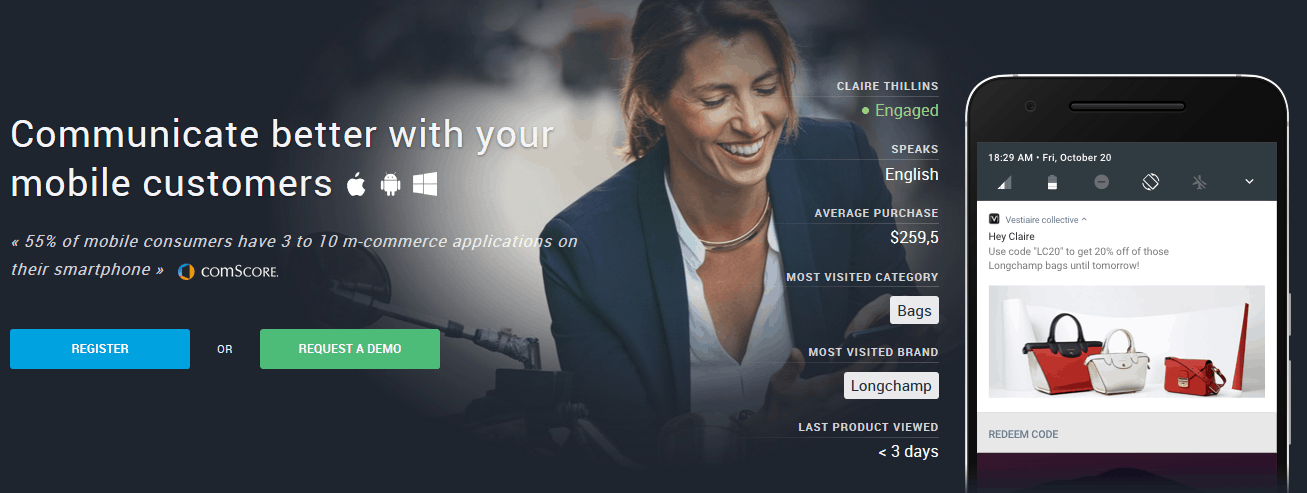
Batch is a revolutionary platform to help you engage with your mobile customers. Batch lets you communicate better with your mobile customers with support over iOS, Android, and Windows. Have you ever wondered how certain apps show pop-up messages saying, “It’s been a long time since you have used our service, we would like to give you an amazing offer”? I get these from online shopping apps, Uber, and some grocery delivery apps too. This is one method in which these companies increase their sales.

Survey Tools

Batch is one of such powerful engine which helps you keep in touch with your customers. It is used by organizations like; Sodexo, McDonalds etc. The product is used by more than 150 enterprise customers with 50 million active users and 2 billion push notifications every month. The basic package comes free of cost, Pro package is $275/month, Premier is $895/month.

Free Survey Creator

The free Survey Creator is a great platform where you can create free surveys which can be used to collect customer feedback. The platform allows you to collect feedback and sent them right back to your email address. This is one of the best free survey tools out in the market.

Survey Tools

The Free Survey Creator supports three types of methods to collect feedback; make a survey widget, make a survey embedded or make a survey link. The service is completely free and easy to set up.

Helprace

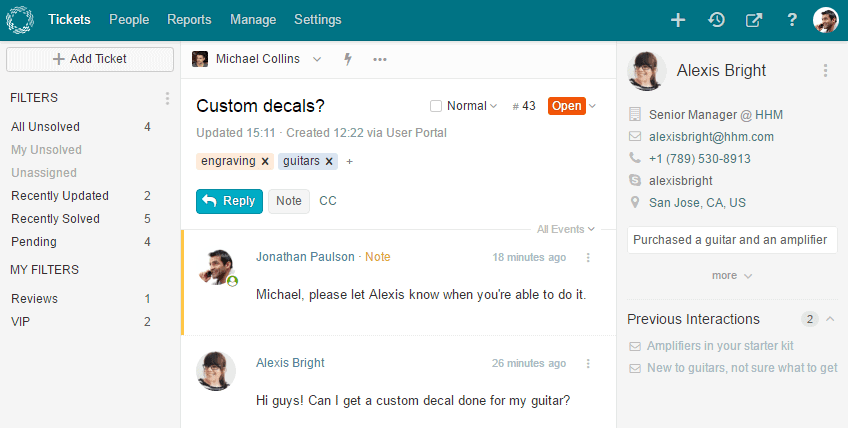
Customer Service is key in many businesses and building a proper system takes effort. Helprace is a customer service management platform which will help you with tickets, email management, customer community, feedback, docs and knowledge base. Currently, the customer service solutions by big corporates cost you a fortune and helprace is a great alternative to those services.

Survey Tools

For a ticketing system, you have to pay $10/agent, if you would like to add reporting, KB for self-service then, pay $20/agent. For the complete package, it’s $30/agent. For startups who can’t afford the big corporate solutions, Helprace is a perfect platform to implement. There is also 30 days free trial access.

Survey Any Place

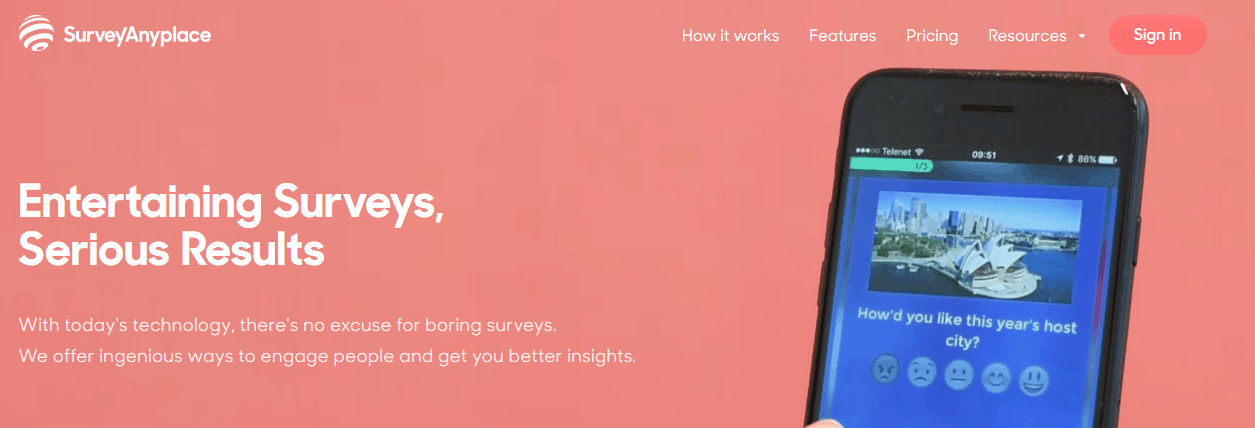
Surveys can be boring for the customers and most of the time people tend to skip it. What if you can make entertaining surveys which customers would love to engage. Survey Any Place is a platform which offers one of the best survey tools of that kind.

Survey Tools

Trusted by companies like T-Mobile, iAmerica etc, Survey Any Place is a revolutionary survey tool to engage with your customers. They offer survey types like; the point of sale, customer satisfaction, event, personality, professional, training surveys and more. If you head out to their website you can see a lot of real-life use cases showcased.

The basic package is free and allows you to collect 20 monthly responses. This package is perfect to get started and go through all the features. The essential package costs you $29/month, Professional $49/month.

Typeform

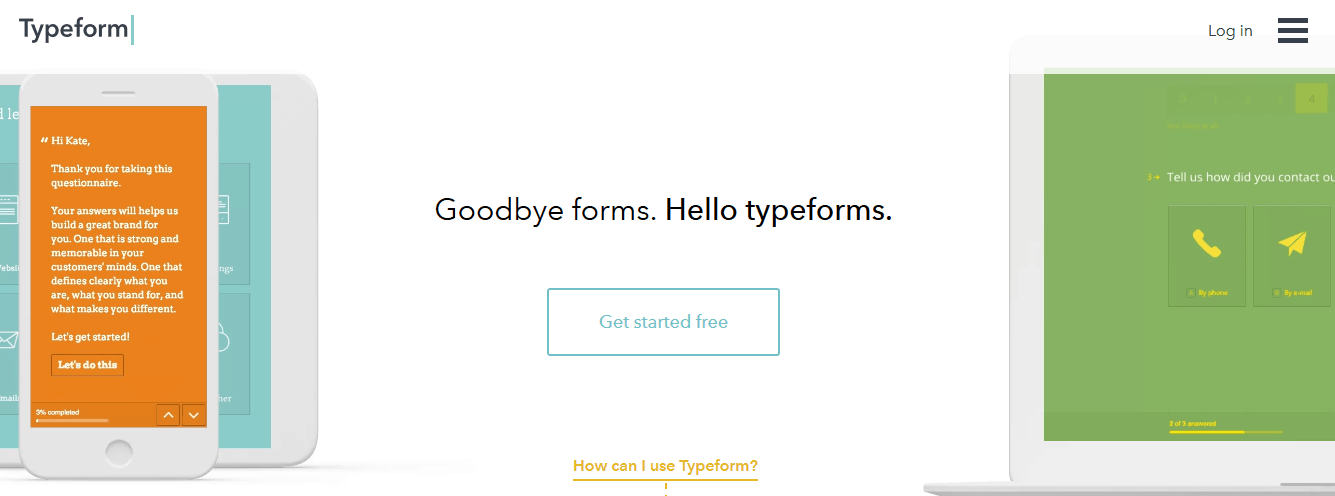
Think of the best way to interact with ‘humans’ rather than ‘users’. Typeform is one of the best survey tools in the market. The forms generated are very engaging and not at all boring. Using Typeform you can create forms like; job application forms, suggestion box forms, incident report forms, contact forms and more.

Survey Tools

Typeform can be used for collecting information, insights, registration, payment, knowledge and more. You can create funny polls, party invitations, trivia quiz, order forms, payment sheets etc. The basic package, with 100 responses/month is free to use. The pro is $30/month and the pro+ version is $59/month. The good thing about Typeform is, the questions are asked one at a time like having a natural conversation.

Gionee A1 Plus Review – Large Battery and Dual Rear Camera

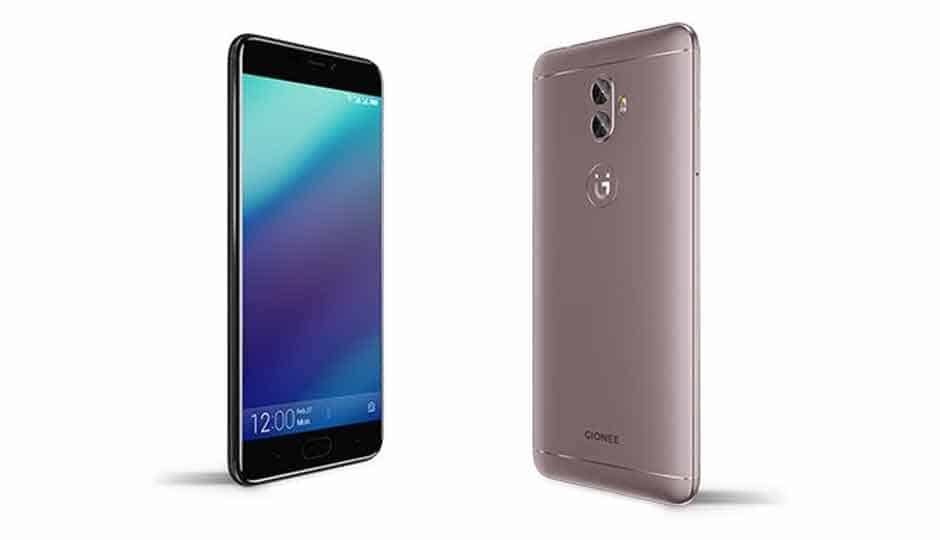
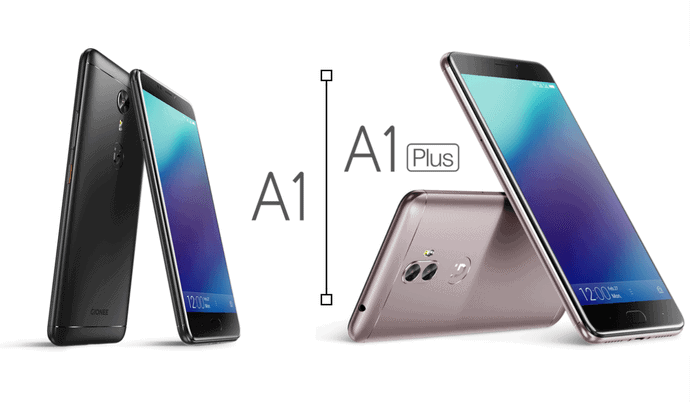
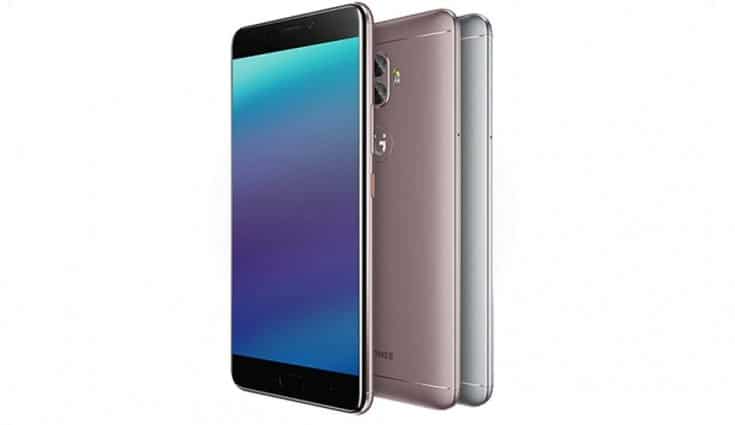
The Gionee A1 Plus is the bigger variant of the Gionee A1 and comes with Dual Rear Camera, Bigger Battery, and a 6-inch Display. I have been sent the review unit by the company for review and here is a full review of Gionee A1 Plus.

The Selfie game is at all time high and companies like Vivo, Oppo and Samsung are trying its best to win their spots by strategically arranging the dimes. Though Gionee was one of the first Chinese players in the market, for some reason they went a step back in the selfie game. The launch of Gionee A series smartphones which aim at the nation’s youth, features; great built quality, best in class battery and of course an excellent selfie camera. With Gionee A1 and Gionee A1 Plus, the company has finally acknowledged what customer needs and has beckoned the competitors.

gionee a1 plus model

Those who follow our blog might have seen my Gionee A1 Review and today, we are going to have a comprehensive review of the Gionee A1 Plus. The Gionee A1 has been given the label ‘Selfiestan Humara’ but, did it hold the claims by Gionee? I doubt. Well, we have the ‘plus’ variant now to re-evaluate the same. Without any further due, let’s get started.

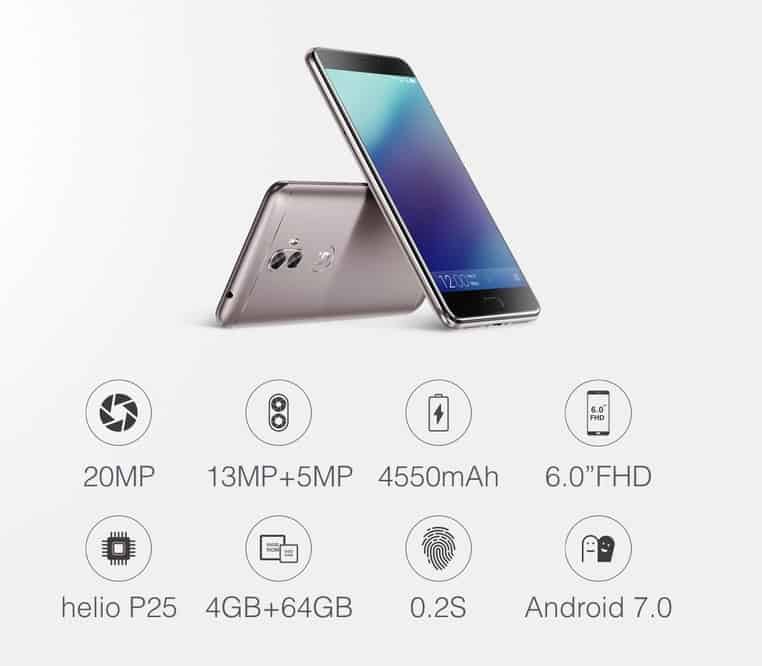
Gionee A1 Plus Specs

  • 6-inch Full HD (1920x 1080 pixels) IPS display
  • Helio P25 (octa-core up to 2.6Hz)
  • 4GB RAM + 64GB storage, (up to 256GB microSD support)
  • 13MP + 5MP rear dual camera
  • 20MP front camera
  • Android Nougat v7.0 with amigo
  • Dimensions 166.4 x 83.3 x 9.1 mm, weight 226 gm
  • 4550mAh, Li-Polymer battery

Gionee A1 Plus – Design and Built Quality

When it comes to build quality, Gionee A1 Plus is no exception for company’s A-series platform. The device is precisely crafted and perfected to be the big brother of Gionee A1. The metal unibody chassis is an amalgam of aircraft grade material. The edges are contoured and body is polished to perfection. This makes the device extremely slippery and I would suggest you using case or skins.

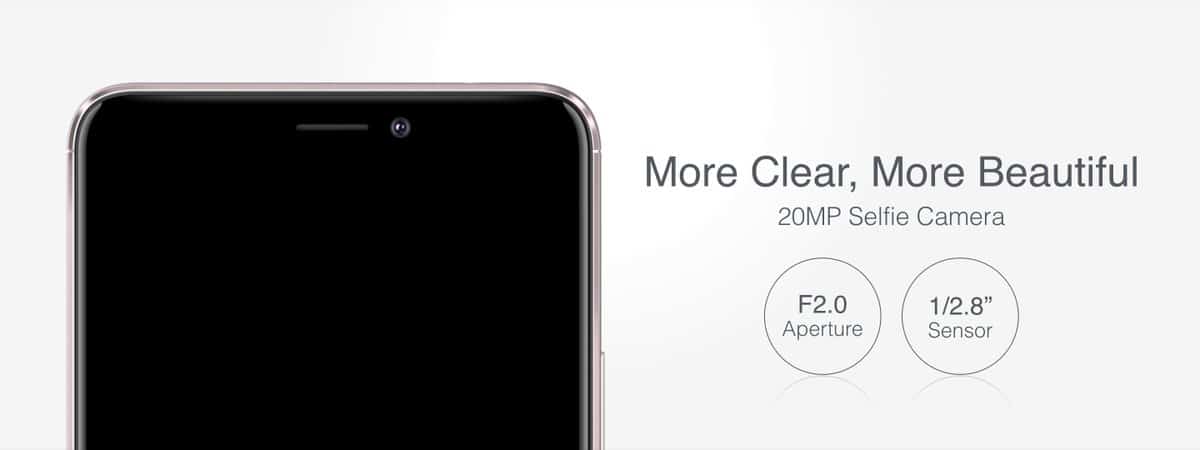
In the front, the bigger 6 inch IPS display gives out a maximum resolution of 1920 * 1080. I find the display to be bright enough for highest of sunny days, good color reproduction, sharp and really satisfying. Same was the case with Gionee A1. Unlike the Gionee A1, the fingerprint sensor is embedded in the home button this time. The Gionee A1 Plus also has the two, less obtrusively placed, capacitive buttons on either side of the home button. On the top; all the sensors, earpiece, lamp flash and the 20MP selfie camera.

gionee-a1-and-a1-plus-smartphone

The fingerprint sensor is always on and precise if you’ve set up correctly. There are many times I get annoyed at the poor response feedback from the fingerprint sensor. You may also want to actually press the button at times to get the fingerprint to correctly read out your fingerprint.

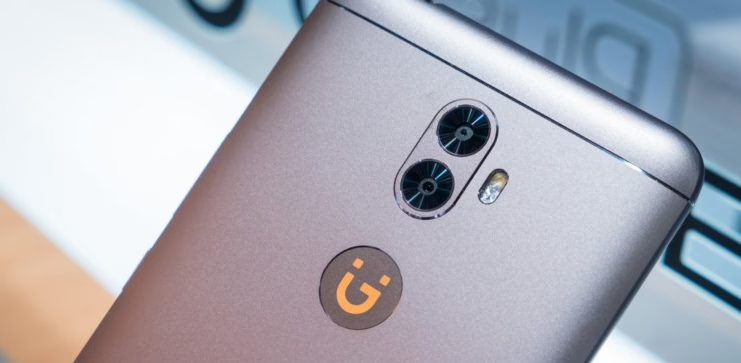
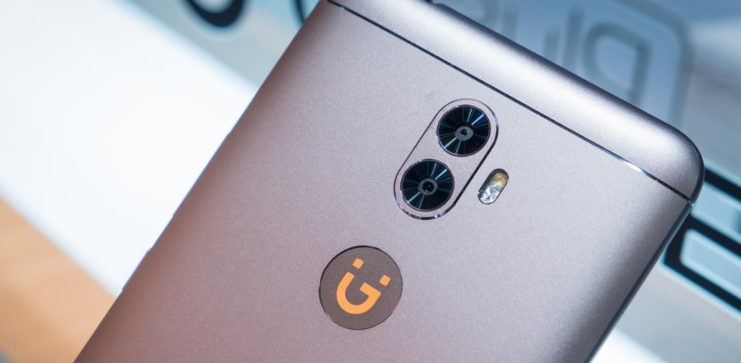
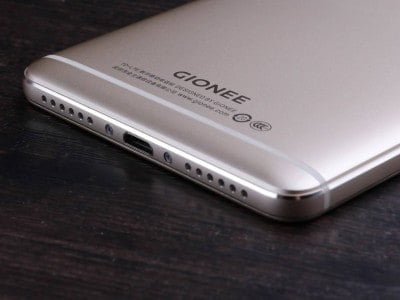
The Gionee logo on the back is still intact and shimmers at times. The dual camera is vertically stacked right above the logo. There is a dual LED flash for night photography. On the bottom, on top of the Gionee Logo, they have the brand name ‘Gionee’ emblazoned to the metal body. The antenna bars, on at the top and another at the bottom, is clearly visible.

On the top, 3.5mm headphone jack and a microphone. On the bottom, there are two speakers and to my surprise, both are functional rather than one being functional and the other is for keeping the aesthetics in balance. On the right side, the volume rocker and lock button. On the left, the SIM card slot.

The Gionee A1 Plus is considerably heavier than the predecessor Gionee A1. The A1 Plus weights 226g while the former is just 182g. The big battery and large display add the extra 44g and it does feel when you hold it on hand. The weight makes it difficult for you to perform one hand operations for an extended time. I bet you will have a hard time mounting the device on gimbals especially if you are planning to vlog with the Gionee A1 Plus.

Gionee A1 Plus – Camera

Since one of the focus points of Gionee A1 Plus is Camera, there are a ton of options available in the camera UI. For starters, there are 5 different modes in which the camera interface can be changed. This, I find, is more like the iPhone interface. You swipe the screen to change modes; Video, Face beauty, Photo, Panorama and Smart Scene.

Selfie Camera

The 20 MP camera in A1 Plus is easily one of the best in the segment. There are options to alter your face in many ways; adjust eye size, jawline, skin lightening, bokeh and of course, beauty mode. There is also a front flash which will help you capture selfies in low-lit conditions.

Survey Tools

That said in the paper, in reality, the photos the front camera clicks are of good quality. The camera algorithm by Gionee plays a key role which does touch up your photos before you even see the preview. The selfies in low light, combined with the flash, feel less smudgy and delivers usable photos. In good lighting, the camera performance is undoubtedly the best.

Main Camera

The main camera is where Gionee has done a major revamp compared to the predecessor A1. The 13MP single sensor camera unit is upgraded to dual rear camera unit with 13MP + 5MP sensors. The Gionee A1 Plus has the same 13MP AF F2.0 SONY IMX 258 sensor which captures color images and the 5MP sensor does the same in monochrome. The color reproduction and white balance are good with good dynamic range.

Coming to the dual camera mode, the part most of you are waiting for, is kind of disappointing. If you would expect to capture the iPhone or OnePlus 5 type images, please be informed it doesn’t work that easy in the Gionee universe. In fact, you don’t even get to see the effect in live on screen before clicking the picture.

Survey Tools

Using the on-screen slider, select how much blur effect you want and click the picture. The phone takes a bit time before the processing is done and even after, you don’t feel impressed. The bokeh is not so perfect and the images look as if they have been modified using the software. When you have a dual camera setup like this you get to expect better results and I hope Gionee would release some solid updates.

Survey Tools

On paper, Gionee A1 Plus will capture videos at a maximum resolution of 1080p. Sadly, there is no 4K support even at this price tag. The videos are not smooth and better switch to 720p for good results. This is something which I never expected from a ‘near-flagship’ device from Gionee.

Gionee A1 Plus – Software and Performance

The Gionee A1 Plus is powered by octa-core MediaTek Helio P25 processor along with 4GB of RAM and 64GB of Internal storage. Like you guessed, the processor is nowhere near to any of the Snapdragons on the same platform in terms of performance and battery saving. There is occasional jerkiness while using the camera which is completely unacceptable for a phone of this stature.

We tested playing games, streaming music, and video, even watching full-length movies for testing purposes. There is a bit of heating issue which is obvious because of the metal unibody. The gameplay was smooth with negligible lags. However, the MediaTek underperforms when put aside to the Qualcomm’s Snapdragon.

The connectivity options include; hybrid dual sim, 4G with VoLTE, WiFi (802.11 a/b/g/n/ac), micro-USB port, Bluetooth 4.0, and GPS/A-GPS. The phone comes with Android v7.0 Nougat pre-loaded. The Gionee’s own Amigo 4.0 skin is applied on top of the stock android, which was completely unnecessary. There is no menu drawer instead, the apps are arranged in the home screen itself. The edge bar lets you keep frequently used shortcuts handy. There is support for smart gestures and the phone do support reverse charging.

Amigo 4.0

The UI looks as if it is designed by taking a lot of elements from the iOS. First, there is no app drawer, all the apps are placed in the home screen. The notifications can be viewed/accessed by swiping down from top of the screen. The quick toggles like; WiFi, Airplane mode, Data, GPS etc are moved to a panel which pops up when swiping up from the bottom of the screen. It will take some time getting used especially if you used to be an android person before. Apps like; Facebook, Instagram, Messenger, Amazon, Saavn, Xender, Truecaller and the Touchpal Keyboard comes preinstalled.

Gionee A1 Plus – Battery

We covered about the Gionee A1 Plus big display, selfie camera and finally, it’s time to talk about the battery. The phone comes with a huge 4550 mAh battery which gives you 2 days of power against normal usage on full charge. I own a Lenovo P2 which also packs a similar battery, offers better standby time than Gionee. Thanks to the QUALCOMM Snapdragon which does a better job than the MediaTek when it comes to battery management.

gionee a1 plus

The phone supports fast charging and the 18W charger comes out of the box. The adaptor works at its full potential to fill up the battery and eventually, it reduces the Wattage as the phone battery level is above a certain threshold. The phone takes almost 2 hours to fill from 0-100%. There is also an option to do reverse charging means, you can use Gionee A1 Plus as a power bank to charge other devices.

To Conclude

The Gionee A1 Plus looks impressive both on paper and in real but, things get little dubious when you hold it in your hand for the first time. The device is heavy, 226g to be precise, and the big screen is not making it any easier. The dual camera is gimmicky as it doesn’t give you the photo out as you would expect. The secondary camera is only for depth sensing and there is no wide-angle capture capability, a huge letdown. The bokeh is amateur and requires a lot of tweaking.

The UI might feel completely new for those who are coming from stock android platforms. The huge battery is a great plus point especially, it offers reverse charging in case of emergency. The decision to go with the MediaTek processor on board rather than Snapdragon is also something which makes me think twice before I take a decision to buy this phone. The battery efficiency can be made even better if Gionee could make some software updates in future.

gionee-A1-Plus-Specs

If you are looking for a great battery with average camera performance then, Xiaomi Mi Max 2 will be a good option and is much reasonably priced than Gionee. If you don’t mind the small battery, you can still go for OnePlus 3T which offers at least 5-fold performance and comes loaded with a stellar camera.

The Gionee A1 Plus is a premium looking smartphone with great build quality, a brilliant display and offers superb battery backup. The selfie camera and main camera lacks the punch to compete against the market rulers like OPPO and Vivo, the photos are of above average quality and if it to rank, will only come one step below the nearest competitor.

InFocus Turbo 5 Plus Review – Dual Rear Camera and Large Battery

In a smartphone market currently ruled by the Chinese companies, InFocus, the American Smartphone manufacturer is all set to tighten its ropes by the launch of InFocus Turbo 5 Plus. With InFocus Turbo 5 Plus, the company is entering the dual rear camera segment which has become the latest trend. Not long ago, earlier this year InFocus released the Turbo 5, a smartphone which is packs a massive battery and is priced under 10k INR. The Turbo 5 Plus comes with a huge makeover, packs decent specs and interestingly, reasonably priced. Great move InFocus. I was using this device for the last one week and I am ready with a comprehensive review of the same. Let’s get started.

infocus turbo 5 plus

InFocus Turbo 5 Plus Specs

  • 5.5 inch 2.5D Curved Glass HD Display
  • MediaTek MT6750 1.51 GHz Octa core processor
  • Mali T860 GPU
  • 3GB RAM
  • 32GB Internal Storage
  • 4850 mAh battery
  • Fingerprint Scanner
  • 13MP + 5MP 120-degree wide angle rear dual camera
  • 5MP front camera

What is in the Box

  • InFocus Turbo 5 Plus device
  • Travel Charger
  • USB Cable
  • Paperwork
  • SIM Card Ejector Tool

First Impressions

The courier box, that arrived at our office, for the InFocus Turbo 5 Plus review unit was quite small compared to the big players. Considering the price bracket for this phone, I thought of it as a part of cost cutting. If you haven’t seen the Turbo 5, the earlier variant, please do Google it. The Turbo 5 was a budget phone; a cliché square design, capacitive touch buttons but, was packed with a huge battery and 13MP rear camera. I was expecting similar design, considering the current market trends, but, when I opened the box, Boy! I was blown away.

infocus turbo 5 plus review

Design and Build Quality

The InFocus Turbo 5 Plus shares no design traits from its predecessor; instead, it is completely redesigned and looks gorgeous. The design, honestly, especially the dual camera unit and full black unibody casing makes the phone looks 80% like that of OnePlus 5. In fact, I placed my colleagues OnePlus 5 next to Turbo 5 Plus and it is hard to say which is which in first look.

infocus turbo 5 plus review side

Though the device packs a 4850mAh battery, it is not visible outside. At just 8.9mm thickness, the Turbo 5 Plus is crafted to look compact rather than bulky. We have a Lenovo P2 at our office, which packs a 5000mAh battery, and it is bit heavier than Turbo 5. The fact that the folks at InFocus managed to put in all this pieces, including the dual camera unit, is a job well done.

The InFocus Turbo 5 Plus I have used is of color Black and it looks stunning. The 2.5D curved glass on the front perfectly snap on to the rest of the chassis. The device feels premium to hold and the plastic used is also of premium quality.

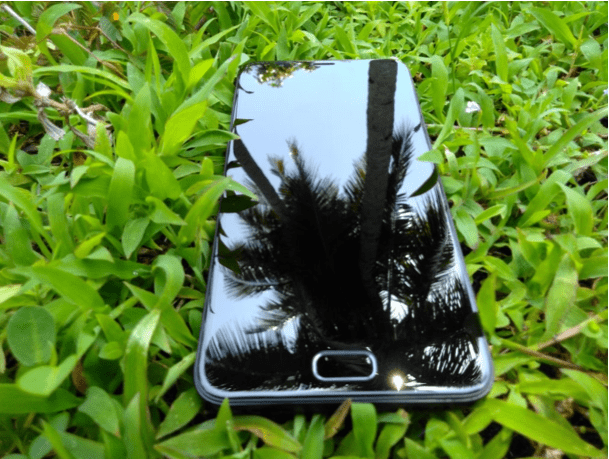
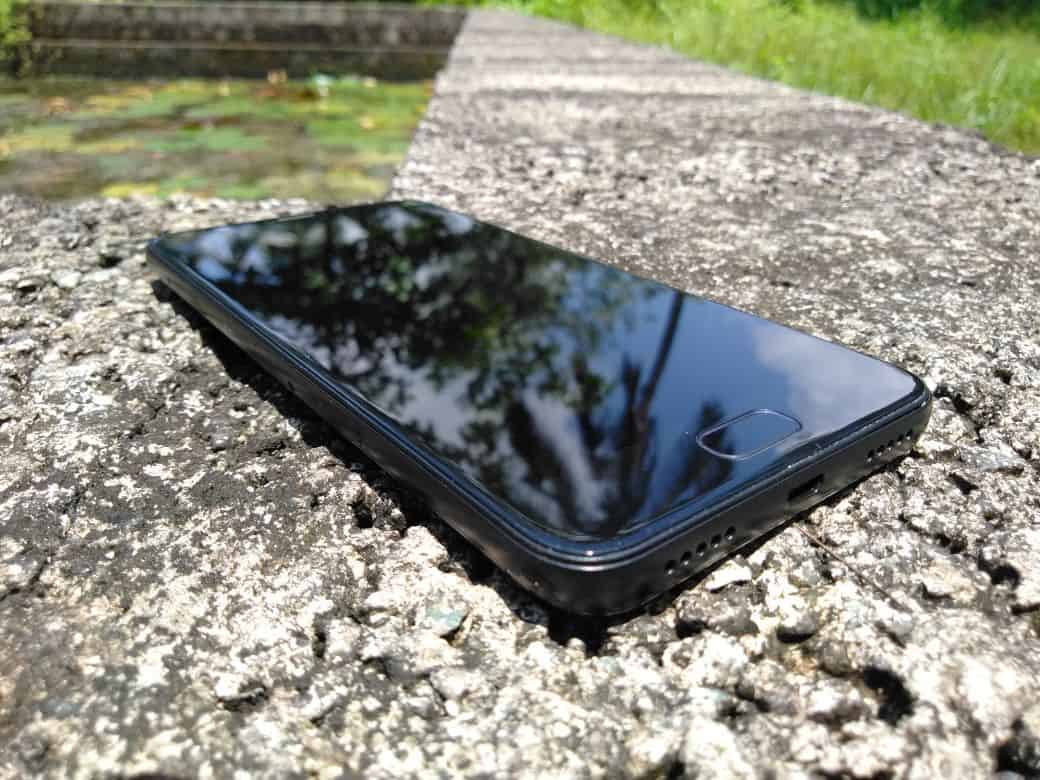
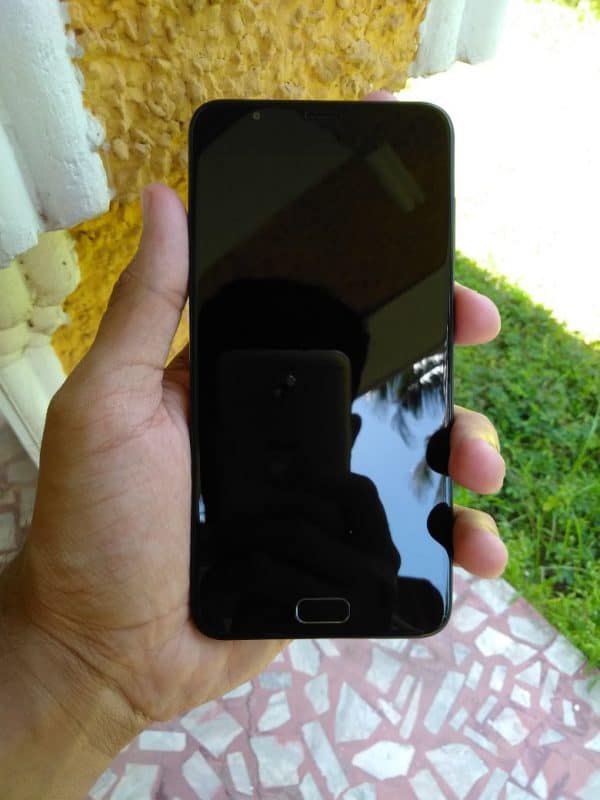
In the front, the home button with fingerprint sensor. On top, we have the earpiece and 5MP front camera. On the right side, volume rocker and power/lock button. On the left side, the SIM card slot which can hold two Nano-SIM or one SIM and one microSD card combo. On top, the 3.5 mm headphone jack. On the bottom, the microUSB charging port and speaker grill. There is also a notification LED on top of the display.


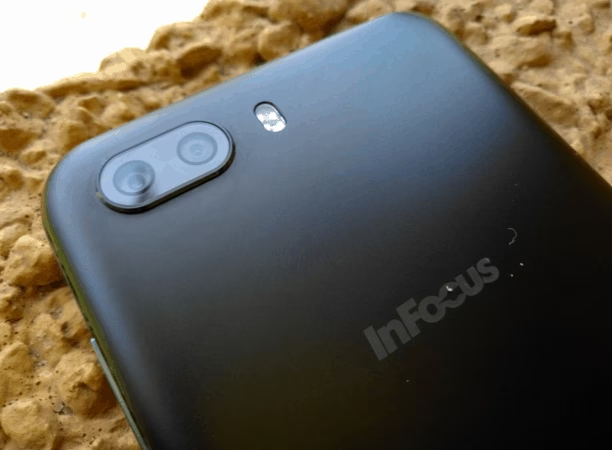
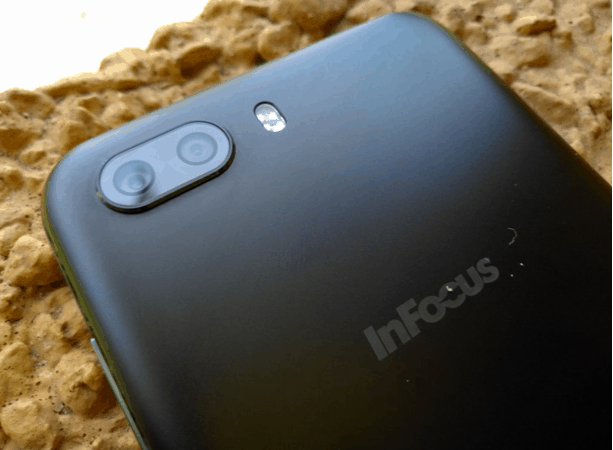
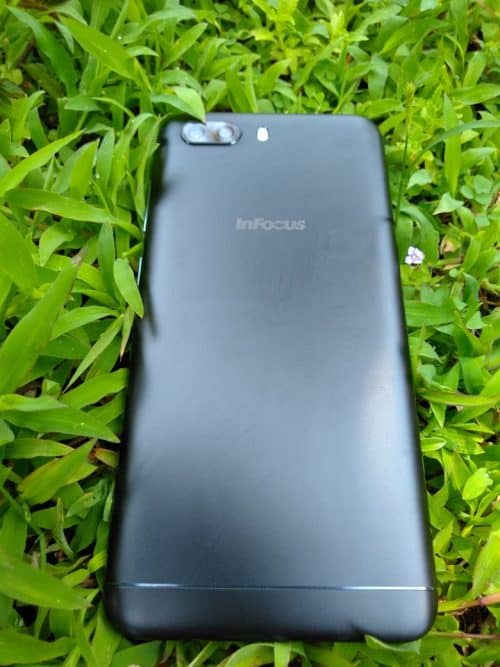
The speaker out is decent and loud. There are no/less distortions even at highest volume. Only one side of the speaker grill is a real speaker and the other one is just for the aesthetics. On the back, the dual cameras; 13MP and 5MP lens. The camera doesn’t support portrait mode and it has selective bokeh effect. I will talk about this on the camera section. The InFocus branding on the back is printed in off-white color and it is not that conspicuous.

back side infocus turbo 5 plus review

The home button is in par with the rest of the surface and is not protruded. In fact, it is bit shallow from the surface. There is camera bump but, is not that of a big deal. I tried typing it by placing it on the table and there is not that much of shaking.

The ports on the phone seem inverted. The USB cable has an indicator sign of USB but, the port is inverted and you have to plug in upside down. The same goes with the SIM card tray as well. It is also inverted, for inserting SIM you have to hold the device front side down.

Display

The InFocus Turbo 5 Plus has a 5.5-inch display at a resolution of 1280 * 720p. Before you go “boo!” about the resolution, the display in this device is brilliant and it looks stunning. I don’t know what kind of magic InFocus has did to the display but it is one of the plus point of this device. Though it is not an AMOLED display, I am a big fan of AMOLED panels, but, the one in Turbo 5 Plus certainly is one of the best displays in this segment.

Survey Tools

Software

The InFocus Turbo 5 Plus comes with Android 7.0 Nougat preloaded. The UI is not like a stock android and there is no app drawer (menu concept). The tweaks InFocus did to the icons looks clean and less fancy, not like Touch Wiz or other fancy UI’s. The notification drawer resembles that of we see on stock android. There is no bloatware to point out and overall, the UI is clean and I liked it.

The only bloatware which I find annoying was the Xploree Keyboard. The Xploree keyboard comes with Presto. Presto is a ‘genie’ who helps you discover unique offers, products, coupons and services from favourite brands as you type across your apps. During my testing, I used Xploree keyboard for the whole day and I couldn’t find anything interesting about it. By the end of the day, I missed my Google keyboard and had to eventually switch back to it. I hope the Presto will be a nice genie on long run for many but, not for me.

Camera

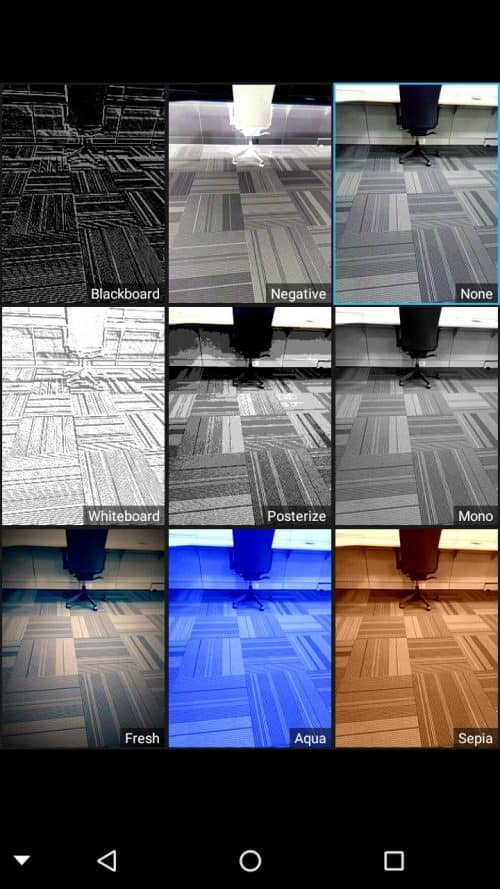
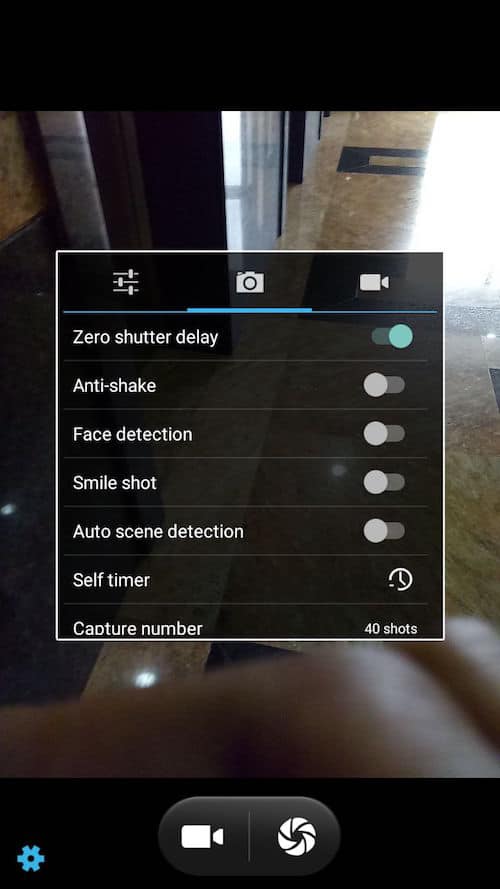
The camera interface is simple and clean. There are three icons on the top; normal mode, background blur and panorama. There is an arrow on the middle-left of the display, touching it will give you 9 modes; Blackboard, Negative, None, Whiteboard, Posterize, Mono, Sepia, Aqua, Fresh.

On bottom, you have the camera settings icon, the video/camera mode and the last shot preview option.

On the side; you have option to turn on HDR, switch to wide angle lens, switch between front/rear cameras, turn on/off/auto flash.

Front Camera

Let’s begin with the selfie camera. The front camera is a 5MP shooter and it produces average images. The selfies, took by standing against light, looks ok and but, take it from me! Don’t zoom in. If you zoom in, you will see the details start fading away. The pixels are not sharp and edges looks blurry or smudged out.

infocus turbo front camera

Back Camera

This is the most exciting part everyone wants to know about. The 13MP and 5MP module is a wide-angle lens setup rather than portrait lens. The pics taken using the 13MP lens in normal mode look stunning and I am satisfied for a device at this price point.

Trust me! Like everyone, I was also excited to see the dual camera module on this device. Once I switched to background blur mode and focused at my object, and found it to be okay. You can’t see the blur effect live on-screen. Instead, you must adjust the blur radius L1-L4 and click the picture. Then you must go the gallery and see the effect.

infocus turbo 5 blur effect dual camera

Look at this;

Survey Tools

The Wide-Angle lens is a great use for wide shots. The 120 degree wide shots look average.

infocus turbo 5 plus review camera settings

There is no option to focus when switched to wide angle mode which is a drawback.

infocus turbo 5 plus camera settings

Performance

The InFocus Turbo 5 Comes with a MediaTek MT6750 1.51 GHz Octa core processor and Mali T860 GPU combined with 3GB of RAM. As on paper, the specs offer average performance. Most of the apps runs super-fast and a normal user won’t be able to find any fault with the phone. I tried updating Instagram, twitter, Facebook and found no lag even while switching between apps.


I played Games like Temple Run 2, Subway Surf, MMX Hill Dash and even Need for Speed No Limits.

temple run on infocus turbo 5 plus

The gaming experience was smooth and there were no jerky frames even when playing NFS No Limits. The only issue I faced was, with NFS, the loading time was long.

I played games continuously for more than 1 hour for my battery test and I found that the device gets heated up to 42 degree Celsius. Since the InFocus Turbo 5 body is not metal, it doesn’t bother you much.

infocus turbo 5 plus review benchmark score

Battery Test

The 4850 mAh battery is one of the top most features of the InFocus Turbo 5 Plus. I find it very important to test the battery by doing low-extreme activities with the phone. Since there is no fast charging feature, charging this beast of battery is a headache. In Fact, it takes 2 hrs 45 mins to charge up to charge from 0-90%. To completely charge the device from 0-100% it will take 4 hours. But, once completely charged, it takes a lot of effort to completely kill the device. For a regular use, the phone will easily last for 2 days. Here is a complete info of my battery testing.

Charging

At 1:45 PM: 0% – charging

2:05 :10%

2:15 :15%

2:30 :25%

45 mins to charge 25%

2:50 :30%

3:05 :45%

3:15 :50%

1 hr 30 minutes you will charge 50%

3:45 :70%

4:00 :75%

4:15 :85%

4:30 :90%

5:30 :98%

5:45 PM :100%

From 90% to 100%, it will take more than an hour to charge the device.

Discharge

8:40 PM: 100%

Light usage (social media and browsing) for 15 mins

Overnight on 4G – lost 6%

Navigation

8:30 AM – 94%

9:20 AM – 89%

5% battery drain for 40min navigation.

Watching video

11:00 AM – 85%

12:00 PM – 77%

8% battery drain over 1 hour

Gaming

13:20 :70%

14:20 :58%

18% drop of battery over 1 hour gaming

Games played – Train Racing 3D, Subway Surf, Temple Run 2, NFS No Limits, MMX Hill Dash

Evening I played few more times, used Instagram for a long time and even browsed internet. All this time the device was connected on 4G. At 22:00 night, I still had 25% charge left on my phone. Total screen on time was 5hrs 41 mins.

Next day Morning – Overnight on 4G

At 08:00 AM I had 13% charge which dropped down to 10% by the time I reached office at 09:10 AM. I updated an Instagram post and it took me 10 mins to do it. At 9:45, with 8% charge I started MMX Hill Dash game and by 10:00AM the charge dropped to 6%. The total screen on time was 7hrs.


I decided to completely drain out the battery and started playing some random video and browsed Instagram. By 10:50AM, with more than more than 7hrs 15 mins’ screen on time, the InFocus Turbo 5 Plus beast turned off automatically.

To Conclude

InFocus, as a smartphone brand, has evolved a lot and seems catching up the modern vibe in the smartphone industry. I was very happy to see a dual rear camera setup on a device which is at this price point but, turns out the technology has not been use for its complete potential.

If you are buying this phone solely based on the dual rear camera, thinking you can take the iPhone/OnePlus 5 like portrait photos, you are looking at the wrong device my friend. The InFocus Turbo 5 is a beautifully crafted device which feels premium while held in hands. The large 4850mAh battery is a huge plus point and gives enough power to last for 2 days on regular usage. The front camera performance is below average in front of all those 21MP selfie camera by Vivo, OPPO and other Chinese smartphone manufacturers. The 13MP shooter is decent and, though the wide-angle lens can take 120 degree photos the lack of auto focus makes the images looks washed out. The display is brilliant and almost resembles the AMOLED panel. The color reproduction is amazing and the display looks bright and vivid. The performance is average with average gaming experience. It’s a budget smartphone and it offers decent specs and looks.

To get one, visit Amazon India from 26th September.

Asus Zenfone 4 Selfie Review – An Affordable Selfie Machine

Asus launched the Zenfone 4 series in India, focusing mainly on the thriving selfie market of the nation. The three variants; Asus Zenfone 4 Selfie Pro, Zenfone 4 Selfie Dual Camera and Zenfone 4 Selfie, all three competitively priced, looks and feel the same but pricing and specs charge marginally. The Zenfone 4 Selfie Pro, with the prefix ‘pro’, being the top of the line and the Zenfone 4 Selfie being the most affordable one. Both the Pro and the Dual Camera variants come with dual selfie cameras, only the pro gets significant specs bump from rest of the both. The most affordable one among the pack, the Asus Zenfone 4 Selfie, is my review unit. I have been using the device for the last one week and here is a comprehensive review of the same.

Asus Zenfone 4 Specs

  • 5” inch HD IPS Display with blue light filter for eye protection
  • Qualcomm Octacore Snapdragon 430 with Adreno 505 GPU
  • 3GB RAM
  • 32GB Internal memory expandable up to 2TB
  • Fingerprint sensor
  • 13MP front camera with flash (portrait mode with bokeh effect, beauty mode)
  • 13MP rear camera. 5P lens, f/2.2 and LED flash
  • 3000 mAh battery

ASUS Zenfone 4 Selfie Review

ASUS Zenfone 4 and InFocus Turbo 5 Plus are the two devices I was reviewing this week. Though both the devices fall under same price range, the difference between them ends pretty much right there. One is a selfie-centric device with the slim profile, Snapdragon processor, normal sized battery and the other one, InFocus Turbo 5 Plus, is a beautifully crafted device with a huge battery, brilliant display, and average camera. Comparing both the devices doesn’t make any sense as they are aimed at different crowds. Initially, I fell for the looks of Turbo 5 Plus but, after testing both the devices extensively, ASUS Zenfone made a great impression on me, both in terms of hardware and especially, selfie camera.

ASUS-ZenFone-4-Selfie-smartphones-revealed

ASUS Zenfone 4 Selfie – Design

The Zenfone 4 Selfie is a light weight device, weights just 144g, with a sleek design. At just 7.85mm thickness, the phone feels perfect on the hands. The phone is available in three colors; Sunlight Gold, Rose Pink, and Deep sea black.

In front, 5.5 inch IPS display with a resolution of 1280*720. The brightness goes all the way up to 400nits, making it perfect even during sunny outdoor conditions. On the top, ambient light sensor, front flash, ear piece, 13MP front selfie camera and a notification light. The home button is touch sensitive with fingerprint scanner attached to it. The home button is not clickable and it takes some time getting used to it. The fingerprint scanner is ultrafast with a response time of 0.3seconds. It also supports up to 5 fingers and has 360-degree recognition.

Survey Tools

Up top, a 3.5mm headphone jack, a microphone. On the bottom, speaker grill and the micro USB charging port. The speaker structure follows the new 5 magnet system. It offers decent sound out and is loud. There is no/less distortion even at high sounds.

On the right side, volume rocker and lock button. The buttons feel solid and the lock button has some pattern to it. On the left side, the SIM card slot. The SIM card tray has cutouts for two Nano-SIMs and one microSD card.

ASUS Zenfone 4 Selfie – Software

The Zenfone 4 Selfie comes loaded with Android 7.1 Nougat. The ZenUI may seem bit cluttered for many in the beginning but, thankfully, I got used to it. There are a lot of bloatware like; Mobile Manager, Themes, Weather and Go2Pay app.
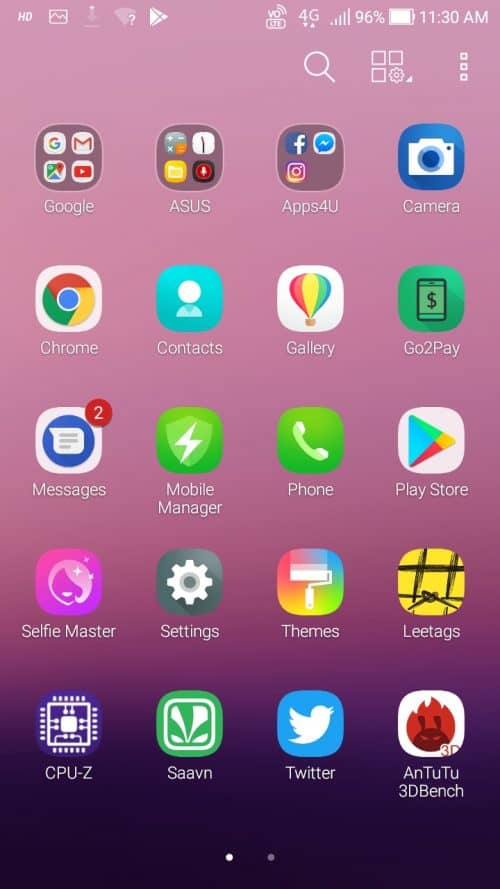
asus zenfone 4 selfie

The built-in File Manager lacks basic features like rename, compression, unzip etc and I had to download EZ File Manager to carry out such operations. With Zen UI, you will get a completely redefined notification drawer and it looks neat and has some awesome options.

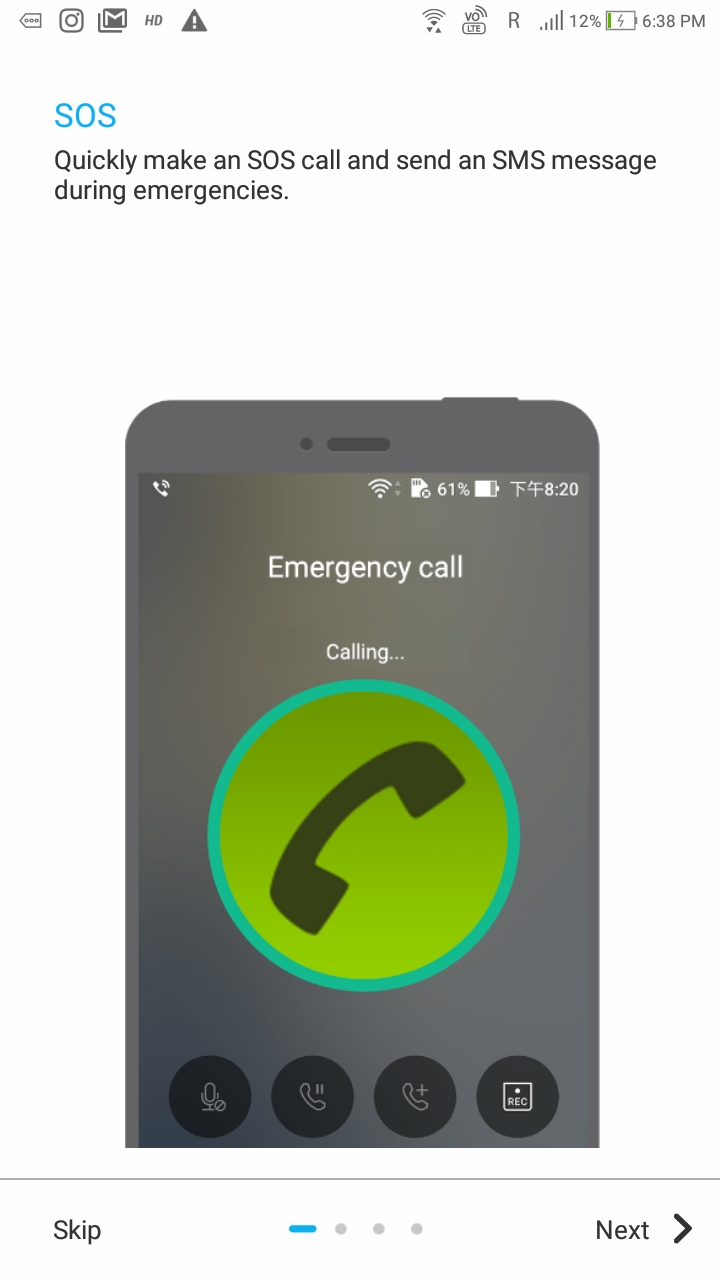
The Report location feature, if turned on, will make an SOS call to the configured numbers and sent out messages about your location to your close friends.
Survey Tools

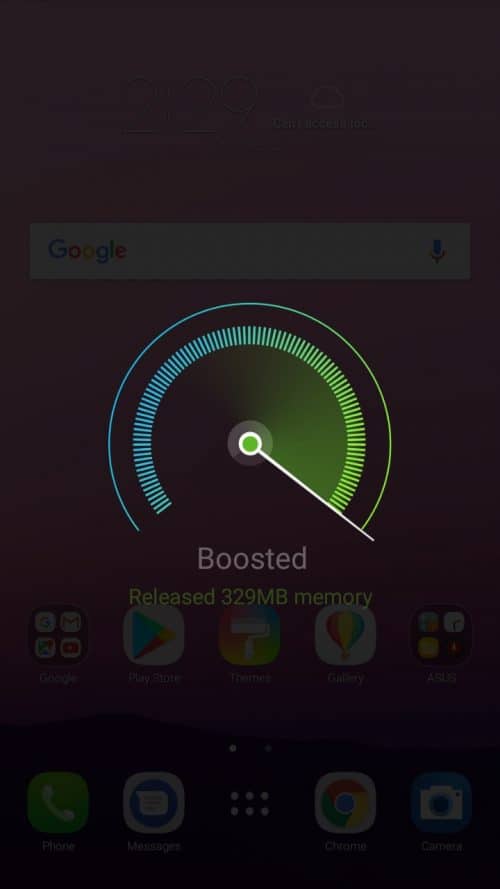
The Power and Boost option will clean up the memory occupied by unnecessary tasks.
Survey Tools

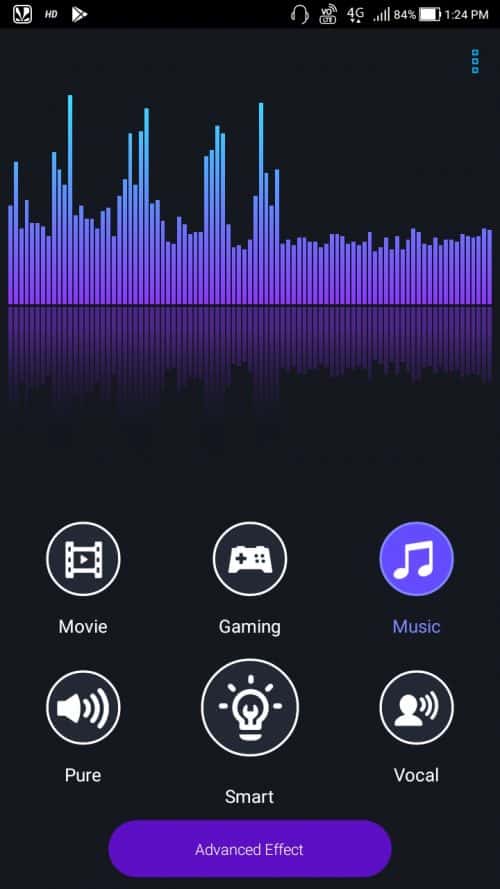
The Audio Wizard option is more like an equalizer. It lets you adjust the sound out as per the occasion. It has modes like; Movie, Gaming, Music, Outdoor, Vocal and Smart effects.
Survey Tools

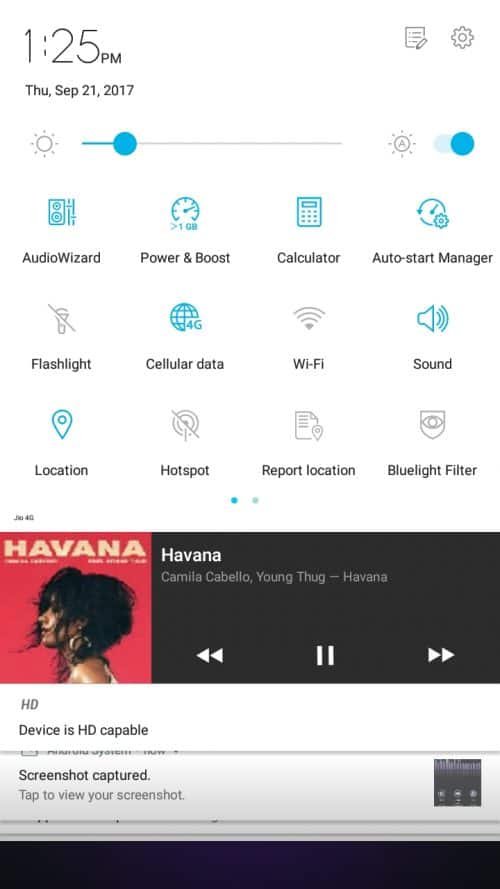
The Bluelight filter and data saver options also come handy at times.
Survey Tools

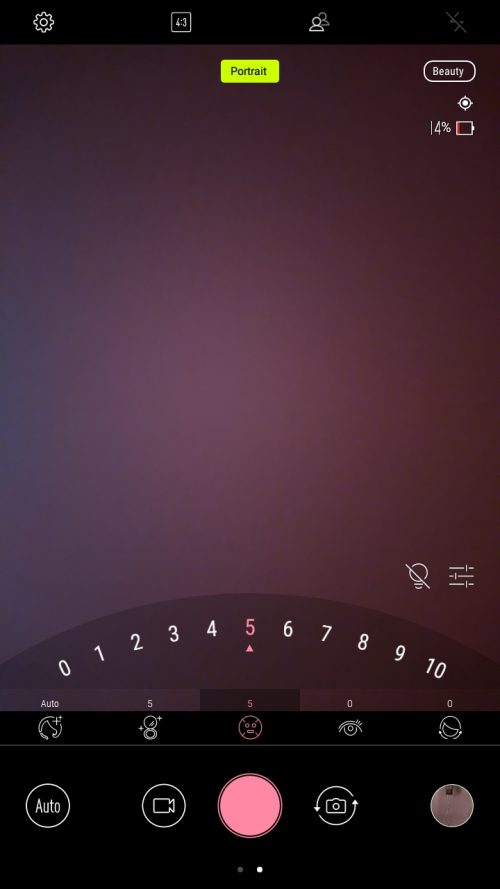
Selfie Master Technology helps you with Photo & Video Beautification, Live Stream Beautification, Photo collage. The Zenfone 4 Selfie has the unique beautification feature which will work on top of all the social media cameras. For e.g.; if you are planning to go live on Facebook, YouTube or Instagram the beautification feature will be applied to the normal camera to make you look even better. This applies to every camera app.
Survey Tools

The selfie master mode has options like; Auto mode, soften skin, brighten skin, enhance eye and thin cheeks.

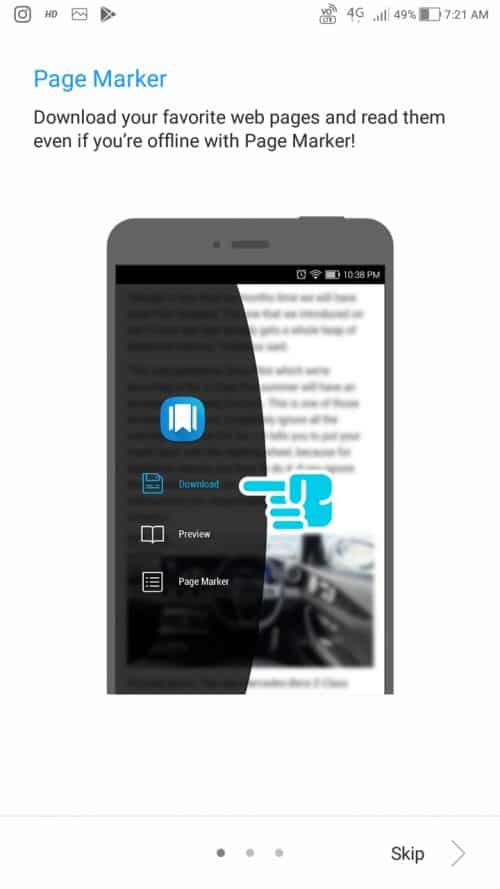
The Page Marker for Chrome: This allows you to save articles, not bookmark, and let you read it later. The contents can be synced across all the devices and can even be accessed offline.
Survey Tools

The Game Options: It has an option to boost the memory for quickly free up some memory. The Live and Record option will let you save your game or even live stream to YouTube or Twitch.

Survey Tools

ASUS Zenfone 4 – Performance

The Zenfone 4 packs with Qualcomm Octacore Snapdragon 430 with Adreno 505 GPU. With 3GB of RAM, the phone performs well. There is no lag while switching between apps, gaming and even recording videos for a long time.

I played games like MMX Hill Dash, NFS No Limits and even subway surfer to test the phone performance. There is no jerk even during NFS gaming but, it takes a while to load the game. The Snapdragon 430 and the 720p screen has done a great job in power management and offers good battery backup. The complete battery review is covered in the battery session down below.

ASUS Zenfone 4 Selfie Camera

The Zenfone 4 Selfie feature 13MP sensors on both rear and front cameras. Since this is a selfie-centric device, the front camera boasts a better sensor and I am impressed. I use my phone for Vlogging and as part of review process I used this phone and the results were great.
Survey Tools

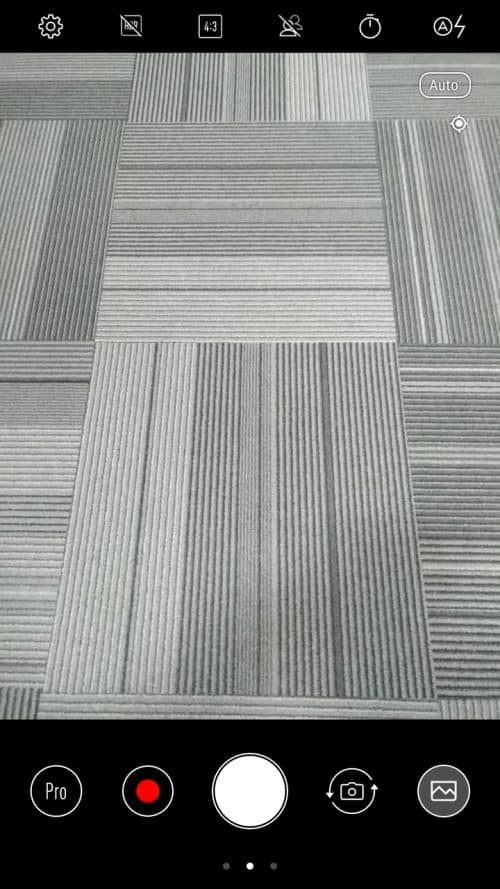
I love the camera interface. It’s not gimmicky and is to the point. The options are aligned perfectly in order and are easily accessible. On the top, from left to right, the settings option, HDR on/off, photo ration 4:3/16:9, Portrait Bokeh effect on/off, Timer and flash. On the bottom; option switch mode to selfie master mode or auto mode, video record button, camera button, camera swap button and preview area.

Front Camera

The Asus Zenfone 4 Selfie features a 13MP, 5P Lens, f/2.0, 1.12um sensor with features like 140° Selfie Panorama, Portrait Mode (Bokeh), Beauty Mode. There is also an LED Flash for night selfies. The photos are sharp and of great clarity.

There is no dual front camera in this model but, there is a software portrait mode. It creates a bokeh effect around the face. The edges are not perfectly bokeh ‘ed out but still managed to get some good shots.

Here is a normal selfie

Survey Tools

Here is the same with Portrait mode ON

Survey Tools

Rear Camera

The rear camera is a 13MP sensor, 5P Lens, f/ 2.2, 1.12um, LED Flash, PDAF, Portrait Mode (Bokeh), 52MP Super Resolution, EIS, Pro (32Sec Long Exposure). The 52MP Super resolution photo is a great feature which clicks 4 different pictures and combines it using the software.

The modes available are; Beauty mode, Super Resolution, Panorama, GIF animation and time-lapse.

The Pro mode let you play around with focus, shutter speed, elevation, ISO and white balance. There is also a histogram window when you turn on the Pro mode.
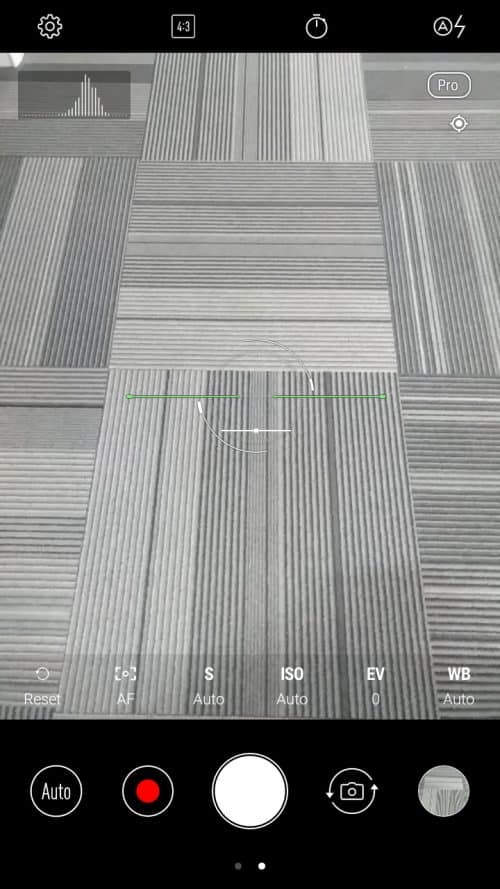
Survey Tools

The photo out is good from a 13MP shooter like this. I used Auto mode for most of my clicks and the only issue I had was with the white balance. During recording videos on bright sunny days, the white balance went inconsistent and I had to manually click the subject to get back the focus.

Asus Zenfone 4 Selfie – Battery

The Zenfone 4 Selfie comes with 3000mAh battery. The thin frame of the device explains the small battery but, the battery test results surprised me. The fast charging is only supported by Zenfone 4 Selfie Pro variant and not by this one. The Snapdragon 430 has done a great job in battery management. The 720p screen is also a secret behind this awesome battery performance. The charging time is a bit high since there is no fast charging.

Charing Time

12:30: 0%

13:00: 15%

13:30: 30%

14:00: 50%

1.5 hrs to charge phone from 0 – 50%

14:45: 75%

15:00: 85%

15:05: 90%

15:20: 95%

15:35: 100%

3hrs to full charge.

Battery Discharge

I started by day with Zenfone 4 Selfie with a 100% charge at 11 in the morning. I lost a couple of digits in the battery bar while setting up the phone especially, downloading apps over 4G. The phone was connected to 4G during the entire course of my battery test.

Music Streaming over 4G

At 13:05: 86% Charge I started streaming some music using the Wynk app and after 1 hour, by 14:05, the charge dropped to 80%. 6% battery usage for 1-hour music streaming is completely acceptable.

Video Playback – With Full Brightness

17:30: 75%

18:30: 65%

10% battery per hour video watching using MX Player.

I lost another 5% during evening light usage. At 22:00, bedtime, I was still left with 60% charge.

Next day morning at 7:21, I had 49% charge remaining. I checked my emails, social media accounts and did some browsing.

By 10:22, the charge dropped to 32% with a total screen on time of 4hrs 4 mins.

At 11:21 : 20% – screen on time 4hrs 37 mins

By Noon 12, 10% – screen on time 5hrs 11 mins

At 12:34, I managed to completely drain out the battery leaving me with a screen on time result of whooping 5hrs 30 mins. Now, that is what we call a great performing battery.

To Conclude

The Asus Zenfone 4 Selfie is priced at Rs 9,999 and Flipkart has some great offers which will again lower the price tag a bit. The phone feature a great selfie camera which is even capable of doing some decent bokeh shots. The rear camera is an average performer but can’t complain. The battery backup is fabulous with a 5hrs 30 mins of screen on-time. I have managed to play games, stream songs and even watched videos and still managed to great screen on-time.

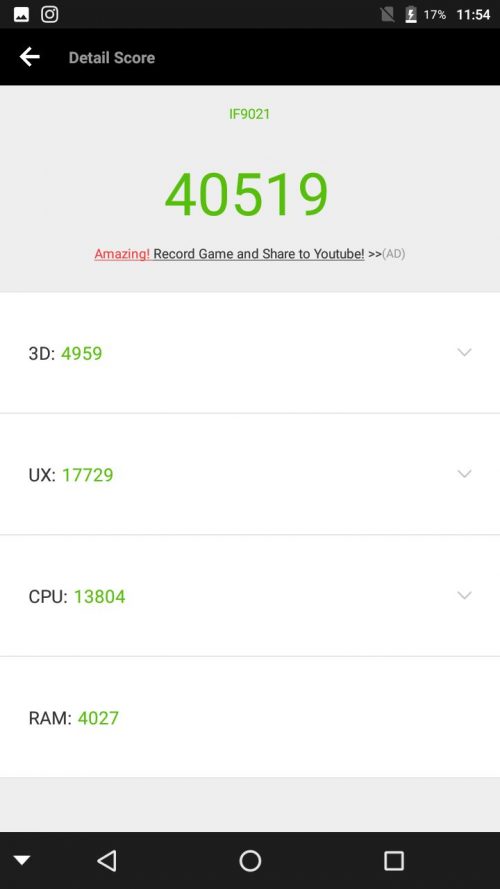
The snapdragon 430 is an average performer with an AnTuTu bench mark score of 42529. The closest competitors for Zenfone 4 Selfie is OPPO A57 and Vivo Y69. Both the devices are priced 5K more than the Zenfone 4 and lack processing power and bokeh effect. If you are planning for a device to up your selfie game, then this is a perfect companion for you. The phone also offers very good battery backup even after extreme tests. There are no heating issues as well. Overall, I am pretty much impressed with the device and I highly recommend this to consider over Oppo’s and Vivo’s.


Top 12 Best Color Picker Tools – Choose the Right Color

Selecting a perfect color is always a confusing and time taking process. We may have to try out lots of variations, different shades of the same color and mix colors to achieve the look and feel on our mind. When some may see this as a personal satisfaction, I beg to differ. There are millions of colors available, millions of shades of primary colors to be correct, and sometimes it’s hard to name a color instead, we could just identify it from an existing image or pinpoint it on a computer screen. I, personally, can’t settle down for just any color and sometimes, I also struggle to make out the color from an image which I would like to reuse it on my personal work. Color picker tools helped me a lot many times to help me identify the color which I have liked from somewhere else and put it on my work. There are a lot of color picker tools available and each has its own features. Here are the list of top 15 best color picker tools and I hope you will put them to great use.
Tip! If you own a business, check out these free brochure templates

Color Picker Tools

color picker tools

Adaptive Backgrounds

The significant part of an Art is the perfect amalgam of colors involved in it. The same goes to designing a web page. No one will like a web page with funky colors especially when the colors used are of extreme intensities and it offers a great discomfort for the eyes. I thought I will settle this point initially and that’s why the plugin Adaptive Backgrounds.

Survey Tools

Adaptive Backgrounds is a jQuery plugin that automatically extracts dominating color from an image and help you come up with matching backgrounds. Head over to the website and you can see a demo of what I am talking about.

Adobe Color CC

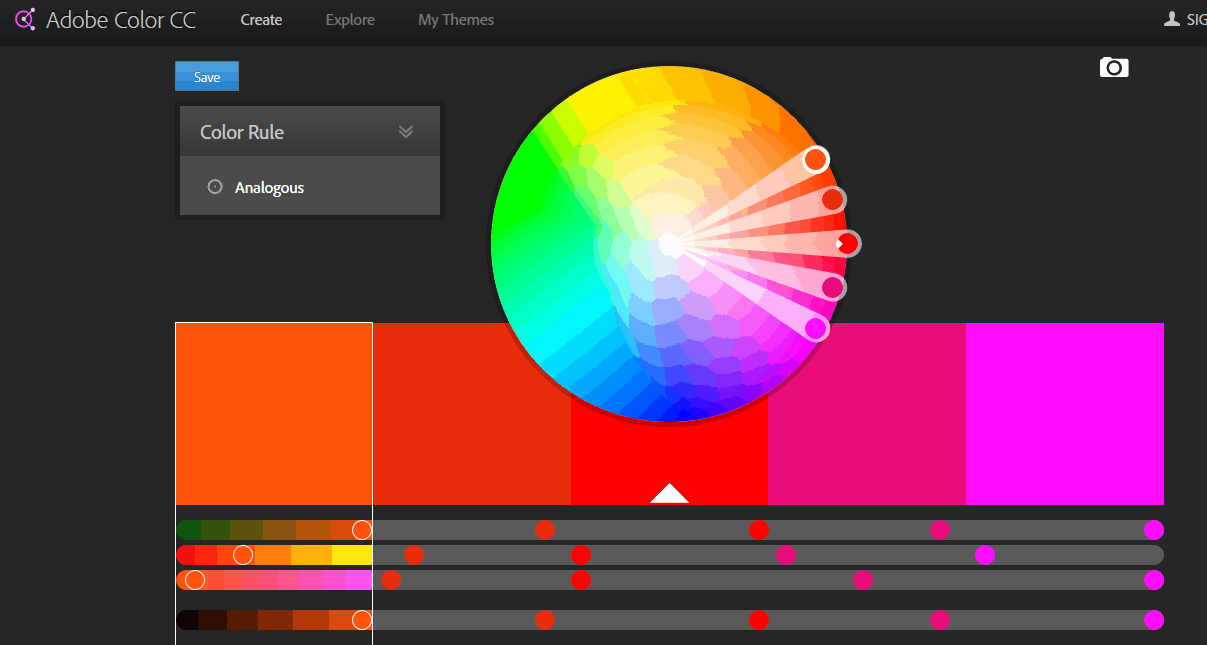
The pioneer in providing editing tools, Adobe offers one of the best color picker tools. The Adobe Color CC has a simple interface and it is easy to choose the right color you want. You can set color rules to display Analogous, Monochromatic, Triad, Complementary, Compound, Shades and can set up custom rules.

Survey Tools

The best thing about Adobe Color CC is the option to upload an image and select colors from it.

Brand Colors

It’s a brand-driven world and some people fall in love with the brand just because of the color scheme they are following across their portfolio. Brand Colors has a list of almost every brand and showcases the colors they have used. You can pick the color combination and use it across your company as well. Or get inspired and derive a new combination of colors.

Survey Tools

Colllor

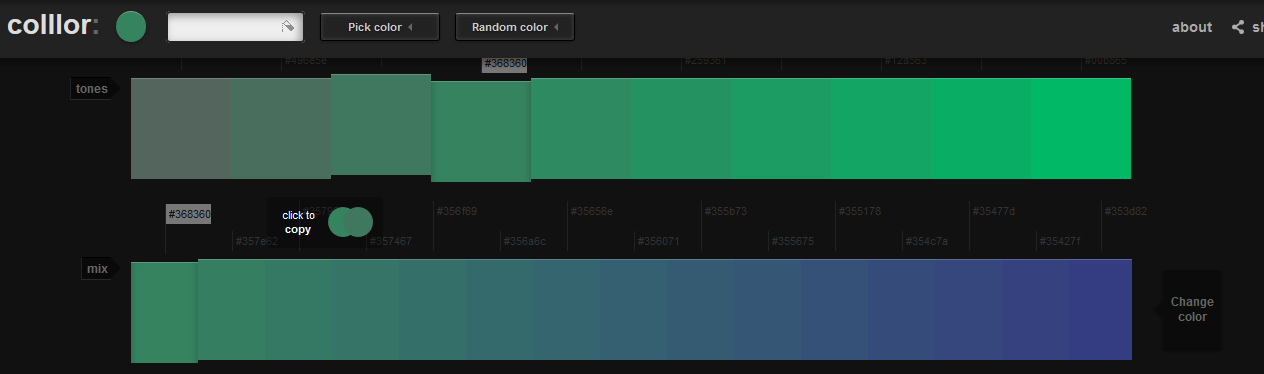
Colllor is a very simple color palette generator. The site has a dark theme, good for showcasing the colors, and has only two options; 1. Pick a color – this will give you different variations on the color you picked and 2. Random Color – the tool will generate a random color for you.

Survey Tools

Colour Lovers

With more than 8 million users sharing over 9 million colors in 4 million Palettes and 5 million Patterns in 500,000+ templates, Colour Lovers is an amazing platform for designers around the world.

Survey Tools

This design community allows you to create and share your color ideas with rest of the world. The website is bit confusing and overwhelmed with ads everywhere. Finding a work, that is truly going to inspire you will take a bit of time and energy. Never my favorite.

Colorful Gradients

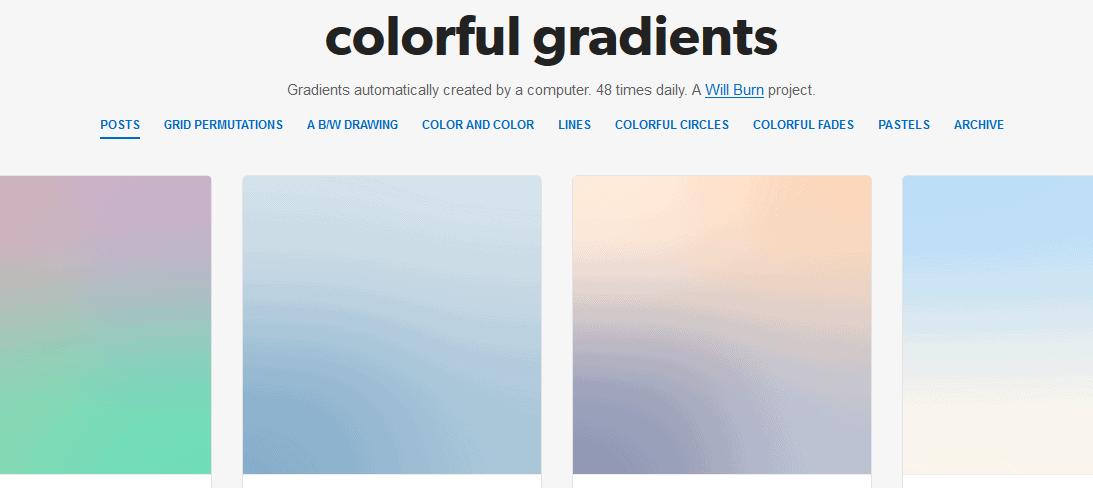
Looking for colorful gradients to use as a background image? Colorful Gradients is a perfect website where you can look for the same. Hosted as a Tumblr account, the creative works displayed on this platform is computer generated and it is refreshed on a regular interval. They have color and color ( a pair of color), grids, gradients, lines and colorful circles.

Survey Tools

Coolors

Create and share colors in few steps, Coolors is a great color generator which helps you create color schemes. The whole operation is like; Hit the space bar to generate color scheme, click on the color to lock and get color combinations of the same, click on the hex value to type in your color, you can even adjust color HSB, RGB, CMYK, Pantone and Copic components. Coolors also offer the option to pick colors from images.

Survey Tools

Coolors is available as iOS app, Chrome extension and is as Adobe Add-on too.

Flat UI Colors

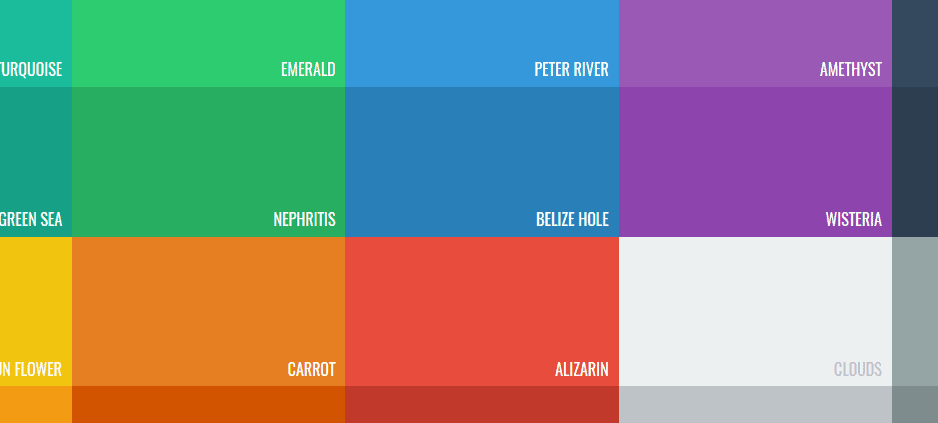
Flat UI Colors, as the name says is a limited collection of Flat UI/Material UI colors. Designed for making the lives of developers easy, Flat UI Colors currently offers 20 material colors. As a developer, I struggle to find the perfect color for my app out of a color picker and this platform is a perfect solution for me.

Survey Tools

The colors include; Turquoise, Green Sea, Pumpkin, Wisteria, Concrete, Midnight Blue, Asbestos, Alizarin etc.

Get UI Colors

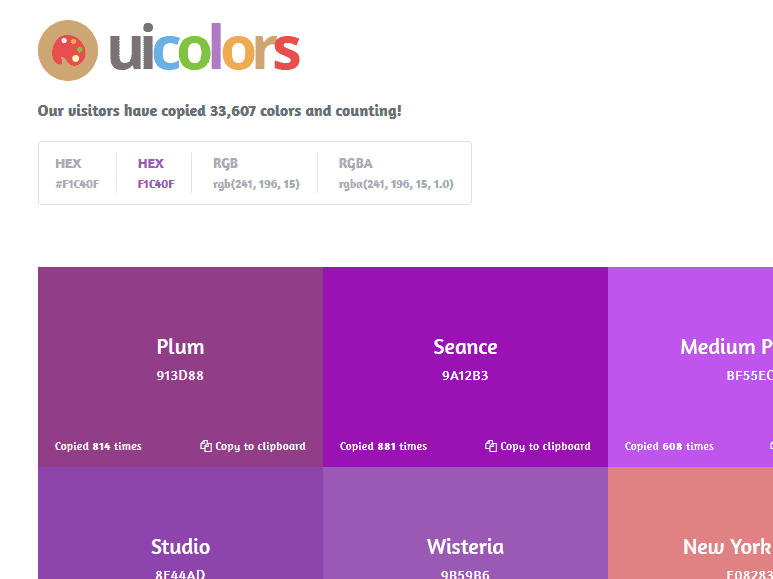
Like FlatUI colors, Get UI Colors is also a platform which is dedicated for picking colors for the Flat UI designs. This platform has more than 75+ colors. All these colors has dedicated name as well, I never knew there actually existed colors with names like; Ripe Lemon, Riptide, Jaffa, New York Pink, Ming, Madison etc.

Survey Tools

You can choose to view colors in HEX, HEX code with #, RGD code, RGBA code. Just click on the color and the code will get copied. Here’s an easy way to convert hex code to rgb

Hex Colorrrs

Imagine you are going through the code and come across some HEX value or RGB value. The HEX Colorrrs is a HEX/RGB converter. Enter the color code and the website background color will change to the corresponding color of which the code you have entered.

Survey Tools

Material Palette

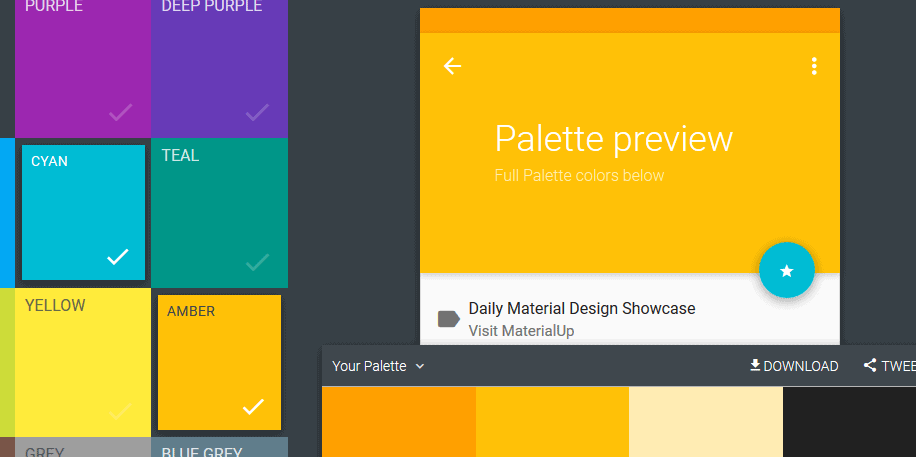
The Material Palette is a platform which is one step ahead of Get UI Colors and Flat UI Colors. They have the most common material UI colors and let you see the preview of the UI then and there.

Survey Tools

As a developer, this site is a great deal for me as I can see how the colors will look in real without rendering it on my android simulator. The site also has free material icons which you can download and use on your app.

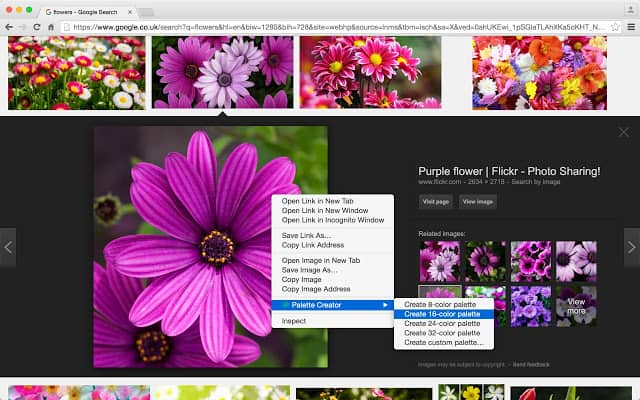
Palette Creator for Chrome

The chrome extension to pick up color from the images that you see on websites? Sounds like a perfect solution to top all the websites listed above. The Palette Creator for Chrome helps you with the same.

Survey Tools

Right-click on any color on image, select Palette Creator. You can create a palette of 8,16,24,32 colors or you can set the palette size yourself.