Home Blog Page 107

A Honest Grammarly Premium Review

0
Image result for grammarly

For a writer it is utterly common to overlook misspelled words and having wandering punctuation marks, however such minor errors can make you lose your readers very quickly.

Released back in 2009, Grammarly is a well-rounded online grammar, punctuation, and spelling checker tool which is available for desktop via a chrome plugin, as an application for chrome web, an app for Mac and Windows, and for smartphones as well.

Grammarly is available for absolutely free which can be used by anyone for unlimited time frame. But, if you are a writing professional who is looking for more advanced features, then Grammarly Premium is the ideal option for you.

If you are uncertain about this proofreading tool, here is a detailed review of Grammarly Premium which will make taking the decision easy for you.

Grammarly Premium Features
Screenshot_30.png

As an editing tool, Grammarly is popular for its robust grammar checking features; however it certainly promises more than that. What sets Grammarly apart from other grammar checking tools is that aside from checking for grammatical errors and misspelled words; the tool recognizes the words which are not used in the right context. This way it focuses on the contextual mistakes and ensures that the quality of your work isn’t compromised.

Not only Grammarly assists you in correcting hundreds of grammatical, spelling, and punctuation mistakes, but it also adds to your vocabulary by giving better options to enhance the quality of your text. This handy program can be embedded in your Google Chrome or Firefox browser.

Let’s have a glance at the most prominent Grammarly Premium features:

  • Corrects grammatical and spelling mistakes:

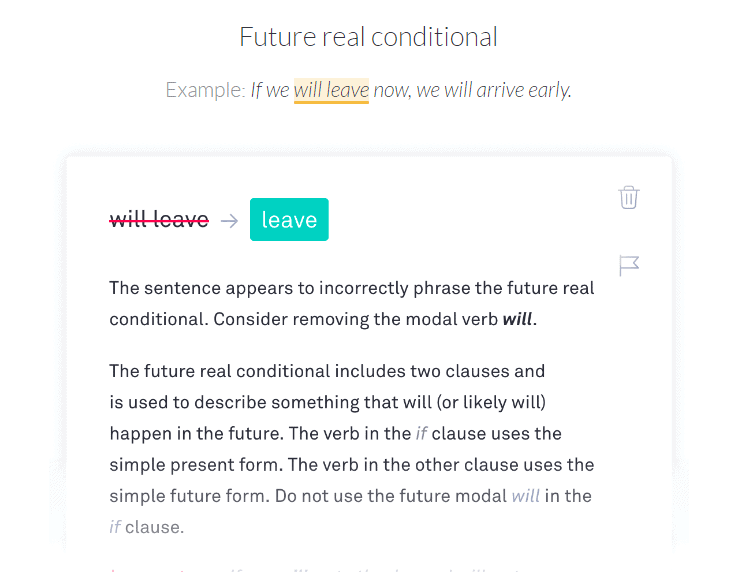
Grammarly Premium comes with advanced checking options to pinpoint any errors in grammar, punctuation, and spellings. The tool provides you with the option to set the feedback according to a particular genre. It can detect a document for more than 250 different types of grammatical errors.
Screenshot_21.png
  • Vocabulary Enhancement

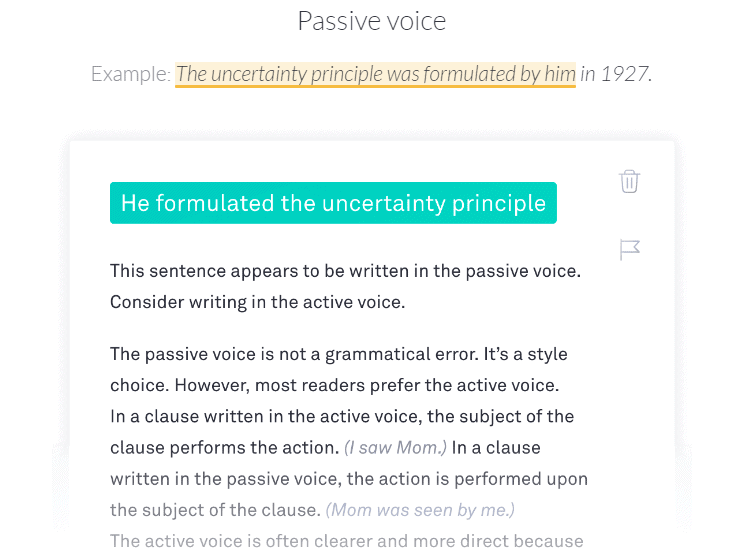
While writing a text, Grammarly provides you with various enhanced vocabulary suggestions for a better sentence structure and the best part is that you will get explanation for the same.

The informative suggestions help you convert the weak areas in your writing into strength. Here, not only your writing is getting polished, but you also learn to take your skills up a notch. This way you can improve your content’s readability and ensure that you don’t make the same mistake twice.

The tool also highlights a complete sentence if it has any scope of improvement.
Screenshot_24.png
  • Plagiarism Checking Tool

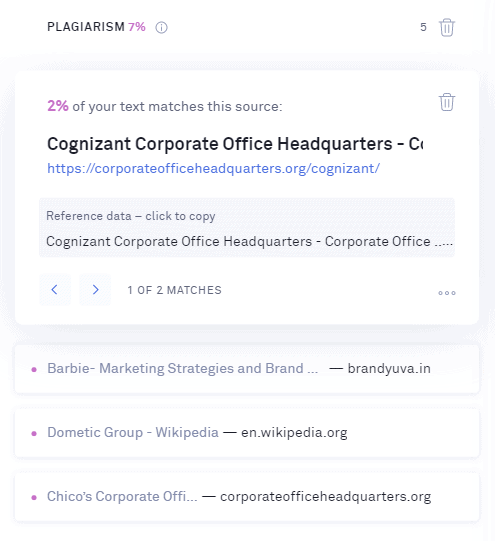
One of the most looked after Grammarly Premium features is the ability to check for plagiarism in a written copy.

To make sure that your writing is unique, Grammarly checks and compares your text with almost 16 billion web pages.
Screenshot_25.png

The plagiarism features helps the writers in citing the resources they had used to create the content. The feature is so precise that it even picks up the most commonly used words and phrases from web pages.

The plagiarism checking tool in Grammarly Premium is especially helpful for those who hire writers to check the authenticity of their work.

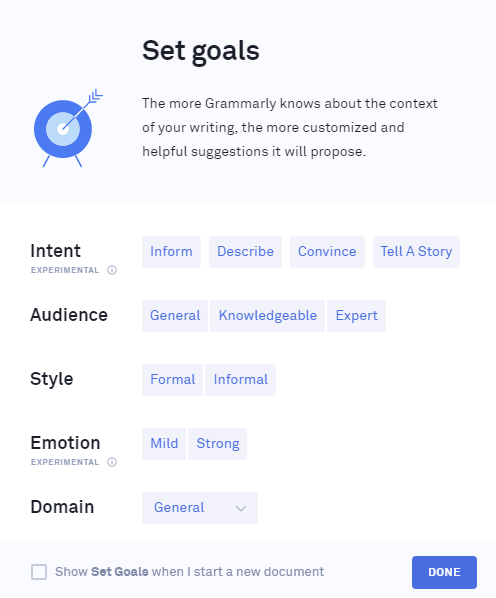
  • Choose the domain of your content

To make the best out of your content, Grammarly Premium gives you several options so that you can select a particular domain including casual, creative, business, technical, and academic. By doing this, the tool provides better suggestion which will go with the context of your article.
Screenshot_27.png
  • Human Proof-reader

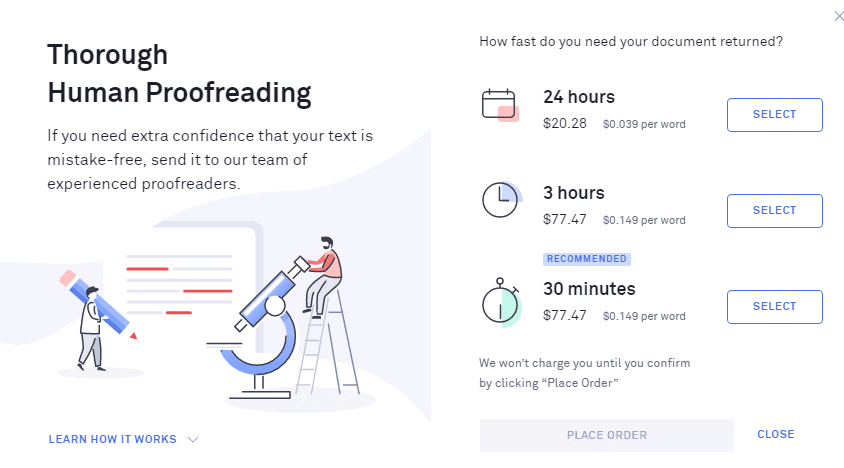
Not satisfied with the suggestion and results provided by Grammarly Premium, then you can go for Human Proof-reader option where your content will be analysed by an expert. However, for doing so Grammarly Premium will charge you on a per word basis.
Screenshot_26.png

Here, if you need your content in shorter time duration, then you have you pay a higher price.

How to use Grammarly Premium?

To use the tool, you need not to be a technical whiz. It will take only a few minutes to set-up Grammarly Premium in your device.

It is available as an application for both Android and iOS devices. And, the web extension of the program can be embedded with Google Chrome, Safari, and Firefox browsers.
Screenshot_20.png

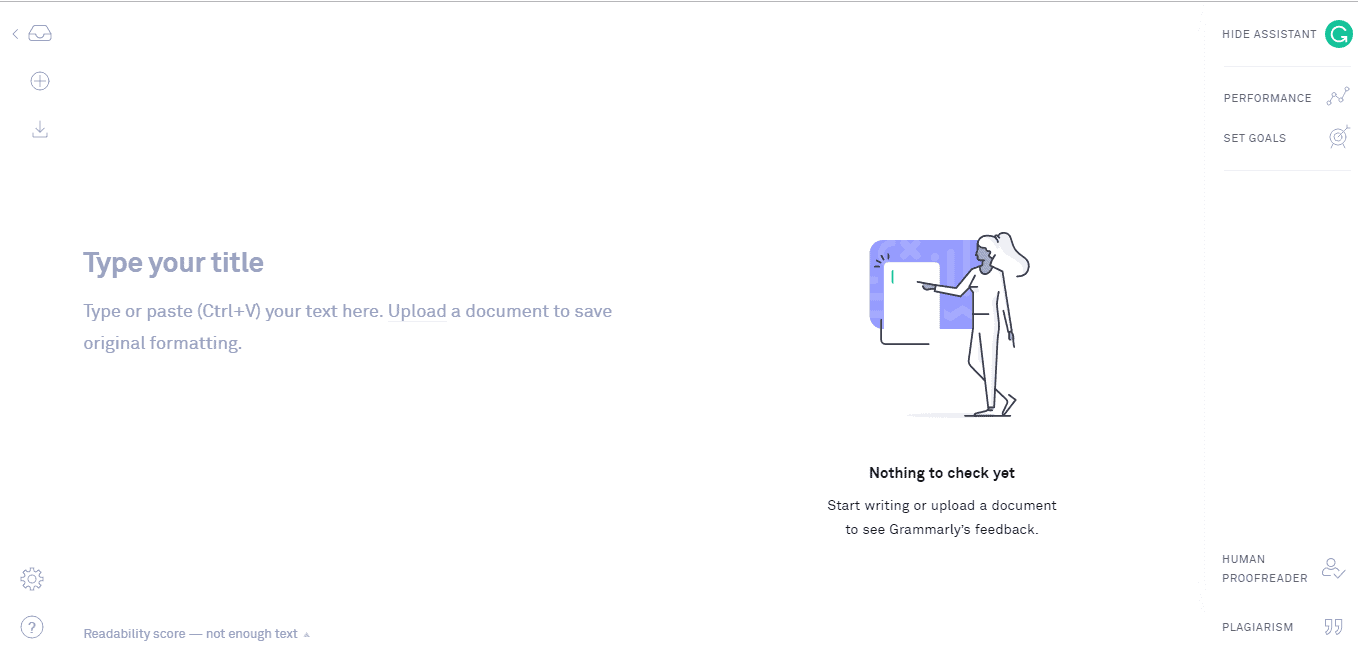
To edit a draft, all you need to do is copy and paste the document into Grammarly. Once you do that, the tool will give you feedback and you can make the necessary changes.

What is the difference between Grammarly Free and Grammarly Premium?

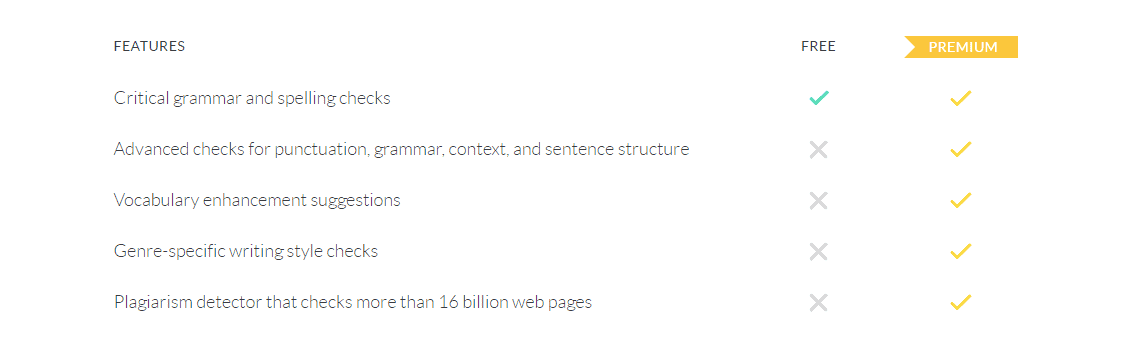
Grammarly Premium does come with some stellar features including genre specific checks, vocabulary enhancement and plagiarism detector which gives it a competitive edge.

However, if you are reluctant in purchasing the Premium version; here is a side-by-side comparison between the free and paid versions of Grammarly:
Screenshot_29.png

The free version of Grammarly is suitable for bloggers who have a small budget for writing tools.

How much will Grammarly Premium cost you?

Here are the three subscription options that Grammarly Premium provides to its users:

  • Monthly subscription- $29.95
  • Quarterly subscription- $59.95
  • Annual subscription- $139.95
Screenshot_31.png

Grammarly follow a fair return policy, wherein if you are not satisfied with the product, then you can ask for a refund within a ten days time frame by contacting the customer support.

Pros:

  • Real-time grammar correction
  • Option to have access over a document on various devices
  • Effective plagiarism check
  • Corrects contextual issues in a text
  • Assists in improving the writing style by adding words to personal dictionary 

Cons:

  • Not compatible with various writing tools such as Google docs.
  • Subscriptions can be a bit expensive for writers who have a tight budget

Final Verdict

Grammarly Premium is indeed promising and gets constantly developed by some of the best language authorities to make the editing process easy for you.

It is ideal for bloggers, authors, copywriters, and content marketers. The tool can be used by students to enhance the writing skills on reports, and even university applications. If you are learning English language, this tool will definitely make things easy for you. Ultimately, you don’t have to be a professional to use Grammarly Premium; it can be used by anyone who is seeking to leverage the quality of their written text.

Be it a corporation, a university, or a foreign student, with Grammarly Premium you can enhance your style of writing and convey your message more effectively.  If you are someone who has to deal with a lot of content on a daily basis, then give Grammarly Premium a try.


10 Best Putlocker Alternatives to Stream Movies Online

putlocker alternatives,best putlocker alternatives,putlocker rs

Ever since digital media emerged on the scene, the problem of piracy and copyright infringement have persisted as a never-ending trend. If you’re into online content streaming, then chances are you’re aware of Putlocker. If that’s the case, then you should also be aware of its piracy issues and the continual shutdown it faces. Putlocker.com, Putlocker.tv, Putlocker.rs, Putlocker.ch — the site has undergone numerous incarnations just because of that.

Thus, regular visitors of Putlocker get fed up with all of these and look for better (or equal) substitutes. In this article, we’ll list 10 such best Putlocker alternatives that offer the same benefit of using their website as best Putlocker alternatives. But before that, a few things about Putlocker itself.


What is Putlocker and how it works?

Putlocker is a website which hosts the largest collection of TV shows and movies. But the problem is it is unregulated and in some cases “illegal to use”. The websites which follow the Putlocker brand image are mostly set up offshore outside of the reach of American and European authorities. Hosting is done on a number of sources.

Putlocker sites don’t actually host the contents on their server. They simply host an index of the files available on the internet. Users will be able to view, download, and stream these files on the site. Thus, you can think of Putlocker as a dynamic directory where you can access the relevant content.

This is very much similar to Kodi which also links to pirated content available on the internet. If you’re looking for some best Putlocker alternatives, then we have got some suggestions:

10 Best Putlocker Alternatives

There are many Putlocker alternatives websites which offer the same benefits which Putlocker is famous for. Besides the web-based service, some offer dedicated apps as well for both convenience and ease of use.

Popcorn Time

 Popcorn Time  Putlocker Alternative

Popcorn Time is a web-based service which doesn’t label itself as a file-sharing platform like Putlocker but it act as a Putlocker alternatives. Instead, it connects you to torrented movies instantly. You can either stream the content directly on the browser or download its app. It is available for Android, Windows, Mac, and Linux.

The uX team has definitely done a great job and the interface looks impressive. In the home screen itself, you’ll be presented with a wide range of available content along with up-and-coming titles. With hundreds of movies available and 44 different languages supported, Popcorn Time is the numero uno global best Putlocker alternatives.

But that’s not to say it is completely legal. It had had its fair share of legal troubles. You should keep in mind that Popcorn Time is a torrent-based architecture. So while you’re watching the movies, you’re also contributing to other downloads for other users. Authorities can held you liable for sharing videos without copyright consent.

FMovies

FMovies  Putlocker Alternative

With a slick interface, FMovies look pretty trendy and millennial-friendly. Just like Popcorn Time, it has a large collection of Hollywood movies and TV shows. But when it comes to categorization and browsing experience, FMovies fares better than other Putlocker alternatives. This is too a torrent-based web service, so the distribution problems persist.

Sometimes the servers of FMovies get overloaded and hence it experiences intermittent slow down. This can hamper the streaming experience. When you click on a movie title, you’ll see a pop-up ad following which you can stream the content. But bear in mind to not close the window while you’re watching unless prompted. Just minimize it and you’ll be good to go.

Yes Movies

Putlocker Alternative Yes Movies

Another interesting Putlocker alternatives is YesMovies. On this streaming website, you can stream the latest feature films and the latest TV shows without any hassle. Its easy-to-use design categorizes the content for you. One of its unique features is “Subscriber list”. If you’re subscribed to any parameter, then you’ll receive emails whenever a change takes place or a new movie is uploaded in this best Putlocker alternatives website.

Solar Movies

 Solarmovie Putlocker Alternative

Solar Movies is clean and fast Putlocker alternatives. It doesn’t offer many ads on its website because of which it is well-regarded. While the interface cannot be touted as “perfect”, it definitely is useful when it comes to categorizing, filtering, and sorting movies. Then to make the navigation easier for you, there’s a trending section to show you the content that’s liked by many. Movies feature descriptions, art cover, IMDb ratings, among other information. All of these makes Solar Movies an excellent and best Putlocker alternatives where you can enjoy the large world of cinema.

123 Movies

Putlocker Alternative 123 Movies

123Movies is another best Putlocker alternatives website that has a cloning history. In most cases, you won’t be able to find the real version and most likely come across a separate domain of it. 123Movies has been around for a while. Besides American and English movies, it contains a wide range of foreign films. The categorization is useful and the website is easy to use. You can apply a different set of filters and narrow down your searches. The Putlocker alternatives website is responsive enough as well as the media loading speed. 123Movies follows the Torrent-based architecture too.
YIFY Stream

Putlocker Alternative YIFY Stream

When it comes to downloading movies and TV shows for free, then YIFY might be in some respect, a better source than Putlocker. This is because of its large library containing over thousand titles and superior downloading speed. Besides downloading, you can also stream content online. Considering that it is completely free to use, you should definitely check out YIFY Stream.

Showbox

Putlocker Alternative Showbox

If you remember a now-dead streaming service called “Moviebox,” then Showbox should seem similar (at least the functionalities). In fact, it is a fork of Moviebox. The forked version is available for both Android and Windows. To use Showbox, you need to have sideloading on your phone because the app doesn’t support the feature.

Playbox HD

Putlocker Alternative  Playbox HD

Shadowing Showbox is another streaming app called Playbox. One advantage is there are a lot of movies available in HD format which you can download and stream for free. The user interface seems to be intuitive and responsive and the content buffers on a good-enough WiFi connection.

Primewire

Putlocker Alternative  Primewire

Primewire boasts of a large collection of movies covering all genres and budgets. From mega-million blockbusters to bootstrapped indie short films, you can find everything under one roof. You can stream movies in high, medium, and low quality which offers you some additional flexibility. But the inviting look-and-feel of the website can put some users off.
CinemaBox

Putlocker Alternative  CinemaBox

An app-only streaming service whose main USP is you can view content in offline mode directly on the app. Available for both Android and iOS, CinemaBox doesn’t have the largest of the collection but does offer the latest collection.

Lot of these free streaming services face bans, blocking orders, or shut downs by governing bodies on the basis of copyright infringement and lawsuits. If you’re looking for some legitimate sites, then Crackle and Stremio are your best options. Crackle is wholly owned by Sony and offer movies for free. You need to have an account though. Similarly, Stremio is offers a wide range of content which it scrapes directly from Netflix and Amazon. Besides movies and videos, it offers audios, games, and more.

While we do not endorse using these unregulated websites, we can certainly provide some tips. To be on the safe side, it is always advised to use a VPN while using any best Putlocker alternative. This will keep you protected when you’re downloading movies. Remember when you’re downloading, you’re also contributing to other transfers. If authorities take a step, you can land in serious trouble.

Easiest Way to Put Ares Wizard on Kodi – Quick Setup!

Kodi is an excellent piece of software which lets you seamlessly manage your digital content like videos, photos, TV shows in libraries format. This open-source software product is compatible with almost all operating systems and can be installed on PCs to Smart TVs. On top of that, its high customizability and plug-in options make it a hot choice for streaming content from providers like Amazon Prime, YouTube, Spotify among others. You can also install exodus in kodi. The latest updated version of Kodi is 18.4 Leia.

Ares Wizard on Kodi

One of the downsides of having software as large as Kodi is that it requires regular maintenance. Even though Kodi does a fairly good job of updating itself once you’ve installed kodi, it still needs further care in that regard. That’s where products like Ares Wizard on Kodi come in. If you’re an old user of Kodi, then chances are you know about Ares Wizard on Kodi. For those who aren’t too familiar with it, Ares Wizard is an add-on for Kodi which you need to separately install. Its simple traffic light system indicator informs you how healthy your Kodi software is and whether or not it requires any updates. Ares Wizard on Kodi also offer tons of other maintenance tools, Ares enhances Kodi’s functionality.

Previously, it was an all-in-one tool software loaded with features ranging from Builds to Addons. This had everything you need to have a solid Kodi usage experience. But due to privacy-related issues, it was shut down temporarily and was made unavailable. It went live after few months and is now Ares Wizard on Kodi well serving the Kodi community. Now it has become a pure maintenance add-on dealing with updates and buffering.

How do you install Ares Wizard on Kodi

Now that you know about Ares Wizard and what it brings to the table for Kodi, it’s time to install it. Follow the step-by-step procedure discussed below and you understand how to put Ares wizard on KODI.

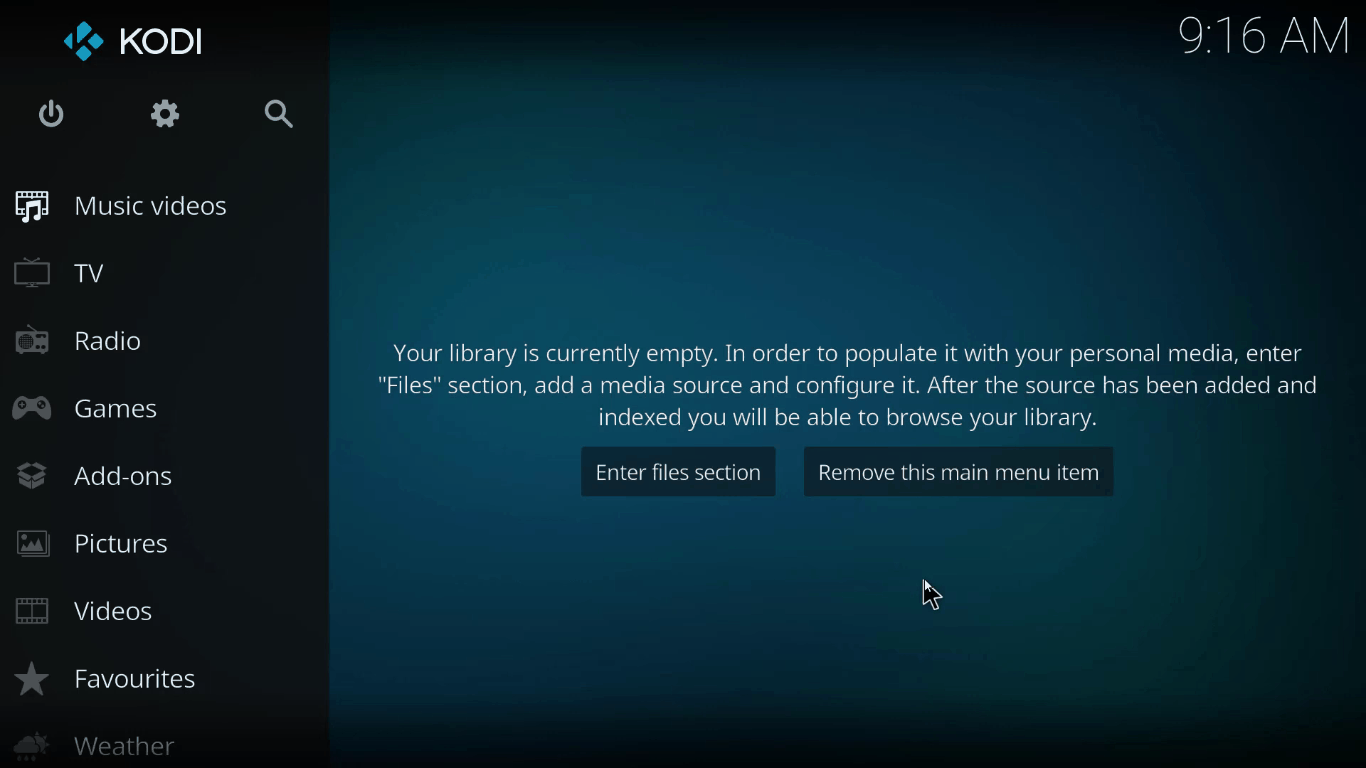
Start your device and launch Ares Wizard on Kodi

Ares wizard on kodi

On your Fire Stick device, you can do so by opening Apps and then selecting Kodi.

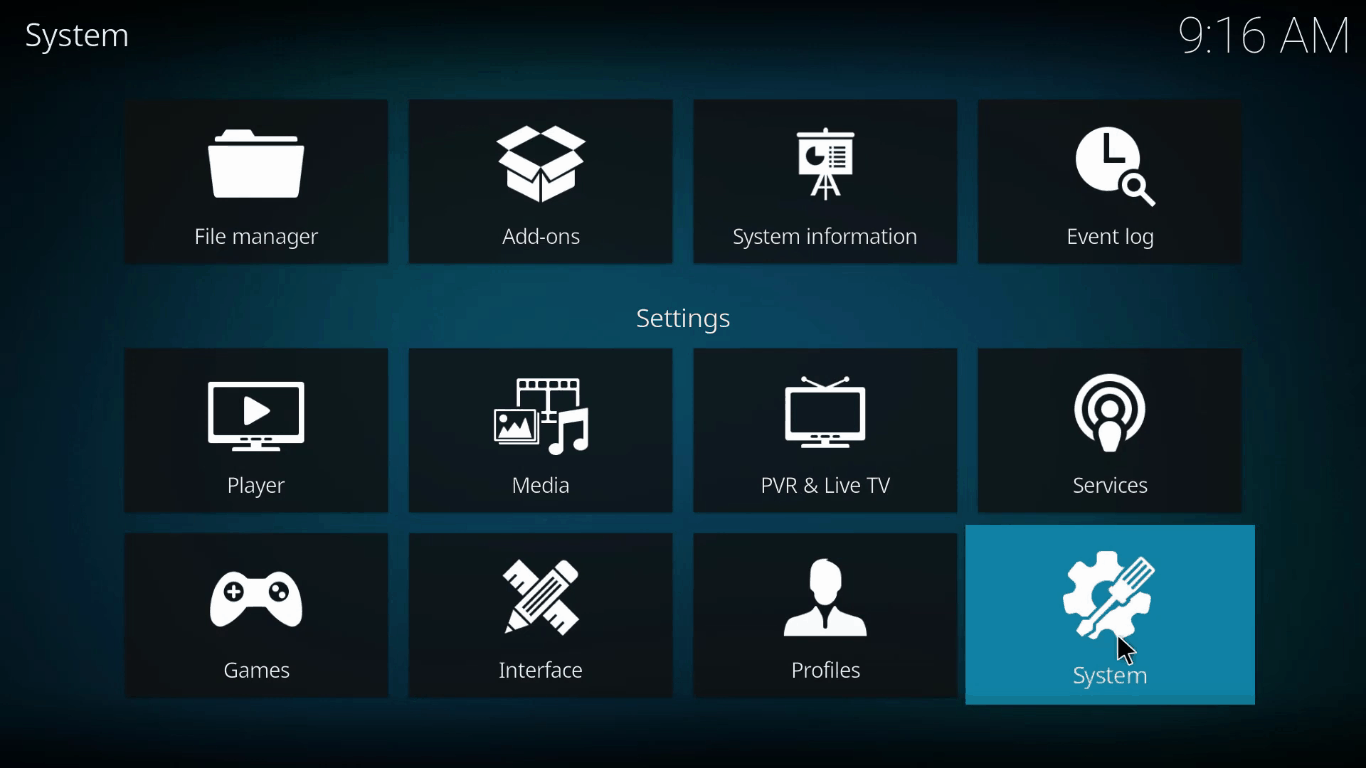
Navigate to Settings

Ares wizard on kodi

In the home screen, you should see a gear icon in the middle which is also called the settings tab.

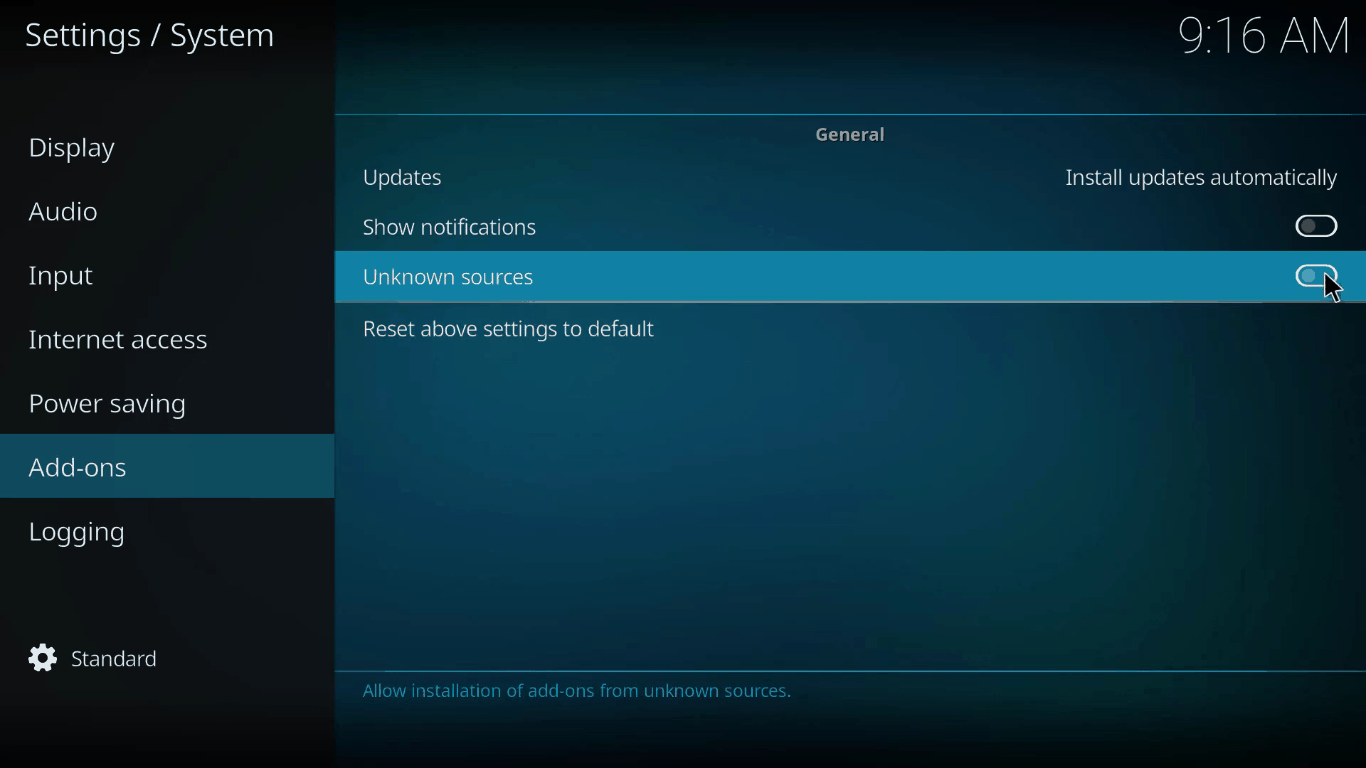
Enable Unknown Sources

Ares wizard on kodi

From the settings tab, select Add-ons and then Unknown Source. Click on the toggle to enable it.

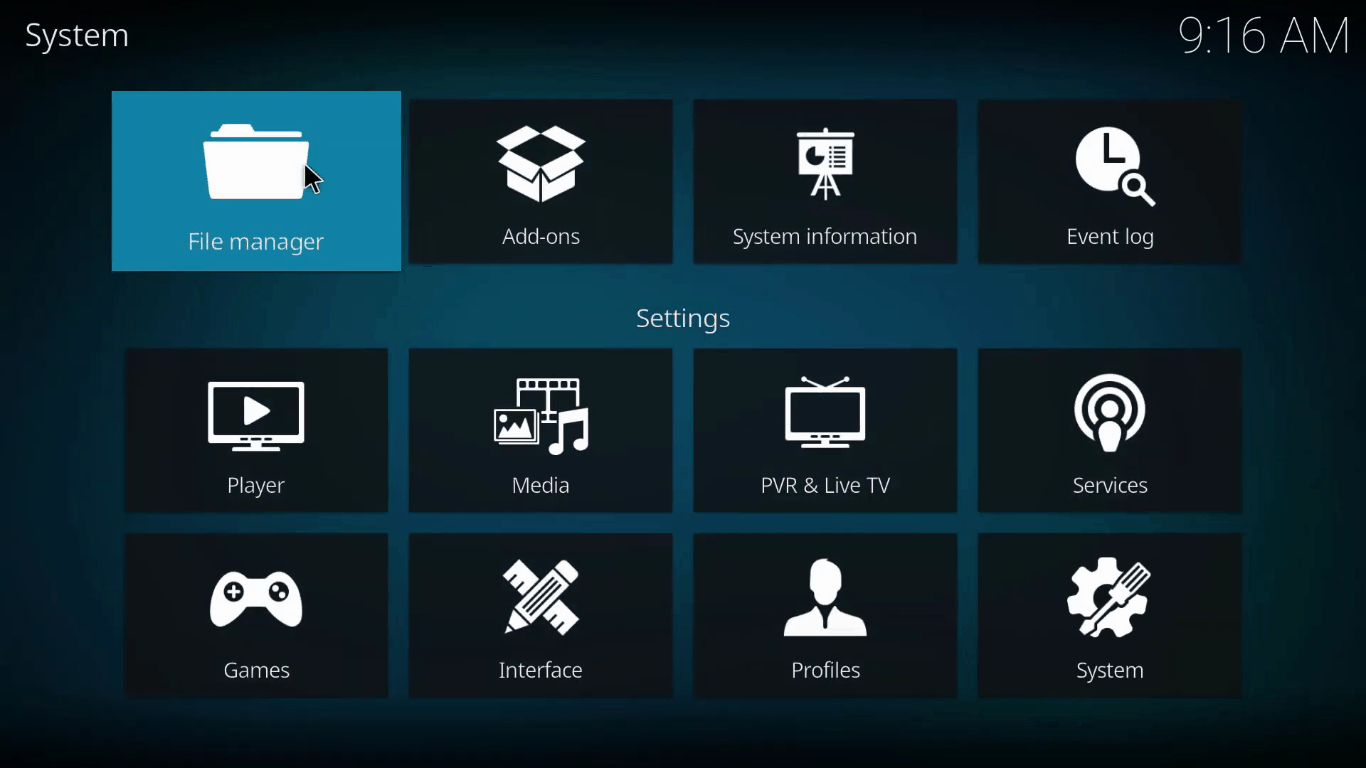
Open File Manager

Ares wizard on kodi

From Add-Ons, one step back will take you to the Systems panel where you can find the File Manager folder. Click on it.

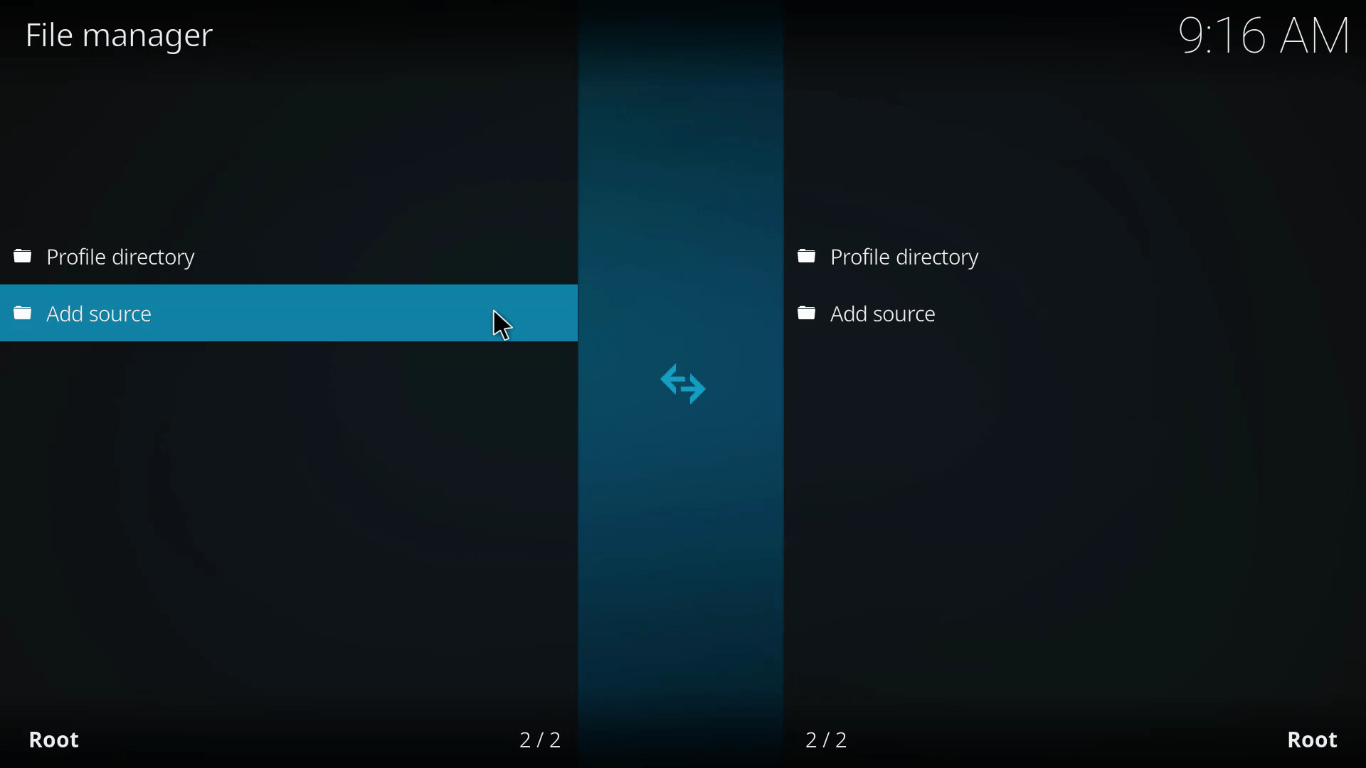
Select Add Source

Ares wizard on kodi

On the bottom right-hand side, you’d see Add Source. Click on it and then choose <None> to input the repository address.

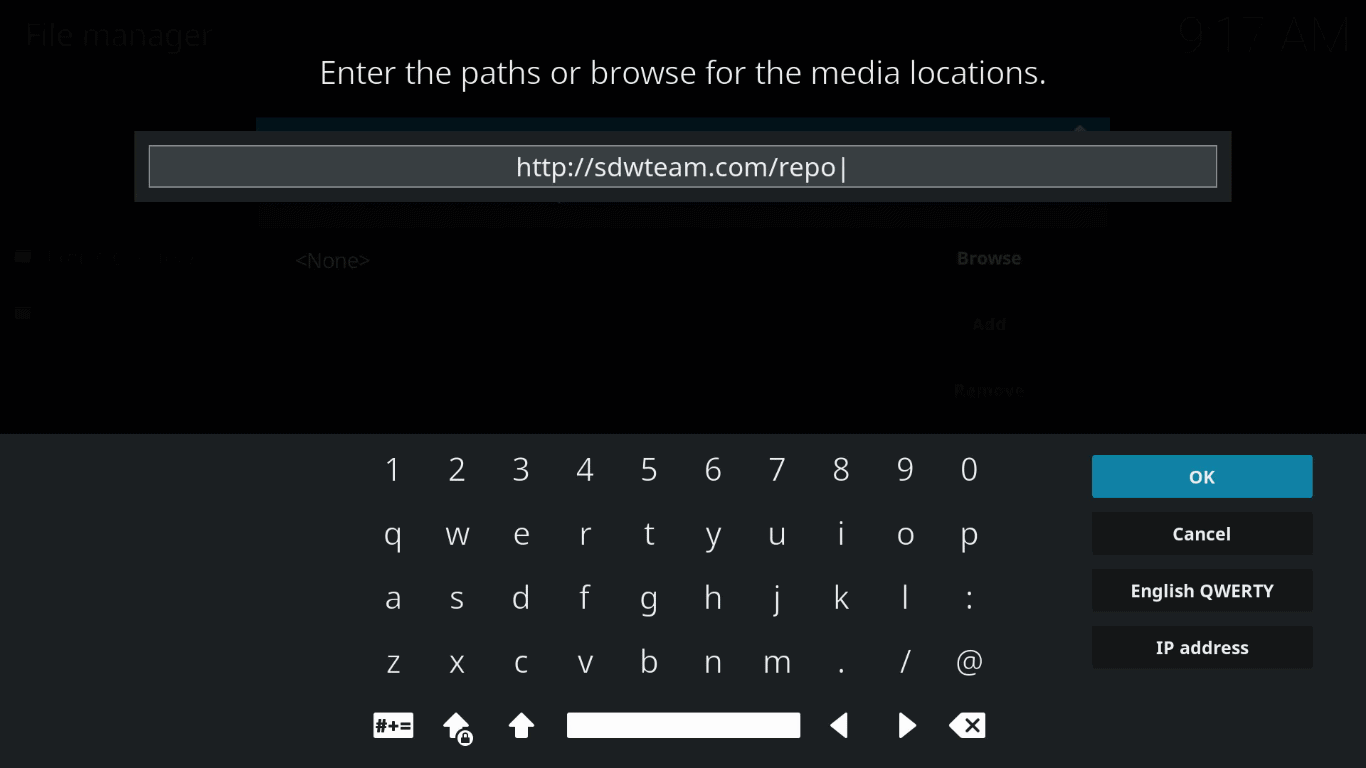
Enter Repository Address

Ares wizard on kodi

From your Fire Stick remote and any device you might be using, put in the following address: http://ares-repo.eu/. Alternatively, you can use http://areswizard.co.uk. This will download all the required packages.

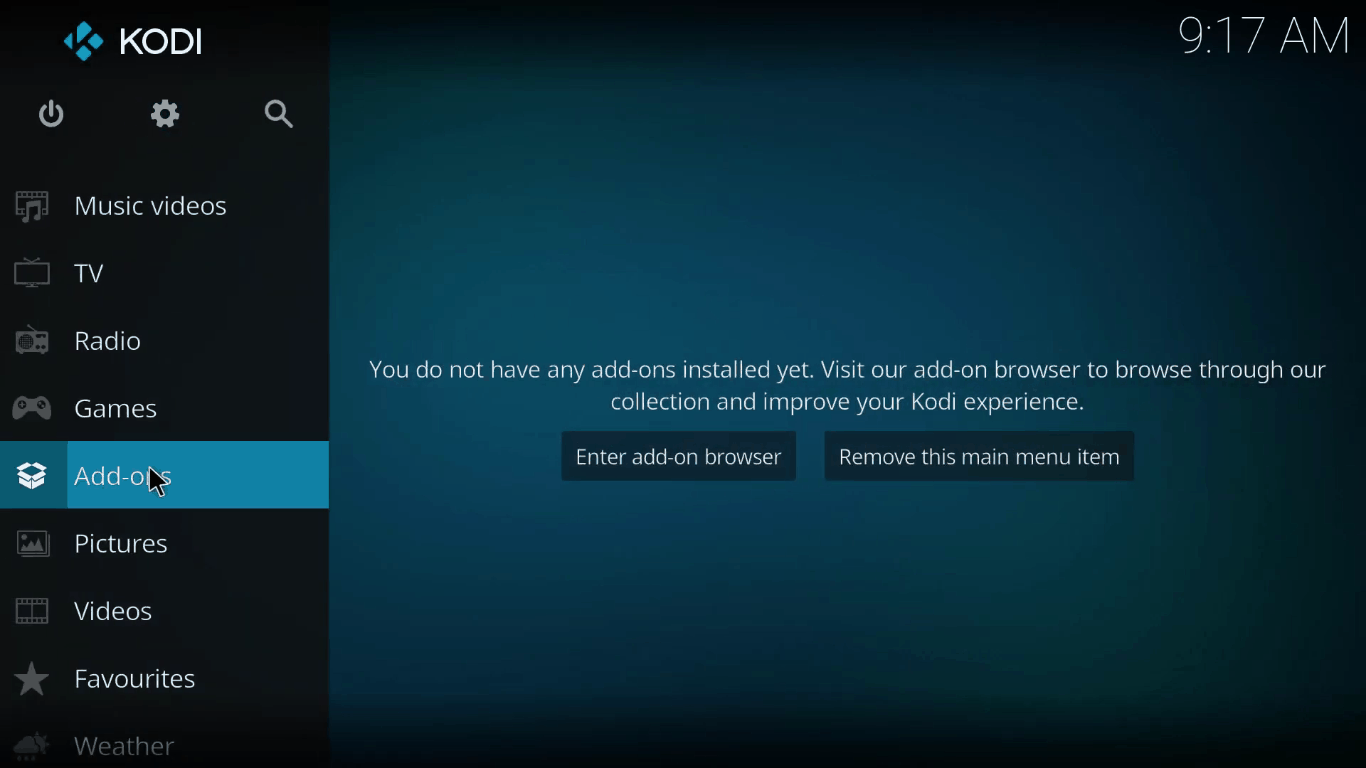
Navigate to Add-ons

Ares wizard on kodi

Go back to the Kodi Home panel and select Add-ons from the menu.

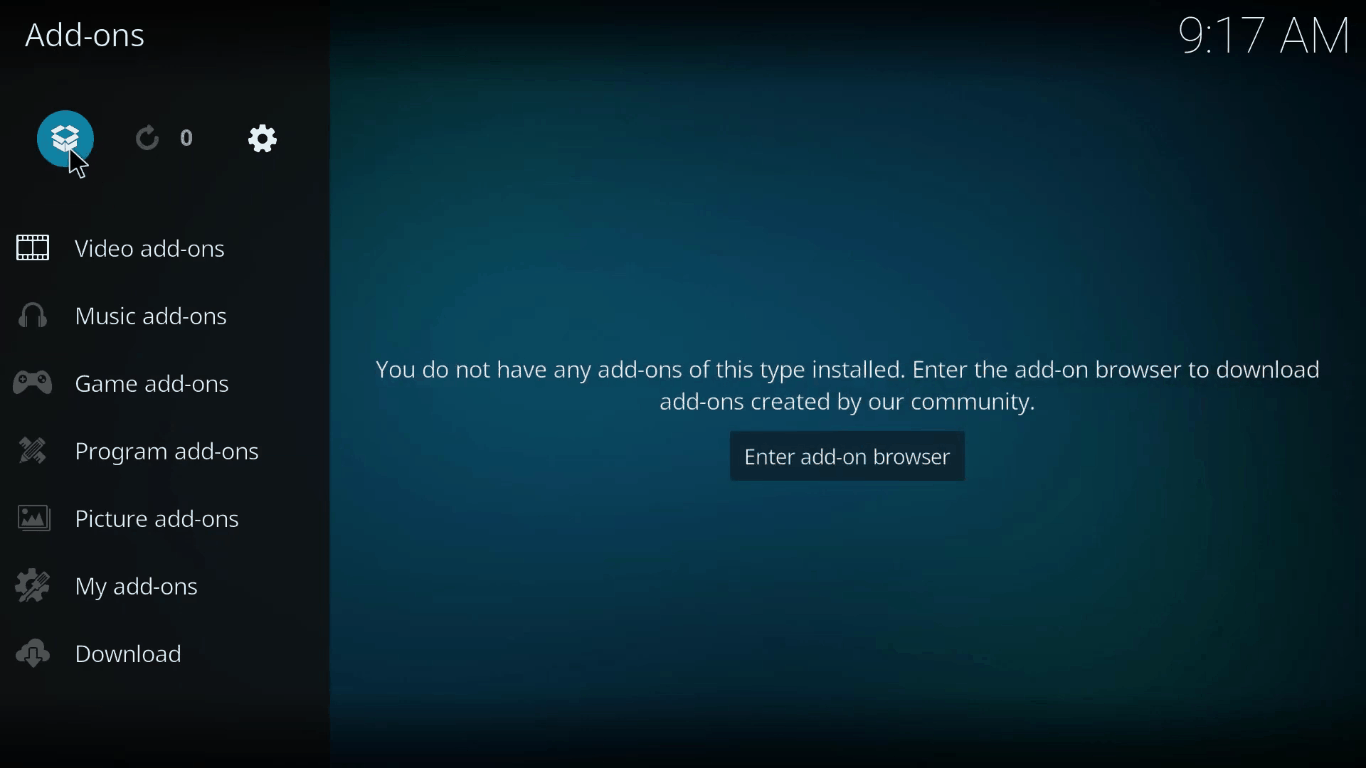
Select Package Installer

Ares wizard on kodi

You can find this as the first option whose icon is like an open cardboard box.

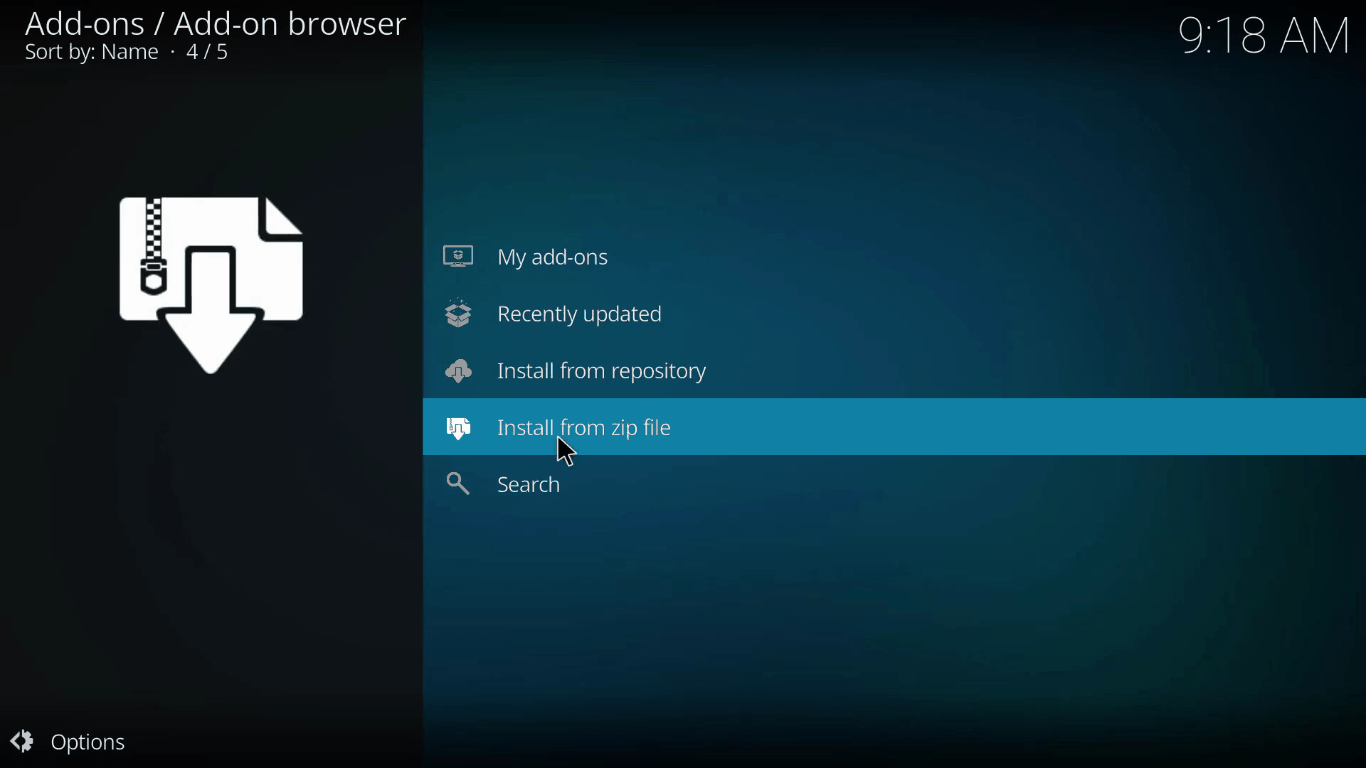
Click on Install from Zip

Inside of the Package Installer, you’ll find “Install from zip file” option. Click on it to install the package you had previously downloaded. Select Ares Repo.

Unzip the .zip file.

Ares wizard on kodi

Inside Ares Repo folder, you’ll find a single zip file titled “script.areswizard-0.0.69.zip”. Uncompress it.

Steps to Install Ares Wizard on Kodi as an add-on

Ares wizard on kodi

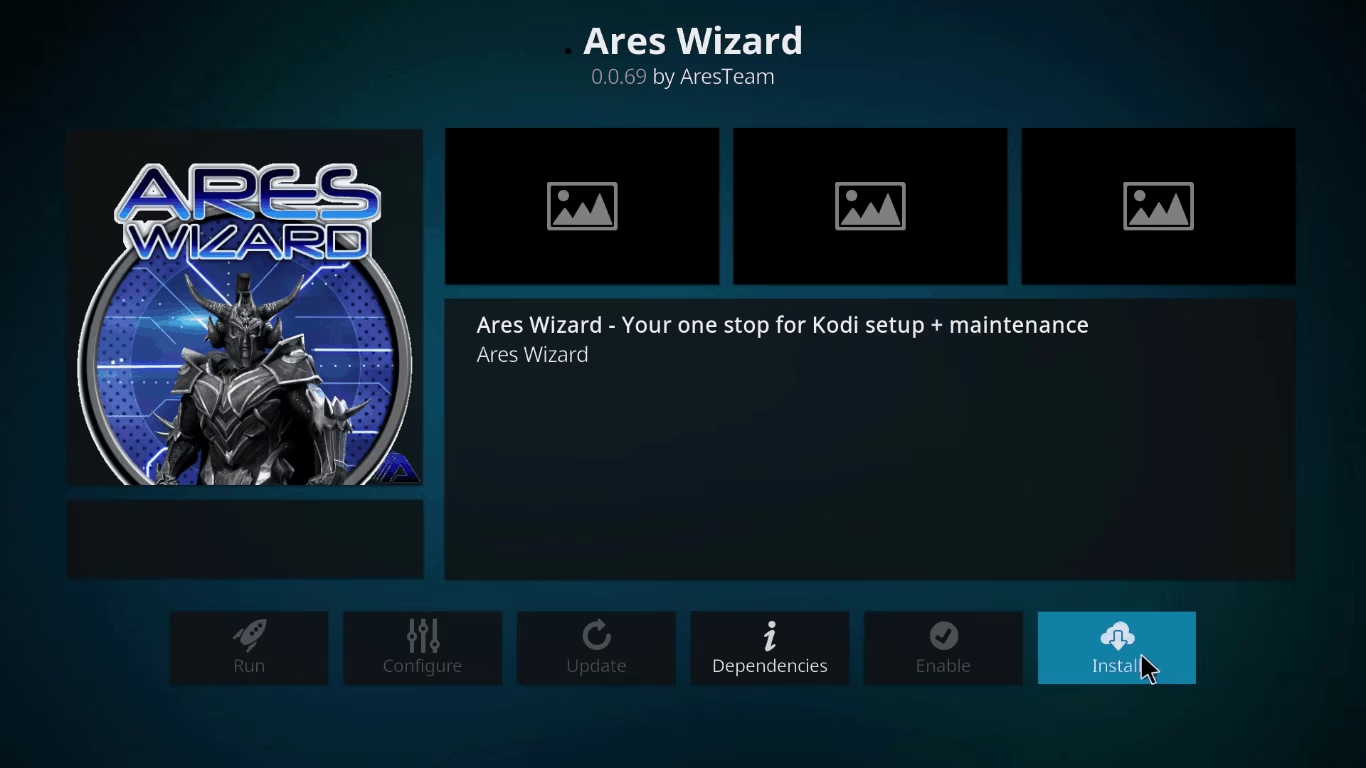
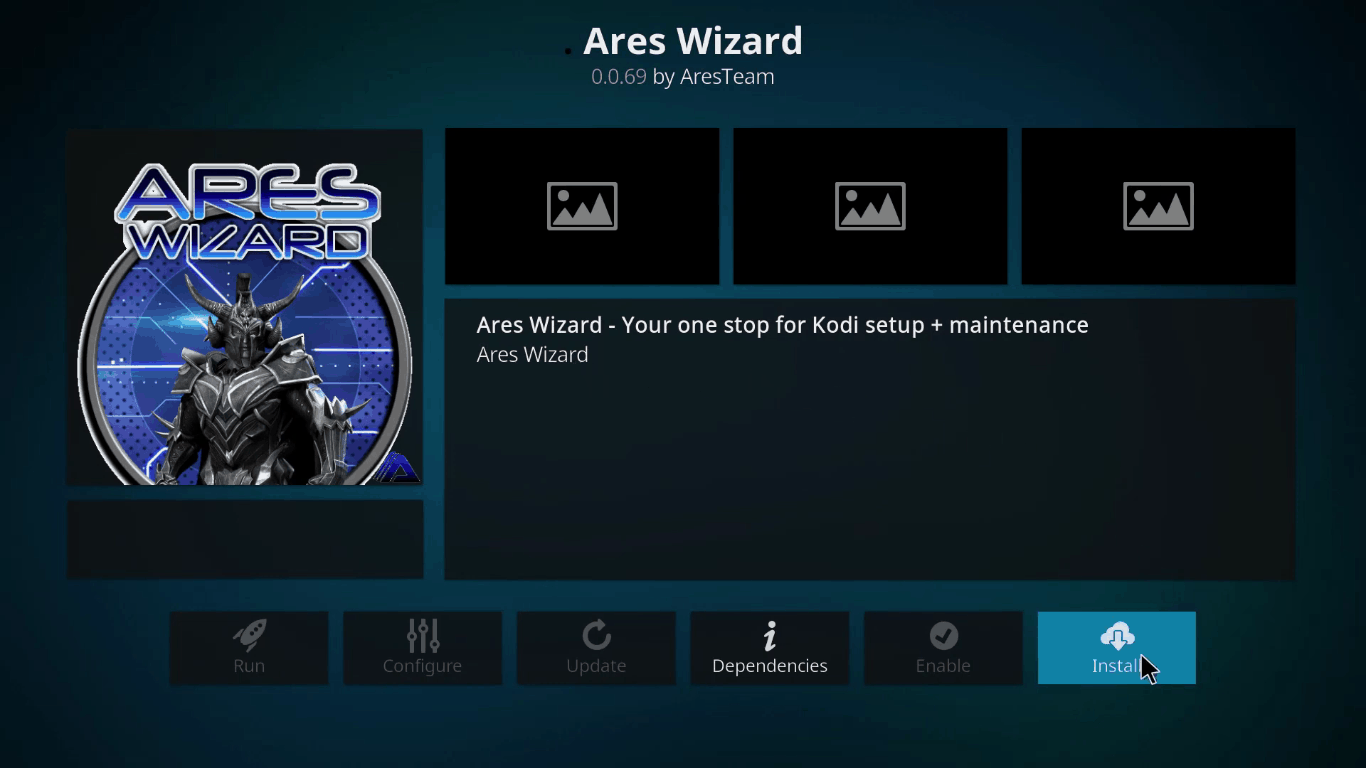
In the final step, you need to install Ares Wizard on Kodi. First, go back one step and select Install from Repository> All Repositories>Program add-ons. Here you can see Ares Wizard. Open the folder and select install.

Now you’ll be able to use its functionalities every time you use Kodi. As you’ll be launching it for the very first time, it may take several minutes as it populates itself. But usually opens up in seconds from second time onwards.

Please note that the above tutorial is for Leia. For Kodi Krypton or Jarvis, you might need to do some tweaking, but the overall process remains the same.

Some Important Ares Wizard Features

Now that you’ve successfully installed Ares Wizard on Kodi, it’s better if you learn some of its main features. This will help you in fixing minor errors related to Ares Wizard on Kodi as and when they appear.

Long gone are the days when Ares Wizard on Kodi used to be an all-in-one entertainment tool for Kodi. After it was scrutinized for privacy, all of its music and video add-ons were stripped off and it was reduced to merely a maintenance add-on. Here’s what it can do now:

Maintenance

Ares Wizard in Kodi helps you in maintaining the Kodi application. When streaming online media, you build up a lot of caches which are a piece of software code used for analytics purposes. The Wizard automatically deletes these cache when it deems necessary. This helps in Kodi buffering and maintenance.

Backup

The Ares Wizard in Kodi can take a complete backup of the build-up log, customizations, and config operations. You can apply them back whenever necessary. 

Optimizes performance

Not only does it maintain, it optimizes Kodi’s speed and performance. Besides performing optimizations at various levels and minimizing buffering time, it advises for optimum cache size and updates. In fact, Ares is recommended for getting community updates even though Kodi does it for you.

Kodi Logs

A Log file is a text file which is maintained within the Ares Wizard folder. This stores literally everything that goes on in the background with Kodi. This file is important as it’ll show when and where the error occured with the application. It’s advised to upload it regularly so that developers can suggest a fix by isolating your problem.

Many are speculating that this might be the last version of Ares Wizard in Kodi we’ll be using since the developer had already given up on this project back in 2017. But that doesn’t undermine its value. If you’re looking forward to use Kodi as your default media player, then there’s no reason why you shouldn’t be using Ares Wizard along with it.

Best Free Beat Making Software-Beat maker

If you’ve been continuously tapping your toes to a song, then chances are you’re addicted to the beat. It is part of the rhythm which repeats itself regularly or irregularly throughout the song. But behind every beat, there is a beat maker software which makes the beat possible the way it is. There is so many free beat making software out there which makes it overwhelming to settle on one.

If you’re just starting out making your own beats or looking for the best free beat maker, then here we list top 10 free beat making software available for both Windows and Mac.

FL Studio

Free Beat Making Software-Beat maker

Until and unless you’re not at all into music creation or editing, chances are you’re, to some degree, familiar with FL Studio. It is a complete music production free beat making software suite used from beginners to pros. It is more than a beat maker and is actually a DAW (Digital Audio Workstation). Producing a beat in FL Studio is as simple as selecting an instrument, laying down the melody, creating patterns, and mixing. Contrary to the list, FL Studio is not totally free and follows a Freemium model. But the unlimited free trial version offers you enough flexibility to create catchy beats through this best free beat maker. 

Magix Music Maker

Free Beat Making Software-Beat maker

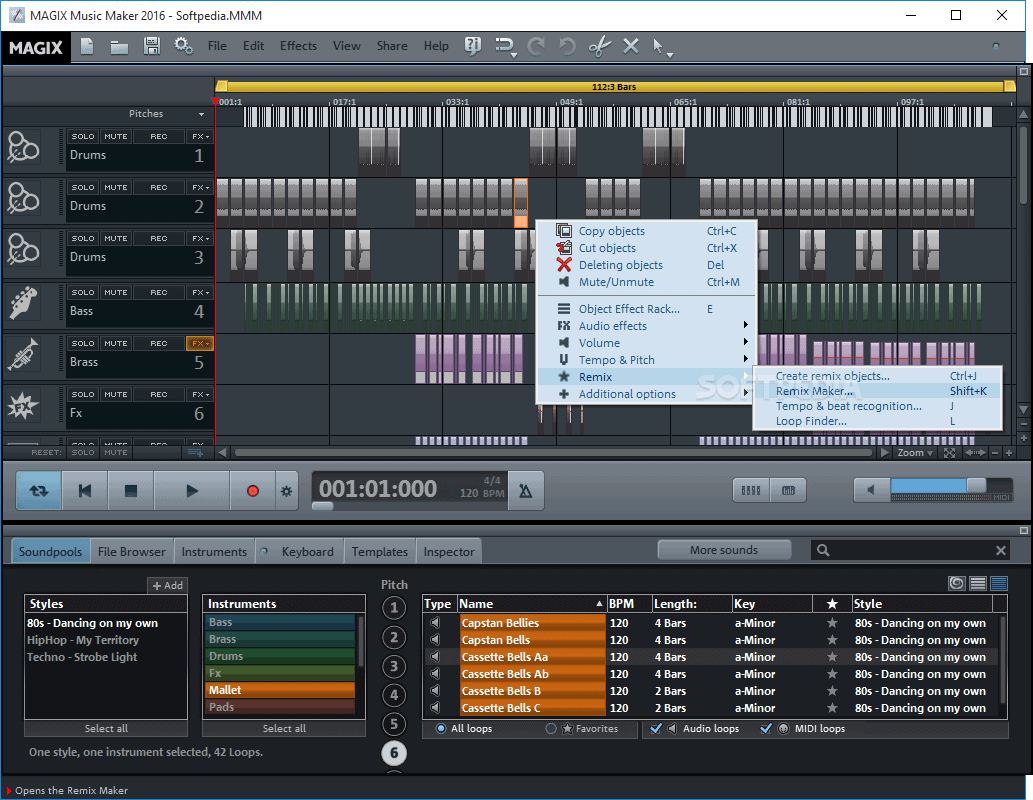
With a huge loop library, which is a small section of sound, you can find everything you need to make basic to advanced beats under one roof. This is a consumer version of another popular DAW, Samplitude, also made by the same company, Magix. The simple drag-and-drop interface makes it easy for you to arranged premade loops and produces a beat within minutes. This will make the process easier.  Magix Music Maker is a good starting point for newbies. There’s a new premium version of this beat maker available in 2019. So you get the most updated beat maker software out there.

MuseScore

Free Beat Making Software-Beat maker

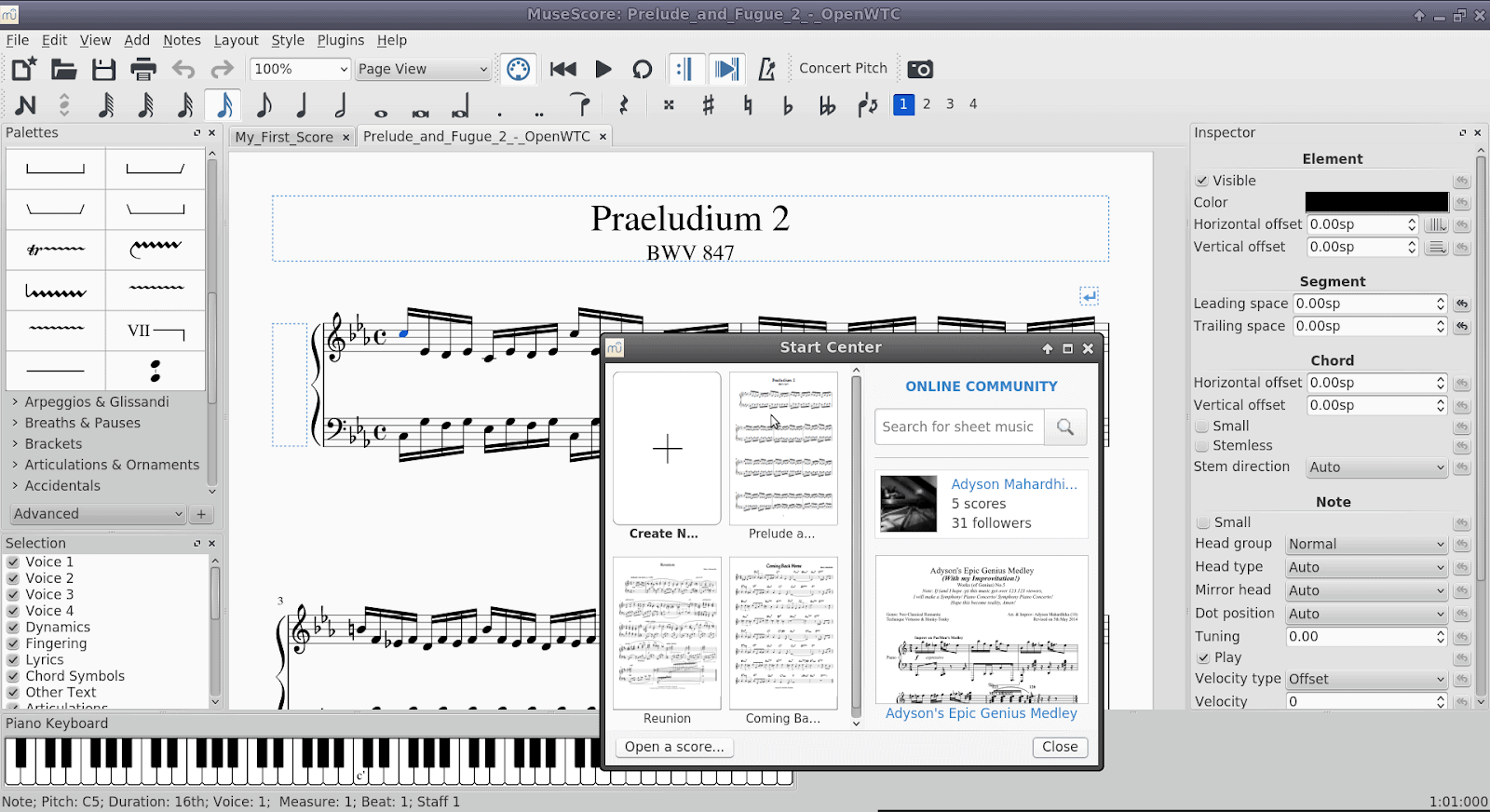
MuseScore is a completely free beat making software which is based on the sheet music template concept. You can compose, arrange, and listen to your work in this free beat making software. This is similar to Apple’s Garageband. Using the beat maker software, you prepare sheets in a canvas. You take notes, construct harmonies, and build rhythm and structure. Once your sheet is completed, you can export it in PDF format and share with your colleagues or band members. But as a disadvantage, there’s a learning curve which you need to fathom before you start using MuseScore. You need to have some basic music notation familiarity and be creative to work with a seemingly insurmountable number of options. 

Maschine MK3

Free Beat Making Software-Beat maker

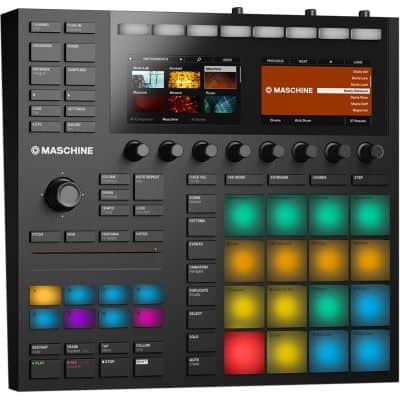
Maschine MK3 is actually a free beat making software-hardware combo where you get to play with a physical gear along with the beat maker software program. It enables you to create beats and loops by tapping on pads present on the device. They are touch-sensitive and the software records the touch and translates it into a beat rhythm. Introduced back in 2003, it was a first-of-its-kind hybrid machine which lets you create music in a different way. This is great for making Deep House drum beats. Reasonably priced at under $600, Maschine MK3 is worth giving a second thought if you’re looking to purchase a beat making platform. But the software itself is free to use on both Mac and Windows.

Reason 10

Free Beat Making Software-Beat maker

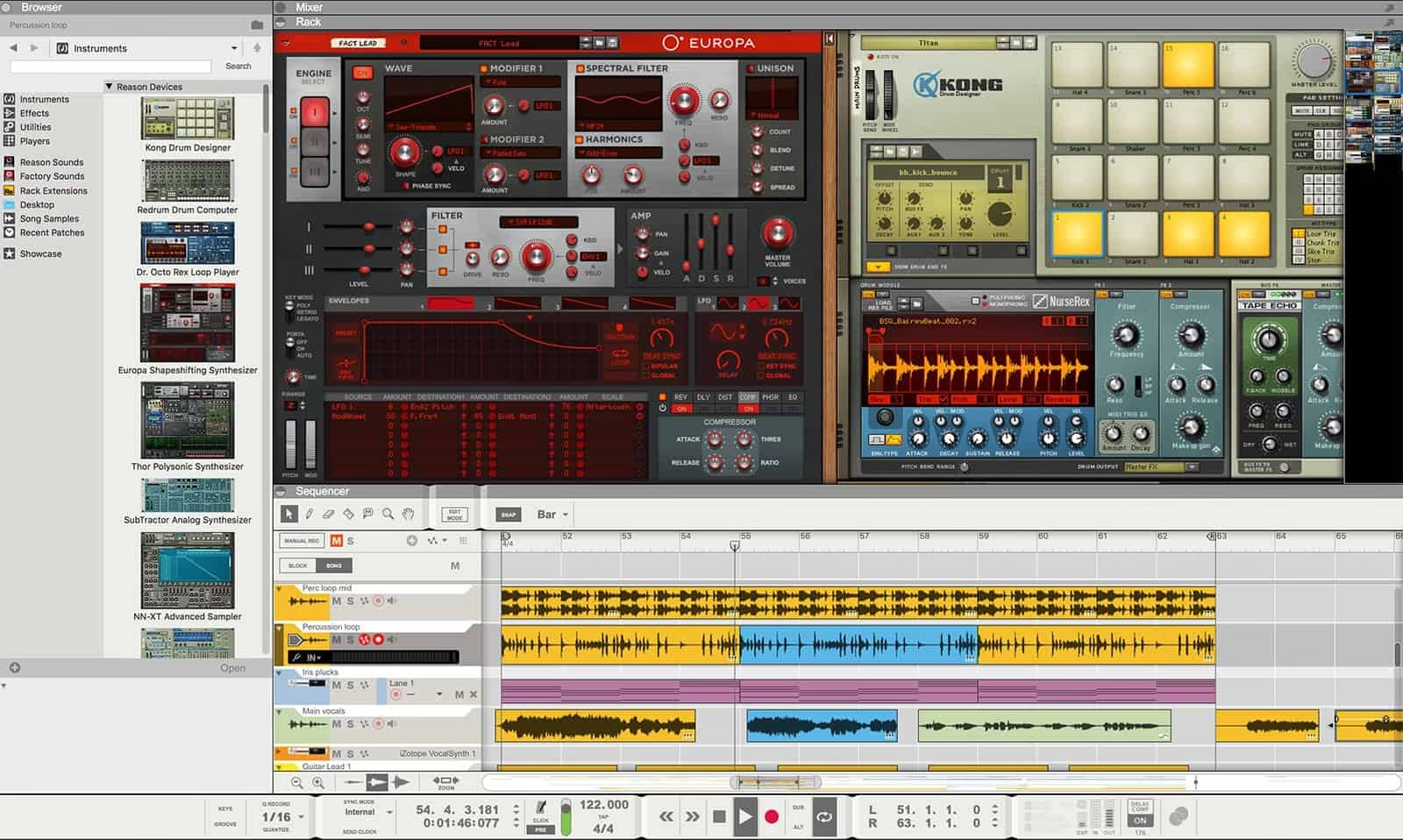
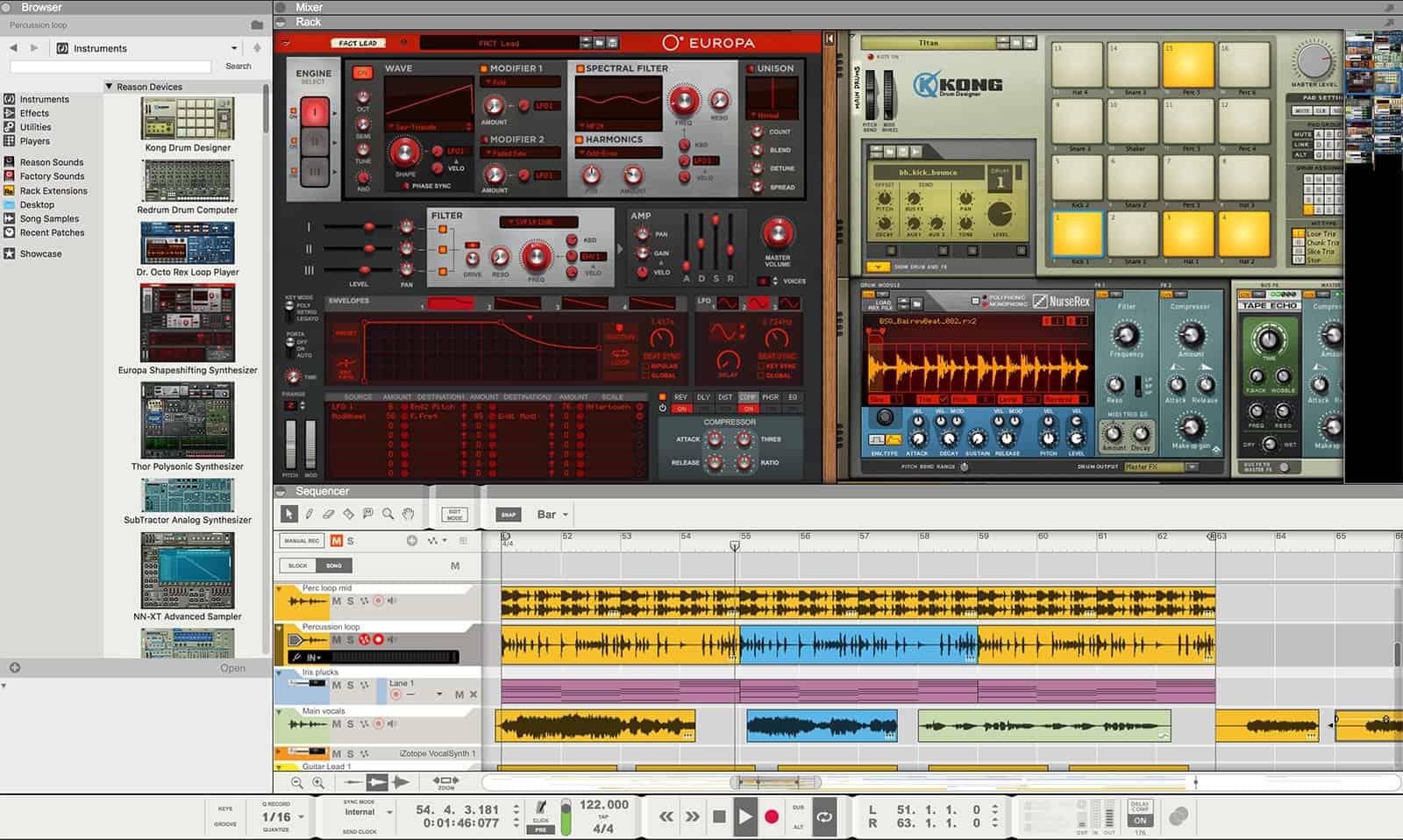
Reason 10 is the latest version of Reason DAWs which is packed with more instruments, more samples, and more controls. Targeting mainly the EDM community, you can create professional hip-hop beats in this free beat making software. The component in Reason to produce beats is Redrum. It is a step sequencing drum machine which is easy to experiment with and produce beats that can work with any music. Within a matter of minutes, you can go through the process of drum looping to bass tweaking to synth melodies.

Hydrogen

best free beat maker

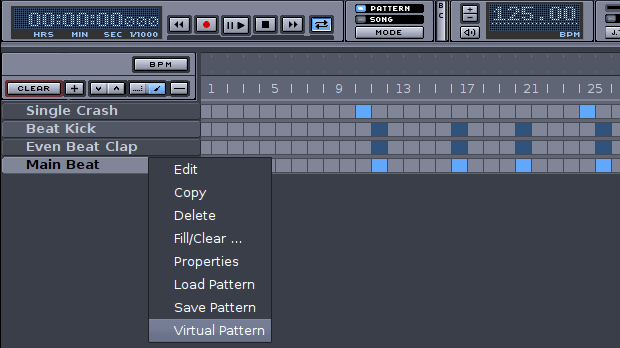
Hydrogen is a dedicated drum machine and free beat making software that’s also available for Linux, besides Mac and Windows. This is open source and hence free to use and distribute. Even though it is open-source, it is advanced in its beat-making approach. There are a lot of features, options, and drum sets to play with. But mostly you’ll be working on a pattern editor and sequencer. Once you install Hydrogen, you’ll be provided with premade drum patterns which you can tweak in the sequencer, and produce a drumbeat pattern in a few minutes.

Ordrumbox

best free beat maker

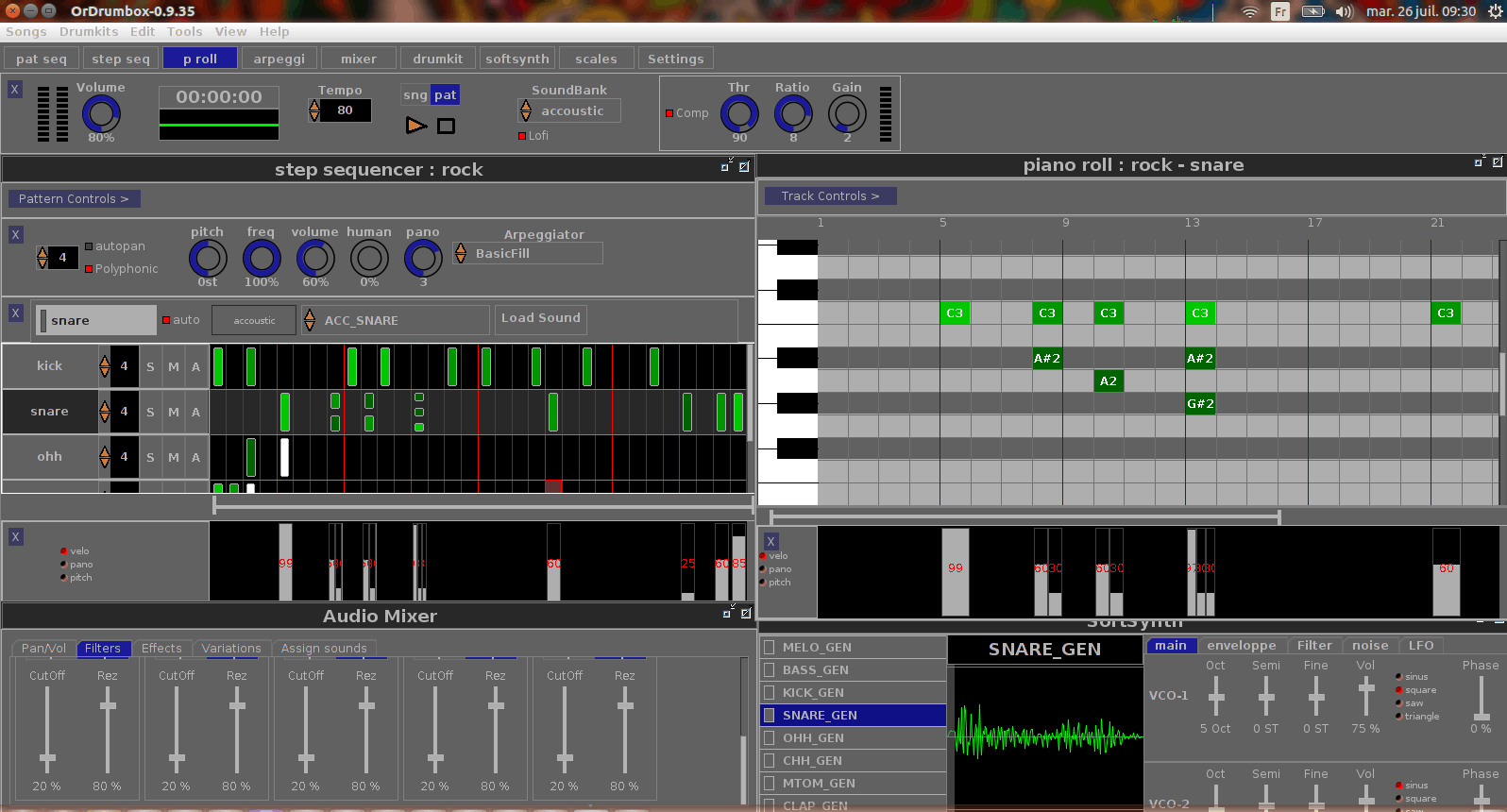
Ordrumbox is another pattern-oriented drum machine sequencer which is designed for creativity. With a new generation of the easy-to-use sound tracker, you can easily compose beats and music through this free beat making software. There’s a dedicated collection of drum loops, some of which you can preview here. You need to install Drum Kit separately which will provide you with a collection of drums and other percussion music sets. Ordrumbox is available for Windows, OSX, and Linux as a best free beat maker.

Garageband

best free beat maker

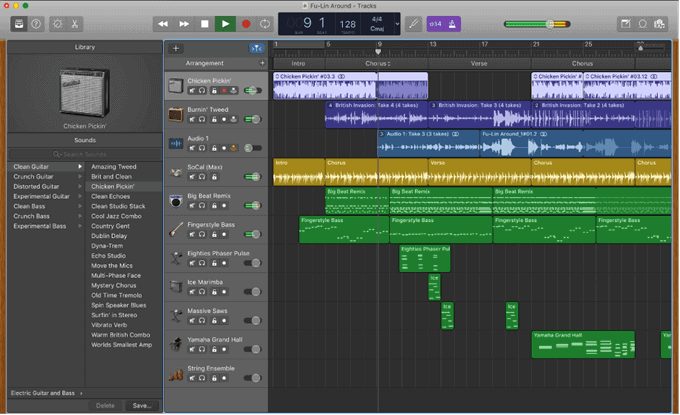
In Garageband, you can experience the user-friendly interface aesthetics that Apple is known for. Simply drag Apple Drummer loop from the browser into your project, edit them, and reproduce the drumbeat. As this is developed and maintained by Apple, this is only available for Mac and iOS devices. For trying it on Windows, you can try your luck at RareSoftware and check if they have a version for that.

Drumflow

best free beat maker

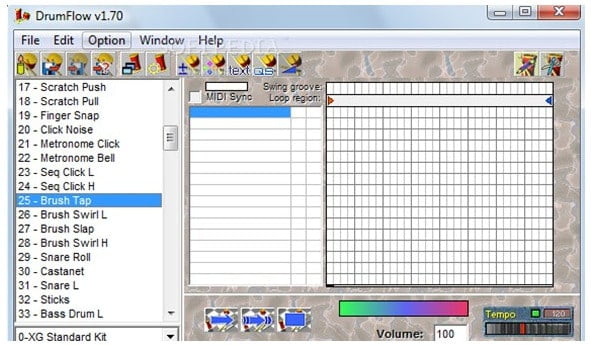
This is another powerful, yet underrated, drum sequencer. It comes with an in-built editor which enables you to produce customized percussion parts using adjustable drums. Once completed, you can then export them as MIDI. Even though the interface is comparatively less attractive, you’re provided with tons of features to play with and make your own beat. You can also work on music prepared by other artists and recreate it using Drumflow solely.

Musink Lite

best free beat maker

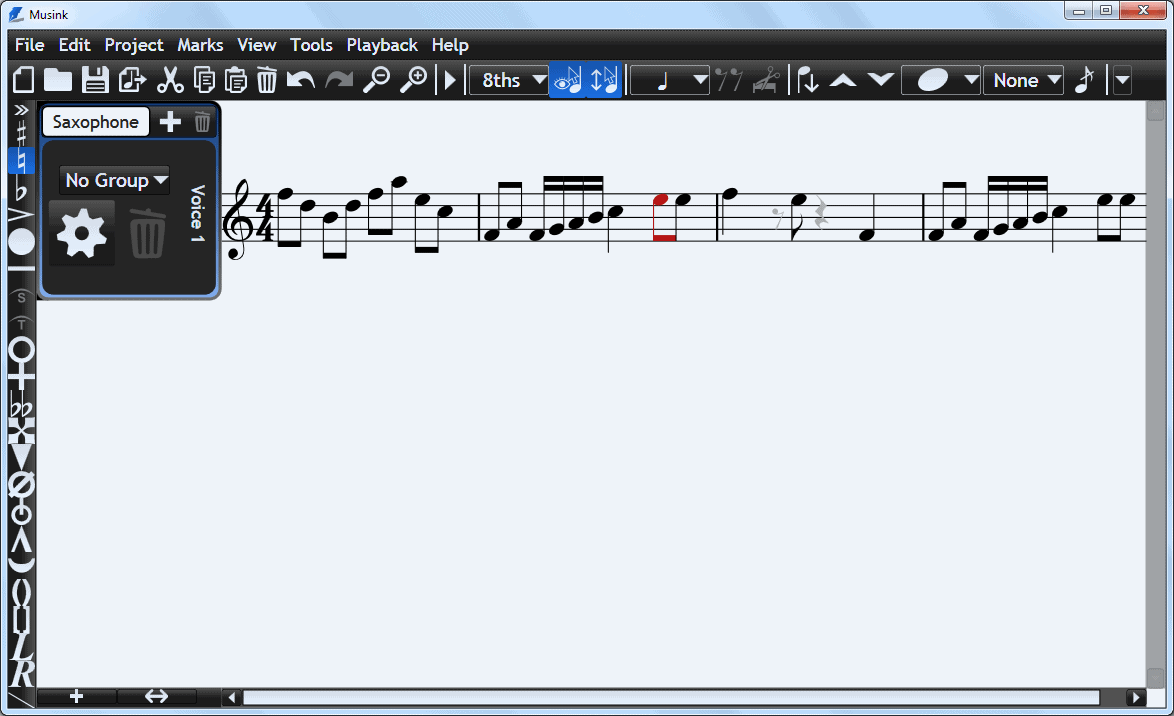
Musink Lite is a free beat making software version of Musink pro but is enough to produce professional beats. It employs a What-you-see-is-what-you-mean editor with automated music layout functionality. Most of the basic rules in music notation is taken care, and you, as a user, need to stem directions and mark positions. Limited compatibility and few bugs hitting the software are what makes this not too popular among musicians. However, if you’re a newbie, it still makes up for a great starting point. 

Rhythms (read “beats”) bring music to life. With some creativity and inspiration, you can too produce your own compelling and overpowering beats. The free beat making software mentioned above will help you get there faster. From creating simple beats to alluring music masterpieces, the possibility is nearly endless.

How To Use ShadowPlay To Record Games

Nvidia is a popular tech company known for developing high-quality graphics processing chips. Pick any gaming laptops and you’ll find Nvidia driver’s chips installed in it with Nvidia drivers being used. This testifies its innovation in the video gaming segment. ShadowPlay is a big part of its innovation. Introduced to the world in 2013, it allows gamers to capture priceless in-game moments and share them with the world. If you’re new to ShadowPlay, you’ve landed at the right place. Here we’ll explain what and how Nvidia ShadowPlay works and how to start recording your gameplay with it.

What is Nvidia ShadowPlay?

To avoid confusion, let’s get something out of the way. Nvidia ShadowPlay is now renamed or rebranded to “Nvidia Share.” But because gamers still commonly referred to it as ShadowPlay, we’ll prefer to use the old name.

ShadowPlay is a hardware-accelerated display recording utility. It utilizes GeForce GPUs or Graphics Processing units to record in-game screen and save the video retroactively. It captures frame by frame and processes (or encodes) them using a H.264 video encoder. It can record at rates up to 130Mbit/s resulting in 4K display.

Before you start using it, you need to check compatibility which you can do here. If you’re using Nvidia GTX 650 or a newer graphics card, then you should have no problem using ShadowPlay.

How to record with Nvidia ShadowPlay?

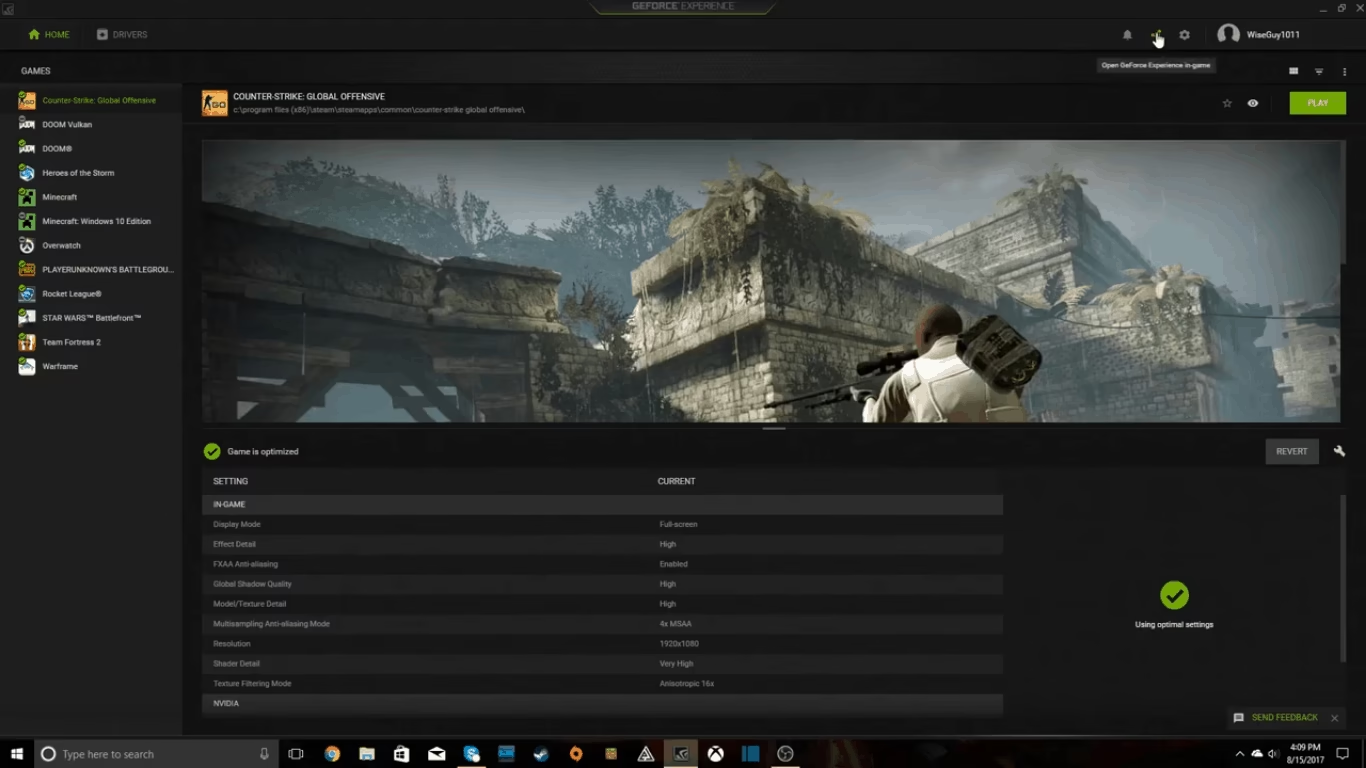
By default, ShadowPlay is turned off. Before you let ShadowPlay record your gameplay, it needs to be enabled inside of the GeForce Experience. If that’s the case, you’ll be notified and a link to the page will appear. To set up everything, follow the following steps:

  • Update the GeForce Experience along with all the drivers
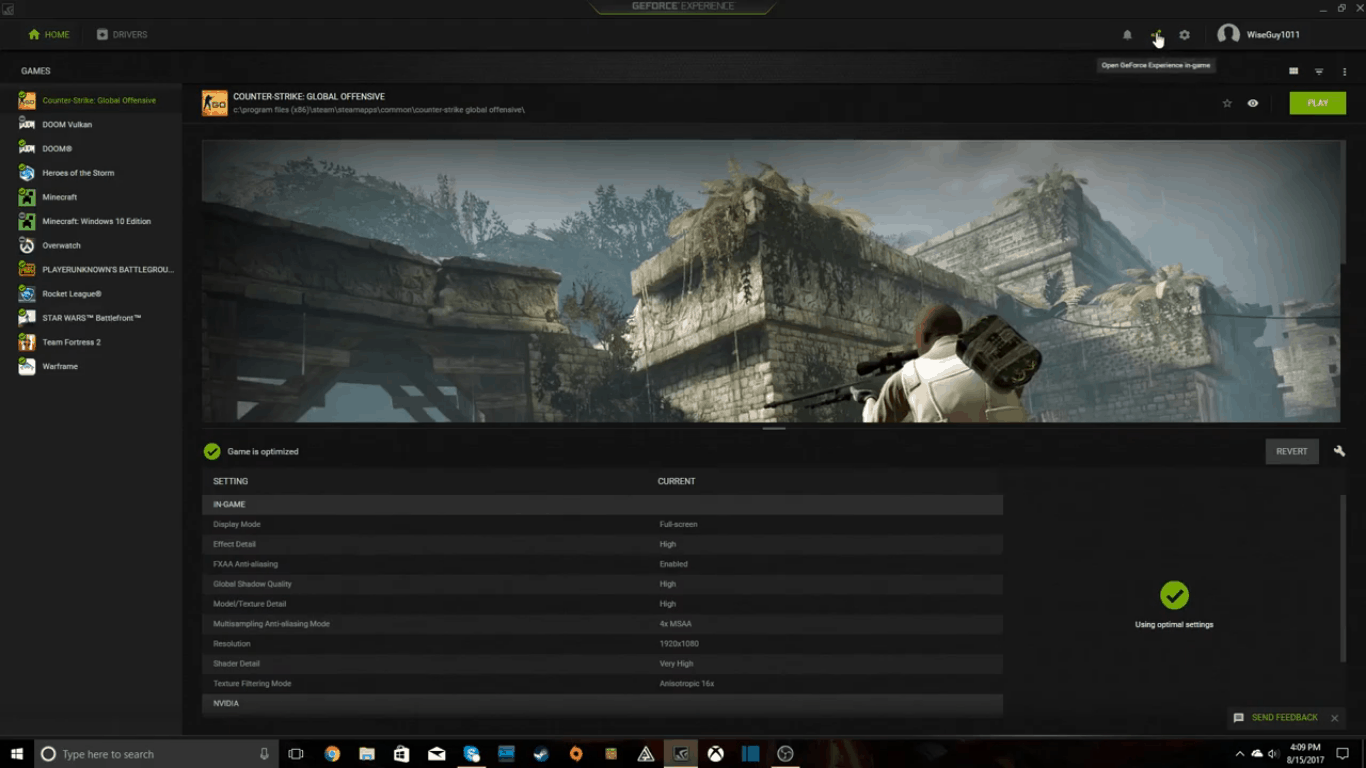
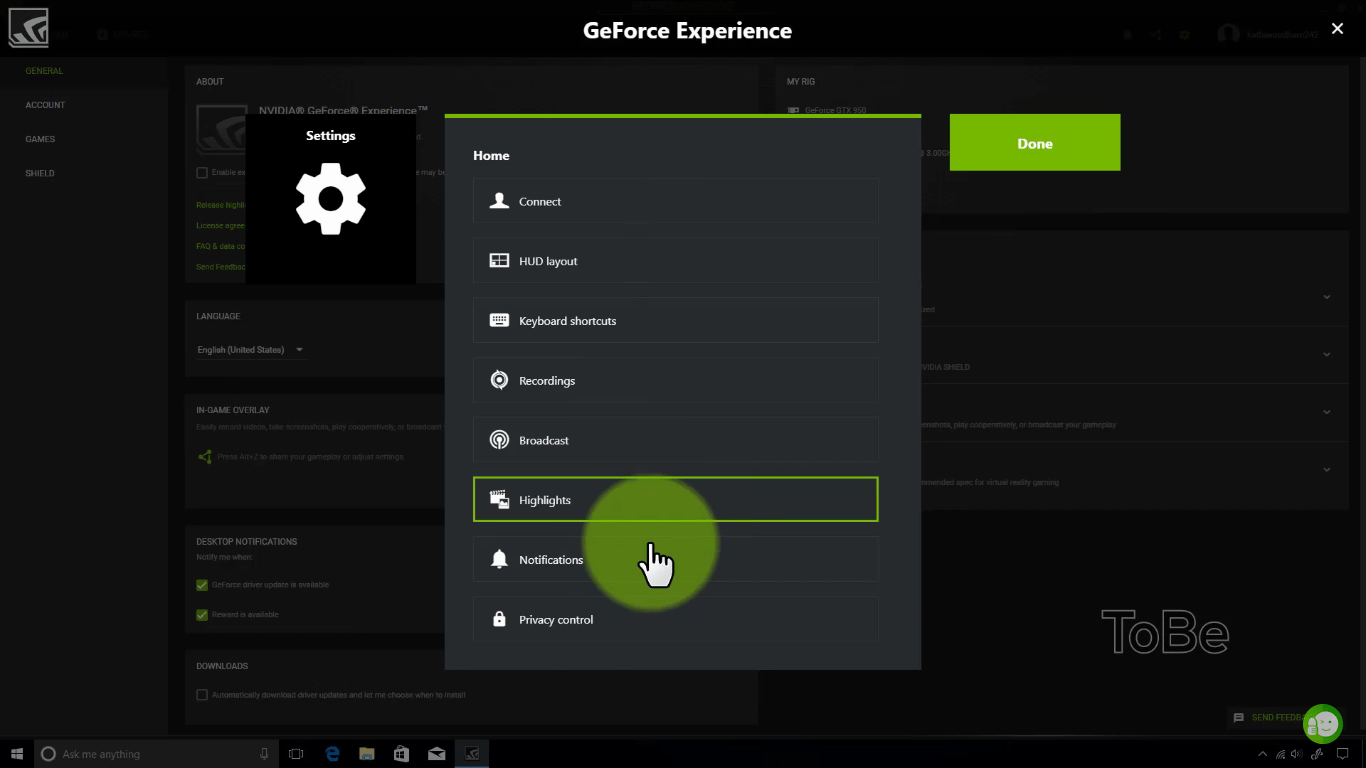
  • Open the cog Setting icon. You can find it in the main window, at the top right corner
putlocker alternatives,best putlocker alternatives,putlocker rs
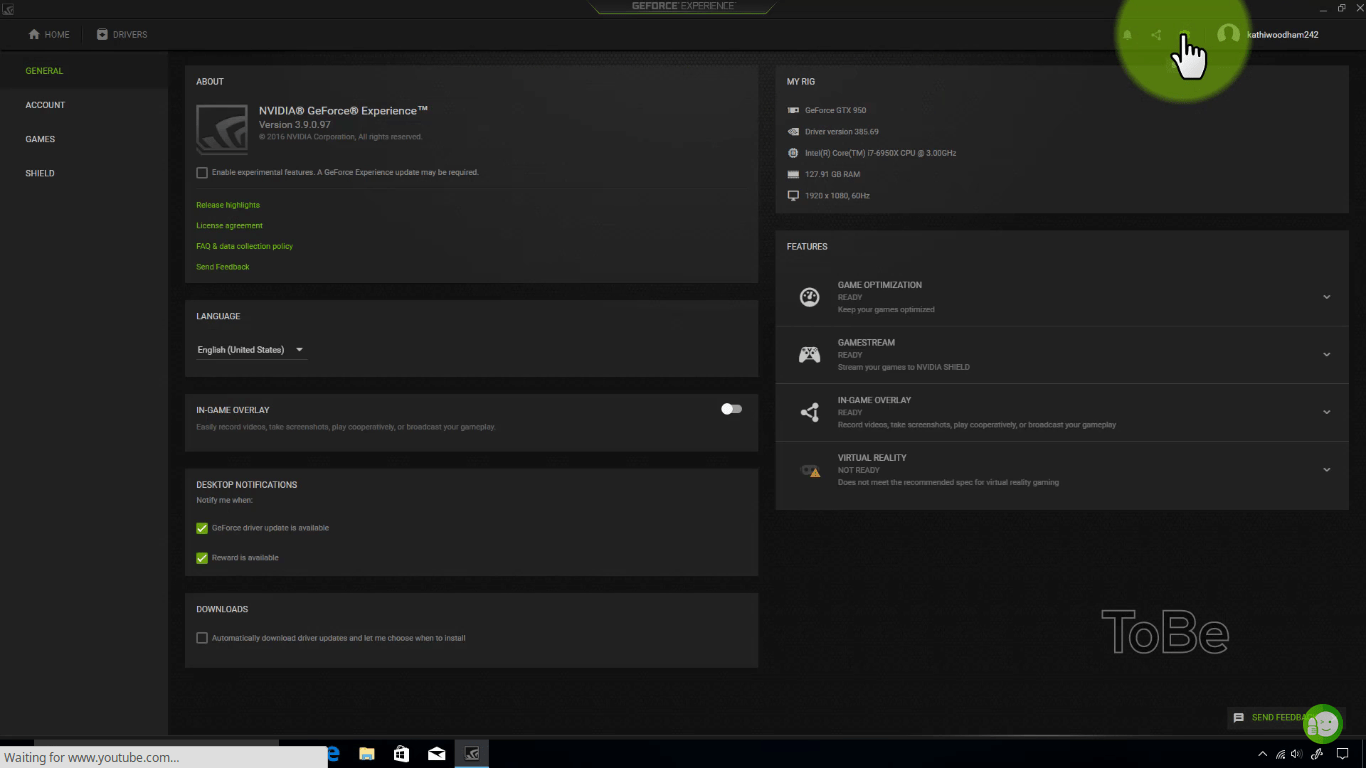
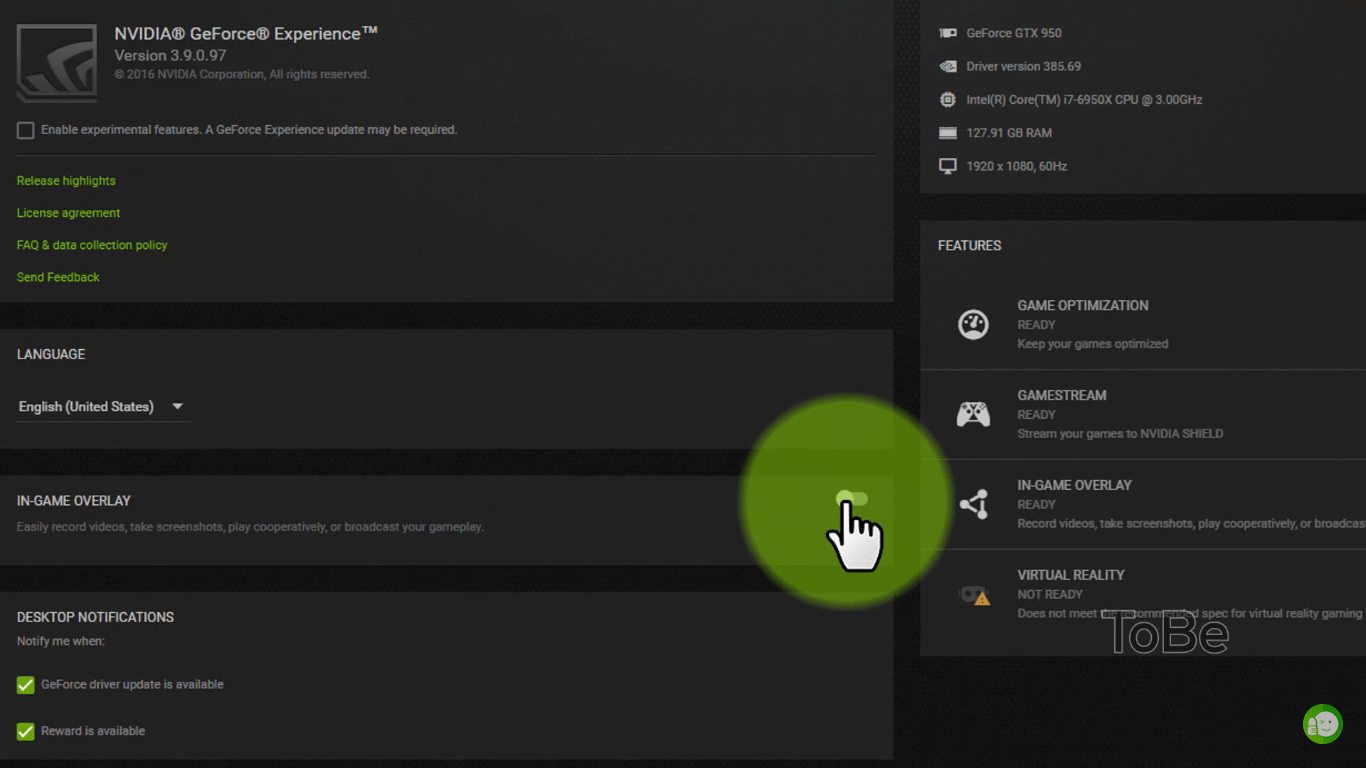
  • Under features, click on the “In-game Overlay.” Ensure all the hardware are check-marked. This means your device is capable of running ShadowPlay.
putlocker alternatives,best putlocker alternatives,putlocker rs
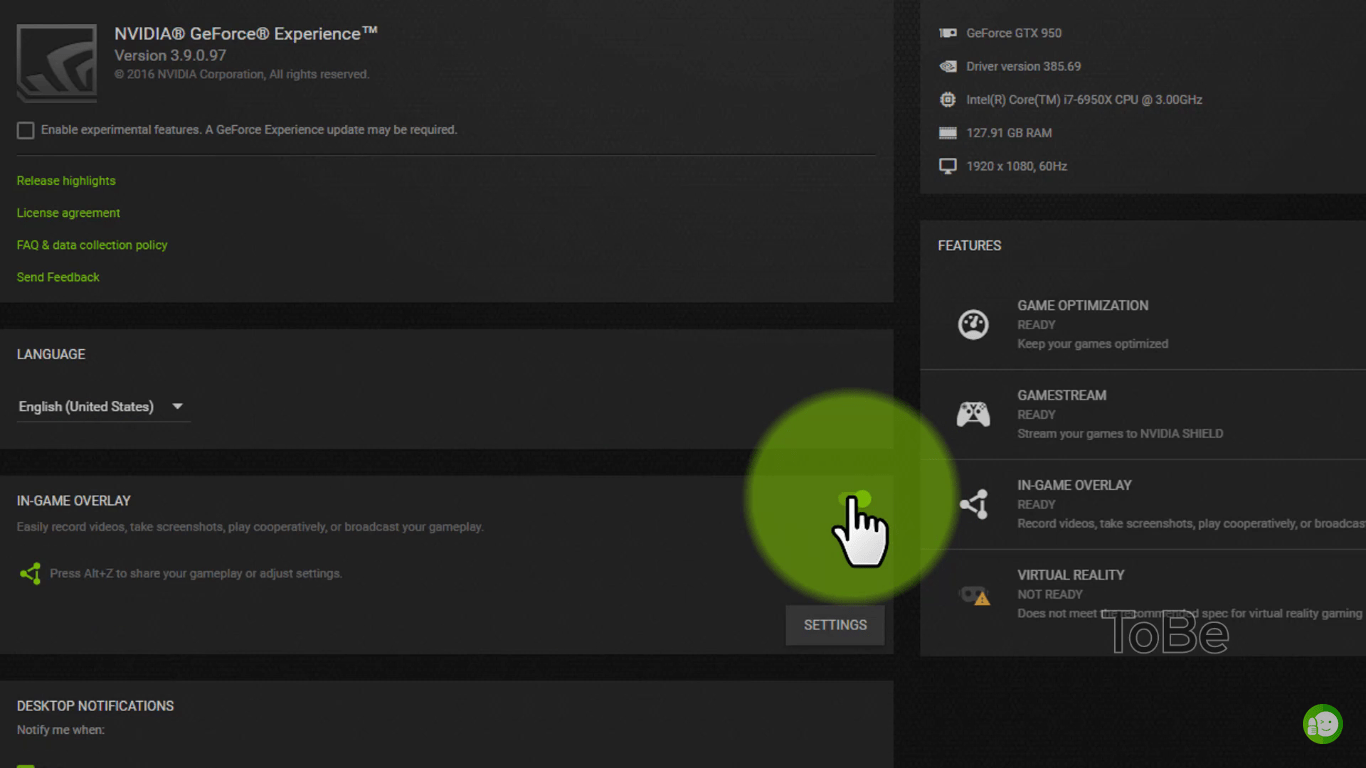
  • Toggle the In-game Overlay to “On.”
putlocker alternatives,best putlocker alternatives,putlocker rs
  • Within the same segment, opt for “Settings.” This will take you to the section where you can make the necessary changes.
putlocker alternatives,best putlocker alternatives,putlocker rs
  • To alter video quality, select “Video Capture.”
  • For sound, select “Audio” from the menu.
  • To specify what duration the ShadowPlay should save in its buffer, you can set that in “Shadow time” option. It can be anything from a minute to 20 minutes. 
  • For storage, select “Recordings.”
  • To bring changes to the ShadowPlay UI, click on “HUD.” This is where you can find FPS counter which informs you of the exact number of frames were used in each instance of the gameplay.

To bring the changes made into effect, make sure to Save.

After you’ve made all the changes, you can start recording your favorite gameplays. You just need to make some further changes. Just follow the following steps:

  1. Launch the game you want ShadowPlay to record. Minimize it momentarily. 
  2. Now, we need to make some further changes in GeForce Experience.
  3. Access the GeForce panel and enable sharing. You can find it in the General section. Click on the toggle and you should see it turn green, which means sharing is enabled.
putlocker alternatives,best putlocker alternatives,putlocker rs
  1. Once done, you’ll find a share button in the upper-right corner. It is prefixed with a triangle. Click on it.
putlocker alternatives,best putlocker alternatives,putlocker rs
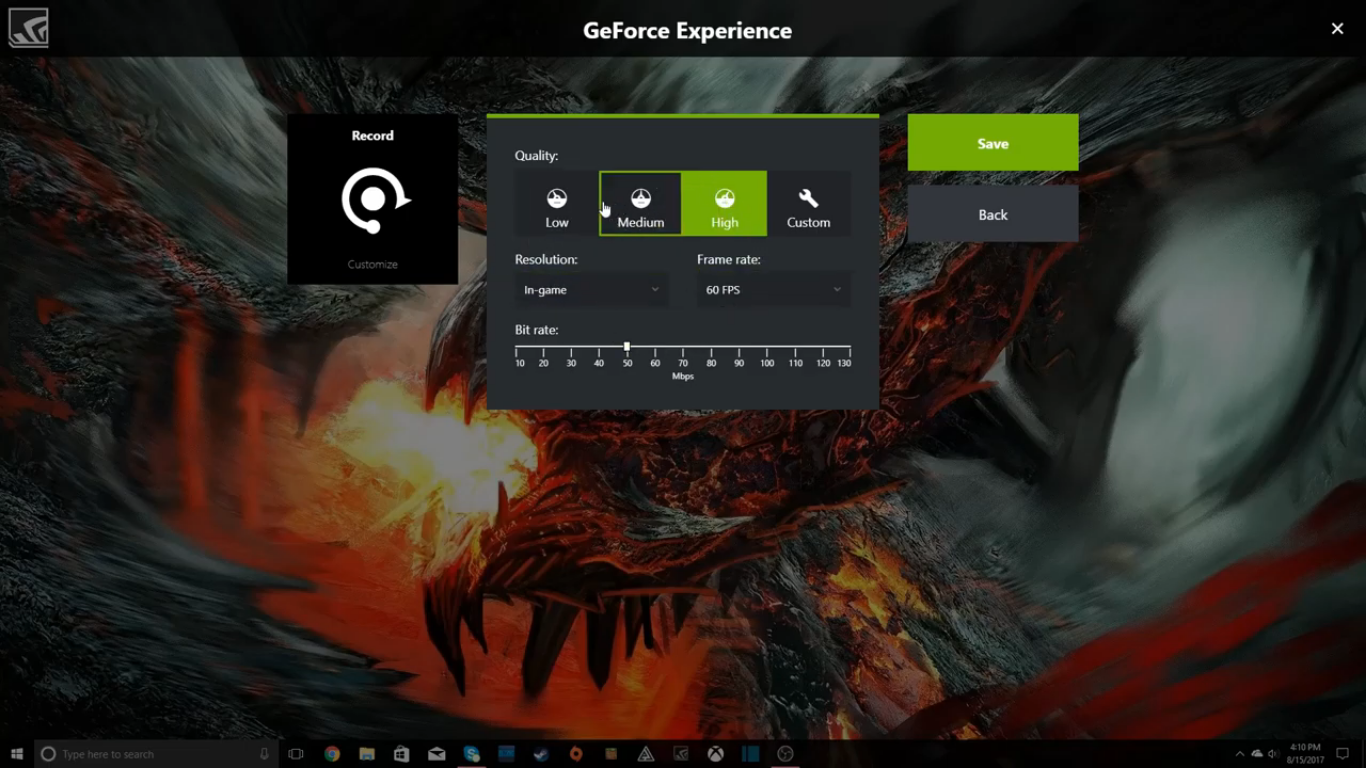
  1. Modify the quality of the recording by customizing FPS, bitrate, and resolution. The higher you set the numbers, the better will be the output.
putlocker alternatives,best putlocker alternatives,putlocker rs
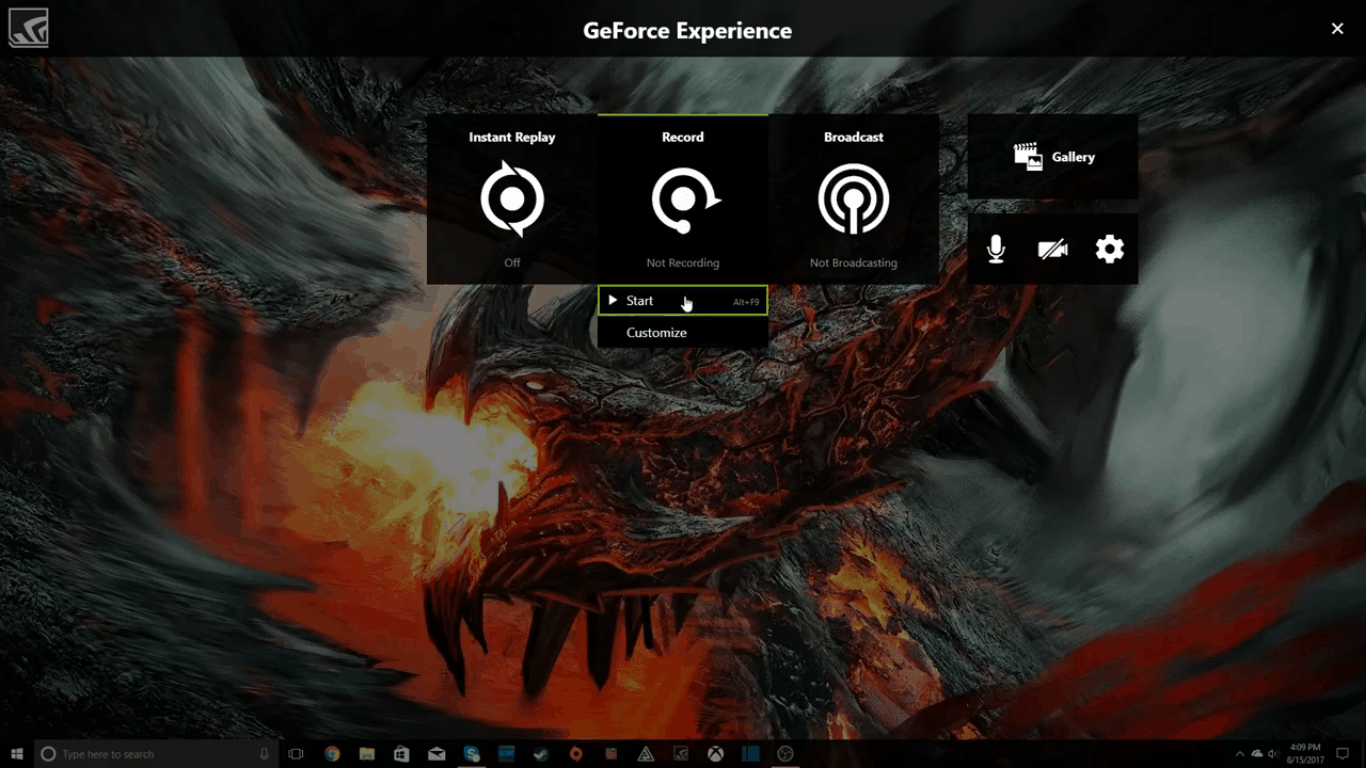
  1. Click Record>Start once you’re ready. This will start recording the gameplay screen. Alternatively, press Alt+Z for starting and stopping the recording.

If this is your very first time using ShadowPlay, then it’ll ask you via a Pop-up window to make changes in your “Privacy Control.” All it’ll be asking is to enable desktop capture. Select “Yes” unhesitantly.

There’s a record status indicator located at the bottom of the screen, on the right-hand corner. If it’s green, it means that everything is fine and the gameplay is being recorded. Left to it is a “mic” icon. If it’s green too, it means that a microphone is in use and the sound is being recorded as well.

Record the footage you wanted to. Once you’re done, select the toggle (or press Alt+Z) and it should stop recording. By default, the hotkey for stopping and saving the recording of in-game footage is At+F9. But this can be customized.

You can then access your recorded footage by visiting the default pathway, C:\Users\Username\Videos. This is the default storage location used by most apps for recorded media. But you can change this by visiting the overlay we mentioned earlier. As the footages are stored in MP4, you can edit the videos before uploading or sharing.

Record OpenGL Games

By default, not every game is supported for recording by ShadowPlay. It only supports Direct3D games, but not OpenGL. So if you’ve gone through the setup process mentioned above but still don’t see your recorded footage, then chances are the game is developed with OpenGL API. Minecraft and DOOM are some of the common examples of games using OpenGL.

But the good news is you can still record those games using Nvidia GeForce’s ShadowPlay. Just use the following stratagem

  • Open Nvidia GeForce Experience.
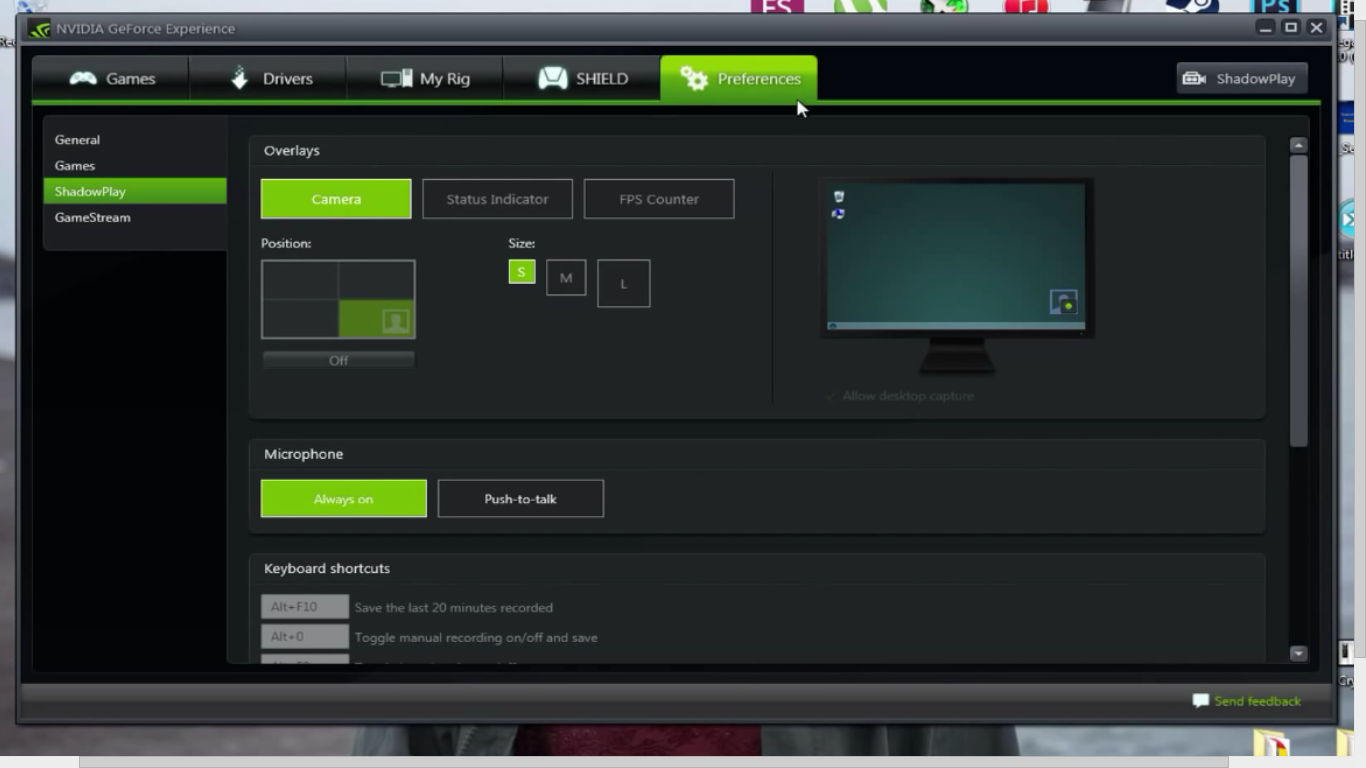
  • Go to Preferences and then to ShadowPlay
putlocker alternatives,best putlocker alternatives,putlocker rs
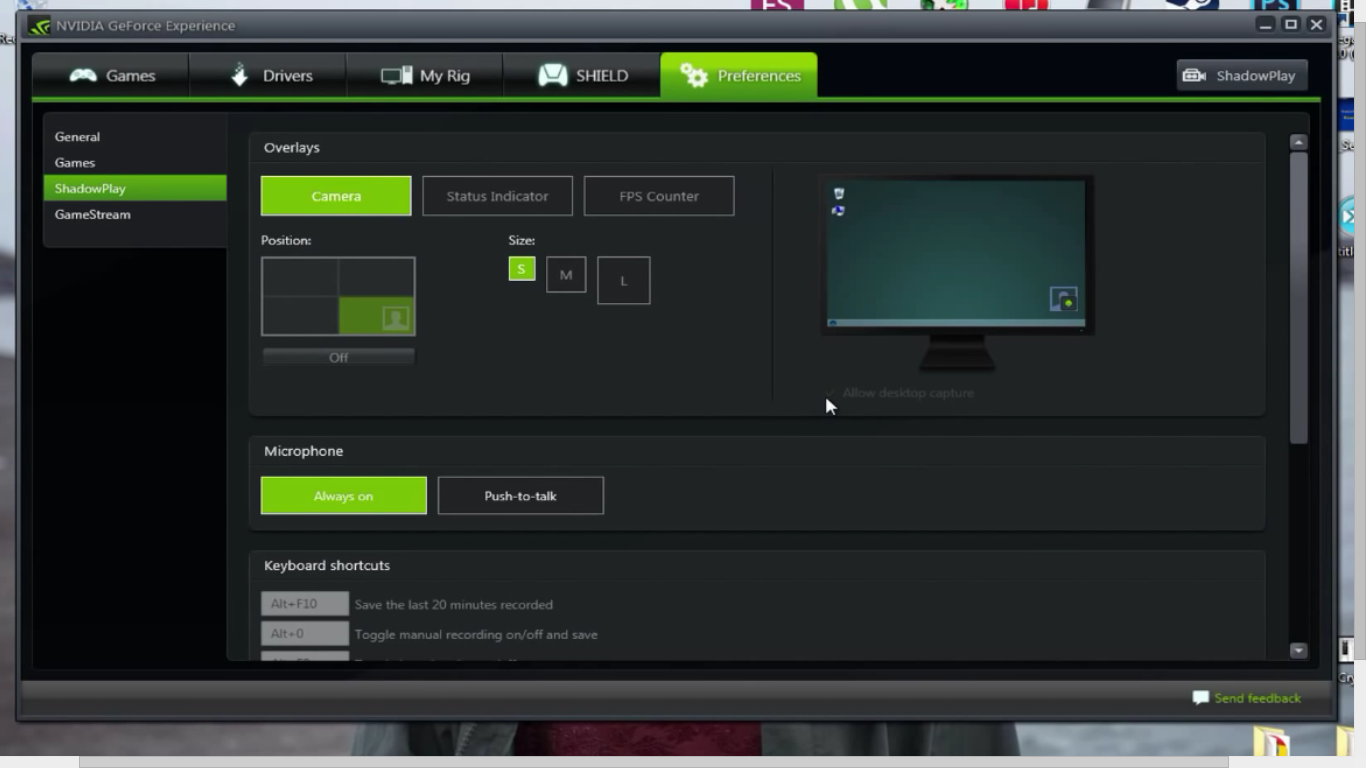
  • Click on the “Allow Desktop Capture” option which will activate it.
putlocker alternatives,best putlocker alternatives,putlocker rs

Now Nvidia ShadowPlay will directly record your Windows desktop screen and record anything running on the screen. But in this mode, the “Shadow” recording and FPS counter will get disabled.

Besides recording, you can stream the in-game screen too. In the recording tab, you may wish to enable streaming (or broadcasting) which will stream the game simultaneously to your viewers. You also have the option of including your cam feed.

Nvidia Driver’s ShadowPlay is the ideal alternative to Game Overlay from Windows or Twitch. You just need to have a graphics card and you can easily share the recorded footage with the world. But as a downside, it is reported that Nvidia GeForce slows down gaming performance by as much as 10% depending on the hardware. With more development coming in, we can only expect the service including the Nvidia Control Panel to get better.

What makes Sony and LG two of the most popular electronics brands in the Indian market

0
putlocker alternatives,best putlocker alternatives,putlocker rs

The Indian marketplace is full of variety when it comes to electronics, with tens of brands offering a range of appliances such as smartphones, music systems, laptops, TVs, washing machines, dishwashers, ACs, refrigerators, tablets and more. However, despite several brands offering quality products at a competitive price, Sony and LG certainly come out on top. To understand what makes them a popular pick amongst Indian buyers, here is an overview of a few of their standout features.

Sony

A Japanese company, Sony’s goal is to fill the world with emotion through the power of creativity and technology. It has done so through its vast range of consumer electronics, be it smartphones, music systems, laptops and TVs that all offer an excellent user experience and immense customer satisfaction. Take a look at some of the exceptional features provided by Sony through its various electronic offerings.

Excellent sound quality

Sony music systems are designed to provide you with theatre-like sound quality at home. Whether it’s mega bass or noise control that cancels out external noises and disturbances, Sony offers features that make your audio experience richer and cleaner. The wireless headphones by Sony, for instance, deploy an effective noise cancelling technology. This means that you can listen to every note of a song clearly, even if you’re commuting via crowded public transport. Fortunately, the brand offers an unparalleled sound experience via its smartphones and Sony TVs as well. 

To get a taste of the excellent sound capabilities that Sony has to offer, consider investing in a Sony 2.1 Dolby Atmos single soundbar (HT-X8500). This sleek Sony music system is non-intrusive, but packs a punch. It powers your audio output with its built-in subwoofers, and creates a 3D sound experience via its vertical engine. Apart from various sound modes, the soundbar also connects to a Sony TV via Bluetooth. If you’re keen on pairing the Sony soundbar with a Sony TV, consider models such as Sony Bravia OLED A9G TV.

Superior motion handling

Sony smartphones and TVs are the perfect choice for gamers. The motion handling feature in both these electronics lets you play high speed games or videos without missing out on any of the effects. This means that you get a clear, high resolution image at all times, even when you’re watching a sporting event or a high-speed chase sequence, without any trace of distortion or blur. To view Sony’s superior motion handling in action, pick the Sony X9500G TV, with X-Motion Clarity that offers unparalleled precision when it comes to image movement control.

LG

In India, LG TVs are just as well-known as LG washing machines and refrigerators. In fact, LG is also the world’s best-selling OLED brand. With innovations that not only offer convenience to the customers, but are also environment-friendly, LG is an ideal choice if you are looking for a brand that promotes a smarter way of living. Take a look at the key features on offer when you pick an LG appliance.

Environment-friendly

LG washing machines, refrigerators and even ACs are designed keeping minimal energy consumption in mind. This not only allows you to save on your electricity bills right now, but also helps you to reduce your carbon footprint in the long run. 

Certain LG washing machines, for instance, are known to use less water without compromising on the wash quality. If you buy the 21kg/12kg twin load LG washing machine (F0K4CHK2T2_F70E1UDNK1), you can not only launder various types of fabrics without compromising their integrity courtesy of the 6 Motion Direct Drive technology, but also make use of the twin tubs to run two wash cycles simultaneously. Most importantly, however, you can dry your clothes via Eco Dry or Normal Dry modes. Both modes offer quick drying without consuming excessive amounts of water or electricity. 

User-friendly

Another feature that makes LG a preferred brand amongst Indian consumers is the fact that its products are extremely easy to use. Whether it is an LG washing machine or an LG TV, the company is known to offer a user experience that is smooth and intuitive. Take for example the many smart LG TVs available in the market today. LG’s WebOS is considered to be one of the best in the market, because it’s easy to navigate and has a short learning curve. Moreover, whether you pick a high-end or mid-range LG TV model, you can enjoy the complete, unedited WebOS experience.

Additionally, LG TVs such as the 65SM9000PTA TV come with a Magic Motion Remote that is powered by Bluetooth. This unique technology improves the remote’s efficacy, allowing you to operate the TV from any corner of the room. Similarly, the mobile connection overlay programme improves your experience as a viewer by letting you view content from your phone on your LG TV’s screen, while parallelly viewing a TV programme on the other half of the screen!

With such beneficial features on offer, it makes sense to furnish your home with electronics from these brands. You can now purchase a Sony or LG home or personal appliance of your choice through the Bajaj Finserv EMI Network, by shopping online or offline, via No Cost EMIs. With financing of up to Rs.4 lakh available to you, repayable over a flexible tenor of up to 24 months, you can buy appliances, gadgets, apparel, accessories, groceries and much more, while enjoying exclusive deals, discounts and cashback.

The straightforward application procedure and minimal documentation requirements make this shopping Network all the more beneficial. You can simply pay via the EMI Network Card, and if you don’t have one, you can apply for instant, in-store financing by visiting a partner store. To kick start shopping for products from LG and Sony, remember to check your pre-approved offer from Bajaj Finserv. It’s the easiest and quickest way of accessing the finance you need to complete your purchase.

Cheap and Qualitative Ink for HP Printers. Which One To Choose?

0

If you want cheap ink that offers excellent quality, then you may think you are in for an impossible search! However, there are ways to get the quality you need for the price you want, and we are here to help you. Our hints and tips will take you through a range of ways that you get the best ink for the best price, read on to find out more. 

HP inkjet printer cartridge

Bulk Buy To Save Cash

One of the easiest ways to save some money is to buy your printer ink in bulk. Many stationery stores will offer a percentage discount depending on how many units you buy, so it is well worth stocking up if you get through a lot of ink. Remember that ink comes with a best before date so only buy what you can use within the timeframe; otherwise, you will end up out of pocket. You could also consider bulk buying with a friend that has the same printer as you, meaning you can get a bigger discount but split the cost of what you buy in two, or three or more.

Shop Around for Great Offers

The other way to get cheap ink is to shop around when you need a new cartridge. HP often offer large discounts to their suppliers who, in turn, will offer some of those savings to their customers. This can be in the form of a special offer or a buy-one, get-one free style offer. Either way, it is worth shopping around all the local stores to check out what offers they have available to you.

Buy Replacement Ink 

Another very popular option at the moment and one that will offer the biggest savings is to buy replacement ink instead of genuine ink. This involves finding a reputable seller like Smart Ink and then ordering your inks directly through their website for delivery. The great thing about the replacement service market is that it is very competitive, and you can often find great prices for ink that is just as good as the genuine cartridges you have been buying to date. For example, if you opted to get an HP 564 cartridge from an ink replacement service, you can expect to save over half on the price of it in comparison to the genuine ink on sale. This is not a bargain to be ignored!

Summary

In summary, there are many ways to get hold of ink that costs less than you are currently spending. However, you need to decide whether you want a small, medium or large discount! Small means buying in bulk to get a percentage off, medium means shopping around for price offers at the local store and large is opting for a replacement ink service that delivers high-quality ink direct to your door.

If we had to choose for you, we would say the biggest discount is also the best option as replacement printer ink is as good in terms of quality but will consistently save you more than any other money-saving method!