Home Blog Page 25

Twitter’s Big Announcement: The New Verification Process Will be Shaped By Public Feedback

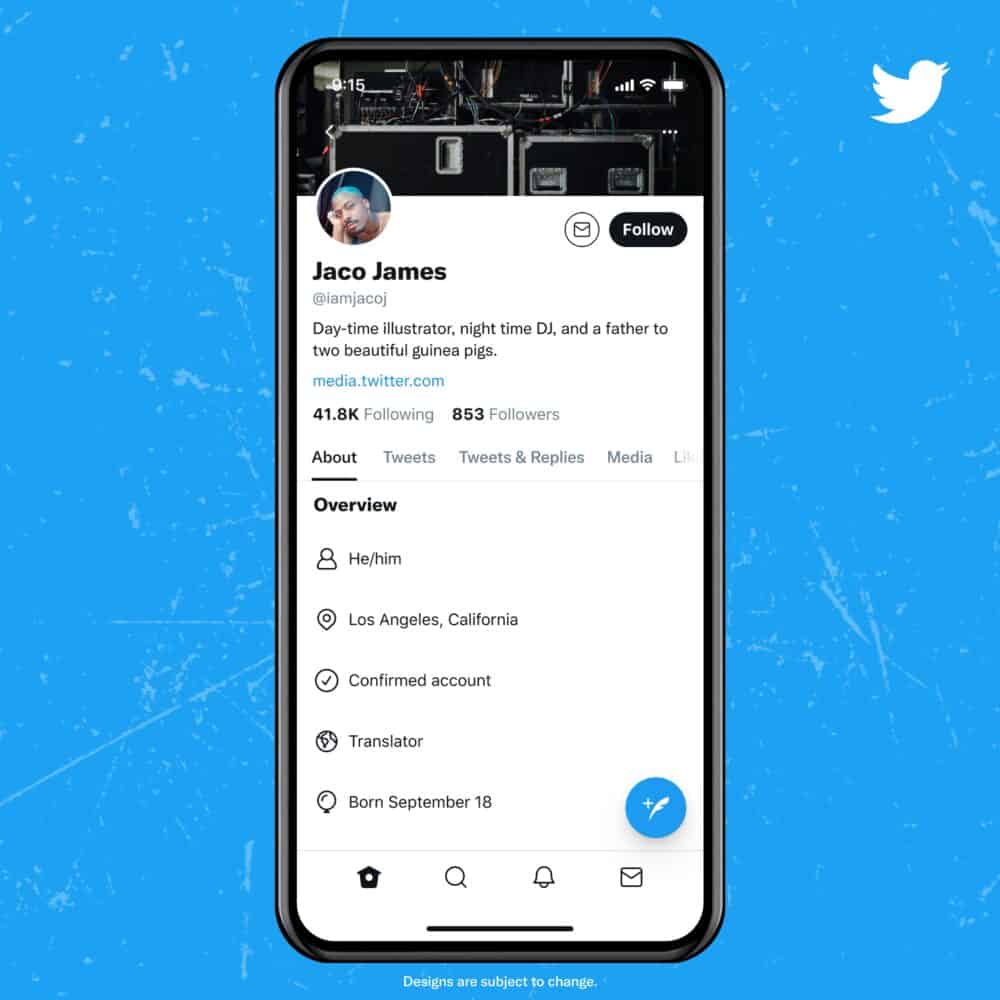
Here’s a big update for you, The Twitter Users.Twitter has recently popped up with some new methods via which one can get a verified account. They have introduced a new verification application which is moulded by the feedback provided by the public users of Twitter. This particular rollout has paved  the way for getting more crystal clear and reliable reason for verification.

twitter

With the help of blue badge the users can easily detect the legitimacy and genuineness of the specific popular accounts of Twitter.  This will also allow them to know with whom they are really interacting. So, in order to bring them  to the users they have initiated its conduction of verification procedure via a policy sculpted by the public feedback.

The new guidelines are released by Twitter to ensure and inspire the verified accounts to have positive discussion in the community which will prevent the ill mindsets of the people going through the conversation. They have also introduced the rule that if the verified account of the Twitter users continuously breach the official rules, they will lose their blue badge from their conversation and will never be allowed to gain that again.

Eligibility Criteria for Verification:

The following categories are listed below in which you must have one category in order to get verified:

  • Companies, brands, and organization
  • Government
  • News organization and journalist
  • Entertainment
  • Activists, Organizers, and other influential individuals
  • Sports and gaming
twitter verification

Beside that category specific eligibility norm mentioned in the verification policy, the account should also contain all information like profile image, profile name, email address( confirmed), phone number. One more thing which is noteworthy to be mentioned is that the account should remain active from the last six months and should have been adhered to by the rules of Twitter.

Steps to Get Account Verified:

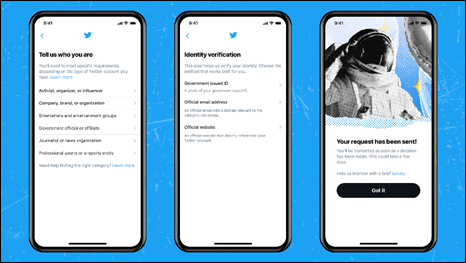
You will soon be able to see the update made on Twitter in the next few weeks. You can find the verification application in the Account Settings tab present in the app.  The application will be available in different regional languages like Tamil, Kannada, Bengali, Gujarati, Hindi and Marathi

After filling and submitting the verification application, you will receive an official email within one month. This will let you know whether you were able to stand out the eligibility criteria offered by Twitter or not. 

teitter new update

If you are considered qualified by Twitter they a blue badge will automatically pop up in your profile making it verified in appearance. If Twitter has emailed you about the decision that they have made on the initial application, then you can also apply again after 30 days for verification. 

I hope this article has helped you in gaining all the information required regarding the official new verification update done by the Twitter.

How To Fix The Uplay “Connection Lost Error” Bug In Just 5 Minutes?

uplay

Uplay is one of the most recognized downloadable gaming software as it is the portal for the majority of the Ubisoft gaming. It was developed by Ubisoft which is used for gaining rewards, purchasing as well as downloading games or even for buying third party titles. Some globally popular games like Watch Dogs, Assassin’s Creed, For Honor, Far Cry 5 etc are available here.

But users of Uplay often get bumped into such issues like connection errors. If you are the one with the same problem, then this is the perfect article for you to get your issues to get resolved. So, in this article we will be discussing all the official solutions provided by the Ubisoft for the troubleshooting of connectivity issues.

How do I fix Uplay Connection Lost?

There are a couple of verified solutions that you can try out for resolving such issues. In here I’ll be discussing the 6 pathways which will guide you to troubleshoot the connectivity issues. So, let’s start discussing this one by one:

First Solution: Offline and Proxy Mode:

Before heading forward we have to make sure of the fact that the Windows is not using any of the Proxy settings. Beside that also check that you have disabled the Offline Mode. Now, you can follow these steps:

  • In the top left corner you will find the menu icon, click that
  • Then click on settings
  • Always start Ubisoft Connect in Online Mode should be checked
  • No select the option of Change Proxy Settings

After conducting all these steps you will be able to see the window of the Windows Internet Options which allows the user to manage OS Internet Options.

Second Solution: Forward the Port:

This is an approved solution for the users who are not able to close their firewall. In that case you can forward the network ports to the computer which will end up in the completion of the configuration of the firewall or router.

There are certain sets of rules which need to be performed for the specific configuration of network ports. Either it is hardware or software, you can fix the problem by visiting here

Third Solution: Software conflict:

The outdated versions of Windows Firewall may be responsible for such errors. In that case you have to make sure that the Windows firewall is updated. If your problem continues, then check these steps out:

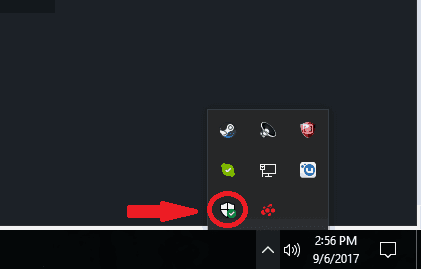
  • In the taskbar you have to click on the upward arrow symbol, there you have to select the Firewall icon which is present at the bottom-left part of the small pane
firewall
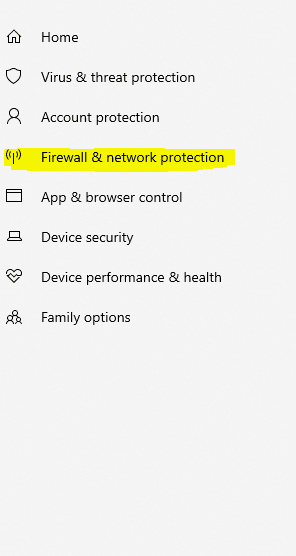
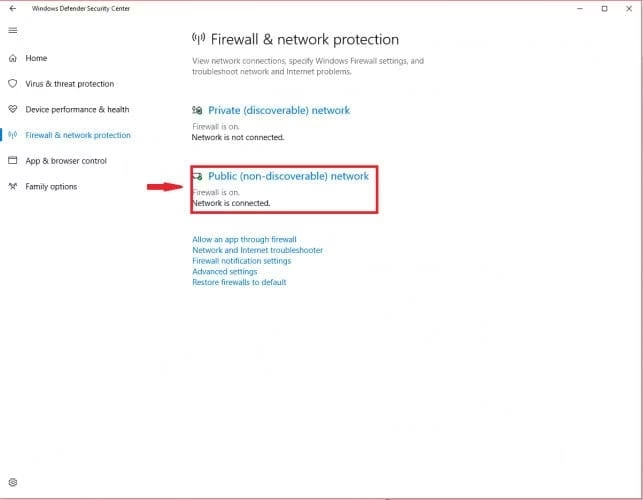
  • Now a window will appear named Windows Defender Security Center. There you need to click on option Firewall & network protection.
firewall and network
  • Among the list of choices, choose a Public (non-discoverable) network.
public
  • Navigate to the Windows firewall and switch it off

Note: It often happens that due to the installation of some other antivirus applications you are facing the connectivity issue. So, you need to take care of this matter if you want the smooth performance of the Uplay via the local network. 

It is also advisable for you to close the VPN or ICS programs running in your system because it affects the network connection of the Ubisoft games.

Fourth Solution: Background applications

The applications running in the background can cause connection errors on Uplay . Hence, before initiating the game make sure all the background applications are shut down. Other than that you have to follow these steps:

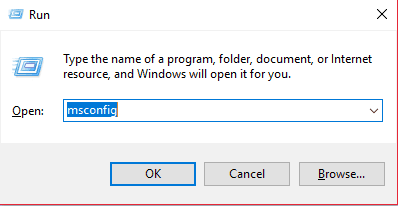
  • Open the Run window by clicking Windows button + R key and then type msconfig in the Run dialogue box.
run box
  • Now click OK or press the Enter key.
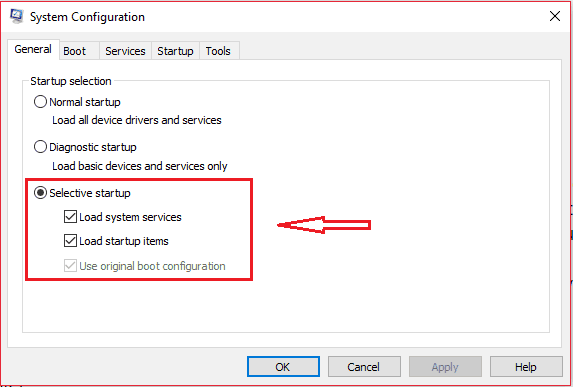
  • Windows named System Configuration will appear.
  • You have to choose the Selective startup option present as the last one.
  • Here you have to uncheck the box named as Load startup items 
  • Finally you have to click on the Apply tab and then OK
startup
  • Restart your computer to see the changes

Fifth Solution: DNS Files:

This is the location where all the IP addresses of the recently visited websites are stored. Sometimes, it happens that because of some corrupted files, your internet connectivity issues happen.

Steps:

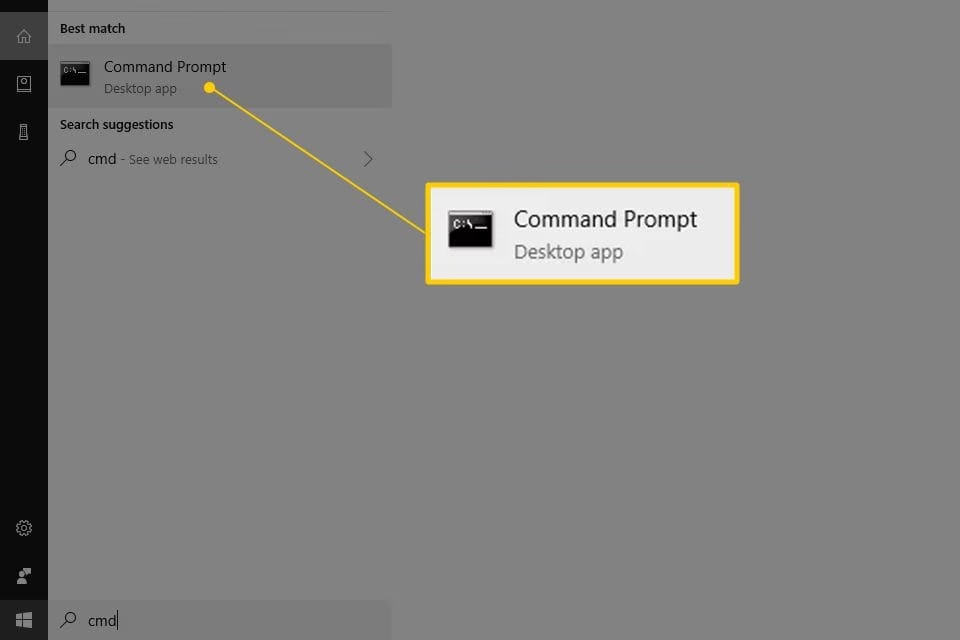
command prompt
  • Now click on that to open that application in Windows.
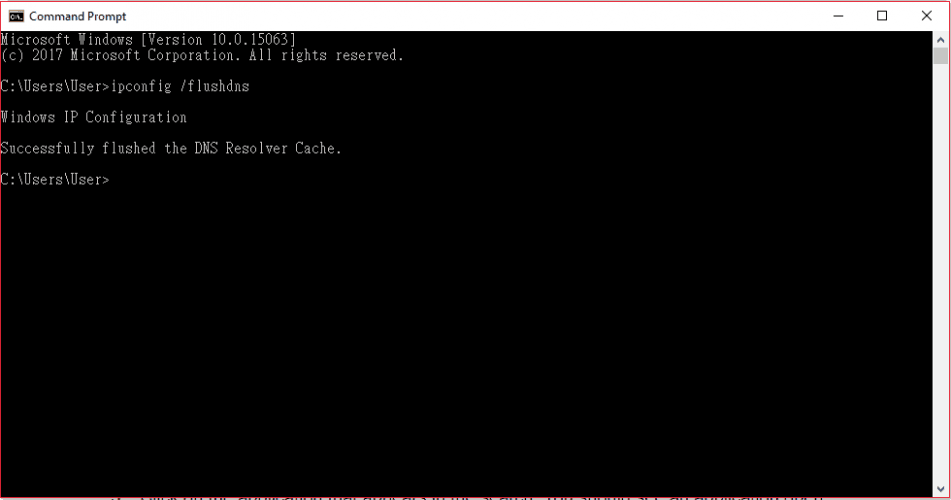
  • After that you have to type there: ipconfig/flushdns
cache
  • Tap on the Enter button.

Sixth Solution: Reset the host files:

Just like the problem discussed in the fifth solution, the same issue can appear with the host files too. Its important for you to reset the host files in order to overcome the internet connectivity error:

Steps:

  • You have to download all the default host files.
  • Now, you can easily extract the files and can copy it in the folder named C:WindowsSystem32driversetc
  • Finally click the Replace tab

Hence, using all these solutions will help you to overcome the uplay connectivity issue. Even after carrying out all these procedures in your system, the problem continues, so you can contact Ubisoft.

The Most Effective Method To Gift Robux to your Friends In Roblox + How to Earn Free Robux in 4 simple ways

0

Roblox is a completely free gaming hub for people of all ages. It allows anybody to use the Roblox app to build his\her very own game from scratch for everyone else to enjoy. That is, people can participate in a seemingly endless variety of distinct realms, that are all different sorts of gameplay modes made by other individuals of the community.  Roblox was initially published for Desktops around the year 2005, and then the worldwide release was in 2006.

roblox gift card

A lot of my friends and myself alike have had our fun on the platform, creating spoofs, original games and just enjoying the different possibilities. We’ve mostly used it for playing games with each other and a very important aspect of the game is its in-game currency, Robux.

What exactly is Robux in Roblox?

Robux or as called previously  R$ is the sole in-game currency accepted in the Roblox world.  Tix, another in-game currency,  was subsequently deleted, making Robux the worldwide payment method of Roblox. All things in the character store, including player-created apparels and accessories, may only be purchased and sold with Robux.

roblox

in-game, this cash may be used for nearly everything. To summarize, Robux is cold hard cash in the game that serves as The only way to make purchases on the platform.

You may obtain various permits, gain exclusive access to content, and also gift Robux to others or pals. Getting this cash as a gift allows others to use it to purchase various things on the platform.  

But this sometimes can be tricky for new users or even veterans to understand. To help you, we have created a step-by-step instruction guide on how to do this, the quick and easy way!

(Psst Read till the end to find out how to earn some free Robux!)

How to Gift Robux to Your Pals

Effective Method To Gift Robux is what most of you must have amassed a huge fortune of Robux by playing Roblox for quite some time and now you’re looking to help a friend out who’s just starting out., Whatever your reason may be, you need to know the heartbreaking news that there isn’t any transfer method that will send your Robux to your pals account directly. But don’t worry, you may gift the Robux to your buddy using the most popular loophole that players have been using for a long time.

T-shirts. Yes, you read that right T-shirts. Players of the game utilise several methods to get Robux, one of which is to sell products most popularly T-shirts which came to be known as Donation T-shirts, Thanks to this trick. Players sell apparel and receive money in return, It’s that simple! Here’s a quick 5 step guide to show you just how easy it is:

1) The very first step is to request that the user keep certain products to sell in order to obtain the Robux. It is only feasible if the individual has a paid Builder’s Club membership. Request that he or she designs a piece of clothing and upload it to the catalogue, together with the pricing as well as other specifications.

2) Request that your buddy provide the product(s) names so that you may browse for them immediately in the Roblox catalogue. Once identified, donating Robux and purchasing the Donation Shirt is simple.

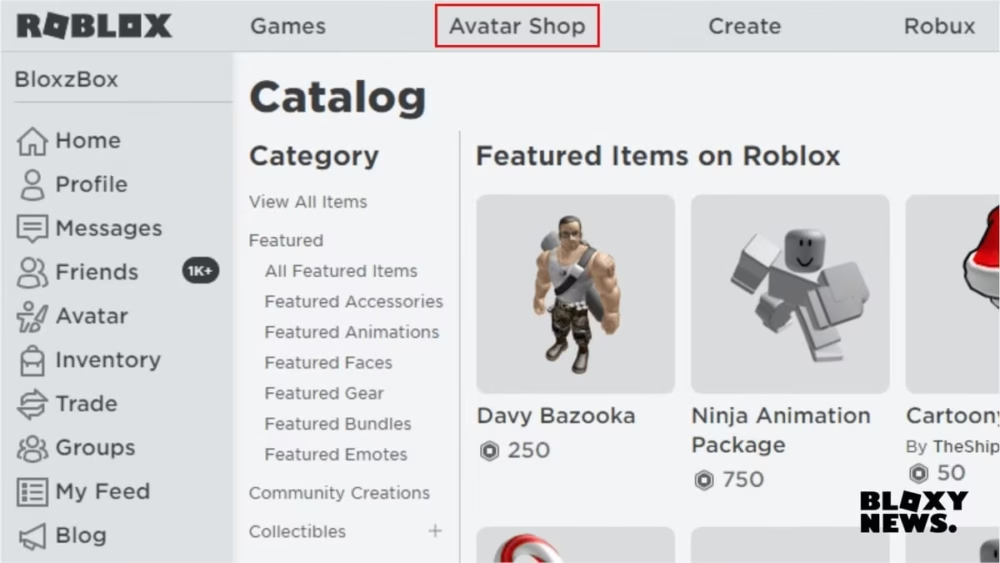
3) log in to access your Roblox account. Select the “Catalog” or “Avatar shop” option from the navigation bar.

avatar shop

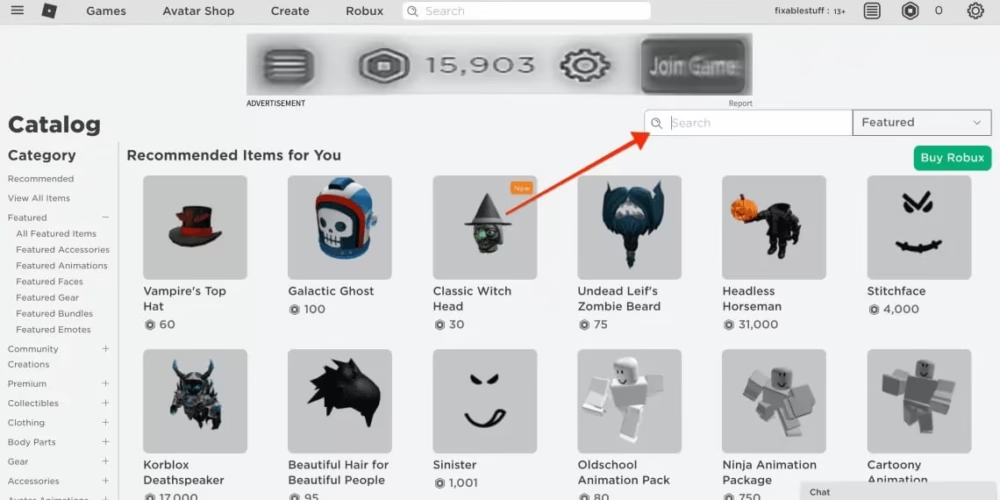
4) In the search bar, type in the name of the product as given by your friend and choose the item that your mate has developed.

avatar shop

If you encounter any difficulties or errors throughout the purchasing process, you have the option to approach the Roblox Helpdesk via email   Kindly ensure that you use a stable connection to the internet before proceeding with the transaction.

And that’s it! In contrast to accepting gifts, you need not need to have a builders club account to donate Robux. Using this method, you may buy various products on Roblox from your buddies and other users.

Sending Robux to a Friend Who Doesn’t Have a Builders Club Account

To be frank, it is quite a challenging task because a third party is involved. You need to know a group admin whom you can trust. Ask them to join your buddy, then sell a donation T-shirts or something similar, and afterwards request the admin to send the proceeds to your buddy’s account.

How to Earn Free Robux

A lot of scammers make their livelihoods by advertising free Robux and scamming people. But there are some genuine ways you can use to earn free Robux.

  1. Designing Your Own Games

Roblox has a plethora of resources that could effortlessly assist you in generating new projects without learning the technicalities necessary for making games. Build a game of your desire, post it on Roblox, and you will receive a good sum of profit for every registration.

  1. Making Use of the Roblox Affiliate Program

Roblox provides its customers with an excellent Affiliate network through which they may earn Robux simply by inviting players to buy particular things via their personal URL. It is the quickest way of gaining free Robux.

  1. Subscribing to Roblox Premium

This will cost you money, but believe me when I say that buying Roblox Premium is the greatest strategy to make Robux.

  1. Getting Robux Through Surveys

Surveys may assist you in obtaining free Robux by just performing specific activities or completing a questionnaire. You might try out several online survey sites like Lovelyclaim.com, Surveymonkey.com and the like.

End Note

Due to the pandemic, Roblux has grown to be one of the most popular games of the decade with over 190 million active players worldwide., Roblox is undeniably growing in popularity, and many users are unaware of how they may quickly gift the Robux cash to their buddies and others. Although the procedure of donating Robux is not difficult, many people experience difficulties while offering Robux to their gamer friends. We hope you enjoyed reading this post. Until the next time!

How does Roblox premium work?

Joining Roblox Premium has several benefits. One of them is that you get a monthly Robux allowance as well as a 10% bonus when purchasing Robux. You’ll also get to take advantage to Roblox’s economic features, such as purchasing, selling, and exchanging items, as well as a larger income portion from all transactions in your adventures.

How does a Roblox account get hacked?

Hackers use the most obvious forms for an individual’s account to be compromised. One of them is by filling out surveys and entering their Roblox login and password details. New players usually fall for this scam and lose their accounts.  It is suggested that you  Do not enter your Roblox login details if a survey or a non-Roblox website asks for it.

How to create a Roblox id?

Creating a Roblox id is pretty simple. Users can just go to Roblox’s official website, create an account, download the game and start playing!

35 Unique and Amazing Zoom Games That You Must Try Out With Your Student

0
zoom

This  COVID pandemic has led us to switch on to the online mode. We as adults can do our work efficiently and with concentration. But for the kids, they find these online classes quite exhausting. Here’s Zoom which has initiated the best entertaining as well as brain developing games, so that they don’t get monotonous with their continuous study. In this article you’ll find the list of games and joyful activities that you must introduce them with and make your session more engaging.

Top 35 Zoom Games That You Must Try

So let discuss the games in detailed version that is available in Zoom:

The A-Z Game:

A to Z

This is quite a cool game for the kid to play and learn simultaneously. In this game students are assigned a topic, and then they have to come up with the number of possible words. They can also use one word in alphabetical order. Let’s give you a hint of the game: Suppose the topic is of animals: A for Alligator; B for Bear; C for Cat; D for Dog.

Guess the Sound:

guess the sound

This game can contribute to enhancing the listening skill of the students. All you have to do is play the sound and ask the student to listen to it carefully. Then record their response all together and play it in the end. I think the kids will definitely love this game, so give this a try.

Would You Rather:

would you rather

It will help you to upgrade the interaction between you and kids. You can ask the kinds of funny or interesting questions that they’ll like to answer. Some questions that you can ask are:

Would you rather be a police or doctor?

Would you rather like to dance or sing?

Would you rather want the weather to be snowy or rainy?

I Spy:

i spy

It is fascinating games for the kids to be played with. You just have to spot out something in your background or other student’s background and then have to say I spy black. After that they have to identify the objects. For example: I spy black object in Jack’s background which is soft in texture.

Logo Quiz:

logo quiz

You can play this game with higher standard students. In this game you can use the logo of some brands and companies, and they have to identify it. This will motivate and encourage the student to search all these logos and gain the knowledge about it.

Whose Weeknd:

weeknd

Students have to write down the list of activities that they did on the weekend and send that in the teacher’s private chat. After the completion of this task by all the students of the class, the teacher will read out in front of everyone. Now the students have to guess whose activities they are.

Stone, Paper, Scissor:

stone, paper, scissor

We all have physically played this game, so the kids will be very comfortable with this one.The positive part is that this rock, paper, scissor game can also be played online. You can pair up the students into teams and initiate the game:

Hangman:

hangman

This is quite a refreshing game and a new game that I guess only few of us know. I like this game too because besides playing it also elevates your vocabulary. In this game, one player has to think of a word and let their rival know how many letters there are while the other has to identify it. Each time you lose the opportunity, one drawing part of the hangman gets highlighted. 

Zoomed In:

zoomed in

The students have to record their responses for the zoomed in photos. After the whole class has done it, share the recorded responses with them. The one with the most correct guesses will win the game.

Mad Gab:

mad gab

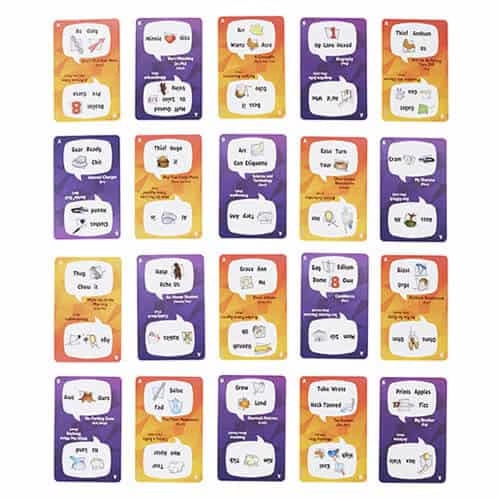
This is a game of puzzled words where if it is said fluently then it doesn’t make any sense. But when it is said in a slow tone then you will be able to figure out the actual phrase. For example: Ease Ace Life Ox: He’s a sly fox

Kahoot

kahoot

This is a fun and challenging game at the same time. Kahoot is a multiple choice quiz game which works on the specifications provided by the mentor. It is a brainy game which will help you to have fun and gain knowledge synchronously

Odd One Out:

odd one out

This is a simple and interesting game where the kids separate the odd one out from the list of items of a particular category. It will help the kids to know why the item is being omitted out from the particular section. Example: peach, apple, banana, snake: where the snake is left out from that category of fruits.

Charades:

charade

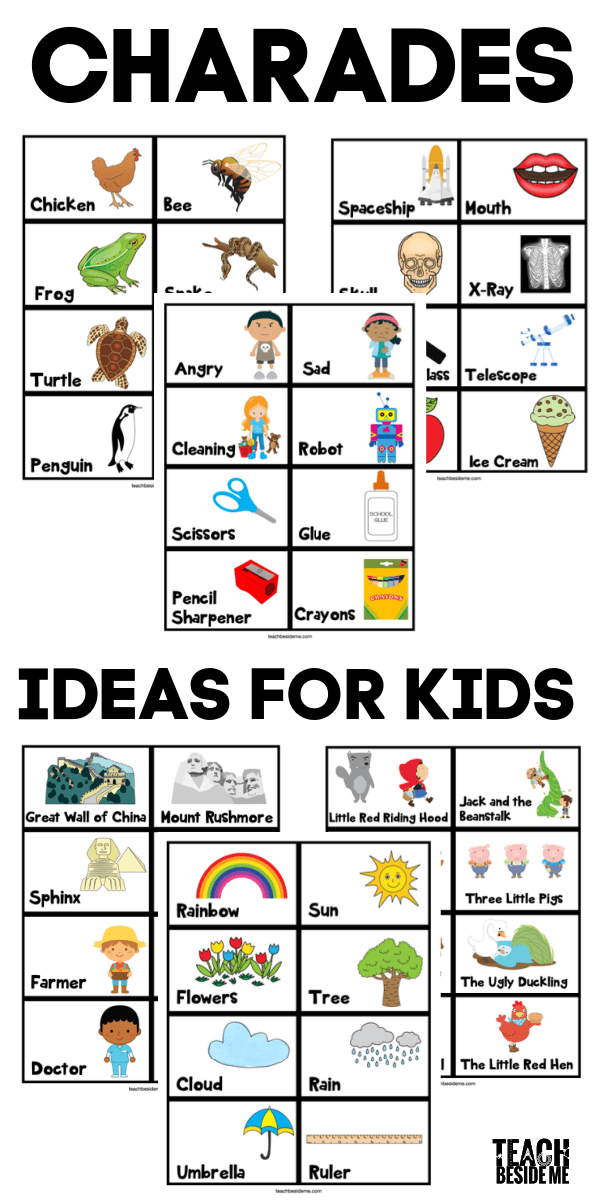
This is a game of hand gestures where you don’t have to use any words. You can use signs to indicate particular things and the other kids have to identify them. This is a great game for upgrading your vocabulary or the concepts taught in your class

Pictionary:

pictionary

Pictionary can be played with the entire class at a time. All you have to do is to create teams. One student will draw an image on the screen while the students of other teams will identify it. The winner then will be allowed to draw next. This game can be played in both online and offline mode.

  1. Sharks and Fish:

Here the two groups named Shark and fish are put into action. In this game the fish has to allow the sharks and mimic their actions. This will be great fun for the kids to play and stimulate their brain cells. You should try this out.

Person, Place or Thing:

shark and fish

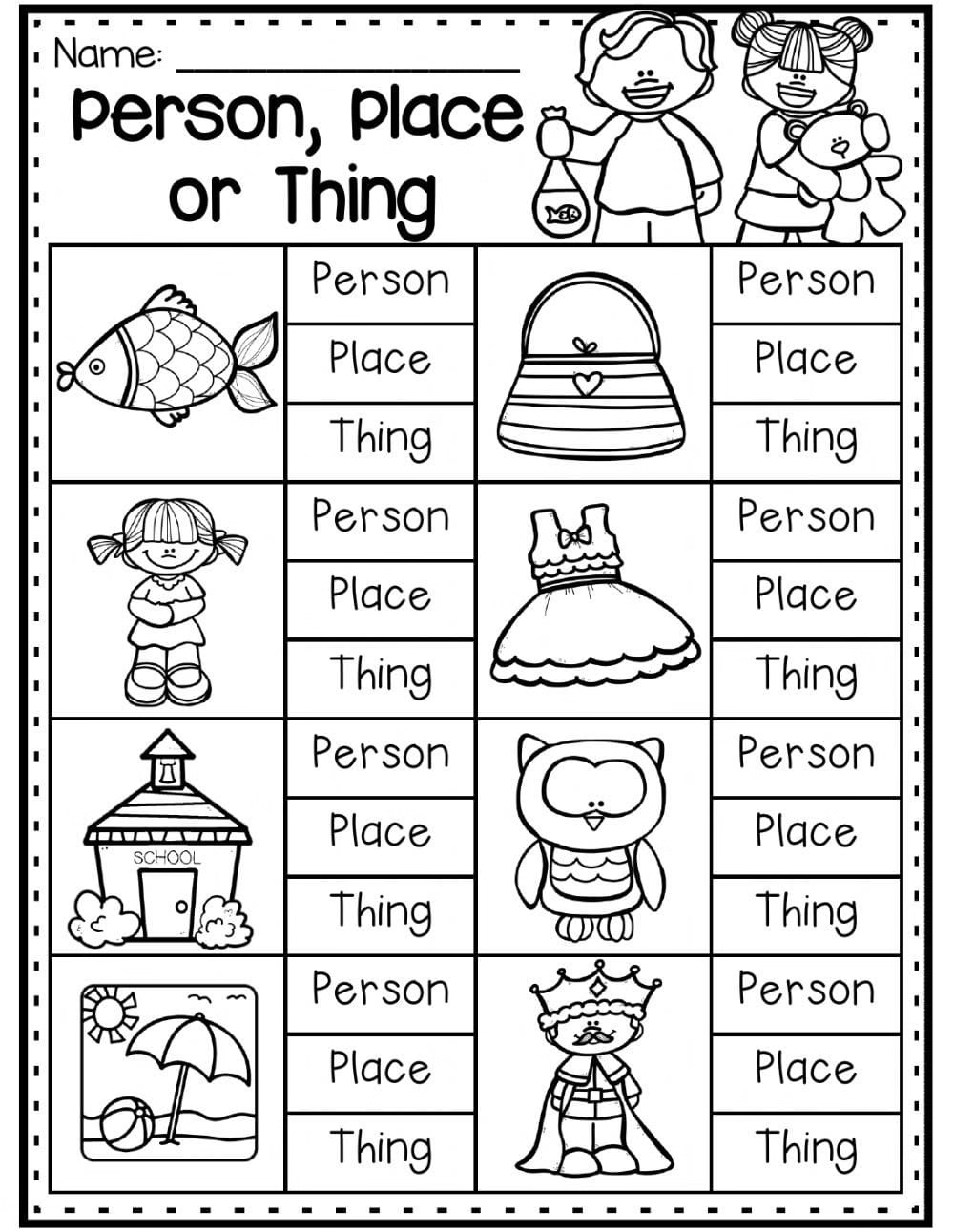
These interesting and brain kicking games are very useful and entertaining for the kids. All they have to do is start off with the A alphabet and name the person ( you can even expand to living things in this section), place, thing with the same letter. While the other player can start with the letter B. This can be continued till the player reaches the letter Z. 

Tic-Tac-Toe:

tic tac toe

It is quite a famous game among children. This is probably one of the games to play on zoom with students. You can pair up the students with other students of the class. They can select their sign and can compete with each other by creating horizontal, vertical or diagonal rows. The winner of this round will become eligible to play with other students.

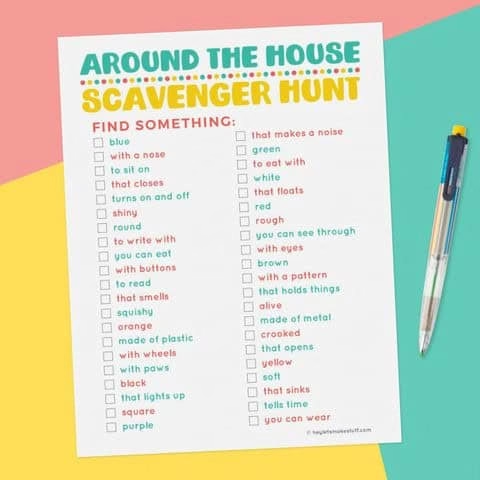
At Home Scavenger Hunt:

scavenger hunt

The Zoom has the perfect game for engaging the students in being a detective for a while. Allow them to find the items and at the end ask them to share their findings.  The ZOOM scavenger Hunt available on Zoom is the ideal option for this game. 

Freeze Dance:

freeze dance

You can even conduct this cheerful activity on Zoom with your students. You can play songs and they have to dance. Now as soon as they pause the song they have to stay frozen, the student who fails to do that will be disqualified. 

The Name Game:

the name game

This is great for teachers who can know how much their student has grasped the concept at the end of the day or not. The teacher can insert the name on the digital whiteboard and the students have to name the other three that were taught on that day. Try out this fabulous game for boosting  up the brains of your students.

 Jeopardy:

jeopardy

This is a game creation space where the teachers can create multiple choice, question answer, puzzles, true or false and jumbled words for the students based on several academic topic of different subjects like science, English , history and others

Boogle:

boogle

This is another brain and mind refreshing games to play on zoom with students. You can create the words with the help of the adjacent alphabets. The winner will be the student with the longest word. 

Gimkit:

gimkit

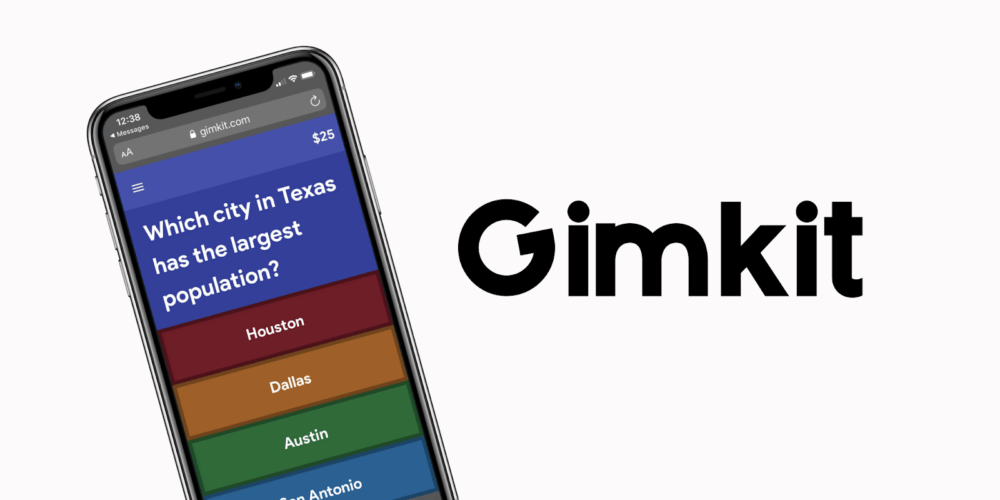
 You should try this game because of its cool features. I can assure you that kids will love this game and it is even very captivating. Here the students have to answer the questions and in return they will be able to earn money. This collected money can be useful in buying up the shield and power ups so that they can protect themselves from the competitors.

Scattergories: 

scattergories

In this game the students will have to name the elements with the recommended letters and the category provided to them within a certain period of time. They can type their answers in the chat selection of Zoom and send it when the time ends.

Mingle:

mingle

Conversation is one of the required skills which everyone should have. But this pandemic has become the hurdle in the path of interaction. So in order to provoke that skill, you can initiate this game in your session. You can ask your students some interesting and funny questions.

20 Questions:

20 question

Firstly select the topic on which the questions should be used. It can be of places, events, or other. Then the students. One student can be assigned the task of keeping the tract of the number off questions asked.

5-Second Rule:

5 sec rule

This is quite a brain awakening game where the students have to answer the questions within 5 seconds. The question can be naming 2 animals, or science fiction books, movies and other. they have to name objects or items according to the asked categories. 

Heads or Tails:

head n tail

You have to ask the students to decide head or tail and then flip the coin. If heads come then that team wins while the tail one gets disqualified. You have to now continue the same process with others too. In this way the remaining student with the head wins.

Two Truths or lie:

truth and lie

 This is a great game for the kid to play in teams. In this, each student is asked to tell two truths and one lie about themselves, while the other team has to detect which of the following statements is a lie. In this way the students will get to know each other more.

 Where in the World:

where in the world

 Geoguessor is also the best platform for the kids to play and gain knowledge. Here the students can study about the theoretical concepts of the places around the globe. Then they have to select the right answer. Play this game with the link presented below

Word Association Games:

word association

This can turn out more appealing  for the kids. Along with playing games they will also be able to recapitulate the older concepts. You can start with a word and then they have to say the associated words with it. You can even play this game in offline mode too.

Simon Says:

simon says

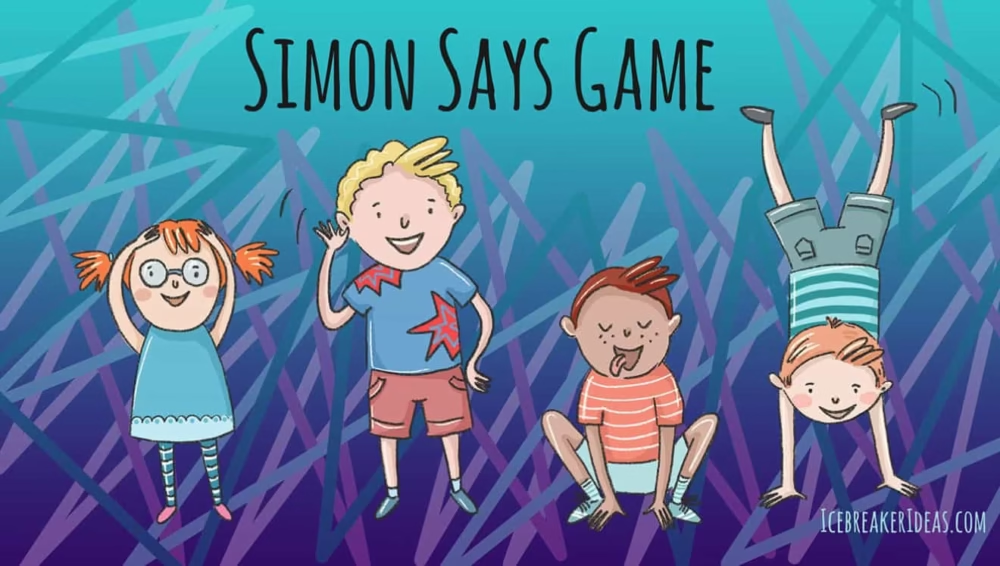
This body movement game is loved by the kids and can also be conducted by the teachers to see who is alert in the class. The teacher says” Simon says to stand up” or “ Simon says to wave your hand in the air” and after that the students have to follow the instructions and do it accordingly.

Digital Escape Rooms:

digital escape rooms

You can use this game to enhance the skills of your student. Here the student can give a test where the teacher can include all the important steps, points, facts or ideas required in order to master it. You can create the number of rooms as you desire. 

Taboo

taboo

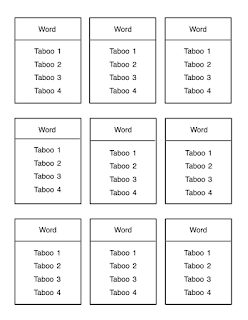
To play, please use the keywords above and the tips for taboo words listed below. The goal of the game is to allow players to challenge their teammates to guess as many keywords as possible in 60 seconds without saying any prohibited words listed below. 

Compound Word Quiz:

compound word

Check out this awesome game for your students. You can keep students engaged in grammar classes by helping students learn words and phrases in a unique way related to games. After this interesting word game, let students develop their own compound words to share with the class.

All these games are considered as the ideal games to play on zoom with students. Try out these games with the link mentioned along with the game description. I hope this article was successful in providing you with a filtered list of oceans of games available. You can definitely they this game and also recommend other teachers too.

A Quick Guide To Fix The Kindle Devices That Aren’t Getting Charged

kindle

Are you dealing with the drained battery life of Kindle devices? Then this is the perfect place to figure out your issues. Generally Kindle devices are widely recognized for its long-lasting battery life but sometimes it’s charging issue can give you a headache too. It is very crucial to carefully use your Kindle devices and if it is in good condition the battery can run 24 hours without charging it. It can even run for a whole week if it is kept in standby mode. All these features make it really captivating for the users by providing them precious reading moments. 

If you are encountering the empty battery screen or some other issues, then you can try to fix this out by the following ways mentioned below:

What are the problems that you can face?

The problems that you can face majorly are like these types:

When the Screen constantly shows Charging Mode:

You can fix it either by plugging in and out or by pressing the power button. Suppose all these don’t work then you can simply restart your device.

charge

Critical Battery Glitch:

If you have overused your Kindle device or you haven’t used it all then you may receive issues like a critical battery screen where it is notified to you that your battery is empty. It can be resolved by plugging in your Kindle device into your PC or with an adapter. After the indicator light turns on then charge it until it shows fully charged. 

critical battery

Battery Over:

In case your Kindle device has not been used over a long time then this type of error may occur. So you should at least try not to let your device battery run down by charging it once or twice in a week even if it is not used. One reminder for charging is that while the device is in charging mode, don’t try to turn it on or use it. Let it charge fully in order to avoid battery drainage.

battery over

How to troubleshoot a Kindle that won’t charge?

So let’s  start discussing what issues you can face and how you can overcome them.

Restarting your Kindle device:

It may happen that there is a software or firmware issue, you can fix it directly by restarting your Kindle devices. There are different methods for different versions that you must try in order to overcome the issue. 

kindle device

Kindle e-ink Version: 

You have to press the power button for 30 seconds or maybe more until your device gets restarted. Now let the process be continued without any external disturbances.

e-ink

Kindle Fire Version: 

You can hold on the power button for 20 seconds and after it is switched off then restart it again. 

fire

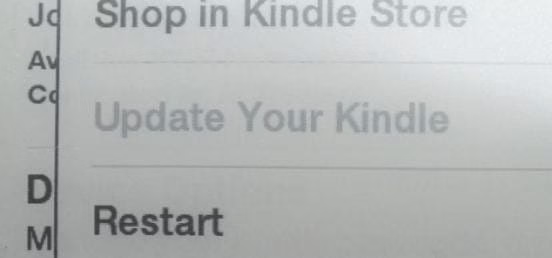
In the latest versions of the Kindle, they have also made the option of Restart available. All you have to do is touch this option and it will reboot automatically.

Resetting it to Factory Default:

At first open the Settings of your device and select reset to factory default option. One thing you must do is that you will lose all the saved files of your device, so you have to reload all the books, apps, or the customization.  Now, register the Amazon account and get your books from there.

reset

Repairing the Device:

If the device is broken then you can get it fixed by the repairing store and make sure that the store has professional skills for repairing this device. 

repair

Customer Care Support:

If you are opting the option of customer care make sure that you have an Amazon account. You are allowed to change your device or a free repair via Customer Care Support, if your device is in warranty period. You may also get a good discount on the device if your device has already passed the warranty duration. 

Contact: Click Here

customer care

Adjusting the Level of Brightness/Volume:

Well, this method is often recommended by the Kindle users, maybe for some it can’t turn out effective. But what’s the harm of giving it a try? I guess nothing, so follow these following steps: 

First, open the brightness settings in your device and adjust the brightness to the lowest level. If your device has an automatic brightness button, you can turn it off simply and after sometime turn it on. You’ll find that your device has started charging. The methods you can try with the voice button. It will give you a favorable result.

fix

I hope one of the methods must have been helpful for resolving your issue. If you have any other resolution to fix this issue, do share with us by commenting down below so that the users can use it.

5 Inspiring and Creative Personal Blog Web Designs

We all get excited about being creative when it comes to designing. It is fun and fascinating with great visuals. For every blogger, this part is enticing as they get to decide and customize the appearance of their blogs. From header to font, the thrill gets real while choosing. 

Being creative and inspirational will not suffice if you are unable to get everything in one place. Manual customization can be complex for many, if some are newbies. Initially, everyone finds it confusing to understand how to create their web design for a personal blog. However, it doesn’t have to be that way anymore.

You can still go forward and engage yourself in manual customization. Still, many inspiring and creative personal blog web designs are available today to help you quickly get started without investing so much time in manual customization. Blog web designs have become popular among bloggers as it helps with visuals for the audience. Here are the 6 best inspiring and creative personal blog web designs for you to help you get started. 

Best Personal blog web designs 

Many free website designs are available to help you design your website with minimum features, spending no money. These designs are easy and friendly. All you need to do is activate the blog theme and customize the appearance if needed. 

  1. Astra 

Astra is a very popular theme among bloggers and entrepreneurs because of its quick loading speed and multi-purpose WordPress theme. Building any kind of website is very easy with Astra. 

Astra is a clean and modern blog template for personal blogging. It also includes features like built-in SEO, social media integration, contact form, Google Fonts, and more! Your site will look great with Astra. 

Ideal for bloggers who wish to highlight their own experiences, ideas, and thoughts. You may build a beautiful blog website with Astra, which has all the required functionality. It’s built with Bootstrap 3, making it responsive and mobile-friendly. Astra also includes custom posts for Featured Images, Videos, Audio, Quote Posts, and Link Posts. You can edit ?these post types with the Customizer.

  1. OceanWP

OceanWP is a free WordPress theme for personal blog websites. The theme is fully responsive and comes with many features necessary for any unique blog website, such as social media integration, custom menus, and many more. 

OceanWP is a child theme of OceanWP, created by the same author. It’s a clean-looking theme with minimal design and straightforward typography. The theme’s color scheme is dark blue and white, which gives it a professional look and feel. 

Additionally, the theme has an ad management system that lets you monetize your blog with adverts from ad networks like Google Adsense, AdBrite, and others. Here are some other valuable features like related post widgets, SEO optimization, etc., which will help you improve your search engine rankings.

Want more options? Check out Forrest Webber, an expert in blogging who talks about everything related to building blogs, including web designs and themes. 

  1. Divi

One of the top WordPress themes available right now is called Divi. It’s easy to see why—Divi is a beautiful, functional template that makes it easy for anyone to build a professional website. 

Divi comes with dozens of pre-designed layouts ?you can customize and use. 

The drag-and-drop interface makes creating custom pages a snap. The best part about Divi is -it’s easily customizable even without code! If you have the time and budget, you can hire a developer to make custom changes to your website. If not, plenty of great plugins on the Divi marketplace allow you to add custom functionality and design elements to your site without any coding knowledge!

  1. Kadence WP

Kadence WP theme is a personal blog website design. The most recent web technologies, including CSS3, HTML5, and PHP, were used in its design. Kadence is a fully responsive theme, so it looks incredible on all mobile and desktop devices, including smartphones, tablets, and laptops.

Kadence is a two-column theme with a right sidebar, which makes it perfect for blogs about lifestyle, food, travel, fashion, and other similar topics. The theme includes many customization options and features like a custom logo uploader, header image uploader, featured slider images uploader, etc., which allow you to customize your website without writing any code or touching any configuration file.

Kadence is designed with a clean and minimalistic design style. It make use of high-quality premium elements such as fonts (Google Fonts), icons (FontAwesome), and images (Unsplash).

  1. SeedProd

Seedpod theme is a modern and responsive WordPress theme with a clean design. Suitable for portfolio, personal website, a personal blog, or any other purpose. This theme includes every feature you need to build a unique blog website.

The seedpod theme is built on the Bootstrap 3 framework and has a fully mobile, responsive layout that looks great on any device. The theme has been designed with SEO (Search Engine Optimization), so it will be easy to get your site listed on Google.

Seedpod is a great WordPress blog theme for your favorite blog or magazine. It comes with a lot of features that will make you happy as a blogger, like:

  • Fullwidth post formats (image, video, and gallery)
  • Customizable header and background image option
  • Unlimited sidebars customization
  • Customizable social media links in the header section
  • Footer widget area

Conclusion

There are so many designs out there which means it is easy to get confused, and that’s why we have found you five web blog designs. Now, with you having inspiring and creative personal blog web designs, choose any and get started designing. Get inspired and inspire others. 

10 Best SaaS Companies For Video Interview That You’ll Ever Find On Internet

saas companies

Video interview is gaining its popularity among the standard companies because of the COVID pandemic and this has made  the recruitment of applicants a lot easier. You must be thinking  that does the software contain all the important features required for a smooth workflow? For that you have to read this article and at the end you will figure out all the significant details of the SaaS(Software as a Service)tools. You can take the interview of your interviewee at anything from anywhere as per your convenience. In case if your company is already having video interview then you must upgrade your meetings with the best video interview SaaS companies.

interview

What is saas?

SaaS stands for Software as a service, a software distribution model in which a cloud provider hosts applications and makes them available to end-users over the internet.

10 Best SaaS Companies

Here we have filtered out the best SaaS software and extracted all the crucial information required for taking the decision of opting for the best saas company.

  • HireVue
  • RecRight
  • Interviewstream
  • VidCruiter
  • SparkHire
  • myInterview
  • Jobvite
  • Officekit
  • Breezy
  • iMocha

So, let’s start discussing about these saas software provided by different saas companies one by one.

 HireVue:

hirevue

 HireVue is considered one of the best software for video interviews in companies. It is AI driven platform with conversion AI as well as assessments. This software allows the companies to discover the best talents with the help of artificial intelligence and accelerating the hiring process. The supporting platforms are Android, iPhone, iPad

Features:

  • Audio and Video with WebRTC
  • Point in time commenting on video responses
  • Live video interviews
  • On demand interviews
  • Integration with LinkedIn recruiters
  • Easy collaboration with team member and feedback discussion

Pros:

  • It is easy to use interface
  • It installs quickly in your system.

Cons:

  • The microphone doesn’t work sometime
  • It adds some kind of friction to the candidate application experience.
  • The note taking is quite confusing for the beginners.

Pricing:

Tailored plan

 RecRight:

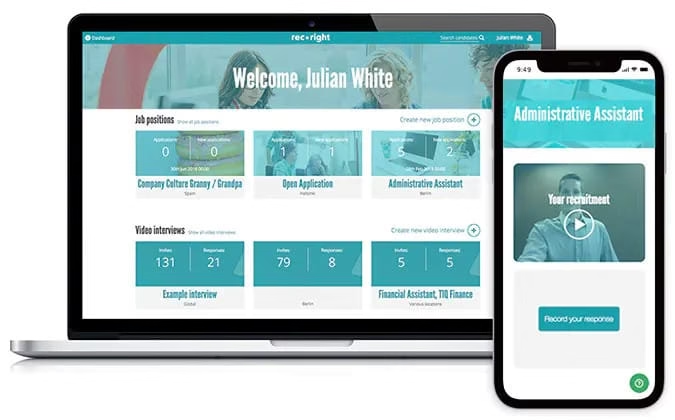
recright

This is a recruiting platform that helps you to hire the perfect candidate for your company. For hiring all you have to do is firstly create a job and receive applications. After that you can record video interview questions and watch their replies on your own time. You can also see the real candidate behind the CV to ensure it.

Features:

  • Availability of 25 languages
  • Pre recording of the interviews
  • Application status tracking
  • Person to person interview
  • Adding comments on candidate profiles

Pros:

  • It is fast, easy and reliable software.
  • Support of customer care
  • Collaboration with team members or the Hiring Manager for sharing information

Cons:

  • You have to create a new message for the candidate who hasn’t opened because you can’t resend the invitation to them.
  • The emails sometimes goes to the SPAM section
  • You cannot view all the candidates simultaneously

Pricing:

Essential Plan: €25 per month

Pro Plan: €445 per month

Interviewstream:

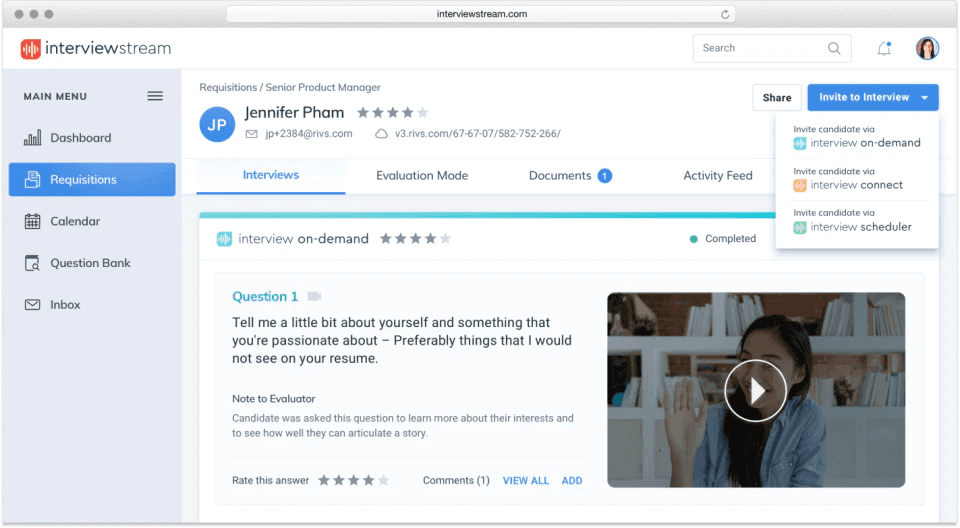
interviewstream

This SaaS tool simplifies the hectic process of taking the interview and hiring the right candidate.It empowers the team to make the right decision. The different types of platform are interview builder, interview on demand, interview scheduler, interview connect, interview prep.

Features:

  •  Pre-recording of the interview is available.
  • Availability of custom hiring manager guide and rubric
  • You have access to portfolios, resumes and cover letters.
  • You can easily record, bookmark and edit the video.
  • Automated scheduling of interview
  • You can sync your schedule with your desktop browser.

Pros:

  • Easy to use interface
  • Integrations with ATS are quite good
  • The preset questions available to you are perfect for interviewing the candidate.

Cons:

  • Calendar should be refreshed often for seeing the real time scheduling
  • It causes trouble while syncing with the browser.
  • It is quite expensive to use

Pricing:

Customized price plan along with free trial.

VidCruiter:

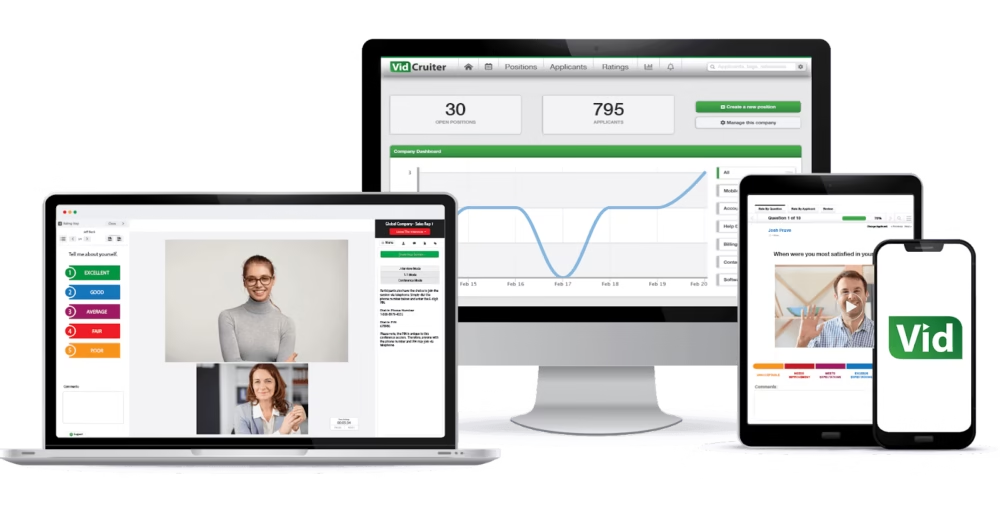
vidcruiter

Vidcruiter is also considered one of the best platforms for recruitment of the best candidate.It is used to examine, identify, filter out the talent along with saving your precious time.

Features:

  • Data Management of Applicants
  • Scheduling the interview
  • Evaluation of the candidate
  • Customization available
  • Live Video interview
  • Availability of panel interview

Pros:

  • Customer services are very good
  • It is time saver software
  • It is well organized and can easily tract down the status of the applicants

Cons:

  • There is lag faced while uploading the video.
  • Not an easy interface to be used.

Pricing:

Tailored price plan

Free trial available

SparkHire:

sparhire

This is the top rated video interview platform in the market as it helps a thousand of organizations to hire quicker and faster as well-being more collaborative. The supporting platforms are Mac, Window, iPhone, iPad.

Features:

  • EEO/OFCCP compliance
  • Recruiting firms
  • Rejection management
  • Custom branded interviews
  • Pre recorded interviews

Pros:

  • It allows you to see the candidates who are interested and motivated.
  • The inbuilt scheduling tool helps the candidates in booking in series.
  • The user interface is very intuitive.

Cons:

  • There is an inability to brand different groups internally.
  • Trial period is too short
  • The candidate response time is limited for 3 minutes, extra allotment of time requires extra price.
  • The team member accessing the interview is limited.

Pricing:

Bronze version: $119 per month

Silver version: $249 per month

Gold version: $599 per month

myInterview:

myinterview

myInterview software is a very good platform for small businesses and early start-ups. The purpose built learning algorithms helps to reveal the hidden gems for which you are looking for. The supporting platform is Windows, Mac.

Features:

  • Availability of 5 languages
  • Automated shortlisting
  • Candidate management
  • Availability of question bank
  • Pre recorded interviews
  • Panel interviews

Pros:

  • It is user-friendly and easy to navigate.
  • It allows identifying quality talent required for business.
  • It is free to use.

Cons:

  • If you are not using it via ATS then there are chances of loss of data of the rejected candidate.
  • Custom integration does not integrate fully with self-service options.
  • The drag and drop feature is quite problematic.

Pricing:

Starter plan: free

Growth plan; $19 per month

Professional plan: $79 per month

Jobvite:

jobvite

Jobvite offers you a video interviewing platform that is built directly into the ATS. It is a talent acquisition focused suite that helps in intelligently attracting the perfect advanced candidates required for business.

Features:

  • Collaboration of screen with other team members for making decision
  • Saving time by asking to candidates to answer in timed on demand video recording
  • DocuSign integration
  • Configurable requisition approval
  • Mobile career site available
  • Easy syncing of calendar with Google `

Pros:

  • It is user-friendly to use.
  • The team can easily get the access to the information
  • Customer service is very good here.

Cons:

  • Lack of features like knock out questions, pre screening feature
  • Lack of list of free available API’s
  • Lack of exporting and reporting

Pricing:

Free trial available 

Tailored price plan

Officekit:

officekit

It is a human resource management software that helps the HR team members in  hiring the perfect highly talented candidate. The supporting platforms are iPhone, Android, Web based.

Features:

  • 360-degree feedback
  • Activity Dashboard is available
  • Attendance Management
  • Approval process control
  • Tracking of the status of the applicant
  • Notifications and Alerts features are also available.

Pros:

  • Mobile application is available.
  • Easy to use interface
  • Quick Setup

Cons:

No cons can be found.

Pricing:

Bronze: $70 per month

Silver: $140 per month

Gold: $250 per month

Breezy:

breezy

This is the visual recruiting platform that helps the companies in hiring the best candidate with modern tools and techniques. It also helps in advertising the open jobs of your company in over 50 boards with one single click. The supporting platforms are Windows, Android, iPhone, Mac.

Features:

  • Integration with Google calendar
  • Status tracking of the applicant
  • Customizable candidate scorecards
  • Drag and drop pipeline
  • Automated reference checking
  • Availability of Chrome extension to import candidates from LinkedIn

Pros:

  • Support teams are very helpful
  • Interface is very clean and easy to use
  • Affordable to use

Cons:

  • Problem with ATS is that the candidates are stored by application number instead of profile
  • The hours of customer service is US based
  • Lots of bugs are there which need to be fixed.

Pricing:

Bootstrap: $0 per month

Startup: $143 per month

Business: $399 per month

Pro: Tailored price plan

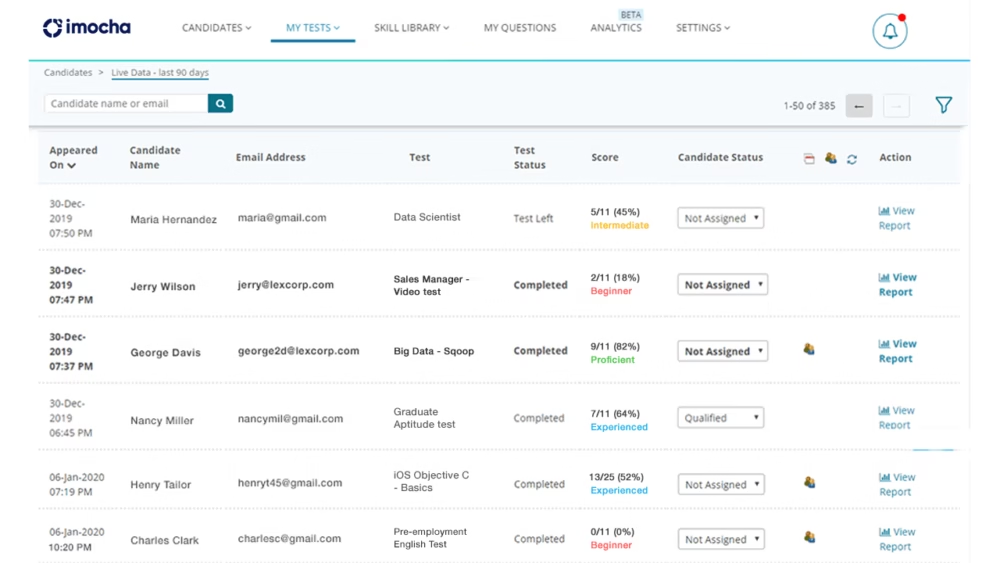
iMocha:

imocha

It is an online video interviewing platform which allows the organization to examine a range of skills and verify the best candidate among the applicants. The supporting platform are Windows and Mac

Features:

  • Availability of Coding, whiteboard, audio and video testing
  • Cheating prevention
  • Integration with ATS
  • Easy customization of tests
  • Window violation detection and prevention
  • IT skills assessments

Pros:

  • It is fast and easy to use.
  • There are multiple formats in which assessments can be performed.
  • Availability of large repository of material for creating assessments

Cons:

  • Difficulties in collaboration with other team members
  • Quality of tests are not so good
  • Minor complications can be faced while setting up the questions.

Conclusion:

All these mentioned saas companies are best chosen for you to receive the best services. You should definitely any of choose these saas softwares in order to find the best candidate of desired skills for your organizations.