
Home Blog Page 26

Top 10 HR Management Software (HRMS) That You Must Have

hrms

AreAre you an HR? Then you must be searching out for the best hrms that can make your management at the workplace a lot smoother. We have collected the best online HR Management softwares based on the statistics, reviews done by the well established organizations.–Additionally, using a reliable check stub maker can further simplify the payroll process and help ensure accuracy in record keeping.

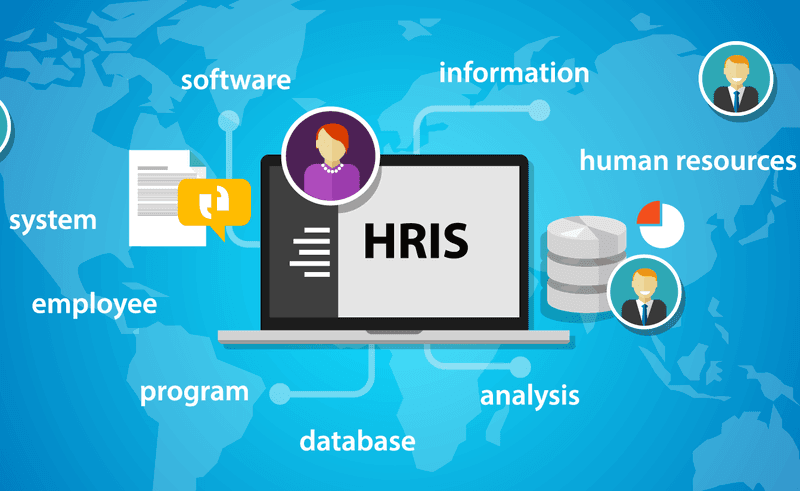
Human Resource Software commonly known as HRMS, HRM(Human Resource Management), HRIS(Human Resource Information System) or HCM(Human Capital Management). This term is an integration of various features like performance management, benefits management, onboarding, time tracking, payroll and several others on one platform. These software like pay stub help the HR to get a more organized, detailed and methodically arranged system required for the completion of the tasks. 
hris

HR software allows the company’s HR to run their department more smoothly, automatically, errorless as well as paperless. It helps them in securely storing the employees credentials, self servicing time tracking, tracking down the employee workflow, onboarding, training, payroll and benefit administration.

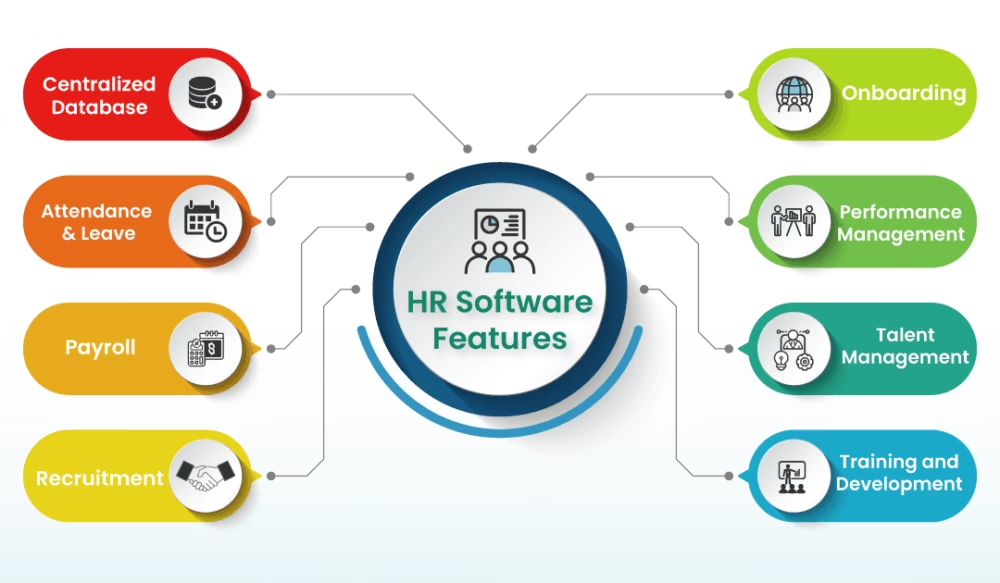
Features of Best HR software:
features

So let’s start discussing the features and the requirements before moving forward to the best HR software available online:

  1. Recruitment of Employees:

This is one of the most notable features which is required by the HRs for hiring the employees with automated HR systems. With the help of this feature the organization can post the jobs along with descriptions that can be advertised on different websites and social media platforms like LinkedIn, Instagram, Facebook and others. And as soon as the applications start gathering, the ATS (Applicant Tracking System) will be switched on leading to the selection and rejection of the candidate based on criteria mentioned in the description.

The options available under these features are:

  • Job Requirement
  • Job Details
  • Auto generated Response
  • Job Offer Extensions
  • Onboarding of Employees
  • ATS (Applicant Tracking System)
  1. Employee Management:

This helps in securely storing all the credentials of the employees like job and salary history, personal details, banking and tax details, insurance plan and others. All these help in better organization and management of the records of the employee as well as easy tracking of their engagement and status in the workplace

The options available under these features are:

  • Employee Database
  • Job Details
  • Insurance Plans
  • Banking and Tax Details
  • Salary History
  1. Benefits Management:

This feature allows the HR to easily manage employee’s benefits. A good benefits management can attract the employees in delivering good performance for the company.

The options available under these features are:

  • Life Insurance
  • Private Healthcare
  • Paid Time Off
  • Company Car
  • Pension Schemes
  • Travelling compensation
  1. Time Management:

This is one of the most important features for maintaining the functionality of the organization. The time sheet is also synced with payroll for the smooth payment of the salary.

The options available under these features are:

  • Clock In and Clock Out
  • Overtime Tracking
  • Absent days tracking
  • Calendar of holidays
  • Biometrics
  • Time Reporting
  • Project Billing
  1. Financial Management:

Payment management is very crucial for the organization in order to run smoothly and errorlessly. Wrong payment can even lead to loss of interest of the employee. It is very important for the HR to be ensured that all the employees are correctly compensated. It also enhances managerial efficiency.

The options available under these features are:

  • Payroll Slips
  • Employee Recognition
  • Rewards
  • Salary 
  • Compensation 

What is hrms?

HRMS stands for Human resource management software, is a digital solution for managing and optimizing the daily human resources tasks and overall HR goals of an organization. An HR software makes it possible for HR staff and managers to allocate their time and resources to more productive, profitable efforts.

Top 10 Online HR Management Softwares:

Here’s the list of best HR software available online based on the statistics, reviews done by well-established organizations:

  • Oorwin
  • ADP Workforce Now
  • Keka
  • Paycom
  • Bitrix 24
  • Namely
  • Conrep Inc
  • Bamboo HR
  • Zenefits

Let us talk about these Human Resource Management software in details.

Oorwin:

oorwin

This is a well recognized SaaS platform as well as CRM and HR platform which is known for the best service delivery.The specialty of this software is generation of more revenue, boosting up the recruitment which in turns helps in the improvement of the business.

Features:

  • Empowerment of the team with Artificial Intelligence
  • Easy communications by making VoIP calls, sending text messages and emails
  • Applicant Tracking System (ATS) for easy and quality recruitment of the candidates
  • Automated generation of Invoices
  • Contactless Onboarding with digital signature 
  • Data privacy with the support of SSL (Secure Socket Layers)

Unique Selling Point:

It’s unique feature is its seamless integration with other softwares and applications for productivity like Gmail, Outlook, Office 365; CRM apps like HubSpot, Sales force, Insightly and various others.

Best suited for: 

It is mainly built for staffing and consulting companies.

Pros:

  • It is easy and intuitive to use.
  • It has a huge database
  • ATS feature is very helpful
  • Employee tracking system is very smooth
  • Mass emailing feature is good.

Cons:

  •  You can find the blank space at the left corner of the email template column
  • Problem is faced while reviewing the applicant resume
  • The bugs present there can cause error while collecting data

Integrations:

  • Productivity: Gmail; Outlook; Office 365; Chrome; LinkedIn; Monster Add-on
  • CRM apps: HubSpot; Salesforce; Insightly
  • Job boards:Dice; Monster; Naukri.com; Indeed; Careerbuilder; Techfetch
  • Video Management System: Beeline; SAP Fieldglass; IQnavigator; iLabour 360
  • Accounting: Quickbooks

Pricing:

Tailored Price Plan

Apps:

Ratings: 4.5/5

ADP Workforce Now:
adp

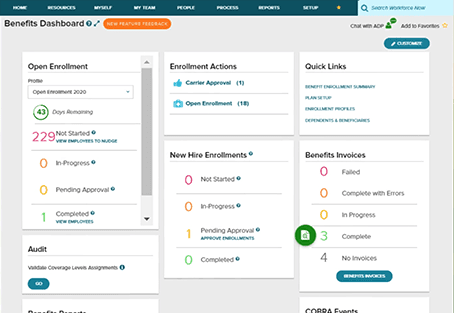
This flexible platform is based on a single database with multiple features like payroll, HR, time, talents, benefits required by HR. It is a cloud based website and it supports three languages English, French and Spanish. From small tasks like Payroll management to helping out with ACA (Affordable Care Act) compliance it is well modernized.

Features:

  • Provides Single and Scalable Database
  • Hiring advantage
  • Payroll Essentials
  • Time and Attendance
  • Benefits Management
  • Insurance Plans
  • Employee Handbook Wizard
  • Job description Wizard

Unique Selling Point:

It provides great support as well as ADP helps in creating reports within less time. The unique feature is that it can easily be accessed from anywhere.

Best suited for :

It is best for from startup to enterprise and industries like construction, restaurant, financial services, retailing, health care, professional and technical services as well as partners like private equity, financial advisors, franchises, member organization, software providers

Pros:

  • It is user-friendly
  • It provides a lot of online tutorials for how to use 
  • It provides excellent support when you get stuck
  • Day off tracking is likable

Cons:

  • The free onboarding feature is quite tough to use since to have to refresh every time you make changes
  • If you are not tech-savvy then the stuffs may seem quite complicating
  • The regular interval maintenance keep it down 

Integrations

  • Accounting Solutions: Quickbooks; Wave; Xero
  • ERPs : FinancialForce; Oracle; Infor; SAP SuccessFactors; Workday
  • Time and Attendance: ClockShark; Deputy; Dolce; Quickbooks Time; 7shifts Restaurant;     Scheduling; Replicon;When I Work
  • Recruiting and Onboarding: Avionte; Clear Company; GoodHire; Greenhouse
  • Learning: Cornerstone; SAP Litmos; Brainier; Absorb LMS
  • Benefits administration: Employee Navigator; Flock; PlanSource

Pricing:

Tailored Price Plan

Apps:

Ratings: 3.8/5

Keka:
keka

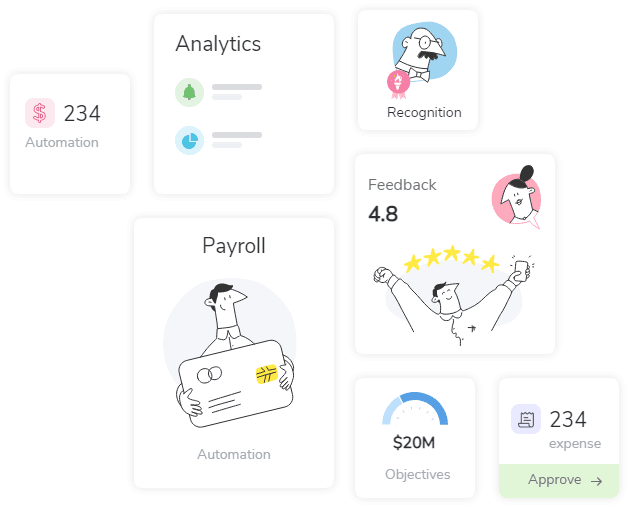
It is one of the highly rated HR software which reduces manual work and saves a lot of time. With the help of the data insights and strategic planning can take calculated right decisions. 

Features:

  • Customizable templates
  • Direct deposit
  • Management of Document 
  • Approval Access Control
  • Billing and Invoicing
  • Employee Handbook 
  • Leave Policy Management
  • Payroll Outsourcing
  • Productivity Analysis

Best suited for: 

It is used by all kinds of business, either small or large.

Unique Selling Point:

It is well known for its Attendance and Leave Management, team management and the tax deduction from the salary.

Pros:

  • Provides advanced settings 
  • Everything in here is quite customizable
  • Customer support is excellent
  • Price is very reasonable
  • Reimbursement and Payroll is well managed
  • Reminders for Birthdays and Work anniversary
  • Circulars and general notices is shared within the organization

Cons:

  • Lots of bugs
  • Payroll management should be improved
  • Document repository should be improved
  • It may be difficult for the beginners

Integrations:

  • Accounting and Finance: Tally; Quickbooks; Learning Management:; Upside LMS
  • Reward & Recognitions: Xoxo day
  • Personal Finance: EarlySalary; ZestMoney
  • Personal Healthcare: Ekincare; Good Health

Pricing:

Foundation Plan: INR 6,999 per month

Strength Plan: INR 9,999 per month

Growth Plan: INR 13,999 per month

Apps:

Ratings:5/5

Paycom:
paycom

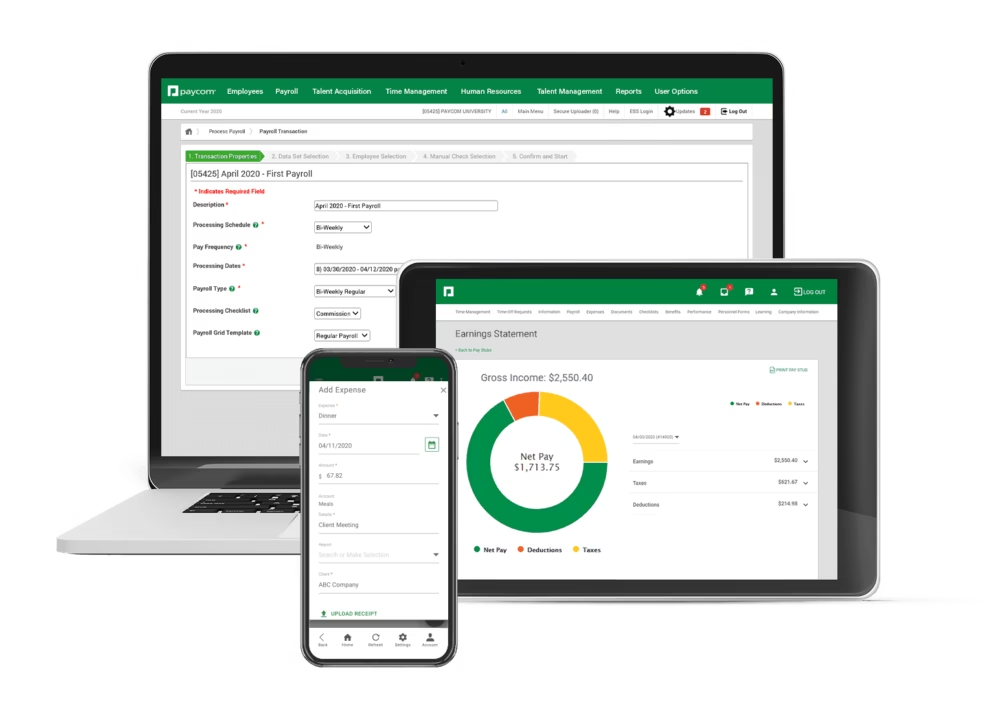
This is all in one software which allows the user to do all the HR activities. It will digitally transform your workplace from a single database. Pay com provides a seamlessprovides seamless experience to the users.

Features:

  • Talent Management: consisting of suite overview, payco learning, compensation budgeting
  • Talent Acquisition consisting of applicant tracking, onboarding, tax credits and enhanced background check
  • Payroll with GL Concierge, Garnishment administration, expense management
  • Time and Labor Management
  • HR Management providing the features of documents and checklists, Tools for Managers

Unique Selling Point:

This software allows the employees to check their payroll slips, tax deduction from the salary as well as allows viewing pay stubs. The communication system that they provide make it really the one to be chosen

Best suited for: 

It can easily be used by small business companies to large enterprises. 

Pros:

It is simple and easy to use

Provides systemic approach

Easy creation of custom reports

Cons:

Lack of customization

Quite expensive to use

Lack of calendar integration.

Pricing:

Tailored Price Plan

Apps:

Ratings: 4.6/5

Bitrix 24:
bitrix

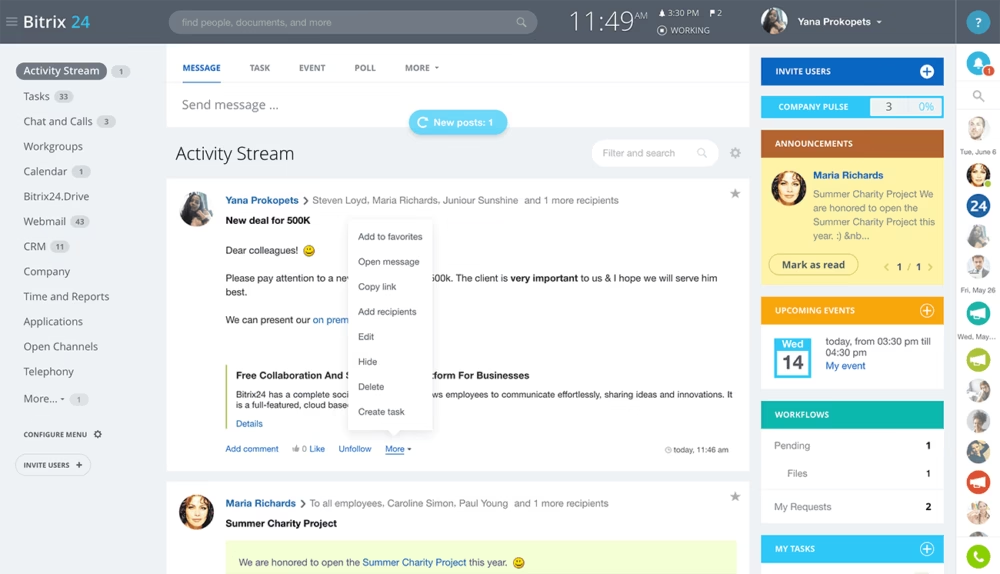
This is one of the recently built free HR platforms which is used by millions of users all over the world.It is the most recommendable platform if you want free software, It provides more than 25 free HR tools like leave requests, private social network, absence chart and many more.

Features: 

  • Centralized Employee Directory
  • Organizational charts
  • News and announcement
  • Time Management
  • Leave Management
  • Knowledge Management
  • Employee Management
  • HR Forms and Record Management

Unique Selling Point:

The customization available in any features and the workload planning is incredible. You can also customize project templates.

Best suited for: 

It is mainly suitable for small companies.

Pros:

  • Affordable to use
  • Long List of features
  • This is also accessible via phone after downloading the application
  • The telephony helps the team in communicating better

Cons:

  • Automated notifications cannot be scheduled easily
  • Not an easy-to-use interface
  • Difficulties in working with the integrated tool

Integrations:

  • Gmail, Google Calendar, Google Drive
  • Microsoft Office, Outlook, Office 365
  • OpenOffice; LibreOffice; Dropbox; Mailchimp; Unisender

Pricing:

  1. Free plans
  2. Special Plans:

Start+ : $19 per month

Business+ : $55 per month

Project+ : $55 per month

  1. Business Plans:

Standard: $79 per month

Professional: $159 per month

Apps:

Ratings:4.9/5

Namely:
namely

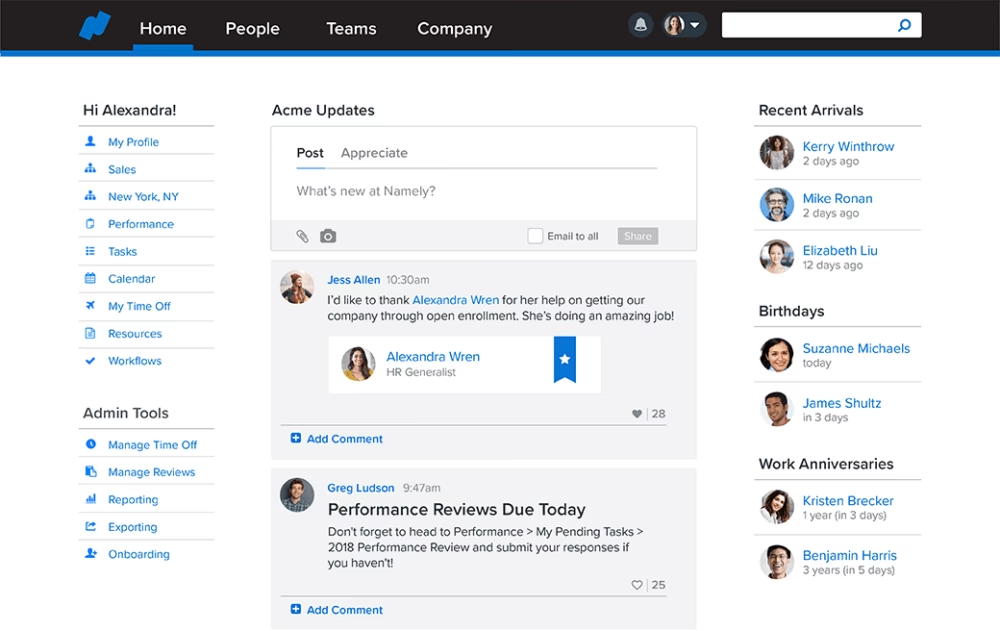
It is a popular HR app that provides all sorts of benefits like benefits management, Payroll, Onboarding, Employee directory. This platform only supports English language and is used by high tech companies.

Features:

  • Streamlines Payroll Services
  • Increment in Employee Engagement
  • Simplified Workplace Compliance
  • Single System of Record
  • Onboarding
  • Comply Advice and action
  • Payroll Management

Unique Selling Point:

The ease of implementation, easy integration with the payroll system as well as ERP system makes it more apt to use.

Best suited for: 

It is best for Medium sized business

Pros:

  • Reports are available timely after the payroll processing
  • Availability of customization 
  • Simple and easy to use
  • Customer support is excellent

Cons:

  • Lack of Leave Day Calculations
  • Issues can be faced while assigning task
  • Lack of Performance Engagement

Integrations:

Jazzhr; Greenhouse; Jobvite; Lever; Workable; Jobscore; Comet; Breezy; Recruiterbox

Pricing:

Tailored Price plan

Apps:

Rating: 4.7/5

Conrep Inc:
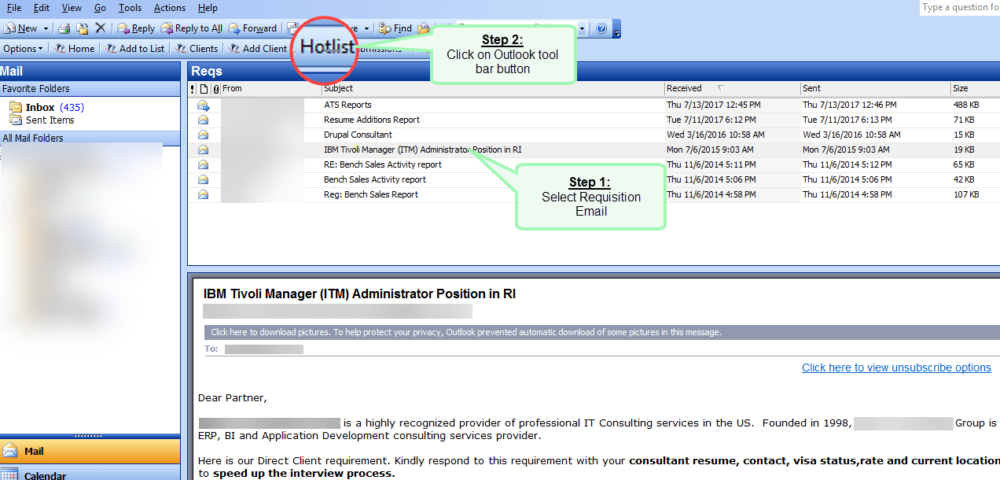
conrep

For its unique and amazing features it can be regarded as the best HR online software. It has integrated front and back office solutions enforcing compliance and key standards.

Features:

  • Intuitive user interface
  • Mobile access that helps the staffs and partners to access reports
  • Dashboards and Reports
  • Self service Portal
  • Extensive Configuration tools
  • Flexible Deployment options

Unique Selling Point:

The portal integration feature is really helpful in building up your own database.

Best suited for: 

It is best for Staffing and Consulting firms.

 Pros:

  • Tendency of solving problems
  • Availability of flexible Time sheet formats
  • Clean interface and easy to use.

Cons:

  • It is quite expensive to use
  • Speed is quite slow
  • Compatibility issues with the software

Integrations:

Indeed; LinkedIn; Monster; Quickbooks; Sertifi; Sovren; Twitter

Pricing:

Starts from $40 per user per month

Apps:

No mobile applications available.

Rating:5/5

BizMerlin:
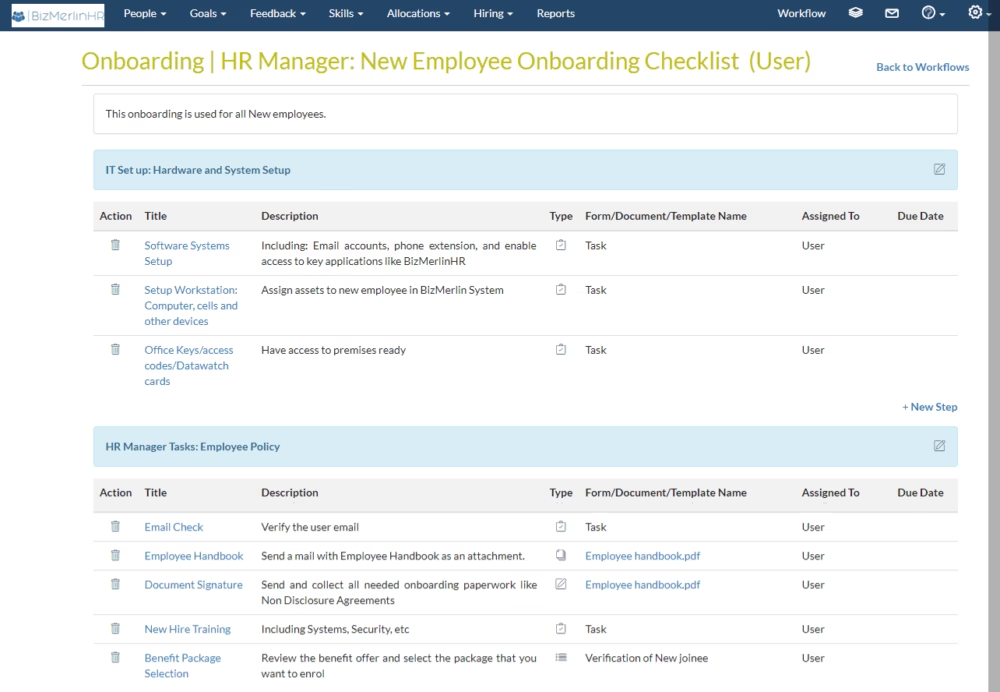
bizmerlin

This software automates the HR processes. It uses AIuses the AI driven insights as well as data integrations which saves up the time. It can easily run on Android, iPhone and iPad.It also supports 15+ languages

Features:

  • Availability of Applicant Tracking System
  • Employee Onboarding
  • Leave Management
  • Performance Reviews
  • Onboarding
  • Compliance Services

Unique Selling Point:

 The seamless integration with Azure AD, G Suite. 

Best suited for: 

It can be used by medium-sized companies to large sized organizations.

Pros:

  • Easy to use and clean interface
  • Cloud based app as well as mobile applications are also available
  • Goal module is the most used module by the users

Cons:

  • Lack of some advanced HR services
  • Customization is not available at individual level
  • Filters on archive goal does not work properly

Integrations:

Movicel; Fasetto; Bayport; Infotrend; Creature Comforts; Simplify Healthcare

Pricing:

Tailored price plan

Apps:

Ratings: 4.9/5

BambooHR:
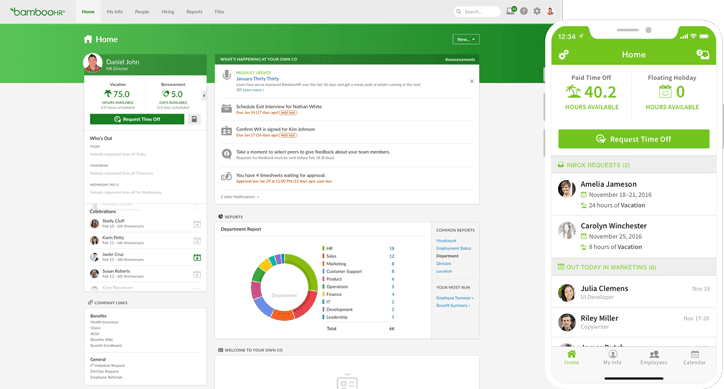
bamboo hr

This is a great human resources management system specialized in onboarding, hiring and compensation. It also has a mobile application.

Features:

  • Advanced HR reporting
  •  Onboarding
  • Applicant Tracking system
  • Holiday Calendar
  • Benefit Management
  • Employee Management
  • Company branding

Unique Selling Point:

It is great for reviewing performance and also provides the option for taking feedback with customizable questions.

Best suited for: 

It can be used by companies ranging from small to large

Pros:

  • Reminders for automatically reminding the employees for completing the task
  • User Permission for restricting access to sensitive data
  • User friendly interface
  • Availability of Mobile application

Cons:

  • Issues faced during payroll processing
  • Lack of clock in and clock out system
  • Lack of customization

Integrations:

BreezyHR; Maxwell Health; Officevibe; Truework; Zapier; Greenhouse onboarding

Pricing:

Essentials plan: Tailored Price Plan

Advantage plan: Tailored Price Plan

Apps:

Ratings: 5/5

Zenefits:
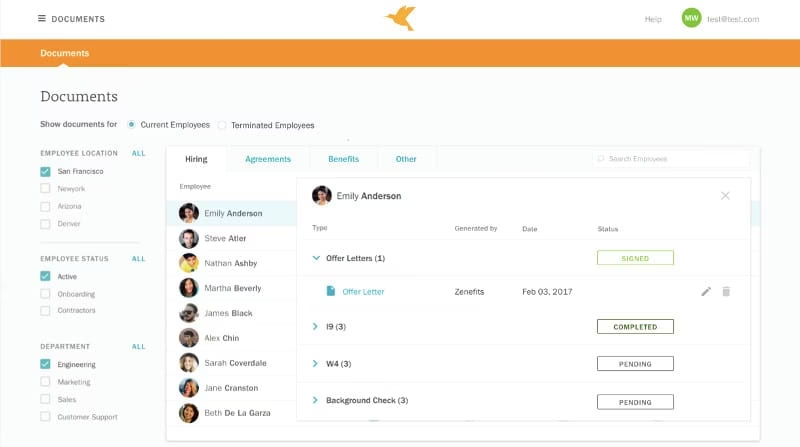
zenefit

This is a very cool HR software with a modernized and attractive platform. It simplifies the task of people and the process of curating. This software easily automates the majority of compliance task as well as government filings

Features:

  • Automatically integrated HR
  • Compensation Management
  • Hiring and Onboarding
  • Employee Management
  • Time Off Tracking
  • Document Management
  • iPhone and Android Apps are also available

Unique Selling Point:

Its seamless integration with Payroll and Benefits makes it more selective as well as ATS system help in smooth selection and recruitment on the candidates

Best suited for: 

It can be used for all kinds of businesses.

Pros:

  • Simple and clean interface
  • User-friendly platform
  • Customizable for manger
  • Integration of all HR functions in same platform

Cons:

  • Lack of 401k integration
  • Support center is not easy to navigate
  • GL and QBO integrations are quite complicated

Integrations:

JazzHR; Workato; Zapier; Box; Hive; Asana; G suite

Pricing:

Essential plan: $8 per month per employee 

Growth plan:$14 per month per employee

Zen plan: $21 per month per employee 

Apps:

Ratings:5/5

Conclusion

All these are the best selected HR management software for boosting up the efficiency of your company. If you have any additional information regarding this content, you can share your views by commenting down below.


Solar Power and its uses for 7 different reasons

0

Homeowners turn on the light of their lamp when it gets dark outside. At the same time, they wonder how to pay less for electricity. You don’t have to sit in semi-darkness to save on utility bills. The solution is simple –use solar power.

Solar panels are installed on rooftops. They convert UV rays into electricity that can be used for household needs. This method has many advantages.

7 Reasons Why You Should Use Solar Power

Solar Power Is Good for the Environment

Using solar power is absolutely safe. It does not emit toxic substances and does not pollute the environment. You will be able to contribute to the conservation of nature, because, unlike the usual ways of getting electricity, the sun does not emit carbon.

Earn a Return On the Cost of Solar

Solar panel installation will be expensive. But you will be able to pay less for your electricity. The return on investment is up to 8 years. This is a great investment for your future. There is also an option to lease solar panels instead of buying, if that suits your budget better.

Reduce or Eliminate Electric Bills

If you use the habitual electricity from the mains, you have to pay amounts of money that change frequently. This is due to the fact that natural resources are used to generate such energy. Their content in the ground is limited, so suppliers increase their value. The market is rather unstable, and in order to cut your expenses, you just need to switch to solar panels for home.

Become Energy Independent

You no longer need to think about blackouts that may happen from time to time. They can be harmful, especially if:

  • you work from home, and your computer be on at all times;
  • you have a lot of electrical appliances, the sudden shutdown of which will lead to their breakdown;
  • you heat your home with electric heaters.

The advantages of installing solar panels are that having an independent energy source will help keep your household appliances working. You can use electricity at any time of the day.

Increase Your Property Value

Your home with solar panels will be more interesting for investors. The use of solar energy is efficient and safe for others, so many people who want to buy real estate will pay attention to such buildings. If you are preparing to sell your home, consider installing such batteries. The value of your real estate will rise, and buyers are more likely to give preference to your mansion.

Solar Panels Can Be Installed on Your Roof or The Ground

As a rule, flat roofs of houses are often empty. Therefore, you can place your batteries exactly there. They will not interfere with your movement around the yard and will not be noticeable to others. It is the best choice for owners of private houses and mansions.

Solar Panels Work in Winter

In winter, batteries work just as efficiently as in summer. The sun shines less often, it snows, but this doesn’t mean that your system will turn off. You can continue to use solar energy without exceeding your electricity bill.

Summing up

To find out how profitable the installation of solar panels is, use the solar power calculator. Innovate Solar offers not only counting it, but also the best conditions for installing new equipment. You can reduce the cost of your electricity bills and preserve the environment for future generations.

Now you know what the benefits of using solar energy are. Hurry up to abandon the usual way of obtaining energy, and you will notice how much your costs will be reduced. A one-time investment is enough to provide yourself with free electricity for many years.

Stencil: Everyone’s Favorite Graphic Designing Tool

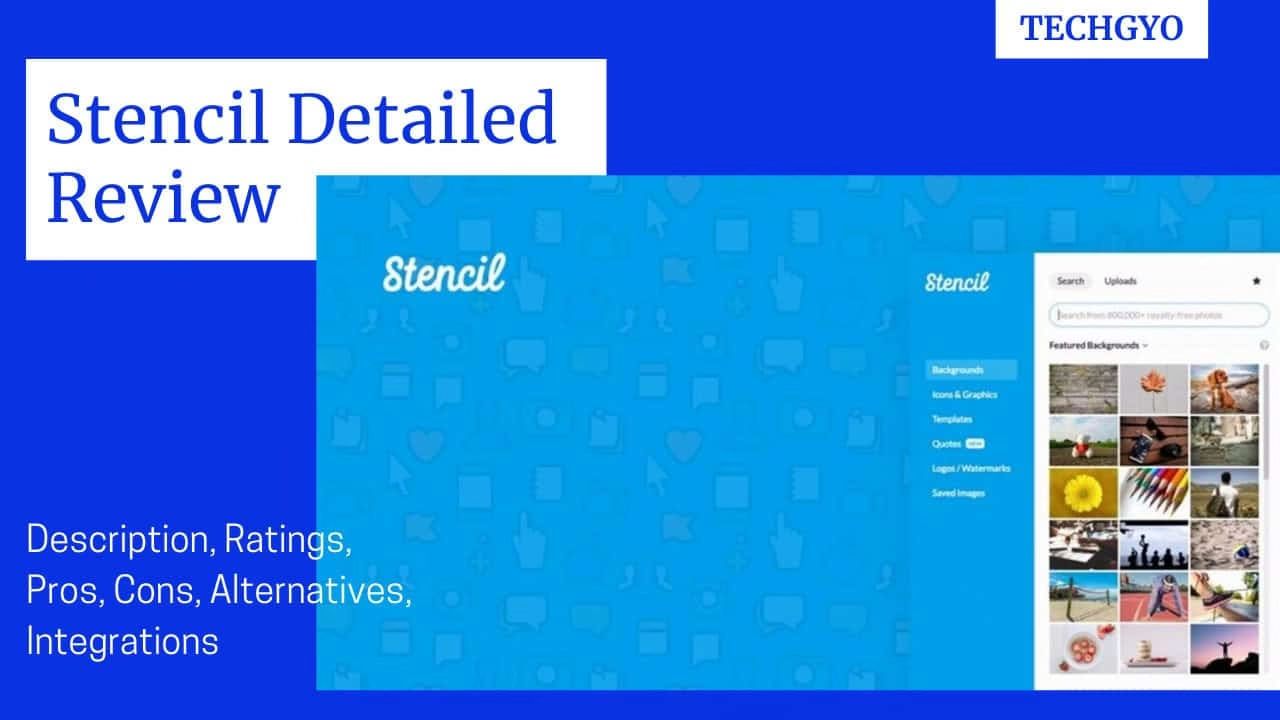
Stencil Detailed Review

Stencil streamlines the procedure of creating the visual contents for your brand. With this graphic tool you can easily make your blogs, content, and advertisements even more attractive. The Stencil software is even recommended as the web’s best graphic designing tool and it can be used as youtube channel art maker tool. This application is a cloud-hosted graphic designer which you can use for efficient crafting of stencil designs. 

Stay tuned, here in this article we will be explaining all the useful features and with all useful information for the user that they should know before using the software.

Stencil:

Features:

  • Availability of 5,000,000+ stock photos 
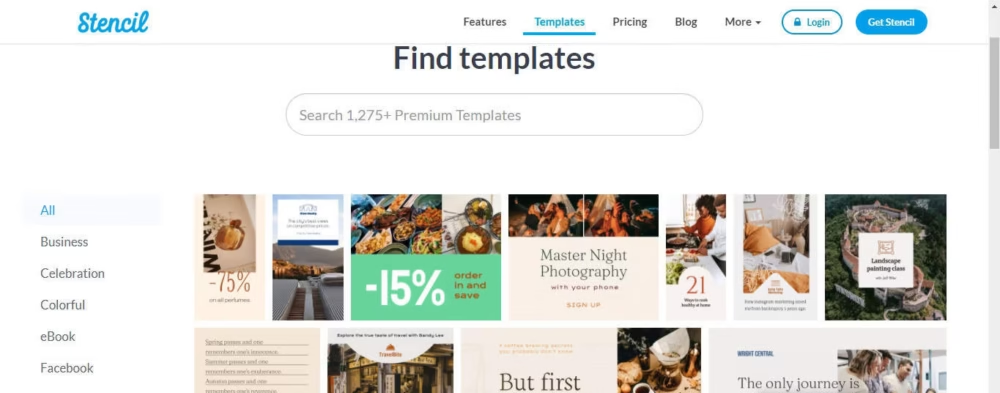
  • Availability of 1,275+ amazing templates
Templates of stencil
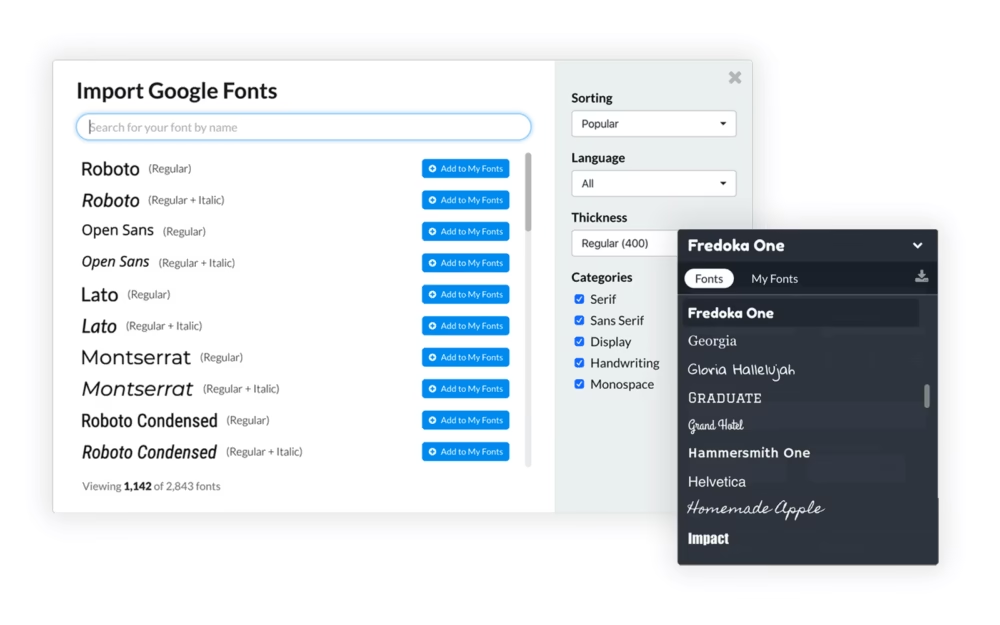
  • Availability of 3450+ Google fonts in stencil fonts library.
Google fonts
  • Availability of Browser extensions for Chrome, Firefox, Safari
  • Helps in creating unlimited images per month
  • Helps in uploading and storing up multiple logos as well as watermarks
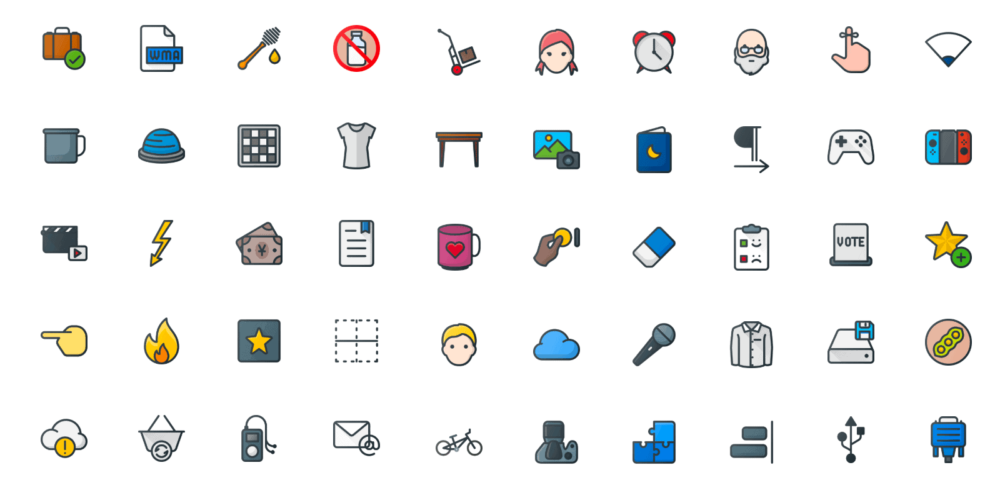
  • Presence of 3,100,000+ icons and graphics
stencil icons
  • Availability of 1 million-plus quote
  • Customization of the stencil fonts
  • Presence of 140+ preset sizes for all your needs
  • Lots of useful integrations available.

Integrations:

Few of the integrations are mentioned below:

Buffer

buffer

With the use of Buffer one can schedule and automate the sharing of the image to multiple social media.

With the integration of the Buffer with Stencil, Stencil is considered as the image scheduling machine. The Preview and Share window helps the user to quickly schedule their images and the Stencil can help you in creating a perfect stencil designs with the help of other features like template, graphics, icons and other. After that you can share the stencil designs on Instagram directly with the help of the buffer and also you can use Instagram SMS feature.

Live Preview:

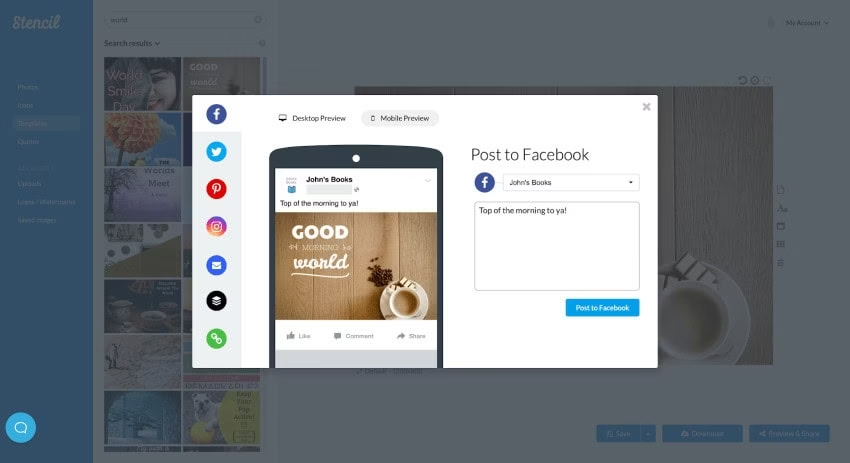
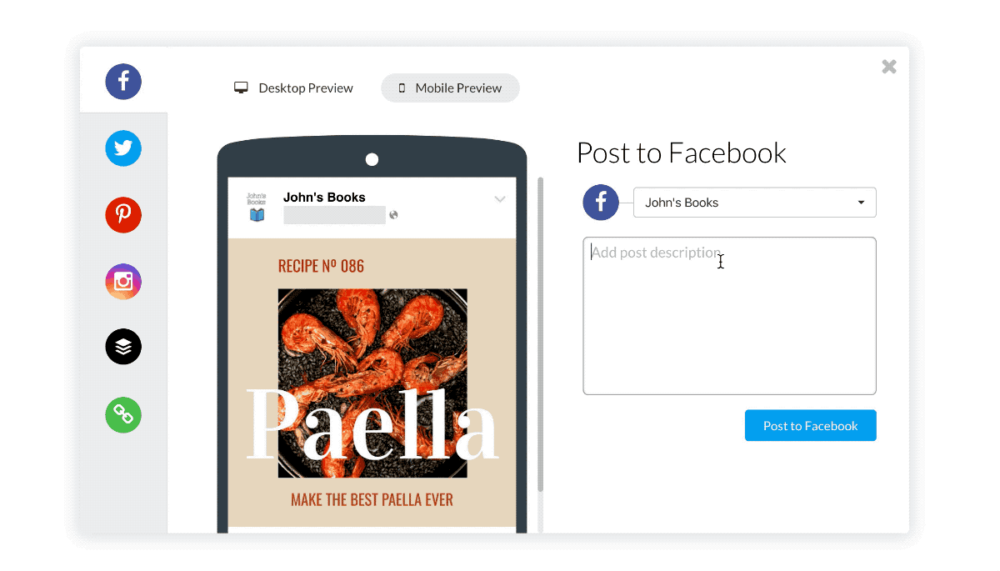
live preview

Stencil’s Live Preview helps the users to get the preview of the image on different social media platforms like Facebook, Instagram, Pinterest before the actual sharing of the post. This Live Preview help you to get the preview of the post on Mobile as well as Desktop. You can also get the preview of the post with the description text.

Color Picker:

color picker

This is the customization feature which is used to pick, save and eyedrop the colors from the canvas. You can select the color by dragging around the color picker and can save the color in your account. You can also use the selected color for text, icons etc. and can store them for future use.

Bit.ly Links:

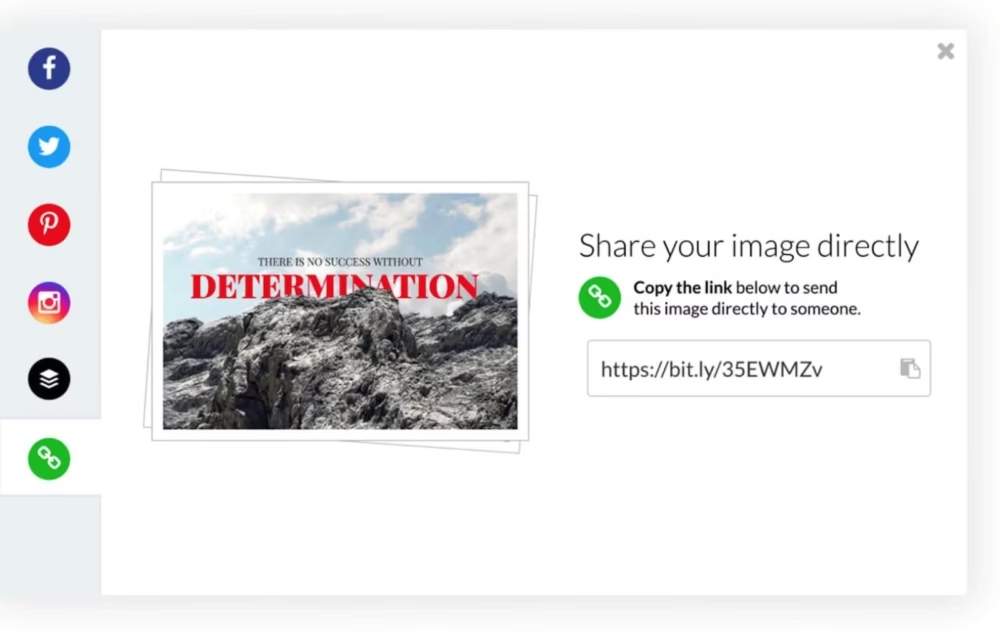
bit.ly links
  • Stencil helps to share the image by providing links.

Pros:

  • It has a user-friendly interface.
  • Great onboarding sequence.
  • Plenty of options for manipulations of visual contents
  • It has multi-channel support.
  • Plenty of options for the selection of free images
  • Affordable to use
  • Huge library of graphic assets
  • The software makes the focus on the products a lot easier
  • It is best for solo bloggers as it saves time, money and increases your productivity.
  • Comes with a WordPress plugin which lets you edit images within the WordPress dashboard.

Cons:

  • The free plans have limited features.
  • There is a lack of features like logo generators, gradient editors, or palette makers.
  • One of the major disadvantages is that even with a Pro subscription you can only share with one team member.

Alternatives of Stencil:

Canva:

Canva can be one of the best alternatives for the Stencil software because of the following features:

  • Canva has a low cost subscription priced as $12.95 per month than the Stencil which costs $15 per month.
  • Canva has a lot more graphic designs and templates for professional users.
  • Canva provides more template options for free than Stencil which costs more for that template.
  • Canva focuses more on editing parts like image resizing, make image transparent and backgrounds while stencil focuses more on additional graphic elements as well as templates.

Pricing:

Canva has low cost subscription priced as $12.95 per month 

Pixelied:

  • Pixelied has a pricing of $7.95 per month with the full access while stencil is a lot costlier.
  • Pixelied developers are loyal, and they listen to the user feedback.
  • This does not require any efforts to be creative.
  • This includes collaboration tools, templates, image libraries and well as editing access and templates too.

Pricing:

Pixelied has a pricing of $7.95 per month with the full access.

PicMonkey:

The features of PicMonkey are:

  • It contains a vast library of customizable templates.
  • It has the special feature of automation of marketing.
  • It helps in the management of contents and projects.
  • Here you can also add video clips in the PicMonkey designs.

Pricing:

$7.99 per month with a free trial

Venngage:

The features of the Venngage are mentioned below:

  • There are a wide range of data visualizations available via which you can easily import the data from spreadsheets into different kinds of chart available.
  • You can easily customize your infographic templates and tools.
  • You can embed and link your infographics on blogs as well as websites.
  • Other common features like collaboration tools, data visualization, templates and others are also available.

Pricing:

$19.00  per month.

USP: WordPress Plugin:

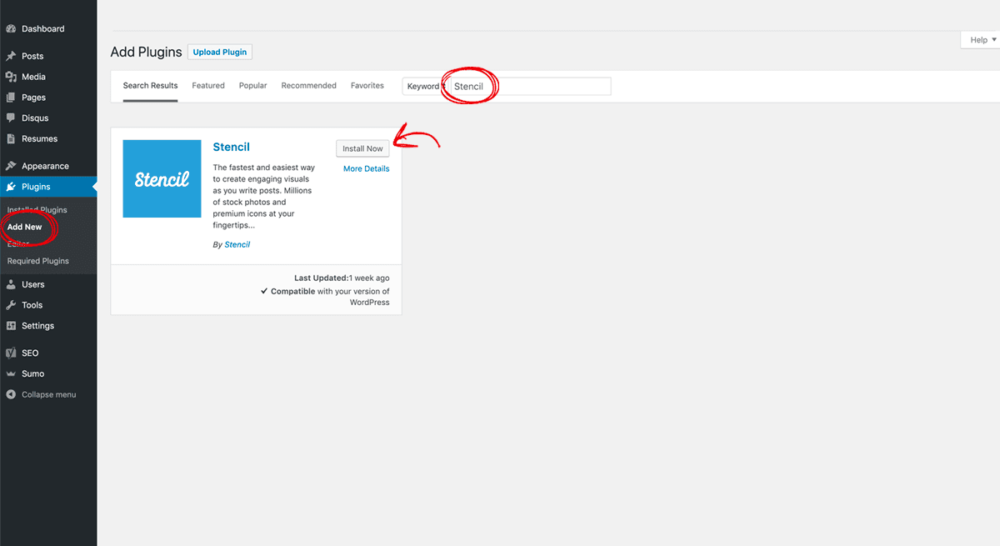
This is one of the unique features and advantages of using Stencil. After the installation of the WordPress plugin, you will be able to see the Stencil tab appearing right beside the Media Library. With the help of this application, you don’t have to edit the picture separately on another tab.

The two important features of the WordPress plugin are:

  • It helps in the optimization of the compressed image.
  • You can change the filename in order to make sure that the filenames are search engine optimized.

Install for WordPress in 3 simple steps:

  • From the WordPress admin click on Plugins, select  Add New and search for Stencil.
  • Now activate the Stencil.
  • After that while creating a new post, you can use Stencil in the Media Library.
wordpress plugin

Use Cases:

List of available templates:

  • Business
  • Celebration
  • Colorful
  • eBook
  • Facebook
  • Facebook Cover
  • Fitness
  • Holiday
  • Instagram
  • Instagram Story
  • Outlines
  • Pinterest
  • Promotional
  • Quotes
  • Social Media
  • Twitter
  • Zoom Virtual Background

User Interface:

Stencil has an easy and attractive interface to use. It provides the users with millions of photos and icons to build over thousands of templates to use and create stencil designs. The editing tools available here make the work a lot easier. In order to create an image you can select the 147 preset canvas and put your image by dragging and dropping them from the library and editing them by adding texts as well as icons as watermark for your image.

If you don’t want to create your own, you can also use the in-built templates made by designers which are already available. You also have access to rewritten quotes which you can simply add to the background picture. Other than that, you can share your creation easily to different platforms at once.

Under the More tab, you can find extensions for Chrome, Add-on for Firefox, Stencil for WordPress as well as extensions for Safari too.

Who can use it

  • Bloggers
  • Marketers
  • Designers
  • Youtubers

Pricing:

Free version:

Features:

  • Save up to 10 images per month
  • Limited icons
  • Limited photos
  • Upload up to 50 images
  • Create up to 10 collections
  • Keep up to 10 favorites
  • 10 Instagram SMS per month

Pro Version:

Features:

  • $9 per month when paid annually
  • Save up to 50 images per month
  • 5,000,000+ Photos
  • 3,100,000+ Icons & Graphics
  • 3,450+ Google fonts in stencil fonts library.
  • 1,275+  Amazing templates.
  • Logo / Watermarks
  • Font uploads in stencil fonts library.
  • Premium support
  • Upload up to 250 images
  • Create up to 25 collections
  • Keep up to 100 favorites
  • 25 Instagram SMS /month

Premium Unlimited Version:

Features:

  • $12 per month when paid annually
  • Features:
  • All Pro Features included
  • Save unlimited images
  • Upload unlimited images
  • Create unlimited collections
  • Keep unlimited favorites
  • 100 Instagram SMS /month

Ratings:

UI Ratings: 8/10

Features: 8.5/10

Pricing: 9/10

How to choose the best design tool for your business?

For the business purpose, you can go for Stencil, Canva, PicMonkey, Adobe Photoshop, Adobe Illustrator, etc.

I hope this article was capable of providing you all the essential information required before the installation of the application in your system. In case if you have any problems or queries feel free to share with us by commenting down below.

List Of 10 Best Research Tools For Understanding The Target Audience.

10 Best Research Tools

Are you looking out for the best research tools to understand your target audience? Then you’ve come to the right place. You don’t have to go through hundreds of articles to collect the best research tools. We’ve done the hard work for you and compiled the best free and paid tools available for audience research.

You’re probably flooded with online marketing spam and promotional emails, and it often gets confusing to decide which tool to use in order to engage with the audience online or from where they can know their target market, target demographics, or from where the one can collect their audience insights. 

research tools

Here are the top 10 research tools which you can use to fulfill the desired requirements:

Google Analytics 360: Acquisition Tab:

Google Analytics

In order to run an effective business plan, one can use Google Analytics because it can provide you all sorts of free tools in one place to analyze audience insights data for business purposes.

Features:

  • The Acquisition tab in Google Analytics will help you to identify which platform you should advertise.
  • Where you can find potential consumers.
  • It will help you to identify the website of the target audience.

Pros:

  • Google Analytics provides you with tools free of cost.
  • Here Google Ads account can be linked with the Google Analytics account.
  • Here you can keep track of your e-commerce platforms.
  • Here you are allowed to collect pieces of information from various other platforms.
  • This can be used on various other online interfaces like mobile phone applications or websites.

Cons:

  • The free version of Google Analytics is good for the newbie but for the users with high web traffic, then they have to upgrade it with the premium plan which can cost you around $150,000.
  • In order to run Google Analytics one should be well equipped with all sorts of knowledge because there are the chances that the user can get confused sometimes.
  • The user can get confused while using Google Analytics because of the availability of many numbers, dashboards, demographics, settings, etc.

Pricing:

Google Analytics 360(Premium): $150,000 per year.

Facebook Business Page Insights:

Facebook page insights

Since Facebook is used by almost everyone therefore it can play a very good role in serving a perfect business platform and almost every business has a Facebook business page. You can easily get in touch with potential customers and get audience insights using this research tool.

Features:

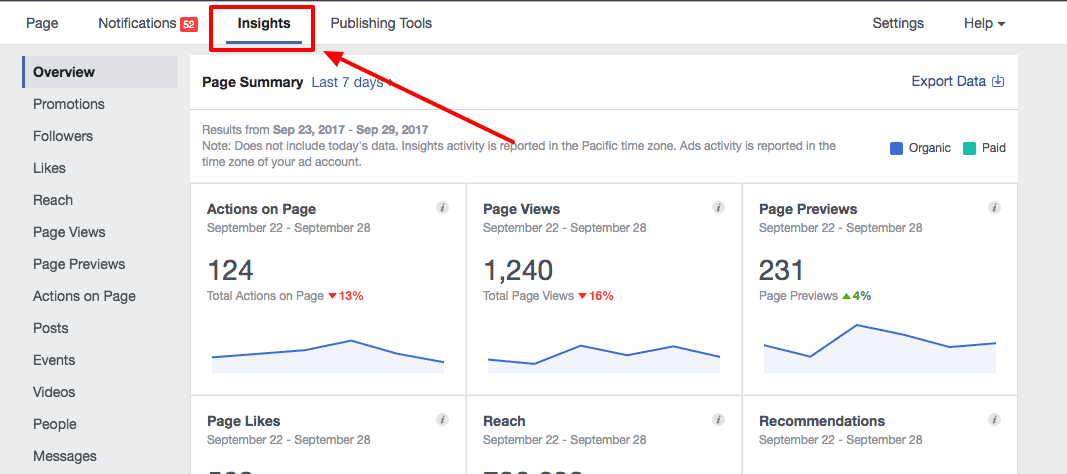
  • With the help of this tool, you can identify the Net Likes under the likes tab.
  • You can get to know different types of engagement content.
  • With the help of “Actions on Page”, you will be able to know how well your page is engaging the users to take the next step in doing business with you.
  • Under the People section, you will be able to get detailed information about the demographics of your audience and their maximum activity time.
  • In the Video section, you will be able to see how many users have watched your videos & for what  time duration.

Pros:

  • Facebook is capable of collecting all the valuable information across the platform and supplying it to your system.
  • It helps you to get a lot of audiences.
  • This provides the user access to detailed analytics.

Cons:

  • The management of this page consumes quite a lot of energy and time.
  • The use of requires commitment.
  • The selection of bad choices made on social media can spoil the reputations of your business.

Pricing:

The full suite price starts at $100 per month with a free trial of 14 days.

Customer Relationship Management (CRM) Platform(Salesforce):

CRM software

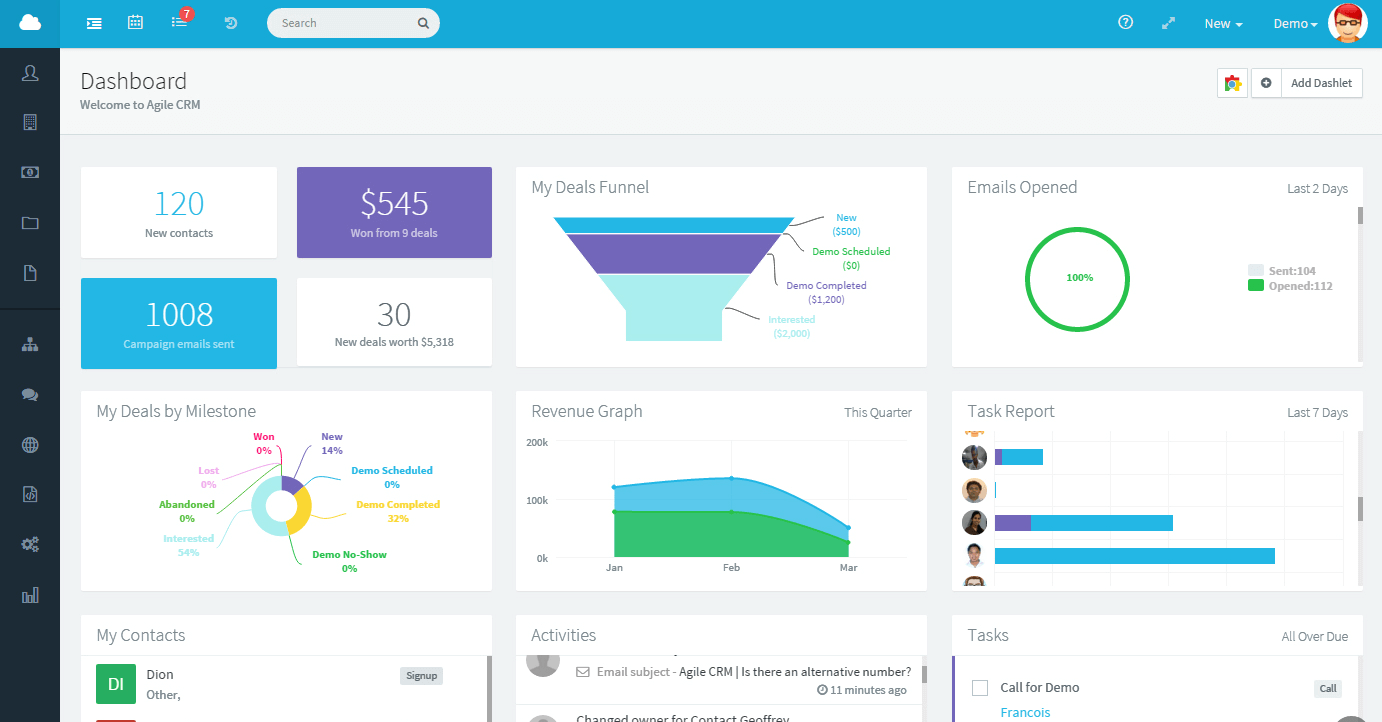
It is a one-stop platform where you can get the updated data because they update fresh data every day. It helps to store all the information about customers, get your audience insights and analyze it.

Features:

  • It helps in the collection of all the lead details from phone calls, social media platforms, emails, web forms, or even channels.
  • Another interesting feature of the CRM platform is that it helps the user to send mass emails, plan drip email campaigns, keeping track of the conversation with the clients, and can even generate automated emails for special occasions like birthdays, anniversaries, others for the clients.
  • It has a reporting and analytics feature which helps in supporting marketing, sales, customer service, e-commerce, and others.
  • Sales pipeline features help the user to sort, filter the deals and also helps to send emails for the selection of the customer.
  • Workflow automation helps the user in creating smart workflows using rules or logic.

Pros:

  • With the help of the CRM platform, the data of the customer can be accessed remotely.
  • This helps in speeding up the conversion process.
  • The cost management is low.

Cons:

  • The CRM platform may cause a threat for businesses in case of security.
  • The user must have good knowledge about the numerous features available or the confusion can cause harm.
  • If the database is not managed appropriately it can cause loss of precious data.

Pricing: 

Lightning Unlimited Edition: $300 per month

Lightning Enterprise Edition: $150 per month

Lightning Professional Edition: $75 per month

Lightning Essentials Edition: $25 per month

Consumer Barometer:

Consumer Barometer

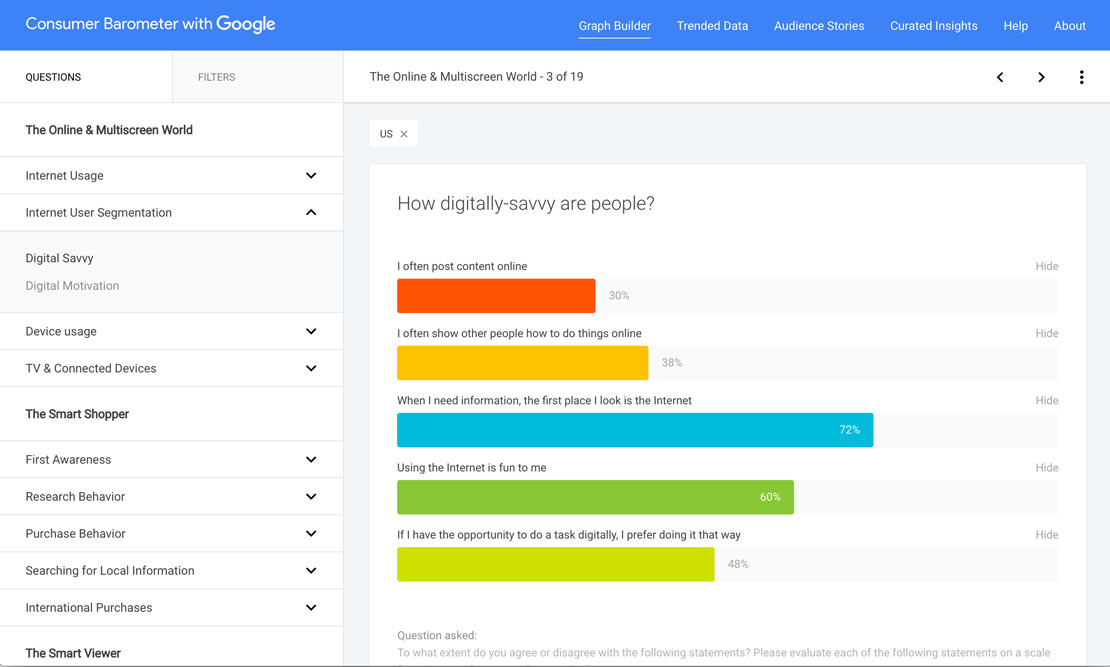
This is the awesome tool provided by Google which helps the user to pick and make a selection from an assortment of topics as well as asking questions to the customers more accurately.

Features:

  • It compares the digitally trending data over time.
  • It can explore the role of the internet in the lives of the audience.
  • It is capable of discovering curated audience insights.
  • This helps in creating your custom analysis for a better understanding of the use of the internet by the audience.

Pros:

  • This interface is easy to use and also provides detailed reports.
  • It is a time-efficient tool.
  • The cost of this tool is pretty affordable.

Cons:

  • There is no branching of logic possible after a single screener.
  • The questions can be shown out of the context to the respondent for the rest of the survey.
  • There is no availability of rank-ordering questions.

Google Trends:

Google Trends

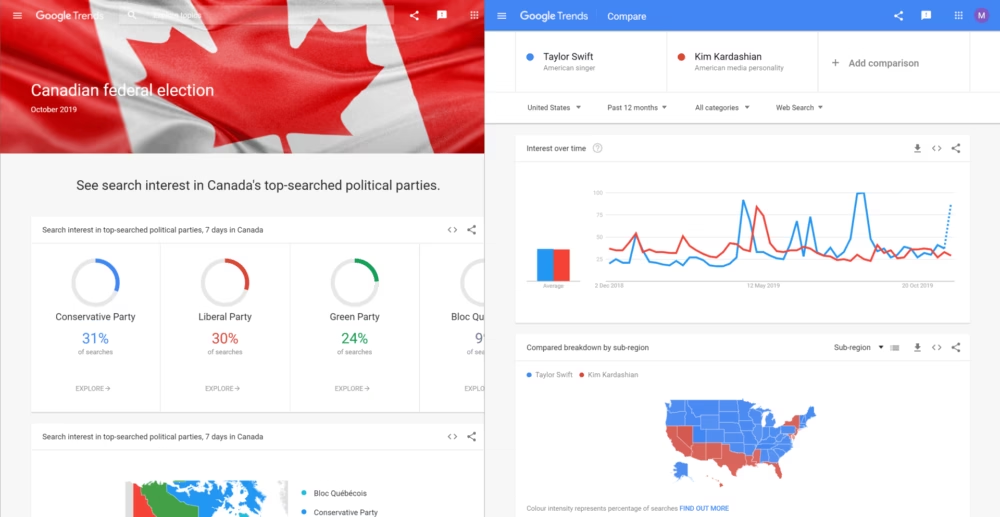
Google Trends is also recommended as one of the best free research tool out of many research tools for understanding the audience insights. Here you can find the most trending searches from the Google Search Engine worldwide or by country. This tool helps you with insightful data and graphs based on trending searches.

Features:

  • With the help of the “Search Volume Trends” feature you can find the trending keywords for creating content.
  • Another cool feature of Google Trends is finding related keywords. The breakout word will be visible for the search terms that are growing more than 5000%
  • With ‘Interest by subregion,’ filter, you can easily uncover local search trends.
  • The LSI keywords will help you with on-page SEO.
  • Besides the content, you can also find keywords for YouTube videos.

Pros:

  • It has a good user interface as well as can be accessed very easily.
  • It is free of cost.

Cons:

  • The context present in the search is not clear.
  • There is a lack of analytics in google trends
  • Sometimes the search items are not displayed because of the low search quota.

Pricing:

 Free

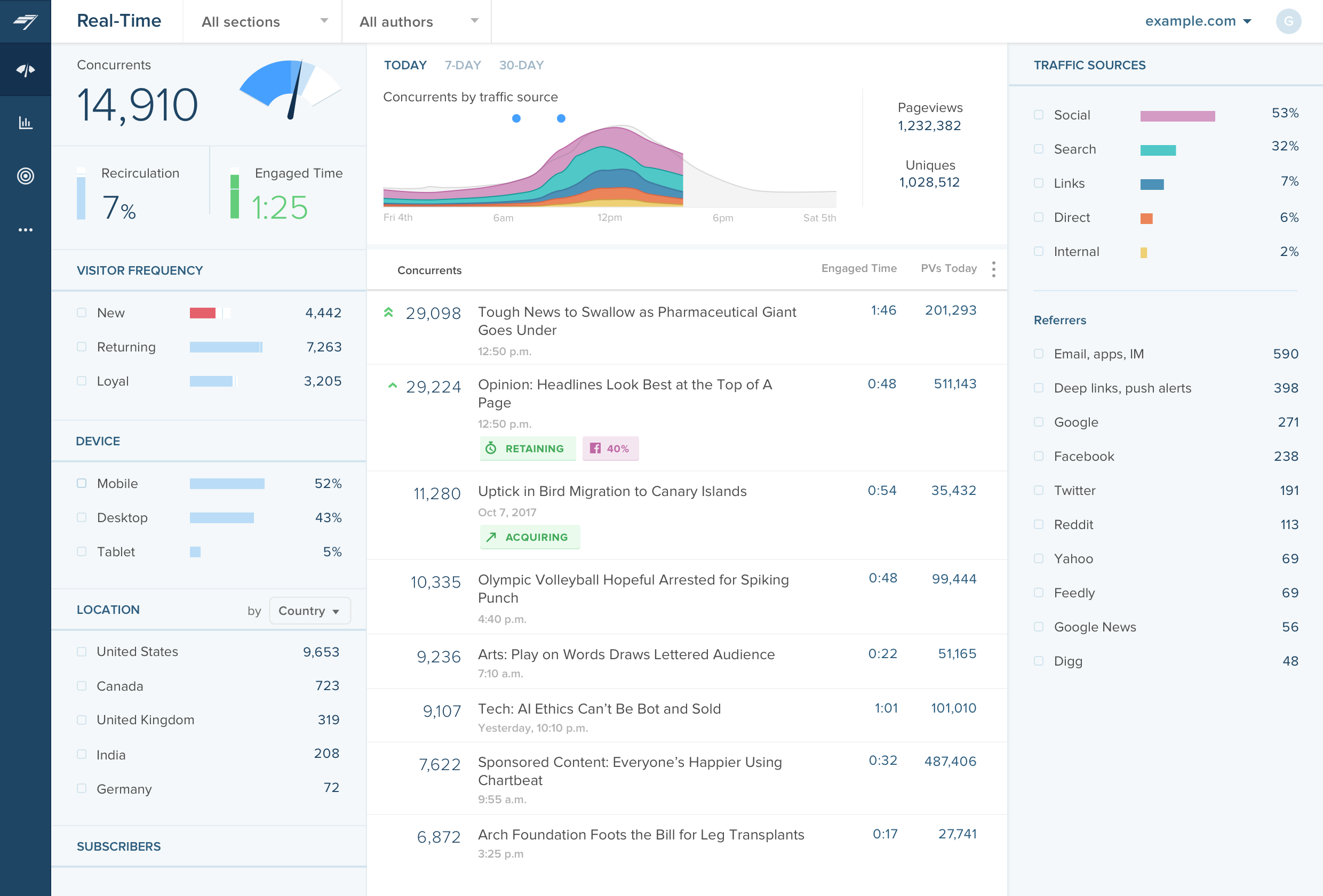
Chartbeat:

chartbeat

The Chartbeat is one of the research tools which helps in providing the user analytics to blogs and websites. This is a great tool out of many research tools present for the blogger helping them to understand the content which keeps the audience engaged.

Features:

  • It provides advanced queries.
  • Slack integration
  • Segmentation
  • Real-time reporting
  • Retention

Pros:

  • It is user-friendly with a simple user interface.
  • It works faster and is source tracking
  • It provides real-time metrics.

Cons:

  • It is not integrated with apps.
  • It does not have great features as Google Analytics.
  • Some metrics like the view of the photo gallery cannot be measured.

Pricing: 

$7000 per year with the free trial.

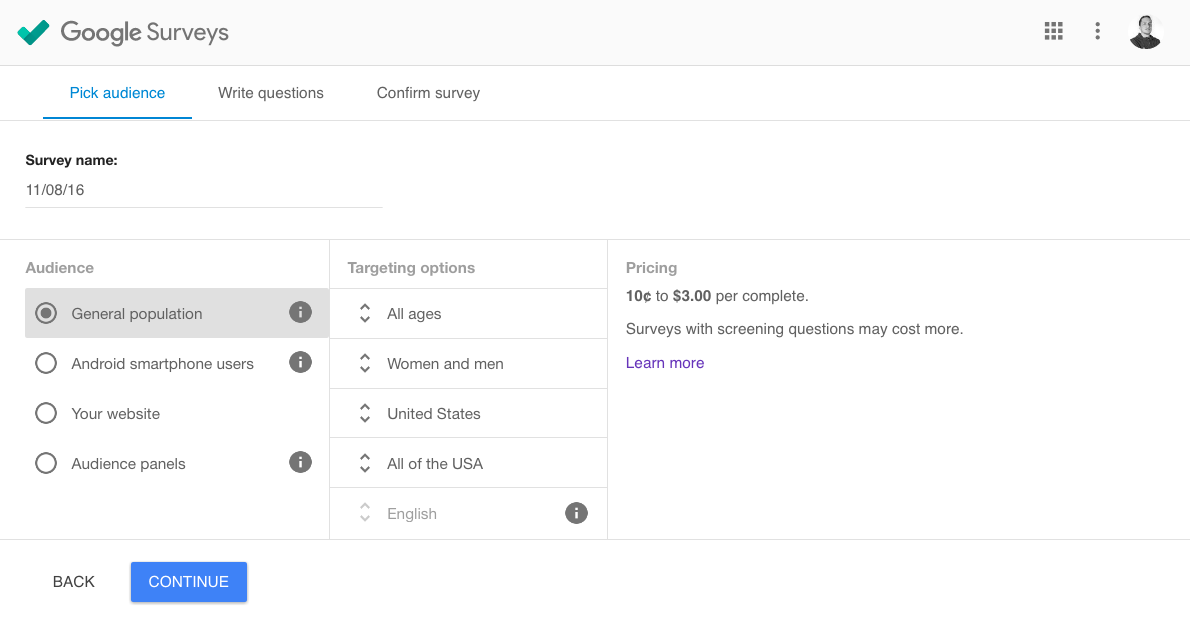
Surveys:

Google Surveys

In order to collect more demographic information about your target customer, you can use a survey for your most valuable platform. If you are capable enough to motivate your customer for taking the survey then you are ahead in the market.

Features:

  • This tool can help in the customization of the pages like updating the colors, fonts, and other designs as well as templates.
  • It helps in the randomization of questions for you.
  • With the help of the data analysis feature, you can easily view the responses of the audience by observing the chart, graphics, and others.
  • Website Integration will help you in linking your website to a survey.
  • The availability of multiple language options helps in delivering surveys around the world.

Pros:

  • It helps collect qualitative feedback.
  • It is available at a low cost.
  • It is easy to build and implement.

Cons:

  • Sometimes customers do not want to take the survey because of its time consumption
  • It does not provide full data.
  • The customization in surveys can have the risks of a certain type of errors.

Pricing:

 $0.10 per question

Questback:

Questback

Questback is a feedback platform that allows the organization to understand its customers and engage its employees.

Features:

  • This has the cool feature of team administration and project management.
  • It helps in data quality maintenance.
  • It helps in importing and managing the data of the respondents of the survey.
  • It does the survey monitoring.
  • The routing and filtering feature helps them to show the audience relevant questions.

Pros:

  • It is easy to use.
  • It provides automated reports of the respondent.
  • It has a good survey workflow.

Cons:

  • It is quite expensive to use.
  • It does provide a free version or free trials.

Pricing:

 One has to request pricing.

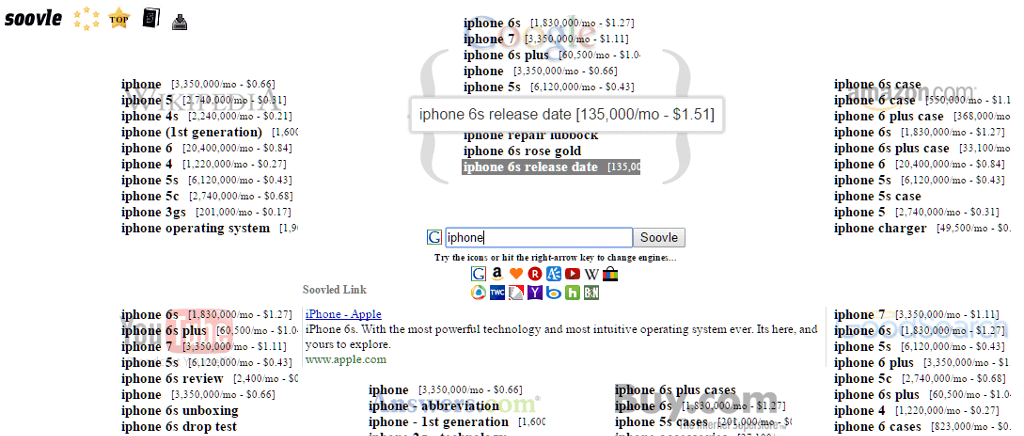
Soovle:

soovle

Soovle helps in gathering all the suggestion services in one place. This can mostly be used for content writing purposes. It has the capability of finding the keyword from more than 15 search engines at a time.

Features:

  • Soovle provides country-specific search volume data.
  • The available keywords are based on queries.
  • It helps in exporting data in CSV
  • There are more than 15 search engines present.
  • Soovle is a very simple interface to use.

Pros:

  • Soovle is easy to use.
  • The keywords suggestion are represented as a visual search cloud.
  • With the use of the free version, three searches can be conducted in a day.

Cons:

  • Soovle doesn’t include the search engines that are not under Google or Bing.
  • There is no display of search volume metrics.
  • The pro package rates are quite high.

Pricing: 

Free to use

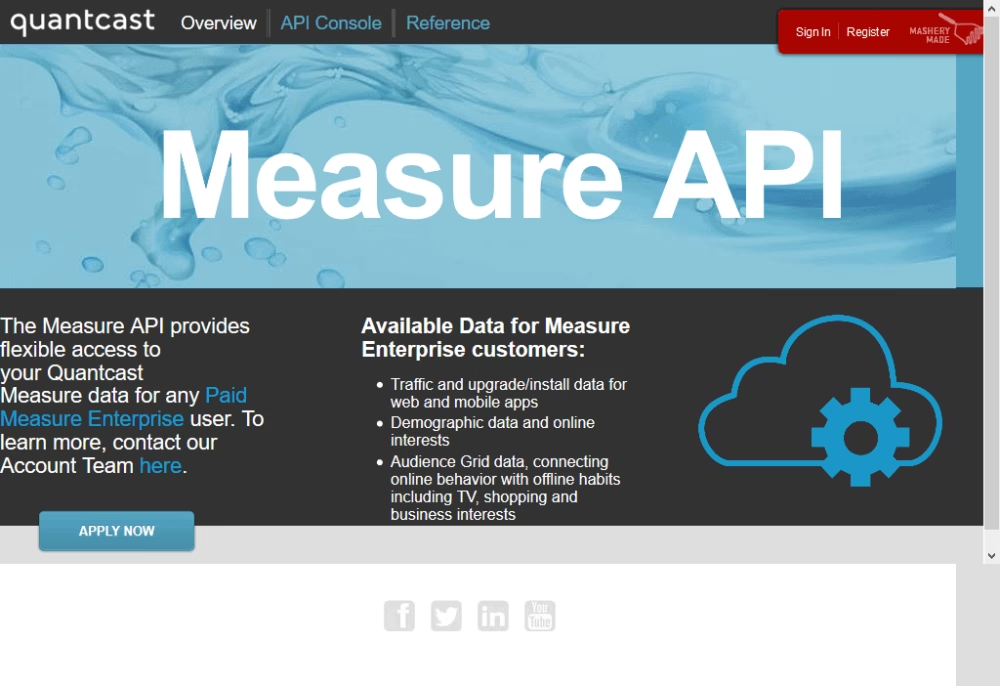
Quantcast:

quancast

This can be regarded as the best tool out of many research tools available for understanding the target audience. With the help of a wide range of analytics and data mining tools, the organization can easily understand its audience.

Features:

  • It collects data from millions of web and mobile platforms.
  • It helps in competing for the audience demographic analysis
  • It analyses the return visits of the audience
  • This provides custom audience segments.
  • It also provides insights into any content or ad inventory.

Pros:

  • It helps the user to know the age and gender of the visits made by customers.
  • It is easy to use and also it is capable of basic computer benchmarking.
  • It can help the user in figuring out the shopping habits of the customers.

Cons:

  • It causes problems during allowance of access to their API
  • Some generalizations of data available are useless.

Pricing: 

Price ranges may vary from $19 to $499 per month.

I hope this article helped provide all the essential list of research tools to research your target audience. Let us know which are your favorite research tools and if you know another research tools that is worth mentioning, please feel free to contact us with the link to the tool.

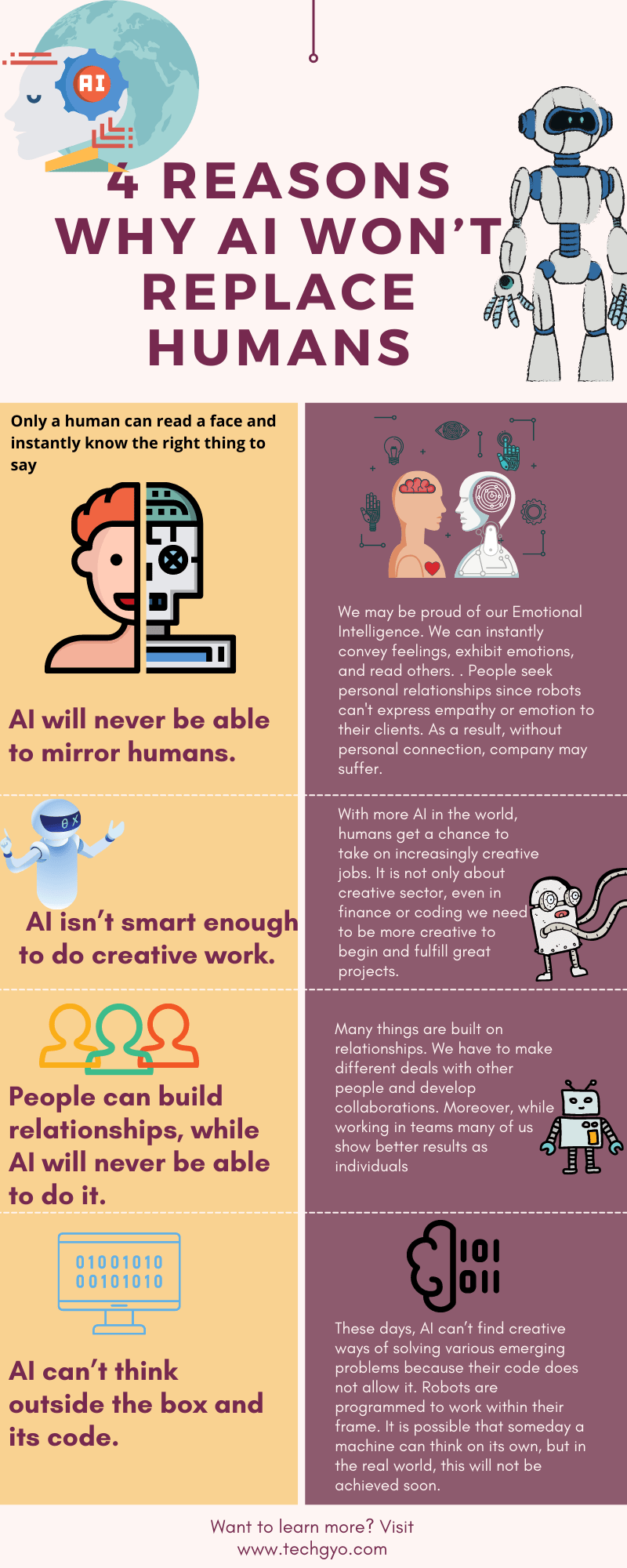
4 Reasons Why AI Won’t Replace Human Beings

Several recent reports indicate that in the next years, a large portion of human labor will be replaced by automatons and robots. Many people are concerned that excessive research and development in the field of artificial intelligence may result in a huge job crisis, since various tasks may be performed more correctly and effectively with the use of machines. The intimidation is palpable, to say the least, with significant figures like Stephen Hawking warning the world that the growth of robots and intelligent machines beyond a certain point might spell the end of humanity. Is it all real, though? Is it conceivable for machines to take the place of humans entirely? Is it truly true that people would be unable to find work in the future decades since all tasks will be undertaken by automatons and intelligent machines? No, I don’t think so. In many cases, a machine, in my opinion, will never be able to entirely replace a human being.

AI Won't Replace Humans

Here’s How the Industry Leaders Are Reacting to E-RUPI: A QR Code Based E-Voucher

0
E Rupi India launch: PM Modi launches e-RUPI: India's new purpose-specific  digital payment solution - The Economic Times Video | ET Now

Latest: PM of India has launched an electronic voucher-based digital system for a cashless and contactless mode of payment called e-RUPI on the 2nd of August 2021. The aim of this one-time payment mechanism is to stop leakages in the government welfare scheme.

The benefits are delivered to the beneficiaries and are transferred on mobile phones in the form of QR codes or SMS, which eliminates the possibility of being misused.

E-RUPI doesn’t require any physical interface for transactions which makes it very hassle-free as it is safe and pre-paid.

Here are some of the benefits of e-RUPI as tweeted by the PM:

  • Cashless and contactless digital payment
  • Connects service sponsors and beneficiaries digitally
  • Ensures leak-proof delivery of various welfare services

This can also be used by the private sector to leverage the new system for employee welfare. The PMO’s office said that this new system is capable of revolutionizing the digital payment system to ensure leak-proof delivery of welfare services.

What Is e-RUPI And How Does It work?

Beneficiaries can now receive and QR code or an SMS-based electronic voucher on their phones. They will not need any physical card or even a digital payment app to redeem the voucher to avail the services, as stated by the PMO.

Let’s say you buy a product and receive a voucher on the purchase, with e-RUPI you don’t need to carry the voucher in the physical form, it can be sent to your mobile phone in the form of a QR code or an SMS. This process is safe as it ensures payment only after the transaction is completed. It ensures timely payment to the service provider as it is prepaid.

e-RUPI has been developed by the National Payments Corporation of India (NPCI) with the other government departments. Infrasoft Tech provides the e-RUPI technology stack to banks by helping them implement the right technology by integrating the existing systems to deployment as per their target beneficiaries. 

Infrasoft Tech is a Mumbai-based 26-year-old fintech firm serving more than 500 institutions across 56 countries with its banking tech services.

Here’s a List of Banks Live with e-RUPI:

  • Axis Bank
  • Bank of Baroda
  • Canara Bank
  • HDFC Bank
  • ICICI Bank
  • Indusind Bank
  • Indian Bank
  • Kotak Bank
  • Punjab National Bank
  • State Bank of India
  • Union Bank of India

Fintech Industry Leader’s Comments:

“This is the next best step to take high end of tech to bottom of pyramid. It will help the Government to dispense the specific policy benefit to an identified user segment without any misuse of the funds or delay. The funds will not need to move around in banks but the beneficiary can directly go to end point to avail the intended benefit.

Beyond a code sending to mobile number of a user, I believe the upgrade can also scan an Aadhaar card at the dispensation counter and identify the user for the respective service. This is the true test of network that has been created at the last mile in India because at PayNearby our merchants will be able to identify the user for right benefit and deliver it in pointed / specific manner. Targeted, transparent and leakage free delivery to the end point is the intention of policy makers and we are happy that PayNearby will be able to enable this objective. The Central Bank Digital Currency movement has already started by India now. While the world is talking of Central Bank Digital Currency, India has already launched it today.” Anand Kumar Bajaj, Founder & CEO, PayNearby

Anand Kumar Bajaj, Founder & CEO, PayNearby

“We are glad to see e-RUPI which is a great way to implement person and purpose specific digital transactions. We are also looking forward to seeing the features of central bank digital currencies and how they will work. These are great steps towards forming a complete digital economy that have their own unique roles. We believe crypto assets, along with these innovations like e-RUPI and digital currencies, can co-exist in the digital Indian economy.’’-Avinash Shekhar, Co-CEO of ZebPay

Avinash Shekhar, Co-CEO of ZebPay

“The e-RUPI initiative is an innovative model of enabling digital transactions through voucher QR codes and links through both smartphones and feature phones without an intermediary or a bank account. We are proud to be associated with the e-RUPI initiative through our client banks. NPCI has been at the forefront of digital innovation for payments in India and we are pleased to be offering the entire NPCI product stack through our products to our client banks.

With e-RUPI, the government have successfully created a direct channel to reach and help the beneficiaries. The system will now allow the Indian government to implement their welfare policies at speed and scale eliminating the multiple tedious processes beneficiaries went through to get funds previously. e-RUPI would also promote financial inclusion by enabling the underbanked population to receive the benefits and funds of welfare schemes and play a crucial role in bolstering the economy of the country from the ground up. The flexible and scalable framework will also pave the way for the use of prepaid vouchers in public, private, and corporate setups.

InfrasoftTech provides the e-RUPI technology stack to banks by helping them in implementing the tech right from integration with the existing systems to deployment as per their target beneficiaries. Currently, we are working with two banks of the 11 live banks as per NPCI. We are shortly adding more client banks with the e-RUPI features.”-Rajesh Mirjankar, MD & CEO, Infrasoft Technologies Ltd

Rajesh Mirjankar, MD & CEO, Infrasoft Technologies Ltd

“The launch of e-RUPI is a landmark move by PM Modi to bring technology into the hands of billions, specially at the last mile. There have been many conversations around ensuring leak-proof welfare to beneficiaries by leveraging new-age tech, however, the launch of e-RUPI today makes India a global pioneer in the digital payments ecosystem. With the pandemic, the growth of the fintech sector, particularly digital payments, has been at rocket-speed. Now, with this new contactless, cashless digital payments platform, this growth will be further accelerated, specially in rural India, where most Direct Benefit Transfers are witnessed. Spice Money has been one of the most vocal supporters of tech in payments and we wholeheartedly welcome this initiative, that will further the vision of financial inclusion for all.”-Dilip Modi, Founder, Spice Money

Dilip Modi, Founder, Spice Money

Why Everyone is Hyped About Elon Musk’s Neuralink? Will NeuraLink Ever Rule the World?

Neuralink

How many of you out there have watched Iron Man? While to some of us, it’s just a movie, but this movie is now turning into reality. Shocked? Well, it’s true. If you’ve watched movies like Iron Man then you must know that a lot of futuristic things are shown where they attach things inside their body like an arc reactor in Iron Man and while these sound very futuristic and advanced in this age but it is now happening.

Elon Musk, CEO of Tesla Motors made a huge commitment that had a lot of people in awe. Musk along with his team at the Neuralink startup is working on a chip that can be implanted in your brain. You can communicate with the chip directly from your brain and vice-versa. It sounds very unrealistic, but we surely are very excited about this. 

ironman

With technology getting powerful with each passing day, computers, laptops, and mobile phones have become smarter than humans. But one thing that we still cannot do even with technology getting so advanced is communicate with our gadgets through our brain. We still need to type each and every word or give some sort of input to them in order for them to store information. If you want your laptop to store an image then you will manually have to import that into your system.

The hundreds of GB’s of data that is in our brain has to be transferred manually and the data transfer could be very slow, but imagine directly transferring all the information that you have in your brain to your mobile phone. The thought of this happening alone is powerful and this could definitely be the next step for technology.

Neuralink chip

But this obviously is not going to happen overnight, the movie itself took a lot of time to get into action so implementing this in real life could take years and years of research and work. This chip is being implemented in phases, the first phase is the trial and testing phase, they are using animals for this purpose to check the working of the chip.

After this, the chip is going to be tested on people who are in a dire need of it, it can be for paralyzed patients who cannot move their hands or legs or for people who cannot see. Musk stated that the goal of this chip is to “solve important brain and spine problems with a seamlessly implanted device”.

BMI

Initially, the design of the chip was quite complicated as it had a lot of wires and had to be attached behind the human ear through surgery, but now they have simplified it to the size of a coin which is much easier to install in the brain. To conduct the surgery of this implant, the team at Neuralink has built robots that can carry the operation with much more precision as compared to humans. The specifications of the chip are as follows:

  • 1024 channels per link
  • 23 mm x 8 mm
  • Flush with skull(invisible)
  • 6-axis IMU, temperature, pressure, etc.
  • Megabit wireless data rate, post compression
  • All day battery life

Can Neuralink cure depression?

No, Neurallink cannot cure brain disorders like depression.

BMI

The surgery is said to be performed without any general anesthesia and will not take more than an hour. Another matter of concern is brain bleeding, it’s a pretty sensitive operation since the wires are very thin, this is to be done via a surgical robot. The chip was tested on pigs, it was found to communicate with the neurons in the brain and tracks all the activity that the pig does from eating to touching anything and sends out signals. The chip tracks the patterns in the brain that are related to the activities that the pig does.

neuralink experiments

Future Of Neuralink

The main purpose of this chip is to send signals to those parts of the body which cannot move, this could be really great for people suffering from paralysis. In July 2020 this startup got the FDA approval to test this chip on humans. This new invention could definitely be scary and skeptical for many people as it’s going to come with its own dangers and disadvantages in the beginning, but we’re excited to see the implementation and its final result. 

Elon musk