Home Blog Page 24

Troubleshoot DX11 Feature 10.0 Error in Just 2 Minutes

dx11

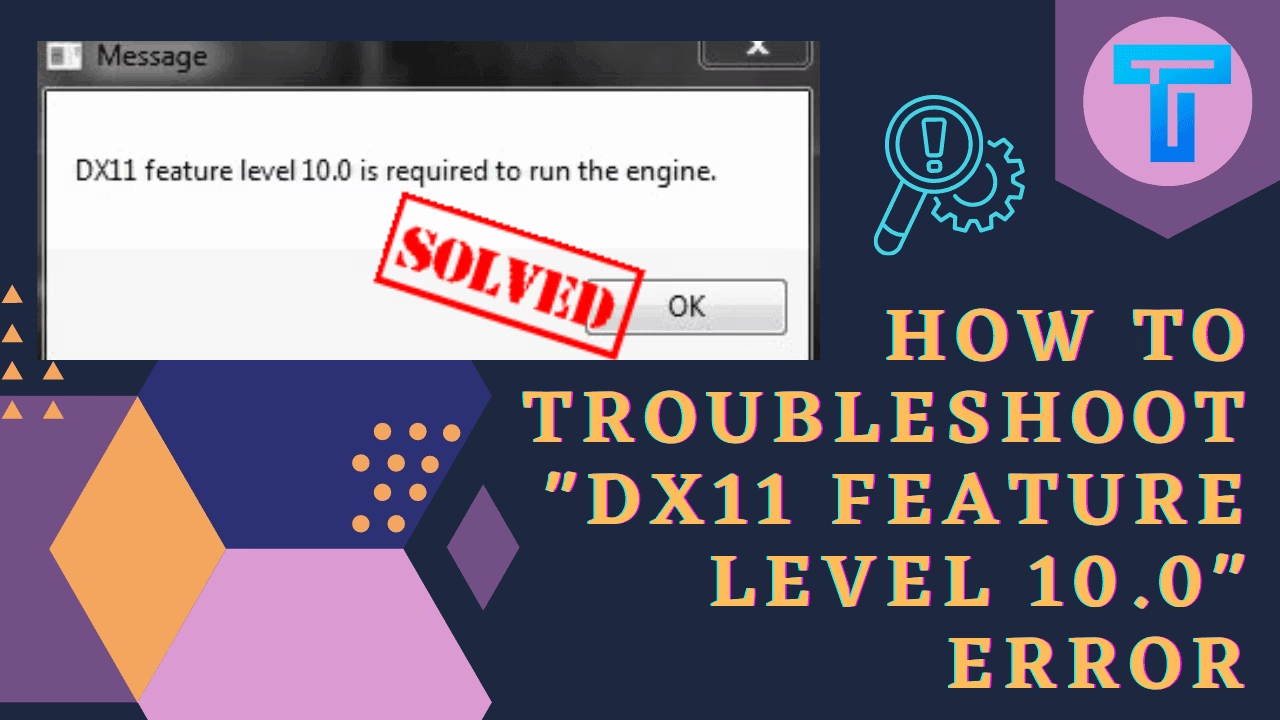
Are you also getting the messages like DX11 feature level 10.0 is required to run the engine. Then you should know that this is a common error often reported by the users while playing games like PUBG or Fortnite. Direct X allows the user to execute 3D software in the system. There may be various reasons behind the cause of this error, but at the same time it can also be fixed shortly, if the right guidelines are being followed.

One of the most probable reasons can be some graphic card glitches or it can also happen that DirectX has gone outdated and your system needs the new version of it. Besides, the causes let us discuss the solutions one by one in detail.

How to troubleshoot DX11 feature level 10.0 error?

There are quite a number of easy solutions that you can try in order to troubleshoot.

First Solution: Update the Games and Windows:

Since in games, developers quite often release the updates or maybe the older version of the Windows can be responsible for the DX Feature Level 10.0. You should check out the recent versions of the Games and Windows. If any of those are pending, try to download and update it to the recent one. This may solve your problem.

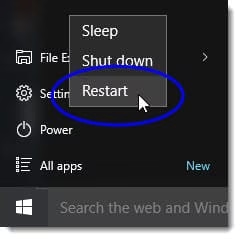
Second Solution: Restart the Computer.

Though this solution sounds highly basic, it shouldn’t be underestimated. This single step can cause a huge impact in resolving the issue. So, try to reboot your system and check if that error is still happening or not.
restart

Third Solution: Start Updating your Graphic Card Driver:

Have you ever checked whether your Graphic Card driver is vitiated or not. If so, then do the following steps as mentioned below in order to update the card driver in Windows 10.

  • Firstly, In the search box of the Start you have to type Device Manager.
  • Now, select the Display adapters section and among the list watch out for your driver name and finally update it.
  • Then you will be able to see the option Search automatically for updated driver software.
  • In case you are not able to find any driver then you can also check for the updated version on the official page of the manufacturer. 
  • You can follow the guidelines initiated by them and successfully update.

If you are failing to do so or if all these procedures are not working correctly for you, then you can try this tips:

  • Just like before you have to open the Device Manager, then select your driver name 
  • By right click on that name you have to click on Uninstall
  • Now you can restart your system 

Fourth Solution: Update the DirectX:

Before updating the latest version of DirectX check out which version is running in your system. 

How to check the recent version of Direct X?

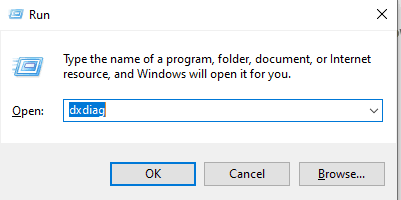
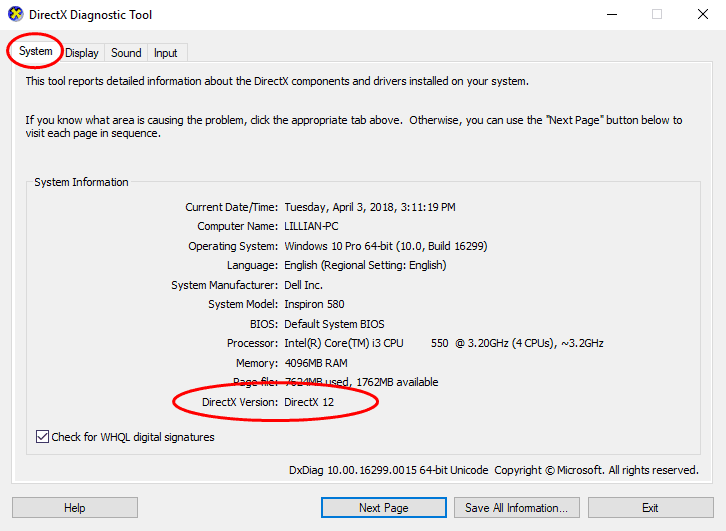
  • Initially press Window + R simultaneously for opening the dialogue box. 
  • Type dxdiag and hit enter key
dxdiag
  • This will open the panel named DirectX Diagnostic Tool.
  • Now in the top part of the page under the System tab you will find the DirectX Version displayed at the bottom.
next page
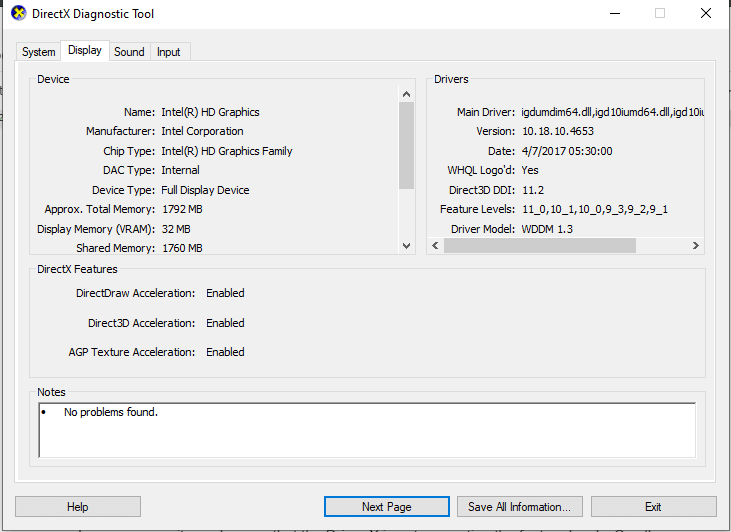
  • You can even check the feature levels of DirectX by clicking on the Display tab near the System.
display
  • While checking the feature levels you also have to see if the three options named DirectDraw Acceleration, Direct 3D Acceleration as well as AGP Texture Acceleration are enabled or disabled.

enabled

Noteworthy: If you want to run Fortnite in your system then you should have DirectX and its feature levels installed in your system.

Now the question is how to update this?

You need to know that the ways for updating the new versions differs from Windows to Windows
1. For Windows 8, Windows 8.1, Windows 10, you have to update the Windows latest version and along with this the DirectX will also get updated soon.
2. For Windows Vista, Windows Xp and Windows 7, the user has to install the suitable update packages for their Windows.

In some cases it may happen that the Driver X is not supporting the feature levels. So all you can do is check that with the manufacturer or may buy anew one which supports Feature level 10.0

I hope this article has turned out helpful in solving the issue of DX feature level 10.0 is required to run the engine. We have tried to explain all the solutions in a very comprehensive manner. You can share these articles with your friends, colleagues and partner so that they can unravel the outcome. 
Record Whatsapp Calls On Any Device! Easy Method

Be it iOS or Android, record Whatsapp calls in a breeze

Whatsapp: Making Lives Easier

Whenever it concerns texting or calling, Facebook-owned WhatsApp is what comes to our mind. Whatsapp is one of the highest-rated messaging apps in the market and without a doubt, the most popular in India.

It’s among the most useful apps for not only texting but also phone and video calling. The service is evolving into a one-stop-shop for all requirements. WhatsApp enables you to send messages to your pals, call them, and video chats with them.

Consequently, a significant number of individuals communicate through WhatsApp calls, abandoning the primitive method. Normal phone calls are simple to record using our phones’ built-in software, but how can you record Whatsapp calls?

In this post, we’ll teach you how to record WhatsApp audio and video conversations on your Android and iOS devices.

Recording WhatsApp Calls Using An Android Device

Call Recorder: Cube ACR

The beautiful part about Android devices seems to be that, you can simply get the applications to perform nearly whatever. On Android devices, there are several applications for recording WhatsApp calls. Call Recorder: Cube ACR is one of them and our pick. 

The app enables you to record phone calls on Whatsapp. It is essential to mention, though, that the application sometimes doesn’t function on all phones. Therefore, We recommend that you first check their support website to see whether your device is supported with the application. 

Now since that’s out of the way, follow these instructions to record WhatsApp audio calls on your Android device:

  1. Go over to Google Play Store and look for the “Cube Call app”.
  2. Install it on your Android device.
  3. Go to WhatsApp after opening the Cube Call app.
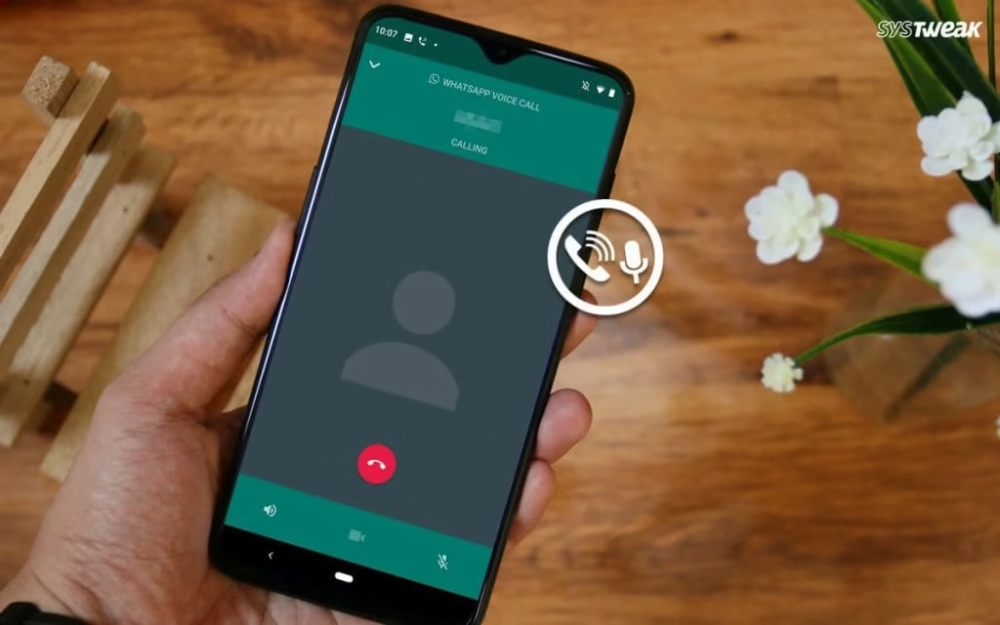
  4. Now, Whenever you make a WhatsApp voice call, a Cube Call widget will appear.
  5. If this is not the case, go to the Cube Call recorder settings and choose “Force VoIP call as a voice call”.
  6. Call once more and check if the panel appears or not. If you continue to get an error, it indicates that your phone may not be compatible with the program.

Recording Video Chats

Even though there is no professional functionality to capture WhatsApp video calls on your Android device, there is a hack. If you wish to capture a WhatsApp video chat, you may simply utilize the screen recorder app on your Android device. 

 AZ screen recorder app
AZ screen recorder

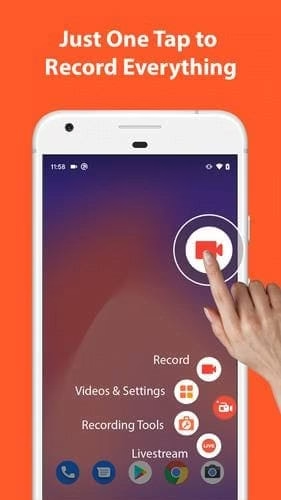
If you wish to capture a WhatsApp video chat, you may simply utilize the screen recorder app on your Android device.  There is a multitude of apps on the Google Play Store that enables you to record WhatsApp video conversations. One such software is the AZ screen recorder app. 

The program enables you to record WhatsApp video chats with audio. Here’s how to go about it.

  1. Go to the Google Play Store and look for the AZ Screen Recorder program. Simply download the app on your smartphone.
  2. Open the application and the software will generate a pop-up widget on your notification bar. It is essential to remember that you must turn on ‘Enable audio recording’ prior to capturing the chat.
  3. Now launch the WhatsApp program and make a call to the person you want to record the call with.
  4. Once the call begins, hit the record button available in the AZ Screen Recorder widget. 
  5. Once you are done, just stop the recording and your WhatsApp video call will be stored in the program.

Recording WhatsApp Calls Using An IOS Device

Recording a WhatsApp audio call using an iPhone is a difficult task. There is no specific program that enables you to capture WhatsApp audio calls with simplicity. Nevertheless, there is a solution, which needs a Mac and an iPhone. Here’s how it works:

  1. Connect your device to a Macbook via the USB cable. 
  2. Choose ‘Trust this computer’ on your iPhone.
  3. Open QuickTime program on the Mac device. 
  4. Go over to the File tab and select the New Audio Recording option.
  5. Select iPhone as an option and press the record button in QuickTime.

  6. Next, from your iPhone make a WhatsApp call to your smartphone. Select the add user button once you are linked.

  7. Next, contact the individual you would like to capture the call and start with your chat. 
  8. Whenever completed, just terminate the call and stop the recording in QuickTime. 
  9. Save the file on the Mac and your WhatsApp voice call will be recorded.

Recording Video Chats

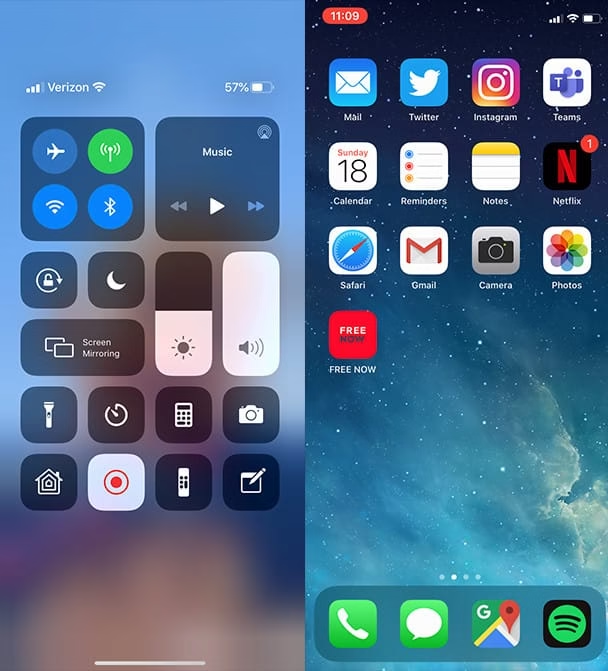
Screen Recording on IOS is pretty simple. The built-in screen recorder feature is just a swipe away. Simply swipe up to access the Toolbar and click on the screen recorder widget. Stop the recording as soon as your done and it’s as easy as that!

Screen Recording on IOS

Best 10 Space Inventions That You Must Know Are Now Used in Human Everyday Life.

0
NASA space Inventions

NASA is one such organization that has pioneered in establishing its supremacy in both technologies as well as in space inventions. NASA has came up with amazing new inventions till date. It was not an easy task for the human race to survive outside the Earth’s planet without oxygen, gravity, and other necessities. It eventually took uncountable experimentation and many space inventions for making it possible.

Behind space exploration, there are thousands of trials done by scientists and engineers finally leading to the innovation of high-tech products to be used by nasa astronauts. There are some daily use products which you don’t know that are originally space inventions invented by NASA experts for aerospace research but now it is used in the public domain.

In this article you will be able to find out all the space inventions and technology in day to day life:

Scratch Resistant Plastic Lenses:

nasa

Discovery:

The scratch-resistant lenses were invented in 1989 by Dr. Weyedeven of NASA Ames Research Center and this scratch-resistant entered the public domain in 1972 after the regulation issued by the Food and Drug Administration (FDA). 

Description:

Since the outer space equipment is required to be abrasion resistant, hence it was coated with a protective layer made from a chemical element named Diamond-like Carbon(DLC) to keep the equipment free from dirt particles.

Uses:

By NASA: To protect the plastic surface of the nasa astronauts equipment and nasa astronauts space helmet visors.

By Civilians: In Optical Industry

Tempur Foam:

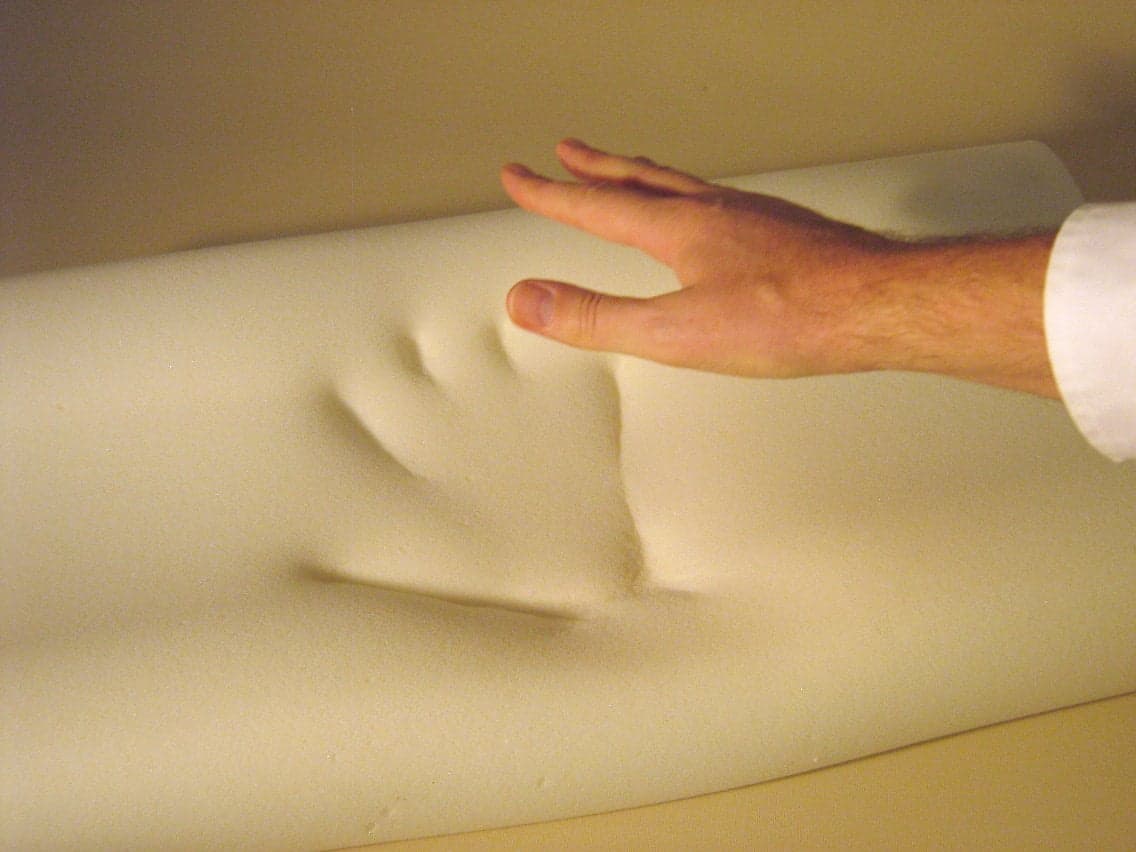
tempur foam

Discovery:

This Tempur foam was first bought into practice in 1998 with the collaboration of organizations such as Southwest Research Institute, Dynamic Systems, Becton, Dickenson, and NASA Ames Research Institute. 

Description:

This is composed of viscoelastic material keeping in mind the specific properties of being soft as well as having the capacity of high absorption of energy like for example the G force pressure that the astronauts suffer during liftoff and landing.

Uses:

By NASA: During lift-off and landing

By Civilians: In Health care and Medical purpose, later by public domain as slow spring back foam mattress and pillow.

Precision GPS( Global Positioning System):

Precision GPS

Discovery:

This GPS software was developed in the 1990s and was inducted in 2004. This was invented by NASA’s Jet Propulsion Laboratory(JPL).

Description:

GPS was one of the many space inventions made by NASA which is used everyday by many people in the world. With the help of GPS, NASA was capable of error correction streamed from JPL’s network. NASA also keep the track of the integrity of global GPS data in real-time. Besides that NASA also provided the software for commercial use for pilots. Now it has entered our daily life providing us the accurate position of the locations. 

Uses:

By NASA: It was used for finding out the accurate position of the satellite orbit

By Civilians: It is used for military purposes, automated cars, in mobile phones for locating destinations.

CMOS  Active Pixel Sensor:

active pixel sensor

Discovery:

CMOS was one of the many new inventions invented in that era. The CMOS active pixel sensor present in image capturing device was invited in late 1992 by NASA Jet Propulsion Laboratory Photo bit Corporation.

Description:

This metal oxide semiconductor APS requires just one percent of the power of the CCD( Charged Coupled Devices) system and its size is less than ten percent. It is less susceptible to radiation and also affordable to use.

Uses:

By NASA: It is used by NASA for having miniature cameras for interplanetary missions

By Civilians: It is widely used for medical purpose, the automobile industry, and others.

Radiant Home Reflective insulation:

Radiant Barrier

Discovery:

The Radiant barrier was discovered by NASA

Description:

This Radiant barrier technology was made by applying the vaporized aluminum to the sheet of plastic. It is highly effective in reflecting the harmful radiation present in space. Other than that it is capable of retaining heat during the winters and keeping the place cooler in the summer season.

Uses:

By NASA: It is used by nasa astronauts for protecting themselves from harmful radiations, temperature fluctuations.

By Civilians: It is used as insulating material in buildings, homes, shipping materials, and others.

Wireless headset:

headphone nasa

Discovery:

This hand-free communication device was invented by NASA technicians in association with ITT Labs in Fort Wayne and United Airlines who brought up the design for the headset in 1961. 

Description:

This technology was used in the mission of Mercury, Gemini, Skylab, and Apollo. Previously the pilots had to wear the huge bulky and uncomfortable headset but with the discovery of this, the task got easier.

Uses:

By NASA: It was used by nasa astronauts for better communication with the noise cancellation feature.

By Civilians: It is used in personal, commercial, and military communication.

Improved Radial tires:

NASA Improved Radial tires

Discovery:

These super elastic tires were invented by NASA’s Glenn Research Center, are inspired by Apollo Lunar tires.

Description:

The tires are capable of holding up a high amount of strains as well as deformations too. With the use of shape memory alloy, the loading capacity of the tire can be increased along with the lesser possibility of puncture failures.

Uses:

By NASA: It is invented for future use in the Mars and Moon Mission

By Civilians: It is used in the military, industry, and automotive too.

Water Filters:

NASA Water Filters

Discovery:

The water filtering device was invented during the 1950s by NASA

Description:

NASA has invented this device because it is quite a difficult task to carry out the bulky filters in space so an alternative was found by NASA experts. It helps in destroying the harmful germs and microorganisms present in the water.

Uses:

By NASA: It is used by nasa astronauts for the filtration of water in outer space

By Civilians: It is now used by companies for providing clean water to the population.

Dustbuster:

Dustbuster NASA

Discovery:

This was invented by NASA Goddard SpaceFlight center in association with Back & Decker Corporation.

Description:

The Dustbuster is also known as Cordless Vaccum is another amazing invention out of many space inventions NASA has invented .This tool is battery operated device and was used for studying the soil of the Moon as well as a collection of samples from surfaces and sub-surfaces. It was made by using a special computer program for optimizing the design of the drill’s motor and by minimum consumption of power. It was made cordless by Apollo Program and Black& Decker.

Uses:

By NASA: It is used for space exploration and sample collection of lunar surfaces.

By Civilians: It is now used for medical and industrial purposes.

Food Safety(HACCP):

Food Safety NASA

Discovery:

This was devised by NASA in collaboration with Pillsbury company in the 1960s.

Description:

NASA was making sure that all the foods reaching to the astronauts in space must be disease resistant and free from any kind of toxins producing microorganism and Pillsbury helped them out. After that, Pillsbury used the ideology in manufacturing their own food products.

Uses:

By NASA: With the help of this the food was made free from contaminants for the long duration of use by astronauts

By Civilians: Now used in the manufacturing industry to make their food products free from any contaminations.

The above mentioned were some fabulous space inventions by NASA. I hope you find all this information important and interesting. If you want to share more interesting facts related to this topic feel free to share with us by commenting down below.

How To Choose the Best Web Hosting Services

0

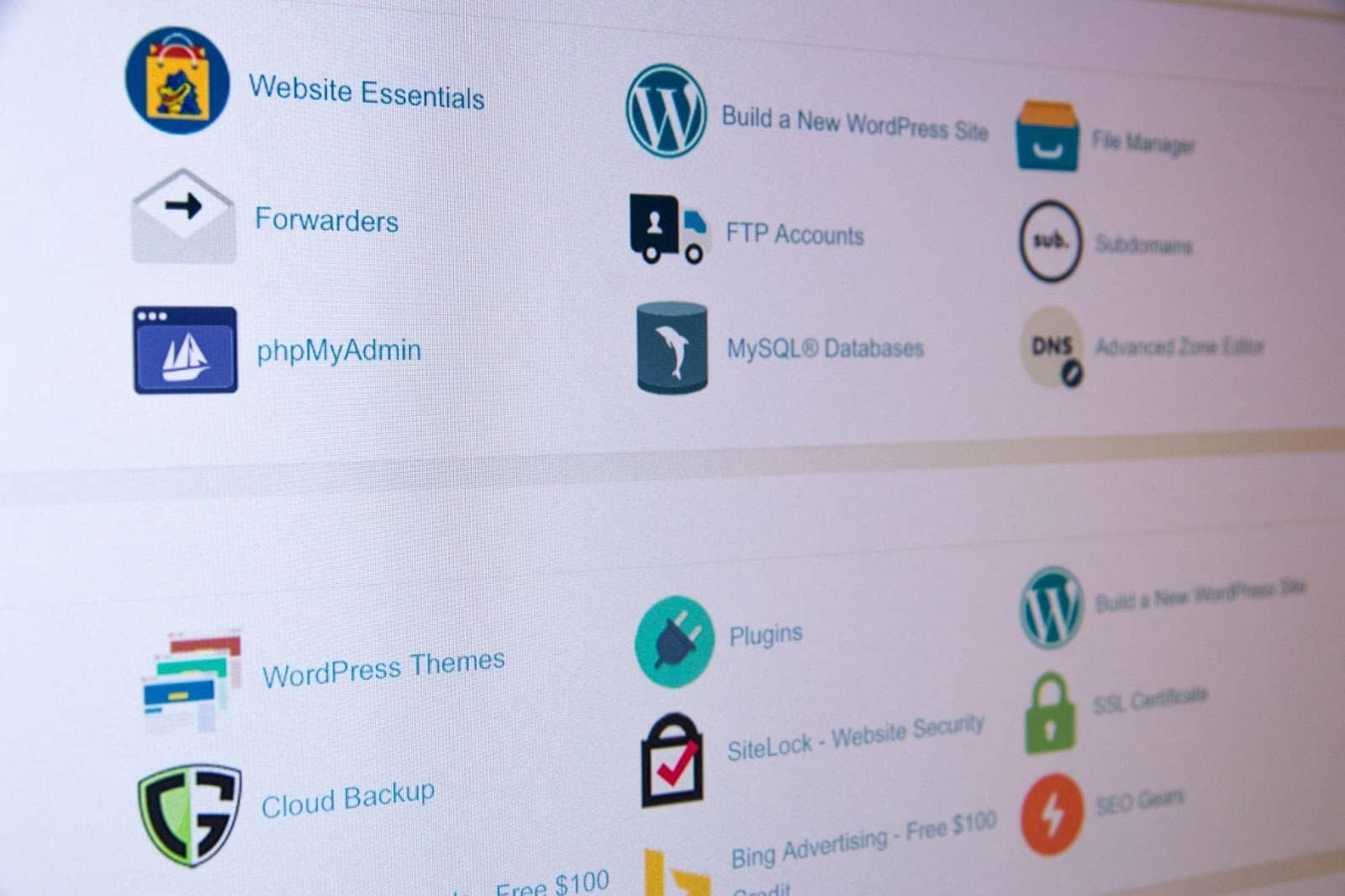
Web hosting is an important part of any business, and finding the right host for your website is just as important as the website itself. Your web hosting service can dictate everything from your site loading speed to the amount of storage space you get – especially if you are on a tight budget.

It is not hard to find countless hosting services and website builders with a quick search, but narrowing down your options to find the best tools and services can take a little longer. How do you pick out the best and most reliable host services at a glance?

Cost

Cost is always going to factor into quality web hosting services. The more you pay, the better services you can generally expect – but many businesses only have a limited amount of funds to work with. This means that you need to balance these services with other costs and expenses.

There is also the fact that most web hosting services will value certain things differently. One platform may have a higher price and use its 99.9% uptime as a selling point. Another may have a similar price but with a strong focus on their website builder tools. Not all platforms are designed equally, even if they are within the same price range.

Flexibility

While free web hosting tends to be fairly inflexible, looking into paid options can give you a much higher amount of variety and control over the site that you are creating. This applies to website builders, especially since these tools always have their limitations on what you can design.

Some website builders and hosting services might be focused on using drag-and-drop systems, while others will be built entirely around coding the site yourself. The former is much more useful for new startups without a web designer, while the latter is more versatile but also becomes a lot harder to use without web design experience.

Reliability

High-quality web hosting services are always the preferable option. Basic details, like the loading time of the platform or total customer support availability, can all become incredibly important once you are a paying customer – so you want to find platforms that seem trustworthy and reliable.

If you find a decent website builder and website domain host that suffers from massive uptime issues, then working with them might lead to your site having a similarly terrible uptime percentage. You want to choose a platform that you feel you can trust with your website.

Isolation

It is a good idea to consider how isolated a platform might make you. Some web builder platforms are designed so that you can’t easily export your site as code and transition it to another host, forcing you to either stay with them or start from scratch.

This might not matter to everybody, but it can be an important detail to consider. If you choose to use a platform like this, you might be making a commitment that could lead to complications if you decide you want to try out a new host or platform later on.

Top 15 Best YouTube Thumbnail Maker Tool

0

Regardless of whether we choose to repurchase an item or put it on the rack frequently relies upon the picture on the bundling, which affects us – regardless of whether “just” on our psyche. It is the initial feeling of the item we get from the item that impacts our choice to purchase or not. A very much made thumbnail picture pulls in interest and gains clicks.

The top 15 YouTube thumbnail maker tools transform your video previews into clickable masterpieces, driving views and engagement. Pair these tools with 12 best websites for Creative Commons music to craft videos with stunning visuals and royalty-free soundtracks that captivate your audience. For polished edits, best video editing software ensures your thumbnails align perfectly with your footage, creating a cohesive brand. To boost discoverability, how to add tags to YouTube videos refines your metadata, making those eye-catching thumbnails even more effective.

YouTube thumbnail maker tools can assist you with making staggering YouTube thumbnail pictures for your recordings that will expand your YouTube perspectives and endorsers without plan abilities or costly visual communication programming that requires a long time to figure out how to utilize appropriately.

What is the YouTube click-through rate?

In basic terms, active visitor clicking percentage is the number of snaps, partitioned by the number of thumbnail impressions, or how frequently your thumbnail is seen on YouTube. For example, if a thumbnail of your video is seen by 1000 people and 100 people click on it, the click-through rate of that particular video will be 10%.

What is a decent click-through rate?

A decent click-through rate varies from 2%-10%. In any case, it also depends on how enormous your audience is, which implies that the more modest that channel, the more modest the numbers.

For what reason is the active visitor clicking percentage significant? 

The active visitor clicking percentage is a fundamental key to the development of your channel. CTR enlightens you regarding what works for your crowd and what doesn’t. A low CTR implies that you’re attempting to focus on some unacceptable crowd and you need to try different things with your substance.

15 Best YouTube Thumbnail Maker Tool Available Online

Now that you know the importance of the youtube thumbnail maker tool. Try any of these thumbnail maker sites with the clear idea of a beautiful, attention-grabbing thumbnail. You will surely create a mind-blowing thumbnail that will be better than your expectation. Just choose the right thumbnail maker tool, which you think is the right tool to help you create them quickly and easily.

Here are 15 of the best online YouTube thumbnail makers we love right now.

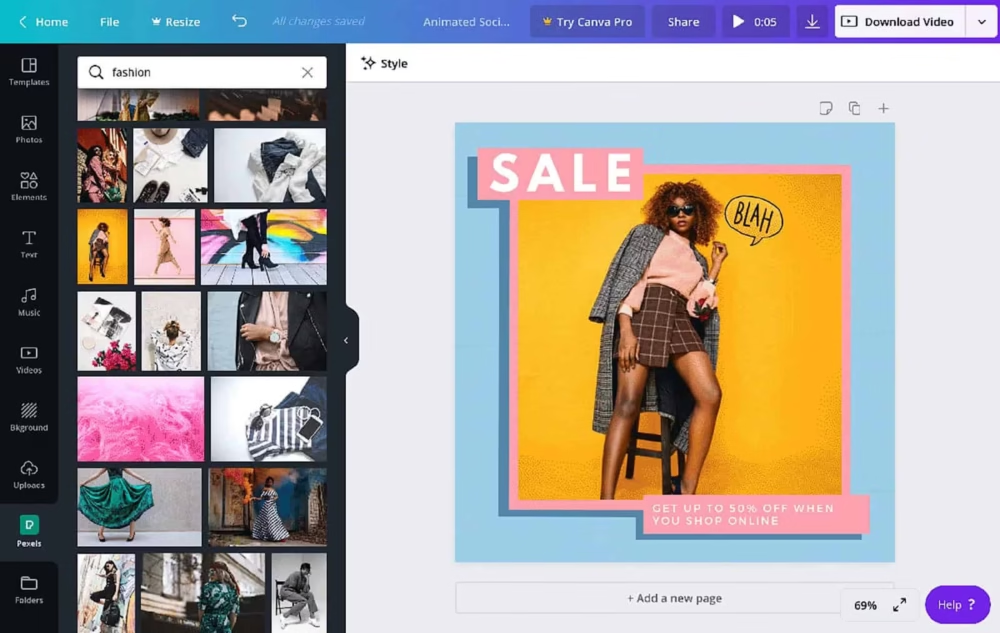
1. Canva

Canva youtube thumbnail maker

Canva is a free online graphic design platform that is used to create invitations, YouTube thumbnails, cards, and much more using professionally created templates.

Canva is a very good YouTube thumbnail maker tool. You can even upload your pictures and use its tools to create a thumbnail for your video, according to your needs.

Main FeaturesMore than one million graphics. Uses a drag-and-drop facility. Contains free templates. No requirement for prior design knowledge. Can be used for any graphic design work.
Number of YouTube Thumbnail templates510
PriceStarter Plan – Free, Annual Billing – US $ 9.99 per user/month/year, Monthly Billing – US $12.99 per user/month.

Link to the website – https://www.canva.com/en_in/ 

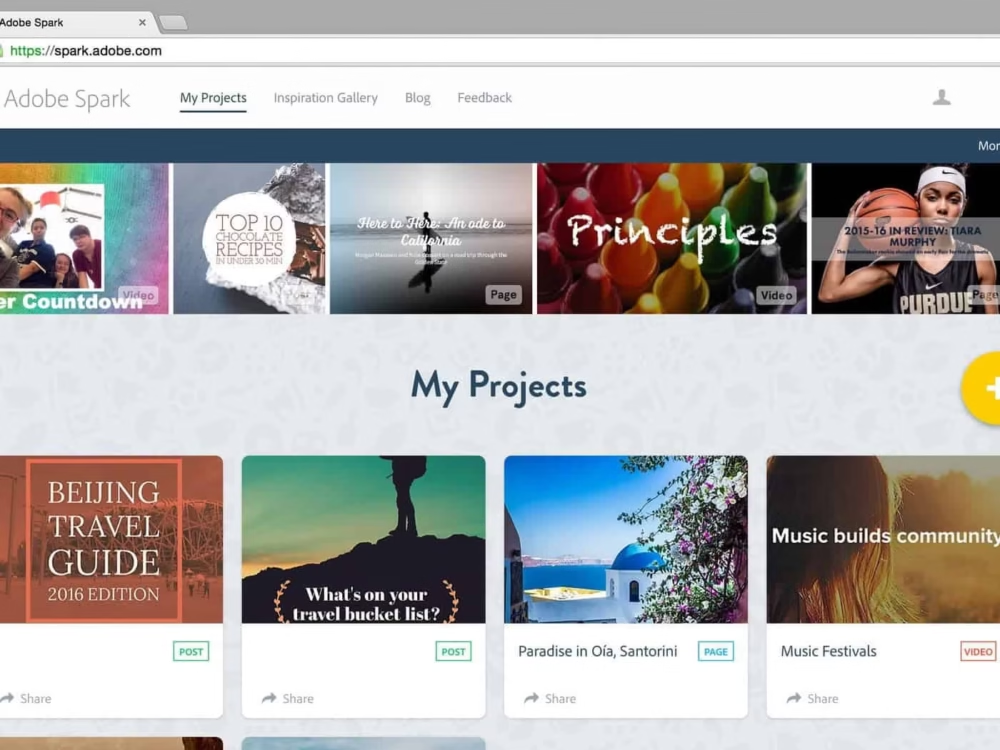
2. Adobe Spark

Adobe Spark

Adobe Spark a product from Adobe, which is additionally known for its graphic designing software, Photoshop and a YouTube thumbnail maker which offers you to make thumbnails in only a couple of clicks. 

Main FeaturesAllows customizable YouTube thumbnail templates. Allows custom thumbnail background, colors, text, etc. Easy to share and export. Available for both mobile and web.
Number of YouTube Thumbnail templatesIt has around 6 YouTube Thumbnail templates, but they are quite basic. You can design your template.
PriceStarter Plan – Free, Team – US $ 19.99 (annual, paid monthly)

Link to the website – https://adobe.ly/3uo9bND

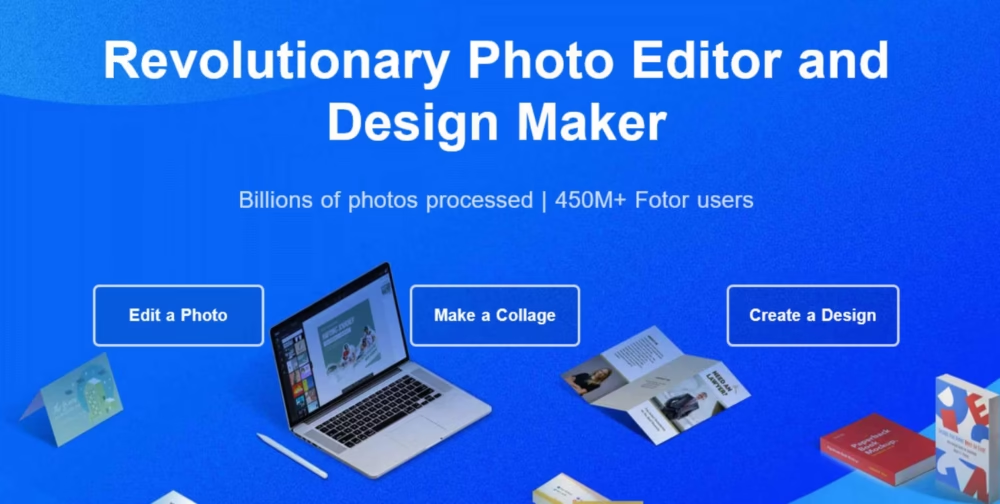
3. Fotor

Fotor

Fotor offers incredible thumbnail creation tools that let you start from a pre-made YouTube thumbnail template and permit your creative mind to wrap up. It is brilliant YouTube thumbnail maker which has a moderate, simple-to-utilize interface where a beginner can make brilliant thumbnails without any problem. It has features like  1-tap enhance, resizes, crop, thumbnail background remover, rotate and straighten. Fotor incorporates messages and plans components alongside stickers and emoticons to modernize your thumbnails.

Main FeaturesThumbnail creation tools. Simple and user-friendly. Includes text and design elements like emoticons and stickers. Editable and customizable thumbnails. Advanced beauty features. Basic HDR Tech.
Number of YouTube Thumbnail templates10 categories of YouTube thumbnail templates
PriceFree Trial Fotor Basic – Free, Fotor Pro – $8.99/month

Link to the website – https://www.fotor.com/

4. Snappa

Snappa

Snappa is a cloud-based online YouTube thumbnail maker with unprecedented formats, huge loads of high-resolution pictures, and the wide range of various tools you need to make a YouTube thumbnail that sticks out.

Main FeaturesHigh-resolution images. Versatile and easy-to-use. Unlimited options to customize thumbnails. Create your thumbnails. Offers custom fonts, thumbnail background, shapes, and other elements. Graphic resize. Graphic editor.
Number of YouTube Thumbnail templatesAround 100 free templates
PriceFree Plan, Pro – 1 user – $10 (annual, billing monthly), Team – 5 users – $20 (annual, billing monthly)

Link to the website – https://snappa.com/

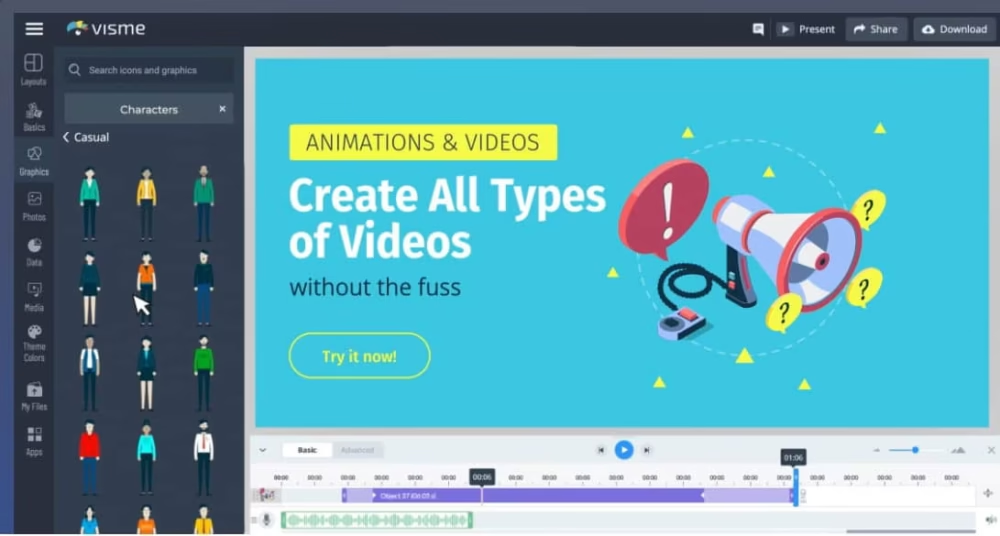
5. Visme

Visme

Visme is a simple to utilize YouTube thumbnail maker with heaps of layouts to look over. All elements of every layout can be altered to change the shape, area, and size. Visme’s features and devices make it simpler to apply an existing shading plan or make your own.

Main FeaturesOffline mode. Safety and privacy. User interface. Drag-and-drop platform. Editable templates. Create your scheme. Add your design elements.
Number of YouTube Thumbnail templates1100 pre-designed YouTube Thumbnail templates
PriceFree Trial Individual – Free, Basic: Individual – $19/month, Standard – $39/month, Complete Business – $39/month, Complete Business Team – $117/month

Link to the website – https://www.visme.co/

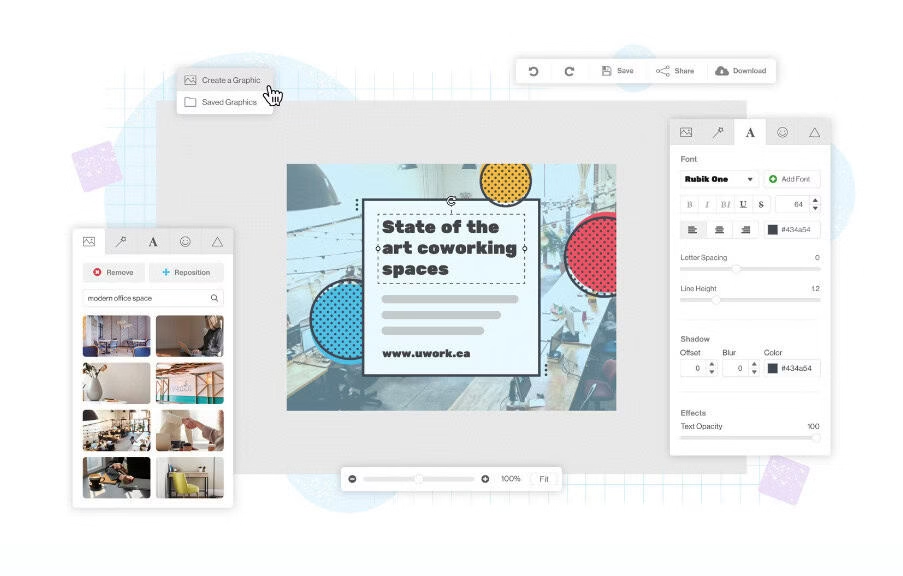
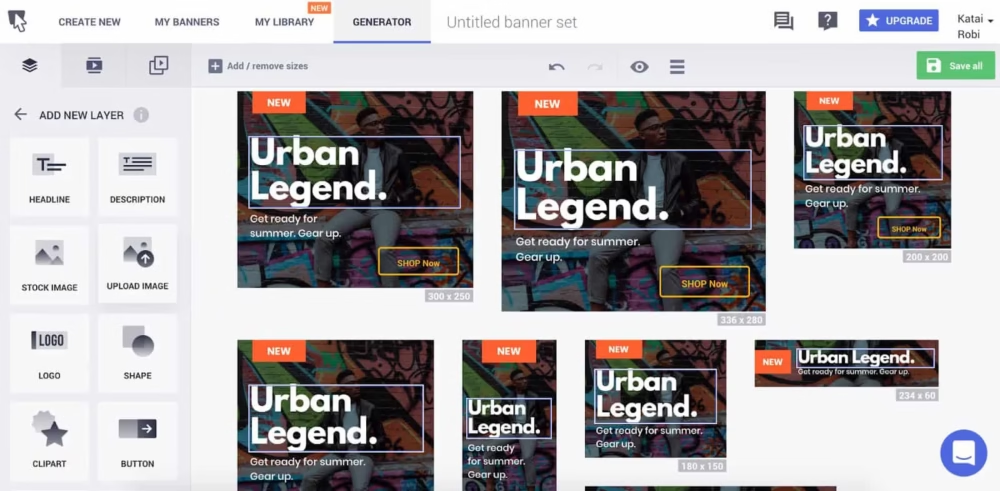
6. Bannersnack

Bannersnack

Bannersnack has the best features of YouTube thumbnail maker tool that help you to make the most unique thumbnails for your videos. Their layouts are worked by experts which takes it to a higher level and you can even tweak the templates in whichever way you want. It is easy to use interface and effective tools help you to create a thumbnail from scratch.

Main FeaturesDrag-and-drop platform. Google fonts and popular font libraries. Attractive thumbnails. Customizable templates. Photo Library
Number of YouTube Thumbnail templatesA good number of YouTube thumbnail templates
PriceFree, Create $17/mo (billed yearly), Automate $35/mo (billed yearly)

Link to the website – https://www.creatopy.com/

7. Fotojet

Fotojet

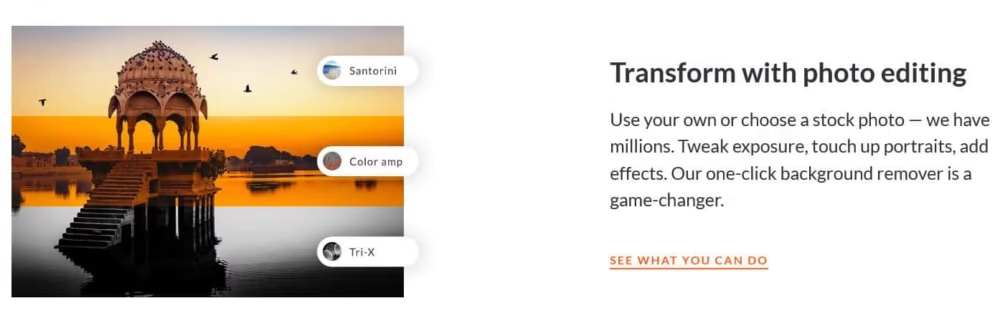
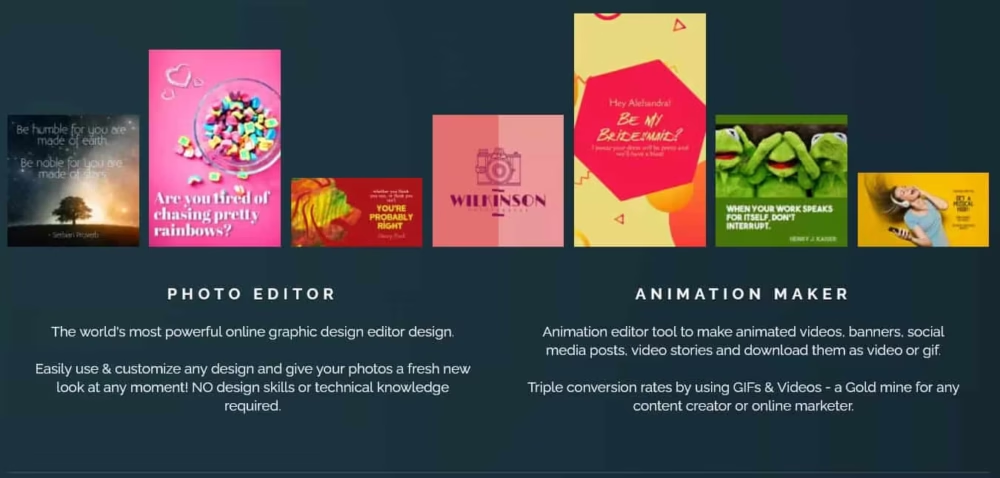
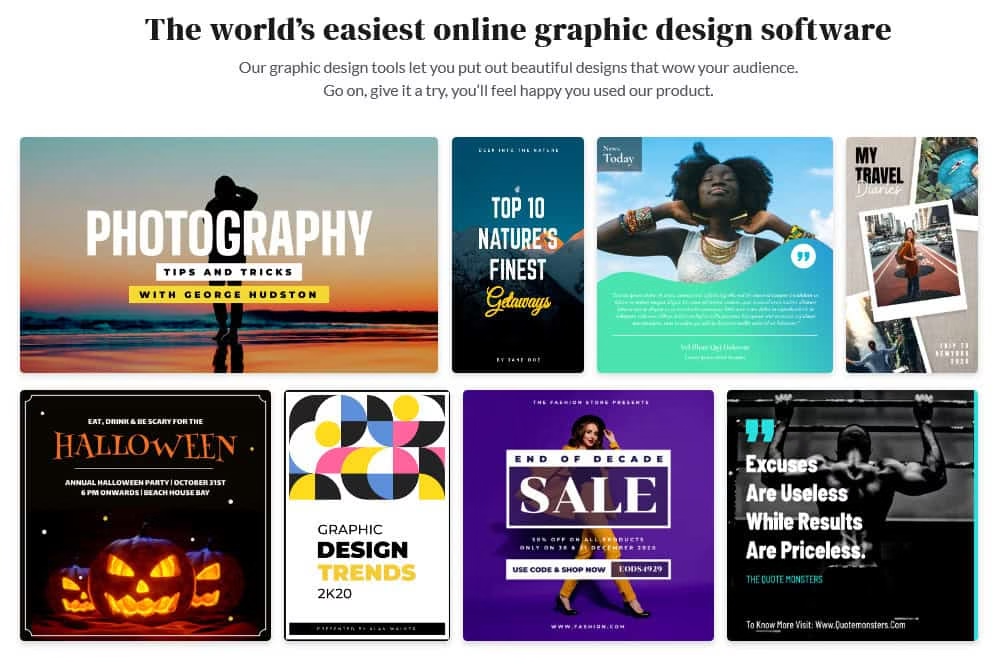
Fotojet is another online YouTube thumbnail maker tool. It also provides photo-editing, graphic designing, and collage making. Fotojet has more than 500 pre-made templates, and allows you to resize, crop, or rotate the elements, helping you to find the perfect thumbnail for your video. 

Main Features500+ templates. Clip art images. Photo editing. Graphic design. Collage making. Offer filters for thumbnails. Crop, resize and rotate images
Number of YouTube Thumbnail templates25
PriceThe free trial for free version. Other plans starting from $2.91/month

Link to the website – https://www.fotojet.com/

8. PicMonkey

PicMonkey

PicMonkey has more than 200 expertly planned YouTube thumbnail formats you can tweak to coordinate with your image in minutes. You can likewise begin with a fresh start and add your photographs and messages, designs to make your own. They significantly offer inside and out instructional exercises for making splendid YouTube thumbnails, so regardless of whether you’ve never done it before, they have you covered.

Main FeaturesEasy to use editing and design tools.Graphic designing. Easy to use templates. Edit individual layers. Thumbnail Background remove+outline. Eye-catching thumbnails
Number of YouTube Thumbnail templates100
  PriceBasic – $72/annual, Pro – $120/annual

Link to the website – https://www.picmonkey.com/

9. PixTeller

PixTeller

PixTeller is a free online YouTube thumbnail maker programming that assists you with making marked thumbnails that look incredible regardless of whether you come up short on the plan’s abilities. You can use it for your personal as well as business use. Do not stress if you don’t have prior design knowledge. It offers a bunch of pre-made video thumbnail layouts so you have an incredible beginning with your YouTube content. 

Main FeaturesAnimated GIFs. Animated Logos. No requirement for prior design knowledge. Pre-made thumbnail templates. Includes filters and fonts.
Number of YouTube Thumbnail templates105
PricePro – $7/month, Diamond – $12/month

            Link to the website – https://pixteller.com/

10. Backgrounder

Backgrounder

Backgrounder is a web-based custom graphic creator. This product from Panzoid is an exceptionally fundamental free device that offers pre-made formats to guarantee you utilize the correct thumbnail size. When you’re prepared to make your thumbnails, Backgrounder offers devices to redo your pictures and even add new layers to them.

Main FeaturesOffers customizable images. Pre-made templates. Add new layers. Offers custom text.
Number of YouTube Thumbnail templatesInformation unavailable
PriceStarter – $1.99/month (billed yearly),Creator – $7.99/month (billed yearly),Pro – $11.99/month (billed yearly)

Link to the website – https://panzoid.com/creations/29431

11. Picmaker

Picmaker

Picmaker can be used to create almost anything as per your need. There is even a background burner device that you can use to eliminate and change your thumbnails background and picture’s experience.

Main Features10,000 graphic elements.700+ templates. Thousands of stock images. Thumbnail Background burner tool. Free. Simple sign-up.
Number of YouTube Thumbnail templates700
PriceIndividual User – Free, Starter – $7.99/mo, Pro – $19.95/mo

Link to the website – https://www.picmaker.com/

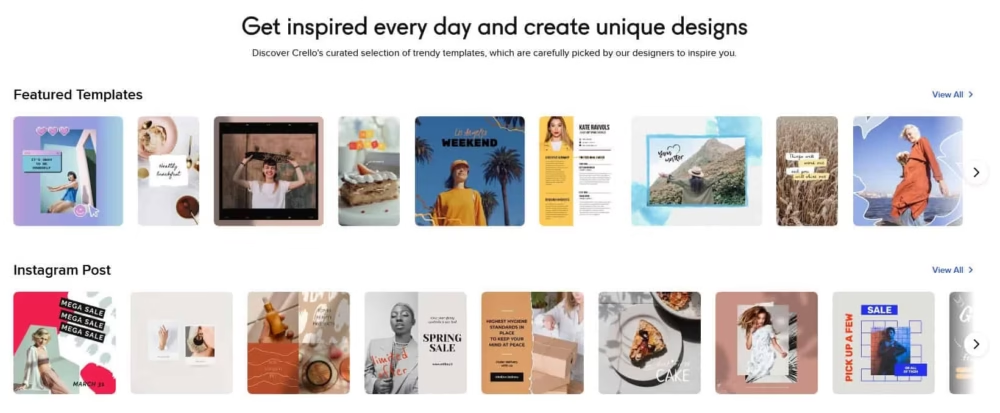
12. Crello

Crello

Crello is a finished visual editor tool that accompanies several templates for you to customize as per your need. They have many graphics, texts, fonts, and other templates for you to customize your thumbnail templates. 

Main Features25,000 preloaded templates. Easy to use. Image resize. Stock photos. High definition. Available for iOS and Android.
Number of YouTube Thumbnail templates20,000
PriceStarter – Free, Pro – $7.99/mo

Link to the website – https://crello.com/

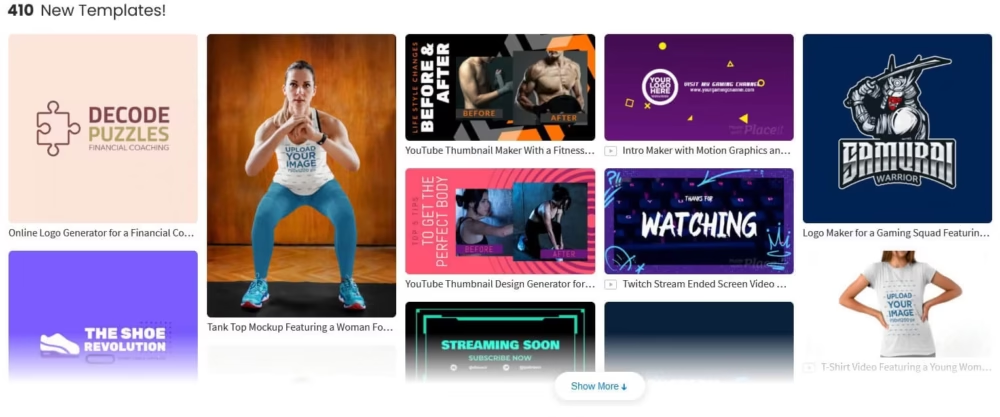
13. PlaceIt

PlaceIt

Placeit offers a graphic design tool that offers YouTube thumbnail templates that you can tweak to coordinate with your image. You needn’t bother with any experience to make a stunning YouTube video thumbnail.

Main FeaturesOBS stream overlays. Image Cropper. Ready-to-use templates. Mockup generator.
Number of YouTube Thumbnail templates7,000
Price$19.95/month, $99.95/year

Link to the website – https://placeit.net/  

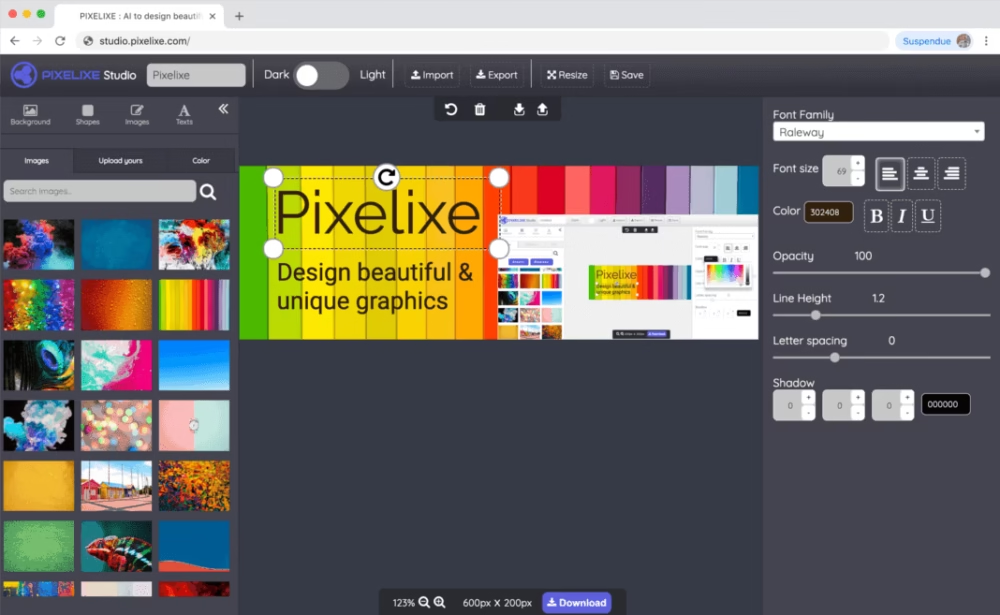
14. Pixelixe

Pixelixe

Pixelixe is an online Youtube thumbnail creator that allows you to begin without any preparation or utilize one of their pre-made YouTube thumbnail templates. You can even release your innovativeness to make thumbnails without any preparation by utilizing Pixelixe’s simple and easy-to-use tool. 

Main FeaturesPremade templates. Drag-and-drop platform. Add images, text, and more. Customize thumbnails. Free version available.
Number of YouTube Thumbnail templates5
PriceFreelance – $19/month, Startup – $49/month, Business – $99/month, Enterprise – $249/month.

Link to the website – https://pixelixe.com/

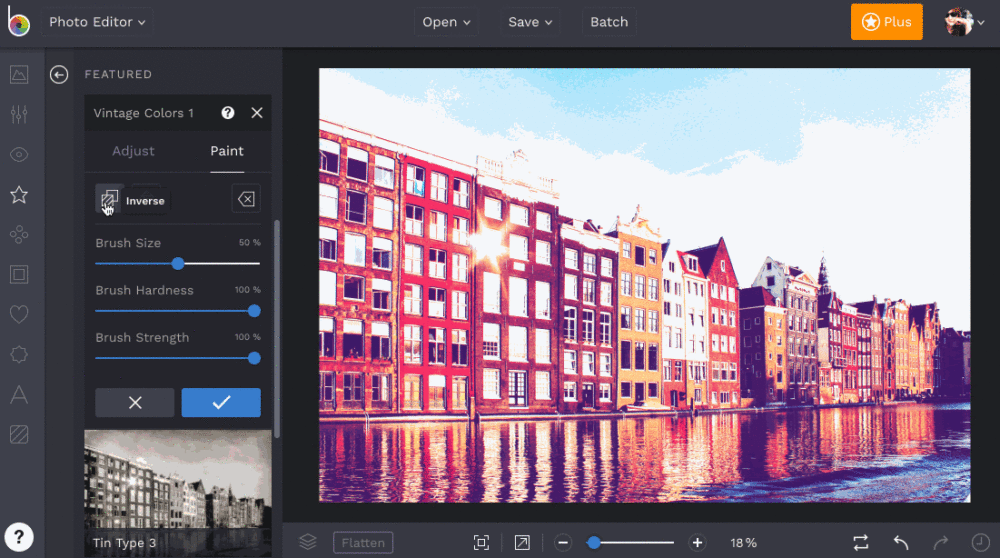
15. BeFunky

BeFunky

BeFunky is an across-the-board online plan stage you can use to make strong thumbnails. It has an extraordinary determination of YouTube thumbnail layouts that you can alter as per your image.

Main FeaturesCollage wizard. Easy-to-use tools. Resize and crop an image. Thumbnail Background remover. Photo to art. Photo to cartoon. Touch up tools. Customizable graphics.
Number of YouTube Thumbnail templatesA good number of templates exist.
Price$4.99 billed annually at $ 59.88$ 8.99 billed monthly

Link to the website – https://www.befunky.com/

To encapsulate what’s being said, creating great eye-catching thumbnails for YouTube is the need of the hour.

Visually appealing thumbnails bring in a lot of traffic, which could get your content a significant number of hits and subscribers, and would unquestionably put you ahead of your competition.

An engrossing thumbnail could potentially direct viewers to your channel and as such could encourage them to explore more content.

AI to Play a Role in Nutraceutical Industry; India to be a Leading Player

Nutrify Today survey finds nutrition to become personalized in future, India to lead industry innovation

Artificial Intelligence

According to a worldwide industry poll performed by Nutrify Today, the world’s first and only nutraceutical i2c (ideas to commercialization) platform, there is rising confidence in the food and nutrition business throughout the world. The study included nutraceutical industry leaders from the United States, Israel, Switzerland, Singapore, India, Hong Kong, and Japan.

Artificial Intelligence Graphs

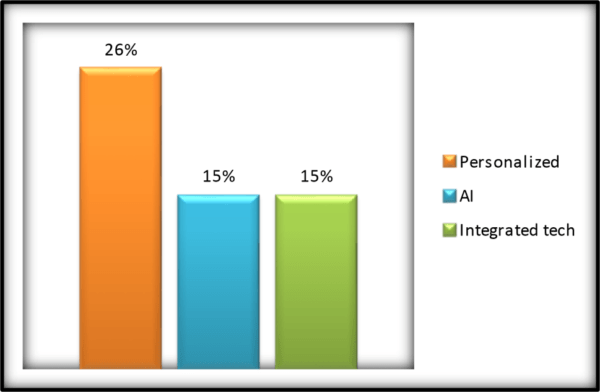
Over the next three years, technical improvements in the Nutra sector will enable a more tailored approach to nutrition, with precise sensors made possible by cooperation with experience in the MedTech business, according to the company. 26 percent of those polled.

On the other side, 12% of respondents feel that profiling individuals and delivering precise doses and substances based on their needs is also a possibility. The meals may be made utilizing lab-grown ingredients and a combination of robots and 3D printers based on the biochemistry and needs of the body at the moment.

According to 15% of industry professionals, artificial intelligence will play a major role in the Nutra business since the food matrix will be built based on individual needs utilizing data and algorithms.

Artificial Intelligence Nutraceutical

Amit Srivastava, Chief Catalyst and Founder of Nutrify Today feels that the future of nutraceuticals will be different from it is now. Nutrify Today has been enabling responsible nutrition entrepreneurs in order to shape the evolution of the Nutraceutical sector.

“Automated personalized nutrition where artificial intelligence will manage the nutrient needs and the source of ingredients will evolve into sustainable methodologies using biotech,” he says. 

“There are already early-stage entrants who are working on Nutra-tech. Nutraceutical of the future will be a multi-disciplinary function of science which will drive personalized precision nutrition into habits of individuals rather than individuals changing habits to adopt something new,” adds Srivastava.

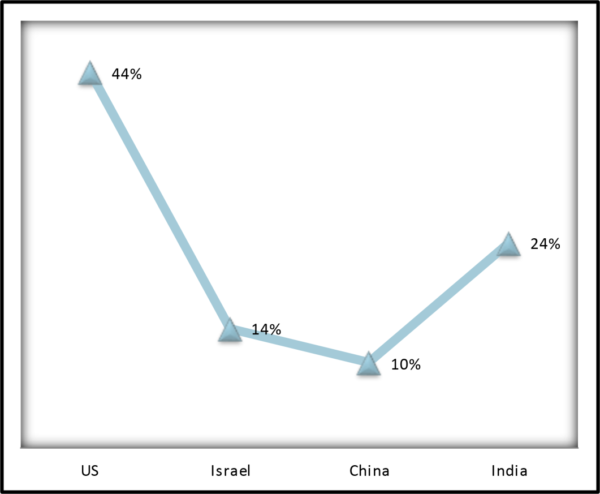
The poll also showed optimism about India’s future position in the Nutra-tech and Nutraceutical industries. Around 24% of those polled believe India would be a prominent innovator, second only to the United States.

With the introduction of Phyto ingredient fingerprinting from 52 agro-climatic zones, the capabilities of the Indian IT sector, together with convergence hubs of MedTech like Biovalley Incubation Council and AMTZ in India, will promote convergence innovation in Nutra-tech.

Nutraceutical Indusrty

The bulk of industry professionals think that the existing early versions of technutra products on the market have performed effectively in the United States. Precision nutrition with technutra will become increasingly important in the future. With the increasing acceptance of fingerprinting of Phyto components and the deployment of blockchain technology, the agriculture industry will be transformed.

Industry executives, on the other hand, noted specific obstacles such as a shortage of trained labour and a worldwide legal framework, data privacy, expensive costs, and so on. In a complicated environment full of opportunities and difficulties, it is frequently the next generation of start-ups that drive innovation, as seen by all rising success stories throughout the world. The tech Nutra will be an innovation-driven start-up, and eventually, huge nutrition conglomerates will enter this area through M&A.

Artificial Intelligence

Read more articles on TechGYO

Big leap forward: Quantum Computing education collaboration between Indian Institutes and IBM

ibm

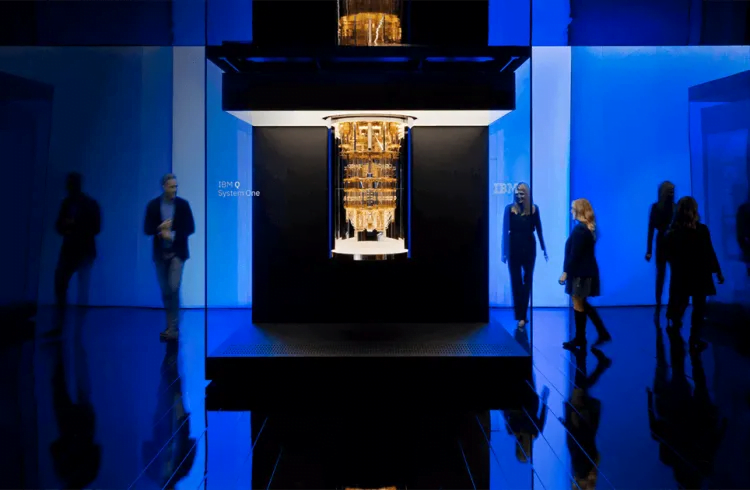
Bangalore, May 25th, 2021: IBM (NYSE: IBM) announced today that top-tier Indian institutions would have access to its quantum systems through the cloud, allowing them to accelerate advanced quantum computing education and training. Faculty and students from the Indian Institute of Science Education & Research (IISER) in Pune, IISER in Thiruvananthapuram, Indian Institute of Science (IISc) in Bangalore, Indian Institute of Science (IISc) in Thiruvananthapuram, The Indian Institute of Science (IISc) in Bangalore, the Indian Institute of Technology (IIT) in Jodhpur.

The Indian Institute of Technology (IIT) in Kanpur, the Indian Institute of Technology (IIT) in Kharagpur, the Indian Institute of Technology (IIT) in Madras, the Indian Statistical Institute (ISI) in Kolkata, the Indraprastha Institute of Information Technology (IIIT) in Delhi, the Tata Institute of Fundamental Research (TIFR) in Mumbai, and the University of Calcutta- for educational purposes will be able to use IBM quantum systems, quantum learning services, and quantum tools through IBM Cloud. They will be able to operate on real quantum computers and programme them using the Qiskit open-source platform as a result of this.

quantum computing

IBM’s Quantum Educators

The partnership will be part of IBM’s Quantum Educators network, which connects quantum educators and provides them with tools to help them have high-quality educational experiences. Additional access to systems outside IBM’s open systems, pulse access on the additional systems, priority considerations while in line, and private collaboration networks with other educators in the program are all part of the program.

India’s Top Educational Institutions along with Quantum Computing Lab courses will be held at IISER Thiruvananthapuram, ISI Kolkata, and IIT Madras for advanced undergraduate and postgraduate students. Lab sessions using IBM quantum systems will be included in these courses.

Dr. Amlan Chakrabarti, Professor, and Director of the University of Calcutta’s A.K. Choudhury School of IT have received an IBM Quantum Researchers Program Access Award for a project led by researcher Mrityunjay Ghosh under the guidance and supervision of Dr. Amlan Chakrabarti, Professor, and Director of the University of Calcutta’s A.K. Choudhury School of IT. This is the first time an IBM Quantum Researchers Program Access Award has been given to an Indian university student or faculty member.

According to Gartner, 44 percent of companies expect quantum to have a significant effect on their businesses in the next 3-5 years. According to a survey conducted by BurningGlass Technologies, demand for quantum skills is projected to increase 135 percent in the next five years. Some institutions also offer theoretical quantum computing classes, which they can now expand to include practical training and lab sessions. Every year, an estimated 100 to 150 students will profit from this engagement, which will enable them to work on advanced projects, algorithms, and use cases.

Read more about IBM’s sponsored free courses

Quantum Computing

Quantum Computing is a paradigm-shifting technology that can power countless innovations in the future. By providing access to our systems over the cloud, IBM is enabling India’s brightest minds to learn the skills to prepare for this disruptive future. IBM is committed to growing a quantum-ready workforce and building an ecosystem to nurture the quantum community in India. With this engagement, we can take it a step further to scale up this ecosystem in India, for India and the world,” quoted Gargi Dasgupta, Director, IBM Research India & CTO, IBM India/South Asia.

In relation to IBM India: 

IBM-India for more information on IBM India.

Please click here to access IBM’s most recent annual corporate responsibility report, which details the company’s leadership and transparency in how it collaborates with communities, customers, governments, shareholders, staff, and not-for-profits on environmental, social services, and governance issues:  www.IBM.org. 

More information about the Researchers Programs can be found here: Quantum Researcher Program

More information about the Educators Programs can be found at: Future Quantum Workforce

The IBM Quantum Academic Partners Team can be reached at: [email protected].

Quantum Computing Education