Data Throttling refers to the procedure by which an ISP deliberately slows down an internet user’s data transmission.
There are many reasons why ISPs throttle your internet. These are the top four reasons to throttle your internet.
Network congestion
Data caps
Prioritization paid
Prohibited activity
Network congestion
ISPs can throttle internet access in an area if there is a lot of internet usage. This allows all customers to access at least a portion of the network, rather than some homes having no service at all and others with perfect service. Peak use hours are between 7:00 p.m. and 11:00 p.m. This is the most common time this happens.
Data caps
You might notice slow internet speeds towards the end of the month if you have reached your data limit. You may be subject to bandwidth throttle if you exceed the data cap set by your ISP.
Every online activity, from loading a website to streaming your favorite shows on Netflix, uses internet data. Most ISPs offer an online portal that allows you to monitor how much data you use. This will allow you to keep track of your usage and ensure you don’t overuse data at the beginning.
Every ISP with a data cap must include this information in their service agreement. If you are experiencing throttling please review your contract or contact customer service.
What can I do to stop the throttle?
VPNs are back! VPNs can be used to bypass paid prioritization throttle that causes your connection to slow down.
You need to make sure that you are using the correct VPN. VPNs add an extra layer between you and your data. This can lead to slow internet speeds and latencies. Some ISPs may throttle your bandwidth if you use a VPN, but some VPNs can ignore this. The wrong VPN could make your internet throttling problems worse.
Data caps
A VPN will not help with network congestion or data caps overages. In these cases, the ISP is restricting bandwidth and not a specific type of data.
There are four options if your throttling problems stem from data caps overages:
Reduce your monthly usage.
You can pay to get more high-speed data.
Upgrade to a plan that offers unlimited data or a higher data limit
Switch to a provider that doesn’t have data caps
Network congestion
Try shouting at your neighbors to disconnect from the internet if you are experiencing network congestion. It’s a joke. It’s better to upgrade to a faster plan, or use the internet during off-peak times. If you require all the bandwidth for large file downloads, you should do it in the morning or at night to avoid traffic jams.
It is important to keep track of your internet upload, downloading, and ping speeds, especially if bandwidth throttling is a frequent occurrence. You should contact your ISP if you are not receiving the speed you paid for. You might not get the speed you pay for, but it is possible to get a free upgrade.
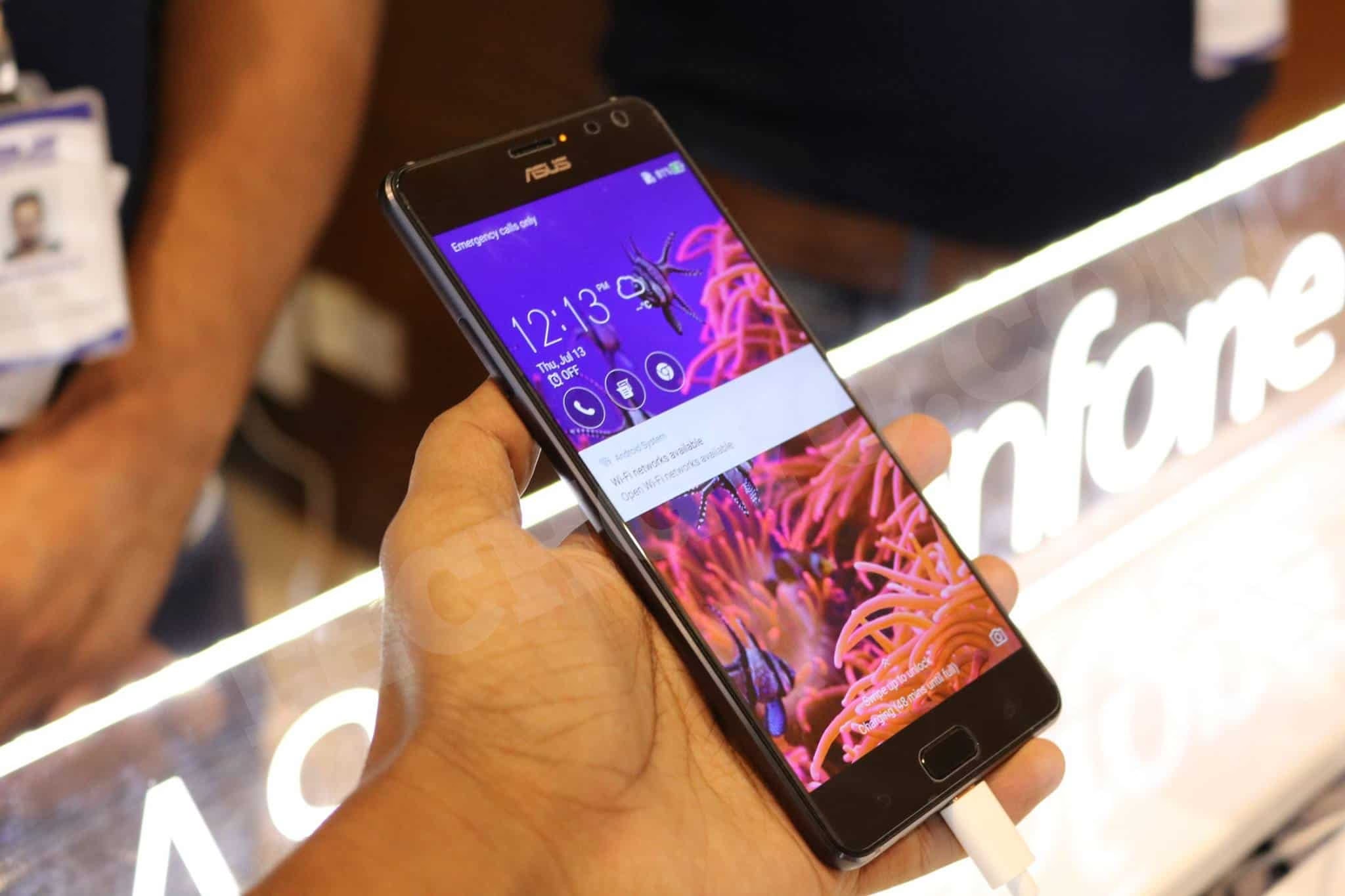
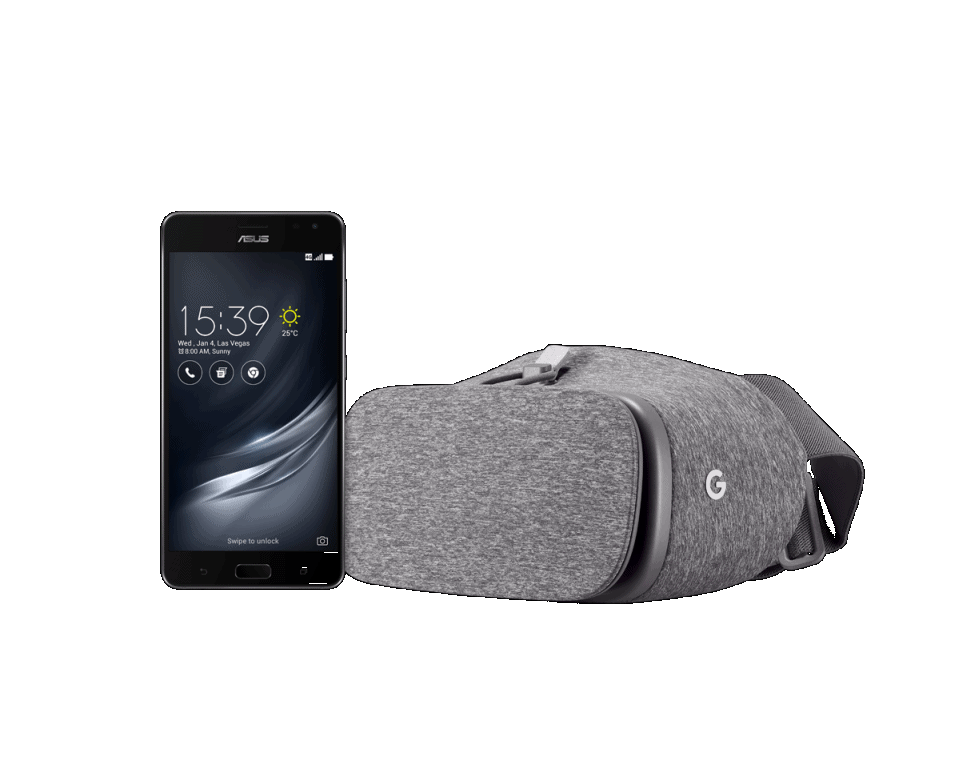
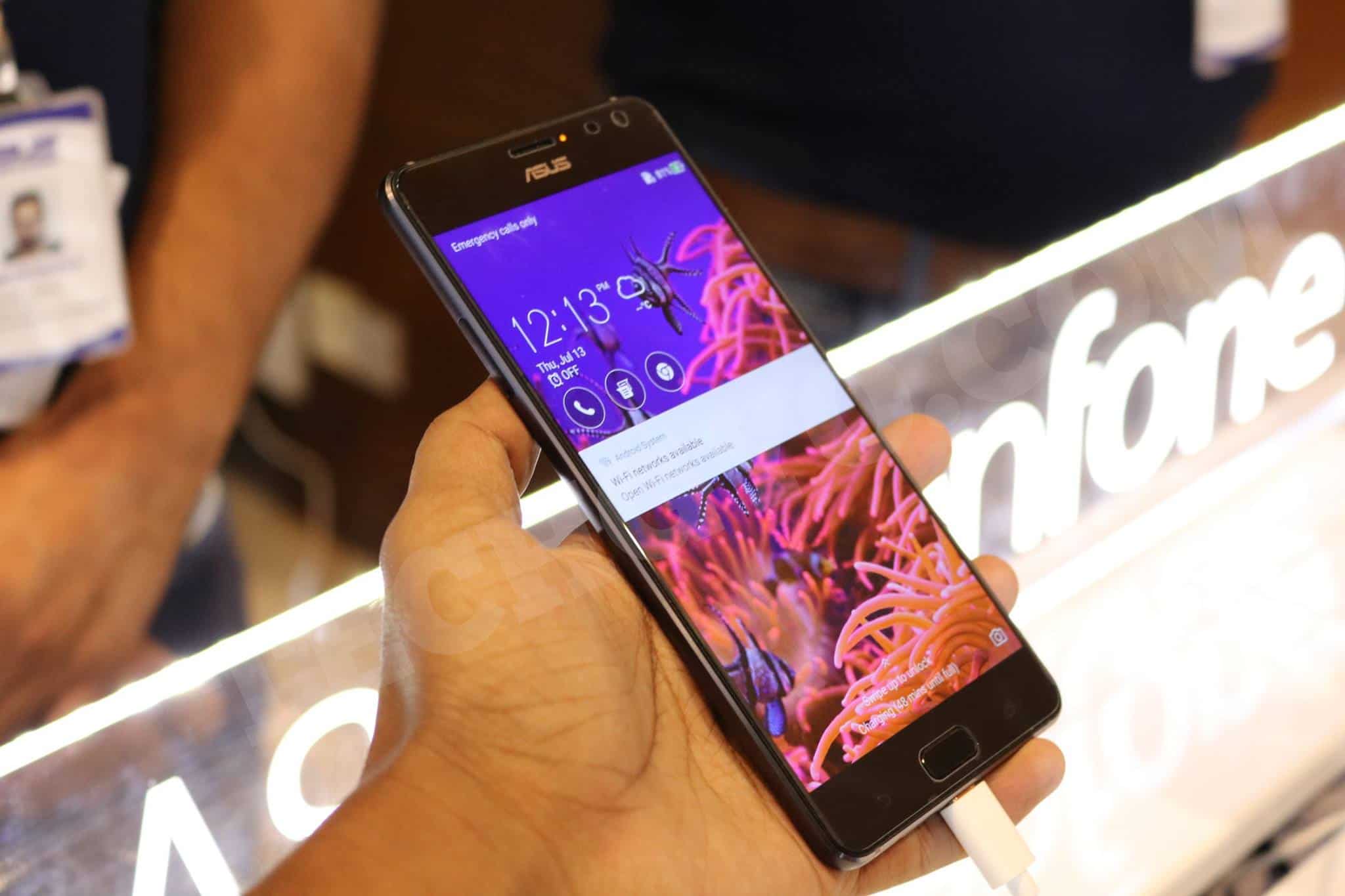
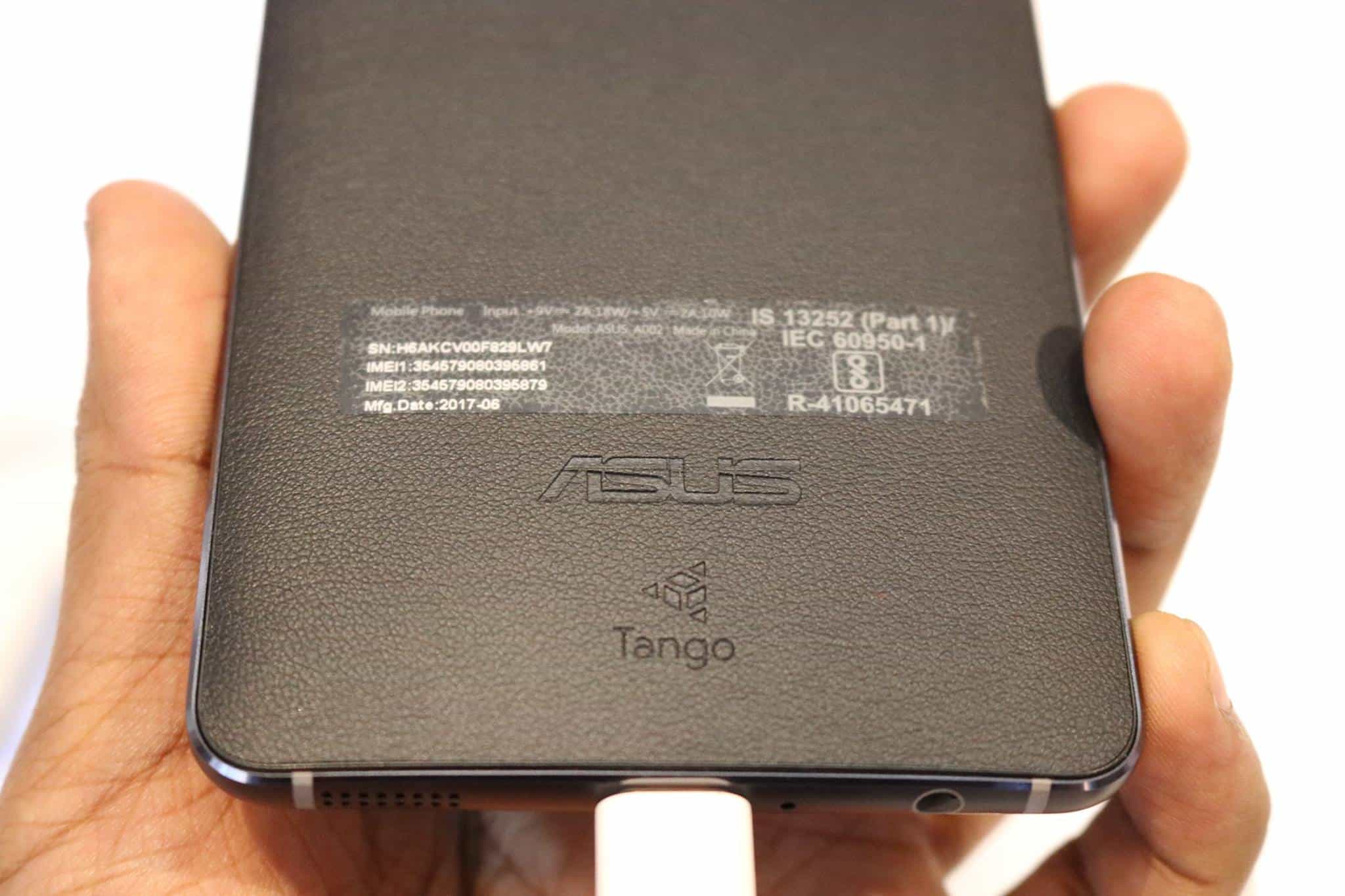
Asus launched Asus ZenFone AR, world’s first Augmented Reality and Virtual Reality smartphone. This flagship device from Asus is powered by Google Tango platform and is Daydream ready. First showcased at CES (Consumer Electronics Show) 2017, ZenFone AR is a quintessential device when it comes to Augmented Reality (AR) and Virtual Reality (VR) technologies. With this launch, ASUS is reaffirming its brand value as well as proving itself as one of the leading smartphone technology innovator. Asus also has introduced its Trademark ASUS TriCam technology in ZenFone AR.
Being the flagship device from Asus, the ZenFone AR features all the latest technological advancement including the Qualcomm Quickcharge 3.0. The phone features a 5.7 inch WQHD Super AMOLED 2K display combined with five-magnet speaker, offering best in class, out of the box entertainment. Under the hood, the Asus Zenfone AR packs a Qualcomm Snapdragon 821 processor, Qualcomm Adreno 530 graphics-processing unit (GPU) along with 8GB RAM and 128 GB of internal memory. The whole unit is powered by a 3300 mAh battery which support Quickcharge 3.0 which lets you charge up to 60% in 45 minutes.
Elaborating further on the sidelines of the event, Peter Chang, Regional Head, South Asia & Country Head, System Business Group – ASUS India, said,
“Our phones already assist us in our day-to-day lives, but we know they can do even more. With ZenFone AR, we desire to turn your physical world into a magical world by enabling it to perceive space and motion that goes beyond the boundaries of a touch screen. We’re excited to be a part of the augmented reality universe, which will soon be part of our lifestyle.”
Larry Paulson, Vice President and President, Qualcomm India; Peter Chang, Regional Head, South Asia & Country Head, System Business Group – ASUS India; Dinesh Sharma, Director, Mobile Product Unit, ASUS India; Ajay Veer Yadav, Vice President Mobiles and Mobile Accessories, Flipkart, unveil ASUS Zenfone AR.
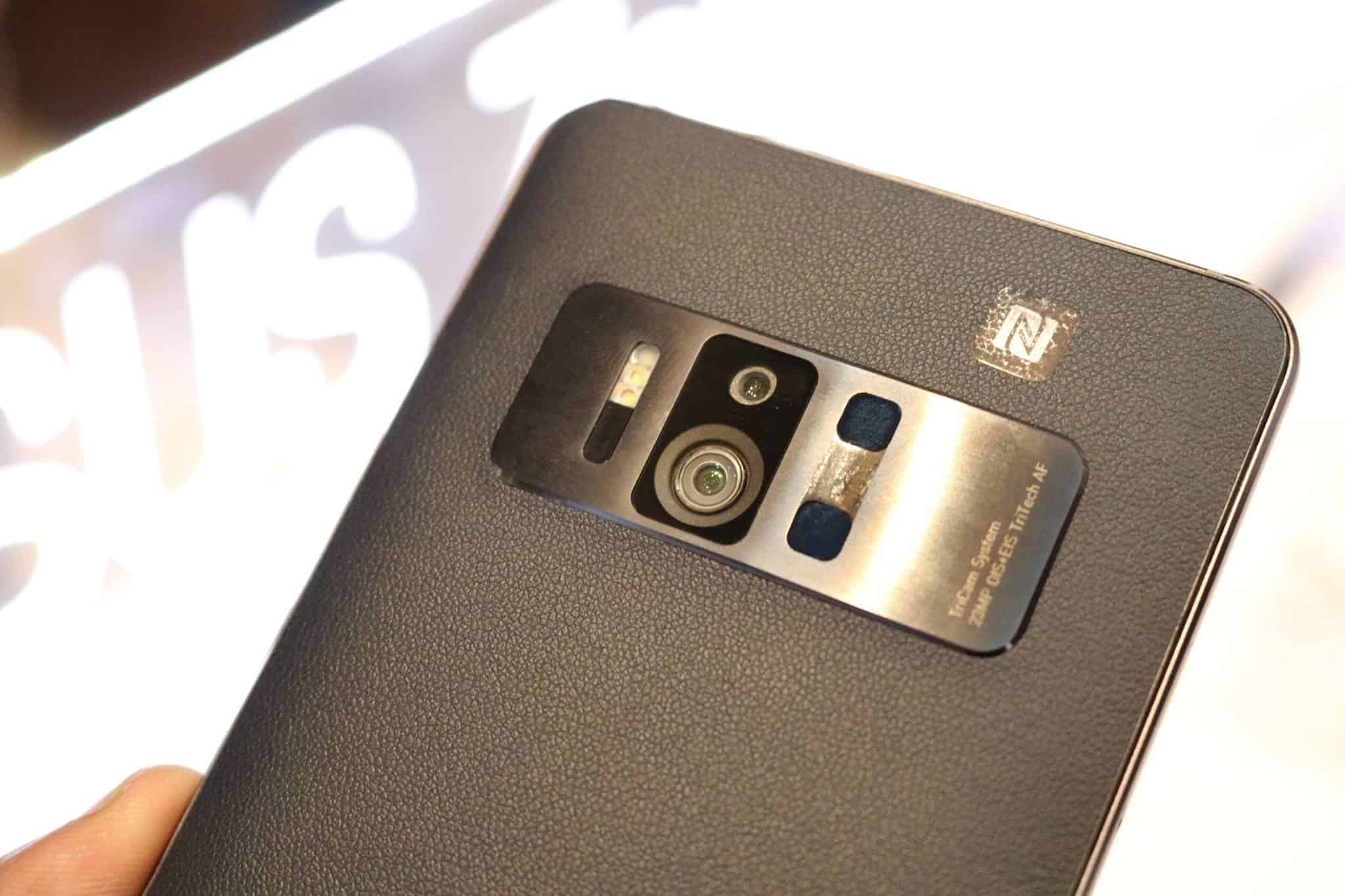
Talking about the entertainment part, Camera is an important thing about smartphones. Like said, ZenFone AR features an innovative ASUS TriCam system, means 3 cameras, a 23MP main camera, depth sensing camera and motion-tracking camera. These cameras are designed in a such a way that it reduces the space consumption inside the chassis rather than making the device look bulky and heavy. Kudos to the engineering to come up with such a breakthrough technology in smartphone cameras. The 23MP PixelMaster 3.0 camera features a Sony IMX318 image sensor.
The Camera is backed by a Four-axis optical image stabilization for photo and 3-axis electronic image stabilization for videos. This enables you shake free photos and videos. The motion tracking camera allows you to focus on the subject perfectly, even though it is moving. The 0.03 second laser enabled autofocus ensures best camera output – day/night. The super resolution mode gives you 92MP photos by capturing 4 23MP photos and combining all to one. The best part about the camera is the support for RAW file. This is very important when it comes to professionals who would like to give photos they take a personal touch by editing on RAW images. The camera supports 4K video recording and support full manual control of the camera settings like ISO, EV, shutter speed and more. For selfies, the devices packs with an 8MP front facing camera with features like; low-light mode, night mode, HDR pro mode etc.
Asus Zenfone AR features on of the best speakers, comes loaded with HiRes Audio support, DTS Headphone:X 7.1 virtual surround, NXP SmartAMP and 5 Magnet Speakers provide outstanding Audio Experience for AR and VR.
AR and VR Capability features is something which should be highlighted about Zenfone AR. Developed in close corporation with Google and Qualcomm, this is the thinnest and lightest Google Tango enabled smartphone. Thanks to Qualcomm Snapdragon 821, which can easily handle the heavy processing required for making the AR and VR into life. The 2K display of ZenFone AR is large and packs lot of pixels to give you one of the best VR experience with games and apps. When this beautiful display combined with the Google Daydream view, you get to experience VR world in so much detail and feel lifelike.
The metal frame and slim, 4.8mm edge provides a luxurious look and feel to the device. There are stainless-steel accents around the camera, protecting it from scratches, and leather-patterned rear surface to make it feel even more premium. Though the design may seem less innovative, at least it doesn’t resemble an iPhone in any manner.
8GB RAM and 128GB internal memory (up to 2TB expandable)
23MP Tri Cam with three cameras for motion detection, depth sensor and main camera.
OIS and EIS for shake free photos and videos
4K video recording
8MP front camera
3300 mAh battery with Quick charge
Asus Zenfone is available exclusively through flipkart for a price in India of Rs 49,999. As introductory offer and make you provide ultimate VR experience, flipkart is offering INR 2500 off in Google Daydream View VR Headset along with purchase of ZenFone AR. There is also no cost EMI options in case you need any financial assistance.
If you are a Jio user then with ZenFone AR you will be entitled for 100GB of additional 4G data and a complimentary Jio Prime membership.
Need a killer soundtrack for your YouTube masterpiece but don’t have a Hollywood budget? Creative Commons (CC) music is your golden ticket—free, legal tunes you can slap into your vlogs, gaming montages, or cat compilations without copyright strikes raining down. With over 2 billion CC-licensed works floating around (Creative Commons, 2024), there’s no shortage of bops—if you know where to look. This guide rounds up the 20 best websites to snag free CC music, complete with steps, benefits, and a comparison table. Ready to rock your channel without rocking your wallet? Let’s hit play!
Finding free Creative Commons music from these 12 websites can elevate your YouTube videos with legal, high-quality soundtracks. To make your content pop, pair these tracks with top YouTube thumbnail maker tools, crafting eye-catching visuals that draw viewers in alongside your audio. For seamless uploads, best video editing software helps you sync music perfectly with your footage, enhancing production value. If you’re diving deeper into creation, how to code games in Python might inspire you to craft custom intros with these tracks, boosting your channel’s unique appeal
📋 Step 1: Know the CC Game (Your Music Map)
Before you dive into the soundwaves, get the lay of the land:
📊 License Check: CC varies—some need credit (CC BY), some ban commercial use (CC BY-NC). Always peek at the fine print.
🔒 YouTube Rules: CC music’s cool, but attribute right—link the artist or site in your description to dodge strikes.
💻 Download Smarts: MP3s, WAVs—grab what fits your editing vibe.
🛡️ Safety First: Stick to legit sites—sketchy downloads might hack more than your playlist.
Fun Fact: X creators in 2025 say CC music cuts editing stress by 40%—pure bliss!
🧰 Step 2: The Top 20 Websites (Your CC Jukebox)
Here’s the ultimate hitlist of sites serving free Creative Commons music—perfect for YouTube:
📥 YouTube Audio Library – Built-in, no-fuss tracks from chill beats to epic scores.
💾 Free Music Archive (FMA) – 100k+ indie gems—WFMU’s gift to creators.
🔐 SoundCloud – Massive library—search “Creative Commons” for freebies.
📂 ccMixter – Remix heaven—45k+ tracks for mashup mavens.
🌐 Jamendo – 400k+ indie tunes—free for personal use, license for profit.
🗄️ Incompetech – Kevin MacLeod’s iconic CC BY beats—heard everywhere!
💽 Audionautix – Jason Shaw’s one-man CC goldmine—genre galore.
📷 Musopen – Classical vibes—Beethoven to Bach, CC or public domain.
🔒 Freesound – Sound effects and CC music—ambient to zany.
💡 Bensound – Catchy CC BY tracks—credit Ben, and you’re golden.
🚀 TeknoAXE – Dance, rock, metal—CC BY for all your edits.
📡 Internet Archive (Netlabels) – 65k+ quirky CC tracks—retro to modern.
🛡️ Purple Planet – Spooky or chill—free with a link-back.
💬 BeatPick – Pro-grade CC tunes—great for cinematic cuts.
📴 Unminus – CC0 bliss—no attribution, total freedom.
🔄 FreePD – Public domain and CC0—Kevin MacLeod & more, no strings.
📱 Looperman – Loops and beats—CC-licensed for remixing fun.
🗑️ SonicSquirrel – Netlabel beats—techno to chill, all CC.
🔍 dig.ccMixter – Curated CC cuts—sorted for commercial ease.
💻 CCTrax – Electronic focus—download albums, no login needed.
Pro Tip: X YouTubers love FMA and Incompetech—50% say they’re the go-to for variety!
🗑️ Download Fails: Clear cache or try another browser—tech gremlins hate this.
🎉 Wrap-Up: Your YouTube Soundtrack Awaits!
You’ve just unlocked a treasure trove of free Creative Commons music—20 sites to make your YouTube vids sing without a dime or a strike. From YouTube’s built-in library to FMA’s indie flood, pick your fave, download smart, and credit right. X creators in 2025 call this a game-changer—55% say CC music boosts views. Start jamming now, and let your channel hit all the right notes!
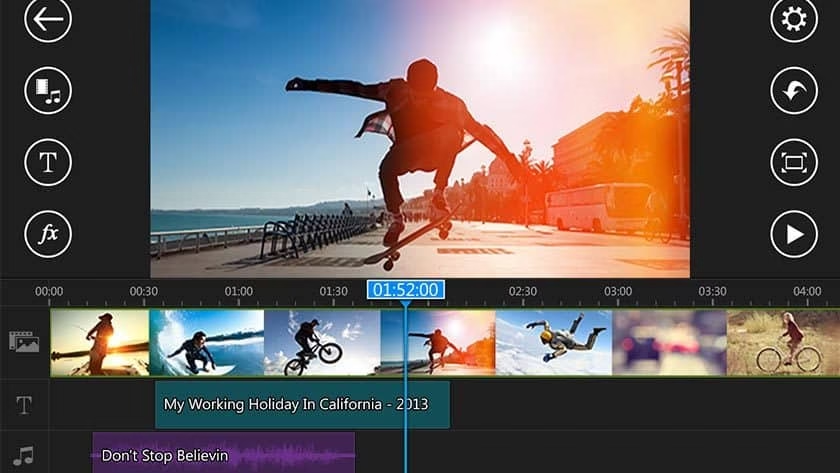
Many people around the globe are creating online contents and working hard to make an impression on social media. If you are into business or art it is important that you and your gig should have a social networking space where you interact with your customers and showcase your work. Some businesses go viral overnight because of incredible social media campaigns they conduct in the background. This overnight success can be of pure luck as well as of result of hard work. In both the case you need amazing tools to create quality content. The videos and images can create maximum impact these days and the more the creativity you put it, the more interesting it become. To make viral social media posts it is important that you learn the market and analyze it.
I spend a lot of time online, mainly in social networking sites. I have seen many great works by talented people. The videos and images they post online has a professional touch and most importantly, their updates are instant. That means, they update instantly as the incident occurs. People go live on social media to show what they are up to and others update YouTube videos or snapchat/Instagram videos. For all this we need efficient video and image editing apps. Considering this, today I am going to share with you top 12 editing apps to make viral social media posts. The list
Apps to Make Viral Social Media Posts
Apple Clips
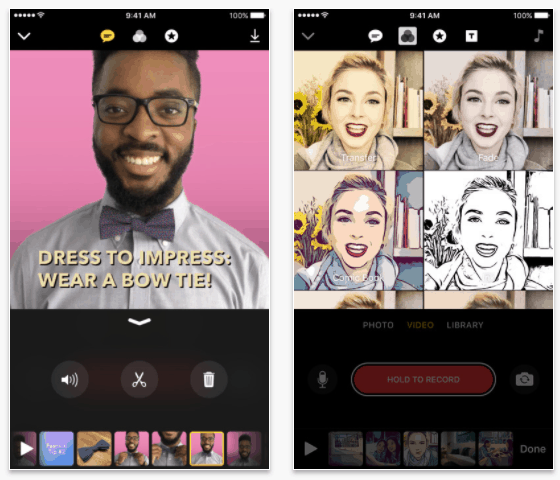
When snapchat, Instagram, WhatsApp and Facebook has started supporting sharing video stories with your friends Apple also must take a stand and it did. The Apple Clips does the same, it let you make fun videos and share it with your friends, family and public. It supports animations, graphics and emoji.
The added benefit with Apple Clips is that, the in-built editing tools. It lets you easily mute the audio, adjust length of the clips, and even reorder them. You also get to create animated tiles and captions. This animated tiles will get displayed as you speak. Support for multiple styles for the videos you create is a great addition for those who are looking for some artistic twist. There are support for so many fun effects. Download apple clips for free from Apple Store.
Clippy
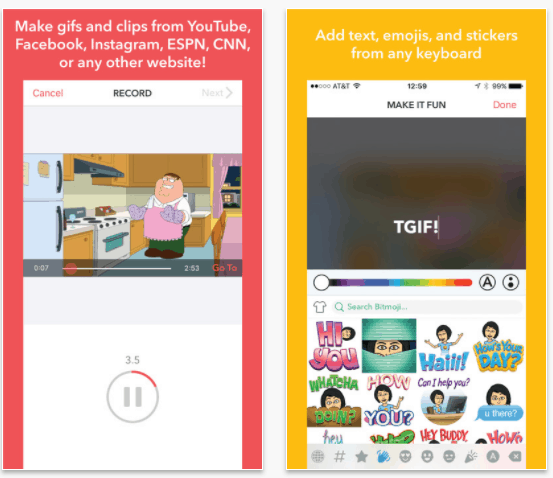
Personally, Clippy is one of best app to make viral social media posts. Why? Well, I am impressed how simple and easy it is to use. Clippy can make gifs out of any videos from YouTube, Facebook, Instagram, ESPN, CNN and more. Find any videos interesting, just open the video using clippy app and trim out the portion you would like to make GIF.
Once done, you can add titles, emojis and even funny stickers. GIFs these days is perfect to make viral social media posts. It’s simple, easy to share and short. The Clippy has an inbuild social platform where you can see the popular clips, if you liked you can share it among your friends. The app is available for iOS for free.
Adobe Spark Videos, Animated Videos in Minutes
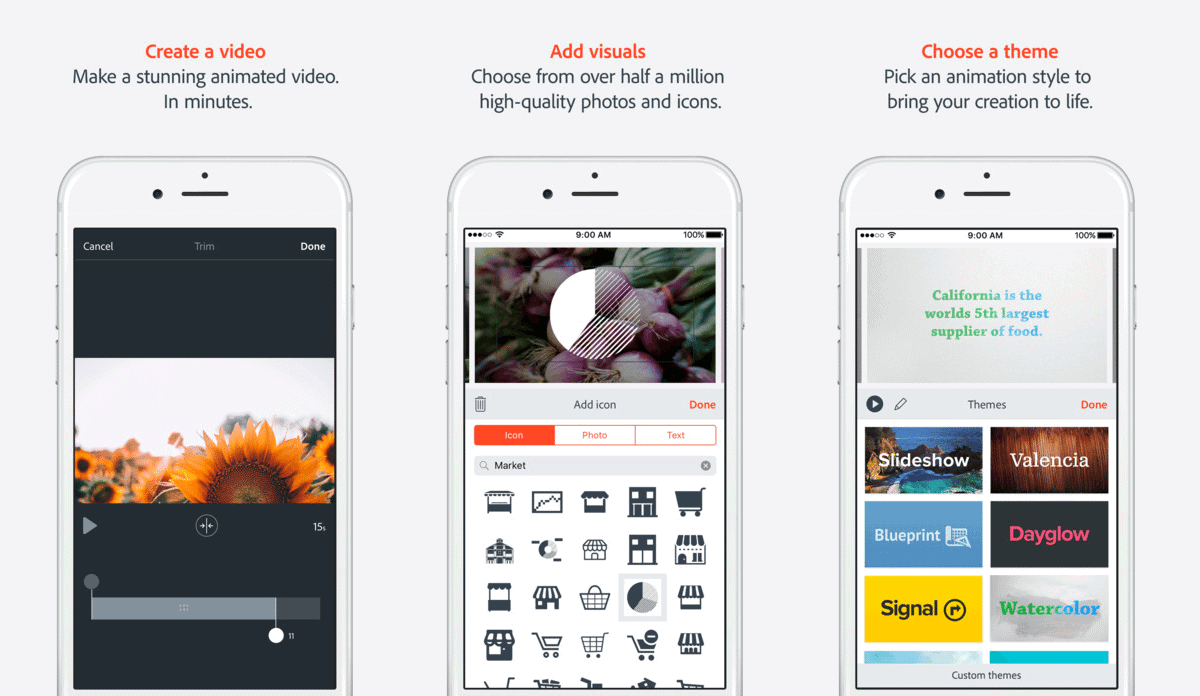
Adobe Spark stands out in the list both in terms of features and professional interface. This is, without any doubt, is one of the best apps for Vloggers. With Adobe Spark, you can create great videos in minutes. The best part, you get to add your voice to the video playback. There is more than half a million high-quality photos and icons you can add to the videos. The app also features numbers of themes which can you use to make the best out of your video.
Adobe Spark is a free application for iOS and android. The app gives you free 2GB cloud storage for your works. For $1.99/month you will get up to 20GB of cloud space. This app is best suitable for creating Facebook ads, Social Media videos, School Projects, Storytelling videos, announcements and more.
VidLab – Video Editor, Movie Maker and Collages
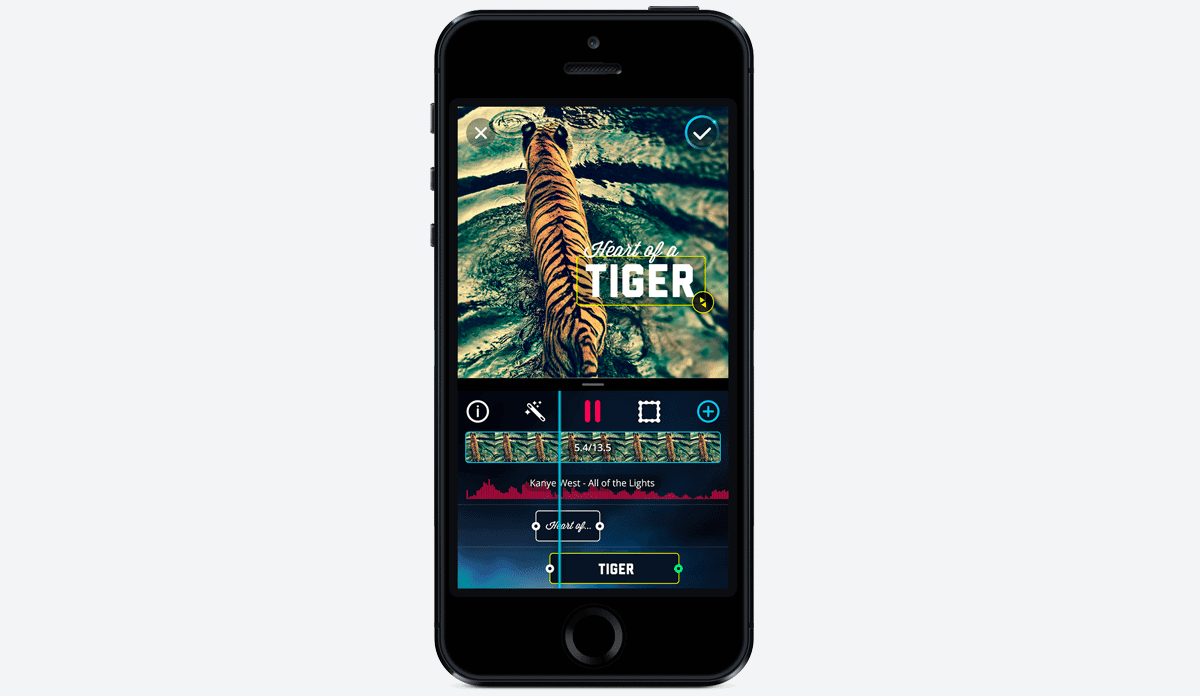
One big concern when it comes to video editing is, most of the app won’t support multiple tracks and multiple video clips. If you are looking for a solution to this then, VidLab is the best app for you. It supports multi track, multi clip and with an intuitive user interface. The supports adding animated text over your videos, make video collages, choose from a list of fonts, Photo slideshows etc.
The app also allows to add music, sound, Video FX and more. Available for free from app store, Vid Lab is one of the best apps to make viral social media posts.
Cameo by Vimeo
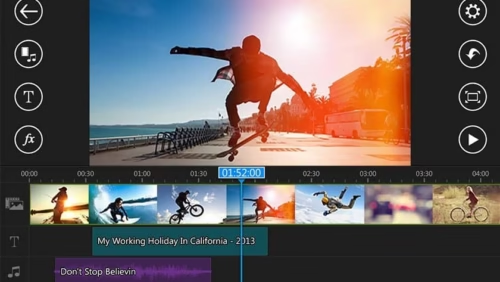
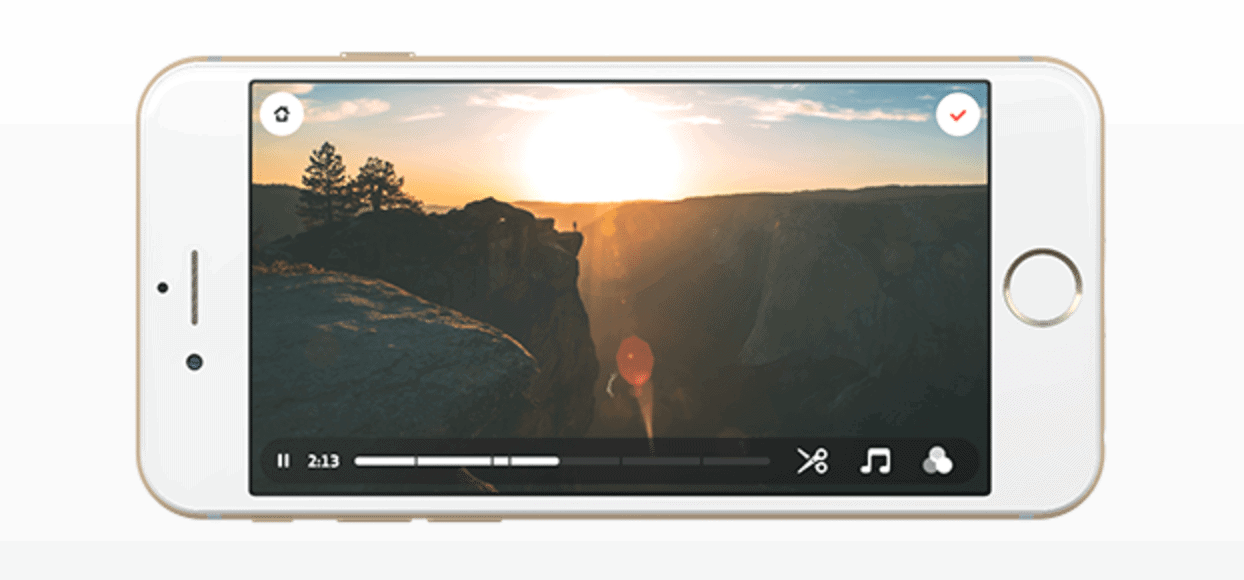
Cameo by Vimeo is an award-winning app for video editing. Using this app, you can easily add video clips from the camera roll, trim and splice. You can also add professional quality filters, themes and sound track to explain your video.
The app supports video editing up to 4K resolution, cinematic effects to share on whatsapp and Instagram. Cameo is a free app and is available for iOS.
Over
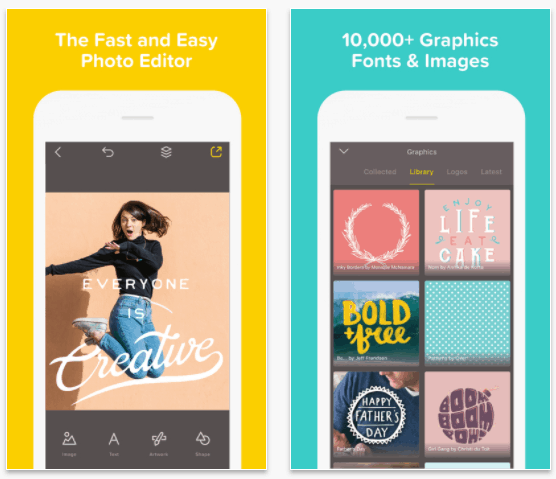
Over is one of the most popular photo editing tool in iOS. It helps you take care of things like; design a greeting card, make a meme, review a meal, tell a story, give directions and more. How the app is going to create such vibrant content? Well, to start with, Over comes packed with 280+ fonts, 910+ illustrations etc. If you don’t have a photo to start with then the app will provide you one from its freshly brewed online collection.
When the Over app is free to download, there are some in-app purchases you must make to unlock the full potential. The Overpro subscription, $9.99/month and $49.99/year, is a great package for professionals. You can also choose to buy as individual components.
Layout
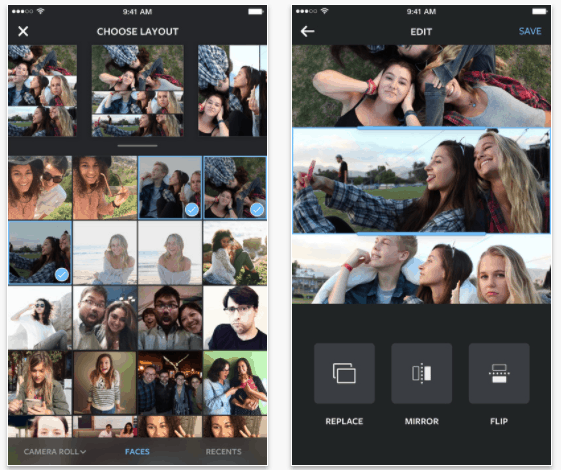
Got bunch of great pics and want to create a collage for Instagram? The folks at Instagram has made this simple by creating this small app called Layout. The app lets you select multiple photos from your gallery and put it into an adjustable layout. You can pinch to zoom and easily rearrange the photos. Its available for free in both Android and iOS platform.
Canva – Graphic Design and Photo Editing
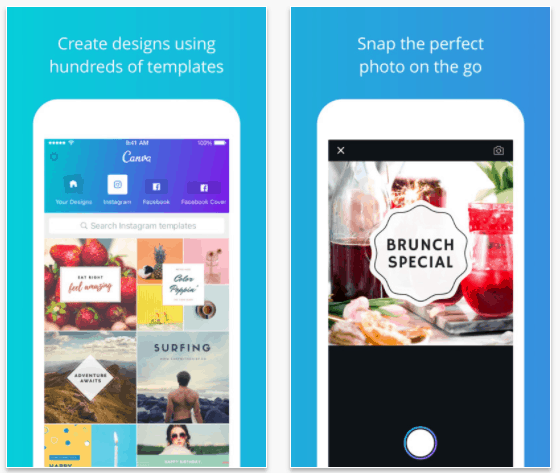
Planning to design a poster? Making a presentation out of bunch of images? Canva is the best app to do this. I bet you have seen that images with beautiful text on them. Canva has hundreds of templates to choose from for your image text.
You can either import image from the gallery or you can snap one on-the go. Then choose a great template and type in your text. You can also create multi page designs. The app is powered by a great collection of more than 1 million images. You can also do quick photo edits to the image before sharing it with your friends. The Canva app is available for free in app store but has in-app purchases.
Snapseed
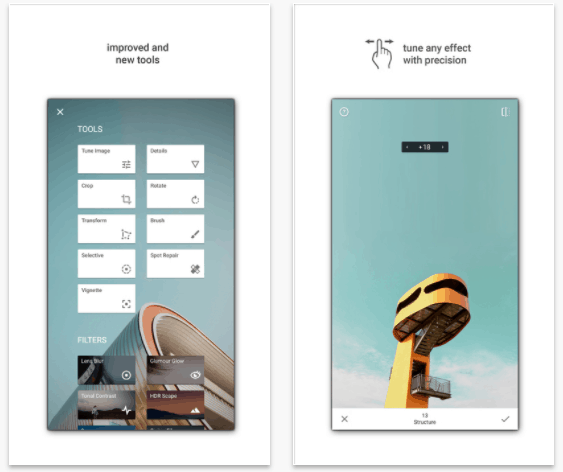
Last but not the least, Snapseed by Google is a powerful photo editing tool which is completely free to use. I have personally tried lot many photo editing tools and nothing I find efficient and smooth as the Snapseed. The UI just blew me away. It is simple and straight forward. Use gestures to edit the photo is the best part.
Snapseed is one of the underrated apps. It is bit heavy for starters, but a perfect companion for experts. My favourite feature of this app is the ability to blur the background. Yes! The Bookeh effect is possible with Snapseed. The app is available for free of cost. You can download Android and iOS version from the respective app stores.
Huawei Honor 8 needs no introduction; the great design, dual camera, amazing processor and a good battery. Imagine Honor 8 has a baby brother and that is my friends, the Honor 8 Lite. The Honor 8 lite resembles everything that the big brother is but in a smaller way. The device is now fits inside a smaller chassis making it more comfortable to hold. The fancy dual camera is replaced with a 12MP shooter. The catch is, the processor is best in class, the battery back-up is good and the design! Oh, Boy! it’s a head turner. I used Honor 8 lite as my primary device for more than 1 week and this is an in-depth review of the same.
Honor 8 Lite Specs
2 inch FULL HD AMOLED display 2.5D glass on top
Kirin 655 Octa-core processor with i5 coprocessor
4GB RAM
64GB internal storage which is further expandable up to 128GB
12MP Rear camera and 8MP front camera with flash.
3000 mAh battery
Fingerprint sensor
Android 7.0 Nougat
6mm thick and weights 145g
What is in the Box
Honor 8 Lite, the device
Case for the device
Charger
USB cable
SIM card ejection tool
Paperwork
First Impressions
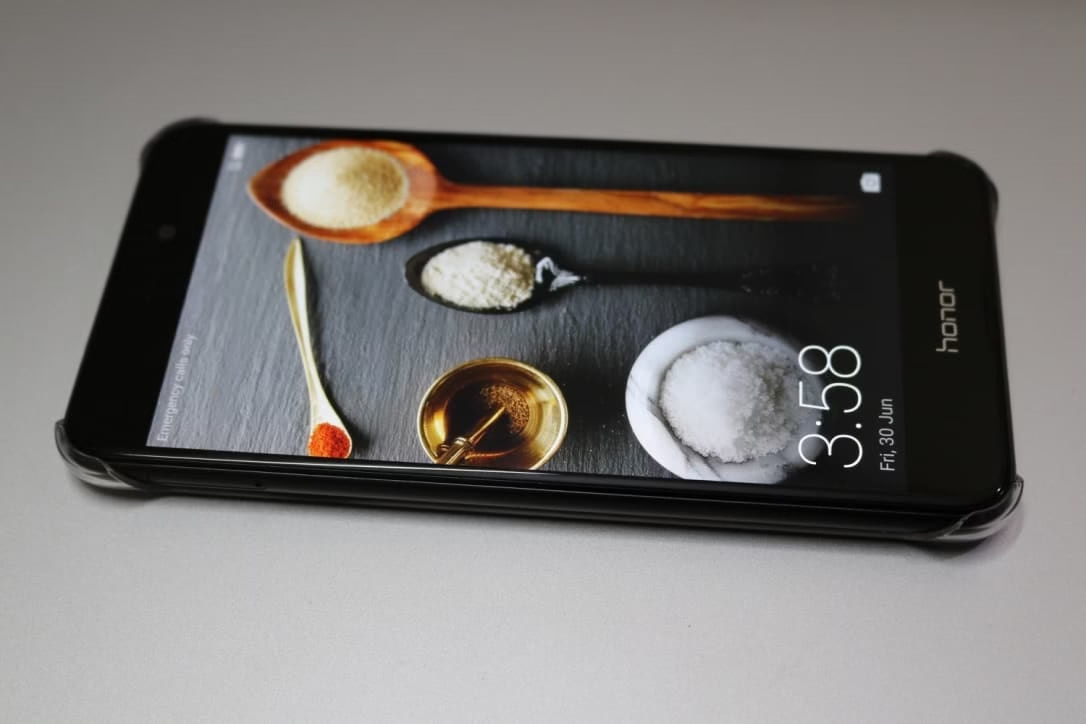
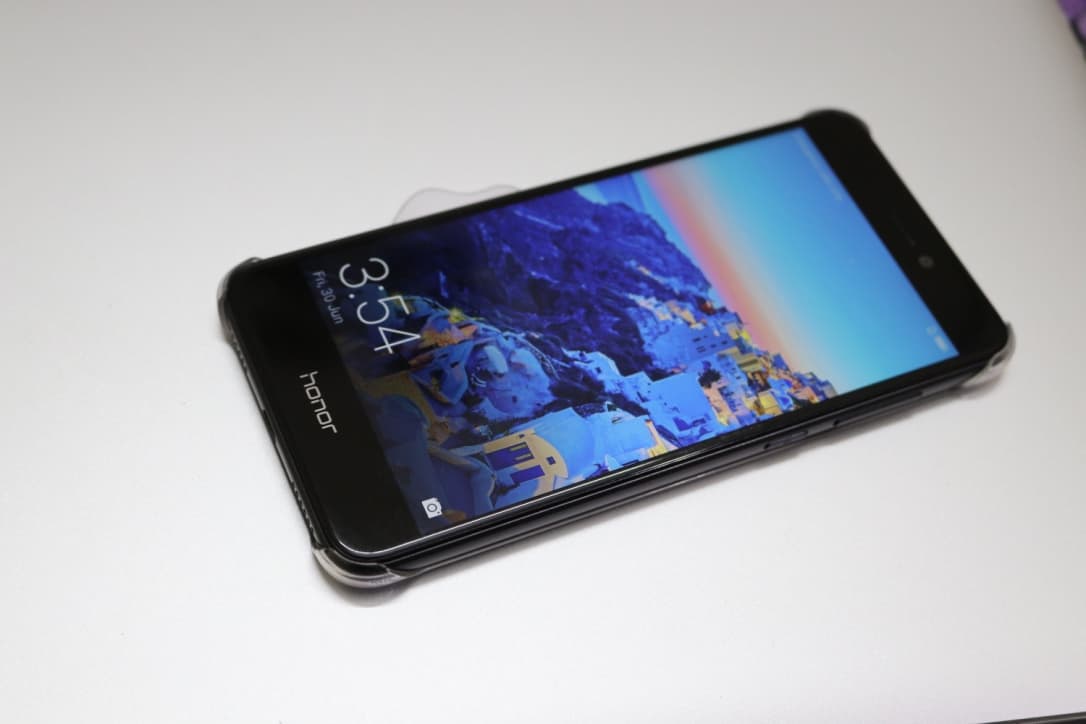
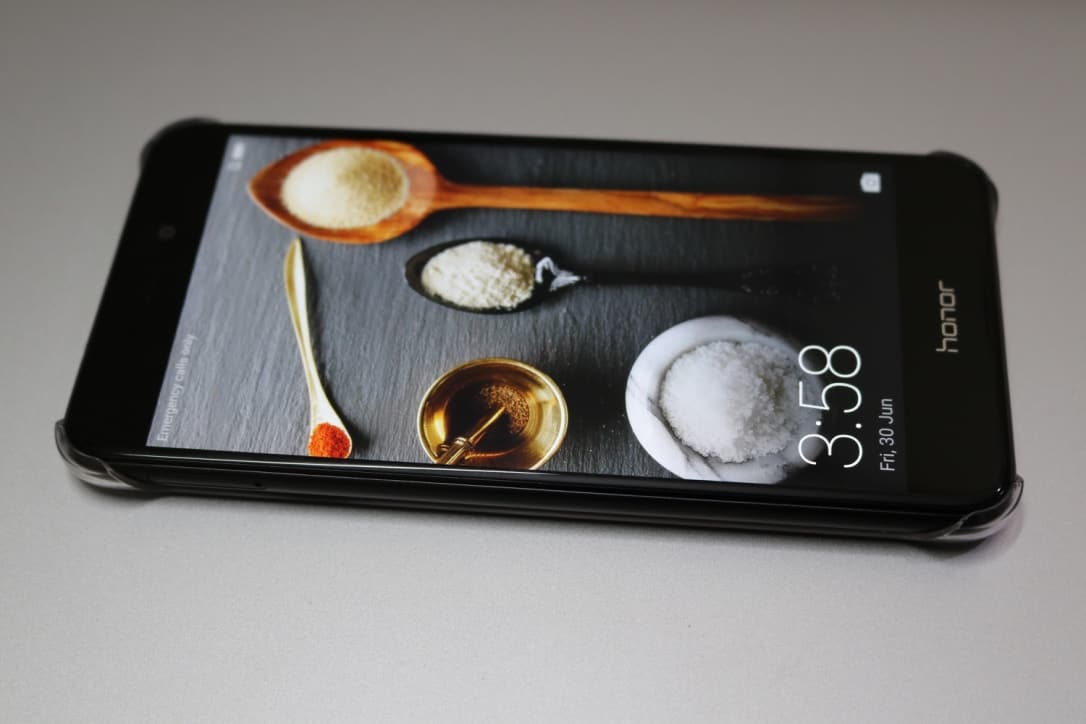
The Honor 8 Lite reminded me a lot of Google Pixel, the folks at Honor has worked assiduously to come up with this ‘great design’ and yet, purposely placed ‘Honor’ right in front of the device. As if they have patented it with their name. Sarcasm aside, I loved the device. In fact, I fell in love with the design and the way it fits snugly in my hands. I was very much reluctant to give back the device when I was done with the review.
First Boot
The first boot was like; connecting to the Wi-Fi, choosing between account restore or set up as a new device, signing up for Honor account (optional), adding fingerprint (only one, you can add more later from settings).
Did you know? The Honor 8 Lite comes with a 15 months service warranty.
Design and Build quality
Without any doubt, the Honor 8 Lite has a great design. The Water Droplet Design, that’s what honor calls it, is stunning and an attention seeker. Though it resembles the Google Pixel but, the price difference give you a huge relief. This doesn’t mean you must compromise on the fit and finish. The Honor 8 Lite comes with dual 2.5D glasses, 12 Layer glass back and the brushed aluminum finish chamfered edges. Hmm! I smell premium in there.
The unibody design feels solid and the back-glass panel adds a premium finish. This, at the same time, made me to snap on the back cover as soon as I took it out of the box. For those of you who doesn’t like using phone cases, I must say, if you don’t handle with proper care be prepared to end up having some scratch marks on that shiny back, or at the worst, a crack!
Dimensions
Honor 8 Lite dimensions are 147.2 x 72.9 x 7.6 mm, thin profile and comes in Black, White, Gold and Blue colors. The curved edges and fluidic design shares the same DNA that of iPhones.
Buttons
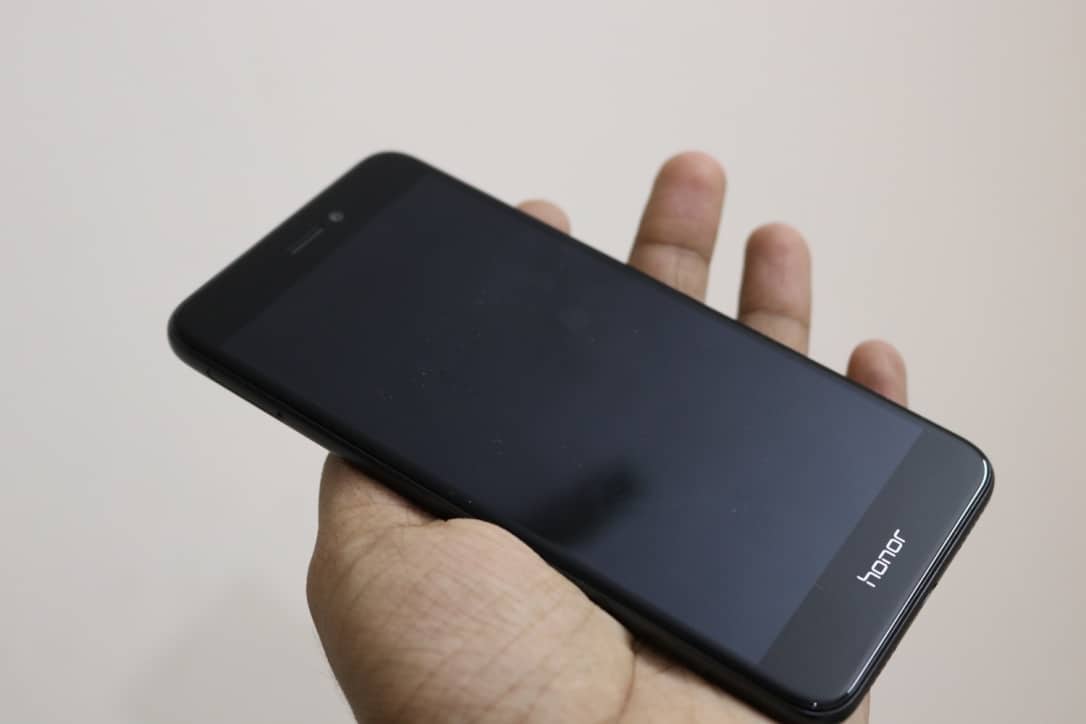
On the front, there are no buttons just ear piece grill and selfie camera. There are no capacitive buttons and of course, these are handled by on-screen navigation buttons.
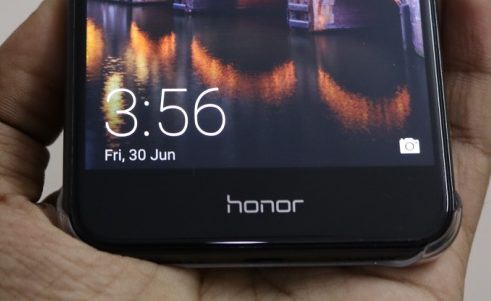
I wish there was no ‘Honor’ branding on the front of the device. This is quite disappointing and sad to witness.
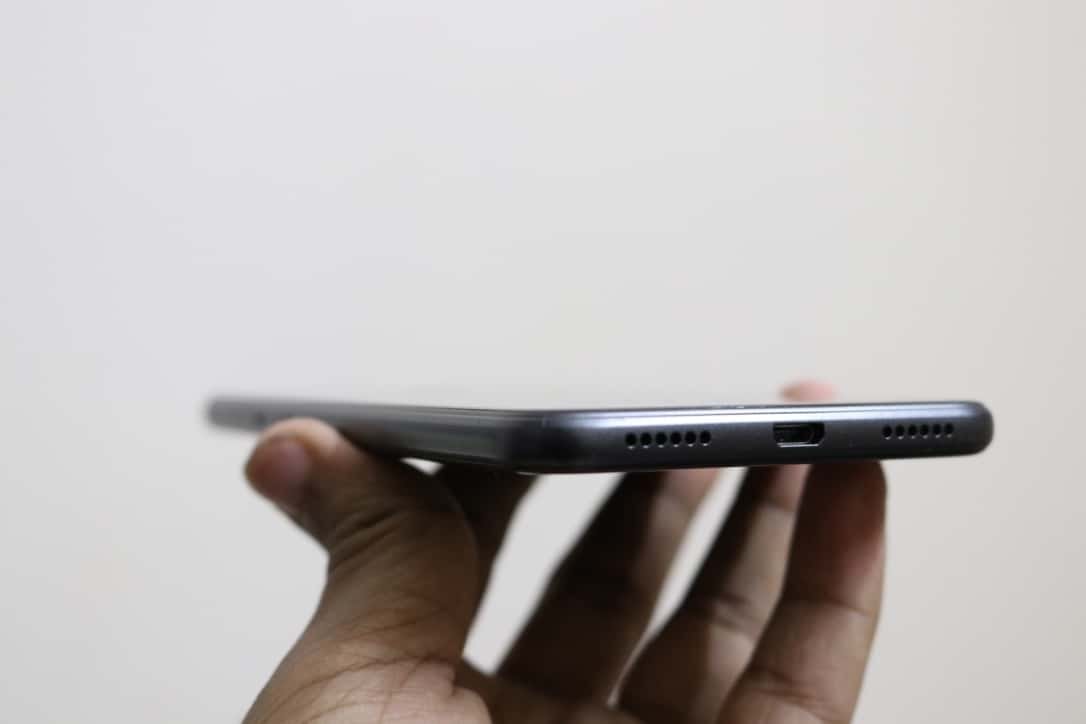
On the left, SIM card slot which supports dual SIM or SIM and microSD card. On the right, volume and lock button. Up top, the 3.5mm headphone jack and bottom speaker grill, USB port.
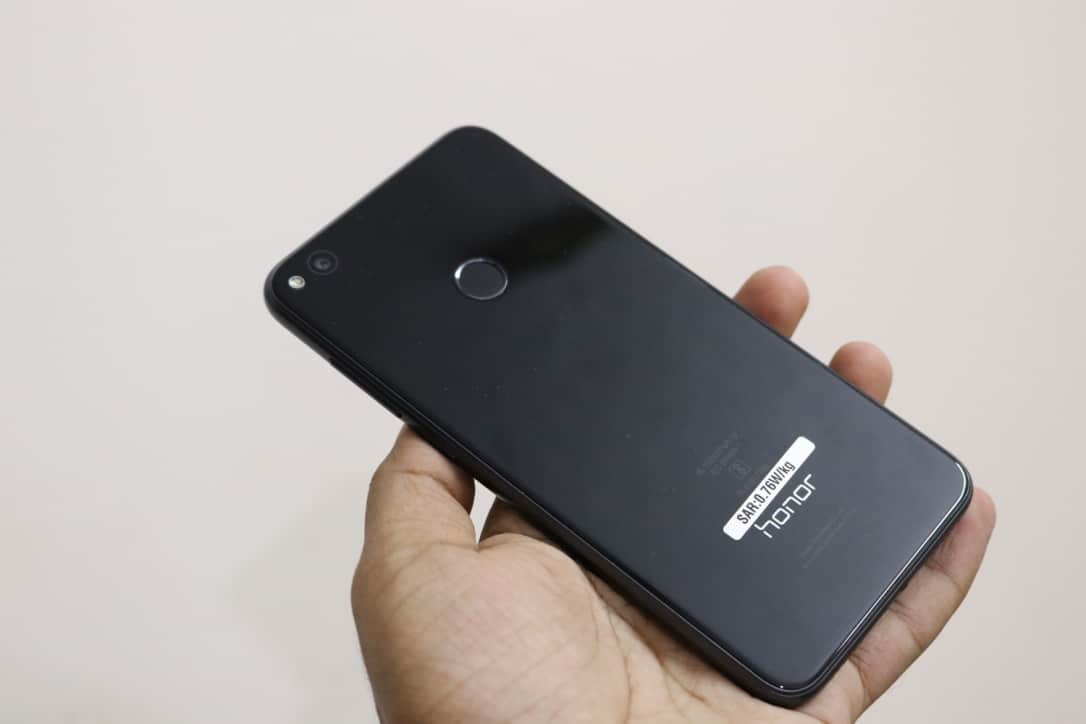
On the back, where the important thing is located, the fingerprint scanner. I got to be honest, this is the first device which I have used where the fingerprint scanner is on the back. Learning curve took few days and I am already reaching the back for unlocking. The finger print sensor is fast, I mean 0.3 seconds, super-fast and very accurate. And of course, one more Honor branding on the back side of the device. Why Honor? Why did you do this?
They could have incorporated invisible capacitive navigation buttons in the front panel instead of engraving ‘Honor’.
Display
I don’t see anything great about the display. It is not an AMOLED panel but a Full HD IPS display. There is a small LED notification light to alert you on unread notifications. The 5.2-inch display has color enhance technology and has an effective PPI of 423. Sunlight visibility is good and for avid readers, the eye comfort mode is a plus point.
Though the 5.2-inch display seems big enough on paper but, the navigation bar kills the fun. The on-screen navigation bar looks not at all like Nougat. There are no additional options in settings to customize the look of the button.
Software – EMUI 5.0
The software in this device is EMUI 5.0, a Huawei version of Android 7.0 Nougat. The similarities with iPhone doesn’t completely end in the design, you could feel it in the software as well. The style in which notification is displayed, the alert notification for eg: “You sure you want to delete this?” pops right up from the bottom of the screen.
There are couple of apps which comes pre-installed. Some of this bloatware are annoying but, you can always choose to uninstall it.
To start, the HiBoard is Honor version of Google now. It will intelligently show case information based on your interests. Like; flight timing, weather and news. You can choose to disable it and replace it with Google now if wanted.
There is a folder called Tools which has apps like; weather, sound recorder, FM Radio, Torch, Mirror, HiCare, Compass and Backup.
I like thing in screen to appear small thus, more screen area. I tried customizing the phone to fit this interest and I did manage to get everything perfect except for the home screen icons. The icons look big making the display feel like small and flooded. See for yourself. There is no option to customize this. You can customize how the home screen swipe animation works.
For those who are concerned about the Fingerprint information; Honor 8 Lite uses chip level security when it comes to fingerprint data. This ensures no one can retrieve or recover your fingerprint information out of the device.
Camera – On Paper
The Honor 8 Lite packs a 12MP sensor which has a higher light sensitivity, delivering perfect shots. The fast focus works great with a speed of 0.3 seconds; they call it the PDAF fast focus. There is inbuild video editing tools and multiple video recording capability. However, the maximum video resolution is limited to 1080p and hence no support for 4K recording.
There are lot of options in the camera app, depending upon the scene you can change it. There is a dedicated mode for shooting in low light conditions and the upgraded ArcSoft Mode gives you even better version of you in every selfie you take.
Front Camera – My Experience
The ArcSoft software has lot of beautify options including; cheek thinning, skin brightening, eye enlarging etc. The interface is not friendly and therefore I ended up messing up with the options and here are the same photos.
In this one, my cheeks look thin and eyes look big. And of course, the skin polishing works good but, bit too much for this photo.
Some pics looks good even with all this setting ON. But again, need to work on polishing.
The selfies look wash out and the color reproduction is average. Most of the images look artificial or as if it is run over by a bad processor.
Main Camera – My Experience
The main 12MP camera clicks great photos during day light and gives you average performance during low lit conditions.
This image was taken at Dunkin Donuts, indoor photo with good lighting. The image look good even when zoomed in. I could clearly read the names of the Donuts.
This was taken around 1 PM on a sunny day hence, looks stunning.
This is an image of me taken during my visit to a Rajasthani Restaurant. During low light the images looks dull and low on the sharpness.
The phone take 1-2 sec to process the image and during that time you should keep the phone still. This I find it annoying.
Performance
Powered by Kirin 655 octa core processor, an i5 co-processor, 4 GB of RAM and 64GB of internal memory; the Honor 8 Lite delivers best in class performance. The processor resource management is just awesome. There was no noticeable lag especially while switching between apps, apps opens quick and the device alerts you if any apps drain power in the background.
The Honor 8 Lite is a pure performer and in my opinion, this device can outrun most of the Snapdragon 600 series powered devices easily.
Battery Performance
I have tested the 3000mAh battery of Honor 8 Lite myself. I have tested how it hold against heavy usage and light usage. But since there is no fast charging you may have to compromise on the charging time. Before I talk numbers,
Quote: Never underestimate the 3000 mAh battery on Honor 8 Lite. It can easily last whole day even if you are a heavy user.
The phone shuts down automatically, gives you a 30 second count down, when the battery reaches 2%.
Charging Time
Charging time from 2% to 100% Charge
12:15 PM – 2%
01:55 PM – 50%
1hr 40 minutes to charge from 2% to 50%
02:40 PM – 75%
03:00 PM – 85%
03:50 PM – 100% –
2% to 100% charging takes roughly 3:30 minutes. This is completely unacceptable for me.
Battery Usage
4G with screen on
8:35 AM – 100%
10:00 AM – 93%
The hourly discharge rate is almost 3.5-4%.
Navigation
At 10:18 AM – 89% Charge
11:05 AM – 80%
9% discharge in 45mins
At 1:52 PM – 52%
2: 36 PM – 43%
Again, 9% discharge in 45 mins of navigation.
While using Navigation over 4G and screen turned on; Honor 8 Lite consumes roughly 10-12% charge/hour.
Connectivity
The device supports all forms of connectivity options like;
I used the device for more than a week. Though it gives brilliant photos during day time, the phone camera lacks performance during indoor/low light conditions. The selfie camera is just an average performer. I find the interface bit cluttered and confusing. The selfie with beauty mode ON looks pretty washed out and sometimes gives you alien look.
The Honor 8 Lite has killer looks which certainly attracts crowd. Wish there was no Honor branding in the front panel of the device. This is the only thing I am not happy about else, it is perfect to show off as an iPhone or a Google Pixel. Though the back side looks stunning with 12 layer of glass panel there is a chance you might break it if the device fall out of your hand. So, might need more care than the usual phone with normal back panel.
The fingerprint is accurate and super-fast. I loved it! The software requires few more tweaking, I need an option to reduce the icon size in the home screen. They could have added an invisible capacitive navigation button instead of on-screen button, which eats much of screen size.
The processor and battery are amazing in fact, best in class and can easily compete with the snapdragons out there. Apps runs smooth, multitasking was seamless and power management is excellent.
As an SEO expert or a digital marketer, you have to understand how SEO extensions are really important like other SEO tools like link building tools, keyword research tools, rank tracking tools, SEO audit tools. With some clicks, you can install SEO Extensions on your web browser. These extensions can let you see the ranking of your as well as other’s websites. Moreover, you can check and analyze website performance quickly, examine code behind websites, save time by improving your task efficient.
The SEO functionalities in your web browser can help you to make you SEO tasks easier and can save your time. Well, Google Chrome is one the best web browser running on most of the devices. It has globbed up a substantial market share and the major reason for its wide popularity is its fast and reliable performance. Moreover, it is a lightweight web browser which most bloggers, marketers love to use.
If you’re a blogger or a digital marketer and also using Google Chrome, then you may find the article very useful for you. You can easily install the extension and analyze the SEO value and the ranking of your or another website. Even you can check and ensure that you are not linking to any bad websites which are harming your SEO value. So, let’s have a look at the Best SEO Plugins For Google Chrome.
Powerful SEO Extensions For Google Chrome
1. Ahrefs SEO Toolbar
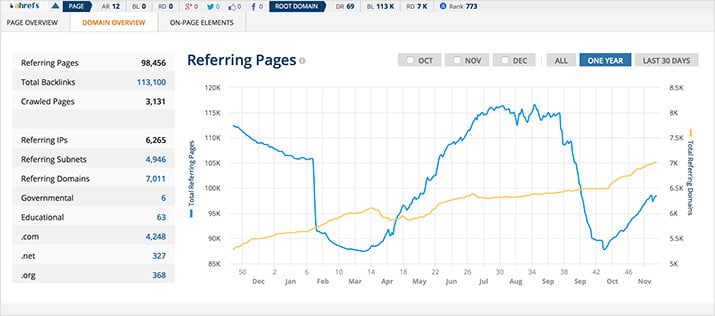
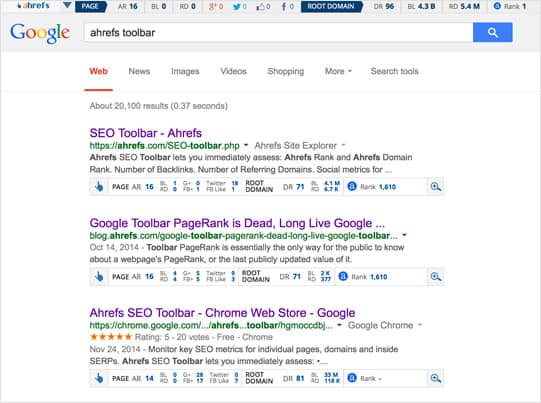
Ahrefs SEO toolbar is the first choice among SEOs. It is a very thin bar at the top of the web browser which will show you the social information, links, and domain stats of that specific URL which is opened in the current tab. It shows some basic information like backlinks and referring domains, social shares from the main network, Ahrefs URL rating and domain rating, and the same info for the root domain.
To get more information about the website like recent backlinks growth, you can click on the down arrow button on the top right corner. There you will see a graph for information. You can activate the plugin for Google search engine. It will show small information like social shares, DR and much more under each link in the search results. You can get all this information free of cost. To get deeper and access to advanced features, you can purchase its premium plan. Check out, the Plans and the prices.
2. Mozbar
Mozbar is another SEO extension for Google Chrome, which is dominating nowadays. Moz is one if the best SEO tool or platform which is very popular among SEOs and marketers. This tool can bs used in two ways.
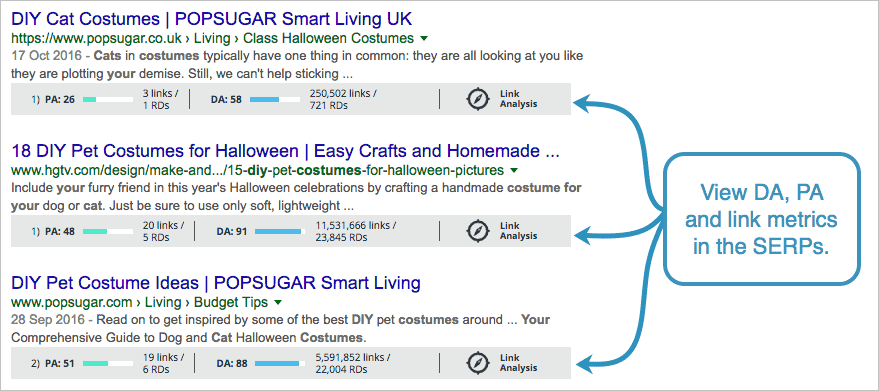
The first way is you can use it when you open any website link. Click on the Moz bar icon on the web browser, a popup bar will open with all the SEO information and overall stats of that website. You can see PA, DA and social shares stats of that website. To get deeper, you can click on the magnifying glass icon on the left side of the bar. It will expand a new panel with information of the page like alt text, meta text, headings, markup, page speed load, and much more.
The second way is to use it in the Google search results. Whenever you will search for anything in the Google search, it will display PA, DA, of the pages listed in the search results. You can also get the keyword difficulty score by clicking the Get Keyword Difficulty button beside the Google search bar.
You can get all the above features and information for free. To get advanced features, you can buy any one of the premium plans. Check the Plans and Pricing.
3. Majestic SEO Toolbar
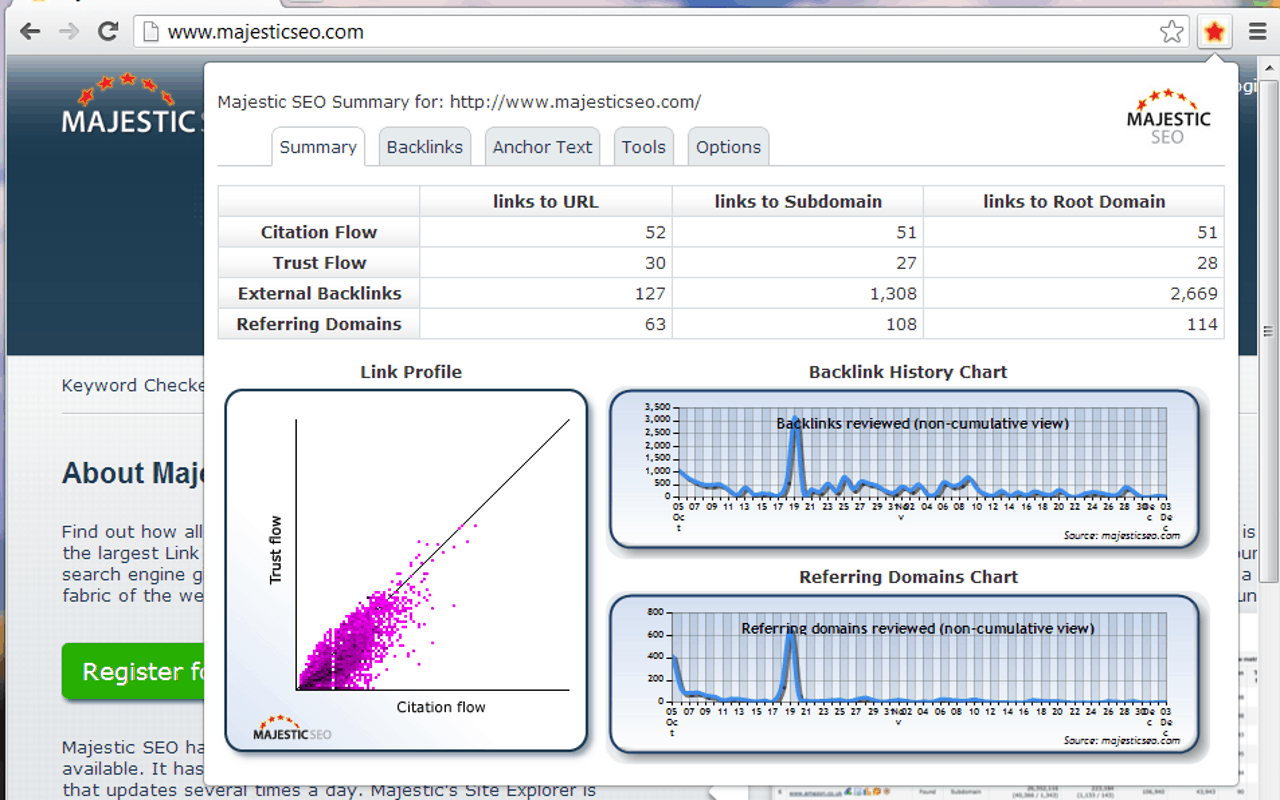
Majestic SEO Toolbar is another on the best SEO Extensions available for popular web browsers like Google Chrome, Mozilla Firefox. It has all the essential features which a good SEO extension must have. You can see SEO information of a web page like the number of root domains, number of links, trust flow and citation flow, link profile chart and much more. The access to the basic information in the main summary is free of cost. You need to pay to get detailed information like backlink analysis, anchor text and much more.
However, this tool does not analyze the search results like other SEO tools. If you are looking for a quick keyword analyzer, you can choose from other options. Also, check the Plan and Pricing for advanced features.
4. Open SEO Stats
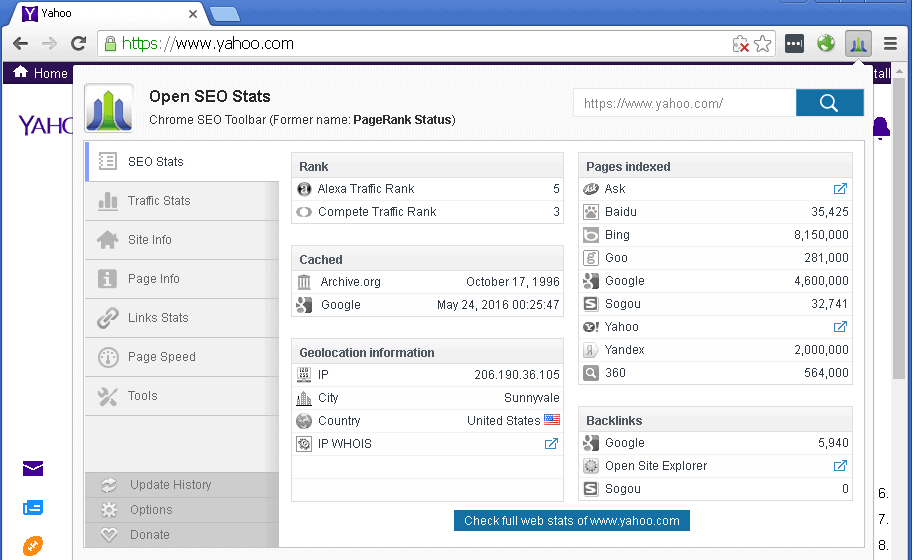
Open SEO Stats comes at the 4th position in the list of Best SEO Extensions. It is very powerful, well-maintained and detailed SEO extension for web browsers like Google Chrome and Mozilla Firefox. You can get tons of data related to the website’s SEO like social media stats, and detailed SEO data. You can access to Alexa rank, Compete traffic rank, and Quantcast Rank with just one click on the extension on the top of the web browser.
In addition to it, the users can get SEO data of the website like backlinks, indexed pages, cached pages, Geo IP location, Whois and much more. You can check how many pages are indexed in the popular search engines like Ask, Google, Bing, Baidu, Goo etc. It also shows the site security information that is rated by software like McAfee SiteAdvisor, WOT, and Norton Safe Web. It supports 30 languages and earlier it was named as PageRank Status.
5. SEOQuake
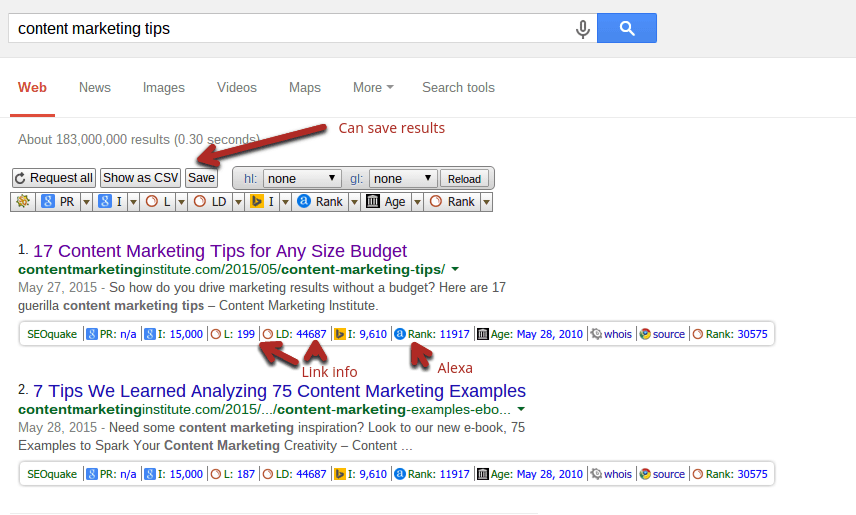
SEOQuake is another best SEO extension tool which shows important metrics in SERPs. It is one of the competitors of Mozbar and cannot be ignored in the Chrome SEO addons list. It let you get all the SEO aspects related to the website. You can use this tool with SEMRUSH account to get fetch more data. It works with search engines just like Mozbar and Ahrefs toolbar to show SEO stats of the links in the search results.
It works with search engines just like Mozbar and Ahrefs toolbar to show SEO stats of the links in the search results. When you search for anything in the Google, it will show an SEO data bar beneath each search result. it will show important SEO data like PR, DR, number of backlinks, page age, Alexa rank, Whois and much more.
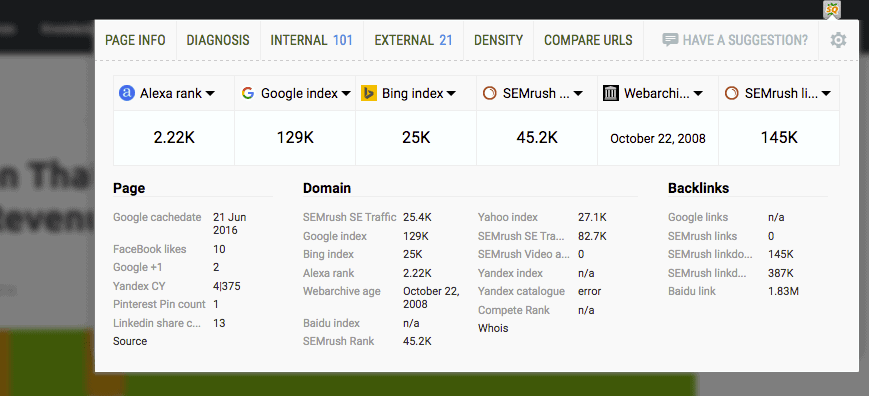
When you use this tool on a web page, it will show results in a dropdown popup. The data may not be accurate as it shows data from Google and Bing/Yahoo links which are not necessarily up-to-date or accurate. You can see basic meta information, basic social shares, keyword density, backlink information and much more.
Conclusion
We have listed the best and powerful Google Chrome SEO Addons which can help you to get SEO data of any website easily. Well, I doubt you need all of them, but you found at least few add-ons to make your SEO work easy and accurate. Google Chrome is a powerful and most used web browser in the world. It has awesome extensions for various purposes and if you are not extracting the functionalities of Chrome extensions, you are loosing your time performing tedious tasks. Start trying all the SEO extensions to find the best addon for you.
Android is a high ranking mobile operating system that powers the highest numbers of Smartphones across the world! Being an open source mobile OS, Android has successfully created a massive user base. Enterprises irrespective of their size and nature find it quite flexible and beneficial to target the platform aiming to circulate the brand in the virtual world and get closer to the mobile users.
Android App Developers
This has proved to be effective and high resulting for the enterprises! Developing business dedicated applications for Android is considered to be essential for the enterprises. Android is ruling the mobile market and thus targeting this platform would allow the enterprises to access massive numbers of users and stay competitive in the market.
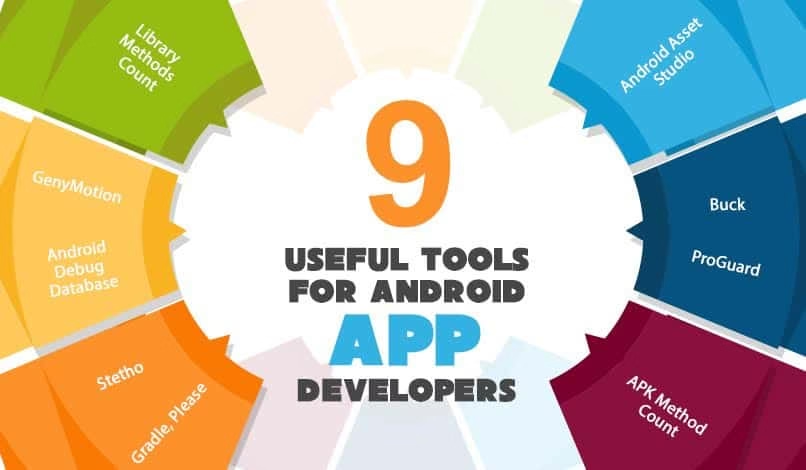
With the trend of advancing technology, a number of tech tools and frameworks have been invented that are widely helpful in developing stunning android apps with rich-functional features! These all work together towards making the process of mobile app development faster and more effective. Below stated are few of the Android development tools that are widely useful for the app developers in developing the best apps!
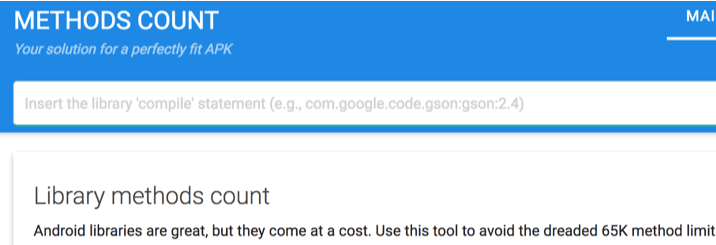
The Android libraries are indeed great tools which help in avoiding the dreadful 64K method limits of the DEX file format. Developers need to pay for this tool but it’s worth it! This refers to a plugin, which enables you to have information on the number of methods on Android libraries. It also provides support for Android Studio.
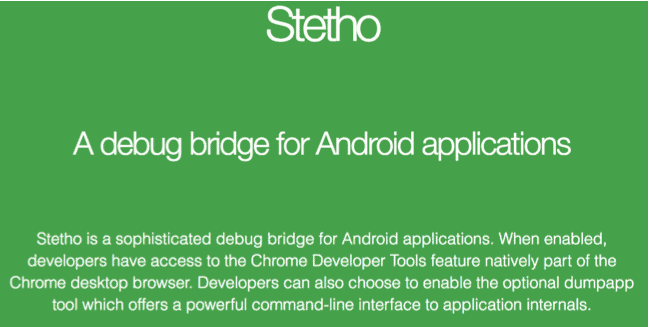
Stetho is an excellent debug bridge for the Android applications that are created by Facebook. This tool integrated with the developer tools of Chrome Desktop browser. It is quite easier to inspect the application as well as the network traffic with this tool. This also allows inspecting and editing the SQLite databases along with the shared preferences within the app in an easier way. It is essential to note down that Stetho must be enabled for debug build and not for the release build variant.
With Stetho, you can complete the following functions:
Check the complete View hierarchy
Perform all other actions related to app development with ease
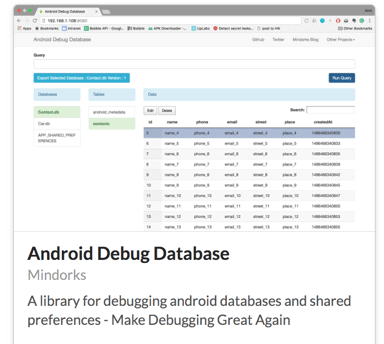
The Android Debug Database is an incredibly powerful library yet a simple tool for debugging databases along the shared preferences in the Android applications. This tool can simply be used for viewing the databases as well as the shared preferences in a direct way on the web browser.
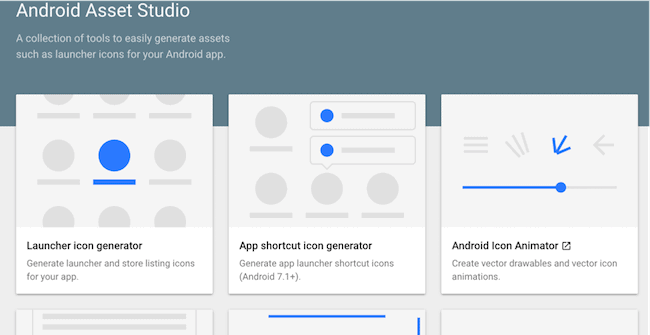
Android Asset Studio is considered as the one-stop shop for different project asset needs! This tool offers multiple options to the developers which start from generating the icons to include styling the actionbar. This tool ultimately simplifies the app development process in an amazing way!
APK Method Count is a tool that helps for counting the numbers of the methods which are moving into the APK. This tool helps in presenting the per-package method counts.
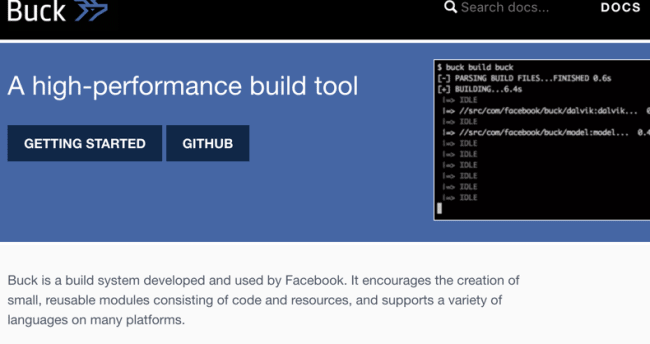
Buck is a very helpful build system that is developed as well as used by Facebook. This tool encourages and supports in creating small and reusable modules that consist codes and resources. This tool supports multiple languages on different platforms. This tool helps the developers in speeding up the builds, adding reproducibility to the builds and gets error free incremental builds.
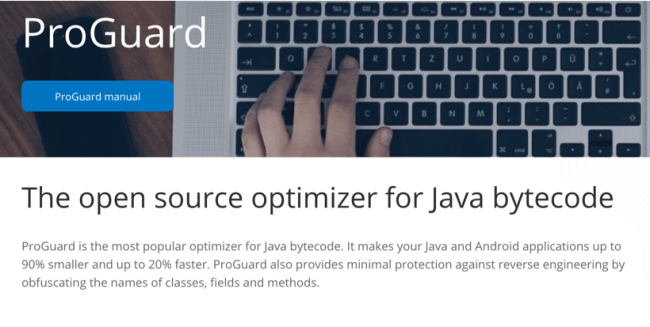
ProGuard is a tool that is used on different Android app development projects for shrinking and obfuscating the packaged code which ultimately reduces the method count.
Gradle, Please is a tool that is used by the best Android app developers which help them in finding the best libraries as per their requirements. Getting this combined with Android Studio, the developers can reap out the best benefits!
This tool is one of the most popular development tools when it comes to creating large-scale applications using Java.
A bonus tip with Gradle is for you to use it alongside Android Studio. That way, it’s very easy for you to add external libraries by using a single line of code.
Here are other benefits you can enjoy when using Gradle:
It’s easy to navigate from an existing maven/ant project to Gradle
It’s expressive, declarative, and maintainable
It’s easy to integrate existing maven/ant projects with Gradle
It supports dependency management
It supports a project structure with more than one project to build deliverables
Because it’s easy for you to combine different functions with Gradle, this contributes to the ease and success of developing mobile apps for free.
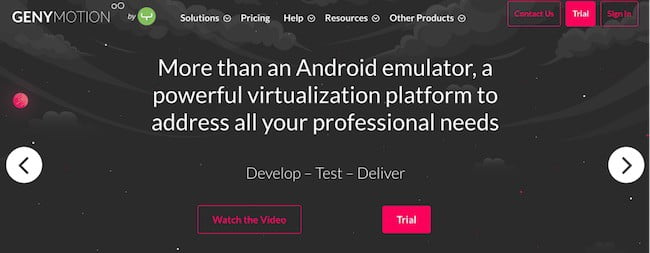
GenyMotion is an Android Emulator that helps developers test Android applications. Using this tool, developers can test and preview applications on over 3,000 device sensors. Unlike other emulators, GenyMotion boots up fast! GenyMotion easily integrates with Android Studio and Eclipse. This tool supports a wide number of devices that are powered by different Android versions. With this, app developers can test the Android apps on varying screen sizes.GenyMotion also comes with pre-installed Android graphics and images. These make it even more effective to go through the testing process. More so, the testing speed is faster than it would’ve been on a real Android device.
Final Words
These tools above will get you started now on coding like a pro. As the use and demand of Android devices continue to go up, this also sparked the need for high-quality Android apps. For app developers, this is a challenge for them to stay productive, so they can come up with good quality apps. Apart from quality, they’re also facing the challenge of time. These tools all work to be very effective in meeting that challenge. If you’re a coder or app developer, go ahead and try any of them out.
About the Guest author:
Vivek Shah is the founder and CEO of Capermint Technologies Pvt. Ltd.: AR & VR Game Development Company. As a CEO, he likes to help other brands to transform their game app ideas into reality.