Home Blog Page 194

ASUS Zenbook 3 UX390 Review – A Laptop With It’s Own Class

0

Laptops are getting much sleeker and compact, reassuring the word ‘laptop’ and at the same time making it euphonious. Ever since Apple introduced the 12” inch MacBook, the Gold standard in this segment, companies are trying their best to beat it. The latest offering from ASUS, the ASUS Zenbook 3 just took this competition to the next level. In fact, ASUS Zenbook 3 is a laptop with its own class and it looks damn sexy as well. The closest competitors for Zenbook 3 are; Apple’s 12” inch MacBook and HP Spectre. I got a chance to do hands-on with Zenbook 3 and this is a comprehensive review of the same.

ASUS Zenbook 3 Review
asus zenbook 3-design

ASUS Zenbook 3 Design

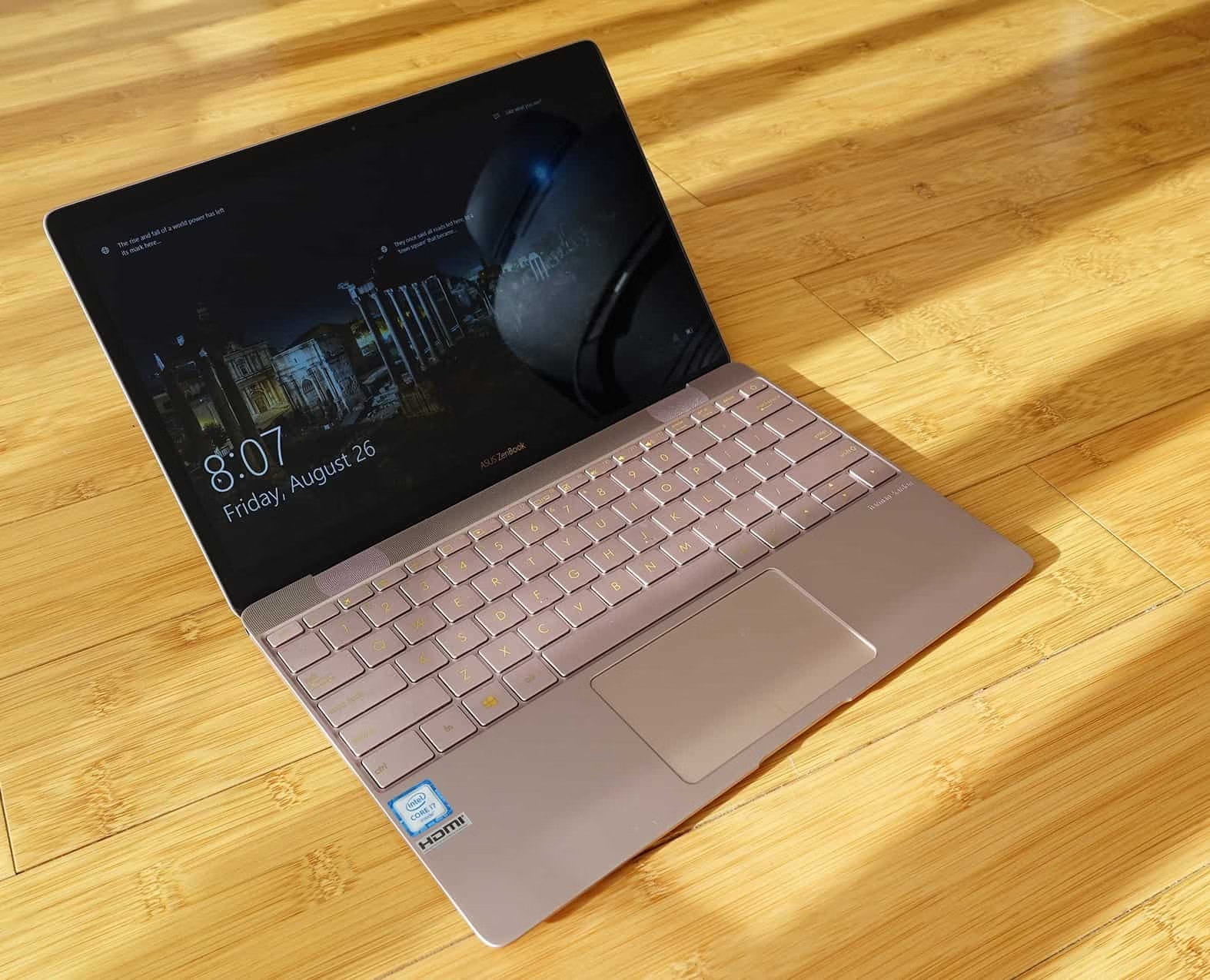
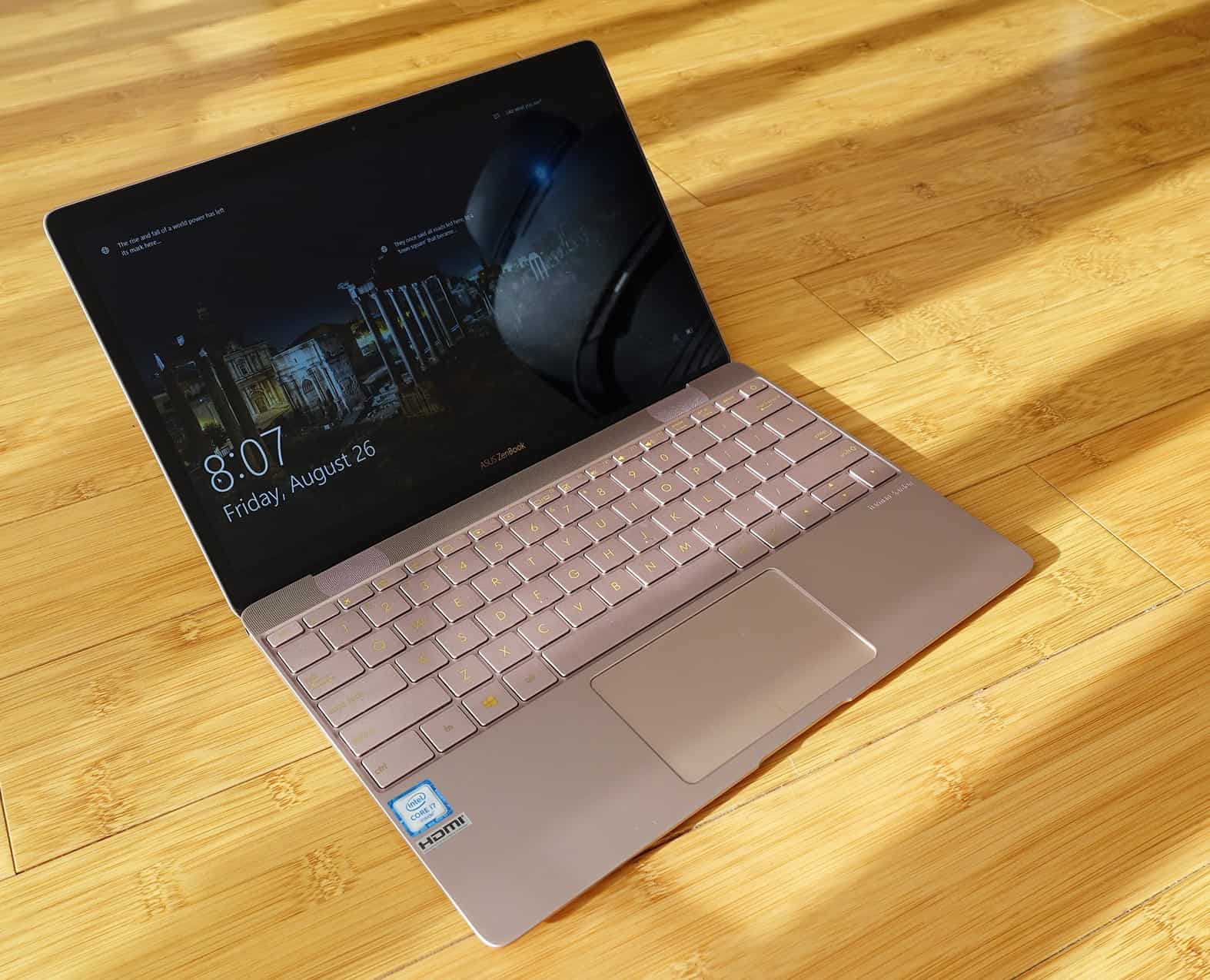
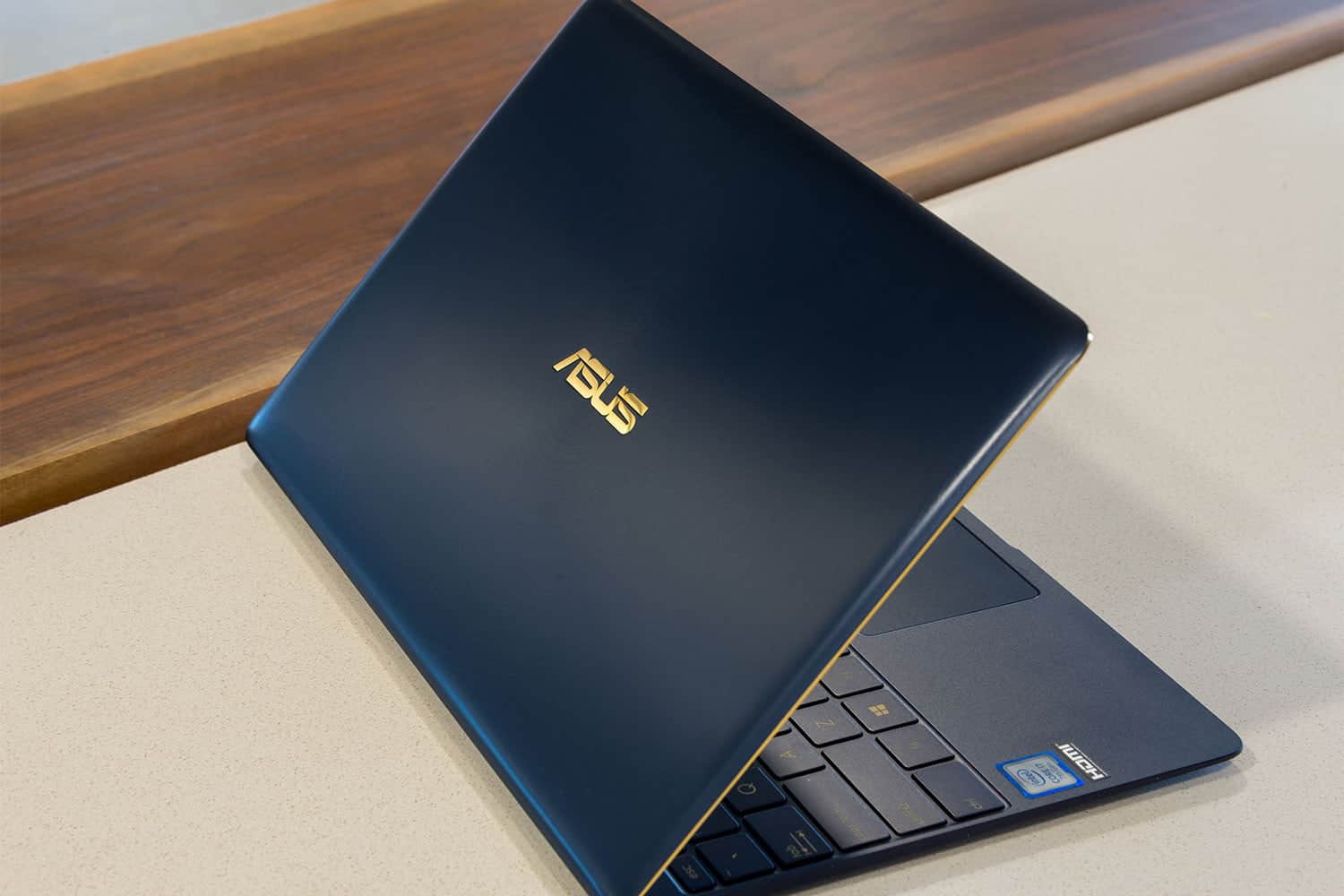
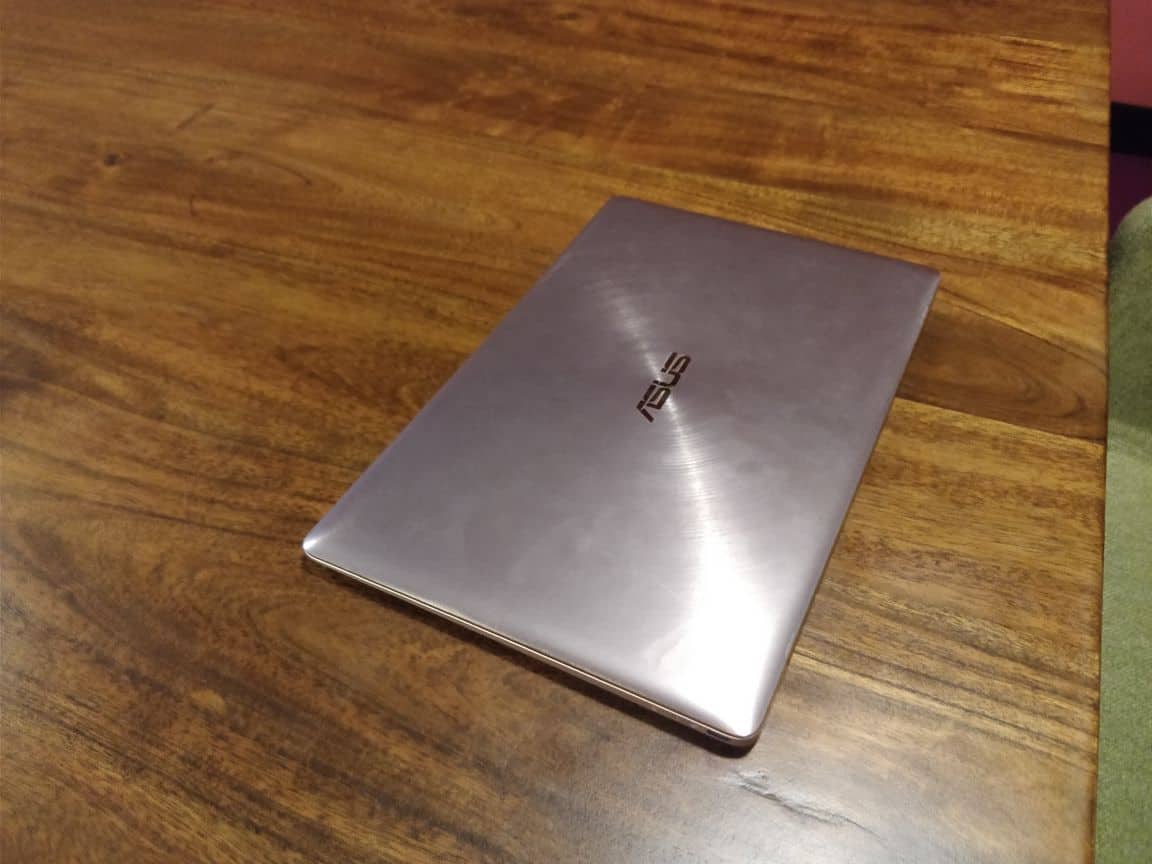
The ASUS Zenbook 3 comes in three vibrant colors; Royal Blue, Rose Gold, and Quartz Gray. The Royal Blue is one of the most popular colors as per the public poll. The gold accent, however, is a like it or hate it deal. My review unit was the Rose Gold and it looks stunning and shimmers under any type of lighting.

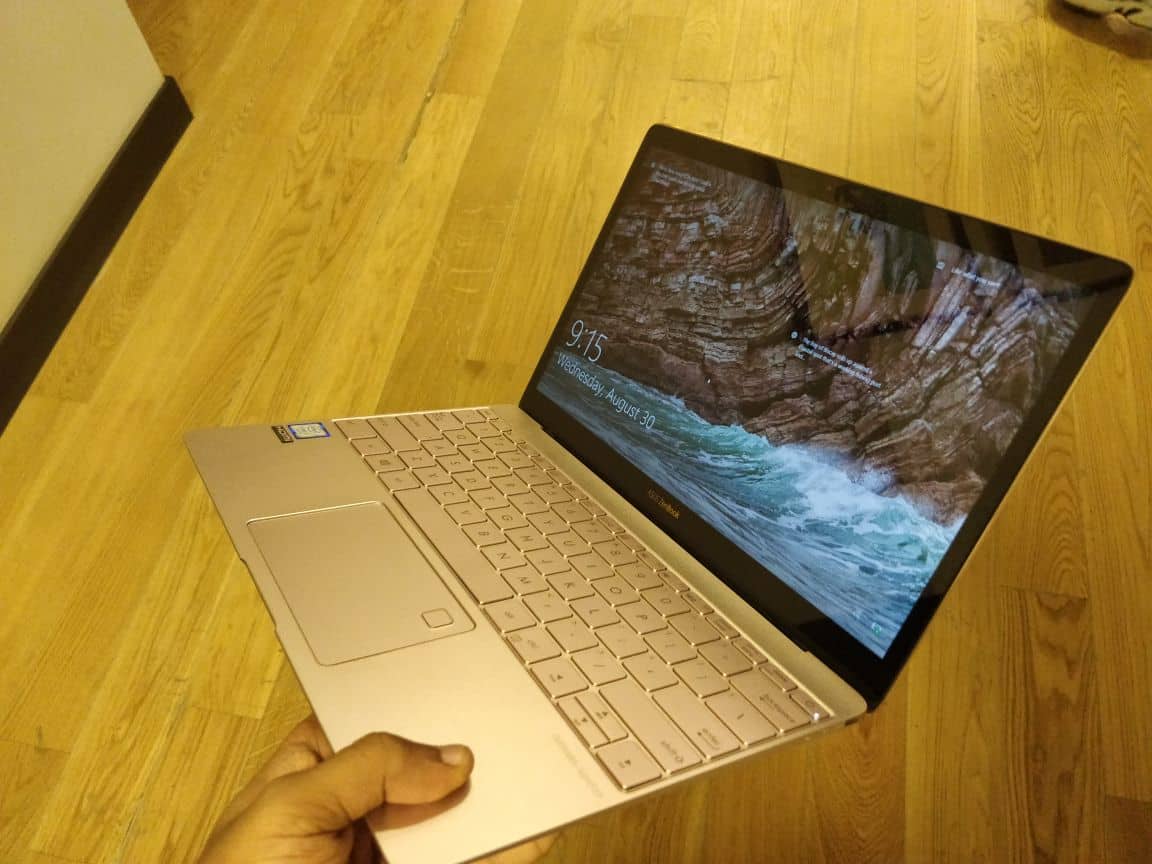
The laptop looks premium; all credits to the high-quality aluminum chassis. The Zenbook 3 is sturdy and lands one step below MacBook in terms of build quality. You can easily open the lid using one hand and the base won’t come off from the desk. The keyboard is a bit cluttered which you will get adopted quick. The trackpad is big and has an integrated fingerprint scanner at the top right corner. The buttons, however, felt spongy and lacks the positive ‘clickiness’. The keyboard has backlit, which can be adjusted to three levels of intensity. The typing experience is not so good, as the key travel is very less. Again, for some people, this may be a good fit.

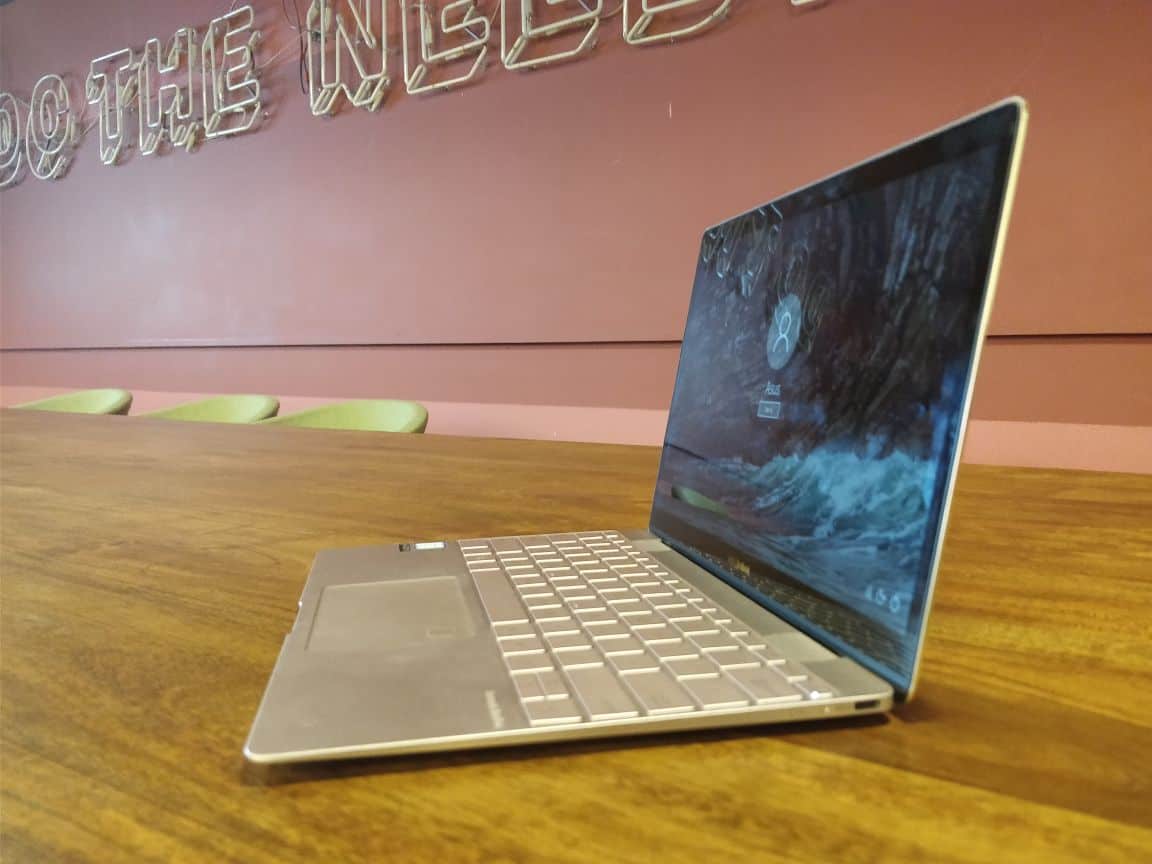
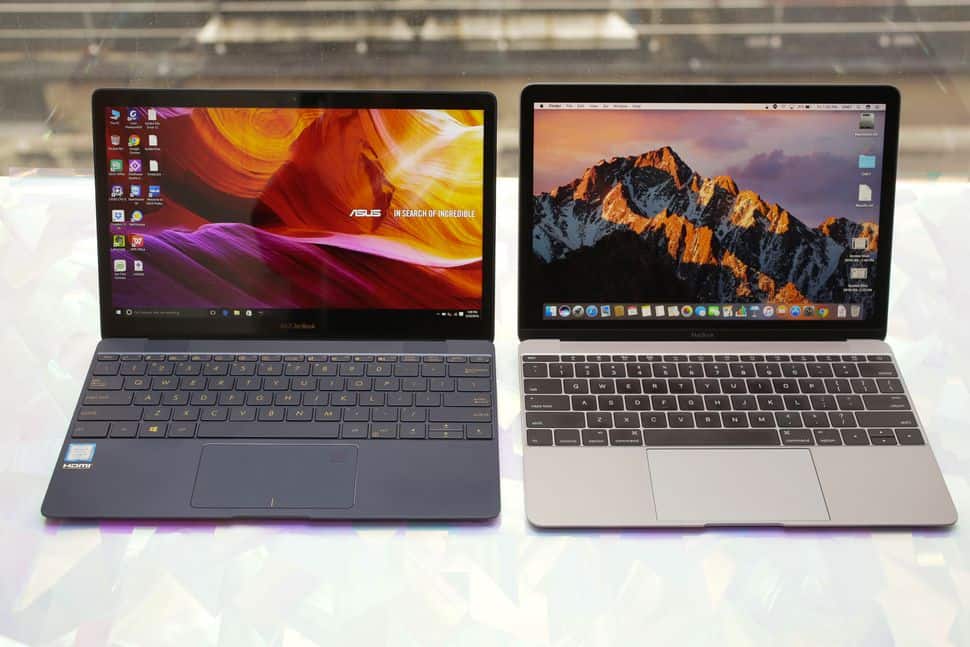
To accommodate the thin profile, Zenbook 3 has compromised on the number of ports. In fact, the laptop has one headphone jack on the top left side and a USB Type C port on the top right side. There is no Thunderbolt 3 support but, ASUS supplies an adaptor out of the box. The 12.5” inch 1080p display is further protected with Gorilla Glass 4. The color reproduction is good and the display is bright enough. Though the display resolution is only 1080p compared to the 2304 * 1440 in 12” inch MacBook, at normal viewing distances you won’t be able to make out the difference.
ASUS zenbook 3

The laptop comes with 4 speakers. Two on the top of the keyboard and two under the laptop. The Harman/Kardon branding is nicely emblazoned below the keyboard area. The speakers sounded far better than expected and it was loud enough too. There are negligible distortions when you pump up the volume but still, sounds solid. The gold accent looks a bit gaudy for my style, wish they could have painted it with something else or left as such. The Zenbook 3 is compatible with the companies new Universal Dock. As far as the ventilation is concerned, there are holes on either side of the laptop for air intake and the hot air will be vented out near the hinge.

ASUS Zenbook 3 Specification and Performance

When you pay a fortune for something you obviously will expect something back. The case with Zenbook 3, which cost more than a lakh in India, is not anything different. On paper, the specs sound amazing but, does it hold when you put it for actual testing? Well, I will say yes!
ASUS zenbook 3

For starters, the laptop performance was great. The Intel Core i7 7500U Processor which is based on KabyLake architecture rather than Skylake is an added advantage. The advantages of putting Kabylake is that; the laptop is more energy efficient, support for hardware encoding and decoding for certain video codecs and the clock speed is slightly faster than the ones which are based on Skylake.

Specs sheet will look like this;

  • Intel Core i7 7500U Processor
  • 16 GB LPDDR3 2133MHz SDRAM Onboard Memory (test unit was of 8GB RAM)
  • 5” display with 1080p resolution and 16:9 aspect ratio
  • Integrated Intel HD graphics
  • 512GB Toshiba SSD
  • Backlit Keyboard
  • VGA Web Camera
  • ASUS SonicMaster Premium Technology
  • 6 Cells 40 Whrs Polymer Battery
  • Weights only 910g including battery
  • Windows 10 Home edition.

If you go through the specs again, I know the exact point we all get bit disappointed. Yes! There is no dedicated graphics option instead, you have to settle for the integrated graphics provided by Intel. A major downside is the Web Camera. Come on! Its 2017 and people started recording in 8K and yet, ASUS decided to keep the VGA (640p) sensor for the web camera. Is it some sort of joke ASUS? The Harman/Kardon powered speakers are fabulous except for the small distortions at high notes. The laptop is interestingly lightweight and it’s just 910g.
asus-zenbook-3-lid-1500x1000

The ASUS Zenbook 3 is blazing fast for the day to day activities. The 512 GB SSD takes most of the credit for the ultra-fast 1400MB/s data transfer rates. Professional video and photo editing is a breeze, at least for some time. The single fan, for cooling the machine, gets turned on when you push it to the limits and the fan sound is bit audible. For normal functions, the laptop will remain silent.

Gaming is not fun as you would expect from a laptop fitted with Core i7 processor. You can play most of the games but need to compromise on the visual detailing. Means, you must run at low game settings. Since there is only a small fan to put out all the heat from the high-end chip, the heating is bit of a problem. In my test, after pushing the laptop to its limit, I could notice a temperature of up to 50 degree Celsius on the mid portion of the keyboard.
ASUS zenbook 3

Once the CPU gets heated up another major issue we faced was the CPU throttling. If you render videos and play high-end games for a long time may experience performance issue because of this. The laptop can take everything but, not for a long time or in other words, it’s not a machine which can be used dedicatedly for high-end performing purposes.

ASUS Zenbook 3 Battery Life

When an electronic device gets slimmer the battery life of the device also gets slimmer. However, ASUS has managed to fit in a battery which gives 9 hours of battery life on paper. In reality, on my usage, I got a graph which was plummeting. Or I would say, rather had troughs and crests. Again, this depends on the type of usage.

I tested the average use scenario by running a 2-hour long movie on loop. The movie ran 3 times full-length and had failed to pass 20-25 minutes’ mark on VLC for the 4th time. This means; you will get 6 hours 30 minutes’ battery life if you go with normal usage and brightness at 50%. On the other hand, the PCMark Benchmark results show a battery life of 3 hours. This is a huge letdown for many users including me who love the convenience of portability. I don’t know whether I have messed up with the battery settings but, this should not be the figure you would expect on a laptop which cost you a fortune.

ASUS Zenbook 3 Fingerprint Sensor

One of the best features on Windows 10 systems is the Windows Hello sign-in. The fingerprint sensor on Zenbook 3 is placed inside the trackpad, aesthetically and the conveniently positioned sensor is very fast and reliable. Just open the lid and place the finger on the sensor, within a matter of less than a second the system gets unlocked and ready to use.

To Conclude…

ASUS Zenbook 3 is a perfect Windows alternative for Apple 12” inch MacBook. When MacBook remains as the Gold Standard in terms of performance, durability, build quality and battery life; Zenbook 3 can be positioned right below it.
asus-zenbook-3-17

The KabyLake core i7 is a great processor and process anything we throw at it. However, the slim profile of the laptop results in less ventilation and the single fan alone is not enough to handle the giant. The CPU throttling happens if you use the laptop under heavy performance for a long time and this sometimes can be disappointing.

The sound quality is good and has a tiny bass to it. The gold accent on all three colors is not for everyone. The gold color is very prominent in the blue variant. There are headphone jack and USB Type C port. This is very inconvenient at many times. Though ASUS provides the adapter to cover up this issue, for me, it is not a good solution. The webcam on this laptop is very poor and resolution reminds me of my first Nokia camera phone.

The alternatives to consider are Apple MacBook and Dell XPS 13, HP Spectre (if you looking for Windows). The thing I love about Dell XPS 13 is the InfinityEdge screen. Though XPS 13 is bit thicker and heavier, the display is stunning and the battery life is much better compared to Zenbook 3. The HP Spectre matches the look and feel of Zenbook 3 is also a great option to consider.

The highlights include; the laptop weights only 910g offers extreme portability. The choice of options to pump up the specs is a great deal but, I would suggest you stick with the i5 Processor which is economical and offers better battery life. If you ask me about buying one, I would say; Yes! It is an expensive piece of technology like MacBook and HP Spectre but, at the end of the day, it’s all about convenience and portability.


Remote IT Support Services For Diverse IT Components

0

Businesses operate based on computer technology in today’s time. Without the daily support of technology, the internet, and digital business tools, we cannot imagine how businesses would operate. Therefore, we need seamless and smooth running systems without any flaws.

remote it support

If there were flaws, it would become a huge hassle as all operations would come to a halt. Therefore, it is always best to have support services ready on standby to keep your IT infrastructure stable. Remote IT support services are the precise solution to this problem. Let us read on to know more about them. 

About Remote IT Support Services

This is a revolutionary tool that can help you with any technical or software issue quicker and more efficiently. It is a program that can allow a person to access a remote device through their device. 

Through these remote services, your technician can see the screen of your device on their device in real-time. 69% of internal support tickets are resolved in one touch. This allows them to make changes and see what is wrong with your device without having to physically get their hands on your device. 

At times, the program also allows the technician to take control of your device to come up with a better solution in case there is a serious issue.

The reason why this system is so convenient is that you do not need to take your device to an expert, and neither does a professional need to visit you to locate and solve the issue with your device. They can simply use remote IT support services to gain access to your device and see what is wrong. 

It is time and effort-saving and can help you come up with solutions quickly and efficiently. Having remote IT support services helps when you are in the middle of important work, and you want your issues to be solved quickly.

Various Remote IT support services

Remote IT support services are versatile and very useful, no matter what kind of IT trouble you are facing. It can be used for various things and instances and can help in any IT-related situation. We have listed a few services that it can cater to so that you get a better understanding of how remote IT support services can help you and your business out:

For monitoring

At times, you may need to monitor the different devices that are in use in your office. You may need it for a team project or just for the sake of security. With the help of remote IT support services, you can get better monitoring abilities and control 

Here are a few of what you can do with Remote IT support services:

?      To monitor server

?      To monitor websites

?      To monitor Network

?      For monitoring browser issues

?      For data retrieval 

?      For the removal of virus, malware, spyware, and such damaging components

?      For connectivity issues

?      Slow performance issues

For incident based requirements

You may also need remote IT support services for incident-based requirements. They are handy in such cases and provide excellent support. Here is what it can help you with it:

?      Microsoft Exchange Server

?      Microsoft small business server

?      Microsoft Windows server 

For management needs

Remote IT support services are also excellent for management needs. You can remotely manage various tools and devices for better management and control of your business. Here are a few tools you can use remote IT support services for:

?      Proactive management

?      Helpdesk support

?      Server support

?      Consultation 

?      Deployment of server 

For installation and setup 

Lastly, remote IT support services are also a perfect solution for installation and setup without having to visit the professional or have them over. Through remote IT support services, setting up or installing software, tools, or even hardware is a breeze. 

Bosch Power Tools Launches Bosch Go – The Smart Screwdriver

0

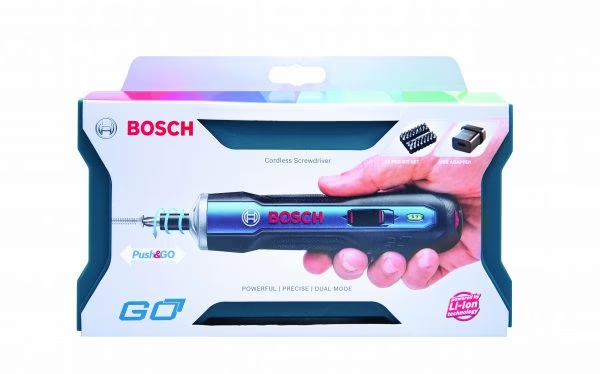
Bosch Power Tools India, the Indian arm of the German brand launches Bosch Go. The Bosch Go is a smart screwdriver which is ultra-portable and very powerful than any excising screwdrivers in this segment. Bosch is a leading manufacturer and marketer of power tools for construction, woodworking and metal working industry. Considering the booming millennial market, Bosch Go will be available first via Flipkart and Amazon online stores. By October this year, the product will start occupying the shelves of dealers across the country.

bosch go

What makes Bosch Go standout in its segment is the; revolutionary compact design. It’s obviously like no other screwdriver with its intuitive operational style. It’s more dynamic and powerful than most existing cordless screwdrivers today, like those featured on BestOfMachinery. The tool will easily fit in your back pocket of your jeans and its considerably light weight. The intuitive Push & Go operation style will activate the screwdriver by just pushing the button. Another great innovation is the intelligent E-clutch system which make sure the screw driver stops the operation upon reaching the target torque. Apart from the automatic operation, the Bosch Go comes with an option to switch to manual mode on demand. This is done by engaging and disengaging the strong spindle lock mechanism.

Panish PK, regional sales director and business head – India and SAARC – Bosch power tools said,

“Today, consumers expect a smart device for an enhanced performance, longer lifetime, and faster charging cycles as well as compact designs. This new smart screwdriver combines all these features, and is bound to boost engineering standards. Innovation has always been at the heart of our offerings and we are positive that consumers across the nation will benefit with this new tool from Bosch”.

With its rotary brush plate, which assists in forward and backward rotation, Bosch Go functions can be performed with at most ease. Like I said, the Screwdriver resembles, both in shape and size, as that of the normal screwdriver which helps even a layman take a leap from the manual mode to automatic process.

bosch go box

The Bosch Go is powered by a Lithium-ion battery, with a power rating of 3.6V and 1.5Ah, which gives you an optimum run time of 90 mins upon full charge. Unlike the other battery powered devices, with its innovative energy consumption system, Bosch Go delivers uncompromising run time at greater efficiency. The screw driver is charged using micro USB port and has a 3-LED system which indicates the battery level.

The ergonomics in design adds an overall aesthetic value to the device. With an adjustable 5/2.5 torque and a speed which goes up to 360rpm, the Bosch Go makes the process of tightening and loosening quite effortless and with minimal discomfort. Weighting only at 280gm, the device is not going to give you any sort of fatigue as in the case of heavy machinery in this segment.

ASUS zenbook 3

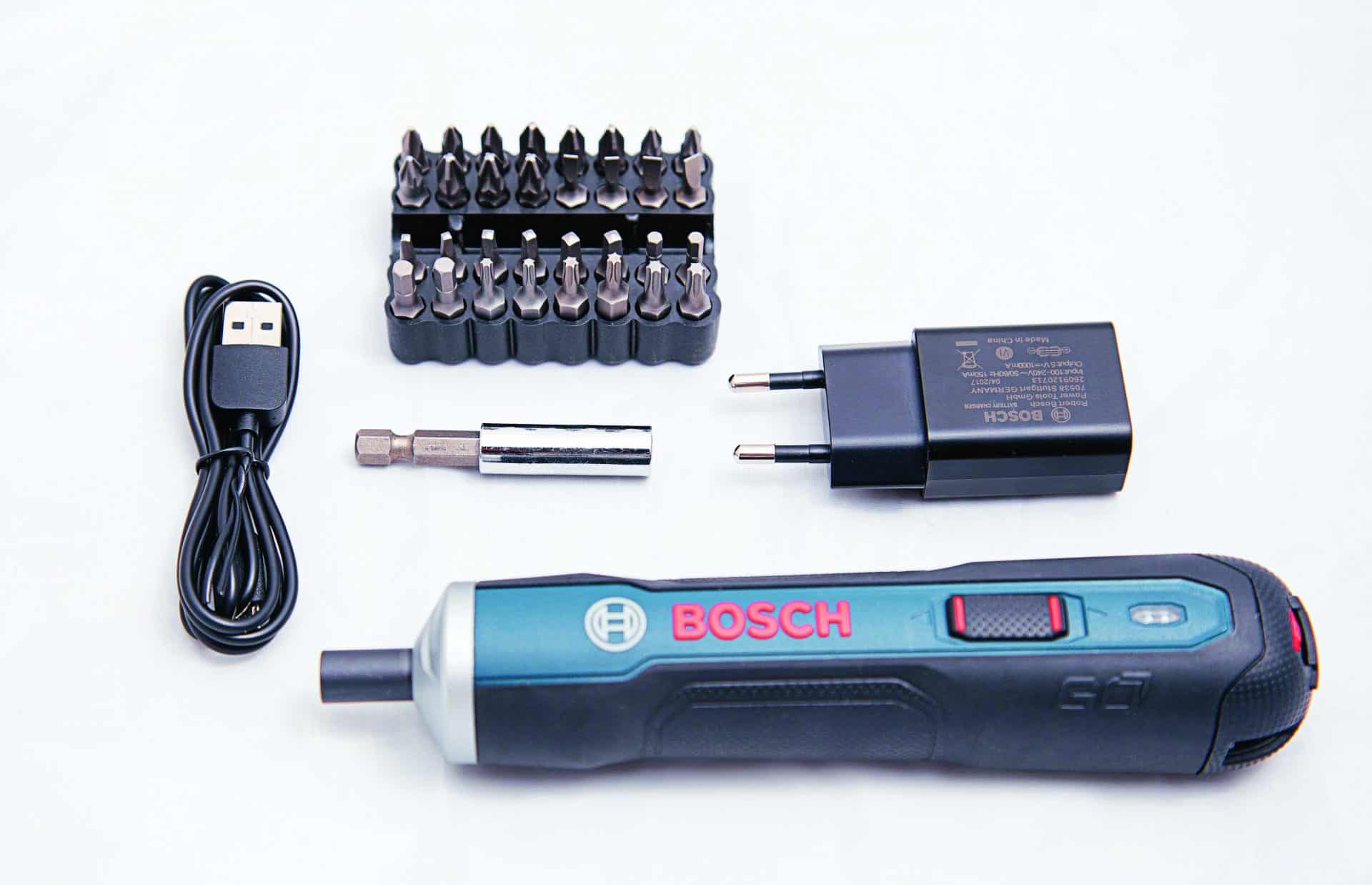
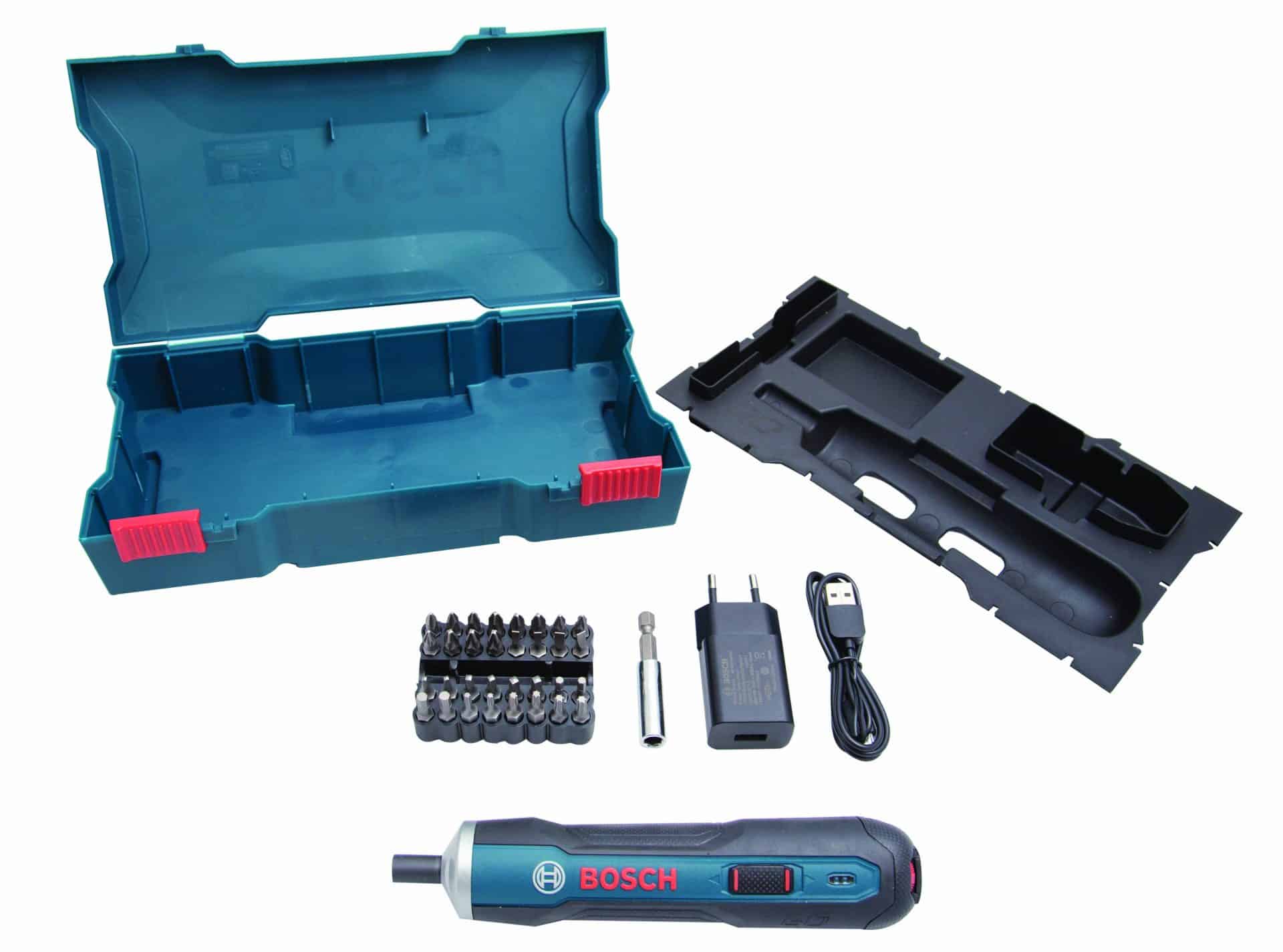
The Bosch Go comes with 33 accessories kit, USB adapter and a USB Cable. Like other Bosch products, the company offers a compact plastic case with sleeve to carry around your Bosch Go. As an introductory offer, the Bosch Go is available in Amazon and Flipkart at a price of Rs 2399 against the original MRP of Rs 4450.

Top 15 Best Writing Tools for Blogging – Think, Write and Share

0

I remember the day I started blogging; WordPress was my choice of CMS, I used the ‘new post’ page to compose all my posts and draft posts. Back then, the writing area was not user-friendly as of now and I badly wanted a writing tool where I can jot down all my posts and save it offline locally in my hard disk. Since Microsoft Word was too mainstream for this task I started using Windows Live Writer. We have come a long way, Microsoft even stopped the support and download of Windows Live Writer, luckily there are many writing tools to help you with your creativity. Personally, I believe even the choice of the font has some magical power to help you write. These list of writing tools can feed you with some inspiration and can even help you with writer’s block.

Tip! free brochure templates for Startups

Here is a collection of writing tools which will help you with blogging. It not only includes alternates for Windows Live Writer but, even better tools. Happy blogging.

Writing Tools for Blogging

writing tools

MyTextArea

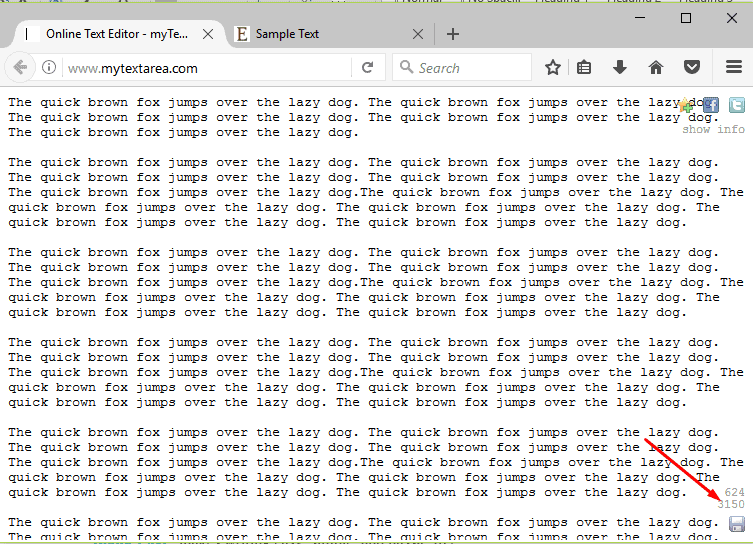
To start with, I would like to keep it very simple and that’s why MyTextArea. This is a one of the simple browser based writing tools and in no way comparable to high-level writing tools. If you are browsing something and you wanted to quickly take note of it then, this is a perfect tool for you.

ASUS zenbook 3

The tool comes with a large writing area. On the rightmost, down corner, you can see the line number and text count along with a save icon. Thankfully this information is not at all obstructive when you start writing. The only downside of this application is that; it won’t auto save. Also, the texts will be saved as browser cookie so there is a high chance that the texts will get cleared if you clear the browser.

Google Keep

You might be thinking why Google Keep? Well, first thing, I love the sync feature and the intuitive interface. It’s simple and quite easy to use. I sometimes use the Google Keep for scribble down my ideas for the blog post and if I am traveling, I will work on those ideas directly from my phone itself. The best part, it’s completely free.

ASUS zenbook 3

The Google keep can record voice notes, click pictures and include it along to the note, create a to-do list and finally can act like a note book. With its brilliant sync feature, you can pick up the note right from where you left, from any connected devices.

Headline Analyser by CoSchedule

A catchy headline can always help you bring in some organic traffic into your website. Some people twist the headlines and make them into click bait. But, a well-crafted blog post title is a very important thing. The CoSchedule is a marketing calendar and their sub-product Headline Analyser is something which I loved.

ASUS zenbook 3

The folks at CoSchedule makes the whole process as simple as possible. They say a perfect headline is something which contains 20-30% common words, 10-20% uncommon words, 10-15% emotion and at least one power word. And, most importantly it should be of appropriate character length. To put this into test, I have typed in the very blog post title that I am using for this post and here is the result;

Egg Timer

Often we end up spending lot of time around a simple post over the ones which need immediate attention. Keeping a timer at your disposal is one of the best ways in which we can keep track of time.

ASUS zenbook 3

The Egg timer is one of such easy to use a timer. Select the required time and click Go. The page will switch to full screen, displaying only the countdown timer. The app is currently in beta phase and moving forward, I hope they will introduce more features may be a peppy UI.

Free Summarizer:

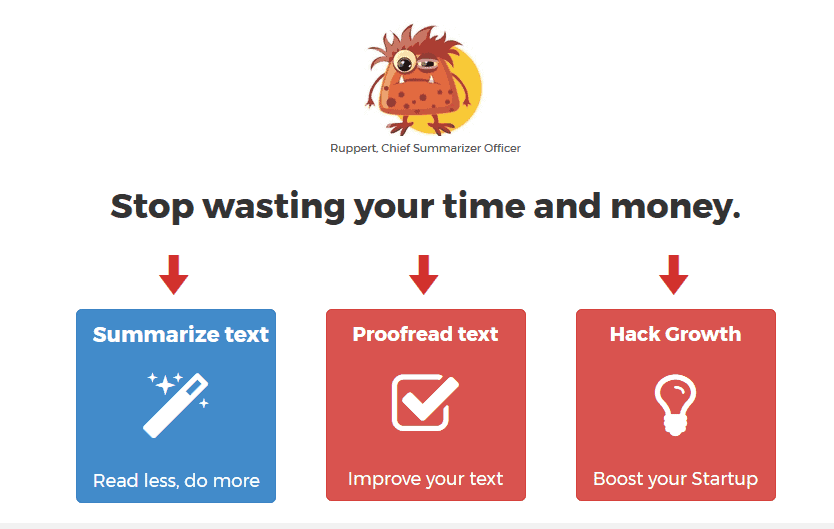
In this digital age of selfies and vlogs, reading is something a very few of us take as important. On top of that, if your blog post is full of long sentences which make the whole post rudimentary and boring it’s going to affect your traffic. Therefore, it is always better to keep the post minimal and simple.

ASUS zenbook 3

The free summarizer is a free tool which will take care of your such long sentences and help you with shortening them. Just visit the site, paste your text and click the button. Mr. Ruppert, the chief summarizer officer will take care of it.

Known

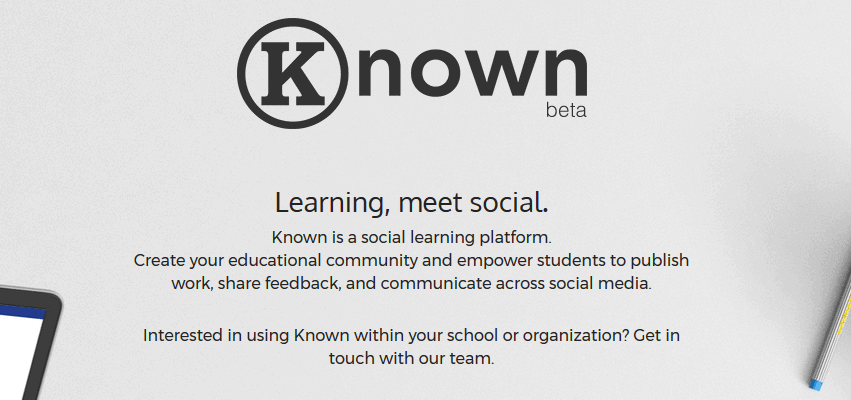
Perfect for budding authors, known is a social learning platform where you can share your upcoming work with the community members, get the feedback, improve upon them and finally, perfect your work. The Known for education, which supports multiple authors is a great platform for children to share their knowledge among the peers.

ASUS zenbook 3

The Known for Groups, on the other hand, is a concept based on group blogging. Multiple authors can contribute to the group blog and, once completed, people can review and share it to different social media platforms. The writing tools will support up to 200 authors.

ZenPen

Have you tried the ‘distraction free’ writing? I am not talking about the environment around you, I am talking about the screen distractions like title bar, tabs, ads, tool bars etc. The ZenPen is a minimalist platform which will help you achieve distraction free writing. Once you start writing it’s just a plain page, you can provide a title and just start writing.

ASUS zenbook 3

There are options like; switch to full screen, night mode, set word limit and save the post. It’s a completely free service and I love it.

Medium

With its minimalistic theme and simple UI, the Medium is one of the most popular blogging platforms out there. The fact that anyone can register, get a custom blogging URL, link their social media profiles and immediately start blogging makes this platform a huge success. Many celebrities including former American President Barak Obama maintains a blogging account on Medium.

ASUS zenbook 3

The standout feature about Medium is the writing area which also acts as a text editor with basic features. You can also choose to draft your posts and publish it later.

Hemingway

Hemingway is one of the simple and easy to use writing tools. You can use the text area as a writing tool and the system will automatically search for common mistakes and come up with suggestions that will further improve your post.

ASUS zenbook 3

The tool uses color codes to identify issues; the yellow color means the text is lengthy and consider shortening it/split it. The red color means the sentence is very complex and the readers might get lost trying to understand the sentence. The tool will also find complex words and, by hovering over such words, the tool will show alternate words you can use. The adverbs and weakening words are also get indicated, you can either choose to rephrase it or omit them.

The Hemingway tool will grade your post in terms of readability. You can see your grade changes as you start correcting the mistakes.

Grammarly

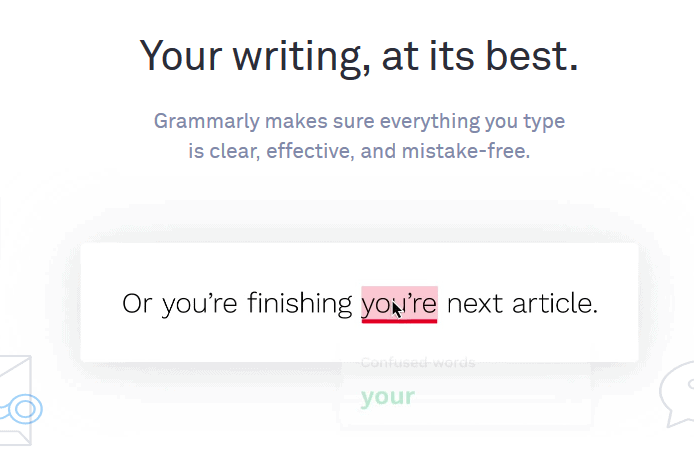
I was saving this one for the last. Grammarly is one of the most popular writing tools that you will find in the blogosphere. Grammarly is used not only by bloggers but also by professionals for composing emails and other writing related things.

ASUS zenbook 3

The tool helps you correct more than 400 types of grammatical mistakes, search online for plagiarism, provides you with vocabulary suggestions. Grammarly is free to use up to a certain limit and after that, it is a paid service. You can use the browser extensions to correct the posts that you make on social networking platforms. There is also a support for Microsoft Word and Outlook. The tool is built by linguists and language lovers.

The free version of the app checks for critical grammar and spellings mistakes while the premium will check for punctuation, sentence structure, provide you with vocabulary suggestions, supports genre-specific writing styles and comes with a plagiarism detector. The premium plan is billed at $29.95/mnth, $11.66/month for an annual subscription.

Custom Writings

Frequently, college students all over the globe struggle with their academic essay writing. They need some professional writing assistance from experts. There are a lot of assignment writing companies which offer paid help. CustomWritings is one of such professional writing services which is committed to producing sample essays, research papers, and even dissertations. Flexible pricing, high quality and a lot of free features make this website one of the best custom writing tools on the market.

Top 11 Best Sites to Search and Download Icons – Icon Packs

Long before the mobile revolution, the ‘Recycle Bin’, ‘My Computer’, ‘Internet Explorer’ etc. were the most famous icons we all knew about. Icons will be same/like that of a logo which helps us to identify apps on our mobile, iPad, computer etc. Ever since the touch displays came into existence, almost every text representing an action or object has been replaced by corresponding icons. The emoji are completely different from what we are talking about but, can be considered as icons which represent emotions. Once icons got widely accepted, people started putting creativity in developing more and more icons and, making the existing ones look even more attractive. The material design, flat design icons are example for this. Personally, the UI is very important for me especially the design elements. In a smartphone, the look and feel of an app icon makes a huge different in the overall UI. Today, I am going to share with you list of sites where you can search and download icons for your use.

download icons

Best Sites to Search and Download Icons

Fontello

Starting off the list by Fontello, a platform to generate icon fonts for free. Fontello contains a huge number of icons, in different categories, to download. Since it is an open source project, all the icons are free of cost. Using the size slider at the top, the icon size can be varied from 12px to 30px.

ASUS zenbook 3

Though the icons are free of cost to download, it will be a good practice to credit the creators by donating or by giving proper credits on your website in an unobtrusive way. The interface is neat and clean. Select the icons you want to download, multiple selections are allowed, and just click download button at the top right corner. The site is very easy to use and that’s why it is one of the best site to download icons.

Flat Icon

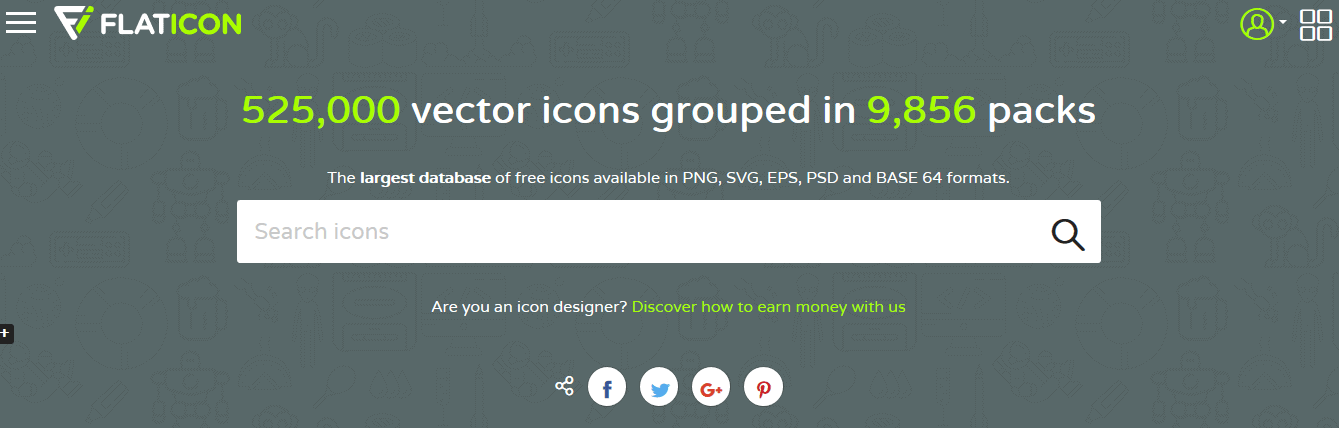
Moving forward, if your requirement is business purpose then FlatIcon is one of the best website to download icons. With more than 525,000 icons, FlatIcon comes with a convenient search for both individual icons and icon packs. The website offers more than 407,500 free icons for both personal & commercial use. All the icons are available in SVG or EPS vector, PNG, PSD files and Icon Font.

ASUS zenbook 3

While more than 525,000 icons are available for both free and premium users, the former must provide attribution of the icon author on the website footer. Also, the premium users get unlimited downloads, full use of macOS App, and an ad free website. The premium packaging starts at $9.99/month.

Material Design Icons

Hosted in GitHub as an open source project, the Material Design Icons by Google is where you can find icons for app development and download icons for free. The icons are useful in developing icons for web, android and iOS. The Material Design icons can be downloaded as a package and then use it at your convenience. Also, if you visit the official google website material.io you can browse and download as individual icons.

ASUS zenbook 3

The icons are mainly categorized into three; action, device and common images.  Hi-dpi versions of all icons (hdpi, mdpi, xhdpi, xxhdpi, xxxhdpi) (PNG) are available for downloading.

Endless Icons

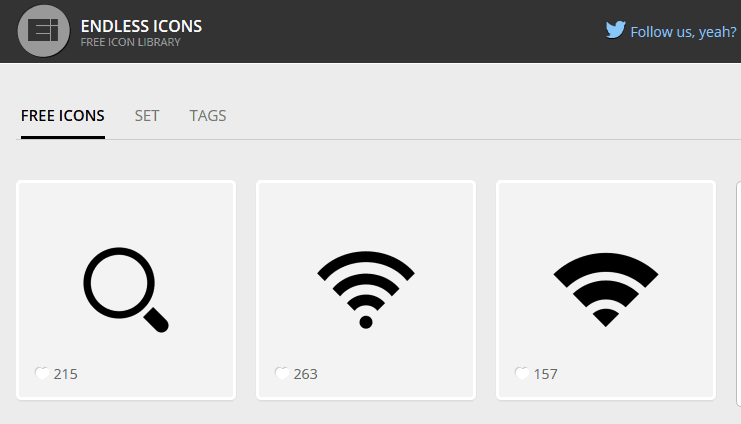
With more than half a million downloads, Endless Icons is one of the best place to download icons. The site contains a lot of icons, in every category, from which you can search and download. You can download icons individually or as a set. The file formats available are; SVG and PNG.

ASUS zenbook 3

Ico Moon

IcoMoon is a great platform to search and download icons. There are more than 5500 free vector icons, an icon font generator, an option to import SVG and then make fonts out of it, convert to SVG, PDF, Polymer, XAML, CSH and a basic glyph editor.

ASUS zenbook 3

Interestingly, the IcoMoon provides cloud storage, SSL Links, unlimited font and SVG hosting etc. as part of their premium package. The basic plan starts at $9 for 30 days and the unlimited plan is available for $19 for 30 days.

The Noun Project

With over a million icons, curated by a global community of artists, TheNounProject comes with a tagline “icons for everything”. Type in the name of the object you want the icon and the platform will return it for you. With all the 1 million icons made royalty-free, this is one of the best platform to download icons.

ASUS zenbook 3

The Noun project app is available for Mac, Adobe CC and Microsoft Office. The option to change colors using the color picker adds a great touch to the overall platform. This is one of my favourite sites to download icons.

Perfect Icons:

We all use Social Media sharing options and have you ever thought about the way they look? With a proper customization, these app icons can be made more attractive and in par with the rest of the UI. This will make the users click on these icons and share your content with their friends. The Perfect Icons is a place where you can create resolution independent social icons.

ASUS zenbook 3

By default, the tool comes preloaded with Twitter, Facebook, Google+, Pinterest, LinkedIn and RSS. You can add more social media profile and make customizations to it. You can adjust the size, radius, spacing, button color and icon color. Once you are done with customizations, you can download the zip file, upload it to web directory, add a CSS code to the stylesheet and then use the HTML code snipped where ever you want the icons to be shown. The service is completely free.

Icon Finder

The IconFinder hosts one of the biggest collection of icons. With almost 2 million icons to use, this platform is one of the best sites where you can download icons for free and paid. Icons comes in SVG, PNG and IconJar formats. The starter package, $19/month, allows you to download 50 icons per month. The unlimited package, $49/month, let you download unlimited icons/month.

ASUS zenbook 3

If you are planning to use the free icons at IconFinder, I would suggest you to use other sites for the same. The free icons by IconFinder seems dull and old.

IconSweets and IconSweets2

IconSweets offers 60 free vector photoshop icons to use both in iPhone and iPad app development. The service is entirely free for use. The IconSweets2, a paid platform, offers more than 1000+ icons which is perfect for iPad, iPhone, Android and web developments. All icons come in 3 sizes; 16×16, 32×32 and 64×64. Since the shapes are of .csh format, you can touch up without losing the quality. The site also provides free .psd version of entire icon collection.

ASUS zenbook 3

For just $10, you can download the entire 1000+ icons. This is one of the best site to download icons if you are on a budget constraint project.

ApplyPixels

If you are into UI designing, I am sure you are familiar with the AppIconTemplate site. Well, the developer has moved the site to a new platform called ApplyPixels. The ApplyPixels provides you with industry standard design tools which includes icons, favicons, emoji’s, UI kits, screenshots etc.

ASUS zenbook 3

Some of the contents are free to use while others come with a subscription. The monthly subscription is $9 and $60 for a yearly subscription.

SmartIcons:

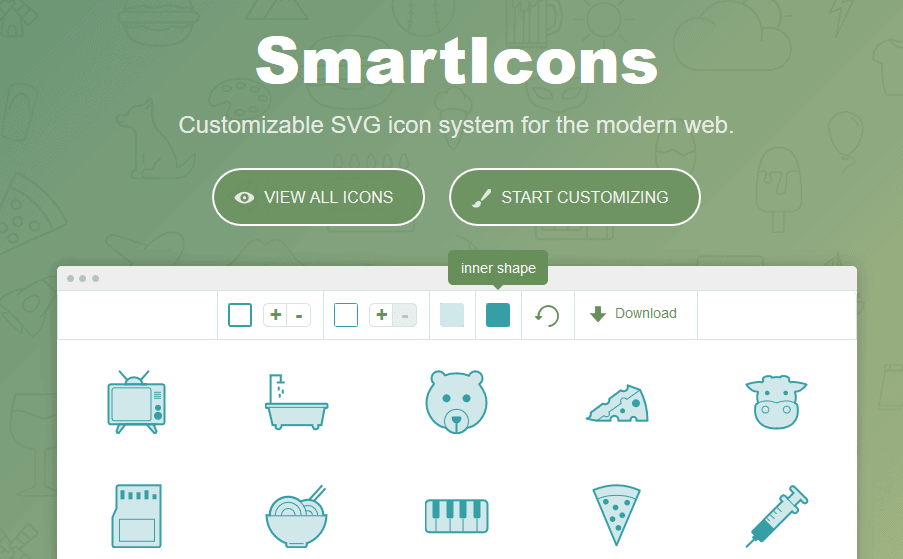
The SmartIcons is a simplified version of the big players in the list. There are just 5000+ icons for paid users and 800 icons for free usage. The platform offers you dropbox support to sync your work. You can do more styling using CSS, all the icons are scalable without losing the quality.

ASUS zenbook 3

The Smart Icons offers both web and desktop app. The Mac App works with sketch, Photoshop, illustrator and keynote. The free plan only has 800+ icons, at $49, you get access to more than 5600 icons, option to sync with Dropbox. The lifetime membership will cost you $149 and offers infinite number of icons.

Will InFocus Turbo 5+ ‘Unlock’ its Full Potential this Time?

0

InFocus, the American smartphone manufacturer, is all set to launch InFocus Turbo 5 Plus on September 13. With the tagline “More Power More Performance,” the InFocus Turbo 5 Plus is clearly a successor to the Turbo 5 which was launched back in June this year. Ever since its entry into the Indian smartphone market, InFocus was always aiming at the average Indian consumers and same tactics they put on Turbo 5 plus as well.

infocus turbo 5

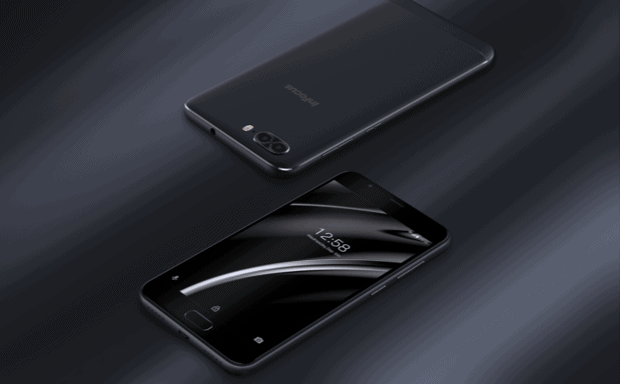
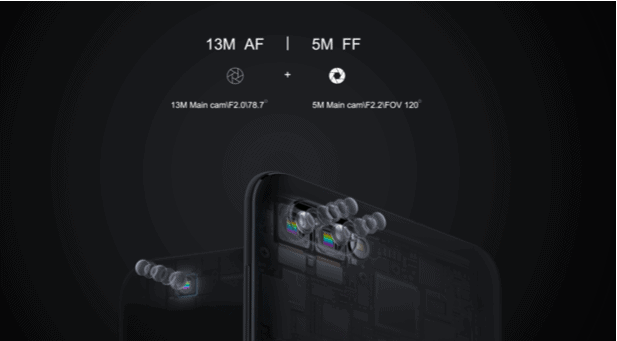
The teasers regarding the Turbo 5 Plus launch are going around the internet via the company’s social media accounts quite recently. Although the specifications are officially not out, we are sure the Turbo 5 plus will boast a dual rear camera. This is going to create a new competition in the dual camera segment, especially for names like Xiaomi. The second lens can be a telephoto lens, the one we saw on iPhone 7 plus and One Plus 5 or can be wide angle lens like the one we saw on LG G6. Since the teaser says “Dual Detailing Dual Depth,” we believe the second rear camera will be for portrait shots rather than wide angle lens.

infocus turbo 5 news

Some other impressive features of Tubo 5 plus are said to be its Dual Tone LED Flash light, its capability to further expand up to 64GB with a micro SD card, its Mediatek MT6570N chipset, and a smart fingerprint sensor which will allow users to unlock the device and open select applications.

Along with the powerful InFocus Turbo 5 Plus, the company is also launching InFocus Snap 4. The twitter status had the hashtags #ItsAllAboutPower #CaptureItAll which clearly means both the phones will be excelling both in terms of camera and at the battery department.  The phone is expected to have a huge 4850mAh battery which offers you more than a day’s charge upon fully charging. The teaser also had the caption “More Power More Performance”.

The Turbo 5 which was released in June came in two variants, 2GB and 3GB RAM and priced at 6,999 and Rs 7,999. The phone has a sturdy metal unibody design, 5.2 inch HD display, a 1.3 GHz quad-core MediaTek MT6737 processor with Mali T720 GPU. The finger print scanner on the back of the device and packs a powerful battery. In case of Turbo 5 plus, the fingerprint scanner may get added to the home button. Looking at the specs of its predecessor, the InFocus Turbo 5 Plus will definitely come with a better specs and an updated camera.

infocus turbo 5 launch

The phones with dual rear cameras and those which can capture beautiful portraits with bokeh effect is a real game changer these days. We have witnessed the launch of Lenovo K8 Plus, Xiomi MI A1 and now, with the release of InFocus Turbo 5 Plus, it’s going to be a tough battle between the manufacturers. Luckily, for the consumers, this might mean more and more affordable devices in the market. Turbo 5 is priced at Rs 6999, and we believe the same pricing tactics goes in with the Turbo 5 Plus as well.

How Will the Evolution of Web Security Impact Small Businesses?

0

For some people, the internet is an endlessly wonderful entity. It provides information at the click of a button, as well as instant communication and the ability to use the platform for whatever we’re seeking in life. For others, it’s a creature to be avoided at all costs, with some individuals choosing never to shop online, never to enter their personal information and to avoid participating in social media.

Web security

For most, however, it’s probably somewhere between the two. The internet is a double-edged sword that offers a plethora of benefits to those who use it, yet a healthy dose of mistrust and an awareness of the security risks involved in using it prevents us from falling prey to crimes such as fraud or theft. But with technology changing every day, how will the evolution of security impact small businesses?

Firstly, with so many businesses recognizing the benefits of using technology to automate labor-intensive processes, it’s likely that the demand for web-based applications is going to continue to grow. As a result, it’s certainly possible that increased demand could worsen security, with developers stretched to meet project deadlines and beat their competition, which could result in overlooking crucial security flaws. Also, developers are likely to outsource some of their work to keep up with demand, which poses a problem if the team working on an app don’t understand an organization’s or industry’s particular security needs. All the while, those looking to exploit security flaws get ever more sophisticated in their techniques.

On the other hand, you could make a viable argument for security actually improving over time. The longer web-based apps are produced (and the more established ‘best practices’ become) the better the security of various types of apps could become in turn. Whatever the case, there will be an impact on small businesses. In order to avoid falling prey to poorly built web-based apps, small businesses will have to start paying higher regard to the quality of the apps they’re using, choosing to invest in products from well-respected developers – even if they have a higher price tag to accompany it.

Similarly, small businesses will need to be aware of the risks posed by ‘shadow IT’ – third-party cloud-based solutions in particular. In an era where we’re quick to enter our credit card details for a service that’s been marketed as a fix-all solution to our problems, businesses risk sharing their valuable data with the wrong people. That’s because third-party cloud-based solutions take control away from a business’s IT department and places sensitive data in the hands of those they may be unwise to trust. However, the problem isn’t as hopeless as it may initially sound – especially if small businesses heed the advice given regarding shadow IT.

But what about the kinds of tasks that businesses have traditionally carried out on paper, and are now doing online? For example, completing a tax return is something that’s historically been conducted on paper, but with the rise of technology, more businesses are choosing to submit theirs using the internet. This has the potential to become more problematic, as this article acknowledges: tax return season is a prime time for phishing attempts to be carried out and, across the Pond, British taxpayers already suffered 17,000 phishing attempts last year. What’s required, therefore, is better education around behavior of cyber criminals in order to prevent this aspect of web security worsening. Some of this education may need to be delivered by IRS, but in the mean time, small businesses would be well advised to read up on cyber crime and complete their returns using paper tax kits until they feel confident that they know how to avoid having their information intercepted.

All in all, there are many instances where it’s likely that web security will impact small businesses in a negative way in the future, particularly if security can’t evolve quickly enough to keep with the pace in which businesses are using the internet. But there are plenty of things small businesses can do to improve their security online – so long as they’re prepared to continually research and be aware of the risks they face.