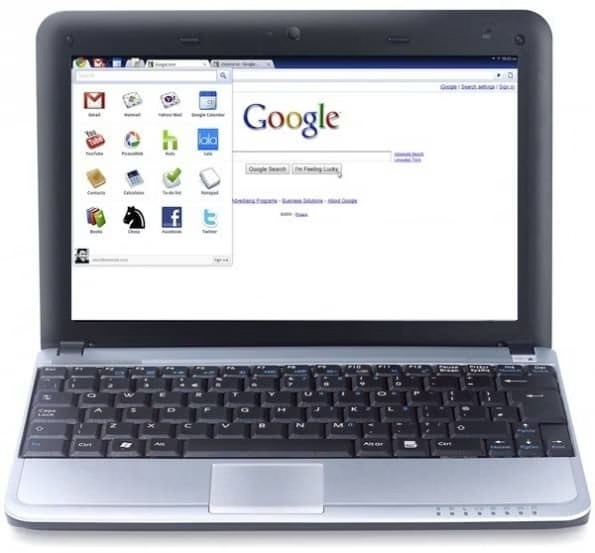
People can hate all they want; I think the Chromebook is awesome. That’s because cloud
computing is awesome. Google’s flagship netbook produced by both Samsung and Acer is
revolutionary, people just haven’t realized it yet. The only thing keeping consumers from
realizing that truth is the current cost of the machine, which varies from $350 to $500. If Google
and the manufacturers can figure out how to price the Chromebook, even just the concept of the
Chromebook, at a level that consumers consider a value and not a gamble, the device will start to
change lives. It’ll start by making the time within them spent more wisely.
There’s more that entails better time management incited by using the Chromebook than just
the ability to more effectively access trivial online tasks like reverse phone lookup. Having only
a web browser to work off enables the user to forget about having to remember to flip through
applications that each load on their own time and in their own way. This is especially important
for individuals who are generally less apt to know shortcut keys and are dependent on the mouse.
It allows you to “free your mind” in a way, from the distractions of too many things going on at
once.
People put off by the collective consciousness and centralization of information that comes with
cloud computing are quick to call it Orwellian. They’re the same people who feared the World
Wide Web as a frightening den of data when it was originally conceived. The potentials for those
who manage cloud computing systems to abuse their access to data is no different from the risks
of abuse that arise from the countless financial institutions, social networks, and communications
accounts we already entrust our information to everyday.
Then there’s the potential for something like the Chromebook to allow virtually every pair
of hands on Earth to type in URLS, if the cost could be reduced. Give it a decade and I don’t
see why the Chromebook equivalent of the time wouldn’t be cheap enough to be sold in a 7-
11. The era of the web-accessible online applications-using personal computer being cheap
enough to literally give away to needy children is much closer to becoming a reality now that the
Chromebook has arrived.
In the meantime, weigh the price of one of these things with how much you value personal
control over programs and the ability to keep data on a hard drive. Those who find the majority
of their computer use spent browsing the web or figuring out how an application works should
consider the Chromebook. If they don’t like it, they can always give it away to someone who
needs it.
Teamwork is the key to success for any organization or group. There are many organizations and businesses who find it difficult to collaborate in a way that is quick and effective for working together. TeamLab is a free open-source platform for business collaboration and project management which offers a unique solution that brings individuals together, even if they are miles away from each other. The whole team can meet up in a cloud enterprise portal and input their contribution for an ongoing project.
Overview
Normally you have to wait to arrange a phone meeting, video conference or a mail response to let your members know about the progress of the project or for letting them who what and how they’re doing. But with the power of various tools you have in Teamlab, team members can send instant messages, create tasks, and share updates regarding the ongoing project and let others know of their progress. To be precise, the site incorporates four fully-featured modules for Business Social Networking, which are Project Management, Documents Management and Instant Messaging (IM). In addition to the above, they also have many handy features that make gathering input and feedback much easier with team members in your organization.
Getting started:
The most surprising fact about Teamlab is that its is available free SaaS service platform which offers you all functionality absolutely at free of cost. However they also have a paid edition, but main features are almost similar.
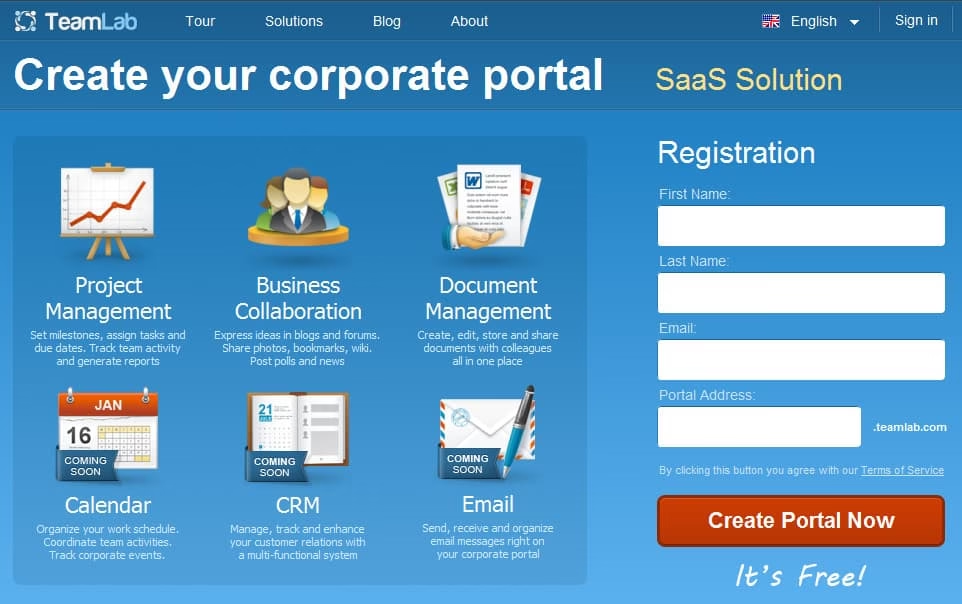
To get started you have to fill a simple registration form and create your free collaboration portal, and its also available in installable open-source system and TeamLab AMI. They also have a paid plan which offers more storage space (10 GB) and a larger file size upload limit (100 MB).
Document Management
You don’t need to integrating any additional tools like Google docs or Zoho docs, because they already have text editor, spreadsheet and presentation editor built in. Ofcourse only with basic functionality unlike the very complex Word or Excel. But that’s all good to cope with basic daily operations. And if you need to do more then you can download the documents created in Teamlab to DOC or XLS format and also upload the DOC or XLS files from your PC and edit them on Teamlab. This is a lot helpful when you need to send the docs to your business partners or other companies.
Project Management:
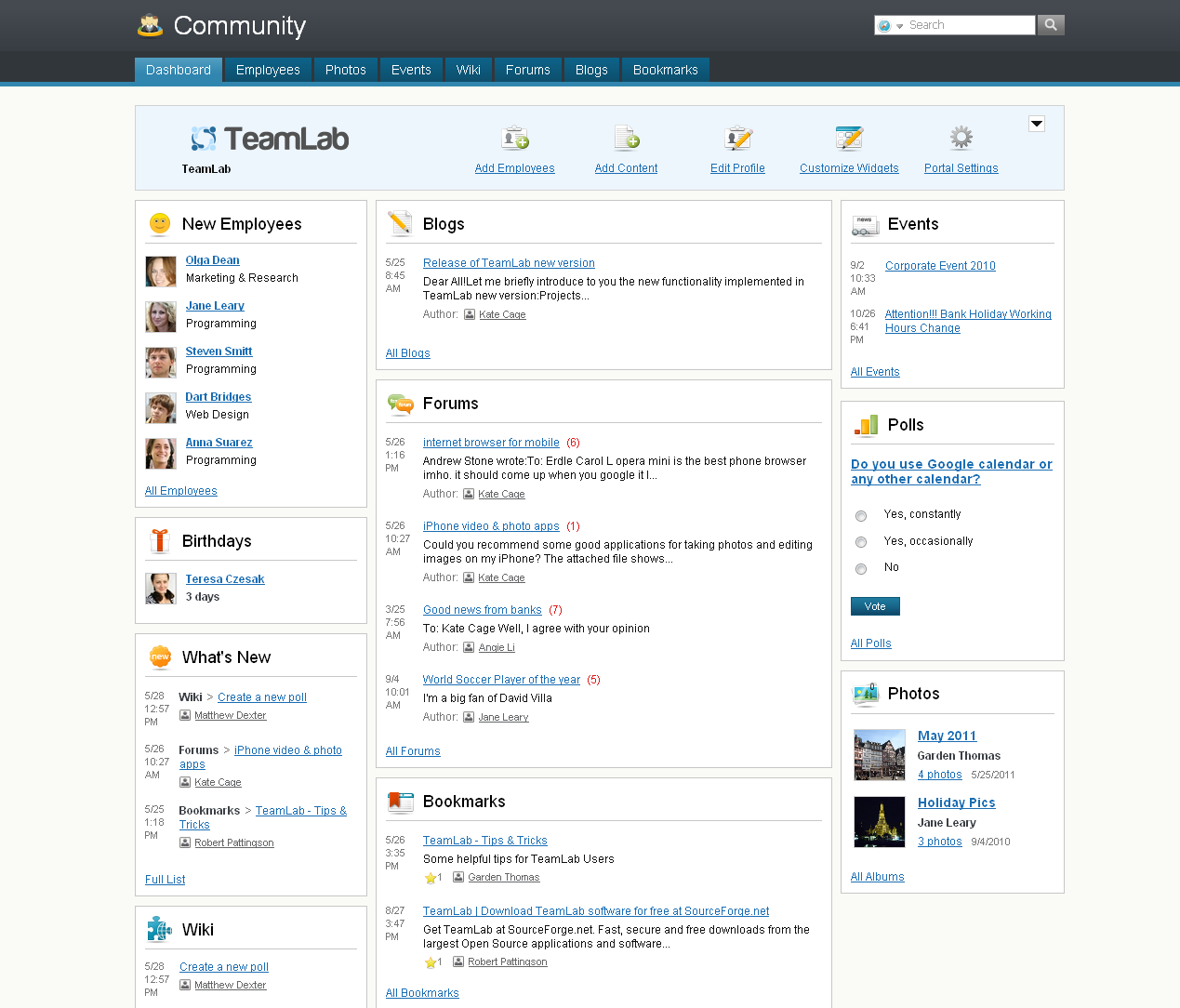
Projects section supplies users with all the standard tools to manage project work. Here you can organize your team: the system enables to add employees using the form or just import the contacts from Google, Yahoo or Windows Live accounts. With the colleagues gathered together you can create a project, set milestones and assign tasks. Having determined the aims and responsibilities, a project manager’s able to track the time spent on work by every team member. The automated system of reports makes it even easier to keep track of work progress. You just need to set the necessary report type: Problem Tracking Reports, Statistics Reports or Detailed Reports. Below is a screenshot of Projects typical dashboard. As you see, it’s extremely simple to understand. You’re not overwhelmed by confusing options, there are just 7 feature tags that lead to corresponding functions.
Unlike many other project management apps, with Teamlab users can create a wiki, assign tasks to individuals, post to blogs and forums, create customized widgets, upload images, build teams, bookmark relevant sites, chat, and take polls. There are some weak points, e.g. Gantt charts and CRM are not included. TeamLab developers ensure to release them in the future though. Still, even today TeamLab presents a full featured project management and collaboration system that’s definitely worth trying.
TeamLab is a part of Ascensio System SIA based in Latvia. The application was born out of the concept of combining project management and social networking.
Overall, the Teamlab experience is real A class for a working atmosphere. the design and the colour scheme is very clean and elegant and also the dashboard interface is made for daily use, since you have to use if back to back you can get used to it very easily.
I know words have more to says about Teamlab, and I definitely recommend it and worth to try. You can try it and leave you feedbacks and findings below using the comment form.
This post brought to you by Sunbelt Software. All opinions are 100% mine.
Since the day I started using a PC I’ve been trying out Antivirus software and many other Antispyware software available in the market, and until recently I started using VIPRE software because of a huge number of Vipre antivirus review and recommendations from many PC magazines around the world. Previously, I have posted Bitdefender review, Avast AntiVirus for Mac, ESET NOD 32- Antivirus.
And I decided to share my experience with the product to my readers with a genuine Vipre antivirus review and let everyone know that it is a software which is worth spending money. Unlike many other Antivirus software, VIPRE is a lot quicker and the interface is easy to understand and simple. But that is not all, this software comes with many good features and has nothing that is needless. VIPRE has an anti-Virus, and anti-Spyware along with a VIPRE firewall. If you use any mail client (Obviously you will) then it also has Email protection which does a decent job of protecting you from malicious links in messages or even in the mail attachments.
VIPRE Antivirus
Just for your info, the system in which I tested out for VIPRE Antivirus review is an Intel Pentium Core i3 2.53Ghz CPU with 4 GB RAM, Windows 07 Ultimate. Additionally, I had 4 web browsers i.e: IE8, Firefox 4, Google Chrome12 and Opera 11 while testing VIPRE antivirus. Additionally, I had Adobe Master Collection, Adobe Flash and Reader, WinZip, EASEUS TODO Backup Workstation, Skype, Dropbox, uTorrent, Camtasia Studio, Snagit 9, and 12 other applications which requires internet access to function and 4 media players like VLC Media Player, KM player, Realplayer and built-in Windows Media Player other basic apps which don’t access any media files. So it must work on most computers.
So you can assume that it is enough to slow down the PC with lots of APPs and especially is more vulnerable to viruses since most of them need internet access and are used to open files from removable devices like pen drive, memory cards. I mentioned them, especially because viruses enter your PC mostly via the Internet or from removable/portable devices. Here’s a list of portable apps that you can run from your pen drive without installation.
Now, let me begin my VIPRE Antivirus Review from installation.
Just like everyone, you know how to install and application, but for the record, VIPRE has a very simple installation process but It might take a while to get installed, but we can forgive that keeping the fact that it works very well even if it takes some time to install. As usual, once you install this application you will be asked to reboot the PC to ensure that the installation is complete.
Once you reboot you can configure VIPRE Protect and complete the installation in the easy to understand step by step procedure. So I don’t want to get deep into it.
But for the record let me just tell you that it gives you full freedom to configure the security level on various options like Email protection, Treatment option which lets you select to allow to deny access to anonymous information collection. You can then go on to the firewall options.
The firewall has two levels, the first level is “SIMPLE” level which does a function of blocking inbound connections to unknown programs and checks port stealth and takes care of spammy popups.
The second firewall security level does everything the first level does but has some more additional features like IDS and HIPS protection.
Just as soon as you complete the firewall configuration, you will be given the page where you can register the product and get the additional updates if required. Once you do that you might need a second reboot.
Overall it took me 10 to 15 minutes and it may vary depending upon the system specification and processing speed and the download speed.
Vipre Interface:
Now that you have VIPRE installed you can start tweaking the settings you find on the software, basically, every option is as much integrated to the first screen and from there you can reach most of the settings within a single click, that’s what I meant simple.
At the first screen, you can find the risk detection statistics which gives a summary of all the security scans, firewall and other security levels.
Like any other Antivirus software, this does take consume a lot CPU process while doing a deep scan which may slow down your PC depending upon the scanning area or type. But in my observation, it does comparably a great job than its competitors, and I hope all know that most of the Antivirus programs do slightly slow down the PC when it’s doing an in-depth scan. According to me, if it does find threats and keeps my PC clean, then I don’t mind waiting some time.
Malware detections and Spam filtering:
Only after using VIPRE, I was able to find many Trojans and autorun scripts which my previous antivirus couldn’t find. Overall VIPRE did a great job in finding threats and flagging them. During the process, I tried our many days today conditions were a malware can enter your system. And it did pass most of my tests, so I give it a pass.
One backdrop of this application is that it doesn’t have a real spam filtering, but Email protection does the work of spam filtering. And that is why during installation you need to tell the name of the Email client you are using.
Instead of Spam filtering, it stops malicious URLs from phishing emails and quarantines them if they are risky. If quarantined, the Email likely had an attachment that was risky. If needed, you can get back a text copy of the message and whitelist the sender.
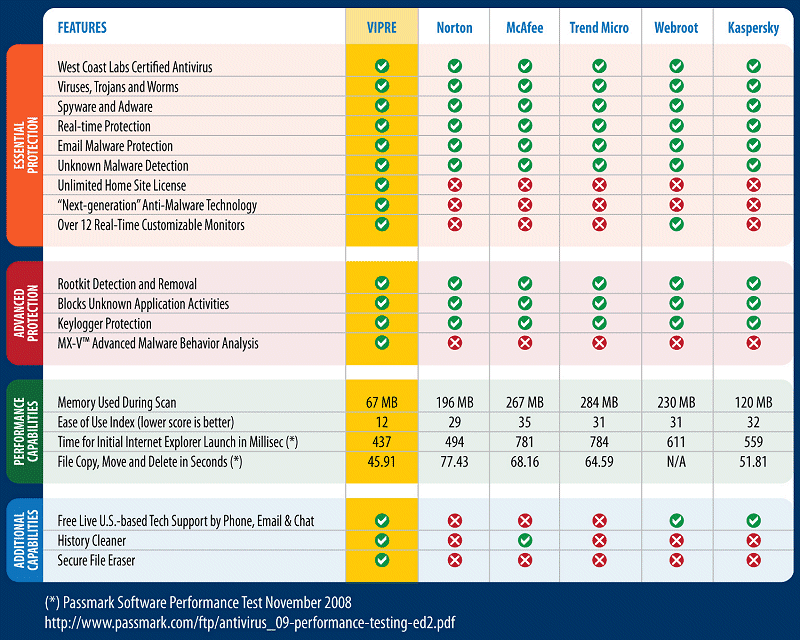
Below is the review chart by Passmark.com comparing Vipre antivirus review vs the rest…
Final Verdict of Vipre Antivirus Review.
So based on my personal experience overall I rate VIPRE as a good Antivirus program which everyone should give a try, more than quirks it has lots of facelift features and is a great defence against Viruses and malicious programs and hijacks. However, it is not THE BEST ever made application but once you use it you will be impressed for sure.
If you’d like to give it a try, then you can get a 30-day free trial of the full version and give it a try in your own machine and rate it according to your experience.
Please note that it is also possible that you had a better or a different experience depending up to the specification and configuration of your PC. But most of my know friends who’ve used it have liked it, hope you will like it too.
Most of us are aware of many source for music on the web, but are you sure that you are downloading legal files from these sources? Its is illegal to download music files without a license. Even though you know of many sites where you can find your favorite music, they might not be providing you the legally authorized files, so when they get caught, you might also get into trouble, in countries like United States, violation of law is strictly punished.
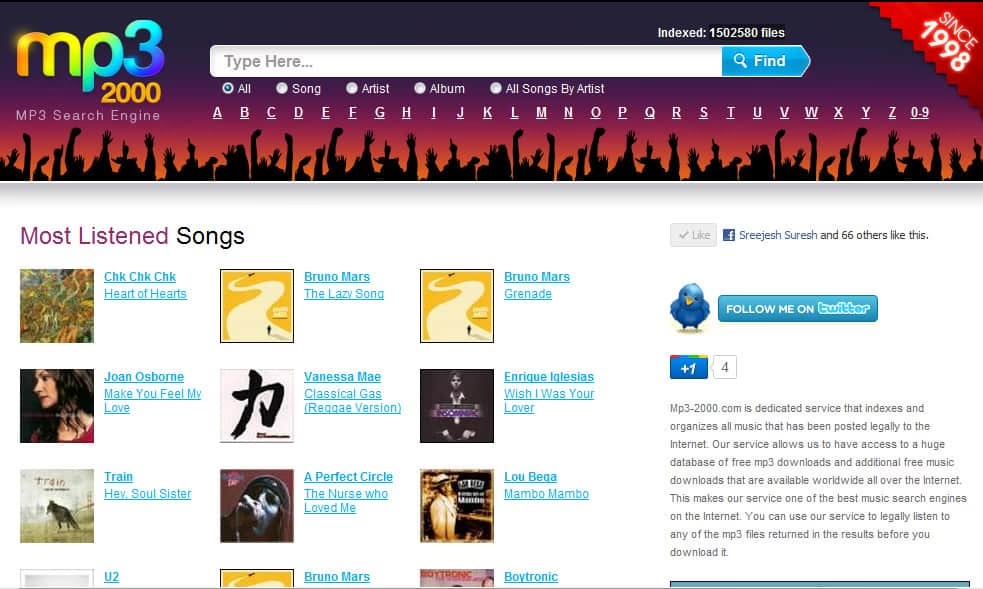
Mp3-2000.com is one such site which lets you download music for free in the legal way. It is free mp3 search engine found in 1998 which has a massive database of legal music files from all over the internet. Till now it holds a staggering 1502580 legal music files in its database, that’s a huge number. And that makes it the best music search engine on the internet today.
Their interface is very simple, you can find files specifically based on the starting alphabet or search by Artist, Song, or an Album If you visit their home page you will fine 50 of the most popular albums which you might want to consider downloading. Unlike many other sites, with free mp3 search engine you don’t have to register to download a file, all you have to do search find and download, in a legal way. Before you consider buying music from any online store like Amazon, I’d suggest that you look for the same in Mp3-2000.com if you are lucky you can get it for free.
WordPress and Blogger are the two platforms for bloggers where they can post anything they want, anytime and these platforms have been competing each other since a long time. WordPress has an upper hand though, with a lot of advantageous features when compared to Blogger and this becomes a lot better when the self hosted version of WordPress is used.
Here are a few reasons why WordPress is better than the Blogger Platform –
WordPress is much more customizable:
This is the main difference between WordPress and Blogger, In wordpress you will be able to customize your Blog the way you like, with the numerous plugins available and the platform being open for developers it is very useful for customization. We can say that WordPress is an Own House and Blogger is a Rented House. In your rented house you cannot make a lot of changes except some minor superficial changes. But if you own a house then you can do whatever you want with it. Tear it down and change the whole landscape.
You own your WordPress blog:
WordPress Blogs are Owned by you and you can do anything you want with them, right from the Domain name to the Database it’s all yours, but not in the case of Blogger which are owned by Google and the main complaint I heard from many Blogger Bloggers is that their Websites suddenly disappear from the Web without any prior information and it will be showing “Blog Not Found” and all the content in the Blog is lost for good with no database and no back up. But with WordPress you can have your own Database and Back Up your work and get all your content back even if your website is hacked.
WordPress is more SEO friendly:
Many might not agree with me because Blogger is owned by Google and SEO is mainly concentrated on Google, but I must say WordPress is more SEO friendly than Blogger you can search anytime and you will find that the WordPress blogs are the one’s found in the top 99% of times. With many good plugins to support SEO are very helpful in getting your blog in the top search results.
Sorting your Blog out for Readers:
I think this is a main advantage of WordPress which allows you to bring back your visitors back to you, just because of 1 simple reason that is WordPress can be easily customizable and can be categorized into any number of categories you want to and make the reading experience pleasant for your readers.
You can shift Hosts if not satisfied:
If you own your domain and WordPress site, you can simply pack up and move to a new host, you’re your blog in the same condition and position as it was before without having any impact in the search engine results and the. Again, it isn’t likely that Google would shut you down like that, but as mentioned above your website will be gone without a trace without your knowledge suddenly and you won’t even know why that happened. And in Bloggers case you cannot transfer your content to a different host which I don’t think Blogger will allow.
Other Blogger Users can flag up your blog and get it blocked/closed:
In case of Blogger, if you are flagged as it is called by other Blogger users and you get a minimum number required to Block or close your Blog then Google will just go ahead and Close your Blog. With WordPress, you are the sole owner of the blog. And no one can block or close your website without your notice.
WordPress is better in sorting out Spam:
WordPress I guess is better in identifying what Spam is than Blogger can, with all the plugins in the box for WordPress I can say that Spammers cannot cross the line put by WordPress and introduce themselves through us in the Web.
In the end I can say that all the quality bloggers in the town are using WordPress and Blogger is left to be used for casual work and not for serious Bloggers.
About the Author:
Chetan Bhawani is a dentist, a tech blogger and a web hosting adviser. He recommends to use WordPress web hosting, which provides the best deals in hosting the wordpress blogs, and the web hosting company reviews. Check one of the tutorials, which explains on how to install wordpress.
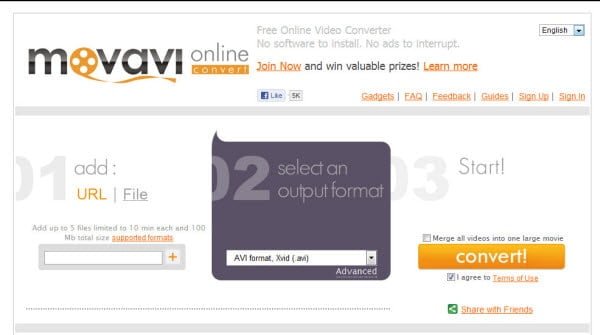
Moavavi is one of the leading company in the Video codec and video conversion software industry. They have both online video conversion service to convert and merge videos to Movavi Software which you can install on your PC. The online service is already very popular because of its great features (listed below). They support formats like AVI, MPEG, MP4, WMV, ASF, 3GP, 3GPP, MKV, MP3 MOV, QT, VOB, IFO, MOD, DAT, M2T, MTS, VRO, FLV, etc. And devices like: iPad, iPod, iPhone, PSP, Nokia, BlackBerry, Android, Sumsung, etc.
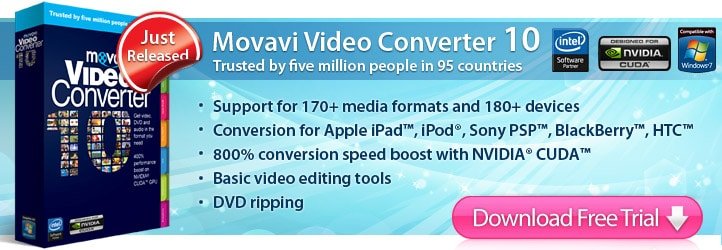
However, Movavi video converter have a lot more features and is available for PC and Mac. They are available in three license type starting from Movavi Video Converter Personal, Movavi Video Converter Business, Movavi Video Converter Server. it comes at a price range of $49.99, $99.99 and $499.99 respectively.
Now lets learn more about both Movavi Software and the Web client.
Movavi Online Converter.
For users who don’t like to have a video converter on their PC mostly because of low configuration PC or maybe due to lack of space, Moavavi.com’s online converter is the best alternative they can use for converting videos and get them downloaded on to their local PC, apart from converting it also lets you merge multiple videos from different networks like mainly YouTube, Vimeo, Metacafe etc. They can also get the converted/merged video to your iPhone, iPod, MP3 player and more. And it is not restricted to web videos only, you can also upload video files from your local drive and convert them.
Featured of Movavi online video converting and merging tool.
Convert and Download videos from YouTube and other video sharing websites.
Movavi Converter Software can convert both video and audio files to your desired format including Blue-ray. It can also convert your files to suite the format of your Mobile at super speed without consuming much resources from your computer, thanks to the their advanced video conversion technology. I’ve tried it myself that it can enhance the quality of a video by editing.
Forget about those softwares which have only a limited number of video and audio formats. Movavi support around 170 video and audio formats for your needs, you can get the full list here. And it can also rip video from un-encrypted DVDs and converts them to the format of your choice. And it supports HD Video quality encoding
Technical Facts:
Movavi supports Multi-GPU technology and is optimized for Multi-core processors to increase the speed and quality. Movavi can harness the power of NVIDA CUDA Technology which accelerates video conversion by 8 times ensuring smooth playback and highest quality for all your favorite movies.
Intel Media Technology: Movavi Turbo2 Plugin uses Intel Media technologies, giving you more efficient parallel task processing on multi-core processors. With Turbo2 Plugin you get optimum performance – up to 400% performance gain – for H.264 and MPEG-2 formats, which means up to 3x quick conversions for iPod, iPad, iPhone and other portable devices, fast DVD grabbing and HD videos transcoded in a flash.
Chances are that you have a printer at home… you probably use it to print the odd document, image or maybe a boarding pass every now and then. But a printer can be used in many more ways, how would you like to create a camera from printout templates, or an awesome fallout 3 bobble-head? Well here’s a list of some amazing things you can make using your printer and a bit of time… Popcorn Box: You ever wanted to better that movie experience at home? Maybe you’ve set up your huge TV and have hooked up the surround sound but you still feel like something is missing… well maybe this is what you’re missing: A print out popcorn box! Just pop a piece of card in your printer and grab the templates here and have your own awesome movie style popcorn boxes.
DSLR Lens Hood: Ever looked at the prices of DSLR lens hoods? They can be quite pricey for a piece of plastic, but they can be useful non the less. This is where lenshoods.co.uk comes in, it’s an awesome site that allows you to print out cardboard lens hoods at your own disposal. They wont do the same job in protecting your lens from knocks and scratches but they will reduce flare.
Portal Companion Cubes: This next printable is from a blog called paperkraft that regularly posts a printable models, some of which are amazing. If you’re a fan of the portal series then you will love these printable fold up companion/storage cubes! They might take a while to make but totally necessary if you want to get rid of GLaGOS.
Peyote Pinhole Camera: Pinhole cameras have been around for a while, but this beautiful pinhole camera is perfect. You can print out the pdf template and create this amazing camera with a bit of glue, card, and a roll of camera film. If you make this and take photos, make sure you share with us on techgyo!
Impossible triangle: You probably have seen this impossible triangle illusion online in it’s image form, but here you can print out the template to make your own real life impossible triangle. The illusion only works from one very specific angle, but it’s awesome non the less.
WI-FI Booster: This is a cool printable device that will sort of directional-ize and boost your WI-FI . I’m not sure about all the ins and outs of the technology, but it works and may even boost your WI-FI signal a bit.
Ball Bowser: Another printable model from paperkraft. This one is a very cool unique bowser model, again you can just print out the template on some card and with a bit of glue and time you will have your very own 3D bowser ball.
There we have it, have a look on a couple of the sites I’ve provided and see what amazing printables you can find! It just goes to show that with enough imagination you can make amazing stuff with the most boring of things.