Home Blog Page 345

With Ucoz.com Now Everyone Can Build a Web Page on their own with least effort.

Did you ever wanted to build a website of your own and couldn’t do because just because you don’t know how to code? Then Ucoz.com is the site just for you, this site helps bring the creativity in you to life. Let it be a Blog, Photo Gallery, Forum or even an E-commerce page that you are trying to make, with the help of Ucoz website maker, it is going to make it happen simple with least effort.

Typical web design involves a Layout design in Photoshop and then convert the PSD to HTML

There’s absolutely no need for any coding knowledge to build your site with Ucoz,  however if you know a bit of HTML and CSS then you should be able to customize pages in your style.
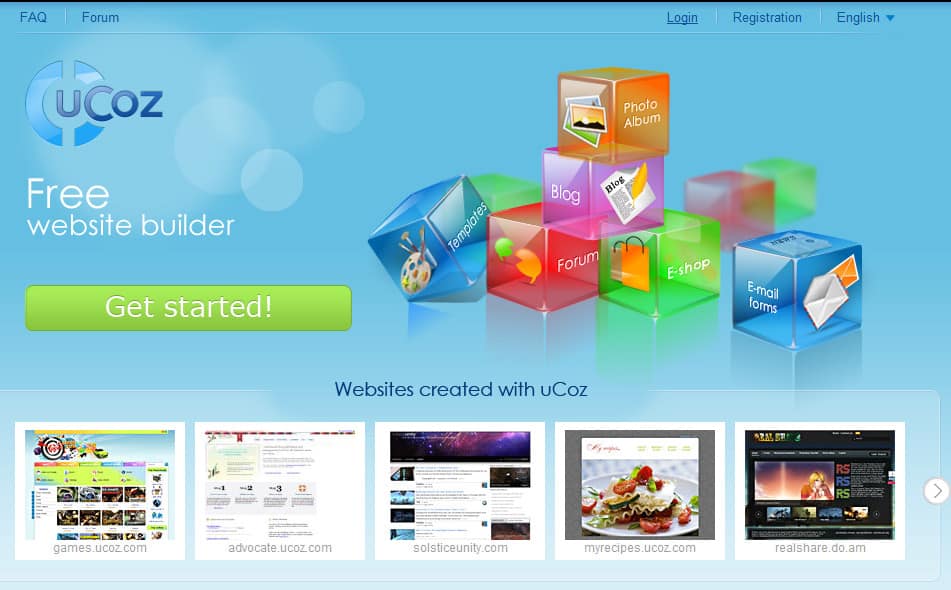
ucoz.com web page maker
Overview

You can create you free Ucoz account from here. Be sure to checkout their amazing features. To complete the registration, you must click on the confirmation link and complete the 2nd part of the registration process.

Features

Before you continue further, you should understand their features to make your site building more easy with more components.

Integrate various services to your page:  Whether you are planning to make a E-commerce site, a blog or even a business site, you have all sorts of essential tools like PayPal, Google Maps, YouTube, Deposit files, and Pixler to integration and juice up your page.

ucoz integration services

Various modules available for your tasks:  You have 12 different modules like, blog, E-shop, Forum, Online Games, Site Search, Site news, Photo Album, Ad blocks, Email forms, Guest book etc.
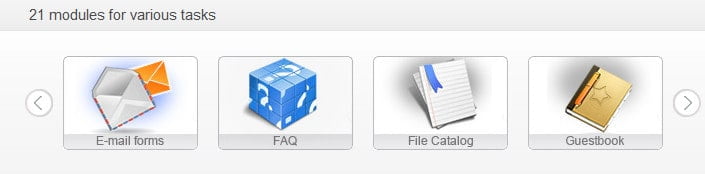
ucoz module featuresWidgets and Gadgets: Widgets are nothing but sidebar content which you can place on the either side of the page in blocks. You have a countless number of interesting and interactive widgets and gadgets which you can integrate on to your page to make it more attractive and appealing.
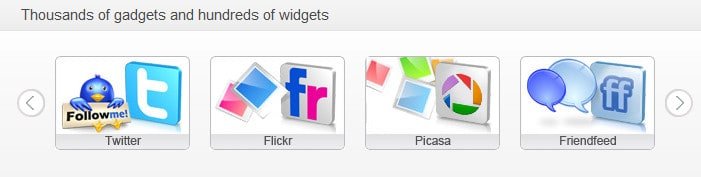
ucoz widgets featuresReadymade templates based on type: You have various templates to choose based on the type of your page. They are simple and elegant in design, and simple to configure.
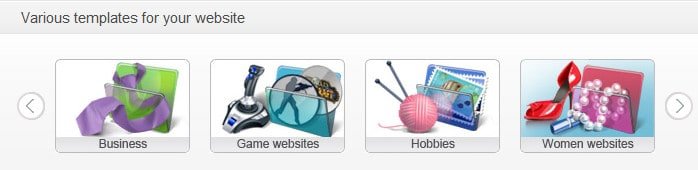
Various templates to choose from.There are many more interesting features to cover, but since I have to reduce the length of the page, I have to cut short it here. Even though I’ve not listed many of the features of Ucoz.com. In my review, Ucoz.com has everything you need for a basic web design with simple and elegant interface you can make your page with ease, and it is also the best way to learn, save time and money. Get over to free website maker to get started.

AppsGeyser – Create Android App From Web Content

3

Google`s Android dominates the mobile platform and is widely used. Android Market is flooded with lots of free/paid apps and act as a hub for Android users. So what are we waiting for ? Creating and publishing Android App to the Android Market for our websites/blog is like a win win situation to the webmasters, and one can imagine when the App touches the millions Android users in the Android Market, loads of traffic and fame and money!! But creating Android App requires intense programming skills and lot of hard work, well it`s not that pesky task now. Try AppsGeyser and your App will be live in Android Market in just a few clicks.

Also read: 5 Critical Factors That Improve Mobile Apps Sucess

AppsGeyser is an online service which can convert your web content into an Android App which can be shared and distributed freely among friends and followers. AppsGeyser offers 3 ways to create Android App :

By URL

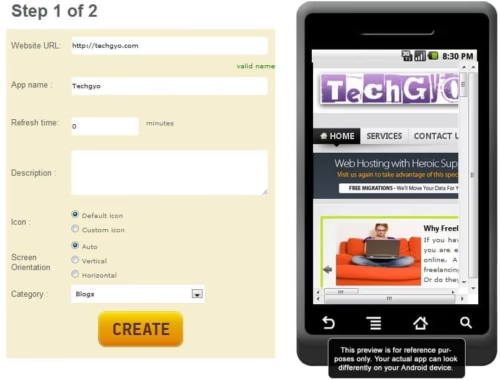
Users need to provide URL of the website/blog and has to work on some settings regarding the look and feel of the Android App and it`s ready to use and distribute. We need no coding skills to do this task. It`s just a simple form filling and your Android App is ready. This method works for those who faint as soon as they are introduced to coding and programming tasks.


By Web Widget Code

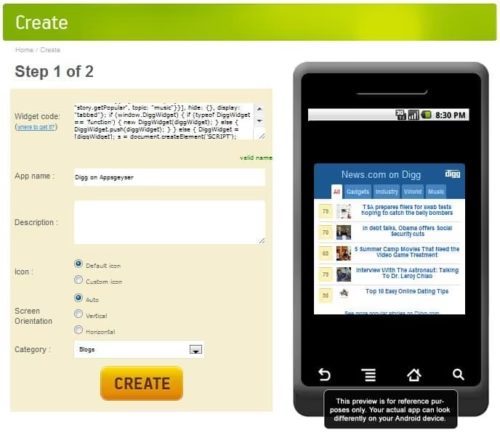
This method requires alittle bit knowledge of coding and perhaps a better method to the earlier one when it`s comes to customization of the App according the our needs. Web Widget Code ? It`s the HTML code that is used to run a specific program in the web browser. For example, when we insert a YouTube Video in our post, we embed a little snippet in our code that`s one example of widget code.

By Web Page Content

Generating widget code for different services used on the web page is a cumbersome task, but here`s the alternative i.e. Web Page Content Method which allows you to grab the web page in blocks. Pretty simple way to customize and generate Android App as per the users needs. Select a particular widget and grab it to view the preview and keep on grabbing the essential blocks of the website/blog to complete the Android App.

So these are the three methods which are supported by the AppsGeyser considering different mindsets and attracting large base of users. Now once the Android App is ready, one can download the .apk format and can distribute it among friends and followers, one can also publish it to the Android Market by first creating a publisher account with Google.

Advantages of Using AppsGeyser

  • Instant Android App generation.
  • Better Promotion – Huge traffic, once your App is published in Android Market and other similar resources.
  • Readers can enjoy your website/blog on the Go.
  • Earn money every time someone clicks on your Ads displayed in the App.
  • A better alternative for one who lacks programming skills.

So try AppsGeyser and let the millions of Android users surf your website on the Go. Share your opinion about this online service and feel free to drop your doubts below.


Common Types of Coding Errors

No matter what language is used when coding, there are common errors that can lead to big problems, if they’re not dealt with early. These coding errors can result in severe breaches in security and unstable platforms, costing time, effort and money to repair.

common coding errors

The Dangers of Coding Errors

Recently, even big companies like Sony have suffered from programming errors requiring extensive fixes to protect their customer’s private information online. One small error in the coding required the removal of part of the Sony PlayStation Network. Users were asked to reset their passwords and cancel their credit cards as the result of hackers accessing an exploitable security flaw.

Each language has its own set of parameters and issues, but common coding errors are common for one reason – everyone makes them. The trick is to recognize them and resolve them early in the programming process.

Here are some of the most common types of coding errors in the major coding languages:

Visual Basic

The three most common coding errors in Visual Basic are syntax, run-time and logic errors.

Syntax: These errors involve typographical and grammar errors made when writing code. Repairs are relatively simple can be remedied immediately.

Run-time: After the code is compiled and ready to run, these errors show up when the code refuses to execute. In this case, the erroneous code needs to be identified and rectified. The entire process is then run and tested again before going live.

Logic: Logic errors can cause the most headaches because they won’t appear until the program is in use. They’re also difficult to correct because it is difficult to determine their origin.

C and C++

Coding errors in C and C++ not only affect the initial product, but are inherited by subsequent coders. The kind of errors when I do my programming homework during college days. The most common errors are made in the following areas:

• Memory and resource management
• Program data management
• Buffer overflows
• Concurrency violations
• Vulnerable coding practices
• Platform support
• Long-term maintenance support

Java

In addition to concurrency violations and resource management, Java presents a set of unique challenges to the coder. Areas of concern include:

• Web application weaknesses
• Unconfirmed user input
• Device-specific coding practices
• JSP interactions
• Invalid object references
• Improper collection usage

Other serious, yet common coding error involves cross-site scripting, and improper authorizations, which can lead to insider data breaches. Cross-site scripting is the result of a compromised web page and can involve attacks against the web server itself. as Another common issue is SQL injection. SQL Injection is the result of not following a key best practice in handling user input: Always assume data input is hostile, define specific patterns that are safe, and only allow the input to be processed if it matches one of the safe patterns.

System downtime and security flaws are the inevitable results of code errors, but they’re not the only negative side effects. Erroneous output, reputation loss, and/or loss of customer goodwill are all likely possibilities.

Better security measures must start with correcting the most common coding errors. Follow the best practices set out for the language to keep things secure and clean. Try to keep things simple; the more complex you get, the more opportunities there are to make mistakes. Most importantly, however, stay educated and up to date on the mistakes and security dangers that lie ahead.

Why Ubuntu Is Better Than Windows?

After using Ubuntu for a quite sometime, I was amazed that how can Windows is so popular when there are OS like Ubuntu? Why don`t people use this amazing piece of work? I strongly support the use of Ubuntu and here are some reasons why one should use it.

ubuntu penguin and symbol

Free And Open Source

Who dares to buy a genuine Windows Operating System when it costs over $100 to $210? Some does..But thanks to Canonical Ltd who is sponsoring Ubuntu and is available to the user at no cost. And to add to it`s beauty, Ubuntu is an Open Source Operating System, with this you can tweak it to use it your way as the source code is available to the user.(under GPL)(A Little Bit for Geeks).

Virus Free

Virus! To deal with these Zombies, one has to install extra load of software’s and has to keep them up to date on Windows Operating System. And sometimes they even fails to act properly, there comes the real problem, no security. But Ubuntu on the other side is free from virus, no need to install anti-virus programs and no need to think of these Zombies penetrating your System. Feel Free. But, to aware you guys, Ubuntu is not 100% free from viruses. There are just a few 1000 viruses/malware for Ubuntu. But this negligible amount is less as compared to the billions of viruses/malware for Windows and still counting. So do we need any anti-virus for Ubuntu? No, because Ubuntu comes with a built-in Firewall and virus protection.

Loads Of Pre-Installed Software

Some of the best Open Source Software like Firefox, Gimp, Open Office are already installed on Ubuntu. Every time a user re-install a Windows Operating System, one has to waste a whole day just installing all these missing Software’s to make it suitable for one`s use. Such a waste of time and storage space. Ubuntu comes with loads of software`s pre-installed catering to all your needs.

You Name It, We Have It – Ubuntu Software Center

As I told you earlier, Ubuntu comes with loads of pre-installed software`s, but if you still feel that something is missing then Ubuntu Software Center should be your next venue. Just head over to this online store and feel free to demand anything you would like to have it in your Ubuntu. It`s an all in one stop for all your needs. No need to keep toiling the web for a specific software`s as one usually do for Windows Operating System.

Compatibility Factor

A great feature, which Windows Operating System cannot even think of, is the Compatibility Factor. What`s behind this? No need to install drivers or CDs to make your devices work. Just plug it in and the device is ready to roll on your commands. And to your surprise, it is also compatible with Windows. One can open ,edit, Microsoft Office documents.

Faster than Windows

Do you know the booting time of Ubuntu(Ubuntu 10.10 Desktop Edition)? It`s a mere 7-8 seconds. Windows users keep staring at the screen! Moreover Windows Operating System tends to slow down over time, but that`s not the case with Ubuntu.

Ubuntu One

It`s the Ubuntu way of Cloud Computing. Sync and share your digital content over the cloud. 2 GB of free space is available for storage space which can be extended when required.

Some More Features

No reboot is required after installing a software in Ubuntu where Windows Operating System sometime requires reboot for the installation process to complete. No need to defragment the hard disks when Ubuntu is rolling on your hard disks, it`s all automatic. Just feel free to use it to get your work done.

Home Delivery

Eagerly waiting to try your hands on Ubuntu, then just order it from here or download it from here, it`s free.If you want to install to create a USB Drive then it`s all over there along with the tutorials. Windows users can install Ubuntu within the current system via Wubi(Windows Installer). If you do not feel like installing it you can try it directly before installing it or one can also try it online. Just head over to those links to try Ubuntu. Moreover Recent release of Ubuntu 11.04 is gonna be more alluring.

Which Operating System do you use? Have you ever tried Ubuntu? Drop your views via comments.


7 Tips for Creating a Readable Website

A readable website is a website where visitors feel comfortable in looking through information. It needs to be clean, concise and easy on the eyes. Will all of the rush to register domain names, organise shopping carts and get the website up and running, it’s easy to forget the importance of making sure that your content looks good and is easy to read. However this can make a huge difference to the experience your potential customers have when they visit your website. Here, we’ve got a great list of tips to ensure that your web copy is easy to read and looks great too:

Don’t over do it

Cramming pages with lots of text and images can not only look messy, but it’s hard to digest. Make sure that you have a good balance between white space and text, and create points and paragraphs accordingly so that the information doesn’t look like one big clump on the page.

Font choices

One common mistake that people make when writing the pages for their website is using complicated or hard to read fonts. Use simple fonts that are easy to read, such as Arial text. You also don’t want to have a number of different fonts used throughout the website. Stick to 2 fonts, 3 at a push.

What Are the Best Computer Security Tips?

3

Before you take a PC, you need to take some security tips. There are some important summaries for both computer security and antivirus which are generally regarded as the most valuable and they are as follows:
best computer security tips

  1. Use plain old common sense: If you have any doubt regarding the safety of your computer, it is better to delete the email attachments that you receive from an unknown people without opening them. Do not get attracted and beware of attracting and tempting animations on unprofessional looking sites. Do not open the strange links or attachments in instant messaging, because they just contain malicious code.
  2. If you still use floppies scan them before you use: This tip is especially critical if you use floppy disks to transfer files between PC’s. Always scan them for viruses and other threats before transferring their data to any other computer.
  3. Label your Floppies and don’t share them: Even well-meaning associates can unwittingly transmit worms, viruses, Trojan horses are worse. So, this is the reason you must label your disks clearly, and do not allow any body to share so, neither a borrower or lender be, use alternate methods for sharing files.
  4. Avoid downloading files which you are not sure about. You should not download the files such as freeware, games, screen savers and other executable programs. Many internet web sites may be full of potential threats, so be sure to scan all downloads before you run them on your PC.
  5. Never boot from floppy disks. This is one of the most common ways viruses can be transferred. Always remove inserted floppies before shutting down your system, because it will automatically attempt to boot from what may already be a virus laden disk.
  6. Frequently update your system anti-virus software. Even the best anti-virus software is not much help unless you keep it updated. New system threats emerge daily and even hourly. Most antivirus software allows easy online updating.
  7. Protect your system startups. Make sure to configure antivirus software to launch automatically and run constantly, ensuring that you are always protected from many threats on your computer.
  8. Scan incoming email/attachments in your PC. This is an important thing to be done to protect your system from many threats. You must scan each attached file from email of IM messages even those from trusted sources. Most PC security software will perform this function automatically.
  9. You have to install professional antivirus software in your system. Keep virus definitions up to date. Proper antivirus and other PC security applications can scan files for unusual changes and other warning signs. This is the most important security tip that you can take to keep your system as safe and secure as possible.

10.  Do not automatically open the email attachments in your PC. This is another important tip to be taken to protect your system from threats. Make sure you email application does not automatically open messages.  To avoid this check the program’s options or preferences menus.