Home Blog Page 343

Sell Your Downloadable Products With PayLoadz

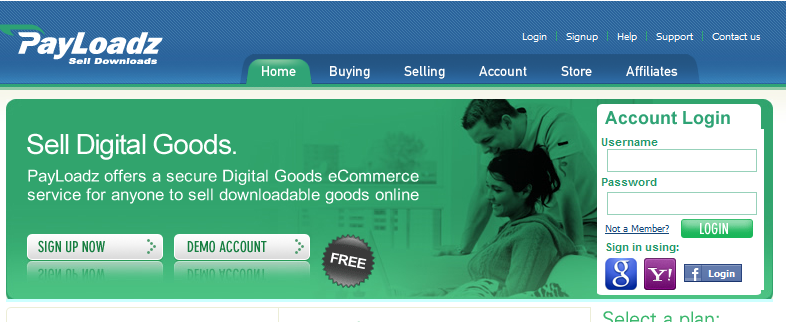
PayLoadz is a unique online service which let you sell the downloadable products such as Software, E-books, Songs, Videos, Games and anything which can be downloaded via internet. The PayLoadz system works with PayPal or Google Checkout to provide anyone who wants to sell a digital product. It is especially useful to merchants wanting to sell digital goods to customers right from their own website or in an online auctions. Web developer or website owner need not worry about special programming or server requirements, all they need to do is just cut and paste the HTML code the PayLoadz provide.

payloadz home page


How does PayLoadz works?

  1. A customer browses a web site and finds a product or products that they would like to purchase.
  2. They click the “Buy Now” links from your website which is generated from the PayLoadz system and add an item to their shopping cart.
  3. Once finished adding items, they click on “Check Out” to purchase their items.
  4. Further they will be prompted for their PayPal or Google Checkout page.
  5. After the user completes the payment process, the PayPal or Google Checkout server communicates with the PayLoadz server and provides the transaction details to PayLoadz. This process is invisible.
  6. Then PayLoadz sends the customer an email and a link to download their product. They are also redirected to the download page, immediately after payment at PayPal and Google Checkout that provides them instant access to their purchase.
  7. The entire process happens in a matter of seconds so a person can purchase and download your goods in under a minute.


PayLoadz supports almost all currencies therefore it is possible to sell your products in Indian Rupees. PayLoadz also have an affiliate service therefore website or blog owners can make money simply by putting the PayLoadz Banners on their web pages promoting the PayLoadz website. PayLoadz Basic Account is absolutely free and users who want more resources can upgrade to their Premium Account. What are you waiting for? Just rush to sell your digital product at www.payloadz.com


Too Much Good Stuff Giveaway! Play and win MacBook Air or a Trip to Las vegas and more

13

This post brought to you by ampm. All opinions are 100% mine.

 ampm outlet pic
ampm the famous food chain in the U.S is hosting a contest in which you could be one of many lucky ones to win a grand prize of a free Trip to Las Vegas, Nevada. Also cool prizes like Apple iPod Nanos, iPod Touch, iPads and the Apple MacBook Air every few weeks!
And the most awesome thing bout the contest is that you don’t have to spend a penny to enter the contest, yes no purchase no payment required to enter the contest or claim the prize. All you have to do is to visit their Facebook fan page ( Too Much Good Stuff )to register and then play the Instant Win Game by spinning the reels of the Virtual Machine.
 ampm facebook page

You must “Like” the Facebook page in order to view the contest page as it is set to private page, Once you click on “like” click on the “Game Tab” where you can enter the contest and start playing.

In order to start playing, you must enter your email id and complete  the registration you may start playing the Instant Win Game by spinning the reels of the Virtual Slot Machine. You can read complete rules and guidelines for the contest here.

Advertisement

The game is simple, you’ll win if the reels match the other end of the virual spin. Isn’t that simple. Yes it is, and I already spoke to many winners and they said it was cool!

Also you could win 15,000 Bittles of Pepsi Max and 10,000 corn dogs in the Instant Game play.

They have many special dishes inclduing, “Thirst Oasis” which has up to 24 flavous of different fountain drinks, a choice of crushed or cubed ice and a free condiment bar.

Have you been to ampm before? Let us know in comments what you like in their snacks menu and the best about services they offer in their stores.

Visit Sponsor's Site

Webmaster and Online Business Owners! Beware of Google’s New Algorithm

10

I still remember I had a friend when I was very young. She was my next door neighbor. She was so cute and adorable that I still can’t forget her divine face. She was crazy about gardening and fortunately they had a huge lawn so she could enjoy a lot of her time practicing her hobby. Her father also helped her and they truly made the garden look like fairy place.

One day I woke up and fount that she and her family are gone; the landlord had exiled them as he desired to rent the house out to one of his friends. When she was no more there, the garden turned into carcasses in no time. Did you ever think that the same thing can happen to your online business? If not, then it’s time to rethink – rather seriously.

If you have an online business, regardless of its nature, you are dependent on many other bodies which are beyond your control such as the ISP, web-hosting company and so on. But the most important entity for all of us is undoubtedly Google – the search engine that enjoys 70% of the market share. If your website is banned, or even starts performing poorly, it simply means you are screwed up.

How to Cope with Google’s New Algorithm?


google's new panda algorithm

Google team is striving to make it the perfect search engine as stated by Google’s co-founder Larry Page. The changes in new algorithm i.e. Panda 2.0, can severely affect your ranking if you do not comply with the following four guidelines:

1-      Get Rid Of Superfluous Ads

Do you know which site is most affected by Google’s new algorithm? Every article writer’s favorite: Ezineartcles. The reason behind this is clear; you can see their pages are flooded with ads. If you don’t want to let the same happen to your online site, make sure your page has unique and useful content for visitors rather than countless ads. Keep the ratio to 80% unique and quality content and 20% ads.

The ads incorporated inside the body of the content are most hazardous. The best place for ads is your side bar or page footer. Do you know what is really beyond belief? This penalty also applies to Google’s very own Google AdSense.

2-      Pay Attention to Google Analytics

Google’s new algorithm is smarter than we may think. It calculates the time how much a user spends on your pages after finding it in Google. If the visitors spend more time on your competitor’s site as compared to yours, you will be creamed. It means that gone are the days when you could simply con the web surfers by cheeky, outlandish keywords while your page contained a completely different story.

You can view the average amount of time spent by a user on your page through Google Analytics, by signing up for free.

3-      Present Longer Media Rich Content

Do you think previously adored 300 word count standard is enough for your better SEO? Think again. New rule of thumb is the more the better. Make sure your page has a few more words and is rich in media.

4-      Boost Social Media Existence

Though these Facebook likes and Twitter tweets don’t help your page rank directly, but now Google takes into account the social activity on your website or blog as a measure of popularity. So it is time to download a plugin and create content which leaves the reader with no other option but to like it!

Have a question about this post? Feel free to leave a comment

WordPress for Business Websites: Important Tips, Pros & Cons

2

WordPress is great for blogging andhas recently been gaining popularity for business purposes. It offers many themesfor users, to develop business websites which can prove to be very useful.

Tips on how to use WordPress for business:-

Use pages and posts in the right way

Pages and posts are quite different from each other and are treated differently by search engines. Do not make random posts all the time. Posts are good for information that is new or changing. But there are facts about your business that remain the same like your profile, history, contact information etc. Such facts should be placed on pages and not in form of posts.

Select/ create the right theme

There are many themes available for making business websites. Go through a number of such templates, in the business category, of template providing websites and choose the one that suits you best. Magazine templates can be helpful. Make sure not to use blog templates for your website.

You can also create your own theme. You can use ideas to make your website look attractive. Do not follow layouts used in blogs; you can probably use grids and other layouts commonly used in websites.

Comments on pages

Do not enable comments on pages. However, some clients might want to keep the comments open on certain posts, so do confirm with the client on his requirements and act accordingly.


Pros of using WordPress:-

Quick and simple process

The process is quick and simple. It takes only a few minutes to create the basic design and once WordPress is uploaded, the website begins to run.

Supervision

As the administrator is working, the client can supervise the live process over the internet.

Helps client make changes

WordPress allows the client himself to make minor changes, add information and updates independently. You can train the client to do so. This will not make you lose the client; in fact, it is most likely that the client will give you more jobs and recommendations in time.


Cons of using WordPress:-

Limitations in design

When you create custom made designs for your website, you can enjoy the freedom that a readymade template will not provide you.

Limitations in using graphics

WordPress websites do not accommodate too many graphics needed to create a very flashy website required for certain businesses.

To conclude: Use WordPress for websites that require constant updating. If your pages do not require updating regularly, then you can go ahead and make your own custommade website in the traditional manner. The choice based on the requirements of the client and you should help the client make the right choice.


Now You Can Tweet a Picture directly from Twitter (Two New Features)

1

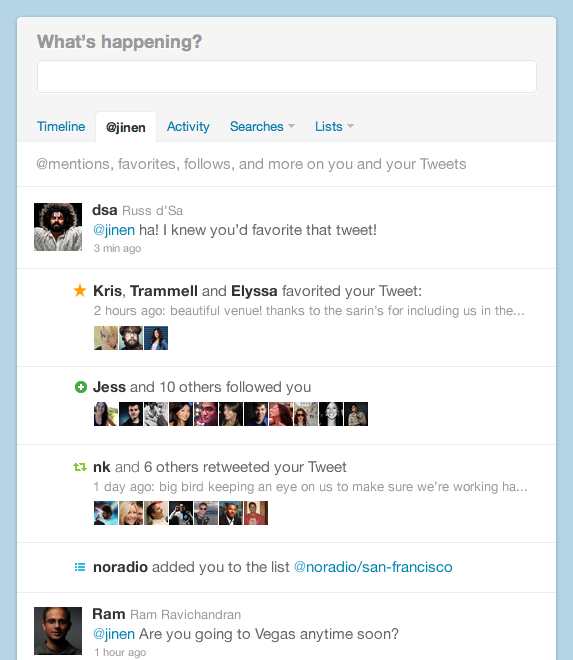
What’s buzzing up on the web today? its twitter rolling out two new feature for its users. The first new addition is that you can see when someone favorites or retweets one of your Tweets. You might be wondering whats new with it, its new because you now get a lot more info on the activities connected to your twitter account. Just click on the new tab with your @username from your profile page, and you can view whch of your tweets were interesting for others, you’ll be able ot see who retweeted your tweet and who found you interesting and followed you or added you to a list seeing one of your tweet.

The below picture should give you a better idea about the new feature.


twitter new feature find your popular tweets and retweeters

And the other feature is that now you can tweet a pic directly from twitter. Many Twitter users felt earlier that it lacked easy photo tweeting feature which was earlier fulfilled by apps like twipic, now you can do it without leaving your twitter page. Isn’t that cool?.


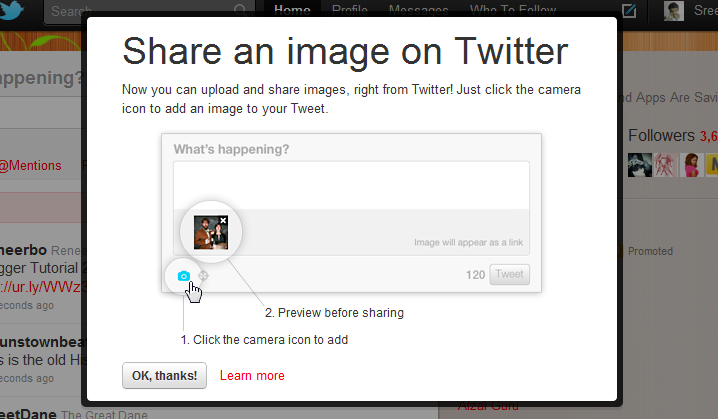
Most of the users will see this new feature notification when they log in to their twitter account. Below is the screenshot of the notification.


twitter phot tweeting feature addon

With the new feature the picture you upload will be saved along with the tweet and the image will get deleted when you delete the tweet.

As you can see above, you can click on the camera icon under the text field to upload an picture. I tried a GIF and if didn’t work but here’s a tweet link to a Jpeg picture. http://twitter.com/#!/Stumblerbuzz/status/101508970736386048

Try the new features on Twitter and let us know in comments, what you think about it and how its gonna change the way you use twitter.

Useful Google chrome shortcuts, tips and tricks.

6

Google chrome is now one of the most popular web browser and most of its users are unaware of many shortcuts and tricks that can make its use even better and easier. Here are some tips, tricks and shortcuts that can be useful to you.

Google chrome

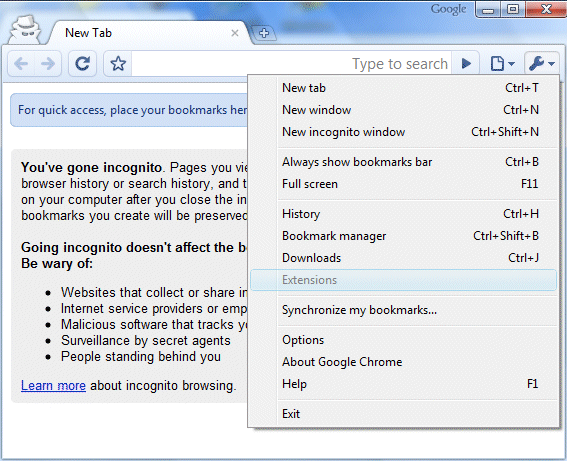
chrome-incognito

1. Incognito window mode:

If you open a window ( link ) in an incognito mode then it wont be saved in your history and cookies served by sites in this window will be deleted when the window is closed. It’s really useful and can be used in following 3 ways
> Use key combination of– Control + Shift + N.
> You can a link by right clicking on the link and selecting “open in incognito window”.

> By clicking on SETTINGS ICON on top right corner in chrome window, and selecting NEW INCOGNITO WINDOW.


2. CREATE WEBSITES SHORTCUT:

You can create websites shortcuts on your desktop or start menu using chrome too!
> Simply open a website, like Facebook. Click on the setting icon on top right corner, and select TOOLS > CREATE APPLICATION SHORTCUT. Choose the location where you want the shortcut to be placed. Bingo! You are done with the task.


3.  Alt + Home loads your Google Chrome home page, with thumbnails of your most visited sites shown in the active tabbed window.


4. Control + T opens a new tab. You can drag tabs around to change their order or drag a tab out of the window into its own window.


5. Control + Shift + T opens your most recently closed tab. Press the key combination again to open the tab closed before that one. Google Chromeremembers the last 10 tabs you’ve closed.


6. Jump to different open tabs using Control + 1, Control + 2, Control + 3, etc. Control + 9 takes you to the last tab.


7.Control +B hides the Google Chrome bookmarks bar. Press Control + B to bring it back again.


8. Right-click or hold down the back button and you’ll get a drop-down list of sites to go back through. Show Full History, at the bottom of the list, opens a new tab with your full browser history.


9. Press Control + K or Control + E to search from the address bar. Once pressed, you’ll see a ? symbol appear in the address bar and you can simply enter your search query and hit Return.


10. Right-click the top of the browser window and select Task manager to see how much memory different tabs and plug-ins are using. Highlight one and click End process to stop it running.


11. To see what plug-ins are installed, type about:plugins into the address window.


12. You can also type the following commands into the Google Chromeaddress window: about:stats, about:network, about:histograms, about:memory, about:cache, about:dns.


13. Type about:crash to see what a crashed tab looks like. 😀


14. Edit any web page – right-click a page and select Inspect element. Now edit the HTML source code and hit Return to view the changes.


15. Do visit chrome web store regularly for new themes and other apps.

Hopefully these 15 points will make your chrome experience even better 🙂

Godaddy Discount: Get a domain for $1 (Limited offer)

4
Update: Offer expired 🙁


Every time there is a new offer on the web, we make a quick post to let our readers know and utilize the benefits. This time its Godaddy domain discount where you get a domain at just $1.


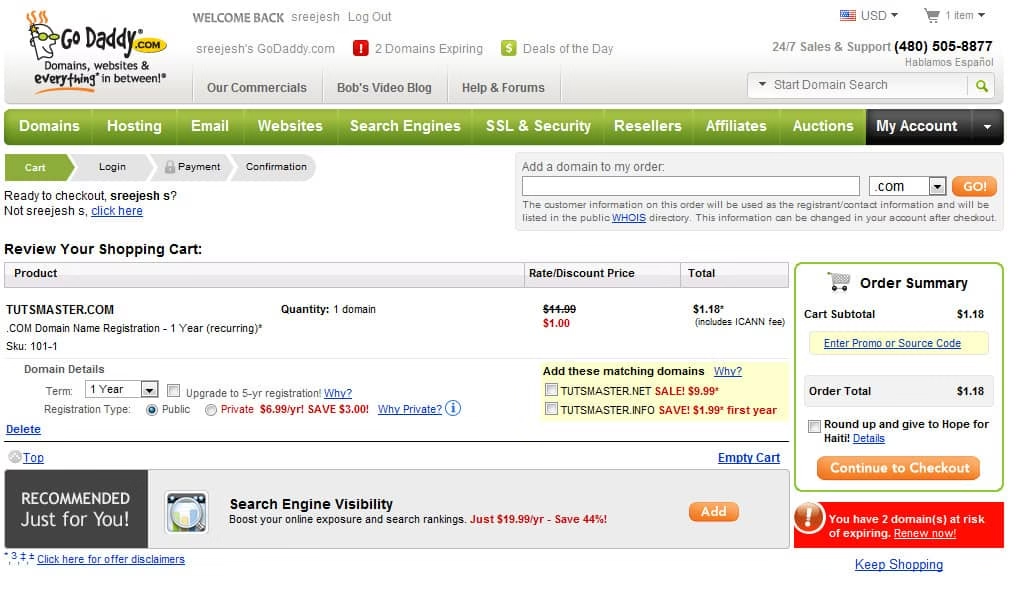
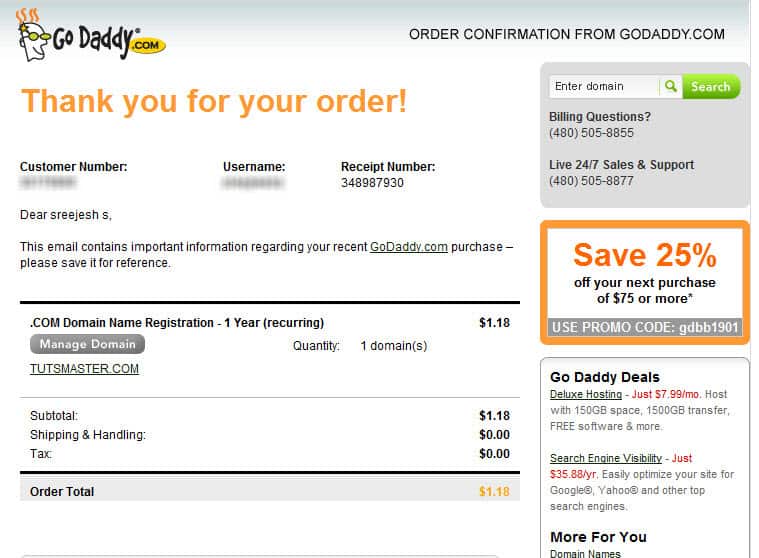
To avail this offer just use the coupon COOL1 at the checkout page. Below is the screenshot of the payment page where you can see the total price of the order.

tutsmaster.com domain registeration

tutsmaster.com domain registeration conirmation

To get the latest coupon codes and discounts offers, subscribe to our email using the subscription box on the sidebar or the bottom of this page. Once you enter the email id, don’t forget to click on the confirmation link from feedburner to get the news directly on your inbox.