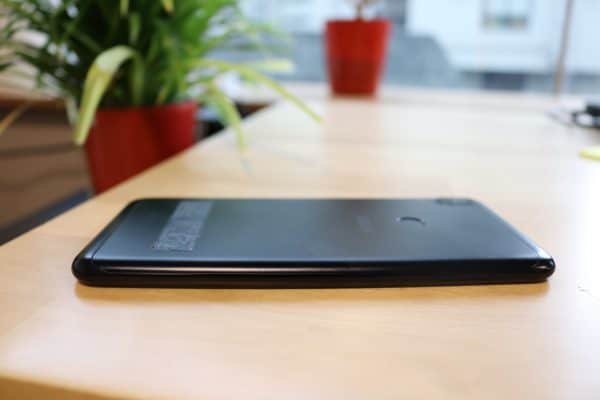
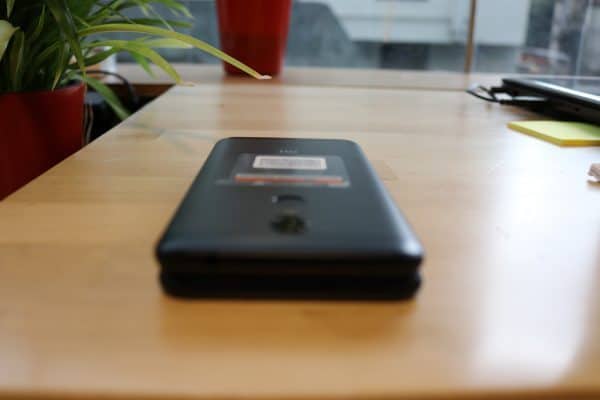
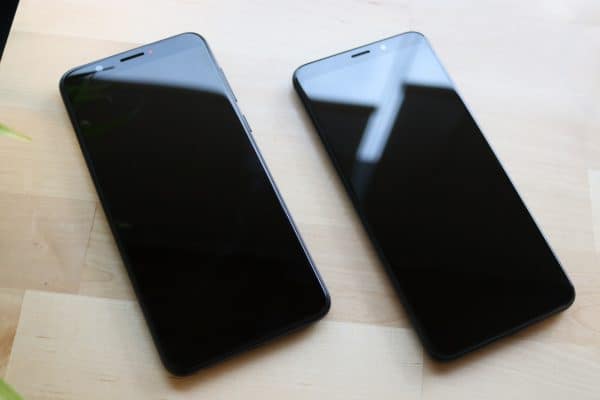
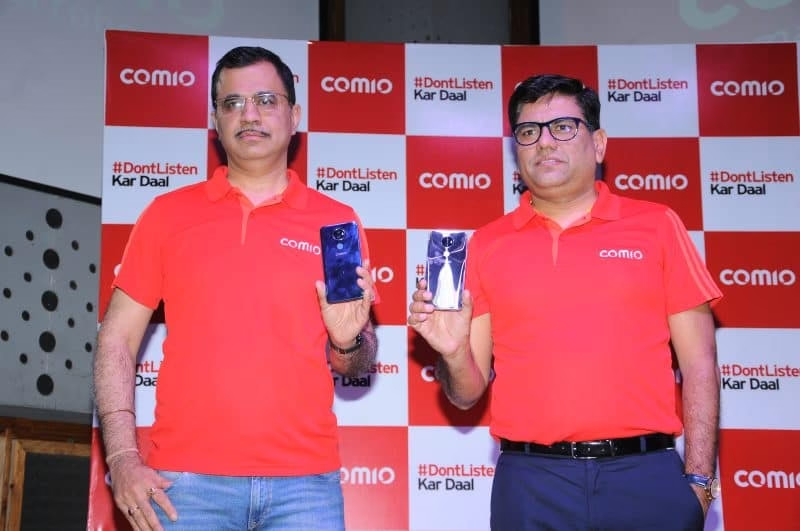
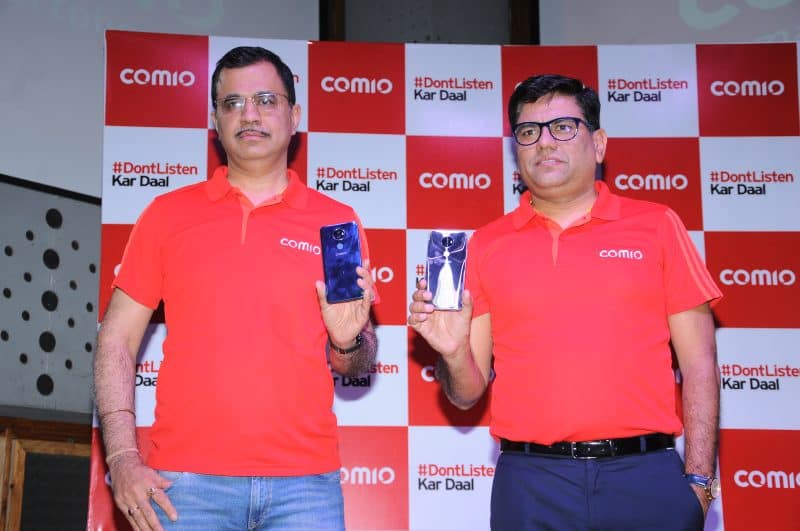
COMIO Smartphone is a growing Indian smartphone industry, targeting to produce the most affordable range of smartphones. The brand is renowned as ‘The Most Promising Brand’ quoted by The Economic Times. With the launch of COMIO X1 Note this budding Indian smartphone Industry is ready to take charge of the Indian markets. The launch took place in Karnataka(Bangalore), where the brand has influenced a major growth of demand with its devices.
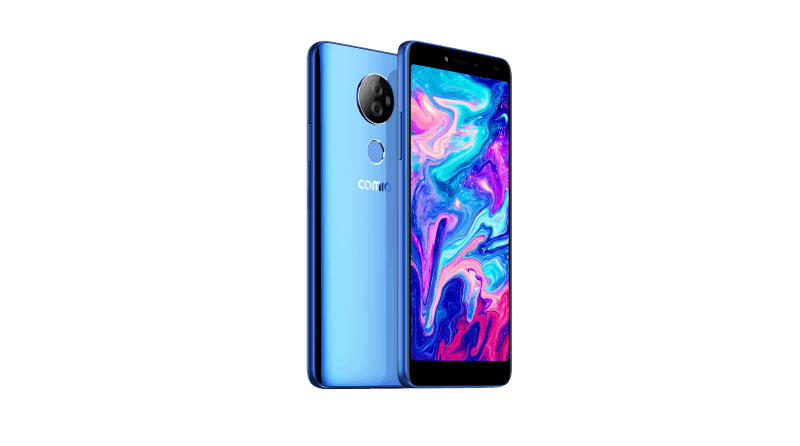
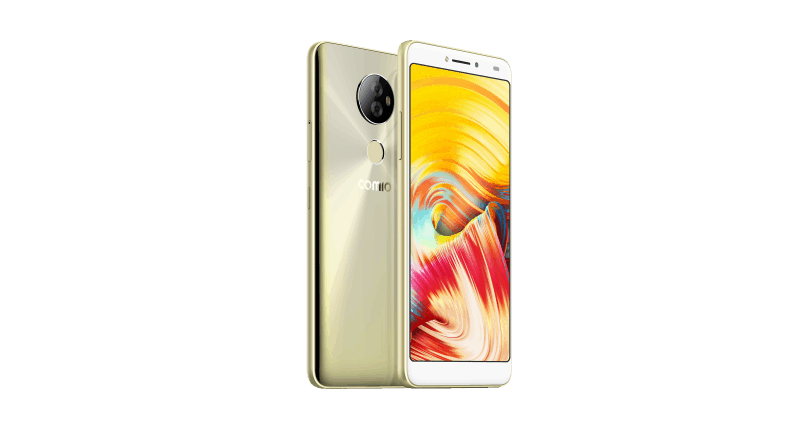
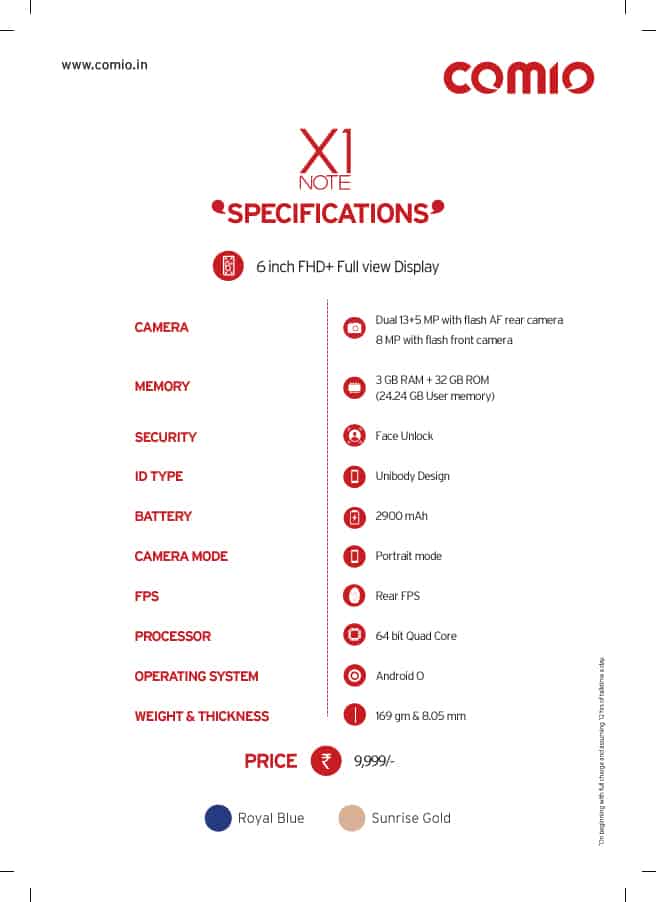
The X1 Note is valued at INR 9,999 which has a slim design and features a sleek mirror finish back cover. X1 Note is available in two colour options royal blue and sunrise gold. COMIO Smartphone was originally launched in the North and West regions of India with COMIO X1 Note, now it has swooped in the East and South regions of Indian markets too. The brand is known to launch five more handsets in the price range of 5k – 10k in the East and South markets. COMIO Smartphone has launched models C-1, P-1, C-2 lite and S-1 lite till now.
X1 Note features dual rear camera of 13 MP and 5MP AF along with Flash. The selfie camera is 8MP. The phone arrives with a bunch of camera settings which will enable users to click pictures in portrait / bokeh, panorama, beauty, night and social mode. It is designed to serve a High Definition experience to the users with its 6-inch FHD view combined with a 2.5 D curved display. Not to forget, the device supports 4G-VoLTE with the dual SIM facility. This COMIO smartphone device functions on a 1.45GHz quad-core processor powered by a 2,900 mAh battery.
“We are excited to announce the launch of COMIO X1 Note as it marks our expansion into a pan-India brand.” Said Mr. Sanjay Kalirona, CEO& Director, COMIO Smartphone, adding to which he said “The COMIO X1 Note provides an integrated solution comprising of advanced camera quality, better speed, security features, stylish design and value-added services all-in-one, ensuring an enhanced user experience.”
The device provides users with features like unlocking the phone with Face Unlock, in-built Intruder Selfie feature for your phone’s data privacy, finger print sensor to receive calls, unlock your phone, access apps, etc, record your calls and receive call reminders automatically and many other features. The phone consists storage capacity of 3 GB RAM and 32 GB ROM which can be extended up to 128 GB. Customers will be able to avail the one year plus 100 days warranty, screen breaking warranty only for once, assured replacement for 30-days, and offers which will assist you to upgrade the old smartphone you own.
The brand has tied with Reliance Jio which can be enjoyed by customers with an unlimited talk time and data use using any COMIO smartphone. The Jio users can obtain a cashback of INR 2,200 on the first their first recharge of INR 198/299 monthly plans. Users can redeem this offer from second recharge onwards.
If you are one the art gangs with a creative music maniac, a dancer who is in a constant need for fusion music or an editor who needs good background score then this article is exclusively for you. Music is a basic requirement for any performing art it includes even singers for that matter! However, we cannot limit the use of music by listing out each and every use of editing audios! Music is everywhere we need to groove with it.
Having some knowledge about audio editing softwares is always an added advantage for anyone. You can even use it to make your own ringtone, or many make a mix CD to gift your girlfriend/ boyfriend, did I just say CD? Mix Pen drive, for the current generation? I don’t know if Mix Pen drive exists? But, below are the enlisted 8 Audio Editing Softwares, if you’re looking for video, here are some best free video editing softwares.
1.WavePad:
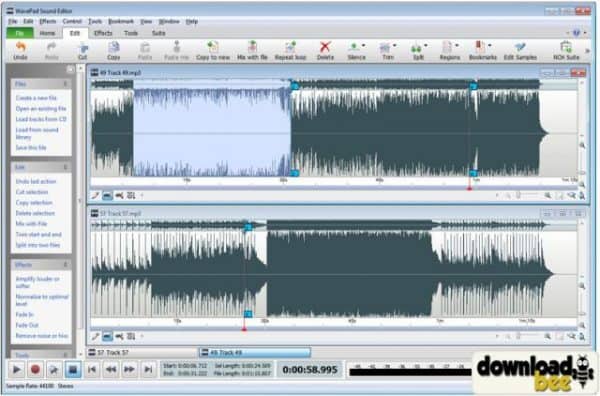
Wavepad is a descendent of NCH Software and considered as good audio editing softwares. You will find this is freeware as well as the paid version on their official site. This software enables you to use the tools like copy, paste, auto-trim, insert and pitch-shifting to name a few. These tools can be used perfectly for creating fusion songs or to adjust the pitch of the karaoke for your singing skills etc. However, sometimes karaokes come with some residual voice bits in a low volume which cannot be removed with this software. WavePad assists you perfectly on a professional level and giving the best output. The interface is very user friendly and does not disrupt your editing experience.
Image Courtesy: downloadbee
It supports various audio formats like mp3, aac, m4a, mid, amr, aif, FLAC, real audio, Ogg, Wav, vox, gsm, WMA and many others. In addition to this, the support for Virtual Studio Technology DLL (VST) and DirectX plugins forms a good base for the producers to use thousands of different tools and effects. The software has audio effects like reverb, echo, reverse amplify, normalize, equalizer, envelope, etc for the starters. For the main-course, users can access advance tools which include spectral analysis (FFT), voice changer, and speech synthesis (text-to-speech). Users also have the option to edit audios from their desired video files. It can work directly with MixPad Multi-Track Audio Mixer.
Price: Free and Premium Version $39.95 and above
Compatibility: Windows 10, 8.1, 8, 7, Mac OSX 10.4 & above, Android and iOS
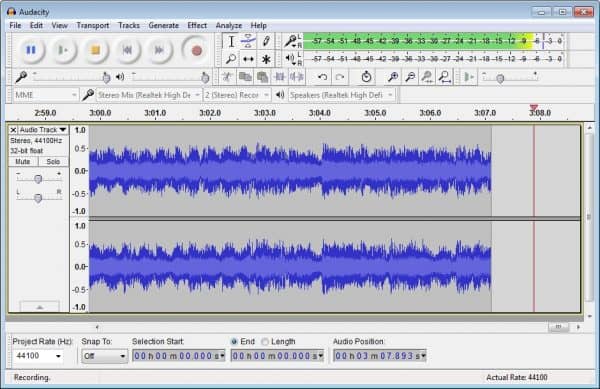
Audacity is a complete freeware and an open-source digital audio editor. One can use a microphone or mixer for recording live songs/audios from sources is possible. Its interface has to be appreciated as it is very simple yet sophisticated. Also, this software (version 2.2.0 and above) arrives with four themes which the user can pick according to his/her preference. The device toolbar enables multiple recording and playback devices.
Image Courtesy: Video Help
Basic editing tools like cut, copy, paste and delete can be used without any glitch. Audacity gives you the freedom to edit with ease with tools like scrubbing/seeking and timeline quick-play. Using Undo and Redo’s is limitless. Also, users can access advanced editing tools like draw tool, envelop tool, etc. Moreover, you can take full-fledge control of the software using your keyboard. Audio files can supports files like WAV, Ogg Vorbis, AIFF, FLAC, AU and other popular formats. This software can be used for creating karaoke tracks or isolated voice tracks using Vocal Reduction and Isolation tools.
Price: Free
Compatibility: Windows 8, 7, Xp, Mac OS X 10.5 to 10.10 and Linux
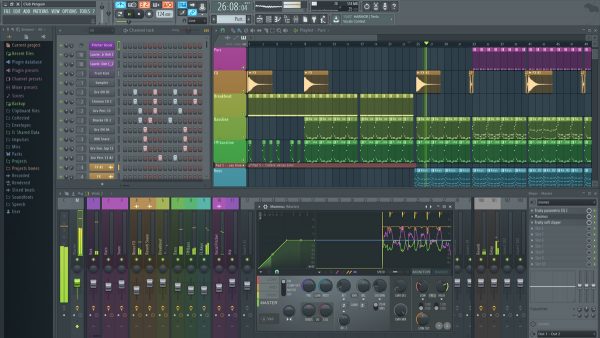
If I were to categorise the above software compared to FL Studio, then I would suggest WavePad and Audacity are the best for basic level editing. Those can be used by beginners for practising. But FL Studio is a complete Audio-editing Workstation. FL Studio is referred to as Fruity Loop Studio. It has different editions of software for editing like Fruity Edition, Producer Edition, v, etc. It is a real advanced level of audio editing. You can use a track and mix it accordingly to create your own music. The software welcomes you with an interface which will make you crave for editing tracks. Everything is well plated and all the tools can be easily accessed. You don’t have to put extra efforts to find your desired tools until you are new to audio editing softwares!
Image Courtesy: Music Radar
It supports audio formats like WAV, OGG, MIDI, ZIP, MP3, FLAC and many other formats. You can find all the tools like pitch-shifting, time-stretching, beat slicing, chopping, recording etc. Fruity Loop has been integrated with new features like vectorial UI, multi-touch support, improved 32 & 64-bit plugin, updated plugins, redesigned mixer, etc.
Price: Basic version costs $99.99
Compatibility: Windows 10, 8.1, 8, 7, XP, Intel Mac OS X 10.8 or 10.9, Android and iOS
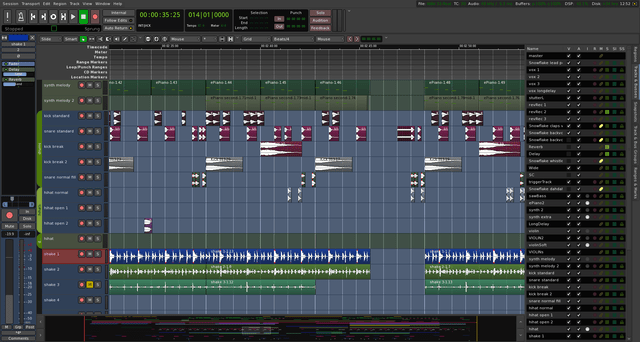
Ardour shares the workstation stage with Fruity Loop. The interface of this software is a bit different from that of the fruity loop. It is very easy to use and has a well-organised interface. However, it looks a bit dull overall. But look doesn’t matter! It has a great bunch of tools and functions which is a boon to users like us. You can choose your audio interface according to your budget and needs.
Image Courtesy: Ardour audio editing softwares
It features limitless multichannel tracks and flexible recording. These multichannel tracks allow you to use limitless tracks, plugins, buses, sends or inserts etc. Moreover, you can produce individual outputs using this maintaining the advantages of one-touch recording and editing. The audio editing experience is very smooth. Adding to which, it provides you with limitless undo and redo option. You can use editing tools like push-pull trimming, basic tools inclusive of cut, copy, paste, delete and many others. The privilege of extracting soundtrack from video files is also available. You can make use of a separate tab in order to view the video or view it on full-screen mode. It consists of a whole other level of advanced settings, controls, plugins and tools. So trust me on this, this software will not disappoint you! It supports a various number of audio formats including the MIDI!
Price: 1$ & above (you have the flexibility to choose your package accordingly)
Compatibility: Windows (2 GB RAM), Intel OS X 10.6 Snow Leopard to OS X 10.10 Yosemite and Linux (2 GB RAM)
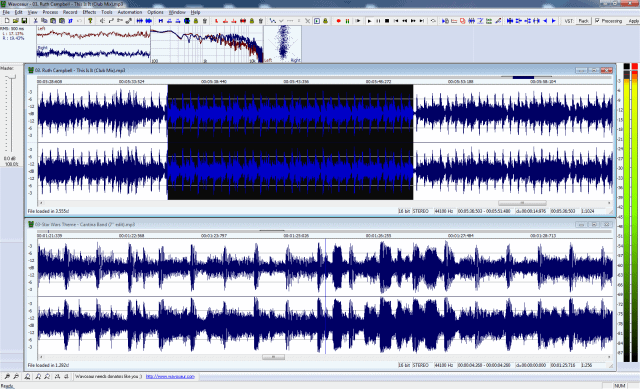
Wavosaur is a freeware which comes in the spectrum between an audio workstation and mixing tool. It is designed for windows which have the ability to support for VST plugins, multichannel WAV files, ASIO driver, etc. Wavosaur enables one to edit audios, process and record.
Image Courtesy: Rekkerd
One can access the basic editing tools like cut, copy, paste, delete etc. Producing music loops, analyzing, recording etc are some more features which are available. You can even download a variety of skins for your audio editing softwares available on their official website. However, it might not satisfy your advanced level editing needs completely.
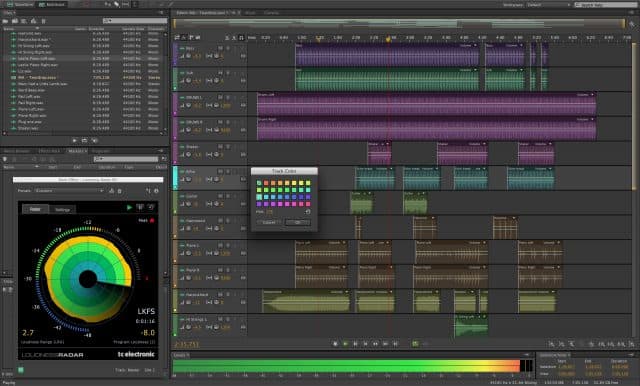
Adobe has its grounds in producing the finest editing software form a very long time. Hence, Adobe had to appear here. Adobe auditions form a perfect base for professional audio editing. Audition is designed in a manner which allows editing in multichannel tracks and does not disrupt while editing or mixing. It runs smoothly with a neat and user-friendly interface. This software also features noise reduction and FFT equalizer. It is instilled with features like pitch corrector, frequency space editor, support for VST plugin and various mastering tools. All these features vary from version to version. However, the basic editing tools like cut, copy, paste, etc are available.
Image Courtesy: Alternative To audio editing softwares
Price: 29.99$ / month
Compatibility: Windows (8, 7), Mac OS X 10.7 Lion, Mac OS X 10.6 Snow Leopard
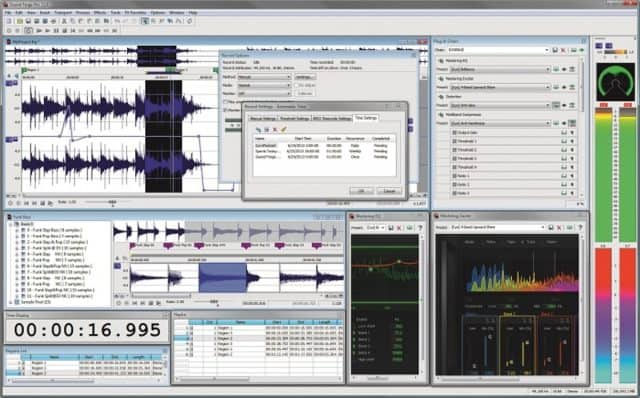
Sound Forge Audio Studio is a software developed by Sony. You can look into all the intricate details for creating music, high-quality audio recording from various sources, applying effects and processing the inputs. It is very flexible in terms of use. You can use it on a professional level or for your personal use by using the simplest tools. It supports various audio types for import and export, including the ACC files. It comes with support for VST plugin as well!
Image Courtesy: Radio World audio editing softwares
It features attributes like vinyl recording, restoration tool, audio cleaning tool, and new effects like resonant filter effect, apart from the basic tools. However, it lacks in the higher quality mastering effects for giving the final touch to audios. I won’t say Forge is the best because it lacks in certain aspects! But it works pretty well comparatively.
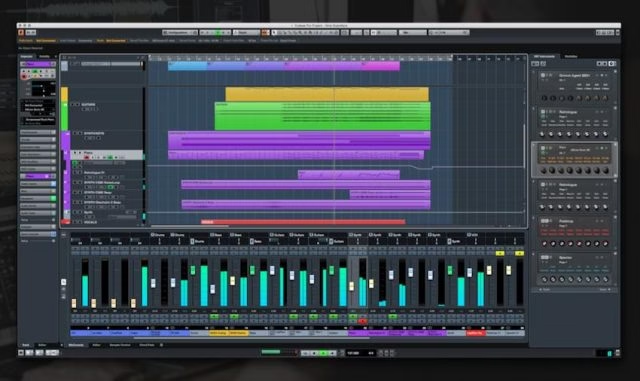
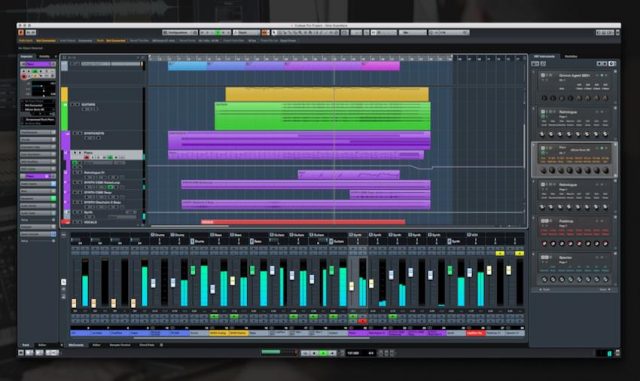
Steinberg is referred to as Cubase which is very popular especially for its production tools and DAW (Digital Audio Workstation). It acquires a professional interface along with some splendid features. The software is known to enhance creativity with its tools.
Image Courtesy: GAK audio editing softwares
Many music composers, writers of songs, producers etc use this software for their music albums. It functions smoothly giving the best output of your recordings and taking care of details. Moreover, there are different versions available for this software.
Price: Euro 99.99
Compatibility: Windows (8, 7), Mac OS X (10.10, 10.9)
Rainmeter skins are customizable desktop themes for the Rainmeter software, allowing users to personalize their Windows PC with widgets like clocks, weather displays, and system monitors. These lightweight, open-source designs enhance desktop aesthetics and functionality, downloadable from sites like DeviantArt or the Rainmeter community.
Windows desktops are very flexible in terms of personalising. It is easy to personalize your computer with the default options provided to the users. However, they are limited to changing backgrounds, the position of the taskbar, size of the shortcut icons etc. This helps you to change the appearance of your desktop to a limit. But, it might not be very satisfying.
Rainmeter Skins helps you to the overall appearance of the homepage of your desktop and kicks in some good style to it. It is more or less like a launcher. The rainmeter launcher provides you with a lot of options but it is very important that it doesn’t use a lot of your resources. Here are some enlisted few of the best rainmeter launcher which you should try:
Please keep in mind: Before using these best Rainmeter Skins, you need to download and install Rainmeter on your Windows. This is compatible with all the versions of Windows be it Windows XP or Windows 10.
1.Tech – A Rainmeter Skin
Image Courtesy: LikelyLive
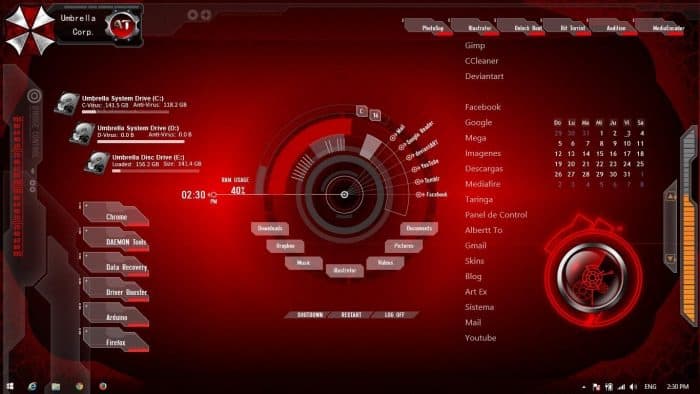
Tech – A Rainmeter Skin has a very advanced and techy look and considers as one of the best rainmeter skins. It has a compact design with some interesting features. This Rainmeter launcher displays the CPU usage, RAM usage of your desktop along with date and time. Adding to it, Tech – A provides you with shortcuts to the folders in the system like my documents and displays disk partition. All this is portrayed around a circular animated design which some motion in its path.
J.A.R.V.I.S has been the most wanted intelligence for your system. This rainmeter skins will give the feeling like you are inside Tony Starks’s suit. It’s design and graphics are almost the same and best rainmeter launcher among teen. Customising Jarvis rainmeter launcher is very easy, you can easily reposition the elements oh it according to your preference. Apart from these, Jarvis Rainmeter Skin also shows information like RSS feeds, Hard disk storage memory, Temperature details, Clock/Date, and the shortcuts to the folders. It does feel amazing!
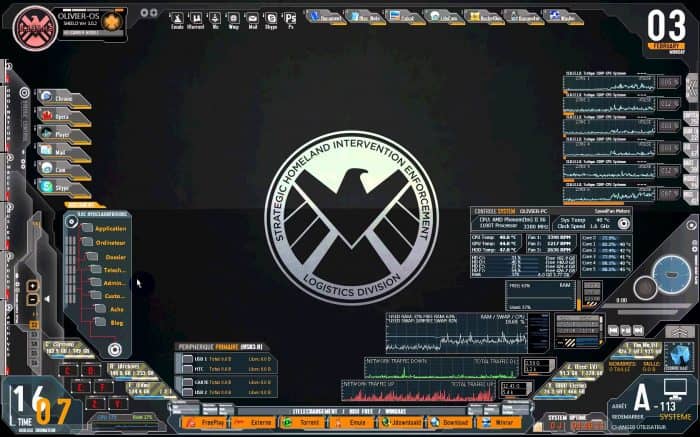
This rainmeter skins is perfect for Avenger fans! It comes in various resolutions and is a bit different from JARVIS rainmeter. It has a minimalistic design. Also, Avengers SHIELD OS creates shortcuts for the most used applications that is, for your browser, media files, folders etc. It also showcases different tools like the volume controls, RAM and CPU usage, control bar or media playbacks, shut doen and restart tool etc.
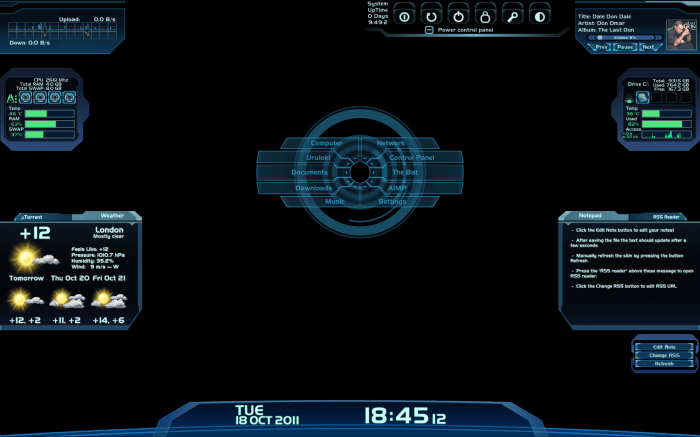
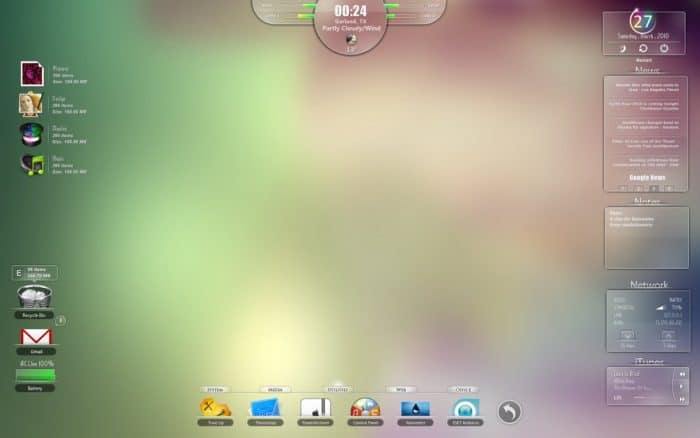
The Mass Effect rainmeter will give you a gaming feeling with its design and display abilities. This Rainmeter skins gives you access to a lot of elements like date and time, control panel, information about your hard disk, graph of the network statistics, etc. Also, you can position them according to your preferences in this Rainmeter Skin.
If you are a person who like simple and sophisticated look then you will surely love this. It is not a heavy rainmeter skins and gives tidy look. It takes care of the basics and doesn’t pop up unnecessary things. The details that are access in this Senja Suite skin are user account, time, a taskbar with shortcuts to your documents, media , search, etc.
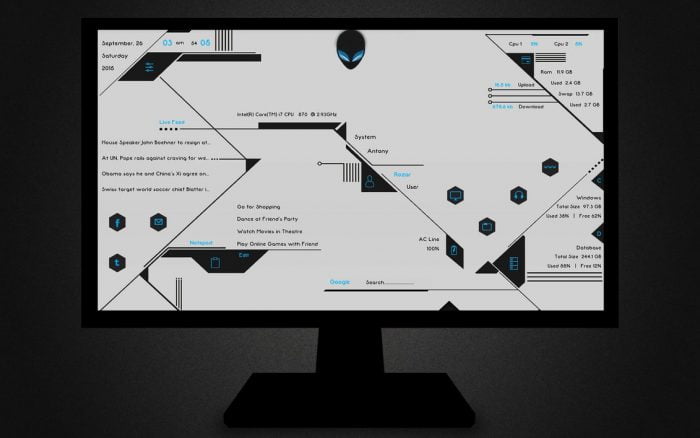
This Rainmeter skins elaborates the CPU usage, RAM usage, shortcuts to social media applications, shortcuts to your media files, documents, etc. It works best with the wallpaper of Aliens. This rainmeter can be easily customized as well. ALEINS’S skin also showcases other details like disk partition, downloading and uploading speed, live feeds, time and date etc.
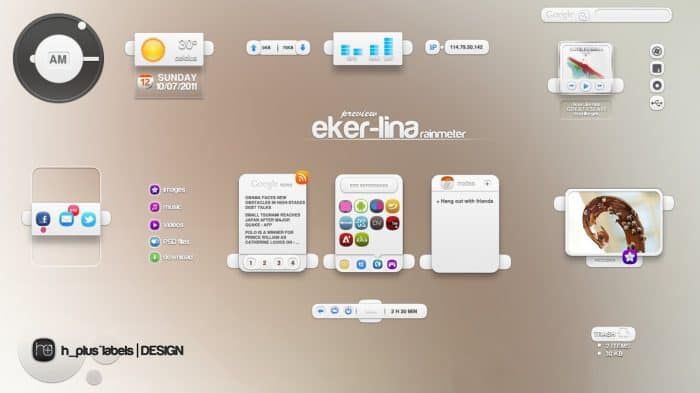
Eker Lina is a rainmeter launcher that is designed with creativity. It showcases a lot of essential elements which are like widgets of your desktop. Eker Lina Rainmeter Skin can be customized easily; you can place these elements according to your choice. Even you can access shortcuts for your documents and drives, RSS feed, date and time, media controls etc in this rainmeter skins.
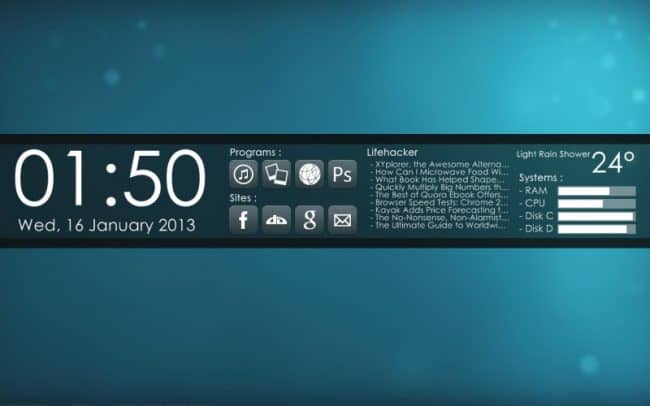
If you are looking for something more sophisticated and simple, then this Before Dawn best Rainmeter Skins is for you. This is one of the best rainmeter skins & is very simple to set up. You just need to fly your cursor and run the setup. Tadah! It’s done. You’ll notice a vertical frame across your screen containing a lot of information. Before Dawn skin provides you with a mess-free look unlike the scattered format of tools and information. You can access details like the date and time, shortcuts to your folders and the most visited websites, RSS Feeds which you have subscribed to, and temperature of your are.
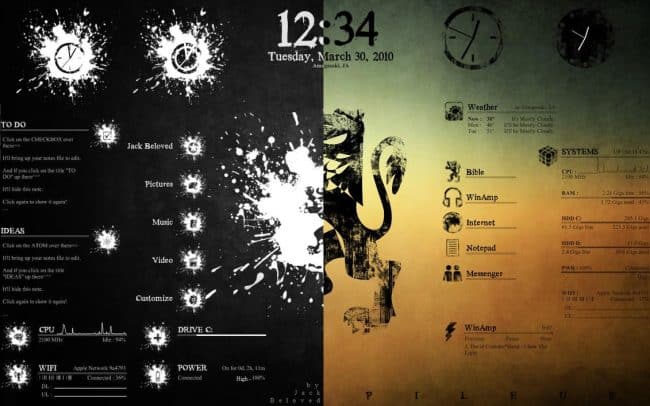
The style of PILEUS Rainmeter Skin is very unique and attractive. This might not be the most preferred styles, but I feel it looks pretty good. Its design is very arty and creative. It doesn’t look very formal, unlike the other best rainmeter skins which strictly stick to sharp borders and solid colours. PILEUS skin has a slight scour effect which looks interesting and attractive when paired with light backgrounds. Adding to it, users will be able to view the RAM usage, Wifi connectivity, time, and date, and other shortcuts for your folders and drives.
Razor Rainmeter Skin is not as sharp as a razor, In fact, its design is very transparent with some glass frame effects. Razor is one of the skins which can look really good with some good backgrounds. It will surely take it up a notch. Razor Rainmeter Skin design is very simple, clean and fits perfectly for any style be. You just need to change your background to set the style (formal, creative, graphic, etc) of your desktop skin. This Rainmeter launcher provides you with basic details like date and time, folder and drive shortcuts, power status, strength of your wifi network, wather, etc.
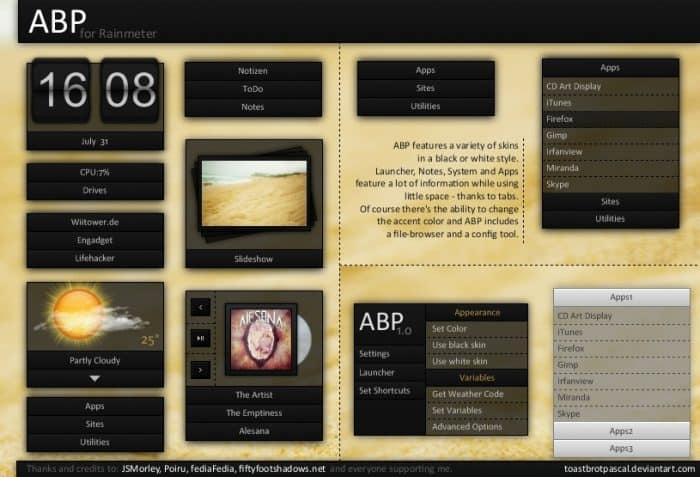
This rainmeter skins is not my preferred look for my desktop. However, if you like sticky notes all over your computer then you should try this. Each and every detail has a separate frame in ABP Rainmeter Skin which makes it easy to find what you want. You can access information like date and time, CPU and RAM usage, media playback, etc. ABP Rainmeter can display any tool or shortcut you want. It has no limitations.
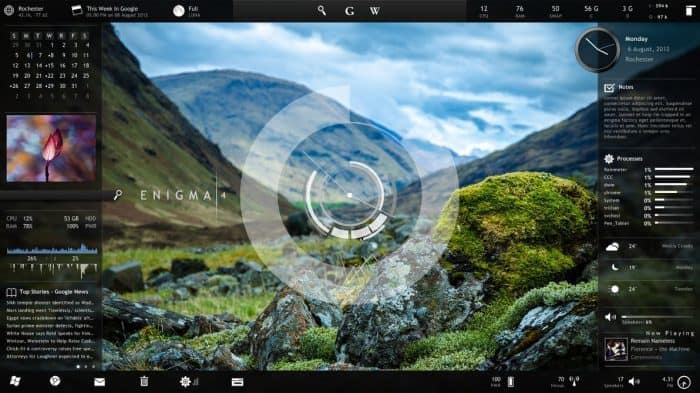
Enigma is a very popular and one of the best rainmeter skins downloaded widely. It is so good that it was declared as Rainmeter’s default skin in the year 2009. Its design is simply a-m-a-z-i-n-g! You won’t get bored with it. The elements are configured and can be arranged according to our choice. Enigma Rainmeter Skin showcases details like the date and time, RSS feeds (multiple), you can view your pictures in a slide show format, usage of your CPU and RAM, weather, shortcuts to your folders and drive etc.
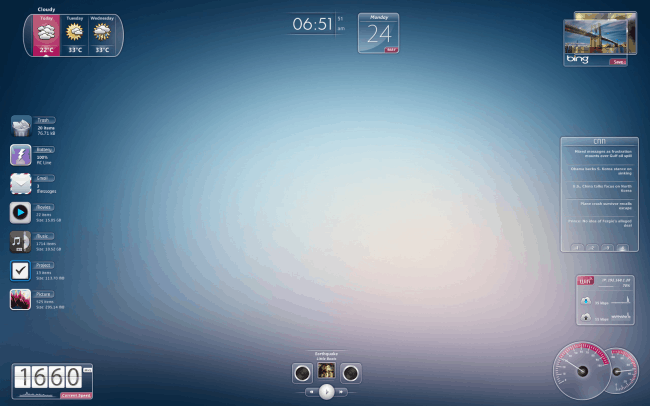
This rainmeter skins is a bit similar to the design of Razor. It follows the same translucent frames, but an improvised version of it. Speed Rainmeter Skin looks amazing when paired with a god background. Unlike the sharp edgy shapes of the Razor’s skin, this skin has some smooth and curve surfaces which makes it look simple and tidy. The elements of Speed Rainmeter Skin can be moved across your screen and positioned according to your choice. Information that is showcased on the screen includes date and time. Shortcuts to your folders and drives, usage of your CPU and RAM, Wifi network connectivity, weather forecast of three days.
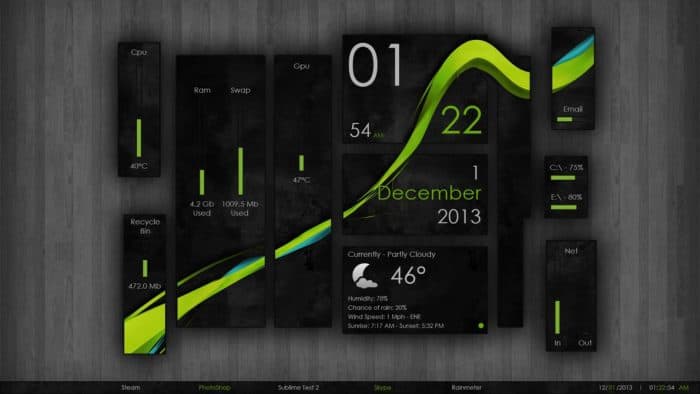
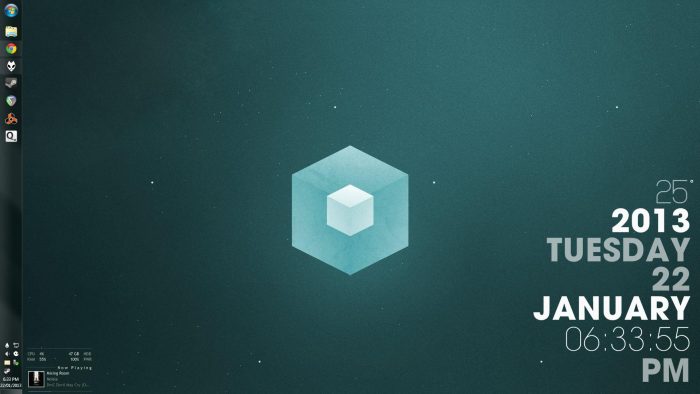
If you don’t like limiting the components inside boundaries, then Wisp Rainmeter is a pretty good skin for you. The information o your CPU and RAM usage, temperature, date and time, wifi network signal strength, disk partition, etc look as if they are directly inserted of floating on your screen in specific positions. Wisp’s rainmeter skin looks pretty neat and good with the right background image.
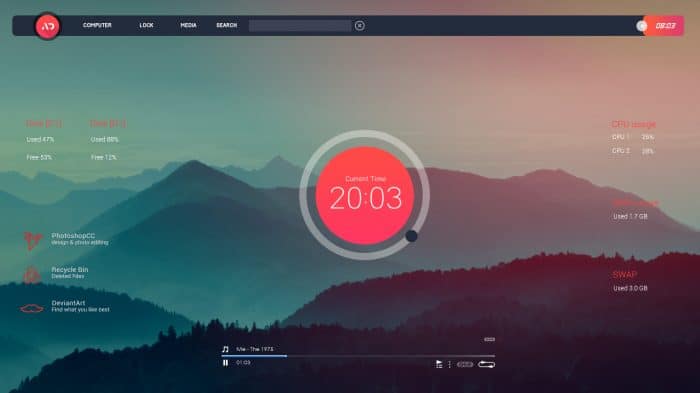
The name itself explains the simplicity of this skin. Simple Media Rainmeter Skin looks very sophisticated showcasing essential details with the best fonts and minimal design. It fits perfectly with desktops of any resolution. The elements display the date and time, status of recycle bin, the temperature. You can set them in multiple patterns available with this rainmeter skins.
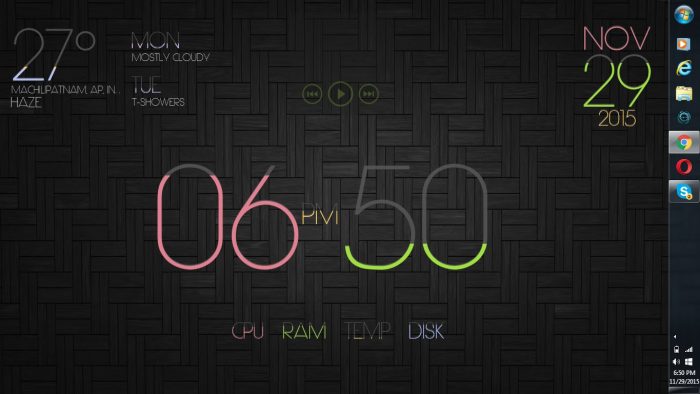
If, only text is something which works the best for you then LIM!T will fulfil this wish of yours. This rainmeter skins has no particular design, only the content speaks for itself. All the details are positioned with beautifully designed fonts across your screen. The text gets filled with dark grey color according to the percentage of usage of the CPU and RAM, the seconds passed in the hour, even the date gets filled up with grey colour with time. LIM!T Rainmeter Skin showcases information of date and time, usage of the CPU and RAM, media playback, etc.
After installing Neon Space Rainmeter Skin, you are going to get really addicted to it. It is really amazing! The design consists of animation and some glow to it, on the blue backdrop. Neon Space Rainmeter Skin makes you feel like you are in 2050. This rainmeter launcher displays information like calendar, RAM and CPU usage, the weather forecast for 3 days, etc. There is a small holographic section which doesn’t show any details or information about your system, but is really great! You will not get bored with this rainmeter skins so easily.
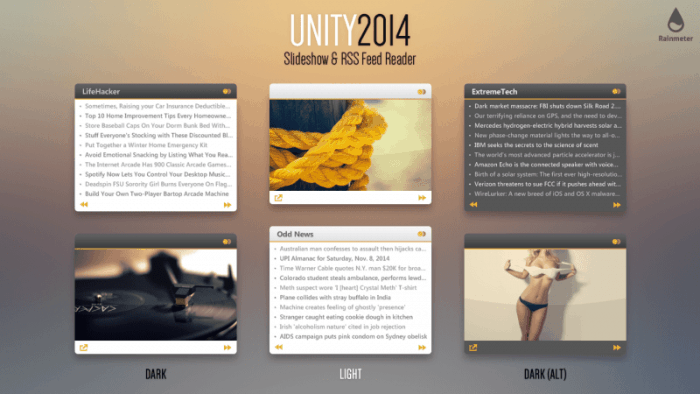
This rainmeter skins will really impress if you have simplicity and elegance in your choice! It has all the basic information and works pretty good it a mess-free environment. Unity Rainmeter Skin shows details like date and time, provide you with a shortcut to folders and drive, weather details, media files running in the background etc.
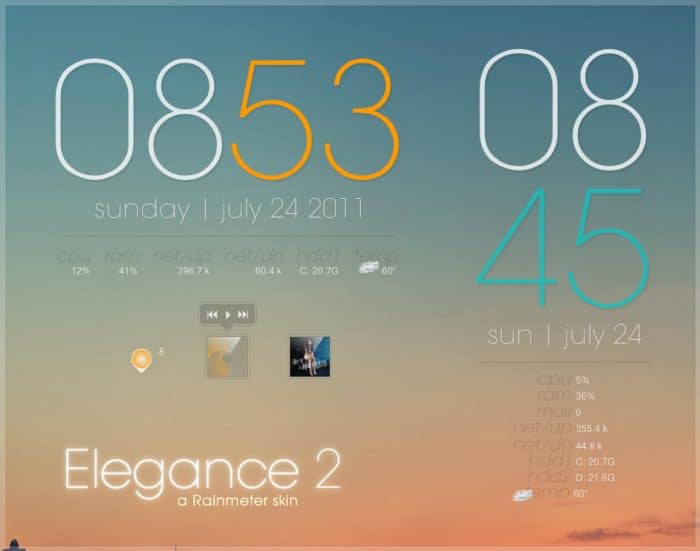
Elegance is in the name itself. You can opt for this rainmeter skins as well. It has smooth and clean look with minimum yet understandable details. It is very light on your system’s resources and perfectly pairs with the default backgrounds as well! The system details provided to you are well embarked with suitable fonts. System details like usage of CPU and RAM, date and time, recycle bin, etc.
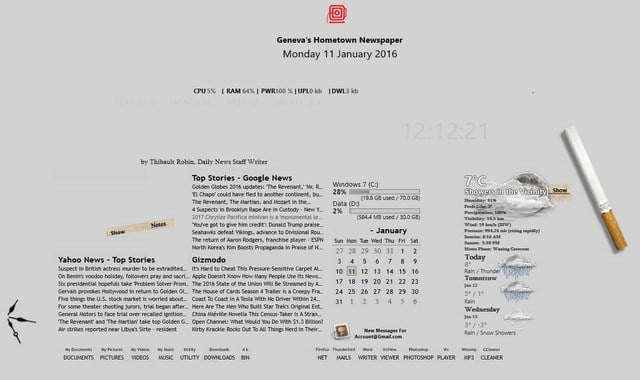
The name is self-explanatory. This rainmeter skins showcases all your system details and your desktop in a newspaper’s format. Trust me! It looks really nice! You must try this at least once! Newspaper Desktop Rainmeter weathers Skins showcases many details like calendar, the temperature of your locality, news story columns, date and time, usage of CPU and RAM, weather forecast, shortcuts to mails, documents, pictures, music, videos, and some other applications. Everything is drawn out in the format of a newspaper. It is very systematic and mess-free.
Rainmeter skins are an awesome way to make your desktop a bit more entertaining. All these rainmeter launchers are pretty amazing. So you must try every rainmeter launcher or may change these best rainmeter skins every month an enjoy the new appearance of your laptop. Let us know which was your favourite one, in the comment section below. You can share the rainmeter launcher which you have tried and work really well!
Spending on Kindle and tablets for eBooks has gained lot popularity among readers. If you are looking for alternatives to save some money, then you have come to right place. Electronic publication has surely saved a lot of efforts to buy or lend books and environment too.
There is some software specifically designed for reading electronic publication which works similar to kindle. You might not get the reading experience like that of a tab unless you have a convertible laptop. But this surely saves you some bucks which you can use to buy a new book in your collection.
Here are some epub reader windows enlisted below you might want to try:
1.Calibre:
Image Courtes: ghacks
This software has earned some extremely good reviews. Calibre, is easy to use with a minimal design. It is powerful in terms of both e-book manager and reader. Epub readers can gel well with this software even the casual or new reader and experts of computer. This software is completely free to download and open source. Calibre is in this field from a very long time and does its work perfectly. It enables you to manage your e-book library, access it from anywhere using any device, share and maintain a back-up of your collection with ease, view major e-book formats, etc.
Apart from all this epub readers can easily convert their books to different formats. It not only supports you to read eBooks, but accompanies you to read comics, magazines, news etc. Recently, they launched the newer version of Caibre Version 3.21 which has many new features like, metadata editing from the page of book details, suing web-interface to add or delete books, etc.
Compatibility: Windows 10, 8.1, 8, 7 and Windows Vista
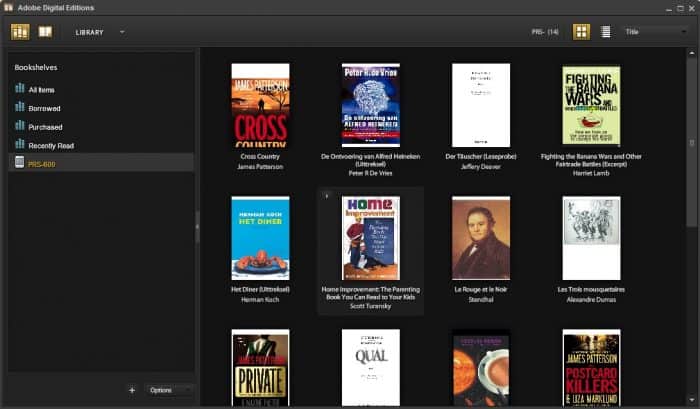
Unlike the other Adobe softwares, luckily this software is free! Adobe is a major part of lives of creative minds, be it editing videos, graphic designing or book readers for that matter etc. Adobe has launched the version 4.5.7 recently. Adobe Digital Edition (ADE) is used majorly by publishers for proof reading their books. Downloading this software will provide you with the optimum support for a good reading experience.
ADE has a Android and iOS application as well! You can read your downloaded/ purchased books both online and offline. Epub readers can easily download and transfer eBooks to their different devices; once you download an eBook in your account the book will load to each of your devices which have access to your account automatically. Also, you can avail feature like printing any eBook, you can access e-books in various file formats (EPUB, EPUB3, and PDF), alter the size of the document and text in various formats, organize your library by making specific bookshelves and section them as titles, author and publisher, etc.
However, for downloading free books you need to go the official page Adobe Digital Edition and download eBooks from the sample ebook library , which takes up some part of your time.
Compatibility: Windows 10, 8.1, 8, 7, Windows Vista, Mac OS, Android and iOS.
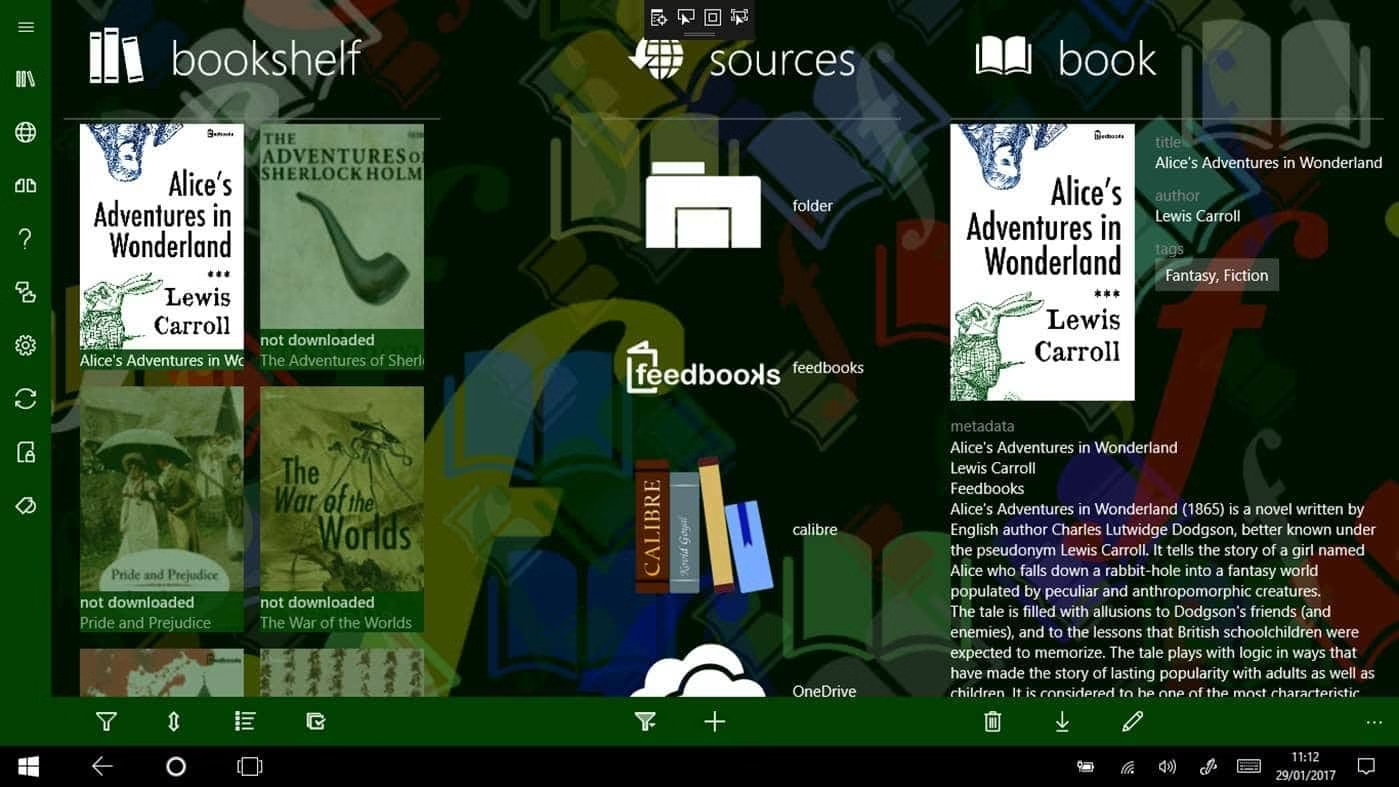
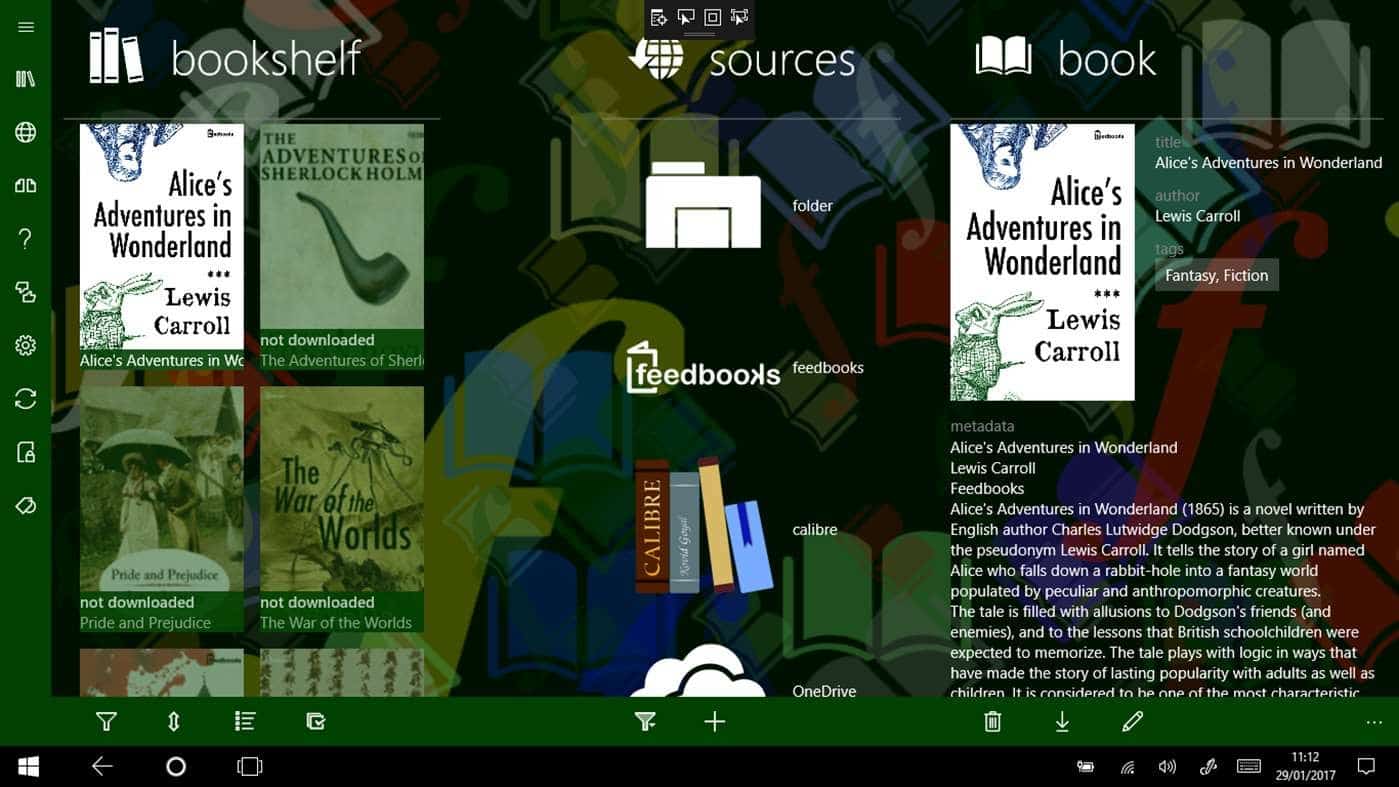
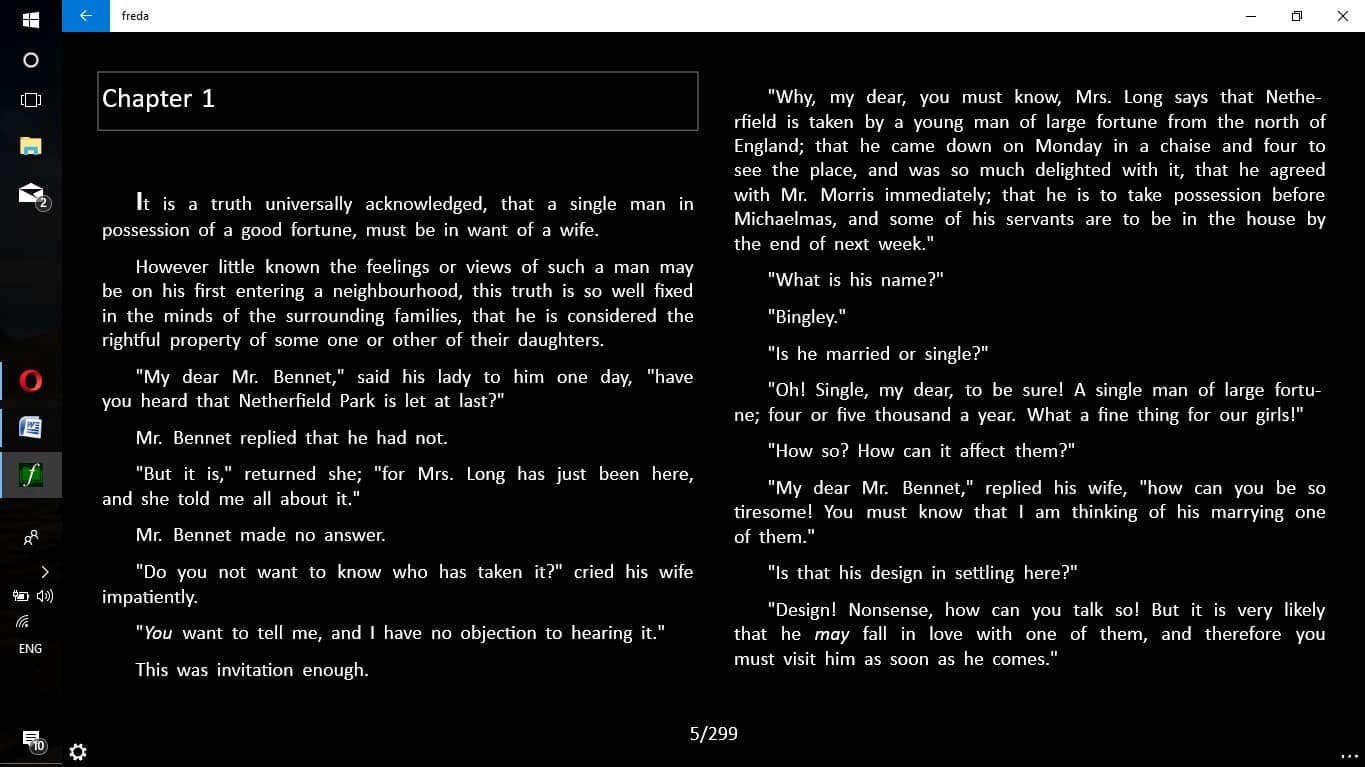
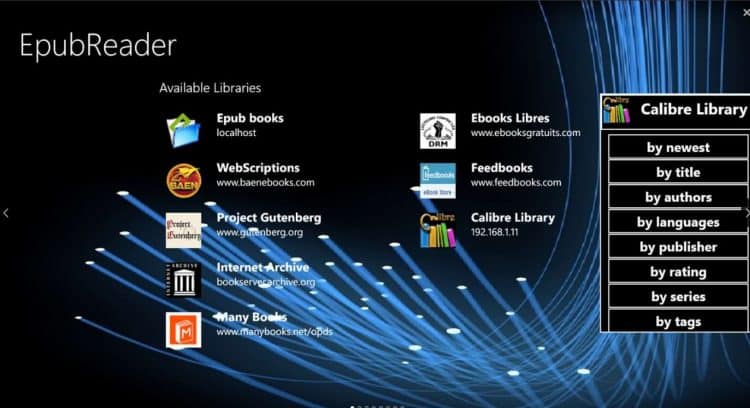
Freda is developed by Turnipsoft. Freda looks like relative of Windows 10, which is available in the Microsoft Store. As I stumbled across the Microsoft store, it has been rated with 4.4 stars. This depicts that it is very reliable. Epub readers can read more than 50,000 public domain classic books without any additional charges from Feedbooks, Gutenberg and other on-line catalogs. What I liked the most about Freda is unlike the boring white page and black text format of books, this app has a default reading format with a black background and white text. This makes it very mess free and is easier to read.
Being a non-reader, I felt like reading few books in it. Its interface persuades one to read those books. Where in ADE downloading ebooks takes up some time with the process, in Freda epub reader windows 10 can directly download eBooks from the list it showcases in the homepage itself. It is very comfortable experience to read books even on PC. Epub readers can access this app on PC, mobile devices, and hololens as well. This epub reader windows 10 comes with features like, it can work with Calibre ebook library manager, has included a setting for dyslexic-friendly reading (OpenDyslexic font is also inuded), provides you with choices to customize the text layout and appearance, etc.
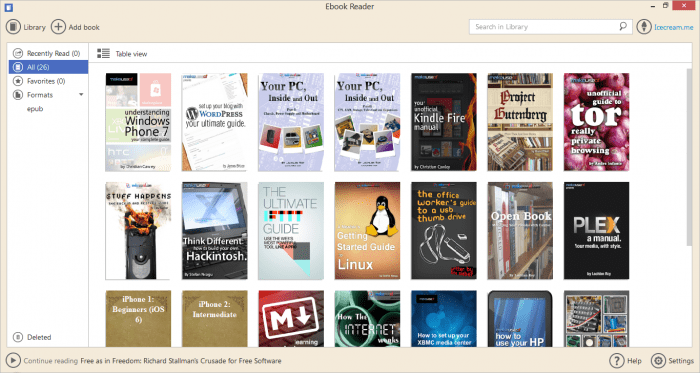
Icecream apps introduce themselves with the tagline ‘free and tasty software’. The epub reader windows 10 software which they have designed is completely free and very easy to use. It levels up your reading experience with its simple and easy to use interface. This EPub reader has a good presentation aon with some interesting features.
This epub reader windows 10 supports ebooks in the format of EPUB, FB2, MOBI, PDF, CBR, CBZ and TXT. You can manage your ebook collection in FB2, EPUB, PDF, MOBI and other additional formats. Just like a physical book, you can check out the number of pages you have left to read and go back to the page where you paused reading. Epub readers also have the facility to search the books by the name of the author or the title. One can add notes using the Annote tool or hightlight the desired text using this tool. Interestingly, you can transform your screen mode to full-screen, night mode or into book mode which will make your screen feel like an actual book.
This epub reader windows 10 software enables epub readers with many other features which surely makes it a tasty software in terms of the features you can use. You might want to give this a try!
Compatibility: Windows 10, 8.1, 8, 7 and Windows Vista
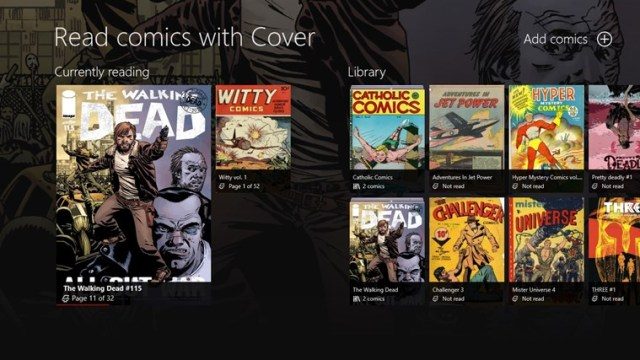
Cover epub reader windows 10 was originally designed for reading comic books on your Windows desktop. Since, this application supports epub formats it paved its way to this list. Most importantly, since this epub reader windows 10 is designed to read comics it can easily support reading books with high-quality images. The other EPub readers can take up image containing ebooks but not as positively as Cover can.
However, epub readers have to install the comic books or regular from the sites and then import it to the application to read them. It does not provide a direct access to download ebooks/comics. It has a beautiful UI which epub readers will surely enjoy. Cover epub reader windows 10 supports a variety of file formats and can be connected to Dropbox and OneDrive. Moreover, it synchronizes with your folder or drive in order to keep your eBook collection updated. It features many other features like detailed ebook library management, reading at your comfort with the flexibility to change settings like single/dual page, cropping, fit width/height/page, background color, night mode etc.
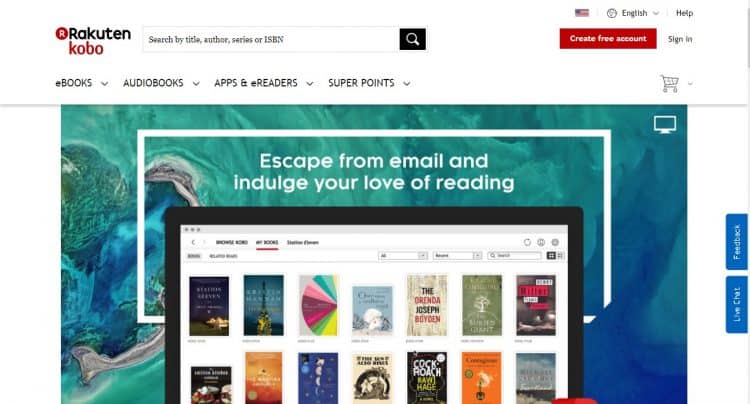
Kobo epub reader windows 10 is a bit similar to Kindle. This company has its own ebooks reading tablet similar to Kindle. However, Kindle has its own limitations of supporting Epub. Whereas, Kobo supports both the EPub and EPUB 3 formats. You can purchase and read your favourite eBooks utilizing this application. This application encourages you to read from where you left. Epub readers can search their desired EBooks using titles, author, series or ISBN. Moreover you can save your storage space and still manage your ebook collection with ease. Epub readers have the option to customise their reading comforts by setting up font size, font style, margins, adjusting the spacing as per their interests, etc.
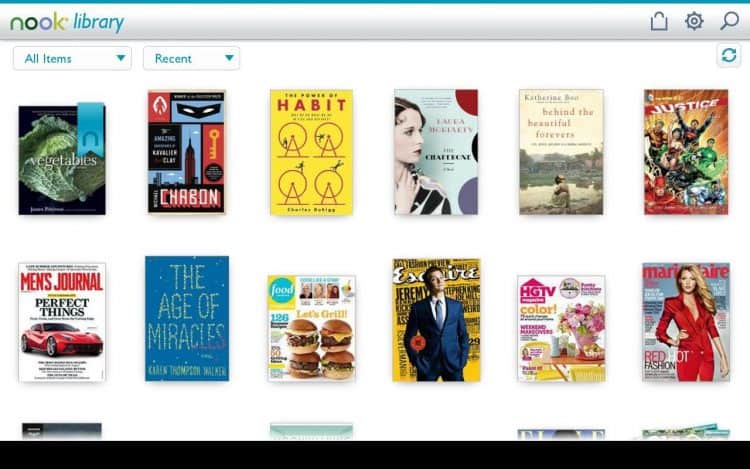
Nook epub reader windows 10 is developed by the bestsellers Barnes and Nobles. Just like Kobo, you can buy and read your eBooks with this epub reader windows 10 application. This app features a section called ‘B&N readouts’ where epub readers can read one chapter everyday from the book the app showcases. You can also customize your reading space by adjusting font sizes, margins, line spacing, background color, etc. Nook epub reader windows 10 is inclusive of features like adding notes, bookmarks, and highlights as you read and sharing the favourite highlights with your friends on social media. Managing your eBook collection according to your way; customized library management is also available. You can avail many more feature using this application which will surely hep your enhance your reading experience.
Compatibility: Windows 10,8.1,(x86), Android and iOS
Bibliovore is another epub reader windows 10 which is free to download and exceptionally good in its work. It is a just like a regular EPUB reader and your library manager. This reader has some real good skills for organizing even a large collection of eBooks. You can throw as many as eBooks in it, it will not disappoint you! You can access features like editing the metadata, day/night mode for reading, reading themes can be managed, moreover it can synchronise with all the books in your devices using OneDrive form this epub reader windows 10.
Supported Platforms: Windows 10, 8.1, 8 (x86, x64)
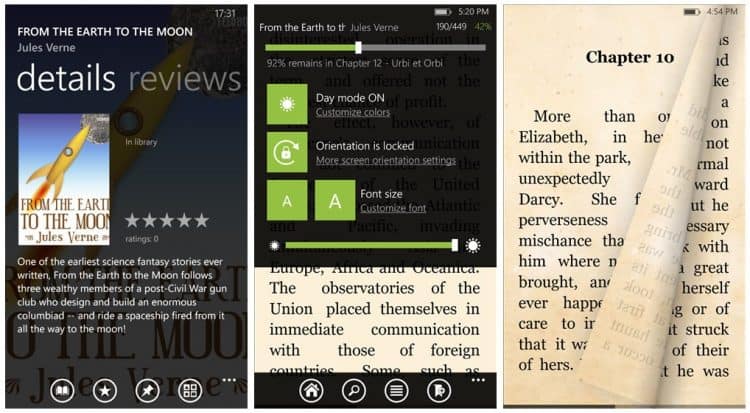
Bookviser epub reader windows 10 is actually a wise eBook reader. If you are looking for an app which gives you the feeling of traditional way of reading the book (reading a physical book), then Bookviser is a great choice. This epub reader windows 10 has been designed in a manner which will not make you miss a book in your hand while reading. If you don’t mind having a normal epub reader then you can change the settings and enjoy it your way. Bookviser allows you to download free classics from Feedbooks, Project Gutenberg, and Smashwords, similar to Freda. The other features of epub reader windows 10 are progress tracking (you can check the number of pages left to read and continue reading from the place you stopped), support for dictionary, themes can be set, etc.
Compatibility: Windows 10, 8.1, 8 (ARM, x86, x64), Windows Phone
This epub reader windows 10 is a paid application. It is pretty easy to read eBooks on Windows desktop using this reader. It assists epub readers to download ebooks from personal and preconfigured sources, easy to manage your collection, keeps track of your reading progress, and many others. It has a unique ability which allows you to transfer the whole library to a SD card or OneDrive. It doesn’t let your storage space clog. You can easily store a large number of books without being worried about the storage space.
Today we will talk about 10 must-have gadgets if you are travelling to Costa Rica. But first, let us discuss Costa Rica and the climate in Costa Rica. Costa Rica is a country famous tourist destination and an amazing country to visit. So if you are travelling to Costa Rica.
We have collected 10 best gadgets that will make you happy to have them with you are travelling to Costa Rica.
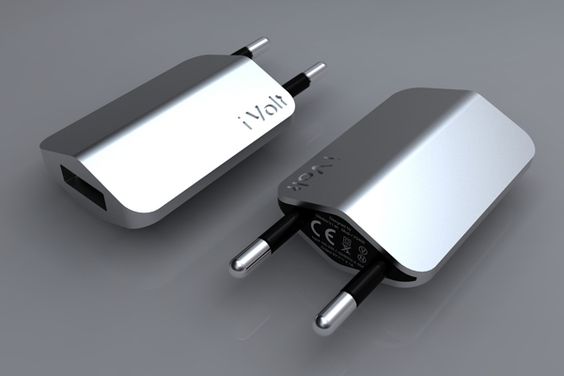
Power adapter:
For all European and Asian travellers, this is a very useful and important thing that you should carry. If you carry this small and useful gadget then you don’t have to worry much. This power adapter gadget is very much useful for them who don’t only travel to Costa Rica but also to the other international countries. For all these travellers power adapter is really an important thing and they should keep it with themselves with exchangeable plugs of all kind of sockets available in the world. All the travellers must keep an appropriate power adapter with them since it is really very useful for everyone and especially for travellers.
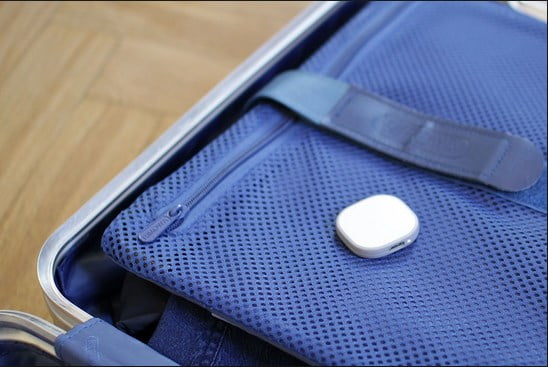
Magpie :
This is a very interesting gadget which will help you to locate your way through google maps. This device is rechargeable, waterproof, having GPS Tracker, attachable by a pin, accelerometer, and durable design. This is one of the smartest GPS tracker devices in the market. You will be able to see or get every information on your smart-phone.
Belt bag with GPS Tracker:
This is another important backpacker gadget that you should carry with yourself. The most interesting part is that this belt bag is available with GPS Tracker and the GPS will only work with the help of wifi or else you have to connect it with your mobile data. While travelling to such places you must think about safety, because safety comes first. So you must think about buying a belt bag because in this belt bag you will be able to keep all your important belongings like passport, credit cards, and phone. Belt bag with GPS Tracker will help you to get the route and you will be able to see how much time it will take to reach your destination. Though Costa Rica is a safe place but still, because of your safety you must keep this belt bag with you and put all your important belongings in that bag. Belt bags that are used for travelling are very thin and light, even you won’t be able to see it if it is lying under the clothes.
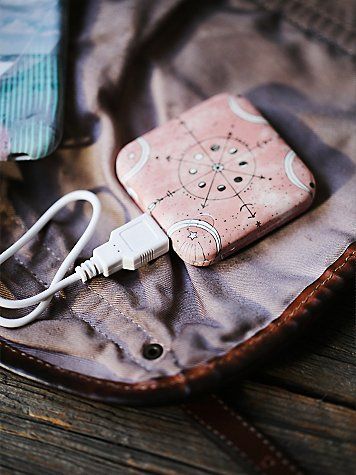
Power Bank:
Now, this is another important gadget that you should keep with you. And especially if you are travelling to places like Costa Rica. Because in this kind of places you have to travel for hours on buses or in cars, so in this case, your phone or camera may run in low battery which will create a problem for you. So you should always keep a power bank with you which is really a very important gadget nowadays. Even there are some places where you have to stay without electricity, so in this kind of places, a power bank is really a very useful and important thing.
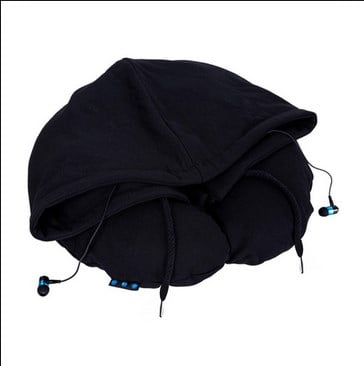
Neck pillow with Bluetooth headset:
This is another important thing which you should carry if you are travelling to Costa Rica because in this kind of places you have to travel for hours in boats, buses, and cars and may fall asleep while travelling so carrying a neck pillow while travelling will give you a relaxing journey and prevent you from stick neck. The most interesting part in this neck pillow is that it is available with a Bluetooth headset along with it and you will be able to listen to all your favourite songs or else you will be able to talk with your close one with the help of this gadget. You just need to connect the Bluetooth to your phone.
Drinking bottle with embedded mixer:
This is another important thing that you should carry with you. You should always carry a refillable water bottle cum juicer with embedded mixer. In Costa Rica, you will generally get tap water to drink, but still, you should always carry a bottle with you because everywhere you won’t get water to drink. The water bottle cum mixer can be filled with cut fruits which can be made into a smoothie any kind you want.
E-book reader:
Now, this is a very important gadget that you should always keep with yourself. In this kind of international countries, you have to travel a lot and even for hours. So there are high chances that you will get bored while travelling so if you love to read books then you will be able to read your favourite book while travelling.
Waterproof camera:
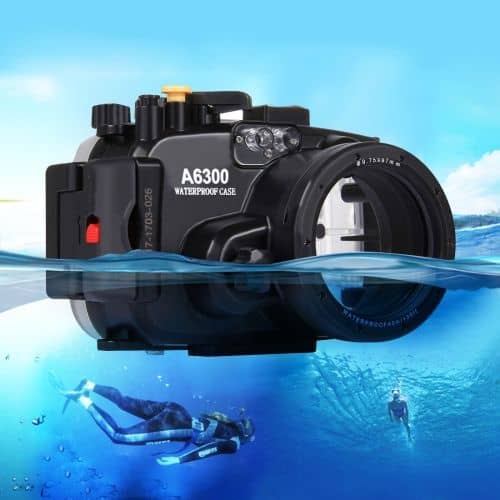
A waterproof camera is really a very important gadget if you are travelling to Costa Rica because it is obvious that you will go for swimming in the Pacific Ocean and over there you will love to take photos underwater. So for that, you need a waterproof camera which is extremely useful.
Sunglasses:
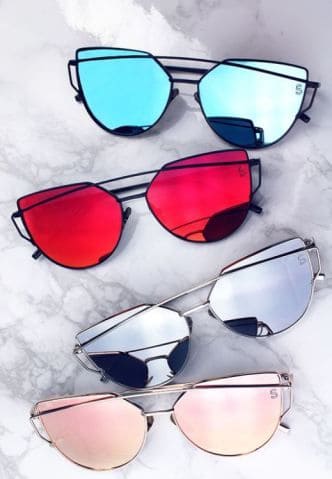
While travelling you should carry cheap sunglasses because you may dive in the water-wearing the sunglasses or even if you keep it on the beach it may get robbed, so even if it is lost or damaged you don’t have to worry or feel bad.
Neckpacker:
This is a very interesting thing which you should carry with yourself while travelling. This is basically a jacket where you will be able to keep a Laptab, your phone, power bank, power adapter and a water bottle. This is a very useful thing which will help you while travelling. Even it is having a patented hoody by which you will be able to cover your face if you fall asleep while travelling and this will make your trip a comfortable one.
Bug spray:
This is a very important thing that you should carry with you if you are travelling to Costa Rica because Costa Rica is full of mosquitoes and bugs during day and night. So before going to Costa Rica, you must carry a bug spray.
Conclusion:
So here we have discussed 10 must-have gadgets if you are travelling to Costa Rica. These are a few important things that you must keep in mind.
Asus Zenfone Max Pro M1, a cell phone that just recently released in partnership with the e-commerce portal Flipkart is now officially on the verge of launch. The Taiwanese electronics mammoth has propelled the cell phone solely on Flipkart for a beginning cost 10,999 rupees. The Zenfone Max Pro M1 went on its first major deal on 3rd May and accompanies an early on offer called ‘Flipkart Complete Protection’ for a fair of price of Rs 49. This likewise accompanies offers that go up till Rs 3,200 from Vodafone India, offering data benefits.
The Zenfone Max Pro M1 has two stockpiling variations – 32GB RAM model with 3GB capacity and 64GB RAM model with 4GB capacity. The 3GB variant comes at 10,999 rupees and the 4GB variant comes at 12,999 rupees. Asus additionally plans to present a variation with 6GB RAM along with a refreshed camera at Rs 14,999 in its later stage. Amid the occasion, Asus influenced various comparison reviews with Xiaomi’s Redmi Note 5 Pro, Asus’s immediate rival as it has been a standout amongst the most popular smart phone in the 15,000 value section. Along these lines, right away, we should look at the two phones and perceive how they compete against one another.
Display and Design
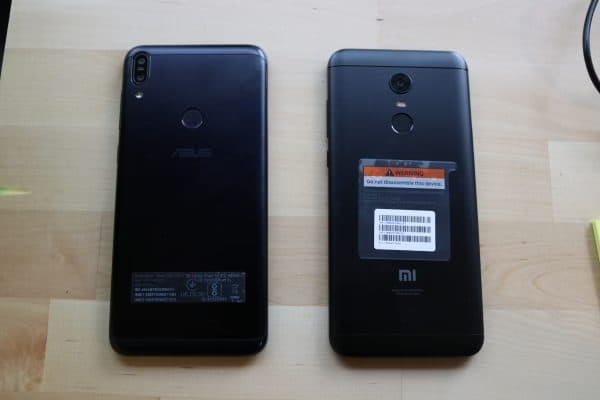
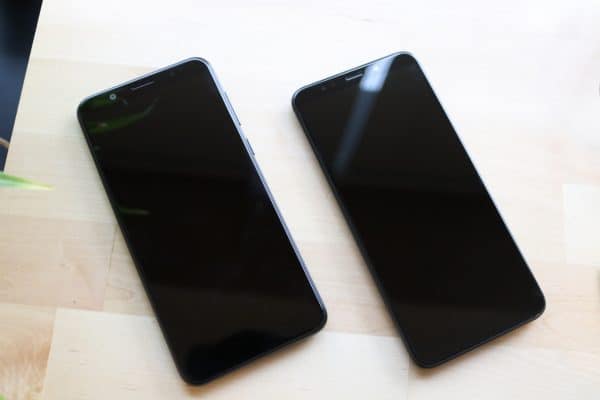
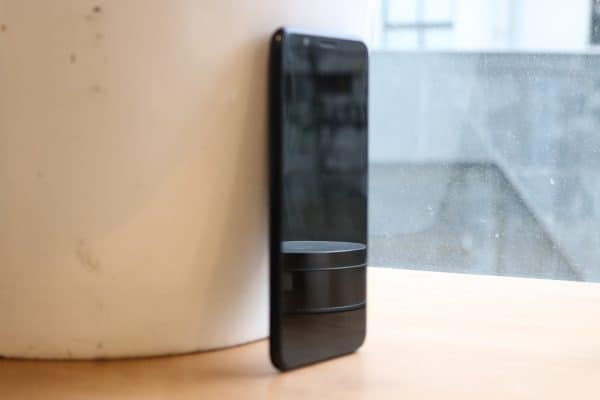
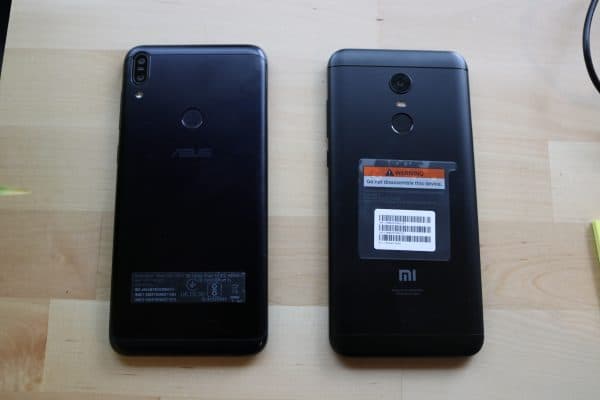
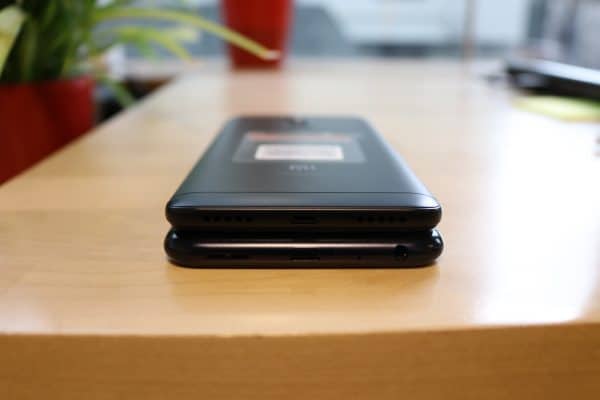
Both Redmi Note 5 Pro and Zenfone Max Pro M1 comes with a 5.99-inch display screen, a Full HD+ resolution (2160×1080 pixels) and supports taller aspect ratio of 18:9. Both the gadgets include a metal uni-body packaging, yet Asus has its camera that resides at the level of the phone itself as opposed to that of the Redmi Note 5 Pro. Overall, the exterior look and feel does not have any grave difference at one look.
Both the cell phones highlight double back camera setup, yet Asus Zenfone Max Pro M1 has the flush of the camera with its body. It weighs 180 grams, while the Note 5 weighs 181 grams notwithstanding a battery smaller than Zenfone. The Zenfone Max Pro has two shading choices, namely Midnight Black or Gray and the Redmi Note 5 Pro comes in rose gold, blue, black and gold hues.
Specifications
The place the distinction between the Redmi Note 5 Pro and Zenfone Max Pro M1 is the most intriguing. Redmi Note 5 Pro has two variations – 4GB RAM variation with 64GB capacity and a 6GB RAM with 64GB of capacity. The Zenfone Max Pro M1, then again, accompanies 4GB or 3GB of capacity and 64GB or 32GB of inner storage capacities. Be that as it may, they are both controlled by Qualcomm Snapdragon 636 SoC, the octa-center CPU and Kryo 260 bunch and power-proficient 14nm design.
At the occasion, Asus asserted that Zenfone Max Pro M1 has a capability 1.54 times more than Redmi Note 5 Pro, in spite of utilizing similar chipset and having a lesser internal memory. Obviously, we cannot take Asus as it is without doing unbiased testing; however Android stock supporting the phone may help boost its overall performance. The Zenfone Max Pro M1 is the principal cell phone from Asus to use the Android 8.1 version and the organization is promising software updates the fastest. The Redmi Note 5 Pro, then again, uses MIUI 9 of the Android Nougat that is not the most recent however offers numerous customization which Xiaomi clients inevitably wind up loving.
Another real difference between these two gadgets is the reality the Zenfone Max Pro M1 has a bigger 5,000mAh battery and Redmi Note 5 Pro has a 4,000mAh battery. The stock Android support, control productive processor and extensive battery should imply that Zenfone Max Pro M1 has a better overall performance than the Redmi Note 5 Pro.
Asus is likewise intending to dispatch a variation with 6GB RAM that is expected to pit an aggressive competition against what Xiaomi’s has to offer, at least for now.
Camera
Now, the opinions on camera and picture quality depend on how the user utilizes the features. Asus’s Zenfone Max Pro M1 includes a double back camera with an amalgamation of 13 mp and 5 mp picture sensors. Redmi’s Note 5 Pro is practically identical in this category with a mix of 12 mp and 5 mp sensors. Xiaomi utilizes refreshed Sony IMX picture sensors and it the same on Asus’s part is still under speculation for the Zenfone Max Pro M1.
The Redmi Note 5 Pro has awed with its imaging capacity, particularly keeping in mind its cost. For the front camera, in any case, Redmi’s Note 5 Pro may score a little higher with its high-resolution 20-mp camera against Zenfone Max Pro M1’s 8 mp shooter.
Valuing
The Zenfone Max Pro M1 is valued at 10,999 rupees for its 3GB RAM variation and the 4GB RAM variation is kept at 12,999 rupees. The Redmi Note 5 Pro is evaluated at 13,999 rupees for the 4GB RAM variation with 64GB capacity and 16,999 rupees for the 6GB RAM variation with 64GB of capacity. Asus unquestionably undermines Redmi Note 5 Pro in estimating; however, Asus still have a long way to go to make their space bigger in the Indian electronics market and as an obvious choice for smartphone users to invest in.
Verdict
Up until now, the evaluations are useful for these two specific models, particularly in light of the value run. With the camera quality and battery life a still under hot speculations regarding which is better, the accomplishment really is a stand out for both Redmi Note 5 and the Asus Zenfone Max Pro M1. The reasonable pricing and the features and the highlights are in close vicinity to each other.
In this overall heads-on competition and as an unbiased reviewer, both phones are almost at the same place in ranking. However, the only concern hangs around the fact that Asus still has a long way to develop its customer base as opposed to Redmi’s already steady circle of thousands of trusted buyers. The run is close and only time will render its true winner.
Businesses typically incorporate the use of banners in an effort to bring attention to the company or a specific event taking place within the organization. Depending on the size, graphics, and color, the sign is an instant visual that allows a business to stand out in the crowd. And using a banner to advertise provides a broad range of benefits.
The signs offer a cost-effective means for marketing a brand or a particular occasion, and they boast as simple to manufacture via banner printing. The installation process is not complicated as they are lightweight yet durable so that they can be used either inside or outside, and portability allows moving them to a variety of different locations if necessary. An added advantage is the many materials that can be selected to construct the signage. But choosing may prove daunting.
Types of Materials For Banners
Banners have a multitude of purposes and construction using a wide range of materials. It can make selecting the right option challenging if you’re not versed in each and which would serve your needs more suitably. Whether you consider fabric, vinyl, or mesh, each offers numerous ways to be showcased as well as great versatility and durability. It’s vital to educate on which will maximize your display quality to allow bold accentuation for the company or the intended event.
** The Vinyl Banner
The most common and durable of those used for outdoor displays are the vinyl options. With heavier vinyl, you will, of course, have more exceptional durability. The suggestion is that material consisting of 13 oz. (0.49 kg) weight is the most often used for a display that stays up each day. With vinyl, you have an extraordinary quality of image and versatility for display. The appearance is that of semi-gloss for which is emphasized with light shining on the material, meaning it’s not wise to place these directly in light to avoid glare. Visible glare will distract from the design keeping consumers from getting the brand’s message or the details for upcoming business promotions. To learn more about how vinyl banners help with marketing go to https://huffpost.com/entry/vinyl-banners-they-help-m_b_8179140.
Because this type of material will be more substantial than that of a mesh or a fabric option, there is a suggestion for grommets to taut the sign as it hangs, particularly with those more significant in size. Other display options creatively taken include suspending using pole pockets or using a rope.
** The Fabric Banner
With this type of material, the concept is aesthetics and functionality, as the presentation is typically a high-quality, incredibly printed image. The fabric is generally a lightweight polyester enabling the incredible function in addition to the portability and simple display capability. Placement in direct line with a window or lighting causes illumination of light through the slightly transparent fabric. Ideally, these should be displayed inside, but you can showcase it outdoors, preferably if doing so on clear days. Extreme weather conditions are not a good idea for any of the banners.
Usually, a fabric option will hang from an awning or the ceiling inside in a professional atmosphere many times using grommets as with the vinyl or a pole.
** The Mesh Banner
Decreased weight and passing wind and light coming through with the mesh construction, while the design quality remains intact, signifies this design. As would be expected due to the nature, considering the tiny holes, graphics and coloring will likely be seen as more muted or fairer than compared to its counterparts. A banner of this type makes a substantial impact from a distance, making them ideal for placement outdoors. They are suited for the exterior as they tout being wind resistant and offer a semi-transparent accent. They note to be extraordinarily functional and durable.
In displaying a mesh option, most often, they go on chain link fences, which prove to be the ideal backdrop for the semi-transparent mesh pattern. The image can clearly stand out, so the brand’s statement is clear from a distance while the near sheerness of the material keeps the background visible behind the sign.
Hanging the mesh banner on a fence row would likely require, again, grommets with the use of either zip ties or ropes to enable it to be pulled tight.
Summary
Primarily in this day and age, marketing has gone digital, and technology has advanced significantly. But banner printing and display is an effective promotional tool to add to your marketing arsenal in an effort to get a stand-out message across to your target audience.
Incredibly, they are available in your choice of fabrics, multiple sizes, and are suitable for a large variety of uses. Whether deciding on a large scale for the exterior over the entrance of your business to announce its opening or strategizing to use a small version for those who pass by missing the bigger one, you can ensure that one or the other will catch the consumer’s eye. Read for benefits for vinyl versions.
A banner is a reusable tool that you will have throughout the years, so it’s important to create yours thoughtfully so that it can benefit you repetitively, particularly if you plan to incorporate regular events into your business. Many companies have started using these as a means to display their moniker above the front entrance of their business for accentuation. It’s not important whether your message is simplistic in just capturing attention or promotional for a particular product or critical for marketing a startup. In essence, a banner is a cost-effective marketing concept.

![20 Amazing Rainmeter Skins [Latest Updated List]](https://techgyo.com/wp-content/uploads/2018/04/Enigma-e1523631870159.avif "20 Amazing Rainmeter Skins [Latest Updated List]")