Most common antivirus software products, especially Avast and AVG have two methods of recognizing whether a file is a malware/virus or not. They do that by following a predefined list of viruses and malware if the name of a file is exactly the same as that of a predefined malware or virus then they are sure that’s a virus and will be removed. Another way is to assign a reputation score to files and if the file does not meet the reputation score then that file is assigned a tag- it may be a virus or it may not be a virus, we cannot tell for sure.
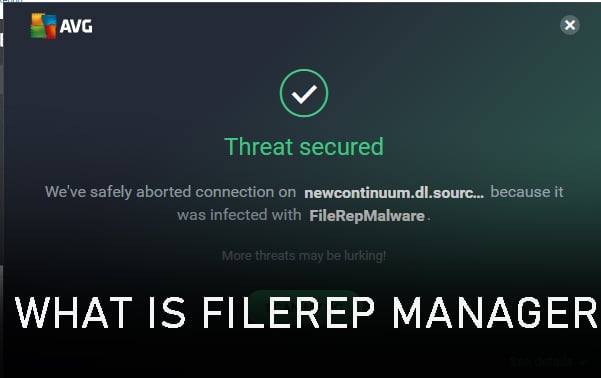
So what files are these? These are files associated with recently created websites or recent software or applications that are not yet whitelisted, and one such file is FileRepMalware on Windows OS. So how do you check whether it’s malware or not and should you remove it?
What Is FileRepMalware?
To put it simply, FileRepMalware is a tag associated with 3rd party antiviruses to assign to a file, the most common adware is KMSPICO tool which is used for activating Windows without actually having to pay for it. This antivirus will assign the tag to software it finds suspicious.
Is FileRepMalware An Actual Threat?
Several third-party antivirus suites have been known to identify this file as unusual, however, this does not imply that the danger is real. When it comes to analyzing files that are allegedly contaminated with the FileRepMalware virus, Avast and AVG are renowned for generating numerous false positives.
When not many Avast customers have downloaded, installed, or utilized a file, Avast will give the FileRepMalware tag as a warning. So, while it doesn’t tell you anything about how hazardous the file is, it does tell you how popular it is among other people.
If you suspect a false positive, the easiest approach to evaluate whether the threat is genuine is to upload the file to VirusTotal. This malware aggregator will run the suspicious file across 50+ malware scanners to determine whether it is infected.
Visit https://www.virustotal.com/gui/home/uploa and click on ‘Choose File’, upload the file you want to check for malware, and wait for the software to show results.
Is FileRepMalware Harmful?
Simply because an antivirus tool identifies a file as suspicious does not guarantee it is. When examining files that may contain the FileRepMalware malware, AVG and Avast are infamous for producing numerous false positives.
If just a few people have downloaded, installed, or utilized a file, Avast will designate it as FileRepMalware as a warning. This informs you how popular (or not) a file is, but it doesn’t tell you anything about its safety.
Unless this tag is assigned, it is possible that it is because the file has a low reputation score. This can happen while using cracked software, but it can also happen when using a genuine file.
How To Remove FileRepMalware?
If somehow the VirusTotal scan indicated that the file is a genuine security threat and not a false positive, you should take the necessary actions to thoroughly eradicate the virus infection. This will necessitate the use of a trustworthy security scanner.
The first thing to do would be update your antivirus. Whenever a file is incorrectly tagged with FileRepMalware, it will be whitelisted in the following update. As a result, the false positive will not appear again.
When a new file is erroneously tagged with FileRepMalware, the following security update will often whitelist the file, ensuring that the false positive does not occur again.
Avast and AVG will both automatically update anytime a fresh viral database signature become available. However, a manual user change or another 3rd party program may prevent this functionality from being used. If your AV client does not update automatically, go to this site: Avast for avast or AVG for AVG to upgrade your security suite to the most recent version.
If you still get false positives with FileRepMalware after upgrading the virus signature version to the most recent version, switching to a different antivirus suite is a fast fix. Better still, remove the existing third-party security package and begin utilizing the built-in security suite (Windows Defender).
Mouse acceleration, a feature that is turned on by default on the Windows 10 PC. While it can be essential in most cases, turning it off can be useful to some users, especially gamers. Disabling it can make your mouse movements more consistent and precise while gaming, in fact, pros recommend turning off mouse acceleration while gaming to get better results and ranking. This is why we’re here to save your day, in this article we give you a step-by-step explanation of how you can turn on the mouse acceleration on your Windows and Mac system.
What Is Mouse Acceleration And Why Should You Keep It Off?
Before diving into how you can disable mouse acceleration, it’s important to understand what exactly is it. Mouse acceleration is a method that makes your mouse more efficient to operate. When you move your mouse quickly, it moves the pointer a bit further. In other words, the faster you move your mouse over the screen, the farther it travels.
This function is beneficial for making the most of a tiny mouse space, but it might be harmful to activities requiring precise mouse movements, such as gaming. By disabling mouse acceleration, your mouse and pointer will travel at a 1:1 ratio with no regard for speed. In essence, this increased consistency helps you to better develop your muscle memory. For this reason, most expert gamers disable mouse acceleration to get more pointer precision in their games like far cry, Pubg-G, COD, etc.
Operating Systems
Windows 10
Mac
How To Turn Off Mouse Acceleration In Windows?
Turning off mouse acceleration in Windows is quite simple and you can turn it on or off according to your comfort. Here’s a step-by-step process on how you can do it:
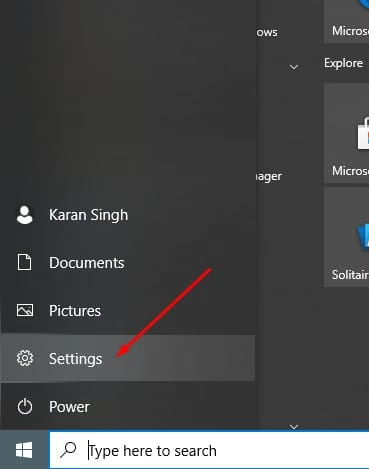
Step 1: Go to the windows start menu
Step 2: Click on ‘Settings’
Step 3: In the windows settings, go to Devices
Step 4: Under Devices click on the ‘Mouse’ tab.
Step 5: Go to ‘Additional Mouse’ settings under the ‘Related’ settings section.
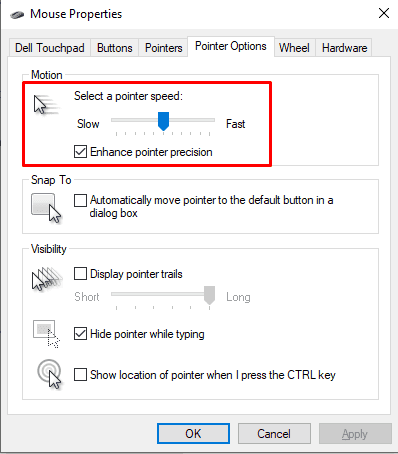
Step 6: Uncheck the ‘Enhance Pointer Precision’ box under the Pointers option tab.
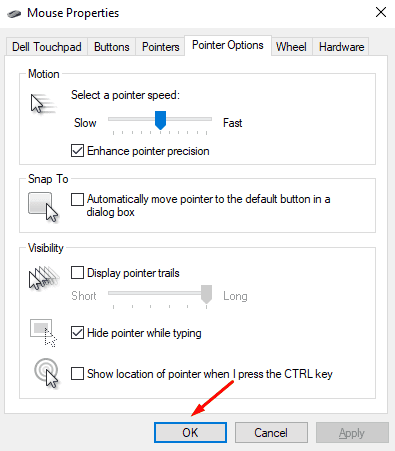
Step 7: Click on ‘OK’ to make the changes.
How To Turn Off Mouse Acceleration In Mac?
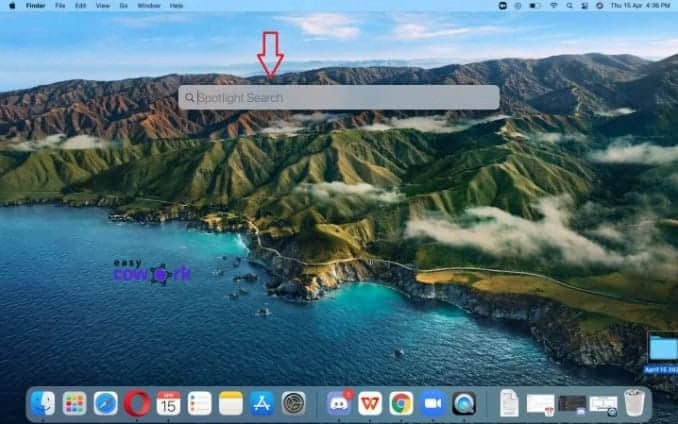
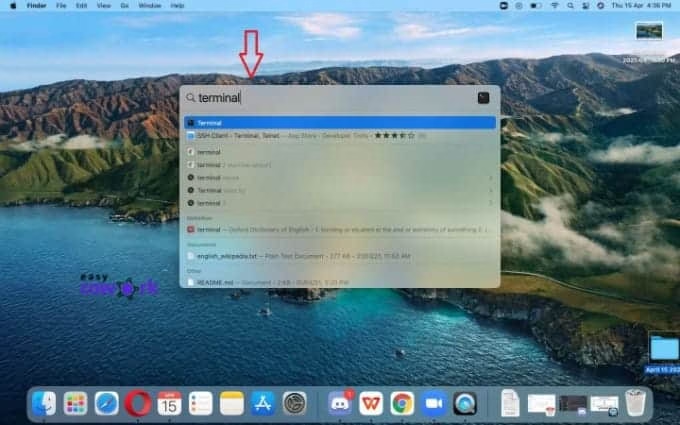
Step 1: Press Command + Space
Step 2: Type Terminals
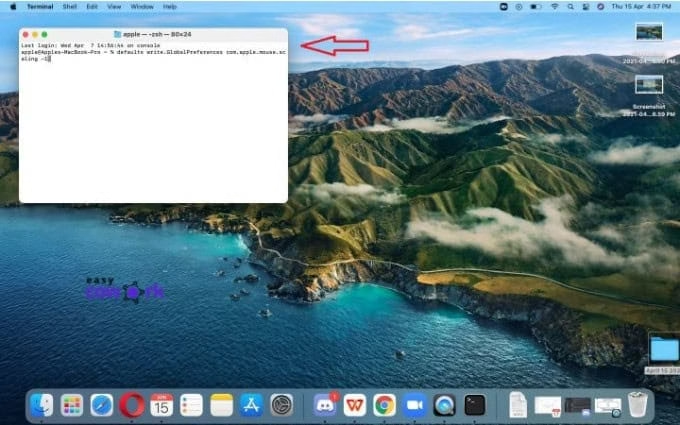
Step 3: Copy the following command into the terminal: defaults write.GlobalPreferences com.apple.mouse.scaling -1
Step 4: Hit Enter
Step 5: Exit or Close Terminal
Alternate Ways To Aim Your Mouse Better
Other than turning off your mouse acceleration there are other ways to tweak your aim when it comes to cursor positioning. Firstly, find your perfect sensitivity. Because acceleration is no longer a factor, your mouse sensitivity is more constant. It is critical that you set it to a level over which you have complete control. This will vary based on how you hold your mouse and your own preferences. Watch this video to understand how you can do it:
Alternatively, changing your mouse pad could also help when it comes to aiming your cursor, Invest in a good mouse pad and make sure you have enough arm space to move around. Switching to a different mouse pad material like a plastic or aluminum one can also help.
Lastly, invest in a good mouse. If you’re using a mouse that is of bad standards then honestly the above-mentioned ways are of no use. There are plenty of amazing mouses on Amazon especially for gaming, consider having a look at them and plan which one you want to buy accordingly. Check out some of the best gaming mouses here: Gaming Mouse on Amazon
We hope this article gave you an insight on how mouse acceleration works and why you should turn it off, hopefully, your aim gets better in gaming and in life. Let us know in the comments section how turning off mouse acceleration has improved your gaming.
As a gamer, there are chances that you are interested in Virtual LAN gaming. Most of the games these days are designed with a local multiplayer suite so it lets you play with your friends online at any time. You can just connect your system to a LAN router and play with your friends. But what do you do if you’re away from your friends and cannot connect to the server? In that case, you can create your online server, which will require port forwarding and not everyone can pull that off. In such a scenario you make use of virtual LAN creators. The most used and popular one is Himachi.
What Is Himachi?
Himachi is a VPN client that is used to set up a Virtual Private Network, it can establish direct links between the computers.
Himachi has its own set of drawbacks, like:
A virtual LAN can only have 5 clients on a free account.
Users face a lot of lags and latency issues.
The ping can be as much as 100ms.
This calls in the need to look for alternatives to Himachi. In this article we bring to you the10 best alternatives to Himachi, so let’s dive right into it.
This is not a very well-known name, but it definitely is a great alternative to Himachi. It runs on all platforms and is great for creating your own Virtual LAN. ZeroTier comes with a free Android and iOS app and is open-source software. It has the features of the best VPN services and it super easy to use.
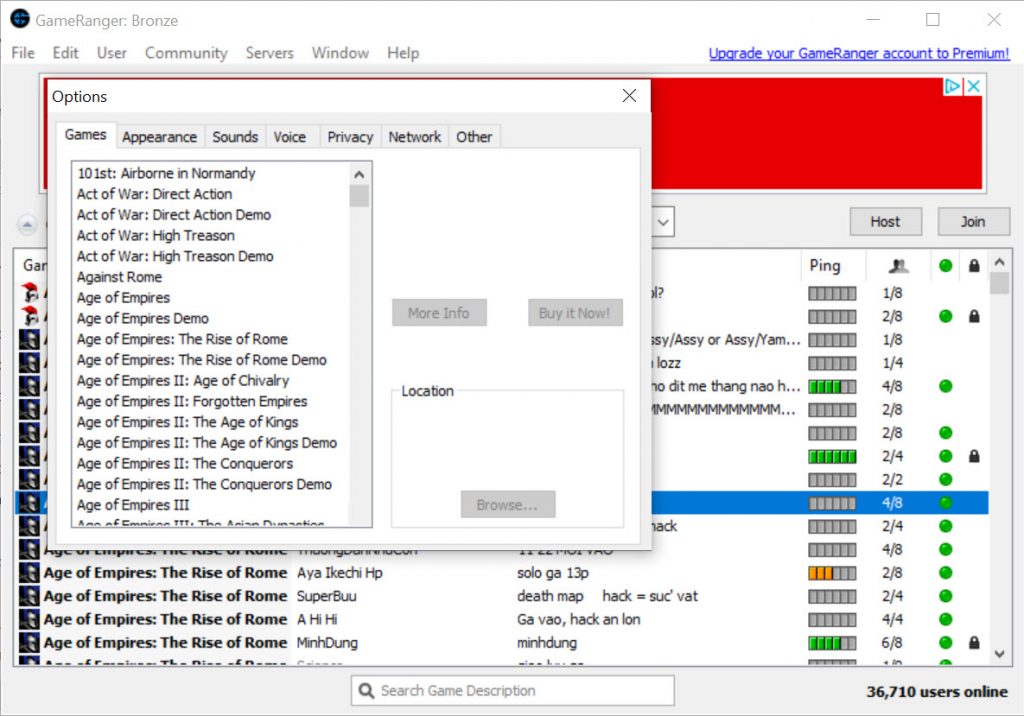
GameRanger is one of the most reliable and top alternatives to Himachi. Although the features that it offers are relatively lower, the security and reliability definitely make up for that. Unlike other virtual LAN gaming clients, GameRanger does not make use of other drivers to emulate LAN gaming, it does that internally using its own client.
Features:
Easy to use.
Unmatched security and reliability.
Works with a number of supported games.
Pricing:
The Bronze package is free of cost.
The Silver package starts at $19.95/year.
The Gold package starts at $39.95/year.
Platforms Available:
macOS, Windows, iOS, Android
3. Play Together
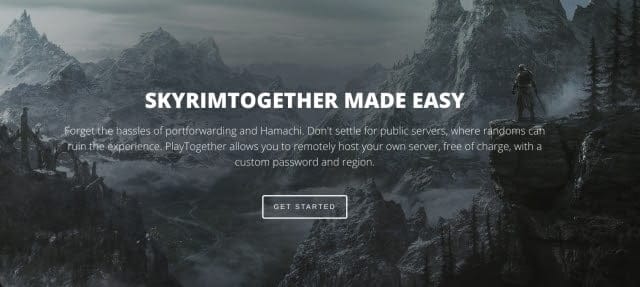
Play Together is another fantastic easy to use alternative to Himachi. As someone who plays games on a public server, it gives anyone the liberty to join your game and completely wreck it, and this is where Play Together comes into the picture- it lets you create your own private server and the host is free of cost. You can also password protect your server and create your own virtual LAN remotely which will be protected.
Software Ethernet aka SoftEther is an easy-to-use VPN software and is totally open-source. This alternative has a lot of features to offer and is very flexible. It uses full Ethernet frames to optimize performance and reduces memory copy operations.
Features:
Open source, cross-platform, and multi-protocol VPN client.
This himachi alternative lets you create a virtual LAN gaming server and will definitely improve the way you play video games. Unlike Himachi, this software has no latency issues and uses a peer-to-peer connection with NAT traversal.
This Himachi alternative is the best for those users who don’t like installing unnecessary bloatware on their systems. This software is completely free and open-source. The uses can register with a Gmail or a Jabber account since it accepts only these two.
Features:
Uses the WeOnlyDo wodVPN component.
The software’s size is just 2MB.
You can use it for any game that uses a local network.
FreeLAN is a very familiar application used by many to create your own private network. It is easy to use and as the name suggests, it’s free. It’s completely open-source and can be customized to create a network. The only downside is that you have to manually configure the free LAN as it has no GUI. The community support that this app offers is great.
Features:
Open-source software.
Offers topologies like client-server, peer-to-peer or hybrid.
NetOverNet is an easy-to-use yet very powerful tool. This is probably the best tool to host a private gaming session. This software lets you connect multiple devices over the internet and is more of a VPN emulator.
This software has been in the gaming industry for years now and there’s a reason why it made it to our top 10 list of Himachi alternatives. Evolve has a plethora of features and is the fastest-growing Virtual LAN for gaming.
Features:
Has a party-mode and matchmaking.
Includes live game streaming.
Users can text and chat while gaming.
The integrated live streaming lets you stream on major platforms like Facebook, YouTube and Twitch.
Pricing:
The software is free but users have to pay $4 for the party feature monthly.
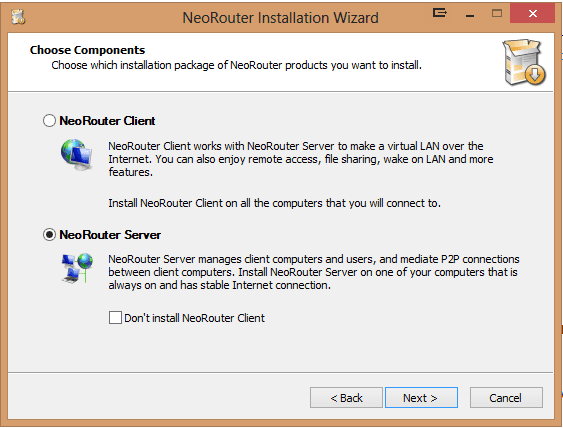
Last but not least- NeoRouter, is another great alternative to Himachi. This software is a zero setup VPN and lets you create private and public servers
Features:
Cross-platform, private server and allows customization.
Enhanced web protection.
Pricing:
The basic version is free.
The professional version starts at $99/month.
High portability and user profile.
Platforms Available:
Windows, Mac OS X/iOS, Linux, FreeBSD, Android, and switches firmware
This was about the top 10 Himachi alternatives. We hope this blog comes in handy to you and makes your multi-gaming user more awesome and enhanced. Of course, there are a variety of other alternatives to Himachi, but we have picked the top and the best ones to meet your needs when it comes to gaming.
Our life revolves around media in many forms like music, photos, videos, files, etc. We consume around 7.5 hours of media every day according to Statista. It’s no wonder that media takes up so much amount of time and naturally, media centers are where most of us store our files like movies, videos, or photos.
The ideal UI of such a media center should be easy and should be able to arrange your content in an efficient manner. But we all know the struggle of finding our files and media arranged accordingly or even worse, losing our media files. That being all the more reason to adopting a platform that will arrange all the media files for you in one place, like Plex.
What Is Plex?
Plex is a top-rated media server that software that stores all your media files like music, images, videos, movies in one place so you can easily access them at any time. Plex can also stream movies online from various OT platforms like Netflix, Amazon Prime, Hulu, etc. Additionally, it also lets you live stream games and music with our users. The user interface of Plex is pretty clean and intuitive, and also lets you share your media files with others. It also has features like live TV, TV shows, cloud plugins, parental control, etc.
That being said, there are various downsides to Plex and here’s why you should consider looking for Plex alternatives:
The mobile apps aren’t free.
The basic version is not of much use.
You need to buy the premium version to unlock all the features.
The Best Plex Alternatives
So, let’s look at some of the best alternatives to plex and compare their features and pricing to help you pick the right one for you.
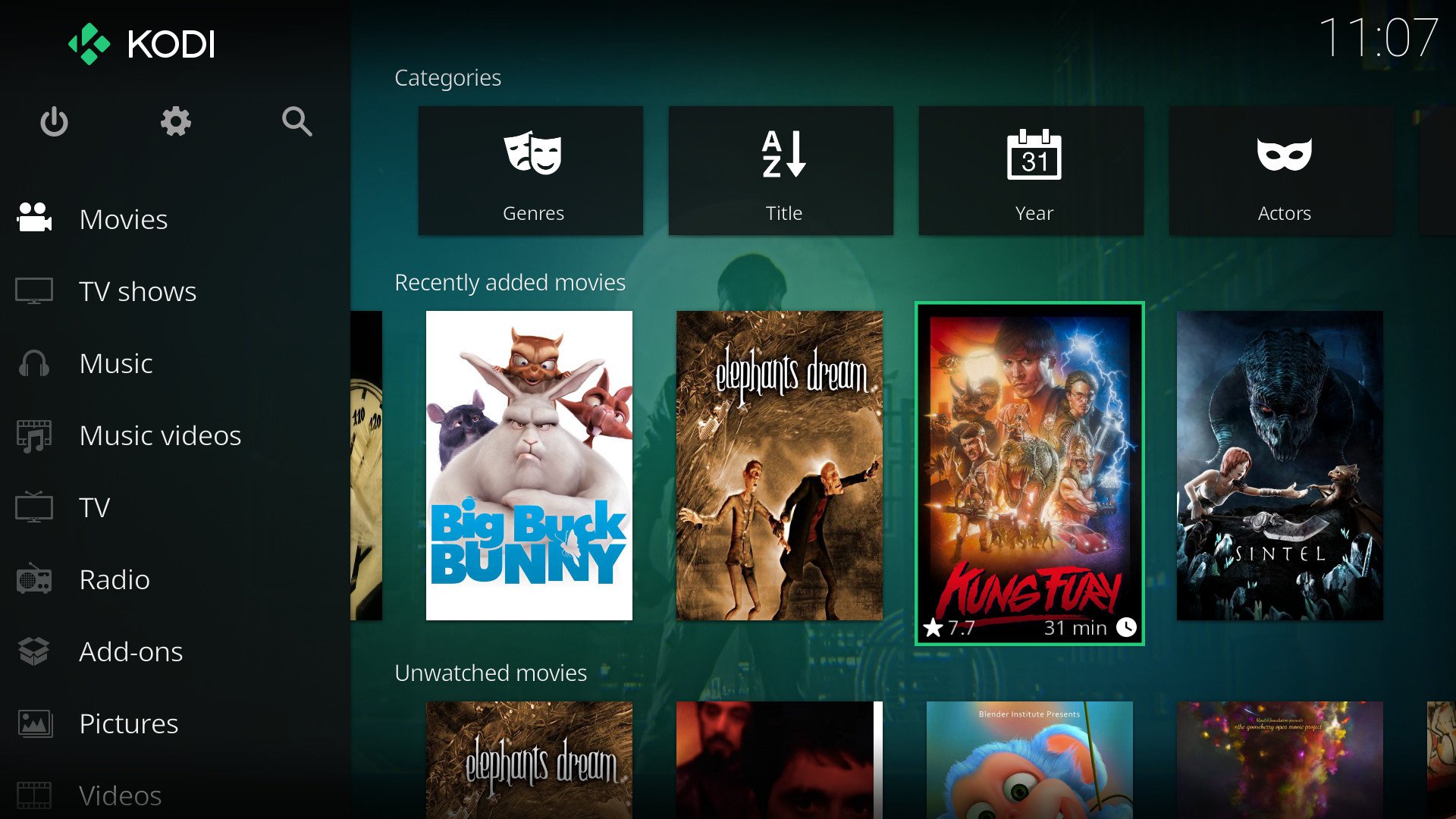
1. KODI
This software is the ultimate entertainment software and has gained a lot of popularity over the years. Kodi was mainly designed as a media player solution for the Microsoft Console Xbox. It works as an entertainment hub and a computer media player for all open platforms. Kodi is probably one of the best and free alternatives to Plex.
Features:
Lets you organize all your media content easily.
Supports various formats of audio, video, and image files.
Automatically retrieves metadata.
Platform independent software.
Users can select add-ons and personalize them.
Platforms Available:
Windows
macOS
Linux
iOS
Raspberry Pi
Amazon Fire TV
Android
Pricing:
The pricing starts at $5/month for a single stream on one device.
For streaming on three devices, it costs $8/month.
You can stream on up to 5 devices at $10/month.
2. Emby
Emby is one of the oldest alternatives to Plex, this software is an open-media solution provider. Arranging your media with Emby is quite easy and it has a plethora of features. The open-source server manages all your files and enables streaming.
Features:
Provides parental control
Has Alexa support
Comes with data protection features
Amazing cloud-syncing
Multi-platform assistance.
Platforms Available:
Windows
macOS
Android
Linux
Web
Roku
Apple TV
Android TV
NAS Devices
Pricing:
The monthly plan starts at $4.99/month
The yearly plan costs $54/year
The Lifetime plan costs $119/month
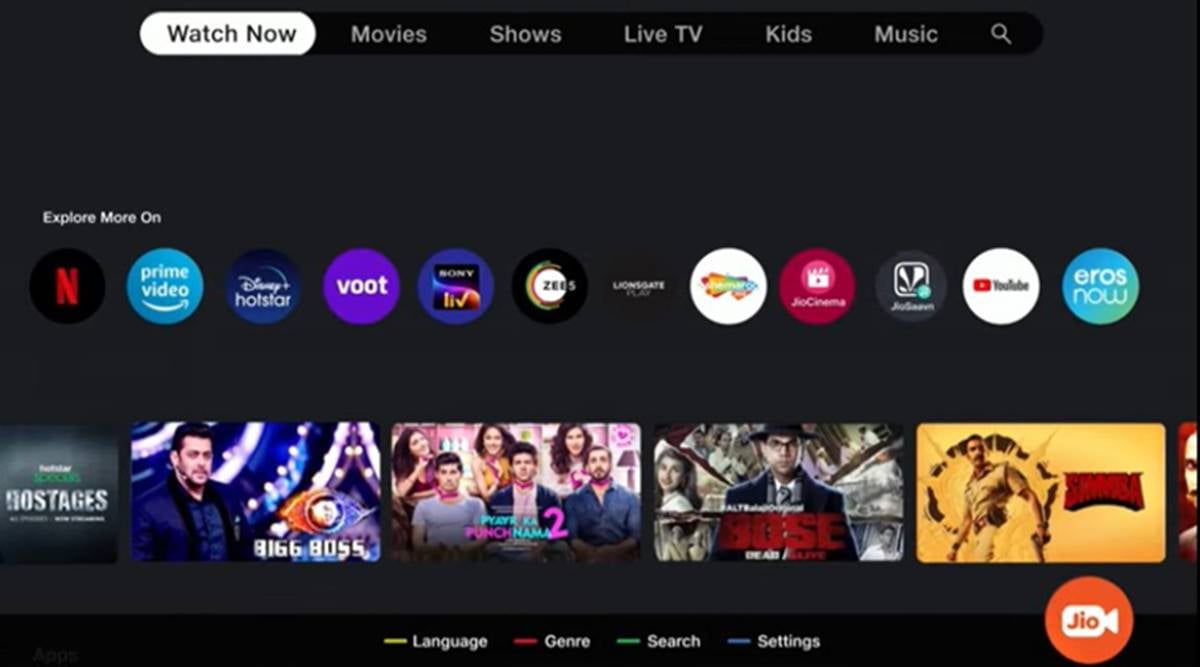
3. Jio TV
Jio Tv, which was launched in 2019 has more than 100 million downloads as of now. The best thing about this app is that it’s absolutely free. Jio TV supports over 1000 add-ons. To use this app you first have to install it on your phone to access it on your TV. Additionally, this app works on almost all hardware platforms.
Features:
Allows user customization Easy file organization Includes game-play fun utility, weather info, image decoder, and much more. Can be operated over the phone from a distance of 10 feet
Platforms Available:
Windows
macOS
Android
iOS
Linux
Raspberry Pi
Xbox
Amazon Fire TV
Pricing:
Free of cost
4. TVersity
TVersity, a freemium media server is one of the best alternatives to Plex in the market as you can stream personal and web media from your PC to your TV and mobile. It is a DLNA based server that automatically arranges your music, movies, and photos and making sure that your media collection is always updated and organized.
Features:
Lets you access your media remotely
Indexes your files automatically
Allows mirroring your PC screen
Includes command-line tools
Lets you access internet websites like Picasa, YouTube, and much more.
Platforms Available:
Windows
iOS
Android
Xbox
Roku
Chrome cast
Pricing:
The basic version is free
The Full version starts at $14.99/month
The Pro variant version starts at $24.99/month
5. Universal Media Server
Universal Media Server lets you stream your media to your devices such as TVs, smartphones, gaming consoles, computers, etc. It’s quite well-known software and has been in use for a while now.
Features:
Provides great privacy
Supports a plethora of devices
Comes with live subtitles
Online and streaming media feature
It is platform-independent
Supports various file formats
Platforms Available:
Windows
macOS
Linux
NAS Devices
Smart TVs
Pricing:
This software is free of cost.
6. Stremio
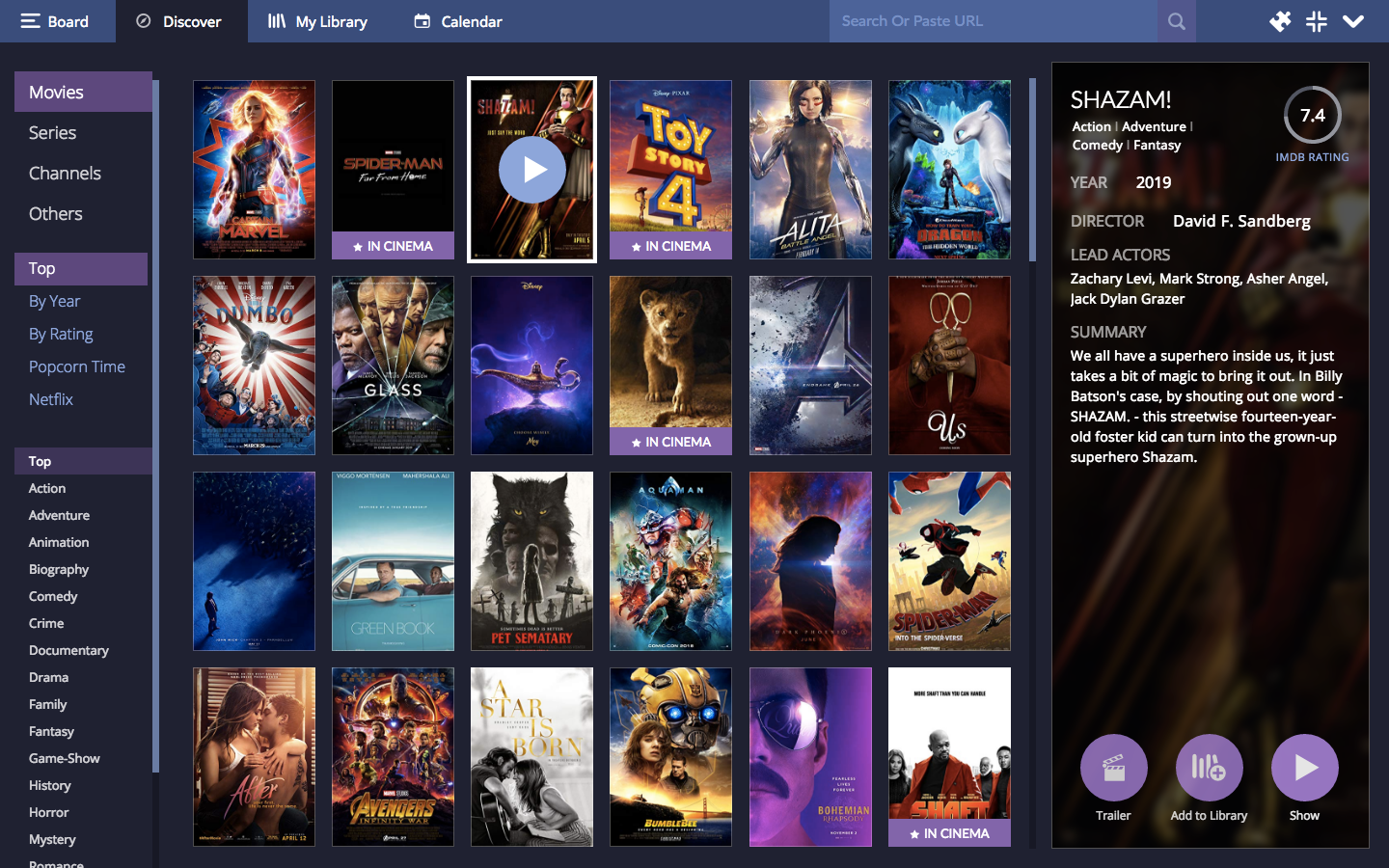
This open-source media center which was launched in 2015 as an alternative to Plex, focuses on arranging and organizing your video content and integrates various OT platforms like Netflix, Amazon Prime, etc. This software is quite easy to use and builds media libraries on your system.
Features:
Provides video-on-demand services.
Has an integrated calendar function that lets you keep track of movies
Intuitive and clean UI
good and affordable prices
Platforms Available:
Windows
macOS
Android
iOS
Linux
Pricing:
Has a free trial period of 30 days
The standard plan starts at €49/month
The premium version starts at €99/month
The Enterprise version starts at €199/month
The pro version starts at €499/month
7. MediaPortal
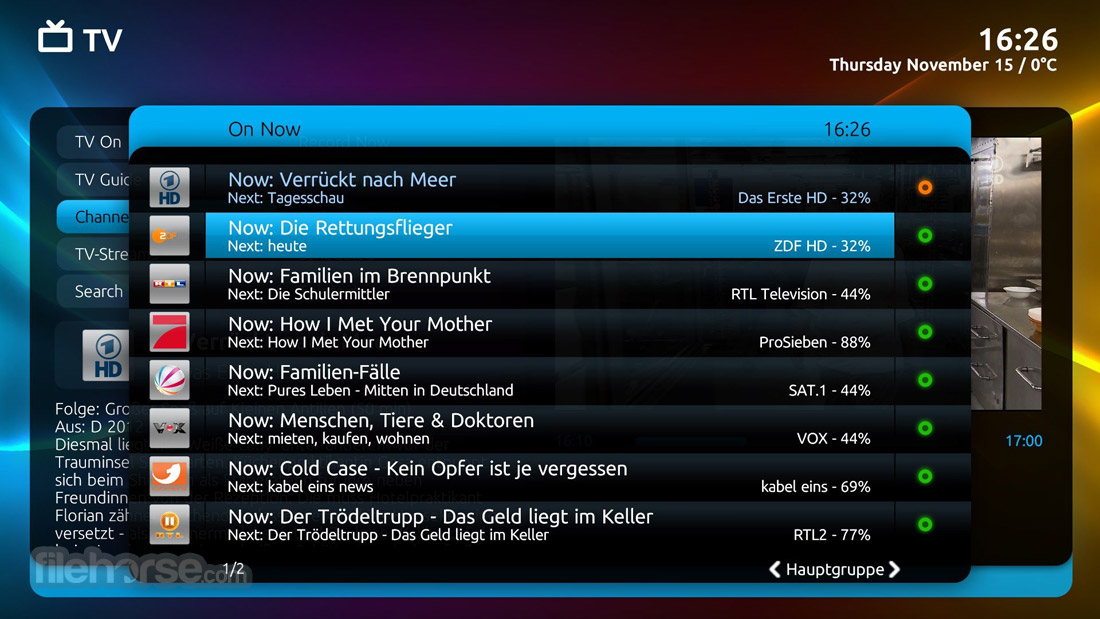
MediaPortal is another open-source media center and a great alternative to Plex that transforms your computer system into a media solution. This software is great if you have a lot of media files to handle. It runs on basic hardware and can be easily connected to your TV and displays your favorite movies in a much more dynamic way.
Features:
Comes with various media organizing tools
Lets you watch and schedule live TV for free
You can check the weather, time and much more.
with this software can listen to music and radio.
Provides plugin support
Platforms Available:
Windows
Android
Web Platforms
Pricing:
Free of cost
8. Mezzmo
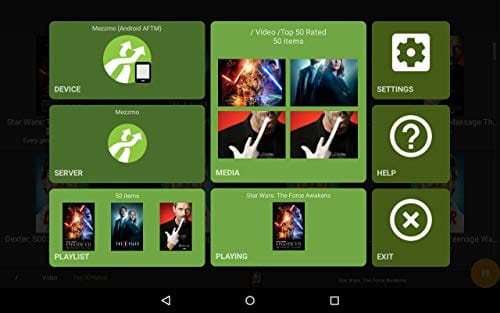
Mezzmo is an entertainment product under the company Conceive. With this platform, you can stream media of any format, and it is compatible with all conventional devices like TVs, home theaters, game consoles, and much more. This software automatically arranges all your media files when installed. Overall, it’s a great alternative to Plex.
Features:
Very easy to set up.
Automatically organizes all your media files.
Trans codes the media content in real-time
The media center is shareable.
Has an android app with its own media server.
Platforms Available:
Windows
macOS
Android
Web
Roku
Pricing:
The basic version is free
Mezzo premium starts at $29.95 for Windows, $14.97 for web and $3.0 for android.
These were some of the best alternatives to Plex, which is a good media center with great features but it doesn’t hurt to try some other options out there and deciding the best one for you. These mentioned alternatives can turn your PCs or TVs into a media center and you can stream your favorite shows anytime and anywhere so pick the one that suffices your requirements.
An MMORPG, as the name suggests stands for A massively multiplayer online role-playing game that incorporates elements of a role-playing video game with an online multiplayer one.
World of Warcraft is one of the, if not, the finest MMORPG around. Truth be told, World of Warcraft has had a pivotal part in developing the MMORPG genre in itself. Even though the game now stands more than a decade old, the lot of imitators that have come and gone in the meanwhile haven’t even phased the massive community. This only cements the fact that World of Warcraft hasn’t shed its appeal. It’s a testimony to Blizzard’s craftsmanship, something not many devs have able to accomplish.
While it’s extremely difficult to replace WoW and the unique experience it offers, there are many other video game titles that will help you feel at home with a similar feel. If you are on the hunt for interesting options, don’t worry, we’ve got you. Here are our picks for the coolest and finest games similar to World of Warcraft that you should be playing right now.
10. Dungeon Fighter Online
Dungeon Fighter Online is a rage fighter game. The gameplay is very different from World of Warcraft in that there are only 8 possible ways a participant may move their character. DFO is a two-dimensional game released in the U.S. in 2010 as a dungeon fighter style game.
The concept is simple. Users are in an area called Arad which is inhabited by demons and monsters. The action takes place inside of dungeons. Although it a two-dimensional game, the social aspects of DFO are comparable to WoW in that users may experience dungeons and PvP and also join clans.
Conan Exiles is an open-world survival game inspired by Conan the Barbarian and the settings he lived in. The premise is that the player is a convicted criminal soon before the last Ice Age. The player is freed by Conan must now suffer his banishment.
Conan Exiles gives players 15 races, which are merely a cosmetic choice and have no effect on skills or experience. Opponents must withstand harsh environmental conditions as well as opposing players. Players may build cities and castles to fend against enemy attacks. Speaking of PvP, one thing that is intriguing about Conan’s PvP is the ability to sacrifice opponent players to the gods. Sacrificing an opponent on the alter may shift the outcome of battle in your favor.
Another available epic medieval fantasy MMORPG that is a sheer aesthetic delight is ArcheAge. With ArcheAge, you may choose between 2 teams and pick from 120 potential class combinations. ArcheAge is a zoneless, PvP utopia, allowing for massive open-world battles involving faction troops on both land and sea. And what’s better than a MMORPG where you can battle at sea? An MMO that allows you to quit your group and become a pirate.
Players may even assault people within their group if they tag themselves. Participants also acquire over 20 crafting skills, build houses and manors in the open world, farm, trade, create alliances. Although the game is free-to-play, for advantages of Power and influence, players may subscribe for $15 each month. Patronage allows users to buy land, develop their own farm and offer commodities on the auction house. You could be a monarch and build an empire that transcends nations.
This game is for our adrenaline junkies. What makes Final Fantasy XIV a top pick and a fantastic alternative to World of Warcraft is action-packed gameplay wrapped into an exciting narrative.
If it’s the beautiful landscapes, tough races, or the tricky fights, you’re looking for, the game has got it all covered.
you start on a long journey as the warrior of darkness to restore peace by killing wrongdoers. you are endowed with tremendous strength but your opponents are similarly strong so watch out.
One of my favourite aspects of this game is a multitude of fresh dungeons to explore, which make your playthroughs less boring. And with all this, FINAL FANTASY XIV deserves a chance as a decent World of Warcraft replacement.
Blade and Soul is an MMORPG that is completely free to play. And that’s not all, the game looks and plays just like the World of Warcraft, if not nicer. In addition to that, the graphics approach is so close to WoW, that players have coined the term “the Korean version of the game”. This title features two groups named the Cerulean Order and Crimson Legion, who battle amongst each other and the player is free to choose whichever.
From a bunch of alternative missions to giant open-world gameplay that’s ready to be explored, Blade and Soul seem to have it all.
there are a few paid components in the game, but they won’t impact the main experience. With all that this game offers, it’s only fair to name it one of the finest rivals to World of Warcraft.
Guild Wars 2 is a unique type of MMO. The universe is everlasting. Therefore, the world is always growing, forever evolving, even when players aren’t present. This gives the game a beautiful, real-time, immersion.
GW2 is a high fantasy MMO that takes place on the planet of Tyria roughly 250 years in the future of the first Guild Wars. The famous guild, Destiny’s Edge, was disbanded. And in their absence, the 5 dragons that sleep beneath the Earth were awakened, scaring the people and wreaking destruction on the land. Players are tasked with finding members of Destiny’s Edge and reconnecting them so that they may assemble once more.
Character customization is more in-depth than other games on this list. Players first choose among five races which, like WoW, impact a few things, including race-specific abilities, starting area unique to that race as well as appearance and backstory. Then they select gender, which has no effect on the game at all. Next, players will select one of 3 vocations that offer a subclass or sub-profession. After a user selects their persona, they will answer a bunch of questions that offer your protagonist a backstory.
The Lord of the Rings Online is a real secret treasure i discovered on Steam. players can install and enjoy for free! It includes one of the most comprehensive and vast representations of Middle-earth ever seen in video games. In The Lord of the Rings Online, one may play as famous civilizations like the Hobbit, Human, Elf, or Dwarves. Players may even battle as a follower of a Sauron!
The Lord of the Rings Online should always be a must-have for fans of the franchise or for lovers of MMORPGs. The WoW fandom would also be excited about things like staging a tribute for the actor who portrayed Bilbo Baggins throughout the game.
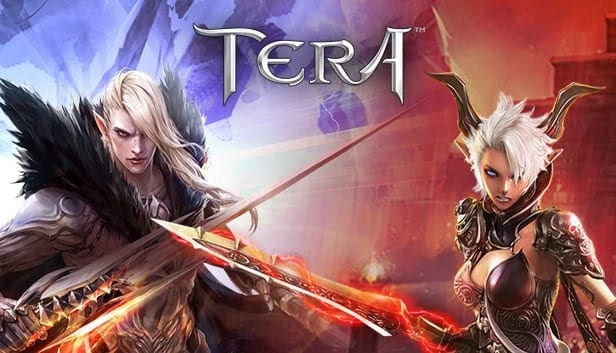
Bluehole, the same company that is responsible for our favourite Battle Royale PlayerUnknown’s Battlegrounds (PUBG) is the brains behind TERA.
TERA is a gorgeous game that’s heavily influenced by WoW. But I can’t exactly call it a full clone since TERA puts its own twist on the genre of MMORPG.
TERA includes approximately 80 zones that are carefully created with beautiful aesthetics. It’s one of those games that’ll really make you question your own reality. You get to select from 12 main groups and 7 species to traverse the adventure game and its challenges.
Plus, TERA also includes a PvP mode, which is ranked as one of the best. Looking at the whole picture, it’s a quality game that WoW players are sure to enjoy.
Bethesda’s Elder Scrolls doesn’t need an introduction. The massive game franchise and the online MMO is a buy to play legend amongst titans. Like others on this list, Elder Scrolls Online is a grandiose videogame, drawing on different civilizations from across the globe.
ESO plays on the nation of Tamriel, in which individuals must choose from three clans. The narrative is essentially a branch of the Elder Scroll saga and is set approximately a century or so before the events of Skyrim.
Whether users choose to play OldSchool RuneScape or the new RuneScape, there is ample motivation to jump into this vast treasure trove of possibilities. It’s a game with a membership option, but it’s not necessarily needed. OldSchool RuneScape significantly inspired subsequent games online and has been a classic for almost forever.
Even though the visuals are simple, almost everyone thinks that the playability is fantastic. One can fish, mine, forage, cook, and more. The Steam version includes crossplay with smartphone users and provides pleasant gameplay with buddies.
You start on a long journey as the warrior of darkness to restore peace by killing wrongdoers. you are endowed with tremendous strength but your opponents are similarly strong so watch out.
When it comes to MMOs, there is nothing you find easily that fits like a glove. That is to say that each game has its own perks and every player has their own gaming preference. From fascinating fantasy narratives to gorgeous visuals and vast player vs player engagements, MMORPGs continue to give players a landscape for their imaginative activities. If you are searching for a decent MMORPG or MMO, I would certainly check out the titles on this list. Thanks for reading, until next time!
Here are some new titles you should be excited about!
How much does World of Warcraft cost?
WoW offers multiple membership options. For the cost of a monthly membership, you may begin playing World of Warcraft Classic and all content up to and including the seventh expansion (Battle for Azeroth). In the United States, this will cost $14.99 per month, $41.97 for three months, or $77.94 for a six-month agreement.
When did World of Warcraft come out?
WoW was released for all players on 23rd November 2004
How can I play World of Warcraft for free?
WoW has a free trial edition in which users may play until they reach level 20 of the total 120 level maximum, after which they can continue playing but their XP will not be recorded.
What Are the Best Type-C Earphones? The best Type-C earphones in 2025 include the Google Pixel Buds Pro for balanced sound, Samsung AKG Type-C for bass-rich audio, and OnePlus Nord Buds for affordability. Look for noise cancellation, durability, and in-line mic support to match your USB-C device needs.
Gone are those days when phones came with an earphones jack, the phones designed these days are specifically designed with an earphone jack because that’s how important music is in this generation. If you’re one of those people who has a phone without the traditional earphones jack, then stay right where you are because in this blog we bring to you the top 10 Type-C earphones you can buy online. Every new phone these days has C-port and hence can be easily connected to a Type-C earphone.
Bluetooth and wireless headphones coming out these days are dope but not everyone prefers them, its like pineapple on pizza to some people-believe it or not, for various reasons like: they can be easily lost or mishandled, they need to be charged after every few hours, and they might break-down easily. That’s where the good old wired earphones come into the picture, Type-C earphones are new in the market and are getting more and more popular. In addition, the sound quality of Type-C earphones is much better as compared to the normal port earphones as it transmits digital audio data unlike the normal 3.5 mm jack earphones which output analog audio.
Top 10 Type-C Earphones
1. Hifiman RE400c Type-C USB In-Ear Earphones
These earphones are great for people looking to buy a good quality Type-C earphone in a mid-range price. The design of these earphones is very trendy and flexible. In addition, these feel light too, giving you the luxury to wear them anywhere and anytime. What’s great about these earphones is that they come equipped with an 8.5 mm coated titanium audio driver which produces flawless sound. These are super easy to use and can be connected to any Type-C enabled device for a rich sound experience.
These earphones are easy to wear and give you a luxurious feeling at a very reasonable rate. They are compatible with all Type-C devices and are equipped with high-resolution audio support. The best feature of these earphones is that they are equipped with an in-line remote control that lets you control music and calls.
These Type-C earphones are one of the most affordable earphones available in the market. These are equipped with a unique in-canal design that offers noise isolation and noise cancellation. In addition, they’re as light as a feather which makes them very easy to wear. It has a functional remote button which gives you better control over music and incoming calls.
These are very easy to use and the music resolution is just exceptional.
The sound quality that these earphones offer in the price range is quite impressive and crisp. They are super affordable and compatible with almost all Type-C devices. Along with being comfortable, these earphones are also very lightweight and easy to use.
Just like the name suggests, these Type-C earphones are very cool and have a 45-degree design that makes them very cool and comfortable to wear, even during energetic activities like sports and running. These earphones have a noise-cancellation feature and are equipped with magnetic buds that make them non-slippery and sturdy. In addition, the sound quality is too good, and they’re compatible with a variety of devices.
These Type-C earphones are specifically designed for gamers looking for earphones in a good price range. These are compatible with a lot of Type-C devices like mobiles, PCs, laptops, and even Nintendo and have noise cancellation features.
Xiaomi is one of the most trusted brands in India and other countries, they removed the headphone jack from many mobile phones and came up with these Type-C earphones. Like always, this product doesn’t fail to impress as the sound quality is top-notch and has active noise cancellation for a great sound experience. The quality of these earphones is like no other.
A lot of brands have released Type-C earphones, so we definitely cannot expect Google to stay behind. These earbuds are compatible with all Type-C devices, the sound quality is amazing and the look and the design of these earphones is quite lavish too. It comes with an inline button that is compatible and can be accessed by Google Assistant by Android 9 devices and above.
Are type-C headphones better?
Type-C headphones are considered much better than the traditional 3.5 mm jack ones as they transmit digital audio data which leads to a better sound performance in comparison to the traditional ones which output analog waves.
If you’re looking for type-C earphones that produce deep bass, then this is your pick. The sound quality is unbeatable and these are easy to plug in too. They are very lightweight which makes them easy to use anywhere, the design and look are quite sassy too.
Specifications: ?
Dimensions: 130.1 × 0.13 × 0.13 cm
Weight: 27.22 grams
10 mm dynamic drivers
Material: Aluminum
Do Type-C earphones work with laptops?
Yes, Type-C earphones will work with any Type-C compatible device.
Sennheiser needs to introduction, we all know that the best when it comes to headphones or earphones. Though these headphones are a bit pricey, the sound quality totally compensates for that. They are compatible with all Type-C devices and the design is just amazing and meets the standards you would expect from Sennheiser.
And with that, we are done with listing the top 10 Type-C earphones that are best in the market. Brands these days are removing the microphone jack from their mobile phones which calls in for Type-C earphones. We hope this blog helps you pick the right one for you and enhances your music experience.
You can also buy the Type-C adapter from Amazon here.
Have you ever taken the aid of Textsheet while performing your assignments or homework? If yes, then this must be the situation where you’re looking out for the alternative of Textsheet. In a very short phase of time Textsheet.com was successful in gaining the popularity and the traffic of the students. But, due to some copyright issues Textsheet was forced to end its journey.
However, the necessity of the students keeps rising. They constantly search for the perfect place where they can find the solutions for the typical competitive questions or the university’s assignments. Well, no more searching for different alternative websites. Here we will be listing out the best alternatives of Textsheet.com along with the detailed description of each of the platforms.
So, let’s get started with the list of the best alternatives of textsheet.com.
What is a Textsheet?
Textsheet was one of the highly recognized platforms for discovering the answer to major complex and sophisticated problems. This platform was capable of meeting all the demands of the students like solving their assignments without any hustle and above that the main profit of the student was that Textsheet.com was totally free.
Consequently, it was used by millions of learners all around the globe in order to save their time and efforts. The website was able to stand out in providing excellent service for the students.
Was the Textsheet legal?
Earlier Textsheet.com was not illegal but later it got banned because of copyright violation. They only focused on the collection of answers of the assignments and research which led to the breakdown of the copyright. The DMCA copyright got totally infringed and Textsheet got closed
Best 10 Alternatives of Textsheet.com:
The list of alternatives that you should definitely look out for :
Students can opt this website as one of the best Textsheet alternatives because of its categorized syllabus.It is totally a school solver platform. All subjects are managed according to the topic. All these help the student to get the answer of the desired questions in a very short phase. All the courses are free for the students. In case the student wants to avail the certificates then they must pay the required.
You can easily download this app on both Android and iOS. The links are available below:
This is the platform heard and trusted by the majority of the learners and one of the interesting facts about Chegg Study is that Chegg was responsible for the ultimate shutdown of Textsheet. Besides all these it is a paid platform with assignment’s solutions. It is mainly helpful for the college or university’s learners where they can pay a small sum of money and get access to the quality answers and study guides. You can even ask your doubts with the experts. The online tutor will also provide you homework help.
It is available both on Android and iOS. You are even allowed to rent books in Chegg.
This is one of the great alternatives for Textsheet where you can find the solutions to every typical question in rocket speed. You can find satisfactory outcomes on this platform on different topics like history, science, literature, finance and others too. It is currently used by 30 millions globally.
The two types of option available for free access and secondly the paid one where one has to purchase the membership. All you have to do is to upload your assignments and the results will be presented to you. Yes, for sure it is available for Android and iPhone
The users of this website are quite high and are often used by the university’s student. You can find solutions for various subjects like math, engineering, history, computer science and various others. You can even find books prescribed by your college or institution.The best part of this page is that it offers access to textbook solutions. Get ready to have the speedy answers with this amazing platform named Crazy for study.
I guess many of you might have used his website, if not then you probably check it. The user interface is very smooth and easy. Other than that it also allows you to get your custom writing done here. If you are assigned the task to jot down the essay then you can simply put the details and the service will be able to provide you quality content. This is available for both Android and iPhone.
It is a widely recognized website where you can find features like assignments and solutions from experts. The foremost thing is that it provides free service to the students. But in case if they want to enjoy an account free from ads then they can take the subscription of $2. The major subjects available are English, Math etc. One of the noteworthy things is that the website provides the answers based on the USA syllabus.
This platform has assisted various students in cracking their competitive entrance exams like ACT, GRE and even SAT. It is incredibly beneficial for the high school as well as university’s student. This website generally helps the students with the topic of poetry or literature. The summaries delivered by them helps the student in understanding the concept of the topic. The traffic on this page is increasing exponentially.
Humbolt:
All the explanations and outcomes are generated by the experts, so there is a high chance of zero error. You can find the solutions on several subjects like Physics, Math, Chemistry, Engineering, Finance, Business, English and even more. It offers the service of 24 X 7 where you solve your queries anytime via the step wise video explanations. The features of this website never fails to amaze both the students and the parents. With the help of the specialized tutors you can easily learn and discuss the concepts.
Sometimes even the professionals get stuck on some problems. Well, it is not a big deal because this website is capable of sorting out the problems of both the college students and experts. This is highly recommended for the users if they do research papers writing because it can find pointers and can also suggest the format. Other than that it is also an interactive website where you can gain knowledge and ideas simultaneously.
Yes, I know a lot of people often struggle with the Mathematics subjects. It may be easy to find some other subject’s answer but it is not the same with the Math subject. Nevertheless, your math problem is now finally fixed with this platform. You can use this website for solving complex and sophisticated problems of your assignments.
So, what are you waiting for? Check out all these platforms as soon as possible and get your assignments for universities, middle school, high school done on time. My personal favorite is Chegg, Humbolt which you can also make the ultimate use of. We have listed out all the best and highly acknowledged alternatives of Textsheet in this article so that you can smoothly finish your assigned task on time.