Home Blog Page 216

Difference Between the 32-bit and 64-bit Windows

When considering the versions of your operating system, you might think of the Home or Pro editions. While there is another factor to contemplate that separates the versions of your Windows OS and that is whether the system is “32-bit” or is “64-bit”. So either you are purchasing a new one or upgrading the older one, you surely might have heard these terms 32-bit and 64-bit. But did you really understand them? And even if you understood them, how clear are the concepts? What may ever be the situation, let me give the look of where do these designations (32-bit or 64-bit) come from. And what do these actually mean in your computing experience!
Difference Between 32-bit & 64-bit Windows

What are the “Bits” ?

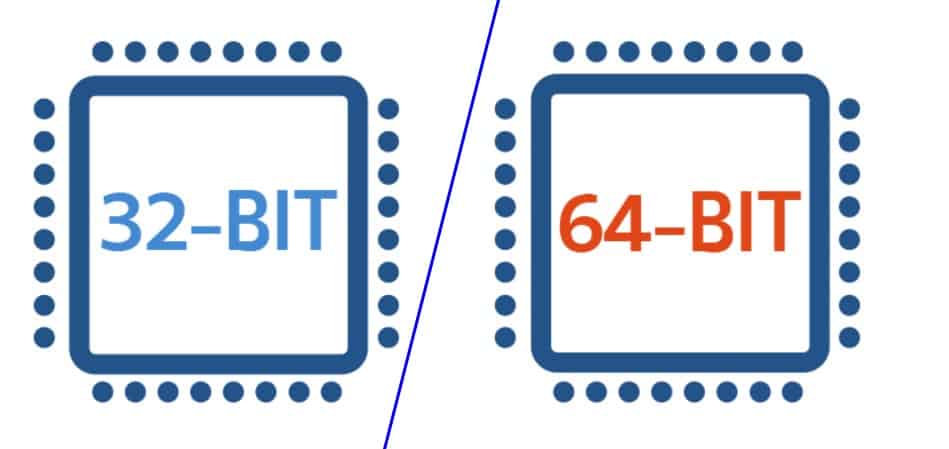
Whether the architecture used to manufacture your computer processor is 32-bit or 64-bit it all depends upon the processor also called as the central processing unit or the CPU which resides inside your computer system. A majority of computer processors currently fall into one of these two categories. The 64-bit processors are of an increasing importance and more powerful than their 32-bit counterparts (this architecture has been around for a longer time and still hosts a lot of applications). The 64-bit processor is capable of handling more data at once and can process much more information. It can probably access over four billion times physical memory than a 32-bit processor can!

Key Difference:

The 32-bit processor is capable of handling a limited amount of RAM in the Windows OS (4GB or less). But the 64-bit processor is capable of utilizing much further. And of course to achieve this even your OS needs to be designed so for taking advantage of greater memory access.

Determining the Number of “Bits” —

Program Categories - 32-bit and 64-bitFor understanding the magnitude of differences between the 32-bit and 64-bit processor, you have to understand a little about binary counting. Unlike our decimal system that has ten digits per place, binary has only two — 0 or 1.

Therefore, 32-bit number has 2^32 possible addresses or 4, 294, 967, 296. And the capacity of a 64-bit number is 2^64 or 18, 446, 744, 073, 709, 551, 616. Comparing ~4 billion bytes (about 4 GB) to the ~18 quintillion bytes (about 18 billion GB) showcases the whole difference.

And as a standard rule, a computer having 4GB of RAM or less does not need a 64-bit CPU. But if the computer is of 4GB RAM or more then it surely does. Certainly, several users may find that the 32-bit processors render them with the adequate performance and memory access.

But the applications that use large memory amounts may showcase a vast improvement with the updated processor. 3D rendering utilities, image & video editing software, video games and such programs make better use of a 64-bit architecture and OS. This proves to be adequate if the machine has an 8GB or 16GB of RAM which can be divided amongst the requiring applications.

  • You may also like to read : 7 Reasons that would make you Switch to the Android Nougat

Differentiation of the Windows OS —

So the basic difference lies that if you are using a 64-bit processor, you have to use a 64-bit version of the Windows and you cannot take advantage of the 32-bit versions of Windows as it may work but would not grant you that extra power. But you definitely cannot install a 64-bit version Windows OS on the 32-bit processor system. The modern technology systems now make available the 64-bit processors along with larger RAM capacities.

The two main differences :

The first difference is when you make use of the 32-bit version of Windows to utilize up to 4 GB RAM or less. So even if you put 16 GB RAM in a 32-bit installed Windows, you actually are not using more than 4 GB.

The second difference you will find is with the folder of Program Files. On a 32-bit Windows version, the installed applications will be in the Program Files folder. And the 64-bit systems have an additional Program Files (x86) folder. This happens due to the writing software for both the 32-bit architecture and the 64-bit system are largely different from each other.

Program Files Folder - 32 bit or 64 bitsWhen programs grab the shared information to run, like the DLLs (Dynamic Link Libraries), they then scan in the right directory of Program Files. This is why Windows OS keeps them separate. So for instance, if a 32-bit application reaches for a DLL but discovers a 64-bit version, it is just going to stop working! Because just imagine going to a library for searching a particular textbook, and then realize that everything is in a foreign language. Therefore here you should note that in Windows OS, the 32-bit version is referred to as x86, and the 64-bit version is called as x64 (when you look for the program files folder).

And if you did not know, the ancient versions of Windows OS like Win 3.1, ran on a 16-bit software. But to your surprise, the 32-bit version is backward compatible with this legacy program but not the 64-bit machine.

Program Categories – 32-bit and 64-bit —

Whenever you install a software or a program, the vendor modifies and decides whether you get the 32-bit or the 64-bit version. A few developers provide only the 32-bit versions, but sometimes they also let you choose, whereas a few others automatically install the appropriate version for your system.

So if your system is running on a 64-bit version of windows OS then you should install the 64-bit software as these x64 versions would not probably blow away with a tremendous speed but would, however, take the advantage of increased 64-bit architecture security. It can also be reasonably more stable and efficient. And understandably the default for most of the vendors is the 32-bit version which will for sure work on a 32-bit system.

What’s your system running on and can you upgrade?

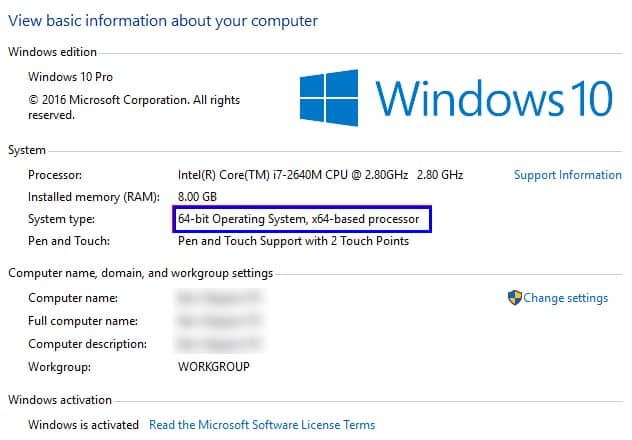
So how to know which version are we using for our Windows OS? The easiest way of finding out the same is through the System dialogue option. On Win 8 or Win 10 simply right-click on the Start Button and choose the option “System”. For Win 7 or earlier, just right-click on Computer and choose “Properties”. Or use the Windows + Pause Key shortcut.

Here you can view all the basic info about your system. This includes, for instance, your Windows version being Home or Pro. Under the “System type” option, you will get to know if your Windows operating system & processor is a 64-bit or a 32-bit version. You can also check your “Installed RAM”.
Difference Between 32-bit & 64-bit Windows - Settings to know your bits

And if your OS and processor bit sizes do not match with each other then you will be able to upgrade. In the case where you are running a 32-bit Win 10 version on a 64-bit processor, then that is easily upgradable to x64 windows. But if the Win OS system is running on a 32-bit version with a 32-bit processor then you can not upgrade. This means that you will have to purchase a new machine to take advantage of the 64-bit version.

Are There Enough Bits Yet?

Use of the 64-bit computer systems did not become so popular until the arrival of Win 7. And this technology has continued up to the Windows 10 versions that we use today. It has started to become the brand-new standard. Though it has been a rough road. Not many people used it as there were compatibility issues but now that has been resolved.

4 GB of RAM was the infinite amount when CPUs first came into being. This still is a workable memory. However, as the prices of components continue to drop, the low-end machines are likely to be equipped with more RAM. This will eventually make the 32-bit systems obsolete!

And in turn, this will make the developers focus on creating software with the 64-bit version, and it will standard for a long time. Though we probably aren’t hitting the 2305 petabytes RAM size any soon!

  • You may also like to read : 5 Ways To Access Free Wi-Fi Anywhere in India

The Role of Mobile Technology in the Rise of Africa’s Digital economy

0

Mobile technology is blazing a new trail for economic change across Africa’s one billion people. With subscriber numbers rising past 700 million, mobile phones and devices are the source of most digital communication in Africa. Off the back of this mobile revolution there has been a boom in the development of innovative applications and services specifically targeting the needs of the African market.

rise-of-africas-digital-economy

Such inventive mobile services are disrupting areas such as remote healthcare, agriculture, education, money transfers and e-savings, where development has been suppressed by relative lack of physical connectivity and access to reliable energy. In contrast to many smart phone apps that have achieved success in developed countries, the economies of Africa today are such that the vast majority of these mobile services are SMS-based. For example, healthcare workers in Kenya are providing AIDS patients with a weekly text message service that checks antiretroviral drugs are being taken correctly. This has led to a dramatic increase in active use of medication and savings in travel and treatment costs.

The rise of Africa’s digital economy has also seen the huge commercial success of mobile payment and remittance services across Africa. For the 70% of adults who have no or limited access to a bank account, mobile money services enable them to send and receive money using their phones. On an international scale, mobile transfer services like Senditoo allow diaspora communities to support friends and family in their home countries. Senditoo users can recharge the mobile phone credit of their loved ones who live thousands of miles away, in an instant, low cost and secure transaction.For the vast majority of Africans, Internet engagement will be solely through mobile technology. Africa is a continent that has skipped the era of the universal landline and the wide adoption of the PC that has occurred in developed countries. Communication expenses in Africa are estimated to represent 4 to 6% of household incomes, so airtime transfer through services like Senditoo is the ideal solution for Africans living abroad to send remittance to their friends and family.Basic mobile phones cost just $10 in many African countries, and it is predicted that smart phone usage will increase to as many as 125 million users in the next few years. The scale and pace of mobile phone adoption is making exciting waves in Africa’s digital revolution, with inspiring business innovation that has captured global attention.

8 Websites an Avid Reader Must Know

You know there is something really special about the online literary world. And truly speaking, it is the availability of all the free content! For developing that reading habit and letting it sustain, it’s really easy to start without emptying your bank balance or the pocket money. And getting such an accessibility means that reading will turn out to be something that people from all economic backgrounds can achieve. It also means that the convenience of such free e-books make it super easy for you to interact with your favorite authors. Each website has its own flavor like that of a pizza!

8 Websites an Avid Reader Must Know

So as a reader, to satisfy this hunger for good authors and books we keep looking out for great websites that offer the same with minimal to no investment. But there are immense online literary communities for you to explore. And believe me, there are thousands of options available but you just need to find the right one. Hence for people who can literally spend their days and nights on this web full of books, here is a list of recommendations of those websites that all the budding and avid readers along with writers will adore and must also know about.

1. Project Gutenberg

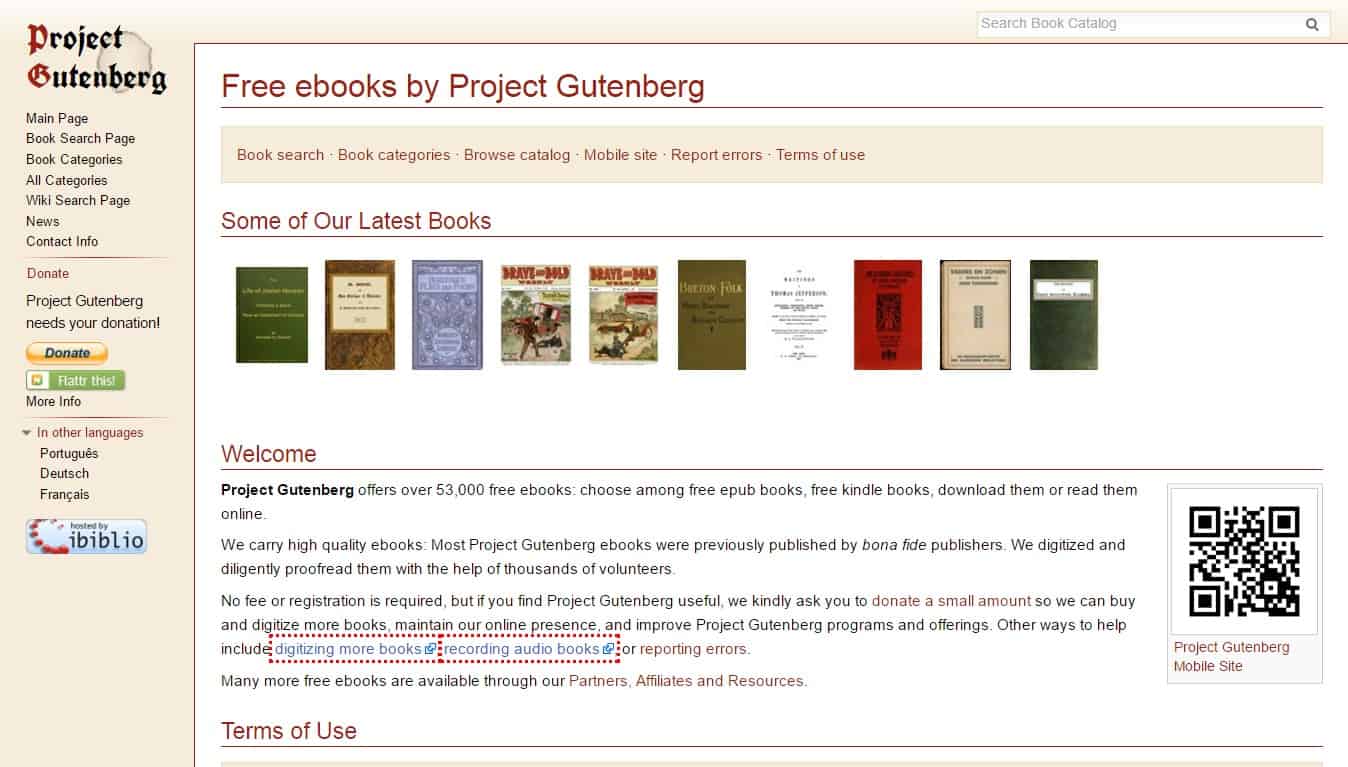
Project Gutenberg has a huge number of great classics which are not even under any copyright. It has more than 60, 000 books which can be downloaded for free and be read over the kindle reader. And this platform is a massive repository for the texts in a dazzling array of formats. Project Gutenberg carries very high – quality e-books and most of those were previously published by the bona fide publishers.

Websites an Avid Reader Must Know - Project gutenberg

Their team also digitize the books and diligently proofread them with the help of thousands of other volunteers. This can be reader’s paradise. And there’s absolutely no fee or any kind of registration required. It looks much like our very own Wikipedia.

2. GoodReads

If you haven’t yet entered into the Goodreads revolution, then just get on it! This is a great social network for the book reading enthusiasts! Goodreads is a staple for every avid reader. It is a great platform for keeping a track of the books that you have read. It also lets you connect with the other readers, enables you in finding the quality book reviews along with sharing your recommendations.

Websites an Avid Reader Must Know - GoodReads

You can easily organize your read or the to-be-read shelves. Even receive recommendations and know what your friends are reading. You can vote in for the contests, establish goals and do much such stuff.

3. Audible for that Avid Reader & Writer

This is your “anywhere and anytime book listening service”. Audible is the home of audio books over the internet. This platform has an insanely-sized catalog that features classics, new releases, and a varied host of quality audio courses which keeps you learning for years and years.

Websites an Avid Reader Must Know - Audible

All these e-books are perfect for entertaining as well as informing you in your car or while at the gym. Or you can simply make use of it as a way of reading a book while giving your eyes time to rest from the screen.

4. Book Riot

What exactly Book Riot is selling? It is selling the idea of being a book lover that too without being pretentious. Book Riot is basically an online publication that is loaded with all the witty stuff along with entertaining news & reviews of all related to books. It is a “literary” blog that anyone can love.

Websites an Avid Reader Must Know - Book Riot

From articles to podcasts, this website is a comprehensive source for adventurous readers. You will feel at home here with all your favorite genres. It also helps you in discovering all the new reads. Additionally, you can sign up for the subscription box service also where you will get books & cool merchandises as well.

  • You may also like to read : How Digital Technology is Changing the Face of Publishing Industry

5. Pixel of Ink

This website is really Invaluable for the Kindle owners. “Pixel of Ink” tracks down a great list of Kindle e-books that are available for free or at very affordable prices. It is a great service for those bargain-hunting readers who are looking to expand their horizons.

Websites an Avid Reader Must Know - Pixel of Ink

Pixel of Ink instantly saves the readers a thousand of dollars. They directly bring to their readers the best of daily and monthly deals on Kindle.

6. What Should I Read Next?

This website is a great “book-recommendation” engine. It basically takes the books that you have enjoyed and  accordingly makes recommendations of the new books. It is a really simple website with absolutely no complex texts.

Websites an Avid Reader Must Know - What Should I Read Next ?

So you can’t stop thinking about the recent book that you have finished? How “What Should I Read Next?” helps here? Simply type in the title or your favorite author’s name, and “What Should I Read Next?” subsequently generates the suggestions. And with every title there are accompanying interesting tags, that makes searching for the similar stories very easy.

7. Hundred Zeros

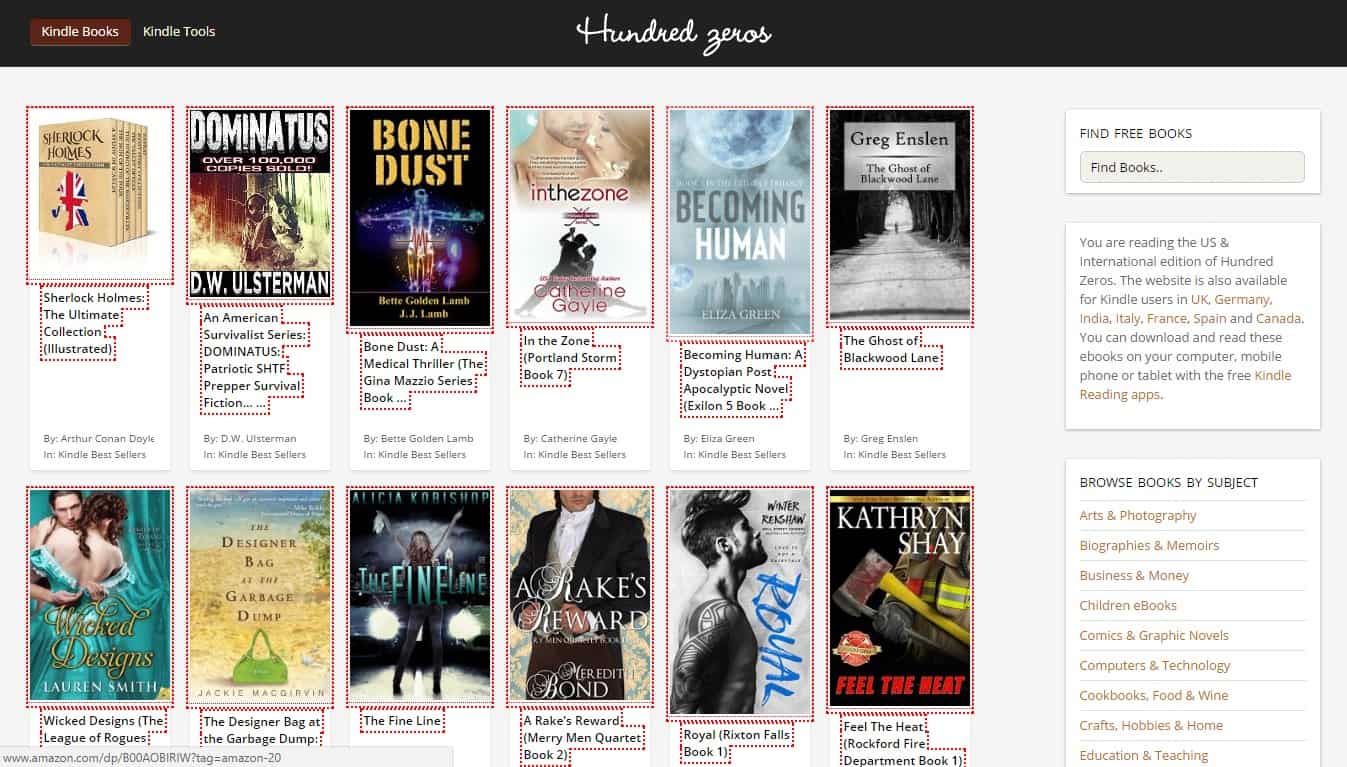
Hundred Zeros is a website that keeps a record of the bestselling Amazon kindle books. All these books are available for free and can be read online. It is your digital inspiration.

Websites an Avid Reader Must Know - Hundred Zeros

Hundred Zeros has a comprehensive collection of free Kindle e-books on all subjects varying from History to Arts and Computers. There are a lot of fairly thin genre fictions as well as some genuine gems too.

  • You may also like to read : Boost Your Productivity With These 13 Websites

8. WhichBook

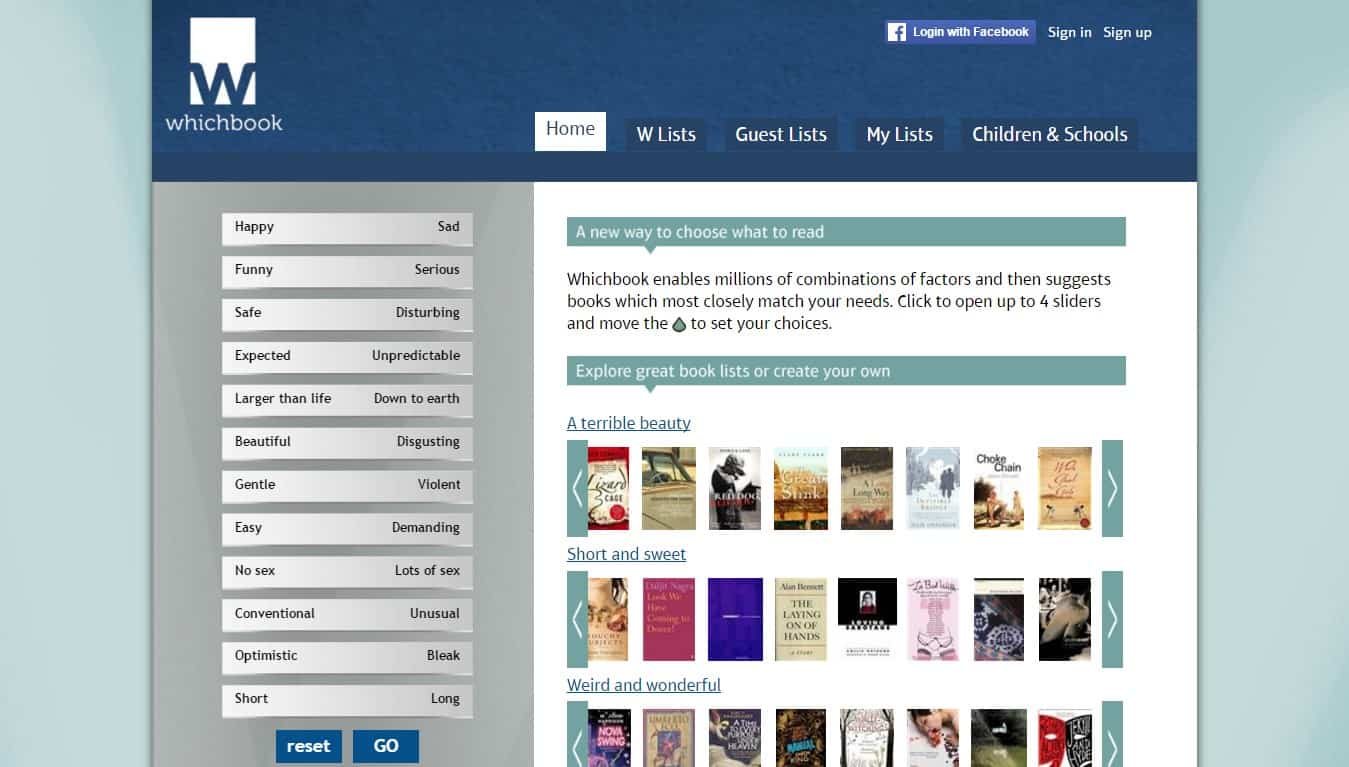
This is another “book recommendation engine” that works by feeding in the data about what you are looking for and consequently matches the hand-classified books in its library. Whichbook enables you to search for new books by placing your own tone over several sliding scales.

Websites an Avid Reader Must Know - WhichBook

Are you feeling sad and serious also feeling down to earth? Whichbook has got you covered. There is a sliding scale available at the website for the character, the plot, and setting. If not more then at least one book is listed under every category that you choose according to the sliders. Their arrangement works excellent if you are looking for something particular. But let me tell you, it’s not so great if you are looking out for several options.

Do let me know if you would like to recommend any more websites that the world should know about.

Boost Your Productivity With These 13 Websites

0

Productivity is actually a combination of “intelligent planning” along with “focused efforts”.  Staying productive at home or at work can really be challenging. And when the day ends, chances are that you might not be too satisfied with what you have achieved each day.  But did you know that all those challenges can be mastered and your productivity skills can continuously be improved? Try the below mentioned online websites and mobile apps to help you boost your productivity. Some of them you already might be using but now observe them with a different perspective.

1. Gmail

Don’t tell me that you do not have your own domain and you even aren’t using Gmail. Because if that’s not the case then what are you doing? Gmail is the most skillful and an excellent email client that integrates seamlessly with all other productivity applications by Google.

Boost Your Productivity With Gmail

It’s intuitive and comes for free. And operating Gmail is no-brainer for most of the people. It is even pushing out a steady stream of third-party applications and plugins which make Gmail work even better.

2. Google Drive

You can very easily organize, improve and dominate your life with the Google Drive. There also are available many of its associated web document editor suites. Currently, Google Drive in a handy way is the best cloud document assistance.

Boost Your Productivity With Google Drive

And if you are already in the ecosystem through Android or Gmail, then the daily management becomes clear.

3. Microsoft Office Online

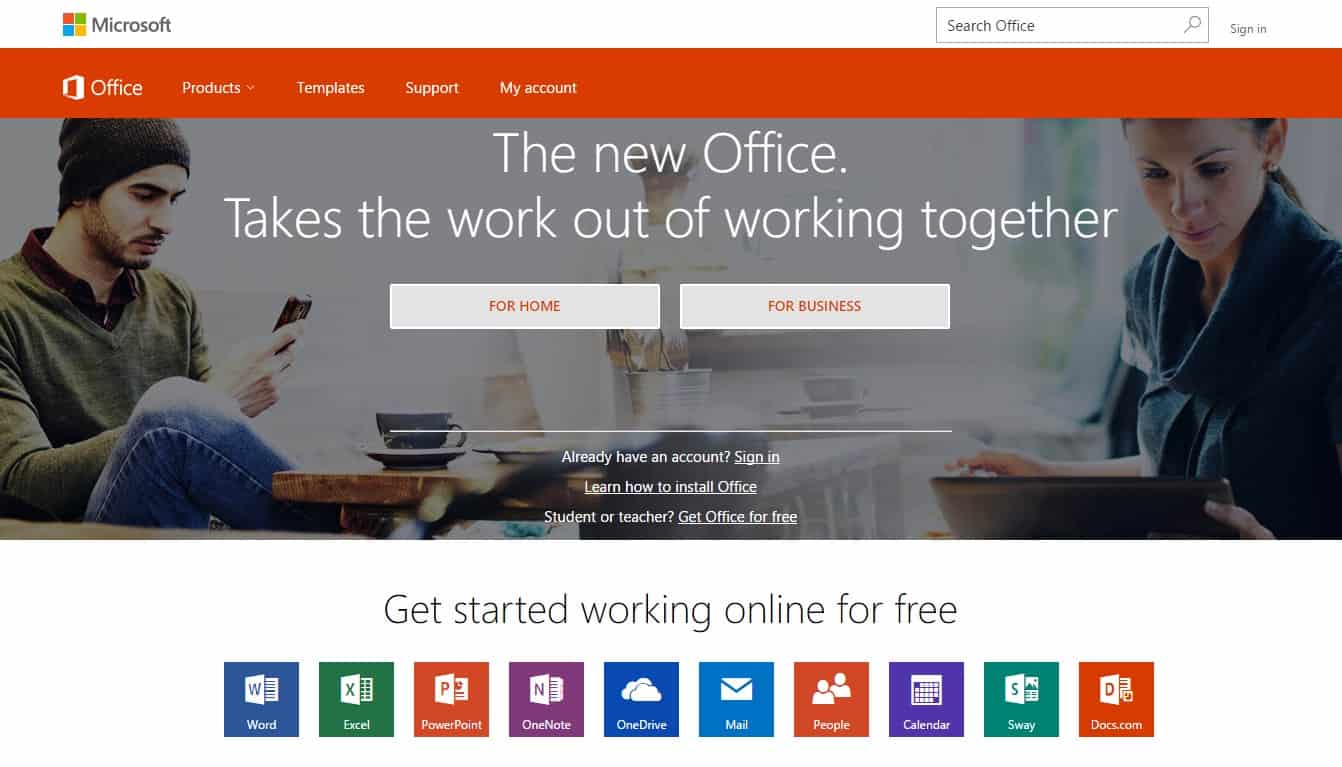
The Microsoft Office suite now offers a free version of its popular applications. These include Microsoft Word, Excel, Outlook, OneDrive, and PowerPoint. And being the free versions, these naturally are less feature-rich than the paid versions would be. Yet the apps prove to be excellent for accessing & editing files from within your favorite browser.

Boost Your Productivity With Microsoft Office

Even if you do not purchase the paid Office suite the free versions make their way for boosting your productivity.

4. Evernote

Evernote is apparently the world’s most commanding “note-taking application” and is an all-time-classic as far as its productivity circle is concerned. It is available for both your browser and mobile devices. It is basically a tool created to help you capture just about anything that too at any time. Easily save your favorite photographs, significant articles & notes, those yummy continental food recipes, motivational Pinterest pins or scanned receipts etc. to your account. Not only these but Evernote also captures pdfs, web pages and visiting cards. It displays sheer simplicity along with sophistication.

Boost Your Productivity With Evernote

Evernote exhibits a very powerful search feature which quickly finds the notes that you are looking for and even if you have thousands of them. You can even search for text inside a photograph. A must-have feature is the Evernote Webclipper. This is a nifty browser plugin to capture data from all over the internet in several different ways. Evernote  is backed by a large and global community along with a diversity of other powerful third party extensions.

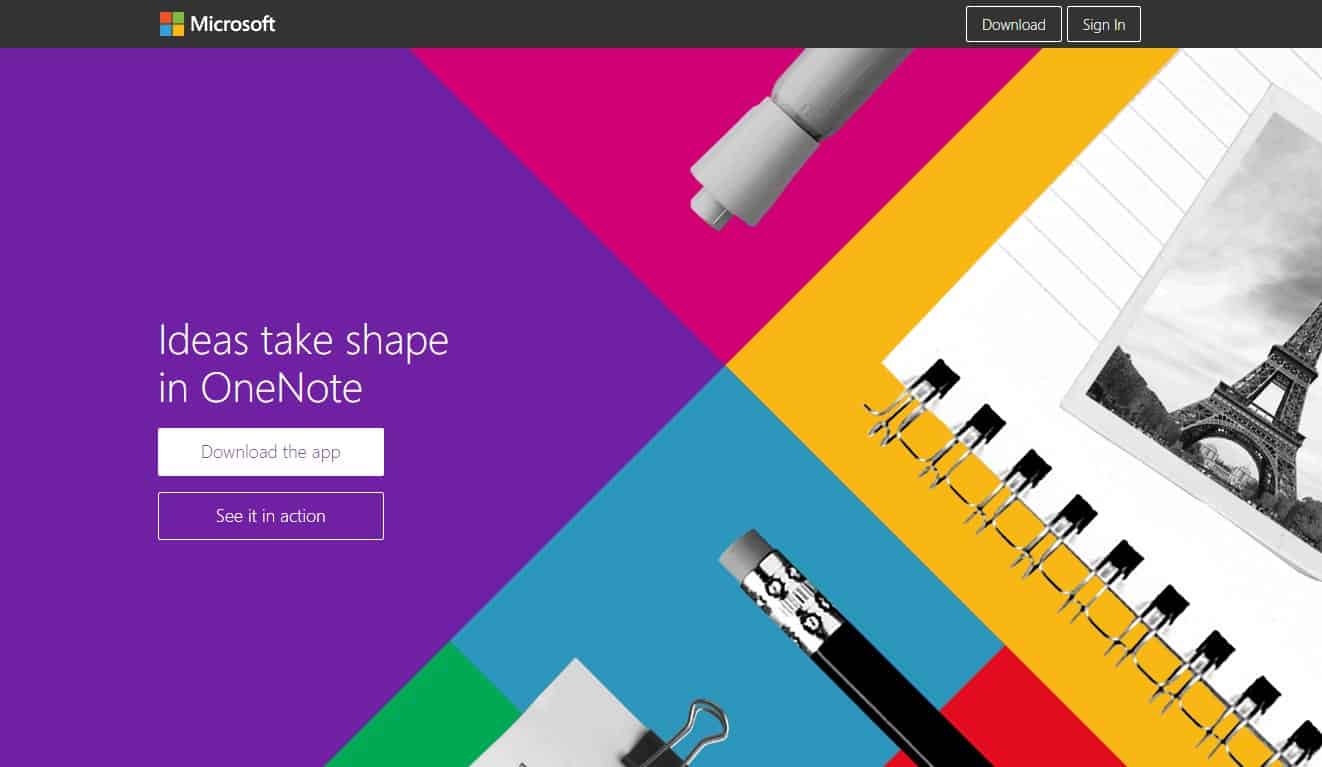
5. OneNote

This is another free “note-taking” application by Microsoft and according to some users, it is much more reliable than Evernote. One of its extraordinary features is the capability to customize layouts of your notes the way you want. And the coolest thing is that each of the elements within the notes can be dragged & dropped to any location of your choice. So this means that you can insert all types of media into one single note. There also is a provision to move notes from Evernote to OneNote and sync those on the devices.

Boost Your Productivity With OneNote

And believe me, once you start using the application, it is difficult to stop! I warn you, before you even come to know, you will be managing everything in your entire life via this web application.

6. IFTTT

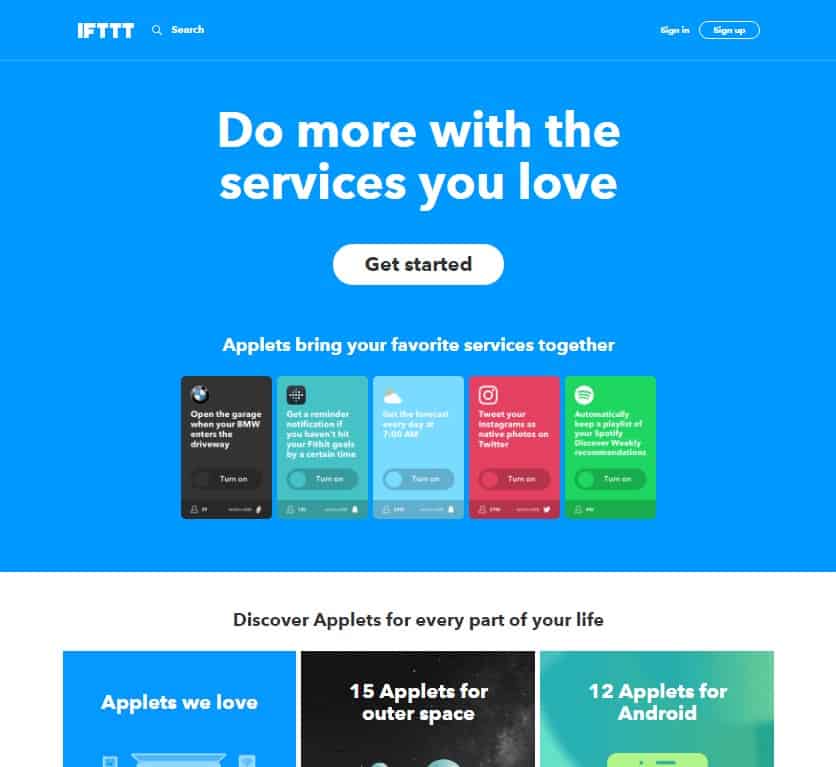
IFTTT is the abbreviation of “If this, then that” and it’s an increasingly influential automation platform. So what can be done? From one individual account, you can start connecting to hundreds of other services & application that you rely on. And once the connection is made, simply devise the “recipes” that automate the specific tasks. This way, manually doing things will no longer be a responsibility.

Boost Your Productivity With IFTTT

For instance, you can automatically make the IFTTT save the email attachments to your Google Drive. Or yes, you can also automatically publish your Instagram posts as a “Tweet”. Or maybe even get the SMS alerts for reminding you of an event that’s due to start through the Google Calendar. It actually sounds too relieving!

Recommended: Check-out these free calendar organizer.

7. Todoist

Yes, it’s without any doubt the best to-do list manager! Todoist has both the free & paid versions. One can easily add, schedule and search for the tasks with natural language and this actually is a huge advantage to manage your productivity. Todoist  also has many other integrations with the automation engine IFTTT.

Boost Your Productivity With Todoist

There is a cross-platform availability, better and quick sync feature along with additional useful features. This program is trusted by a million users. And is till date the best online task management application. Todoist is available on Web, Android, iPhone, iPad, Chrome, Outlook and more. It guarantees you to help get more  & more done.

9. RescueTime

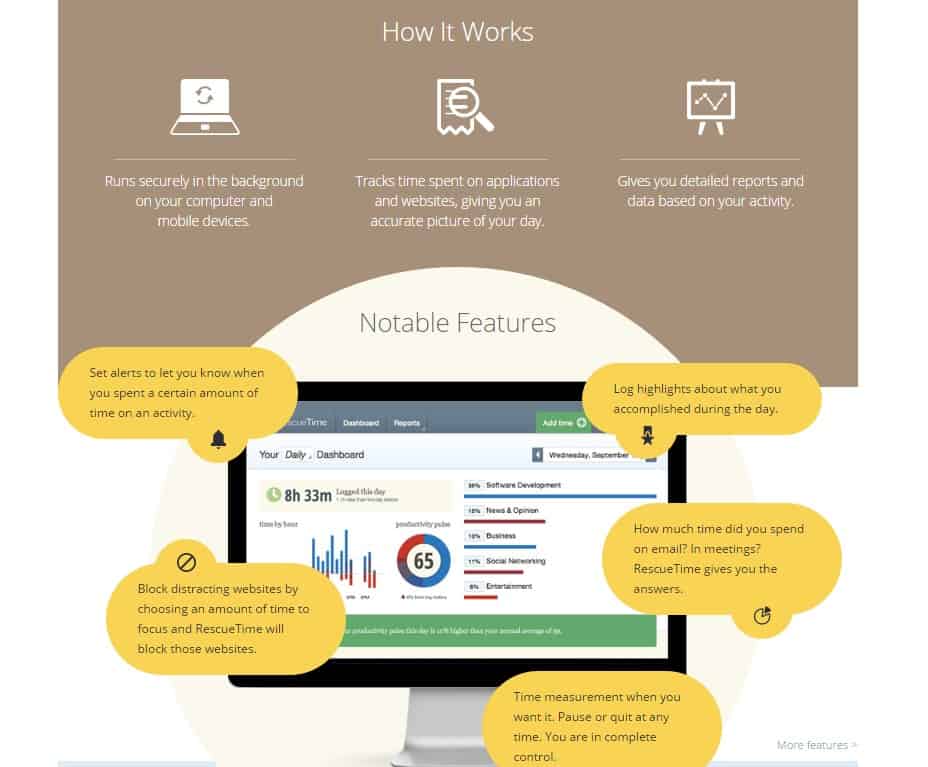
RescueTime is actually a browser plugin and an all-in-one package. It automatically records the time that you contribute towards your PC. And it even tells you about how productive you are depending upon certain statistics that it obtains. RescueTime as the name says definitely helps you in saving a huge amount of your time. It truly keeps a track of your time spent on specific websites which you can even overview. And the most amazing thing here is that you can even punch in activities that you specifically want to track. Apart from this, RescueTime lets you block websites to help you keep away from the online distractions.

Boost Your Productivity With RescueTime

RescueTime is a great package for that time sensitive working. The insights help you understand where you are losing that precious time. In return, you can even make adjustments with your browsing habits and gain better productivity skills.

10. Wolfram Alpha for better Productivity

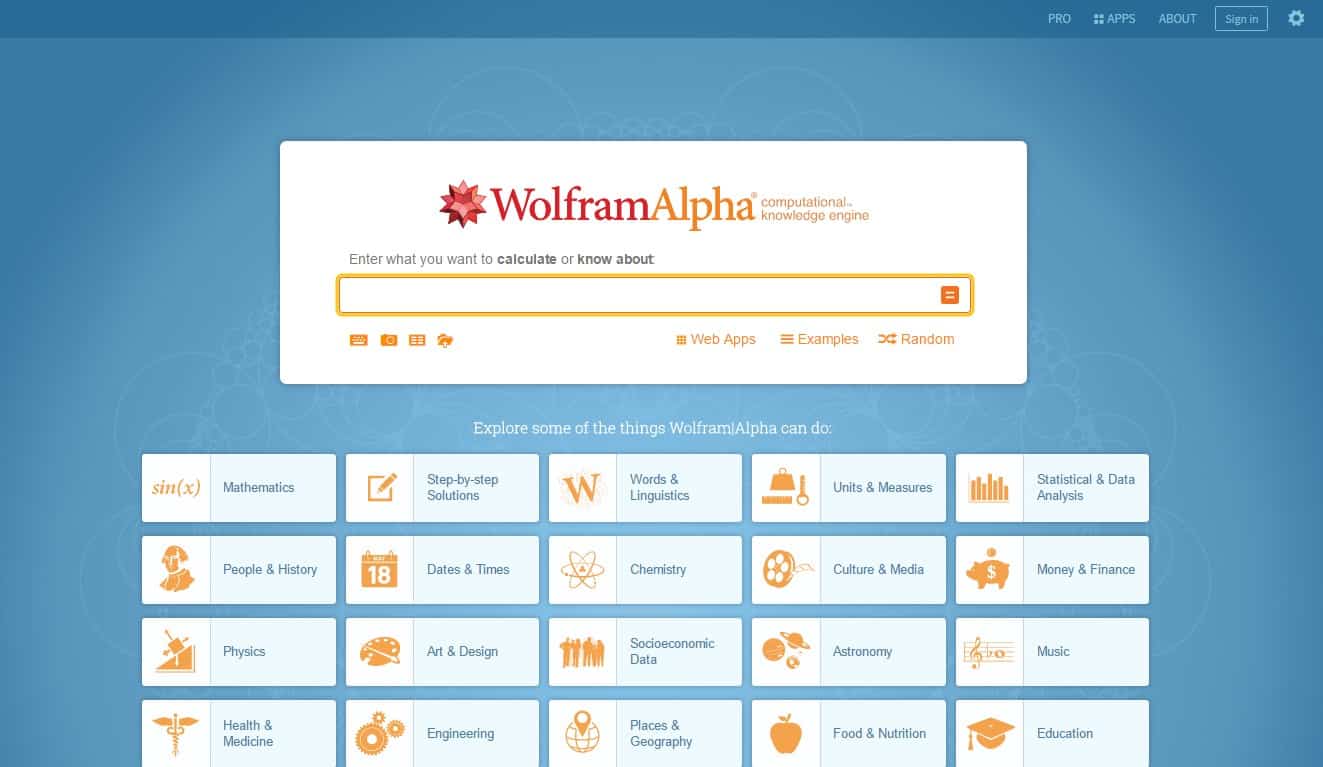
Wolfram Alpha is something more that just being a search engine. It gives you the access to a world of facts and other data. This is basically an awesome graphing calculator that involves Artificial Intelligence. This is something you would wish you had during you high school period. So you want to know what a function looks like? Wolfram Alpha can show you easily. Want to see how to solve any equation that too step-by-step? Done. Want to know the nutritional facts? Not a problem. This software has a comprehensive & sophisticated suite of features. It’s an engineering development that makes all the systematic knowledge  be immediately computable just by anyone. It is a student-friendly answer engine.

Boost Your Productivity With Wolfram Alpha

You are probably going to go, “Wow!” It follows a unique algorithm that implores all the information. You will also discover a bunch of tools that would serve for the betterment in one way or another. For instance, under the web algorithm segment, you may discover the detailed info about any website you enter. Similarly, under the Food & Nutrition category, you can literally type in that, “how is the color mauve different” and Wolfram Alpha gives you an immediate answer. No lying here as Wolfram Alpha is an online service that answers all your factual queries. So it’s pretty much a website to mess around even if you are not employing it productively. You cannot help but learn something new or stupid while you are actually playing with it.

11. Join.me

Join.me is a great and super easy screen-sharing application which is powered by LogMeIn. It is clearly fabulous for those remote collaborations involving small businesses & other creative ventures. And thankfully, “No registration is required” to start any online audio calling along with screen sharing. Start with it either from your browser or from Join.me’s uncomplicated mobile applications.

Boost Your Productivity With Join.me

It lets you conduct Webinars, enjoy Screen Sharing, support Video Conferencing along with free Conference Calling.

12. UpWork

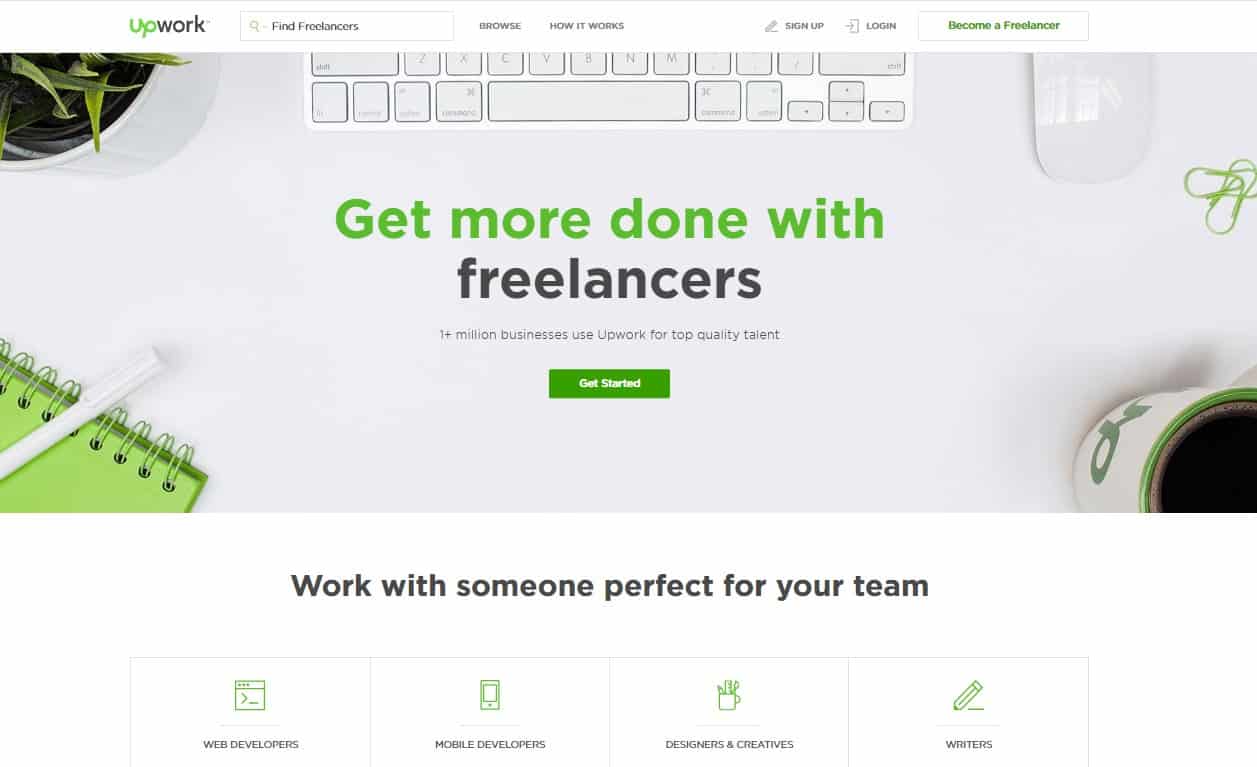
Upwork – It is the world’s greatest online work-place where the savvy corporations and the expert freelancers go to work! So if you are deciding to get more out of your day, try outsourcing some of the tasks and sit back making the best decision ever. UpWork is the most extensive website for freelance jobs online.

Boost Your Productivity With Upwork

Simply post a job description to let the interested ones know about the types of assignments you would like them to do. For instance, designing, writing, sales, marketing, making reservations, data entry and more. You will get a huge number of affordable proposals. Just pick the one that you think is right for the position. It’s a global platform for those independent professionals as well as businesses. Just give it a try!

13. Unroll.me

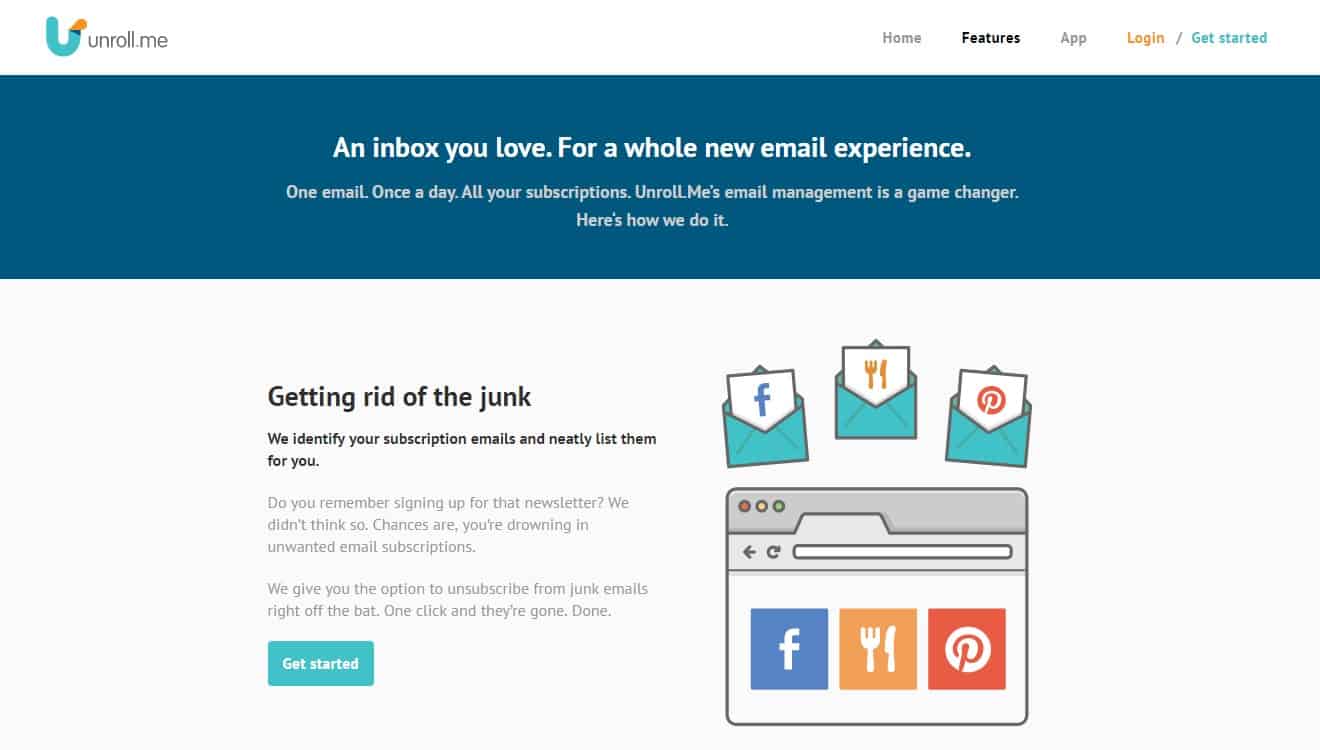
Unroll.me is an application for Swiping your way towards an instantly cleaner inbox. It’s truly a true bliss and is also “life changing”. How? I am sure that like most of us, you too observe yourself wasting much of your time in the “inbox.” So basically, what Unrollme  does is that it magically discovers all your e-mail subscriptions by thoroughly examining your inbox and instantly lets you decide to which e-mails you want to unsubscribe. And within a few seconds, you can unsubscribe to as many e-mails as you like.

Boost Your Productivity With unroll.me

Unroll.me is a free service to let you detect all the mailing lists you are subscribed to and further clear up your inbox. And what’s even more interesting is that you can have all the emails from a specific sender organized into a single email every day. You will actually be surprised to know what all emails you are subscribed to, be it intentionally or by mistake. But thankfully, now you can unsubscribe from most of those lists. Seriously such a relief it is from those emails that hamper your productivity!

Xploree Keyboard : Discover the undiscovered

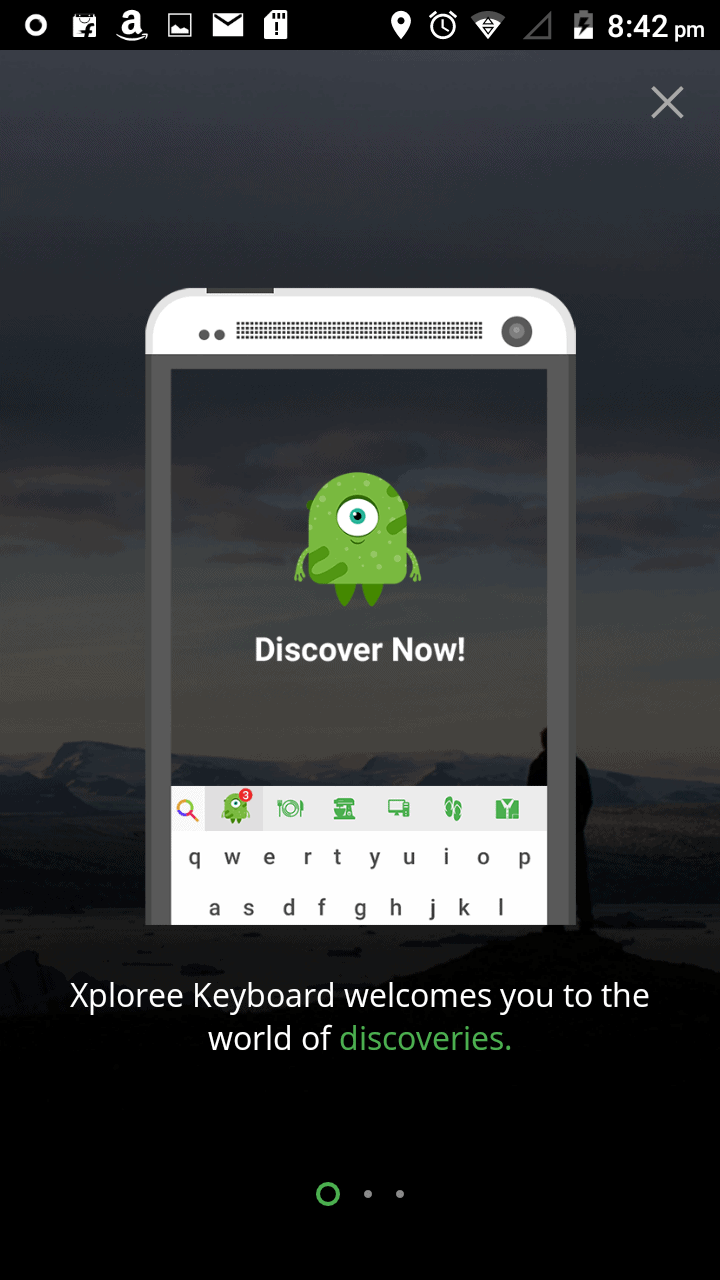
Xploree KeyboardXploree Smart Keyboard by KeyPoint Technologies is an intent driven mobile keyboard that smoothly conforms to your writing style. As per Kiran Karthikeyan, Vice President of the company, Xploree Smart Keyboard basically utilizes the idea of language intelligence as a unifying playground for connecting the brands & services with the consumers. This is something more than a regular keyboard application. In fact, it is a pensive keyboard that is intelligent enough to sync with your contextual requirements along with giving smart suggestions. The Xploree Keyboard goes penetrating into solving complex problems of understanding the intent. This app is available for both Android and iOS devices. So, without wasting anymore time, let’s dive into the features that the app provides.
CREATIVITY QUOTIENT

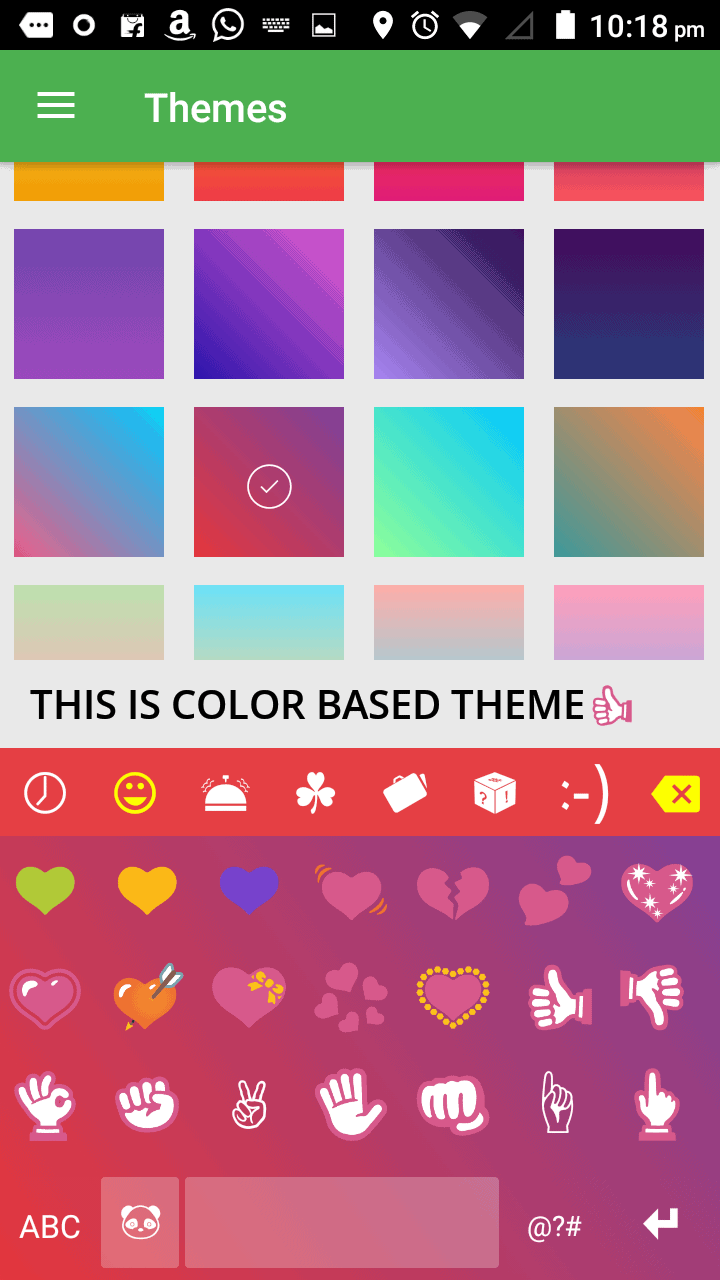
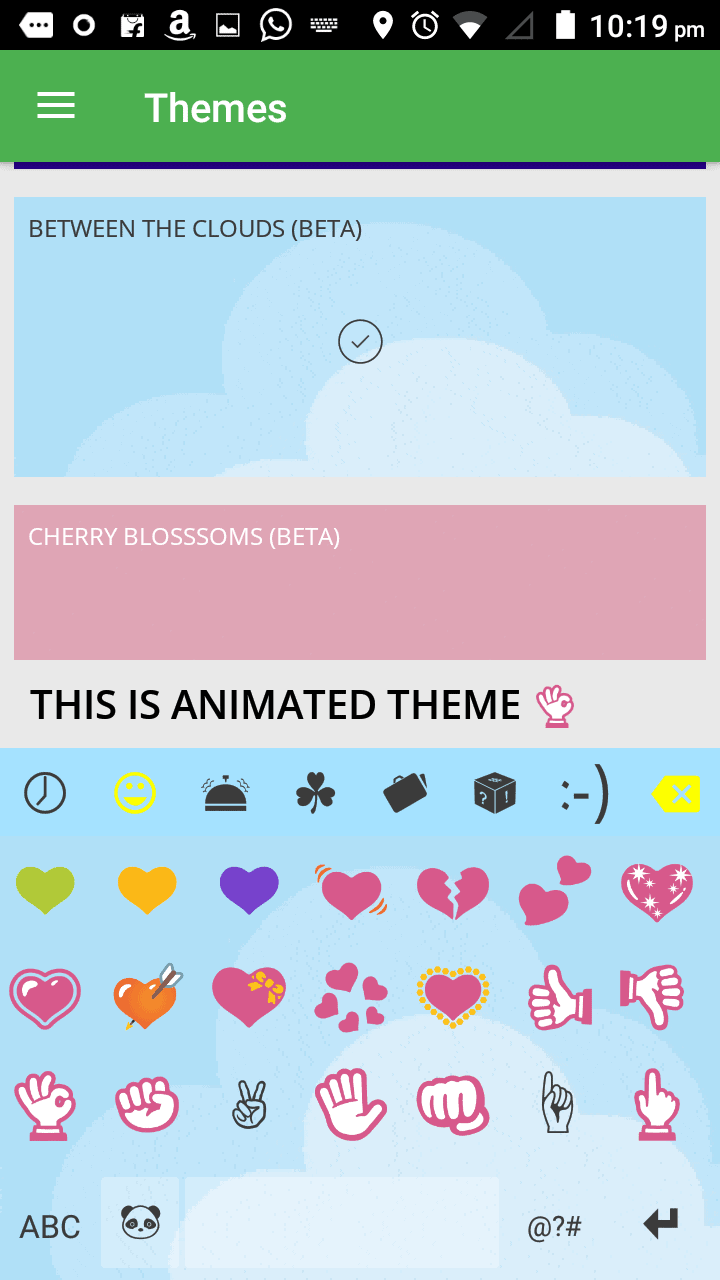
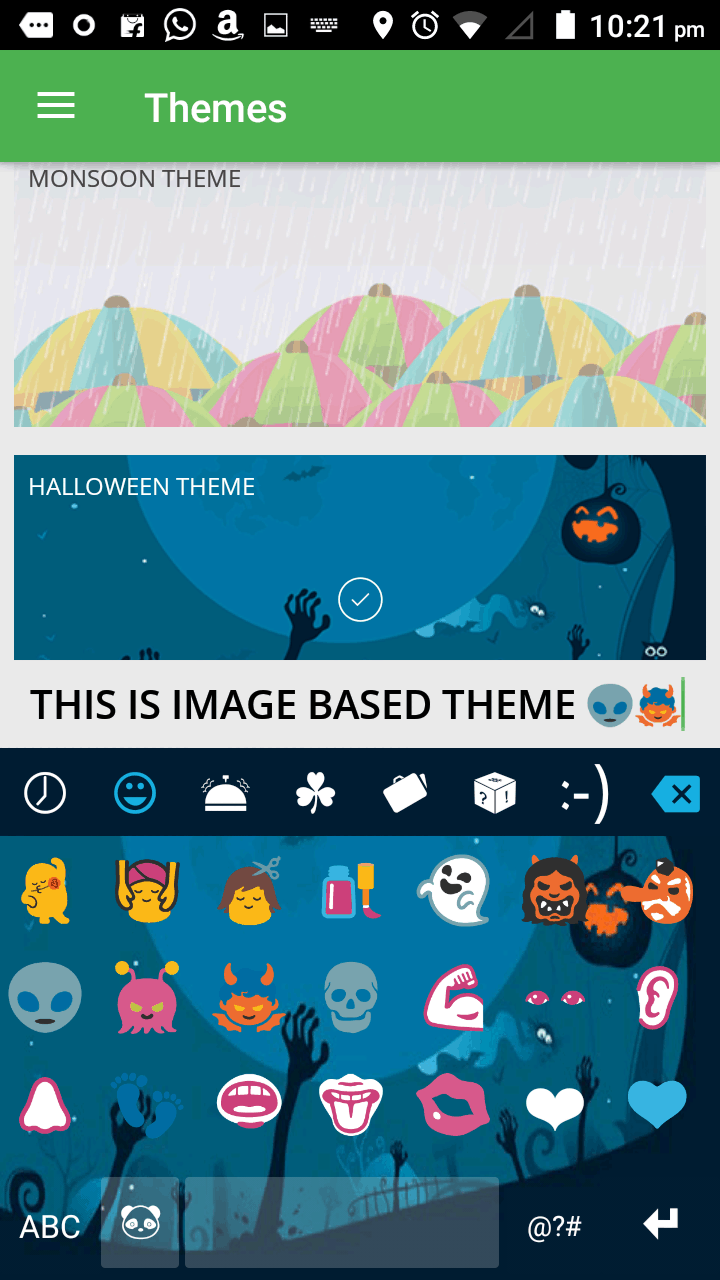
Xploree Keyboard showcases around 1200+ fun stickers & emoticons making all your conversations lively. Apart from these, there are colorful & super vibrant 50+ color-based, animated, and image-based keyboard themes.

Keyboard theme - Color Based
Xploree Keyboard theme – Color Based

These customizations allow comfort in terms of usage and look. You get to select from a wide range of themes that reflect on your keyboard after selection. The whole experience becomes exciting!

Keyboard theme - Animation Based
Xploree Keyboard theme – Animation Based

The color-based theme extends a mixture of both solid as well as gradient colors. There are 6 special themes for the animated section and 6 in the image-based theme section. The images vary from festivals like Halloween to sports like cricket.

Keyboard theme - Image Based
Xploree Keyboard theme – Image Based

INTELLIGENCE

This keyboard offers a unique login for each user to support advanced preferences across all the devices. There happens a personalized discovery which is based on your frequently searched mobile applications. Each user encounters significant discoveries around the product suggestions & offers.

Xploree keyboard - Text Intelligence - Understanding what you type
Xploree keyboard – Understanding what you type

The xploree keyboard also understands what you type and consequently understands the intent behind that. According to the type, xploree starts gathering the searches related to services, travel, shopping etc as per your interests.

Xploree keyboard - Text Intelligence - Showing results for what you type
Xploree keyboard – Showing results for what you type

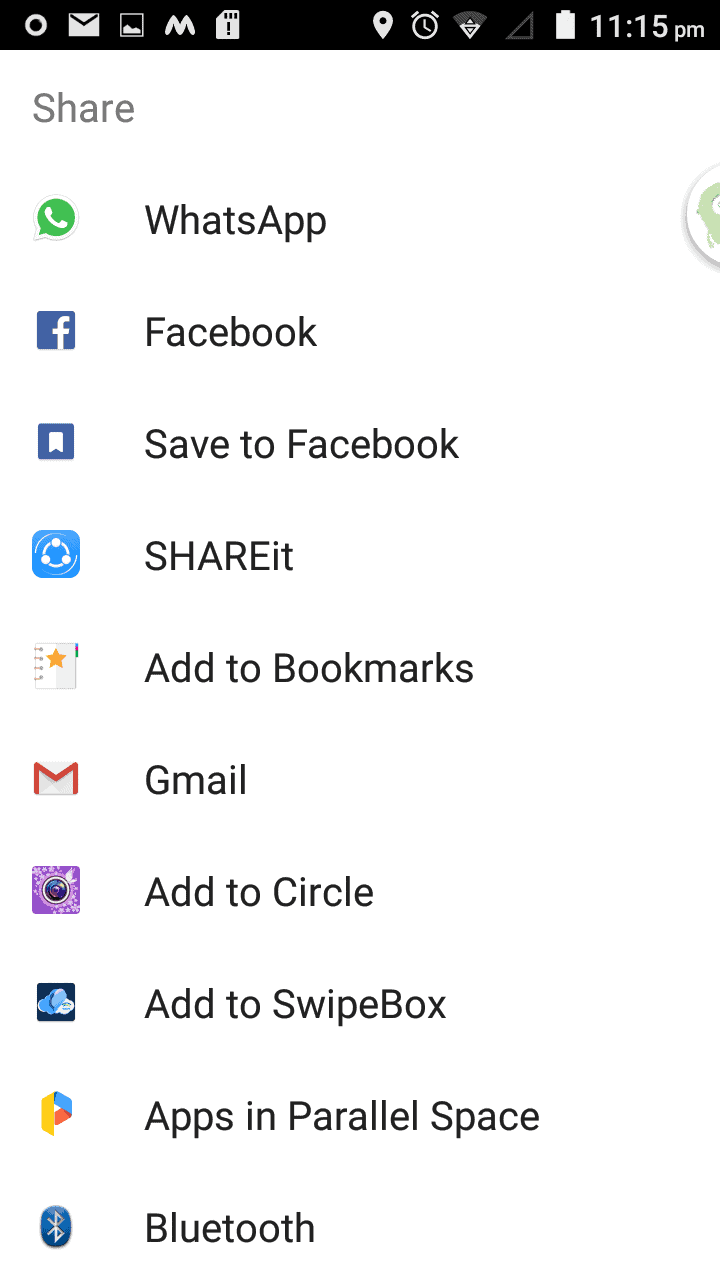
These are what the key terms as “Discoveries”. And once the cards appear you can also share these cards via your preferred mediums.

Xploree keyboard - Text Intelligence - Sharing options of the results
Xploree keyboard – Sharing options of the discoveries

LANGUAGE SETTINGS

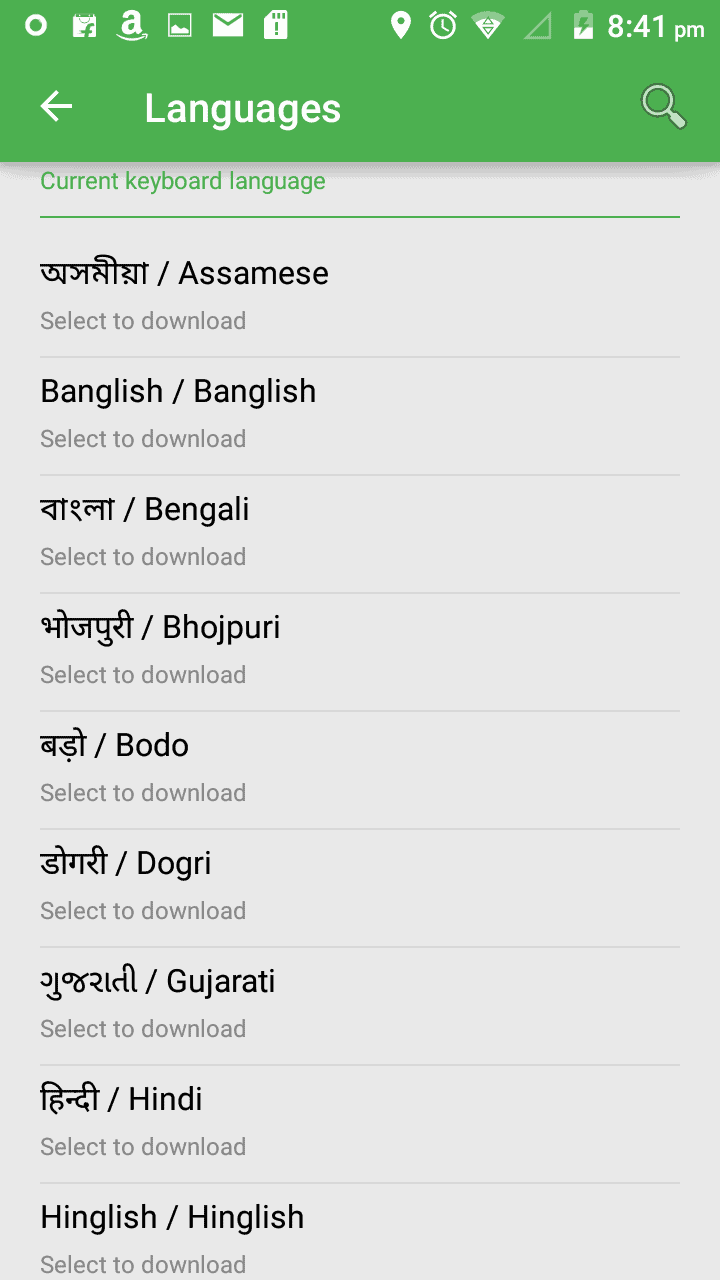
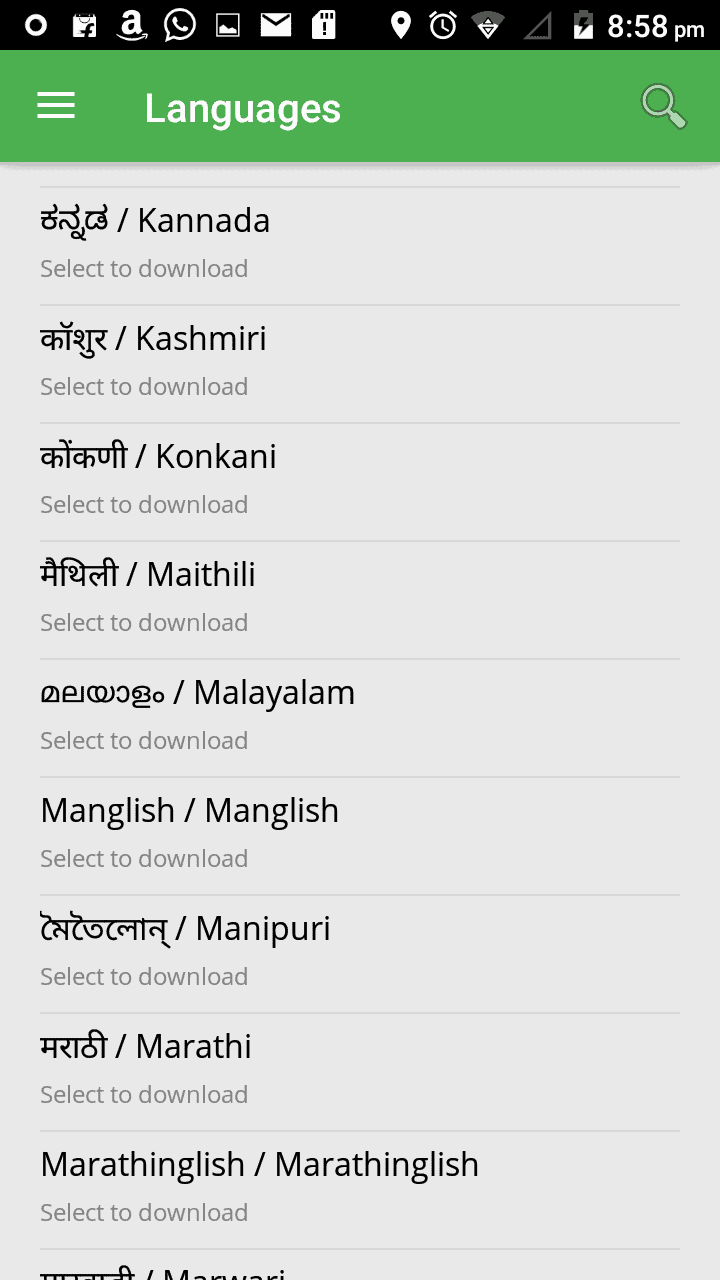
Xploree Keyboard offers super accurate autocorrections & next word predictions. And this results due to the 110+ language options that include regional as well as the international ones. This is the reason why Xploree has a wide reach and acceptance.

Xploree keyboard - Language Options Xploree keyboard - Language Options

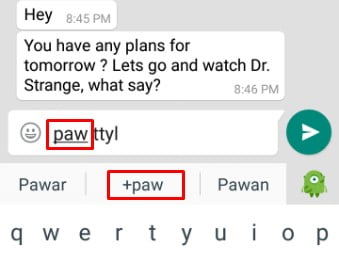
The keyboard also adds those words & phrases that it does not recognize and are not in its standard dictionary. It is also capable of creating text shortcuts. For instance, you add a shortcut (supporting only 4 alphabets) and its expansion in the settings. So when you will be typing that shortcut on any other app the word will automatically expand. I added PAW for Parents Are Watching. Quite relatable, isn’t it? Click on the +paw option and the short form expands.

Text Shortcut - PAW for Parents Are Watching
Text Shortcut – PAW for Parents Are Watching

DISCOVERIES – SEARCH & OFFERS

Well, this is an interesting feature of the whole application. Here the keyboard actually starts understanding the text you key in. This is the central attraction of the app.

DISCOVERIES - SEARCH & OFFERS

Once you start typing a lot of enhancements show up on the keyboard. Presto (Xploree Keyboard app icon) appears on the right side of the keyboard to offer you the searches it made according to your text. These intentional recommendations will display in the form of discovery cards. You can share these offers with your friends or family and do much more on just one platform.

PRESTO FOR THE XPLOREE KEYBOARD

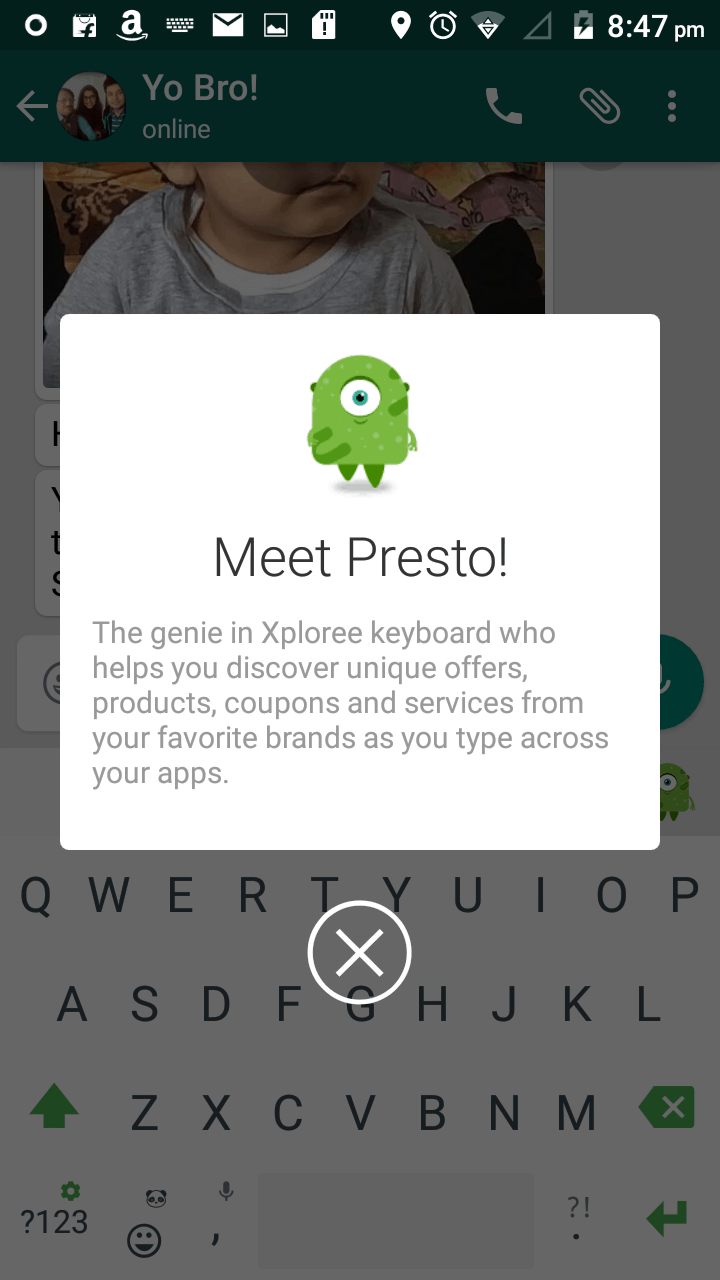
The Xploree Keyboard app icon named Presto helps you discover much better options that pop up with every new offer. It’s a user-friendly feature to help you search for discounts and other things even while using the different apps.

PRESTO FOR THE XPLOREE KEYBOARD

This little guy basically sits as a bubble notification like that of the facebook messenger.  Hence, clicking on it gives you with the options to explore your discovery cards and the settings.

Presto bubble notification
Presto bubble notifications

OTHER SETTINGS

There are many other options in the Xploree Keyboard app that provide you with the absolute control of all the features. You can easily enable or disable anything that controls your preferences or modify the functionality of this keyboard.

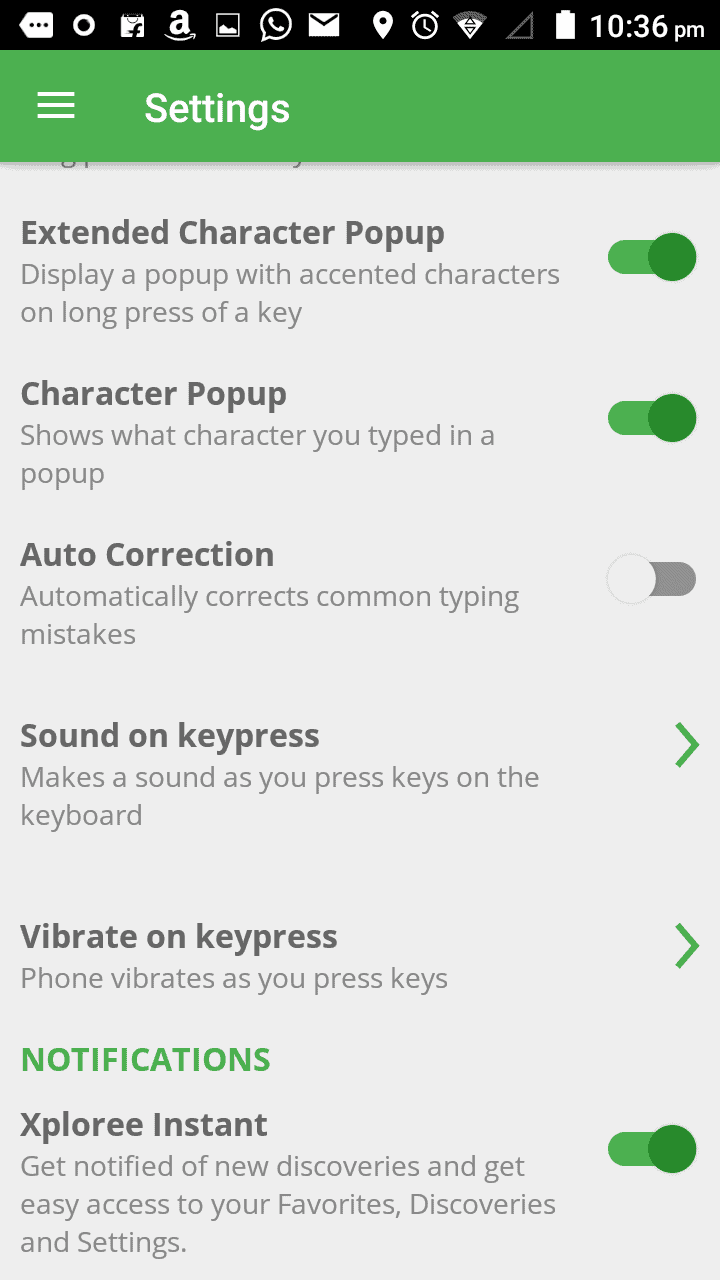
Change of the language with a single swipe of the spacebar, seamless browsing, hassle-free switching between the apps, privacy appreciation and no sharing of personal information are certain other highlights. You have control options like Auto correction, Auto spacing, Keyboard layout, Popup on Keypress, Sound on Keys and Vibrate on Keys and other settings available.

Xploree Smart Keyboard - Settings Xploree Smart Keyboard - Settings

Therefore, all these settings and characteristics make the overall experience super convenient and customizable.

VERDICT

I personally liked the Xploree Keyboard and its ease of use. It’s definitely a smart app which understands a user’s requirements through what one types providing with the relevant searches. Xploree Keyboard is quite innovative and user-friendly rendering you with a number of offers, deals, coupons and products & services which are  pulled from only those clients that are linked to the keyboard and not randomly from the internet. It’s a “must-have” keyboard app.

Get your Xploree Keyboard app here !

How Digital Technology is Changing the Face of Publishing Industry

0

Like the other industries, publishing industry too is adapting to the newer innovations and technologies trends and it no longer restricts to just being “ink and paper”. Things are now going digital and these “digital technological changes” play a vital role in shaping the current & future activities. Publishing companies like notionpress.com are letting writers create books and market and sell digital forms of books, magazines, and other materials. This change has proven to be positive and has driven towards the rapid adoption of e-reading habits along with increased smart device usage and other digital technology means.

notion-press-digital-publishing

The super convenient and hi-tech gadgets like smart phones and tablets have marked a huge impression on the users. It is like carrying a pocket library where you can bookmark passages, magnify texts or illustrations, find particular words or sentences and make use of the other provided enhancements.

International publishers have quickly accustomed themselves in line with the current technological requirements, while smaller ones have grasped the opportunities making it to the competitive market. The entire nature of the publishing business is revolutionizing and changing towards the betterment.

Modern technologies are penetrating into the publishing markets with better and faster networks along with smart devices. Publishers provide content for those devices and advertisers too explore accordingly as to how they should communicate with the prospects and customers. Whole world is getting connected. And print is reassessing its position with the help of present day technological alternatives.

THE DIGITAL AND PRINT CONNECTION

Digital and print industries are somewhat on an equal footing wherein they regularly complement each other. Paperbacks and Hardbacks now come with the reminders that they are also available for digital downloads. Startups called NotionPress.com additionally offer digital & print bundles, providing their customers the best of both the worlds. There’s a connection maintained between the two yet these differ. The publishing industry is not dead neither dying but is evolving.

Eliminating the hassles of piled up novels or the pain of carrying heavy textbooks, modern technology also proves to be crucial in the preservation of rare printed materials. The antique, fragile and obscure materials can be digitized & shared with the readers. There’s no risk of damaging the precious originals. Even several newspaper archives are available online. These give people an access to a wealth of information and notionpress.com makes it searchable just at the click of a button. This all is possible due to the advancements in the digital technology.

Publishing industry embracing the technological progression is an excellent change for the readers, as publications are now readily available for both purchasing and download. And the same validates for audio books too. It is also a boon for the publishing companies. Not just purchasing books and related content, but publishers also provide their customers with great incentives for buying items more frequently. Even the associated costs of creating & supplying content via modern technologies tend to be lower.

Notionpress is increasingly using the digital technology to enhance the consumer convenience, removing the physical production along with lowering the distribution costs and also the time & efforts involved. Some of the major changes in the digital technology that have lead to a massive transformation in the current publishing industry are listed below:


  • INTRODUCTION OF MOBILE & WEB APPLICATIONS

With the advent smartphones, the communication gap has been smoothly bridged. Not only that but launching a multiple number of programs and applications onto these devices has made it even easier to access anything from around the world. Hence, this technological change has lead to the development of innovative and effective ways in the publishing industry linking the readers, customers, and the publishers.

Mobile apps enable the publishers to reach out the smartphone/ tablet users and targeting them also becomes more specific. Even the browser based apps are gaining popularity. Both the native and web apps prove to be helpful in satisfying the needs of end readers. And apart from this, applications even increase the distribution of digital editions. Every sector including the publishing industry has successfully made use of such apps that benefit in connecting with the audience in a more engaging behaviour.


  • SOCIAL MEDIA REVOLUTION

Social media has tremendously been influencing the digital publishing industry. In this sector, two of the biggest players are Facebook and Twitter. These platforms have been providing publishers with a fresh & engaging perspective to achieve their marketing objectives. And properly making use of the social media networks undoubtedly proves to be an effective strategy. Such online platforms also let the organizations integrate their overall marketing strategies and appropriately target the readers. Companies like Notionpress have their official pages connected with social networks and it’s also an increasingly growing trend in digital publishing industry.


  • SELF-PUBLISHING

Self-publishing is a rapidly evolving segment of the publishing industry and is also moving into being mainstream. Authors find it really attractive for the reason that it’s not like working with traditional publishing companies. Moreover, self-publishing allows the authors to keep a check on the entire creative & marketing process.

Self-publishing is more legitimate and moreover a significantly speedy process. Authors retain complete controls over the planning, editing, publishing, and marketing processes. There are no constraints set by any publishing house. Authors don’t need to stack any unsold books but they can rather device several different & innovative ways for marketing & distribution.

The surge of unconventional digital publishing along with the growth of e-books and such platforms being supported & developed by retails like Amazon, self-publishing has opened up new and exciting opportunities. And you also get to exercise full control over the distribution of digital content which was inconceivable a few years ago.


  • SEARCH ENGINE

Google is becoming a prominent player in publishing the digital content. It is building up interactive opportunities. The Google Books has over 12 million e-books, newspapers and magazines available which can be searched by the users. Google works with publishers to provide an increased access to the content while creating new revenue streams for the content creators as well. It is working towards redefining the publishing business models and also earning revenue from the sale & distribution of that content.

CHALLENGES FACED

How people like to read, where they would want to read, the ways in which they can access books, articles and other materials, all of this has changed tremendously in the recent years & will undoubtedly continue evolving. Thanks to all the advancements in the digital technology that now you more likely to enjoy the eBooks or web-based articles.

However, publishers do find it difficult in making their online presence felt or to directly attract customers. Purchasing from the online retail giants and not from a publisher’s web-based shop is one challenge.

Another challenge in the digital age is ensuring effective marketing as only placing the billboards do not prove to be sufficient.

Publishers have to reach their target audiences through various online mediums. And facing competition from the digital self-publishers is yet another challenge for the traditional ones.

On top of all this, publishers also need to protect their intellectual properties and persuade their readers to pay or subscribe for the curated digital content.

And at some point in time, publishers require to make efforts and let their voices be heard in this digital era. They also need to provide the existing & potential customers with a seamless & personalised service along with real expertise & best performance as a business.

TO SUM UP

With the setting up of the first printing press in India to the penetration of modern and digital technology, we have seen it all, and seen it all evolving with excellence and for the best. This digitally driven publishing progression is actually here to stay! And with a dynamic landscape, consumer expectation for the long-form digital content also grows. Social platforms fuel the content discovery and mobile devices fuel the digital consumption which would, in turn, provide a continuous rise in the publishing industry towards better standards. We have observed changes occurring in this exciting world.

How Jigsaw Puzzles & Online Games Help in Kids Cognitive Development

0

Jigsaw puzzles carry this amazing quality of encouraging engagement. You know there is a full picture, but it is broken. The pieces are all scattered on the board and you have to get them together by intuition and insight. It is a simple game but once you start, you cannot stop unless the full picture comes to fore. Although it is equally popular for grownups and kids, the children definitely find it more interesting in childish excitement. Many parents have discovered this fantastic learning opportunity for their little ones. There are several benefits of introducing your child to an online jigsaw game. Not only does it hones their problem-solving skills, but also makes them very confident.

jigsaw puzzle that help children cognitive development

Rightly online


In the gadget-centric world of today, children are born in a digital environment. Many grownups may recognize the differences between their childhood and that of their kids’. In fact, a child of today develops a natural affinity to computers and smartphones among other things. In a sense, all kids are whizkids these days, but this strange trend of modern times require strict supervision on part of parents. As the internet is virtually a free space for all kinds of info, children must be guided very carefully to avoid the perils of curiosity disturbing them. Neither should you entirely stop them from accessing the web, as they feel intimidated. The best option is to guide your child in the right direction such as encouraging them to play free jigsaw puzzles on the web.

  • Also read: 10 Things Game of Thrones Teaches Us About the Future of Tech

Easy parenting

As you may guess already, introducing the little curious explorer under your care to jigsaw puzzles is going to make parenting super-easy. It is natural for the mother to be worried about their children, as they are often reckless and impatient. You would need to teach patience actually, and solve the time taking the game online is a great way to keep your child sitting at a single place for hours. In fact, the interesting digital format combined with the charm of playing on a computer (as kids want to grow up fast and are curious about adult activities) gets children attracted in exploring their minds incessantly. In fact, it can also be a great way to offer an incentive for studying. You can simply allot an hour of computer or mobile access if your kid completes his/her homework in time.   

  • Also read: 9 Best Apps and Games for Virtual Reality World

Intelligence booster

The mental benefits of solving jigsaw puzzles are ample! Quite directly, it helps your child to develop great problem-solving skills. The result of this interesting exercise on the brain also reflects on the good grades at class tests. Furthermore, children born with emotional conditions such as autism, ADHD, and ADD would be able to unlock the dormant potential of their minds effectively. Another great benefit of playing the free jigsaw puzzles comes from the fact that it helps children to appreciate the bigger picture as well as the small details making up the picture. It helps them to be wise and understanding and eventually grow up as responsible adults. Just find a fantastic site for playing these games already and introduce your child to the experience!

Alos read: 8 Amazing Sports Games You Can’t Stop Playing