Home Blog Page 30

These Space Technologies are Now Used in Medical Industry

space tech

NASA is one such organization that has pioneered in establishing its supremacy in both space technology as well as space inventions. Behind space exploration, there are thousands of trials done by scientists and engineers finally leading to the innovation of high-tech products to be used by astronauts. There are many products made by NASA space technology department, and it’s used in our daily life. Al these are actually NASA inventions invented by NASA experts for aerospace research, but now they are in the public domain.

In this article, you will acquire the knowledge of the space technology and some amazing nasa inventions used in the total health care system:

Healthier baby formula (Nutritional Supplements):

NASA- Space Technology- baby formula nasa

Discovery:

This baby formula come into the scene when NASA was developing life supports for Mission Mars. This space technology was discovered in the 1980s by NASA Ames Research Center along with Medical Technologies International and Martek biosciences Corporation.

Description:

The aerospace field has played quite an important role in exploring and making the use of microalgae as a food supplement, for evolving oxygen gas out of it as well as a catalyst too. They found the algae named Crpthecodinium cohnii which produced high levels of DHA omega fatty acid and the fungus named Motierella alpine that produced ARA fatty acid. These ARA and DHA play a key role in infant development.

Uses:

By NASA: In NASA for food supply, for evolving oxygen gas, waste disposal catalyst

By Civilians: It is used as nutritional supplements for infants as well as women during lactation and pregnancy.

Invisible Braces :

Invisible Braces NASA

Discovery: 

Invisible braces are also part of space technology. This is one of the nasa inventions which are used world wide by people. Invisible braces are discovered by NASA in association with the dental company named Ceradyne.

Description:

The invisible braces are made up of Transparent Polycrystalline Alumina(TPA). The material was found when NASA was searching for durable and lightweight components favorable for tracking down the missile. It was founded stronger ceramic than the steel yet translucent too.

Uses:

By NASA: This space technology was used for tracking missile

By Civilians: It is used as an orthodontic product.

 Anti Gravity Treadmill:

Anti-Gravity Treadmill NASA

Discovery:

It was invented by the researchers and engineers of NASA Ames Research Centre in the 1990s. Further, in 2005 this space technology was licensed by the company named Alter-G Inc.

Description:

The long exposure to the zero-gravity environment and the feeling of weightlessness can result in muscle atrophy, so it is compulsory for the astronaut to train their bones and muscles to overcome this issue. The astronaut’s body is enclosed in the airtight chamber where the air pressure is lowered which pushes the astronaut down simulating the gravity. NASA inventions are unique and treadmill is one example. Treadmill is nowadays used by normal people, professional athletes world wide.

Uses:

By NASA: This space technology is used by the astronauts to avoid the loss of bones and muscles of their body

By Civilians: It is used by the patient to walk again after recovering from their injuries, professional athletes, patients with arthritis, and obesity.

LED Light:

LED light NASA

Discovery:

The LED(Light Emitting Diode) was invented by NASA Marshall Space Flight Center in association with Wisconsin Center for Space Automation & Robotics.

Description:

This was invented by NASA for understanding the growth of the plants in outer space, so they used LED light system as the photon source for photosynthesis. Previously it was assumed that LEDs are not capable of being helpful in plant group so the Wisconsin Center teamed up with NASA and produced a system which did the successful photosynthesis.

Uses:

By NASA: It was used for growing the plant in a low gravity environment.

By Civilians: This space technology is used for medical purposes, especially for treating cancers and brain tumors.

Insulin pump:

inaulin pump

Discovery:

The monitoring system was invented by medical experts by the famous Goddard Space Flight Center.

Description:

These insulin pumps are formed based on technology that was invented on the Mars Viking spacecraft. This implant was introduced for the astronauts but now it is used for the diabetic patient by releasing insulin. The computerized pumps help in the infusion of insulin into the patient at a pre-programmed rate. These help the patient in controlling their blood sugar level and with this, there is no daily requirement of injections.

Uses:

By NASA: It was used by NASA for monitoring the health and vital signs.

By Civilians: It is used now by diabetic patients for pre-programmed release of insulin in their body.

Artificial Limbs:

Artificial Limb NASA

Discovery:

The Artificial limbs were invented by NASA’s Marshwerepace Flight Center(MSFC) in Alabama.

Description:

Artificial limbs come under NASA inventions too.The artificial limbs made up of corn start materials were quite heavier to be used in space and so there was a need for a new ideology. The shuttle’s external tanks were covered in foam insulation to make it abrasion-resistant. Later on, the ET foam was used in making the molds for fitting artificial limbs which were affordable for the patients.

Uses:

By NASA: The material named ET foam was used in the shuttle’s external tank as insulation.

By Civilians: It is used in making molds for fitting artificial limbs

Speedo LZR swimsuit:

Speedo LZR swimsuit NASA

Discovery: 

This swimsuit was formed in 2004 by NASA in collaboration with Speedos aqua lab Research Center.

Description:

Swimsuit is one of the NASA inventions. This swimsuit was made with ultrasonically welded seams. The ideology behind fusing the seams ultrasonically instead of overlapping and stitching fabric is that it will reduce the drag of the swimmer by 6 percent. After the formation of the Speedo LZR swimsuit, the swimmers were able to crack 13 world records within a month.

Uses:

By NASA: It was made by NASA in partnership with Speedo lab, so there is no use by the astronaut

By Civilians: It is used by the athlete for competition.

Emergency Blanket:

Emergency Blankets NASA

Discovery:

The famous emergency blanket was discovered by NASA in 1964.

Description:

The emergency blanket is also known as a space blanket. This was made by using the Radiant barrier technology to protect the astronauts and the electrical equipment from harmful radiation and high-temperature fluctuations. It helps to retain the body heat even in very cold conditions. It is light in weight, so it can be easily carried and a highly reflective insulator.

Uses:

By NASA: It is used by the astronauts to keep their body warm in the outer space

By Civilians: It is available in emergency kits and also in the marathon or for long-distance runners to retain their body temperature.

Air Scrubber Plus:
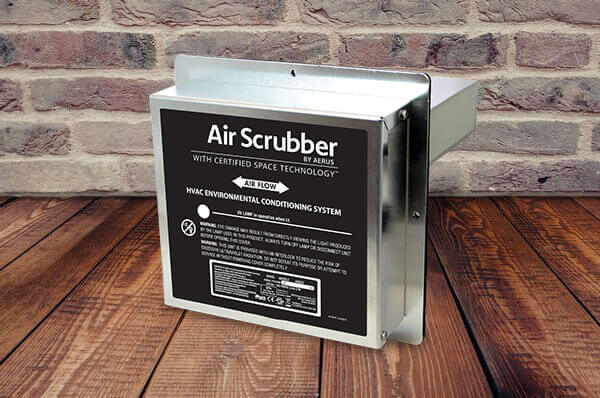
Air Scrubber Plus NASA

Discovery:

The Technology named Active Pure Radiant Catalytic Ionization(RCI) was discovered in the 1990s by scientists from the NASA research Partnership center in Wisconsin which is a center for Space Automation and robotics(WSCAR) 

Description:

This technology was discovered for the accomplishment of farming their fruits and vegetables. In addition to this, they also have advanced in the discovery of artificial lighting, growth chamber, and plant monitoring devices.  This is also known as ethylene scrubber. It works by sucking up the air in the tube coated with titanium oxide. After that when the UV light rays fall on the coat, it converts the gas into water and carbon dioxide.

Uses:

By NASA: It is used by NASA for preserving the crops and also for farming their vegetables outside the planet Earth

By Civilians:  It is used in refrigerators, also in restaurants, and hospitals as well as extend the life of the HVAC system of the house.

Sneaker Cushioning gel:

Sneaker Cushioning gel nasa

Discovery:

The Aerogel was put in practical use by NASA in 1992 and also it was well known that the solid form is too fragile to be handled. Finally, James Fesmire of the Cryogenic Test Laboratory introduced the world to the concept of aerogel as a flexible material.

Description:

Due to the unique and specific features of the aerogels like their low thermal conductivity, high surface area, low density, translucence they can be used in material technology. The dust particles in the space can vaporize on contact with solids and can transform into gas but they can be trapped with the use of aerogels

Uses:

By NASA: It is used by NASA for making boots worn on Moon cushioned because of the uneven lunar surface.

By Civilians: It is used in athletic shoes for shock absorption, no energy loss, and reduced foot fatigue

How does space help with health care?

The space researches conducted on the astronauts has helped the healthcare system to a great extent. This as help the researchers to understand the several others conditions of Earth which has led to the invention for the people having balance disorder, cardiovascular problems, osteoporosis etc.

In what ways has space technology been used by humans?

Well there is a vast list of space technologies that is used by human in day to day life. Some examples are:
1. Sneaker Cushioning Gel
2. Insulin pump
3. GPS
4. LED Light
5. Invisible Braces

The above listed were some interesting NASA inventions till date. I hope you find all this information important and interesting. If you want to share more interesting facts related to this topic feel free to share with us by commenting down below.
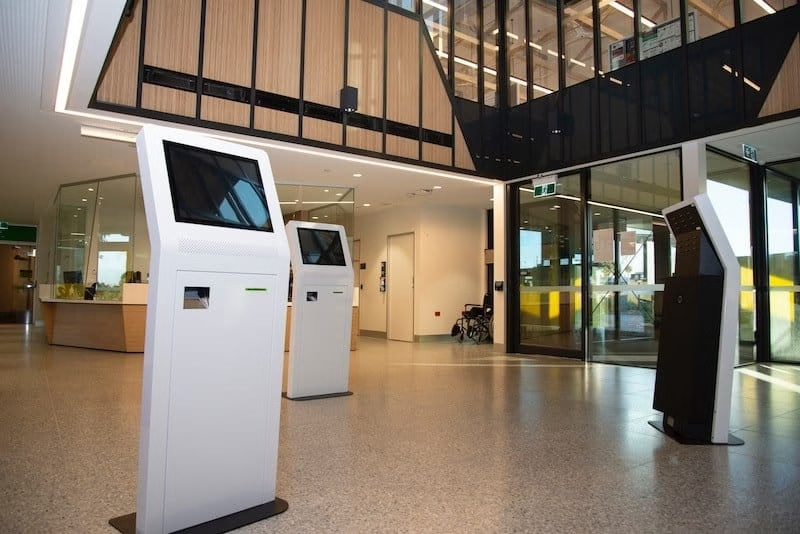
The Powerful Impacts Made by Touch Screen in Health Care

0

Touch screens have emerged as a vital element of modern life. The healthcare sector is no exception and has been greatly revolutionized by this technology.

Touch Screen in Health Care

In contemporary times, the introduction of touch screen technology into the healthcare industry has produced significant and remarkable results. Patients can now register themselves into the hospital for an appointment, reducing crowds and delays. At the same time, it also allows more efficient use of the health care receptionists’ valuable time. Positive impacts have also been made as far as the stress levels of patients and healthcare workers’ interactions are concerned. 

For healthcare professionals, the experience provided to the patients and visitors is definitely a top priority. The appropriate technology may significantly enhance the patient’s feelings about hospital visitation, which might relieve various concerns among healthcare staff. So, what role does touch screen technology play to assist? Here are the ways how touch screen technologies have revolutionized the healthcare industry:

1. Minimizing the Waiting Times 

Touch screen displays provide a wealth of functions that not only reduce the stress faced by healthcare workers they encounter every day, but also assists to lessen their burden. Often, patients are visibly concerned about visiting a hospital because of the long lines and lengthy waiting times. This happens to be one of the major reasons for complaints in most hospitals.

Touch screens enable self-service and reduce the need for patients to wait for healthcare workers to attend them. Thus lowering the long waiting times. Also, the systems are very user-friendly and error-free so one does not need to be tech-savvy to use it.

Upon introducing touch screen technologies in hospitals, there has been a drastic reduction in waiting times and long lines. Furthermore, the number of patients that used to leave the hospital due to long waiting times has also declined following the implementation of this technology.

2. Enhancing Patients and Visitors convenience

Sometimes, patients can end up feeling confused and even intimidated when they enter a large hospital. However, touch screen technology has the solution to this problem. Many hospitals nowadays are using Commercial grade touch screen Kiosk that comes with wayfinding features. 

The wayfinding feature provides the patients and visitors with easy-to-read maps and directions that enable them to easily navigate around the hospital. Users may quickly look up their chosen destination with the help of the broad, vivid, and user-friendly touch screen monitors. Thus, avoid facing difficulties finding the department, cabin, or doctor that they are looking for. 

Moreover, Patients with vision problems will benefit more from a touch screen than from regular printed forms. The patients can adjust the brightness accordingly or even use read-aloud features of the technology.

3. Helps to Overcome the Communication Barriers 

In multicultural societies, hospital employees may face people who prefer to communicate in a language other than English. As a result, patients and healthcare employees may face language and cultural barriers. Thankfully, touch screen technology can help to bridge such gaps. The technology will help users to pick the language they prefer and receive instructions and information in that chosen language. Additionally, it can be useful for people with lesser literacy skills who need signs and visual guidance to navigate them through the procedure.

4. Touch Screen Enables Superior Privacy and Data Protection

In recent times, ensuring the privacy, confidentiality, and data protection of clients has become one of the top priorities for businesses. However, in the healthcare industry, data protection and confidentiality are more important compared to any other industry. When addressing health issues, all patients demand confidentiality. This is where touch screen technology can play a huge role. Touch screens eliminate the need for patients to verbally communicate or explain potentially sensitive information.

Touch screen devices are also safer and better protected. The doctors and health professionals can add passwords or locks to the devices to prevent unauthorized access to other parties and thus protect the patient’s privacy. Since touch screens do not necessitate the use of a mouse or keyboards, the users will not be vulnerable to phishing attacks.

5. More Organised Filing System 

The conventional way to schedule and register for an appointment in a hospital was to provide your identification and necessary information to the receptionist, who would then record the information in directories or logbooks. This has long been a problem for the staff, particularly during busy hours, resulting in an overloaded reception area and the risk of losing vital information.

This has long been a problem for the staff, particularly during busy hours, resulting in congested reception areas and the risk of losing vital information. However, due to touch screen technology, patients are no longer required to consult the receptionist, and the reception area is considerably more organized and less crowded. Thus, the patient information is better managed and organized and there is no risk of losing important data.

6. Provides Return on Investment 

Lastly, it will not be fair to discuss the advantages of touch screens in healthcare without mentioning that the system is extremely cost-effective. Although initial investments will be required to implement the touch screen technologies, the returns are likely to be worthwhile in the long term. The touch screen has the capabilities to serve many patients quickly, and also without any errors. The system does not require additional hardware like keyboards and mouse which need replacements on a regular basis. Thus, touch screens provide great opportunities for saving expenses. 

Touch screens have the potential to make matters much simpler in the healthcare industry. Healthcare providers can use devices to update and track medical records, check patient files and medical images. Indeed, this technology allows healthcare professionals to handle practically every non-clinical element of their work with the touch of the screen. There is no doubt that touchscreen technology will be defining the future of healthcare thanks to its powerful capabilities of saving precious time, cost, and by decreasing errors and maximizing efficiency.

Latest News: MediaTek’s Helio G96 and Helio G88 SoCs to Bring Impeccable Camera Capabilities to Smartphones

0
MediaTek Launches Helio G96 and Helio G88 SoCs Bringing Advanced Display and Photography Capabilities to Premium Smartphones

The latest Helio G series chipsets enable device manufacturers to deliver fluid displays, intelligent OS experiences, and exceptional photographic features.

Latest News: MediaTek’s Helio G96 and Helio G88 SoCs to Bring Impeccable Camera Capabilities to Smartphones

July 15, 2021- HSINCHU, Taiwan- MediaTek announced on the 15th of July two new additions to its Helio G Series viz. Helio G96 and Helio G88. With the release of these system-on-chips (SoCs), device makers will be able to deliver strong smartphone features with cutting-edge display and camera capabilities, allowing them to provide intelligent mobile experiences to every consumer.

CH Chen, Deputy General Manager of Wireless Communication Products at MediaTek’s Wireless Business Group, said, “With the launch of the Helio G96 and Helio G88, MediaTek advances its position as the leading mobile chip innovator, delivering new SoCs to boost display and photography experiences for the mainstream market.” He added, “MediaTek is continually advancing chip performance, speed, and reliability. These new Helio G series chips are at the core of incredible mobile experiences.”

The MediaTek Helio G96 SOC provides premium everyday user experiences by supporting 120Hz displays with up to FullHD+ resolution for noticeably smoother scrolling of web pages and animations in apps. The Helio G96 120Hz display support has no limitations in DDIC supply, C-phy or D-phy interface, and support for both LCD and AMOLED displays. MediaTek’s Helio G96 brings an impressive breadth of features and capabilities to 4G smartphones, including support for up to 108 MP cameras for the most detailed images, fast Cat-13 4G LTE WorldMode modem integration, dual 4G SIM and VoLTE and ViLTE services, as well as its Intelligent Resource Management Engine and Networking Engine.

Here are some key features of MediaTek Helio G96:

  • Displays that run at 120Hz FullHD+ are incredible.
  • Main cameras with a resolution of 108MP
  • Fast 4G LTE connectivity with dual 4G SIM slots
  • MediaTek HyperEngine 2.0 Lite is a gaming technology developed by MediaTek.
  • Performance of a high-end 4G smartphone
MediaTek Helio G96

Here are some key features of MediaTek Helio G88:

  • Main cameras with 64 MP resolution are fantastic.
  • MediaTek HyperEngine 2.0 Lite generation technology 
  • Dual 4G VoLTE
  • Integrated Voice Wakeup
MediaTek Helio G88

The MediaTek Helio G88 SoC, which was announced concurrently, offers rapid 90Hz screens to create extremely fluid mobile app and operating system (OS) capabilities. Its octa-core CPU has two Arm Cortex-A75 CPUs that can run at up to 2.0GHz, allowing for quick reflexes, program loading, and the camera captures. With support for up to 64 MP primary cameras, a hardware depth engine enabling dual-camera bokeh shots, a Camera Control Unit (CCU), and Electronic Image Stabilization (EIS) and Rolling Shutter Compensation (RSC) technologies, the Helio G88 builds on years of photographic brilliance.

Device makers can provide top photography and strong display features for the next generation of smartphones using the newest Helio G series processors. MediaTek delivers great mobile advancements to people all around the world and makes premium technology affordable to the public.

Visit MediaTek for more information.

Just In: Facebook Warns Iranian Hackers Target U.S and Europe Military Workers With Fake Accounts

0
Just In: Facebook Warns Iranian Hackers Target U.S and Europe Military Workers With Fake Accounts

Facebook took down about 200 accounts on Thursday, run by a group of hackers in Iran involved in cyber spying operations that mostly targeted the US military workers and personnel in the defense and aerospace sector.

The hacking group is called “Tortoiseshell”, and used Facebook and various other social media platforms to contact targets and to build trust with them over time before infecting their devices with malware. They also tricked them into visiting other sites that contained malicious links to infect their devices with spyware.

Their strategies included creating bogus recruiting websites and impersonating the US Department of Labor’s job portal. They also sent links to malicious Microsoft Excel files to their targets. A Microsoft spokesman stated in a statement that the company is aware of and following this actor and that it takes action when harmful behavior is detected.

Facebook’s investigation team Mike Dvilyanski and David Agranovich said in a blog post,”This activity had the hallmarks of a well-resourced and persistent operation while relying on relatively strong operational security measures to hide who’s behind it”.

“As far as I know, this is the first public attribution of the group’s malware to a vendor or front company with ties to IRGC,” said Dvilyanski on a call with reporters. 

Google, a subsidiary of Alphabet, said it had discovered and stopped phishing on Gmail and had given warnings to users. Slack, a workplace chat service, claimed it had taken action to remove the hackers who were using the site for social engineering and had shut down any Workspaces that broke its rules.

According to Facebook, the hackers also utilized customized domains to lure their targets, such as phony recruiting websites for military firms, and they put up an online infrastructure that spoofs a real job search website for the US Department of Labor.

iranian hackers

In a campaign that began in mid-2020, Facebook claimed the hackers mostly targeted users in the United States, as well as those in the United Kingdom and Europe. It declined to name the firms whose employees were targeted, but its director of cyber espionage Mike Dvilyanski said the “fewer than 200 individuals” who were targeted were being notified.

According to Facebook, the effort looked to demonstrate an extension of the group’s operations, which had previously been claimed to focus mostly on the I.T. and other businesses in the Middle East. According to the inquiry, a piece of the malware utilized by the organization was created by Mahak Rayan Afraz (MRA), a Tehran-based IT firm with links to the Islamic Revolutionary Guard Corps.

The claimed link between MRA and Iranian governmental cyber espionage is not new. MRA was named as one of many contractors accused of aiding the IRGC’s elite Quds Force by a cybersecurity firm Recorded Future last year.

Iranian hackers

Iranian government spies, like other espionage services, have long been accused of contracting out their missions to a slew of local firms.

Facebook stated that the malicious sites had been prohibited from being shared, while Google stated that the domains had been put to its “blocklist.”

Believe It or Not: These 10 Asana Project Management Alternatives Will Change Your Team Collaboration

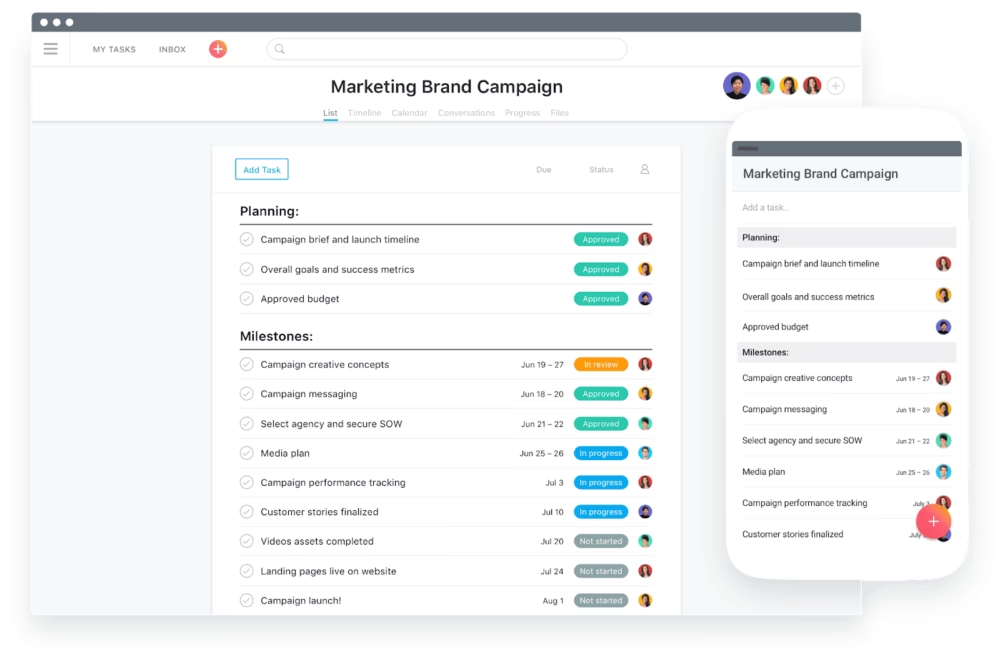
We all know that Asana is one of the leading project management apps. It’s insanely intuitive, it combines many project visualization options and collaboration tools, all in one place. But just like spearfishing or black licorice, it’s not for everyone. With Asana project management not developing a native desktop app, it’s not very friendly to the new users and well, projects can get pretty complex.

asana project management

So, in this article, we’re going to cover the 10 best Asana project management alternatives to help you find the project management tool that works for you best.

Without any further ado, let’s run through the top 10 alternatives to Asana project management in 2021:

1. Basecamp:

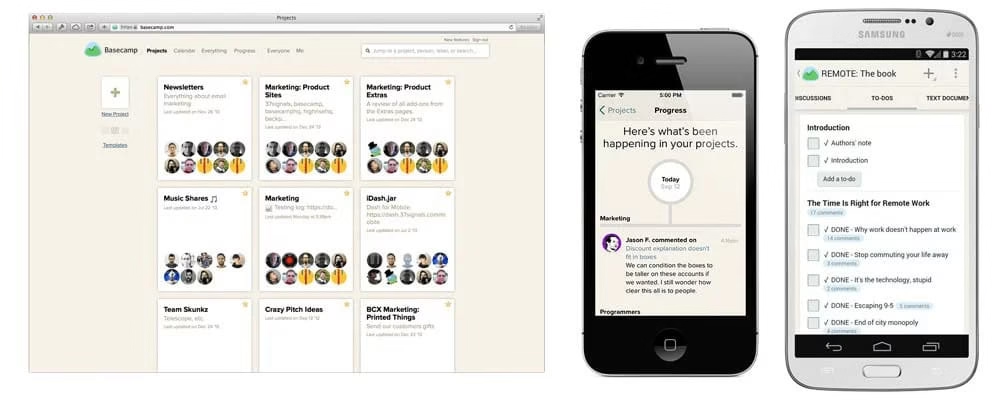
Basecamp

Basecamp, one of the few most popular project management systems out there, offers collaborative project management as well as a client portal for easy collaboration with members beyond your organization.

Suitable for: This project management tool is the best choice for medium to large-scale businesses looking to use multiple collaboration tools in a single app.

Features: Basecamp is a terrific project management software for Mac and Windows that includes to-do lists, internal communications, kanban charts, and much more. It’s a wonderful Asana project management alternative that gives a wide range of features to assist your firm and job remain ahead.

  • Device compatibility:  iOS | Android | Mac | Windows| Web app
  • Integrations Available: Basecamp 3 is integrable with mobile and desktop apps, developer-only tools, outlook, and many other platforms just like asana integrations. 

Pros:

  • It provides the storage of files and documents all in one place.
  • Has a good pricing system.
  • On/off notification settings.
  • Has a great communication system.
  • Creation of hill charts.
  • Integrations- it can be integrated with other software and apps, same as asana integrations.

Cons:

  • It doesn’t provide any time tracking as of now.
  • No ability to archive a topic.
  • No starring feature (which is quite important, hello?)
  • In contrast to other tools, it doesn’t have all the basic features necessary.
  • Pricing: Coming to its pricing, it ranges from $3000/year to $29/month. Basecamp business starts at $99/month. 
  • Trial period: 30 days trial period. 

Despite having a few disadvantages, the advantages are certainly dominant and it’s a great project management tool. Managing projects has never been this easy, kudos to Basecamp.
You can visit their official website here:basecamp.com

2. Trello:

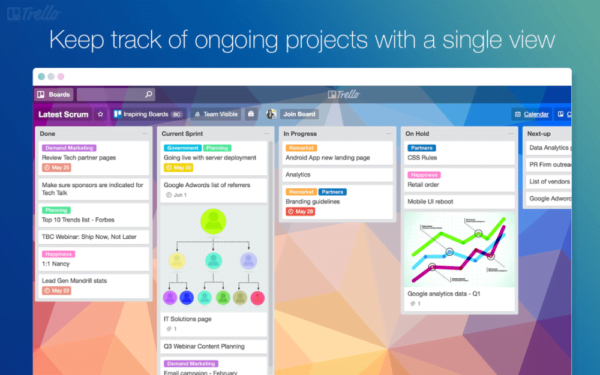
Trello

Trello is an online kanban application that helps you keep on top of projects with several steps. In no time, you’ll be able to create various columns for consecutive phases in a project. For example, your kanban columns may include “upcoming,” “in progress,” “awaiting input,” and “invoice time,” which is the most intriguing. 

Suitable for: This makes it great for tracking freelance projects with clients, making it the aptest option for freelancers and small teams.

Features: Creation & Assignment, Due Dates, Task Prioritization, To-Do Lists, Drag & Drop, Recurring Tasks.

  • Device compatibility:  Compatible project management software for Mac | Android | iOS | Windows| Web app
  • Integrations available: Integrates seamlessly with the apps and services your team relies on like Slack, Dropbox, Outlook, Gmail, Salesforce, InVision, Jira, and hundreds more.

Pros:

  • The Easiest project management software to use because of its mere simplicity.
  • It’s amazing for quickly capturing thoughts and turning them into tasks.
  • It’s mobile-friendly which is an important aspect these days.

Cons:

  • No internet, no Trello.
  • Storage is limited.
  • Spreadsheets cannot be edited efficiently.
  • Pricing: From the pricing aspect, it’s free of cost for individuals and teams. For the business class, it ranges around $10/month, quite affordable which is quite low compared to Asana pricing.
  • Trial period: 14 days free trial period

Overall, it’s pretty simple to use, very pocket-friendly and the best free project management software that can manage your projects and work.
You can visit their official website here:trello.com

3.Weje

asana project management,asana pricing,project management tool,best free project management software,project management software for mac,asana integrations

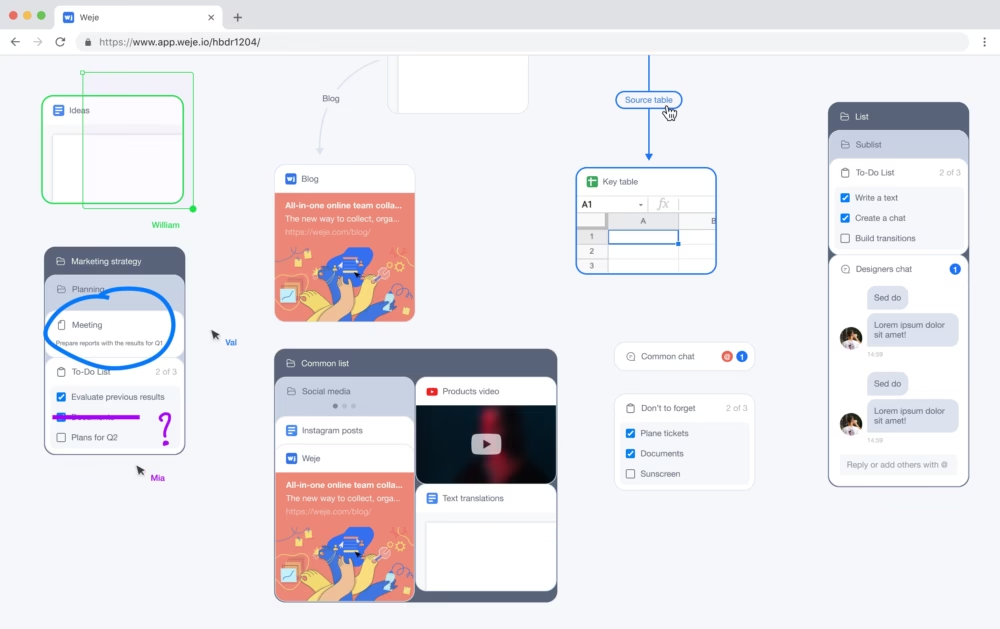
Weje is a free online whiteboard that you can use to collaborate with teammates and manage projects or individual assignments. You can start with a blank online canvas and create Kanbans or pick up one of the ready-to-use templates from the library, e.g. the “Workflow”, and adjust it to your needs. After, you can grant access to teammates, so they can access the whiteboard, edit simultaneously, and track changes imposed by others.

It is suitable for: Weje is good for remote teams, educators, and individuals who look for some convenient digital substitute to notepads.

Features: You can create countless digital boards, design projects’ flows, upload or link all project-related information, including documents and tables, and share access with colleagues or external parties via email invitations. To manage the team’s performance, you can leave comments, put online sticky notes, assemble data into cards, preview, and edit linked documents.

Device compatibility: Compatible project management software for Mac | Windows| Web app

Integrations Available: will be soon.

Pros:

  • Allows creating countless digital whiteboards for free
  • Offers pre-made templates
  • Has a straightforward UI and a drag & drop grouping option
  • Labels cursors with editors names
  • Allows leaving comments & sticky notes
  • Supports any filetype

Cons:

  • Doesn’t include a time-tracking tool
  • The task’s status is to be changed manually by moving it from the “To Do” to “In Progress”
  • No option to pick up an assignee for a drop-down list.

Pricing: Weje’s “Free plan” allows inviting up to 2 co-editors and using up to 10MB for each file upload. Paid subscriptions are available at $4 or $7 per user per month.

Trial Period: none – offers a “Free plan”.

You can visit their official website here:weje.io

4. Plutio:

Plutio

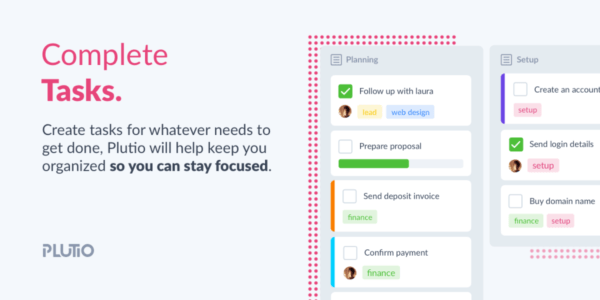
Plutio is a popular Asana project management alternative and an AppSumo partner. It’s excellent for freelancers and agencies, and you can get a year’s worth of service for up to 30 group members right now on AppSumo. Plutio is a game-changer because it bridges the gap between Trello and Asana by providing more capabilities than Trello while being less sophisticated than Asana’s project management solution.

Suitable for: It is a whole suite for every small business, from writing proposals to contracts up to invoicing the client after the end of the project.

Features: You can use Plutio for hourly tracking, creating kanbans, collaborating with clients, and way more. 

  • Device compatibility: Compatible project management software for Mac | Android | iOS | Windows| Web app
  • Integrations Available: Just like asana integrations, it has wide range of integrations which include: Public API, Zapier, Integromat, Stripe, PayPal, Google Calendar and much more. 

Pros:

  • It’s highly customizable.
  • Inexpensive software suite.
  • Easy to keep track of your projects.
  • Has attractive quotes and templates.

Cons:

  • Some users have a hard time registering.
  • The design of the invoice is not as sleek as you’d want them to be.
  • The chat feature is a little cumbersome.
  • Notifications can be explored better.
  • Pricing: Plutio pricing commences at $15.00 per month which is slightly greater than Asana pricing. They do not have a free version as of now.
  • Trial Period: Plutio offers a free trial of 14 days but there’s no free version available as of now. 

It might be a little tricky to figure it out at first, which doesn’t make it very user-friendly. 
You can visit their official website here:www.plutio.com

4. ClickUp:

ClickUp™ | One app to replace them all

ClickUp combines several productivity tools into a single package: docs, spreadsheet, goal tracking and so much more. The best part about this app is that it starts with a generous freemium version, and you can scale up to premium plans starting as low as $5 per user/month.

Suitable for: This Asana project management tool alternative is best for teams looking for a single tool that keeps projects organized across departments. 

Features: ClickUp features project management must-haves like kanban charts, status templates, reminders, and workload charts to keep a track of what your employees are up to. It’s also used by teams at Google. 

  • Device compatibility:  Compatible project management software for Mac | Android | iOS | Windows| Web app 
  • Integrations Available: With ClickUp you can build your own custom integrations and its apps with its public API. 

Pros:

  • Project managers can turn user comments into tasks and assign them to team members.
  • It provides a hierarchical approach to organizing projects.
  • Importing from external apps to ClickUp is quite easy.

Cons:

  • Bugs: there is no additional feature to add bugs to a task.
  • Attachments can’t be moved from one task to another easily.
  • It’s a little sketchy and there are no additional tutorials provided.
  • Could be simpler.
  • Pricing: Coming to its pricing, the website claims that it’s free forever and the unlimited plan starts at $5/month which includes more features like unlimited storage, unlimited integrations, unlimited dashboards, etc. This is very low compared to Asana pricing.
  • Trial period: There is a plan that is completely free for the rest of your life.
    You can visit their official website here:clickup.com

5. Nifty:

Nifty

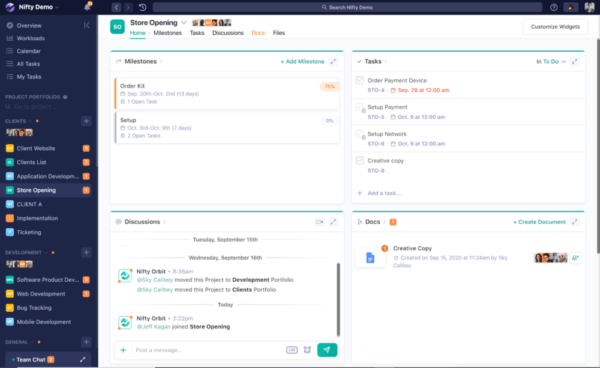
They are a remote collaboration hub that helps your team manage projects, goals, and files. This software lets you automate your team’s progress and gives a transparent workflow. It’s a remote collaboration hub used for the sheer purpose of managing tasks and projects. This is a great Asana alternative for project management tools.

It is suitable for: it is mainly used by digital agencies and product teams looking to manage projects in a feature-rich collaborative workspace.

Features: You can track milestones, send group and individual messages and build task lists within this marvelous app. In addition, you can use kanban and calendar views, and even automate client reporting and your dashboard to fit all of your needs.

  • Device compatibility: Compatible project management software for Mac | Android | iOS | Windows| Web app
  • Integrations Available:It’s integrable with JIRA, Zapier, Google Calendar, Gmail, Google forms and well, a lot more similar to asana integrations.

Pros:

  • Has an easy and clean UI.
  • Has built-in time tracking.
  • Improved collaboration process.
  • The ability to import projects from other apps such as Trello and Asana.

Cons:

  • Not enough interactions, especially webhooks.
  • The onboarding process can be improved slightly.
  • The sprint velocity can be improved.
  • Pricing: The pricing starts from $49/month for starters which is quite high compared to Asana pricing, $99/month for pros, and $149/month for business for up to 50 users.
  • Trial Period: 14 days free trial run.
    You can visit their official website here:niftypm.com

6. Proofhub:

Proofhub

It’s all in one place for your projects and team collaboration. Proofhub has divided the project management process into 3 ideas: make plans, organize work and deliver projects of all sizes on time. Team members can make plans by collaborating in real-time.  It gives you the ultimate control over teams and projects making it easier to manage your work.

Features: Its features include but are not limited to Creation and assignment, due dates, task prioritization, project map, GANTT, etc. 

Suitable for: It’s best suited for startups working for remote teams.

  • Device compatibility: Compatible project management software for Mac | Android | iOS | Windows| Web app
  • Integrations Available: ProofHub has integration with many third-party apps like Freshbooks, Google calendar and iCal, Box, Dropbox, Google Drive, OneDrive and Outlook, and plenty more.

Pros:

  • Easy to set up and use.
  • Great proofing tool
  • Provides a good combination of tools and features.
  • Generous storage.

Cons:

  • Limited integration.
  • Needs a better interface.
  • A big bunch of notifications.
  • Good for simple projects for small teams.
  • Pricing: The price extends from $45/month to $89/month.
  • Trial period: 14 days free trial period.

Overall, it’s easy to use and highly accessible which makes it easy to use.
You can visit their official website here:www.proofhub.com

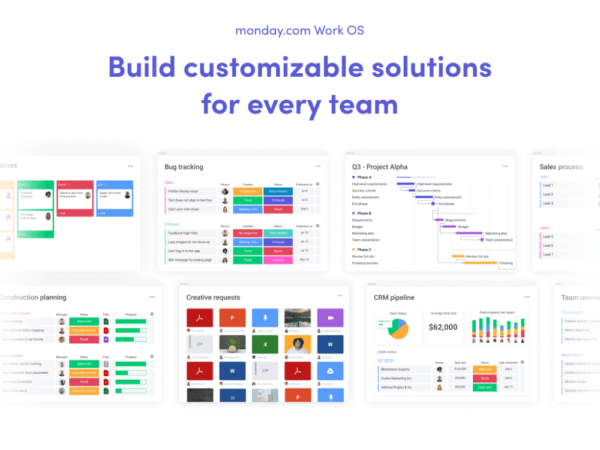
7. Monday.com:

Monday.com

There are a plethora of automation, customization, and project management solutions available. Monday.com is one of the most popular programs for team collaboration since it is the most complete project management platform that maintains everything you need in one place and is a good alternative to Asana.

Features: Monday.com integrates with a lot of your favorite tools and provides a ton of ways to view and share projects, get notifications when it’s your time to contribute, and easily motivate your team.  

Suitable for: Big, small and cross-functional industries.

  • Device compatibility: Compatible project management software for Mac | Android | iOS | Windows| Web app
  • Integrations Available: Outlook, Microsoft teams, Dropbox, Slack and all your favourite tools.

Pros:

  • Ability to integrate with other software applications.
  • Great layout.
  • Great tool for smaller teams.

Cons:

  • Difficult to set up.
  • Absence of “repeating” or a “scheduled task”.
  • Can be complex.
  • Pricing: The individual plan is free forever, Basic starts at Rs. 600/month, standard at Rs. 750/month and the pro at Rs. 1200/month.
  • Trial period: has a free forever plan.
    You can visit their official website here:monday.com

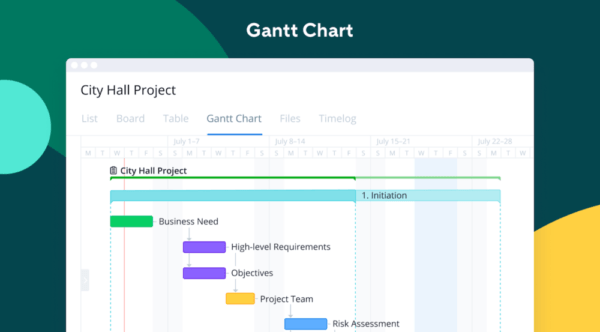
8. Wrike:

Wrike

Wrike is a fully-featured project management application that includes time tracking, GANTT charts, kanban boards, and several views for managing deadlines and projects. It’s a great alternative to Asana. Write has a free light edition for up to 5 users, and premium plans begin at a modest monthly fee for each subscriber.

Suitable for: It’s a sweet option for teams who need to collaborate across many tools and departments without leaving the dashboard.  

Features: Wrike enables your team to split tasks into different departments. Other features include: task ranking, word capacity, progress monitoring, budgeting, etc. 

  • Device compatibility: Compatible project management software for Mac | Android | iOS | Windows
  • Integrations available:  software/IT, Salesforce, Tableau, Google Drive, MS project, etc.

Pros:

  • Ease of use, intuitive UI.
  • Good templates to choose from.
  • Fast approval process.
  • Timeline management and scheduling.

Cons:

  • Has a complex platform, data can be lost easily.
  • The filters could be much more effective.
  • Abysmal onboarding process.

Pricing: The package starts from $9.80/user per month for professionals to $24.80/user per month for businesses which are quite similar to Asana pricing.

Trial period: Free forever plan.
You can visit their official website here:www.wrike.com

9. Teamwork

Teamwork

Teamwork makes the dream work and this tool gives the user a bird’s-eye view and concentrated view of projects taking place across your company at one location

Suitable for: Teamwork is actually ideal for distributed teams, ranging from agencies to enterprise companies. 

Features: The collaboration capabilities present in the majority of the tools on this list, such as kanban boards, GANTT charts, and customized dashboards, don’t let Teamwork down.

  • Device compatibility: Compatible project management software for Mac | Android | iOS | Windows| web app
  • Integrations available: MS teams, Hubspot, Slack, TaskClone, TeamBOT, etc.

Pros:

  • Easy to upload and view documents.
  • Easy to get started with.
  • Great for managing tasks over multiple projects.
  • The time tracking feature is very user-oriented.

Cons:

  • Not great for communication.
  • Can get slow if there are a lot of tasks.
  • No feature to load and upload documents from other platforms.
  • Pricing: Starts from $10/user/month to $18/user/month which is less than Asana pricing.
  • Trial period: Free forever plan.
    You can visit their official website here:teamwork.com

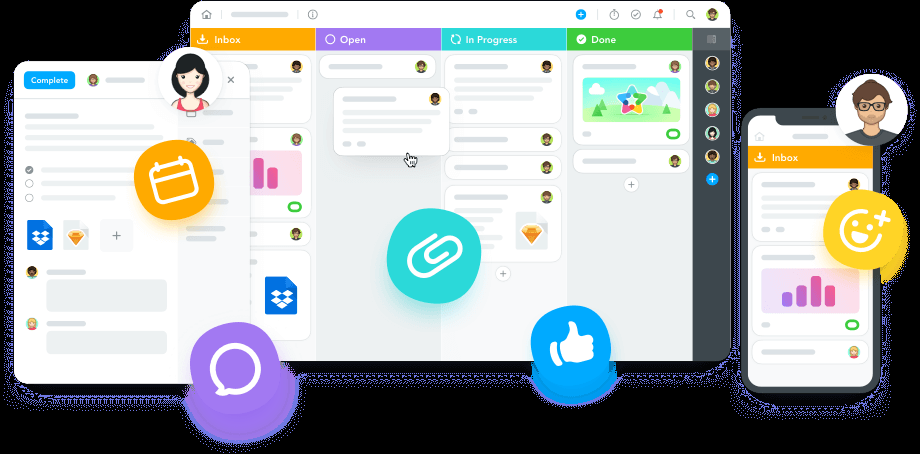
10. MeisterTask:

Meister Task

Finally, as a last Asana project management tool option, we offer MeisterTask, a fantastic kanban application that allows you to track the progress of ongoing projects. Are you a big fan of kanban boards? We certainly do, which is why we’re so enthusiastic about this software. When you’ve set up MeisterTask to inform individuals when it’s their turn to contribute to a project, all you have to do now is drag it to the right column, and your colleague will be alerted to take over. Pretty sweet!

Features: Its features include tags, permissions, and due dates for all of your teammates.

Suitable for: Teams and project managers.

  • Device compatibility: Compatible project management software for Mac | Android | iOS | Windows| Web app
  • Integrations Available: Slack, Spark, Hangouts chat, Outlook, Microsoft Teams, Gmail and many other softwares.

Pros:

  • The learning curve is really short compared to other tools.
  • Easy to manage several projects at the same time.
  • Unlimited project boards and user-friendly. 

Cons:

  • Reports and analytics are limited.
  • Some controls are not intuitive.
  • Has no offline access.
  • Pricing: The paid version ranges from $4.19 to $10.39 which is less compared to Asana pricing.
  • Trial period: It has a free basic version.
    You can visit their official website here:meistertask.com

And that just about does it. We mentioned some top alternatives for the Asana project management tool. Did we select one of your favorites? Let us know in the comments section below which of these tools do you use for managing projects.

#projectmanagement #Asana #2021 #alternatives #management #agile #PMI

13 TikTok Alternatives That Everyone is Getting Hyped About

TikTok

One of the widely used lip-syncing applications in the world is the TikTok app whose name was changed to TikTok. The success of TikTok was high but it didn’t last long.This application is being oversized insanely by the world nowadays. But it is also notable that the TikTok is now banned like India and Pakistan and the attempt to ban TikTok was even done in countries like Indonesia, Bangladesh. 

Though the reasons for banning this app were different in different nations. One of the most common threats that the government had earlier was the leak of the users’ information to the Chinese Government as Musically was Chinese social media. Well, from there on people started opting out on different platforms to showcase their talent. 

In this article we will be listing down all the platforms from where you can experience the same feature as TikTok. 

So lets start discussing all the features and details of the best pick alternatives of TikTok :

Dubsmash:

Dubsmash

Isn’t this the first application that pops up in our mind while thinking of the best alternative for TikTok. It is one of the most trusted and widely used applications which offers you even more fabulous features than Musically. It can make a variety of contents with the huge collection of audio clips. The audio clips consist of songs, dialogues from viral videos, TV shows, movies, series. You can even enhance your recorded lip-synced video clip with texts and stickers. Though after the release of Musically the craziness for Dubsmash went down but it is still considered as the tough competitor. You can easily find this on Google Play Store or App store.

Download here:

Android: Tap to install

iOS: Tap to install

Instagram Reels:

Instagram Reels

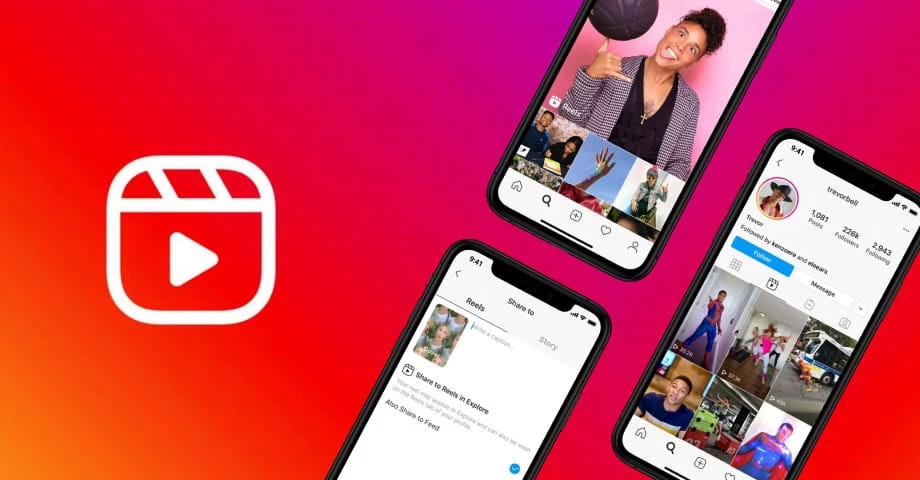
Well, I guess everybody is already using it already and if not, then you should definitely check out this option. After the ban of TikTok, Instagram introduced a new feature in its application named Reels. It allows you to make 15-second videos to 30-seconds. And now all the influencers, entertainers are kind of obsessed with this.

Here you can easily share your ideas, tips, tricks, promote your business, remix and entertain the people with funny short clips. You can make all sorts of music videos, lip-sync videos and powerful video content with special effects even on your mobile phones.  You can watch all the trending and featured videos on this app. After the introduction of the Reels features the downloads and apps use have increased drastically. You can definitely use Instagram as the major successful alternative for Musically or TikTok.

Download here:

Android: Tap to install

iOS: Tap to install

Which is the best alternative app for TikTok?

Well, there are huge list of alternatives available and mentioned in this article, but the trending ones are Instagram, Moz, Dubsmash, Funimate.

Did the US ban TikTok?

Truely, they have attempted to ban TikTok earlier but now it has been officially announced that they have dropped the plan to ban TikTok and WeChat.

Can Triller beat TikTok?

In my opinion, yes Triller is capable of beating TikTok but at the same time it also depends on the users that which app they are selecting for editing purpose. Besides that Triller also raises money for music artists too.

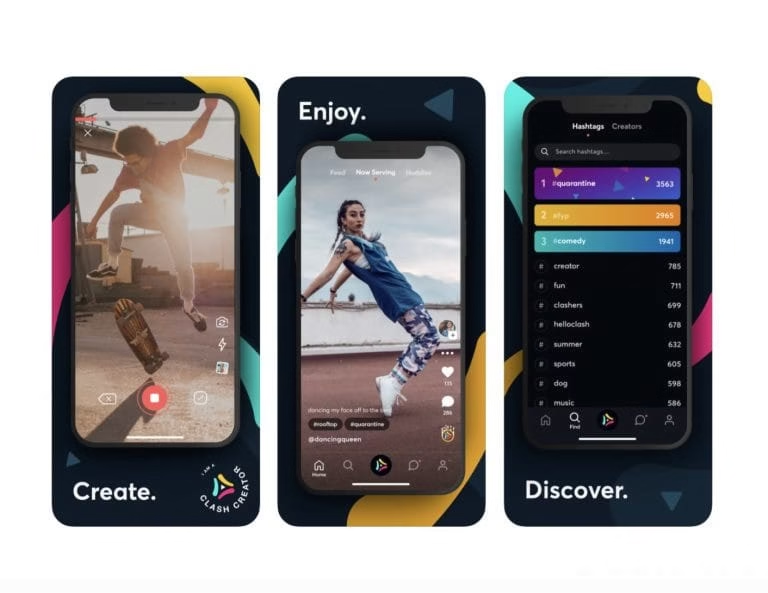
Clash:

Clash

If you are an iPhone user then you must try out this app as it is among the trending list of App Store. It allows the users to create a video clip of 21 seconds with the huge albums of songs, viral dialogues from favorite tv shows and others. Just after the release of this, creators have really flooded it with their outstanding contents. You can even keep track of the popular contents and daily dance-off from a page named Now Serving.

Currently, this application is only available for iOS version, but they have decided to drop the Android version too. Clash has also been planning to come up with another feature named DROPS via which the fans can reward or support their content. Not leaving the fact that Clash also pays the creator.

Download here:

iOS: Tap to install

Triller:

Triller

Triller is often used by famous personalities to showcase their skills. These applications also have a fan base of its simple and easy to use interface. You can easily record videos on popular songs and edit it with the help of the inbuilt editing tools. One major alert is that it is not at all a social media platform but you can still collaborate with your friends. After creating the video, it can be shared to various platforms like Facebook, Twitter, Instagram or Snapchat.

Download here:

Android: Tap to install

iOS: Tap to install

Funimate:

Funimate

Funimate is the perfect app for fulfilling all your desired needs for creating video clips. It is immensely loaded with features that can help you create the video complications, insert slow motion effect, or even you can make lip-syncing videos with the help of a massive list of songs, sounds and others. This version of the music video application is best for the creative mind.

In order to edit your content you will also be provided more than 20 filters and effects to make it more eye-catching. You can easily collaborate with your friend on this platform or can sync various clips into one. It is a great alternative for TikTok even the user interface of funimate is fabulous and is worth trying.

App Purchase starts at: $49 per month

Download here:

Android: Tap to install

iOS: Tap to install

Byte:

Byte

Build your own short selfie videos and looping video clips with Byte. This is created by the same creator of Vine. You can use the Byte camera to capture 6-second videos and can easily share on this platform. This place has a large collection of short audio clips. You can follow your favorite content creator to see their most recent one in your video feed. This application is compatible with the iOS and Android version.

Download here:

Android: Tap to install

iOS: Tap to install

Vigo Video:

Vigo Video

Among the list of highly rated alternatives for TikTok, this is worthy to be mentioned. This video platform offers 15 seconds to showcase their skills or talents like drawing, cooking, makeup tutorials, entertainment, dancing and other fun videos. After shooting your video on Vigo Video app, you can also edit videos with the unlimited number of effects and filters available on it. You can find this app quite similar to TikTok, Snapchat or Vine. You can also earn rewards here in the form of cash.

Download here:

Android: Tap to install

iOS: Tap to install

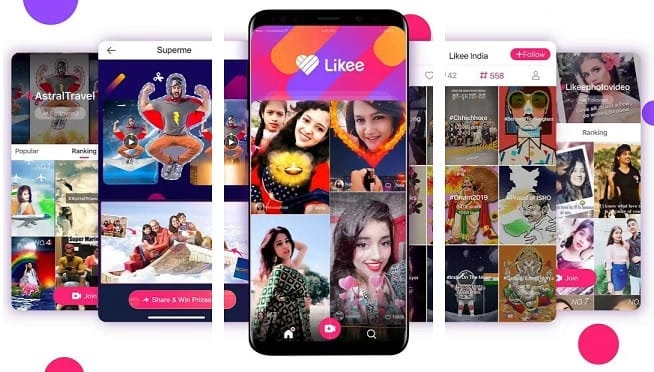
Likee:

Likee

This is quite a popular mobile application alternative to Musically or TikTok whatever you say. It is used extensively by Android users. It has a great interactive community via which you can interact with various others or collaborate with them for making community videos. With the help of this single platform you can share the content to various other platforms for the maximum likes, shares and comments. Here you can find a vast list of music, sound, filters, effects and others. It also provides extra features like slow-motion captures for the best user experience. You can even trim your videos or can sync the multiple videos into one.

Download here:

Android: Tap to install

iOS: Tap to install

FireWork:

FireWork

Have you used this app before? If not then check this out now, you won’t regret using it. Keeping aside the number of followers, the quality of content matters here. You can use Firework to create really high quality contents with the help of powerful editing tools. The editing options include cropping, trimming, adding effects or background music. It is also considered best for making lip-syncing videos with the availability of tons of sound and your favorite songs. Other than that Firework has its special weekly challenges followed by rewards. So, check this app out in order to broadcast your unique skills.

Download here:

Android: Tap to install

iOS: Tap to install

Snapchat:

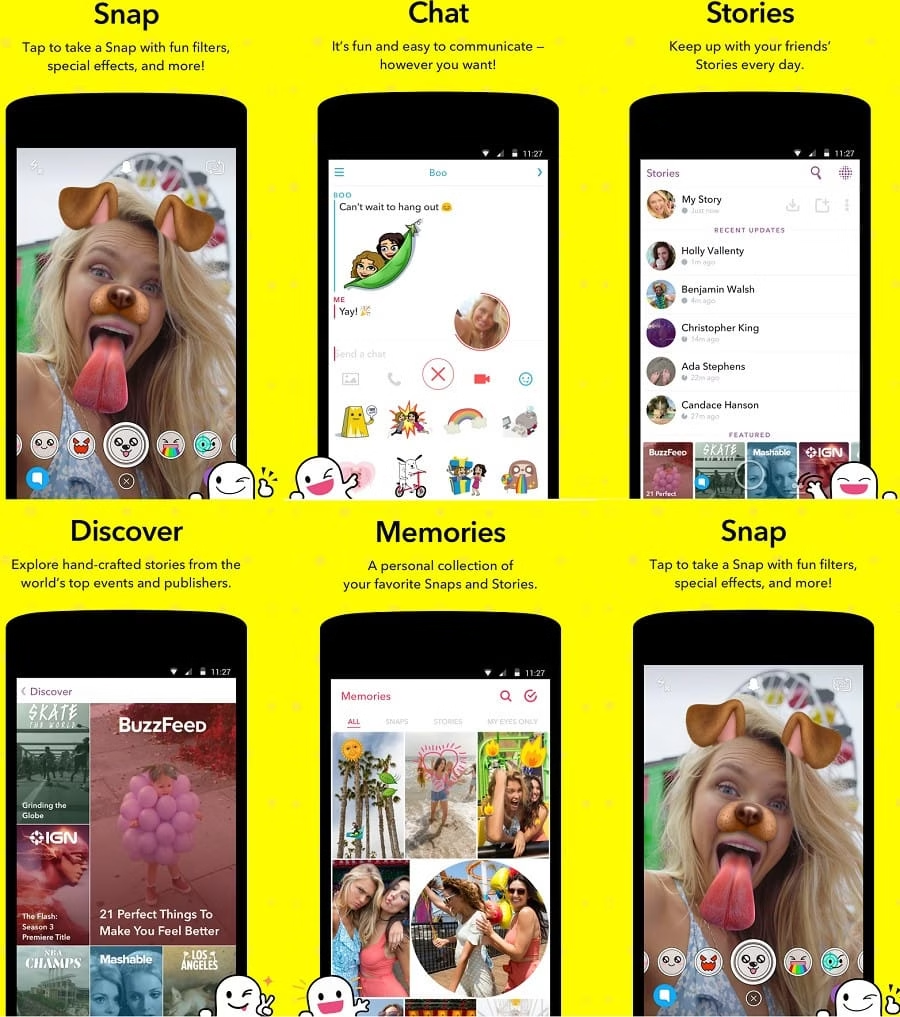
Snapchat

Now, this app has also been indulged in the competition for making short clips. Here the users are offered a time limit of 60 seconds for each video clip. It is used by the majority of the population including celebrities, or newbie content creators. You can definitely use this to share your own specific skills, talents or stories. You can even use the fabulous filters available here and can select the song from popular music tracks. Other than that it is a popular social media platform for sharing snaps, maintaining streaks, watching popular stories and also sending direct messages.

Download here:

Android: Tap to install

iOS: Tap to install

Roposo:

roposo

This is considered as the Indian favorite platform for sharing their video content.This app consists of almost 12 languages which makes it more fascinating to be used. Other than that you can add the videos to the status also. Apart from creating videos you are also offered a vast library of background music, filters effects like slow motion, portrait with stage light, mono light and various others, or even. Here you can get trending videos on beauty, makeup, dance, cooking, knowledge etc. You can even edit and save the videos with stickers, GIFs. It is available for both Android and iOS. So, what are you waiting for try out this app now with the link provided below 

Download here:

Android: Tap to install

iOS: Tap to install

Josh:

josh

This is an Indian app and has soon gained popularity because of its specificity. The feeds can be curated in the selected language. A lot of celebrities and influencers showcase their skills on this platform. You can even create duet videos with them and gain fame. Other than that the videos are easily downloadable and can be shared across different platforms like WhatsApp, Facebook and others. This is most likely one of the best alternatives to TikTok.

Download here:

Android: Tap to install

iOS: Tap to install

 Chingari:

 Chingari

Well just like its name this platform has its own spark. The specialty of this app is that every week they hold video challenges and the winner gets eligible to win the Chingari coins.They also offer hand free scrolling feature for having TV experience. Beside this, they also have the availability of hyper realistic AR filters for enhancing your videos.

Download here:

Android: Tap to install

iOS: Tap to install

I guess after going through this whole list of awesome applications, you are able to find your personal favorite. Just like TikTok disappearance you never know when you will be isolated from other platforms. But no worries, you can bookmark this article as your ultimate backup. You can even use videofx live, video merger-music editor crop available on App Store. Share this with your family, friends and colleagues to also let them know about these awesome applications.

Ethical Hacking – Best Websites Offering The Free Course For Ethical Hacking, 2021

ethical hacking

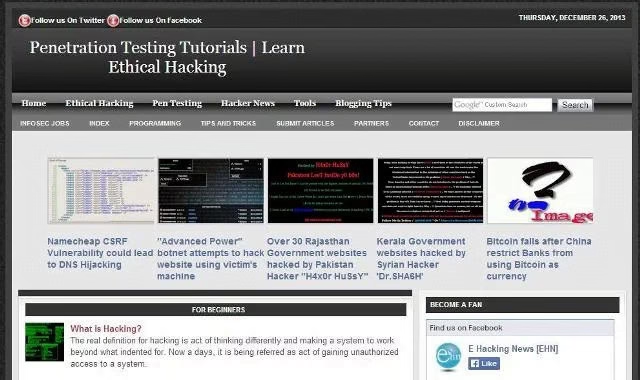
Hacking, it sounds cool right? Well beside that how it sounds, it is an interesting subject too and nowadays it is gaining popularity rapidly. Now there might be someone reading this article that doesn’t even know what it is but wants to gain the full knowledge. Here are we to reduce your hustle and provide you with all the concepts and details at the same place. Let’s start off with the basic question.

What is Ethical Hacking?

Ethical Hacking which is even known as penetration testing is the technique of breaking into the systems, computers, applications or data legally to gain unauthorized access. It helps in the identification and fixation of vulnerable security issues present in the system before the black or grey hat gains the access. Now one question must have popped up in your mind, what are these black and grey hats? Let’s see that in detail

Do you need help from Ethical Hackers? Click here to know more.

What are the different kinds of hackers?

There are basically three main categories of hackers:

Black Hat Hacker: 

These illegal hackers’ also known as unethical hackers. The main agenda of this hacker is to break into your system illicitly for smuggling activity. They can even take over the access of the data and destroy it.

White Hat Hacker: 

These legally authorized hackers are also known as ethical hackers. They are hired by the organizations to check the presence of malicious malware into the system and destroy them to keep their data safe and secure.

Grey Hat Hacker: 

The status of this hacker lies somewhere in between the black and the white hat hackers. They go hacking just for fun but that doesn’t mean they are considered legal. These hackers break into the system of any organization to test their security but don’t take advantage of it.

Can a computer scientist be a hacker?

Yes, definitely if you’re a computer scientist then you are eligible for being a hacker. All you need to have is Curiosity, creativity and ability of self learning.

I guess you are boosted enough to learn and again the skills. So let’s see what are the free platform from where you can learn the ethical hacking

Free Ethical Hacking course Platform:

Let’s start discussing all the free hacking platform one by one:

Cybrary: 

cybrary

This is one of the most popular free learning websites launched in 2015 where you can master yourself in the field of cybersecurity. It provides certification course with practice tests along with highly qualified mentors.

HackADay:

ethical hacking

This website is a community consisting of hackers and researchers. Here you can find the blog on different unique techniques and resources helpful in learning the skill. You can create your own free account or can enter via GitHub credentials.

EC-Council:

ethical hacking

The full name of this website is International Council of E-Commerce Consultants. Here you can learn and get certification on completing your ethical hacking platform. They will teach you the latest commercial grade hacking tools and techniques.

Break The Security:

ethical hacking

This amazing platform allows you to get cyber security certifications for free. You can learn various kinds of hacking techniques and other analytical programs too. The homepage is flooded with ample posts to enhance your skills.

Hack This Site:

ethical hacking

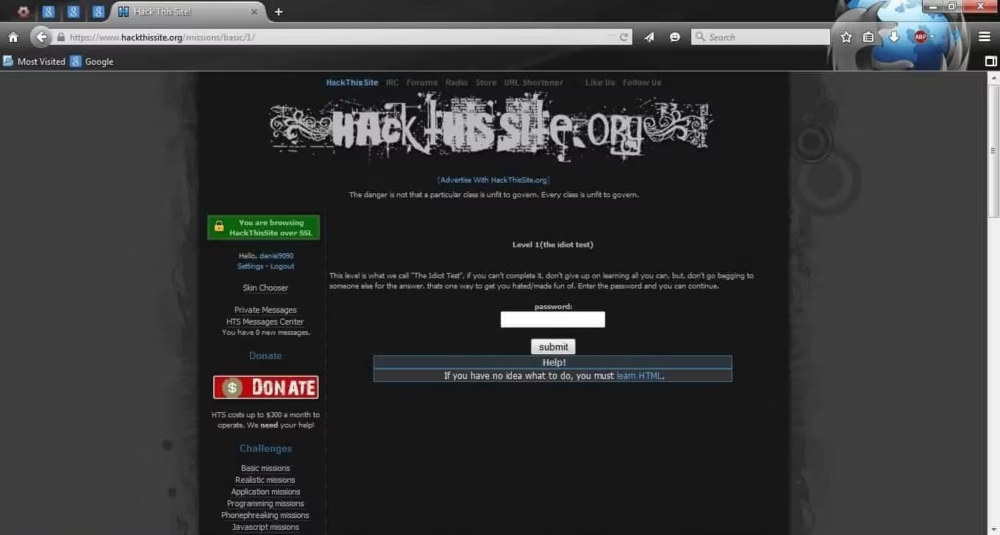
This is considered as one of the best free websites for newbie and advanced learners. You can find different hacking challenges, contents, tutorials, discussion forums. This site will even reward you by highlighting the name in the Hall of Fame.

Hacking Tutorial:

ethical hacking

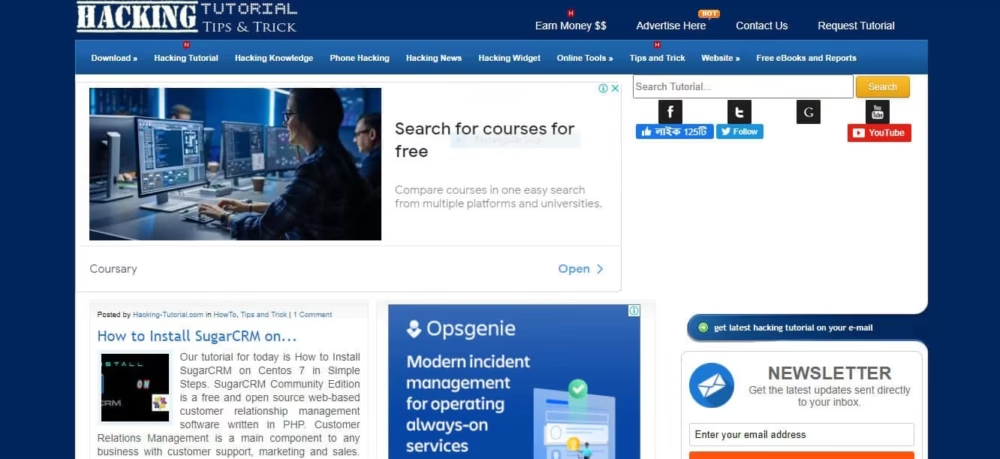
This free platform is capable of delivering a variety of tips and tricks to the learner. It is available in two versions named mobile and desktop. There is also a special section dedicated to Hacking news, hacking widget and phone hacking.

SecurityTube:

ethical hacking

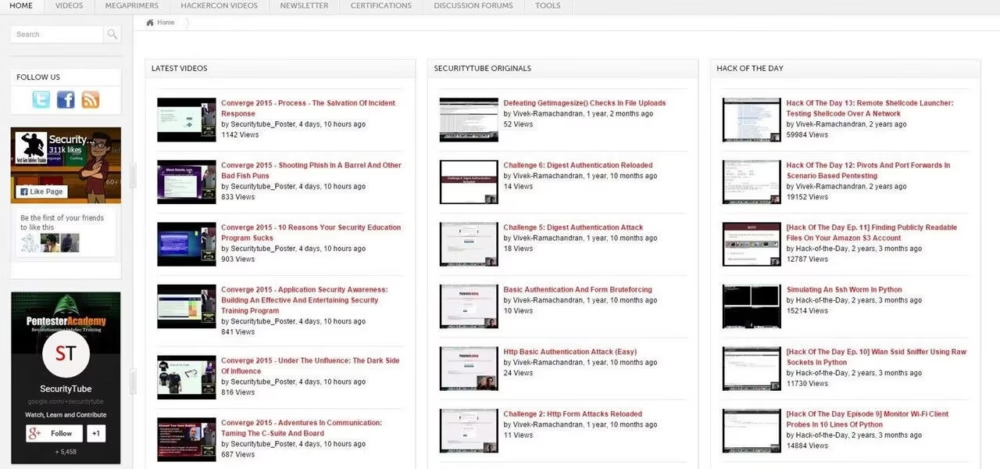
It is also popular as the YouTube of Ethical Hacking. Here you can get a vast range of videos based on different topics. Beside that there is also the availability of tools, certifications, discussion forums which are very helpful in gaining the skill.

Harvard/ EDX:

ethical hacking

You should definitely check out this platform which is providing free courses on ethical hacking via highly intellectual professors. You will also  be provided with certifications if you pass all the assessments and quizzes.

Hacking Loops:

ethical hacking

It is one of the finest websites where you can learn penetration testing, phone hacking, ethical hacking etc. Along with these you can also take practice tests and take challenges brushing up your skills.

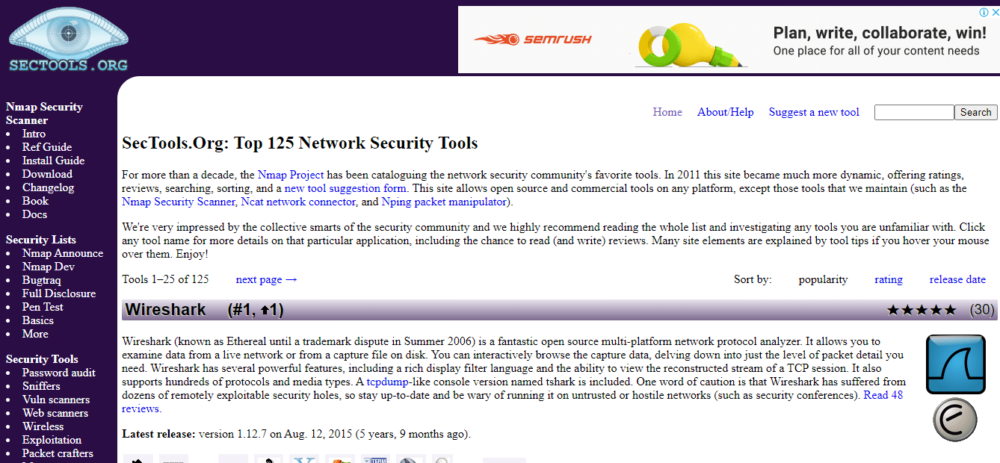
Sec Tools:

ethical hacking

This is a user-friendly website and it is best recommended for the newbie. It also provides you the description of the tools used by the hackers of different categories like grey, white and black. You can find all the latest and trending updates on this topic here.

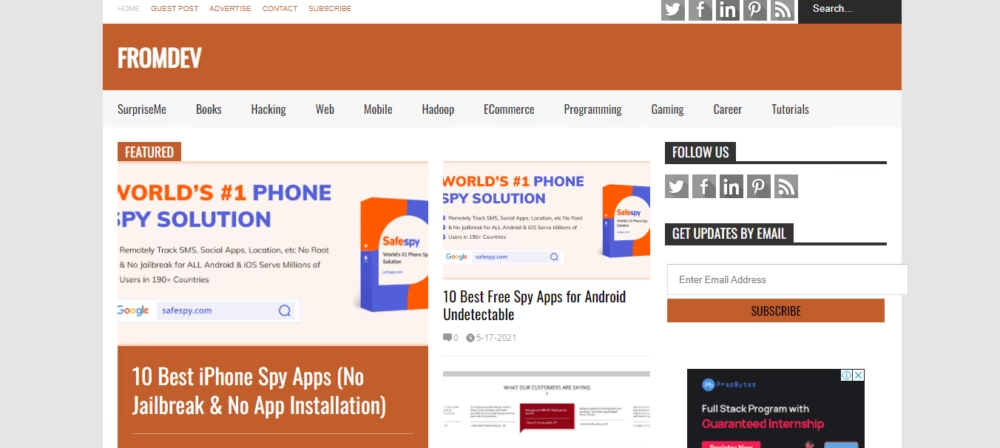
FromDev:

ethical hacking

I personally have found this website very useful and resourceful in learning this skill.  In the home page you will be able to get all the news updates on hacking tools and programming book recommendations. You can learn hacking by watching videos, reading e-books or proper use of the tools

MetaSploit Blog(Offensive Security):

ethical hacking

It is the world’s most used penetration testing framework. This is the free course provided by the Offensive Security platform for raising the awareness among the underprivileged students of East Africa. It is also a charity stage where you can donate to feed the children, if you like their free course.

Do hackers use Python?

Yes, Hackers often use Python language or this purpose because it is easy to learn and used for exploitation of the exposure.

Do hackers use Wireshark?

Wireshark is used by the hackers because it is considered as the open source tool which is capable of collecting and the analyzing the traffic instantly.

Does hacking require coding?

Well, ofcourse yes, it is the heart of the subject. You need to build up the skills in some major programming languages named Python, JavaScript, SQL, C++, C Ruby, PHP.

All the hacking platforms mentioned above are highly rated and totally free to use. I have tried these websites and trust me it is sufficient to turn you into a professional hacker. You should check this out and can comment down your feedback.

You can know about android phone hacking and who hacked your phone. Click here for more information.