Home Blog Page 43

10 Best Email Marketing Alternatives To Mailchimp

Mailchimp has been a colossal success ever as a email newsletter since it was launched. It’s been the go-to ESP for numerous individuals and organizations alike as it offers an amazing UI system, which even beginners can get used to in minutes.
best free mailchimp alternatives

Features: Mailchimp allows you and your company to do simple tasks which are essential for a corporate, including e-mail newsletter promotions to your client list, making nuanced choices on e-mail automation camps, such as bringing in your public analytics and marketing platforms. With Mailchimp, you can create custom pages and rev up your organization on an individual platform through emails, web pages, social media and much more.

Standout Feature: Effortless API and multiple website incorporation.

Best suited for: Small businesses, Startups, medium business groups.

Pros:

  • The outstanding email marketing automation of Mailchimp can deliver your email newsletters at the precise time to the right users.
  • Functions very well with users of small-sized databases for their businesses. It’s perfect for startups, but can also be great for small to medium enterprises that require a simple and effective email service provider.
  • Mailchimp has an outstanding mobile app that helps you quickly add a link or deliver emails.
  • Mailchimp lets you link to your business and you can build tailored promotions via the numerous e-commerce platforms of Mailchimp.
  • The Mailchimp drag & drop function provides you with all the support you need in creating product strategies.
  • Effortless API and multiple website incorporation.

Cons:

  • Mailchimp pricing is very costly.
  • Ineffective for large organizations and companies.
  • Limited styles are available for use.
  • Missing an advanced email automation system.

Available Integrations: WooCommerce, Magento, Bigcommerce and Shopify.

Mailchimp Pricing: It’s available in 3 pricing options; Free which is completely free to use but offers limited features. Grow option starts at $10 per month and offers some additional features to the free plan. Lastly, there’s the Pro option which unlocks and offers all Mailchimp features, it starts at $199 a month.

Number of contacts supported in the free plan: 12,000 emails per month and 2000 contacts.

Rating:4.3/5

Visit it here: https://mailchimp.com/

If you are looking for an alternative for Mailchimp, then we have a list which offers best email newsletter services and will work as a perfect Mailchimp alternatives. Stay tuned and read whole article to know the best mailchimp alternatives.

1. Sendinblue
Sendinblue

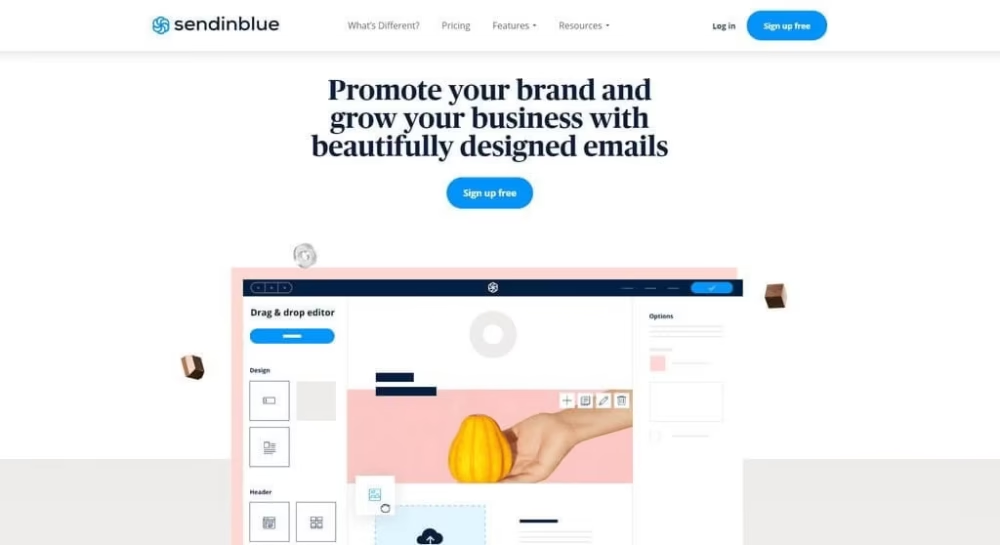
Sendinblue is a highly efficient enterprise email marketing services provider and Text message service. This is the first Mailchimp aletrnatives we have listed. It is not only cheaper than Mailchimp but much more sophisticated in the automation scheme.

Features: Sendinblue allows you to send as many email newsletter as you like to a tailored user-specific demographic through your customized online tool, available in the services including other functions such as Messaging and live chat apps, SendinBlue offers one of the impressive Mailchimp alternatives. They provide company owners with equally paying packages, such as a lifetime free package.

Standout Feature: The only ESP that allows you to send text messages as well. 

Best suited for: Small businesses, Startups, and other small entrepreneurs.

Pros:

  • This email services provider includes all planned resources for email advertising, specialized text messages advertising, e-mail based charges, a designer of a homepage, and several other tools required for a business.
  • Furthermore, it is a welcome break from the user-dependent methods of payment that almost all ESP tools use. Sendinblue charges you based on the numbers of emails your organization sends.
  • There is also a drag & drop editor plugin that can be used by beginners to build stylish, functional emails.
  • It also offers seamless integration with supported in-app tools and The UI is also very user-friendly.

Cons:

  • There is a lack of versatility in the design editor.
  • Tools for automation are rather minimal and some times may not fit the needs of the user.
  • Offers Limited integration with third-party software.

Available Integrations: Magento, WordPress, and OptinMonster

Pricing: Users get up to 300 emails/messages free per day. The prices would then begin at $25 per month.

Number of contacts supported in the free plan: 300 emails/messages per day.

Rating:4.6/5

Visit it here: https://www.sendinblue.com

2. Constant Contact
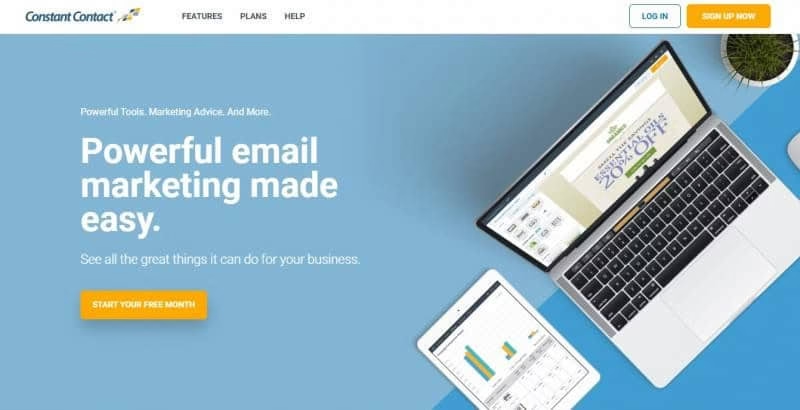
Constant Contact

Constant Contact offers tools and services that take independent and nonprofit firms into account. It is a complete system that offers you to advertise through the mail, handle social media pages, conduct polls, host activities and build campaigns.

Features: Constant Contact employs a system of software to enable marketers to customize all e-mails. Although this process requires some HTML expertise. Constant Contact provides more personalization and more models to start with email layouts and various customization, making it one of the unique ESPs out there.

Standout Feature: Loads of layouts and customization options.

Best suited for: Small businesses, NPOs.

Pros:

  • Has among the fastest and most reliable rates of email delivery out of any ESP.
  • Easy to use email designer with a drag and drop option
  • offers a Wide layout collection of prefabricated formats and designs.
  • Users can take advantage of strong analysis, a very easy-to-use interface and a range of other methods.
  • Moreover, there are a variety of features tailored for people that sell, manage concerts, performances and other related activities.

Cons:

  • The price you pay and the services you get don’t go hand-in-hand
  • There are certain sophisticated features that are unavailable.
  • Lacks professional tools which- might be helpful for larger organizations.

Available Integrations: Facebook, WordPress, and Eventbrite.

Pricing: Their premium plan starts at $20 per month.

Number of contacts supported in the free plan: no free plan but offers a 60-day free trial.

Rating: 3.9/5

Visit it here: www.constantcontact.com

3. Drip
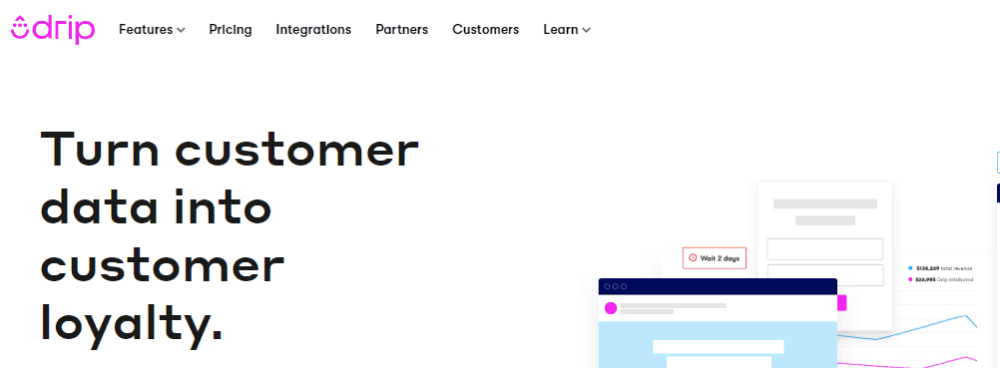
Drip

Drip is an ESP and marketing platform that enables the consumer to develop a relationship with the sellers. Clients and audiences such as a craftsman, submit user-based customized email newsletters or layouts and automate advertising at a portion of the organization’s expense.

Features: Although Mailchimp mostly emphasizes on e-mail services, Drip practically does the contrary. It offers a broad selection of marketing resources and email is just one of several features. The built-in analytical software uses customer data and helps to boost revenue.

Standout Feature: Solid analysis and user data incorporation help it boost users’ revenue.

Best suited for: online businesses.

Pros:

  • Amazing software for customization. It is personalized and made to users satisfaction.
  • A great user interface that is innovative and excels at providing whatever you need
  • Efficient and effective tools for e-commerce brands make it a special winner for online businesses.
  • Drip uses strong analytics to boost its user’s revenue.

Cons:

  • It’s pretty costly and more on the premium side of ESPs.
  • It can be really difficult for new learner and operate and it has a huge learning curve as well.

Available Integrations: WooCommerce, Magento and Shopify.

Pricing: Available from $19 per month which gives you 500 contacts. More contacts increase the per month cost.

Number of contacts supported in the free plan: No free plan, but offers a 14-day free trial.

Rating:4.4/5

Visit it here: https://drip.com

4.Pabbly
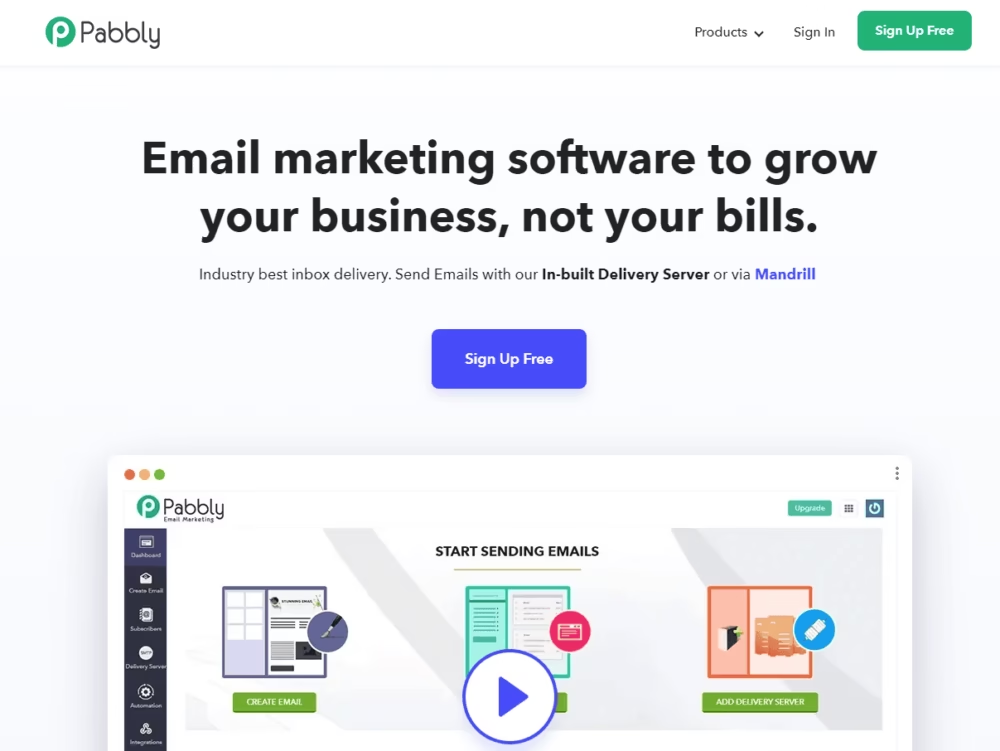
Pabbly

Pabbly is an outstanding alternative to a cost-effective email marketing application with outstanding automation capabilities and is one of the great mailchimp alternatives.

Features: To create promotions, consumers can benefit from the amazing reliability and performance, system integration with over 250+ third-party applications, and a fantastic drag and drop designer.

Standout Feature: All packages are integrated with all functions. i.e., you get to try everything, even with the free trial.

Best suited for: New businesses, small businesses.

Pros:

  • All packages are integrated with all functions. i.e., you get to try everything, even with the free trial.
  • Affordably priced alternative to other ESPs and marketing tools.
  • Superb layout collection with hundreds of personalized and customized templates etc.

Cons:

  • The free service has a time limit, which is, 14 days.
  • Any add-ons you would want to integrate into your projects cost an additional fee.

Available Integrations: WooCommerce, Magento, Bigcommerce and Shopify.

Pricing: It starts at $24 per month which offers 5000+ contacts.

Number of contacts supported in the free plan: 100 free contacts with unlimited emails for a month only.

Rating:4.5/5

Visit it here: https://www.pabbly.com/

5. GetResponse
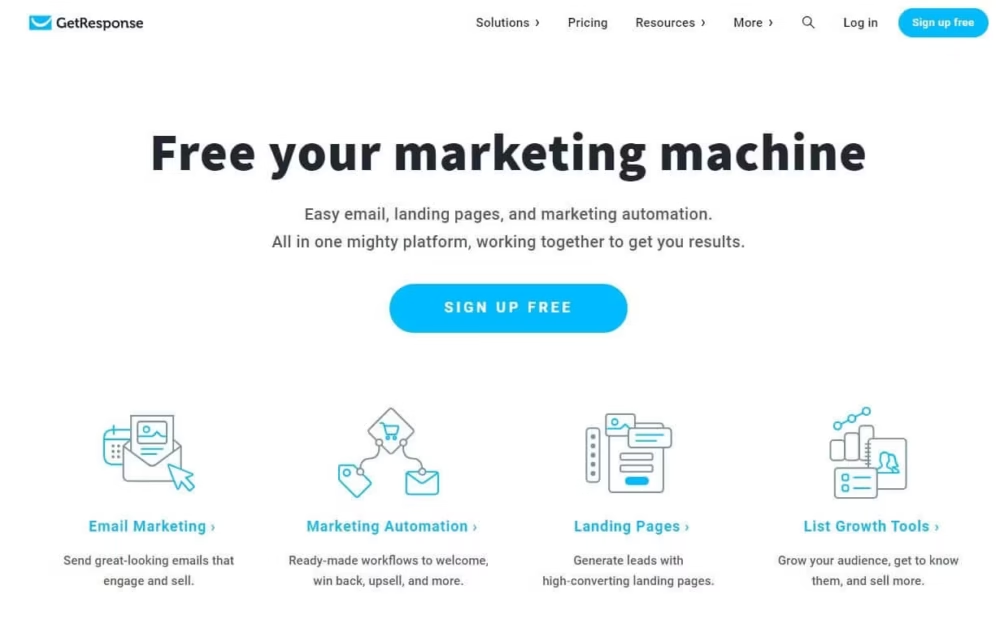
GetResponse

GetResponse includes the whole kit with the software you need to achieve extra the best. It is a collection of digital advertising resources designed to help you increase conversions. It incorporates elements of configuration and preparation functionality to assist the marketing campaigns in running hands-free.

Features: It includes software to help you optimize everyday business processes and automate a large portion of the email newsletters or campaigns cycle. There are also various appealing models, a simple editor interface, excellent delivery performance, a homepage builder, conversion funnels, among other features.

Standout Feature: E-mail response time is among the best of any ESP

Best suited for: Businesses that need several information tools, ESP services and digital marketing tools in one place can use GetResponse as it is an all-in-one package.

Pros:

  • A great range of extra resources that are worth the money on their own.
  • Powerful campaign automation capabilities that are beneficial to both small businesses and big groups.
  • E-mail response time is among the best of any ESP.

Cons:

  • The email creator is somewhat restrictive and provides few customization options.
  • There are no automation tools for low-cost plans, so it is not cost-effective for many consumers.
  • Due to its complex GUI, it can be frustrating to use for newcomers.

Available Integrations: Salesforce, Facebook, Slack.

Pricing: The most basic package starts at $15 per month with only 1000 contacts. There’s also a Plus membership (starting at $49 per month) and a Professional membership (starting at $99 per month) package.

Number of contacts supported in the free plan: There is no free plan available.

Rating:4.1/5

Visit it here: https://www.getresponse.com/

6.  AWeber

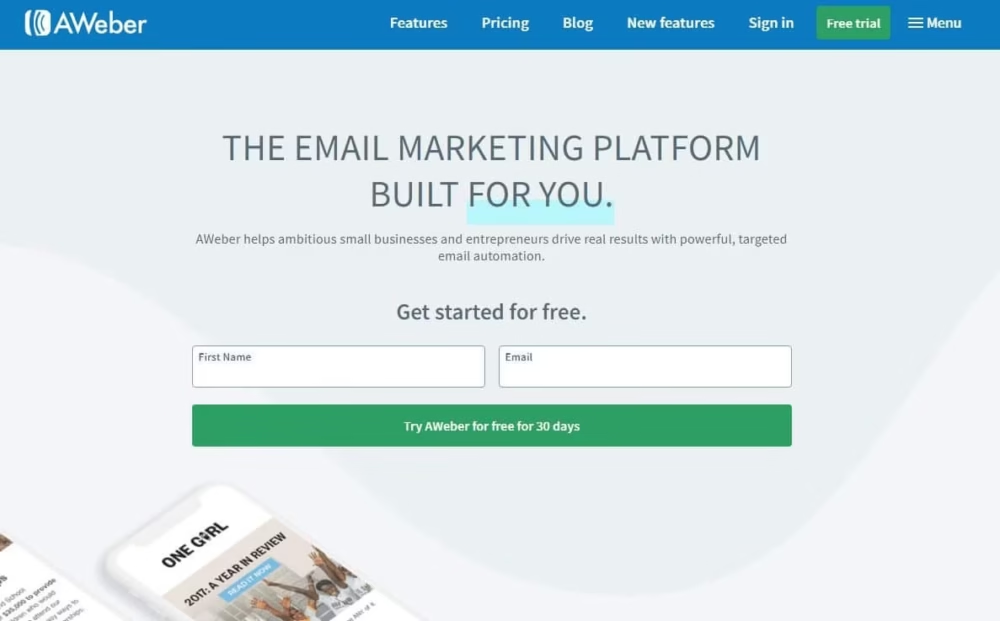
AWeber is an industry expert in email marketing applications for smaller companies. AWeber has over 20 years of demonstrated success and experience and has helped well over a million clients worldwide. This overwhelmingly easy ESP and marketing tool efficiently links prospects and clients for maximum reward.
AWeber

Features: AWeber uses basic subscription software such as e-mail creators and subscription models, to help company owners develop custom messages and email newsletters that communicate quickly.

Standout Feature: Exceptional e-commerce tools.

Best suited for: Small companies, Internet companies Startups.

Pros:

  • Offers a free version and a 30-day trial free
  • Includes several outlets for 3rd party software, such as leading online payment platforms
  • Mailchimp has an outstanding mobile app that helps you quickly add a link or deliver email newsletters.
  • Built-in marketing strategies for a fast start for small businesses.
  • over 500 templates to choose from wit5h the built-in design gallery.
  • Registration is super quick and easy.

Cons:

  • contacts who have opted out from the subscription will also be counted for the monthly allocation.
  • Not so good for transferring lists.
  • Limited styles are available for use.
  • The automation software requires an update.

Available Integrations: Thousands of integrations which include PayPal, WordPress, Shopify, WooCommerce, etc.

Pricing: It’s available in 2 pricing options; Free which is completely free to use but offers limited features. The pro option starts at $19 per month and offers everything AWeber has to offer.

Number of contacts supported in the free plan: 3000 emails per month and 500 contacts.

Rating:4.2/5

Visit it here: www.aweber.com

7. ConvertKit
ConvertKit

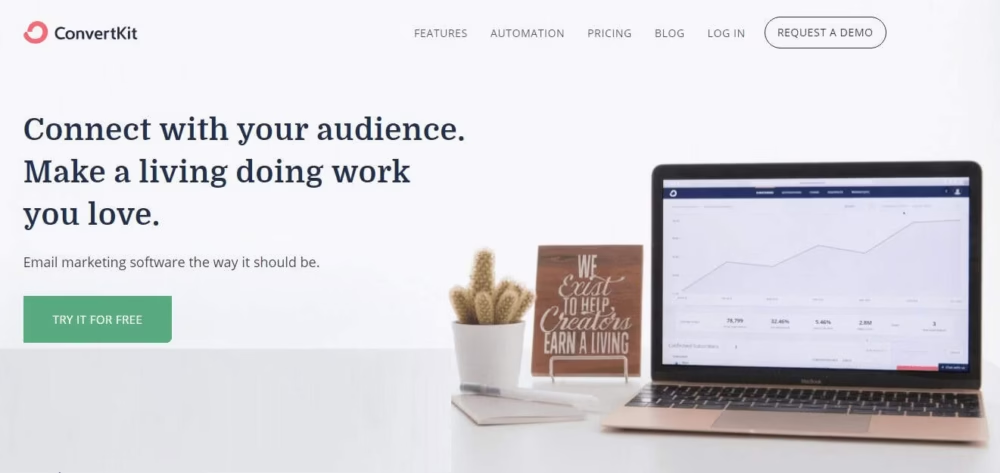
Convertkit is an ESP that provides quick solutions to trickle email promotions, marketing campaigns and other tools to submit email newsletters to new customers instantly.

Features: ConvertKit is made for smaller firms. It was initially primarily designed for writers and content creators, who gained early successes through blog writing on the platform. Though its user base has since been expanded, ConvertKit mostly retains almost all of this initial creative/author-oriented approach.

Standout Feature: Email interface platform that concentrates on simplicity and creativeness.

Best suited for: Writers, bloggers, labels, artists, designers.

Pros:

  • Its specially made for content creators, bloggers and those who wish to express themselves through their work.
  • Pleasant gui, automation sequences and overall is very simple to create and operate.
  • Excellent methods for segmenting the market and aiming at what’s required.
  • Easy to use market tools with creator-friendly templates.

Cons:

  • a bit pricey than the majority of rivals.
  • Ineffective for large organizations and companies.
  • Layouts are quite simple.

Available Integrations: Zapier, Stripe, and WP Engine.

Pricing: Conertkit offers a unique free plan and a paid plan which starts at $29 per month.

Number of contacts supported in the free plan: 1000 contacts with unlimited access to all their services.

Rating:4.4/5

Visit it here: https://convertkit.com/

8. Omnisend
Omnisend

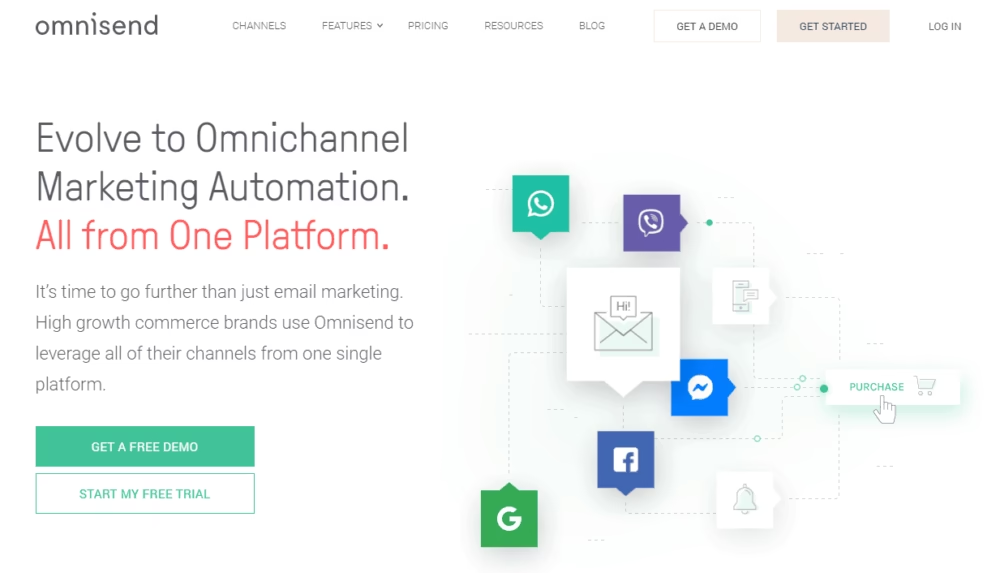
Omnisend is a powerful Mailchimp alternative that offers resources and marketing tools required by larger organizations. It’s one of the highest-rated ESPs on the list and delivers thanks to its advanced automation system.

Features: It offers a cavalry of strong marketing tools geared toward more experienced consumers, as well as outstanding process automation capabilities.

Standout Feature: Effortless API and multiple website incorporation.

Best suited for: Small businesses, Startups, medium business groups.

Pros:

  • Excellent and sophisticated resources that other applications do not provide.
  • A fantastic choice for e-commerce and online businesses.
  • Integrates effectively with a variety of platforms, especially e-commerce platforms.
  • Designed for larger organizations that require more advanced tools and hence is not tailored for beginners.

Cons:

  • Can be extremely costly.
  • Inefficient for small organizations and companies.
  • Aimed at more refined and seasoned users, not for beginners.

Available Integrations: WooCommerce, Magento, Bigcommerce and Shopify.

Pricing: Omnisend starts with a free plan, a $16 per month plan and goes up to $2000 per month.

Number of contacts supported in the free plan: You can send up to 15,000 emails a month for free to any number of contacts.

Rating:4.6/5

Visit it here: www.omnisend.com

9. IContact
IContact

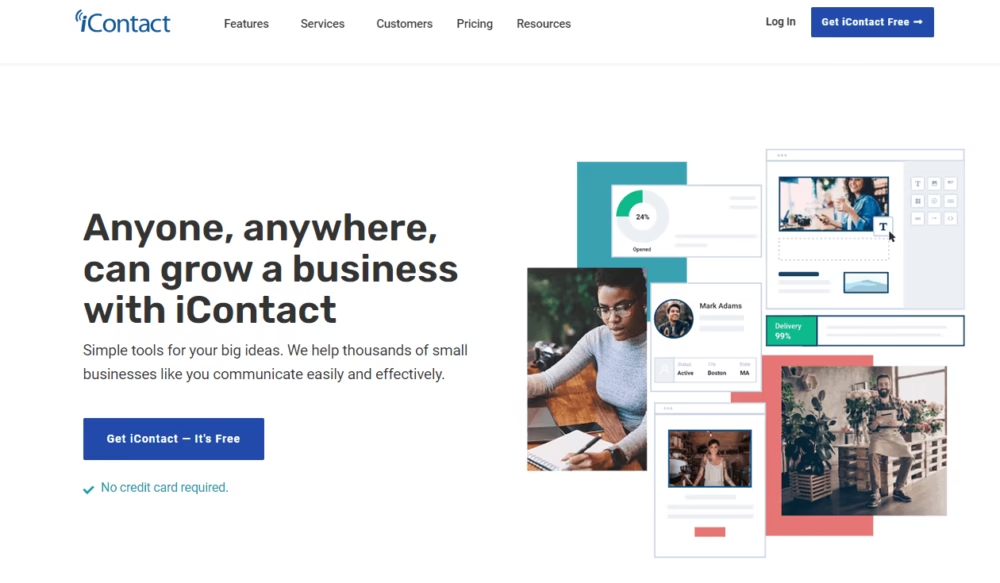
Qualified ESP and marketing services from iContact gets results for companies of all sizes and levels. IContact has a roadmap to satisfy any need, from the small company just getting warmed up to the experienced marketer.

Features: iContact enterprise solutions and the custom in-house design staff ensure that all advertising models are jaw-dropping and flexible in order to provide the advertising campaigns with an exceptional experience.

Standout Feature: Spam detection and blacklist software allow for a smooth workflow.

Best suited for: larger groups who want to increase their interactions etc.

Pros:

  • The greatest part of this software is that the iContact pro provides Social Media Experts to ensure that the ad ads receive all the attention they need on the different social media platforms.
  • To ensure that emails or email newsletter are sent correctly, iContact tracking systems take into consideration account blocks, domain credibility, and subscriber participation.
  • IContact ensures that your email newsletter get to your contacts, even though they have to pass through spam detection.
  • Helps you understand the idea of internet marketing and will assist you in improving and increasing the pace of your performance.

Cons:

  • It offers very little for a high price.
  • Much more complex to operate.

Available Integrations: WooCommerce, Magento, Bigcommerce and Shopify.

Pricing: $14 a month for 500 contacts and a premium plan that is $99.

Number of contacts supported in the free plan: There is no free plan.

Rating:4.1/5

Visit it here: www.icontact.com

10. MailerLite
MailerLite

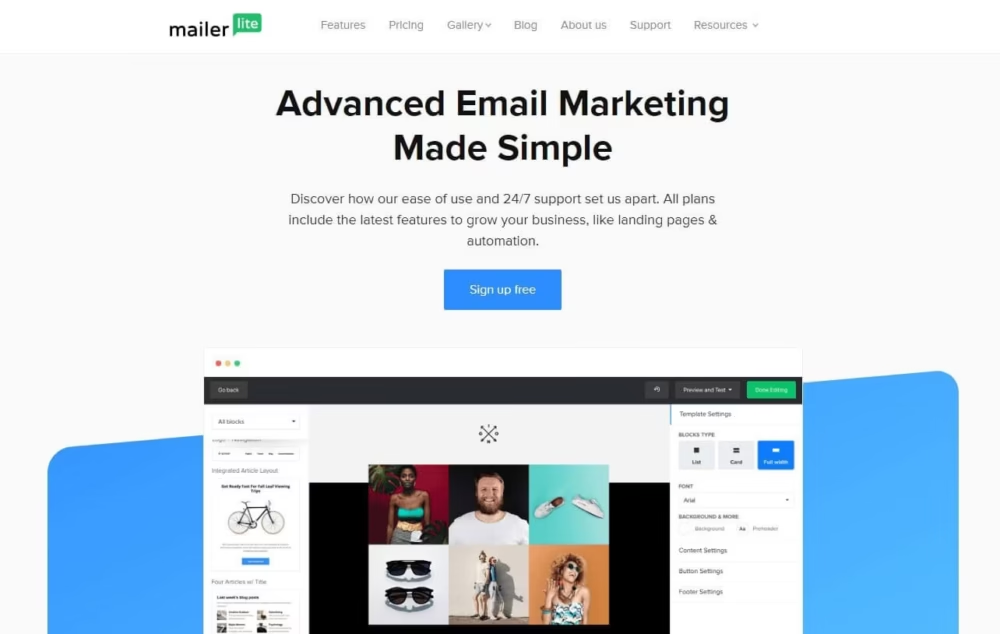
MailerLite is one of those software that offers premium features without a subscription fee.

Features: MailerLite employs a drag-and-drop email layout creator to assist even inexperienced programmers in creating visually appealing newsletters. In addition, it has models if you want to make creating newsletters any simpler.

Standout Feature: Monitors email newsletters and records data with click charts and heat maps.

Best suited for: Companies and people who wish to focus on increasing their newsletter subscriber base.

Pros:

  • The free version is available with all features.
  • Monitors email newsletter and records data with click charts and heat maps.
  • It includes a number of specialized technologies, such as a versatile homepage creator, subscription adverts, and process automation capabilities.

Cons:

  • MailerLite attaches importance to low distribution levels and retains the right to cancel the account if it slips below a certain threshold.
  • The email editing software requires improvement.
  • It’s a bit perplexing to start with.

Available Integrations: WordPress, MailerCheck, and Zapier.

Pricing: There’s a free option and The paid plan starts from $10 per month.

Number of contacts supported in the free plan: 1000 contacts and 12000 emails. The paid plan starts from $10 per month.

Rating:4.7/5

Visit it here: https://www.mailerlite.com/

Wrapping Up

These were 10 alternatives for Mailchimp, a email newsletter service. We hope this information was beneficial for you. Do share your thoughts in the comments sections.
Nimbus Note Review: The Ultimate Note Evernote Killer

0

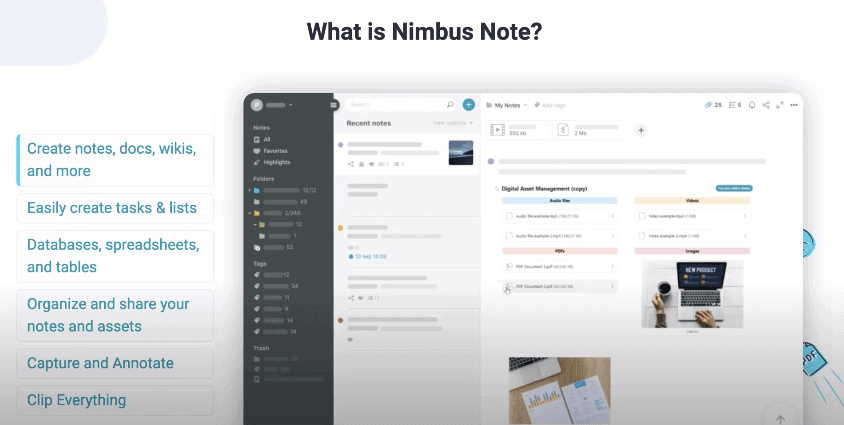
Nimbus Note is a powerful and efficient software that is used for creating notes, docs, wikis, and many more. It is also a great application for organizing your tasks and work on time by gathering your information and knowledge. It also can be used as a workplace app. This is a useful tool available for making your team and completing the goals with fewer iterations and meetings. 

Why should you use a Nimbus Note?

nimbus note

You should use Nimbus Note for the following beneficial reasons:

  • It helps in the management of the team and client information under your brand.
  • It provides you several isolated workplaces for your team.
  • It can be used in several fields of work like engineering, teaching, marketing.
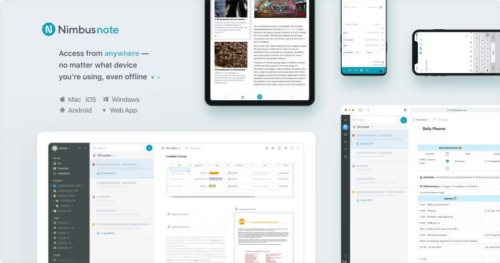
  • It can be accessed anywhere via different platforms.

Features:

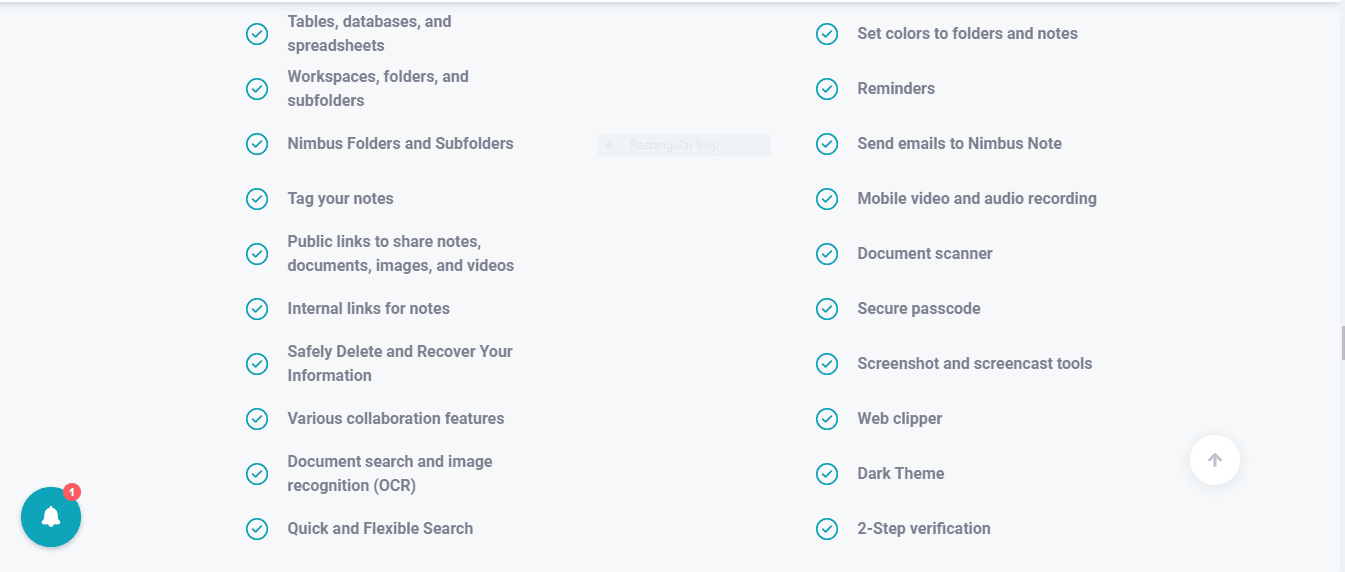
Let’s discuss the features of Nimbus Note in detail. It has so many really cool features which makes it one of the best workplace app and we are going to explain them in detail and how it works one by one.

nimbus

Add Tables, Databases and Spreadsheets:

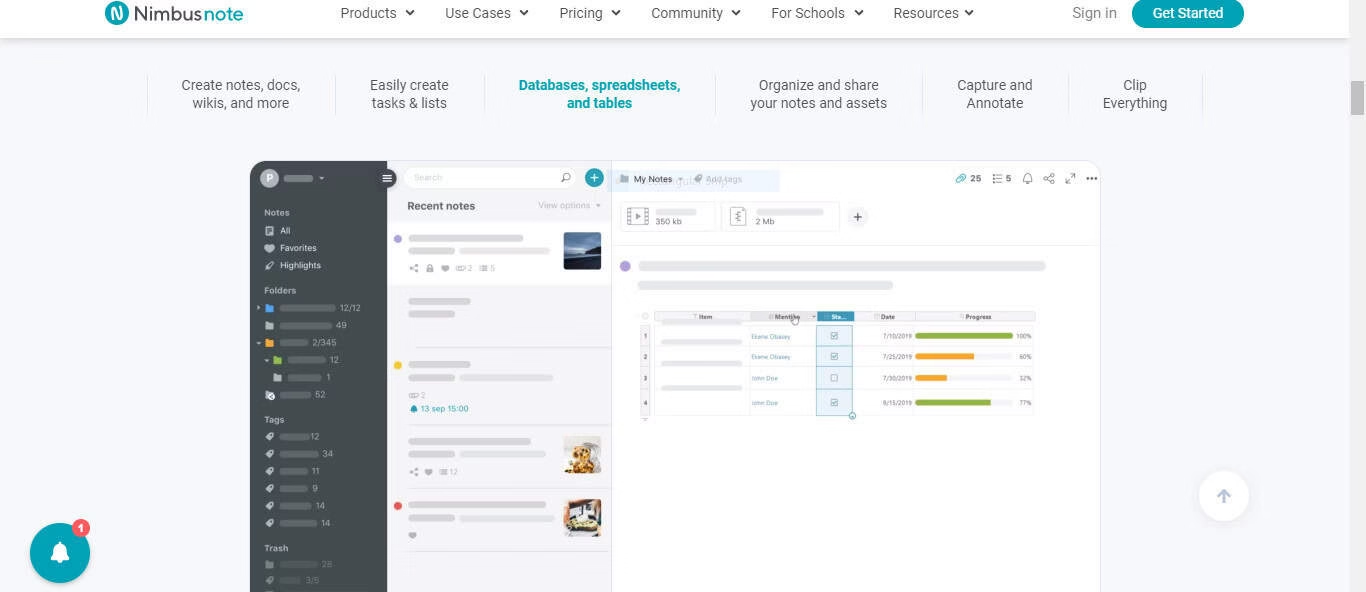
Here you can convert every column of a table into Nimbus databases. It is made so flexible in nature that you can convert it into Spreadsheets and even databases. Besides that, you can use the editor to manage your contents like providing rows and column heading, can create, merge, delete cells, change background colors, change the text styles, wrap and duplicate the cells. Even you can add attachments, checkboxes, numbers, single line or long notes, add the dates and names of people, can do ratings with the help of rating bars, or even add a currency tab in the columns.

database

Nimbus folders and subfolders:

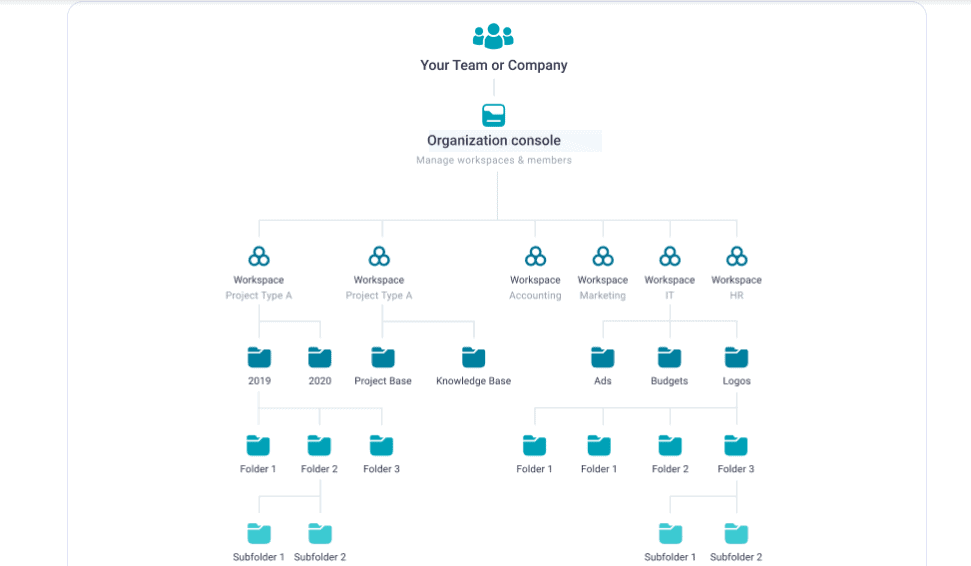
You can organize your business in workspace and folders which will save your time. With the help of this feature you can create several things like:

  • Multiple Workspace: You can organize the work separately by creating a workspace for different clients and projects.
  • Security Maintenance: Each workspace will have its own content, user, and permission to secure the project.
  • Data: You can store data in folders and subfolders of that particular workspace and use it as a workplace app.
  • Access to the workspace: You can easily access your workspace via desktop, mobile applications.

folders

Note tagging:

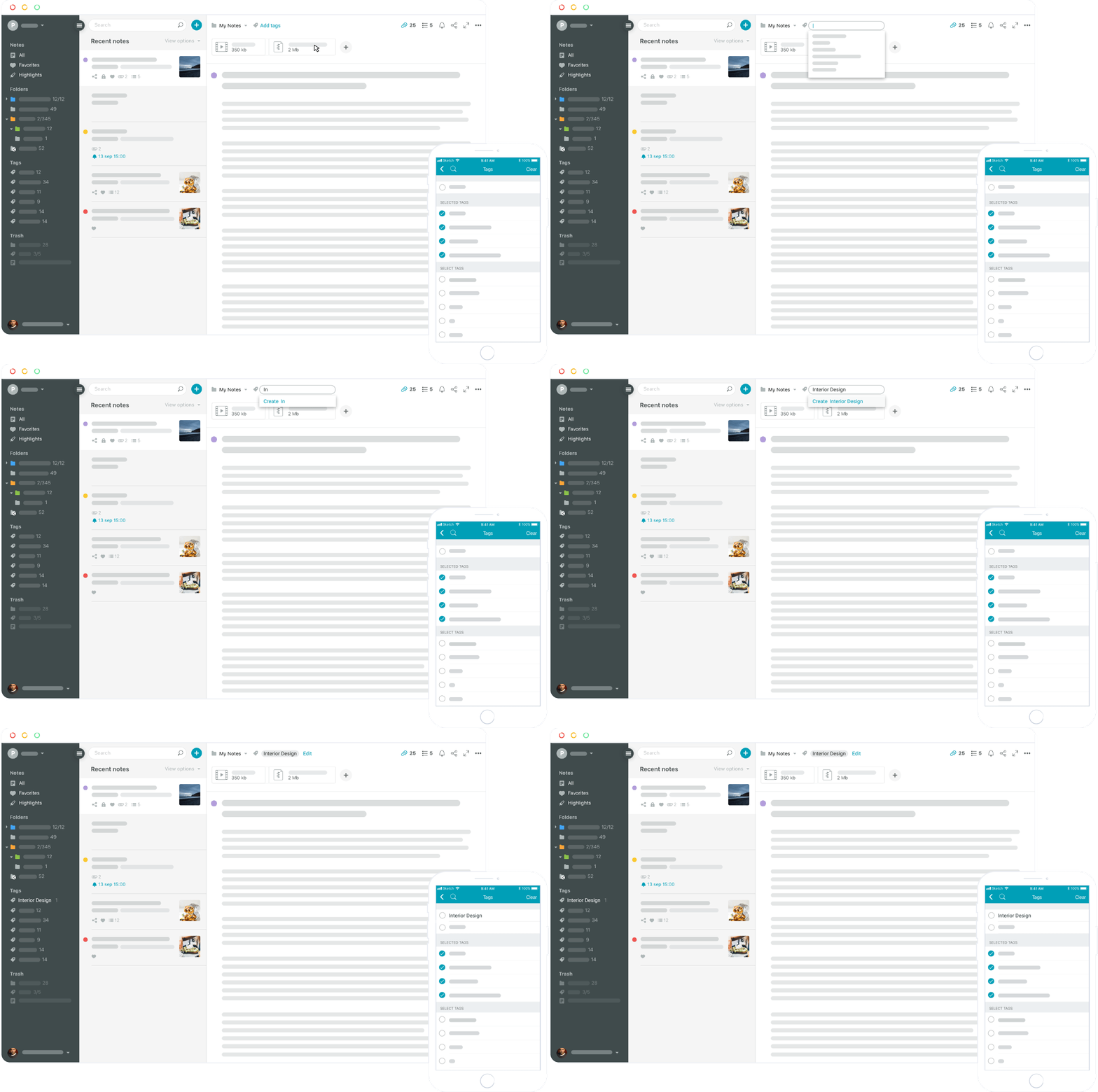
You can categorize and organize your note by adding tags and later you can use these tags in the notes on the nimbus web. It will be easier to retrieve the notes from the workspace named as XYZ list. You can even refine your task by searching for tags or searching gs for the keywords used in the tags. The resulting search list will have all the tags containing the keywords. You can use this notes app for windows as well as for Mac.

note tagging

Public link for easy sharing of notes, documents, images, maps, and videos:

In case if you don’t want to invite someone to your account then here is the solution. The Nimbus note will provide public sharable links for presentations, images, videos, documents. You can also secure the link with a password. If you provide the link on the public page that it can be read via mobile phones also.

maps

Collaboration features:

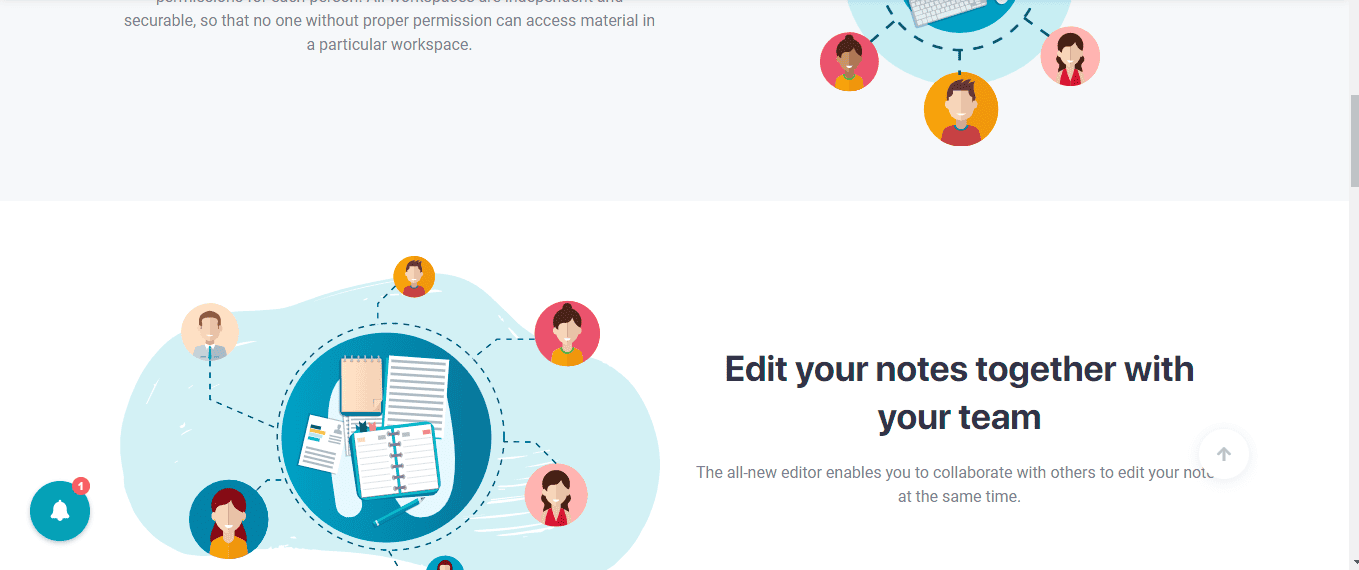
The new editor helps you in collaborating with others in editing the notes simultaneously. In this collaboration feature, you can invite team members and even customers to your workspace by granting them permission. You can edit together and can comment on posts for better communication. This is one of the coolest feature of the notes app for windows and Mac.

collaboration

Quick and easy searching tool:

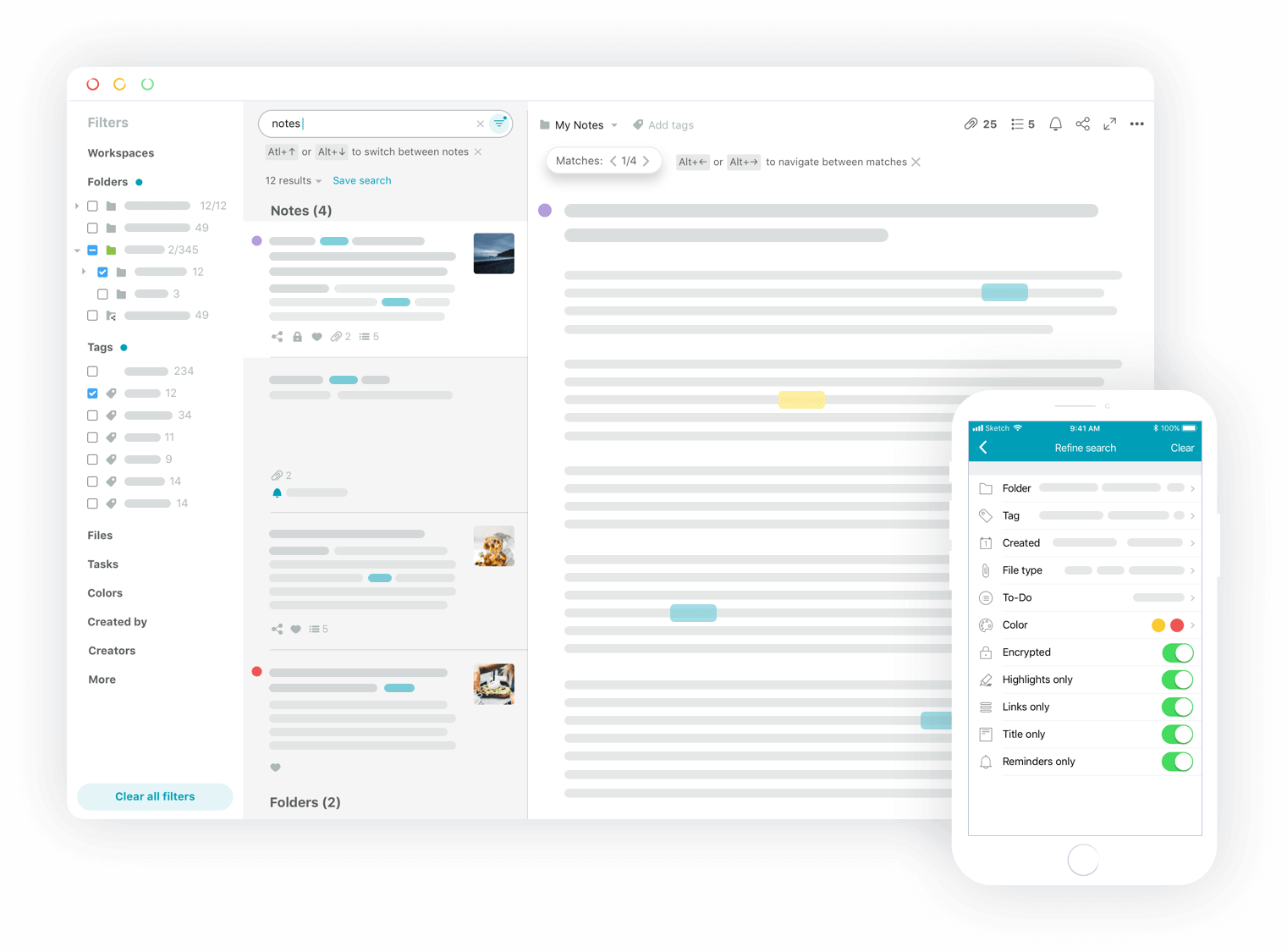
Among the following options of finding the important notes, there lies one more option of searching it and getting access to the notes in a minimal time. In your workspace, there must be a lot of information stored, in order to save your time you can easily use this feature by entering the search query.

searching tool

Embeds:

You can use the embed editing tool to insert content from different sources like documents from Google Drive, videos from YouTube, tweets from Twitter, tables from AirTables, Maps from Google Map, surveys from Typeform, and even more.

embeds

Favorites:

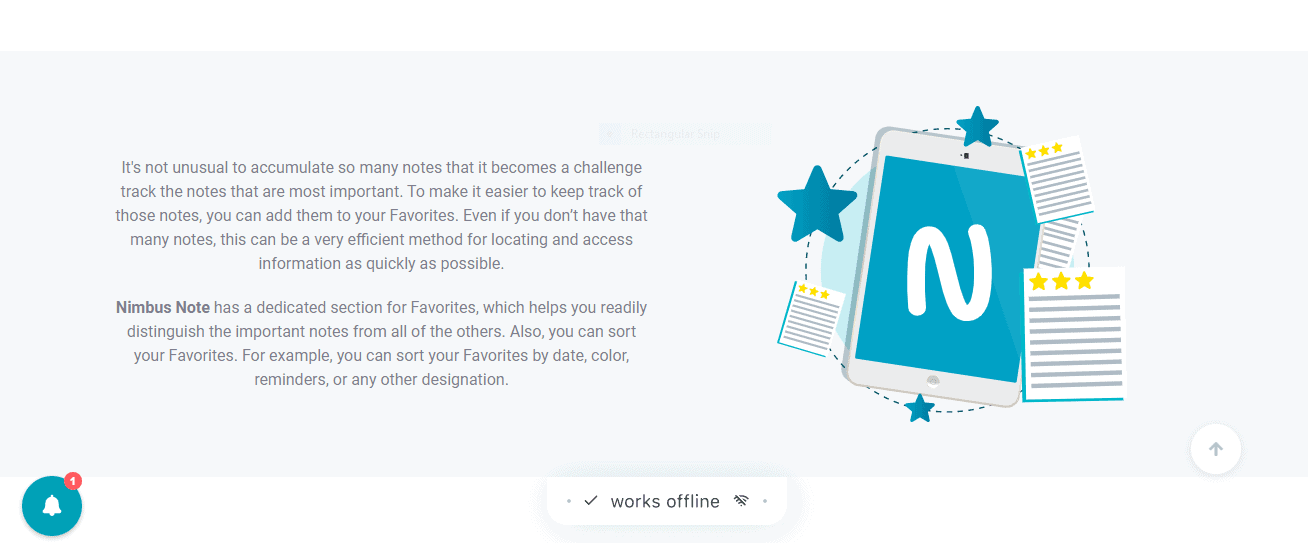
It is one of the useful features which makes the work a lot easier giving the user access to important information saved as favorites. In order to refine out the most important information stored in folders, you can use to feature to save it as Favorites. From here you can easily track them and sort them by dates, color, reminders and others. This is a great feature available on Nimbus Notes app for Windows and Mac.

favorites

Sending emails with the help of Nimbus Notes:

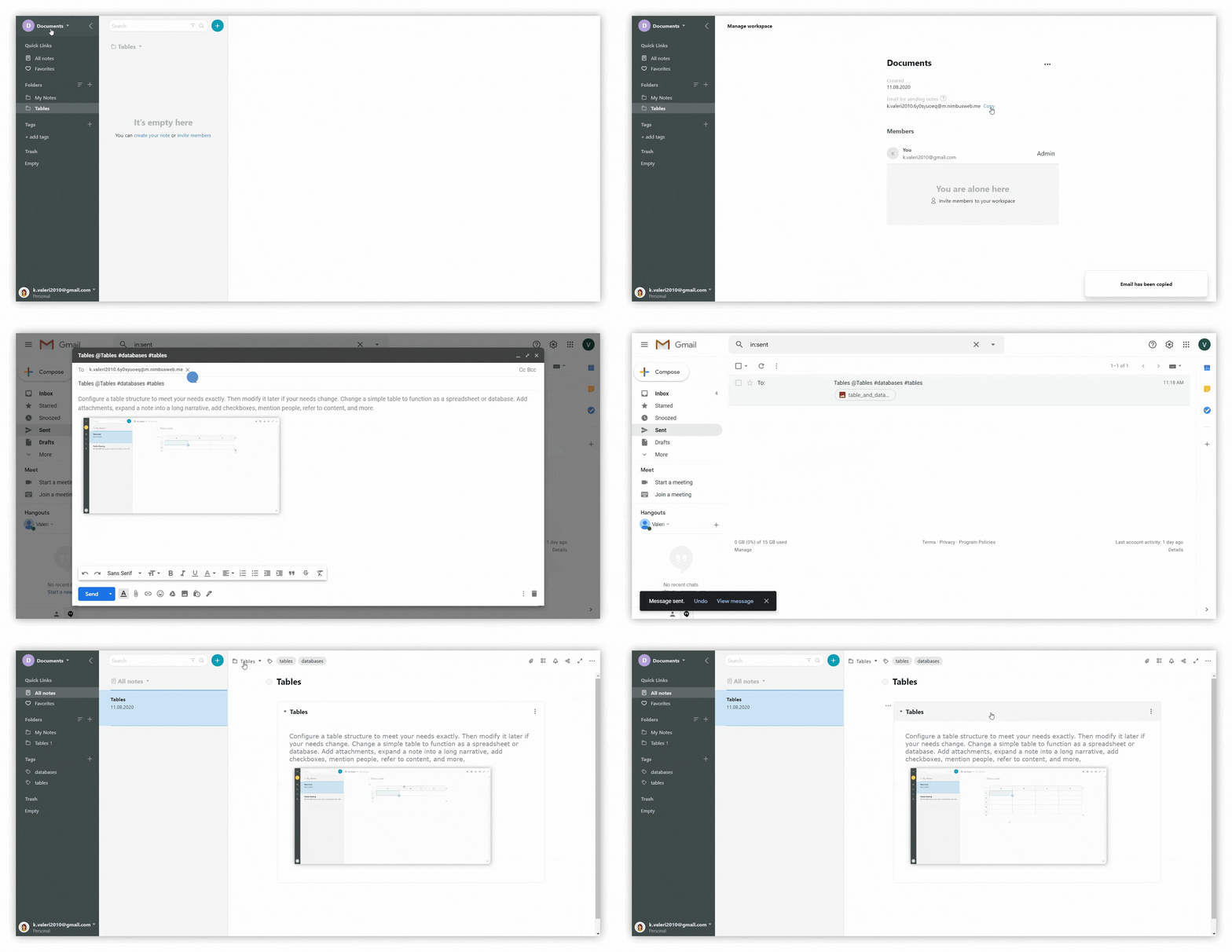
After registering on Nimbus Note you will get an internal email and if you are forwarding any email from Gmail or other services it will create new content with all contents and attachments.

emails

Reminders :

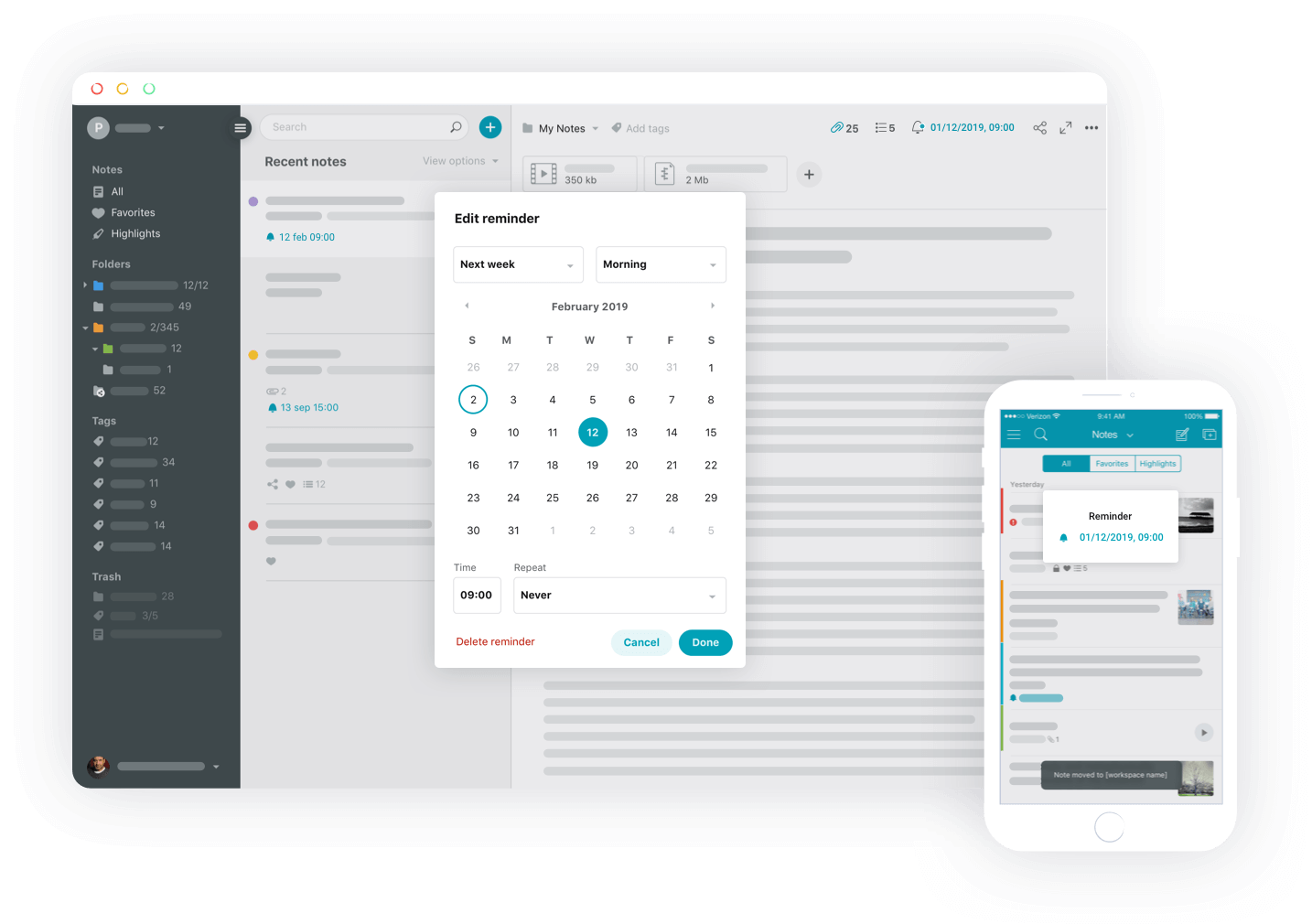
It helps in reminding you of the important task. With the help of applications available on Android and iPhone, you can attach reminders with the phone number as well as for specific locations on the inbuilt map too.

reminders

Video and Audio Recording:

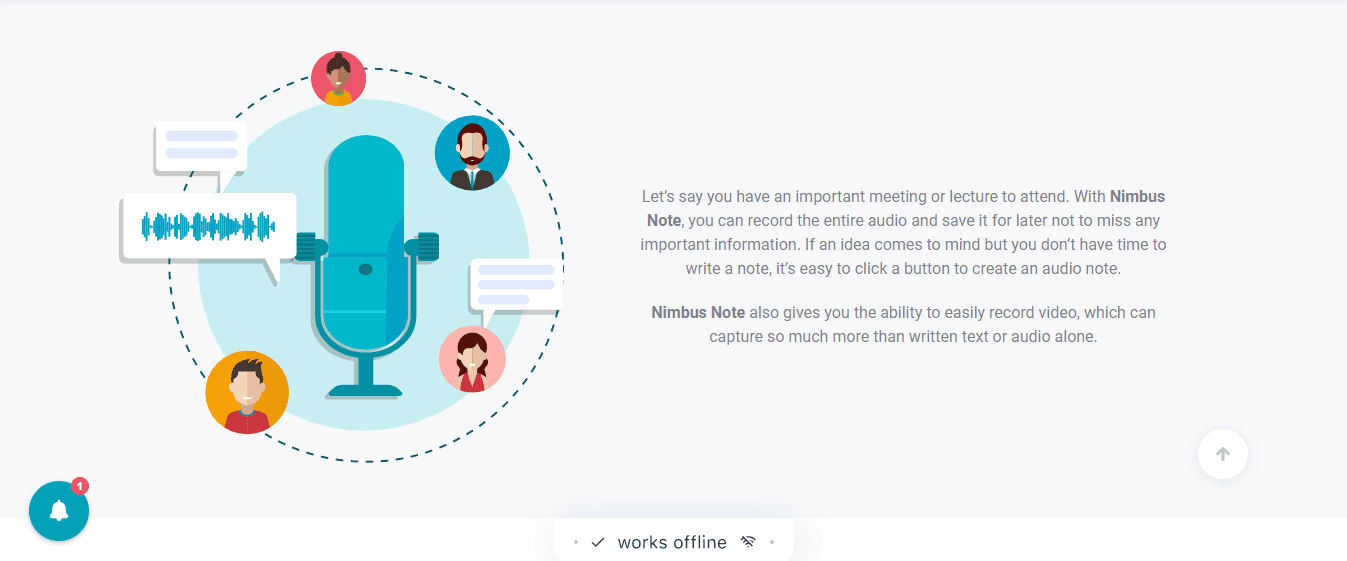
This is an amazing feature that you can use if you have no time left. In case you have a meeting and you want to jot down all the information or want to share your new idea then you can record it and save it for later. With that, you are also provided the option of capturing video, which will make things better.

audio

Document scanner:

The text present in the scanned image is automatically captured using OCR. You can also search for the words present in the document besides that if required you can even copy and edit the words by clicking the button.

Web clipper:

You can clip emails with attachments, images, PDF files, and anything with the help of this tool. You can even extract all types of articles from web pages and can save them in your Nimbus account. In addition to this, if you wish you can add notes also.

Screenshots and screencasting:

You can record the videos and editing them with the help of an annotation tool in order to make your content more clear and effective. With the help of this, you can record the video of the entire desktop or the browsing tabs and even capture the video using a webcam. Other than that you can take screenshots. Nimbus Capture is a great tool for Chrome and Chromebooks.

features

User Interface:

user interface
interface

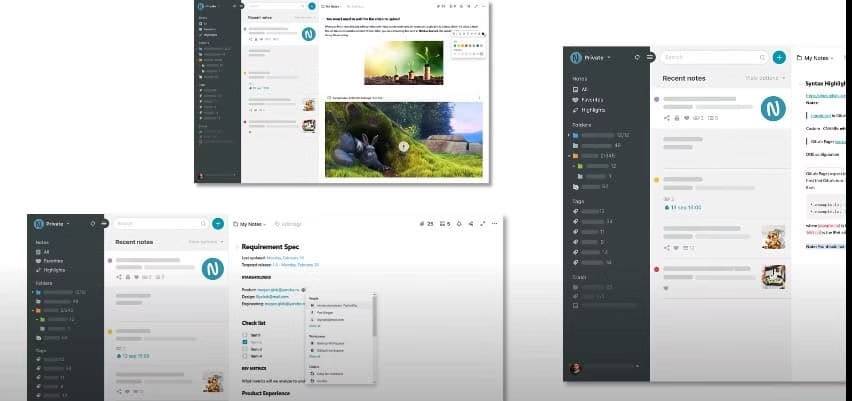
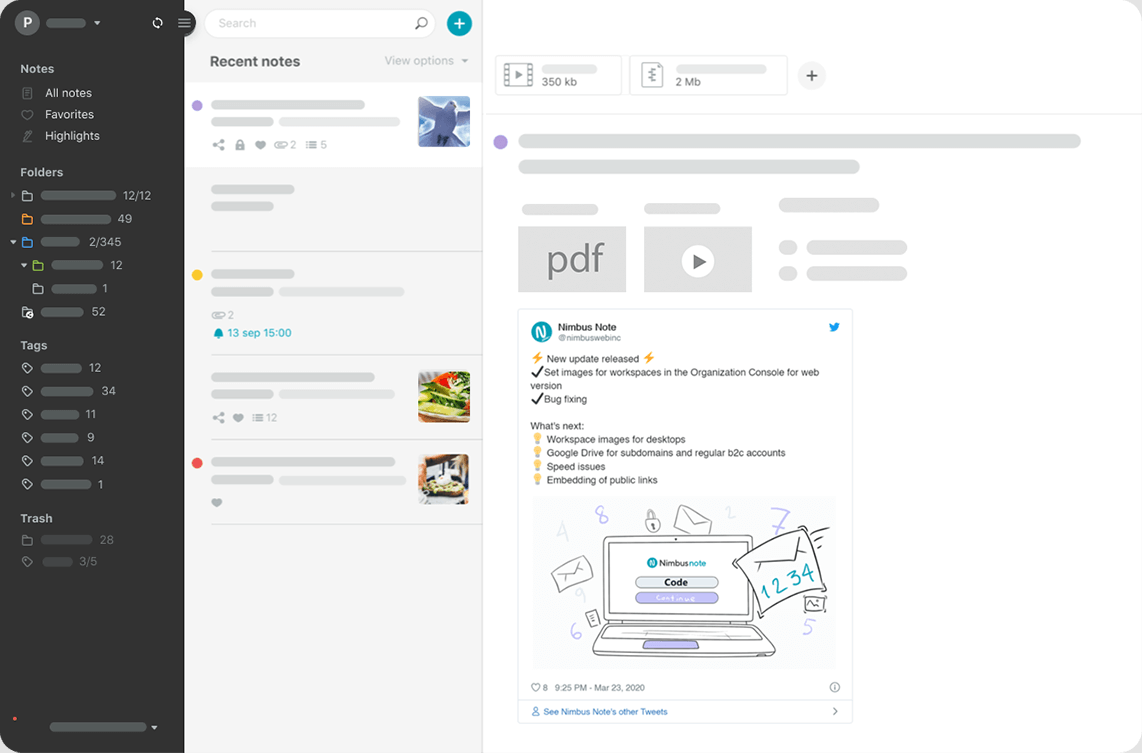
It has a very clean and well-categorized interface which makes it easy for the users to use. It helps the user to organize the information gathered from different sources in just one place. It helps the users to connect seamlessly with their clients. It can help the user to customize their brands for their organization. You can connect domains, set your logo, and additional coding to various workplaces and shared pages. The workspaces available here have nested folder structures with unlimited nesting levels. You can add colors and tags for quick finding. Pre-built templates are also there. The mentioned feature allows linking notes to other notes, peoples, workspaces, and folders. Overall this single platform has all the features which you are looking for in organizing your business. And is one of the best notes app with many other features.

Pros:

Here are some advantages of Nimbus Note which makes it one of the best notes app for Windows as well as Mac:

  • It is an easy to use interface and keeps your drafts safe.
  • It is affordable and easy to access software
  • It provides the user the ability to use their own logo while screen casting
  • It can easily embed the external videos into notes
  • Video and audio recording can be done on mobile phone also
  • You are allowed to clip anything in the note
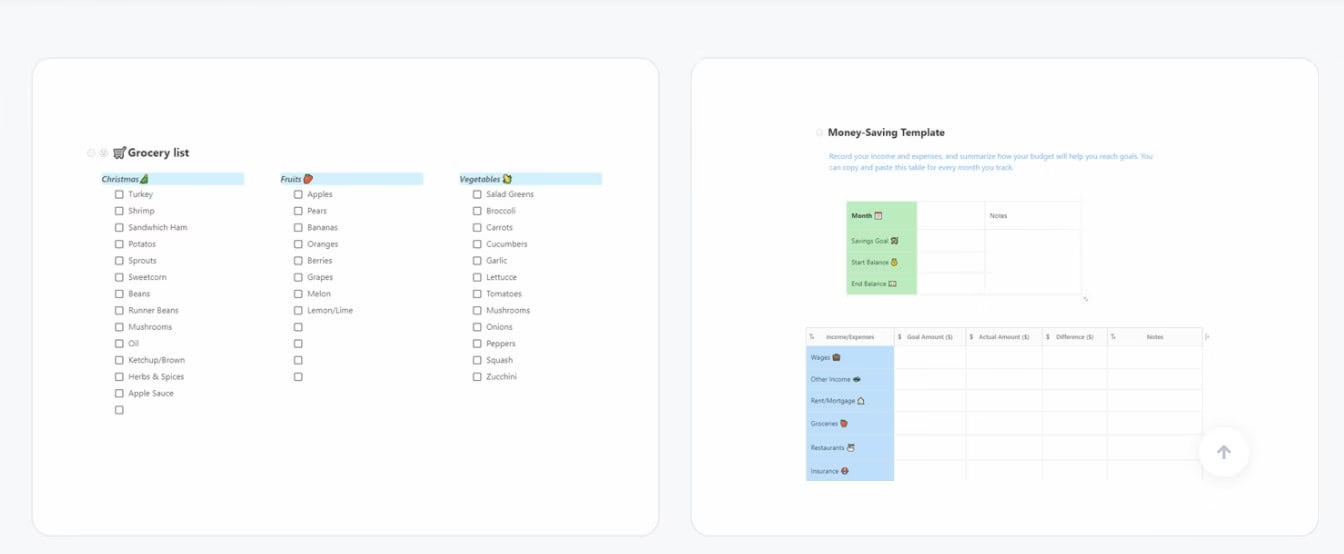
  • Availability of useful templates for productivity

Cons:

  • It can support only certain file types as well as electrical signatures.
  • It does not include the links in the uploaded files.
  • There is a lack of version control 
  • There is lack of annotations for images and PDF files
  • Synchronization is bit slow
  • Not able to create GiFs and short clips
  • Onboarding process should be bit intuitive

Use Cases:

The use cases consist of:

  • Customer support
  • Development/ Engineering
  • Education Students
  • Education teachings
  • HR & Recruiting
  • Marketing
  • Sales
  • Organized team space
  • Project management & operations
  • Personal use
  • Product Development
  • Research and Brainstorm 
  • Business
  • Team management / Remote teams

Alternatives of Nimbus Note:

Monday.com

Monday.com can be considered as one of the best alternatives for Nimbus note. It is used worldwide by numerous industries for teamwork and is a great workplace app. 

Feature:

  • Customizable templates
  • Tracks down milestone
  • Agile Methodologies
  • Budget management
  • Expense Tracking
  • Integration with existing tools
  • Visualize map, calendar, timeline, kanban, and others
  • 24*7 Customer Support

Pricing:

$29 per month with a free trial

The free version of the software is also available

ClickUp:

This is all one application for task management. It is also known for the Resource Management feature. It is available for both Mobile and Desktop and the supporting platforms are Linux, Windows, Mac, iPhone, iPad

Features:

  • Process Management
  • Task Management
  • Integrations
  • Time Management
  • Team Collaborations
  • Slash commands
  • Quickswitch
  • Capture, Markup and edit screenshots
  • Assign comments

Pricing:

Free Version

Unlimited Version: $5 per month

Business: $9 per month

Enterprise: Contact salesman

Flowlu:

Flowlu is a business management software used for managing projects and tasks. It is a Saas tool and runs on android mobile phones, iPhone, iPad.

Features:

  • Online Customer Relationship Management(CRM)
  • Project Management
  • Task Management
  • Financial Management
  • Collaboration tools
  • Online Invoicing
  • Agile Project Management
  • Knowledge base
  • Mind Maps

Pricing:

Free version: $0; 2users 1 GB storage

Team version: $29 per month; 8 users 10 GB storage

Business version: $59 per month; 16 users 50 GB storage

Professional version: $119 per month; 25GB 100GB storage

Enterprise version: $199 per month unlimited users; 1000GB storage

Wrike:

Wrike is considered as award-winning software used for companies that are medium-sized and enterprise. It runs on a desktop as well as a mobile phone too. The supporting platform are Mac, Windows, Android,iPad.

Features :

  • Project management
  • Customized tool for any team
  • Gain 360-degree visibility instantly 
  • Collaboration 
  • Trust in scalable software

Pricing:

Free version 

Professional version: $9.80 per user per month

Business version: $24.80 per user per month 

Enterprise space version: tailored plan

Unique selling point:

usp

The unique selling point of Nimbus note is the availability of teacher’s toolkit and the collaboration tools with the help of which unlimited users can edit the same file at the same time. The Nimbus note will place the change in the queue so the work of one person cannot get interlinked with the other one.

Who can use it:

It is mostly used by Entrepreneurs for business purposes.

Pricing:

Nimbus Note:

pricing

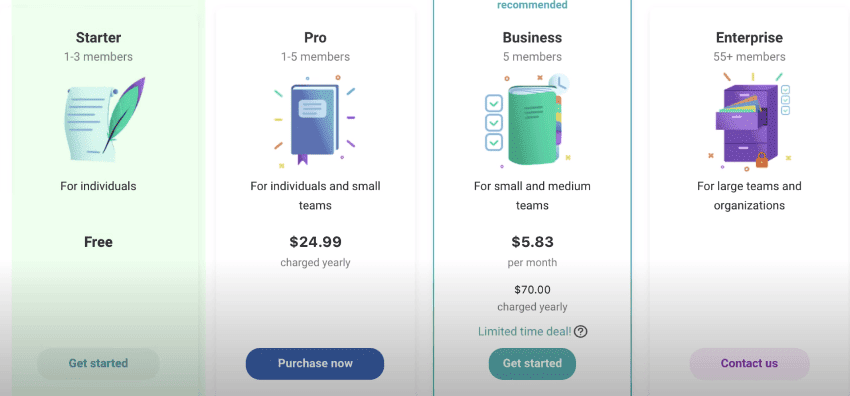
Starter: 1-2 members; Free

Pro: 1-3 member; $39.99 yearly

Teams: up to 30 members; $5.00  per user per month

Teams: up to 35+ members; contact salesman

Nimbus Capture:

nimbus capture

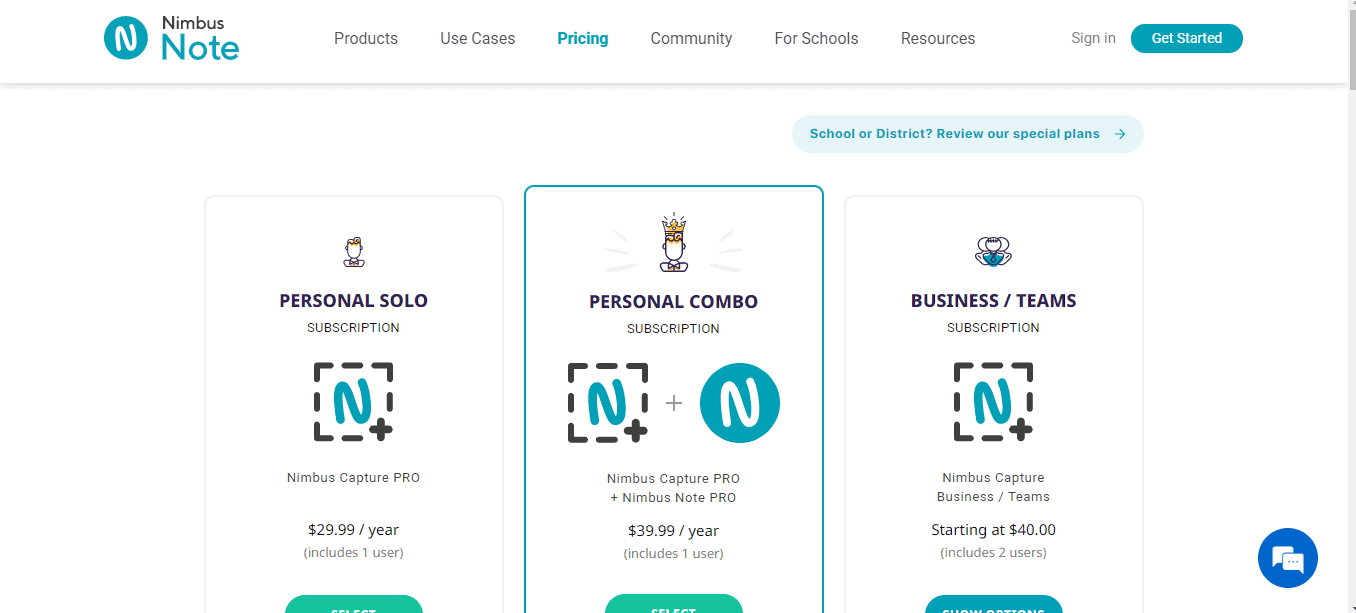
Personal solo: $29.99 per user per year

Personal combo: $39.99 per user per year

Business team: $40.00  includes two user

Features in Free Version:

free version
  • 50 Notes limit (per workspace)
  • 10 Mb Max attachment size
  • 100 Mb monthly upload limit 
  • 2 Team members (including power)
  • 2 workspaces
  • Offline access

Features in Pro Version:

pro version
  • Unlimited notes limit 
  • 1 Gb max attachment size 
  • Monthly upload limit: contact salesman
  • Workspaces: contact salesman
  • Offline access
  • Priority support
  • Nimbus Capture pro 
  • Search text in images (OCR)
  • Document scanner (OCR)
  • Search text in documents
  • Admin controls and capabilities
  • Organization-level permission 
  • Custom domain (CNAME)
  • Client portal (Guest accounts)
  • JS / HTML injections (for integrations)
  • Your Logo and branding

Verdict:

verdict

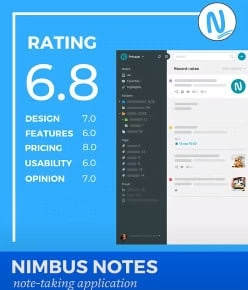
UI Ratings: 6/10

Features: 7/10

Pricing: 8/10

rating
Ratings of Nimbus Note

How To Improve Your Photography Skills

0

Photography often starts as a hobby, a way to mark occasions, places visited and as an escape. However, it can quickly turn into a passion which can leave those with a permanent drive to improve their photography skills.  It can even learn to a brand new career. Often, however, photographers are their own constant critics; you may feel photos that were once acceptable could have been better, and the more you take the more you strive for perfection. 

So what can you do to improve your skills? Even seasoned photographers and those making money from it will always strive to improve and will help others learn too, so let’s take a look at some tips on how to improve your skills, and get better results.

improve photography skills

Learn About Your Camera

We know it may seem boring but do read the manual that came with your camera; it will unravel a lot of your issues. Don’t be scared to experiment and practice different shutter settings and features.  Understanding your camera features and limits takes time, but it is certainly worth it. Learn how to adjust and access the features so you are always ready when the split-second perfect photo opportunity appears.

Look and Learn 

Spend time looking at the work of other professionals on photo sharing sites such as ClickASnap and see what is trending. Don’t just look at images around your interest, view as much as you can and see if you like it for the same reasons that critics do.  See if you can see what makes an image good or poor and how you would have approached the same study. 

Learning what works and doesn’t will always have an element of personal opinion, which is certainly not wrong, but there is no mistaking that some rules guarantee a better image than others, so find them and remember them.

Practice and More Practice

You will only improve if you stick at it! Understanding the relationship between camera settings and the resulting images takes practice. If you take enough photos you may hit on one that is amazing, but the more you practice the more chance you stand of capturing the time-critical moments perfectly.

Digital cameras make practice free and instant. You can take as many photos as you like, delete as many as you like and all at the touch of a button.

Tell A Story 

Use connection between a subject and its environment. The stronger the message the higher chance of the perfect image that offers more gravity than a snapshot. Complementing or challenging the subject in their environment can produce better results.

Share It and Show It Off 

You may feel you are not worthy of photo-sharing sites just yet, but you shouldn’t be afraid. They are the best place to get honest feedback, learn skills and tips to improve and see work by a range of professional and amateur photographers to teach you, inspire you and learn from. 

If you receive constructive criticism, don’t see it as negative even if someone does say something is wrong. Take a closer look, decide if you agree, learn from it and get right back and have another go. Joining a photography sharing site not only gives you useful unlimited free storage (depending on the site you use) it provides an opportunity to share photos with a wide community of other photographers, both professionals and amateurs alike, so you can be sure that you’re getting a broad range of opinion.

You can learn, improve and share your love of photography and see some amazing work to inspire or teach you. Your work may just appeal to someone and when someone views your image you could go on to make a little extra cash too.

Hopefully you now have some ideas as to how to improve your photography, so you can get the best out of your equipment and maybe impress a few people with your improved skills.

How Does PDF Remain Relevant In A Time Of Ever Changing Technology

0

With Ever-Changing Technology, Will PDF Stay Relevant?

From its debut in 1996 to its demise at the end of 2020, Flash Player had a massive impact on the Internet. For a time, web design revolved around making websites based on Flash. Although its presence on the web had diminished significantly by the time it was officially discontinued, a large amount of content suddenly became inaccessible when support for Flash ended.

PDF Changing Technology

Considering the fate of Flash, professionals may be wary of becoming overly reliant on technologies and formats. The PDF is one such area of concern for many organizations. Only three years older than Flash, the PDF is still impressively common because of its uses. Will it stay relevant? 

The facts say that PDF is likely here to stay—find out why. 

Can PDF Be Replaced?

With the breakneck pace of technological development, it’s not hard to imagine that a new format might someday appear to take PDF’s place. Should that happen, businesses could face immense costs migrating critical data from PDF into a new format. Ultimately, the widespread use of PDF is one of the factors that defends the format.  

With more than 2 trillion PDF documents in existence and billions of PDFs publicly available on the web, the ubiquity of the format lends it a degree of future-proofing. The PDF/A standard has been adopted by many organizations as their long-term archival solution for data storage. Combined with the fact that no competing formats have ever come close to achieving the same level of adoption as PDF, the format is likely here to stay. 

More than ubiquity, PDF is protected by its longevity: unlike Flash, PDF still fulfills vital purposes for professionals. 

pdf technology

PDF’s Versatility Makes It a Favorite in Business

From creating perfect-looking reports that print correctly every time to creating flyers, handouts, and more, businesses of every shape and size rely on PDFs daily. Some use the format to create sales catalogs and order sheets, while others use its fillable field capabilities to create easy-to-use digital forms as replacements for slow, hard-copy-based processes. With the right PDF software, it’s even possible to use the format in industries with complex needs for safeguarding information, such as in the healthcare and legal sectors. No other format offers the same level of flexibility for business users.

A Secure Document Format for the Future

The PDF format also provides users with security solutions that are easily accessible with the appropriate software tools. With support not only for AES-256 bit encryption but also public and private key cryptography and certificate-based security, PDF is already equipped for safety in an era where there are more than 1,000 data breaches every year. While Flash was notorious for its significant security holes, PDF continues to grow more secure over time.

free pdf notes

Continuous Development Keeps PDF Relevant

When Flash reached its end-of-life phase, it hadn’t seen substantial improvements outside of security patches for many years. Behind the PDF file format is a working group of industry players and professional developers periodically updating the standard. 

The most recent revision, PDF 2.0, was released in 2017 with an extensive array of new features and improvements. In early 2021, the International Organization for Standardization (ISO) released a revised version of its digital document standards, which rely specifically on PDF.

The PDF format remains relevant not only because of its versatility in business and its rich security features, but also because it continues to adapt to changing needs. Although no one can predict the future of technology with certainty, all signs currently point to the humble PDF being here to stay.

What are the Best Online Tools for HR and Recruitment Specialists?

0

Hiring managers, recruiters, and other HR specialists can streamline recruitment and amplify their efforts with the right online tools. These choices are among the best for recruitment databases and applicant management. In addition, they’re especially effective when used together with background check websites. Check out the list to compare and assess which tools are best suited to help you find the best employees for your company.  

Hr recruitment tools

Manatal 

Manatal requires almost no training to get started, making it many companies’ top choice for recruitment. Its interface is user-friendly and practical. In addition, Manatal has compliance tools, drag and drop pipelines and recruitment processing at regular intervals. Moreover, it offers other standard features, as well as a skill bank, a full analytics suite, job and applicant history, collaboration tools, and activities management. Finally, it has a placement management system and all the primary features associated with employee and candidate records and data. 

Social media recruitment, scoring applicants, recommendations based on AI, and high-capacity search functions are among the tool’s more innovative features. Moreover, these have proven particularly valuable in helping leverage big databases of candidates and streamlining applicant sourcing and screening. Manatal also features a customizable, intuitive career page builder to display openings and a full customer relationship management system. 

Lever 

Lever is a hiring, talent engagement, and talent sourcing platform with a seamless talent management solution. It links systems for thorough and seamless processes from recruiting and onboarding to sourcing and open requisitions. In addition, it offers a plug-and-play pipeline that reduces the effort, cost, and time associated with customized integrations. 

What’s more, Lever lets users combine performance data with staff retention and recruiting data to provide new insight into strategic talent. Using it, you can minimize data errors and redundant data entry by as much as 85% with two-way, fully automated integrations. You link requisitions and jobs with your talent pipeline to increase value. Last but not least, the tool contributes to an overall better hiring experience. Moreover, your new employees will enjoy a seamless transition from hiring pipeline to payroll. 

Zoho Recruit 

Our third choice, Zoho Recruit, generates reports and breakdowns on jobs by industry, open job status, and more. Their user-friendly software for remote recruitment helps hiring teams and individual recruiters stay current on changing demand for talent and make the most qualified hires possible. The applicant tracking system is cloud-based, letting users manage and automate applicants, post jobs to numerous different boards, and manage clients and contacts. As a result, this saves companies time and effort.  

The tool can solve many challenges recruiters face. It has full solutions for agencies, as well as in-house HR staff, helping users find, track, and hire the best employees without having to deal with multiple channels and media. Moreover, Zoho Recruit makes it easy to customize various work aspects, including interview scheduling, records management, sorting applicants, and updating interview statuses. What’s more, it is also possible to use all of these functions on the go via the tool’s mobile app. 

Recooty 

The best thing about this tool is that it lets users create ideal job descriptions and post them to targeted channels with only one click. Specifically, relevant channels may include social networks, popular job boards, or the company’s Careers Page. Recruiters can see all the applicants for one or more openings, analyze them, and shortlist the best ones. Furthermore, you can publish existing openings and build a branded page for careers with ease. 

People Strong Alt Recruit 

Last but not least, this tool makes it possible to handle the entire recruitment cycle with ease by helping HR and recruitment specialists be more productive. It helps companies to eliminate the hassle of finding the right talent. As a result, your teams will get immediate access to the best talent sources with a network of tens of sourcing channels, which offer recruiters a great opportunity to find and reach out to top talent. With People Strong, you can post job openings on your organization’s internal job portal, partner networks, and other top portals in the business. 

Hyderabad based Startup Finally Launches Operation with GenNext EV Charging Solution

Samridh Singh, Founder, Amit Singh, Co-founder, Rikarica

That is big news. Where are you the enthusiastic youngsters, engineers? This is the perfect news for boosting up your hidden stigma if you want to do something big. A startup named Rikarica was set up in Hyderabad,2019. Rikarica is a web based EV charging aggregator platform and it is also available in mobile application version. This startup was initiated in 2019 for regaling the pan India users. The main agenda of this startup is to resolve the issues faced while charging their vehicles. Rikarica helps the user in providing real time information about the EV charging stations present in the closely.

Rikarica is an OCCP based web platform which is a more advanced version in regard to the other services available in the Indian market. It is even compliant to the global norms. As we know that there is a hope of AI and IoT advancement on top-notch in the future generation and all these initiatives play a major role in this upgrading process. It is because Rikarica, an AI and IoT enabled platform is capable of changing and promoting India to be more digital and technological. 

According to Samridh Singh, the founder of Rikarica, the “endeavour is to capture at least 20% of the market by 2025”.

EV Charging Solution

Before the final launch of its services, several testing was done such as examining the OCCP complaint system with help of vendors participating in OCCP Plugfest 2021. The good news is that the outcome reached 100% success rate along with the customer satisfaction. It provides the integration of Google map API and payment wallet to the customers, which make the service a more selectable and user oriented tool.

Beside all these advantageous services, the IoT powered company will enable the OEM of the charging station to take their decision which in turn will help them in improving their business resources for better revenue. It also allows them the longer maintenance of the free operations.  It has also 50+ stations onboarded in Maharashtra.

Advantages for the Users:

  • Intuitive, Easy to use and user-friendly
  • Availability of Web and mobile application
  • Notifications of live weather/climate change as well as traffic 
  • Integration of Google Map API and payment wallet
  • Reserving the point for the vehicles before arrival
  • A.I.enabled platform

Advantages for Associates:

  • Presence of Power and load analytics
  • Easy accessing of new Electric vehicle users
  • Availability of ROI on charging station investment
  • Demand and occupancy management
  • Managing the networking of charging station
  • Promotion of nearby charging station 


Mr. Samridh Singh, Founder, Rikarica
 said, “By 2025 we can see nearly 800% jump in EV vehicles in India and to meet the need already over 2600 stations are sanctioned under FAME-II. So, there is a definite need to manage the load at these charging stations and help consumers to find the right station as per their convenience. With Rikarica we aim to deliver a futuristic solution to avoid hassles in future. We are also looking to start operations in Hyderabad and are already in talks with many RWA’s to begin our operations at the earliest.”

With the help of a centralized monitoring system it is able to manage all the aspects of the charging points present in metropolitan and remote areas. Along with this, the inbuilt analytics helps in correlating the data and at the same time it allows one to make appropriate business decisions.

How to Decide What Insurance Coverage Your Business Needs

As a business owner, you want to ensure your venture grows and remains profitable for years to come. Unfortunately, while incorporating your company offers some personal asset protection, you are still vulnerable to damage and injury claims by customers, vendors, employees, and other third parties. 

However, you can create an additional layer of protection for your company with business insurance. But, how do you know which policies to invest in? Read on to find out more about the many options available.

High-Speed Internet Connection

Understanding Your Business Insurance Options

Much like health insurance, there is a range of policy options that protect against different perils for your company. It’s essential to assess your liabilities fully, whether related to your industry or your business, before buying any coverage plan. 

Check out this brief overview of the more common business insurance options that companies rely on to protect their best interests: 

General Liability

Many businesses first begin with a general liability policy to cover any damages they might cause to a third party. This is a basic level of coverage that addresses three categories of risk:

  • Bodily injury 
  • Property damage
  • Personal injury, including copyright infringement and slander/libel

Keep in mind this insurance doesn’t insure against damages caused to you or your staff members, just third parties.

Professional Liability

If you offer professional services, such as accounting or architectural consulting, you could face severe consequences if you make a mistake that causes your clients’ financial harm. Professional liability coverage, also known as errors and omissions insurance, defends against these situations. These policies also cover attorney fees and court costs, including compensation awards to those suing you. 

Commercial Auto

This coverage is often legally required for businesses that use a fleet to conduct company business. Commercial coverage is essential to protect not just your vehicle assets but also employees and guests riding in the car and any product you may be transporting. It can also prove helpful should your team member be at fault for a collision that injures others. 

Workers’ Compensation

Another policy that is usually mandatory for most businesses is workers’ compensation coverage. Whether you are legally obliged to carry it depends on your state and the number of employees you have. Even if you don’t have to purchase one of these policies, you probably should. Should an employee get sick or hurt on the job, they will have quick access to necessary medical care, and their lost wages get covered too.

Business Interruption

What happens if your deli loses power during a storm and all your food products spoil? Or, if a tornado rips the roof off of your warehouse where you repair farming equipment? You lose income when your business is interrupted by mother nature or other events. Business interruption coverage can replace lost revenue due to being shut down. 

Cyber Protection

The latest trends in hacking and data breaches have many business owners concerned about protecting their customer data and their company should one of these events occur. Who is at fault when sensitive information like social security numbers and banking details get stolen? Customers will point their fingers at you first. Cyber policies pay for damages they suffer and help you recover from these attacks.

Commercial Property

Whether you rent your warehouse or own your doctor’s office, ensuring you can rebuild after a fire or other destructive event is vital. When comparing commercial property insurance quotes, make sure to note what is or is not covered by the policy terms. Make sure the coverage you purchase is enough to completely reconstruct your premises in the case of destruction. 

Business Owner’s Policy (BOP)

A BOP is one of the most frequently purchased insurance options for small businesses. By bundling multiple coverages into a more manageable and affordable policy, you can enjoy a more comprehensive approach to liability protection. 

Typically, a BOP combines the following:

  • General liability 
  • Commercial property
  • Business interruption

Consider Your Deductibles and Policy Limits Carefully

Besides determining the policies needed to protect your business from liability adequately, you also have to decide what limits and deductibles it will carry. So before choosing a high deductible-low premium model, consider these factors first: 

Can You Afford a Coverage Gap

It may be tempting to go with the minimum coverage limits, but what if you have a claim that exceeds this amount? Anything above your policy’s terms will come out of your own business funds. This could be a devastating blow to your company’s financial health. Is it worth the risk?

Choose an Affordable Deductible 

When comparing commercial insurance costs, you also need to decide what deductible obligations you can afford. The lower this cost, the higher the premium. While you don’t need to choose the lowest option, go with an amount you know you could afford if ever necessary. This will ensure your coverage has the right level of affordability and protection without company assets making up a gap in protection.

Doing your research before you request quotes can prove extremely helpful in comparing your company’s specific coverage needs versus industry standards. 

Final Thoughts

Choosing the right commercial insurance coverage for your business will be one of the most important decisions you’ll make. You want to protect your hard work and investment into your venture at a reasonable cost with maximum protection. To achieve this goal, take time to understand the liabilities your company will face will prove helpful when deciding what policies you need.