Home Blog Page 249

Geometric Shapes Trend: 9 Photo Editing Tricks You’ll Actually Want to Try


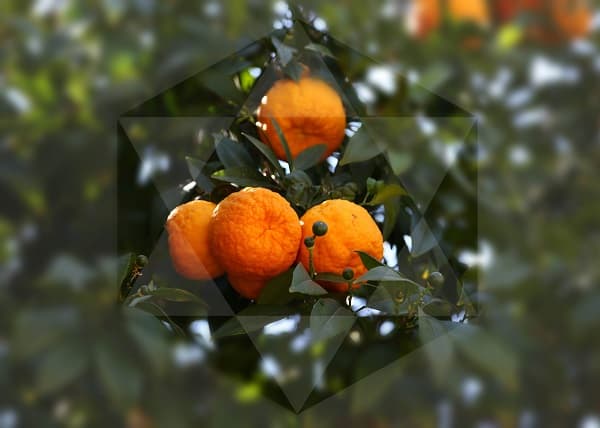
From arched bridges to perfectly symmetrical snowflakes, geometric shapes are an inherent part of the world around us. Shape overlays are simple, but they pack a punch. By incorporating them into your photos, you can create semi-abstract art that you’ll want to share with the world.

We’ve whipped up a guide to incorporating geometric shapes into your own photos with nine easy tricks that you’ll actually want to try…read on to learn more!

Mix & Match

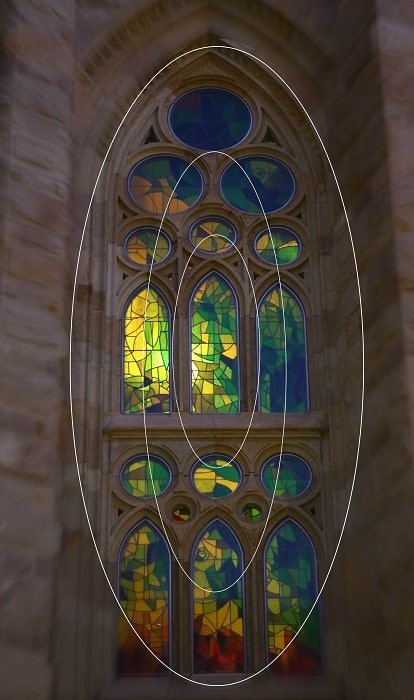
mix and match photo effect

Geometric overlays are cool on their own, but you can take it to the next level by layering several onto the same image. Your overlays should enhance your image and complement its composition, so be sure to keep your transparency low so that the shapes don’t overpower it.

Nevermind—Overlay Overload!


DIY: Draw It Yourself

draw_it_yourself photo effect

If you’re feeling brave, try creating your own geometric overlay. Don’t be intimidated by this if you’re not a skilled drawing artist, because there are easy-to-use apps like the PicsArt photo editor that allow you to create your own clipart overlays, either using shapes or by drawing your own with their drawing tools. Save your creation as a clipart within the app and you’ll have it handy for future use on any device.

  • Also read:

Pull Shapes

Pull Shapes design

If you’re all about simplicity in your shots, try adding a sleek geometric overlay for a super edgy edit.

Shapes + Filters = Epic Edits

shapes Filters Epic photo effect

Try applying different photo effects in shapes. This is ridiculously easy to do in PicsArt, as you can select a filter, a shape, and apply it exactly where you want.

Shift Perspective with Blur Effects
Blur photo effects

You can do the same with blur effects to play with perspective in your shots. It’s like tilt-shift photography with a geometric twist!

Create Motion

create motion photo effect

One of the easiest ways to create an effect like this is to use PicsArt’s Focal Zoom Effect. You can select which part of your image to apply the effect to and play with different settings to turn up the drama. Throw on a cool overlay, and you’re good to go!

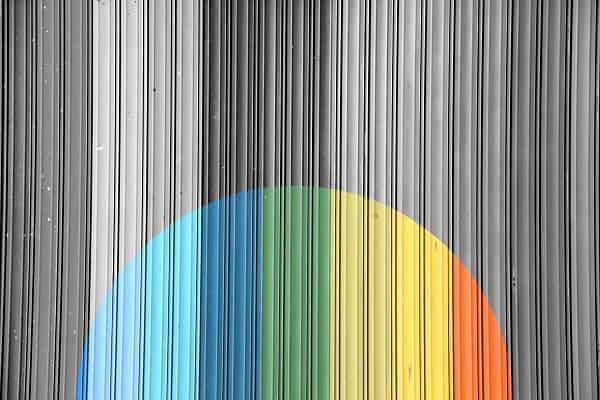
Go Monochrome

Go Monochrome phot effect

This one’s for the minimalists out there. Convert your photo to black and white and then apply an overlay over the entirety of your shot. This works best with images that have a lot of contrast because tones hovering around middle gray might appear flat once you take away the color. Or they might look awesome…what do we know?

Geometric Collages

geometric photo effect

Once you’ve got a collection of geometric-themed images under your belt, combine them into a photo collage for a beautifully curated viewing experience.

This is one of those photo editing and design trends that you don’t want to miss, and now you’re equipped with a bunch of new techniques to master the geometric trend…so get out there and start creating!


5 Apps to Help You Manage your Time

0

You start your day with a long to-do list, ready to check everything off, and before you know it, the day is over. Sometimes it seems as if there is just not enough time in a day. While technology has brought us many distractions (Facebook and Candy Crush addiction is REAL), the technology world has also given us a few tools to help us manage our time. Here are 5 apps to help you gain a few extra hours in your day.

time management apps

  1. Rescue Time

Do you ever wonder where all of your time goes? Are you guilty of checking Facebook a few too many times? Rescue Time is here to tell you where your time is going. It will tell you how much time you are wasting on certain sites and applications. You can even block certain distracting websites to help keep you focused on what’s important.

  1. Virtual Private Network

Have you ever had to deal with fraudulent charges? Are you constantly worried about having your important information hacked through unsafe wireless networks? A virtual private network, or VPN, can help minimize these problems, and ensure your security when on the web. VPNs are now commonly used by many companies and are easily accessible through apps for individuals as well. Secure Thoughts, an internet security site, can help guide you to the VPN app that best fits your needs and devices.

  1. Munchery

During the work week, it can be a challenge to cook every single night. You may find yourself going out to eat constantly, or find yourself stressed from the mounds of dishes that accumulate after every cooked meal. Munchery is a fresh and healthy food delivery service that provides fresh fully cooked meals. Each meal is served in an oven and microwave safe container so you can easily heat yur meal with no dishes to worry about. You also have the ability to order your meals days in advance so you can go through your day knowing that dinner will be one less thing you have to worry about.

  1. Pocket

While working online it is easy to get distracted by articles thrown our way, or a new website we’ve discovered. Pocket will easily save any article or site you run across so you can access it later. It stores all of your saved items in a visually appealing way that makes it easy to find the saved article you are looking for. You can check off the items you have viewed as well as organize your saved items with helpful tags.

  1. Scanner Pro

Scanner Pro takes the time out of faxing and scanning. You simply need to take a picture with your phone and Scanner Pro converts your documents into an easy to ready and send the file. This app gives you the ability to scan from literally anywhere your phone can go. Once you start using this app you will wonder how you ever lived without it.

Have you used any of these apps? What are your favorite apps to help you manage your time?

I highly recommend reading:  The Psychology of Gamification: Can Apps Keep You Motivated? and Bored at the office? Apps to Keep you Busy and Engaged.

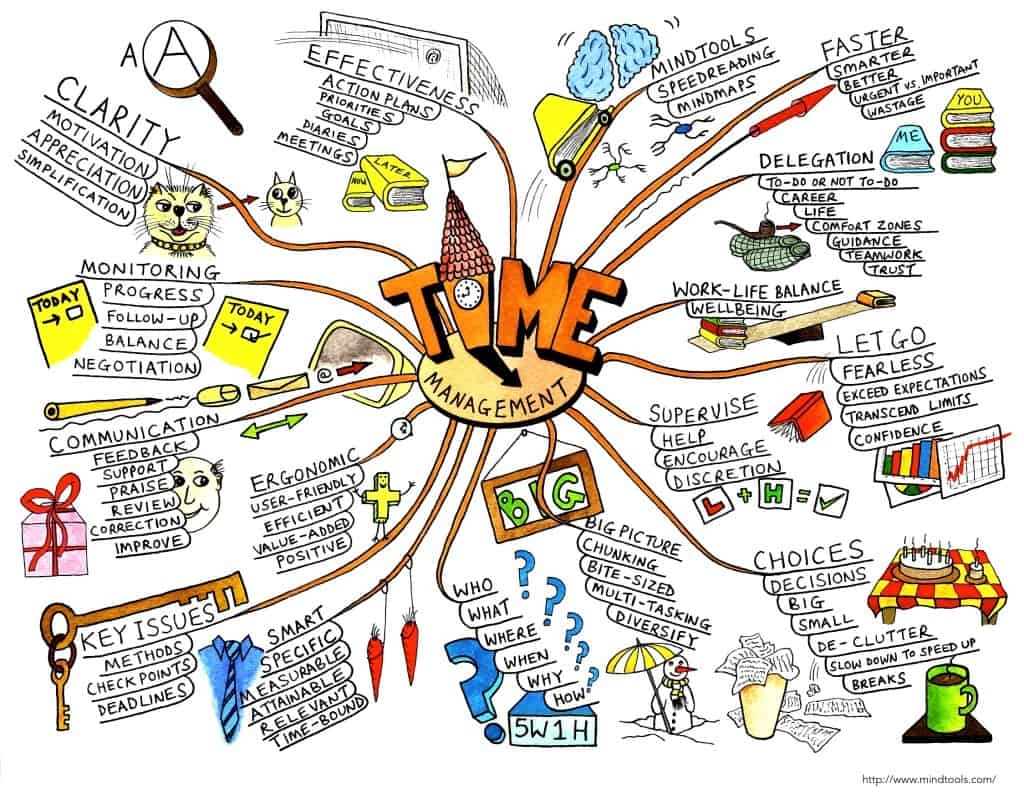
Bonus; Time Management Mindmap

time management mindmaping
Click on the image to view larger version


Guest post by Cassie Phillips


Apple Pay is Here to Stay Despite a Few Limitations


The battle of mobile payment systems took an interesting turn, when CurrentC was hacked. Last year, Walmart refused to accept Apple Pay as a payment option at its stores and announced to launch its own mobile payment system in partnership with other retailers. However, the hacking of CurrentC evoked enough security breach fears in grocery chain Meijer’s mind that they switched strategies; they decided to accept Apple Pay as their mobile payment system.


Statistics show that Apple Pay, with all its limitations, is on the rise. Even Apple’s stock took a positive hike in aftermath of Apple Pay’s launch. Activating one million credit cards within a few weeks is not an ordinary feat. Apple Pay just did that. To understand the size of this feat, consider that even after three years; Google Wallet has not managed this. However, there are few limitations too. This post will summarize those limitations along with some insights into why some of the giant retailers are not interested in Apple Pay.

What is Apple Pay?

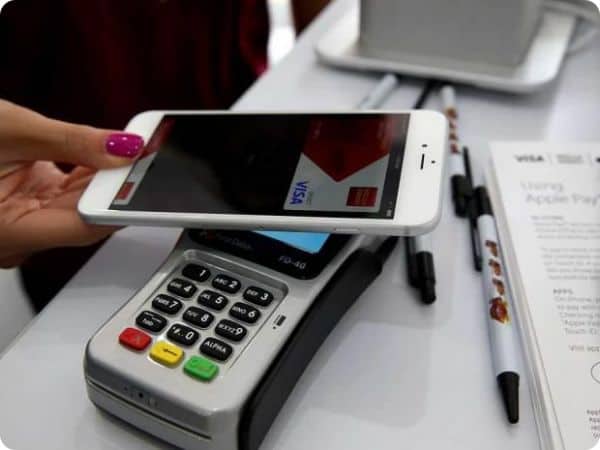
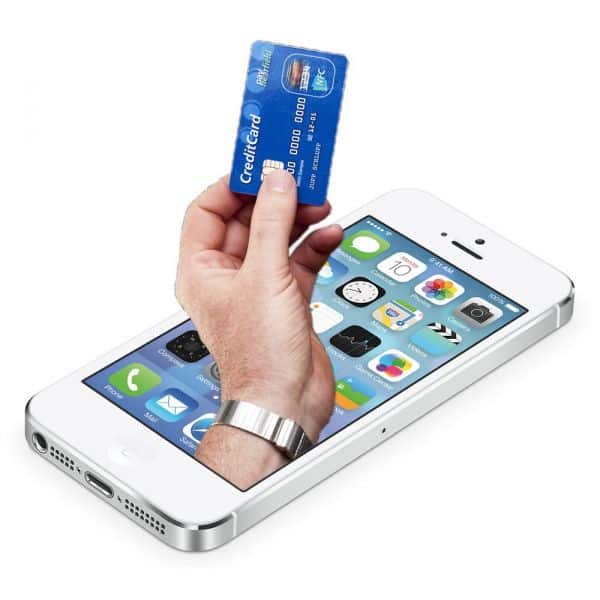
apple pay iPhone swipe

The idea is to use an iPhone 6 or 6 Plus, equipped with a Near Field Communication (NFC) chip and Touch ID, to enable customers to use their phone for making payments. The customer will place their phone right next to an NFC-enabled point-of-sale (POS) and use their fingerprint to validate the transaction. Credit card activation is simple too. All you have to do is point your iPhone’s camera to your credit card and Apple Pay will scan all the details from the card and verify it with your bank.


Why some retail giants refused to accept Apple Pay

Giant retailers like Walmart and Best Buy are not going to accept Apple Pay at their stores. Moreover, they are looking to build their own mobile payment system to cut down credit card processing fees, which directly help their bottom line. A bold and ambitious strategy.

According to BusinessWeek, the retail giant Walmart said it’s working with other large retailers on their own payment system developed by a company called Customer Exchange (MCX). There are no apparent reasons given for the rejection of Apple Pay, but some analysts suggest that merchants want to maintain control over customer relationships.

Apple Pay will work its magic despite few limitations

Some of the retailers that will accept Apple Pay, only a handful so far have NFC enabled machines that can actually communicate with the iPhone to process the transaction. For example, Starbucks still hasn’t placed any NFC equipment required to communicate with the iPhone.

iphone apple pay

Another problem for web application development of Apple Pay is that it is only available with the latest versions of Apple devices. iPhone 6 and iPhone 6 Plus are the only iPhones that have the NFC hardware. Owners of previous versions of iPhone won’t be able to use Apple Pay due to lack of hardware support. Moreover, new iPad Air 2 and iPad Mini 2 do support Apple Pay, yet they don’t have NFC technology. Thus, leaving Apple fans with the only option to use Apple Pay for virtual purchases like apps and other items. They will not be able to use these devices to buy physical products at merchants.

Wrap Up

Such limitations are usually termed as growing pains. New technology expects to face these hiccups initially, especially when multiple industries and players are involved. However, with the passage of time more merchants will likely set up the necessary NFC equipment, and more retailers will likely start supporting Apple Pay. Apple accepts some of these growing pains but they are convinced that Apple Pay will be successful in the long run.

Author Bio

I am a web app developer, currently working in a web application development company. I love to read and write about current trends and practices in web app development industry. I have been writing articles for different tech blogs and websites.


The Evolution of Mobile Phone Displays

0

As our cell phones have gotten smarter, so have their screens. From basic black and white passive matrix displays to high-tech super AMOLED displays, take a closer look at the evolution of cell phone screens.

The First Cell Phone Screens

big screen mobiles

Image via Flickr by arvidr

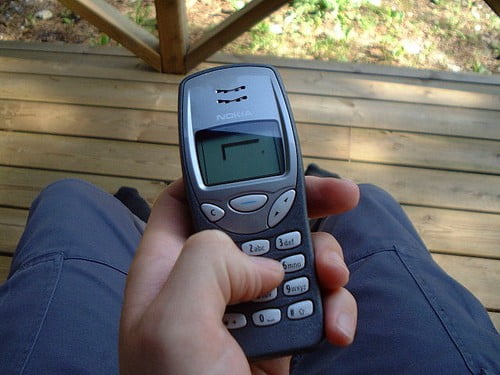
Motorola released the DynaTAC8000X, the world’s first commercially available cell phone way back in 1984, but these portable communication devices didn’t get screens until 1992. The first were simple black and white passive matrix screens designed to support the new SMS text messages. The screens used a matrix of rows and columns, with coordinates blocked in to create text. The displays looked quite blocky and lacked the definition of later models. In the late ‘90s, cell phone designers realized the potential of these displays and began adding simple games like Snake and Memory to their devices.

Cell Phones Get Touchscreens

In 2000, cell phone companies released devices with touch screens. These devices saw users pressing the touch-sensitive screens, rather than the number pad, to perform simple operations. They might seem simplistic and unresponsive compared to the touchscreens of today, but those screens gave a hint at what the future might hold.

The Introduction of Color

In 2001, cell phones slowly moved away from the boring black, gray, and white displays. The Nokia 8250 was the first phone to buck the trend with its monochromatic display cell phone. It didn’t have a large array of colors, but the ability to change the background from gray to vibrant blue was appealing.

The Ericsson T68m and Trium Eclipse were released later that year, two pioneering phones with 256-color palettes. Camera capabilities were added to phones in 2002 to take advantage of the new full-color screens.

Flip Phones Mean More Screens

2003’s flip phones, also known as clamshell phones, saw more screens added to cell phone designs. Phones like the Samsung S300 had a small external screen for call and SMS notifications and a larger screen inside for composing text messages and playing games.

Touchscreens Go High Tech

evolution of mobile screens

Image via Flickr by TechStage

The launch of the iPhone in 2007 marked the dawn of a new age of cell phones and cell phone screens. It was considered the first smart phone, the first phone with an operating system, and the first with an advanced, more responsive touchscreen. Its video graphics array (VGA) display, a type of active matrix display, had far greater resolution than earlier phones. Extended graphics array (XGA) and AMOLED displays were later introduced which offered even more pixels for crisper, clearer images.

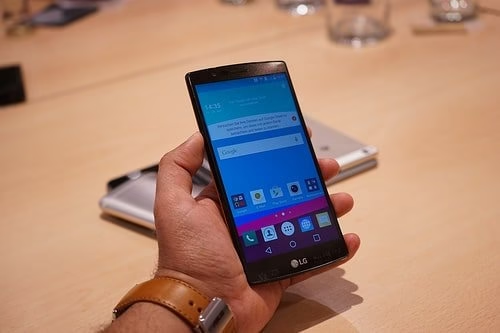
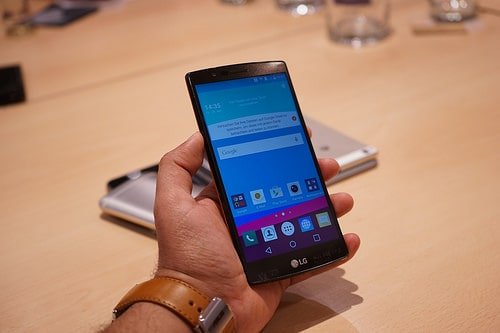
Cell phone screens grew larger through the decade to take advantage of the new high-resolution technology. This gave rise to phones so large that some call them phablets because they seem somewhere between a cell phone and a tablet. With its 5.5 inch screen, the new LG G4 falls into this category. Its IPS Quantum display offers brighter, more colorful graphics with more contrast than previous LG phones.

As you can see, technological advances have made cell phone screens much more sophisticated than early adopters could have dreamed of.

The Recent “Phantom” Update of Google and the Things You Need to Know About It

0


Google introduced a mobile-friendly update known as Mobilegeddon on the 21st of April this year.  Fortunately for this update, the majority of businesses had the time needed to take appropriate measures and respond appropriately.

Now, there have been a lot of talks in recent days about the new Google’s “Phantom” update, and you may have already noticed changes to the way search results appear and the site ranking of late.

The reason why is has been dubbed “Phantom” is because there was no warning in advance, although Google hasn’t admitted it publicly. This update refers to quality but how Google determines what qualifies as quality, remains unknown.

Google Phantom II Update

There is no room for panic

You must understand that Google will introduce updates on a regular basis (Update history on Moz) to serve more relevant and high-quality content to its users. If you remember Panda, then you are aware that this doesn’t happen for the first time. It also won’t be the last.

Here’s the Searchmetrics blog post on the Phantom II update where Kevin shares data about the winners and losers of this update.

Having said that, if you’ve been creating valuable content, thinking about the needs of your readers, you will still be on the right track. No major changes to your strategy will be required. However, if your organic search traffic has declined, you may need to revisit your on-page SEO and address important concerns.

We may lack information on what kind of quality Google is after, but there are still some important things to consider:

  • Duplicate content– Redundant articles and duplicate content are a big NO.
  •  Thin content is no longer an option.
  • User-Friendly design– Always give priority to user experience. If your website is populated with too many ads, for example, this will have an undesired impact on your ranking because of negative user experience.
  • Social Signals – People must deem your content trustworthy. Your site’s visitors should be comfortable with entrusting you.
  • Content Quality– Your articles should be free of both factual and spelling errors. Quality control is a must.
  • Content detail— Address the subject matter in depth to meet the expectations and needs of your readers.

This is only a brief overview of what the search engine will expect from content creators. It makes great sense from the perspective of a user. The idea behind the effort of Google is to provide searchers with the best possible information on their inquiry, examine problems from a range of perspectives and share information people are passionate about.

Content is all that matters

If you are still reeling from trying to address all the requirements for a mobile-friendly website, have in mind that the main issue now is content. The latest update of Google reflects on its efforts to rank sites on the basis of quality. If your site has a lot of low-quality content, you may witness a significant organic traffic decrease.

Focus on building trust

According to the marketing professionals at Bluehat Marketing, there is a reason why some sites have their newly-published articles crawled and indexed in a matter of minutes while others have a hard time with it. Basically, it concerns trust.

If you are serving your users quality content and you strive to improve their experience, you have the chance to be seen as a trustworthy source of information by Google.

Jurassic World Launch Previews Offered Through Samsung4k SUHD TV

Samsung4k SUHD TV

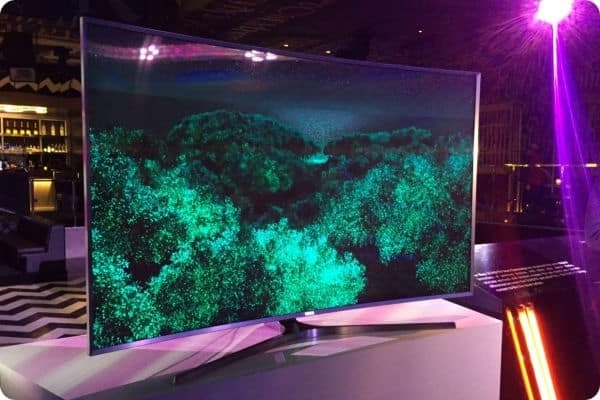
Jurassic World is a movie that is expected by many, fans and sceptics alike. It is a movie that will have a huge impact on the TV industry so it should come as no surprise to notice that Samsung is getting involved. The new range of 4k SUHD TV units that are offered by the company now bring in exclusive Jurassic World content that is available before the movie is officially launched.

Why Samsung 4K SUHD TV?

In most situations we are faced with a simple marketing strategy that is not as great as it is advertised for the buyer but now we talk about a TV that is labelled as “the best TV that Samsung made”. It is hard to argue with that when we take a look at all that is available. We are faced with a curved HD TV that is so thin you will be able to place it wherever you want, no matter how large the screen is. The largest one is 88 inches, which is definitely huge.

Samsung 4k SUHD TV Features:

  • A superior contrast, brightness and color level allowing perfect image viewing.
  • True-To-Life picture with 4k color range.
  • Full vibrancy in all favourite entertainment and media.
  • Optimized contrast leads to a higher depth sense.

On the whole, the new range of Samsung 4K SUHD TV units is really impressive. If you are looking for the best possible TV sets, we are faced with something that can be considered. We do have access to the extra Jurassic World content that perfectly highlights absolutely everything about how the new Samsung TVs can improve viewing for the user. We are faced with the most features that were ever included in a TV set and taking advantage of all that is currently possible in terms of technology that is available.

6 Best Wearable Tech in Movies

From the James Bond series to Spy Kids, wearable technology has played a key role in many popular films. In fact, we’re so enamoured with futuristic gadgets that some inventions, once thought to be the stuff of impossible dreams, are now coming closer to becoming a reality, thanks to advancements in tech and design.

Here, we look back at some of the best wearable gadgets as seen on the silver screen.

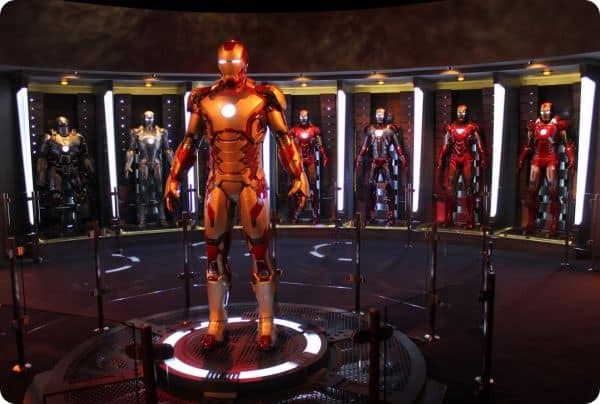
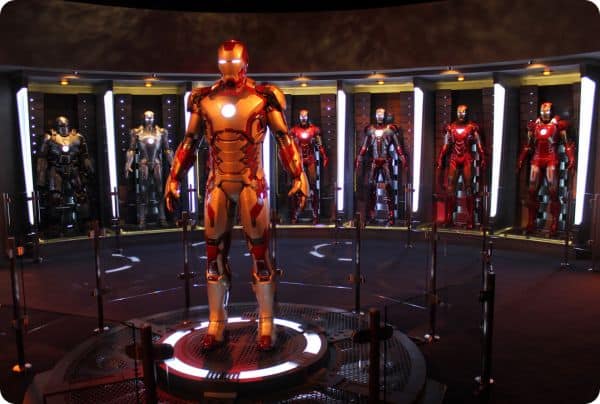
Iron Man’s Armour

Wearables-tech gadgets in movies

Image via Flickr

Iron Man’s armour is worn by superhero Tony Stark when he assumes his “Iron Man” identity. Iron Man wears a new suit within each film, but every suit has a self-contained environment, weapons systems, communication devices and flight ability. The Mark VII armour used in The Avengers contains missiles, lasers and a British butler to help drive!

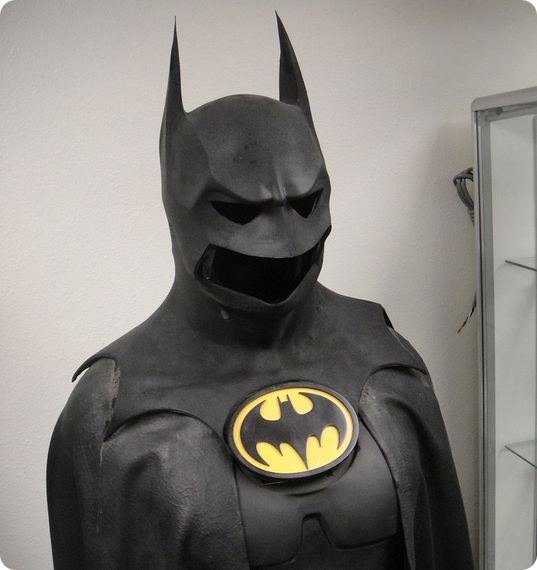
Batman’s Cowl

batman wearable tech

Image via Flickr

In addition to concealing his true identity and adding to his bat-like appearance, Batman’s cowl has several other features. The lenses have infrared, night and ultraviolet vision, plus the ability to identify the identity of suspects and their weak points through medical records. One ear contains an internal communication link to allow Batman to stay in contact with his allies. The cowl also contains defence mechanisms such as stun gas and electric shocks. In The Dark Knight (2008), Batman uses it as a receiver to create a 3D, X-Ray map of the entire city.

Inspector Gadget’s Gadget ‘Copter

In Inspector Gadget (1999) and Inspector Gadget 2 (2003), the protagonist’s hat contained helicopter propeller blades that enable him to fly. The Gadget ‘Copter also contains handlebars for him to hold on to and a “spare” unit available in case the blades break, which occasionally happened during the films.

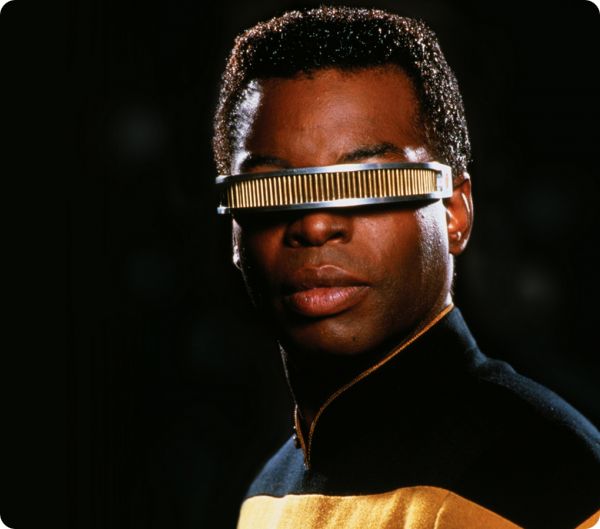
Star Trek VISOR

star trek wearable technology

Image via Star Trek Wallpaper

In the Star Trek universe, a VISOR (standing for ‘Visual Instrument and Sensory Organ Replacement’) is a device used to provide the blind with the ability to see. The VISOR is a thin, curved device that works like glasses, scanning the electromagnetic spectrum and submitting the visual input into the brain of the wearer through the optic nerves. The wearer can also detect heart rate and temperature, which gives them the ability to monitor mood and detect lies in humans. In the Star Trek films, a VISOR is worn by Lieutenant Commander Geordi La Forge.

James Bond’s X-Ray Glasses

James Bond has had some incredible gadgets in his time, but his X-Ray glasses worn in The World Is Not Enough (1999) are one of the coolest pieces of wearable tech. The glasses enable x-ray vision to check for concealed weapons, but you can’t see what’s happening behind closed doors (or closed blouses in the case of James Bond…).

I Spy Smart Contact Lenses

i spy movie wearable tech

Comedy spy film I Spy (2002) introduced the idea of a new wearable technology: smart contact lenses. The contact lenses in the film contain a microphone and camera- so you can film the enemy without their knowledge.

Will we ever see real-life versions of these gadgets? One can only hope. Companies like FlexEnable are already developing the flexible technology behind many of these devices, allowing us to take our wearables to the next level. And with the way the field is advancing – rapidly and constantly – I don’t think we’ll have to wait too long for the technology to catch up to the films.