Home Blog Page 244

How Link Building has Changed Over the Years

0

Fast-forward to a post-Penguin world, link building has become far more risky than it used to be a couple of years ago, rendering many of the older strategies completely unusable or even harmful. But despite the major changes brought by the Penguin algorithm update, link building hasn’t changed as much as most brands think. While it’s accepted wisdom that businesses should never use paid links or link exchange networks (both categorized as link schemes) to acquire backlinks, the core principles of link building are generally the same in 2015.

link building seo

So what is the truth about backlinks, and how much has link building changed over year? We’ll be covering this last question in the material below.

Link Building Principles Haven’t Changed

The core principles of link building haven’t changed much – dare we say they haven’t changed at all. Brands need to deserve links, either for an asset they create, such as a highly valuable blog post, or for a product or service they offer. When Google rolled out the Penguin update in April 2012, brands that were caught spamming search engine results with unnatural, poor-quality links were literally banished. Some were penalized and had their PageRank, page authority, and search ranking lowered exponentially, which led to getting significantly less exposure, traffic, and sales. Some were completely de-indexed.

But in addition to deserving links, brands also need to put their assets or products in front of an audience that may be interested in them, and share them further, without any intervention in this process. What’s more, consistency is paramount to keeping your audience engaged and earning links. Ultimately, anything that scales is at risk, so doing everything at a relatively slow pace is of utmost importance.
With these four link building principles in mind, companies can start implementing strategies that adhere to Google’s Webmaster Guidelines while addressing their audience’s crave for fresh and valuable content.

Signals Around Link Building Have Changed

“The signals around link building have changed, but mainly around new machine learning developments that have indirectly affected what we do,” states Moz’s Paddy Moogan.
More companies are finally realizing that, in order for their websites to succeed, low-quality link building is no longer a solution. Spammy links are still working in the short-term and they will probably always work, but sustaining websites that are built on spam is more difficult than it used to be before Penguin. That’s why spammers prefer churning “through lots of domains, making a small profit on each one, then moving onto another,” according to Moogan. A quality digital marketing agency Sydney, Australia won’t attempt to boost your website’s authority and exposure by populating it with low-quality links, that’s for sure.

In the long-term, businesses should be focusing on content marketing in order for their efforts to be successful. As a matter of fact, the Penguin algorithm update is one of the most notable factors that contributed to the rise of content marketing – and rightly so.

We had the easiest link building methods taken away partly because they worked, and Google didn’t like this. In today’s post-Penguin world, we are left with fewer options – and the most notable one is content marketing. If done correctly, content marketing can help businesses earn good-quality links that will ultimately help them rank higher in search engines, and outshine competing companies that don’t have a solid content marketing strategy yet. Get it wrong and you will lose not only your budget, but also time and credibility, the latter being one of the most important things Google cares for.


So What’s the Plan?

Since Google is giving more weight to websites with a solid content marketing strategy, the brands should start implementing various plans for publishing high-quality content, and getting this content out to their target audience. First, high-quality content gives them an asset that deserves to be shared, thus increasing their number of backlinks. Second, content marketing involves content distribution and promotion, which gives companies the opportunity to find people who may be interested in their assets, and share or link back to them.

It’s important to keep your strategy consistent and publish content on a regular basis in order for your strategy to work. Creating assets consistently means giving your users reasons to post links back to your website, thus helping you rank higher and giving you more authority in search results.


About the author:

Louise Cruise has been in the SEO industry for the past ten years and has worked with several digital marketing agencies. Her expertise allows her to help create unique solutions to her clients’ marketing concerns.


7 Essential Tools for Android App Development

Being an app developer means that you have to keep on top of all of the latest development tools that are available. The app market is surging, and missing out on a new tool that can give you an edge, even a small one, may mean the difference between setting the trend and being behind the curve. From business security to mobile games, there are tools out there to help you stay current and competitive in today’s accelerating market. Whether you’re looking to make the next Angry Birds, or a big app for a company like Pro-Vigil, you can do it. Let’s take a look at seven of those tools now.

7 Essential Tools for Android App

AppGyver’s Supersonic

Supersonic is AppGuyver’s solution for developing hybrid mobile apps. Hybrid apps are built with a combination of web technologies that are then hosted inside a native application that utilizes WebView, combining the best of browser-based and native app abilities. Supersonic is a UI based development tool that simplifies the hybrid app development process, presenting all the necessary information in an accessible GUI. It is fast, covers all your bases, and is incredibly easy to learn. If you’re looking to develop a hybrid app, this is where you want to start.

Intel XDK

This is Intel’s foray into HTML5 development. It’s a Chrome extension that brings together a very capable editor and an indescribably useful simulator for testing projects right there in the browser. Most of what XDK does is already built into Chrome, but Intel has streamlined the process completely, making editing and debugging hassle-free.

Appscend

Appscend is a cloud-based app development tool. It utilizes an XML markup language and PHP, and brings the time intuitive properties of template-based design systems and the high accessibility of cloud based CMS to help you balance your content. Appscend also provides shortcuts for pushing your app into the world. You can add in ads directly from the Appscend UI, and upload your app straight to the App Store or Google Play.

Parse

Parse is your answer for developing the backend to a good interactive experience without tearing your hair out. It has a set of APIs that can store data and push notifications to your app, and offers you the option to add custom JavaScript to your app’s server-side interaction. Parse takes care of all the dirty work for you, automatically inserting your code into the right place in the data path. Parse also has tools for simplifying interaction with social networks, further easing your burden.

Tabris

iOS can be restrictive for you if you’re an Android or BlackBerry developer. Tabris can help you bridge the gap. It lets you build native apps in the Java you’re already familiar with, and makes them work in the Objective-C environment of iOS.

Appcelerator Titanium

Appcelerator Titanium is a JavaScript development tool that lets you build native apps by stringing together widgets from its toolbox. Titanium comes with code that allows your app to run on all the major devices: iOS, Android, Windows, Blackberry, and HTML5. It’s a powerful tool that can open up many doors for you. Appcelerator also offers useful cloud applications for handling the back-end work for you, look into them.

Corona SDK

Corona is a cross-platform SDK that allows you to create apps that run on iOS, Android, Kindle Fire, and Nook. This is useful, but Corona has a wild card up its sleeve to make it stand out: a physics engine. If you want to break into the physics-based games market (and challenge the dominance of Angry Birds with your own innovative idea), this tool will make your life a lot easier.

These seven tools, taken together, offer the enterprising app developer a wide array of options for streamlining the development process and improving the quality of their apps. From saving time by automating cumbersome processes, to providing niche tools like physics engines, these tools all offer valuable features that can change the way you develop your apps. Exploit them, and they’ll help you make your mark on the market.

About the guest author:

Lee Ying has over 10 years experience in the tech and security industry. He currently writes for various websites, if you would like to contact him you can find him on LinkedIn:  Follow me on Twitter @LeeYing101

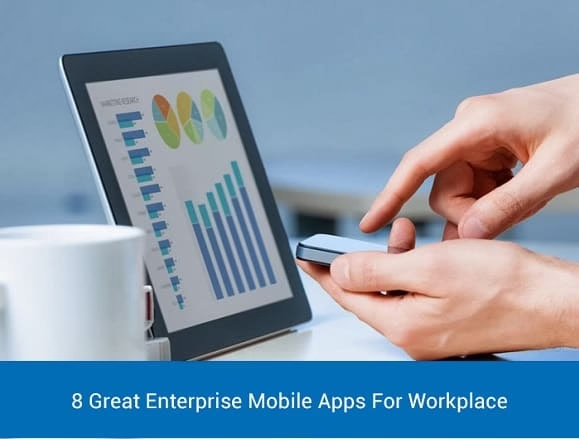
8 Great Enterprise Mobile Apps For Workplace

Consider your work communications. Dealing with your email is likely a big time suck. For the same reason, you most likely dislike it when somebody leaves you a voice message. Also, considering 90 percent of the people evidently keep their mobile phones within their hand’s reach all through the day of the week. So you might have found text messaging the simple, fastest and easy way to send a messages and get a response.

Great Enterprise Mobile Apps For Workplace

If you feel the same, check out these 8 enterprise mobile apps that help you communicate with coworkers and customers.

  1. Voxer

voxer Enterprise Mobile Apps

Ideally suitable for industries such as transportation, hospitality and construction, and also some other industry in which individuals need to communicate with one another without taking the time to make a call, Voxer is the best fit. This application is available for Android, iOS, and Windows Phone. For a monthly charge of $9.95, Voxer Business gives you a chance to listen to a voice message as it comes in or later as a recording; send texts, audio, and photographs on a single chat or a group of 500 contacts at once; and forward messages and get real-time location details. It incorporates a few different features useful for organizations, for example, team messaging, web access, and regulatory control of representative access, and also enterprise-grade features like data retention and data encryption policies.

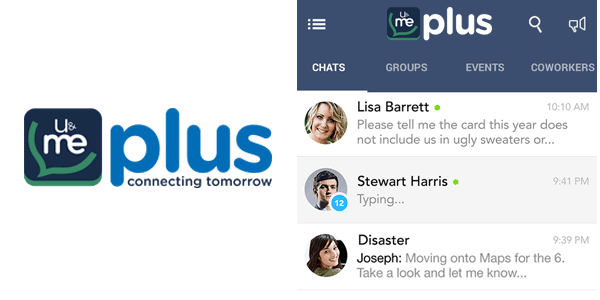
  1. U&Me PlusEnterprise Mobile Apps umeandplus


Even though there is no dearth for group chat applications, this application is easy to use because you need not enter contacts or create groups manually. Instead, you can enter your work email address to U&Me Plus, the application searches address book of your phone within the U&Me Plus platform. It’s smooth since the next person from your enterprise who begins using the U&Me Plus app will get instant access to all the domains of the email address given. In addition, without sharing your phone number with colleagues, you can trace them with their corporate email address and send a message to them. What’s more, not at all like other apps, U&Me Plus gives you a chance to send messages to people outside your company, for example, clients, prospects, partners and vendors, making it especially useful for salesmen.

  1. Chatter

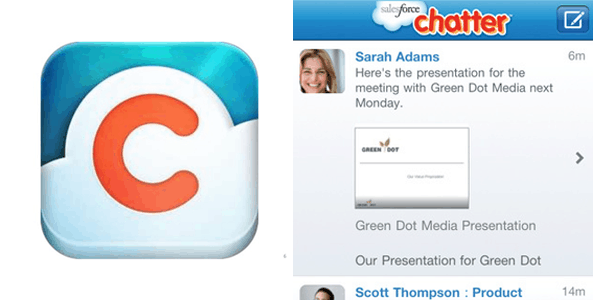
chatter by salesforce Enterprise Mobile Apps

Developed by Salesforce, Chatter is designed for desktop and mobile use and can be effortlessly incorporated with any social application. One exclusive feature of chatter is its Connect feature which gives a social networking platform while Chatter in Apex permits custom Chatter experience with respect to Salesforce. Using Salesforce Communities, tailor your systems — a different group for customers, sales and workforce all in one brought together to a single location, for simplified communication.

  1. Yammer

yammer Enterprise Mobile Apps

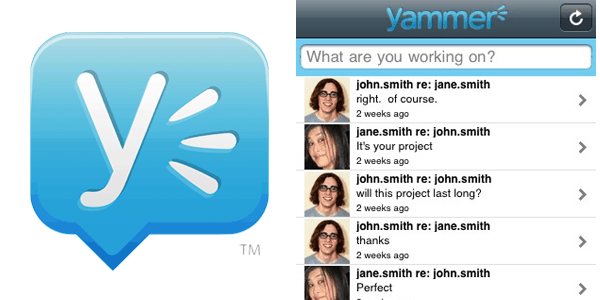
Yammer is an ESN tailored for mobile and desktop use. Organization systems are private, so you must have a checked organization email address to join. The user interface is mostly like Facebook, with pages, status updates and follow options.

  1. HeyWire Business

heywire Enterprise Mobile Apps

This enterprise mobile app is more like Google Voice in which you can message to people either from a desktop through a Web application or from a mobile, yet rather than utilizing another phone number. This Business Messenger gives you a chance to utilize your business landline number so you can maintain your corporate identity without needing to utilize your own phone number. HeyWire is available at a charge of $10 a month for each client, and organizations that utilize it either white label service.

  1. SocialCast

socialcast by vmware Enterprise Mobile Apps

SocialCast created by VMware is another ESN based application for desktop and mobile.  It established a centralized communication platform for the workforce. You can form private or public groups, send files records and handle project tasks by means of SocialCast.

An impressive feature of this application is the ‘Task Timeline’ which shows the jobs you should do today, and which are lined up for tomorrow. The Socialcast Org Chart additionally helps the workforce to know the organizational hierarchy.

  1. Jive

jive chat Enterprise Mobile Apps

Jive is another ESN optimized for mobile. You can follow groups, people and topics on the site. One of the coolest components on Jive is its ‘recommendations’ feature which is similar to the ‘people you may know’ of Facebook.  However rather, shows profiles of individuals you must know within your organization.

  1. Convo

convo Enterprise Mobile Apps

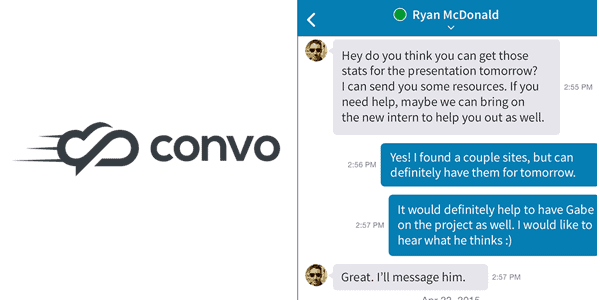
Convo, as one may find from the name, is an uncommon communication tool. It supports as many as 33 types of file formats and it is easy to send images, links, and videos via chat. It carries the same status updates, profile, group control and news feed like most of the ESNs and is available for mobile and desktop too.

Well, what is your take on enterprise mobile apps? Do you have anything to add to this list? Please feel free to share your thoughts in the comments.


The Future of Digital Publishing—FlipHTML5 Animated Flipbook

It is said that flipbooks are the ideal format and presentation model for modern digital publishing today. Yes, with the rich content, amazing flipping effect and animated reading experience, online flipbook delivers a comfortable reading experience to the readers. FlipHTML5 Company values the reading experience and develops FlipHTML5 as responsive HTML5 digital publishing tool. It owns the easy and effective way to convert PDF to realistic page-flipping magazines, brochures, catalogs and flyers.

What is FlipHTML5 for?

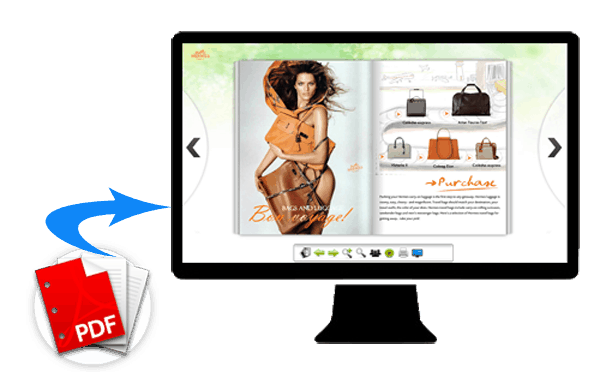
FlipHTML5 is a powerful flipbook maker for Mac and Windows users to convert PDF, MS Office, and Images to interactive HTML5 page flip eBook with extraordinary reading experience. All the process is without coding. With FlipHTML5, everyone is a designer for excellent publications.


What can we do with FlipHTML5?

Whatever we want to create, the digital brochures, magazines or catalogs, we can make full use of FlipHTML5 to turn PDF, Word, Excel, PPT and image into impressive page-flipping eBook in minutes.

fliphtml5 flip book add-multimedia

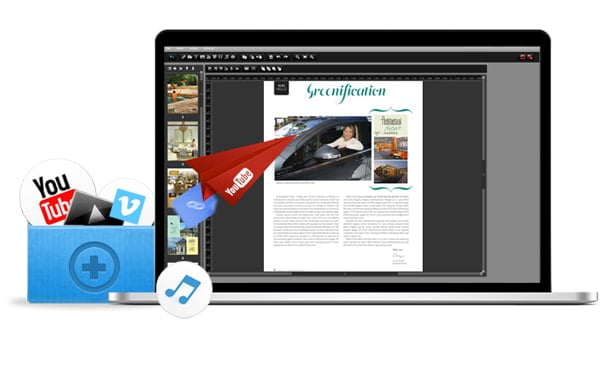
To distinguish the content from others, we can enrich the digital publications by adding animations with FlipHTML5 animation editor. All in real-time and all without writing a single line of code!

Or we can add YouTube/Vimeo video, audio, images, photo slideshow, links, and a button to the publication. Let the diversified content make the unique book more wonderful and entertain the readers with more fun.

page-editor

For digital brochures and catalogs, one thing we cannot ignore is the e-commerce factors. There is no doubt that FlipHTML5 have a solution for it. The one we often do is adding the link to your online store or your website. But now, we can add a shopping cart for the customers to buy directly. It is good news for the digital marketers.

More, no matter which version we are using, its advanced HTML5 digital publishing technology provides smooth reading experience on desktops, iPad, iPhone, smartphone. Amazingly, the HTML5 publications can read by millions of people worldwide. Doesn’t it meet our global marketing aim?

fliphtml5-multiplatform

With FlipHTML5, creating an interactive flipbook is on our control. Just customize the background to our favorite style. There are hundreds of templates and themes which are pre-designed in FlipHTML5. Even we can customize the book thick to our favorite.

making flipbook with fliphtml5

When all is done, we can publish the interactive publications in the way we like. We can distribute the stunning flipbook in the format of HTML, ZIP, and EXE. Or directly email to friends, publish to the website with FTP integrated and save as WordPress & Joomla flipbook plug-in.

It depends on the situation. Sometimes it is more convenient to upload the flipbook onto FlipHTML5 cloud platform. With the FlipHTML5 cloud platform account, we can freely upload the flipbook online and manage the HTML5 flipbook online; share it to friends via social network; conduct e-commerce and know more about the readers with access statistics.

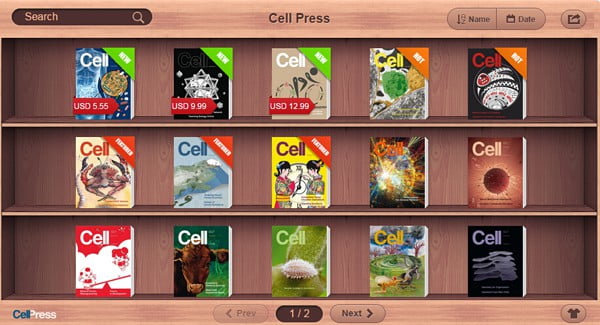
One thing that is worth mentioning is that all users can manage the online books with a realistic bookcase. Upload flipbook online, FlipHTML5 cloud platform will automatically collect all digital publications in a nice looking bookcase which can be easily embedded into our own website. Also, we can reach the bookcase and enjoy the interactive publications with our mobile devices. How amazing it is!

fliphtml5 bookcase

All we know that the future belongs to digital publishing. But none of us can predict what the future will be. FlipHTML5 developing team will never lag us behind of the digital publishing trend. It is young and innovative and will be stronger in the future. Use FlipHTML5 and create your own online flipbooks today for the online marketing and distributing options it has for all your current publishing projects.


9 Best Features of iOS 9

Apple recently unveiled iOS 9 which will be used in the upcoming iPhone, iPad and iPod touch. These are the best 9 features of iOS 9.

new features in iOS 9


  • Siri


The new Siri would help you in performing your tasks better in everyday life. It would create reminders for you and would learn your everyday routine to make life easier for you. It would bring up the apps that you normally use during the daytime or the nighttime. It would bring your preferred playlist on the lock screen before you start exercising. Even with these qualities it won’t be able to compete with Google Now.

It’s not all good news for iOS 9 though, Simon Dyer from SwiftContractPhones.com in the UK believes Apple’s new OS is a little underwhelming:

“A lot of iOS 9 features unveiled at the keynote as groundbreaking are merely just catching up to what Android already has which is a little disappointing. Siri is way behind Google Now and Android performs much better on larger screens. Everybody seems to copy everybody in this game and now Apple are playing catchup to Google’s OS. I think iOS 9 will be an improvement but nothing too groundbreaking.”


  • Transit


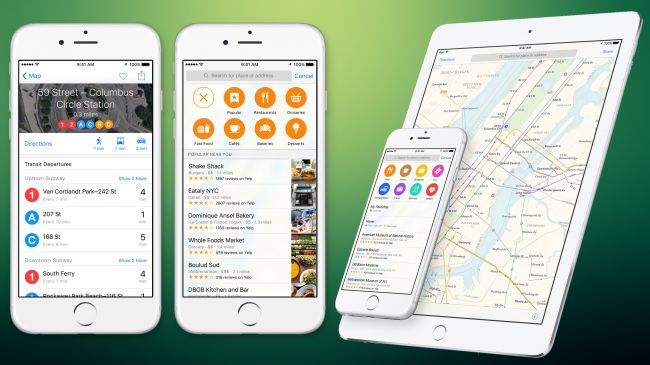
apple maps transit

Maps have been immensely improved this time especially in the public transportation side.  Google Maps have been giving this feature for the past two years now. The name of the feature is Transit and it runs in a few cities of the United States and around the globe at the moment. We hope that they would add more cities in the near future. You will be able to see the underground metro stations and railway lines once you turn on the Transit feature. It would also let you know the arrival and departure timings of all your trains. It would come with Siri integration. So you can easily ask the schedule of the train you are interested in from Siri.

  • Spotlight


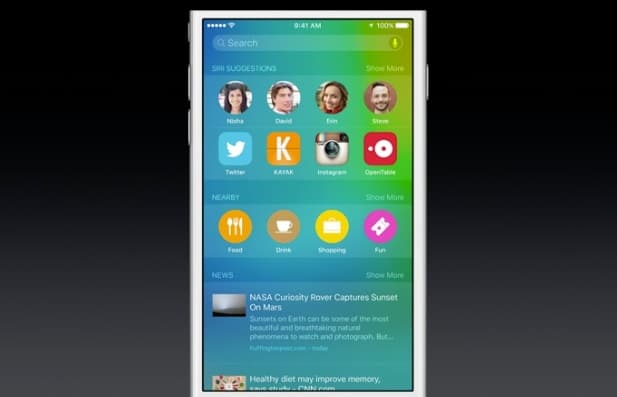
apple spotlight search siri ios 9

You can now avail the Spotlight feature with Siri integration. You would be able to see your favorite contacts and applications on the front and hence it would made contacting those contacts much easier. Spotlight is on the left of the Home Screen, and right beneath it is Nearby. With the help of Nearby you would be able to see all the restaurants, cafes and your frequently visited places near you.


  • App Switcher


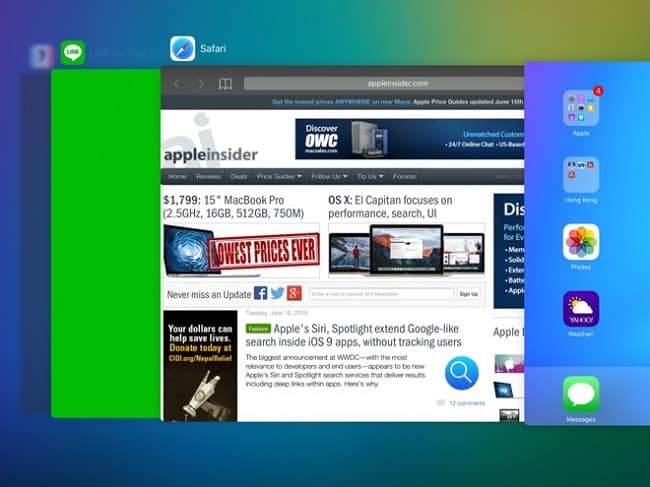
ios9 app switcher

App Switcher in iOS 9 is much more attractive than the App Switcher in iOS 8. It would still lack a kill for all switch.


  • Battery Saver


ios 9 batter saving mode

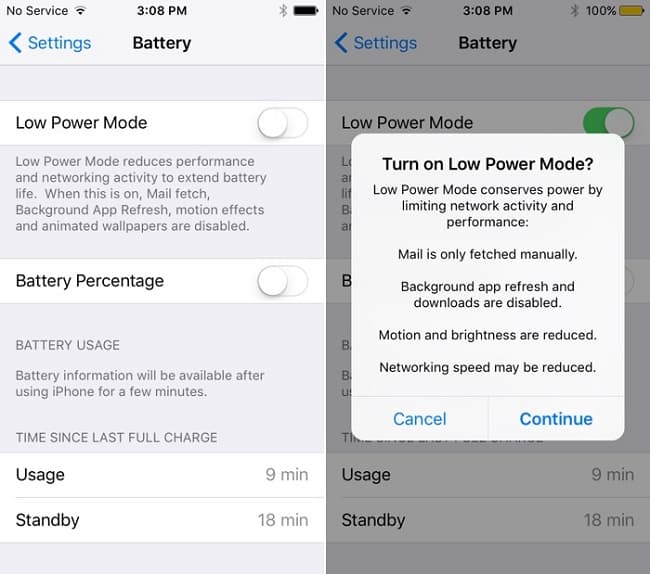
This feature is borrowed from the Apple Watch. It gives you 3 hours of additional phone usage when you are low on battery. This feature can be turned on from the Settings.


  • Split View


apple ios 9 split view

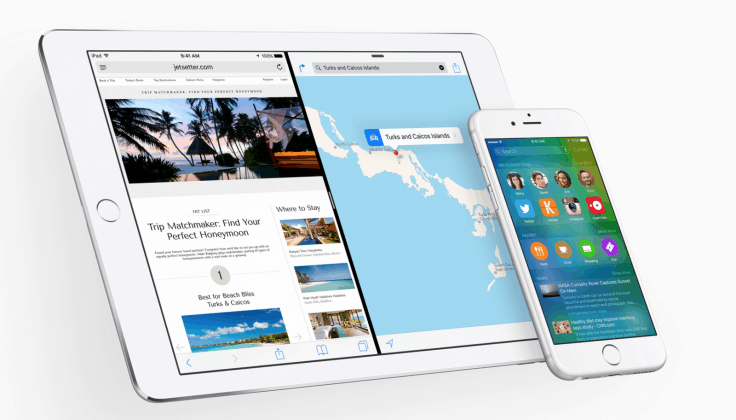
Split view helps you to multitask on the iPad Air 2 by splitting the screen in two portions. In the landscape mode you can have a 50/50 split view. This feature is available only for iPad.


  • Notes


apple ios 9 features notes

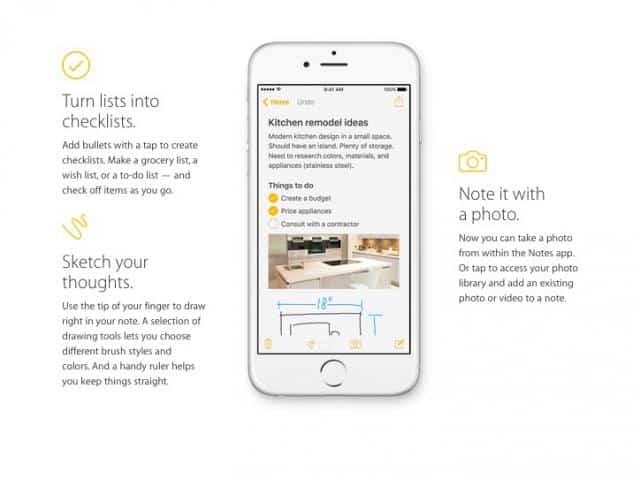
The new iPad is finally getting the Notes feature. You can now not only take notes but also take photos and insert photos in Notes. The keyboard has been redesigned as well.


  • Keyboard


apple keyboard ios 9

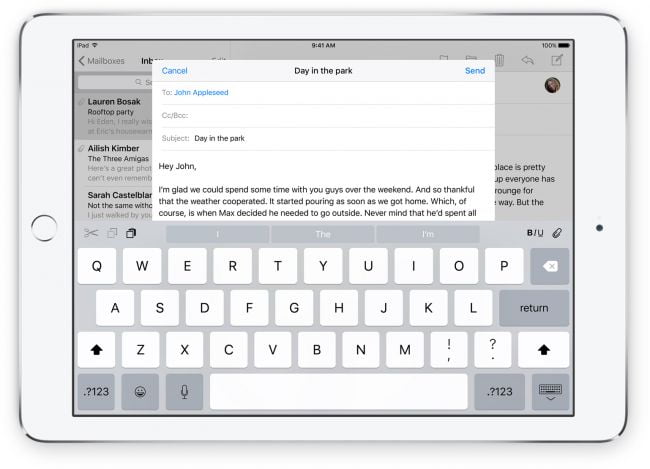
In the new keyboard there are more fonts and styles options. You can even cut copy and paste right from the keyboard. They also have introduced the new trackpad feature which lets you track the cursor by placing two fingers on the keyboard. Although it is difficult to use, but it is quite accurate.


  • Picture in Picture


ios 9 play video in background picture in picture

This time they are introducing the new Picture in Picture option. If you are watching a video and you accidentally tap on the homescreen, instead of shutting the video down it would just continue to run in the corner of the phone.


About the Author:

Nuur Hasan is a software developer, web developer and a technical writer with more than seven years of experience. He believes that sharing knowledge can do wonders and that is why he likes to blog. His other interests include politics and sports.


Why CRM Technology is the Best Approach for Small Businesses

It wasn’t too long ago that appointment scheduling involved mountains of paper, hardback agendas, accountants’ ledgers, and overflowing datebooks. Today, scheduling software with integrated Customer Relationship Management systems (CRM) has become the new personal organizer. Not only is it useful for data storage, syncing and organization, but online scheduling also enables SMBs to be more efficient and effective than ever before. This is why it shocks me that only 10% of SMBs claim to use it.

crm technology advantages small businesses

In fact, a weight of evidence shows that SMBs are not taking advantage of technology that can have a powerful impact on the efficiency of their operations and their sales. According to a getapp.com survey, nearly a quarter (24.2%) of people still schedule appointments via email, and a small, but still surprising 8.8% of people rely on a pen and paper to do the job. These people are missing out on a much more effective and versatile solution, as are the 56% of SMBs that claim to be making their appointments with online calendars.

Appointment scheduling and CRM software is an easy way to make life a lot simpler and more efficient for your staff. More excitingly, it empowers your customers and improves their overall experience with your company.

Making appointments online

The traditional way for clients to make appointments is to call up your office and find a mutually acceptable time, which would then be entered into the system (or the coffee-stained appointment book) and everyone would hope for the best.

Now, with online appointment scheduling software, clients can set up their appointments online for themselves. They can do it during the week, or on Sunday at 3am—the online booking doesn’t care because it doesn’t need to sleep. It is available to your website visitors and Facebook fans  24 hours a day, 365 days a year.

Businesses can benefit from this enormously. It helps your staff keep on top of things, prevents double-bookings, and presents your customers with all the available appointment spots. They can then book any time they like, and afterwards receive confirmations and a reminder. You’ll know right away and won’t need to hang around twiddling your thumbs or waste time on no-shows.

Learn more about customers

CRM software is helping SMBs and entrepreneurs turn website visitors into customers at the click of a button. However, a good system doesn’t just make appointments. Each new booking builds a customer profile, which can be tagged by interest and category, and then be used for segmentation purposes and targeting.

Every business wants to cultivate loyal customers—and CRM apps can help marketing and sales teams do just that by identifying users who make regular appointments or purchases, or who have a high volume of requests. These customers can be then highlighted and earmarked for premium offers and special packages.

On the other hand, effective CRM apps also help marketing teams find dormant customers, who can then be re-engaged with special offers, and personalized deals. By utilizing tools such as “smart tags,” SMBs can tag and segment customers into groups and use this information for email marketing outreach and sending special offers. This is nearly impossible to do using a paper system, and much harder to manage with a simple offline database or mailing list. Accenture also reports that 76% of CSOs note that mobile CRM improves the performance of the sales team.

Improve customer service and operational efficiency

As reported in Forbes, more than 70% of buying experiences are based on how the customer feels they are being treated. Being available 24/7 and having an online appointment booking system could mean the difference between gaining more customers, or losing them. By focusing on scheduling processes and ensuring that little details don’t become a headache, business owners can also take steps to improve retention for existing customers.

In 2013, 62% of customers switched brands due to poor customer service, costing an estimated $83 billion, according to Parature. CRM systems allow businesses to engage with their customers anywhere, anytime, and from any device, instead of just making them wait “on hold” over the phone and stick to rigid office hours to engage with the company. With CRM customer service systems, staff are able to chat live with customers through their website and apps, which builds more stable customers relationships and adds a human, personalized touch to the service.

I’ve spoken to CEOs and owners of SMBs and the same thing comes up again and again: Introducing change is difficult and employees are sometimes resistant to it. There is usually a transition period, especially when new technology seems foreign or overwhelming. However, once your staff realizes just how much time and administrative effort they will save, they should be relatively open to new technology that lets them focus on the most important thing — delivering excellent customer service.

It’s up to you to bring your company up-to-speed by leveraging technology that boosts productivity, optimizes your appointments booking system, and improves customer relationships. CRM allows you to provide a customer experience that makes them want to return to your business again and again.

About the author:

CEO of Agendize.com Alexandre Rambaud writes about how small businesses can leverage CRM and online scheduling systems to empower their clients and help their staff focus on great customer service.

Low Disc Space? Try These Cool Summer Tips for Cleaning.

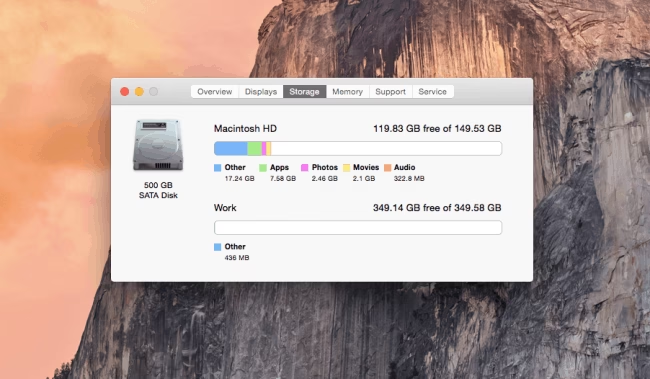
Did you know that the low disk space can make your Mac work 10% slower? If you already faced a problem of slow Mac or cannot find a needed file on your desktop and download it again, it’s the right time to clean your Mac in 5 easy steps.

Make Sure That Your Workstation Is Clean

First of all, take a look at your work station. Cluttered workspace makes less air condition for your Mac and for you too. Moreover, it can be the reason of overheating of your Mac. Take out all unneeded things and clean your work space finally ;=)

Clean Your Mac From Old Downloads

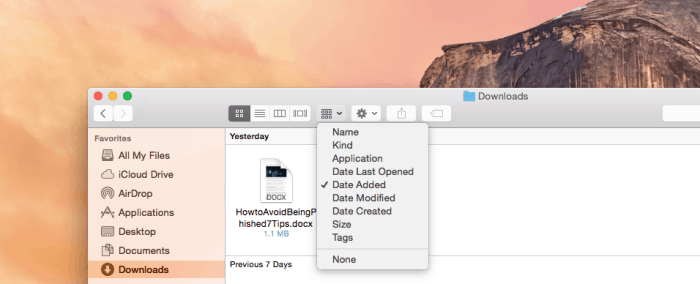
All files that are coming from the Internet are hosted in the Downloads folder almost all the time. Sort all what is stored there. At the upper-right section of the window you can choose which files should be displayed by date, by size, by type, and so on, and then delete them manually.

Low Disc Space

Remove Duplicates

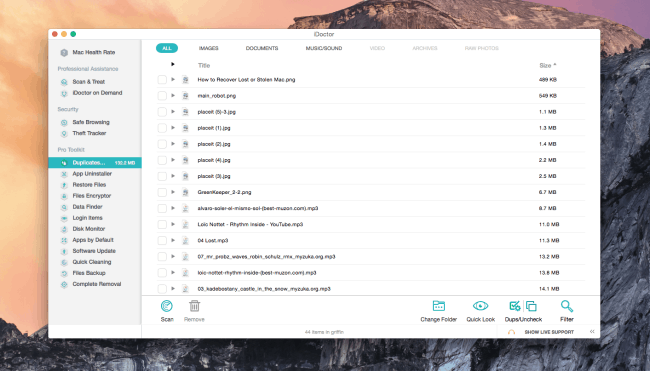
There are two ways of doing that. The first way is to remove the duplicates manually. The second way is to download the right software. A huge number of cleaning software is available for download. I use the app called iDoctor for Mac because of the reasonable price and additional cleaning tools that are included in the app.

To say the truth, you can find duplicates on each machine, and they can take a lot of your Mac space. The app works quickly and easily: scans and removes. Typically, the app removes only duplicates; the original file won’t be touched.

cleanup space in mac

Step Four: Free Up HDD Space

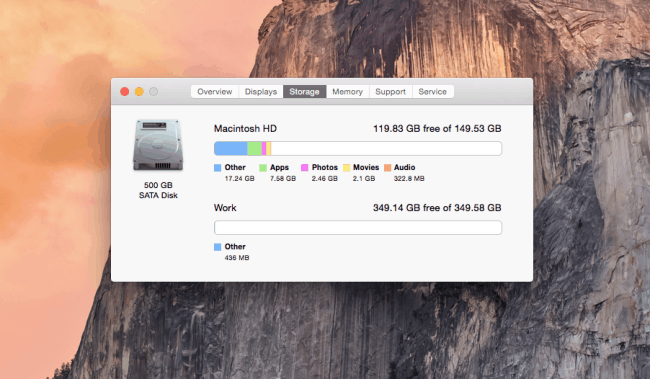
Everyone wants to save each and every photo and keep the favorite film at hand. But machines with dimensionless HDD do not exist. I can suggest using cloud storage and portable hard drives to keep all your large and important files.

Read here How to use iCloud.

mac storage cleaup

Clean Your Mac from Unneeded Apps

After dragging the app item from Applications to the Trash, you may find a lot of leftovers in system folders. Basically, apps take not much HDD space but, if you don’t clean you Mac for a long time, you can be surprised how much space your apps occupy. I can suggest that you use free AppCleaner. As I mentioned before, iDoctor includes extra cleaning tools and app uninstaller.

mac cleaup image preview

Empty the Trash

It’s easy, but many users forget to do this. The Trash uses the same HDD space as other apps and files in the system, and dragging files to the Ttrash is equal to dragging file to another folder.

I don’t want to rub it in, but your mom was right – the best way to avoid a huge mess is to do a little cleaning every day. Try to do it as a change of activity while working and you’ll encounter this problem less often.