Home Blog Page 229

Le Max2 v/s OnePlus 3 – All that you need to know!

LeEco, the global technology company ruling the smart phone market in India is out with its super happening phone Le Max 2 which is available on Flipkart for purchase. This is a phone with tremendous features attracting more and more buyers. Another trendsetter in the market is OnePlus 3. Both the smart phones feature Snapdragon 820 chipsets and 6 GB of RAM combination.

Here we make a quick comparison between both the smart phones on the basis of their specifications, features, and price to provide you with a view of what all you need to know.

PERFORMANCE

Both the smart phones, LeEco Le Max 2 and OnePlus 3, possess high-end specifications in almost every section. 6GB RAM, 64GB Internal Memory, at least 3000 mAh battery support and Android 6.0. Both of them are incredibly fast and work as exceptional powerhouses when it comes to performance.

DESIGN

LeEco has become a pro at designing finest metal build smart phones while OnePlus tried for the first time with the all-metal build.

LeEco Le Max 2OnePlus 3

SOUND

LeEco is delivering the Continual Digital Lossless Audio (CDLA) technology standard (USB Type C) with the Le Max 2. It’s promising to set a movement of high-quality audio with true bass, trebles, mids and highs and leaving nothing aside. While OnePlus 3 has the usual 3.5mm analog audio jack.

CDLA Technology Earphones

CAMERA

Le Max 2 has a higher mega pixel count, unbelievable aperture, and amazing photo processing feature. It captures true color tones and stunning low-light photographs as well. While OnePlus has the standard camera which is good but not great if we consider it for serious photography.

CONTENT

Striking and true content is the key to every successful business. It’s the very demand of today’s generation. The one year LeEco Membership that comes bundled with the Le Max 2 is huge (movies, music, TV channels and what not). It is also working to bring Live Concerts to their customers’ smart phones. Remarkable, isn’t it? While OnePlus gives their users a one-year subscription to Saavn Pro to fulfill all their music needs.

PRICE

The Le Max2 comes in two storage variants. The 4GB RAM and 32GB Internal Storage variant will cost you Rs. 23, 000/- while the 6GB RAM and 64GB Internal Storage variant will be a little more expensive at Rs. 30, 000/-.

The OnePlus 3 comes in only one variant costing you Rs. 28, 000/-

FINAL VERDICT

Le Max 2, both the variants are smart choices and value for money buys. LeEco is providing you with faster performance capability, high storage capacity, best audio quality and fresh content to choose. Though the highest variant of Le Max 2 costs you Rs. 2000/- more than the OnePlus 3, but it’s worth that and you’ll not have to worry about any additional costs for content accessibility.

LeMax2 v/s OnePlus3
LeMax2 v/s OnePlus3

Online Review Sites and Slander: How to Defend Yourself

So your company, website, or blog has gotten its first bad review. What do you do? Try and bury it under a half-dozen paid positive reviews? See what happens? Try and get it taken down? With more than 80% of consumers turning online for purchasing advice and reviews before deciding to buy (or not buy!), a hit to your firm’s online reputation (slander) usually has a tangible negative impact on sales. And it’s increasingly difficult to address problems easily, while even the smallest negative issues can be discovered by an unprecedented amount of people. And if you’re like most American businesses, roughly 50% of your company’s net worth is tied up in reputation and brand equity.

Defend yourself against slander

For example, Yelp has over 86 million users and over 100 million reviews. Any metro area can have hundreds of thousands. And any single one of them can leave you a very public bad mark with just a few clicks. What happens when the bad review comes from a competitor or isn’t accurate?

Usually, nothing. If you want to protect your company’s online reputation and defend yourself from slander, you’ve got to roll up your sleeves and be prepared to work. So we’ve gathered some of the best reputation management strategies tips, and tricks to protect your reputation online!

Take Stock Of Your Assets

If you want to combat bad reviews and online slander, you need to be aware of your assets and ensure that you have more of a presence online than just a website. Create profiles on the major social media platforms and manage them. Because believe it or not, simply being active and engaging with potential consumers is a good way to attract potential positive reviews. Engage in conversations and inspire positive feelings about your brand. Often, posting consistently on social media profiles associated with your business can help those profiles rise in SERPS, pushing negative entries towards the 2nd page.

Respond to Negative Reviews to avoid Slander

Never let a negative review stew in silence, burning a hole through your good reviews. Always respond to it, while respecting the good PR rules of engagement. Respond politely and courteously, apologizing for any negative issues or experiences and ask what you can do to help. Often, other review readers will walk away with a positive feeling after seeing that you care about the experience customers have, and will engage to correct a negative situation. If a slanderous reviewer continues to be negative, it only shifts public perception even more in your favor.

Getting Good Reviews Without Asking for Them

Most review websites frown on soliciting reviews. But there are some tips and tricks which can net you more reviews, especially good ones! One of the most-endorsed is providing coupon codes, discounts, or other incentives for consumers to check in at your business location on social media or review sites. Often, since they’re already at a platform where they can leave a review, they will! You can also put ‘review us’ buttons on your checkout options online, and promote your Yelp and Google profiles on social media.

SEO Good Results

More often than not, online slander happens on a specific website which you can’t control, like RipOffReport or Yelp. You might not be able to control those websites: but you can control where they appear in search results when people Google your business name. Use SEO as a tool to bump up your social media profiles and good press. It  should help push down negative results to areas where consumers aren’t likely to find or visit them: off the first page.

Summary

Online slander happens. For some companies, especially growing ones, or companies with many competitors, it’s almost inevitable. When dealing with slanderous bad reviews, it’s important not to lose your cool. Respond to it immediately, apologize and be as helpful as you can in resolving the issue. When potential customers see that you’re willing to work with an unhappy customer, it usually puts their favor in your court. But you should also use proactive tactics to get more good reviews (to balance out the bad). Leverage your social media presence and SEO to bump up better search results. And at the end of the day: breathe. You can tackle slander with a strong strategy.

8 Ways To Avoid Poor Website Performance

Today in business the name of the game is customer service. If you keep the customer happy then chances are good that your business will be successful. Now obviously in the digital age a website is the primary way that customers relate to your brand and service. We’ve all heard the stats on the rise of e-commerce and especially mobile commerce in the past decade. It goes without saying too that in order to please your customer your website needs to be in tip-top shape. After all, if you strolled into a brick-and-mortar business and found it be missing key merchandise and with little or no customer service, how long would you stick around? The same point applies to your website; it absolutely must be running as fast and efficiently as possible. Conversely, when a site is buggy visitors are going to vote with their fingers and “scroll” to the next place to do business, plain and simple.

1

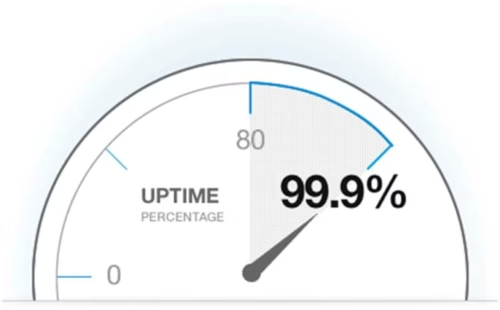
Industry experts suggest that downtime can cost as much as $7900 per minute. That’s a staggering $474,000/hour! Obviously, a down website results in lost time and money not to mention frustrated customers. You should aim for uptime 99.99% of the time.

In order to be mindful of the importance of continuous operations, let’s walk through 8 best practices that you should adopt in order to avoid poor website performance.

Check Your Web Hosting

When reviewing web performance one of the first things to check is your web hosting service. It’s surprising how many times this gets overlooked. Even though your provider may offer you unlimited bandwidth, does that mean shared service with other sites that ends up affecting your own web performance? Are you frequently experiencing downtime or bandwidth issues? If so, it’s worthwhile to review your hosting options to ensure you’re getting the most efficient service. Don’t be afraid to insist on 99.99% uptime.

Web Hosting

Make Your Site Mobile First

Given the prominence (and dominance!) of the mobile web, it’s critical to ensure that your website is mobile first. The paradigm of making desktop sites responsive for mobile devices must now be switched. The strategy should be to code for mobile users first and then progressively enhance the experience for tablets and desktops. Doing so will help reduce the number of unnecessary dependencies.

Image Optimization

Statistics show that customers tend to abandon a website that hasn’t loaded within 3 seconds. Images often account for most of the downloadable byte space on a web page. Therefore, any steps that can be taken to optimize your images will result in the biggest gains in terms of performance and speed. One of the best ways to ensure proper image optimization is to adopt correct sizing and formatting (JPEG, GIF, or PNG). The goal is ultimately to reduce the file size as much as possible without sacrificing quality and there are a number of tools on the web that can help with this. Another useful technique is to combine images into a single image file, thus reducing the number of HTTP request that are required to download the web page. This feature is implemented by using CSS image sprites. For a useful overview of image optimization techniques, see this article.

Try a CDN

A frequent recommendation for enhancing website performance, whether that be Drupal or any other CMS, is to use a Content Delivery Network (CDN). A CDN is described as “an interconnected system of cache servers that use geographical proximity as a criteria for delivering Web content.” In other words, a CDN offers a way of taking the static files of a website, like CSS, images, and JavaScript, and delivering them through web servers that are closer to the user’s physical location. Shorter proximity amounts to faster load time; some examples of CDNs are AWS CloudfrontFastly, or Cloudflare. But another benefit is that by offloading the bandwidth you also get less risk of downtime disruptions due to traffic volumes. Every way you look at it a CDN is a win-win for uptime.

CDN

Compress JavaScripts & Load Asynchronously

JavaScript is a big part of web development today and increasingly websites rely on this code to run as efficiently as possible. One trick is to compress your JavaScript files. Doing so will remove extra spaces to shrink file size and ultimately improve load time. Another strategy is to think about loading any of your third party JavaScripts asynchronously. Websites today are increasingly integrated with third party content: social media, chat features, commenting services, information feeds, and others. So if you load async then in the event the third-party crashes, your page won’t be held up trying to load that resource. Async loading can also speed up page loads.

Improve DNS

Domain Name System, or DNS, is an Internet service that translates domain names into IP addresses. DNS is often overlooked, since it’s an attribute of your website host. But it shouldn’t be ignored because if DNS is down then your site won’t work. It would be worthwhile to check with your host about upgrading from standard to premium DNS services to ensure an automatic failover to other servers on the network if the closest server goes down.

Build Redundancy into Your Website

Another step to take in guaranteeing continual uptime is to invest in a DDoS mitigation platform. This kind of service can optimize and scale up your infrastructure if you experience a DDOS (distributed denial of service attack). The way it works is by redirecting your web traffic to the platform server farms so that your site keeps on running inspite of being under attack.

Adopt Cloud-Based Website Monitoring

No technique for optimizing your uptime is as powerful as that of a quality website monitoring service. It’s impossible to manually do this, but thanks to the cloud there are services now available that will keep metrics on your site 24/7.  Wouldn’t it be nice to have a monitoring service keeping an eye on your site for you? How about having a service notify you of any downtime events that are in progress instead of discovering it too late? Better yet, what about knowing in advance when there’s a performance drop so you can save the sales you would otherwise lose from downtime?

Cloud-Based Website Monitoring

These are exactly the benefits you get when you try a 24/7 monitoring service like Monitis. With its first-class global service, Monitis allows organizations to monitor their network anytime and from anywhere. For instant, with Monitis you can tell when your hosting service goes down, accompanied by timely notifications (via everything from live phone messages, to texts, to email and Twitter). Or you can load test your website to determine at what point it starts creating traffic issues.

By keeping your website and applications running smoothly and more effectively, Monitis alleviates the stress and helps you focus on running your business. If you’re serious about website monitoring, then go on over to Monitis today and start a free trial. Once you see the benefits of the Monitis monitoring platform, you’ll be glad you did!

This article has been contributed by Jeffrey Walker.

IBM DEVELOPER CONNECT: Changing the way you code and develop!

Computing giant IBM hosted the IBM DeveloperConnect 2016 last week on 17th June at KTPO Whitefield in Bengaluru. It is a distinctive event and a community driven one day conference aimed at providing the developer community a platform to learn, expand and connect. The event provided hands-on experience opportunity with technologies on IBM Cloud including Bluemix, Watson, IoT and Blockchain. IBM has made an initiative to reach developers globally by unveiling some really exciting collaborations and emerging technologies.

IBM DeveloperConnect 2016

ANNOUNCEMENTS

Key highlights at the event that wowed the 10,000+ developers across India, who attended the conference virtually (through Livestream) or in person were:

  • Collaboration with Coursera in India with new Cloud and IoT courses
  • Tanmay Bakshi, 12-year-old youngest IBM Watson programmer addressed the conference
  • Collaborative coding platform by GitHub Enterprise on Bluemix Dedicated
  • developerWorks Career Concierge learning tool
  • New cloud tools for Swift and Watson
  • Watson API for cognitive/AI type queries
  • Blockchain technology for secure and trusted transactions
  • A full house discussions on Women In Tech

IBM DeveloperConnect claims to provide the developer community a year’s worth of learning in just one day and they proved it right on the day event. The conference showcased the most transformative technology trends in Cognitive, Internet of Things, Mobile, and Cloud. Developers were provided with an opportunity to experience the latest technology from IBM and partners through the hands-on-workshops, lightning demos, executive keynotes and interactive chalk talks.

NAO humanoid robot powered by IBM Watson doing the Gangnam style attracted a lot of eyeballs at the conference. Selfie Drones, Foosball, Connected Cars and even Smarter Buildings stole the show. Apart from techie talks and techie innovations, we also had some super mesmerising music and tummy filling food.

NAO IBMWatson Robot

COGNITIVE ERA

IBM and Coursera, an educational technology company, have collaborated and launched the Full Stack Web Development course in India. This is launched to strengthen the developer ecosystem in the country. IBM will support Top 20 Indian entrepreneurs who use Bluemix to develop their projects and provide them with the opportunity to join the IBM Global Entrepreneur Program.

IBM and Coursera have also teamed up to expand the first ever enterprise backed course, A Developer’s Guide to IoT.

“The collaboration with Coursera will strengthen developers’ skills in India with the new courses focused on cloud and IoT,” IBM said.

A Watson based personalised tool, developerWorks Career Concierge, is also launched at the conference to help developers progress in their cloud journeys. It’s all regardless of their starting phases. Developers need to answer a few questions about themselves and they are provided with a set of resources and also the training material to help them excel in their career.

NEWER CLOUD TOOLS

IBM also introduced the Beta version of IBM Cloud Tools for Swift. This was done to simplify the management and operation of server-side assets in an environment complementary to Xcode. IBM Cloud Tools for Swift is a free application that provides a single and visual interface for developers to assemble, deploy, manage and supervise apps.

IBM’s Linux only enterprise system, Swift on LinuxONE can now be used by developers to create hybrid cloud-connected apps. Developers can also combine the programming language that they know with the system’s security and speed.

IBM also launched the Watson Developer Cloud Application Starter Kit to provide an easy access point into cognitive. It would help the developers infuse Watson capabilities into their applications more seamlessly. It provides code examples based on common use cases.

IBM’s strategic partnership with the cloud-based platform GitHub Enterprise and a web-based repository hosting service is now available as a service on Bluemix Dedicated. GitHub Enterprise is seamlessly integrated into the developer experience for high productivity across the DevOps lifecycle.

BLOCKCHAIN TECHNOLOGY

There we some really high-level concepts making it the next big opportunity:

  • It consisted of a shared replication ledger
  • Distributed system for record sharing
  • Cryptography for storing the transactions

SPEAKERS

The conference boasted a number of star speakers, technology leaders and developer advocates like 12-year-old software developer, master programmer and an entrepreneur Tanmay Bakshi; Prashant Bhuyan, Co-founder and CEO of start-up Alpha Modus; Michael Gilfix, Vice President, MobileFirst and Smarter Process; Michael D Rhodin, Senior Vice President, Watson Business Development; Simon Wheatcroft, blind ultra marathon runner who uses Runkeeper on IBM Cloud and is also working on an app to assist others; Amy Wilkinson, author of The Creator’s Code; Sandy Carter, General Manager, Developer Ecosystem and start-ups and many others.

Tanmay Bakshi, a 12-year-old kid who is the world’s youngest IBM Watson Programmer also gained attention at the event. The statement that Internet spoils kids doesn’t apply to Tanmay. He is not just a software developer but also an Honorary IBM Cloud Advisor, Keynote Speaker, YouTuber and an Author. He started coding at the tender age of 5 and developed his first app, tTables, at the age of 9. Tanmay is now working with his mentors from IBM on creating various IoT-enabled devices. What an awe-inspiring kid!

Tanmay Bakshi Youngest Developer

Developers can really influence the Business Intelligence to analyze news and social media combining Alchemy Language, Alchemy Data, News, and Tone Analyzer. This can be done to guide their users through a series of tasks in a natural language rather than a long form to extract concepts and make recommendations based on those.

The announcements made at IBM DeveloperConnect toughened the initiatives and investments already made by IBM in India, including the IBM Cloud data centre in Chennai, 2015.

The entire worldwide developer population is expected to go beyond 25 million by the year 2020, with India becoming the world’s largest developer ecosystem by the year 2018 as we are already embracing the emerging technologies faster than our global peers.

IBM has launched three digital hubs with NASSCOM to connect Indian developers and start-ups with local resources and networking opportunities in the past year. They have also collaborated with developer partners TEXTIENT and InspireOne Technologies to bring cognitive solutions to the Indian market via the IBM Watson Ecosystem.

‘The world will be re-written in code and much of it will be done right here in India,’ said Vinitha Narayanan, Managing Director, IBM India Private Limited.

‘Developers are an integral part of the new India that is underpinned by digital transformation. IBM’s leading capabilities in Watson, IoT, cloud mobile and blockchain will help developers innovate and succeed.

At IBM, we are committed to investing in this ecosystem and will continue to partner with developers for a progressive India,’ Narayanan added.


Wondershare Filmora Reviews – Video Editing Software

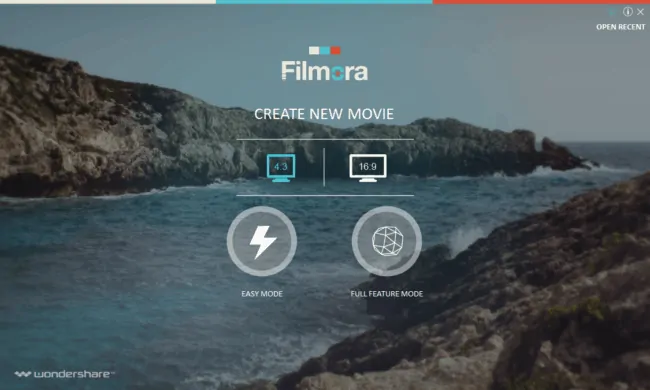
wondershare filmora reviewsWondershare’s Filmora is very stylish and elegantly designed video editing software for  Mac and Windows. It’s one of a kind and very professional video editing software. There are tremendous ready–to–use features offered for creating that perfect movie. Easy Mode offers you the easiest way out to edit the video. Full Feature Mode gives you an advance and intense editing space. Let’s have a look at the Filmora Video Editing Software in depth.

wondershare filmora reviews

EASY MODE

This mode easily Imports all the videos that you want to edit in the first step. Next are the templates of the Themes you want to choose from. There’s just one available Theme template and rest are for downloading (free). After selecting the Theme for your video, you can select the amazing Music that’s already available in the software itself or add one of your own, here are some best royalty free music for youtube videos. Once all of this is done Filmora prepares your movie for a Preview where you can keep/remove the original sound and put the Opening and Closing Titles.

After you are sure with everything, move on to the final level to Export your movie and change the Settings of the output if needed. You also have the option of choosing the Format, Device, and the Social Media Type.

The Easy Mode is just too easy to use. There’s no creative freedom except for choosing the type of Theme and/or Music. Everything is done automatically.

Tip: If you are a serious Youtuber or Vlogger, you cannot miss these 5 Tools to Boost Your YouTube Videos in 30 minutes

Wondershare Filmora Reviews-FULL FEATURE MODE

The Full Feature Mode gives you more creative freedom for all your imaginations to come alive. You can Import your media files the same way as in the easy mode. But here you have a separate window to view all your selected files. You have another window where you can play the selected media files. Once you know which file you want to use, drag or add them to the Timeline where you’ll start editing.

Filmora allows you to use their free Music which is just enough for your editing experience as there always are copyright issues and you wouldn’t want to ruin your video just because of that. You can also add a Voice–Over in your video clip.

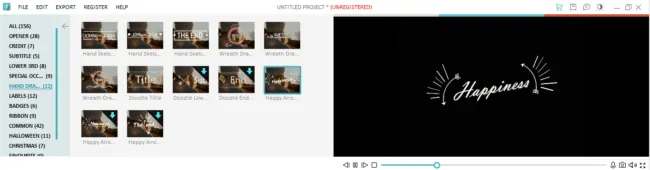
Talking about the Titles, there’s a really incredible and professional range to choose from. You have around 156 ready–to–go Titles.  In other high–end software you would have to create such Titles employing a lot of your time but in Filmora you get these all readymade and for free. These Titles can also be customized according to your preferred Size and Text.

wondershare filmora reviews

Coming to the Filters, you have around 146 types. There’s a wide variety that’ll help you make that perfect movie. Some filters have the option for modifying their settings and some don’t.

wondershare filmora reviews

You have another option and that is Overlay. There are around 40 Overlays to opt from. These also cover (overlay) the Filters you’ve chosen for your video.

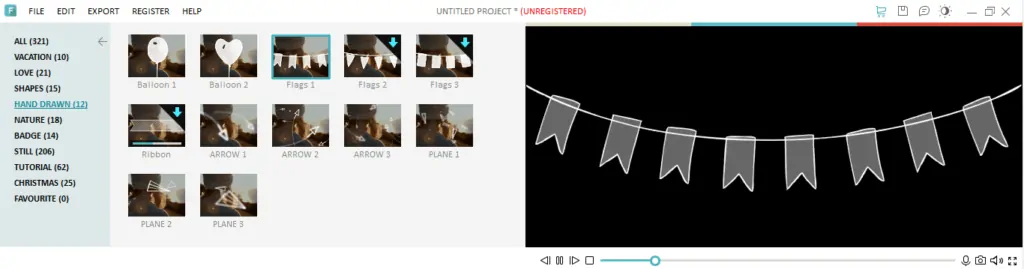
You get another exciting feature – Elements. Filmora has 321 Elements in total. These again are difficult to create in other high–end software and Filmora gives them to you for free without wasting much of your time. Just choose the one that best fits your video clip and decorate the video with your creativity.

wondershare filmora reviews

The features don’t end here. Filmora has some cool Transitions to offer. Some people may not be so fond of using them but some may want to. Professional video–editors advice not to use such Transitions in your videos and keep them clean and cut–to–cut. But in case a video demands any Transition it’s fun to play with these.

There’s a Split Screen option too. You can Split your screen and add a cool element to your video. Choose how many splits you want to make to the screen, what videos you want to add in those screens and there you go.

While Exporting, even in the Full Feature Mode you have the option of choosing the Format of your Exported video, Device you want to view it on and the Social Media Type like YouTube, Vimeo and Facebook. The Exported video for the particular social media channels gets uploaded straight away with the correct settings. Exporting doesn’t take time and is very quick.

TECHNICALITIES

  • Filmora gives you the choice of two aspect ratios i.e. 4:3 and 16:9.
  • There are two modes in which you can edit a video – Easy mode (which literally does everything for you) and Full Feature Mode (which requires you to put in some efforts).
  • It’s based on 25fps (frames per second)
  • You can actually use the arrow keys now to step forward or backward frame by frame, unlike the previous update which didn’t perform this function.
  • Filters, Music, Titles, Transitions, Split Screen, Overlays and Elements are the features offered in the Full Feature Mode.
  • You can even correct the aspect ratio of the videos imported (if the video still doesn’t fit) in this new version of Filmora

WHAT’S NOT GOOD

  • In both the Easy and Full Feature Mode, Filmora has a very ugly and super big watermark on the screen of the video exported. I am sure no one would want to get their videos with a watermark that occupies almost 70% of the screen. This watermark is displayed on the unregistered version.
  • Filmora has virtually fewer updates compared to their previous editing software. They’ve just re–designed a few things.

BUYING LICENSE

  • PERSONAL USAGE – 1 Year/1 PC for $29.99/Year; Lifetime/1 PC for $49.99 (discounted price); Multi-Users (2–5 PC) for $119.97 (discounted price)
  • BUSINESS – Lifetime/1 PC for $99.98
  • STUDENTS/SCHOOLS – Get special discounts of up to 60% off on your purchase

VERDICT FOR FILMORA

I would recommend this software for beginners or for people who just need quick editing for their videos and don’t want to spend hours and hours on learning and adjusting to professional software. It’s very easy to use and quite affordable if you plan to buy the registered version. It gives you marvelous results. Of course, you cannot compare it to any hi – end professional video editing software but it’s good to go for beginners and would even help the professionals in some or the other way.

And not to forget, Filmora will be present at the upcoming VidCon which will be held from 23rd to 25th June 2016 at Anaheim CA, where they will giving away an iPhone every hour during the Expo.

Download Filmora from Wondershare.

A Pinched Nerve & Other Things Making Ringing In The Ears Worse

Tinnitus is a dreadful sound resembling ringing in the ears, for which there can be several causes and numerous things that can make the noise louder. Check out effective treatments here. 

One culprit that will create worse symptoms is loud noises like running machines, blaring concerts, listening to media through a headset, and so much more that can not only present short-term ringing but damage hearing.

Another factor for severe ringing in the ears is a pinched cervical or TMJ nerve. These areas share nerves with the middle ear, developing pain in the area and presenting the annoying noise consistent with tinnitus. Unfortunately, these symptoms will equate to a third problem when a migraine produces due to the noise and the pain in the area.

Migraines are severe headaches that are another contributor to increasing the sounds you hear with ear ringing. In this situation, they’re kind of battling each other for the underlying cause of the issue at hand, with both being a primary consideration along with the pinched nerve. It’s the worst of the worst-case scenario. But there’s more. Let’s check some others out.

Pinched Nerve

Factors That Makes Tinnitus Louder

Yes, tinnitus can get louder. The ringing that you hear in your ears developing from numerous different causes can worsen whether you have exposure to loud noises, develop a pinched nerve in the cervical or TMJ regions, or experience a migraine headache; this ringing will appear to become much more severe. Go to https://www.sciencedaily.com/releases/2008/01/080110114501.htm to learn about nerve causes for ringing in the ears. 

While these are serious situations to experience in combination with an already uncomfortable diagnosis, other factors can contribute to worsening symptoms. No one dealing with even mild episodes of this condition wants to experience it at its extreme. Let’s see what you should avoid in order to prevent a louder sound.

Stress Levels

Everyone experiences stress. That’s something that’s challenging to control under any circumstances. Knowing it can cause an increase in decibel for tinnitus means you need to search for ways to manage your stress better and find healthy ways to cope. That can include exercise, meditation incorporating intentional breathing, acupuncture/massage, any way you feel comfortable enough to relax and come to a state of calm.

Sometimes even a nice relaxing hot soaker bath after a long hard day is enough to bring the stress level down. It doesn’t need to be extravagant or involved, just something that appeals to you and gives you peace of mind.

Earwax

The body produces earwax that sits in the canal to capture any debris or particles trying to enter the ear for protective purposes. The problem is it can accumulate to excessive limits, creating a problem itself. It can result in ringing and, in some cases, a temporary loss of hearing.

If you experience symptoms, a doctor can take a look and extract the buildup gently. You should avoid doing this on your own to prevent potential damage to the ear, using cotton swabs.

Making Ringing In The Ears

Infection

After you have a cold or any type of viral infection, you’ll probably notice ringing. In most cases, the symptoms don’t last very long. The problem is when this goes on for a prolonged period. At that point, it’s time to see the doctor since there could be a sinus infection or an ear infection. 

It would be best to only wait about a week before seeing your provider to prevent progression and potential damage to the area. That’s also true with allergies. Check with a doctor so that you can take the appropriate medicine to calm your symptoms instead of dealing with them for an extended time. 

Lack Of Sleep

Many people in the world today suffer from sleep problems, including insomnia, leaving them exhausted regularly. Being tired consistently can be a trigger for tinnitus. If you’re already one who suffers from the condition, lack of sleep can make it much worse.

The recommended daily allowance is eight restful hours of slumber every night without disruption. That can be a challenge, but if you need assistance in getting a good night of rest, it’s critical to talk with your physician to see what can be done. There are many non-harsh remedies on the market to help relax and calm the mind to sleep throughout the night and wake refreshed.

Making Ringing In The Ears

Alcohol / Blood Pressure 

High blood pressure can be the culprit for many problems in the body, but it also can cause ringing in the ears. You should check it often or have a professional check it for you. Of course, your medical provider is the resource who will monitor and control it with medications if that’s appropriate. 

Alcoholic beverages tend to raise blood pressure. If you indulge more than average, it’s wise to keep watch of your blood pressure to make sure it stays within normal limits. If it’s elevated more times than not, you should consider cutting back a bit on the alcohol and then check to see if that strategy reduces the blood pressure at all.

In that same vein, caffeine and smoking are also contributors to high blood pressure. Not many people are willing to give up their coffee, but some things you need to take in moderation to better your health. These things will also make the sounds of ringing louder, so you have to determine which is more important to you.

Final Thought

Tinnitus is exceptionally bothersome and frustrating on its own, but when you have things like a pinched nerve (check this out right here) that contribute to making it worse, you’ll do what you need to in order to find relief. That means getting to the doctor and listening to the recommendations.

Some things will be difficult, like cutting back on things you love, such as a cocktail in the evening or a couple of cups of coffee in the morning, but if the ringing subsides, it will be worth every effort.

IoT and the Top New Home Tech for 2016

It’s easy to see the direction that tech might be going in our computers and phones; improved location pinpointing in phones has led to amazing new app functions, for example, and thanks to amazing leaps in VR technology, it might not be long before builder suites like Website Builder are letting users build web experiences for VR headsets like the Oculus Rift.

But what about technology for the home? Sure, now you can have mini wine-chillers, and electronics are more efficient… but where is tech heading here? Smart home products are still in their infancy, but their use and variety are growing fast. There are now whole ecosystems of products for the home which can help you really feel like you’re living in the future, and before you know it, your home might be roughly as intelligent as any of the other gadgets you rely on to get your work done.

  • Also read: Today’s “Smart” Technology Finally Phones Home

Try Out the Ecobee 3

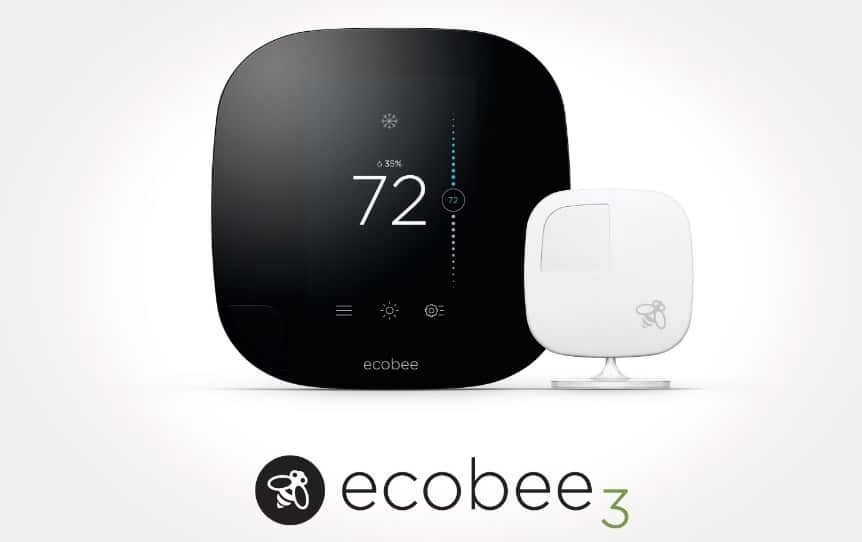
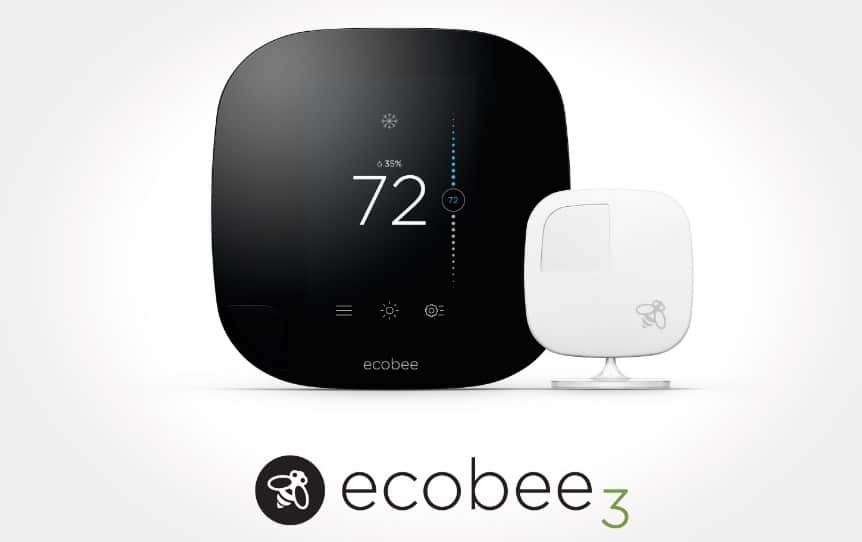
Does an electric thermostat as top of the list feel like a letdown? It shouldn’t! This thermostat has a touchscreen interface, individual controls for each rooms, wireless vent sensors, and even a mobile app. So, for example if you have an office or guest room that’s rarely used, you can simply decide not to have the thermostat heat or cool it: and wirelessly close the vents, and heat or cool just the rest of the house.

ecobee smart home device

The Ecobee 3 is compatible with the HomeKit by Apple, and helps you have fine-tuned control over temperature. And if you’re sensitive to temperature, or just like being able to have that much tech in your home, it really doesn’t get any better. The Ecobee 3 is worlds better than even the closest competition.

  • Recommended: How to Control your House via Wi-Fi (Smart Home)

Check Out the Amazon Echo

Bluetooth speakers are so 2010; but we had to put this one on the list because if its amazing, intuitive features. First off, for the price, it could serve to replace some components of a home theatre system audio; at well-below $200. Want it to read your ebooks to you? It can! It also responds to voice commands: for example, you can ask it what the current weather is, or if you want to buy Amazon products… it’ll let you do so with voice alone.

amazon eco techgyo speaker

Does Your Home Need a Smart AC?

Especially for those of us who live in warmer climes, even blasting the AC on its lowest setting isn’t terribly effective at cooling down a whole home, fast, and is also usually the most expensive way to treat a dire situation. The Aros smart AC allows you to turn it on from work, before you even get home, so that you save substantially on bills and can come home to a crisply cool environment… even if the summertime outdoors has become disastrously arid. Even better, you can pre-program its settings so that it can use power to conform to your budget restrictions, conserve power when you know you won’t be home (say, while at long sport practices or business trips), or you can simply let it learn your living habits so that it adjusts itself automatically.

  • Also read: Infographic – The Smart Home of Future

Feel Safe With the Kevo Smart Lock

Touch technology is being used more and more to enact security measures; for some computers, your thumbprint is now your password. Now imagine if it was also your key?

The Kevo Smart Lock looks deceptively like any other lock, but it allows you to lock and unlock your home with the touch of a fingertip. You can assign virtual keys on a temporary or permanent basis, monitor any time the door opens, and receive alerts on any activity. And the deceptive look can fool anyone into thinking this high-tech security tool is just a normal deadbolt.