Home Blog Page 372

3 Tools to Compare Two Text Files Online

You might find it very hesitating to find the difference between two large text files for their difference. There are many tools will compare two text files for you while you wait. These tools will be useful for Web Designers, Bloggers, Students, and you.

compare text documents online

If you don’t want to install an application just to compare two text file, then you can use an online tool that does this work. Yeah, I’m talking about the website Comparemyfiles.com

CompareMyFiles.com

This tools lets you just what you want to do, just upload the text file or file you want to compra ena click on the Compare button, and all the left will be done by CompareMyfile.com

These are the other tools (Installation required) that let you compare the difference between two text files.

WinMerge

WinMerge is differencing and merging tool. WinMerge can compare both folders and files, presenting differences in a visual text format that is easy to understand and handle.
This tool is only available for Windows operating system.
This tool is highly useful for determining what has changed between project versions, text, code etc, and then merging changes between the compared file. WinMerge can be used as an external differencing/merging tool or as a standalone application.

Beyond Compare

Beyond Compare allows you to quickly and easily compare your files and folders.  By using simple, powerful commands you can focus on the differences you’re interested in and ignore those you’re not.  You can then merge the changes, synchronize your files, and generate reports for your records.

You can compare entire drives and folders at high speed, checking just sizes and modified times.  Or, thoroughly verify every file with byte-by-byte comparisons.  FTP sites and zip files are integrated seamlessly, so you can update your website with the touch of a button. The below screenshot will show you about how it compares a local folder and an FTP site. Differences are highlighted in color.  The default color for newer files is red and is configurable.

How To Edit Photos Online Easily.

Everybody of us needs to edit images or photos during our regular daily life, and we also know that it is not possible for everyone of us to professional photo editing tools. However wouldn’t it be good if we can edit our photos on the fly?
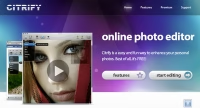
There is a solution to this problem of ours. We can edit our images online and with the highest precision on http://www.citrify.com/.

This site offers a fast and superb photo editor that lets you tweak photos on the fly. If you aren’t convinced visit the website and test its capabilities on the demo image, the results are truly surprising. And the Best part of it is, it’s FREE.

Features:

  • Naturally Beautiful– It reduce glare and wrinkles. Remove red-eye and blemishes. Air- brush for a smoother skin-tone. Use Citrify to bring out your natural beauty without damaging the integrity of your photos.
  • Accepted Everywhere-Citrify works wherever Flash is supported. That includes Mac OS X, Windows XP/Vista/7, and Linux.
  • Eye-popping Effects– Ever wonder how you would look as the Incredible Hulk? How about turning your Italian vacation photos into an artistic pencil sketch? And don’t forget to check out our popular “Obamify” effect.
  • Simplicity and Power-It quickly adjust photo brightness, contrast, hue, saturation, size, and orientation. Citrify’s highly polished user interface puts you in the driver seat.

Please leave your reviews and comments, we love to read them. We would be glad to assist you with any kind of issue related to technology.

How to activate a new Kaspersky key file in Kaspersky 2010.

Most of us is familiar with Kaspersky. But sometimes after using the trial version our keys get blocked while using the program. Now in Kaspersky 2010 there is no direct option to browse for the key file and enter a fresh key if you have it. There is a small trick to do it.
To activate your Kaspersky 2010 with key file-

1. Disable/Unplug your internet connection.

2. Click on the License button at the below and delete the trial key by selecting the delete option.

3.Now Click on the option Activate a commercial license or the last option.

4. Now copy one of the below Invalid key and click on activate.

Double your internet Surfing Speed With Open DNS

What is DNS?: DNS stands for Domain Name System. In the Internet it is always not what it seems. When we type the address techgyo.com, it is actually not represented by the alphabets, instead it is represented by a set of numbers like 192.168.1.100. However since all the websites are represented in the same way, it would be humanely impossible to remember a website address more than a few. So to over come this, the DNS comes into action. Now what DNS servers do is to convert these set of numbers into a humanely readable format or the website address. And also the vice verse.

What Is Open DNS?
Every ISP (Internet Service Provider) maintains their own DNS servers, to provide service. Now these are private DNS and are mostly locked by them. And these also have many limitations, one of them being the slow as they don’t have many servers to resolve the host-names.

Now Open Dns is the DNS system which can be used by anyone over the world and it is not locked. Means anyone can send a query to its servers.

Why should I use Open DNS?

Open DNS is a alternative DNS service to your ISP Dns.
The points that should be noted is that Open DNS offers faster resolution and many other advanced features. Like misspelling correction, protection from Phishing and many other optional filtering. The increase in speed of resolution is done as it maintains servers all over the world and a huge Cache of web pages so as to minimum the delay as much as possible. Which is very much limited in the case of your ISP Dns servers.

Open DNS has also launched a program called Phis tank, in which users can submit probable phishing sites, which are then analyzed and added to their database. So you get a added layer of security from phishing sites.

Open DNS has also some paid programs, but however you can use their free programs as it is as good as the paid one.(Which includes some additional facilities).

How Do I Shift To Open DNS?

The Open DNS address are as mentioned below:

  • 208.67.222.222 (resolver1.opendns.com)
  • 208.67.220.220 (resolver2.opendns.com)
  • 208.67.222.220
  • 208.67.220.222
Now to change your DNS address, it would be best to directly change it from your router.
It can also be done from Network connections.
Double Internet download Speed

To change it from your router go to your router control panel by entering 192.168.1.1 in your web browser. It will ask you for the username and password.
If you haven’t changed the username and password then by default in most routers it is admin for both username and password. If it doesn’t work please confirm your router manual. You can always find an online manual on the company’s website.

After entering the router control panel you will find an option to change the DNS ( I cannot guide in it as there are thousands of different routers). It can be found easily if you carefully check all the options. Now change the DNS with the first two address given above.

Now click on “Save” and reboot the router. And you are good to go. You will certainly notice the difference in speed.

Other Features:

  • You can short the website address with anything like you can just type “mail” to go to “mail.yahoo.com” to read your emails online. For this you will need to log in to your Open DNS account and make a bookmark once.
  • 2. If you want your children to or anyone else not to view any adult content. That can also be done easily, by enabling the advanced web filtering options.
  • 3. You can also block specific websites of your choice.
  • 4. Phishing protection.
  • 5. Misspell correction.
  • 6. High increase in surfing speed.

If you face any problem please leave your comments, our crew will be glad to assist you with it.

Add funny speech bubbles or balloon text to your photos in just a click

Hey want to make some funny photos? I’ve previously wrote articles on adding shadow effects to your photos, drawing a real human face, and making funny gif effects I hope you have read all of them, if not plz have a look its very interesting to play with your photos.  Now, I’m going to tell you about sites that let you add bulloon text to your images.

Before you step into any of these sites, just click here to have a look at some funny photos that I found

Add speech bubbles to photos worldwide through a Web experience. Speechable allows you to easily upload photos and add speech bubbles and save it to your hard disk and share them across the Internet through websites, mobile devices, blogs, and email.
Highlights:

  • One click Speech bubble.
  • Ease of use using drag and drop interface.
  • Custom Speech bubbles to choose from according to your choice.
  • Create an account to save the photos and share with your friends.
  • Speech bubble gallery to view the funny photos made by users.
  • Ratings, comments, share option and much more interactive tools.
  • You can make your photos private to hide from other users,

Before i say anything about Superlame, Just have a look what others say about Superlame.

“A fun little beta application that transcends it’s name… da, da, da, dun, da, dun! SuperLame!”
says — Cali Lewis, GeekBrief TV

“It is a super simple site where youcan upload pictures super quick, create speech bubbles super easily and either e-mail them or send them to friends.”
says — Alana Taylor, Mashable

“If you’ve just got a single photo and a desire to make with the funny, go easy on yourself and try SuperLame! Comic Word Balloon Engine.”
– Eric Griffith, AppScout

“It’s simply a joy to tag up a photo with captions, speech and thought bubbles. Best of all, the end result is total eye candy.”
– Josh Lowensohn, WebWare

So I have nothing left to say, its just awesome!

I found this site in Google but I didn’t think its soo simple to use and i suggest you to use only if you didn’t like Speechable and Superlame.

This is just not exckusively for speechbubbles, but you can do almost all editing here, but you don’t have an option to create an account but you can share them with your friends. You can also upload directly to Flicker at one click.


Hey! Do drop your comments about these pics!

Enrich your blog posts with blog editor plugin.

Bored of the classic editor in your blog? Worried about HTML errors while posting? Then there is a cool editor plugin for you bloggers. Yeah I’m talking about Apture Editor Plugin and Zemanta. They can help you in editing the post more easily and getting relevant  tags, media like images and videos and reference articles for your post

Apture Editor Plugin

Apture Editor plugin lets you find all resources needed for blogging without having to leave your page, this plugin will find you relevant information required for your post. Like images, videos, links, reference articles, tags, so on…

They help your readers to get more information about your post and stay on your page, which in-turn helps you reduce bounce rate of your blog. So I need to tell you that it will increase your pageviews and impression on search engines. Apture Editor Plugin is currently only available for Firefox, Internet Explorer, and Safari (Mac). According to their blog, Apture is used by The Newyork Times, Reuters, Financial Times, Venture Neat so on… Wondering which platforms are supported? In general, you can use them in almost any platforms.

These are the supported platforms for the Apture plugin:

  • WordPress
  • TypePad
  • Ning
  • Drupal v6+
  • Other Platform
  • Blogger/Blogspot
  • Movable Type
  • Tumblr
  • Drupal v5
You can get this Plugin here

Zemanta

Enrich your post with Zemanta. You can even use Zemanta in your e-mail client. You can use them in Thunderbird as Extension and in Outlook as Plugin, Internet Explorer plugin, Firefox extension. Wel, for bloggers Zemanta is not a plugin like Apture. Zemanta is much easier, it works as a javascript bookmarklet which you can activate in just a click, Yes! in just a click. To use Zemanta Edotor, just do this.

  1. Go to Zemanta.com
  2. Then, click on “Generate Bookmarklet”.
  3. Now, while editing your post click on the Bookmarklet(Any supported platform look below).
  • You can use Zemanta Bookmarklet on pages that are supported by Zemanta:
  • Google Mail Compose.
  • Yahoo Mail Compose.
  • Authoring pages of WordPress.
  • Blogger.
  • Type-pad.
  • MovableType and other blogging platforms that are supported by Zemanta browser extensions.

Find answers hard to find on Google

Wondering where or whom to ask the questions which are not resolved in Google, Yahoo or any other search engines? Shapado.com is a website where the audience answers your every query. If you don’t want to register you can login using Google ID, Yahoo ID or OpenIDlogin, just type your question and start. The site claims to be so fast that you can put up a question in less than 8 seconds. I hope you already know about Fixya.com, however it deals with electronic and consumer products and other non-likely stuff. But if you are looking for consumer products or electronic or electrical products then Fixya.com is where you should look for.

Fixya.com

FixYa is a place for all your product needs, from helping you decide on the best products to buy, to getting personal tech support and how-to guides and manuals on over 1 million electronics, cars and consumer products, and a directory to connect you with local professional repair products. You can browser by the brand to get relevant answers

Shapado

Shpado is a where the audience answers your every query. If you don’t want to register you can login using Google ID, Yahoo ID or OpenIDlogin, just type your question and start. The site claims to be so fast that you can put up a question in less than 8 seconds.

Answers.com

Answers.com marries the best of community-driven questions and answers with hundreds of respected and trusted editorial reference books. The site knows the best answer to give you, whether it summons the expansive, ever-growing collection of community answers from WikiAnswers, or it taps into its ReferenceAnswers database, a comprehensive set of editorial licensed reference topics.

Allexperts.com

More than 1 million questions answered! Allexperts.com is the oldest & largest free Q&A service on the Internet.

Wiki.answers.com

If you have a specific, unique, complex or more social question, and you are seeking a to-the-point answer, WikiAnswers is the place for your question. Anyone can ask, answer, edit or collaborate on answers in thousands of categories.

Answers.yahoo.com

Find out everything there is to know about Yahoo! Answers. If you are just getting started or are a seasoned veteran looking for the latest on Yahoo! Answers here is the place to find it.

Answers.google.com

This is a Google Company but unfortunately, they have retired and no longer accepting new queries. However, you will get the answers to the database they already have.

Blurtit.com

At Blurtit.com, users can even find solutions to questions that don’t have an exact answer! Go on give it a try – someone in the world with has the information you’re after.

Answers.ask.com

Ask Answers is the #1 trusted source for all your questions and answers. Answers are created by Ask.com team of experts and editors to offer you the most trustworthy answers online. Ask Answers includes thousands of questions covering more than 180 topic and sub-topic areas.

Computerhope.com

The number one location for free computer help. Computer Hope helps everyone with any computer-related question and is the resource to learn more about computers.

Gotquestions.org

Do you have a question about God, Jesus, the Bible, or theology?
Have you ever needed help understanding a Bible verse or passage?
Are there any spiritual issues in your life for which you need advice or counsel?

Wisegeek.com

Although there is a vast amount of information available on the internet, sometimes relatively simple questions are difficult to resolve because the answers are scattered across multiple websites. It’s easy to find information about fish and euthanasia, but without wiseGEEK.com how would you know the humane way to euthanize a fish? At wiseGEEK.com we try to digest and simplify disparate information into concise answers.

wiseGEEK.com gives me the opportunity to learn something new and interesting every day while honing my skills as a writer and editor.

Medquestions.com

Founded in 2004, MedQuestions.com was created as an avenue for everyday people to get recommendations from doctors, nurses, herbalists, healers and even ordinary people. We hope that by bringing people together from different parts of the world with different backgrounds, people can better understand themselves. MedQuestions.com is here to help!

Medhelp.org

This is another Site which answers your medical and health-related queries. MedHelp is a pioneer in online health communities. The MedHelp site connects people with the leading medical experts and others who have similar experiences.

Picanswers.com

PicAnswers, a place to finally get answers to questions that can only be asked with pictures! Satisfy your curiosity, ask questions, share your vast knowledge and learn something new every day.

Freeanswers.com

FreeAnswers™ is a targeted search engine compiling hundreds of thousands of authoritative resources about Microsoft® products and technologies. Powered by Vantage Lab’s advanced linguistic technologies, iSEEK™ and iSEEK AnswerWorks™, the engine helps you find answers to your technical questions more simply and easily!

Ask-leo.com

Leo has been in personal computer and software industry since 1979, as a software engineer, a manager of software engineers, and as a consultant. A. Notenboom, the owner, the operator, and the ‘Leo’ in Ask Leo! Find out a little more about Leo… he’s been around for a while!

Leo was one of the pioneers in the early stages of Microsoft.

Webmath.com

Webmath is a math-help web site that generates answers to specific math questions and problems, as entered by a user, at any particular moment. The math answers are generated and displayed real-time, at the moment a web user types in their math problem and click “solve.” In addition to the answers, Webmath also shows the student how to arrive at the answer.

Radiationanswers.org

This site gives you information about all that you should know about radiation.