Home Blog Page 133

What Is Help Desk Software Used For?

0

All business decisions, including changes in policies, price changes, and product lines that you undertake, are either indirectly or directly linked to customers. You will be assured of the success of your business if you manage to satisfy and keep your customers happy. However, if you rely on customer support in keeping your customers happy, you might not achieve that. In this case, you need to have faultless and well-planned customer support. That is why you need help desk software. A help desk software includes omnichannel capabilities, including reporting, client portals, knowledge base libraries, voice support, email support, online tutorials, chatbots, and live chat.

help desk software

What Is Help Desk Software Used For? 

A help desk software assists help desk agents to handle a variety of end-user issues, including complaints, requests for information or service, and incidents at once. Such a case implies that an organization can record several calls other contacts such as emails regarding a certain issue in the form of tickets, join them together, and forwarded them to the same team or individual who handles them. For instance, when a client sends a query using the email ID that you could have indicated in your Contact US page, it will go directly into your shared inbox such that it will be saved as a ticket. In this case, a help desk software establishes a single inbox for the different departments such as billing and sales. Therefore, all tickets, despite their nature, will be placed at a central location like the inbox of a typical email. Based on your needs, the help desk software will automatically categorize all tickets into the respective departments. Such a case ensures that the concerned individual can see and handle them accordingly. 

A help desk software can help prioritize tickets according to their severity so that an agent first addresses the more critical ones. The software will also prevent the duplication of organizational efforts. In other words, all departments can easily track the current statuses of tickets to work collaboratively in handling them step by step. 

A help desk software makes sure that every issue is monitored and ticketed, making it easier to identify lost or unattended ticked due to the level of breaches or delays. A help desk software manages to handle such aspects through escalation, service level management, automated routing, categorization, and prioritization.

The software supports current help desks in undertaking their responsibilities through:

  •  Facilitating self-service to assist in reducing workloads of help desks. This is done with the knowledge management capabilities and knowledge base of the help desk software.
  • Reporting and managing the statuses of tickets so that customers and the staff can check the progress and status of their tickets. The top-level management can receive visibility into end-user customer feedback and satisfaction, service level achievement, individual and team performance, and help desk workloads.
  • Routing and assigning arising issues to appropriate help desk agents or forwarding them to third- or second-line support team. Not only that, the software will help in the management of tickets transfer between various resolution groups and help desk agents.
  • Capturing and keeping relevant details of complaints, requests, incidents, and other end-user issues. 

A help desk software provides real-time surveys for clients to offer feedback on the chat that they concluded recently. In this case, you can customize the surveys to align t your business goals and objectives using a Net promoter (NPS) system. Through that way, you can gauge the performance of an agent to identify any areas that can be improved. With time, you will be guaranteed that the agent will provide excellent services. Also, chats enable agents to understand the customers better because they interact with them informally. Arguably, you can examine the chat history to identify specific customer interactions and how they understand or view your brand.

As a consequence, you can know what your customers want. In the end, you can customize the way you approach various customers, making you offer them a personalized experience. That also plays a critical role in enhancing the satisfaction of customers.

help desk software has continued to become a critical requirement for an organization that wishes to establish an effective customer support system. The main role of the software is to deliver an undeniable satisfactory customer experience consistently.

Need Offline Access? Here’s How to Download Any Website!

1

Internet is quite handy these days but there are many places that do not have Wi-FI or internet connection. It is pretty easy to save and view an individual web page offline; but what about an entire website?

You might be wondering if it is possible to save certain websites that you can access later when you don’t have an active internet connection. Well, that is certainly possible and quite easy too.

Download website for offline viewing

In this post, we will discuss all the tools that you can use to download a website for offline viewing. If you wish to keep a website handy for later, then these tools will surely serve the purpose very well.

HTTrack (For Linux, Windows and Android)

Screenshot_3.png

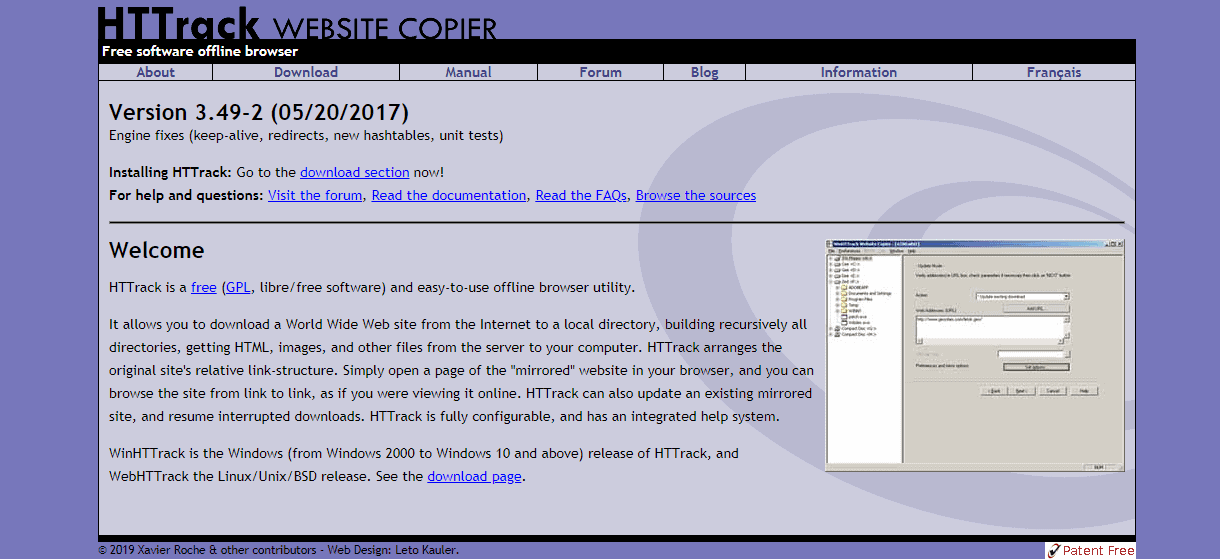
HTTrack is a popular open-source program to download the whole data of any website. The interface is a little clunky; however, the features make up for it and it comes with an integrated help system. The tool lets you download multiple websites and keep them properly organised. You can save the website in the local directory where the program will create the directory of the particular website by using files, HTML, and images in your PC.

It will build the exact structure of the original website and you can simply browse the website offline and hence support Offline Viewing. Additionally, you get to update the downloaded website if it has been updated online.

HTTrack is completely configurable and you can customise it as per your preferences.

Here is how you can download a website using HTTrack:

  • Install and launch HTTrack.
  • Click on “Next” to create a project.
  • Provide the name and category for your project. Click “Next”
  • Now, click on “Add URL” where you have to type in the URL of the website that you wish to download. You can also download multiple websites at a time.
  • Click on “Set options” where you will get some customisation options.
  • Once done, click on “Next” and “Finish”
  • Your website will start downloading now.

Once the website is saved, you can browse it like normal in your default browser.

Cyotek WebCopy (For Windows)

Screenshot_1.png
Offline Viewing website

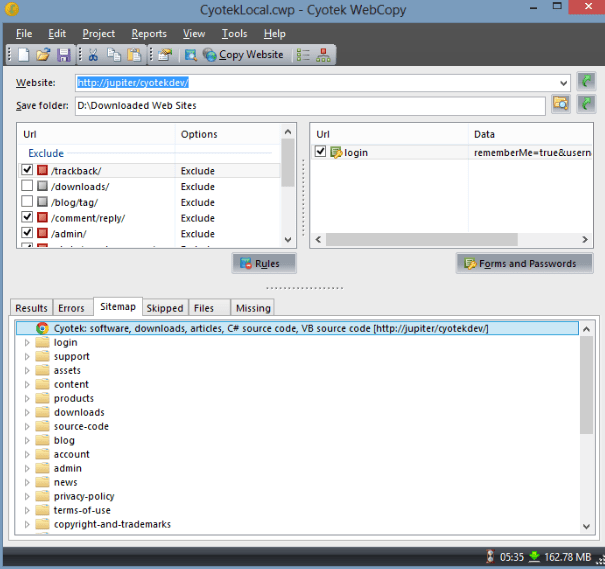
WebCopy by Cyotek is a free tool which works by scanning the chosen website for media, links and pages and then downloading all the contents to the PC. These links which lead to other web pages get remapped automatically to match the local path. This is one the Best tool for Offline viewing your website.

You can copy full or partial website onto your hard disk. With the detailed configuration options, you can choose the parts of the website that you wish to download offline. In order to download a website with WebCopy, follow these steps:

  • Install and launch the program
  • Go to “File” and then “New”
  • Enter the URL of the website that you want to download.
  • Select allocation where you want the website to be saved.
  • Go to “File” again and then to “Save as”.
  • Finally, click on “Copy Website” to begin the download.

Getleft

Screenshot_2.png

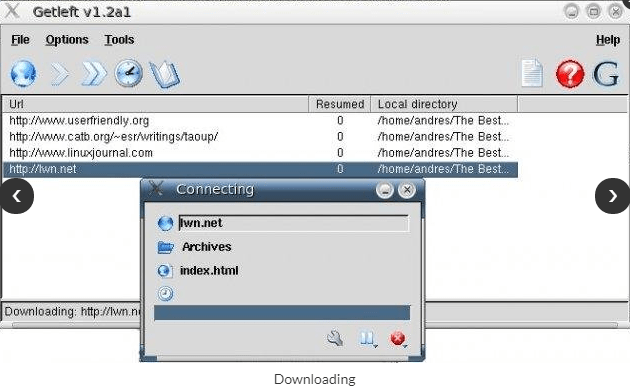
With a new and modern interface, Getleft makes downloading a website very simple. All you need to do is provide the URL in order to save the complete website with the options that you have chosen.

Getleft edits the original web pages, which allows you to browse the website on your hard drive. With this tool, you can see the sitemap, pause and resume a download, and chose which files you wish to save. This is a great tool for both small and big websites until and unless you don’t go for very large files within the website.

CHECK THIS OUT: Online Vs. Offline – Which Will Come Out On Top?

SiteSucker (For MacOS and iOS)

Screenshot_4.png

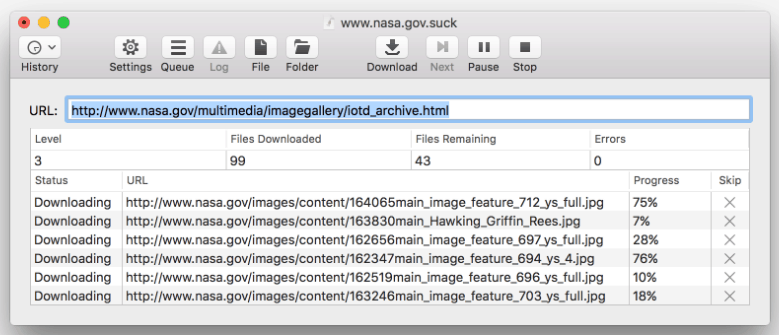
SiteSucker is an alternative to HTTrack which can be used by Mac and iOS users. This application copies the individual web pages and images of a website collectively and saves them to the local hard drive in your system. Thus the overall directory structure of the website is maintained and all you need to do is paste in the URL of the particular website and press enter. Also, you get to pause the download whenever you desire to check the downloaded web pages and restart it later.

The easy to use interface allows you to create local copies of your desired website that you can access anytime offline and translate to other languages such as French, Italian, German and Portuguese. The only downside with this tool is that you have to make a payment of $5 and there is no free trial version.

Wrapping Up:

These tools are the best options to download any small or big website that you want. However, it would be better to download those websites which have more text and fewer images. If you know of any other programs to view a website offline or support Offline Viewing, then let us know in the comment section below.

Harvest Moon Alternatives: 7 Best Farm Games for Android!

0

One of the most iconic games, Harvest Moon is a series of farm simulation games by Amccus. The game offers a combination of light role-playing and a variety of gameplay. The game includes planting crops, revitalising a run-down farm, raising livestock and, socialising with other characters, mining, selling your products in the market, gathering resources and hunting for food. The harvest moon is considered one among the best game because of its diversity, beautiful graphics and challenging tasks.

games like harvest moon

If this is your kind of game, and you are looking for some really good games which are similar to Harvest moon, then we have the best alternatives for you.

Here is our list of the 7 Best online games like harvest moon for android

Stardew Valley

Screenshot_1.png

Developed by ConcernedApe and published by Chucklefish, Stardew Valley is inspired by online games like harvest moon for android. However, Stardew Valley takes you to a new level with the improved customization options, original music, various tools and plenty of side activities that you get to access. In the game, you will be given your own piece of land where you have to clear all the weeds and bushes. In Stardew Valley to you have to take care of animals, plant crops, craft machines, engage with other townsfolk and so much more. You can customise your house to your liking, explore mines filled with monsters, create beautiful gardens and set up sprinkler systems. Just like real-life farm each action you perform will take time and you will get benefits.

You get to converse with a lot of unique characters wherein every character has its personal cutscenes. Additionally, your character can get married to one from the list of bachelors / bachelorettes.

This game will definitely live up to the expectations of all fans who love online games like harvest moon for android. You can play Stardew valley in computers with Mac, Windows and Linux operating systems and also in PS4 and Xbox One.

Rune Factory 4

Screenshot_2.png

Rune factory 4 is a farming and simulation RPG developed by Neverland Co. Ltd. and published by Marvellous AQL for the Nintendo 3DS. The game is very similar to online games like harvest moon for android, in terms of gameplay with some minor improvements.
Similar to online games like harvest moon for android, in this game too you have to cultivate farms, explore mines and marry another character. However, apart from farming, the game is more centred on combat. In the game you have, you will need to craft your own equipment through different resources. The equipment that you create will help you character to progress to the next level.

In Rune Factory 4, you get to control a large farm and even a town.  Your task will be to improve the infrastructure of the town, clearing the city of monsters and recruiting more characters. You can also issue orders such as hosting a party or harvesting event. You can have a child together with the character you marry and equipment that you create can be used by your child as well. This is one of the best online games like harvest moon for android to enjoy. Give it a try!

World’s Dawn

Screenshot_3.png

World’s Dawn is highly inspired by online games like harvest moon for android, you will get a beautiful village set on a seaside where you can grow your own food and live in harmony with others. Similar to online games like harvest moon for android, there will may unique characters that you can converse with. While you are entering into the game, you will be asked to pick up your gender, name and even a hairstyle. Once you customise your character, you can enter into the village and start interacting with the game world.

You will get crops, livestock and a farmhouse that you can change as per your preference. Additionally, you can participate in activities like fishing, mining, hunting and cooking. You can either just raise animals or become a full-time farmer. The tasks that you take up to finish are completely up to you.

There are about 32 individual characters that roam around the town and you get a real-time experience with how frisky they feel. The graphics and visuals in the World’s Dawn are quite refreshing; you will notice small details like pets and beautiful flowers on the roadside which make the world even more enchanting.

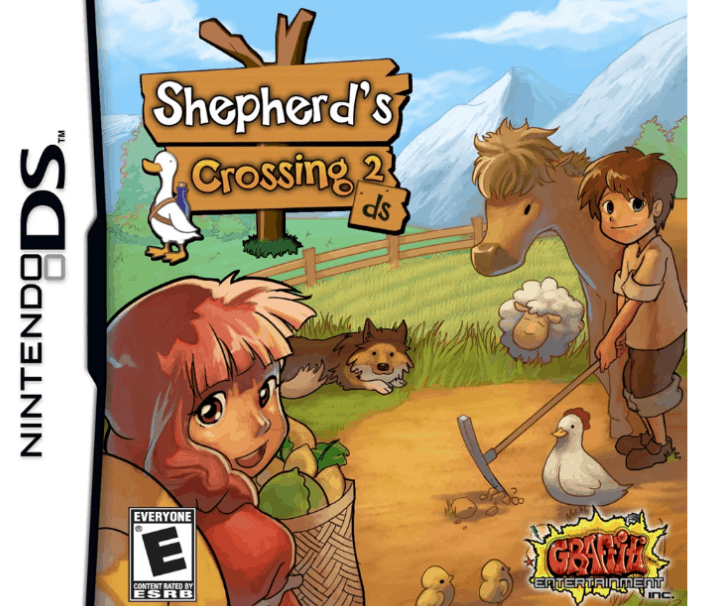
Shepherd’s Crossing 2

Screenshot_5.png

With so much advanced graphics and versatility, Shepherd’s Crossing 2 is more innovative version of online games like harvest moon for android. The game was released in 2010 and developed by Graffiti Entertainment.

Even though Shepherd’s Crossing 2 is quite similar to online games like harvest moon for android, but here you don’t have to spend too much time on repetitive tasks in farming. The game is rather packed with exploration based experience and lets you choose your own tasks.

You will get control over the layout of your farm, the kind of animals you want to breed and also the relationships that you want to build with other characters. The marriage feature in this game is not as good as other online games like harvest moon for android and other similar alternatives. The other features of the game include the ability to expand the farmland in order to grow more crops and breed more animals. The visuals are anime based with plenty of unique features which make Shepherd’s Crossing 2 a game which is worth a try.

Farm for your Life

Screenshot_6.png

Farm for your Life is another farming simulation game similar to online games like harvest moon for android with lots of Indie features and combination of zombies, management, farming and defence.

These well-embedded elements are wrapped with beautiful graphics which make the whole gameplay a very entertaining experience. The game is set in a town which is struck by a heavy thunderstorm and has unleashed the zombies. You have to build the town again from the scratch with the help of other survivors while fighting with the walking dead.

You can design your own character and chose the tasks that you want to take. In the game, you have to get resources to grow your farm with all kinds of vegetables and fruits, breed animals and even manage a restaurant. With the in-game store, you will be able to buy several items to grow your farm and restaurant. Once you progress with the game, your farm and the restaurant will also grow and you get some fun upgrades as well.

While gathering the resources, you will have to fight with the zombies from time to time. You can build mazes and towers with the defence elements to protect your assets from zombie invasion. With a varied gameplay and friendly setting, this game is all about survival without any weapons. For those you are fed of old farming and online games like harvest moon for android, Farm for your Life would be a refreshing change.

Funky Barn

Screenshot_7.png

One of the most adorable simulation online games like harvest moon for android, Funky Barn is exclusively for Wii U where you need to build a farm with cute animals and increase productivity with the farm. There are various animal breeds that you can choose from such as sheep, cow, buffalo, etc.

You have to take your uncle Hatsworth’s farm after his death. When you enter the game, you will be given an empty piece of land with a limited number of tools and resources. Your target is the farm economically with the use of latest robotics. You will get the liberty to choose from different levels of difficulty- easy, medium and hard.

When you progress with the game and reach the level of a skilled farmer, you can get into a more advanced level. Apart from managing the farm, taking care of the animals is also an important task in the game.  You can name all your animals and have to breed them to keep growing their numbers. Taking care of your animals will include feeding them and providing appropriate barns for them. You will need to place decorations and plants trees to keep the animals happy so that they don’t leave your farm. The gameplay in Funky Barn is pretty simple games like harvest moon, once you succeed in the first task, you can unlock other farm levels.

Animal Crossing: New Leaf

Screenshot_8.png

Animal Crossing: New Leaf is a quite popular life and social simulation game where you can take the role of the Mayor in a small village. You can explore the village, interact with the residents and participate in several activities like farming, hunting, etc.

As a player, you can customize various aspects of your character in terms of looks like you do on other online games like harvest moon; change the type of furniture that appears in your living space and even customizes the entire village as per your liking in the game. You can create bridges, landmarks and add other buildings to attract more tourists.

You will be able to visit the other player’s house, get into some fun activities and also send messages to other people who are there on your friend list. With New Leaf, the developers have introduced many exciting features which were not present in the previous versions of the Animal Crossing series. It is definitely one of the best portable simulation games.

Conclusion

The games that we have listed in this post are similar to online games like harvest moon for android and have sub-elements same as Harvest Moon but they can slightly vary in stories and play-style. You can try all of them to get some good experience.

How to Block a Website on Chrome

0

It is common for people to get caught in the web of procrastination and time-wasting websites. You may want to block a certain website on your computer or smartphone either to get rid of some distractions from the social media or to keep your kids away from inappropriate content. There are more than plenty of reasons why you would want to block a certain website on your Google Chrome browser. In this post, we will give a quick and easy solution to bar such websites whenever you want.

How to block a website on chrome

Here is how you can block any website on the Chrome browser on both desktop and android using a simple method:

Blocking a website on Chrome Desktop

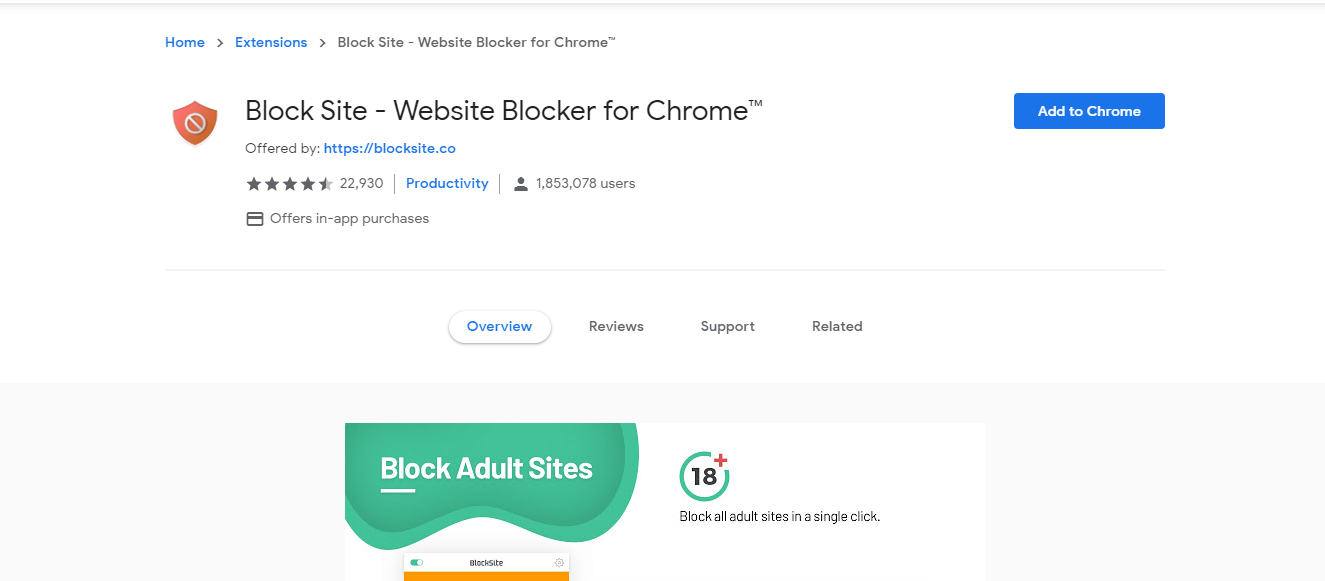
Even though there is no default option in Chrome to block a website, but there are many extensions that can help you prevent a specific website from being accessible while using Chrome.  The simplest method to block websites is through a browser extension which takes least of the time too. Just follow these simple steps to install “Block site” which is an excellent extension to block any websites.

  • Go to the chrome web store and search for “Block site”
Screenshot_1.png
  • Click on the “Add to Chrome” tab on the top-right hand side corner of the page (A window will appear which will summarize the features of the extension).
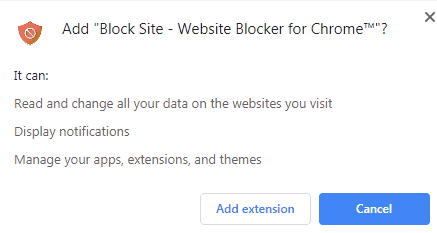
  • You will get a pop-up box now. Click on “Add extension” to confirm the installation
Screenshot_4.png
  • Once the installation is done, you will get a Thank you page as a confirmation
  • As the extension is successfully downloaded, there will be a new icon which will appear across the top of your browser.
  • Click on the “Customize and Control Google Chrome” option at the top-right hand corner of the Chrome window.
  • Go to “More Tools” and then select “Extensions”
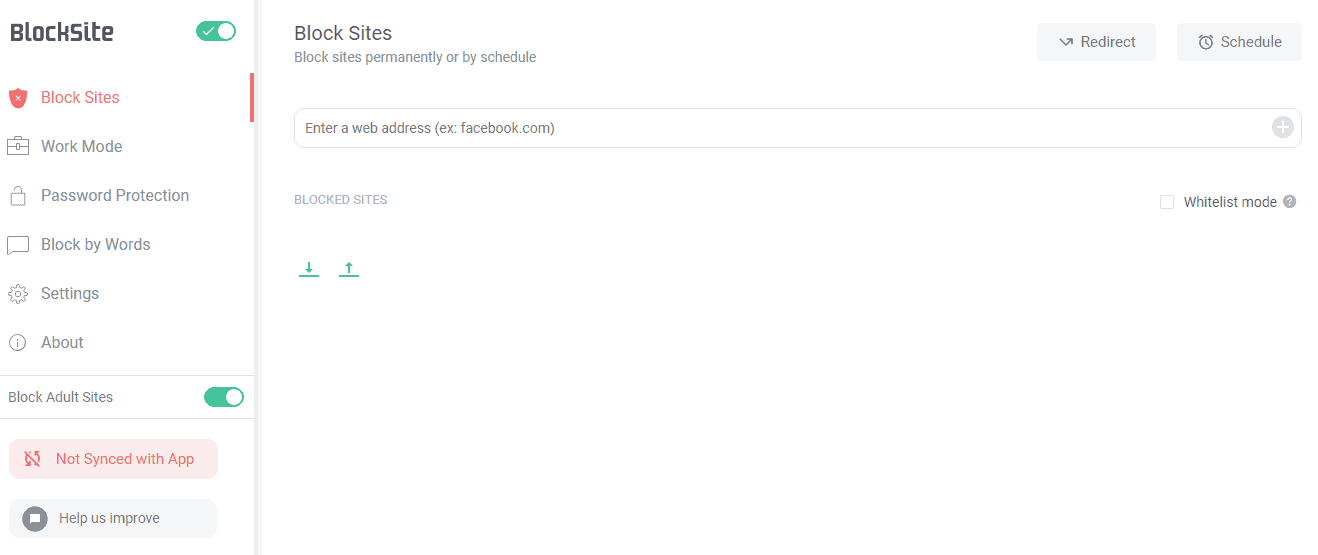
  • In the Block site option, enter the name of the website that you want to block in the box next to the Add page tab.
Screenshot_5.png
  • Alternatively, you can visit the specific website that you wish to block and click on the extension icon in the top right of the Chrome browser. You will get a pop-up, there click on “Block this site”
Screenshot_3.png

There it is! It is really easy to block websites with this extension and it hardly takes any time.

Blocking a Website on Chrome Android

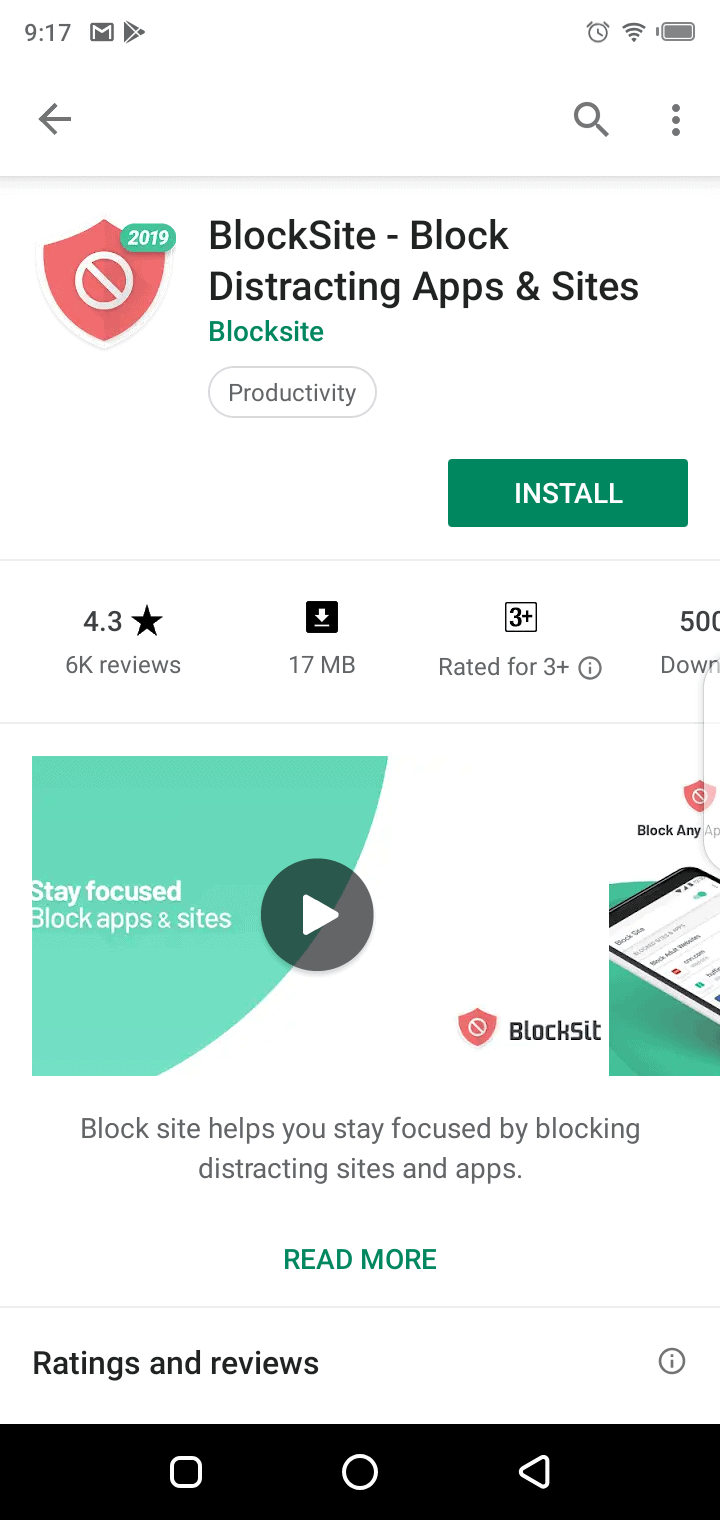
The “Block site” browser extension is also available as a free app on the Play Store. Here is how you can use the application to block the specific websites in your Android Smartphone.

  • Open the Google Play Store and tap on the search box
  • Type in “Block Site” and tap on Enter
Screenshot_20190511-211732.png
  • Tap on “Install” and “Accept” when you get a prompt.
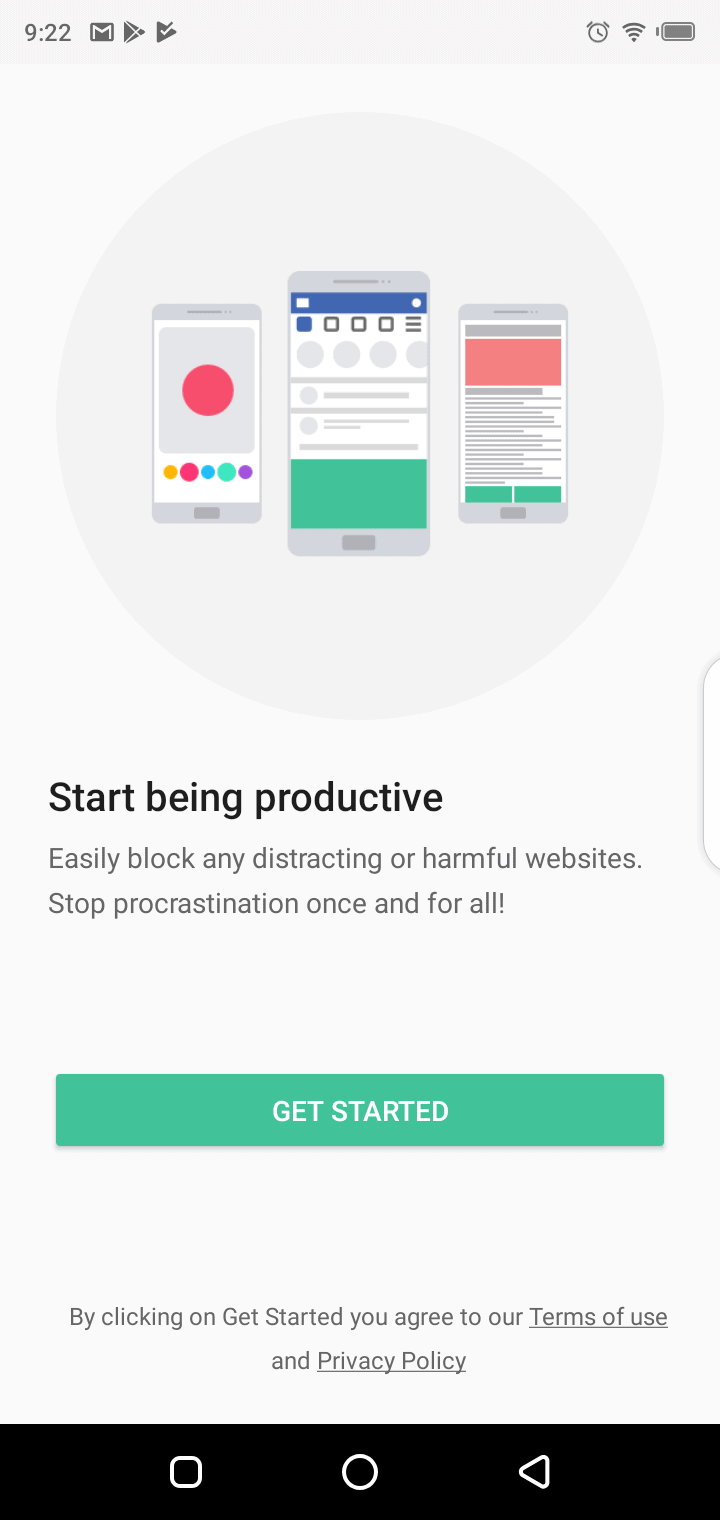
  • Once the app is downloaded. Tap on “Open”
  • Tap on “Get started”
Screenshot_20190511-212224.png
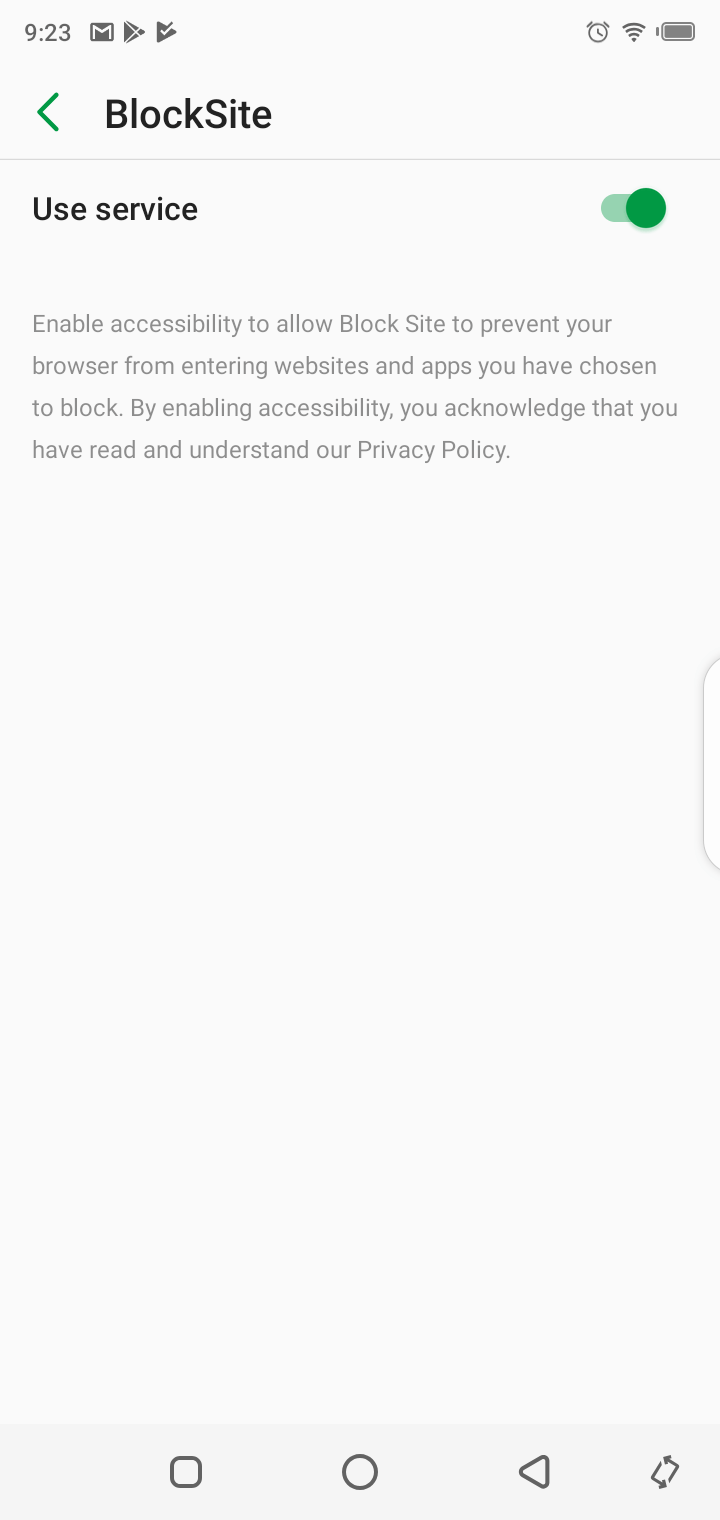
  • Tap “Go to settings”. You will see the app in your settings list, tap on it. Now enable the app by allowing it to “Use service” to get it started.
Screenshot_20190511-212329.png
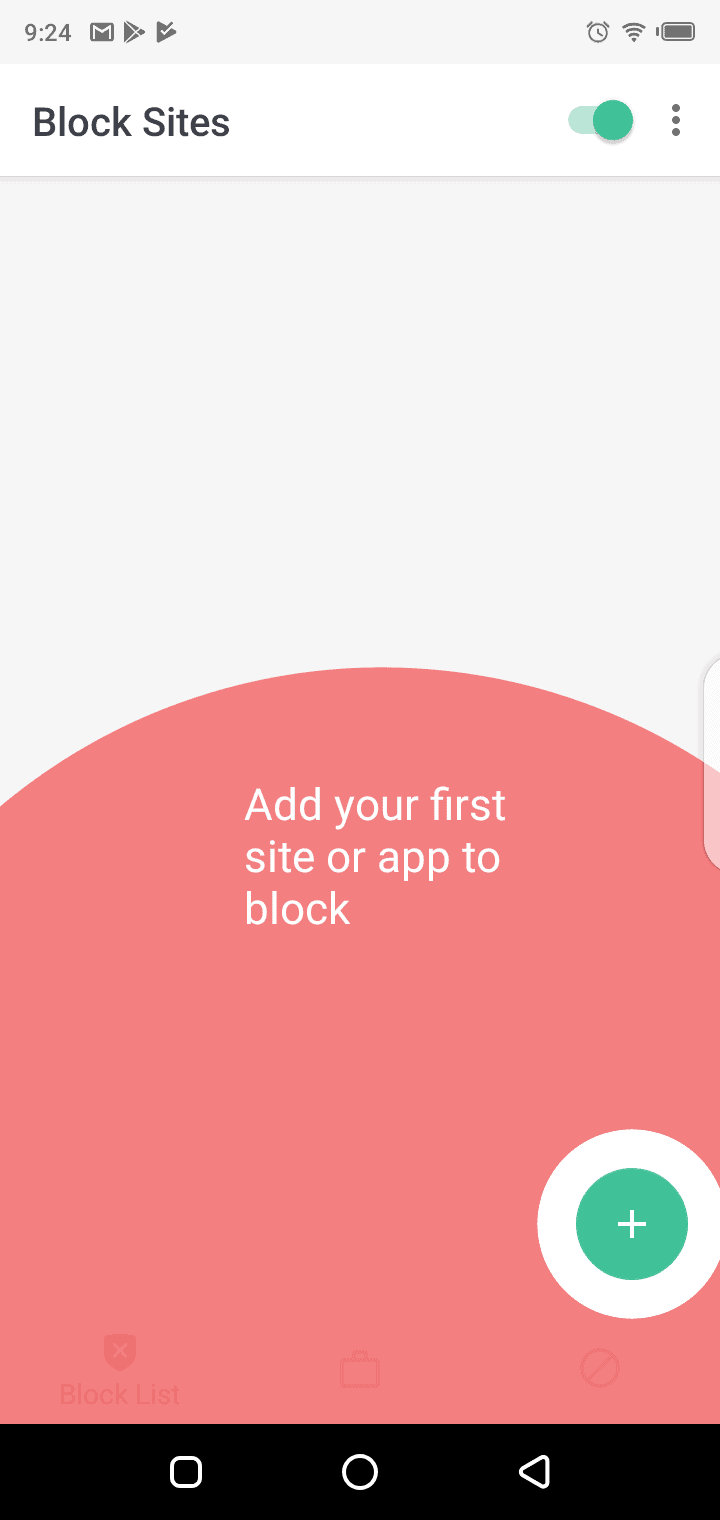
  • Tap on the + icon at the bottom right hand side corner of the screen.
Screenshot_20190511-212417.png
  • Now enter the website’s address that you wish to block.
Screenshot_20190511-212426.png
  • Once done, tap on the tick box on the top right hand side corner of the screen

That is how you can block any website from being accessible from your chrome browser in the Android device.

There are several other extensions to block websites in Chrome. However, with Block site you will have more control over such websites.

How This Company is Fighting Climate Change with Green Web Hosting

The company named A2 Hosting founded in 2001 by Bryan and A2 hosting supports the environment totally so that every user feels safe and good about choosing them as a web host. The company has partnered with Carbonfund.org in 2007 with the aim of battling with the problem of climate change. Their work centres on reforestation and promoting energy efficiency and helps their continued development of clean, renewable sources of energy and the reduction of CO2 emissions on a global scale. The company makes all their servers 100% carbon neutral because they purchase carbon offsets for every amount of energy they used to take a step to reduce the emission of greenhouse gases.

Since 2007, A2 Hosting has proudly said and claimed to be 100% carbon neutral and has no carbon footprint due to their geothermal cooling systems. These kind of steps are very important for restoring the forests, increasing the energy efficiency of buildings and transportation, and try to upgrade power plants to create less pollution. To fight with climate change, the company allows employees to telecommute together to prevent unnecessary emission of carbon dioxide.

The company is based in Ann Arbor and the term A2 stands for Ann Arbor and it’s so essential to help protect our environment on a local level as well as on a global one as well. Protecting the environment for our future generations that in a nutshell explains the goal of FutureServe Green Hosting.

They also recycle their older servers instead of throwing in garbage, plant trees, and reduce trash. A2 was the first provider that offer Solid State Disk Drives (SSDs) because these drives consume less energy as compared to HDDs. The main reason behind this step of using SSDs is that SSDs store information such as read and write requests in microchips, while traditional HDDs use a mechanical arm to process information from a certain location to another. SSDs contribute a lot to the speed and load time of your site.

Practising towards Green Hosting

Plantation of trees- we have been planting 3-trees for every hosting package service sold to a user during a given month to run special promotions for making the company popular among users.

Solid State Disk Drives- A2 hosting company Is first to offer SSD hosting to their users because we know it well that SSDs consume less energy than a traditional HDDs.

Reduce Waste Trash- The company reduce our waste trash as much as possible with practices like using steel or glass mugs instead of disposable ones which help to make the environment clean.

Telecommuting- A step towards reducing the emission of carbon dioxide from daily commutes to an office and company offer to their employees to work remotely from their homes and try to do carpool to reach office together time to time.

Recycle Old Servers- The company love to recycle their old servers instead of putting it in the trash and use their old hardware as an internal server, dedicated servers for clients with lower resource requirement and resold it to the public.

Looking for Green UK Web Hosting or Canadian Green Web Hosting? Well you guessed it, A2 has you covered there as well!

5 Best iTunes Alternatives For Windows

0

Looking For iTunes alternatives? iTunes has fallen from favour as the most go-to application for music management after a decade or so since it was developed. Also, the user interface seems to keep getting more confusing every year. Now, a large number of users would prefer a simple and more intuitive way to play music from their PCs. Fortunately; there are some great music programs for Windows that you can give a try. You may also find some of these more powerful than iTunes alternative.

Here are few of our all time favourites iTunes alternative:

MusicBee

itunes alternative
itunes alternative

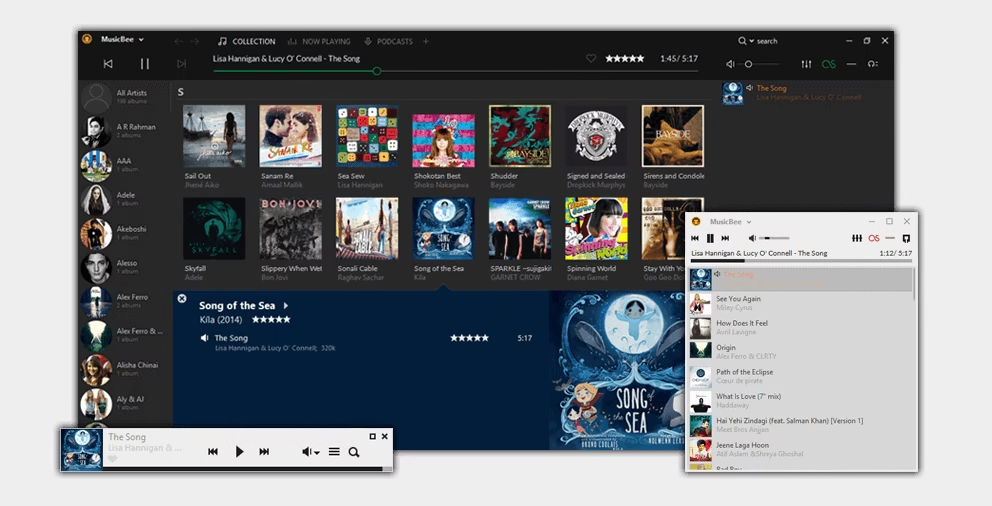
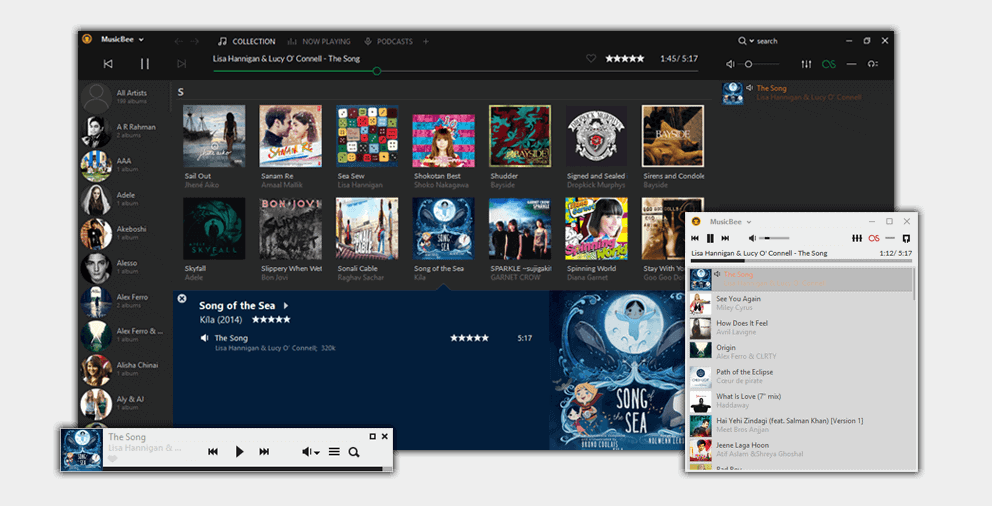
An iTunes substitute which is fully-featured, absolutely slick and stunning to look at, Music Bee comes with all the features that you can possibly imagine. It acts as more of a tool as it lets you organize and manage your music library in a better way. The tool does a lot of things from CD ripping to volume normalization and the best part is that you get it for free. While other music programs do well in specific areas, MusicBee excels in every feature.

MusicBee will scan your computer for the stored tracks and it can import the music library from iTunes directly as well with the flexibility to you can choose exactly where you want to place the files. The default interface is similar to iTunes and it can be a little complicated for some, however, you get a smart Theatre Mode which makes moving things around pretty simple. You will get various customization options in terms of the screen layouts where you can choose different skins. It supports high-end sound cards and 5.1 surround sound.

The tool is compatible with quite a few Winamp plug-ins, so you wouldn’t need to compromise on the super-custom features. MusicBee can auto-tag your library, supports last.fm and Groove Music; has a 15-band equalizer, and appease audiophiles if WASAPI support is required. The other features include adding metadata to your music, using the internet connection to find useful information about the music collection automatically, synchronising with other devices and turning your computer into a music jukebox.

The tool is incredibly fast and gets updated frequently. The forums prove out as awesome resources and you will get a lot of support from the developer. The tool is perfect for iTunes converts as long as you are using Windows.

Pros:

  • Intuitive user interface
  • Ability to rip files from CDs
  • Highly customizable
  • Auto DJ feature

Cons:

  • Doesn’t have an in-built encoder

WinX MediaTrans

Screenshot_2.png
itunes alternative

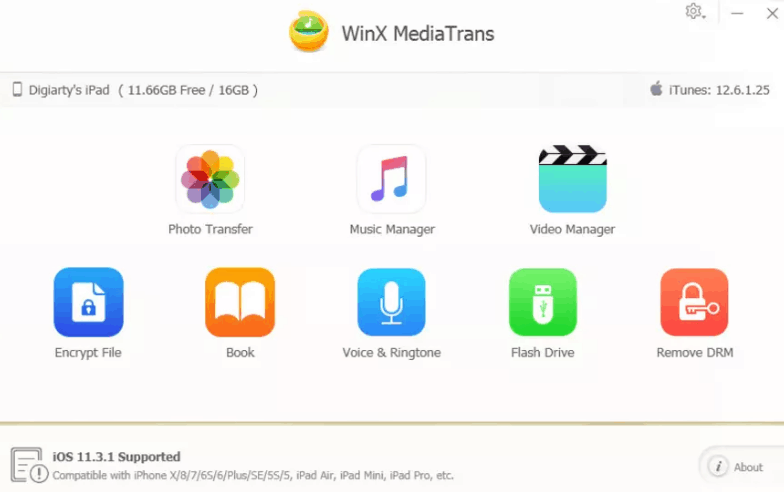
Another amazing iTunes alternative, WinX MediaTrans is primarily designed to transfer photos, music, videos, ringtones, eBooks and podcasts between your PC and iPhone, iPad or iPod. The tool brings an entirely fresh experience in iOS data management. You can use this tool to send voice memos to your computer, remove DRM from iTunes purchases, delete photos in iPhone, make ringtones, create/delete music playlists, encrypt photos and videos of your in your system.

WinX MediaTrans has an extremely friendly, modern and concise user interface with multi-language support. When it comes to the basis features of the tool, it enables you to transfer photos from your iPhones to the PC quite easily. You can also transfer pictures from third-party applications.  The tool allows you to transfer music from iPhone to your PC and vice-versa. Additionally, you can edit the meta information of the track including artist and title, and convert any audio format to ACC and MP3 while transferring.

The tool has three in-built features for videos- auto-convert, auto-rotate, and export with encryption. Therefore, you can easily convert videos formats like AVI or MKV which are incompatible with iPhone to MP4 which can be played in the iPhone, rotate vertical videos to horizontal videos, and encrypt videos in your iPhone while transferring them to the computer. However, the most valuable part of the tool is that it finishes any file transfer at a super-fast speed which is considered better than many iPhone file transfer apps available out there.

Pros:

  • Lightweight and clean interface
  • Built-in auto-convert and auto-rotate features
  • Sync music and other files without installing iTunes

Cons:

  • Little pricey

WALTR 2

Screenshot_3.png
itunes alternative

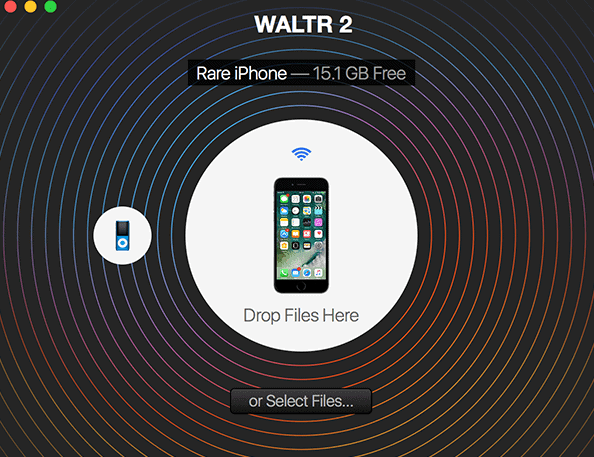
Waltr 2 allows you to manage and back up the files from your iOS device to your Windows PC without the need to go through iTunes.

You just need to plug and connect your phone to the PC to moves all your files back and forth between the device and the computer.

Waltr 2 supports almost every kind of music and video format including Apple Music files and Windows Media files. The application can quickly and seamlessly transfer music, videos, PDFs, ePub files and eBooks. The best part is that all these files go to the right places and you don’t have to fret over managing them.

The applications support Wi-Fi in addition to USB, and even if you disconnect the USB cable anytime while transferring the files, the process will not stop if there is an active internet connection.

The app is available for a 15 day free-trial and after that you can buy it for $19.95 to continue using it.

Pros:

  • USB stick option
  • Option to add ringtones

Cons:

  • While connecting the phone to the application initially, each section has to be mounted separately.

MediaMonkey

Screenshot_6.png
itunes alternative

A free media player, MediaMonkey is a true iTunes replacement. This heavyweight tool is designed to handle any file format of hundreds and thousands of audio and video tracks effortlessly.  It supports MP3, WMA, OGC, M3U, WMV, MP4, PLS, AVI, and MPC formats.

MediaMonkey can catalog files from any source, whether they are located on hard drive, on a network device or streamed from an online source. It can organize the largest of libraries with ease and allows you to auto-tag music with its robust tag editor. The tool features a CD ripper, podcast manager, UPnP/ DLNA server and sync manager

The user interface looks functional with simple lists of genres, tracks, artists, and albums in the middle, current playlist on the right and media sources on the left. The player adjusts the volume automatically and supports a Party mode which locks the user interface at public events. You can tweak and adjust any setting as per your liking virtually. Additionally, you can download scripts and plug-ins which are available for free on MediaMonkey’s add-on repository and customize the tool to meet your needs.
The only downside with MediaMonkey is that the advanced features which include smart playlists, conversions while syncing, etc. are only available if you purchase the licence.

Pros:

  • Can organize extremely large libraries
  • Customizable

Cons:

  • Expensive

Foobar2000

Screenshot_9.png
itunes alternative

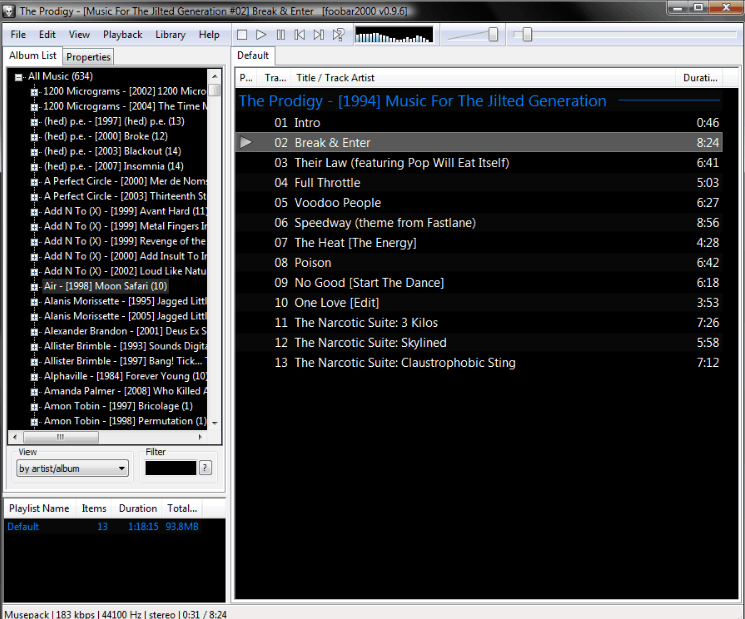
Another powerful and flexible music player, foobar2000 comes with a unique design and loads of customization options. If you want to tweak every single setting of your music player’s interface to the maximum capabilities, then foobar2000 is the perfect match for you. It supports multiple formats including MP1, MP2, MP3, Mp4, ACC, WavPack, WAV, AIFF, CDDA, WMA, and more.

Even though in the beginning you may find the user interface quite simple and dated, but the tool excels when you start customizing it. Things will start getting clear once you point the tool in the direction of the music collection and library. The main function of foobar2000 is media management and it can also rip and convert CDs. However, the features aren’t just limited to copying tracks from a disc and organizing them; foobar2000 can pretty much do anything that you ask for.

The best part of the tool is that developers can build extensions and plug-ins to expand the features further. There is a learning curve with the program and it is not ideal for beginners. But, as you get a hang of it and spend some time configuring the features, you can leave foobar2000 to work its magic.

Pros:

  • Native windows appearance
  • Extremely customizable interface

Cons:

  • Dated design
  • Steep learning curve

Wrapping up

This list is definitely not exhaustive; there are more iTunes alternatives that we can include in one post such as Tomahawk, Clementine, PodTrans, etc. However, the music players mentioned here are good to start with and have been given good ratings by the users.

10 Best SNES Emulators for Windows, macOS, and Android

0

Back in the 90s, Super Nintendo was a booming success and immensely popular SNES Emulators. It may be decades old, but it even now boasts a few of the most amazing video games of all the time. And, you might be missing some of these old games like Super Mario and Donkey Kong. Playing these classic games again is possible if you get your hands on the right emulator.

best snes emulator

If you are one of those who are interested in getting the ultimate retro gaming experience, here is a list of the 10 best SNES emulators for windows 10, macOS and Android devices that are worth trying.

Best SNES emulators for Windows 10, macOS and Android:

HIGAN

best snes emulator for windows 10

Supports -Windows and macOS

Higan, created by Byuu is the latest version of the best SNES emulator for windows 10 that you can get out there. The current version can run 12 different systems including Game Boy, Game Boy Color, Game Boy Advance, Nintendo Famicom, Nintendo Super Famicom, NEC PC Engine, NEC SuperGrafx, Sega Master System, Sega Game Gear, Sega Mega Drive, Bandai WonderSwan, and Bandai WonderSwan Color.

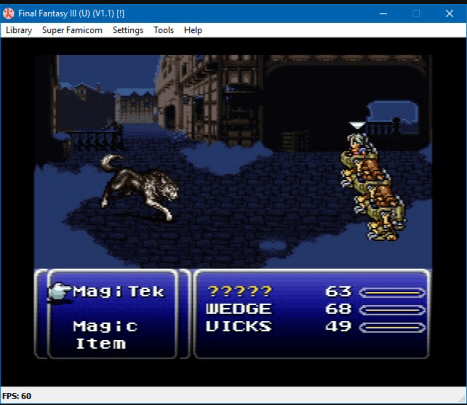
During the late 90s, the development of most of the Best SNES emulators began, however, these emulators focussed on High-Level Emulation rather than accuracy in best SNES emulator due to the lack of computers at that time. HLE tries to simulate the response of a system only which usually resulted in some games not working at all.

When Higan was developed, it focussed on rendering the original code of the games as accurately as it could be. With such perfect accuracy, gamers get an experience which is as good as they can have on the console.

Even though Higan still hasn’t got the 100% accuracy, but it is capable of running on every commercial SNES title that you can think of. You should give it a try if you are seeking for the best snes emulator and most accurate gaming experience.

SNES9X

best snes emulator for windows 10

Supports- Windows and macOS

One of the oldest and best SNES emulator for windows 10, SNES9X easily beats a lot of its competitors when it comes to features and game emulation. Developed in 1977 by Gray Henderson and Jeremy Koot, this emulator was a combination of two earliest emulators- SNES96 and SNES97. This best SNES emulator for windows 10 and macOS is currently being maintained by developer OV2.

SNES9X is light on system requirements and supports jailbroken iOS devices, Android, Nintendo 3DS, and more. It doesn’t need any specific adjustments and you can launch the games immediately post the first extraction. You can easily run any SNES title without any errors, even if you are using dated hardware.

However, as it is dependent on Direct X, it cannot be downloaded. You will need to install Direct X first in order to make Snes9X work. The good things are that the Direct X library add on more unique features such as support for game cheats, ability to save game states, external gamepad support, and more.

ZSNES

best snes emulator for windows 10

Supports-Windows

ZSNES was developed back in 1997 and even though it is counted among the least accurate but best SNES emulator for Windows 10, still it is used widely. You can use ZSNES to run the most popular SNES games pretty easily, but the execution can be dreadful at times.

This best snes emulator for Windows 10 offers various features including filters to improve the video output and a recently played list which shows the last ten games that you have played on the emulator. What makes ZSNES stand apart from other emulators is that it can run on a turnip. With an amazing low overhead, this emulator is the ideal choice if you are stuck with a very old Windows version.

RetroArch

best snes emulator for windows 10 and android

Supports- Windows, macOS, Android, Linux, and Web

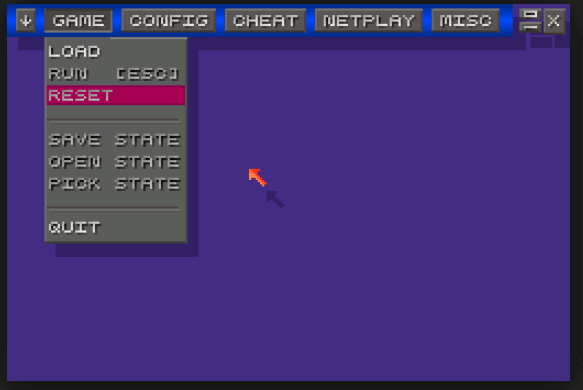
RetroArch is a unique and one of the best SNES emulator for android and windows 10 which supports a wide range of systems. This made it a popular choice among game lovers who wanted to try all varieties of games and get the most out of an emulator. It is free to use, open-source engine which pulls in other open-source emulators. It supports a variety of controllers and you get advanced features such as fast-forwarding, rewinding, shaders, etc. Gamers get options for not only SNES, but also for NES, PlayStation, Sega Genesis, N64, GameCube, 3DS, and more. This best snes emulator for Windows 10 and android also allows you to record and stream your gameplay to YouTube and Twitch.tv.

There is a bit of learning curve in the application and you may have to read the wiki to find most of the troubleshooting answers. The emulator has a high compatibility rate and supports on-screen controls. You will not find any advertisements or bugs and it works decently on various smartphones and tablets.
BizHawk

best snes emulator for windows 10

Supports- Windows

Designed predominantly around the production of Tool Assisted Speedruns, this is a multi-system emulator. Despite being designed specifically for TAS, BizHawk is an easy-to-use and best SNES emulator for windows 10 when it comes to casual gaming as well.

This best SNES emulator for windows 10 boasts several features including full-screen support, joypad support, auto fire controls, input display, RAM searching, Lua scripting, rewind, and more. Apart from SNES, BizHawk also supports games on various other platforms such as NES, Nintendo 64, Sega Genesis, PlayStation, etc.

OpenEmu

best snes emulator

Supports- macOS

OpenEmu isn’t a new name for all the emulation enthusiasts. Developed in 2007, it is an open source multi-system emulator developed for macOS, which provides plug-in interface to emulate various consoles. It can be more accurately described as a frontend for various other emulators. It offers 13 cores which support 12 systems including SNES, NES, Game, Boy, Game Boy Advance, Nintendo DS, Sega Master System, Sega Genesis, Sega Game Gear, Sega’s 32X, Virtual Boy, the TurboGrafx-16 and the NeoGeo Pocket Color.


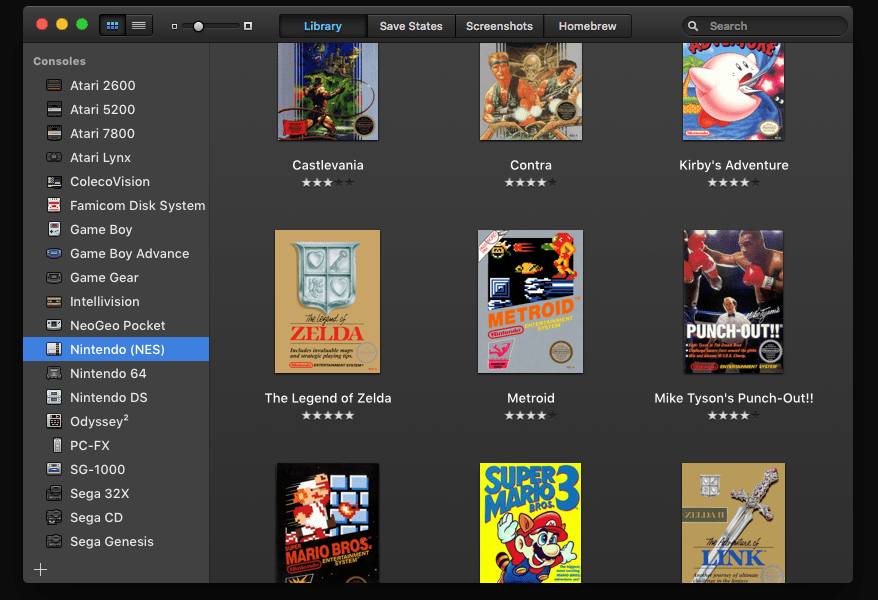
The user interface of OpenEmu best SNES emulator is pretty simple, you just need to drag and drop your ROM files to the window and the app will create their copies in the game library, organize them and download box art for the game automatically.

This best SNES emulator also offers various features including graphic filters for display enhancement, ability to play various ROMs at once, high-quality OpenGL scaling, save state support, ability to scan attached disks, full-screen support, and a lot more. One of the most amazing features of OpenEmu is how it organizes all the games in a unified game library. You will be able to create your unique collection from different consoles. It gets extremely easy to add, browse and, organize your games. With a compatible gamepad, you can get the best experience of your favourite games that you already own.

Nestopia UE

best snes emulator for windows 10

Supports- Windows and macOS

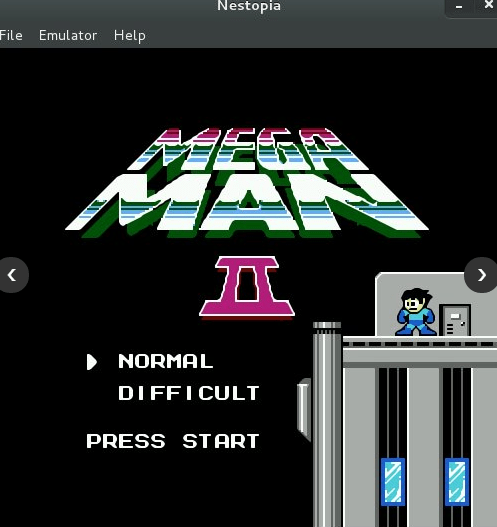
Even though more than a decade as passed since the development of Nestopia UE has stopped, but it is still counted as one of the best SNES emulators for windows 10 and macOS. Using RetroArch, as a front end user interface, you can download the Nestopia core to enjoy the official version of the emulator.

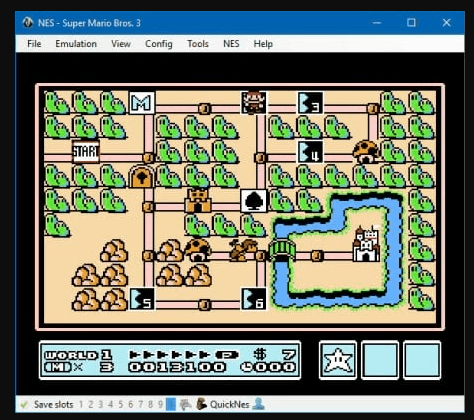
With a simple and user-friendly interface, Nestopia UE can be easily set up. This best SNES emulator offers various features like save state support, auto-detection of PAL and NTSC format games, multiline cheats support, option to select the favored console, audio filters, automatic soft-patching, etc.

John SNES

best SNES emulators for Android

Supports-Android

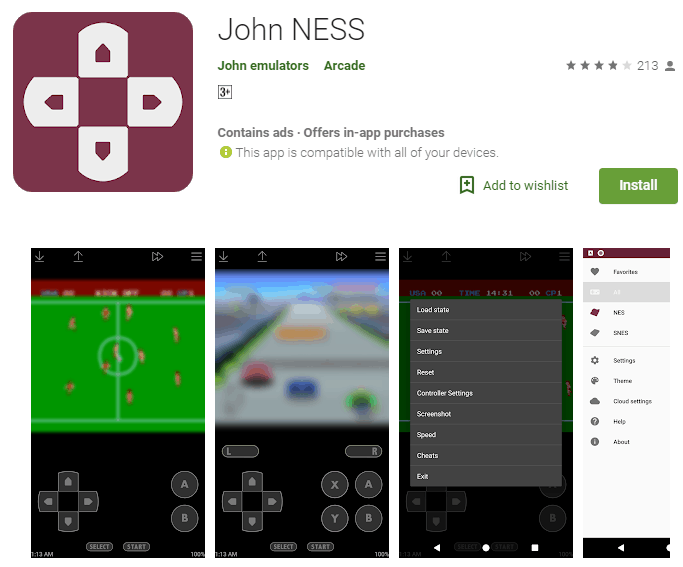
One of the best SNES emulators for Android is John SNES. It allows you to play the entire catalogue of one of the best consoles of all the time. This best SNES emulators for Android has great compatibility and it doesn’t take too much space in your smartphone. You can play many popular games like Super Mario World, Super Metroid, Zelda: A Link to the Past, Chrono Trigger, and more.

You can save the game whenever you want, customize the controls, and as the best SNES emulators for Android is compatible with Bluetooth, you can use your Android device as screen to play any game using other controls.

SuperRetro16

best SNES emulators for Android

Supports-Android

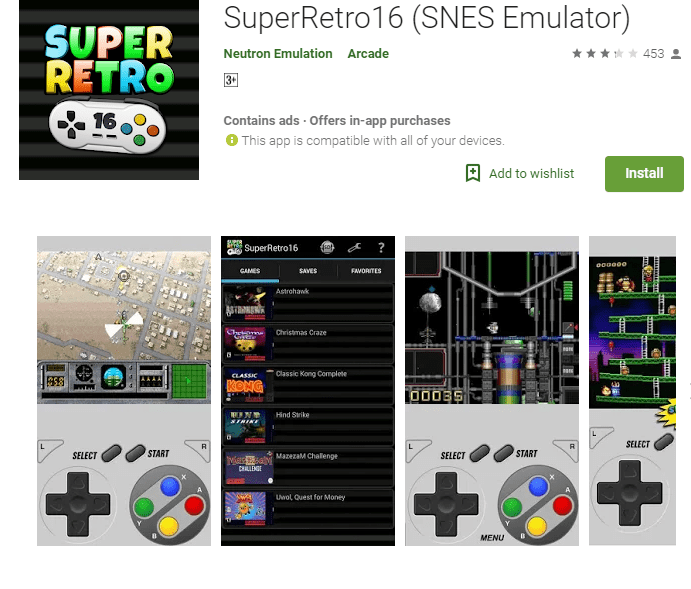
Looking for SNES emulators android, SuperRetro16 is a complete and best SNES emulator for android with features that include cloud storage support, save/load states support, fast forwards, support for various types of controllers, etc. It is highly compatible with .smc, zip, fig, and 7z formats. It also offers possibilities such as an option to take screenshots, activate cheats and increase the speed of the games using turbo which comes handy while playing RPGs. While playing games, you get the option to see the Super Nintendo controls on the screen for better gameplay. This best SNES emulators for Android also offers visual enhancements to make games appear smoother and you can play in both horizontal and vertical modes. With so many features and possibilities, SuperRetro16 is indeed the most in-demand SNES emulator Android.

SNES9X EX+

best SNES emulators for Android

Supports-Android

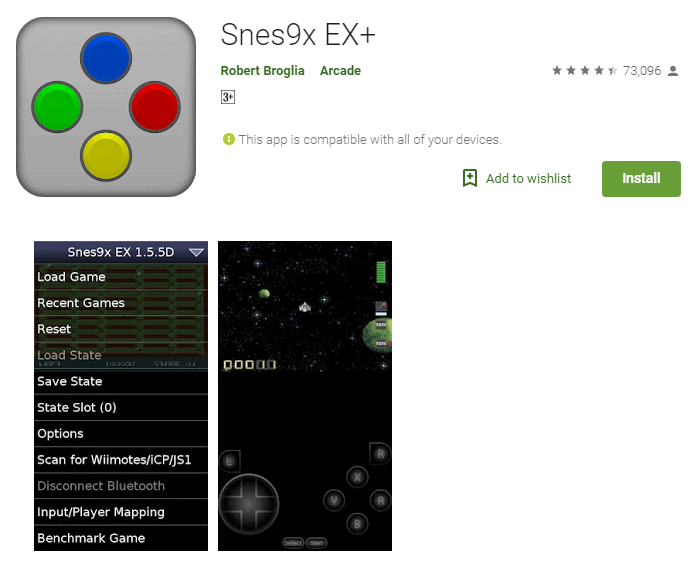
SNES9 EX+ has been considered one of the best SNES emulators for Android since its release. It comes with all the basic features that you can find in most of the SNES emulator android including save state support, on-screen controls, support for .smc and zip files and gamepad support. The user interface has a conventional appeal, but it works decently on all the devices. On top of that it is completely free with no in-app purchases.

Wrapping up:

With the evolving world of video games, it is easy to move from one game to another. Many of the most popular releases of decades back cannot be played until you use an emulator. This guide on best SNES emulators for Android, Windows 10, macOS that will help you in getting started with the right emulator that matches your requirements.