TweenLite is a third party tween class coded by Greensock which can be used as a substitute to the built-in Flash tween class. This class comes with the bunch of features and effects which are very easy to use and attractive as well. TweenLite is faster than other tweening engines that support both Action Script 2 and Action Script 3 languages. It is well-known for its speed, features and expandability.
How to import TweenLite Tween class in Adobe Flash and start working with it?
First of all download the TweenLite class zip file from Greensock website
Now unzip the downloaded file and copy the “com” folder, paste it in the folder where your Flash (FLA) file is present.
Well, let me explain the code now, In this code myclip, 1, {x:100, y:100, ease:Back.easeOut} – myclip is the movie clip we are about to move by tweening. After that “1” is the duration in seconds which sets the time for tween. Further x:100, y:100 moves myclip to pixel of 100 X and 100 Y. Finally ease:Back.easeOut is tween effect which myclip uses to move.
Greensock has created visual code maker to generate Tweening code to include in Adobe Flash, which helps you to get your code easily for tweening using various effects.
Why use TweenLite Tween Class For Adobe Flash?
There are many reasons to use TweenLite Tween Class in Adobe Flash. The most important reason is that TweenLite Tween Class doesn’t get stuck between the movements as the built-in tween class of Adobe Flash does. Therefore the tween code garbage could be avoided with this class. TweenLite tween class works faster than built-in tween class of Adobe Flash.
Many criminals have attested to the fact that they’ve been deterred from breaking in to homes or buildings by barking dogs or CCTV cameras recording their actions. A study by Co-op Insurance revealed that burglars are opportunists and they look for easier break-ins that won’t attract much attention.
The biggest deterrent for thieves and burglars are CCTV cameras – these people do not want to be caught on camera even if they are wearing masks.
The same study concluded that more than 28% of adults in the UK don’t take sufficient security measures to keep their property safe. Some of the more alarming statistics were:
55% of the people surveyed slept with their windows open
24% left their doors unlocked while they are at home
12% did not close their garden gates
20% posted pictures online showing they were on holiday and so unintentionally drawing attention to their empty homes
These numbers alone should be sufficient to convince anybody to reevaluate their attitude to home security. There’s at least one easy thing you can do: experts believe that 67% of domestic thefts and burglaries coulf be prevented if people installed CCTV cameras.
How Do CCTV Cameras Prevent Burglaries?
Always remember that burglars will go for an easy target – they are afraid of leaving any evidence that can be traced back to them. This is the prime reason they opt for properties where there are no security cameras. This way, they can avoid attention and suspicion.
They Gather Evidence
CCTV footage has a significant legal value – it is usually admissible in court and can easily shift the course of an investigation. If your home is burgled, CCTV footage helps the authorities gather the evidence they need to identify the culprit. CCTV recordings greatly improve the chances of the perpetrator being caught.
Record and Monitor
Every intruder is scared of being recorded and monitored on camera, and this is the fear that you need to exploit. CCTV monitoring ensures that your property is being watched and closely observed in real-time and if something suspicious happens, you can call the police immediately. Intruders will always stay clear of properties where CCTV cameras are installed and target more vulnerable homes.
Remote Observations
Burglars will wait for the right moment to enter a property – they wait for the occupants before they break in. CCTV monitoring has an added feature that greatly benefits all property owners – even if you are away, you can easily view the CCTV footage. You can observe and monitor the premises, live and remotely. This is a high-level, 24-hour professional security service, that is expensive but worth every penny!
Tips to Keep in Mind
There are a few things which are important to consider when purchasing and installing a CCTV camera to ensure the maximum level of efficacy:
If you want to deter burglars from targeting your property, make sure you install your CCTV cameras somewhere obvious where they are prominent and visible. This will scare off burglars who are afraid of being caught on video.
Some people believe that CCTV cameras actually invites burglars – if you agree, you can always place cameras in more hidden spots or opt for smaller, more discreet model. These are inconspicuous and will blend right into the outside of your property.
Attach capacitors to each camera to prolong its battery life. You should also invest in regular camera maintenance and replacement to ensure that your home or office is always being monitored.
Wireless CCTV cameras are less hassle, and also attract less attraction.
IP Cameras Vs CCTV Cameras
People generally think of CCTV cameras when it comes to traditional surveillance technology, but IP cameras are also becoming increasingly popular. There is no clear best option when it comes to CCTV cameras vs IP cameras – as long as you can keep an eye on what is happening or happened at your property, you can easily prevent burglaries and scare away would-be thieves.
An Internet Protocol camera is a security device that transmits real-time data over the internet. It allows you to view the location as a live video feed regardless of the location. On the other hand, Closed-Circuit Television is a type of security system where cameras record the video of the location and transmit the video feed to display monitors.
Key Takeaways
The landscape of modern surveillance is constantly evolving – with the integration of technology, many new digital devices have emerged to protect your property from burglaries and theft. There’s no magic answer when it comes to technology security, but it is safe to say that CCTV will keep burglars away from your home and keep you protected.
Some form of security is always better than none – if you can’t decide what system to install, at least make sure you have some kind of security technology, otherwise you are openly inviting thieves.
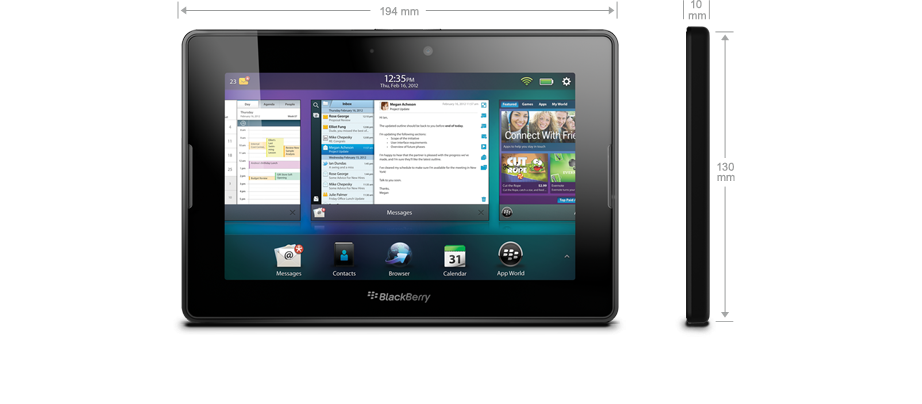
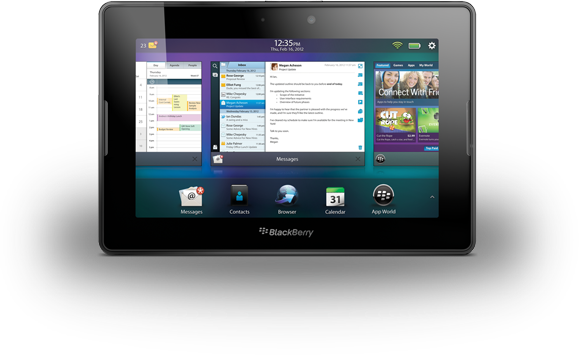
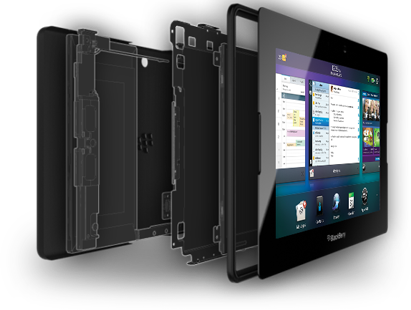
BlackBerry PlayBook is BlackBerry’s tablet PCs packed with cutting edge technology, high performance and all the things you need in a tablet. With BlackBerry PlayBook and OS 2.0 you get a whole new tablet experience. You can work, play, click photos, make video calls and much more. BlackBerry PlayBook comes with a 7 inch LCD and a resolution of 1024px600p capacitive multi-touch screen. It also has a 3MP front camera and a 5MP rare camera for good quality video calling. Enabled with 1GHZ Dual Core processor and 1GB RAM for faster experience. BlackBerry PlayBook comes with inbuilt memory of 16GB, 32GB and 64GB versions. To connect with the outer world the tablet is enabled with Wi-Fi, USB Port and a micro HDMI port. It also supports HTML 5 and Flash 11.2 for web browsing. You can already feel the vibe!
Work
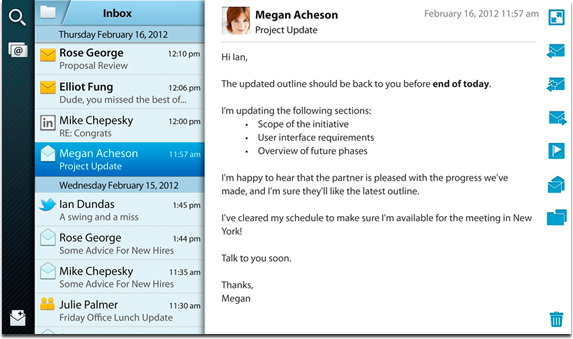
BlackBerry PlayBook comes with an inbuilt message manager which allows you manage your messages, emails and social networking all in one inbox for faster interaction. Create, edit and format your messages with many tools within and keep your work up to date.
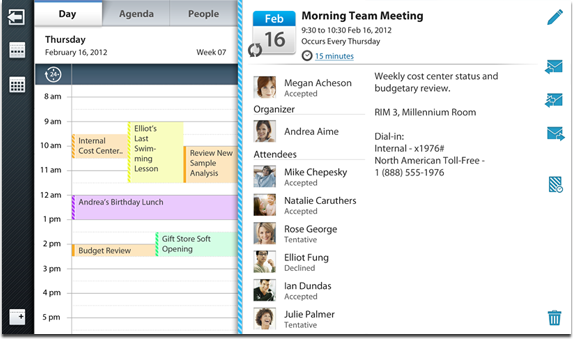
Manage your calendars with the built in calendars and never miss a thing. With the new newsreel and People view feature manage your appointments, meetings etc. without missing anything. Keep track of people you meet and companies you consult all on one tab.
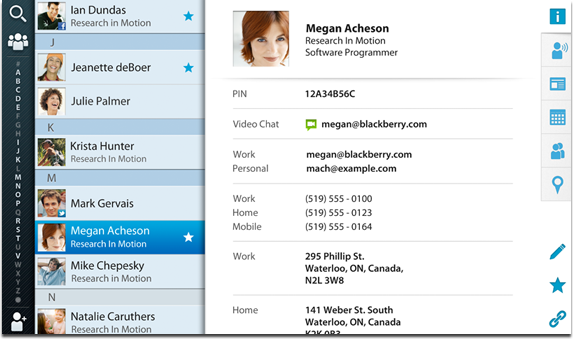
Contacts are the important nodes of your business and social world. Maintain them with the built in contacts app to synchronize all your social network contacts and work related contacts all in one place. You don’t need to maintain different lists anymore.
Meetings play an important role in a business and with BlackBerry Playbook’s two HD cameras you can video call anywhere on the go. With stereo speakers and HD cameras, video calling is whole new experience on BlackBerry PlayBook. So, never miss a deal in your business with BlackBerry PlayBook HD video calling.
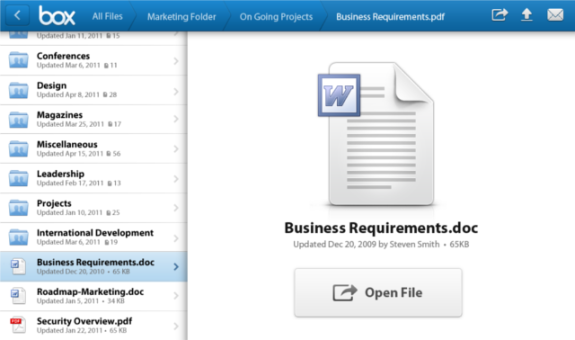
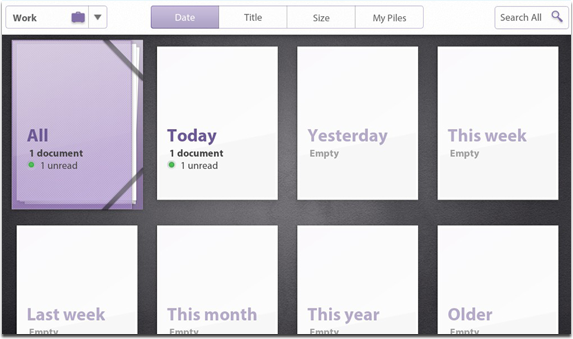
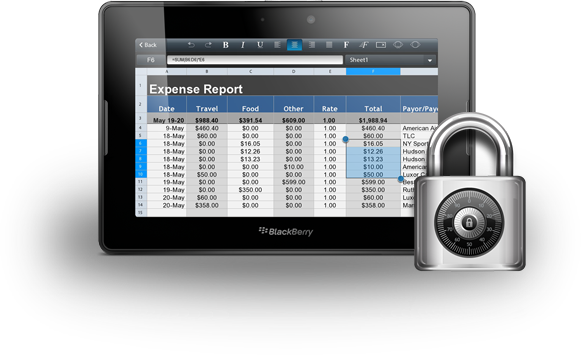
View, edit and share your documents with Documents to go on BlackBerry PlayBook. View and edit World, Excel and PowerPoint files on Documents to go. You can also use Box sharing.
Also print your documents wirelessly from your laptop or PC directly to your PlayBook with Print To Go.
Entertainment
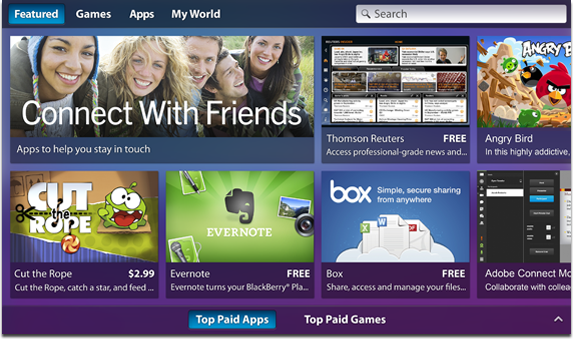
BlackBerry PlayBook supports many awesome apps, games etc. You can download or purchase the apps you want from the BlackBerry App World. Enjoy social networking sites like Facebook, Twitter etc. right at your tips.
BlackBerry PlayBook Remote
You can use your BlackBerry phone as a remote keyboard and mouse for your BlackBerry PlayBook with the new BlackBerry Bridge technology.
Multitasking
BlackBerry PlayBook allows you to run many applications simultaneously. You can email your clients and download a file simultaneously and much more. Enjoy multitasking at its best on BlackBerry PlayBook.
High Performance
With the latest cutting edge technology BlackBerry PlayBook gives you high performance experience. It is geared with high speed Dual Core Processor, 1GB RAM, 3MP front and 5MP rare camera for HD video recording and QNX technology.
Security
With the QNX technology and BlackBerry’s security you can always keep your data safe from wrong hands.
BlackBerry PlayBook Price
The current pricing for BlackBerry PlayBook are as follows
Apple products are known to have a very long lifespan with the iMac being operational for up to eight years with some decent treatment. However, apart from hardware durability, there are a few other factors worth taking into account when deciding whether it is finally time to depart with your beloved Mac.
We have investigated the subject to give you the latest updates about the iMac and its approximate life expectancy.
Hardware Endurance
If you got your hands on the iMac, then chances are you will use it for hardware-intensive tasks such as video editing or graphics designing, then chances are that older versions of the mac may not be able to keep up as these processes get more demanding as time goes by. Furthermore, You may also encounter the problem of insufficient storage space which will slow your Mac.
You can tackle this by installing more hard drive space or by getting an external hard disk to store your files in. As for performance, upgrades for iMac RAM can be a plausible fix, but since your macOS may be outdated, you won’t be getting optimum performance. However, don’t be concerned. You may contact reputable service facilities for iMac RAM upgrades via phone, email, or chat, and they typically issue guarantees for their work. These professionals may be able to solve your hardware problems if you explain your concerns to them.
Developer Updates
Apple is known for getting rid of updates consistently on their macOS. If your Mac is a model that falls under the vintage or obsolete category, then chances are, it won’t be able to run the new versions of the macOS, or receive the update at all.
Although this doesn’t stop your iMac from functioning as it is, with the company constantly improving its OS system, it is recommended to switch to a newer model to enjoy the full benefits of the highly praised macOS. You should also consider getting a MacBook Air this time around, as it comes with just as many benefits as the iMac with portability added to the list!
Applications Not Supporting Older Models
Assuming that you use your Mac mainly for work-related activities such as editing and designing, as updates are not limited to the OS, new versions of applications that you were able to run previously, may no longer be compatible. For example, Adobe Creative Cloud 2015 no longer supports versions older than the MacOS X 10.9.
Even if you do not put your Mac through intensive work hours, utilizing every bit of its power, the mac is still going to have problems like freezing up and stuttering as the device gradually gets older. Hence, even if the applications you utilize do still work, the iMac won’t be as fluent at running them as it once was.
Physical Damage and The Passage of Time
When running the same product for several years, there are going to be times when you end up damaging it even if it’s just a little scratch. Dust and other malicious particles may get into the system which can cause quite a bit of damage. Furthermore, a lack of proper ventilation will cause your hardware to overheat, harming the device to an extensive level. You might also encounter viruses and malware as well which will severely affect your device.
Additionally, as time passes, no matter how hard you try to take care of your computer, it is bound to degrade. With less developer support and environmental conditions worsening by the day; at one point you will have no choice but to get yourself a new device.
Can You Extend the Lifespan?
To give you a simple answer, yes you can. With Apple making it easy for you to contact them and buy products online from almost anywhere, repairs and upgrades are always available to you. That being said, no amount of repairs will revert your computer to its prime glory, so saving up to replace the device is your best option. Here are some steps you can take to extend your iMacs lifespan:
Invest in Anti-Virus
As mentioned before, your device is not completely secure from malware threats even with the base virus protection installed. To avoid such risks, investing some cash to get virus protection software in advance is a good decision. Taking precautions will help to keep your device malware-free and extend its lifespan with optimum use.
Get More Ram and Storage Space
If your device has started to get congested with a lot of files, then expanding your storage is a great way to tackle the problem. This is quite easy to do, as storage extension can be done online as well as offline with subscriptions such as Google Drive which is available to everyone. You can also get more hard disks either be in-store or online.
Another issue we talked about earlier is your device slowing down due to high processing. This can easily be dealt with as Ram is widely available in the technology market.
Repairing Damaged Parts
If you messed up your computer by mistake, the best way to revert your errors (maybe not 100% always) is to contact Apple support and send your device to their warehouse. The company will do its best to bring your device back to its former glory. There are other third-party repair firms available to solve your issues.
In Conclusion
When it comes to any sort of technological device, the only thing you cannot fight against is the passage of time. As time progresses there are bound to be newer models surfacing on the market, making your device of less importance to companies.
Hence, even with your utmost effort, fighting against time is simply not possible and going with its flow is perhaps, the best option for you. We hope this article has proven useful in deciding on whether it’s time for you to get yourself a brand-new iMac with all its geeky upgrades and finally retire your older device.
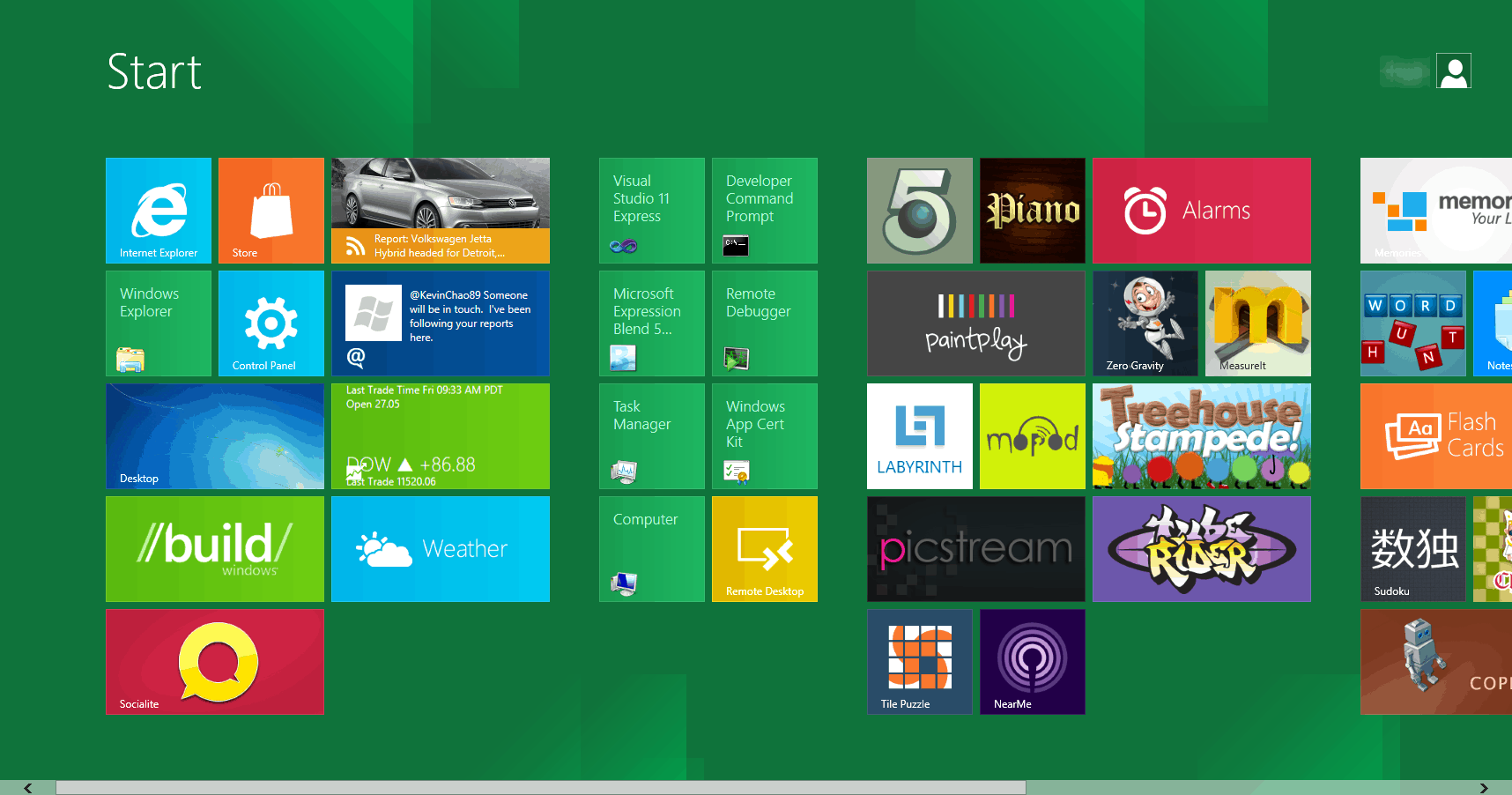
Microsoft has unveiled Windows 8 Consumer Preview and now it is available for download and give a try to the awesome metro apps and robust features as well. Windows 8 Consumer Preview is available for free which had been downloaded by million users in a single day. According to the Microsoft it has changed over 100,000 codes since its Developer Preview. The re-imagined Windows 8 Consumer Preview is a pre-release version of final Windows 8 which has built on the rock-solid foundation of Windows 7, it is fast, secure and reliable. Microsoft clarifies that Windows 8 Consumer Preview is only for experienced PC users who are intended to enjoy new experiments and it also expects the reviews from preview users to make the final release even good.
Prerequisites for Windows 8 Consumer Preview
Windows 8 Consumer Preview runs perfectly with the hardware requirements supported by Windows 7 therefore you need not worry much about it. Below is the list of minimal system requirements for PC or laptop for installing Windows 8 Consumer Preview –
1 GHz or faster processor
1 GB RAM for 32-bit and 2 GB RAM for 64-bit
Minimum 16 GB hard disk for 32-bit and 20 GB hard disk 64-bit
Microsoft DirectX 9 graphics device or higher
Along with this you will be also asked for the product key if you are installing Windows 8 Consumer Preview from an ISO. Product key is available here.
Precautions to be taken Before Installing Windows 8 Consumer Preview
The most important thing is that- Windows 8 Consumer Preview could not be uninstalled once you install it in your PC or laptop therefore if you need to revert back to Windows 7 or Vista then you must reinstall it from the recovery or a fresh installation so one must backup the data before installing Windows 8 Consumer Preview. According to the Windows 8 developer team it is risky to install Windows 8 Consumer Preview for business PCs as you could lose your important files and data. You can have a look at the opinions of preview users before installing Consumer Preview here.
This is sponsored post by Sellmymobile.com. All opinions are 100% mine.
Sell My Mobile is UK’s top mobile phone recycling price comparing website where you get best buyers for your old mobile with finest deals. Sell My Mobile stands ahead in its kind when it comes to the matter of selling your old mobile as it provides unbiased comparison and best price. It compares for the best price with more than top 40 recycling companies such as Top Dollar Mobile, Blackberry Recycling, O2 Recycle and Cash For Phones, and comes up with best deal while saving your valuable time and energy. Here in sellmymobile.com you can also sell broken or damaged phones and get up to 90% of the value of for same. By selling old mobiles you don’t just get bucks but also help the environment from being populated with e-toxin.
How to Sell Your Old Mobile at Sellmymobile.com?
Selling your old mobile at Sellmymobile.com is simple. You can sell your old or damaged handsets by sitting in the comforts of your own home or office. To sell your old mobile-
Enter your mobile name in the search box provided at the top of the website
Sell My Mobile searches through its recycling companies and gives a list of best deals and price for your old mobile.
Here you can pick a best deal and click ‘Sell Now’ button. Further go through instructions of recycling companies and post your old mobile. Most of these mobile recycling companies offer a FREEPOST service and sends a postage bag which makes your work easier and you even need not worry about the package of your old phone.
Once your old phone is posted, it will checked by recycling companies and you can get your cash sitting in your home by various paying methods such as cheque, bank transfer, PayPal or shopping vouchers.
Why Sell Your Old Mobile at Sellmymobile.com?
There are many reasons to sell old mobile at SellMyMobile website, first of all is Sellmymobile.com is UK’s No.1 official phone recycling price comparing website that gives 100% guarantee of cash for old mobiles. It searches through more than top 40 recycling companies for best deals which stands the best reason for this question. SellMyMobile operates a minimum quality standard and it don’t feature the mobile recycling companies which don’t follow these criteria.
Moreover SellMyMobile has been featured in the renowned medias such as the BBC, The Guardian, The Times and Daily Mail etc. and this depicts the popularity and trustworthiness of Sell My Mobile. User-friendly interface of SellMyMobile website allows you to sell your old handsets with ease while saving precious time.
Conclusion
SellMyMobile is a best platform for where you can sell old mobile to the top recycling companies by getting the best deals and price. This is an ultimate place where you get the appropriate value for your old mobile handset.
This post is Sponsored post by HP’s Humanity Campaign. All opinions are 100% mine.
Technology is growing each and every day, new inventions and innovations are taking place every day. Technology makes your work simpler and faster in each and every sector of your work but only up to a certain extent. How would it be if technology understands your business? A technology which would consider your needs and turn them into useful services and products? How would be that? HP is thinking profoundly on this matter and initiated the Humanity Campaign. The main aim of this campaign is to use IT into the business in a fast, affordable, modular and scalable fashion. In this campaign HP comes up with three ideas- Retain, Renew and Relax.
Retain
In the Humanity campaign Retain stands as the major concept and HP suggests their customers to retain their IT environment keeping in mind that HP’s experts are taking the load from you and your business. So, that you can continue in same environment without changing much of it and protect your business with ease.
Renew
Renew is the second segment of Humanity Campaign. With this scheme you can update your IT contracts with comfort thinking that the HP Care Pack experts are taking your IT contract renewal encumbrances. This part of Humanity Campaign helps major IT companies to renew their IT contrasts painlessly.
Relax
The idea behind Relax in Humanity Campaign makes IT personnel to feel comfortable. By retaining your IT environment you need not have to worry about renewing it since HP Care Pack services take responsibility of renewal. So, just Relax and continue with your business with more ease and security.
Conclusion
HP’s experts are striving hard to provide their customers reliable and outstanding services. HP’s Humanity Campaign intends to provide its customers with secure and smart technology to support their business. As it is said “Invention is the mother of necessity” the Humanity Campaign feels the necessity of retaining and renewing the technology in use for better results. This is an initiative step taken by HP to serve this need.