Home Blog Page 296

Cuponation: Coupons and Deals to Cut Down Price Tags

3

“A penny saved is a penny earned.”.. This one is the must follow sentence said by Benjamin Franklin years ago and as the time has passed, the quote above has become even more valuable. So how can you save while buying? Don’t worry here is a website that offers coupon codes which can be used while shopping to cut down the expenses and i.e  cuponation.in.

Of course there are many coupon websites available on the web but Cuponation has some great deals that you never wish to miss. First of all let me briefly explain about cuponation.

What is Cuponation?
cuponation

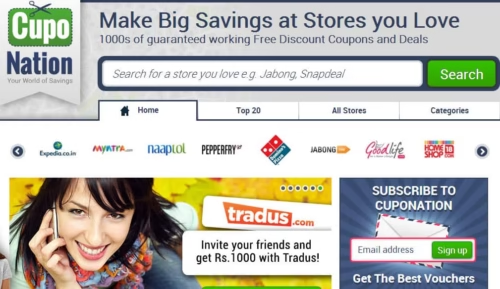
Almost everyone likes shopping but many hesitate to buy the products they like because of expensive price tags. We mess with many popular e-commerce sites such as FlipKart, naaptol, Myntra Domino’s Pizza, Zovi, eBay, Cleartrip and Jabong etc. but we usually don’t think of deals or coupons that cut downs the cost of the products we purchase.  Cuponation offers such coupons and deals so that you can shop more with less expense.

CupoNation is designed for all kind of online shoppers, here you get great deals and coupons for the categories including Electronics, Books, Apparels, Restaurants, Movies, Food, Travel and many more.

How to use Coupons from Cuponation?

using coupons code from Cuponation is simple, it is is absolutely free and doesn’t require to sign up and waste the time. Here is how to shop online using Cuponation coupon codes-

  1. Select the offer you wish to have and click on “click here to view code” button
  2. A pop-up windows appears with the coupon code which should be pasted in the retailers website
  3. Finally Cuponation automatically redirects you to the retailers website which makes the shopping easier.
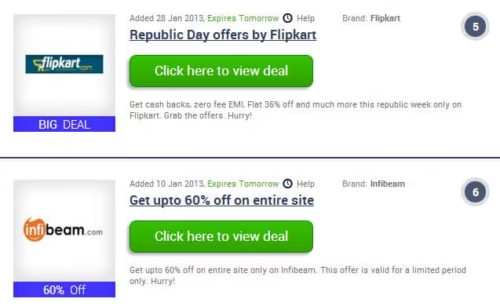
cuponation 2

One more interesting thing I found is Top 20 list, pagination and categorized listing which helps us to quickly find the coupons we are looking for. It also allows picking coupons store wise so if you are looking for coupons and deals from FlipKart then you can directly visit that page.

If you want to shop with less expense and more fun then you must visit Cuponation. You can get the best coupons directly to your inbox by signing up to newsletter and follow Cuponation on Facebook, Twitter, Google+.

Website: www.cuponation.in

Facts About Microsoft Certification Exam 70-350

0

Microsoft certification exam 70-350 is also known as the Implementing Microsoft Internet Security and Acceleration Server exam and is open to those with the appropriate knowledge and experience. You can tell how it is intended for many different people by the fact that it is available in five languages. These languages include English, Japanese, German, French, and Chinese (simplified).

Participants with experience in this field and with SharePoint should not think twice about earning this certification. Participants should know how to create an application design and manage application development. The design of composition applications and solutions will also be touched (earning this exam can be a great segue into the cloud-based solutions exams, also offered by Microsoft). MCTS
prerequisite exam, SharePoint 2010 Application Development (70-573) will cover similar information, but will focus more on the actual technology. To get a full depth of application development knowledge as it relates to SharePoint, earning this professional certification is ideal.

Microsoft Certified exam

Requirements You Need Before You Take The Test

The requirements for taking this Microsoft cert exam begin with a minimum of one year of experience working with medium size and large network implementation and management. The individual must also possess at least a cursory understanding of DHCP, Active Directory, RADIUS, Certificate Services, DNS, IMAP, Routing and Remote Access, HTTPS, HTTP, POP3, FTP, TCP/IP, RDP, SSL, WINS, and SMTP. The individual should be familiar with Microsoft Windows 2000 Server as well as the Windows Server
2003 Operating System

Objectives Of The Microsoft 70-350 Exam

The objectives that have been set for this Microsoft Certification Exam include ISA server planning and installation, client computer installation and configuration, ISA server configuration and management, firewall policy configuration, remote network connectivity management and configuration, web caching configuration, and ISA server monitoring and reporting.

Why Go To All This Trouble?

After seeing what you need to have already done and what you have to learn to take this exam, you may be wondering why you should go to all this trouble. You need to remember that Microsoft certifications  help you to get ahead in the workplace, and they do this internationally. You get certifications like this one to show what you know.

My Experience with ESET NOD 32- Antivirus that doesn’t Slow Down Your PC

1

Before sharing my experience with you with ESET NOD 32 antivirus, I want to clarify that this article is not a sponsored post but a genuine writing of a product that saved my PC from dangerous threats.

Also read:

What was the Issue?

I have a Lenovo PC with intel core 2 duo processor and 2 GB of RAM, this specification is suitable for all the modern software but when I used to install antivirus software, my system performance was fairly low, especially in startup it used to take up to 4-5 minutes and an antivirus software hanged my PC many times in startup (I don’t want to mention that software over here due to reasons).

Hunt for an Antivirus Software that Won’t Affect System Performance

eset antivirus

I started exploring for the antivirus software that won’t much affect the system performance and especially doesn’t slow down at startup. I tested many free as well as paid antivirus software to get protected against viruses but finally I made up my mind to install ESET NOD 32 antivirus to test whether this antivirus is suitable for my PC’s specification.

Before paying for it, I thought of installing a trial version of ESET NOD 32 which works for a month without any bucks or buggy advertisements that force to buy the full version. I downloaded the offline installer of ESET NOD 32 and finished the installation process in minutes along with virus database update.

What was the Result?

First of all I restarted my PC to check how ESET NOD 32 antivirus performs in startup and the result was outstanding, at the moment I had a doubt whether I have installed the antivirus or not.. really!.. it was very smooth and hang free. Further I opened multiple high end software and also started smart scan in ESET NOD 32 and found that it won’t much affect system performance.

ESET NOD 32 has some useful built-in modules such as Removable media scan, anti-stealth protection, anti-phishing, social media scanner to keep your Facebook safe and document protection which lacks in some other antivirus software I tried.

Conclusion

I am not promoting any antivirus software over here but just shared my genuine thoughts and experience with ESET NOD 32. I hope you will agree to my opinion once you give a try to it, download it over here.

Tricks to Promote your Blog on Tumblr

0

How, does one get traffic on their blogs, there a basically two top methods to get traffic to there blogs and those are Search Engine Optimization and the other is Social Media Promotion. We are here to talk about the latter of the two, Social Media Promotion. There are many Social media where one can promote their blog to maximum traffic. But, to do that you need to know how things work there.

tumblr

Facebook, Twitter, Pinterest, Digg and Tumblr are some of the best social media promoting sites. And we are here to talk about Tumblr, one of those website, that runs on the idea of blogging. There are around 87 Millions registered bloggers on Tumblr, of which 40 Million are active. So, naturally Tumblr is a great source of traffic generation when it comes to Socially generated traffic.

Why is Social Media promotion, well in terms of SEO , the more the social presence your website has, the more Google will trust you. It is like if people trust they will come to you. Tumblr makes you get noticed by fellow bloggers and you make new connections, which in a way makes you develop idea building skills and writing skills. Most of you get massive traffic if you do it right.

How to promote your blogs on Tumblr

Like Twitter, You have follow blogs and writers to keep up with them and learn new tricks. You have to interact with the bloggers there to make them come to you. You have to try to impress as much as you can. This is one the building blocks in Tumblr. Once you gain authority and good number of followers, traffic is bound to increase on your blog. The golden rule is the more the follower the more your blog is popular and gets good traffic via Tumblr. All you have to do is follow the directions below and keep doing them everyday.

  • Create a Tumblr blog, and add content relevant and targeted to the posts on your blog.
  • Link your Tumblr post to the blog you are trying to promote.
  • Wirte good posts and try to get highlighted on Spotlight. Spotlight are the very best posts on Tumblr. You have to write consistently and use Tumblr everyday periodically to get an invite from the Tumblr staff for an invite to Spotlight.
  • If not on Spotlight, try landing on Explore Page.Try to add relevant tags with popularity in Tumblr. You should always keep an eye on most trending tags over Tumblr and try to write according to that data.

Remember, once in a while try to write something very unique cause Tumblr is a place where viral sharing takes place and a unique article gets noticed just like that.Your Tumblr blog entries can offer plenty of opportunities to link back to your blog, which boosts your search engine ranking.

So, that is all I can tell you about Tumblr, I myself get good traffic from Tumblr, at my very own blogs. It is now your turn to give Tumblr a chance. If you can abide the rules, you have a golden future and Google will be with you. Please feel free leave questions below or connect to Techgyo on Facebook, Twitter and Google Plus.

Author Bio : Everyone, I am Yash Vardhan and I write for Techzane , a technical site where I manage blogs about WordPress, Windows, Facebook and Ubuntu. I am an Avid Android user and also have great craving for chinese food.

5 Ways You’re Ruining Your Online Reputation

2

It’s easy to lose your good name in real life through misconduct or bad behavior, but at least the fallout is generally contained within a relatively small geographical area. You can always move to a new town and start over.

On the internet? Not so much. Your reach is much greater, so the potential for your reputation to be damaged is exponentially higher. Not to mention that what goes on the net stays on the net.

Apart from directly putting people down or starting text fights, these are the five most likely things you may be doing that are ruining your online reputation.


Spamming people

If you are a business, you are probably sending too many messages to customers or potential customers, period. In addition, most of these messages are likely spammy, sales-pitch messages.

If this sounds like you or your business, the best thing you can do to curb this harmful activity is to learn about permission marketing.


Posting inappropriate content

You can’t delete your online activity. No matter how many times you hit the delete button, that post, picture, or comment is still there, stored forever and ever in the mystical land of the cache.

If you don’t know what that means, just believe me – it’s all still there, and those who know how to find it can.

The rule of thumb I like to use? If you wouldn’t email it to your mom, don’t post it anywhere online.


Not Tracking Yourself

Have you Googled yourself lately? You might be surprised how much comes up. Depending on how active you are online, there could be pages of results.

If you are going to use online communications (and if you’re not you can go ahead and close up shop now), then you need to know what your reputation looks like online. Googling yourself is only one general way to see how your online presence is being seen by others.

A much better method is to use a social media monitoring dashboard to track real-time engagement with your customers. A good dashboard will tell you what people are saying about you or your company when they say it, and give you the ability to respond right away to either thank them for positive feedback or engage them to try to fix whatever issue is giving them a negative opinion.


Being Negative

People’s natural tendency is to be negative. It’s easy to complain about things instead of being positive. You will be known by your perceived attitude, and that perception is shaped online by what you choose to put there.

This does not mean that you can’t post controversial things online, but the way you choose to discuss them will determine whether your readers interpret your musings as interesting or annoying. Be positive, be inquisitive, but don’t be negative.


Talking about Yourself

You know that there is nothing more interesting in the world than you and what you have to say, but trust me when I say that your followers, friends, and subscribers have a different opinion of what is interesting.

Social media is about engagement. Engagement is a conversation. Do you remember the last time you tried to have a conversation with someone who only talked about themselves? Those are the times when you suddenly remember that thing you had to do across town, and then politely excuse yourself.

Your readers don’t have to excuse themselves, they just stop reading and don’t come back. If you are not capturing their attention, you are losing the game. Rest assured that your latest sale is not the most interesting thing in their list of choices of what to spend their time reading. If you get their attention first, however, they just might pay attention to your sales.

Releasing MetroUI Free Template by TechGYO.com

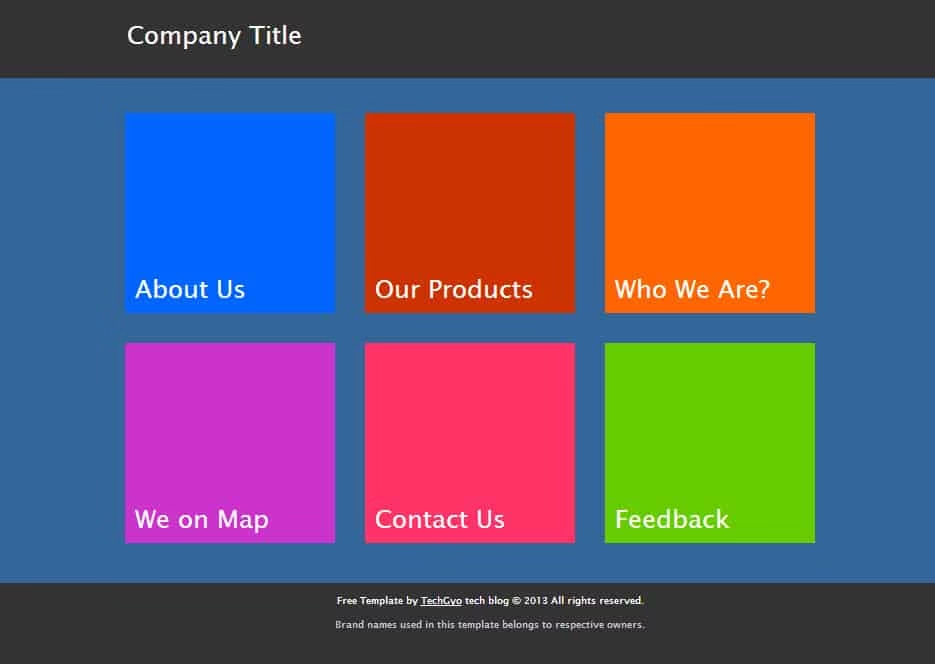
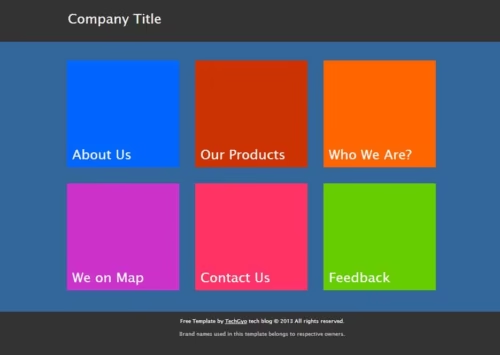
Hey folks, Metro UI HTML Template is a unique metro style theme for the website which is built with html, jquery and an animation library [No flash], it runs independently without any CMS. This template comes up with 6 colorful buttons and each button loads the respective pages without reloading the site.


For what kind of websites can I use this template?

You can use this template for personal and business sites, presentation, portfolio and self-introduction etc.

Some Salient Features of Metro UI HTML Template

  • It is a simple, clean and colorful HTML template for Windows 8 lovers
  • Metro UI HTML Template is a cross-browser compatible theme, we have tested it in Google Chrome, Internet Explorer and Opera and got the outstanding performance
  • It is a free template so you can use it in your projects, it would be appreciable if we get a Facebook like from you in back

How to Customize Metro UI HTML Template?

Customizing the Metro UI HTML Template is simple, just go through the steps below to change the button names as well as your website title.

  1. Open “index.html” in notepad
  2. Click on “Replace” from Edit menu [Ctrl+H]
  3. Replace “Metro UI Html Template” and “Company Title” with your website title
  4. Again follow the 2nd step and replace button names, for example if you want to replace “About us” then find and replace with your choice
  5. Finally add your website content in 1 to 6 html files provided in the same folder, 1 to 6 buttons displays 1 to 6 html content respectively. Isn’t it simple?

Some Screenshots of Metro UI HTML Template

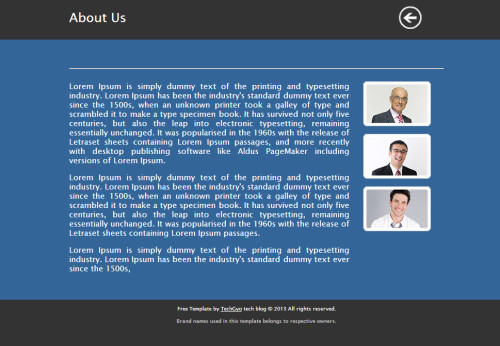
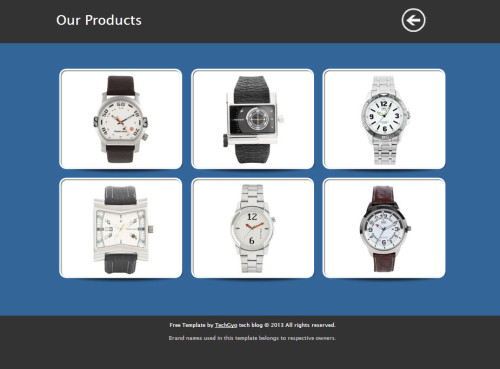
Metro UI HTML Template Metro UI HTML Template 2 Metro UI HTML Template 3

Template Preview

Download Metro UI HTML Template


[sociallocker id=”17979″]

File: Click here to download

[/sociallocker]

[emaillocker]

File: Click here to download

[/emaillocker]


Do you want us to customize this template for you? Contact us. Image courtesy- Internet Inspired by Windows 8

Whip App- An Awesome App To Create, Share and Explore Social Albums

This post brought to you by Arcsoft. All opinions are 100% mine.

Photobucket

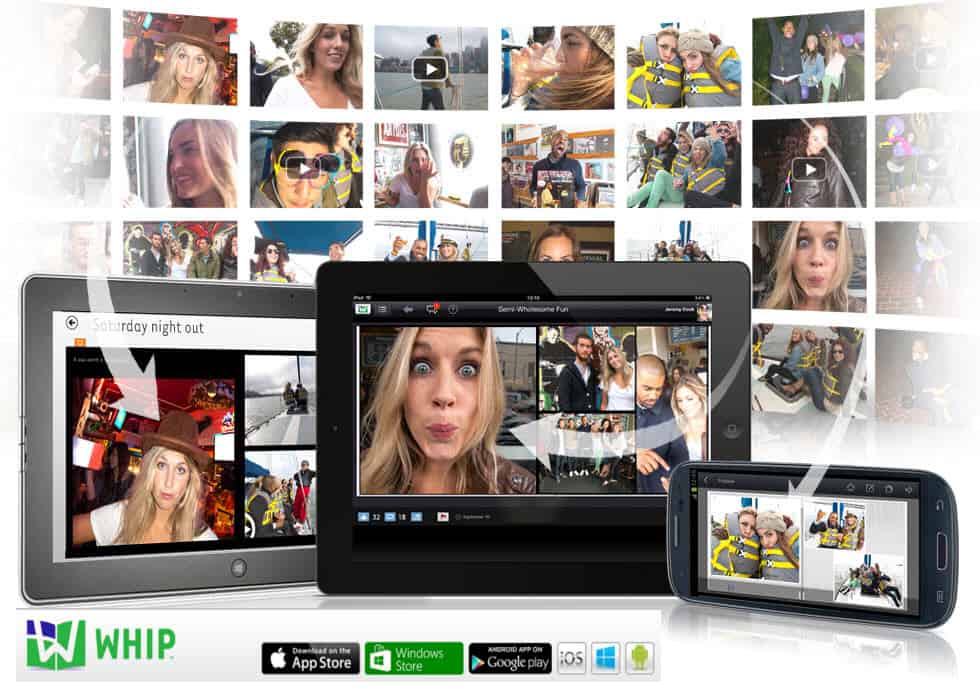
Whip App is a free social photo album app for iPad, Windows 8 and Android. The android version of Whip was released recently. With Whip App you can create photo albums and share it on social networking sites like Facebook, Twitter or also via email. Photo albums made with this app give you a real album experience. You can view slideshow of your album or you can view them manually like a real magazine. It’s very easy to make photo albums using this app. Whenever you are in a mood to share your photos with the world, Whip helps you get them in a trendy album, customize photos and share them. Also you can add music from Whip’s indie library. Holidays, adventures, special occasions etc. Let it be any occasion Whip helps you share stories of life’s moments in just a few steps.

Whip App on iPad, Windows 8 and Android

Creating Social Albums with Whip

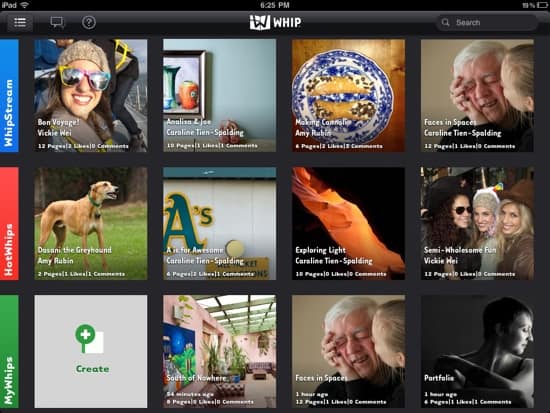
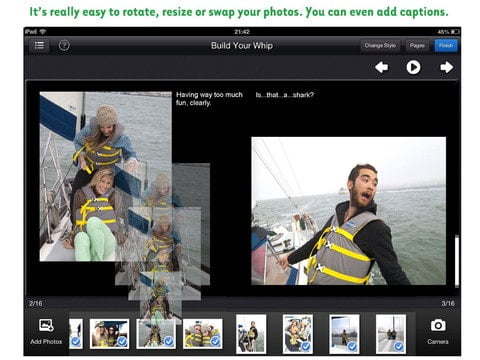
With Whip, creating awesome photo albums is very simple. All you need to do is pick a few photos you want to share with the world, select a suitable album template and let Whip do the rest. You can select up to 24 photos. That’s it your album is ready to be shared via facebook, twitter and also through email. You can also add photos from facebook in your album. Whip consists of various album templates, from old classics to trendy new styles including winter style and many more. Also you can crop, zoom, rotate and swap photos. You can also add text to photos and the cover. One can also add music to albums from Whip’s indie library. And with WhipStream you can follow, like and comment on other Whipsters posts.

The video below explains how one can create gorgeous albums with this app:

How is The Whip app different from other social networking media and why should you download it?

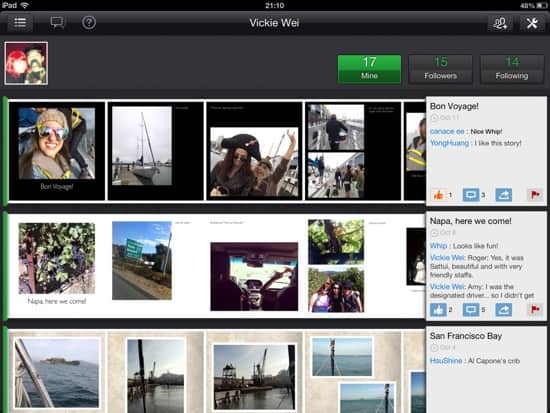
You can always share a photo or video using social networking sites like facebook, twitter etc. But for passionate people who love to share their story with the world, sharing just photos may not be enough. With this app you can turn memorable moments of your life into gorgeous albums within a few minutes. You can also add music and video to your album with this app.  Once you have created your album you can share them with facebook, twitter and also through email. On recently released Android version of Whip, sharing can be done via SMS also. People can view your albums on any computer, tablet or smartphone and do not necessarily require the app to view your albums. This gives you enough reasons to get Whip App on your device and you may be already thinking to download the Whip App right now, but hold on a bit more and see for yourself what more you can do with this app. Apart from face book and twitter you can follow your friends and other Whipsters on WhipStream. Also, you can comment and like their Whips.

Holiday, Adventure or an Event, Whip shares your story of the moment

Photobucket

Whip App for a Cause, Holiday or Fun

Whip Social Album – Whatever may be the occasion, Whip helps your memories to be shared in an awesome and gorgeous way. On occasions like weddings, birthdays etc. photos play an important role. These are events where people want to capture the moments in a unique and special manner and always want to remember those moments. Thus when it comes to such events, the Whip App can prove to be your best friend. Say you and a couple of your childhood friends meet after a very long time and want to celebrate Christmas together. Definitely your friends including you would want to remember these moments for the rest of your life, since you never know when you all may do it again. Well, Whip the app can make you dazzling albums and allow you share them with the world within minutes. And all you need to do is click and add some photos, select a theme and share your album.

Photobucket

Checkout the awesome Whips from a rock band, The Killers on WhipStream.

Whip The App is for iPad, Windows 8 and recently released for Android too.

The Whip app was initially released for iPad and Windows 8. Recently the Android version of Whip was released.

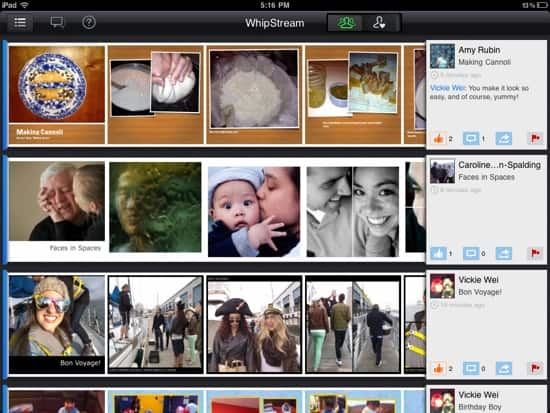
With free iPad app you can directly use photos and video directly from your tablet. Also, it auto detects faces and magically positions your photos so that they fit in the frame.

The Whip App on iPad

Photobucket

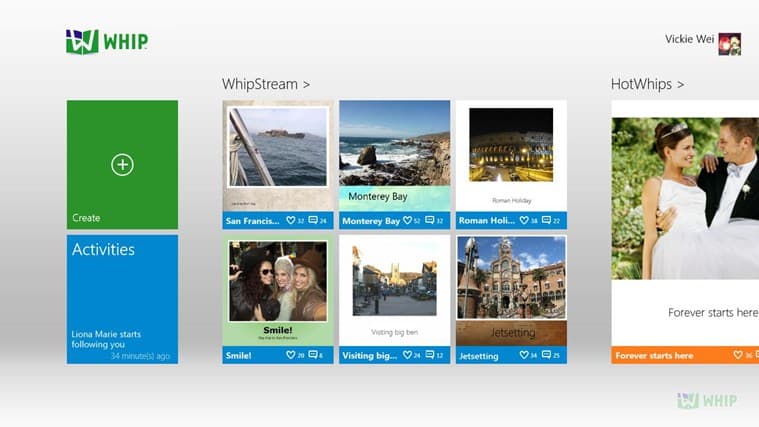
Whip app on your Windows 8 platform allows you to easily create social albums. You can edit, arrange your photos to the best suited templates and share them via twitter and facebook.

Whip App on Windows 8

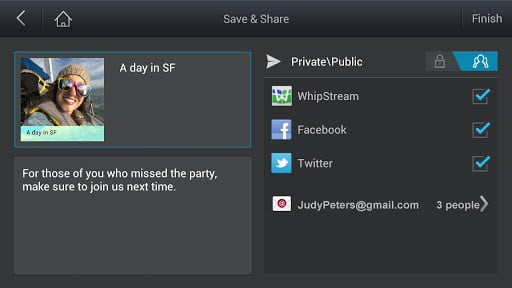
Android version goes a step ahead and allows you to share your story via SMS. Also you can create your social photo albums with Whip.

Whip App on Android

Final Thoughts

The Whip App is an awesome app to get your photos into various beautiful album templates and express your story to the world. Making social photo album with Whip is very easy. Whip App gives you a new sharing experience via WhipStream and social networking sites, facebook and twitter. Going a step ahead Whip allows you to share through email and SMS. For a cause you believe in or a fun time you had, Whip Social Album app is available on iPad, Windows 8 and recently on Android to tell your story to the world.

Visit Sponsor's Site