Home Blog Page 280

TemplateMonster Christmas Giveaway Is on Your Doorstep!

0

Are you thinking of a nice present for people that you care about? Perhaps, giving them an opportunity to do their own online business could be just great! Pick a template that responds to the needs of your loved ones and make them a REALLY useful present, not just a Harry Potter-like sweater with deer.
template monster giveaway

Those, who think that it might not be a good idea to make the life of others even more complicated, could just take the easy way and get a blog for you dear ones. Or maybe even for yourself. After all, no one knows better. Blogs are just awesome when it comes to picking up a present. Everyone has the basic needs like bragging, being interesting or just showing off. Don’t miss the opportunity to get a great modern present for FREE.

Perhaps, your girlfriend has always been thinking about an online shop with do-it-yourself staff? Or you father works as a mechanic and wants to build up a site that will sell car parts to make some extra money? Even people, who has never dealt with WordPress and Joomla like them could easily have a shop like that with 24/7 TemplateMonster’s support team. So there is no need to worry they will not use your present wisely.

How to Win

The process of winning is pretty simple. Find a theme you are looking by clicking on one of the links below and making your choice. Don’t forget to tell us why and share it with your friends on social accounts for extra points. More points you get, more chances for you to be one of the lucky 5. Do not forget that your comment is the key to participation in the giveaway.

For a chance to win:

  1. CLICK HERE if you want a WordPress Template or HERE if you are a Joomla fan. Please, choose the ONE that you want the most and tell us about your choice in your comment.

  2. In the comments below, state the name of the theme, the URL of the theme, and the reason why you want that theme.

For example:

I want to win the Bootstrap Cherry Framework Responsive WordPress Theme #43711 because it’s perfect for a business website that I’m launching soon and it looks like I don’t have to customize the theme very much to get the results that I want.

http://www.templatemonster.com/wordpress-themes/43711.html

Giveaway Details

It is extremely important that you leave only valid email address, so that we can reach you when it is time to send the templates to you! The winner will be selected randomly. The more points you get for sharing it with your friends more chances you have to win. Please, remember that it takes time for the moderator to process your comment. Be patient, and follow the instructions!

The Giveaway is going to last only one week after its launch, which means your time is limited. Hurry up! Good Luck!!!

Some Facts About the Recent Success Story of Flipkart

0

Flipkart is an Indian e-commerce company which was launched in 2007 by Sachin and Binny Bansal. The company has its headquarters in Bangalore. It started as an online book store but the concept and popularity grew so rapidly that today it is thought as the e-commerce company that made online shopping viable and popular in India and changed the mind set of an average Indian who did not believe in online shopping. Today According to Alexa Internet, Flipkart.com is one of the top 20 Indian websites and has positioned its brand and created its awareness in a sure shot way.

flipkart founders

Sachin Bansal and Binny Bansal are alumni of the Indian Institute of Technology Delhi. They had been working for Amazon.com earlier. During its early years, Flipkart main focus or let’s say product offering was only books but soon as it expanded and began offering other stuff like Air Conditioners, electronic goods, stationery supplies, Air coolers and life style products and e-books. The first product sold by them was a book “Leaving Microsoft To Change The World” sold to VVK.Chandra from Andhra Pradesh.

There are many reasons why Flipkart has become a popular brand name but the chief reason behind its success is it offering its customers the option of Cash on Delivery. So an average customer did not need to swipe their card and they could wait for the delivery of product and then pay. There are other options available for payment like Credit or Debit card transactions, net banking, e-gift voucher and Card Swipe on Delivery. For products with a higher value they even have started with the EMI option making it feasible for the consumer to shop on their site. But its latest offering in the payment methods or the product offering has been Flipkart’s online shopping coupons. These last two offerings have given a further boost to their sales

Flipkart has grown many folds over the years. Initially when the company was founded, the founders only put in a capital of 4 lakh to set up the business. But as the company grew they had to look out for partners to raise the capital. They reached out to venture capital funds Accel India for US$1 million in 2009 and then Tiger Global US$10 million in 2010 and US$20 million in June 2011. It further raised capital On 24 August 2012 where Flipkart announced the completion of its 4th round of $150 million funding from MIH (part of Naspers Group) and ICONIQ Capital. And lately in 10 July 2013, that it has raised an additional $200 million from existing investors including Tiger Global, Naspers, Accel Partners and Iconiq Capital.


As it raised capital it went on to acquire few companies like

  • In 2010: WeRead, a social book discovery tool.

  • In 2011: Mime360, a digital content platform company

  • In 2011: Chakpak.com, a Bollywood news site that offers updates, news, photos and videos. Flipkart acquired the rights to Chakpak’s digital catalogue which includes 40,000 filmographies, 10,000 movies and close to 50,000 ratings. Flipkart has categorically said that it will not be involved with the original site and will not use the brand name.

  • In 2012: Letsbuy.com, an Indian e-retailer in electronics. Flipkart has bought the company for an estimated US$25 million. Letsbuy.com was closed down and all traffic to Letsbuy have been diverted to Flipkart.

Through these acquisitions Flipkart was able to offer a novel range to its consumers.

  • Flipkart launched its own product range under the name “DigiFlip”, offering camera bags, pen-drives, headphones, computer accessories, etc

  • A venture that started on February 2012 did not receive the same popularity which was its new Flyte Digital Music Store. Flyte, a legal music download service in the vein of iTunes and Amazon.com, offered DRM-free MP3 downloads. But it was shut down on 17 June 2013 as paid song downloads did not get popular in India due to the advent of free music streaming sites.

Such has been the short yet very successful story of Flipkart. In these years it has received many accolades and recognitions. It has received the brand loyalty of its consumers and has positioned its brand so well that it is embedded in the minds of a majority of Indians. Its service and delivery has been prompt and perfect which also has had a big hand in achieving this success.


Tips to Improve the Battery Life of Your Laptop

Laptops come with a lot of features that drain battery life, which can make it difficult when you’re trying to work and you cannot find a place to plug it in for charging. Most times laptop users are unaware of the things which drain their batteries, yet most of these are often left idle and not in use. Switching off some of these can add to your battery life. The following tips will go a long way in helping you Improve the laptop Battery Life.

Improve the Battery Life

1. Lower your screen brightness.

The screen backlight uses the most power out of all the components on your laptop; and dimming it to appropriate levels will add some valuable life to your battery. Modern laptops come with LED backlights but these also drain a modest amount of your laptop power. By simply dimming your screen, you can add 30 minutes or more to the life of your battery

2. Change the power settings on your laptop.

In most cases, the default power setting in Windows is “balanced settings” rather than “power saver” mode. Windows normally uses different power settings depending on whether the laptop is running on battery power or mains. In the control panel, select power options and choose the right option. You can also adjust all the settings of each of these power options in the advanced settings.

3. Unplug all USB devices and other peripherals.

Every USB device attached to your laptop consumes power when it registers itself on the system. CDs, DVDs and Blu-Rays also drain the battery life of your computer even when they are just lying idle in the disc drive. When you’re not using any of these, it is very important to unplug or eject these as this will add battery life to your laptop.

4. Disable Wi-Fi and Bluetooth.

Both of these can consume a fair amount of your laptop battery power so if you’re not using any of them, it would be a wise move to turn them off, especially when running your laptop on battery power. Most laptops have a key which you can use to disable wi-fi, but for Bluetooth, you may have to go to the start menu to disable it.

Recommended; Simple Repair Tricks to Troubleshoot Your Slow Computer

5. Turn off backlit keyboards.

While a backlit keyboard will help you if in the dark, it will also drain your laptop battery. If you’re in a room with light, then make it a point to turn it off. By turning this light off, you will save some power for your laptop battery. Every notebook has its own way of turning this off but in most cases, it involves hitting a function key on the top row.

6. Minimize hard drive usage.

Minimizing the usage of your hard drive will also go a long way in helping you add to the battery life of your laptop. There are several ways you can minimize the activity of your hard drive like;

  • · Defragment your hard drive. This will reduce the time it takes for your hard drive to spin around looking for data, saving you some battery power.
  • · Replace your hard drive with an SSD. SSDs have no moving parts and therefore, use less power than hard drives. They also don’t require defragmentation.
  • · Add more RAM. Switching from a 2GB RAM to a 4 or 8GB RAM will allow your computer to use less virtual memory and more physical memory thus limiting hard drive accesses.

7. Buy a new battery.

Laptop batteries are not designed to last a life time and time comes when all the tips above may do little to improve battery life with the only solution being buying a new one. Batteries degrade and wear out over time and after many years of hard use, you’ll find that the battery lasts half of the time it used to take or even less. This is when you need to consider replacing it. However, you must ensure that you replace it with a battery that will last longer and perform as expected.

Don’t miss; Best Laptops to Buy in India: A Guide to Buy the Best Laptop

The following tips will be very helpful when buying a battery for an extended battery life;

  • · Look for laptop batteries with a power rating of not less than 5,000 mAH. The greater the capacity of the battery, the better
  • Insist on LiON or Li-Poly batteries only and not NiCad or NiMH batteries because they last longer and are less bulky.
  • Buy laptop batteries that are compatible with your computer. I recommend A1 Batterypro for battery lookup of popular laptop models.
  • Check the service life (the time the battery will function optimally) before buying.

The importance of escrow for a tech service provider

When it comes to providing many forms of technology, such as services, escrow can prove invaluable. It’s a simple argument: when dealing with licensed services, virtually everyone is looking to protect themselves against any risk.

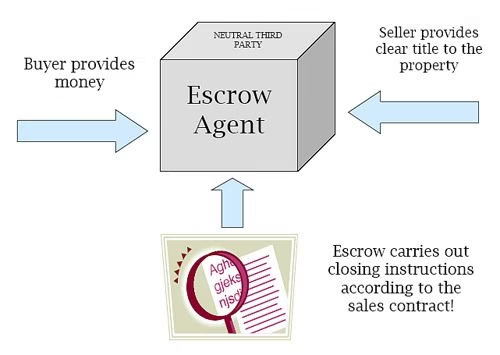
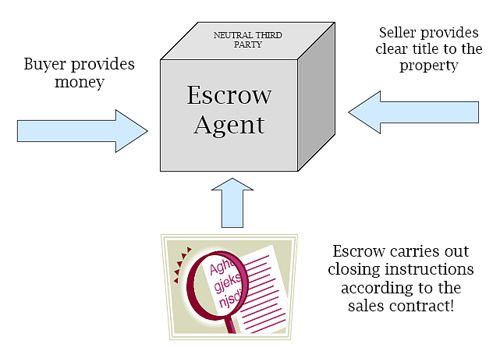
Escrow, to put it simply, is just useful at both ends of the deal. For customers, it encourages trust and commitment, while providers can use it to show they are serious about their product. As a tech service provider, it’s likely you fall into both categories: on one hand, you have customers to provide your own digital services to but, at the same time it’s likely there are certain pieces of software you yourself might depend on.

escrow agent

Proactive Protection

While escrow is used to offer a quick resolution in disputes over software as a service, its instant benefit is much more proactive. Using such a service puts the provider at risk of losing their code if they fail to meet their end of the software as a service agreement and, when the actual software itself is on the line, there is little else that compares in pure motivation to provide a working product.

For a tech service provider, this offers the exact image you want. It suggests you are capable of delivering and, as such, are even willing to put your material on the line. Doing so demonstrates confidence to customers, which is never a bad thing to have associated with your name and service.

How do I know it’s the real code?

Of course, the one problem with escrow is that you can’t access what’s inside when you want to. It’s one to have the code put in there, but how do you know it’s the actual source code that you need?

Well, since you can’t access the code you should rely on the only party that can do so and remain honest at the same time – not all agencies provide such services but some, such as NCC Group, specialise in it.

Typically, this process will come in the form of a detailed report, confirming that the relevant scripts and pieces of code are there – it’s one thing to know most of it is there but ‘most’ won’t provide a working product.

Instead, some agencies actually test the code, building up from the code alone, detailing their  findings into a comprehensive report. Not only does this verify the end result of the code available for escrow, thus validating the account, it provides instructions.

Should you ever acquire this code, this document will subsequently prove invaluable to your IT department or expertise.

Getting started with Cloud CRM solutions

0

With the use of internet on its peak, cloud computing is at its peak right now with cloud storage and other services and every company ranging from the popular ones to the not so popular ones bringing the services based on the cloud. Today we are going to talk about the web based enterprise solutions for CRM that is the cloud CRM solution.

Well i know many of you not familiar with CRM must be thinking what the hell CRM is, well a CRM or Customer Relationship Management as the name conveys is a system that every organization uses in order to maintain and manage their interaction with the customers and at the same establish strong bonds of relationship for a longer period of time.

Cloud CRM

Why use a cloud based CRM database?

We all know how important customers are for a company, a company is all about its customers, they are surely nothing without them. Keeping these facts in mind, several organizations that are known to offer cloud CRM services are gaining popularity because of their unique solutions interactive solution for the customer. Basically CRM focuses on your enterprise’s number one priority—creating a satisfactory customer experience that will delight your current clients and help you acquire new ones more quickly.

As the cloud based services are the trend right now, it would be pretty dated to think of keeping a database of your customers so this is where cloud CRM come into play with there ability to host technology of maintaning customers without having to maintain the cumbersome database.

Cloud CRM

Benefits of cloud CRM

The best thing about the cloud CRM services is that the agents, supervisors, and executives of the same compnay can all access the same information in real time on the internet. There are plenty of cloud CRM providers which can meet the need of a company. Companies that wish to integrate their CRM systems into cloud can approach these service providers for the same.

This basically means is as long as a user has an Internet connection, access to the cloud CRM applications and software is very easy, thus making customer interactions more timely, less costly plus the ease of use is great. By putting CRM in the cloud means that you do not have to purchase expensive hardware or software and the cloud solution is much less time consuming plus you can access them from anywhere.

Businesses of all sizes can benefit from a cloud CRM database. Whether you’re a solo professional, a small business, or a medium to large sized customer, knowing more about your pipeline will help you better manage volumes, better manage customers, and increase customer loyalty.  A cloud CRM database helps businesses of all sizes, regardless of how ambitious your goals are.

Cloud CRM

Conclusion

Today, according to industry experts 90% of all CRM software providers either already offer a cloud based computing alternative or plan to within the next 18 months.  The reason for this migration from desktop programs to cloud based ones is due simply to the appetite of small to mid-size companies that are anxious to reduce the operational cost associated with maintaining in-house computer hardware and software.  The current economic climate has placed a significant financial burden on these companies who have found themselves working with dated hardware and software programs.

Today, customer relationship management (CRM) software is a must-have for companies that want to keep in touch with their clients. And for very small companies, the most compelling CRM products live in the cloud. There are many free cloud CRM systems while some others provide you more premium features but they are good on the pricing front too. With improved security from these services, cloud CRM may become an IT staple in the near future.

http://www.youtube.com/watch?v=U7-7azIhwGI

The Art of Making Awesome 404 Error Page

In many cases, they’re mundane and not quite as informative as they should be, but Error 404 pages are something no website should be without. They tell the site visitor that they’ve either typed in an incorrect URL or that the content previously onsite no longer exists, but is a boring error message enough?

As we’re about to show you, they’re not! Making your site’s Error 404 page could be used as a way to show off how creative you and your site are. You can make them fun, allow them to redirect the visitor back to your site’s homepage or just use something different like, say, a meme. Here are four examples of great Error 404 pages:

error 404 pages

This Zivity 404 page is a little out there and is all the better for it!

error 404 pages
error 404 pages

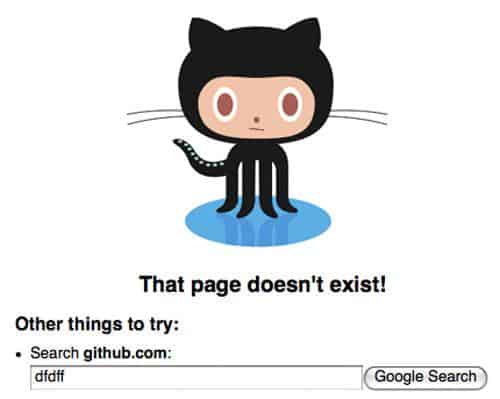
Being a little more helpful, this Github 404 page has a search function which complements its cuteness.

error 404 pages

A broken link is often the cause of a 404 error, as this example from RetardZone shows!

error 404 pages

This will have you in tears – the PatternTap 404 page is exactly what we all feel like when nothing shows up!

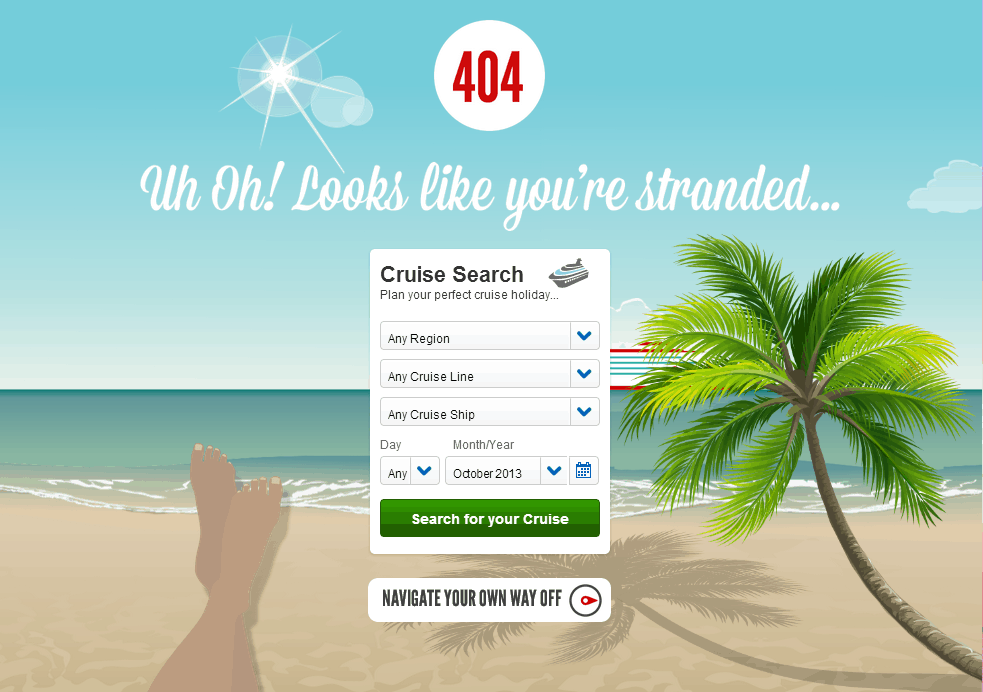
To wrap it up, check out this EDGE animated 404 page by Virgin Holidays Cruises.

Droid vs. iOS: What’s Right for You?

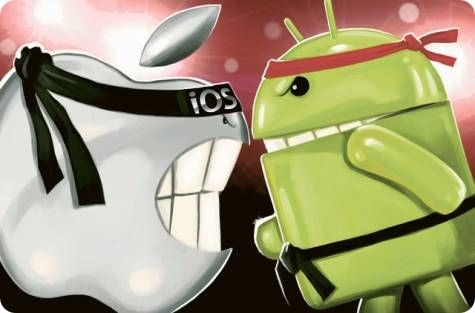
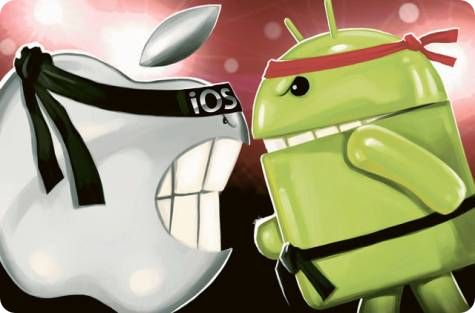
Do you like fruity phones or do you want a Droid army? The war over whether Apple or Android is the best operating system will probably never end. There’s no clear winner because a lot of what makes an operating system a “winner” is based on user preferences. Not everyone buys a smartphone or mobile device for the same reasons. That’s why it’s important to understand what each company has to offer so you can find the right product – for you.

android vs ios smartphone battle

Quick Settings

While some users have gotten fed up waiting for Apple for release an update of its IOS, opting to sell their phone on this website, the patient have been rewarded with an overhauled user experience. iOS7 introduced Control Centre, which allows users to toggle between common settings, adjust the brightness of the phone, and control music without having to thumb through the settings app.

Android, on the other hand, has had this feature for a while. The big difference is that its control centre drops down from the top whereas Apple’s slides up from the bottom. Apple’s version is a little more comprehensive and looks a little more polished than Android’s, however.

MultiTasking

One feature that Android pioneered was how you switch between apps. With Android, you double tap the “home” button, which brings up a vertical list of apps. There’s a preview of all apps that you can flip through before choosing one.

Apple’s version sets up the apps left-to-right. This way, you can preview a lot more screen real estate. To quit an application, you just flick the app’s thumbnail image up and away to the top of the screen. Bam. Closed.

Both mobile operating systems have a few glitches when selecting apps from the app-switching menu. Highlighted text can be de-selected and pages can be force-reloaded, causing problems if you were in the middle of something.

Notifications

Android’s strength is that it has always had a rich notification system, pulling down the notification drawer gives you the latest missed calls, tweets, calendar items and whatever else you might want to know. Apple’s notifications have been a bit lacking for years, but it’s gotten a refresh with the latest iOS.

The Camera

The camera for both devices is actually quite amazing for a mobile phone. For Apple, the camera has always been a strong selling point – the latest devices have only upped the ante. The native camera app is clean, intuitive, and versatile.

You can even shoot in slow-motion. Apple’s built-in photo management is also pretty easy to navigate and has powerful, yet simple, editing features.

Android still takes great shots, but there’s nothing deeply rooted in the OS like Apple’s offering.

Social Networking

If you want to share your files with different apps, back them up to a service of your choosing, and move them around more like a desktop OS, then you want Android. Apple’s new AirDrop feature, however, allows you to send images to contacts that are near you (who must also have an Apple device). Apple also deeply integrates Facebook and Twitter into the iOS, making sharing seamless.

Security

Apple’s seems way ahead of the pack on security with its new iPhone 5s – but that’s only because of its enhanced and refined fingerprint technology. Hold your finger over the home button and “poof” your phone unlocks. No need for a pass code. Of course, iPhone also comes with “Find My iPhone,” which can find stolen phones and help you recover your expensive mobile device.

Android also recently received this kind of functionality too, with Android Device Manager service.

So, which is right for you? Well, if you want to plug into the Apple ecosystem, and you don’t mind ignoring the rest of the world when it comes to updates, choose Apple. Users who like to tinker with their phones, want unlimited customization options, and just don’t like the Apple brand, choose Android.

Mason Williamson is a technology aficionado. He often writes about the basics of software and innovations on tech blogs.