Home Blog Page 281

Here Maps Updates With Smart Traffic Alert Features

0

Most of you familiar with Nokia devices might probably know the popular map app called HERE. Nokia has released a new version of its HERE app which brings a lot of exiting news for all of use who use maps for drive navigation.

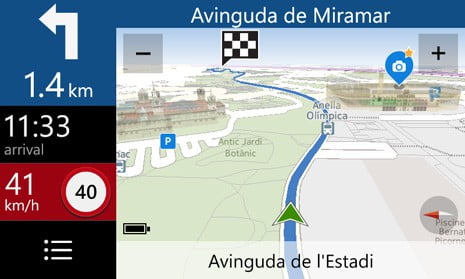
The new version of HERE comes with a new improved traffic information display with “FIND MY CAR” feature and a lot more useful additions to improve navigation.

here drive traffic update

In the earlier version which had the Traffic information only under the My Commute section was aimed at optimizing journey times for predefined daily routes. But in the new version, the traffic information is overlayed on the map display screen which much better view of the traffic with colored lines to show the live traffic on your way.
Below is the latest video by HERE which shows the brilliance of their app developers and a new Map Experience for users.

HERE collects traffic data from billions of GPS points in real time from satellites and smartphones and other sources to give you a quick glance of the live traffic feed of cities and countries anywhere in the world.

With this new update, traffic congestion is marked in red and moderate traffic in yellow, green for clear roads with no traffic congestion. This helps the driver get a quick glance about the route he is driving and help make decisions early avoid traffic with alternative routes.

Along with the other new features, now there’s a new option get a simple text-based overview of a planned route (list of turn-by-turn instructions), complementing the existing map-based overview.

This overview, is available from the initial navigation screen just after you specify a destination.

HERE offers everyday mobility and connected driving for regular commuters and explorers alike. Since it offers 2D and 3D maps, you can feel a real like experience of the fresh live maps data.


Best Phone Tracker Apps for Android

0

A lot of children spend loads of time on their mobile phones. Mobile phones allow them to do almost everything they like to do. They can socialize with friends and make new friends online. Get entertainment from social media, watch movies on Netflix, and play mobile games on their phones. All the features baked into their mobile phones make them almost inseparable from their mobile phones. 

The problem with mobile phones is that while kids can have a swell time, it is also possible to have a traumatic experience. They can be targeted by bullies, fraudsters, and other kinds of terrible people. It is therefore important to keep an eye on the phone activity of your kids. 

You may also want to monitor your partner’s Android phone to root out evidence of cheating. Phone tracker apps will also help you do this. The best apps to carry out monitoring activities on Android phones are examined below. 

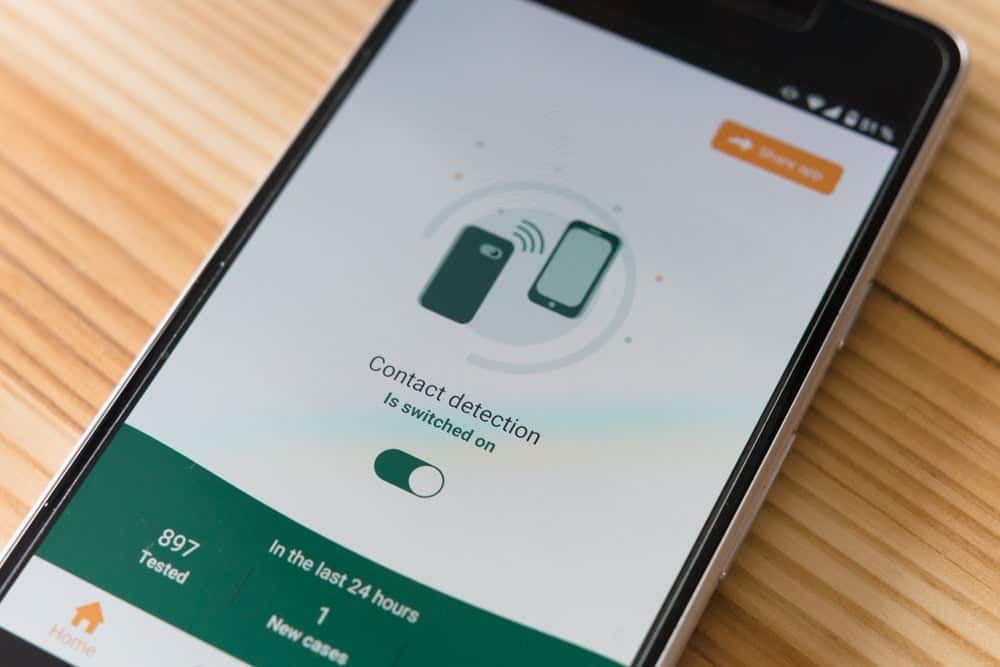
phone tracker

Best Phone Tracker Apps for Android

  1. uMobix

If you are on the lookout for the best phone tracker app for Android, you cannot get anything better than the uMobix Android tracker. It has excellent compatibility and will work seamlessly on any Android device you may want to track. Prepping this Android tracker can be done in three easy steps. The first step is to register for a uMobix account. Here you choose a subscription plan, the monthly one for $49.99, the quarterly one for $83.99, or the yearly one for $139.99. Once you are done registering, you install the uMobix app on your target device. The last step is to start monitoring. This can be done through your dashboard which you can access with any internet-enabled device. 

uMobix Android tracker allows you to monitor phone calls as well as SMS messages on your target device. The call monitoring feature reveals to you the full call history of the target device. You can also view timestamps as well as the frequency of calls. Additionally, you’d have access to the full list of contacts saved on the device. These phone tracking features can be useful in helping you figure out who your partner or child spends time talking to on the phone. The SMS monitoring feature on the other hand lets you read full SMS conversations on your target device. Just like with the call monitoring feature, you get timestamps so you can know what time the messages were sent or received. Both call monitoring and SMS monitoring tools enable you to block numbers of dangerous individuals. This will prevent those individuals from being able to reach the target device via call or text. 

You can also track your target’s location using this Android tracker. You can do this using either the GPS or the audio and video stream features. The video and audio stream features can help you identify a location with sights or sounds that you are already familiar with. It works by sending a recording taken through the camera or microphone on the target device. This gives you an idea of where your target is at any point in time. The GPS feature gives you the location of the target device using GPS coordinates and a map. You can see exactly where your target is on the map. You also get to view a list of locations that your target has visited. The GPS feature enables you to view your target’s location while the video and audio stream help you get an idea of what is happening in that location.

With this Android tracker, you can also monitor social media accounts. It can be used to monitor over 30 different social media and instant messaging apps. You can monitor Whatsapp, Snapchat, Facebook, and many other social media apps using the uMobix Android tracker app. 

  1. Hoverwatch

This Android tracker offers great features such as call and SMS tracking. You can also track your target’s location using this Android tracker. 

Hoverwatch Android tracker also gives you the ability to monitor your child’s internet activity. Using this feature enables you to see all the websites they visit on their Android device. This is an important feature that lets you chaperone your child’s web activity and prevents them from visiting inappropriate websites with content that is not fit for them. 

Hoverwatch Android tracker installs stealthily on your target device so that they have no idea that they are being monitored. You can also use this Android tracker app to listen in on conversions your child or partner makes on the phone. Hoverwatch Android tracker automatically records all calls made or received on the target device and stores the recording to your dashboard where you can access them at any convenient time. The Hoverwatch Android tracker costs $49.95 for a monthly subscription. 

  1. Spyzzz

This is another great Android tracker app that can be used to keep an eye on your child or partner. It has great features which enable you to monitor virtually every use of their Android phone. It has a call monitoring feature that allows you to know who they speak to on the phone as well as an SMS monitoring feature to view their text messages even if they delete them. The Spyzzz Android phone tracker app also gives you the ability to spy on emails. 

You can also use the control features to exert some form of control over the target device. These features include the ability to prevent calls from specific numbers from being received. The same can be done for text messages. You can also use this Android tracker app to block certain websites from being accessed on the device. You also have the option to block internet access altogether. You can view all the apps installed on the device and also the amount of time spent using each of these apps. You can then go on to block access to some of the apps. You can even delete an application if you feel your child should not have access to it. You have the option to lock down the device so that it is completely unusable until you unlock it. 

You can make use of the GPS monitoring feature of this Android tracker to get the location of your target on a map. This puts an end to situations where your child or partner tells you they are going to one place while secretly going to another place. You can get access to the Spyzzz Android tracker via a $9.99 monthly subscription. 

Conclusion

Parents need to have some idea of what their kids do on their Android phones and this has been made easier with apps such as uMobix that enable you to track your kid’s phones remotely. This way you can protect your children from the evils of the internet. These apps enable you to track your kid’s locations, monitor their social media accounts along with many other features. 

Smartphone Smack Down: BlackBerry Z10 vs. The Galaxy S4

0

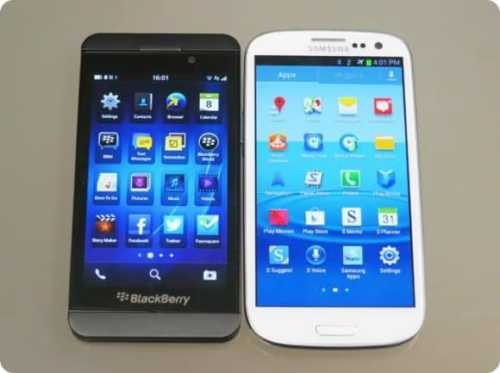
The Samsung Galaxy S4 lives up to all the hype – it’s faster, lighter, and bigger than its predecessor, the Samsung S3. But can the Galaxy S4 stand up when compared to the Blackberry Z10?

The Z10 is lightweight in terms of specs, but the display and processor are quite competitive and ideal for professionals. Are those features enough to stave off the fierce competition? Read on to find out.
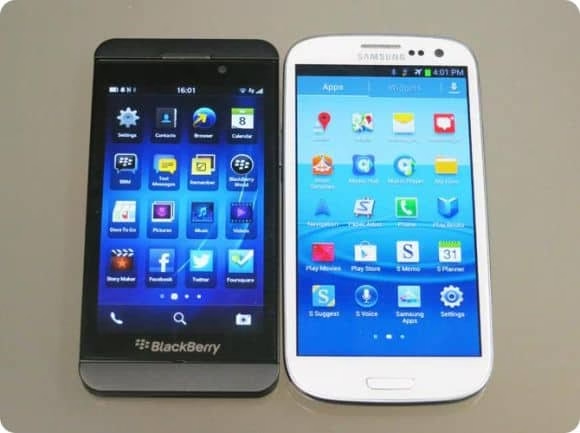
blackberry z10 vs samsung galaxy s4

Design

The Galaxy S4’s rounded corners stand in stark contrast to the square-cornered Z10. The 5 inch screen with measurements of 69.9×136 mm makes the Galaxy S4 a very big smartphone. Although it’s big, it’s wafer thin and extremely lightweight.

Compared to the S4, Blackberry’s flagship phone seems minuscule with measurements of 66×130 mm. And with a width of 9.2 mm, it’s not quite as slim and the S4, but it does fit snugly in the palm of your hand.

The removable plastic back cover on the Z10 leaves a lot to be considered, but it’s hard to criticize given the Galaxy S4’s similar plastic build. On closer inspection, you’ll see the phones are designed this way with good reason. Both phones are designed for travel and to fulfil their functions without breaking.

Samsung received numerous nods because of the S4’s more striking features, but if you’re looking for a slick but discreet handset, you’ll be thrilled with the BlackBerry Z10 smartphone.

It’s hard to find fault with the 5 inch display and the 1080×1920 full HD resolution on the Galaxy S4. They make the 4.2 inches on the BlackBerry Z10 seem small in comparison. But size isn’t a tremendous deal because users can still browse the web, watch videos, and use apps without skipping a beat.

When paired with a resolution of 768×1280, the screen size of the Z10 carries one of the highest pixel densities of any smartphones on the market.

Both phones display crisp and clear images and text. The colours are vibrant but realistic. One concern is BlackBerry’s display, which gets dirty with fingerprint marks as there’s no oleophobic coating.

Processor

When it comes to hardware, the Galaxy S4 is no slouch. The 600 quad-core processor and 2GB RAM rival most other smartphones on the market.

BlackBerry went for a 1.5GHz dual-core processor and 2GB of RAM to power the Z10. When compared to the quad-core processor used on leading smartphones, the dual-core chip may seem inferior, but this doesn’t pose a problem for the BlackBerry 10 OS. There’s no sign of lag when using the phone to browse the web and carry out daily functions. Regardless of which phone you choose, network providers like SingTel are offering speeds of up to 150 Mbps on the 4G network, so browsing and business apps should work fast virtually anywhere you cat a signal.

Storage

The Samsung Galaxy S4 is available in 16GB, 32GB and 64GB models and includes a microSD card slot that accepts 64GB cards.

The BlackBerry Z10 has some limitations in that it’s only available in 16GB models. However, it does include a microSD slot for cards up to 64GB. Since the BlackBerry 10 operating system takes up almost 4GB of storage, you’ll certainly need to use the microSD slot if storage is high on your list of priorities. Check out this guide for more info on the BlackBerry Z10 storage and other features.

Cameras

The images and videos from the 13Mp front facing and 1.9Mp rear facing cameras on the Galaxy S4 are impressive, but the phone’s capabilities do not stop there. The camera app features burst mode in addition to Dual Shot, Drama, and Sound and Shot modes. More than just gimmicks, these modes enhance your pictures as you’re able to capture moving objects and take pictures using both cameras simultaneously.

The main camera on the Z10 is a modest 8Mp and includes a dedicated IP, F2.2 lens, LED flash and backside illumination (BSI). The rear camera has the capacity to record 1080p HD quality videos. The photos are vivid, but the main attraction on the Z10’s camera is Time Shift. It lets you take numerous snaps in one sitting, and you can later adjust the image or individual elements as you wish.

The editing software built into BlackBerry 10 is top notch. Use it to tweak and edit your photos before uploading them to your favourite networking sites.

The cameras on both phones function better than most standalone cameras, but they won’t replace your DSLR.

Apps and OS

Samsung’s Galaxy S4 runs on Google’s Android Jelly Bean 4.2.2. This platform provides access to the Google Play Store to download apps, films, music, magazines, and books.

BlackBerry launched its new operating system, BlackBerry 10, on the Z10. The interface may be baffling at first, but if you persevere, you’ll have the swiping navigation figured out in no time.

The main home screen on the BlackBerry 10 operating system remains blank until you launch an app. You can find all your open and recently used apps displayed in small windows, but you can pin your favourites for fast and easy access.

The BlackBerry Hub, located on the left side of the home screen, is a business executive’s dream. It’s a notification centre where you can manage all your accounts. Open the hub by swiping to the right. When you’re finished checking your messages, you can swipe back down to close the hub and return to the home screen.

The keyboard is another fascinating feature on BlackBerry 10. It displays suggested words as soon as you begin typing, and you can choose the word you want with one swift swipe. It’s unique, but certainly one of the many features you’ll love on the Z10.

Battery

With heavy usage, you’ll have to charge both phones almost daily. Although the S4 will hold its charge well for a couple of days with light use, it’s not realistic to have this type of smartphone and not put it to use.

The Z10 has a removable battery pack that has about one day of battery life with moderate to heavy use. The Samsung comes out on top as it relates to battery life, but not by much.

The bottom line

Both smartphones offer superb performance and high-end features. The Galaxy S4 is perfect for overall entertainment with its big screen and Google Play app. But if you’re purchasing a phone with your business in mind, the BlackBerry Z10 will provide everything you need. The enterprise tools, server side security, messaging hub, and email are all designed with business activities in mind.

Greg West is always on the lookout for new ways to enhance his business. He then shares them online by posting on a variety of blog sites.

Buying a domain? Check these Guidelines for SEO friendly name

You need to start marketing your website before you choose a domain name. Does this statement make sense to you at all? If you’re an Internet marketer, it should. You see, choosing your domain name well and ensuring you have an SEO-friendly URL structure will make website marketing so much easier for you in the long run. Now, you may be of the belief that there isn’t such a thing as SEO-friendly URL structure. From the point-of-view of SEO managers, you would be wrong.

domain name seo guide

What Exactly is an SEO-friendly URL Structure?

Let me answer this question by telling you what a URL structure should be for SEO managers to deem it SEO-friendly.

  • Meaningful – Have you ever encountered a URL composed mostly of numbers and punctuation marks? Not very attractive or memorable, were they? You need to make sure your URLs contain keywords that are catchy and easy to remember.
  • Straightforward – Each of your URLs should be specific to the page and people should never confuse it with any of your other URLs as well as with redirects on your site.
  • Right – Bear in mind that not all URLs on your site should be seen by search engines. It is therefore important for you to identify the right URLs that should be easy for the search engines to crawl and index. You should then take measures to conceal all the other URLs.


Now that you know what an SEO-friendly URL is, it’s time to learn more about the key areas and conventions in choosing a domain name and structuring your URLs.

Choosing a Domain Name

Among the basic guidelines you need to keep in mind when you’re choosing a domain name are the following:

  • Although the use of hyphens in domain names isn’t prohibited, it’s best to avoid the practice.
  • Make sure your domain name is neither too long nor too short.
  • Choose a name that describes what your site offers in a concise manner.
  • Avoid using a platform that controls your domain name. Make sure you’re free to choose any name you want (as long as it’s available, of course).
  • As mentioned above, choose a name that’s easy to remember and use keywords if possible.

There’s a good chance you’ve heard this advice before, but it certainly bears repeating: It’s wise to purchase alternative versions of your chosen domain name so as to prevent confusion among consumers and help protect your brand. Here are some of the versions you may consider buying:

Top Level Domains

– Let’s say you’ve chosen a .com domain name. It may be wise to buy the same name in .net, .org, and other top-level domains. This may be an expensive solution, but it can be very important, especially if you plan to do business on a global scale.

Hyphenated Versions

– To protect your brand against possible identity theft, it’s best to buy hyphenated versions of your chosen domain name. For example, if you’re in the business of selling chandeliers and other lighting fixtures, and your chosen domain name is “lightitup.com,” you have the option of also buying “light-it-up.com” for brand protection.

Abbreviated Versions

– People are so fond of abbreviations that they just might get confused between your site and one that uses a name that can pass as an abbreviated version of your own. Using the same example, as above, you may want to buy domain names like “LIU.com,” “LitUp.com,” or “LightUp.com.”

Brand Names

– Let’s go back to our lighting business example. Suppose you’re selling lamps with the brand name “Vision.” It would be wise for you to check if the domain name “VisionLamps.com” is still available and if it is, buy it. This advice is particularly helpful if you’re building your very own brand. When the Vision brand becomes a household name, you’ll have the advantage of capturing the traffic that comes from those who look specifically for that brand.

Alternate Names and Misspellings

– No matter how simple your business name is, some people are bound to get it wrong sometimes. You’d want to take advantage of these mistakes by grabbing possible alternate spellings or misspellings of your domain name. For the “lightitup.com” example, you may want to buy “lightingup.com,” “liteitup.com,” and “lightsitup.com,” as well.

Now, what do you do with all these domain names? One thing’s for sure, you don’t have to make a website for every single one of them. Domain name service experts like Lawrence Ng will probably tell you the easiest way to take advantage of all the domain names you bought and get your investment back is to implement a 301 redirect so users who type in any of those domain names will be taken directly to your main website.


Making URLs SEO-friendly

Okay, so now you know how to choose a domain name and protect your brand by buying alternate domain names. It’s time to learn how you can make your site URLs SEO-friendly.


  1. Avoid Dynamic URLs

URLs are generally classified as static (pretty) or dynamic (ugly). Pretty URLs typically look like this:

www.mysite.com/topic-name

On the other hand, ugly URLs typically look like this:

www.mysite.com/?p=123456

If you were a regular Internet user asked to choose which of the two you’re most likely to remember, you would surely go for the former, wouldn’t you? Well, so would Google and other search engines.

  1. Consolidate

The general rule is that a domain indexed by search engines has both a www and a non-www version. These versions can easily be consolidate by creating a 301 redirect so one version can be pointed directly to the other. The value of consolidation lies in the fact that some links to your site could point to the www version while others point to the non-www version.

  1. Create an XML Sitemap

Whereas HTML sitemaps are mostly created for the benefit of human users, XML sitemaps are created are designed for search engines. This is basically a list of URLs in your website that you submit to search engines. This sitemap allows search engines to easily find your web pages and may be used as reference when search engines are choosing preferred URLs on your website. It is therefore wise to include only the URLs you want search engines to crawl and index on your XML sitemap.

  1. Specify Canonical URLs

Search engines normally do an excellent job of identifying canonical URLs on their own. However, there are instances where some duplicates of a particular web page aren’t detected. In this case, the strength of that page’s ranking signals may become diluted, as they’re split across several URLs. This is why it is best to highlight canonical URLs by using canonical tags.

  1. Conceal Irrelevant Pages

Just as there are pages you need to highlight by including their URLs in your XML sitemap, there are also pages that are best hidden from search engines. An example of such pages is your “Terms and Conditions” page, which typically doesn’t contain any of your targeted keywords. Pages that contain sensitive information are also best concealed. Use a robots.txt file to conceal pages that shouldn’t be indexed. This file assigns a noindex attribute to the said pages and instructs search engines to ignore those pages when they crawl through your site.

By putting all of the above tips into practice, you can effectively ensure your website has a search engine-friendly structure that’ll not only help it rank well on search results pages, but also make it easy for Internet users to find, navigate, and understand.

About the Guest Author:

Emma-Julie Fox writes for Pitstop Media Inc, a top rated SEO company in Vancouver, that provides services to businesses across North America. 

Top 5 Home Cinema Projector With Top Reviews

Having a video projector device in your home can offer you multiple benefits:  you are able to save some space in your living room, a huge screen, and being able to take some of the movie theater’s vibe into your home. Consumers should rest assured that never before have video projectors been so affordable while at the same time holding up to high standards of quality. There are plenty to choose from that will offer you different options and choices. It’s only a matter of choosing a home cinema projector from Projectorshop24 and you’re on your way.

Let’s take a look at five of our favorites:

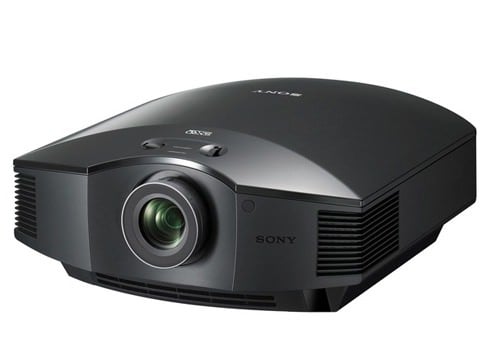
Sony VPL-HW50ES.

sony VPL-HW50ES review

The Sony VPL-HW50ES projector is our top pick for those looking for a mid-high tier video projector that is able to produce huge images with deep black levels, full shadow detail, and reference-quality colors. It may cost more than most quality HDTV’s, but rest assured that it is very good value for this level of image quality. There are lots of different settings available using preset picture modes and lots of setup options.

BenQ W1070.

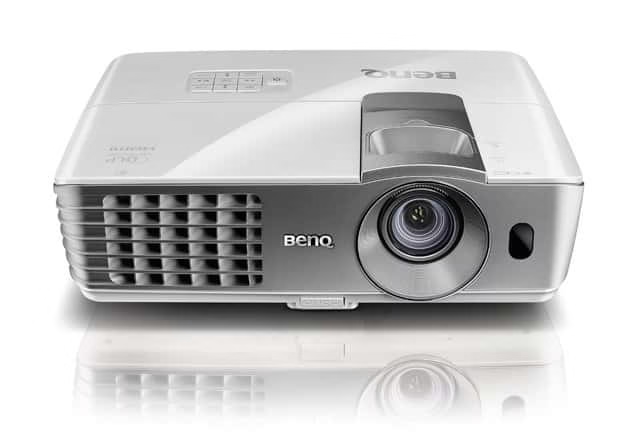
benq w1070 projector review

The BenQ W1070 offers very good picture quality for the price, including deep black levels and precise colors. The 3D playback is probably the best you’ll find at this price point. Of course, as with any budget projector, there will be a few drawbacks and in this case no 3D glasses are included, and they aren’t cheap. The Low-level shadow detail is weak. All things considered, the advantages outweigh the cons by a wide margin, which makes the BenQ W1070 one of the best options available out there for those looking for a solid entry level projector.

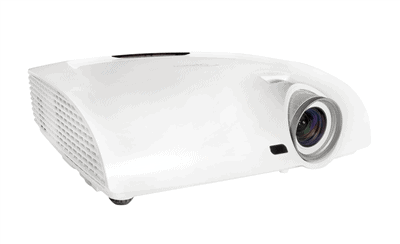
Optoma HD33.

Optoma HD33 review

The Optoma HD33 is a 3D ready DLP projector offering beautiful 1080p HD video and bright (at 1800 ANSI lumens), vibrant images. It can go up to 300 inches. This is a great bang for the buck device that offers lots of connectivity options.

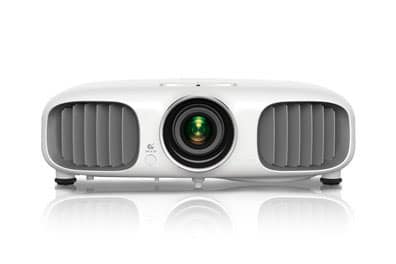
Epson Power Lite 3020.

hc3020 epson review

For the budget minded consumer, the Epson Power Lite 3020 is another excellent choice. It’s easy to use and offers lots of customizable setup options. 3D and 24P playback are way better than what a TV of a similar range may offer.

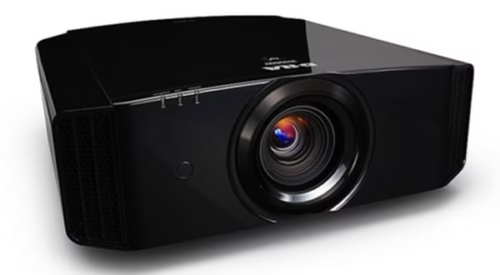
JVC DLA-X35.

JVCX35 home projector review

JVC’s DLA-X35 sends out huge, jaw-dropping projection images characterized by exquisite black levels and highly precise color. Even though it is the most expensive device on the list, you’re getting excellent value for this level of image quality; loads of different picture adjustments and setup options, including power zoom, focus, and lens shift; no-nonsense minimalist design; optional 3D emitter compatible with cheaper third-party glasses. For videophiles, look no further than the JVC DLA-X35.

3 Best Virtual PBX Solutions For Enterprises

0

Communication takes an important role in enterprises, no matter whether it is a small, medium or large scale company, employees have to communicate each other for information interchange. Usually staff relies upon telephone calls to communicate each other which adds extra financial burden on the company, so what is the solution for free communication or for reduced rates calls? The best answer is using virtual PBX services.

What Does Virtual PBX Service Do?

Virtual PBX represents private branch exchange, it is used to mainly achieve two tasks, first to create connections between internal telephones of an organization and secondly to connect them to the public switched telephone network. Virtual PBX uses voice over IP rather than traditional phone lines, voicemail, conference calls and calling logs are some basic features of Virtual PBX. The main intension of using virtual PBX service is to connect internal phones of an organization and reduce the cost of phone calls.

List of Best Virtual PBX services For Enterprises

ECT Virtual PBX

ECT Virtual PBX

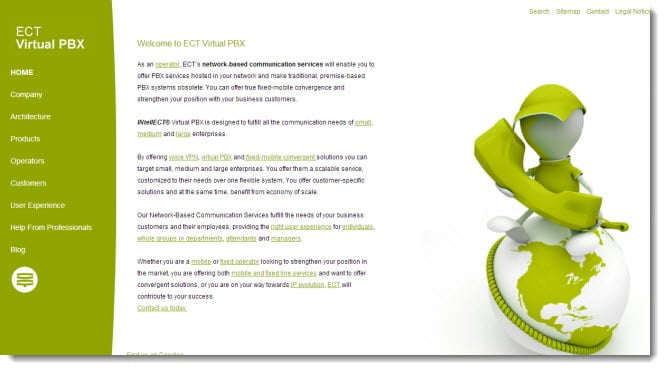
ECT virtual PBX is the best virtual PBX solution which makes communication easy, no matter whether you have a small office, medium organization or a large enterprise. ECT virtual PBX offers voice VPN, virtual PBX and fixed-mobile convergent solutions. No matter whether you are using a mobile or landline, ECT virtual PBX has the right solution for both. With the ECT virtual PBX solutions your employees can receive mobile and fixed calls, handle office communications, transfer calls and attend three party conferences.

ECT virtual PBX has the solutions including VPBX convergent for mobile and fixed line operator, mobile only operator, fixed only operator and IP evolution. ECT virtual PBX has many useful features including automatic call distribution, attendant and call management etc.

Virtual PBX

Virtual PBX

Virtual PBX is award winning PBX provider that offers VoIP, ACD queues, call routing, call routing, voice mail notifications, call recording and many other useful features. Virtual PBX helps to reduce your company’s communication expenditures up to 80%. Virtual PBX also has the free apps for iPhone and Android devices.

Grasshopper Virtual PBX

Grasshopper Virtual PBX

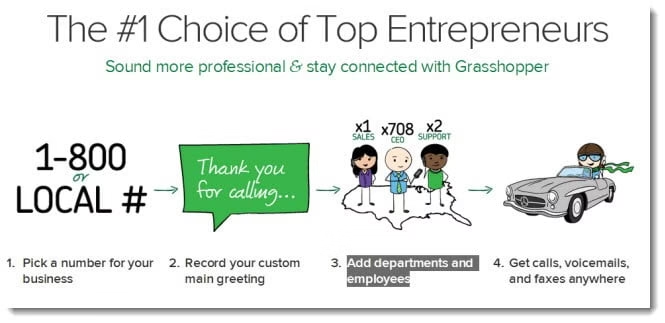
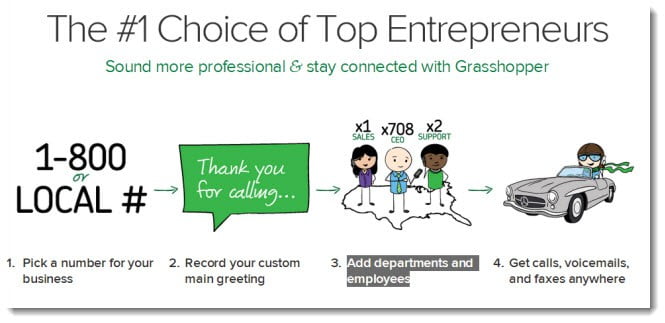
Grasshopper Virtual PBX is another popular virtual PBX service provider to cut off calling expenses within the organization. Grasshopper virtual PBX features include toll free and local numbers, custom welcome greeting, voicemail to email etc. Setting up Grasshopper virtual PBX is easy, just pick a number for your company, record a greeting, add your departments and employees and you are done.

5 Tools Necessary for All Social Media Marketers

As a social media marketer, you put a lot of thought and effort into each and every post. You wouldn’t trade the job for the world (I mean, who doesn’t want to get paid to be on Facebook and Twitter all day?), but it’s a never-ending job. Before, during and after work, you are managing the business’ pages.

Social media marketing tools


There are many tools out there that’ll give you better results in less time in order to grow your audience, your brand and, ultimately, your career. Here are five tools you need to make your job easier, while giving you better results and a bigger impact.

1. Tagboard

Hashtags go beyond Twitter these days – they’re on Facebook, Instagram, Google+ and Vine. So Tagboard has made it easy to monitor these keywords on every important social media website. You can use this to easilymonitor your brand.

Also, see what’s trending on each social media platform so that you can post relevant content to the trending keywords. This tool is a great aid to your social media marketing, as you can create connections to your audience with up-to-date topics.

2. Swayy

Swayy brings you content that is related to or of interest to your brand. Everything from news articles and viral videos to interesting infographics and blog posts are found for you.

Then, you can share this content with your audience on Twitter, Facebook, Google+ and more. Easiest of all – relevant hashtags and handles are given to you, so you can include related people, brands and hot topics.

Use Swayy’s analytical tool to see what content your community responds to most. Then, grow your audience and your impact.

3. Fiber-optic Internet

It should be a given that you have a laptop, tablet and smartphone as a social media marketer. Your job doesn’t end at 5:00 p.m. like those in the business world. But the hours after work are when Internet usage peaks and speeds slow down. When you’re at home, use these tools and get the job done quickly with fiber-optic Internet.

This is the next big thing in the tech world, with speeds reaching far higher than the national average 7.4 Mbps. Both Google and Verizon offer 100% pure fiber-optic Internet. With Google Fiber, certain cities can get up to 1 Gbps (1000 Mbps). With Verizon FiOS, get up to 500 Mbps in certain serviceable areas in the U.S.

This is one tool that’ll help you manage all the different social media accounts (and it’ll help you use all these other listed tools). With fiber, you won’t have to spend free time – the little you have – waiting for webpages, photo-heavy blogs and the latest viral videos to load.

4. SocialFlow

With SocialFlow, you’ll never have to take financial risks on any social media platform. This analytical tool can look at your posts, your audiences’ responses and the times they see your content. This is especially important because audiences and their interests change over time.

The company’s website states, “We like to describe our value proposition as: ‘Right message. Right audience. Right time.’” You’ll be given the best times to post, and even when it is best to spend money on promoted posts. SocialFlow tells you when to post so that you get the greatest, and most financially rewarding, reaction.

5. Wildfire

Wildfire is a division of Google that helps you build campaigns with results. No matter the social media site or type of campaign – giveaway, contest, poll, etc. – you can both implement and manage with this software. At the end of each campaign, measure the ROI and see the results on your business.

The tool can also help you with advertising on social media pages. Through various testing, Wildfire will tell you when and where it’s best to place your ad – saving you the guess work and money. And at no cost to you, you can also check out the competition and compare your brand to others.

About the guest author:
Michelle Smith is a college student pursuing a Bachelor of Business Administration degree in Marketing. She enjoys freelance writing on social media and marketing-related topics. Michelle welcomes your feedback at michellelsmithwriter[@]gmail.com