Home Blog Page 274

SysTools PDF Unlocker For Unlocking Password Protected PDF

This is a guest post by: James smith.

This review is for SysTools PDF Unlocker tool, version 3.1. In this review, all the potential features as well as weakness of the tool have been mentioned along with discussion over its design framework; specifications; performance; functionality and benefits it offers to the users. The product is designed to unlock security from PDF files and is available in Personal, Business and Enterprise License. Let’s start with the outlook or design parameters.

Also read; List of 300 useful free softwares and download websites

  • Design:

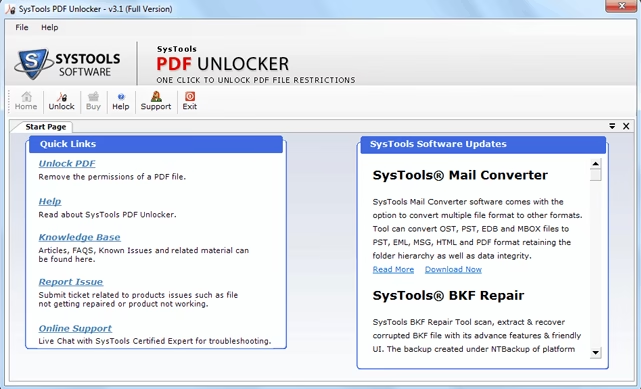
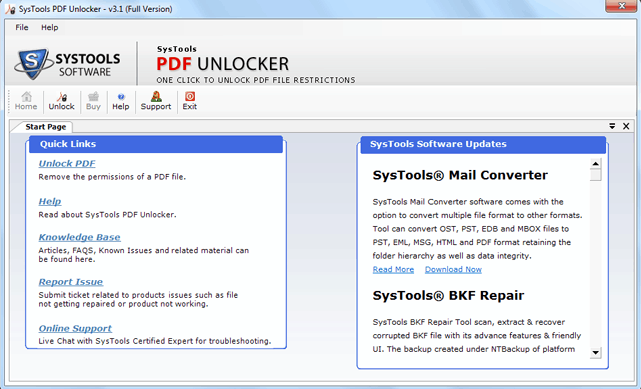
The initial screen of the software looks like this:
PDf unlocker software

The Graphical User Interface is quite simple and easy to understand for all kind of users. The steps to follow afterwards are self defining and the user can easily use the tool without any kind of technical assistance.

 Specifications:

The latest version of the tool is 3.1with 2.8 MB size.

Now the good thing about the tool is that it is lighter and does not occupy much space on hard disk. Moreover it does not interrupt in the smooth performance of other applications after installation and does not make the system bulky.

 System Requirements:

  • Supports all versions of Windows including latest version 8.1.
  • Supports ‘Adobe Acrobat 9’ and all lower versions.
  • 1 GHz processor is fine but recommended specification is 2.4 GHz.
  • 1 GB of RAM is recommended, however 512 MB works.
  • 5 MB free hard drive space is required.

The requirements for successful download and installation is defined hereby and it can be noticed that the product does not require anything much than that of normal computer or laptop with standard configuration. Here, it is important to mention that it does not require Adobe Acrobat for removing PDF security, which is quite an impressive feature. However to view the file respective application must be installed.

Demo And Full Version:

All the editions namely, Personal, Business and Enterprise come with complimentary demo version as well as paid (licensed) version.

Demo Version: Removes restriction from PDF files and offers to save them on machine but the newly recovered version of PDF will have developer’s watermark on the file.

Full Version: Offers to recover limitless locked PDF files and restores them on machine with no backend image or watermarks appearing on the recovered file.

Since the demo version is offered to explore all the features of the tool prior to purchase but it can be utilized to the maximum if the need is only for accessing the data while not saving the recovered file. This version is beneficial to some extent. Demo version lets user understand the tool in better way before purchasing the same and saves them from facing any kind of inconvenience after buying the full version.

Features Offered versus User’s Expectations

The features offered by the SysTools PDF Unlocker are summed up herein:

  • Unlocks password protected PDF files (for known passwords).
  • Removes restrictions such as printing, extracting, editing and copying from PDF files.
  • Offers previewing recovered PDF files within the tool.
  • Offers to preview permissions assigned on the PDF files.
  • Maintains integrity of data and recovered files are saved at new location.
  • Performs ‘read-only’ action on original files.

In the upcoming section, the expectations of an ideal user have been discussed and the judgment is made (based on the features offered by the tool) whether it fulfils user’s expectations or not. So, let’s see how capable the tool is for fulfilling user’s demands?

User’s ExpectationsAchieved or Not Achieved
Unlock the locked/ password protected PDF filesAchieved
Remove various PDF restrictions.Achieved
Batch Processing of PDF files.Not Achieved (in Personal License)
Offers preview of the recovered PDF files.Achieved
Original files remain untouched.Achieved
Security maintenance while processing files.Achieved
Support corrupt PDF files.Not Achieved

Though, the tool offers users with potential features that satisfy user’s expectations to a larger extent but some deficiencies falls into this section.

  • It does not offer batch processing of PDF files under Personal License. Recovery of multiple files at once is only possible in Business and Enterprise License.
  • The tool does not supports corrupt PDF files which is a major shortcoming.
  • Summary report of all recovered files must be generated by the tool for the convenience of users.
  • Single file recovery at a time sometimes tends to be time consuming.

License Key and Technical Support:

License key can be obtained within 24 hours, once payment is made. The technical support team is available for all time assistance.

The services provided by the technical staff are quite amazing and in my case I got the activation key within few hours of making payment. However, I have not called upon for any kind of help from support staff (to be very honest) because I haven’t found any discrepancies in the functionality of the tool.

Final Opinion and Suggestions:

As a whole, the tool offers complete features that are required to unlock and preview PDF files, but still there are some discrepancies that need to be removed for making it highly scalable. However, there are no issues found with overall functionality and performance of the SysTools PDF Unlocker (as per my experience as a user), so it is quite a recommended product. In addition, 24 * 7 assistance and availability of demo version are pretty impressive features that compel users to adopt the tool. In the end, I would only say that this product is surely worth exploring.

Keeping in mind all the respective features and performance, my rating for the product is 8/10.
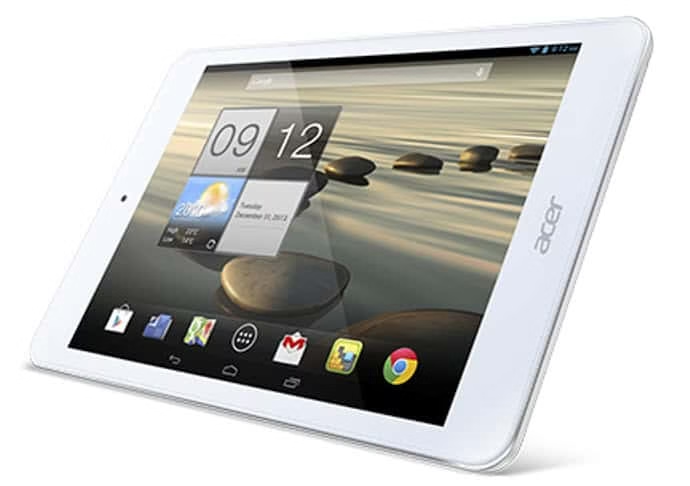
Acer Iconia A1-830- All New Feature Packed Sleek Tablet

0

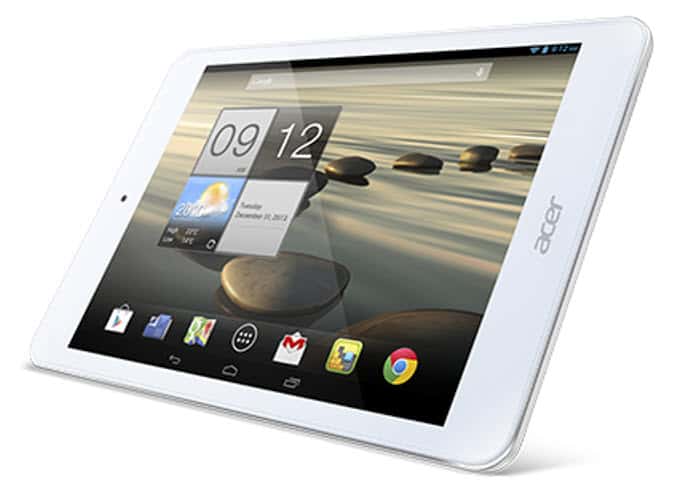
Are you hunting for a sleek and beautiful tablet with power packed features? Well here is the most recently released super cool tablet i.e. Iconia A1-830 by one of the leading gadget makers Acer. Iconia A1-830 by Acer is light weight in size which perfectly fits in the hand and it is easy to carry.

Acer Iconia A1-830 is suitable for all kind of gadget lovers including gamers, web surfers and music lovers.Here are the most adorable features of Iconia tablet.

Also read: Top Trending Gadgets of The Season

Acer Iconia A1-830 – Features

Acer Iconia A1-830

Sleek Design

Acer Iconia A1-830 tablet comes with sleek body with rounded edges which has made using high quality materials that catches the eyes. In the back side the tablet has silver metal which adds premium look to it. The tablet is very handy which just 380 grams weighs.

Recommended: Spying-Gadgets and Gizmos

Faster Performance

Acer Iconia A1 is a high performance tablet that runs on Intel Atom Dual-core 1.6 GHz processor with 1 GB RAM and PowerVR SGX544 graphic card which makes your gaming experience more interesting and smoother.

Must read: How to be Cool Tech Parents

Vibrant Display

Acer Iconia A1-830 has 7.9-inch IPS capacitive display with 1024 x 768 screen resolution. The tablet outputs in 4:3 aspect ratio which makes your reading and surfing more convenient and adorable.

Sufficient Storage

Iconia A1-830 comes with 16 GB internal storage and a microSD card slot which is expandable up to 32 GB. You can get 5GB free cloud storage from Box

Louder and Clearer Speakers

Music lovers will surely rock with the all new Acer Iconia as the tablet boasts dual speakers for better and clearer audio experience.

Powerful Battery

If you hate recharging the gadget often then Acer Iconia A1-830 is the best gadget for you will be your companion for the whole day. Li-Ion 4000 mAh battery that powers up the tablet for the whole day.
This Post is brought to you by Acer

M-HORSE N9000W Android Smart Phone Specification and Review

M-HORSE N9000W is a 3G Smartphone which is soon making high waves in the market. I had read some decent reviews about this phone from friends and was very excited to try it out myself.  Finally I got a chance to get a hold of this phone and I must say I was not very disappointed. Considering it was not very expensive I thought it was a good buy for just $84.05.

M-HORSE N9000W has some interesting features to make a note of. It has an Android 4.2 operating system and is a typical 3G Smartphone. As this phone is priced a mere $84.05 you cannot expect a world at this cost. Likewise M-HORSE N9000W too comes with its plus and minus points. This is what I figured about the phone.

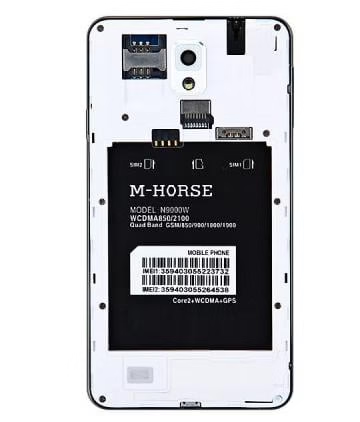
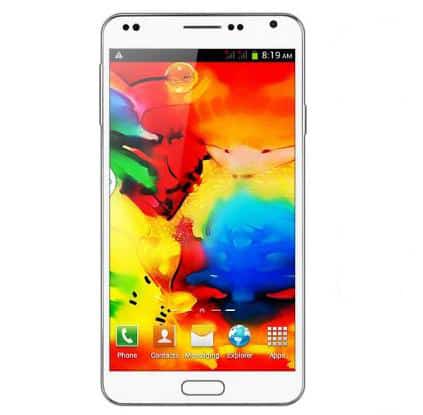
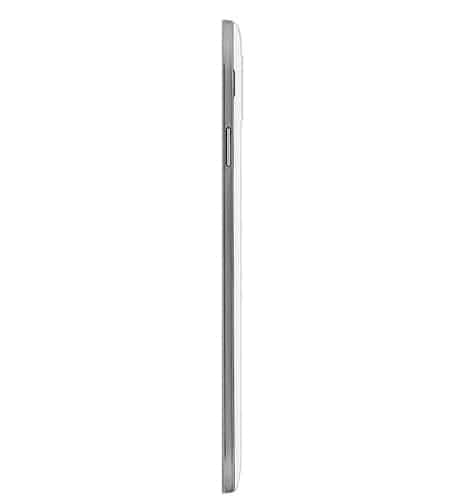
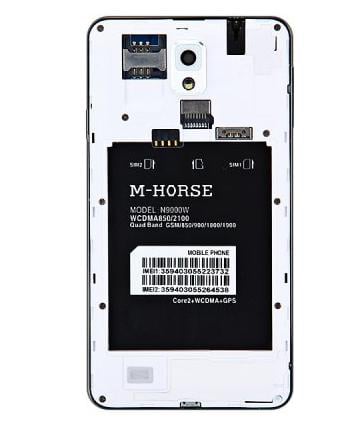
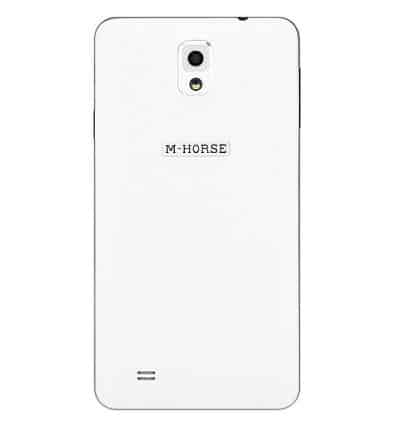
n9000w design photos

Design

M-HORSE N9000W has a nice wide screen with a display size of 5.5 inch which is actually very good.  The overall appearance of the phone is good something that you would like to hold in your hand with pride. The phone has a front and back camera of 5.0MP. It also has an Earphone Jack at the top and a USB port at the bottom. The volume buttons and Power off/on buttons are given on either side of the phone. The phone has a black front and back panel with capacitive keys option at the bottom.


n9000w  performance

Performance

I have read reviews where people have actually found M-HORSE N9000W as good as a Samsung Galaxy S3 as far as performance is concerned. It has good enough hardware to take care of your favorite applications.  It does not quiet have the connection issue and runs smoothly with no real drops. You can say the M-HORSE N9000W gets most of its basics right. Good functions are always a key of a good phone and M-HORSE N9000W provides just that. It has a 512MB RAM which is just about alright. Perhaps that could have been a little better but what can you expect at such a low price.

n9000w battery

Battery Life

M-HORSE N9000W has a 1 x 2800mAh Battery.  Battery life is not very great. It has a stand by time of 180 hours and almost 4 hours of talk time.  The batter capacity is just about 1550mAh. If you’re planning to watch YouTube videos or run heavy applications you will need a charger by your side.

n9000w 6 camera

Camera

M-HORSE N9000W has dual cameras which makes the phone a wise buy especially when you’re looking at a good camera at a low price.  It has a back camera and front camera of 5.0 MP. It also has a flash light and AF. The phone also supports video recording.


Connectivity

M-HORSE N9000W has a Dual SIM slot and Dual Standby. It also has a TF Card slot. Audio Out Port of 3.5mm and Micro USB Slot is also included in the features list.  M-HORSE N9000W also supports Bluetooth and Wi-Fi (802.11/b/g/n).


Pricing

M-HORSE N9000W is a useful product at a low price. If you’re not willing to spend more but want just about good features then you can surely consider buying this smartphone. You can also buy M-HORSE N9000W at $84.05 from Gearbest.com.


How we can save our Environment with remanufactured ink cartridges

Post by Guest Author.

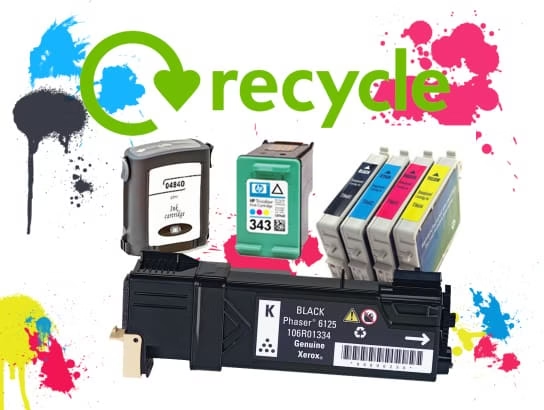
Purchasing ink for your printer can be a challenging task as there are many available in the market to confuse you – laser toner, inkjet cartridge, remanufactured ink cartridges and OEM (Original Equipment Manufacturer) are the ones that are utilized for printing purposes. It is always hard to know which one is best suitable for you. Worry not, what are we here for? In this article, we will discuss about the remanufactured ink cartridges, OEMs and the environmental benefits of the former so as to help you make a right decision. Here we go.recycled ink catridges

What are Remanufactured Ink Cartridges?

Remanufactured cartridges start out as OEM only but instead of throwing a perfectly durable and useful plastic away to sit in a landfill, they are sent to another manufacturers for recycling. A good manufacturer will dissemble, clean, replace the worn out parts, test the cartridge and refill the toner. After this refurbishing process, the cartridges become ready to use. They are considered environment friendly too.

What is an OEM Cartridge?

OEM stands for Original Equipment Manufacturer. They are printer manufacturers who produce the replacement ink cartridges for inkjet printers and put their name on the product like Canon, HP, IBM, Sharp and Lexmark. These cartridges are comparatively expensive and demands higher repairing cost. Although HP 1050 Ink cartridges are just as recyclable as others, brand name cartridges are often simply not recycled properly. No doubt, their use ensures better quality prints but the fact that they are a threat to the environment makes them less desirable sometimes.

Why there is a Need to Recycle Cartridges and How Remanufactured Ones can Prove Beneficial?

Inkjet cartridges are made out of plastic and that is a petroleum based product. Do you know that it takes about 1,000 years to decompose the same? As per data, every year millions of empty cartridges are thrown into the refuse bins and this waste may end up sitting in landfills for years. Again enormous amount is spent on the landfills for their management as they are filling up on very faster rate.

On the other hand recycling used inkjets is easy and needless to mention, prove beneficial to the environment. This process also is very profitable if we talk about in financial sense. Recycling also helps reduce the amount of solid waste gathered and conserves our raw material.

Why are Remanufactured Cartridges Better for our Environment?

The energy and raw material needed to produce new cartridges is way higher than the amount used in recycling an old one. According to certain studies, only 20 to 40% are empty cartridges are recycled that simply means that the other 60 to 80% end up in a landfill harming the environment. This is the reason why the use of recycled ones should be encouraged more.

Recycle more because…

  • Three pounds of resources are needed to produce a newer one and when you are recycling, you directly save the quantity
  • An average cartridge utilizes up to 3.5 oz of oil during production, now imagine the quantity saved a million times over
  • 1000 years is what it takes to decompose the cartridges and every year 300 million of these are thrown away. Imagine the harm from 75,000 tons of trash
  • Remanufactured cartridges are not only environment friendly but they are as good as older ones. Moreover, you would be saving more on purchasing them

So, play your part in saving the environment by choosing the right thing for you.

Satellite Internet- Direct Connection From the Sky

0

When someone plans to buy a new internet connection, usually most of the people thinks of ADSL broadband connection or USB dongle, of course these are the most popular connection types that comes in mind quickly. A new connection type has been introduced in the recent years which provides the internet through communication satellites i.e. Satellite Internet.

satellite internet

How Satellite Internet Works?

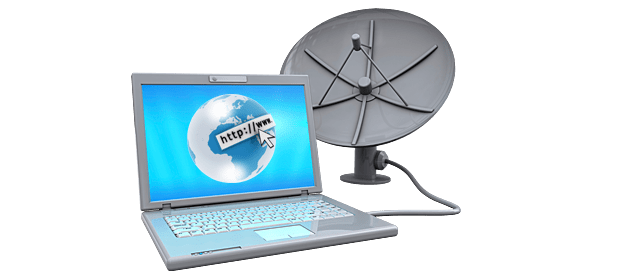
Satellite Internet is usually provided by geostationary satellites which offers high speed internet connection up to 15 Mbps. Satellite Internet does not use ADSL, rather it utilize satellite dish to establish the communication. If you are more tech savvy, you can find more on how it works.

What are the Advantages of Satellite Internet?

There are many advantages of satellite internet, here we have listed a few-

  • Satellite internet let you access high speed internet from everywhere, you can browse the internet from an isolated place, satellite internet is ideal for rural areas where telephone lines are not available.
  • Satellite internet let you use the internet from remote areas where mobile network is not available
  • It does not require you to have an existing telephone line to connect to the internet, Satellite internet is the best alternative for ADSL
  • Satellite internet requires minimal installation which consist of a small parabolic antenna and a modem, no bulky wiring at all.


Top Satellite internet services

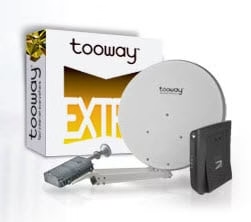
While there are many companies, when it comes to satellite internet one must pay attention at Tooway Satellite Internet who is the leader in satellite communication and the world’s third largest operator. And top based on customer satisfaction. tooway satellite internet

Tooway satellite internet offers high speed internet connection in an affordable price tag with four different packages, Tooway offers connections with download speeds of up to 20 mbps and upload speeds of 6 mbps that let you download your favorite music in seconds and HD movies within hour.

Tooway is a best alternative to ADSL that brings internet direct to your home with minimal installation. All it needs is a small parabolic antenna on the top of your home or apartment and a modem. Tooway satellite internet relies upon KA-SAT which is the first European satellite built absolutely for the Internet. Tooway transmits and receives the internet with just the same power as a mobile phone i.e. 2W.

Infographic- 5 tips for running a Social Media contest

Is your company thinking of running a social media contest? Before you start, there are many different factors to consider. It is important to properly set it up and to lay out specific goals so that your business can understand exactly what you are seeking to achieve. By doing so, the process will run much more smoothly, and you and your employees will be free to engage with entrants and hopefully build lasting relationships. For even more information, check out the graphic below featuring five tips for running a successful social media contest.


successful social media contest

Think Before You Click: Online Ads Are Hotbeds for Malware

online ads malware

Mac users often feel a false sense of security online. They often assume that Macs never get viruses, so they don’t take precautions before clicking on untested links. The bad news is that it’s not always easy to tell a malicious link from a safe one, and even websites that look safe can be vandalized by cyberattackers. For example, in January 2014, Graham Cluley reported that the Hasbro toy company’s website had been corrupted by malware four times in a single month. Every time a Mac user visited the website, the Mac could have taken on malware via drive-by-download.

The best solution for safe Web browsing is to research the best antivirus for Mac software. Choose a program that scans links to make sure that they’re safe. Also, think twice before clicking on any online ads. According to security experts, online ads have become notorious for transmitting malware.

What’s Dangerous About Clicking an Online Ad?

Ads have become omnipresent on the Web. Google AdWords serves up paid search results, and it delivers targeted ads based on data collected when someone browses the Web or uses a Google service, like Gmail. Social networks like Facebook and Twitter also serve up plenty of online ads on both desktop Macs and on iPads and iPhones.

Virus alert warning

One great aspect of online ad campaigns is that they give small businesses a chance to get noticed. A small business owner can open an AdWords account or set up a Facebook page, set an advertising budget and start displaying targeted ads. Unfortunately, because ad campaigns are easy to set up, it’s also easy for attackers to create fake ads. In those ads, they can place fake links that lead to malicious websites. According to Cisco’s 2013 Annual Security Report, online advertisements are 182 times more likely to deliver malware than a clicked link on a pornography site. Cyber attackers know that online ads are seen by a big audience, particularly on social networks. They know that they can do a lot more damage with an online ad than they can by waiting for someone to drop by their malicious website.

How Does Malware Get From an Online Ad to a Mac?

When Mac users have a good antivirus program installed on their hard drives, the software scans online links before Mac users click them. For example, some links may appear green, letting the Mac user know that they’re safe, while a dangerous link appears red to warn the Mac user not to click. An unprotected Mac user won’t know when links are malicious, so the user may click an innocent-looking online ad link. The link may lead to a website that contains malicious code, and that code, through a vulnerability in Safari or another Web browser, could deposit a virus onto the Mac.

One of the most notorious Mac viruses ever discovered was a virus called Mac Defender. Mac Defender was actually advertised as a fake Mac antivirus product. Users could download it from fake ads, or Mac Defender would generate pop-up windows while they were browsing the Web. It would scare Mac users by telling them their Terminal program was infected, or it would redirect their browsers to pornography sites in an attempt to convince them that they had a virus. Then, when the Mac user agreed to download Mac Defender and provided credit card information, the pornographic pop-ups and redirects went away, but the attackers had the person’s credit card information.

How to Tell Whether Ads Are Fake or Legitimate

Many fake online ads are manipulated to look completely believable. For example, in early 2014, an attacker used the Yahoo ads network to hide malicious exploits like the Zeus banking Trojan within iFrames. The malicious ads targeted mostly European users, but they circulated for about five days before Yahoo issued a security update.

Instead of clicking an online ad, open a new browser window and do a search for the company and the advertised promotion. Better yet, use antivirus software that can show you whether links are safe or malicious. Also, be careful not only on Macs but also on mobile devices. One in five mobile malware packages are delivered through mobile ads.