Home Blog Page 361

Evernote lets you remember things from your daily life using your computer, phone, and the web

0

For many of us we have seen that even if we have a clean desk to work on, there is more chances that the drawer is not so clean. It might workout for some of us, but it its doesn’t work out when you come to the online world. There are hundreds of situation in which you might keep some of your very important files in what you think the most viewable position in your computer. But trust me you may not find it in the time of need. There is a Free and a simple solution in which you can avoid these situation. And its by using Evernote.

What is Evernote?

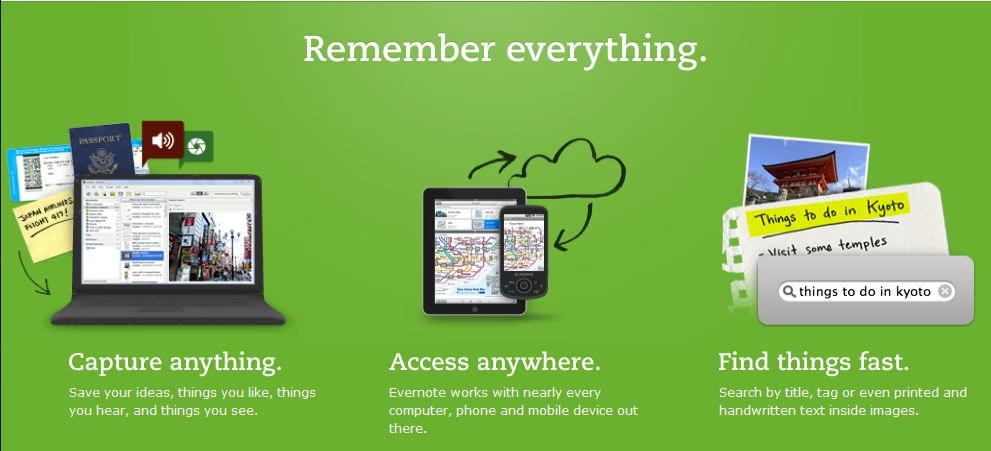
Evernote is a free online tool that lets you make note of the smallest to the most biggest events of your notable life. Be it a coffee date with your pals to your work schedule. The working of Evernote can be broken down into three parts as below:

  1. Take a note through your Pc or Iphone or Android etc
  2. Edit and rearrange your notes later.
  3. Look back at the notes when you require it anywhere.


Things you do not need to worry about while taking a note through evernote like conventional method.

  • You do not need to carry your notebook with you. You can access your data anytime anywhere in the go.
  • Neither you do not need to carry your laptop in case you take note of things in it, as this can be accessed from any of your handhelds.
  • No need of worrying of keeping backup of your most important noteworthy moments of  life as it is safe in the servers.

In what Ways Can I Use Evernote?

You may use Evernote just as you may wish, however for a start off I will help you with some of the most used ways of it.

  • As an Address book: Snap a photo of a business card or an address with your mobile, and keep it safe and secured in Evernote. Access it anytime anywhere when you need it.]
  • As a Bookmark Tool : Take a screen shot of your most favorite and liked websites and access them anywhere, to show to your friends and family.
  • Memorable Days: Keep a tab on of your most memorable days, never miss a chance to wish your loved and cherished ones. Keep every details of the days with photographs and event notes just as you do and more in a diary.
  • Twitter Notes: Make Twitter notes directly from your twitter account of your favorite tweets and keep a record of them.
  • Voice Memo: Keep voice recording or any other sound clip of your liking and listen to it at your convenience. 

Other Great Must Checkout Features Of Evernote

  • The Evernote Site Memory Button
  • Make a Packing List in Evernote
  • Evernote Podcast
  • Creating a mood board with Evernote
  • WebCam notes

The features of Evernote are not limited to the above points mentioned, its as free as your thoughts, you can use it in anyway you can think of.


Which Loads faster? Google or Bing? Check it yourself

Which loads faster is a name of  site which lets you compare speed of two websites. Loading time is a major factor of a website which in-turn results in the overall performance of a site. You know Google is the worlds largest search engine and Google officially announced that load time of a website which have impact on its Google page rank and position in search results.

When it comes to blogs like our, it is cool to keep a track of how our blog is performing when compared with others based on load time. So lets use which loads faster to compare load time of Google vs Bing.

Hurray!! Google won. No wonder Google is much faster in yielding results too.

Race feature in this site allows multiple websites to load up and be tested in a group. The group with fasted loading speeds wins the race.

Update: Unfortunately whichloadsfaster.com has stopped working, alternatively try Tools.Pingdom.com, Gtmetrix.com or webpagetest.org


What were TechGyo guys doing all these days?

0

Hi again to all after a long long time. We had been constantly receiving mails from our avid readers and well wishers, that what happened to Techgyo. Why there are no new posting and updates.

So What Was Happening Behind The Scene?

There had been much going around behind the scene, for all these one and a half month. For all these days we might have been writing in Techgyo, but we were not receving enough bucks, to cover our hosting, domain and other services . So the core members of Techgyo.com decided on opeing a company. And we are proud to inform you that it has been a success. The name of our company is Zeus Infocom. Since inception it started providing services like, Website designing, Banner Designing, Hosting and Domain Services, SEO and SEM services and many other web related services. Our website is currently under construction.

We have received and successfully completed several projects since this month and mostly covered our expenses. For now we will be trying hard to update you regularly in our blog. We know we made you wait a lot. Thanks for being with us.

How To Get  To Us If You Require Our Services?

We are providing all web related services ranging from Web Designing and web development, Banner Designing, Hosting and Domain Services, SEO and SEM services, project development etc at an affordable price. We are providing off the self as well as fully customized services depending on your choices. So, if you have any questions do not hesitate to contact us at [email protected]

How To: Protect Your Smart Phone From Getting Hacked

8

Mobiles phones and hand-held has become an inseparable part of our life for most of us. We all love them more than ourselves, since the last few years, the price of these amazing devices had free falls. We all loved it, however as we all know with every good there remains a bad somewhere to counteract each other. As more and more people are shifting from basic phone models to new smarter devices, it gives us many more features which would had been impossible in the old handsets. However as the complexity increases so so does the dependency on new technologies, instead of firmware we now use Mobile OS for most of the smart hand-held devices.

This had opened the gates to the hackers ,crackers, malicious bots and codes which invades your smart devices and steal all your personal data and leave them paralyzed. However if you are aware of the protection techniques you can take to avoid such things you can be a lot more safe.

Also read: How To: Protect Your Webcam From Getting-Hacked

Must read Steps to Prevent Router From Getting Hacked

So How Do I Protect My Smart Phone?

There are certain things that you should perfect into a habit after purchasing your Smart-phone.

  • Keep the bluetooth always turned off and hidden until and unless required.
  • Keep the GPRS or Connectivity to Internet only permissible by you and disable auto invoke.
  • Don’t receive any files from persons you do not trust
  • Always use a good Mobile Antivirus like Kaspersky or NetQin.
  • Always keep the Antivirus updated
  • If Wi Fi is there in your phone keep it disabled unless required.
  • Update your Mobile OS or any other platform to the latest whenever available. It fixes the security holes.
  • Always keep tab what software is being installed in your phone.
  • Do not install any software from any untrusted source.
  • Pirated application is definitely a no-no it will open back doors for hackers before you ever know.

Recommended: How to Protect your PC from Autorun USB Virus?

There can be more security that can be taken but it would be inconvenient for most of the users. however if you take care of the above most of the problems can be avoided. So, be safe in this mad world.

How Big Is Google? Quick overview on Google’s Products & Services and Servers

1

You all know that Google is really big, but how big is Google? Even Google doesn’t know how big is Google, because Google is enormously huge, They have a huge list of products, and most sophisticated tracking systems and services. This post is a quick overview on how big is Google and list of Google services. To make my job easy, here’s a link to Google’s corporate history which gives you all information about Google’s evolution. Here’s a short and cute list of Google’s product and services. This list includes Google’s start-ups and also acquisitions by Google. It will be a great experience for anyone being a part of Google. Excuse me for not adding description for each services. It already took almost 2 hours to just get this list. Also read:

AdWords, Chrome, Desktop, Earth, Gmail, Pack, Picasa, Quick Search box, Secure Access, SketchUp, Talk, Visigami , Blogger, Blogger Mobile, Buzz, Calendar, Gmail, News, Google Mobilizer, iGoogle, Product Search, Reader, Mobile search, Picasa Web Albums, Google Latitude, Voice (United States Only), AdSense, DoubleClick, Grants, TV Ads, 3D Warehouse, Apps, FeedBurner, Friend Connect, Gadgets, Profiles, Notebook, Knol, Panoramio, Orkut, Picnik, Reader, Sites (Previously Jotspot), SMS Channels (Google India Only), Questions and Answers (Chinese / Russian / Thai / Arabic Only), Wave, YouTube, Google Sidewiki, Android, App Engine, Code, OpenSocial, Mashup Editor, Subscribed Links, Webmaster Tools (Previously Google Sitemaps), Google Chrome OS, Google Go, Google Closure Tools, City Tours, Map Maker, Building Maker, Mars, Moon, Ride Finder, Sky Map, Transit, Aardvark, Alerts, Base, Blog search, Book Search (Previously Google Print), Checkout, Code Search, Dictionary, Experimental Search, Fast Flip, Finance, Groups, Image Labeler, Image Search, Language Tools, Life Search (Google China), Movies, Music (Google China), News, News Archive Search, Patent Search, Product Search (Previously Froogle), Scholar, Squared, Suggest, University Search, U.S. Government Search, Video, Voice Local Search, Web History (Previously Google Search History / Personalized Search), Trends, Gapminder, Health, Google Mini, Nexus One, Google Search Appliance, GOOG-411, Google Public DNS, Answers, Browser Sync, Co-op, Free Search, Hello, Google MK-14, Music Trends, Page Creator, Public Service Search, SearchMash SearchMash.com, Spreadsheets, Video Player, Web Accelerator, Dodgeball, Catalogs, Joga Bonito,
Lively (Windows XP/Vista) -3D animated chat program launched on July 9, 2008 and closed December 31, 2008.[7]

Here’s another link of google’s acquisitions. The list of really huge and it can’t fit in this page, So I feel it will be convenient to give a link. So wondering where Google stores all these products and services? Just look below, you will be amazed to know how much dedicated server space Google have when compared to others. Click on the image for fill image view. This image is really long, So don’t be surprised while scrolling down.

[ Link : Google History | List of Google Acquisitions ] 

PayPal Temporarily Withhelds Electronic Money Withdrawal System.

3

Today morning I was a bit distressed as I read the mail from Paypal. What it states that Paypal will temporarily withdraw the service of online withdrawing of money, service from August 1, 2010 . However the mail didn’t state the detailed reason about why it was done. However to compensate for the electronic transfer facility, they are currently providing the withdrawal payment facility only on cheques. It was also mentioned that they are trying to get the system back on track as soon as possible.

To make a withdrawal through the cheque you will need to follow the below procedures:  

To request for a cheque withdrawal:

  1. Log into your PayPal account, click on ‘Withdraw’.
  2. Click on the ‘Request a cheque from PayPal’ link.
  3. Enter the withdrawal amount and select your mailing address, then click ‘Continue’.
  4. Click ‘Submit’ to confirm your request.

In order to help you with this change and until further notice, PayPal will refund the $5 USD cheque withdrawal fee to you for cheque withdrawals made on July 29, 2010 onwards. This is applicable only for PayPal India customers.

How To: Connect Multiple Computers From A Single Internet Connection

lan

Many a times it happens so that we have more than one computer or laptop, in our home, however it is not in the benefit of the user to take multiple internet connection for each of the computer. So we would require to share the same internet connection with n no of computers. It might be a very easy problem to solve for a technical problem. However I have worked for one of the topmost software company, in which users of its operating system would used to come to solve their problems which are much easier than this. Trust me, I had even helped person who was unable to create a desktop shortcut for IE on his computer.

There could be two ways of making connection or LAN between two computers, either wired or wireless.

How Do I Set Up Wired LAN Between Two Computers And Share Internet Connection?

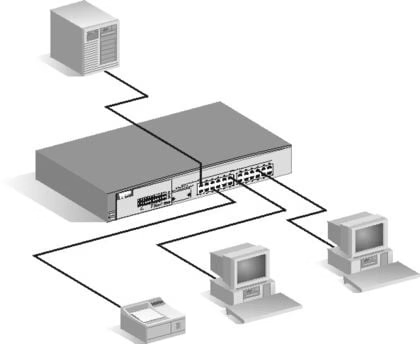
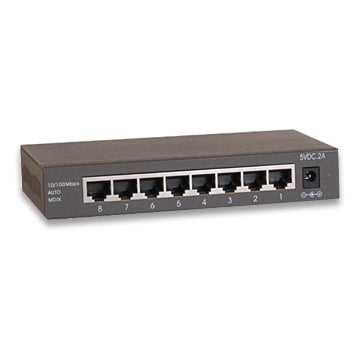
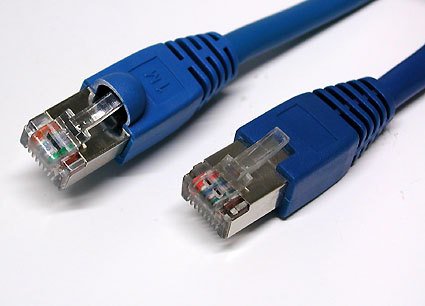
Setting up a wired LAN connection is the simplest of all. However to do this you would need to purchase a Switch. (A switch is a device which actually splits the internet bandwidth among all the connected Switchcomputers in LAN intelligently.) What you just need to do is that you need to purchase some LAN cables with the RJ-45m-rj-45 jacks fitted in it . Now there would be an input port in the switch in which you need to connect the out coming RJ-45 jack of the modem or router. And in the other pins connect the jacks to the LAN port of your different computers. Your own LAN is ready now, and you can browse internet from any of your computer.
How Do I Set Up A Wireless LAN Network And Share Internet Connection?

108m_Wireless_Router

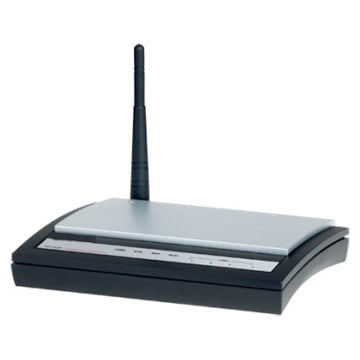
To set up a wireless LAN network you will require a wireless router. Now after you purchase the wireless router you will need to connect the RJ-45 jack to the input port of the wireless router. Now you need to go to the control panel of the wireless router by entering the gateway address of the router in the address bar of the browser you are using. It will be now asking for your router user name and password. Enter the user name and password as admin and admin respectively unless you have changed it. In case it doesn’t take that refer to the router manual. You can always find your manual online.

Once you enter the control panel you may get options to turn on the wireless network. Turn it on, now it would be broadcasting the signal and is available for the laptop to pick it up.

Now go to control panel and click on “Network And Internet”. Then click on connect to a network form your laptop and it will show you the signal of your just set up router. Click on the signal which is yours and continue the steps as mentioned from each of your laptop and the wireless LAN would be setup.

To know how to protect your Router from getting hacked click HERE