Content theft is a biggest nightmare for any content owner, especially for we bloggers, I had many bitter experiences with copycats. One among which I’ve written as an article. Beware Of Copycats. They Will Steal Your Traffic & Your credits!. Then I decided to put an end to this mess, and in my research, DMCA copyrights act got into my attention. Much of a surprise that many of we bloggers doesn’t know about DMCA take down services. If you are a victim of content theft, then you must read:
DMCA stands for Digital Millennium Copyright Act, and its sole purpose is to prevent copyright infringement and other illegal activities, not only for web.
According to wikipedia: DMCA is a United States copyright law that implements two 1996 treaties of the World Intellectual Property Organization (WIPO). It criminalizes production and dissemination of technology, devices, or services intended to circumvent measures (commonly known as digital rights management or DRM) that control access to copyrighted works.
Although different countries have their own copyright law, DMCA has been followed all along the web since majority of the sites are hosted in the servers hosted in the U.S. And internet companies like Google has separate department to handle copyright issues and takedowns. Google users can report copyright infridgement by visting http://www.google.com/dmca.html to prevent such things from appearing in Google search an other google products. So if you are a blogger and found any person illegally using your work and getting credited with Google services to, then you can immediatley report Google.
How bloggers can effectively use DMCA?
DMCA.com is a service by DMCA authorities to help bloggers and website owners/webmasters to protect their original images, design, writing, videos, articles or any work from online theft and spollers or spam bloggers. This service by DMCA.com is at free or charge. However, if content theft is regular and serious in your case, then they also provides DMCA Toolkit which you can use for takedown cases on regular basis, at a reasonable charge of $10/month.
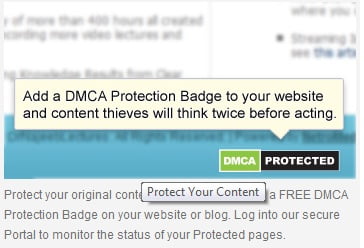
For bloggers, DMCA badges will give enough protection to prevent online content theft and you’ll be able to track them as it happens. If your page has DMCA badges, then anyone will hesitate to think about copying your work. With the DMCA badge not only that you will be able to see who copied your work but aso submit a takedown case to get the stolen content removed from his/her site. But for free account there is a limitation of 1 takedown per year, if at all your content is stolen. For paid account, (i.e $10/m) there is no takedown limitation, they can have any number of takedown. So you can choose whether to use free badges or DMCA toolkits.
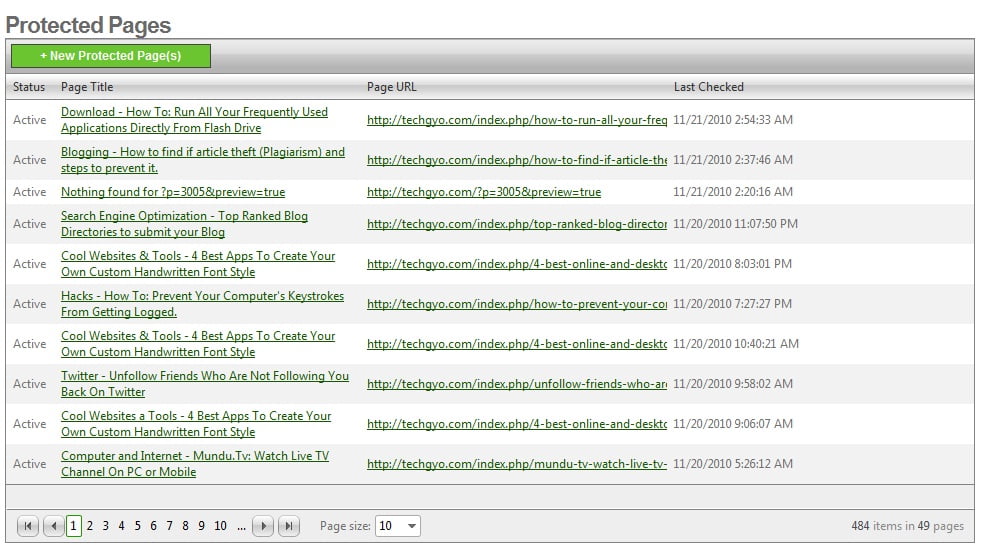
So you can signup for free DMCA account from here and add the DMCa badge in your pages, it will automatically detect the website you’ve added the badge and keeps a record of it, in your DMCA account, so that you can monitor content theft and react quickly if any content theft happens. Below is a screenshot of DMCA control panel where my protected pages are automatically listed. That means you only need signup and add the badge to your website, DMCA will take care of th rest.
This is how DMCA will list protected pages. Right- Article , Left-DMCA panel.
What type of my work can be protected?
Protected content type include website text, graphics, photographs, videos, applications, articles and so on. There is no category limitation, any original content that you created can be protected, whether you’ve copyrighted it or not.
How to add the DMCA badge in your web page?
Once you’ve signed up with DMCA.com, you can get your badges from this page. If you are a blogger using Blogspot or Blogger.com then you can follow the steps for bloggers. Else if you are using self hosted WordPress, then you can follow the below steps:
Adding DMCA badges in all post page of your WordPress blog at a time.
Step: 1
After logging in to your DMCA.com account, you can now copy the badge code from this page. Now open the Cpanel of your hosting account and locate the Single.php file in the theme folder. (Basically: /public_html/wp-content/themes/themename/single.php).
Step: 2
Once you have the code copied in your clipboard, you can insert it into the theme in two ways. One is by adding the raw code in Single.php after some code similar to the below code depending to your theme. If you feel confused, please drop your comments, I’ll take care of the rest 🙂
<php the_post()?>
The second way is by injecting a code in Functions.php. Refer this article for more instructions.
Adding DMCA badges in all post page of your Blogger/Blogspot blog at a time.
Step: 1
Log in to your blogger account, and then from dashboard, >> click on “Layout” link. >> Now click “Edit HTML” >> Check “Expand Widget Templates, >> Now search for post.body using your browsers built-in search feature CTRL+F.
Step: 2
By default it should appear in your layout code only for once and you should reach the line something like this:
<p><data:post.body></data:post.body></p>. Now, past your DMCA badge code just after this line of code. And thats it, the badge should appear below all post in your blog.
If you liked, this post, please help promote it by sharing it with your friends using twitter, facebook, digg etc. We will also be writing another post on this topic about DMCA toolkits in detail, subscribe to our email to get updates in your inbox!
If you are confused at any point, just leave your message as comments. I’ll take care of the rest
Almost everyone on the web use search engines to find web pages, files, documents, and softwares. Google dominates the web with its powerful search engine. But most of you just do keyword searches, how about doing something extra. The search engine giant Google has many hidden features, we can find many useful resources if we dig deep in Google. Here is the list of Google’s search shortcuts which you would love to try, these are worthy , you will never know when you will need these tricks, so don’t forget to bookmark this page and share it with your friends on Twitter and Facebook.
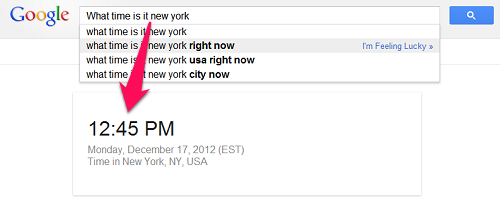
what time is it <city name> replace city name. Displays the exact time at the specified city
Live time in any city
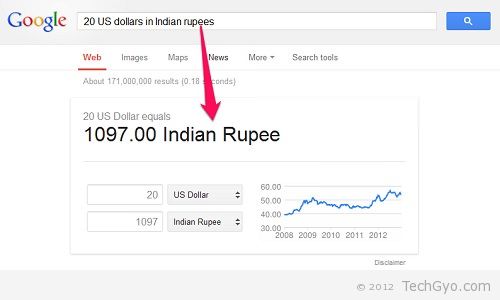
20 US dollars in Indian rupees Converts 20 US dollars to Indian rupees according to live currency rate.
Currency conversion
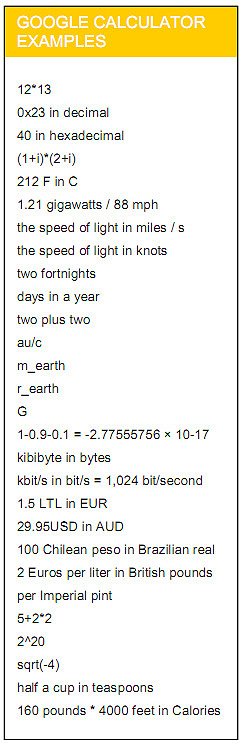
We can use Google as a calculator for basic calculating works by using the arithmetic operators such as + – * /.
Mathematical calculation
define: phrase Show a list of definitions for phrase, Imagine how wonderful it would be if you could search product manual this way, no don’t get too surprised, Google don’t have it yet. For now we can help you with this wonderful tool to find product manual.
Search query “Define:Google” returns this result
cache: www.example.com Google’s cache of example.com
link: www.example.com List of websites that link to example.com
Related: www.example.com List web pages similar to www.example.com
Info: www.example.com Show information that Google has about www.example.com
Technology site: techgyo.comSearch only one website or domain.Here “technology” is the query to be searched in the website techgyo.com
Movie: “your movie name” Search for information about this movie, including reviews, show times, etc
The Google search page has the simplicity and the sophistication where it needs. Every year Google team keeps adding wonderful new features that amaze us with great search possibilities. We will try to keep this page updated with new Google search features whenever a new one comes up. Please help us spread the word by sharing this on twitter Facebook stumble and other social media.
Google Chrome extension gallery has hundreds of useful extensions. Since Chrome interface is the most simplest an the best among other browsers, you have enjoy dozens of extensions in your window. With Google Chrome extensions, you can add more features to the browser which you feel that are useful for your daily work. So, if you are a bloggers or a web developer, here’s is 35 useful Google Chrome extensions that will help you in your work and possibly replace some of your existing tools in your computer. Since Chrome is faster than most of other web browser, and also uses less CPU resources, you can enjoy the best browsing experience with additional features using extension. Although chrome comes with built-in Developer Tools (accessible by pressing Ctrl+Shift+I) you can use some plugins in the below list to fill the gap for what you feel missing in the developer tool. Chrome has improved and became the most used and favorite browser rapidly. So check how better chrome you can make with the help of below plugins.
Apture Highlights
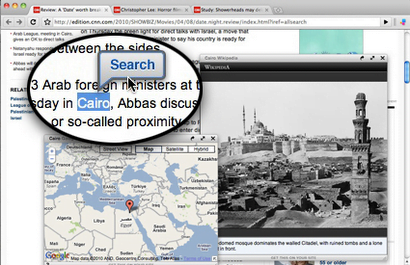
Apture Highlights is a free tool, built from the ground up to let you take the power of Google search, and the richness YouTube, Flickr, Twitter, and Wikipedia with you to any site. Just highlight a phrase on any site to reveal the web’s best content without ever leaving the page. Fast, powerful, and fun. Zemanta supports Blogger, WordPress, TypePad, Movable Type, Drupal, Tumblr and email platforms Google Mail and Yahoo!Mail.
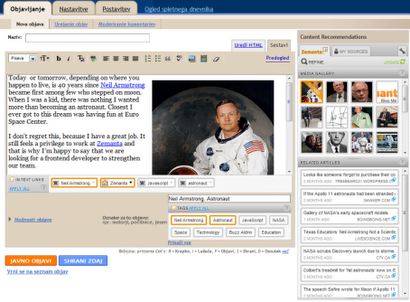
Zemanta
zemanta extension
Zemanta expands the regular blogging dashboard, populating it on the fly with content suggestions relevant to the current text. It presents images, links, articles, tags in a simple interface. It encourages re-use and linking to other content with as little effort as possible.
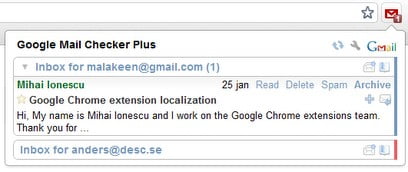
This is an excellent extension to check your Gmail inbox and also get a preview and allows you to delete, archive, spam, star and mark as read functionality.
Features: • Mail preview window, read mail without leaving the current tab • Delete, archive, spam, star and mark as read functionality • Desktop and sound notifications when new mail arrives • Support for multiple Google and Google Apps accounts • Mailto-links open in your Gmail or Google Apps Mail account • Monitor all your labels or priority inbox • Translated to over 60 languages!
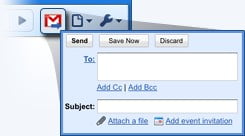
This extension will open a Compose window in Gmail when you click any email address on a webpage. It also provides a button that will create a Gmail message when clicked, using the page title as the subject and selected page text and link address as the message.
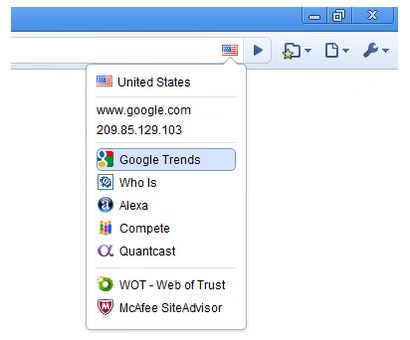
Chrome Flags
Chrome flags extension
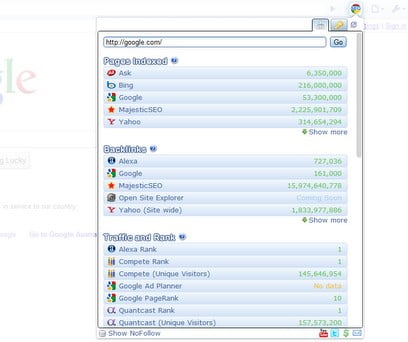
Chrome Flags tells you the physical location of the website you’re viewing by displaying the appropriate national flag. Also web analytic information from Google Trends, Quantcast, Compete and Alexa.
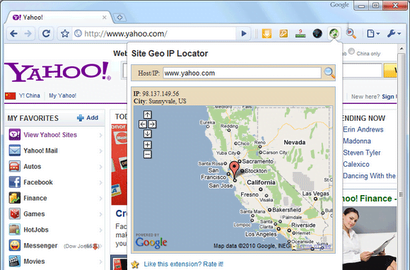
This extension is similar to Chrome flags but this displays the IP location in map Geo location. You just need to click on the GEO locate button while you are on a web page, it will reveal the IP host location with map.
Aviary Screen Capture
Aviary Screen Capture extension
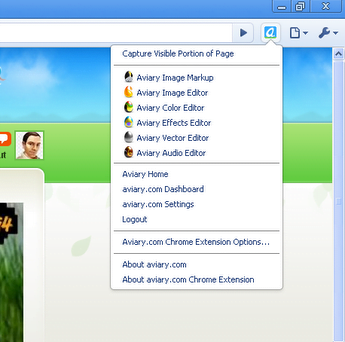
Take a screenshot of any webpage and edit it directly in your browser with Aviary.com applications. Plus convenient access to the Aviary website and tools.
This quick screen capture addon is a must-have for bloggers and designers alike! It will perform a screen capture of the visible portion of any webpage and then open the capture INSTANTLY in a basic image editor where you can do markup (draw arrows and rectangles), edit (crop, rotate and resize) and get the exact pixel colors of the image. A perfect companion tool for designers and bloggers!
Features:
Save to desktop, host online, or edit in other Aviary apps.
Captures instantly.
Screen capture of the visible portion of all web pages and images.
Capture entire web pages.
Add visual notes like arrows, text and highlights to your capture.
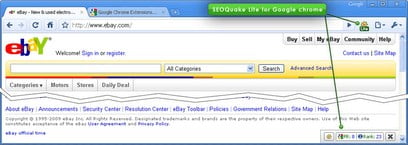
The Google Chrome SEO Extension provides easy access to Search Engine Optimization Tools that can help you with Competitive Analysis, Keyword Research, Backlink Checks, PageRank Checks and other daily SEO tasks.
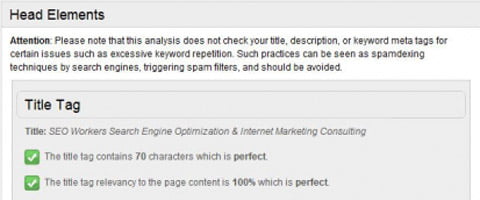
SEO Workers Analysis Tool extension allows you to perform a basic analysis of the page in your browser with a single click. The results from the SEO Workers Analysis Tool are structured into the following useful groups:
General status, meta tags listing, meta tags analysis, the pages displayed within search engine results, keywords found in the anchor tags, keywords found in the image “alt” attribute text, keywords found on the page, URLs found in the page, headers returned from the server.
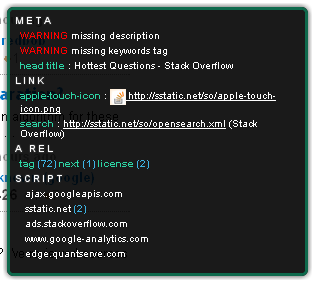
This extension shows you the information you need about the META tags on a specific web page you are viewing, this metadata includes keywords, description, title, copyright, etc. It can be very useful for bloggers in quick checking the post SEO details without login into their blog. Best used in conjunction with other SEO tools, like Chrome SEO or SEO Site Tools.
Google Tasks – Easy to-do list on browser
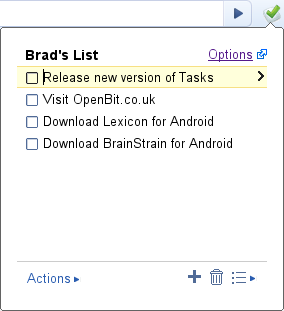
Essentially a to-do list built into your browser, Google Tasks is another extension which is useful for everyone.
LastPass is a free online password manager and Form Filler that makes your web browsing easier and more secure. This one’s great for everyone, not just web developers – you can use LastPass to securely store and manage all of the passwords that you use online. To import Chrome passwords (Windows only currently), you’ll also need our full Windows installer available on http://lastpass.com/
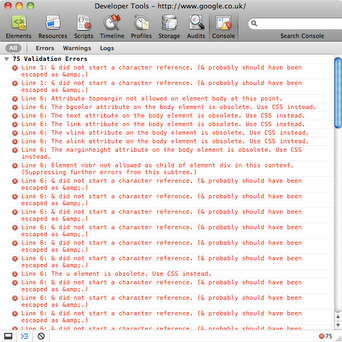
Validity can be used to quickly validate your HTML documents from the address bar.
Just click the icon in the address bar to validate the current document without leaving the page. The number of validation errors can be seen in the tool tip and the detail can be seen in the Javascript console.
Validity also gives you the option to use your own installation of the W3C Validation Service. (For more information on installing the W3C Validation Service see the documentation at http://validator.w3.org/docs/install.html).
FastestChrome – Browse Faster.
FastestFox, one of the most popular Firefox extensions with over 10 million users is now available for Chrome!
FastestChrome is easy to use. Simply look at the previews to the right. All features are configurable via options.
Features:
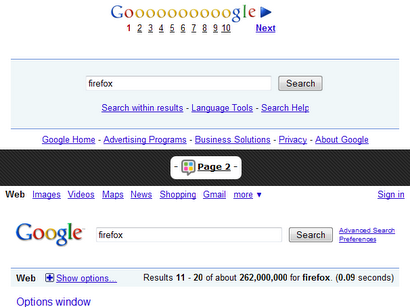
Endless Pages automatically loads the next page just before you reach the end so you don’t have to click “Next” or wait.
Look up definitions instantly by highlighting a word.
Better Google: shows you relevant results from real-time and shopping search engines such as OneRiot and Amazon
Search more conveniently: select text then click on a search engine to search.
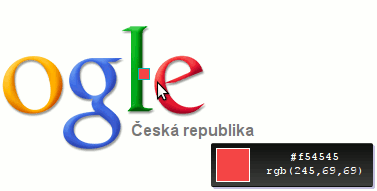
Eye Dropper is extension for Google Chrome and Chromium. It allows you to pick color from any webpage or from advanced color picker. It is great tool for web developers.
#20 Speed Tracer (by Google)
Speed tracer chrome extension
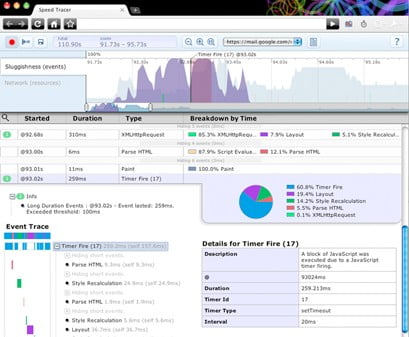
Speed Tracer is a tool to help you identify and fix performance problems in your web applications. It visualizes metrics that are taken from low level instrumentation points inside of the browser and analyzes them as your application runs.
Using Speed Tracer you are able to get a better picture of where time is being spent in your application. This includes problems caused by:
* Javascript parsing and execution * Layout * CSS style recalculation and selector matching * DOM Event handling * Network resource loading * Timer fires * XMLHttpRequest callbacks * Painting * and more …
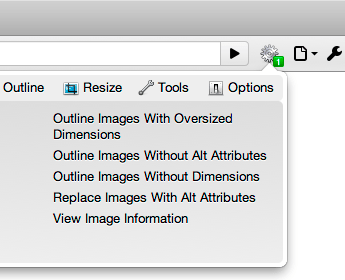
The Web Developer extension adds a toolbar button to the browser with various web developer tools. This is the official port of the popular Web Developer extension for Firefox written by the same person.
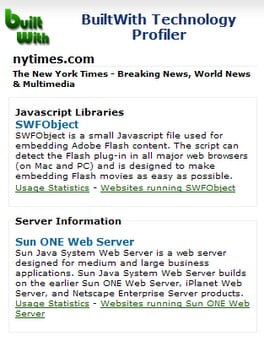
BuiltWith is a web site profiler tool. Upon looking up a page, BuiltWith returns all the technologies it can find on the page. BuiltWith’s goal is to help developers, researchers and designers find out what technologies pages are using which may help them to decide what technologies to implement themselves.
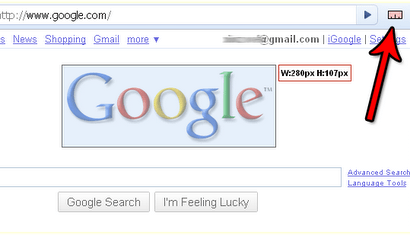
MeasureIt! – Drag and draw ruler to get the height and width.
Measure it!
MeasureIt! gives you a ruler to draw out a ruler that will help you get the pixel width and height of any elements on a webpage.
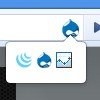
Chrome Sniffer – Auto Detect CMS used in a website.
Chrome sniffer
This extension will help web developer to inspect web framework / CMS and javascript library running on current browsing website. An icon will appear on address bar indicates the detected framework.
Currently, this extension can detect more than 50 popular CMS and javascript libraries, and more will be added in future releases. Visit extension website for more detail.
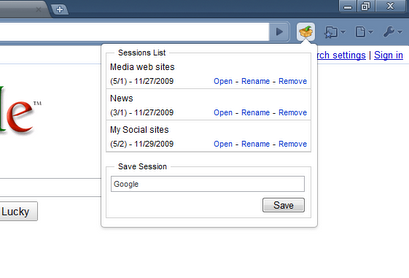
With Session Manager you can quickly save your current browser state and reload it whenever necessary. You can manage multiple sessions, rename or remove them from the session library. Each session remembers the state of the browser at its creation time, i.e the opened tabs and windows. Once a session is opened, the browser is restored to its state.
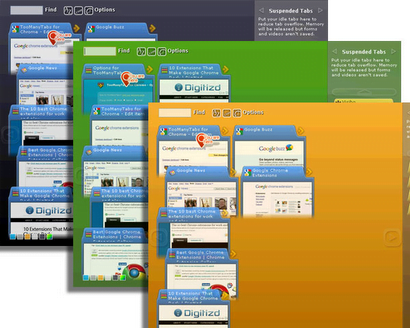
Ever tried having 20 tabs or more open in Chrome? You can’t even see the favicon of the tabs, not to mention the tab titles! If that happens to you, TooManyTabs is a must-have extension that manages your tabs, reduces your tab overflow, and saves your sanity!
From the makers of TooManyTabs for Firefox, TMT has come to Chrome to help all your tab needs!
Features – Bird’s eye view of all opened tabs – Clear preview of each tab’s content (fills up gradually as you use) – Instant tab search – Sort tabs by creation time, domain or title – Restore recently closed tabs – Suspend idle tabs and save memory, organize with custom columns – Custom themes
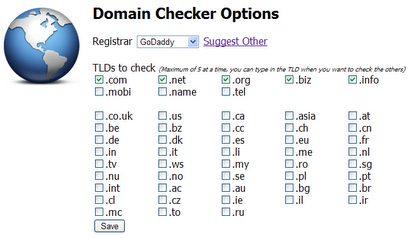
This extension checks the availability of a domain name. What’s the point of going to another page when you can check it from your toolbar. A large amount of domain extensions are supported, and if you want to suggest more or other registrars, leave a comment below and on the next release we’ll try to put that one in.
Automatic domain checker, periodically checks the expiry date and alerts you when the domains status changes. Watch domains manually by adding to favourites or check automatically, weekly, fortnightly, monthly or quarterly.
Snippy
Sinippy
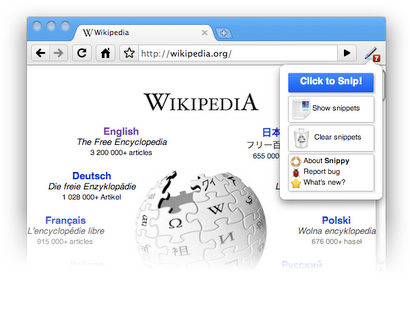
Snippy allows you to grab snippets of web pages, save them for future use and upload them to Google Docs. Snippy capture rich contents and preserves formatting, so you can capture paragraphs, images, links and more. Snippy saves the captured snippets on your browser. If you want, you can decide to upload them Google Docs, or SnipBin (http://snipbin.appspot.com), to have them available even outside of Chrome, edit and share them with your friends.
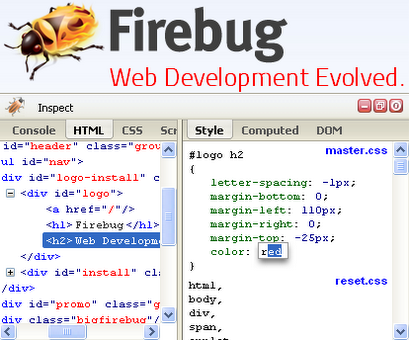
Firebug Lite is not a substitute for Firebug, or Chrome Developer Tools. It is a tool to be used in conjunction with these tools. Firebug Lite provides the rich visual representation we are used to see in Firebug when it comes to HTML elements, DOM elements, and Box Model shading. It provides also some cool features like inspecting HTML elemements with your mouse, and live editing CSS properties.
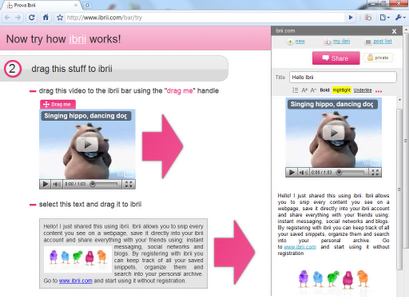
Ibrii allows users to snip every type of content found on the internet no matter if it is simple text, a photo, a video or even an embedded object, like streaming audio. What makes Ibrii unique is that it gives the possibility to share distinct elements of web pages and not links to entire pages as do numerous other services present on the internet. Ibrii allows users to mix videos, text or photos from different pages into a single note and later share that note with friends. Sharing contents has never been easier. Ibrii gives users the possibility to decide how to share the contents. Facebook,Twitter and Google Buzz are the primary sharing channels, but users can also create a personalized permalink to the contents and share that permalink through instant messaging and other social networks. Ibrii also gives the possibility to create a RSS feed for one’s personal blog.
ChromeMUSE – Multi-URL Shortener/Expander
Chromemuse multi service url shortener
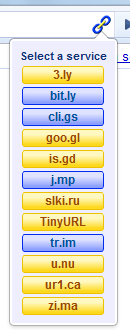
ChromeMUSE is an extension to facilitate the use of URL shortening services. A short URL can be generated for any web page, using the user’s preferred shortening service. The short URL is automatically copied to the clipboard to paste into other applications.
Features:
Shorten URLs with one-click operation in Simple Mode. The shortened URL is automatically copied to clipboard.
Advanced Mode allows choice of service on the fly. The services to be listed in the dropdown menu can be configured in the options.
Supports login credentials, for services like bit.ly and cli.gs.
Scans web pages for short URLs and automatically updates the target URL. The title of the website is displayed as a tooltip when available.
Supports dynamically updated (AJAX) websites (eg. twitter.com) without having to refresh the page.
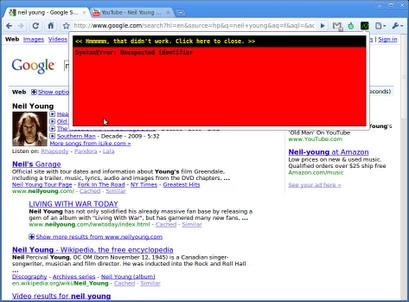
jQuery Shell allows you to run JavaScript and jQuery 1.4.4 multi-line scripts in the context of the current web page. It is simple tool to use when experimenting with / learning JavaScript and jQuery commands.
Meet Cooliris, the 3D Wall that speeds up search on Google Images, YouTube, Flickr, and more. Enjoy the richest way to view photos from Facebook, Picasa, and even your own computer. On our infinite 3D Wall, you can effortlessly scroll though thousands of images and videos in seconds without having to click from page to page.
Instant Image Editor
Simple and easy image editing while you browse, it comes with many features available in Pixler.
And thats the wrap! if you know any more cool chrome extensions, drop your opinion below using the comment form. Also let us know the uses of these plugins to you.
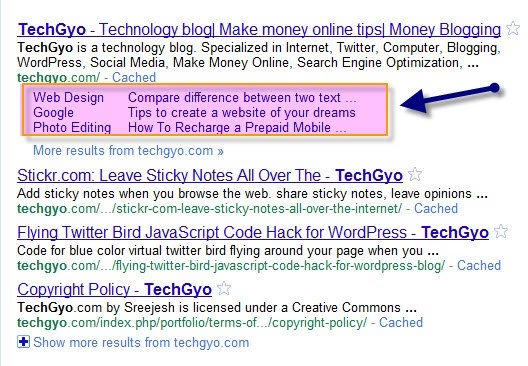
We’ve been blogging since few months now, and we’re glad that we’ve so far we have achieved many milestones in blogging and internet marketing. Today, we’re happy to announce that Techgyo.com has got Sitelinks in Google search page, if you are wondering what is Google sitelinks then know that Google sitelinks are links which are automatically picked by Google algorithm from a blog to help users navigate through a site. Why this is a special moment for us is because not all sites get sitelinks in Google search page. Sites often getting more traffic from search engines than other traffic sources get sitelinks and most of the traffic we get here in Techgyo.com is from search engines like Google and Yahoo.
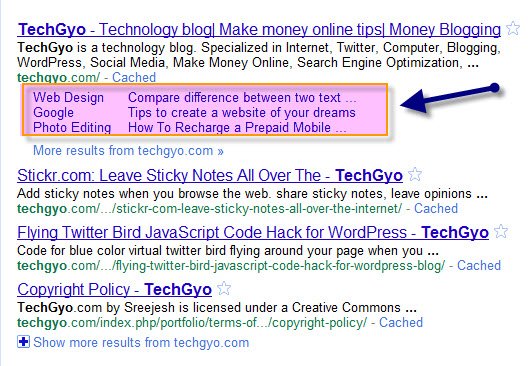
Below is the screenshot of out sitelinks in Google search for the keyword “TechGyo”
Sitelinks for TechGyo on Google search.
The above screenshot shows the sitelinks for techgyo, the links are automatically selected by Google search algorithm according to SEO score of particular pages and also depending upon the pages driving higher traffic from search engines. The unwanted sitelinkss can be blocked from appearing in search by logging into Google web master tools. We’ll be writing another post on configuring site-links using Google web master tools. At most a page can get up to 8 site-links and below.
If you are wondering what is site-links:
Sitelinks are algorithmically generated links intended to help users navigate quickly to the relevant parts of your site. Not all sites have sitelinks, and they are not always available. We only show sitelinks for results when we think they’ll be useful to the user. If the structure of your site doesn’t allow our algorithms to find good sitelinks, or if sitelinks for your site aren’t relevant to the user’s query, they won’t be displayed.
Sitelinks benefit a site in building trust among readers and helps in branding. And SEO score of a web page is also a reason for site-links. So far we have covered few topics on SEO and in future we will be posting on more topics on Search Engine Optimization and traffic, which will help you to rank high in search engines and will also help you to get sitelinks for your blog or website.
Don’t forget to subscribe for our email newsletter to keep updated when we post new topics on Search Engine Optimization, Internet Marketing and Ranking. You can also follow us on twitter @techgyo and Facebook.
You all know that adsense is the best publisher tool for bloggers to earn money. And to get your adsense payout delivered by check, adsense uses traditional way of sending post mail to verify the address of an adsense publisher. But adsense publishers from Indian and some other regions regularly post complains in adsense support page about not receiving the post mail delivered to their address. Normally Google sends this mail from Mountain View, CA USA. And this can sometimes take few weeks to reach to your address. However, if you didn’t get the post mail delivered in 30 days then you can request for new pin delivered to you. But what if you didn’t received it even after 4 months?
If you don’t verify your adsense account address within 4 months, Google will start showing Public Services Ads (PSAs) instead of showing paid advertisements for your code. Eventually if you don’t verify even after 6 months, then Adsense will deactivate your account and return the money you earned in your account to the advertisers.
If you don’t verify your pin, within first 4 months, then you will see the message following message in your account.
“ Your pages are displaying Public Service Advertisements (PSAs) because you haven’t yet verified your PIN and/or phone number. See the Payment History page for more details ”
Now what?
If you have already rechecked your address you’ve entered in your account, then next you can rush to your nearest post office to check for the mail. In my case, the address I provided didn’t have my street name. But I got the mail somehow.
What if even if you didn’t get it from the post office?
If you’ve already explored the support pages, and have directly contact adsense support. Then login to your adsense account and you may find any message like the following. If you didn’t find any messages, then use this form to send a mail to adsense support with a scanned copy of wither your Passport, PAN card, or a Bank statement. If you don’t have a scanner, then you can even attempt to take a picture from your mobile phone if it can take a great picture. They should verify your account within a few weeks and lift the hold on your account.
If you don’t receive your PIN within 4 weeks of this date, please complete this form and attach a digital image of a government issued ID card, bank statement, or telephone bill displaying your payee name and mailing address as it appears in your account. Please note that we’re only able to accept information printed in one of our supported languages.
If your id is verified and approved by adsense team, you will shortly receive a mail from adsense team saying:
“Thanks for your email. After verifying your ID proof, I am happy to let you know that I have manually overridden your PIN requirement and you won’t be required to enter another PIN for this account in the future.”
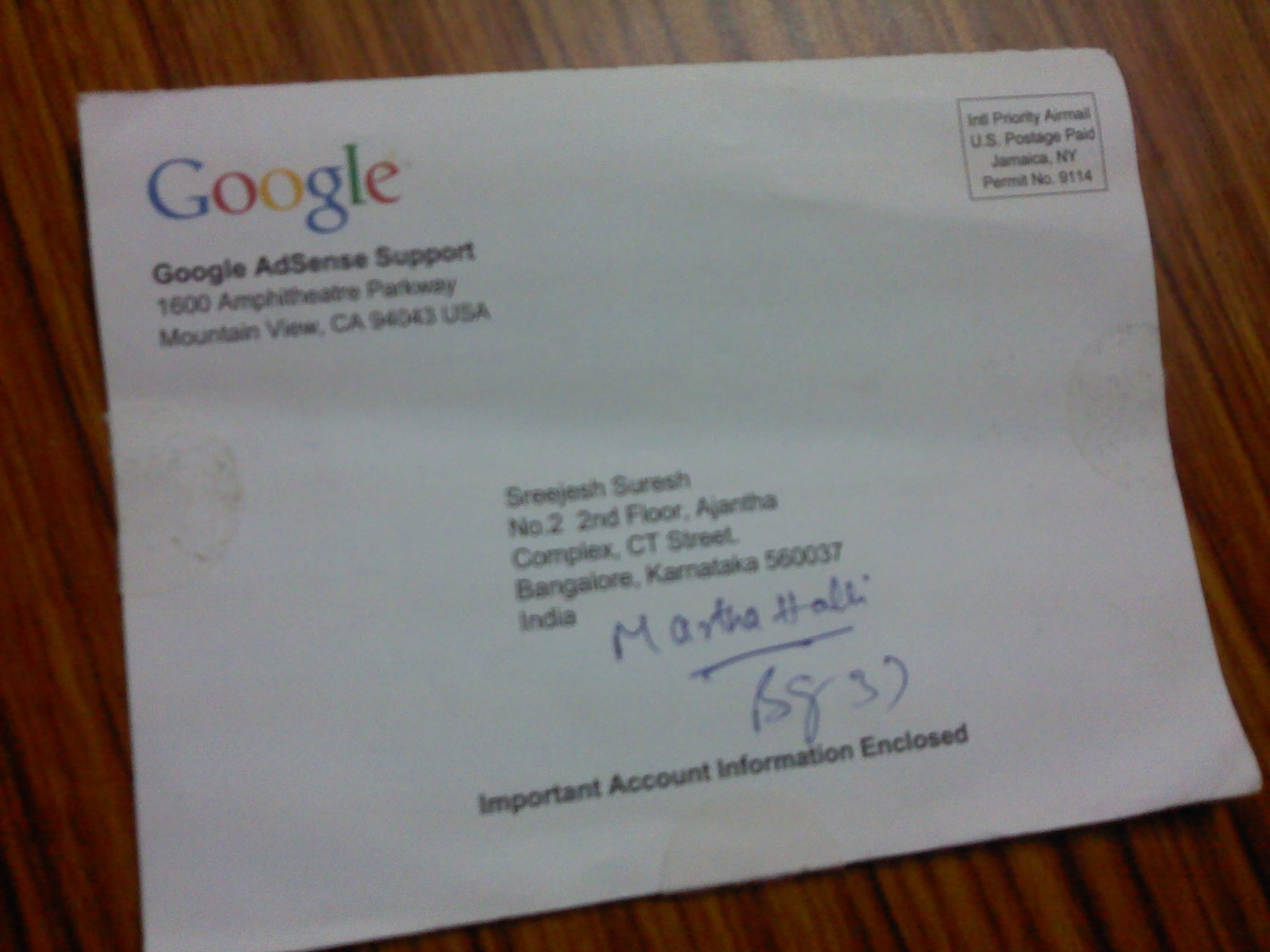
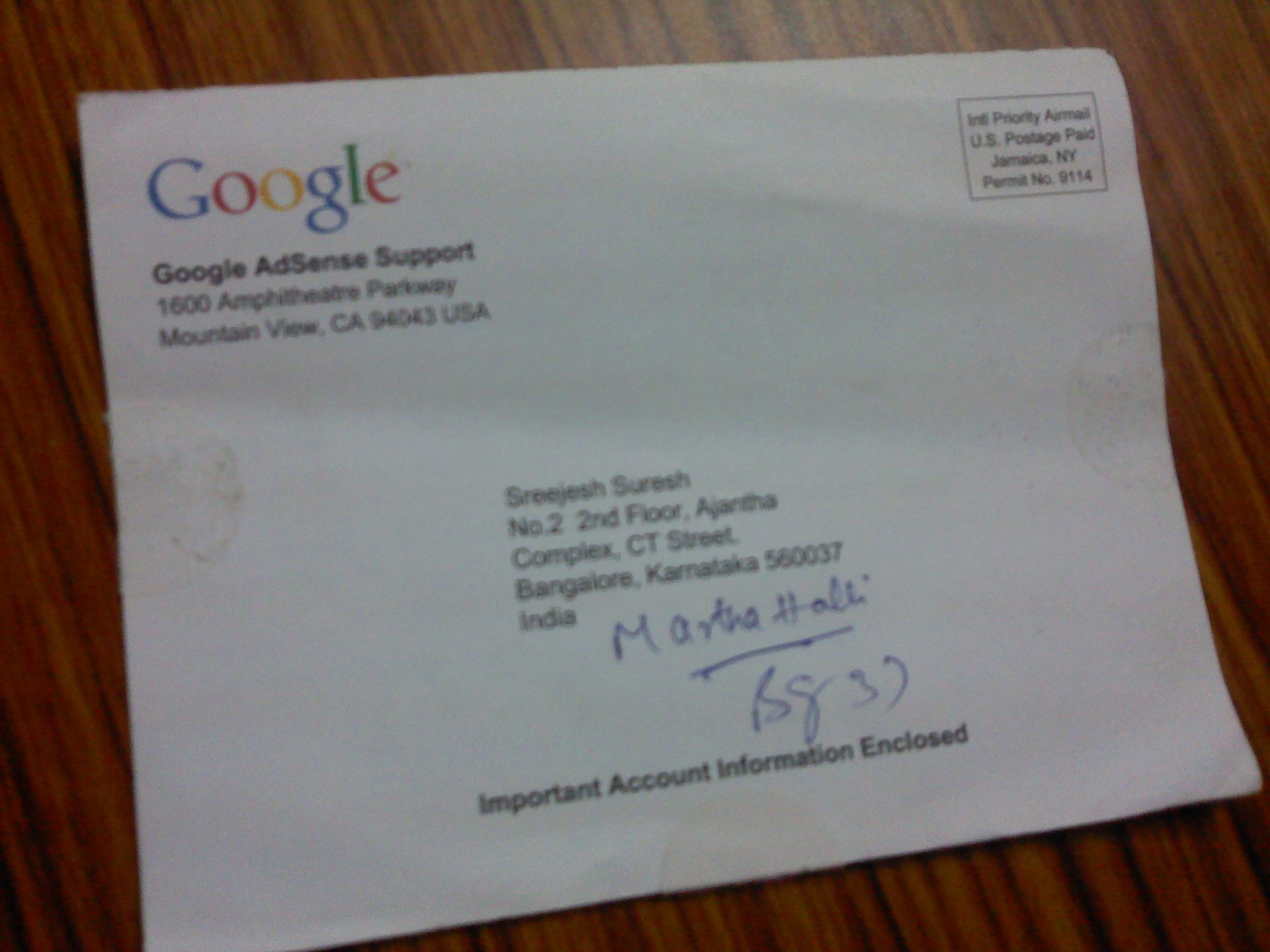
But make sure that you get adsense checks delivered correctly to your address. For those who are wondering how the adsense verification mail looks like, here the snaps of my adsense verification mail.
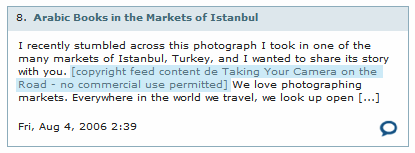
Content theft is the worst nightmare of any blogger. Work being stolen and published without any credit to the original content creator is straightly illegal. But the number of such people getting unearned money is increasing day by day. They are called Blog Scrapers, Sploggers, and Copycats. Spam bloggers are referred to as Spoilers. Such author may sometime use any auto-blogging tool to spam pr simply do it manually to promote affiliated websites, to increase the search engine rankings of associated sites or to simply sell links/ads. According to Google, selling links for search engine ranking is illegal and can also lead to ban of such site from Google. Why spammer copy your content is to increase the PageRank of the affiliated sites, get ad impressions from visitors, and/ or use the blog as a link outlet to get new sites indexed. Spam blogs are a type of scraper site, where content is often nonsense or text stolen from other websites.
If you are a victim of content theft, then here’s a list of proven measure which you can take to prevent your content from being stolen by spammers. Or if you’ve found the culprit and if he is unwilling to remove your content from their site, then you can try the official DMCA takedown, Thay will ensure that the content you own will never be illegally used by any strangers. So you can be sure that your contents will appear first in the search engines results, before the spam blogs. Most of the automatic spam blogging tools use RSS feeds to get your content, you can put an end to this scenario by adding copyright notice under end the post. And here are few tips and preventive measure which can largely reduce the bad impact of your blog from content theft.
#1 Use Defensive Plugins For Copyright Protection.
There are plenty of useful plugins out there, which can help you reduce the chances of content theft. Some plugins are for adding copyright notices in RSS feeds, and others which will insert a “digital fingerprint”, a unique bit of text or code that can easily be searched for, identifying illegal use of your content.
Plugins for adding copyright or warning notification at the post footer
Copyright Proof – Digitally certify your blog posts – proving authorship, deterring plagiarists, and protecting copyright. A copyright notice with teeth! that is what the author says. Compatible up to 3.0.1
WP Copyrighted Post – Adds copyright notice at the end of each post of your blog. Compatible up to 3.0.1
Auto Copyright – Automatically generates a copyright notice based on the first and last post published in the WordPress database. The notice can be placed anywhere in the web site template using a simple tag. Compatible up to 3.0.1
Disclosure Policy WordPress Plugin – This plugin adds an area at the bottom of every post for you to include a copyright notice, public disclosure message, links to legal and/or comment policies, and other “messages” to help protect your blog’s content. Compatible up to 2.2
Plugins to add copyright notice in feeds and secure feeds.
Simple Feed Copyright – Adds a simple copyright notice at end of full-text articles in your feed. A notice gets attached at the bottom of feed articles – “Copyright Year. BlogName. All Rights Reserved”. The blog name is linked to your blog URL. Compatible up to 2.9.2
Station Identification – Station Identification is an anti-spam/anti-feed-scraping plugin that allows the user to add a customizable copyright message at the bottom of all posts on their feeds. It can contain a link back to the original post, a link to the home page of the blog, and the author’s name, and/or any arbitrary HTML the user desires. Compatible up to 2.9.2
For Content ID, Barcode, verification link and Digital Fingerprint.
Digital Fingerprint — detecting content theft. Once embedded in your post, the plugin allows you to quickly and easily search the blogosphere for references to the digital fingerprint using Google Blog search, BlogPulse, and Sphere (see the admin screenshot, above). It also allows the quick and easy search for your digital fingerprint of the web itself using Google, Yahoo!, and MSN. An optional quick search can be included in the dashboard itself (shown below). Lastly, the plugin provides a few resources and links to places that will help you combat splog and spam should you find your content plagiarised or stolen on another website.
this is how a copied content with digital finder print looks like.
Numly Numbers -The plugin registers your copyright with Numly and returns the Numly Number (ESN), barcode, and verification links to your blog post automatically. Compatible up to 3.0.1
Plugins for take-downs to get copied content removed & for earning fees for your article.
Embed Article – This plugin is a bit more interesting than others, Embed Article WordPress Plugin prevents copyright theft by offering an alternative solution to your readers who copy your content. The Embed Article alternative benefits you in enough ways that you’ll begin encouraging readers to take your content. Basically, this plugin allows others to embed your article just like how you embed a youtube video. the benefit you get is that embed includes your ads and also gives you link back.
Read full features
iCopyright(R) Article Tools – The iCopyright plugin adds article tools (print, email, post, and republish) and an interactive copyright notice to your site that facilitate the monetization and distribution of your content. With this plugin, you can earn fees or ad revenue when your articles are re-used. Identify websites that re-use your content without permission and request takedown or convert them to customers. Compatible up to 3.0.1
# 2. Setup Google Alerts
You can set up Google alerts with your blog keywords or with your blog post keywords and Google will send you an email notification when matching content is introduced to the web. You can then check the list of matching content and verify whether they were copied from you.
# 3. Use web services to scan your page for any matches on the web.
There are many free and paid web services available for tracking and scanning your pages to check if any possible content is being stolen anywhere on the web. Some services which I suggest are:
Copscape.com – This website just compares text matches and searches for similar pages on the web. They also show you both original content and the copied content page, with the text marked with yellow colour. Also shows you’re the percentage of copied content in another article.
Copygator – This is a free service designed to monitor your RSS feed and find where your content has been republished anywhere on the web. They also offer email alerts, but it never worked for me.
Plagaiarismanalyzer.org
PlagiarizerChecker.com
Checkforplagiarism.net
#5. Edit .htaccess file of your WordPress to prevent content theft from bots.
WordPress the worlds most used blogging platform is also the most used by a spammer. Such spammers use spam-bots and such automatic tools to steal your content as soon s it is published. You can block some such spam bots from visiting your site by editing .htaccess file of your WordPress.
#6. Place copyright warning banners and Badges.
You can place warning message for copyright violation under each post page of your blog, For some extend it can put an end to the content theft. But if its a bot doing the job, then you should look for some other alternative like step #5. You can get badges from like Copyscape.com & Copygator as I’ve mentioned above.
#7 Use DMCA to monitor and takedown cases where you know the culprit.
DMCA.com offers free and paid services to monitor and take-down copyright violation cases. And they also provide tracking badges for your blog which will keep track of your pages 24/7. You can create an account and start protecting your page from here and generate badges visit https://www.dmca.com/Badges.aspx
Add DMCA badges to protect and monitor your pages
Once the DMCA badge is in place, it will automatically be listed in your account. That means you need not manually add the website name in your DMCA account. below is the screenshot of the DMCA control panel of my protected pages listed.
List of my protected pages
#8 Use TYNT service.
This is a FREE service that tracks all of your pages and automatically adds a linkback when somebody copies and posts your content on his page or anywhere on the web. this will someway help you get some additional traffic and because of the backlink, it can also help with improving Pagerank. But I’ve not used it so far to give my thumbs up.
Final Thoughts:
However no such system in the world is absolutely fooling proof and none will ever be, But some of the steps I mentioned above can put an end to content theft and plagiarism and reduce the changes to up to 90%.
And that’s the wrap. Did you ever have to struggle for copyright? Do share with us about content theft and plagiarism and steps you would take to prevent it from happening.
And that’s the wrap. If you know a few more preventive measure to top content theft, then why not share with us? Please do share your ideas and thoughts and content theft and plagiarism. Has your article been stolen?
Having a great font style gives a good impression to the document and if you are looking forward to have your own hand writing as the font style for your document, then this article he for those who are looking forward for their own custom font style. There are some awesome web applications that lets you do this with ease, and many of them provide this service at free of cost, however, some don’t allow you to download the custom font style to install on your computer as of now. In this article i list few web services which I found on the web which gets you a chance to type in font style which you usually write on paper. You can try out all of these different services one by one until you are satisfied with one among them.
Scenarios where you can use your own custom font style.
Students having loads of hand writing work can use this. Ofcourse for genuine reason!
For preparing a public document.
For email signature
(Do share with us, on what other scenarious we can use our custom handwritten font style.)
#1 Piliot Handwriting.
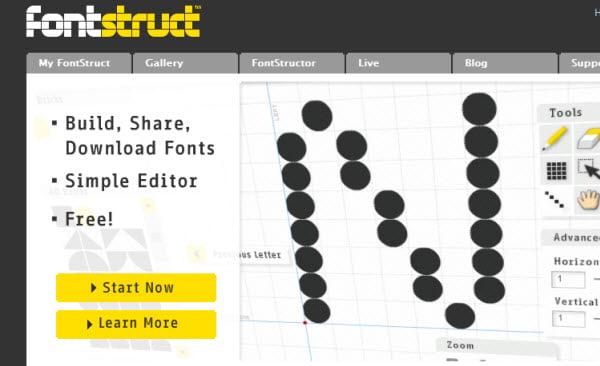
This website allows you to create your own handwritten font style done in 4 simple steps. However, at the moment this website doesn’t allow you to download the font style which you create. But you can send your handwritten tex to any email id. if you are looking forward to be able to download the font for use in your word processing application like MS Word or Open office, then you can try out Fontstruct and for software based application you may checkout FontForge.
YourFonts.com is basically an online font generator that allows you to create your own (handwriting) as OpenType fonts in a couple of minutes. To create your font set, you just need to download & print the font template they provide and fill in your handwriting in the fields, and just upload then back to yourfonts.com to save your custom font style. You can create fonts with more than 200 characters and you can also include your signature as a single font. isn’t that awesome? Fonts can be used in Microsoft Word, PowerPoint and every program that you own. And more exciting thing is that you can download your custom font to use in Windows, Mac OS X and Linux, However I’m not sure about the font type I gues it should be formats like .ttf for Windows, tfil type for Mac and also .pfa and .afm for Linux.
But all this comes at a price, that means they charge $9.95 for your handwritten font style, and I would say that it isn’t too much when you see what you get. You can preview your font and purchase only if you are satisfied. You can start building your custom font here
As the name itself suggest, Fonstruct is a yet another web-based application that is an excellent place to create fonts, especially if you’re just starting out. You just have to register to create fonts, and its truly very user-friendly to get started in a while. But I’m not sure whether they provide custom font template to write your handwriting like what Piliot handwriting and YouFonts. But if you are really looking for a free service then this must be an ideal one.
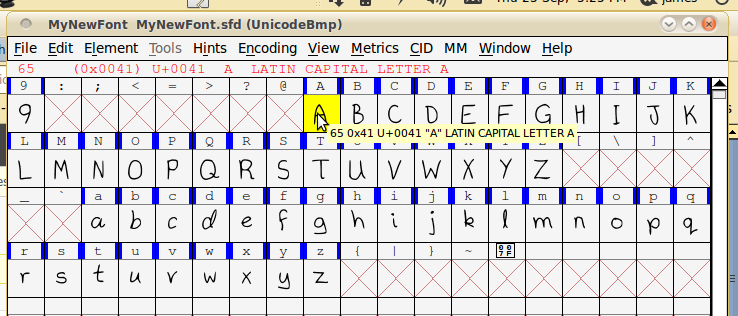
If you prefer to use a desktop application for this task then you can consider FontForge. This is a freeware program that lets you create custom fonts as you desire. but i would say that this isn’t much easy for beginners to try. This software is basicaly for designers to create fonts but you can gie it a try and checkout if it makes what you want it to.
The program is available for Windows, Mac and Linux too. But for windows you will have to install Cygwin to make it work. Download Fontforge from sourceforge
And if you are not sure whether your handwriting is so great, or if you are fed up with Arial, Verdana, Times New Roman fonts then you can consider downloading some free fonts from myfonts.com , ddfont.com , ddfont.com or searchfreefonts.com
If you know about any other free font or custom font generation website, then do share it in the comment form below, because it might help others who are looking for the same.


 Almost everyone on the web use search engines to find web pages