Home Blog Page 314

Top 5 ways to Promote Your Fiverr Gigs and Increase Revenue

Many people join Fiverr and start selling their ideas but soon lose interest as their gig drowns in the sea of Fiverr. Fiverr is a place where hundreds of people create their own gigs regularly to make money and one and only way to survive in this competition is to promote Fiverr gigs. Here we have listed top 5 ways to promote your Fiverr gigs to increase your revenue in Fiverr or similar services.

Promote Fiverr Gigs

Also read:

Be Cautious While Choosing Keyword

As per an idiom “a good start is half the battle won”, preparing a decent note with worthy keywords for your gig is an important step before promoting your gig, therefore always make a good start by choosing relevant keywords for your gig. As keyword plays an important role in Fiverr, you can get the help of Google Adwords to find out the keywords with medium or low competition which leads to get a higher rank in search engine when someone search for fiverr gig in Google, Yahoo or similar search engines and this method helps to get organic traffic to your gig. It is also avid to get positive feedback for your gigs to get “featured” status for your gigs.

Promote your Gig on Social Networks

Social Networks are the effective places to promote fiverr gigs. Construct a decent social relationship using Facebook, Google+, Twitter or LinkedIn websites and promote the gig you have. Here is a Facebook page that let you post your gigs and promote.

There are many such facebook pages that let you post Fiverr gigs.

Upload Your Fiverr Gig Video to video-sharing websites

 In Fiverr it is mandatory to upload the video for gig, Just upload the created video to some video sharing websites such as YouTube and Metacafe etc. This helps to get some additional traffic from video related websites that targets regular video viewers. This also optimizes your gigs ranking in search engine and is a best method to promote fiverr gigs.

Start Commenting on Blogs

Commenting on the blogs related to Fiverr niche is a best practice to promote fiverr gigs. Specify the name and email in respective fields and use your Fiverr gig’s url in website field and then write a worthy comment, one should keep in mind that the comment doesn’t look like a spam one.

Become a blogger in your free time!

If you like blogging then you can promote fiverr gigs by writing a blog on your gigs, you can make a free blog site using blogger or wordpress containing the elaborated notes of your gigs.

Top 10 Best Freeware File Compression Alternatives to WinZip and WinRAR

1

Though WinZip and WinRAR are the popular file compression tools they are sharewares and only let you evaluate only for some period as a demo product. After the trial period gets over you will be annoyed with a startup window to buy the software and of course we can’t blame them as we agree to evaluate the software for the given period while installing. If you are using it for commercial purpose then you can buy a license but what about home users? Why they mess with such nagging screen each time. So here we have come up with top 10 free alternatives to WinZip and WinRAR.

Here’s are top freeware file compression tool

Bandizip

file compression tool

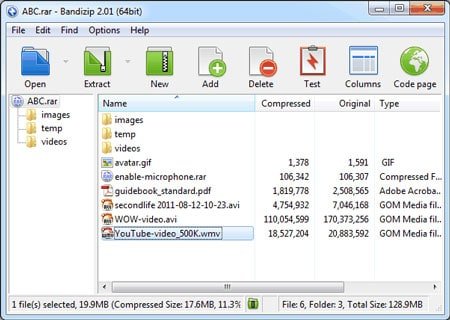
Bandizip is a free file compression tool that uses fast Zip algorithm and high speed archiving to compress  the file in either zip or rar file formats. It supports the major compression formats including Zip, ZipX, 7z, and RAR files. Bandizip also supports disk image formats such as IMG and ISO. Other formats supported by Bandizip are ACE, ALZ, APK, ARJ, BH, BZ, BZ2, CAB, EGG, GZ, J2J, JAR, IPA, LHA, LZH, LZMA, PMA, TBZ and TBZ2.. list goes on.

Along with the bunch of features you can make self-extracting (exe) file and multi-volume archives with Bandizip.

Highlight: Preview Archives, Drag and Drop function.

FreeArc

freearc

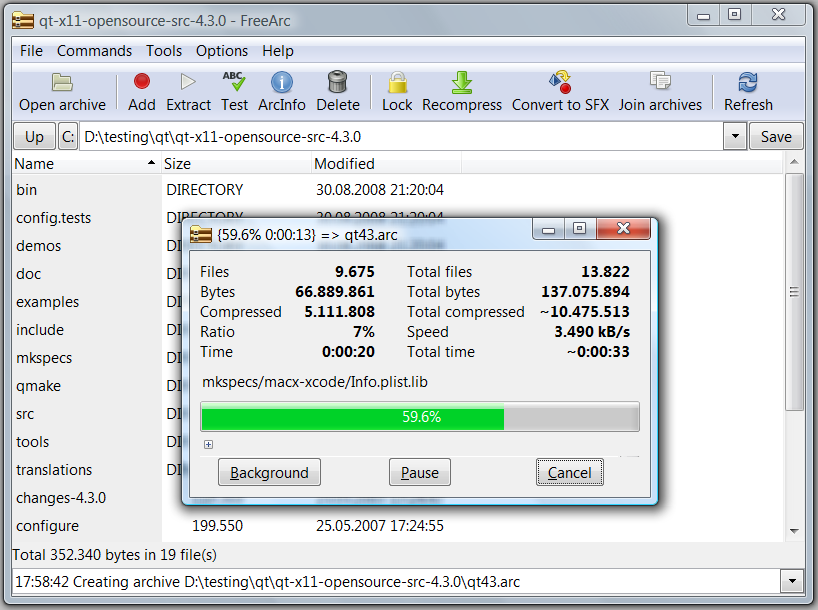
FreeArc is an open-source file compression utility which is popular for its highest compression levels. It can mess with many compression formats including Zip and RAR which can run in both Windows as well as Linux operating systems.  According to its developer FreeArc can work 2-5 times faster than other file compression tools. You can create self-extracting files and extract archives right from website using FreeArc.

Highlights:  Smart file grouping

7-Zip

7zip

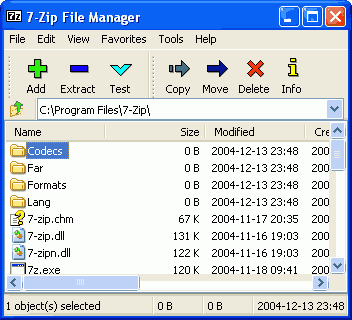
Similar to FreeArc 7-Zip is also an open-source file compression tool with high compression ratio. It supports 7z, GZIP, TAR and ZIP in packing and ARJ, CAB, CHM, ISO, LZH, NTFS, RAR, RPM, XAR & Z while unpacking. With 7-Zip you can create self-extracting (exe) packages with 7z format. According to the developers of 7-Zip its compression ratio is 2-10 % better than PKZip and WinZip.

Highlights:  Supports 79 languages, 2-10% better compression ratio than other alternatives.

iZarc

izarc

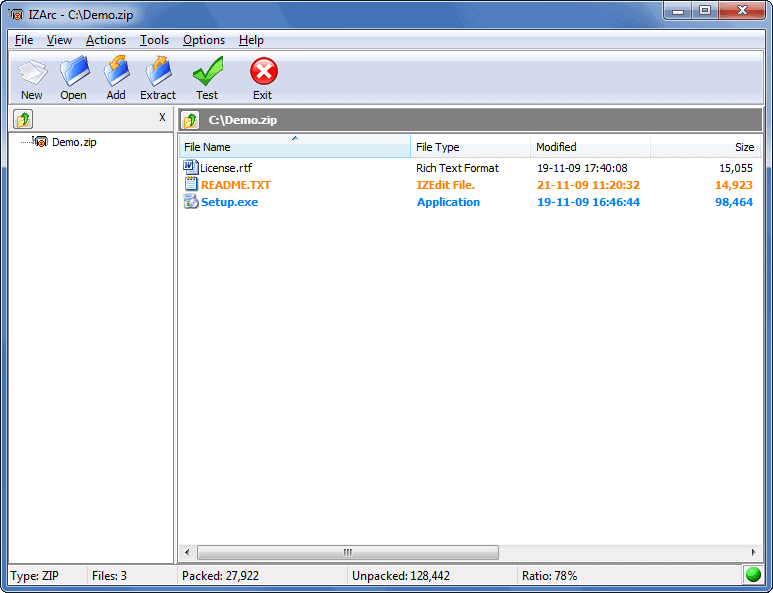
iZarc is another free compression and extraction tool that is available for both Windows and iOS. iZarc supports a large list of archive formats, some major to be listed are 7-ZIP, ARC, ARJ,BIN, CAB, IMG, ISO, JAR, NRG, RAR, TAR, TAZ, ZIP. Along with this it has many features including drag and drop, creating self-extracting archives, repair broken archives and converting of archives etc.

iZip

izip

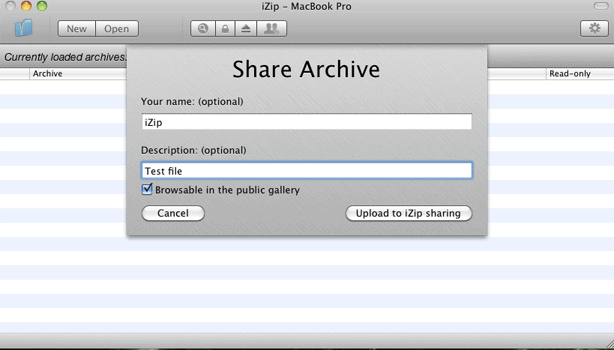
iZip is a free file compression tool for MAC operating system, for now it supports ZIP, ZIPX, RAR, TAR, TAR.GZ & 7ZIP archives with robust AES encryption. With iZip you can send the created archive seamlessly using file sharing service. iZip is also available for iPhone, iPad and iPod touch that runs on iOS 5.

PeaZip

peazip-winzip alternative

PeaZip has a clean UI and has a better look than the typical open source software. PeaZip is portable and fast on even on less powerful PCs. It can multi task at a great extend, you can extract, create and convert multiple archives all at once, create self-extracting archives and also includes other options like split and join, strong encryption, secure deletion and more.

Coffee Cup Zip Wizard:

 zip-wizard winzip alternative

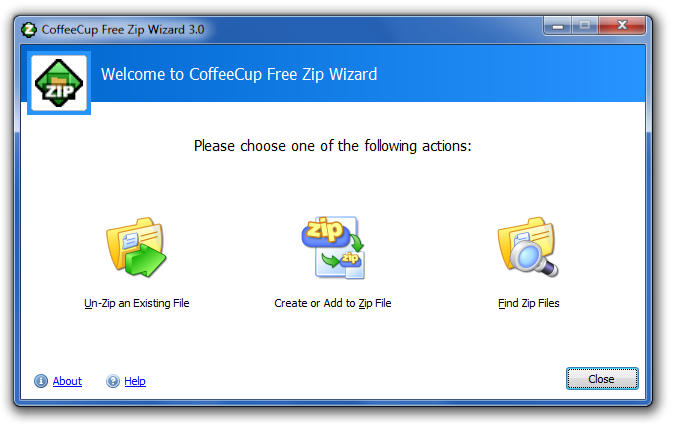
CoffeeCup Zip Wizard is yet another super  freeware makes it easy to zip and unzip files. Additionally unlike other file-compression utilities, Coffecup has built-in e-mail and FTP features, so you can zip and send your files in just few clicks. It can also create self-extracting .exe program files and find all the ZIP type files on your hard drive.

Typhoon Zip

Typhoon-Zip a winzip alternative

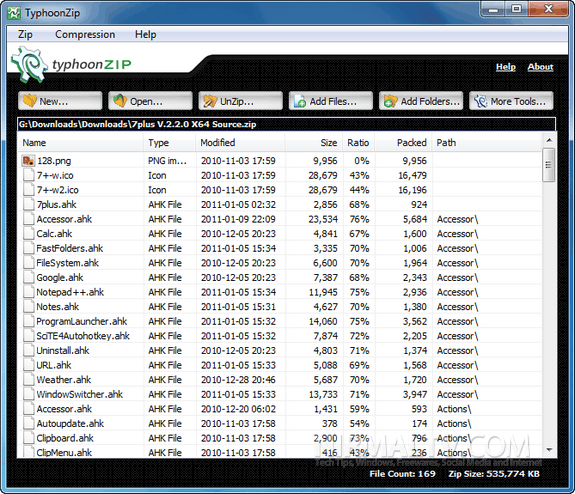
Typhoon zip supports over 150 different type of compression formats. Cool interface which supports drag and drop, strong encryption, encrypted password manager and other features like save backup scripts and find duplicates.

Highlight: Find duplicates.

Quick Zip Lite

quick zip lite freeware

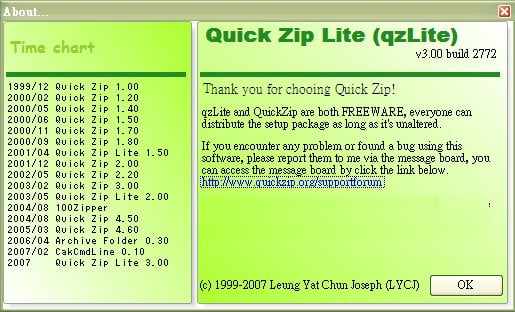
This is a compact version of Quick Zip. Small but powerful and stable. Quick zip lite was designed for small screens. It has features like Quie monitor, drag and drop  file to toolbar for quick compression, which is a bit easier than browsing the file and adding it for compression. It also has the thumbnail mode to preview image and video files.

jZipj-zip freeware file compression

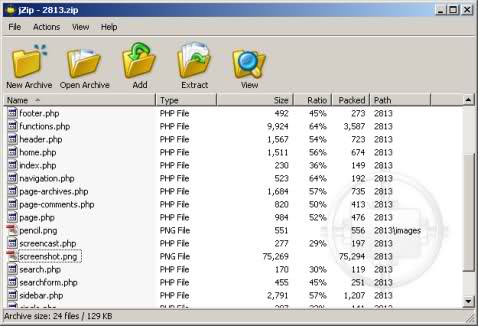
This is a small utility with limited features but does the work of compression and de-compression pretty quickly. This tool is small but reliable and simpler.


I hope you enjoyed the list. Happy compression with these opensource freeware compressing tools. If you know any more free file compression tools, feel free to drop a comment below.

Top 3D Logo makers to create 3D logo for your business

1

Logo is the important segment of website or blog and plays an important role in branding. The designing of logo completely depends upon what product you sell or offer from your business, when it comes to blogs or website designers normally create 2D logos using Photoshop or similar image editors, but creating 3D logo in Photoshop or similar tools takes much time and energy so here we have listed up 3 useful 3D logo makers where it is possible to create 3D logo in minutes. All the 3D logo makers listed here are sharewares.

List of top 3D logo makers

Xara 3D Maker

3D Logo makers

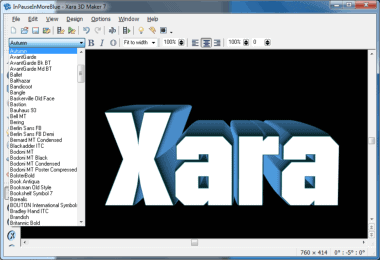
Xara 3D Maker is a most useful tool to create 3D Logos for your website or blog, here you can create still or animated 3D logo or title which can be used in website or presentation. Xara 3D Maker is easy to use and you need not require having any special skills in 3D modeling. Just write the text, apply the color and set lighting effects, that’s it. You can export logo as a JPEG, GIF, BMP and PNG file formats. You can export animated effect as AVI, animated cursor (ani), Flash SWF and GIF file formats. And yes.. one more thing, you can create 3D screen savers in Xara 3D Maker as well.

Try or buy Xara 3D Maker here

Aurora 3D Text & Logo Maker

aurora 3d logo

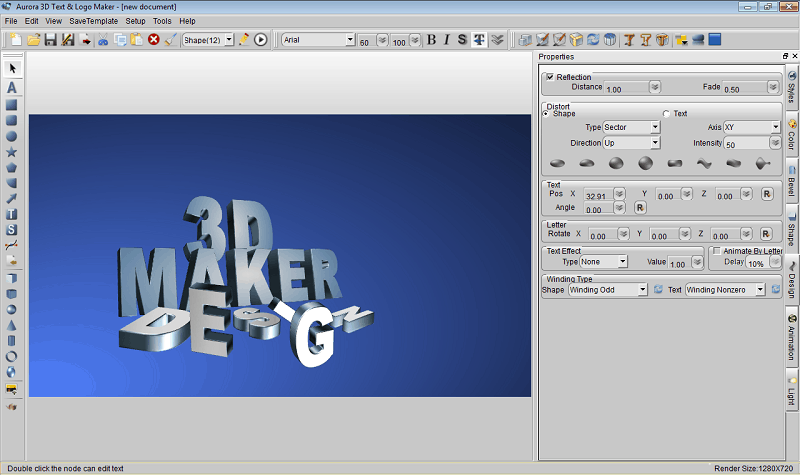
Aurora 3D Text & Logo Maker is another tool where you can select logo templates and modify them, you can also make a logo from scratch without choosing any templates. Here you get more than 200 profession templates to create stunning 3D logos. You can export logo to PNG, JPG, Tiff, BMP, GIF and TGA file formats. Along with creating logo you can apply more than 10 animated effects to create animated logos and export it to SWF and GIF file formats.

Try or buy Aurora 3D Text & Logo Maker here

Studio-v5’s LogoMaker

logomaker

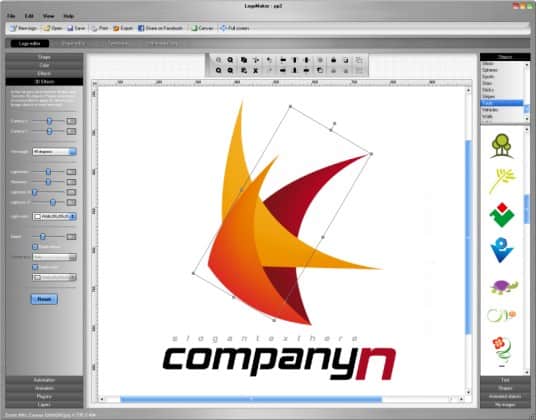
Studio-v5’s LogoMaker is one of the easy to use 3d logo makers tool to create professional logos and advertisements for website or blog within minutes. LogoMaker comes up with more than 3000 logo templates which can be modified as per your needs. Here you also get over 10,000 objects of various categories including special effects and interests etc.. Studio-v5’s LogoMaker comes up with 3 different types of logo types including classic,3D and animated logos. You can export created logos to JPG, PNG, TIF, GIF, Flash and other major image formats.

Try or buy Studio-v5’s LogoMaker here

How Being a Teacher Can Bring More Blog Audience

Do you remember some of your favorite teachers? I know I do. From grade school to high school and through college, there were always certain teachers that imparted great knowledge on me. These are lessons I’ve taken throughout my life. Those teachers were hugely valuable to me, and I’ll never forget them.

Not everyone will become a school teacher, but everyone with a blog has the chance to become a teacher nonetheless. We can use our blogs to teach others the lessons we’ve learned. If we do, we’ll be much better off for it. That’s because:

Teaching is personally rewarding. When we help someone learn something of value, we feel good about ourselves. We just helped someone take a step towards their goals and dreams.

We learn through teaching. When we teach people how to do things, or just teach them concepts they didn’t know, we learn something about ourselves.

Teaching pays. There are many money-making opportunities that come from teaching. So on top of helping ourselves and others learn new things, we can also take steps towards making a real career out of blogging. It’s a win-win-win.

How can you become a teacher through your blog? Anyone can do it, but there are certain guidelines to keep in mind. Follow these, and you can kick off your new teaching project right now. You might even be able to use your existing blog to start teaching people.

teach blogging

Also read:

1. Go with what you know

When I talk to clients about using their blogs to teach people, they often think that they have nothing valuable to teach. Baloney, I say. We all possess a unique set of knowledge, and we can use that unique perspective to teach others. The trick is picking a subject about which you are already knowledgeable. That way you have a baseline to start your teaching blog.

You don’t need to know everything there is to know about the subject. You just need a baseline that allows you to start with a few simple lessons. If you’ve been blogging for five years, chances are you are knowledgeable enough to teach someone how to start a blog. But let’s face it: if you don’t know the differences between the different types of light blubs, chances are you’re not going to start a home improvement blog.

2. Always be learning

It’s not enough to have a baseline of knowledge about any subject. In order to run a successful teaching blog, you have to become an expert on the subject. While you can start the blog when you’re not quite at expert level, you won’t last long if you don’t become one. That means spending a large amount of time learning your subject matter better than anyone else in your field.

This can prove difficult, especially for bloggers who also have day jobs (that they’d like to quit so they can blog full-time). Here is a quick and dirty outline of how I suggest people develop an expert understanding of their chosen subject:

  • Read for at least an hour and a half a day. If you’re not putting an hour a day into your studies, you’ll never come out ahead. Ideally you can find two or three hours to read up on your subject. But the hour and a half marker is important when combined with the next step.
  • Use an off-day for a six-hour session. Taking six hours out of your off-day to study might seem excessive, but it’s the kind of sacrifice you need to develop expert status. An hour and a half per day, six days per week, plus one six-hour session, means 15 hours per week. That’s a good number, and it’s less than a typical part-time job.
  • Find a week or 10 days for intense learning. If you have vacation time at work, you might want to consider a stay-cation. Use the time and dedicate eight to 10 hours per day to your studies. If you can do 10 hours a day for seven days, that’s 70 hours. If you get in your 15 hours a week and do this you get over 800 hours for a year, which will help you accelerate your path to expert status.

It’s not easy, but it’s not supposed to be.

75% social, 25% SEO

When promoting your teaching blog, there are a few strategies you can pursue. You can go for high Google rankings by focusing on SEO, or you can focus on promoting your material through social media. Of course, both have value. The key is finding a balance. The great thing about teaching blogs is that with just a little up-front effort you can put most of your efforts into social and put much of SEO on auto-pilot.

Here’s the thing I love about teaching blogs: The SEO almost takes care of itself. If you take the time to craft attractive, informative headlines, Google will find your material in search. The only things you really have to do are:

1. Ensure that your articles have an acceptable level of keyword density.

2. Build a strong backlink portfolio by guest posting on other blogs.

The rest of your focus should go on social. That means not just tweeting your link and posting them on Facebook. It means:

  • Interacting with users on Facebook and Twitter.
  • Answering questions in comments section.
  • Sharing articles in your niche from other sites.
  • Developing relationships with others in your niche and with regular readers.
  • Providing short, original soundbytes on Twitter and Facebook.

It means, in other words, going all-in with social. The account has to be authentic, or else it won’t be effective. People won’t follow you if you only tweet links to your posts and occasionally tweet something original. You have to interact, you have to share. Same goes for Facebook. People won’t Like your page if you just use Graffiti RSS. Share pictures and other items related to your niche. Show them that you want to be a part of their world. Then your social strategy can take off.

If you take a stroll around the internet and look at all the blogs out there, you’ll be able to quickly tell which ones are worth your time. Those are the ones that teach you something. Whether it’s home improvement projects, musical instruments, literary theory, or even blogging itself, there is much more value in a teaching blog than any other kind. It’s not easy work, not by any means. But if you have a chance to quit your job and become a full-time blogger, it will be by teaching people something you know.

MyThemeShop Mobile Friendly WordPress Themes Review(Discount coupon)

7

Few days ago I was reading a post on Techcrunch about Google’s new study on Multiscreens. Hopefully everyone already know that the tablet & mobile market is going through a revolutionary growth and it has a great potential  in future. But if you don’t yet have a mobile friendly website which supports mobile and tablets alike, then your website’s gonna really suck! If you are already planning to develop a mobile version of your WordPress website, then there is some good news for you. You no longer need to spend additional money or time developing a standalone mobile version anymore. You can just pick a responsive WordPress theme, which supports all screens alike. We just finished testing out some premium themes from MyThemeShop, and we have an exclusive coupon code that you can use to save 15% and we’ve also decided to launch a giveaway soon. So lets see what they have to offer.

High Quality Responsive WordPress themes

We were able to test some MyThemeShop mobile friendly WordPress theme collection, which MyThemeShop says are built to provide quality themes at affordable prices for bloggers. Right now, MyThemeShop has numerous premium themes and even a few free themes as well. If you have seen the demo of some of their themes, you can see they’re optimized to highlight your content without wasting much space but yet elegantly designed with lots of features & custom widgets. With all that & still blazing fast loading themes.

MyThemeShop Theme Features

We’re not affiliated with MyThemeShop, so we were able to create an accurate review of their theme features and how they compare to other themes from other providers. Here’s some interesting features that MyThemeShop offers:

  • Lifetime access to themes and updates for just $35.
  • MyThemeShop’s team consists of designers, developers and experienced bloggers.
  • Themes are tested on the blogs owned by MyThemeShop first to ensure quality.
  • Support is offered by the team through forums.
  • Documentation is included in all themes along with screenshots.
  • Photoshop PSD source files are included for design changes.
  • Included shortcodes and widgets are a huge bonus, as they load quickly unlike many 3rd party plugins.
  • Themes are SEO’d properly, and work with popular SEO plugins like Yoast.
  • Options panel lets you change styling and functionality quickly and save settings.
  • Responsive themes load properly on all devices with fallback support for old browsers.
  • Themes work properly with all extra plugins that you might be using.

MyThemeShop Exclusive Discount coupon

No one likes spending more money than they have to, so we got a coupon code that you can use at MyThemeShop. You can use it to save 15% on themes that you check out with.

Exclusive Coupon Code – TECHYGO15

List of MyThemeShop Themes

MyThemeShop has numerous premium themes and also some free WordPress themes like Bloggie, Launcher, Groovy and Accentbox that you can download as well. Here’s the list of current themes that we will update with new themes as well.

Sensational – Premium theme($35)

sensational responsive wordpress theme

View Demo 

Truly sensational Magazine style WordPress theme with fixed navigation menu, responsive 3 column layout, built in lightbox, custom widgets and most importantly, great fonts. Supports WordPress 3.0+.

Metro – Premium theme($35)

Metro responsive wordpress theme

View Demo 

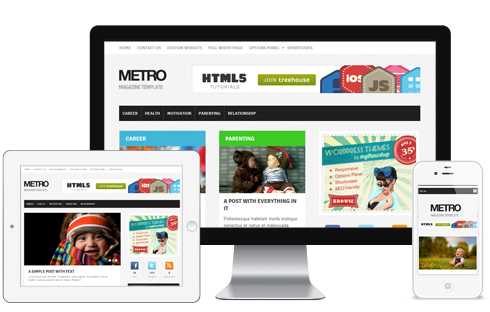
This theme has a dynamic design structure, elegant design , nice use of colors & icons.

Minimalist – Premium theme($35)

Minimalist mobile friendly theme

View Demo 

Just like its name, this one has a minimal design, but yet looking pretty decent. Ideal for design blogs, tutorial blogs.

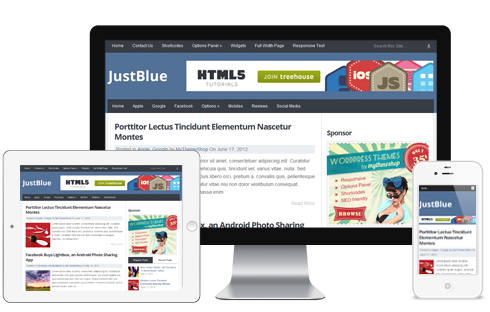
JustBlue-Free

Just blue responsive theme

View Demo 

This is a clean simple design, perfect for magazine style blogs. Has some nice color combination and layout.

Boxline- Premium theme($35)

Boxline wordpress theme

View Demo 

Soft elegant design, it has some special share button integrated with Twitter, Facebook and G+ as you hover. Also got a “Love it” button. Perfect for personal and magazine style blogs.

Trendy- Premium theme($35)

Trendy-WordPress-Theme

View Demo 

It is a multi-column WordPress theme with featured post slider also blocks for specific type of posts which could showcase your content very well.

Simple- Premium theme($35)

simple-wordpress-theme

View Demo 

Pretty simple, but responsive theme, looks good with the content with featured image.

Top- Premium theme($35)

Top-WordPress-Theme

View Demo 

Best for blogs who want good advertising positions without sacrificing the content space. Clean, responsive design, pixel perfect.

Textured- Premium theme($35)

Textured-WordPress-Theme

View Demo 

Has nice use of textures, elegant design with clean typography. It has a content slide block below the navigation which appears on all pages. This might help get more page views and reduce bounce rate.

Groovy- Free

Groovy-WordPress-Theme

View Demo 

This is a stylish theme, nicely designed and exciting this is that its available for free. Best suitable if you post nice large images.

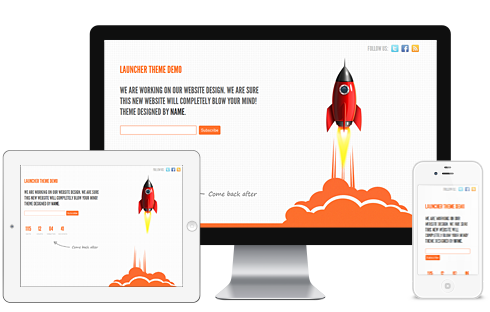
Launcher – Free

teach blogging

View Demo 


Best suitable if are launching a new site soon, it makes use of email subscription, twitter, Facebook buttons.

Splash – Premium theme($35)

teach blogging

View Demo

Best suitable for review blogs, it has a built in star rating feature & rating widget. Nice use of colors.


Hope you enjoyed the list, you can check out more themes from Mythemeshop here. We’re also going to come up with a giveaway soon. Keep watching the home page or Subscribe to get updated, you can also follow me on twitter @sreejeshsuresh or @techgyo.

How SEO Power Suit Can Power Your Website For Better Ranking

3

One can find many Search Engine Optimization tools in market but most of them lack in one or the other manner. SEO PowerSuite provides with solutions for almost all Search Engine Optimization related problems on your site. Unlike other SEO tools available in market, SEO PowerSuite has four separate modules focused on specific tasks, namely

  • Rank Tracker
  • WebSite Auditor
  • SEO SpyGlass
  • LinkAssistant

As the name suggests SEO PowerSuite is powerful software totally consisting of above four tools. Each of the four tools has their own significance. SEO PowerSuite helps out with different aspects of Search Engine Optimization like on page SEO, building links, getting competition sites information, tracking your website rank etc. SEO PowerSuite helps improve your site from scratch with various methods. It’s one of the best Search Engine Optimization toolkit software available and is worth investing.

Also read:

Let’s take a look at what these tools are? What they do? How to use them? How are they helpful?

WebSite Auditor

WebSite Auditor

This tool helps improve your site by finding errors in code, broken links, longer meta descriptions and titles etc. Also it provides step by step instructions and reports which will help improve your website.

How to use WebSite Auditor?

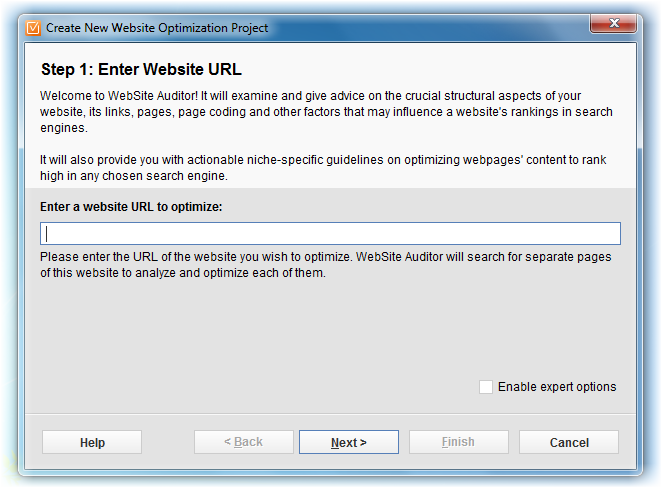
After starting WebSite Auditor tool you’ll need to enter the site you want to audit. Then the tool searches web pages and as the search ends a report is presented. Depending on the report one can change things on website to improve it. Also various field oriented searches are present with which you can further improve your website.

How is WebSite Auditor useful?

WebSite Auditor searches for different errors, broken links etc. Also it searches your site in detail for all pages, then provides a report. When you search websites for bugs and fix it definitely the website will be better than before. Viewing the report one can definitely change faulty stuff. Well many other things can be done to improve a website using WebSite Auditor which ultimately leads to an improved website.

SEO SpyGlass

SpyGlass

When it comes to SEO SpyGlass, it mainly finds backlinks for keywords. Well it also finds backlinks for competitor’s keywords. Important data like total backlinks of your competition, Google page rank, Alexa traffic ranking of every backlink, title and anchor keyword density of competition etc.

How to use SEO SpyGlass?

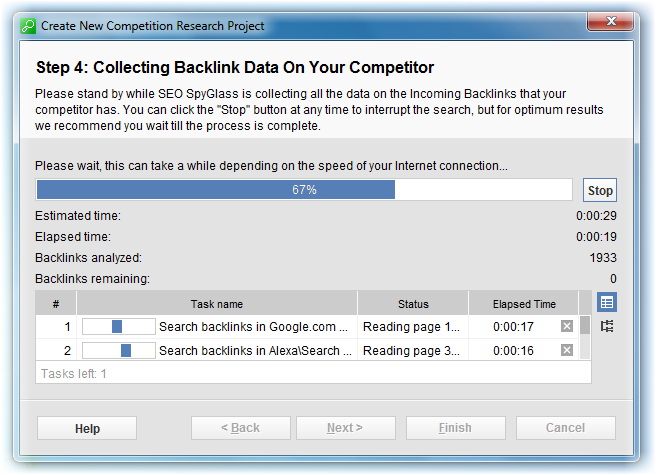
It’s simple. SEO SpyGlass tool asks to enter a keyword you want to rank well for. Enter a keyword and hit next. Enter your google analytics details. Then SEO SpyGlass tool will search for top competitor, search all its incoming backlinks, then allow you analyze them. Also advance search using URL of competitor is available.

How is SEO SpyGlass useful?

SEO SpyGlass helps know everything about competitor’s keyword backlinks, magic numbers etc. It’s like putting yourself in their shoes or doing some recon on competitor’s methods. So definitely by analyzing methods of competitors and implementing the correct ones will help improve your site .

LinkAssistant

LinkAssistant

LinkAssistant tool helps build more links for your site. This tool is equipped with an email client which helps you link with appropriate link partners. It maintains a link directory of website.Also finds link partners.

How to use LinkAssistant?

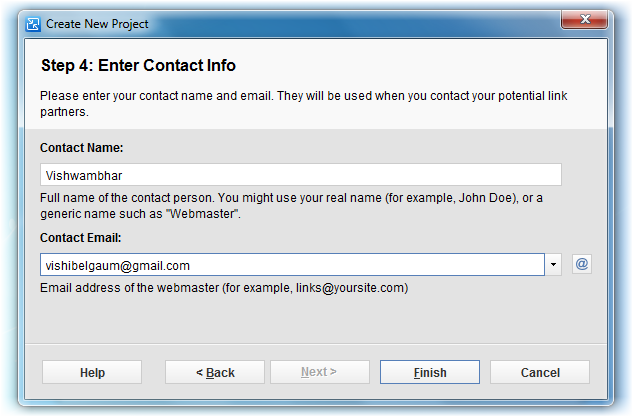
Enter site URL, allow LinkAssistant to gather information about your site. It asks to enter keywords which can be used by partners as anchor text which point your site. By adding contact information one can connect and build links with link partners.

How is LinkAssistant useful?

Building links is a healthy procedure to improvise website’s popularity, rank it higher. LinkAssistant finds link partners, helps build links. Thus LinkAssistant improves your site in many ways.

Rank Tracker

Rank Tracker

Rank Tracker tool helps track ranking of your site’s pages. Also it gives information about expected traffic on pages. Thus you can track, check and improve to get more traffic. You can check Google and other search engine rankings. Also find keywords worth using.

How to use Rank Tracker?

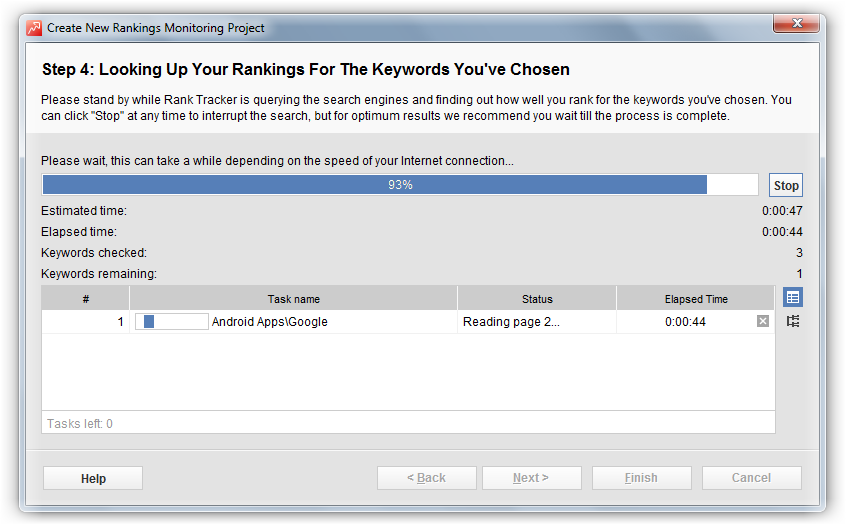
Enter your site URL and hit next. Dialog box appears asking for selection of certain search engines for site’s ranking to be searched. Some keywords are added by default and you can add more if you wish. Then the search begins and a report is displayed at the end of search.

How is Rank Tracker useful?

By tracking site’s ranking you can keep a track on progress. Also one can estimate traffic on webpages with Rank Tracker. If it is projected less you can use corrective measures. Thus it helps you keep track of where you are going.

Final thoughts

With features provided by SEO PowerSuite tools, taking your site to heights of success will be many steps closer. You can improve websites from the scratch and make it a popular one and earn more. SEO Tools provided by PowerSuite is an ideal Search Engine Optimization tool for those wanting to make their website a perfect one. You can download free version from www.link-assistant.com. Full version is priced at $249 for SEO PowerSuite Professional and $599 for SEO PowerSuite Enterprise.

Substitute to _root in ActionScript 3 (AS3)

ActionScript 3.0 is the language used in a range of products developed by Adobe, this programming language is used in Flash, Flex and AIR. Anybody having knowledge of C,C++ or Java can easily start coding in ActionScript 3.0 which is popularly known as AS3. AS3 is more powerful than ActionScript 2 and there are many reasons to switch between AS2 to AS3. The main reason is that AS3 is a core language, you can work easily with Flash, Flex and AIR runtime when you become familiar with this programming language and also it has improved Flash Player API that provides increased control of low-level objects. You can even develop an Android application using ActionScript 3.0 with AIR runtime.

 Also read:

What happened to _root in AS3?

You might feel weird when you code for the first time in ActionScript 3 but you will be soon become familiar with it. Action script 3 is compiled in a totally different virtual machine (AVM2) which can execute the code 10 times faster comparing to AS2. Action Script 3 is strict when compared to Action Script 2 which is complete OOP language. There are many things which are either changed or updated in AS3. _root is such a function which is modified in AS3.

We find many people who search for equivalent to _root in AS3 in Google, Bing and many other search engines. Here is the replacement for _root in Action Script 3. Many developers have confusions using  _root in AS3 and here is the solution for this issue.

How to use _root in AS3?

Using _root in actionscript 3 is easy compared to actionscript 2, _root is used to access the root of the current level in AS2 but In ActionScript 3.0 _root is replaced with MovieClip(root).MOVIECLIPNAME. So if you want to access a movie clip called apple from another movie clip in AS3 then you have to code something like this-

MovieClip(root).apple.play();

In AS2 the code was like-

_root.apple.play();

MovieClip(root) is the prefix we need to add before the movie clip name to get the root of respective movie clip. many people say that _root has been removed from action script 3 but it is not removed but replaced with other keyword. Adobe has made this change to make actionscript 3 a complete object oriented programming language. Not only this but there are many other changes it has made to action script. Every elements in action script 3 are an objects therefore you must define a class to import new object on the stage. You can learn more about this stuff and also get many samples on Adobe Actionscript Tutor website.