Home Blog Page 310

Top 5 Online Tools for Designing a Brochure

0

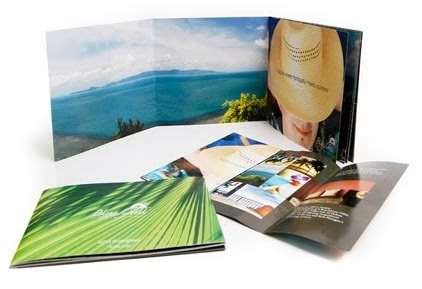
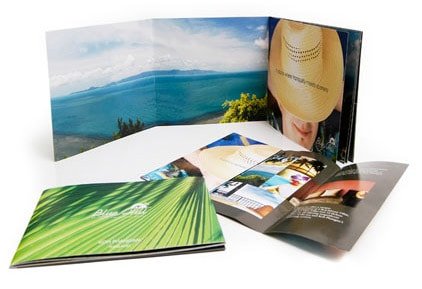
When you want people to understand what your company brings to the table, its purpose, the best thing you can do is make a Brochure which truly represents your company’s motives and with the growing trend of everything online, you can surely get great tools for making a brochure online. With these online tools, you can go ahead with their templates and make yourself a broker or else you can ask people experienced enough in this field to make you a brochure truly suiting your needs.
brochures

To help you in choosing from all the online tools available for making brochures, we bring to you the top ones which will surely suit your needs and not disappoint you. If you are looking for a service to print brocher after you get it designed, do checkout UPrinting’s color brochure printing


MyBrochureMaker
Brochure

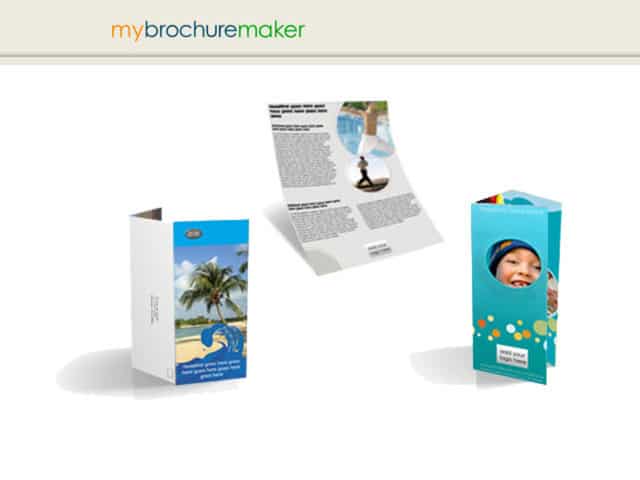
MyBrochureMaker is surely one of the best if not the best online tool for making brochures. Its available for free and you have lot more control since you can print the brochures yourself. Another cool thing about MyBrochureMaker is that it lets you have the choice of making a Brochure with the mailing panel or brochure without mailing panel or flyer which is great since they give users make the decision while designing a brochure.

You get several templates to work with based on your needs such as medical brochure, contractor, fitness, salon/spa, real estate, nature, travel, business, technology, child care. You can select the template which is suitable for you and once the design loads up, you can go ahead and  Edit Outside, Edit Inside and View Both to start editing the text for your brochure.

It is surely one of the easy methods plus the designs are really really good to make a brochure and HP paper which HP recommends you use to get the best out of the design works really well too.


VistaPrint
Brochure

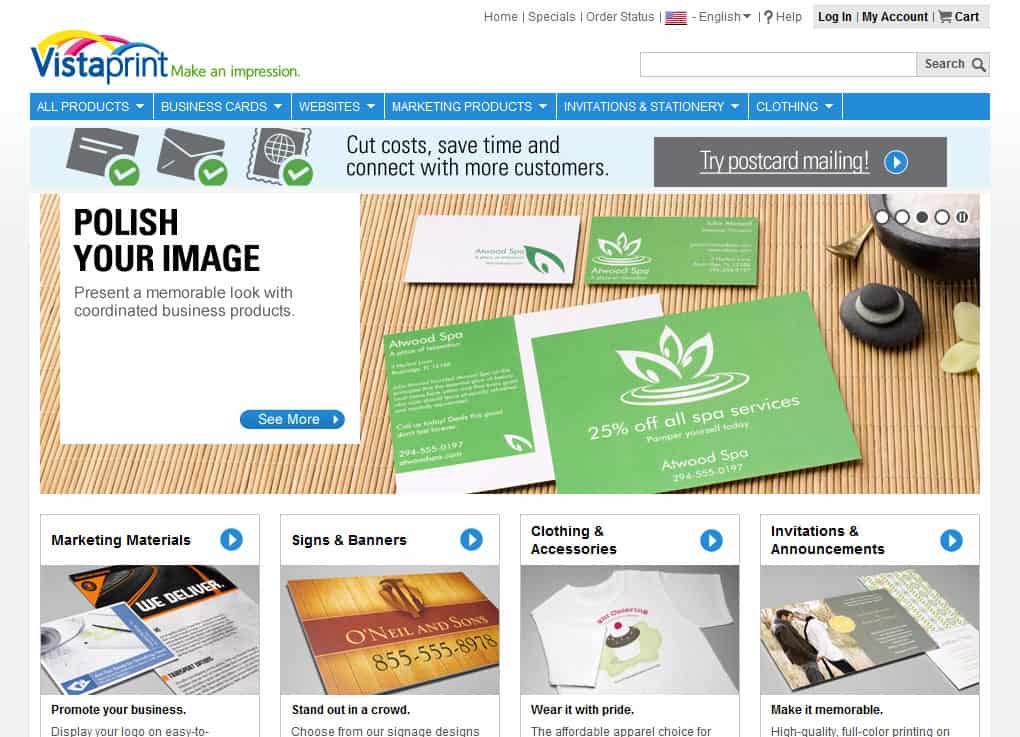
VistaPrint is a great online brochure making service. The folks at VistaPrint offer the option of making free brochures for you- they even print them for you and to be more specific they offer 25 free brochures. For more copies such as 50,100, 250 and 500, they cost at a rate of 500 costs $250).You can also go ahead and pay for a document proof in PDF form for $1.99.

You should also register to them because they ask you  to do that in the middle of their brochure-making process before you can continue so its better to already have registered with them in case something wrong happens.

In case you want to continue as a guest then you can download their design templates and go ahead with editing them on your own. The folks at VistaPrint recommend using  Adobe Photoshop or Adobe Illustrator for editing.

If you want them to make your brochure, they charge you $99 but they surely come up with great brochures and they are really quick in shipping thus making it a great tool.


Tabblo
Brochure

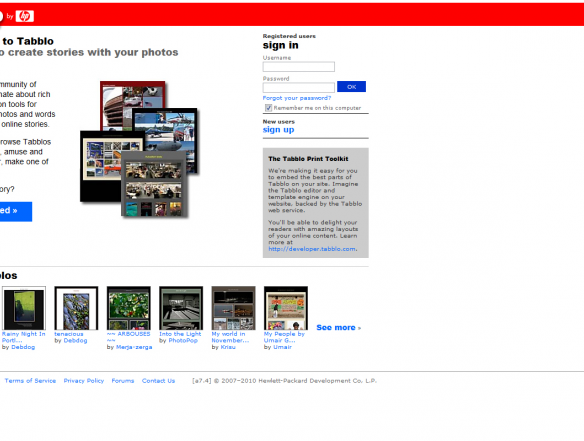
This is another great program by HP and is great free service for making brochures. The main feature of Tabblo is to “make cool stuff with your photos. You can get your brochure printed by them or if you like you can get them printed.

The members are very active on the website with constant photo uploads and sharing which may come handy for you while making your own brochure.

Firstly, the thing you need to do with Tabblo is that you have to register with them but it is certainly not a pain since it takes a minute and you don’t even need to check your e-mail in order verify your account.

Although this service might not be best for all, it depends but if you want some great ideas for your brochure and some of the photos they have posted for sharing are totally worth your time and money.


BrochureMonster
Brochure

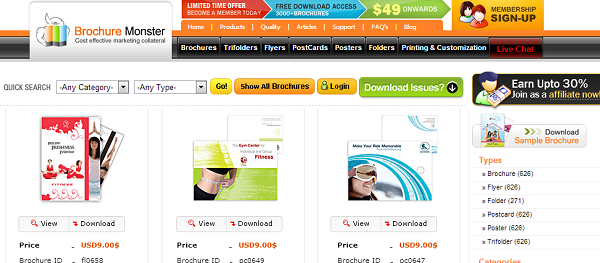
BrochureMonster offers a large variety of brochures for all your needs and if you want a brochure from the scratch then be sure BrochureMonster will make sure you aren’t disappointed with their great templates and customization services.

It offers high quality Pre-designed Brochure, Customized Brochures, Brochure Templates, Tri fold Brochures, Posters, Postcards, Newsletter and Flyer templates designs that include photos and artwork. Download templates, edit and print.

If you have no idea on how to edit the brochure design, BrouchureMonster has a team of designers who can help you incorporate your business logo and name for the cover design. You can do this through live online support or through phone which is certainly great if you ask me.


Print Place
Brochure

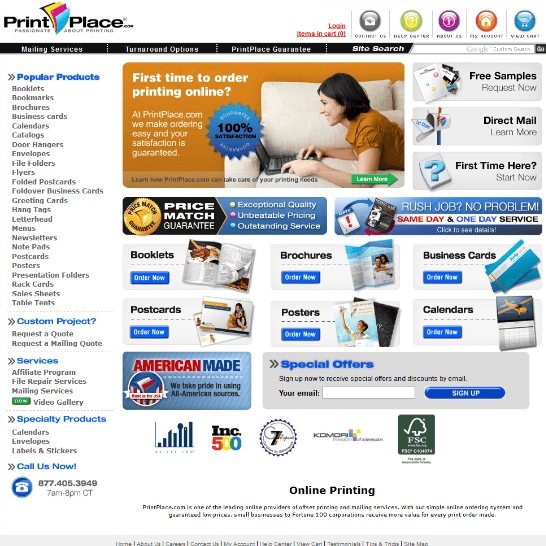
If you really want a brochure but you are on a tight budget then Print Place is for you but what am talking about is value for money that the online company offers without compromising on quality and design.

The service is pretty easy to use with a straightforward ordering process and effective online interface. It offers a large selection of printable products, and a slew of paper choices and finishing options.

PrintPlace is equipped to take one of your own mailing lists, and use it to address and send your marketing materials to potential customers. They use high-quality equipment and technology to create high-caliber prints.


While there are still many other great tools for making some great brochures but i think these are the top 5. Do tell us if you agree with us or you use some other online tool which you consider the best.

History of Android versions along with Codenames- And the next codename of Android is…. !

0

Android Codename is nothing but the cookie or snack name used by developers for its versions. The history of Android codenames are-1.0  Astro, 1.1 Bender, 1.5 Cupcake, 1.6 Donut, 2.0 and 2.1 Eclair, 2.2 Froyo, 2.3 Gingerbread, 3.0 Honeycomb, 4.0 Ice Cream Sandwich and the most recent version is Jelly Bean that is version 4.1  which was announced in June this year. Astro and Bender are the strange code names which were unveiled by google men recently. There is some confusion with the Android 1.1 codename as it was named as “Petit Four” but not used officially by Google. You can get the detailed information along with the features added to Android in Wikipedia.

Also Read:

Arrangement of Android Codename

Let’s focus on the arrangement of android Codename, these codenames are arranged in alphabetical order. A for Astro, B for Bender, C for CupCake, D for Donut and so on. According to this logic the next codename of Android would begin with letter K.

What would be the next codename of Android after Jelly Bean?

key lime pie

There is no doubt that the next version of Android would begin with letter K and according to the sources the next codename of Android would be “Key Lime Pie” which could be named to the version of Android 6.0, Key lime pie is an sweet pie made with key lime juice, egg yolks, and condensed milk. Key Lime Pie is expected to release in the year of 2013. It is just a rumor and Google has not yet officially decided about it.

Suggest the Indian Cookie name for the next version of Android Codename

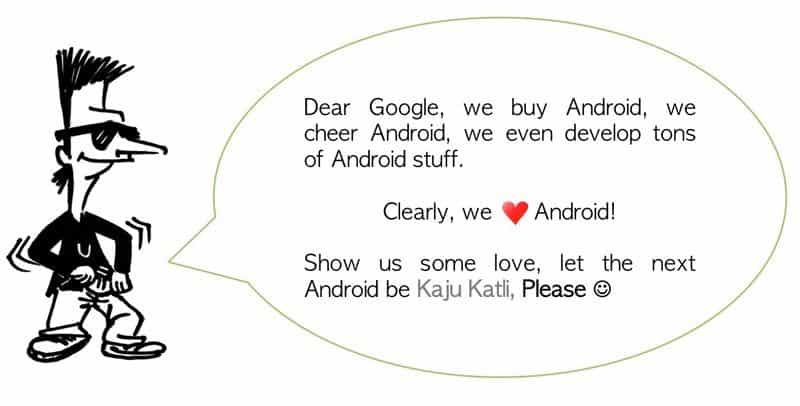
KajuKatli campaign

Google has named almost all the versions of Android operating system with famous snacks and cookies of USA and now a campaign has begun in India to suggest the Indian cookie as a codename to the next version of Android i.e KAJUKATLI. KajuKatli is the famous Indian sweet made with cashews and sugar which is prepared especially in the occasion of Diwali.

The members of the campaign urge that we missed H for Halva and J for Jalebi and now at least they want KajuKatli for letter K. Join this campaign here.


Create Your First Android App in Flash with AIR

4

Android is a renowned operating system which is dominating the mobiles since 2008. Android Market which was renamed to Google play has over six lacks of android apps till now and this number is increasing each day.  These android applications are usually developed in Java language using android SDK but you can also create cool apps for Android devices that just need to have AIR runtime environment.

Creating the app that opens your website from the android device using Flash CS5.5 hardly takes some minutes, just go through the steps written below to make your first android app in flash.

Also read:

What do you need to have to create first Android app in Flash?

You just need to have Adobe Flash CS5 software with the latest Adobe AIR package installed in your PC and an Android device to test your app.  Getting the latest AIR package before developing your first app is important as you can mingle with more features. You can install Android-SDK if you wish to test your app in your PC with emulator.

Let’s start with your first Android app in Flash

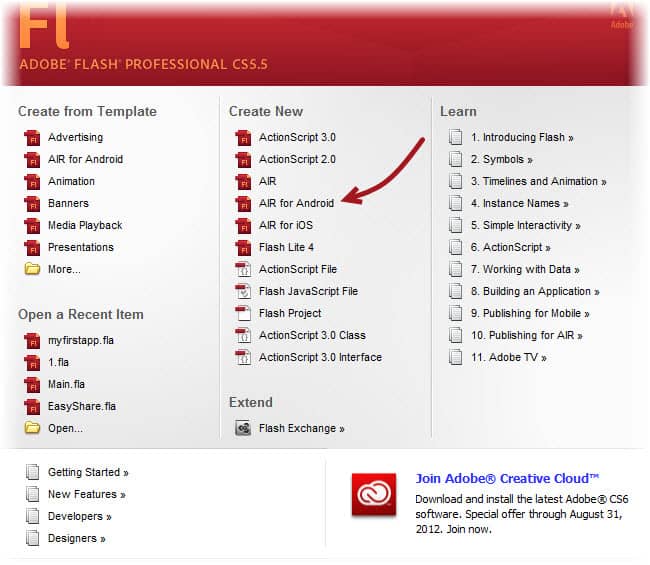
  1. Open Adobe Flash CS 5.5, click on AIR for Android option under create new section
    First Android App in Flash
  2. Save you flash file in your hard disk with “myfirstapp” file name, it is a good practice to save your file so you can test it immediately after publishing.
  3. We need to do some settings, click “AIR for android settings” under File menu
  4. In General tab click on both Full Screen and Auto Orientation check boxes so it can run full screen and in vertical and horizontal orientations.
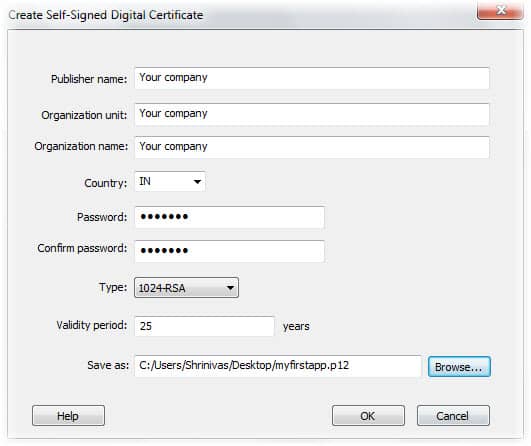
    certificate for android
  5. In Deployment tab click on “Create” button to create a certificate, Provide your company name in Publisher name, Organization unit and Organization name, select the country and add the password, finally save the certificate. Additionally provide the password for your certificate in Deployment tab. In permission tab click on “Internet” and finally click “ok”. We chose permission to internet as our app will open a webpage.
  6. Now we will start actual coding for our app. First drag a button from buttons library on the editing area. Give it a instance name as “mybtn”.
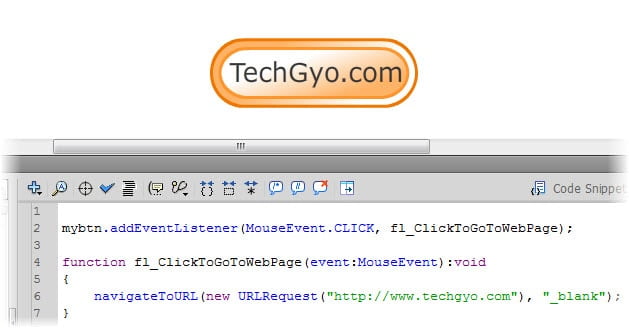
  7. Select the created button and double click on “Click to go to webpage” action from the code snippets.
  8. Replace the hyperlink with website you wish to open from your app.
    button and as3 script
  9. Now we are ready to publish our first android app, Click on “Publish” under File menu, enter the password you specified earlier for your certificate and again click on “Publish” button.

That’s it now you are ready to test your first Android app created in Flash. Install it in your mobile and test it.

Get a Free Website for your Business with .in Domain

Do you own a business? Thinking to create a website for your business? Here is a way to get a website with .in domain which is 100% free. Being online is avid for businesses and Google knows it well. Google India in association with Hostgator, ICICI bank, FISME and Standard Chartered banking group has initiated India Get Online package. This free package helps business to grow by introducing its services and products to get new customers. You can embed Google map, analytical code to analyze your website and promote your website with Google Adwords.

Also read:

What is India get online and what do you need to have to get a free website?

In India Get Online package you will be provided with a free .in domain, hosting and email from Hostgator for one year. You need not submit any business related documents but just need a PAN (Permanent Account Number or TAN (Tax Deduction Account Number). You need it at the time of registration.

[youtube]http://youtu.be/LQuutGqI3MA[/youtube]

How to get a free website with India get online package?

It is easy to get free website for your business. Just visit India Get Online website and click on “Create My Free Website Now!” button, you will be forwarded to hostgator website to choose your .in domain. Check the domain you wanted is available or not, click on “Continue” button once you get desired domain. Fill out the form with all the details including your PAN and hit “Finish” button.

How to create a website with India get online package?

India get online package comes up with a web builder that has bunch of options to add a template and customize your website as you wish. You can start creating your website once you register the domain and your account gets activated. Here are the steps to create a website for your business with India get online package-

  1. Choose a template that is relevant to your business, you can select the template from various categories.
  2. An online web builder will be opened which allows you to modify the template you selected
  3. Modify the website title, logo, background and elements as per your needs.
  4. Add the content such as services or products you offer in respective pages
  5. Once done with editing and adding content click “Publish” button.

Here is the video on how to registering your .in domain, customize your and add your own content to it.

[youtube]http://youtu.be/e5p8NTMznAY[/youtube]

Many businessmen including printing, garment export, electronic, driving school, hotel, medical equipment and many more business have used this package to introduce their services and products to the whole world.  One should keep in mind that this package is only for one year of period and after this period you should renew your service with HostGator.

Windows 8 launching on Oct 25 along with Surface, Windows Phone 8 on Oct 29th

0

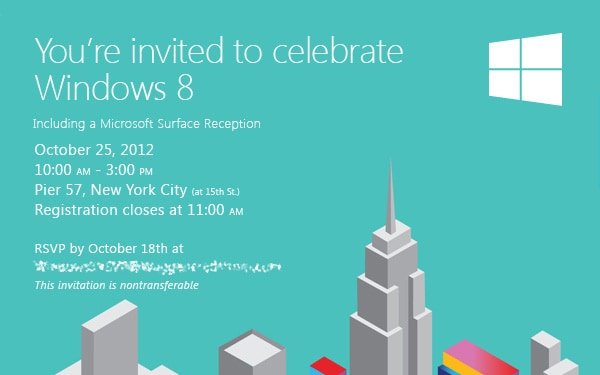
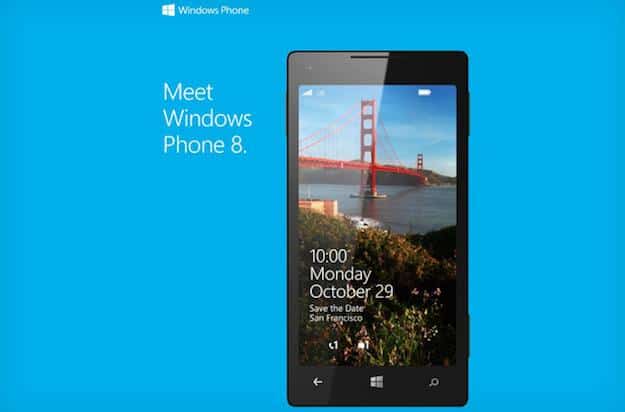
The much awaited biggest overhaul of the Windows platform since its incarnation, Windows 8 is finally going to be here folks along with Microsoft’s foray into the Tablet market with its Surface Tablet. The long awaited Windows Phone 8 has also finally got a launch date. Microsoft has started to send out invites for the launch of Windows 8 and Windows Phone 8 in the US. The first event which will see the launch of Windows 8 and Surface will be held on October 25th in New York while its mobile operating system Windows Phone 8 will be unveiled on October 29th in San Francisco.

Windows 8 launch invitation

Windows 8 is the biggest overhaul we have seen Windows go through as it brings a completely new design language and is mostly touch centric to foray into the Tablet world which is right now dominated by Apple’s iPad. Microsoft has also gone ahead and brought a different version of Windows 8 that is Windows RT which will run on ARM based chipsets.  We have already seen  variety of notebooks, ultrabooks, tablets and hybrids which will come with Windows 8 OS from most of the major hardware vendors, these devices will either be powered by ARM or Intel chipsets. We will also get to know about the pricing of its Surface tablet which will surely be a benchmark for Windows 8 tablets.

Windows Phone 8 invitation

Coming to Windows Phone 8, the biggest change it has gone through will not be noticeable to an average user that is it has the same underlying code as that in Windows 8 thus making it easy for developers to port apps between both the platforms. This version of Windows Phone also finally brings a new start screen and lots of other features are expected to bring it on par if not above against the other two giants i.e. Android and iOS. It has surely brought the hardware on par with the others with support for HD displays, multi-core chipsets etc.. Nokia, Samsung and HTC have already unveiled their Windows Phone 8 handsets and we can expect them to be available next month.

The close proximity of these Microsoft OS launch events illustrates their shared base components, and how Microsoft will inevitably go about pushing their synchronisation potential.


Rumors about the fourth gen iPad surface along with latest iPad Mini rumors


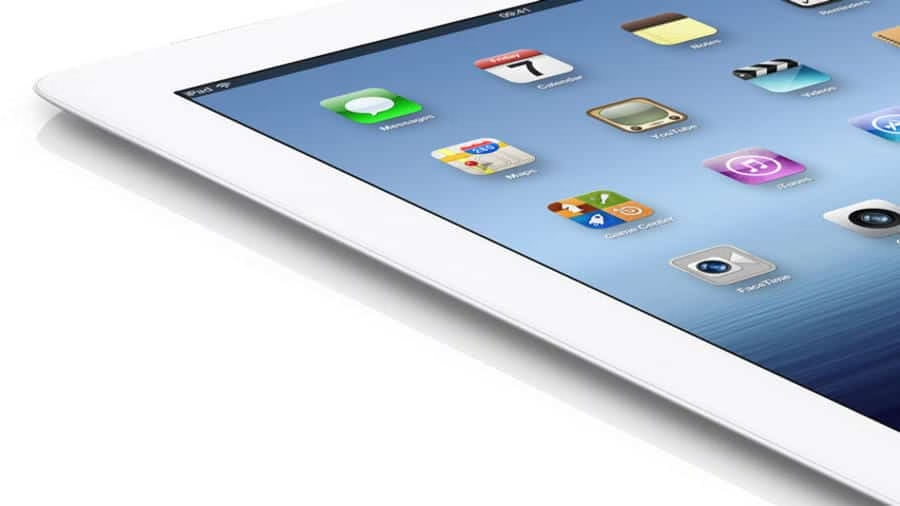
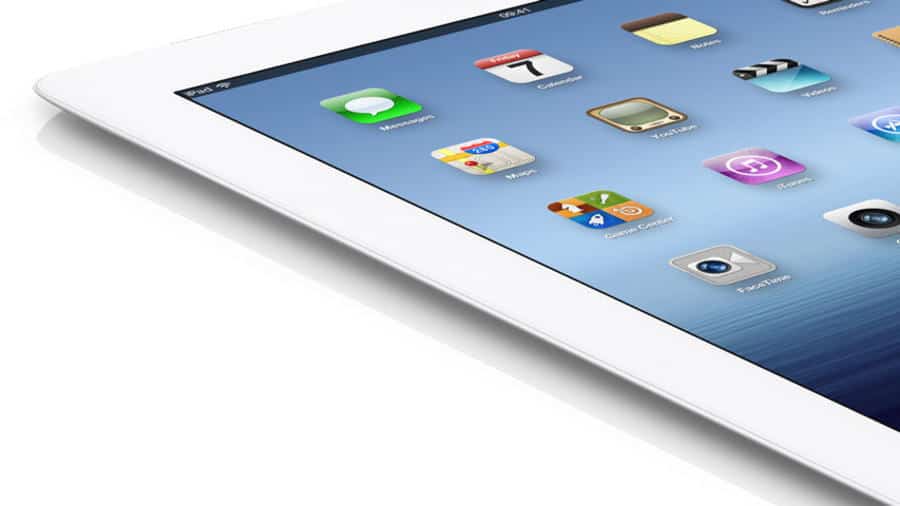
The third generation iPad has been on sale for four months now and now we have come across rumors suggesting what the iPad 4 or whatever Apple decides to call it should feature and when it will come out. We also have been hearing about an iPad Mini in the making for quite long now and the folks at DigiTimes suggest that Apple is planning on releasing an iPad in October and we expect it to be the iPad Mini if it turns out to be true while the iPad should come out after the third iPad has been out for an year because we are yet to see Apple releasing bringing a similar device before its yearly cycle.

Brochure

Talking about the features then surely very little is known about it, sources at iLounge suggest that the next iPad will be a modest upgrade keeping in line with the Apple’s policy of major upgrage every two years for the iPhone and iPad with a slimmer body, smaller dock connector maybe as in the iPhone 5 to unify its next gen product line-up and internal improvements.

The rumors also suggest a 16:9 aspect ratio widescreen display on the next iPad as opposed to the 4:3 in all the previous iPads. Industry analyst Paul Mueller told the Examiner: “I have talked to at least three people close to Apple who say that there are new iPad prototypes that have a 16:9 aspect ratio.”

Well that’s all we know about the next gen iPad, not talking about the iPad Mini. now lets come to the fresh rumors about the long rumored iPad Mini. We all know there’s a new born fight in the sub-$200 tablet category with the birth of this category by the Kindle Fire and with the Google Nexus 7 and the latest Kindle Fire 2 heating the market up, Apple is expected to enter the market soon with a new cheaper iPad offering in the form of iPad Mini.

Brochure

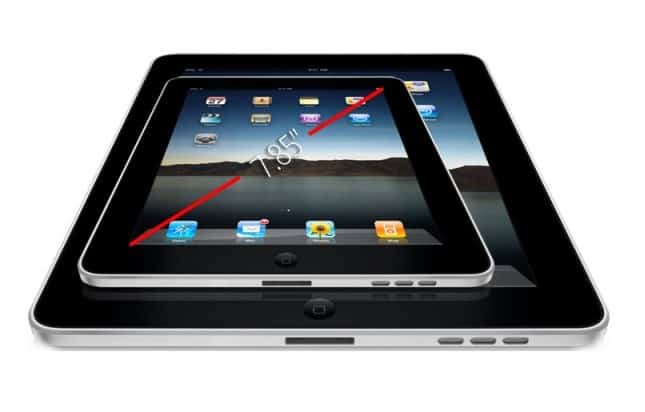
The long heard rumors say it should feature a 7-inch display but more reliable sources say the display will be 7.85-inches while the resolution is yet unknown but we expect it to match the retina number and the upcoming tablet will be as thin as the iPad 2 which is already marginally thinner than the third gen iPad. Some sources and look at cases confirm that it will come with a rear camera, which will give it a big advantage over the Google Nexus 7.

The most exciting detail reported of the lot is the pricing which is said to be $249-$299, if the iPad Mini truly launches in this price range then it will give a pretty hard time to folks at Google and Amazon.

Well we hope we get an iPad Mini since at the price which is rumored it will surely make it a killer device and talking of the next gen iPad, the 10-inches one then its still very early to talk about it but we expect the fourth gen iPad to be lighter than its predecessor, more storage since the sizes of the apps are getting bigger day by day considering the Retina Display and intense graphics and other features such as NFC but considering iPhone 5 doesn’t have it makes us skeptic. We also expect speaker improvements and better battery life and better software with the latest version of iOS, we really are waiting for an overhaul.


5 Best Selling and Top Rated Netbooks

The conventional Computers and Laptops have been going through a bit of overhaul with the increasing demand of more portable devices because people want to use their laptops on the go and with the all the hype around the ultra portable mini computers, the Netbooks, all makers have been bringing their own version of Netbooks to lure the target audience which makes it very confusing for the average user to choose the best of them all so today coming to your rescue we bring you the Top 5 selling Netbooks and the reason for their greater market sale and why one of them should be your choice when buying a new Netbook.

We’re here to help you with best netbook models available today.

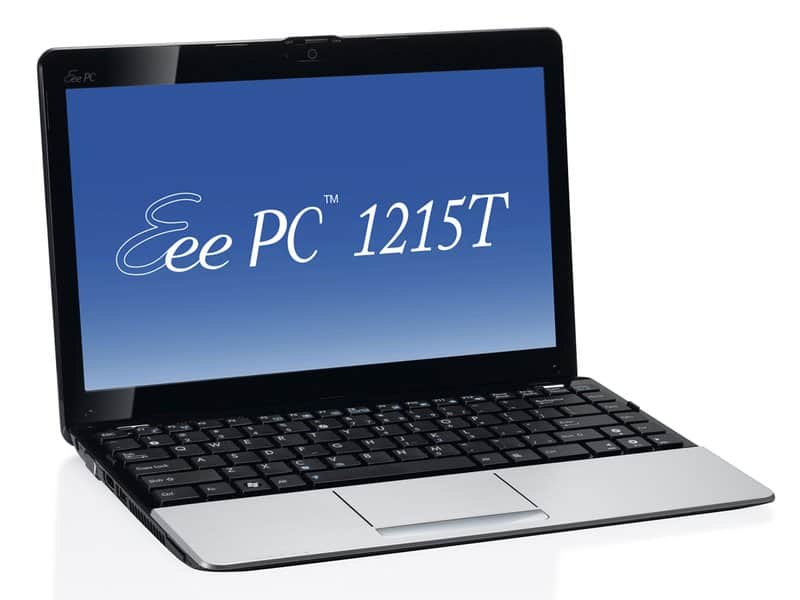
ASUS Eee PC 1215PX

Brochure

We have come to expect great Netbooks from Asus as arguably they have been the minds in getting the first netbook on the horizon and they are the one who have the best netbook on the market right now.

The Asus Eee Pc 1215PX comes with great build quality and same holds true for the keyboard and touchpad. While the connectivity and the screen resolution is not cutting edge but it is still not a big deal in the Netbooks range. The battery life is pretty awesome to say the least.

Processor — Intel Atom N570 Dual Core Processor 1.66Ghz

Hard drive — 250GB SATA Hard Drive (5400RPM) + 500GB Free Web Storage

Memory — 1GB, 800 MHz DDR2

Chipset — Intel GMA 3150

Operating System — Windows 7 Starter

Graphics — Mobile Intel GMA 3150 (integrated)

Dimensions (WD) — 10.3 x 7.0 inches

Height — 1.0 – 1.4 inches

System weight — 2.76 pounds

Screen size (diagonal) — 10.1 inches

Pros

-Great performance

-Battery Life is awesome

-roomy touchpad and keyboard

-great build

Cons

-A bit bulky

-Hollow-sounding speakers

-Mediocre Webcam

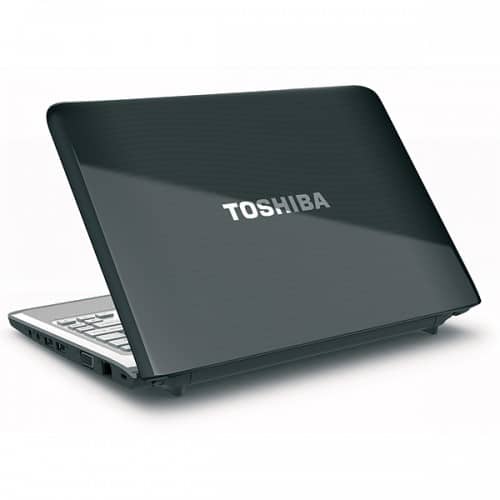
Brochure

The Toshiba Satellite T215D S1140 is one great Netbook and if you want some great horse power in your netbook then this is the one for you. It incorporates a ‘non-netbook’ processor into to get above-average performance without giving up portability or a lot of cash which makes it one great deal.

Although this netbook is on the costly side but if you want a roomy screen, full-size keyboard and touch pad, and strong performance, this one’s for you, it’ll surely leave you satisfied.

Processor– AMD Athlon II Neo K125 / 1.7 GHz ( Dual-Core )

Memory– 2.0 GB / 8.0 GB (max)

Hard Drive– 250.0 GB – Serial ATA-150 – 5400.0 rpm

Operating System– Microsoft Windows 7 Home Premium 64-bit Edition

Display Type– 11.6 in TFT active matrix

Max Resolution– 1366 x 768 ( HD )

Graphics Processor– ATI Mobility Radeon HD 4225

Optical Drive– None

Pros

– Faster processor than most Netbooks

– Full size keyboard and Touchpad

– Strong performance

–  HDMI port

Cons

-Little special software

-Weak battery life

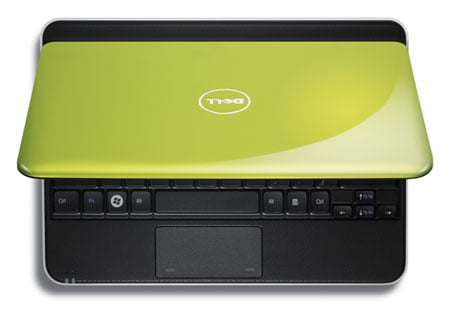
The Dell Mini 10 which we like to call it, officially called the Dell Inspiron Mini 10 (1012) is certainly one helluva attractive Netbook but surely it doesn’t compromise on features.

We can easily recommend it to anyone for its great design, better looks and battery life. The performance is on par with the Netbooks in the range pplus it brings with it hosts of additional security software you’ll always need.
Screen Size– 10.1″ Widescreen

Processor– Intel Atom n450 Processor (1.66GHz, 667MHz FSB, 512k cache)

Memory– 1GB Memory

Hard Drive– 250GB Hard drive

Battery– 3-cell battery

Operating System– Windows 7 Starter

Pros

– Great design

– Good battery life

– superior keyboard

– Security software

Cons

– Mouse buttons are a bit stiff

– Laggy on streaming video

– Mediocre Webcam

  • Acer Aspire One AO722

Brochure

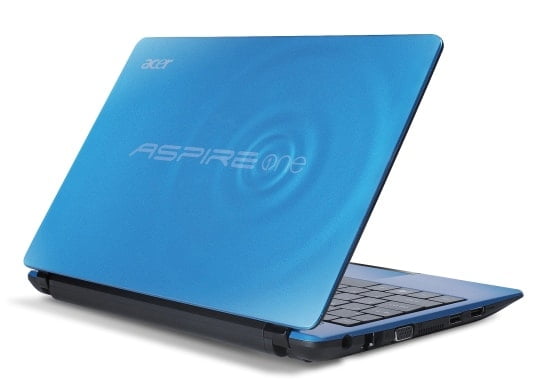
Acer Aspire One AO722 is a great Netbook if you travel a lot (well i guess that what makes Netbooks handy) and if you are into media consumption. It is one of the best Netbooks if you love streaming videos and play mildly demanding Web-based games.

We can certainly recommend it because of its better display and much better 3D graphics and the design by Acer should be liked by most while it will not be liked by people with serious taste. It is surely one of the best in media  focused Netbooks in the market.

Screen Size– 11.6-inch

Screen Resolution– 1,366-by-768

Processor– AMD C-Series dual-core processor C-60

Memory– Up to 4 GB of DDR3 system memory

Graphics– ATI Radeon™ HD 6250 Graphics with 256 MB of dedicated system memory

Hard Drive– 250 GB

Battery–  6-cell battery pack

Operating System– Windows 7 Home Basic

Pros

– Good display

– Fluid performance

– HDMI output

– lovable design

– Very able Webcam

Cons

– Poor speakers

– Love or hate design

  • Samsung NC110

    Brochure

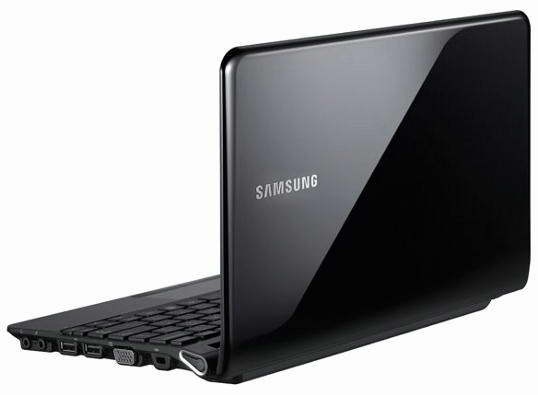
The Samsung NC110 Netbook is a well-built netbook with a great pretty great keyboard, but it suffers from the usual netbook problems: limited power and a low-resolution screen.

The Netbook offers strong battery life, 3D sound, and a useful Fast Start feature which is truly a great feature to have because no one really wants to wait.

Screen size– 10.1 inch

Screen resolution– 1,024×600

Processor– 1.66-GHz single-core Intel Atom N455

Memory– 1 GB, max 2 GB

Hard Drive– 250 GB

Operating System– Windows 7 Starter 32-bit

Graphics–  Intel GMA 3150

Pros

– Attractive design

– Comfortable keyboard and touchpad

– Good sound quality for the size

– Long battery life; Light weight

Cons

– Below-average performance

– Narrow mouse buttons

We hope this comes to your help when choosing your own Netbook.