Home Blog Page 237

Staying on Top of Forex With a Mobile App

0

Innovative technology is powering every aspect of our lives. Whether it’s keeping abreast of the news as it happens,  maintaining constant contact with our friends and family or simply filling in spare minutes playing word games, our fingers are in perpetual motion.  Mobile apps seem to have made multi-tasking into a no brainer and have propelled us into a life of constant motion and activity.
mobile forex app

Mobile Finance

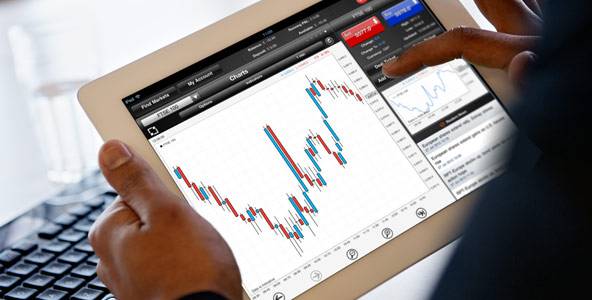
When it comes to financial trading, mobile use has become an essential part of an investor’s daily routine. Sitting in front of a computer screen is no longer needed as all the necessary information is available on the app and trades can be researched and executed directly from a broker’s mobile application. Most Forex brokers have geared their trading platforms to mobile capabilities in order to accommodate their clients who are always on the run and need to make quick decisions from wherever they are. The platforms are usually identical to those offered for web trading.

Investors crave financial material at the tip of their fingers and will look for it from various sources. There are many apps out there in the field that offer up-to-the-minute news as well as some analysis. Expert advice and relevant articles help investors to make the right decision and there is no shortage of apps that provide this sort of information.  

News and Review Apps

Of course, not all Forex News app are alike and not many cover the whole gamut of essential features. The DailyForex.com’s Forex News and Analysis app has recently been introduced and it has everything a Forex trader needs. It isn’t a trading app. Daily Forex is not a foreign exchange broker,  so it has no trading capabilities. Instead, it provides many of the features of a web-based broker review site but is also chock-a-block with up-to-the-minute news reports and fundamental analysis of what is happening in the financial markets around the globe.

Anyone interested in making money in currency trading will appreciate receiving important currency news as it happens as well as constant updates effecting  major currency pairs. The Daily Forex app sends out free Forex signals and trade alerts to all Daily Forex registered members.  These help traders understand an upcoming trend in the markets before they place a trade with their broker.

Forex trading isn’t for everyone but if you are already trading in the currency market, the Daily Forex app is a good accessory to the broker app you are already using.  


Uber is taking you high this christmas, literally! Here’s how you can fly in a chopper!

0

Uber has launched its UberCHOPPER service ahead of Christmas, wherein users will be able to call for choppers for an aerial tour of the city. Users in Bangalore, New Delhi, Pune and Mumbai can avail the service on December 25 for Rs 4,999.

Uber users can log into the app between 10 am-12 noon on Friday to put in a request for chopper ride. Also, users may have to try multiple times before their request gets processed as services are limited. Once connected, Uber will pick up passengers from their place and give them a 15-minute chopper ride.

How Uber explains it to you:

chopper iphone
  • Flip open the app between 11 AM and 1 Noon on Friday, December 25, 2015
  • Slide over to UberCHOPPER and simply request!
  • If connected, you and your friend will be whisked away in a swanky ride to the helipad
  • You will receive a scenic chopper ride for 15 minutes, along with some mouth watering food from our F&B partner, The Little Door, and a little something from Royce’ Chocolates to round off the perfect afternoon!
  • Demand for UberCHOPPER will be sky-high, supply will be limited and you may have to try multiple times
  • The chopper rides will be available between 1PM to 3PM only – so make sure you and your friend are ready to leave!
  • Total fare: Rs.2,499 (includes pick-up, drop-off, F&B and a sweet gift)

PRO TIP*: Recharge your PayTM Wallet with Rs.2,499 and get 20% cashback on your Uber rides from 25th December to 3rd January, 2016.

*1. 20% Cashback on all paid rides between 25th December to 3rd January 2016.

2. Max Cashback of Rs.50 per ride, Rs.200 per rider during this offer duration.

3. Cashback to be credited in your account on 6th January 2016.


The Uber chopper rides will only be available between 1pm to 3pm. Users will have to recharge their Paytm wallet with Rs 4,999 between December 23 – December 25 to be eligible for UberCHOPPER.

It will also provide a 20 per cent cashback on the chopper ride, a maximum cashback of Rs 1,000 on the chopper ride, which will be credited to Paytm accounts by January 6. During this period, Uber users can also avail a maximum cashback of Rs 50 and Rs 200 on every Uber ride.
Ola’s bit for Christmas
Ola has also come up with a Christmas special service to deliver plum cake. Users can order the cake on December 24 from the app free of cost. The service is available in six cities across India including Bengaluru, Hyderabad, Chennai, Mumbai, Kolkata and Delhi.

3 Free Dating Apps you shouldn’t let your teen use!

0

The trend of having dates in not new neither is the desire to get into a romantic relationship. The only thing that has changed in the past few years in the way to approach the dating partner. The new trendy way popular among the dating community is the use of dating apps. Now, there are two big concerns attached to the dating apps. Once is the freedom to join regardless of the age and the second concern is the option to be anybody! Both the two options are available in three Android dating apps discussed below:

android parental control apps

Tinder:

The app that secures a dominant position in the list of teens’ dating app is Tinder. According to an estimate, almost 7% of the Tinder users are aged between 13-17, which makes up more than Tinder’s middle aged users. The application logs users current location and then search for people who look meet up within a mile.  This is what makes this application a danger call for your teen as  showing location on public forums can get them into trouble. Anyone can misuse the information, making it a threat for your teen. In addition to that, the app has a lot of fake profiles and is considered the hub of online predators, especially older men/woman looking for younger users to exploit.

OkCupid:

Next to the Tinder, there is another free dating app popular among teens. The app is named OkCupid, and is very dangerous. According to a poll 314 online predators are present on OkCupid in a radius of every 5-mile, who target vulnerable kids.

Omegle:

Omegle is not directly called a dating app, however, it does offer free video chatting service with a twist to keep identity hidden. Users can chat as “You” and “Stranger”. The twist itself is enough to elicit parental concerns and the security issues.  In a single click, users are directed to a virtual chat room where they are paired up with a random user waiting to chat. No one can tell the number of sexual predators available on this forum however they are certainly great in number.  

Blacklist Dating Apps To Keep Your Teens Safe

All these risks of online dating are really worrying; you want to restrict your teens from using such apps without coming out as over protective. Well, it’s time to put aside your worries because you do have a parental solution. You can take help from Android parental controls FamilyTime’s wide range of features that empower parents to not only monitor, but take control of their teen’s device usage too.

You can use FamilyTime to view all the list of apps installed on your child’s phone and then Blacklist the inappropriate one’s. This way you can block all the apps you want with just one touch. To get hold of this app now, visit google play on your Android phone.

How to improve the lifespan of your PC

I love my computer. Like, love it a lot. It has been my constant companion these four years past ever since I bought it from Warehouse1  all those years ago, and I wouldn’t change it for the world. Well… I wouldn’t change it except for when I am going to change it, but that’s only going to be when I finally get around to upgrading to the newest and latest model on the market, but that won’t be for another year yet. I am glad to say that with my computer that I have managed to keep it scratch, dent and break free –  but I’ve also kept it healthy on the inside, too. Even though the aesthetic of the case does mean a lot to mean, I guess I wouldn’t mind if my computer was covered in hair and smelled terrible, so long as the contents were working fine.

increase lifespan of pc

The reason that I have managed to keep my PC in such great shape these past few years is because I’ve followed a couple of simple rules when it comes to how I use it. I learned these from looking online and chatting to knowledgeable friends, and in doing so, I’ve effectively extended the life of my computer and managed to maximise a pretty valuable asset. I want to share some of these with you today in the hopes that it helps you too to have a healthy computer for a long time. Plus, you need to know that if you keep your computer safe you’ll protect any valuable information that is stored on it as well.


Step One

Don’t have drinks or food anywhere near your baby. There was a particularly memorable incident while I was travelling recently, and I managed to upend a beer right near my computer. It spilled onto the keyboard and though I frantically mopped the beverage up and tipped the laptop over, I was still mortified that I could possibly have hurt my darling PC. Lesson learned – and I never have drinks near my PC now, unless they’re in a screw top bottle. With regards to food I just don’t eat things while on my PC, and if I’m watching a movie I make sure the computer is at the foot of the bed or on my desk or something. Easy peasy!


Step Two

Keep your computer virus free. Yep, just like us puny humans, laptops can get viruses as well, except for laptops if they don’t have virus protection, it may as well be the 1600s and chickenpox, cos there’s a fair chance they can die. You MUST have the right kind of virus protection software installed otherwise you run the risk of having a nasty infection on your computer. Not cool. Mac computers come with virus software already, but PCs need to have anti-virus software installed. There are a number of reputable brands to use, many of which offer free trials.


Step Three

Don’t illegally download things. When you download movies or games from downloading sites you’re running the risk of potentially installing bugs and other nasties that can really wreak havoc with your system. Far better to go the route that most people are going nowadays which is using a video subscription site or buying the items online. It’s a safer alternative the other option, and usually ends up being far cheaper when you don’t need to replace your PC due to a virus strike!


I hope that this information about PC care has been helpful for you and that you manage to find the best possible way to extend the life of your PC. Remember, the internet is your friend – but not when you’re not protected against the possible nasties it conceals!

The web design checklist: Best practices that drive conversions

If you want your website to drive sales for your business, you need to ensure that it is setup to deliver conversions. The way that it delivers conversions is through the website’s design and content. Digital agencies in Melbourne know that a few simple tweaks in your website’s design could yield thousands of dollars in additional sales each year. Below are a few best practice methods that can be applied to your website.

web design checklist for conversion

Ensure your website’s text persuades your prospect.

The words that are used and displayed on your site will greatly influence the action that your web visitor will take. Consider the use of long or short form text to compel your web visitor to stay on the page and take action. The use and display of headings, reading text and call to action text is critical to your website’s conversion success. Amends to the display of the text can be made in your website’s CSS file.

Optimise your sales funnel.

Improve your website’s sales funnel by tweaking the consumer journey on your website. Most people arriving at the website will be a qualified lead and it is essential that your sales funnel process guides them to taking the desired action that you want them to have. Consider if you want your website to be used strictly for lead generation and qualification, whether you will use it to generate direct sales, leverage the site in remarketing efforts or to use a combination of the three.

Improve the page loading time of your website.

People demand that they receive their information quickly on the Internet. It is essential that your web design can present your web content as quickly as possible. Most web users will expect the web content to show in approximately 3 seconds. Ensure that any website themes, backend functions and data files can help to speed up the website. You can check the speed of your website and breakdown the file loading sequence by using Pingdom Tools.

Have a simple checkout process.

If you have managed to persuade your website’s visitor to buy, you want to ensure that they proceed with the sale successfully. Sometimes the checkout process can be confusing or become unsuccessful. You want to remove any element of doubt and ensure that your website’s visitors proceed with any web transactions confidently and happily.

Give your web users simple options so they can take your desired action.

Using the right buttons, forms or checkouts will improve your conversion chances to generate more leads and sales. Consider the use of pricing tables that provide multiple tiered pricing options, marketplaces, shopping carts or a single purchase option to proceed with the sale.

Optimising your web page for organic search.

Your website and web pages need to be optimised for search engines to successfully crawl and index the website’s content. By having a well-optimised web design layout, you will be able to increase your website’s chances of driving organic search traffic from relevant keywords.

Invest in compelling images that reinforces your website’s brand image and message.

You want everything that the website conveys about your business, products and service to reinforce why the web visitor should trust you. The images that you select for your website should reinforce the brand message the you have pitched to your website visitor.

Web design is intrinsic to a website’s commercial success. You want to invest in web design that will allow people to discover your website, but to also have the confidence to keep on coming back and to refer the site to others. If you feel like your website could improve its conversions, get in touch with an agency that can advise you on web design strategies to help improve leads and sales for your business.

How TVs evolution to digital has affected signal reception.

0

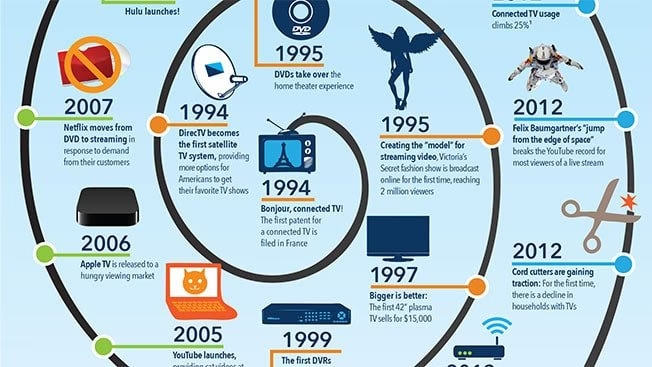
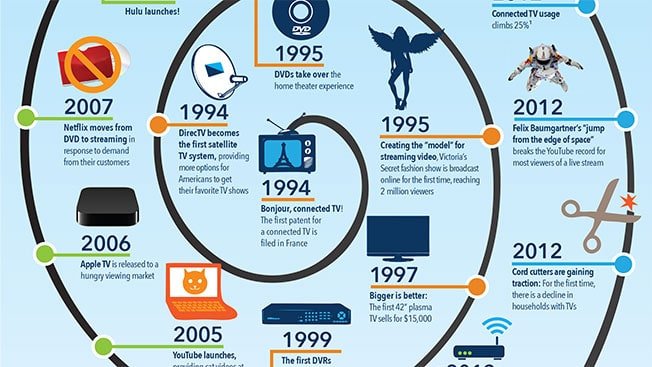
The Australian government recognised a shift in technological and consumer trends when it came to communication. Television viewership wasn’t only being done through the analogue channel, but had been shifting to digital channels for over a decade. The Australian government recognised this and pushed forward with the switch from analogue to digital. Since then, the channels have moved and new channels have also been added. This was done in a bid to keep up with the latest technologies and potential future trends from web services, mobile broadband services (2G, 3G & 4G), smart phones, tablets and other smart devices as well as to provide better and faster services. Over 1476 digital services were changed over 476 sites and over 20 million television viewers needed to retune. You can see more information from the Australian Government’s Department of Communications as they shared their story behind the retune.

tv digital evolution

In order for television viewers to fully benefit from the transition, they should adopt the following.

Ensure that your antenna can provide you with a clean reception signal.

Pixelation and distortion in your televisions reception is often blamed on the weather, when in actual fact, it is the due to the antenna that is being used. The transition to digital is great. However, the downside is when the signal strength falls below a certain threshold, the sound will disappear and the pictures will start to pixelate. Unlike the white snow that would appear on the screen with analogue, digital either gets reception or it doesn’t. In order for your digital reception to work, you need a signal that is clean. Common antenna issues that lead to poor reception include:

Broken antennas

Check to see if your antenna is still in good working order. It is possible that it may have been damaged by the weather or by animals. Or the antenna may have deteriorated over time from jacket’s of the cable wearing away, allowing water and other contaminants to degrade your antenna and signal.

Multiple antennas pointing in multiple directions.

Some television owners receive multiple signals from different antennas thinking that it will solve the reception problem across all channels. The fact is that multiple antennas may be adversely affecting the clarity of your television channels reception.

Be aware of your location.

The Australian government has done their best to provide strong television signal services across Australia, however some areas may experience weaker signals than others. This could be caused by interferences from local buildings, mountains and weather. To find out more information about how you can improve the signal reception from your antenna, speak to TV antenna installation specialists from Melbourne.

Make sure you have good cables.

The aerial cable that is running from your television or your set top box, wall socket and up to the aerial needs to be transmitting the signal successfully. It is worth investing in cables that will block out interference and to ensure that the cables can be inserted firmly. This can be achieved with screw-in F connectors.

Check your home for internal interference.

Most homes use wireless Internet or Bluetooth connections. These could also be contributing to signal interference in your home. Check computers, modems, cordless phones and power adaptors whose frequency could be disrupting your television signal.

Be cautious with using splitters.

Splitters are great for sending your antenna’s signal to several devices, however it will weaken the signal strength. If you are currently using this and experiencing distortion with your reception, then it is possible that the splitter could be causing issues.

Be sure that you are using amplifiers correctly.

Many TV owners make the mistake of purchasing amplifiers to improve their television reception. Quite often, the signal strength is sufficient, so amplifying the signal isn’t the problem. Instead, it is the antenna location or other factors that distort your signal reception.

The age of digital television is exciting, however it has presented a new problem that needs to be managed. Where people could get away with poor reception before with analogue, the digital reception completely changes the experience. If you notice signal issues with your digital reception, get in touch with a specialist who can help you.

Lifi Vs Wifi: Who’s Better Than Whom?

0

In the past when technology was not what we have today, communication barrier between people who are very far apart was a problem. Everything was just manual, and for someone to deliver information to a destination, traveling was involved which was quite slow and expensive. The presence of a problem triggers and this triggered greater innovations that make the today’s world a global village. The internet is one of the greatest inventions that I don’t think any other technology has risen above it. All we hear is the improvement of its use. Wi-Fi is one of its use improvements that allow wireless access to the technology that came after wired internet access. Recently another wireless technology known as Life was introduced. It serves the same purpose with Wi-Fi, but there is a belief that Life is more superior. The following are the advantages of Lifi vs Wifi, that can make Lifi Superior.

wifi vs lifi

Advantages of Lifi vs Wifi

  1. Strong security

Wi-Fi uses radio waves to transmit data while life uses visible light. According to our basic science, we all know that light cannot pass through an opaque wall while radio waves can excellently pass. This makes lifi security stronger since its network and hence data cannot be accessed by anyone outside the building. However, this works against it because the internet connection cannot be shared by people within different rooms belonging to the same organization. It is most suitable in areas where security seriously needs. Security in a Wi-Fi may not be a guarantee as such since the network can be accessed by the people outside the building.

  1. High transmission speed

Almost everything we are talking about is based on the simple science that we learned in the primary schools. According to that science, light has been proven to have the highest rate of transmission. Since lifi uses light to transmit data, that makes it faster in transmission than Wi-Fi, which uses radio waves. In this world of time investors, people do not want to waste more time, and that is why lifi is the best option.  Lifi has appeared in the technology news as the latest and fastest wireless invention that can give a speed of up to 1GB. It is the latest technology that we should embrace.

  1. It is not affected much by interference

Interference is a situation where the signal being transmitted is disrupted. Radio waves are majorly affected by interference that make the transmission slow or in worst case scenario; the signal is totally lost. This makes Wi-Fi slow in transmitting urgently needed data, and it may not be a very convenient way. Lifi, on the other hand, is not greatly affected by interference hence making it the most suitable latest technology for communication. Technology news has in the recent past highlighted the disadvantages of interference as what make radio waves unsuitable mode of transmission. Lifi, in this case, remains to be superior.

  1. Can be used in dense regions

We all would like technologies that can be used anywhere regardless of the environmental factors. Wi-Fi is one such technology that cannot easily overcome environmental factors because it is greatly affected by interference. It cannot, therefore, be able to transmit in salty water where there is much more interference. Lifi, the latest technology is not affected by interference can be used for transmission in the dense regions where Wi-Fi is not applicable. Through this technology, those who dive into deep sea water can be able to communicate without any problems.

  1. Transmission frequency

There is a great frequency range difference between Wi-Fi transmission and Lifi Transmission. According to technology news, lifi frequency is about ten times that of a Wi-Fi, which is a very noticeable range that can provoke a choice between the two technologies. Wi-Fi has a frequency of 2.4 GHz to 5 GHz while lifi has a frequency ranging between 400 to 800 terahertz. Superiority needs no more explanation since the above difference is just a clear evidence of it.

Conclusion

Technology is the most dynamic thing in the world since it keeps on changing every moment. If you are in the technology field, then you have to keep on reading to keep yourself updated with the current technologies. Wifi technology is a technology that was developed long ago but, most people discovered its presence recently. Lifi is one of the latest technology inventions in the wireless segment if we take at look at Lifi vs Wifi. It is a great improvement in the networking field that requires photo detectors for its light mode of transmission. As we have seen in the above Lifi vs Wifi advantages, lifi is fast, secure, interference-free new technology that is now relatively above Wi-Fi. What makes Wi-Fi still recognized in Lifi vs Wifi is the fact its signals can be felt across a thick opaque wall.

References

wearabletechdigest.com/

About the guest author:

Willo Conner is a freelancer editor, eBook author for technology and health. He has explained new and upcoming technology programs on the topics of tech news, gadgets and how we can use the technology for our health, health tips for seniors. He writes for many online publications. He’s one of the few tech consultants who has consistently worked in nearly every aspect of tech and health communications. Follow him here – Facebook, Twitter, Google+