Home Blog Page 195

Top 5 Best Image Optimizers – High Quality Images at Reduced File Size

Image optimization, in high level, means putting the image through series of process using software; work on its size, shape and finally optimize it to store efficiently. These image optimizers help you save a lot of space over the time. Everyday billions of photos are being clicked worldwide and most of it is being saved permanently to the storage space. When people use different storage options like, HDD, SSD, External HDD, Mobile phones etc. to keep the picture memory of their beloved ones or great moments of their life, I, personally, use Google Photos cloud backup to save mine.

image optimizers

Anyway, the number of photos clicked/minute is not going to go down, unless you come out with something 10 times better than Google Glass, it’s our requirement that we must find a solution to save our images in the most optimized manner possible. When applications like Google Photos comes with an option to toggle between “Hight Quality – Great visual quality at reduced file size” and “Original – full resolution”, no matter which option you choose, you will still end up with great quality image. They say, “Compressing an image will mess up with quality” well, with updated algorithms, this is a thing of past.

Best Image Optimizers

Compressor.io

Compressor.io is a simple tool used for image compression without losing the quality. The tool supports 4 types of file formats; JPG, PNG, GIF and SVG. You can either opt for lossless or lossy compression. The tool promises up to 90% reduction in file size.
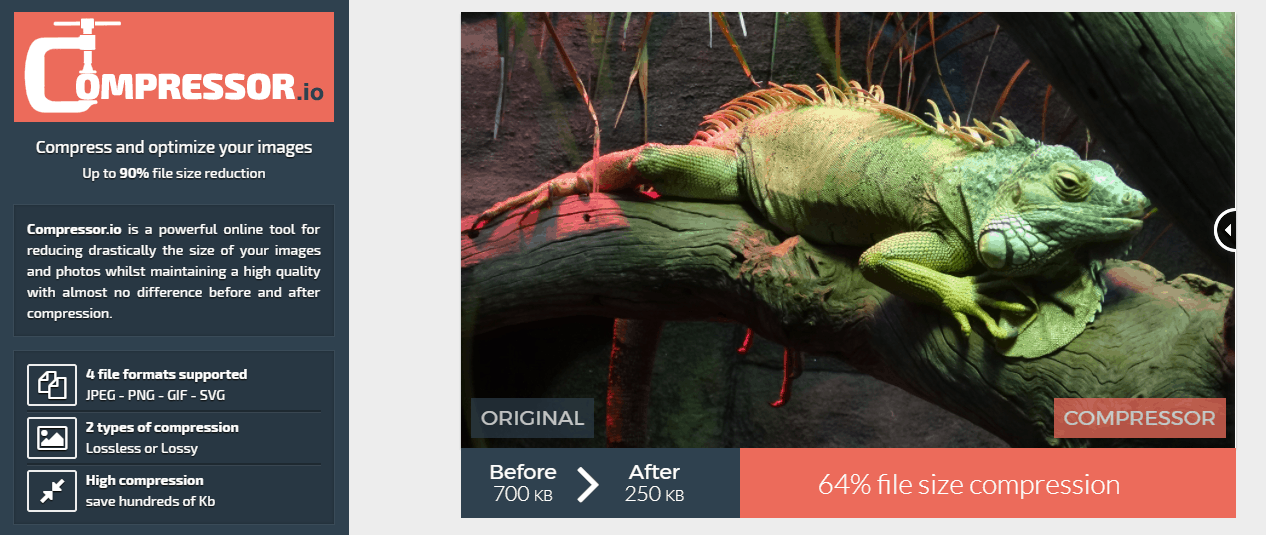
image optimizers

The compressor.io is one of the best image optimizer both in terms of usability and reliability. To put the tool for a test, I have tried uploading an image of size 2.81MB and ran a lossless compression. The result was, same quality image but at a reduced file size of 1.90MB. Once the compression process is over, you can either download the file or save it to Google drive or dropbox directly from the tool.

Image Optim

Image Optim is also a great tool designed especially for the mac users. It is one of the best image optimizers available for mac OS. This app is aiming at the people who are into app development for Mac and iOS. ImageOptim will help you shrink the images and thereby saving lot of disk space and also improves the loading speed. The tool also helps you with removing EXIF metadata. Every image we click using our smartphone or camera will have some meta data like, camera model number, ISO, GPS position. The tool can help you remove all these metadata which helps you protect your privacy.
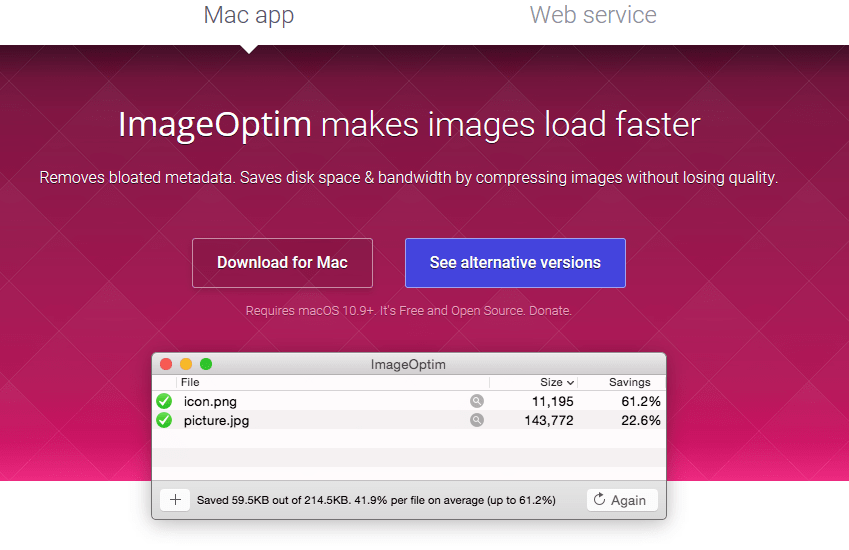
image optimizers

By default, the compression is of type Lossless. If you explicitly turn on the “Lossy minification” option, you will get much smaller file sizes but you may want to compromise on the quality. The company also offers web service APIs to help you with resize and optimization of images on your server. In addition to reducing the file size almost 2 times smaller and loading images faster, the API can apply color profile and additional gamma support which will further enhance the look and feel of the picture.

Image Optimizer

Image optimizer is one of the 100% free and simple image optimizers available online. The tool let you do basic resize, compress and optimize images just by using the online interface. You have to upload your file, select the optimization level; Quality – min file size, very small file size, small file size, normal, high quality and best quality; specify the width, height and finally click the optimize button.
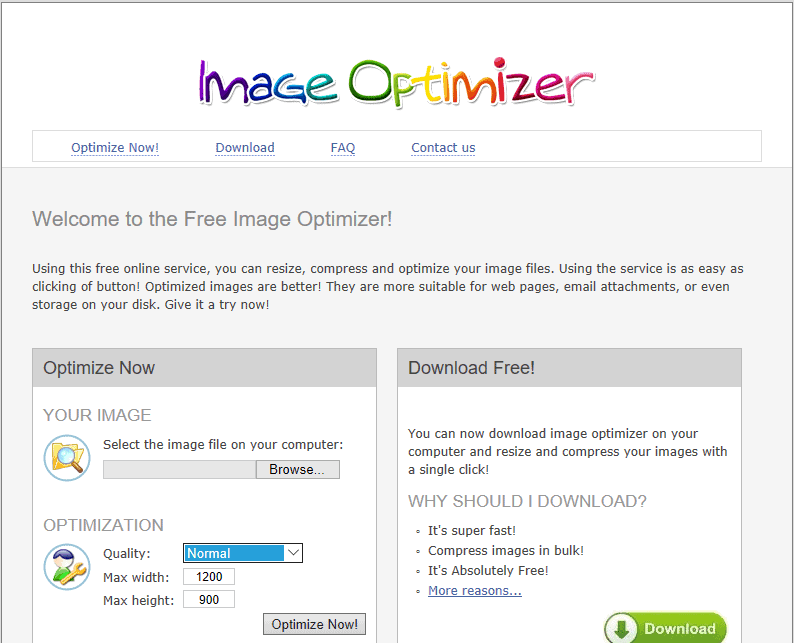
image optimizers

There is also a desktop version of Image Optimizer available for free. But, there is a downside. Images will have a watermark and to avoid this, you have to buy the professional version priced at 29Euro. I would rather stick the web version than the paid desktop version.

TinyJPG

One of the most famous and trusted by thousands of companies, like; Samsung, Walmart, Sony, Airbnb etc, TinyJPG is one of the best image optimizers that is currently available in the market. Don’t get confused by the name, the tool supports compression of both JPG and PNG file formats. How does it work? The folks at the TinyJPG has a complex algorithm which analyzes the texture and pattern of your uploaded image and apply the best compression strategy to give you a best quality image as output.
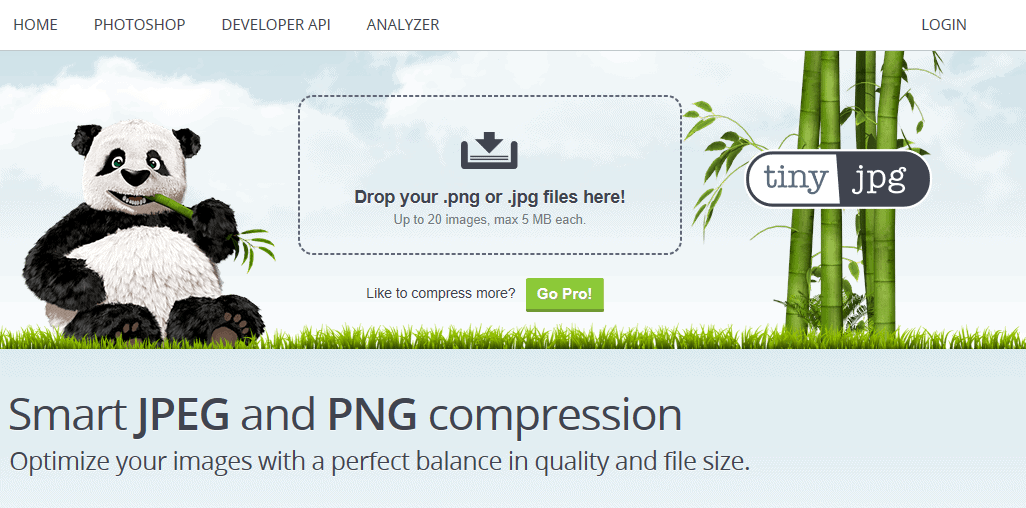
image optimizers

The tool process the image to give you an output file with almost 70% reduction in the overall size. The company also offers a Photoshop plugin, priced at $50, which will allow you to save the compressed file right from the photoshop window. There is also a server level support using the developer API. This will help you compress your server images on the go. There is also a wordpress plugin available for the bloggers community.

Smush.it

Talking about bloggers, this tool is one of the best image optimizers available for wordpress. With its award winning optimization process, SmushIt has proven its mark in the minds of wordpress enthusiasts across the world. WP smush will automatically compress the images that you upload to your site. The tool achieve this by cutting off the metadata and also resize the images without losing the quality.

image optimizers

During the configuration phase, you set the max width and height so that images will be automatically scaled down before even adding to the media library. This will saves a lot of server size and also helps the site to load much faster. The tool using the WPMU servers to do the compression, that means there is no traffic load on your server. You can compress already uploaded images at a maximum of 50 images at a time.


Top 12 Best SEO Tools for Your Website – Optimize Your Website

0

Both Blogging and Vlogging is very common among the millennials and so the blogosphere is flooded with millions of blogs. When some may consider it as a mere hobby, for others it is a profession. A good website ranking is essential to put your blog at least in the first two pages of Google search pages. Search Engine Optimization (SEO) and other website optimization must be done properly to ensure your site performs well and drives lot of organic traffic. Website optimization is also part of SEO since Google started ranking based on different parameters like; website load time, the CSS elements etc. An increase in organic traffic will make your website standout from the rest of the sites. This also help you boost your social media followers and thereby increasing your overall reputation. There are lot of SEO Tools available to help you with this tedious task. Since website optimization is also part of the SEO tools I have covered that as well in this post. If done correctly, these SEO tools can help you achieve your website ranking dreams quite easy.

seo-tools-2-02

Top 15 Best SEO Tools

Ahrefs

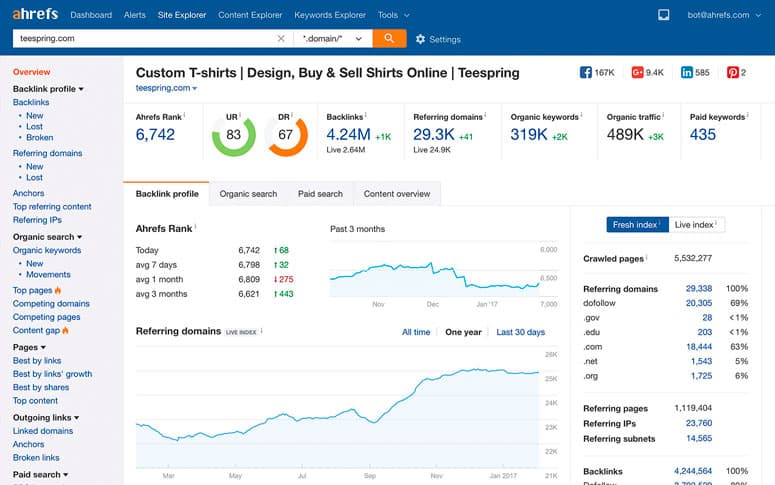
Ahrefs is one of the best SEO tools that is available right now in the market. The tool comes packed with a ton of features which I am afraid will take a whole blog post to explain. Ahrefs is a collection of tools which will help you doing competitive analysis, keyword research, backlink research, content research, rank tracking and web monitoring.

image optimizers

The interface is quite simple, neat and clean. Keyword research is one of the best feature which I personally liked about the tool. The company has a huge database which shows up 3 billion keyword suggestions to start with. The rank tracker will help you track the website ranking in both desktop and mobile platform. Ahrefs is a paid tool with a monthly subscription starting at $99.

Alexa Ranking

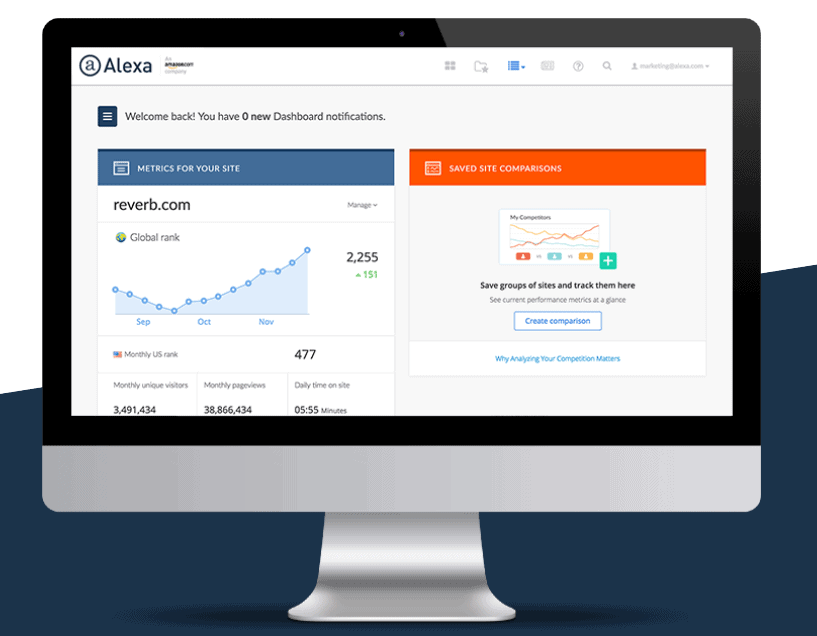
Unlike Ahrefs, Alexa has been in the market from the beginning. Started as a simple website ranking tool, now it’s been acquired by Amazon and there has a been a huge strategy changes. They have started a premium platform for $149/month which gives you complete analysis of your website. It also provides tools to help you both with SEO and to tackle your competitors.

image optimizers

The SEO tools included in the package are; Keyword difficulty tool, competitor keyword matrix, competitor backlink checker, on-page SEO checker, SEO audit tool. You can also sign up for 7 days trial run.

Browseo

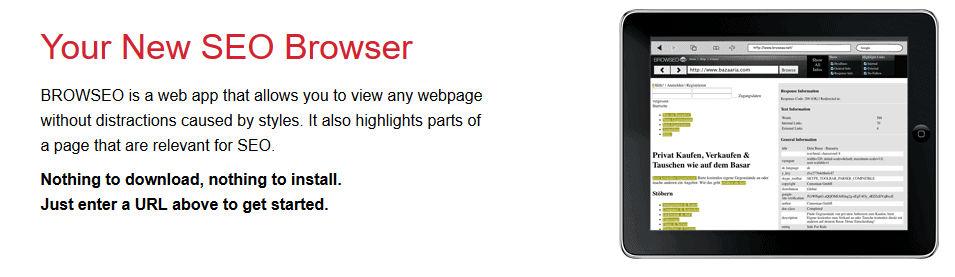
The efforts you to put make your site look beautiful by applying styles, changing to responsive themes are all part of attracting the visitors. Well, the Google gods are not into this. They just want to index your site for the blog post that you have written. Well, Browseo is a browser which let you see how your site looks without styles and highlight the SEO elements you have configured.

image optimizers

The tool is free. I tried it myself and it showed me header information, SERP preview, internal, external and no follow links.

Broken Links

Trust me! The last thing search engine bots who comes to crawl your website want to see will be broken link. The Broken Links tool by Internet market Ninjas can help you find and fix it. Upon entering your URL, the tool will crawl through your website, will take some time to finish, and shows you the complete list of links that are internal, external and no follow along with their active status.

image optimizers

Copyscape

Used and loved by content creators, content buyers all around the world. Copyscape is a simple and easy to use tool do perform plagiarism search. There is both free version and premium (for mass search) versions available.

image optimizers

Google Pagespeed Insights

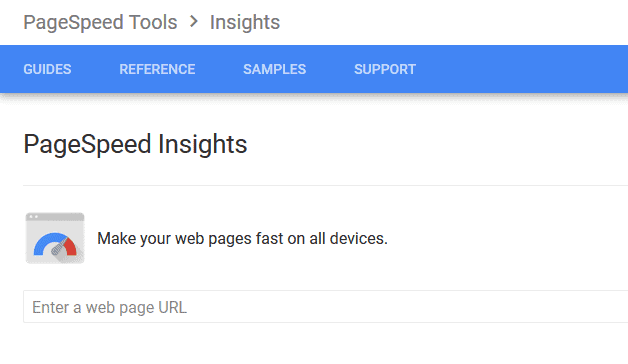
This tool from Google helps you with find your website’s loading speed both in mobile and desktop. It will show you a score out of 100 and also shows you suggestions, if any, to perform to improve your score. A fast loading website means better SEO ranking. Google pagespeed insights is one of the best free SEO tools from Google. There is also Google Analytics, Keyword Planner, Webmaster tools etc.

image optimizers

GTMetrix

Like Google Pagespeed Insights, GTMetrix will show complete analysis of your website during its loading phase. I must say, this tool is a better option compared to the Google’s since it shows even more insights. You get to see your pagespeed score, yslow score, loading time, page size, number of requests in and out etc.

image optimizers

Keywordtool.io

This is a simple keyword research tool to help you with the article you are writing. The free version of the Keywordtool.io will help you find upto 750+ keyword suggestions across Google, YouTube, Bing, Amazon, eBay, App Store. The pro version gives you more flexibility like; get 2x more results, find how the competitors are doing etc. The pro plus version starts at $88/month. There is also a yearly subscription option available at lower price.

image optimizers

Moz Local

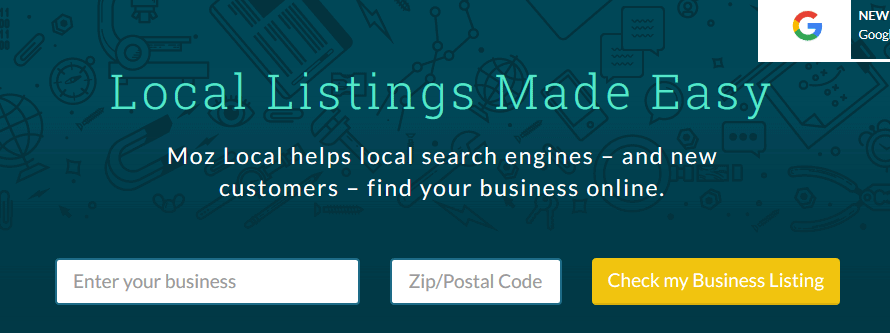
This tool from Moz is for business owners who want to check how their store listing is performing in search engines. You can start by simply entering the business name and the postal code. The Moz Local will give you results from Google, Bing and other search engines. You can analyse, review and choose a package (paid) which will help you improve your listing. The Moz local is one of the best SEO tools to give you insights about your business listings on search engines.

image optimizers

SEOProfiler

This tool is a hidden gem in the haystack. I find SEOprofiler extremely helpful when it comes to finding the backlinks related to my website. The best part, it is completely free to use but, you have to register with them by creating a free account. The free account will let you export upto 1000 backlinks, also send you notification when new links are created.

image optimizers

SERPs Rank Checker

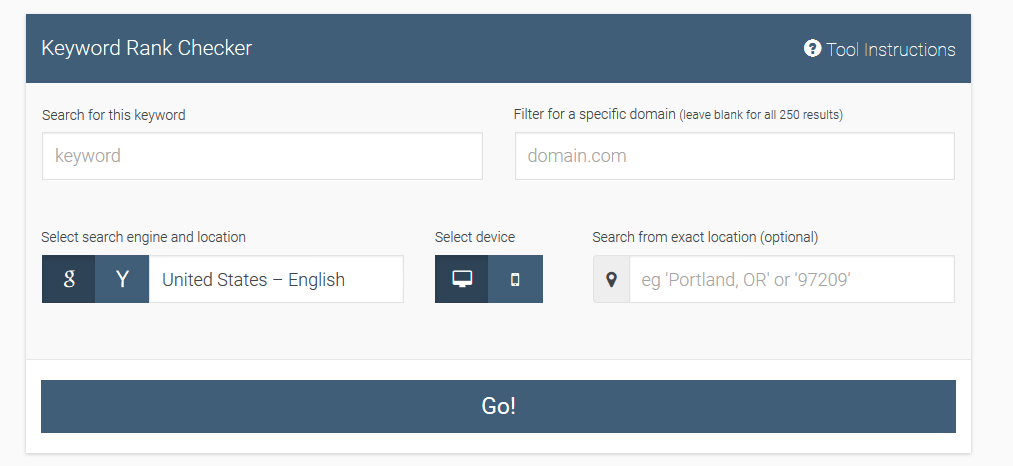
The keyword rank checker by SERP is a great tool to check how a keyword is ranked in perspective to your website. This will help you find how well your website stands of search engine results page. You may also checkout their other tools like; Keyword Research Database and Google Location Changer.

image optimizers

XML Sitemaps

image optimizers

An XML sitemap is a very crucial part of a website structure. It basically gives out a road map of your website to the search engine bots who comes to crawl your website. This sitemap generator tool from xmlsitemaps.org will help you create XML, HTM and even text sitemaps for you to submit in major search engines. Generating a XML sitemap is free but, if you are planning for unlimited use then you should consider purchasing the pro version for $19.99.

Top 7 Best Website Building Tools for Your Business

A website is one of the most important entities when it comes to any business. It not only makes the customers let know more about you, the products and services you are offering, but also make your business looks legit. A beautifully designed and well-functioning website especially, if you are into e-commerce or online food delivery, will help you score and to stand out from your competitors. There used to be a time, creating websites can cost you a major share of your total business budget and used to take a lot of time to develop one to the perfection. Thanks to the developers and innovative minds, those days are long gone and in fact, creating websites has become very easy and mostly DIY. Here is the list of some best website building tools for your business. These tools are easy to use and can help you with developing the websites based on your ideas.

Tip! Don’t forget to check these free brochure templates

website building tools


Best Website Building Tools

Layers

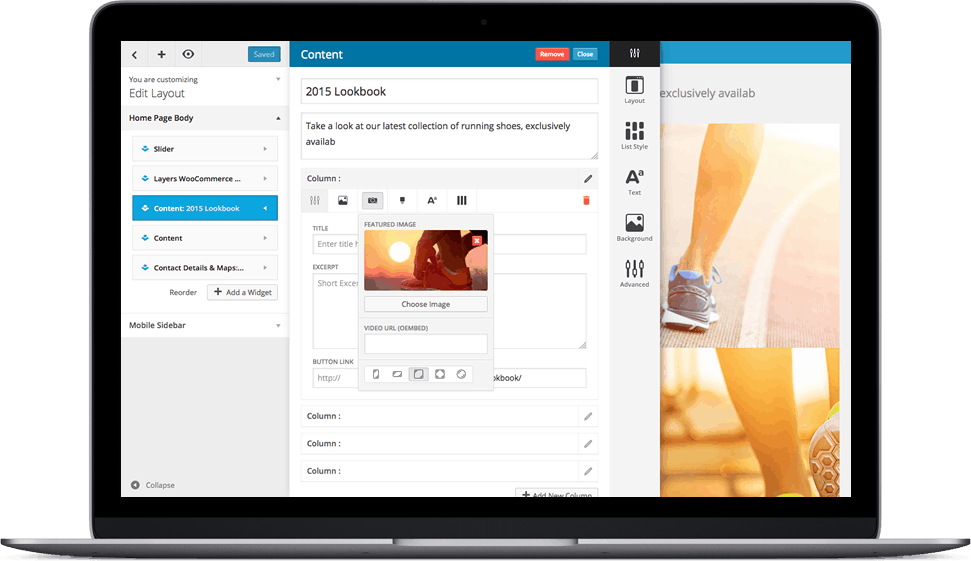
Layers is one of the best WordPress theme to use for building your dream website. Now, you may be thinking why am I talking about WordPress theme and not about website building tool. These days, almost every product website, company portfolio websites you see online are based on WordPress theme. Layers is one of the most user-friendly themes among the plethora of themes and it comes with ‘point and click’ site building options.

image optimizers

The theme is free for downloading and it is being used by more than 650k people across the globe. The customization is powered by ‘point and click’ means there is no need for coding. Designed to deliver the best mobile viewing experience, the Layers automatically reacts to the screen and your content. The theme also does support WooCommerce and is SEO friendly. The ability to see the changes you make instantly is one of the important feature of Layers I liked.

If you would like to get the full customization controls unlocked then you may have to go for the Layers Pro. At just $59, support single domain, the Layers Pro 2 supports more options in header customization, menu customization, blog customization, footer, button and widgets customization. You can buy support for up to 5 domains for $99 and unlimited domains at $199.

Strikingly

Website building tools are supposed to user friendly even for a person who do not know anything about coding. Keeping that in mind, Strikingly is another great platform which offers services to create beautiful looking websites under 30 minutes. The time I have mentioned may come as a surprise to many, the only proof to back up that is the testimonials from the existing customers.

The video above shows how easy the process and that is why, Strikingly is one of the best website building tools that is currently available. The websites are responsive, the look and feel of the website will hold in all sorts of screens. The pricing seems reasonable, they have a free plan where you host your site under strinkingly.com domain, $16/month unlocks the pro package and $8/month gives you access to the limited package. The service also offers 14 days’ free trail program.

Bootswatch

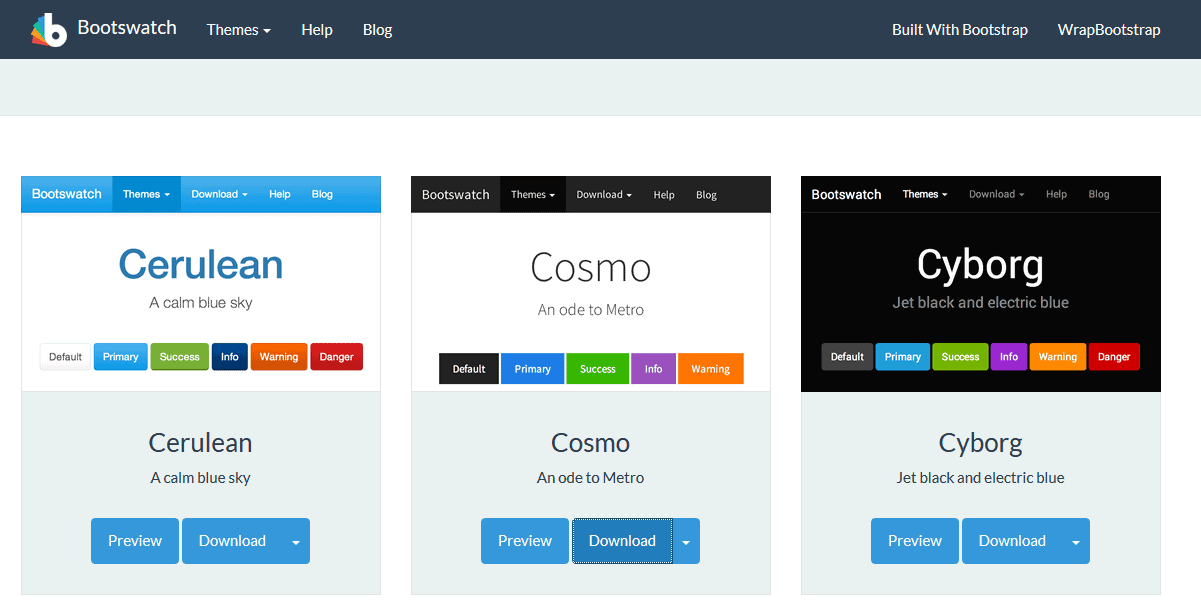
This site is for who loves the Bootstrap CSS. Imagine, custom templates designed using Twitter Bootstrap elements and you get to download all those templates for free of cost. Then, head over to Bootswatch, where you can find lot of themes for bootstrap distributed under open source license.

image optimizers

The installation is easy, download CSS and replace the one in existing bootstrap. By subscribing to the newsletters, you will be notified on all the latest updates.

HTML5 UP

With HTML5 and CSS you can create the most beautiful and yet, responsive websites. The folks at HTML5 UP gave wings to this idea and the result, one of the best website building tools. A platform where you can download and use under creative commons license 100% free.

image optimizers

All the themes are fully responsive, built using HTML5 and CSS, customizable to the core. As of today, there are more than 50+ free themes available for download. You get to see a demo of the theme before you finalize on the theme.

Pixelarity

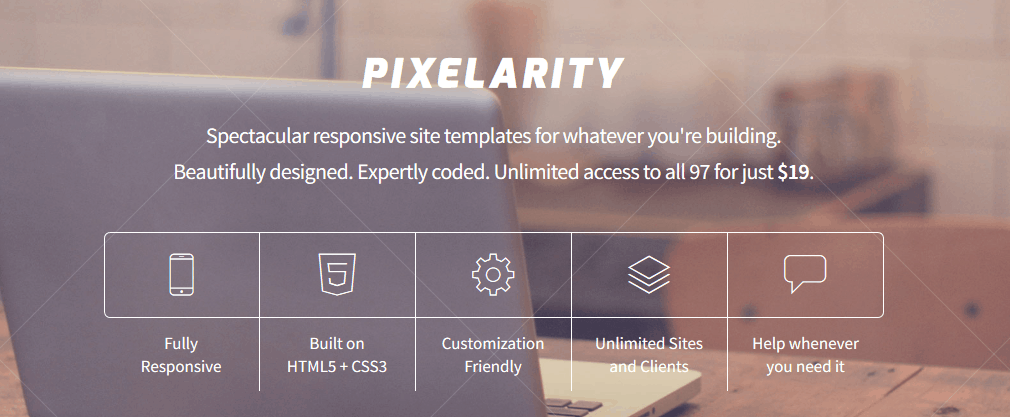
Same as the HTML5 UP platform, Pixelarity also offers a wide variety of HTML and CSS based themes to download. There are more than 90+ responsive themes available (both paid and free) to download.

image optimizers

Unlike HTML5 UP, the Pixelarity can help you with hosting your sites and get you in touch with professionals, if incase of any technical assistance. To start using their services, you must create an account which is free.

Templated:

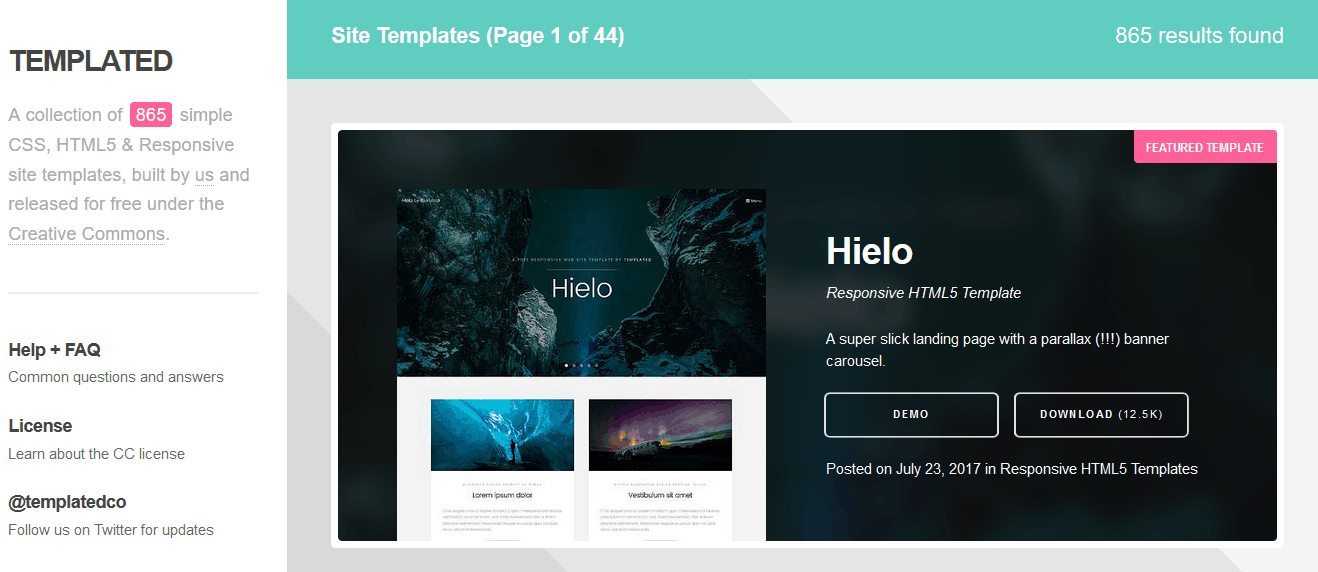
With a collection of 850+, the Templated is one of the best website building tools where your search for the perfect HTML5 and CSS based theme may end. As an icing on the cake, all the themes are built by the creators of the platform and is distributed free under creative commons license.

image optimizers

Whether it’s the landing page, magazine theme, product theme the Templated got it all. The only problem with the platform is the lack of proper organization of themes. There are no filters to categorize the listing and you may end up scrolling through all 850+ themes before you find the suitable one.

WordPress

The WordPress is one of the extensively used blogging platforms in the world. The recent updates have made the platform very easy to use. Backed up with a powerful code base, the WordPress platform offers one of the best website building tools, ranging from plugins, themes and more, to build your website from scratch.

image optimizers

The entire procedure is simple; head to WordPress, create a new account. You can choose to host your site under WordPress domain (which is free) or host is individually (paid). Both the case, the dashboard, the backend of the site where you manage functions of running your website, is similar and very easy to use. Once you select the perfect theme from a collection of millions of both paid and free themes, you are all ready to get started. Just create new post and publish it. There is zero coding involved and that is why, WordPress is one of the most used blogging platforms in the world.

How Startups Can Become More Competitive by Optimizing Customer Support Systems

When you are just starting your business, the more questions customers ask, the better it is for business. This is because it is an indication of growth and demand which normally reflect well on the sales. However, as time progresses and customers keep asking the same questions over and over, this can quickly spiral into an endless and dreary task that if not kept in check, could lead to the failure of your business.

customer support systems

For most businesses, customer support starts as a one-person show, a lovely and cost-effective concept. Nevertheless, as a business grows, it becomes clear that something has to be done to handle the huge amount of traffic and customers looking for help.

You could opt for virtual assistants to handle your customers, but research has shown that this is not a viable solution. So what do you do now? Well, successful businesses have proven that customer optimization is the best way to go. It avails more time for your employees to handle other aspects of the firm, while keeping the clients satisfied.

It is crucial to meet the expectations of customers because it is a huge factor that influence customer loyalty, which comes with many economic benefits. Not meeting these expectations is also quite costly, with an estimated 75% of online clients moving to another channel after experiencing poor customer service.

What is customer support optimization

According to studies, 45% of Americans stop their online purchases in case they fail to find an answer to a specific question. Another study also shows that a whopping 66% of clients cite time as the biggest factor a company can influence to improve customer service. It is clear, no one wants to wait, and you should, therefore, not keep them waiting.

In this ever-changing world, it is not easy to meet all of your customers’ expectations, especially when using traditional communication systems. The technological ecosystem surrounding customer support have become more complex with devices such as tablets and smartphones also making it harder to maintain a standardized service across all touchpoints. So, what do you for better customer support? Here are a few tips to get you started:

Optimize workflows in all contact centers

One of the first things any business can do for customer optimization is to optimize their contact center. Research shows that only 28% of companies optimize the effectiveness of call centers, rather preferring to focus only on online mediums. However, it is important to keep things running smoothly both online and offline. This can be done by integrating automated software with the systems already in place to ensure every customer query is dealt with effectively and on time.

Encourage customer-to-customer communication

In most businesses, once a question is answered, that is it. Well, if you are doing the same, it is time for some changes. Since some questions are really specific, they may fail to make it on the FAQ page. However, you can find a place to store all these questions and avail them to any customers who will ask the same questions. This way, when you answer one, you have taken care of all, even in future. This is a great habit to start early in the business’s lifecycle.

Personalization

The great thing about technology is that you can collect and store huge amounts of data about your customers and make customer optimization better. This data can be leveraged to offer customers with more personalized interactions with your business. In this online world, most businesses are losing the connection with customers, but this can be changed easily.


Smartron SRT Phone Review

A smartphone in tribute to the ‘God’ himself, this would have been the mission statement for the folks at Smartron when they come up with the idea for a Sachin Tendulkar phone. The Smartron SRT phone or Sachin Ramesh Tendulkar phone, is a device with mid-performance specs and is clearly aimed at the average Indian consumers. However, if you take out the label ‘Sachin phone’ out of the picture, you may find yourself looking at a device which is nothing but a solid smartphone packed with average specs. If you consider the other way and follow the hype, you may find that the smartphone is signed by the cricket legend Sachin Tendulkar. Also, being a startup company, Smartron gives you some goodies as a token of appreciation on your purchase of Smartron SRT phone. This post is a comprehensive review of the Smartron SRT phone.

image optimizers

Smartron SRT Phone Review

Design and Build Quality

If you call the bezel-less designs and infinity displays futuristic, the Smartron SRT phone is surely not futuristic in that department but, an elegant looking device with metallic finish body. The slightly contoured design is definitely an added advantage when it comes to holding the phone. The unibody chassis body gives the device a fluidic look and feel. The phone weights 155 grams and has a thickness of 8.9mm, slightly heavier than the elder brother Smartron tphone. The metallic finish is quite deceiving that you almost can’t believe the phone body is made of plastic.

image optimizers

Available in Titanium Grey color, the Smartron SRT phone comes with a back cover emblazoned with Sachin’s signature. In the box, you also get an extra back cover, without any graphics, if in case you are not a fan boy or you don’t want to show off how much you love the ‘God’. The non-removable 3000 mAh battery can be a problem if you are into intense social media action and gaming. One thing I didn’t like about the design is that, one should remove the back cover to access the two Nano-SIM slots. There is no microSD memory expansion option but, you can make use of tcloud, offering unlimited cloud storage. This design can come handy for people who wants to switch the SIM occasionally without carrying the SIM card ejector tool.

image optimizers

In the front, the 5.5-inch LCD screen with a resolution of 1920 * 1080. Comes with an all angle IPS display and 401 ppi, the screen offers decent sunlight visibility. Though the display is not an AMOLED panel but the color reproduction is brilliant. The display is protected by the Corning Gorilla Glass 3. Underneath the display, on the front panel, we have 3 illuminated dots which serves as navigation keys, which also means you don’t get the option to enable on-screen navigation button. On the top, enclosed together, the ear piece, light and proximity sensor. The absence of notification LED is a huge let down for me.

image optimizers

Up top, the headphone jack, microphone and an oddly positioned power button. The device is 153 mm long and for that reason I find it little hard to reach the power button using either index finger or thumb. Luckily, we can use the fingerprint user to unlock the device but turning the display off using the lock button will be quite hard to do in this phone. There is no ‘double tap screen to wake up’ feature as well.

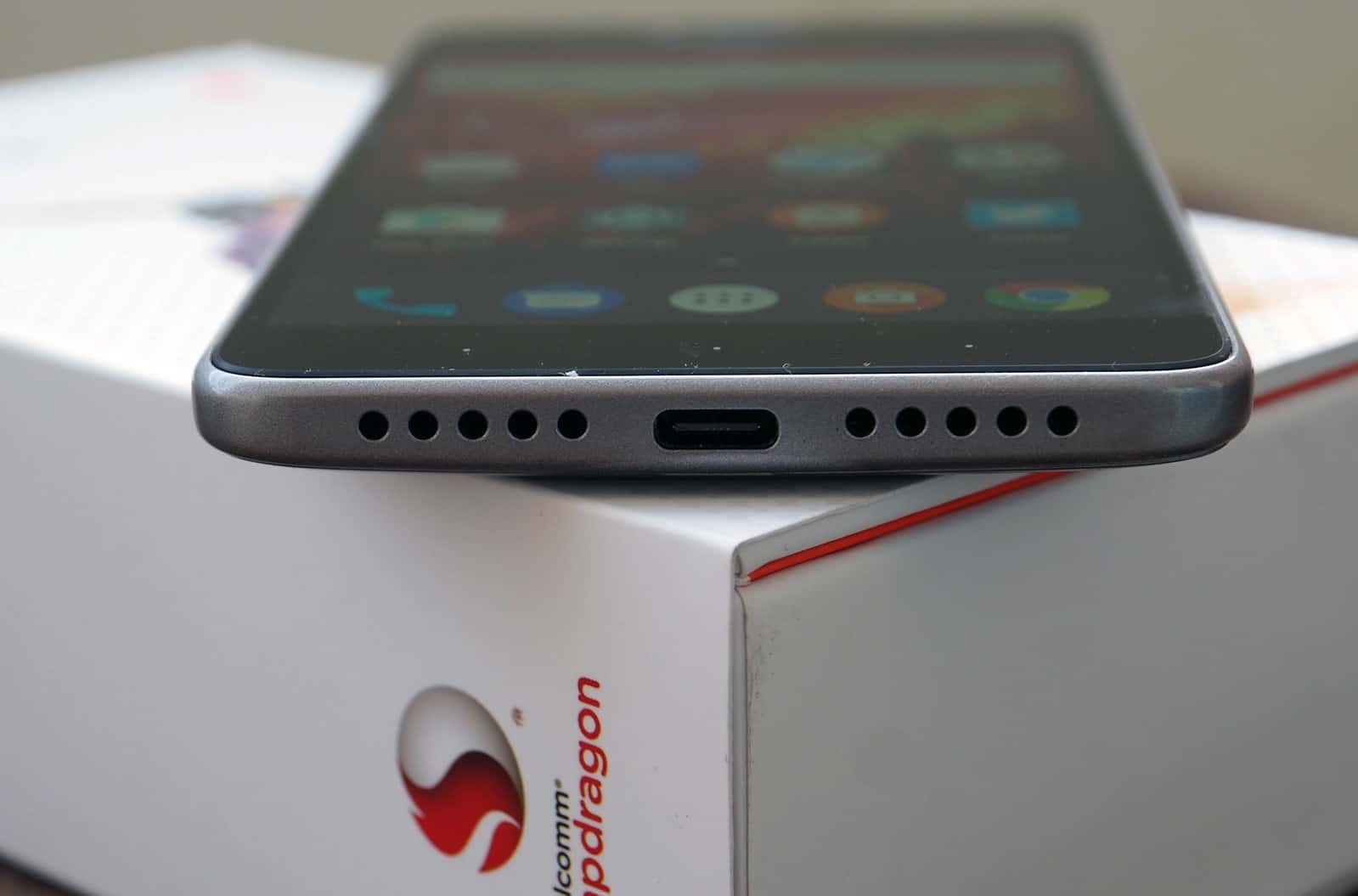
On the bottom, the speaker grill and USB Type-C connector. The addition of USB Type-C, though many hates it, is a plus point in my opinion. Finally, on the back of the device; the camera unit, second microphone, flashlight, an elegant orange Smartron line, Smartron branding, fingerprint scanner and in the bottom the phone model name with the tag line “Designed and Engineering in India”.

Hardware and Performance

Powered by Qualcomm Snapdragon 652 Octa Core processor, 4GB of RAM, Adreno 510 GPU and 64/32GB Storage options, the Smartron SRT phone barely makes its way into the mid-range smartphone segment. Since the chipset supports fast charging the 3000mAh battery can be fueled up faster.

For a mid-range smartphone, the Smartron SRT phone performs well especially during heavy gameplay, switching between apps was smooth and multi tabbed browsing went well. The sharp display of the phone was at its best when playing full HD videos. The speaker output was of good quality and was decently loud.

image optimizers

Too much of extreme game play and turning navigation for a while may turn up the device heat up to 48 degree Celsius, that is hot. The other devices loaded with 652 SoC also has been reported similar issue and it is a discomfort during extended game play. This can be managed mainly by a software update and I believe Smartron will address this issue soon.

The Smartron SRT phone is fitted with sensors like Accelerometer, Gyroscope, Proximity sensor, light sensor, digital compass and fingerprint sensor. Talking about fingerprint sensor, the response time was very fast and it never failed to unlock the device during the entire testing phase. The phone is also equipped with NFC chip.

Software

Smartron SRT phone is one of the devices with Android 7 Nougat pre-loaded right out of the box. Unlike the other manufacturers, where the customer wait for months to get the software update, the Smartron promises to roll out the next two major Android updates, Android O and P, as soon as they are available.

image optimizers

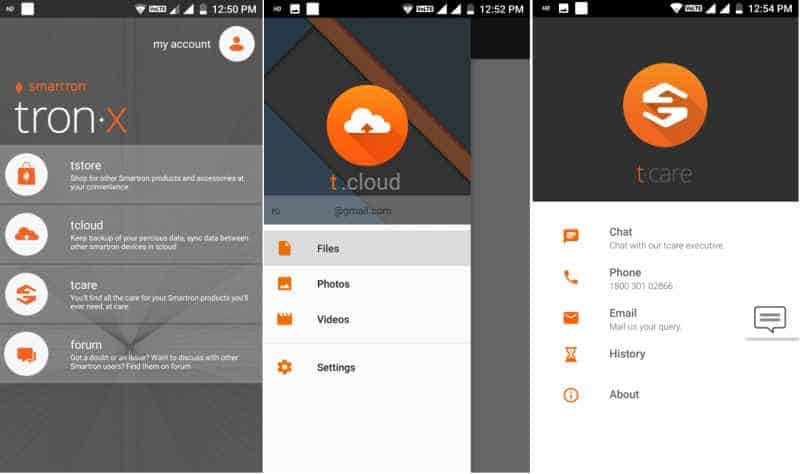
The Android N in this device offers almost similar experience that of a stock android. There are few Smartron bloatwares like; tstore, tcloud, tcare and a forum. The tstore offers unlimited cloud storage and that, for me, seems like a great deal. The tstore, similar to oneplus store, lists and sells the company products and accessories.

When most of the startup fails at delivering customer support, the Smartron overlooked it one step ahead and introduced tcare. The tcare offers you in-call assistance to solve any issues you are facing with the product. The forum is a platform where the customers and experts can discuss general things about the device and may be able to address any problem you are facing.    The phone has Microsoft’s Office suite of apps which cannot be uninstalled. I loved the menu launcher, swipe up from bottom, the typical Android N style.

Camera

The front camera is 5MP shooter with a wide-angle lens. For me, who create vlogs on the go, the wide-angle lens seemed quite handy for both video and selfies. The rear camera is a 13MP sensor with f2.0. There is BIS sensor and single flash mounted to it.

image optimizers

The front camera gives out good quality selfies in good lit conditions and fail to do so during dim-lit scenarios. The main camera also performs well during day light but fails to impress other times. The white balancing is badly handled and I have seen other devices in this price range which can easily outperform the SRT phone.

Battery

The Smartron SRT phone comes with support for Quick charge 2.0 that means, you get to charge your device ultrafast. This comes handy when you are in a hurry and you want to quickly fuel up the battery.

Though the phone has a mid-range specs, it doesn’t make the battery life any better. On my usage, I saw a battery drop from 100% to 65% within two hours. Thanks to the super bright display. However, the phone should be able to live a whole day on moderate usage.

Verdict

Let me first talk for the non-fan crowd out there; honestly, there are other phones in this price range which packs better specs. The Xiaomi’s are always there but, I am talking about Moto G5 and Asus Zenfone 3S Max. However, I would say, for just a couple of thousands you get a better processor, quick charge 2, sharp and large screen, tcloud, good software updates and even NFC.

The processor is of course a good point about this device. In terms of looks, the Smartron SRT is shimmered by a premium and elegant glow even though it has a metallic finish body. If you are Sachin fan then, just three words for you; ‘Go for It’.

Four good reasons to automate your contact center’s quality management

0

Even if an organization’s contact center doesn’t have an automated quality management system (QMS), it likely has some sort of QMS in place. Or, more likely, it has many. One for each channel, at least, with data sources ranging from angry emails to post-it notes all culminating in lists of things that should probably be taken care of, and might get taken care of, maybe, at some point That is, if the lists don’t get lost, which they could.

contact center quality management

Quality management for contact centers has never been an easy task and with the myriad ways customers can now connect with a brand combined with lofty customer expectations it’s gotten more unwieldy than ever. Yet there’s a solution – an automated solution, one that collects all the data, handles all the analytics, and equips your contact center staff with everything they need to excel at their position, regardless of what that position is. Say goodbye to those post-it notes. Yes, all 8,000 of them.

An actual system

A good QMS integrates all of a contact center’s quality improvement initiatives into one centralized application, automating all quality-related processes that affect customer experience. This comprehensive quality overview makes it easier and more efficient for a contact center to align with its customer satisfaction goals.

To affect real change and improvements, a QMS allows for better decision making, assists managers in their most important task, and empowers frontline agents to take pride in and control of their performance. All told, the overarching benefits in using a quality management system include a better customer experience, improved customer loyalty and increased customer lifetime value. If you want to get more specific, here are four good reasons to implement such a system.

1) Even the most impressive decision makers and managers can’t handle all that data

Customers all over the world + constant connectivity + a range of channels x 24 hours a day = too much data, plain and simple. Without automation all of this essential interaction data just cannot be effectively corralled, let alone analyzed for actionable insights.

A leading QMS uses more than 200 data points, allowing decision makers to have concise, targeted reports created based on selected data points, providing managers with the easily accessible information necessary for effective coaching, and giving frontline agents real-time insight into how their performance stacks up in terms of goals and compared to their colleagues. Data tells the story of a contact center, but a story that’s a mess of endless, unanalyzed metrics won’t have a happy ending.

2) The best coaches still need a little (or a lot of) assistance

It’s possible that no one will love a QMS quite like your coaches will. Not only do the actionable insights provided by the reports make it easy to know who is in need of coaching as well as who deserves praise, but a QMS makes it fast and simple to provide necessary coaching at any time.

Coaches are able to send knowledge, instructions, feedback and other resources to frontline agents instantly through the QMS. Collaborative coaching tools are also available on leading quality management systems, enabling agents and coaches to work together on redirection and improvements. Coaching through a QMS is as efficient as it gets, and frees up coaches to spend more time on special cases, helping to ensure that frontline agents are always receiving the level of attention and feedback they require.

3) Excellent customer experience starts with engaged and empowered agents

With the overwhelming importance of the customer experience, there are no employees who have more of a direct impact on your contact center’s success day in and day out than your frontline agents. Their performance is critical, and a leading QMS will provide agents with everything they need in order to take complete control of their performance.

When selecting a QMS, choose one that offers customized dashboards for all employees, including frontline agents. This dashboard should provide an easy-to-digest overview of goals, achievements, evaluations from managers, self-evaluations, comparisons with colleagues, and even integrated collaborative coaching tools. If an agent doesn’t know precisely how they’re performing at any given time, how can they know if they need to improve? And if they aren’t provided with evaluations and coaching tools, how can they know how to improve? Waiting for a weekly or monthly performance review won’t cut it, not for your customers who are demanding a top-notch experience, and not for your agents whose livelihoods depend on their performance.

4) Some issues need to be dealt with immediately

Call recording and interaction reviewing is inarguably valuable to any contact center. It’s the basis of a lot of redirecting feedback as well as praise and serves as some of the most effective training and improvement tools in a contact center environment. Yet standard recording or other reviewing frankly comes too late to help the customers on the receiving end of an unsatisfactory interaction, which means it comes too late to salvage the customer experience.

A leading QMS will boast integrated speech and desktop analytics capable of alerting supervisors to emerging issues in an interaction, allowing supervisors to help salvage the interaction and provide essential real-time coaching to the agent in question. Without the real-time analysis of a QMS, these interactions would be performance review fodder, at best.

Quality, managed

With all of the pressure on an organization’s contact center as well as how many different types of interactions it has to handle over how many channels customers are using, it would be easy for the whole operation to descend into chaos. Automation is one of the greatest gifts technology has given the business world, and it can be put to work beautifully in a contact center. So get that data handled. Get your coaches doing their best coaching. Empower your agents. Keep interactions from spiraling downward. These significant improvements can all be so easily accomplished with the right QMS.


Build A Successful Online Business with these tips

Establishing an online business would give you both the thrill and anxiety. You’d also get extra excitement if it’s your first time moving online. After all, no one said that their journey of putting up an online business is hassle-free and easy. Although it’s the truth, don’t be bothered by these words of mouth because you can steer the wheel and do something to prepare for it.

Build A Successful Online Business with these tips

Tips to Build a Successful Online Business

To save you from missing important steps along the way, you might want to consider the following tips.

Identify Your Niche

Your niche is the first and most important thing you need to know. Typically, you need to figure out what your business is all about. Are you planning to have a clothing line, food bazaar, online services, or sell automotive products? If you’re not so sure of it, market research will be of great help.

Conduct Market Research

Market research is essential so you would know what niche is in demand. It is also a great way to know your customers’ interests and the potential success rate of your business. Moreover, market research is a great tactic in refining your system.

Check Your Competitors

In business, keeping an eye on your competitor is just normal. It is a typical part of a strategy, which could help you level up your game. By checking your competitors, you can see what and how they’re doing, and take advantage of what they are missing.

Find Suppliers

Finding your suppliers is an essential step before you launch your business. You might want to search for credible suppliers and manufacturers under your niche. Just don’t forget to check the quality of the supplier together with their products and services so your business won’t be compromised.

Create a Website

Dedicating a website for your business would be beneficial on your end. This is the platform you need where you’ll set up your online business, and this is where all the transactions would take place. A website is the digital counterpart of a physical shop. However, a website is more cost-effective than a mortar and brick store.

Optimize Your Pages

Once you have built and launched your site, don’t forget to optimize each and every content. By optimizing your pages, your customers would find you quickly, and your performance would level up. This step requires specific skills, and if you are not familiar with it, you can outsource your web development needs to professionals out there.

Invest in Marketing

There are lots of marketing strategies you can explore to promote your business. The famous and most convenient type is digital marketing, but if you still want to use traditional marketing, it won’t be a problem. As long as you know what your customers prefer, then you can surely decide on the perfect marketing.

Conclusion

The success of an online business isn’t overnight. It takes time, effort, and skills to develop, enhance, and promote your business digitally. You are free to explore and learn e-commerce, but sometimes, it would be best to outsource your digital needs to a trusted and reliable company. In this way, you can save resources like time and money.