
Home Blog Page 94

How to lock Files, Folder, and Apps with Your Fingerprint

0
Get the most out of your fingerprint sensor by using the best app lock for android to secure your files and folders with fingerprint app lock.

To lock files, folders, and apps with your fingerprint, you can either use the phone’s inbuilt security setting where you can add apps to the secure folder or use a third-party app. A smartphone is not smart enough if it doesn’t have a fingerprint app lock. If you have a fingerprint lock sensor and not making the most out of it, you should learn this trick by going through this article. The inbuilt setting is different for every phone depending on the model and it is only available in the most-latest smartphones.

We have compared, tested and reviewed a few of the best app locks for Android and compiled them here in this article for you to ensure that your Android smartphone can lock files, folder, and apps with your fingerprint. These apps are compatible with all Android smartphones and are one of the most essential apps that one should keep on a smartphone.

Secure Lock for Apps – Protect your Privacy

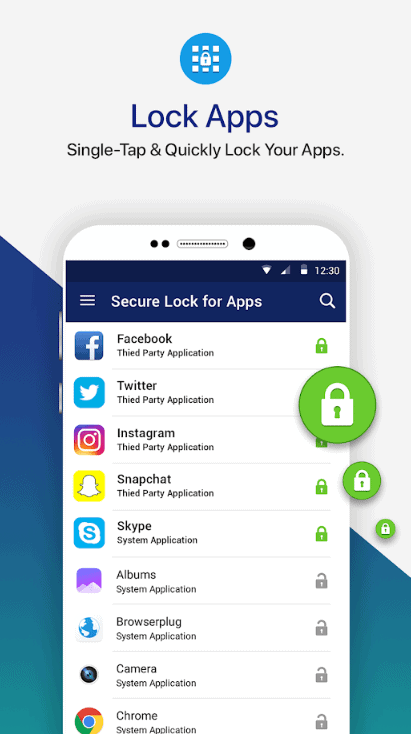
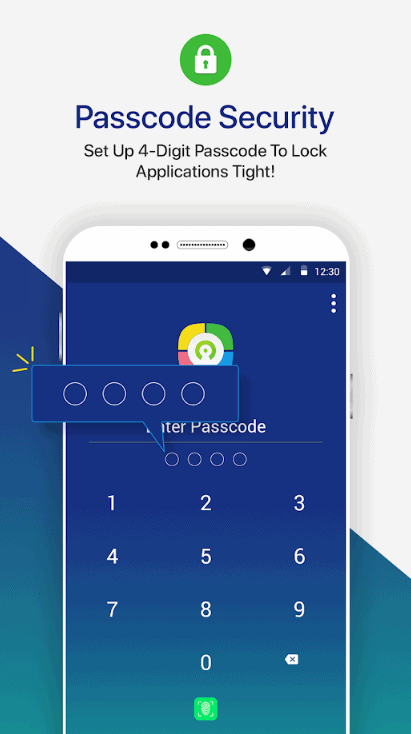
The first App that has scored the highest rank in our tests in the category of fingerprint app lock is Secure Lock for Apps. If you want to lock your social networking apps like WhatsApp, Facebook, Instagram, Snapchat, or Gmail, or you wish to lock Files your Photo gallery, this is the greatest app that you can find on Google Play Store.
lock Files,app lock,fingerprint app lock
PIC: lock files
lock Files,app lock,fingerprint app lock

This smart app locker can secure your important documents, lock files, confidential and sensitive data with a fingerprint lock. This additional fingerprint lock is an added security measure apart from your home screen lock. It’s a lightweight app that prevents your data from unauthorized access.

Secure Lock for Apps can lock down any app that you have on your smartphone with passcode or fingerprint. It has got a user-friendly interface that is simple to use. If in case you forget your passcode, you can reset it using the mail recovery option. The best part is that this app is ad-free and doesn’t affect your battery life.

LOCKit – App Lock, Photos Vault, Fingerprint Lock

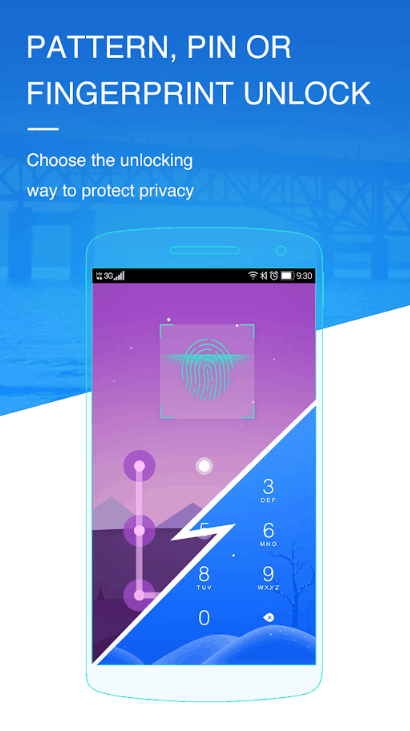
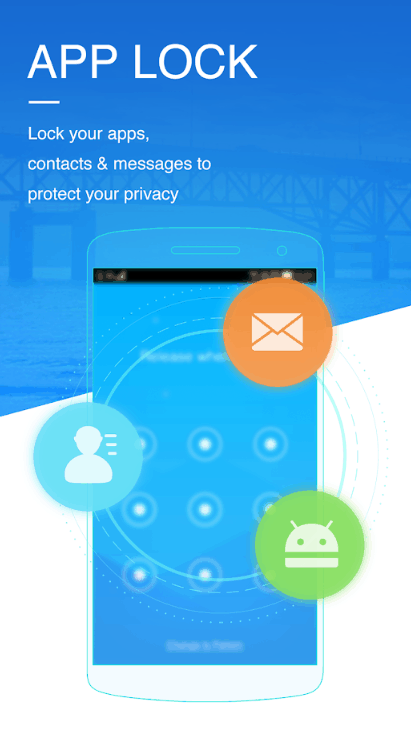
Next on our list is LOCKit fingerprint app lock that is again one of the best app locks for Android. If your friends, parents or kids borrow your phone, you can always stay rest assured that your privacy is not hindered. When everything is locked, you can always feel the security that your app settings can’t be changed by anyone else.
lock Files,app lock,fingerprint app lock
PIC: lock Files
lock Files,app lock,fingerprint app lock

LOCKit Fingerprint lock always gives you a sense of security that your photo gallery or video gallery is private and secured. Its intruder selfie feature takes a picture of the intruder so that you get to know who tried to unlock your phone. You can also set up a fake cover on your apps unlock the screen and lock all your notifications.

AppLock – Fingerprint

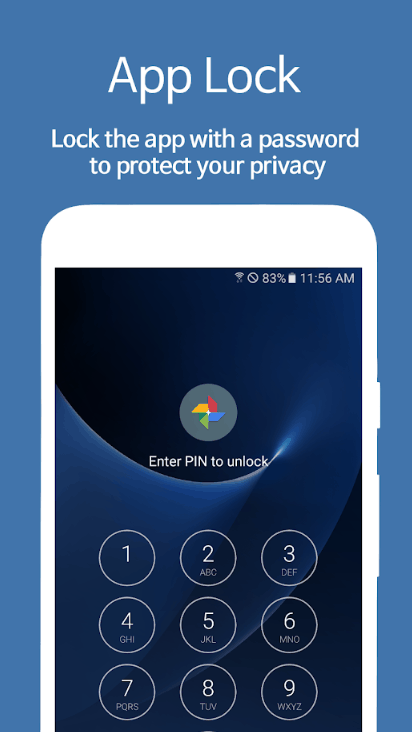
The next fingerprint app lock on the list is AppLock – Fingerprint which is easily available on the Google Play Store. Applock is an amazing app to lock your messages, photos, videos, gallery, social networking apps and almost everything that can hinder your privacy. It supports PIN, Pattern, Password, Gestures, and Fingerprint to robust security.
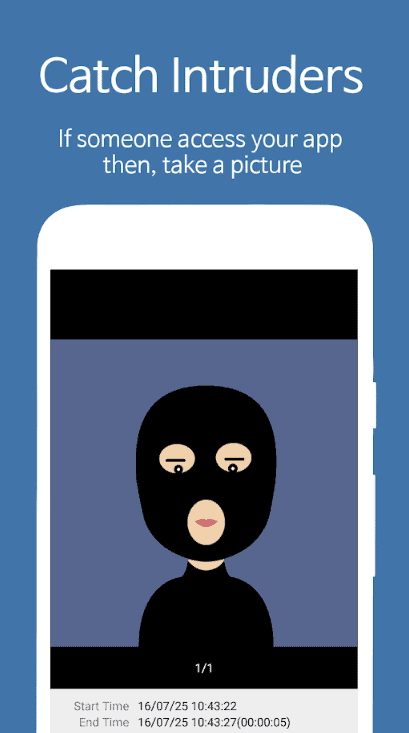
lock Files,app lock,fingerprint app lock

Applock features easy to use interface, easy lock/unlock feature, ability to reset the password, restrict unlock attempts, lock Files, lock Wi-Fi or Bluetooth connectivity, automatically lock newly installed apps and many more. This is one of the best app locks for Android though it displays ads.

How to lock Files, Folder, and Apps with Your Fingerprint

If you are not willing to sue any of the best app locks for Android and want to look for the inbuilt security feature of your smartphone, here is what you can do to lock Files.

You can try and find fingerprint lock access by following this step though it is phone specific and the location may be available in a similar tab that we are referring to here.

OnePlus Phones – If you are using OnePlus phone, you may find a fingerprint app lock in Settings – Utilities – App Locker.

Huawei Phones – You will need to go to Settings – Security and privacy – Fingerprint ID. Here, you can enable the option to ‘Access Safe’ and ‘Access App Lock’.

Oppo Phones – For Oppo smartphones, you may visit Settings – Fingerprint, face, and passcode – Privacy passcode. Here you’ll need to turn ON the ‘Privacy Passcode’ option.

Samsung Smartphones – For Samsung smartphones, the option is available in different sections depending on the model of the phone. Generally, it is available in Settings – Lock screen and security – Secure Folder.

Vivo Phones – In Vivo smartphones, the fingerprint app lock option can be found in Settings – Security and privacy – Privacy and app encryption. You may also look for settings – Fingerprint, face and password – Privacy and app encryption.

Normally, you will find the fingerprint option in settings – security section, rest you will need to look for the right option as it is model specific. You won’t be able to find a robust security level with the inbuilt security option though you can stay secured with the best app locks for Android listed in the article. Try one of those to stay secured and keep your stuff confidential.

About the Guest Author:

Chandra Shekhar Choudhary is working as an SEO analyst and technical Content Writer. His potential of writing is PC tips, Android, Mac tricks and Mac Optimizer Software he is anxious in writing other technical blogs. You can also find Chandra Shekhar on FacebookTwitter and Instagram.

n
Tablet Buying Guide: 5 Best Tablet Under $300 in 2020

0

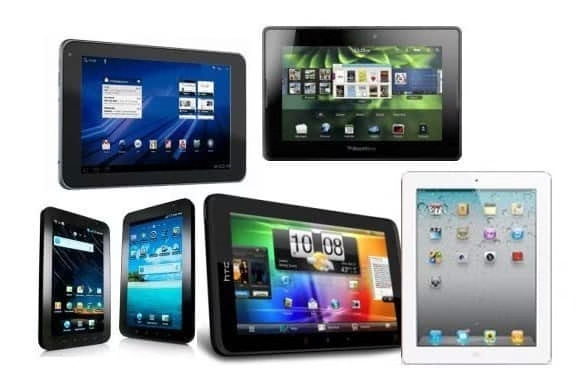
If you are reading this post, it is probably you’re planning to buy a tablet for the first time. It’s also possible that you are looking for a better tablet that will meet your needs. Whichever the case, you have come to the right place.

choosing best technology tablets techgyo.jpg

In this post, we are going to look at a list of best tablets you can buy under $300. Read along and learn more.

1.Samsung Galaxy Tab A

If you love the Samsung brand, then you may want to choose the Samsung Galaxy Tab A tablet. In fact, this is an ideal tablet if you plan to use your tablet for work.

Among other things, Samsung Galaxy Tab A comes with an outstanding metallic design. It also comes with a large screen (about 10.1 inches). It’s also a lightweight, and as such, it is ideal if you need to move around with your tablet when working.

This 2020 under 300 tablets comes with 8 cores, 2GB processing Ram, and internal memory of either 32GB or 64 GB. It also features a good battery, with about 6150 mah. Whether you want to enjoy games, videos, movies, or even songs, this tablet model under 300 dollars may come in handy.

For a more interactive experience, consider investing in a galaxy tablet wall mount for your Samsung Galaxy Tab A.

2.Apple iPad

If you are among the users who want to have a computer that’s easy to carry around when working, then you may want to buy the Apple iPad. The Apple iPad comes with many features that resemble those of a laptop.

Among other things, apple iPad comes with an aluminum body and features a 9.7 display. It’s also a lightweight, with about 1.03 pounds and a thickness of about 0.29”. This way, it allows for ease of use and portability.

Apple iPad also features a back camera with 8 megapixels, and a front camera is 1.2 megapixels. Apart from taking high-quality pictures, you can use apple iPad to scan documents.  

It also comes with 10 hours of battery life, which can be extended to 11 hours if you use 50 percent of brightness. With Apple iPad, you have the option of using an onscreen keyboard or Bluetooth keyboard. The best thing is that it is compatible with any Bluetooth keyboard. As such, you can use it for typing or give any command to your computer.

3.ASUS ZenPad 3s

If you are looking for a tablet for daily use at an affordable price, then you may want to buy ASUS ZenPad 3s. This best under 300 2020 tablet has a 9.7 inch 2K IPS display. It also comes with a resolution of 2048 by 1536 pixels.

What’s more, it is fitted with an ARM Cortex Hexa-core processor and has a 4GB RAM. As such, ASUS ZenPad 3s is not just stylish but fast as well.

4.Huawei MediaPad M3 Lite

Huawei brand has also gained increased popularity in the recent past. Huawei MediaPad M3 Lite is an impressive tablet that runs on both the Android 7.0 Nougat and Huawei EMUI 5.1. It also comes with excellent speakers, making it an excellent choice for those who are concerned about audio features.

5.Lenovo Tab M10

Lenovo Tab M10 comes with a Full-HD screen, and as such, it is ideal for presentations and reading documents. In fact, due to this, it is more prevalent among students. It is also lightweight and slim.

So, What Should You Look Out for When Buying a Laptop?

Now that you have seen some of the tablets you can buy under 300 dollars, now let’s look at the factors to consider when choosing a tablet.

Size

The main reason why most opts for tablets, as opposed to laptops, is due to portability. To that end, ensure to choose a tablet that is neither too big nor too small.

If you’re buying a tablet for the first time, consider checking the sizes that your friends or work colleagues have before deciding what size is right for you.

Operating System

When buying a tablet, you have the option of choosing between the Android, iOS, and Windows operating systems. Each system has its advantages and disadvantages, so be sure to consider your preference before opting for any of them.

Features

The best way to go about the features of a tablet is by considering how you will use your tablet. To that end, you may want to buy a lower-end tablet if you plan to use it at home. On the other, if you plan your tablet for work, studying, gaming, etc., then a more advanced and costly tablet may come in handy.

List of the Best Ways To Upgrade Turntable Sound

0
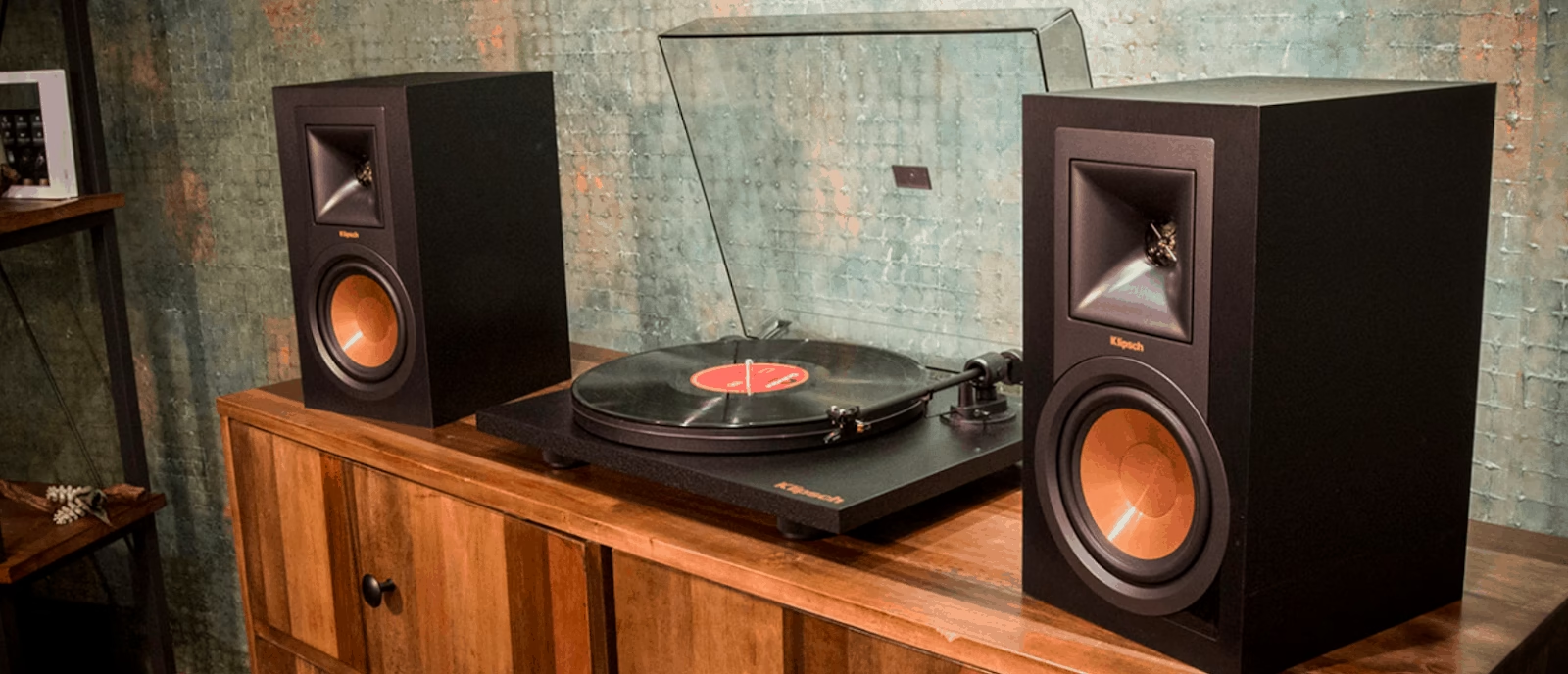
Ways To Upgrade Turntable Sound

Records are gaining popularity as of late. In order to get an extra depth in the sound produced, upgrading the turntable becomes very important. You can considerably improve your sound quality by improving your turntable.

Here I will go through the best ways you can upgrade your turntable sound:

The stylus or the cartridge is undoubtedly the most important. The sound quality mostly depends on the quality of the stylus. If it is inaccurate or unpredictable, much cannot be done to prevent your sound from going awry. Thus it becomes essential to equip your turntable with a good turntable cartridge. Getting a better stylus will take you a long way in making the sound much crisper and clearer. A stylus should be chosen such that it has an apt surface area and makes the right sort of contact with the groove.

The receiver improves sound quality before it reaches the speakers. Receivers help in minimizing vibrations that reach the stylus. This makes having a good receiver a very important component. It greatly enhances the nature of sound. You can find and check out the best receiver for turntable, just visit the has-sound website. With a good receiver, you will get greater depth and dimension into your music.

Having a good rack can greatly improve the music experience. Your turntable produces vibrations as it plays a record. These vibrations can interfere with the sound and can produce unwanted noise. Having a good quality rack helps in absorbing these vibrations and makes sure that your turntable can perform at its best. Having a rack made out of wood is recommended, as wood is very good at eliminating these external vibrations.

A record weight is another component that can greatly influence the performance of your turntable. A needle making unnecessary movements greatly affect the performance. Adding weight will help in minimizing vibrations and will give a clearer sound with lesser noise. Also, adding weight helps in keeping the record spinning at an appropriate speed.

A phono amp is an essential part of the setup. It amplifies the signal and makes it of better quality before it reaches the amplifier. A preamplifier will be a great asset in getting the best out of your turntable.

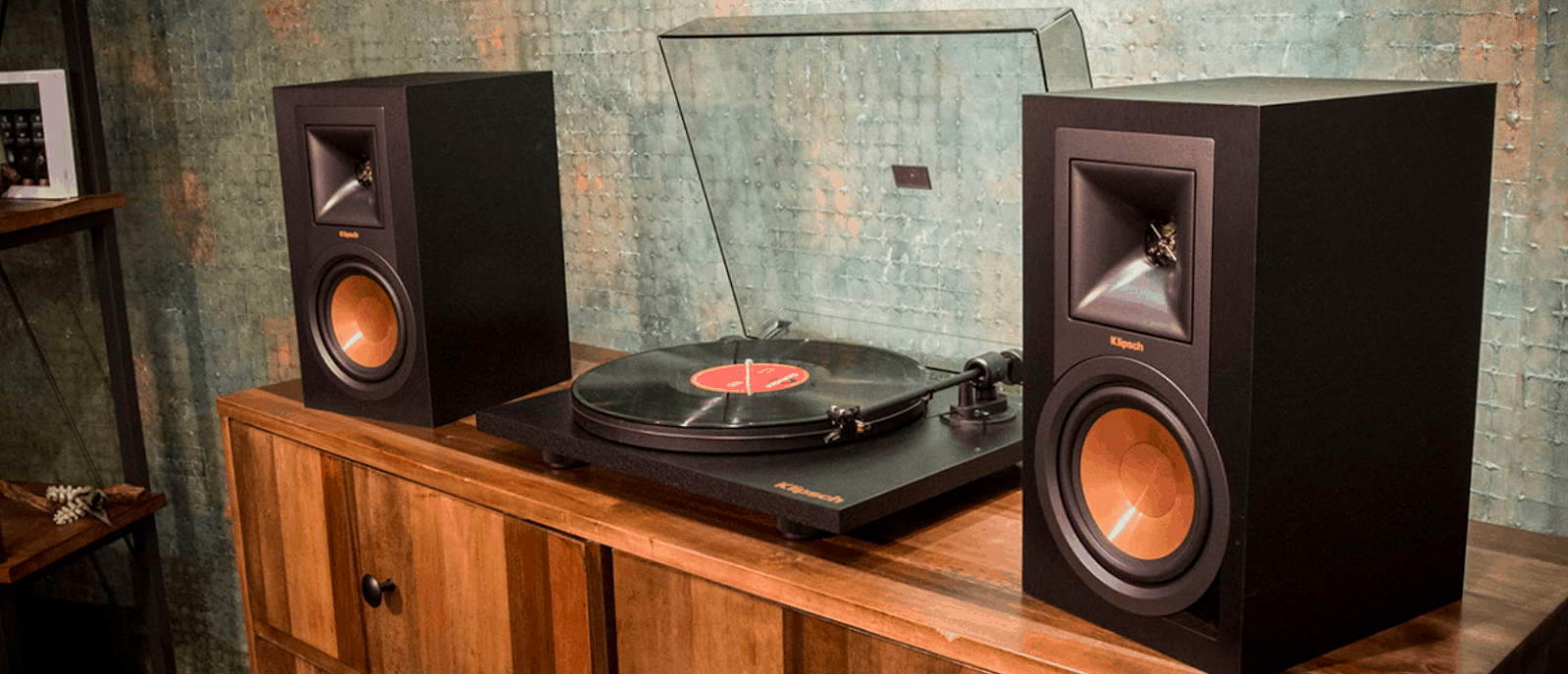
Ways To Upgrade Turntable Sound

In order to get the best output from your records, it is very important to clean it regularly, take proper care of it and be careful why playing a record. Storing records properly is very important. Records should always be stored in a vertical manner and should never be allowed to stack on top of each other.

Otherwise, they might warp and become unplayable. A carbon fiber brush is a great tool for keeping your records free of dust. It is important to make sure that the records do not accumulate static charges. Wet cleaning is also another great way of cleaning records to remove the dust. Keeping your record clean makes the music sound better.

These are the best ways of improving your turntable sound. I hope this helps you in achieving a better experience with listening to records.

Ransomware threats ramp up for WordPress eCommerce users

0
Ransomware threats

What is Ransomware?

Ransomware is a form of malware that encrypts a victim’s files. The attacker then demands a ransom from the victim to restore access to the data upon payment.

Although you might not notice it, by the time you’re done browsing the Internet today, it’s entirely likely you’ve gone to 5, 10, even 50 websites powered by WordPress. Formerly the leading name in individual blogging, WordPress has transformed into a massive force of eCommerce in the last decades. Some of the biggest names in the public setting have their sites powered by WordPress and they run as smoothly as if they were on their own server. 

The problem with all that popularity is that it ramps up criminal interest as well. The more people in one place, the more criminals think it would make a nice target.

The majority of WordPress sites are owned by small and medium businesses (SMBs), which can also mean more lax security as those types of companies have to consider every angle of their budget to make ends meet. 

The proof of that theory is in the numbers. A recent report showed that nearly 43 percent of hacked websites are for SMBs, a number that is more than double what it was five years ago.

Apathy is a big problem for SMBs. Those running tiny niche businesses out of rented office space or sometimes even their own homes have the tendency to think “Why would anyone hack us? Nobody even knows us!” That’s the fallacy that cybercriminals are intent on hearing. 

They will buy or research lists of newly bought domains in order to keep track of future targets.

SMBs usually have websites built in-house or by a lower-level third party. That means more of a likelihood for holes in the security, patches not fixed, updates not installed.

How is WordPress Ransomware threats?

lock Files,app lock,fingerprint app lock

A new form of ransomware called EV ransomware looks for vulnerabilities for WordPress eCommerce users and can upload its virus if it finds a compromised site. There it can lock out your administrators as well as lock all existing files. A crudely drawn lock will appear on your login screen to let you know you’ve been hacked by ransomware. Other things to look out for with WordPress are phishing websites, adware, and credit card skimmers, that will go after your customers when they try to buy merchandise or services from your eCommerce site. Cryptojackers – ransomware malware that uses your device or site’s CPU to help it mine cryptocurrency.

FIght back to Secure WordPress:

Prevention is the best key for keeping safe, but make sure you report any and all suspicious behaviour to a WordPress representative. Beyond that, here are several more tips to live by:

  1. Don’t download thing s that don’t say WordPress. Just do the math, would WordPress want you using another system to help with WordPress? Of course not. Anything else should be considered as cam.
  2. Use only official platforms: WordPress is open source, meaning anyone can build on it and release later versions. But some builders are hustlers, scammers, and criminals trying to make a quick buck. Don’t help them, ignore customized free builds in favor of official releases.
  3. Backup your site weekly. If the worst happens and you get locked out, you can restore to an earlier point and not miss a beat.
  4. Get great antivirus software like Bitdefender for your machine. When it’s in place and turned on, these software components will catch or at least suspect 95% of the things that can harm your machine.
  5. Always update your software. Hackers know all about new security patches. When they expire, they’ll suspect you aren’t updating them, and if you are right, they can make it hurt.

Best Gaming mouses which you can buy under Rs. 2000

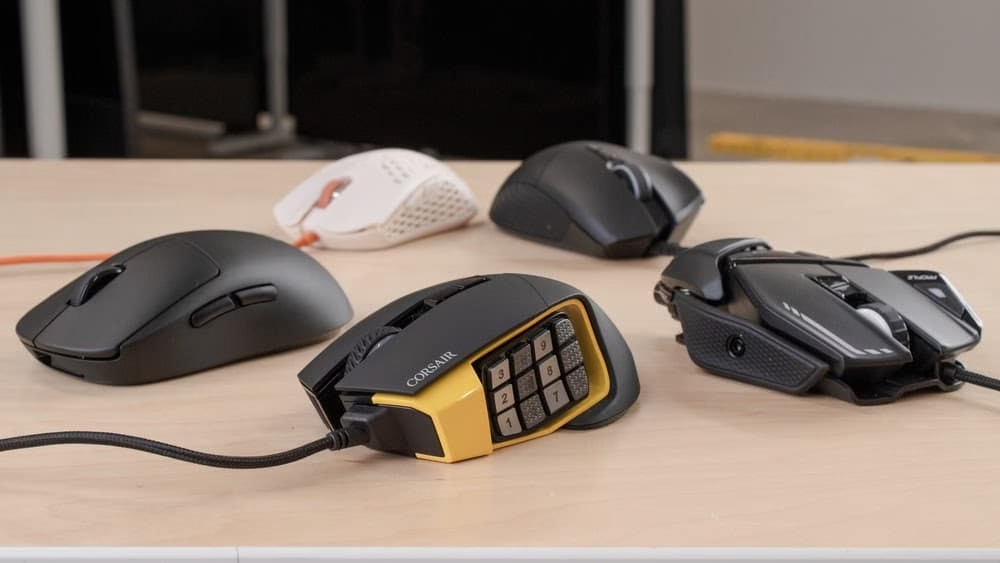
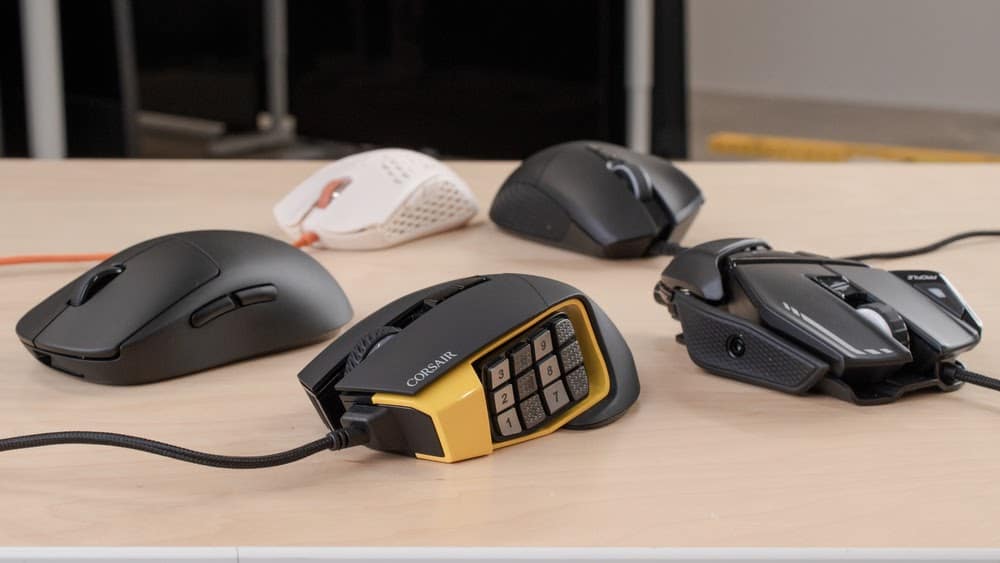
When it comes to gaming, game professionals know the difference in what peripherals like mouse, keyboards and best gaming headset can do to their performance in games. The problem, then, is that not all mouse are created equal, and some are simply better than others, while some are simply not worth your time (or money).

Best Gaming mouse under rs 2000

What is the most important thing for any gamer? Of course, a good quality mouse, because it easily fits in most hands, and how easily it depends on how to manage it, is sometimes a lot that needs attention. For example, a very popular and well-known game Counter-Strike whose key to victory includes quick reaction and timely attack. With a bad mouse which is inconvenient, and the one which is difficult to slip on the surface can be forgotten to win once and for all.

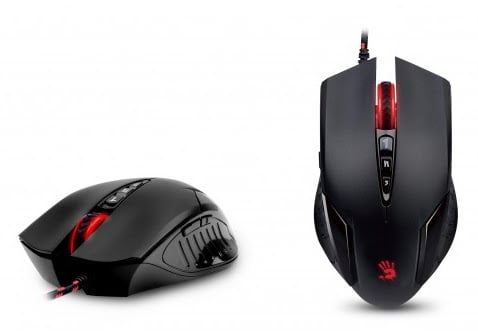
Are you a looking for Best Gaming mouse under Rs 2000? Here is the list of Best Gaming mouse under Rs 2000

Logitech G102 Prodigy Gaming Mouse

Check price

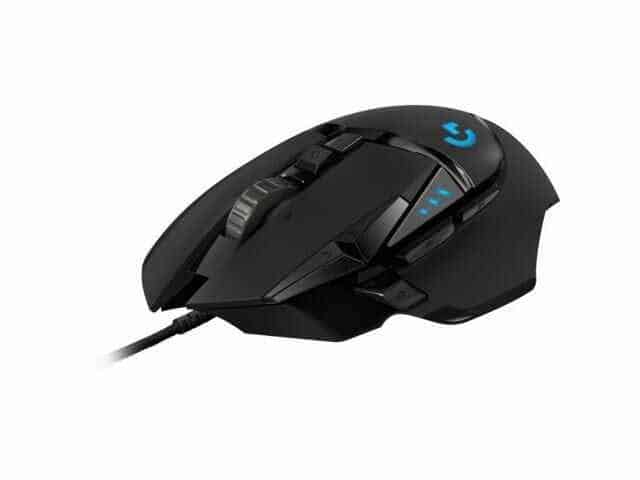
Logitech G102 Prodigy is the best Gaming mouse under Rs 2000 and it comes for both Windows PC and Mac. Its biggest feature is that it also has built-in storage capacity. This mouse is available on the online website with a 16.8 M LED color option. In fact, the company is a leader in the gaming zone since the budget segment. The best gaming mouse with the G102 has long earned universal love and the title due to its impressive characteristics. With this mouse, you can bring precision to your game and play with your full potential and you can be as accurate as never before. A feature of this mouse is also that the Logitech G102 Prodigy Optical has used a different type and new type of sensor manufactured in the US and Switzerland.

Best Gaming mouse under rs 2000

Features and Specifications

Logitech G102 Prodigy Optical has many useful and exciting features even the price of this best Gaming mouse under Rs 2000. The first thing is worth mentioning – the presence of 6 buttons. Some of them are responsible for certain tasks, such as changing settings to change DPI, switching between profiles, multiple apps, etc. Other buttons can be programmed to be on.

DPI sensor is the most important feature of this mouse which increases the accuracy of your game, as well as the DPI sensor, which is responsible for tracking speed and better control. Those who play,  about this mouse, say that it runs 8 times faster than the rest of the mouse.

As for the specifications, they are as follows:

Material- Plastic or rubber;
Dimensions of product(W / H / D)- 6.2 x 3.8 x 11.7 cm;
Weight – 86.2 g;
Number of buttons – 6;
Types of sensors installed – optical;
Minimum DPI – 200;
Maximum DPI – 6000;
Frequency sensor – 1000 Hz;
Max Acceleration: 25G
Connection Type- USB.

Razer Abyssus 2000

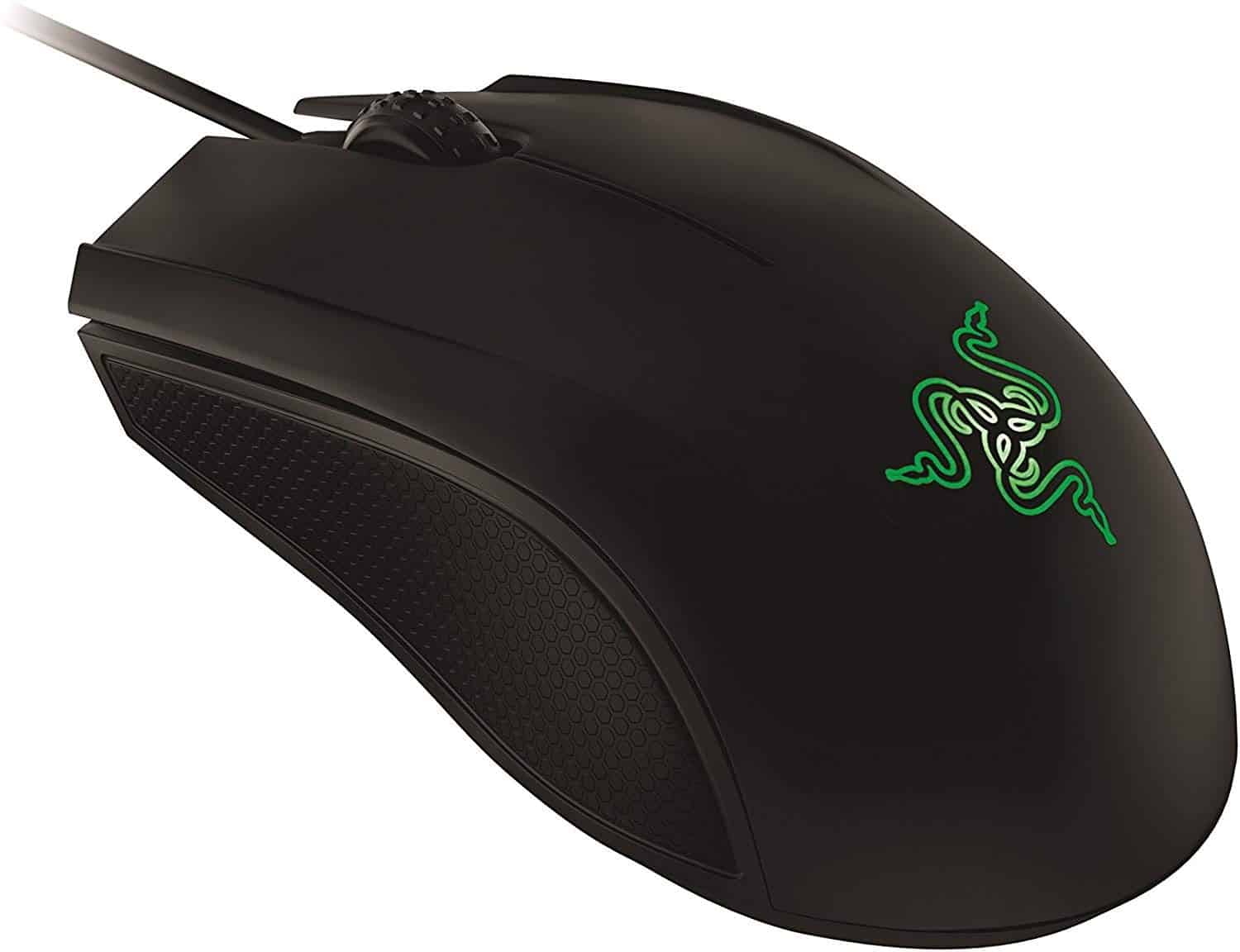
Third best Gaming mouse under Rs 2000 in the list – Legendary Razer Abyssus 2000. Despite the fact that this model is a bit old, it has an average price segment of many devices to give the odds to fully enable.

Best Gaming mouse under rs 2000

Features and Specification

Compared to previous models Castle only has 3 buttons, but the mechanism under which they are installed is very high quality and designed for 5 million clicks. It also has on each of the buttons made of maximum ergonomics for fingers for comfortable recess. There are rubber inserts on the sides of the textured surface. They provide a more grippy and comfortable grip. The case is made of high-quality matte plastic even the price of this best Gaming mouse under Rs 2000.

Special attention is given to optical sensors. It allows you to work on saves 2000 dpi and has very high speeds. Finally, some technical data:

Material-  plastic and rubber;
Dimensions (W / H / D)-  4.3 x 7.1 x 12.7 cm;
Weight – 132 gram;
Number of buttons –2;
Types of sensors installed – optic 
Minimum DPI-  100;
Maximum DPI – 2000;
Frequency sensor – 1000 Hz;
Connection Type- USB.

AmazonBasics Ergonomic Wireless Mouse

Check price

AmazonBasics Ergonomic Wireless is the best Gaming mouse under Rs 2000 and it comes with the fast-scrolling feature. The best feature of its wheel is that it comes with a clickable feature. The forward/backward thumb buttons contribute a lot in increasing its speed, through which we can navigate very large documents and large web pages with great ease. It is said about this mouse that it has been made keeping in mind the right-hand players. One feature of this mouse is that it fits very well in the palm. This mouse works well with Windows 7, 8 and 10.

Best Gaming mouse under rs 2000

Features and specifications

This gaming mouse has the following features:

Wireless connection- 2.4 GHz wireless connection
Height and width- 8.2 Centimeters, 45 Millimeters
Weight – 145 gram;
Dimensions- 12.6 x 4.5 x 8.2 cm
Minimum DPI – 200;
Maximum DPI – 1600;
Connection Type- USB.

Harpoon RGB Gaming Mouse

Check price

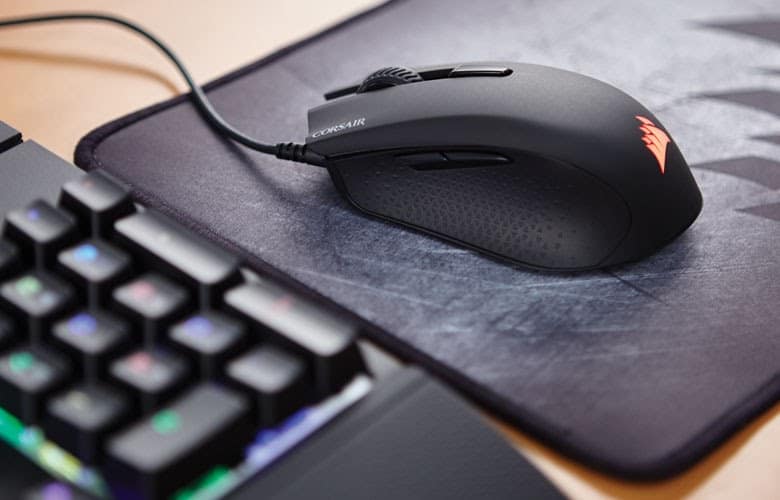
Computer peripherals and hardware company Corsair has introduced its best Gaming mouse under Rs 2000 Harpoon RGB. This mouse has a 6000 DPI advanced optical gaming sensor.

You will be glad that this best Gaming mouse under Rs 2000 give you advanced tracking and high-speed motion detection and offers you precise control and sharp moves. Apart from this, the company says that the design of the mouse is very good and gives you a strong grip. Apart from this, you get the lag-free gaming experience through this mouse. And it also claims a good and responsive fast play. If you talk about the part above this mouse, then it has been given a fine-textured finish. Apart from this, its sides have been made from moulded rubber. Along with this, full-programmable lighting has been provided for a single RGB lighting zone.

Best Gaming mouse under rs 2000

Features and specifications

This gaming mouse has the following features:

Sensor – Optical;
Material – Moulded rubber;
Weight – 85 grams;
Number of buttons – 6;
Minimum DPI – 250;
Maximum DPI – 6000;
Connection Type- USB;
Type – RGB Light. 

Which best Gaming mouse under Rs 2000 is better, everyone decides for themselves. Each of them has its pros and cons. In addition, each player must be selected based on their own requirements and preferences. Whether or not you decide to go with one of our suggestions is entirely up to you, but we would advise you to take a closer look at best Gaming mouse under Rs 2000 before making a final decision. In our opinion, these mouses are the best that these famous brands have to offer, with both features as well as customizability.

Top Rated Wireless Headphones Under Rs.3000

0

If you’re on this page, we already agree that we love music and best gaming headset can make the music and gaming experience even greater. Gone are the times of wired headsets and earphone. Now we have plenty of brands coming up with mind-blowing high-quality and wireless headphones under 3000. So, you doesn’t have to worry about the length of the wire and be grounded in one place. 

You can move around the house doing your chores while listening to your favourite music track without disturbing others. Investing in wireless headphones under 3000, is worth it and has many other advantages.

Most wireless headphones under 3000 models claim to have superior sound quality giving you a much better musical experience vs their competitors. But not all models are as good as they advertise. Some may be expensive but offer a mediocre quality. So expensive doesn’t always mean the best gaming headset or best gaming experiences That’s why we have researched some of the best and wireless headphones under 3000 rated by genuine consumer reviews.

You may find tons of different brands launching new models of wireless headphones under 3000 every year. Having too many choices can make it difficult to choose the best gaming headset. We have made the job easy for you by listing the top best gaming headset under 3000 which you can buy on Amazon.

Given below are the list of finest and best gaming headset under 3000 or below.

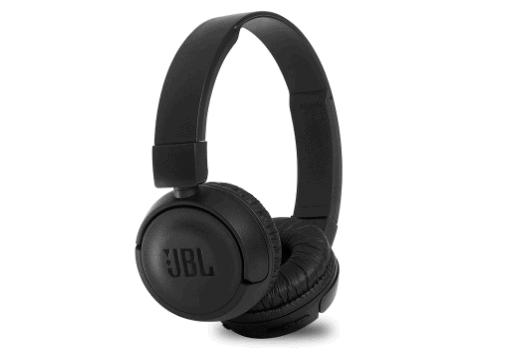
1. JBL T460BT

Check price

Best gaming headset

When it comes to sound JBL has earned a reputation around the globe with a lot of people recommending the brand for its excellent sound rich in bass. The material used is strong and the headphones remain new for a long time which make it best gaming headset under 3000. 

The device gives you excellent bass output due to the special design. The large earphones cover your ears completing preventing outside sound from entering your ears.

The signature technology of JBL ensures that you get the finest music at all the notes giving you an experience beyond compare. The driver casing is large enhancing the bass sound. The speaker quality of this wireless headphones under 3000 is excellent and the 32 mm speaker streams excellent music to your ears.

The device has a powerful microphone for you to make calls without any disturbance. The gadget is made very sturdy so that packing it even very tightly will not do any damage to it. It comes with Bluetooth v4.0 power. You can charge the battery using any normal charger and one charge lasts for around 11 hours of use.

Pros

  • Comfortable size for different head shapes and sizes
  • Excellent bass sound output
  • Sturdy and durable build for long life
  • 11 hours of interruption-free usage with a single charging

Cons

  • The headband without cushioning may be uncomfortable on a bald head
  • Stiffness of the headband causes discomfort
  • The mic doesn’t have noise-cancellation feature

2. boAt Rockerz 480

Check price

Best gaming headset

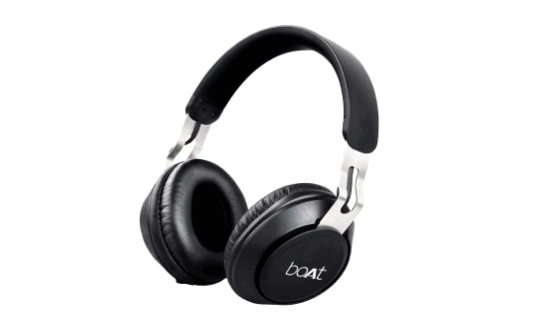
The boAt Rockerz is another best gaming headset under 3000. The headphones of boAt Rockerz are not just premium in quality but also in look. The matt black and silver combination gives it a classy look. The sound quality is excellent as is expected from a boAt product. The earpads are very soft and comfortable to wear even for long hours. The lightweight of the best gaming headset under 3000 makes it almost feel as if there is nothing around your head.

The speakers offer rich bass and pure treble. All the notes are very clearly audible which makes your listening experience much better. The 40 mm speakers give a sound level of 110dB which is more than what most speakers offer. The sound quality is clear and loud.

You can connect the device with Bluetooth 4.1v to any device with a Bluetooth connection. The product also comes with a 3.5 auxiliary port for connecting to any device with a similar jack. This will help you listen to music even if the battery is down. For a single charge you can enjoy 10 hours of music.

Pros

  • Good quality sound at all levels
  • Comfortable pads for the ears
  • Stylish and classy in appearance

Cons

  • The device is bulky
  • The bluetooth range could be a problem
  • The buttons are not easy to locate and you may need to look at them

3. Sony WH CH400

Check price

Best gaming headset

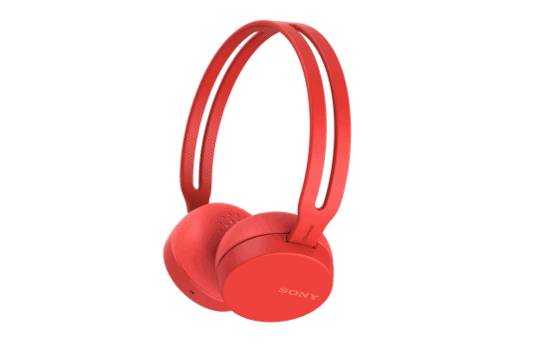
For listening to music that is rich in bass, there is nothing that can beat a Sony device. This best gaming headset under 3000 that has many other features to attract you. As with other products from Sony the headset looks and feels solid and durable the minute you pick it up. The materials used for making the product are of the highest quality and you can use this one for many years.

The 30 mm driver of this wireless headphones under 3000 offers you excellent quality sound whether it is music or conversation. There is passive noise cancellation that helps you listen to music without distraction anywhere you are present. Along with the high bass, the mids and lows also can be heard clearly. The sound output is enhanced with the neodymium magnets in the drivers.

A big plus with best gaming headset under 3000 is that you can reach Google assistant with the press of a single button. Hands-free calling is easy with a mic built into the headphones. The product comes with both Bluetooth and NFC connectivity. What makes this one best for wireless usage is the 20-hour battery life provided by the Li-ion battery inside the device.

Pros

  • Extra-long battery life at 20 hours for a single charge
  • One-touch Google voice assistant facility
  • The excellent sound quality in both music and conversation

Cons

  • There is no facility for aux connectivity
  • The headbands don’t have cushions
  • Not foldable and hence difficult to fit in your bag

How to Activate Starz on Roku, Apple TV, Xbox?

0

Starz is an extremely popular streaming service based in the US. Starz started in 1994 and since then, it has gained huge popularity among people from all across the world with its wide range of shows and movies. 

Do you know how to Activate Starz on Roku, Nexus Player, Roku, Apple TV, Xbox and can be used on these various devices for streaming. The Starz premium subscription gives you access to its large number of documentaries and movies.

How to Get Started with Starz?

Activate starz on Roku

To enjoy the Starz streaming service, one would first need to get a Starz TV subscription. If you are wondering how you can get a subscription for Startz TV and use it on different streaming devices, this post will guide you with that. The process is pretty simple as long as you follow our guide carefully.

How to Activate Starz?

Starz activate on Roku, Nexus Player, Roku, Apple TV, and Xbox can be done in the following way. For that you have to first visit the Official Website of Starz and once you get there, you can click on “Start Your Free Trial.” Starz offers you 7 days of a FREE trial. You can complete your signup process by entering all the important details that you are asked for. 

After you complete the signup process, you can add the Startz app or channel to your devices. You can have Starz for 4 devices at the Max. You must activate Starz on every device.

Steps:

  1. Visit www.starz.com.
  2. Click “Start Your Free Trial”.
  3. Complete SignUp
  4. Activate Starz on Roku, Nexus Player, Roku, Apple TV, Xbox and other Streaming Devices

Activate Starz on Roku TV

For those who want to enjoy Starz on Roku TV, the process is unimaginably simple. Once you have registered for the Starz Subscription, you can then sign up for Roku TV to Activate Starz on Roku. After you complete the Roku TV signup process, you could go to the Channel Store of Roku TV and look for the option, Starz Play. 

After you find it, you can add the channel and enter the pin. This will install the app. The next best thing you can do is open the app and the option, “code account activation: will pop up on the screen. 

In case you don’t remember your code, you can always find it from activate.starz.com. You could enter your registered Starz code in the field and click Submit. This is pretty much to activate Starz on Roku and you can enjoy Starz on Roku TV.

Steps to activate starz.com:

  1. Sign Up with Roku TV
  2. Find Starz Play from the Channel Store
  3. Enter PIN
  4. Enter Starz activation code & Submit

Activate Starz.com on Apple TV

If you are one among those people that want to watch Starz shows and movies on Apple TV, you certainly can and you can do it by activating Starz on Apple TV. The process is not much complicated for sure. 

You must first download the Starz app on Apple TV. Next, you can sign in to the app by entering your Starz login credentials. 

After that, you should see a pop up wih a field to enter your activation code to activate starz.com. You could simply enter your Starz activation code,  submit and start enjoying the service. How difficult was that? 

Steps:

  1. Download Starz app on Apple TV
  2. Sign in to the Starz app
  3. Enter the activation code & Submit to activate starz.com

Activate Starz on Xbox

If you want to enjoy Starz on Xbox, you can enjoy it on both Xbox One and Xbox 360.  To do this, you must first sign up with Xbox. After that, you can navigate to the App Store and locate the Starz Play app. 

Once you find it, you can install it. You might be asked to confirm and after you confirm, the app will get installed. You can then log in to the app using the Starz account credentials and enter the activation code. You can then click on submit and start enjoying the service.

Steps:

  1. Sign Up with Xbox
  2. Install Starz Play from the App Store
  3. Log in to the App
  4. Enter the activation code & Submit to activate starz.com

Wrapping Up

Needless to say, Starz is one of the best Streaming services with a huge library of shows, movies, and documentaries. In addition to this, Starz’s popularity largely depends on the fact that it can be used on a wide range of streaming devices and it is easy to activate Starz on Roku, Nexus Player, Roku, Apple TV, Xbox and other streaming devices.

If you have read this post carefully this far, you should now have a very clear picture of how you can activate Starz on Roku, Nexus Player, Roku, Apple TV, Xbox and other streaming devices. The process of activation is really simple and once you follow our steps carefully, it should not be difficult for you to use Starz on any of these 3 streaming devices.