MediaTek is one of the world’s renowned Taiwanese fabless semiconductor company which has announced its new partnership with India Original Equipment Makers(OEMs). Recently Media Tek has announced that it will strengthen its footprints in India through OEMs collaboration in the field of technologies such as 5G, IoT (Internet of Things), and WiFi routers present in smartphones and smart devices in order to boost up the smart device ecosystem.
It has also been in the news that Media Tek in partnership with the Chinese company producing Realme has introduced its flagship System on Chip(SoC) with Dimensity 1200 in the Indian market. This collaboration of the companies will result in the featuring of the RealMe brand with the MediaTek Dimensity 1200 SoC in India for the very first time.
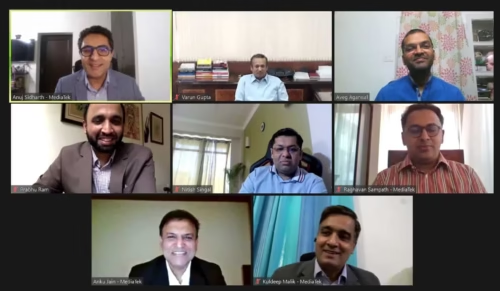
Anku Jalan, the Managing Director of MediaTek India said in a panel discussion on the 8th edition of MediaTek Technology Diaries, “As a frontrunner in the 5G domain, MediaTek has been ambitiously pursuing the vision of creating incredible technologies and delivering exceptional 5G solutions to everyone… MediaTek has identified a great opportunity in the Indian smart devices segment and has tailored the products to address the emerging demands from the digitally empowered customers here opening a new world of opportunities for the industry players and customers.”
“Half of Realme’s portfolio in 2021 will be 5G and we’ll be democratizing 5G chipsets not only above Rs 20,000, but even sub-Rs 20,000 segments as well. We are fully ready to usher in the next phase of 5G-era with full-scale products R&D and supply infrastructure. We are happy to partner with MediaTek in the journey together, we will continue to develop and bring 5G smartphones in India and globally,” said Madhav Sheth, Vice President, CEO of Realme India and Europe.
On the 8th edition of MediaTek Technology Diaries, MediaTek has also shared the latest technologies named “Incredible Technologies empower Incredible Experiences”.
Sheth(CEO) has also mentioned that the Realme company with Media Tek Company will also launch the products related to the IoT sector such as smart TVs, True Wireless Stereo(TWS), and other products in the Indian market.
The 5G chip with the dimensity of 1200 comes with the support of Dual 5G SIM as well as 5G CA across TDD/FDD and even new 5G brands.
I hope you would love the news about the new announcement made by MediaTek company.
Here is exciting news for the Amazon Prime Music subscribers. Amazon Prime Music finally launches Podcast for the customers in the Indian market. They are finally releasing its Podcasts feature for all the subscribers with no extra charges. Now the Prime members can easily have the access to millions of episodes of different categories by various popular personalities.
Amazon Prime Music contains a vast list of the shows as required by the members. The different genres can be sectioned as Business, Wellness, inspiration and motivation, education, technology, music, society and culture, news, comedy, and others. All these listed genres will be available in different languages across the platform. There are almost 20 languages like Hindi, English, Punjabi, Telegu, Tamil, and others are available which makes it more fun and worthy to use. For the very first time, Prime Music will be providing the audience, internationally applauded content to their member.
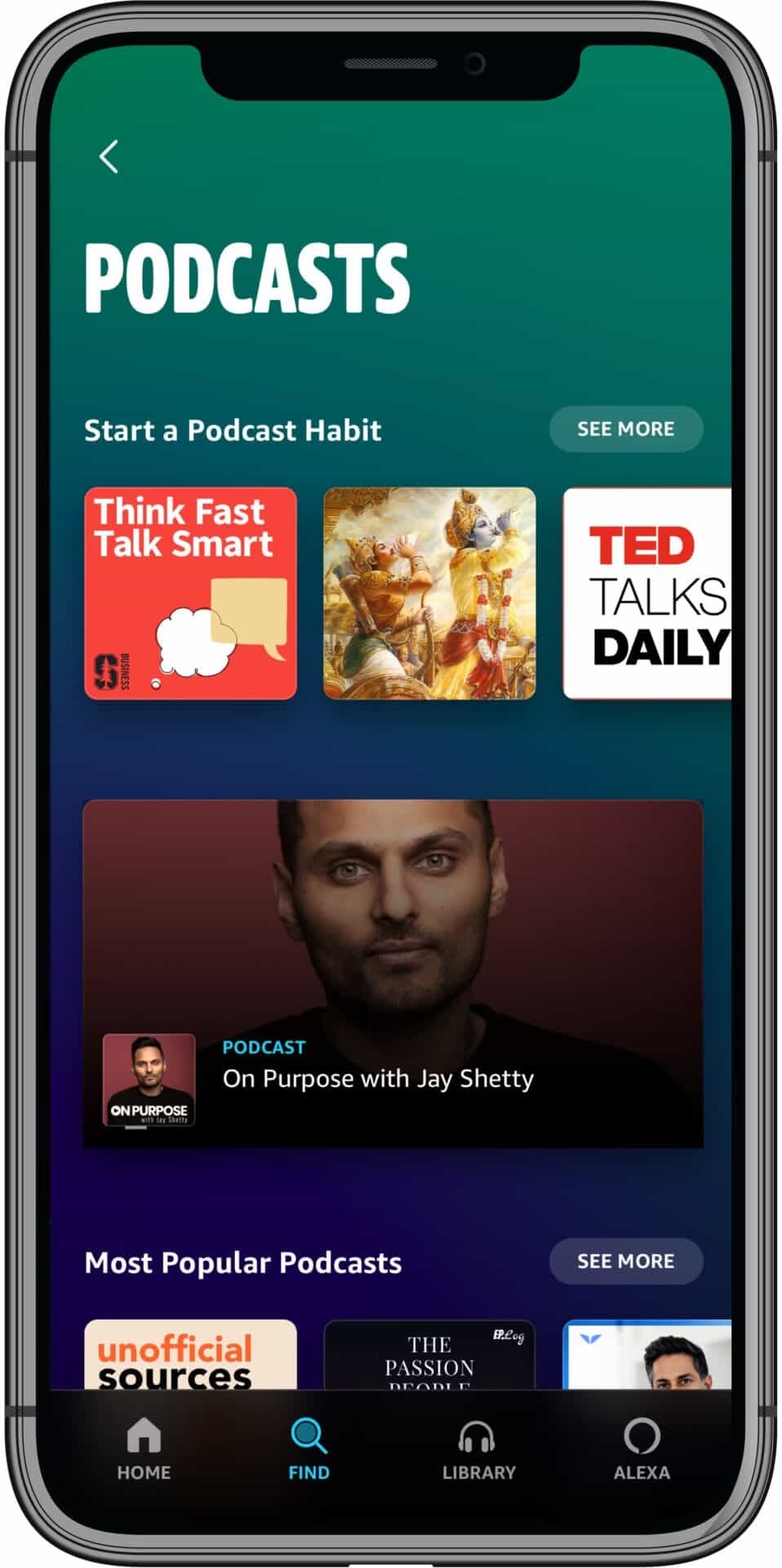
In the podcast platform of Amazon Prime Music, there will be available more than 9 million podcasts with curated lists of performances by famous content creators like Neil Bhatt, Jay Shetty, Anupam Gupta, Cyrus Broacha, Sadhguru, Robin Sharma, and others. The international shows by DJ Khaled, Rolling Stone, and others will be available as Amazon Originals on the platform of Amazon Prime Music. The most trending shows or podcasts are On Purpose with Jay Shetty, The Musafir Series, Ted Talks Daily, The Habit Coach with Ashdin Doctor, and others.
During the launch of the Podcast, Sahas Malhotra, the Director of Amazon Prime Music says, “We are thrilled to launch Podcasts with a myriad of locally and globally popular podcasts on Amazon Prime Music. Starting today, our service will evolve from a place to listen to 70 million songs, ad-free into an immersive destination of music, content, culture, and community. We will continue to invest in enhancing the audio streaming experience for our customers, and today’s launch signals further investment in entertainment and continued evolution of our service as a premier destination for music and culture.”
The Amazon Prime Music Member can easily stream their favorite podcasts on various platforms like Android, iOS, desktop Web Player, Fire TV Stick Echo devices like Alexa. The members can easily get access to the new favorites via curated recommendations among the top categories and popular podcasts. Amazon has also added a contactless Alexa listening feature on the application. The users can command the Echo devices to playback the latest episode of their favorite podcasts during their other activities. The Prime users are also allowed to have access to view the trailers on show pages can be availed by buying the amazon Prime Music subscription atRs129 per month and Rs. 999 per year.
If you’re someone who loves podcasts, head over to the Amazon podcast and enjoy listening to your favorites. Do share your experiences via the comments below.
The Hong Kong University of Science and Technology which is ranked as No.1 in Times Higher Education’s Young University 2020 and No.27 among global universities in the QS undergraduate degree program, has now opened the admission for two undergraduate programs with an extended major in Artificial Intelligence application.
This program has a duration of four years with a well-planned study pathway. Here the graduates are eligible to earn both the traditionally selected major subjects as well as extended major. Presently in the extended major, the subjects available are only Artificial Intelligence(AI), but in the future, it will cover up data science, FinTech, digital media, and arts. The students enrolled in HKUST are given the privilege of selecting their major subjects named Physics, Computer Science, Mathematics, Civil Engineering, Ocean Science, and Technology from either Science(Group A)or engineering before the second year starts.
Since AI nowadays is one of the most trending topics and the knowledge gained by the students in this field can be integrated into real-time technological applications like how the AI can be used to develop vaccines, helps in the identification of the most optimal location and material for building the project.
Eligibility Criteria:
The eligibility criteria for the admission of the courses are the students interested to apply for HKUST must fulfill the requirements of General Admission, School or Program-specific, and English language. Other than that the students with Indian Board Exams have to fulfill the requirement of “ Pass Certificate obtained on completion of Standard XII (State and National Boards)”. The students willing to take admission should also provide them the standard X (State National Boards) results. The reference score of the students admitted previously in HKUST is “ Overall average of 85% or above”
Fees Structure and Scholarship criteria for Indian Students:
The tuition fees per academic year are HK $14,0000 (INR 13,22, 664). The highest scholarship that can be granted to the students is a full Tuition fee with an extra allowance of HK$ 55,000(approx. INR 5 lakh 13 thousand) per academic year.
Why you should choose this University?
One can opt for the program in this University for the following reasons explained below:
Faculty Members: This University hires the best faculty members designed with doctoral degrees from well-distinguished universities across the world. The faculties available here are rated as the world’s top 2% scientists by Stanford University as well as 42 other faculties were elected as Fellows of the world-famous Institute of Electrical and Electronics Engineers(IEEE), they all have extensive industrial exposure in the best-known corporations. Besides that the faculty members of AI are the Head of Korea’s leading internet company named Naver Clover AI., another one is the director of the AI lab in China tech giant Tencent.
Placement: The graduates of this university get the placement in highly recognized organizations and companies like Deloitte, EY, IBM, JP Morgan, Goldman Sachs, Morgan Stanley, PwC, and others with an average salary of HK $27,649 (approx. INR 2 lakh 67 thousand monthly)
Competitions: For the students enriched with new technological innovations and skills, the university offers opportunities by holding various competitions like HackUST as well as other entrepreneurship competitions. By winning this, they can get the chance of getting millions of funds and platforms for their startup.
I hope this article was useful in providing you all the detailed information about the HKUST information. In case if you have any queries and problems related to this article, comment down below.
Running an organization-wide training program can be a challenge. Although, it is essential. And it has never been more crucial for organizations to make sure that their employees are well-engaged in the training programs. It helps rapid business success and is important for the professional and personal development of your team members. It showcases that you are serious about them and take your responsibility to equip them with tools and resources.
Managing a successful training program can be difficult, but with the help of the right learning management system, you can always keep ahead of your schedule.
Distinguish between the needed and wanted training
First of all, you must ensure that you know what training is needed and what is desired. Keeping track of employees’ training needs and wants can segregate them on the different levels of goals, requirements, wants, and needs. It is vital to keep a good grasp over all this and have software for tracking employee training.
One way you can attain assessment to the required information is through a survey. Get everyone in the organization to fill out the survey. Although you need not stop there, you eventually need to collect more data from different organizations’ locations. From employee reviews to manager feedback and performance scaling to individual development plans, and many more. Based on this data, you can foster the right decision, improve internal mobility, and even guide technology implementation.
Set priorities
Every organization must balance training and education along with daily operations. Prioritizing the training needs can be challenging, but consider asking a few questions like is the learning time-sensitive, and when is the completion date? Which training needs to be prioritized? What training will assist in improving organizational morale? Which training will have a significant impact on profit and productivity?
Training resources
The right resources and infrastructure is needed to deliver the proper training. Look out for the resources that fulfill the need of a job, and it should be employee training centralized. Must place outdated and correct content with an accurate—budget for training content and proper technology access.
Opt your training and development method
When you have to access a wide range of training and development processes, you need to list your methods—going for lectures, handing out brochures, printouts, going to hamper your time and budget. Instead, use an LMS from which can easily give the training and training completion can be more trackable. The learning management system is designed in a way that allows the creation of training content and sends out reports while meeting goals and budget.
Track and monitor
After deciding on the training and development method, make sure that you can track and monitor employee progress through a system. Get the software for tracking employee training to get a hold of the training schedule and verifying that it is implemented in every department. Collaborate with department heads and team leaders to make sure that all employees are completing their training schedule on time.
Evaluate, Process, Repeat
At last, evaluate the performance over the last year. Process the learning outcomes, shortcomings in teams and departments, and whether budget exceeded or not. It is crucial to get the right software for tracking employee training to evaluate the training process and implement changes for the coming years if required.
Conclusion:
Managing a successful organization-wide training program can be a challenge. Still, with the help of the right software for tracking employee training, you can always stay ahead of the program. The process is complex. The larger the organization, the more complicated process gets at each step. A learning management system and a customized eLearning software can support in simplifying matters, cost-cutting, making learning accessible, and ensuring that you can hit your key targets.
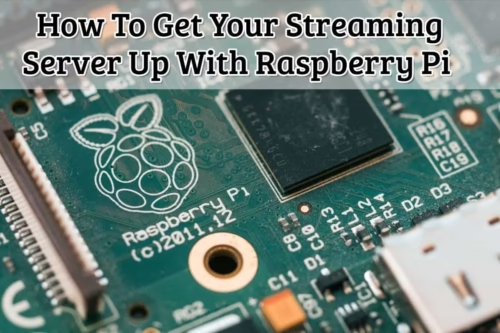
Raspberry Pi is a small computer that can be plugged into any computer monitor and television screen. It is created to ensure that anyone can learn how to use computer programs and explore programming with ease. And given its compatibility with various technologies and its credit-card-sized body, the Raspberry Pi is indeed flexible and versatile even for novice programmers.
Why you need to buy Raspberry Pi
There are many reasons why Raspberry Pi should be on your buying list. First off, it is a cost-effective and accessible device that can be easily personalized to fit most of your needs. In fact, the list of things that can be transformed into your Pi is endless–your desktop PC, game console, online privacy tool, Internet of Things devices, and home theater system are just a few examples.
The Raspberry Pi essentially provides the best and the most viable ways of getting into coding and programming. It also opens learning opportunities to those who are interested in the field but have no prior experience. With Raspberry Pi, users can also enjoy other leisure activities such as gaming, browsing, and everyone’s favorite hobby these days: streaming.
Why you need to have your own streaming server
Having your own streaming server at home comes with certain perks: it is quiet, very reliable, and does not consume much power. The good news is, you can actually get all that with Raspberry Pi and at a reasonable price. In fact, the board itself can cost less than $35, and the operating system can be freely obtained from the internet!
With some hardware for streaming and an inexpensive device like Raspberry Pi, you can now bring your own streaming server to life in just a few easy steps. For a visual representation of these instructions, you can find a comprehensive video tutorial here about everything you need to know about the hardware and the software needed.
The hardware that you need
To get started, of course, you will need to gather the required hardware, but if you’re a tech guy, you won’t have to worry too much about it because you might already have some of it on hand:
Raspberry Pi3 or a newer version
Raspberry Pi Power Supply
Micro SD card for Raspberry Pi OS
USB SD Card Reader for PC
Raspberry Pi case.
Note: The Raspberry Pi case is optional, but if you do not want a bare board in your entertainment unit, it is not a bad idea to grab one. If any of these are not available, you do not have to spend a fortune to acquire them.
Streaming server
Connect your TV to a streaming server using any of these options:
Chromecast
Fire TV stick
HDMI Cable
Your choice will depend on which device you have available and which one you think works best for you.
Software
You will need to download the following software:
DietPi. Note that you will not use the default one for this. Instead, you’ll opt for the reduced and optimized version called DietPi.
Go to dietpi.com and proceed to the Download section.
Select Raspberry Pi and download the image.
Unzip it after downloading.
Etcher. Go to balena.io/etcher. Select the version that matches your system.
Before you proceed further, please put in your SD card with the help of your USB SD Card Reader.
Open the Etcher tool and a screen will pop up.
Select the Unzipped Diet Pi Image.
Select the target, which should be your SD card and then click ‘Flash.’
Advanced IP Scanner. Go to advanced-ip-scanner.com. Click Free Download.
PuTTY. Go to putty.org and select the first link. Choose the version that is compatible with your system.
Installing DietPi
The process of installing DietPi consists of three steps.
First, you need to insert the SD card into your Raspberry Pi.
Second, connect a network cable to your Raspberry Pi.
Third, start it with a connection to the power supply. The LED light should blink and the Raspberry Pi should boot up.
Scanning the network for the IP address
Now, we need to find out which IP address the router has assigned to the Raspberry Pi. Scanning the network for the IP address will involve checking the router or using the Advanced IP Scanner.
You need to change the settings to avoid being required to get another IP address every time the Raspberry Pi restarts. Changing the settings depends on the router that you are using.
Installation of the Plex media server application then comes next. It will be used to centrally organize media and make them easily accessible to multiple devices and users.
Establishing an SSH connection
Suppose you did not opt to connect directly with a screen and a keyboard; in that case, Putty can be used to establish a connection from your personal computer.
Here, you will need to:
Enter the Raspberry Pi IP address, port 22.
Select SSH as the connection type.
Once the connection is opened, enter the login details. The details are composed of both the username and password, which are “root” and “dietpi,” respectively. A license agreement needs to be confirmed to allow an update of the whole system. Afterward, you will need to wait for the process to be completed.
With Raspberry Pi running with DietPi OS and connected with Putty, the Plex media server application must be then installed to centrally organize media and make it easily accessible to multiple devices and users.
And upon the completion of installation, you can proceed with the setup of the server itself. Additional configuration steps are needed to make the Plex media server usable, simply follow the necessary prompts to complete this task.
Creating a streaming server is easy when you’ve got clear-cut instructions to help you set it up in less than an hour. Though in essence, Raspberry Pi provides a host of features and software that can be used to make life easier and provide unrivaled entertainment and performance.
And as a final piece of advice, regardless if you’re a beginner or an old-timer in the tech space, no need to fret because today, there are a lot of resources on the web that can help you to better understand complex subjects. Train Your Skills, for one, is a page you can check out for tutorials and step-by-step instructions. It’s built by expert computer scientists who are passionate enough to share their knowledge and experience in the tech world so you can definitely pick up some valuable tips and insights from their page.
Ora is a cloud-based and on-premise simple task management solution, which helps nearly all sized businesses, since work from home has changed the ways in which we now work, collaborate and get our tasks done.
It makes the entire process super organized since everyone can see and work in the same workspace. The Key features include to-do list creation, automated actions, project time tracking, commenting, goal setting, notifications and reporting.
Get to know why you should choose Ora for your team!
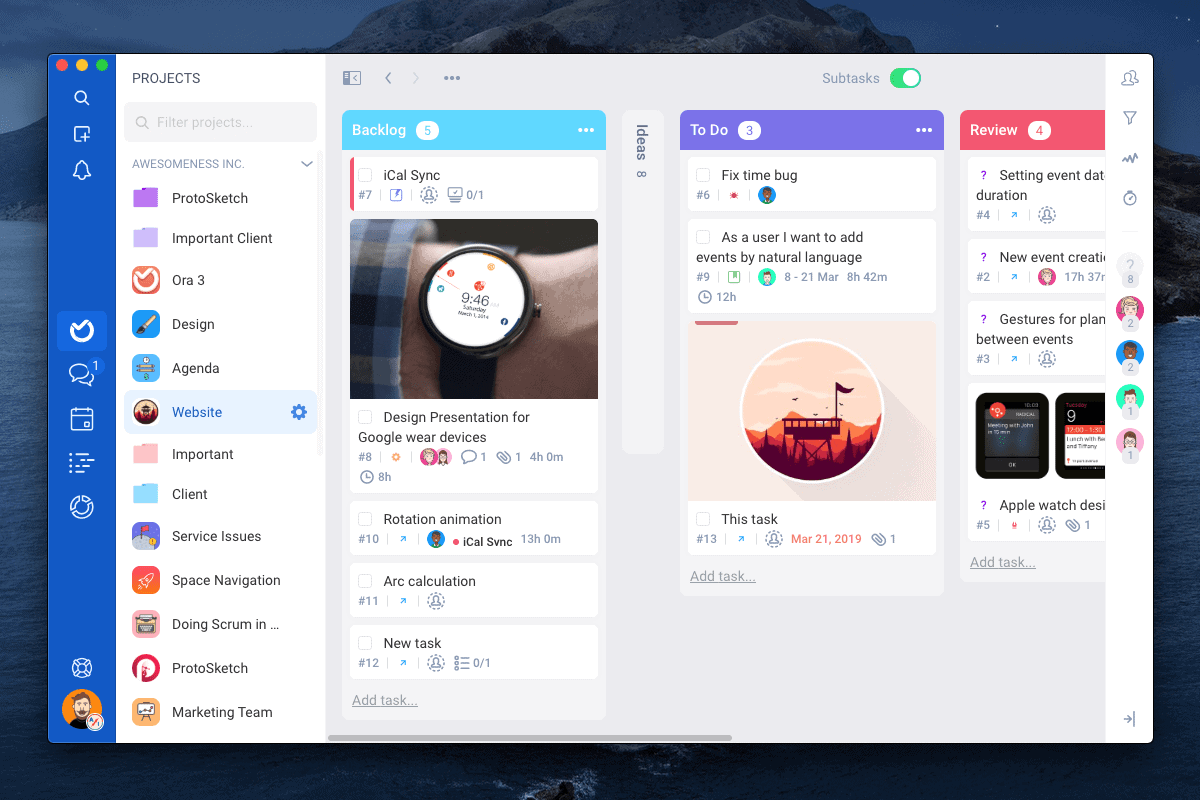
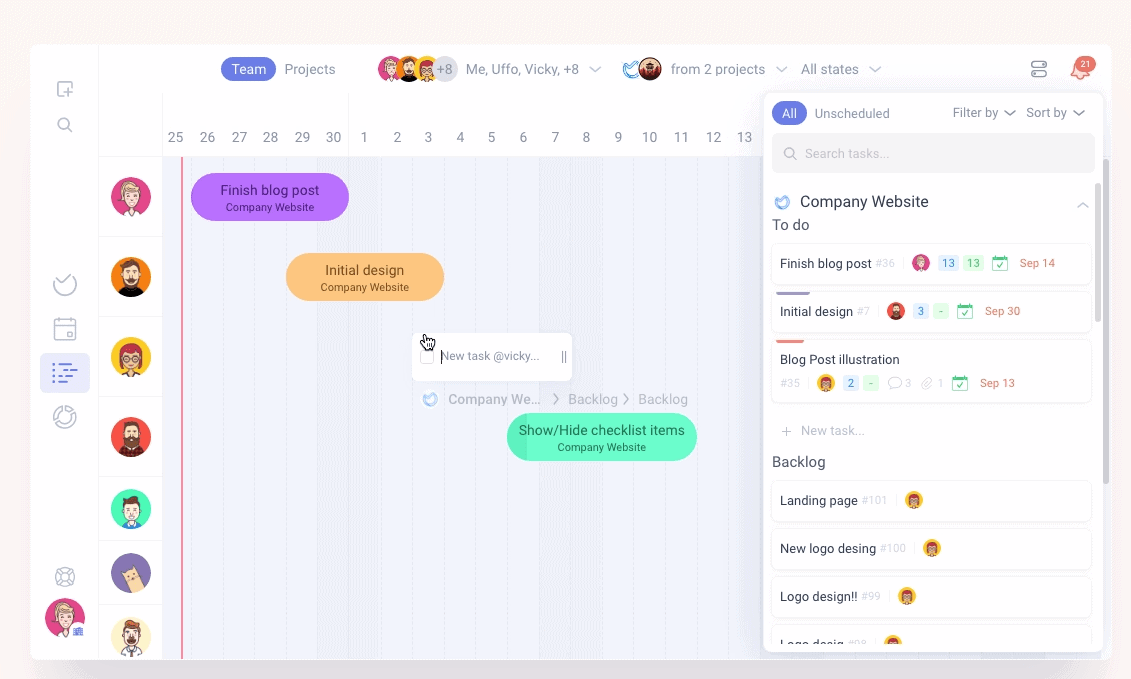
The solution allows employees to collaborate with team members through the Kanban board, which helps in arranging tasks and tracking the development of ongoing projects at every stage. Ora lets coordinators set timelines, categorize tasks into sub-tasks and assign them to members.
Users can search and filter tasks by ID, title, label and milestone, and transfer/duplicate tasks from one project to another. You can track your time at every step, and measure appropriate ways to reduce time taken for a task.
Ora offers integration with various third-party platforms such as Zendesk, Github, Bitbucket, Slack, GitLab, Google Calendar and more. It also comes with a mobile application for iOS and Android devices. The simple task management software solution provides monthly subscriptions and support is provided via chat and documentation.
Best For
Team with any size.
Teams looking for the best and simple task management software.
Organizations who want their teams to be highly constructive.
People who want to stay organized.
Teams who want to get tasks done in less time.
Ora supports Operating system like: Windows 7, Mac OS, Linux, Web browser (OS agnostic)
Why should you switch to Ora?
Increases Productivity
It is an organized system everyone is being able to pitch in all their ideas and organize them in beautiful cards is amazing. Everybody in the company knows what to do just by looking at their assigned tasks, cards, or checklist through the task management software. The cards can be easily moved from “doing” to “done” in brief, keeps everything transparent and you can easily understand what is your TO-DO-LIST for the day and you can also checklist them done.
It definitely helps all the users to achieve their goals and meet their deadlines. Ora has a very easy UI, it’s easy to understand and within a few days you can get used to it. One of awestrucking features is that of the time tracking feature:
You can now monitor your working hours, You can measure how much time a task takes and plan your meetings and interviews on the task management software board itself. Cards can include subtasks, file attachments, assignee, due dates, labels, milestones and task relations.
A user’s My Task view can show him everything which is in his to-do-list and even tasks assigned outside the PM application. Bulk actions such as multiple selects and powerful search are also available.
Isn’t that super easy and fun?
Having a timer right there inside the cards is awesome.
It tracks your overall time automatically for you:
Tracking time in Ora is excellent, but it’s more than what you are thinking. You are showing your entire team what you are currently doing and exactly when are you going to be done with it. This will help them to know your current status.
PRO TIP– They would also understand if you are stuck at some place and can offer help to you without you asking them.
You are also recording the time needed on such a task for future reference. Tracked time and all project activity is recorded. Everybody can see what’s going on in real time. This transparency minimizes unnecessary meetings and conversations.
One benefit of time tracking for web design agencies is that you can get a good benchmark and estimate for how long projects should take to complete, and a better sense of what your labor cost, and profit margin, is for your projects.
Cards can include comments, @mentions and notifications to make communication easy within the teams. You can add the client on the cards too!
The client can get direct details from the board and can suggest feedback to the team and people working on that specific task.
Customization and Flexibility
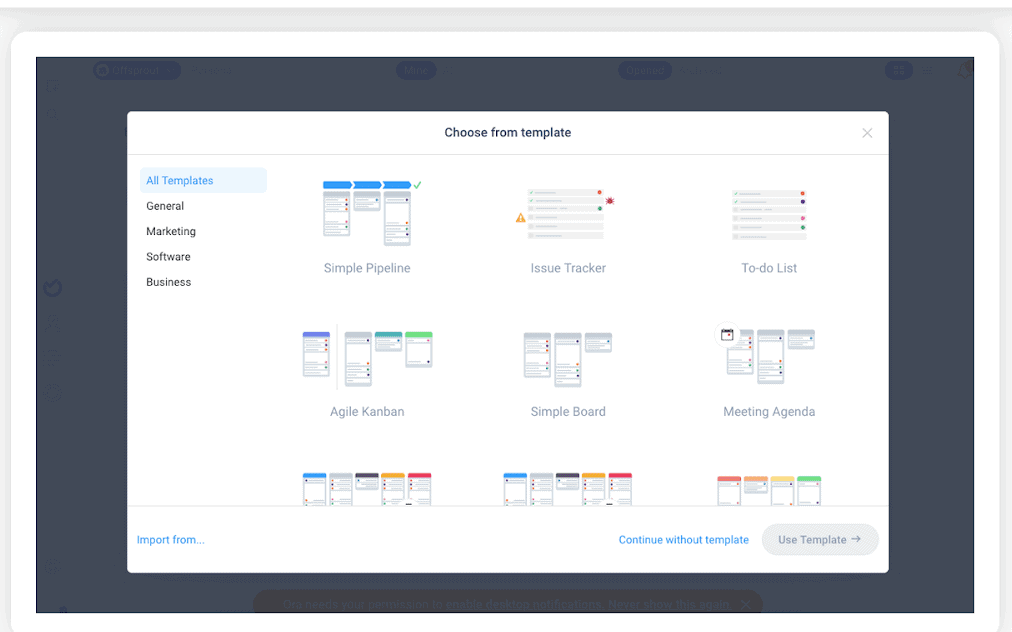
There are premade templates available in task management software which the teams can use for easy monitoring of the work.
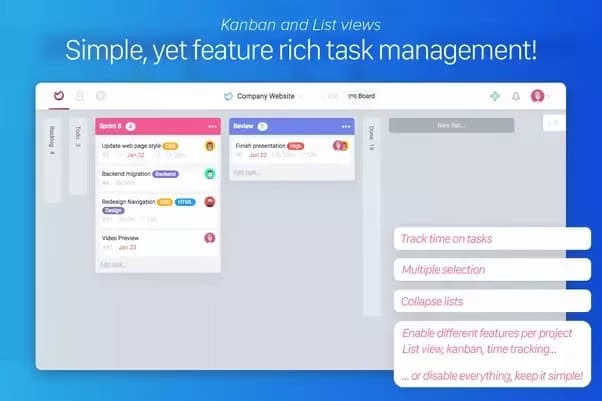
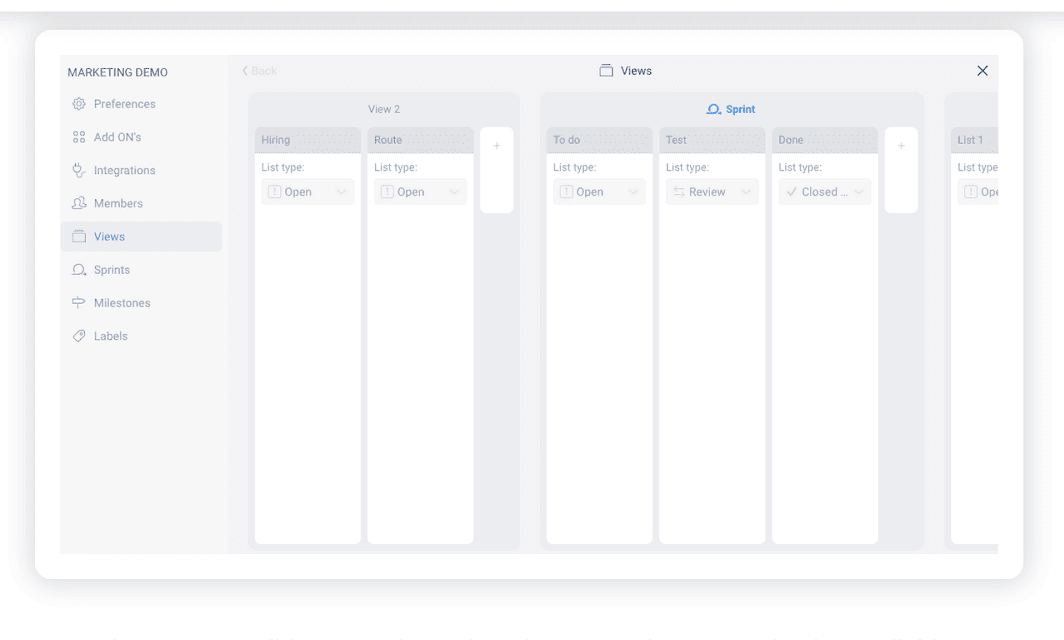
Ora presents an array of layout options. The layouts available are Kanban, Task views, List views and there is also a Pipeline workflow view and a view of Sprints.
The first time you would start using this simple task management software, there will be no going back. Things are very simplified, any one who is using the software even for the first time feels the same to the one who is using it for years.
And beyond these different layouts, you also have different views available. If you want to customize what items you see in a particular preset view, you can do that too.
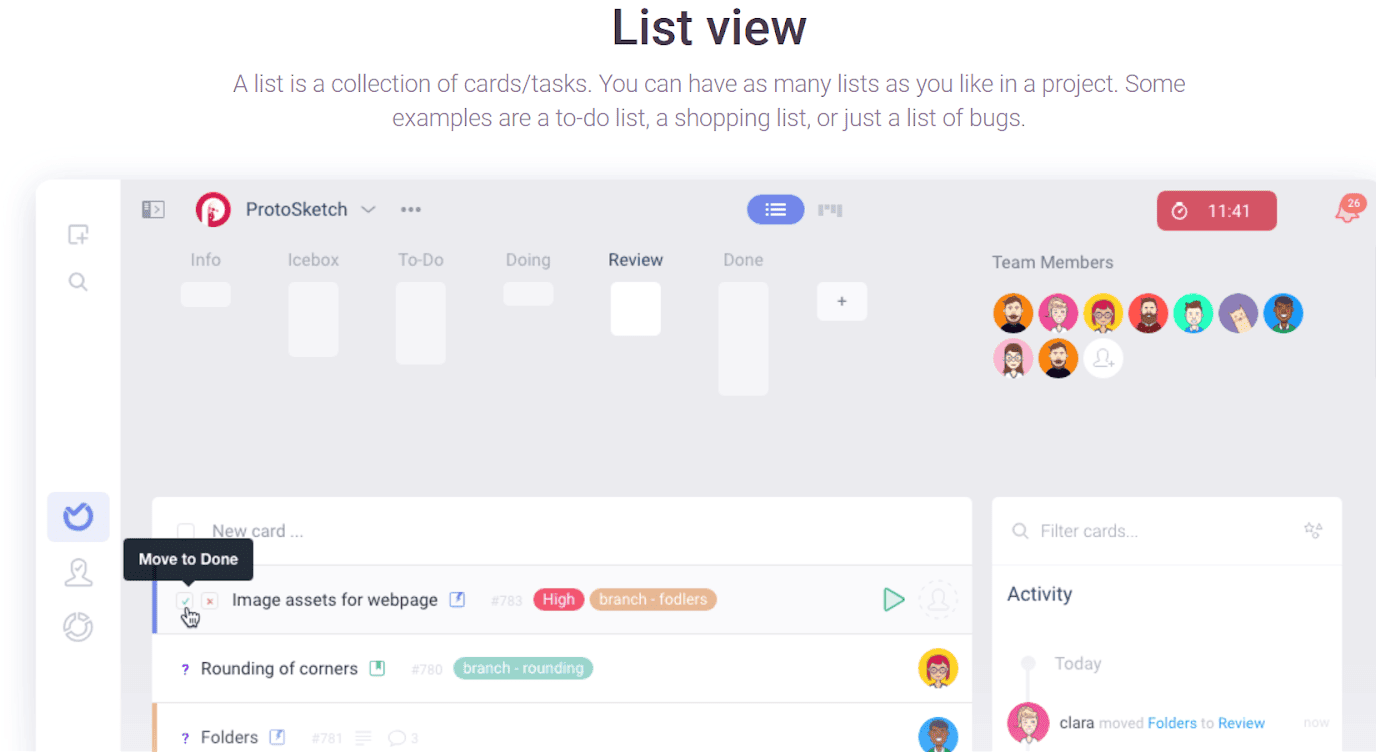
Wondering what the list view is?
The task management software has an aesthetically appealing interface which is at the same time very user-friendly. With the new version of Ora 3 there are a set of advanced functionalities that makes Ora an all-in-one tool for project management. Ora 3 now exclusively includes live chat, video calls and voice messaging. Isn’t it amazing?
You can now send voice messages or even have video calls with your team while using Ora only.
What’s a task without a goal?
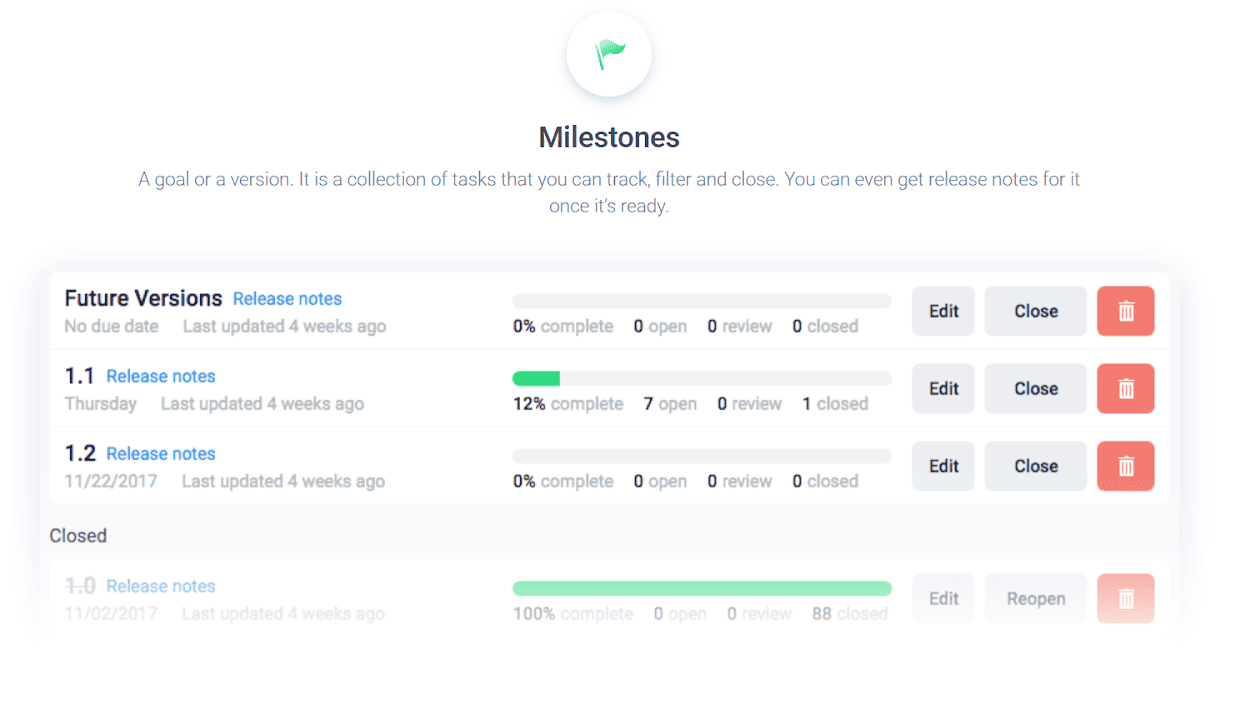
Ora, a simple task management software gives you a feature to calculate the percentage of work you have finished and helps you complete milestones for your task.
It is an outstanding Project Management product. Far from being a multi-tool solution, it focuses on a small set of futures and performs extremely well. Its snappy and minimal interface stays out of the way letting teams get work done.
Features you would love to try out!
Jobs and tasks can be organized in Kanban cards for teams, and are perfect for team tasks because they help you in creating the flow.
Good amount of pre-made templates and features for different types of projects.
Ora.pm really helps to standardize processes and follow the same workflow for everything the organization wants to follow.
The ability to add and remove any modules you need for a project is great so that it’s not feature bloated for something simple.
It’s UI structure is simple, the software visual is easy to understand and easy-to-use project management software that makes work feel effortless.
Ora Pricing plans:
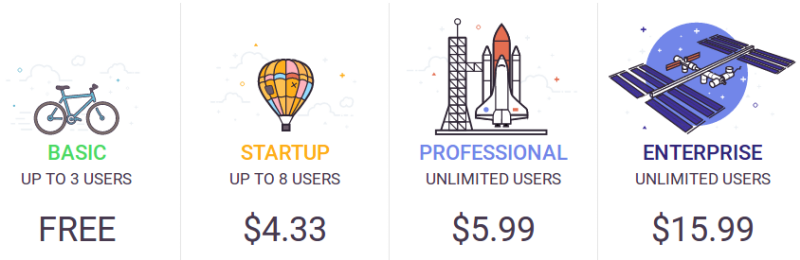
Ora offers a freemium pricing model. The simple task management software provides you with exclusive features in a very minimal pricing. All plans include unlimited projects, tasks, comments and attachments. The basic plan includes upto 3 users and is absolutely free, so if you have a small organization where the work is usually divided among 3 people this can be a perfect plan for you.
The next plan is called the START-UP plan which can accommodate 8 users and costs you $4.33. Next up is the PROFESSIONAL plan which can include unlimited users only for a minimal price of $5.99. Last but the best of the plans if you are a full grown business and are looking for a good flow of work then ENTERPRISE plan is the dream plan for you which costs a total of $15.99.
The detail breaking is given below:
The free version:
BASIC: In the free version
Unlimited projects, tasks, comments, attachments
Max file size 10mb
Basic add-ons
No observers
STARTUP
Total cost- $4.33
Users per month- 1 user(s)
Everything from Basic
Task relationships, List actions, Recurring tasks and more…
Max file size 100mb
Max 8 users
10 free observers
30 days free trial
PROFESSIONAL
Total cost- $5.99
Users per month- 1 user(s)
Everything from Startup
Max file size 250mb
No limit for max members
Unlimited free observers
30 days free trial
ENTERPRISE
Total cost- $15.99
1 user(s) / month
Everything from Professional
Single Sign On
2 Factor Authentication
File encryption
Comparisons with other Project Management Software
Comparison between Ora.pm and Trello
Ora.pm
Trello
Ora has an eye-catching interface, simple to interpret layout and an excellent overview of tasks that require attention.
While the software works excellent on the desktop platform it is somewhat cumbersome to scroll over and view lists on a mobile platform.
Ease of use. It can be used at a very entry-level.
It is quick and easy to understand but lacks updates.
Comparison between Ora.pm and Slack
Ora.pm
Slack
The messages are also organized and kept safe and can be uploaded to drive.
Slack is easy to use but it deletes messages after 10K
It is perfectly organized and keeps everything super efficient.
This software is great overall, but it seems a little disorganized since everything is communicated in a chat format.
What’s coming up?
Ora is recently launched simple task management tool and is in early access mode. Features that are being worked on and will soon be included in later releases are active syncs, team chats, 3rd party integrations, mobile and desktop apps, and more.
Frequent questions regarding Ora.pm
Does Ora offer multi-user capability (e.g. teams)?
Yes. Ora is intended for team collaboration. You can work with your teams, divide tasks and get a smooth flow with the tracking and milestone achievement using this simple task management software.
Does Ora offer guides, tutorials and or customer support?
The customer service is available 24/7. You can find helpful materials in both Ora Blog and Ora’s Knowledge Center, or if you prefer a personal touch just message them through email, or in the Spectrum community and you can get live assistance too.
What platforms does Ora support?
Web-based (Google Chrome, Firefox, Safari, Microsoft Edge) Windows app macOS app Linux app Android app iOS app
What are some applications Ora is commonly used in tandem with?
Slack Git (Gitlab, Github, Bitbucket, Self-hosted) Zendesk Zapier (connect 1,500+ apps with Ora) Google Calendar CRMs Google Docs
Tell us in the comment section if you liked our review and if you are already using Ora.pm, please share your experience and if we could also something that we have missed.
Imagine you’ve finally decided to throw a party to remember. You spend half the day in the kitchen whipping up your tastiest dishes, planning and then replanning your outfit, and agonizing over the decorations and the guest list. After all that effort, you wonder: how many people will show up? And will they have a good time?
Much like planning a party, launching and growing a podcast also requires loads of prep work for demanding audiences — all with no guarantees of being a hit.
Yet growing a popular podcast doesn’t have to be so hard. So we scoured the web, listened to loads of podcasts, and read all the top blogs to discover the four most essential tricks for promoting your podcast in 2021 and gaining new listeners.Whether you have a small but growing podcast, or you’ve got a couple of interviews recorded but haven’t yet launched, here are the four tips you need to make sure your podcast is a smashing success.
Tip #1: Start with High-Quality Audio and Video Content
Just like first drafts rarely become novels, so too do most podcasts require a fair bit of editing before they’re ready to share with the world. Editing keeps podcasts focused and entertaining by cutting out lengthy dialogues or by adding a catchy intro song. While the vast majority of your podcast content can be fixed through editing, there’s one thing that can’t be fixed later: your audio and video quality.
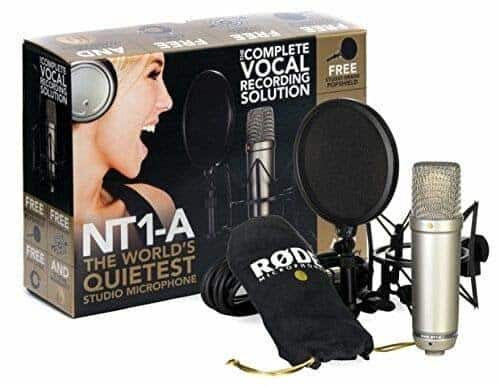
That’s why it’s critical to invest in high, or at least moderately-high, quality sound and video recording equipment. Consider purchasing a Blue Yeti or Rode microphone and be sure to shoot any video in high definition at least 720 pixels. 720 pixels is within the range of many modern smartphones, however ideally, you’ll want to shoot at more than 1080 pixels. This is only available in more expensive phones and cameras.
Wondering why you should use video when most podcasts are audio-only?
Because some of the biggest names in podcasting, from Joe Rogan to Nas Daily, are using video to connect with their audience on a more personal level. Equally important, making videos and posting these to Youtube for new audiences to discover you and can drastically improve your website’s Search Engine Optimization (SEO) ranking. It’s as easy as converting your audio (.mp3) to video (.mov or .mp4), something that this article by Backlinko’s Brian Dean explains in his step-by-step overview of optimizing your video podcast for YouTube.
Tip #2: Create Audio and Visual Content for Sharing on Youtube and Other Social Platforms
Once you’ve got your first couple of podcasts recorded, edited, and ready to share, now it’s time to promote your episode and get your audience ready for its debut!
But before you start posting pretty graphics on your social media that have little to no relation to your podcast, stop to consider who your intended audience is and how your audio and visual identity can speak to this group.
So whether you’re creating a podcast on parenting advice or about your love for extreme sports, you’ll want your podcast to reflect your audience’s identity with visual and audio branding that communicates the same sense of playfulness or adventurousness that your audience shares.
Find inspiration and keep your branding consistent (and memorable!) by using social media image and video templates. You can also use these templates and online design tools to create unique social media graphics to make your podcast easier to find and remember — no matter which platform you choose for publishing!
Tip #3: Engage your Audience to Promote your Content
Unsure which social channel to use to promote your content? We recommend starting with YouTube, the world’s number-two search engine that creates closed captioning and transcripts automatically, and better yet, has an audience actively looking for audio and visual content. If you’re uncertain about using YouTube, start with a platform you and your prospective audience are already using, whether it’s Twitter or Instagram.
When deciding how to approach your social strategy, keep the advice of influencer and prolific content creator Gary Vaynerchuck in mind. Gary V recommends thinking of social media strategy like a boxing match where you need to spar with your partner before delivering the right hook knockout punch. In other words, he recommends actively engaging with your audience by giving them content that educates and entertains before trying to directly sell them your latest podcast episode.
Take an extreme sports podcast for example. This podcaster might share a list of performance workout and training gear on their social media, while the parenting podcaster could share a video of kids being funny before promoting their upcoming podcast release.
You’ll also want to use online design tools to create eye-catching visuals for social media and share new developments to build excitement before your episode release. If you find yourself running low on ideas, ask podcast guests or create a fun poll on social media to ask your audience for suggestions to build fan engagement.
Tip #4: Stay High-Quality – and Consistent
What’s the only thing harder than starting a podcast? Successfully growing it! However, if you’re determined to reach wider, more engaged audiences then posting consistent, quality content is key.
Ensure excellent quality by planning out topics for your podcast in advance using a content calendar. Your audience will want to know when to expect more episodes, which is why consistently releasing your podcasts and scheduling your posting on social media daily, weekly, or a monthly basis is key. Planning ahead lets you promote upcoming pods on Facebook, Instagram, and Twitter weeks in advance and ensures your topics and themes can build off of one another.
In terms of promoting your podcasts, there are a number of strategies you can try. From slicing and dicing your full-length podcasts into 15 to 90 second video teaser clips to resharing your episodes multiple times to including your episode URL directly in your social posts to creating shareable quote images from your pod — the possibilities are endless. Especially if you’re looking to attract new audiences, before wanting to listen to your full episodes you’ll first need to spark their interest using short snippets and social posts.
Next Steps
You’ve already taken the hardest step of creating your podcast — but now to reach a wider audience, you need to put into action the four essential steps of podcast promotion. Start by making high-quality audio and video content, then create audio and visual content for sharing on social, engage with your social followers to promote your content, and finally, remember to always stay high-quality and consistent with your podcasting and promotion.
By relying on these four techniques, you’ll be able to gain more downloads than ever and build real excitement for your successful pod!