Home Blog Page 337

4 Must-Know HTML Tips for Bloggers

1

For non-techies, modern content management systems like WordPress and Typepad are a godsend – mostly because they make it easy to blog without coding.

But knowing just a little code can still go a long way. While the graphical interfaces these platforms offer will let you avoid much of the headache associated with HTML and CSS, knowing a little code can help you…

  • add text to your sidebars
  • format images within your content
  • place links in your comments
  • modify automatically generated code in your posts

These are all tasks you’ll want to accomplish at some point, and you need only know a wee bit of HTML to do so.

Don’t worry! It’s actually pretty easy. Take a look at the following HTML tips. They’re all quite basic, and you should have them mastered in no time.

1. Links

To create a link in HTML, begin with this tag: <a href=”URL”> and end with this one: </a>.

For example, let’s say I want to link to google.com. I’d begin like this: <a href=”http://google.com”>. Then I’d enter my link text and end with </a>.

I can make my link text whatever I want. In this case, I’ll make it “Google.” The whole link would look like this in HTML:

<a href=”http://google.com”>Google</a>

Likewise, if I’m linking to the New York Times with the link text “popular newspaper,” my link would look like this:

<a href=”http://nytimes.com”>popular newspaper</a>

When readers click the words “popular newspaper,” they’ll be transported directly to the New York Times Website.

2. Text styling

What if you’re adding text to your sidebar and you want to make some of the words bold? Just use these tags: <strong>Bold text goes here</strong>

If my text reads, “I’m a first-rate blogger,” and I want to bold the word “first-rate,” I would simply enter the following code:

I’m a <strong>first-rate</strong> blogger. You’ll end up with this: I’m a first-rate blogger.

Italicizing is similar. To italicize the word “first-rate,” do this:

I’m a <em>first-rate</em> blogger. You’ll end up with this: I’m a first-rate blogger.

3. Images

You might also want to add images to your sidebar. Here’s the code for images: <img src=”Image URL”>

That’s it. Seriously. You can even turn images into links, like this:

<a href=”http://enter-link-url-here.com”><img src=”http://enter-image-url-here.com”></a>

All we did was substitute the image tag for the link text we would have otherwise used. Easy as pie.

4. Paragraphs and Line Breaks

To separate paragraphs in your text, just use the <p> and </p> tags. This will place blank space both above and below a block of text. It looks like this:

<p>Here’s my awesome paragraph!</p>

If you want to use a line break without actually beginning a new paragraph, just use the <br> tag. You can even use <br> within a paragraph, like this:

<p>Here’s my awesome paragraph!<br>
I hope you liked reading it.</p>

On the published page, these lines would appear like so:

Here’s my awesome paragraph!
I hope you liked reading it.

So dress up your sidebars, add links to your comments, and put those images anywhere you want them! The best way to become proficient in HTML is to practice.

Jon Green is a freelance writer who knows just enough HTML and CSS to get by. He also reads tech blogs and utilizes managed file transfer protocols as necessity dictates.

Image credit: Jason Rogers
Can I Get a Job With A Game Design Degree?

0
game design degree

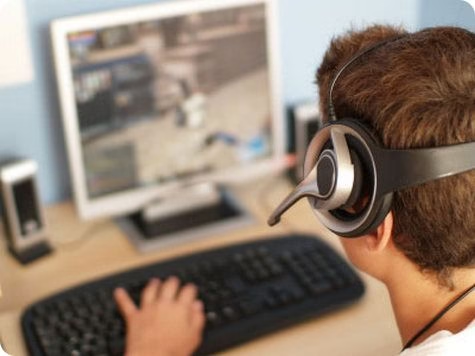
With the way the world is heading at the moment, getting a job can be an extremely tough goal to set, but we all know that one of the most important things to consider is the job you are applying for. If you have a passion for something then that can really help, and pursuing a job in game design is a job for people who are extremely passionate about creating games. You can look for game designer jobs in San Francisco and express your creativity by developing a game together with other game developers.

Get yourself the right dongle

0

Staying connected while you’re on the move has become crucial for many of us, with mobile and smartphones proving to be the most convenient way to get the job done. However, there’s no denying that the convenience of mobile broadband via a laptop or netbook is also a real boon if you’re out and about.

Now that the laptop or netbook is now cheaper than ever, it’s quick and easy to get connected to a mobile broadband supply and duly access the internet and email, pretty much wherever you go. Having said that, you’ll still need a dongle deal to help get the best and most cost effective option for your mobile needs.


mifi  dongle

Which dongle?

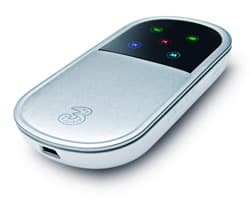
The humble dongle now comes in an array of different deals and offers from mobile network providers. Once you’ve decided on the one for you then it’s simply a case of plugging the small plastic device into an available USB port on
your machine and away you go. Picking through the many and varied dongle deals is slightly less straightforward.

In that respect, it’s a great idea to use a free comparison website, such as Broadband Genie. Inside here you’ll find all of the dongles you’ll ever need, with a whole set of comparison options to tailor a package to suit your requirements.
Lookout for main criteria, such as price, setup, contract duration, speed and downloads, although remember that pay-as-you go can be a good idea if you don’t fancy signing up for anything.

Money-saving?

Pay-as-you-go can be an excellent idea if funds are tight as you only pay for what you use. A contract deal will give you more flexibility and freedom though, with downloads limits often higher than PAYG. The speed of service via either route is always open to misinterpretation as networks will claim ‘up to’ speeds, but services are often much slower.

Nevertheless, buy the right mobile broadband dongle and it’ll allow you to stay connected pretty much wherever you go, although again it’s a good idea to use the postcode checker option on the comparison website to see what sort of
coverage levels are achievable from the dongle you like the look of.

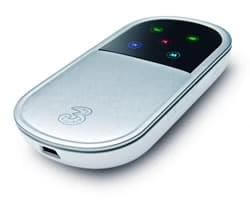
If you want to share your mobile broadband then it might be an idea to plump for a MiFi device. This is a little like a router in that it allows you to distribute your mobile broadband signal amongst friends and family, with up to five
devices being able to use the one connection. Now that really is making the most of mobile broadband!

About the author: Rob Clymo writes on behalf of Broadband Genie, the independent comparison website for broadband, mobile broadband and smartphones

.

How to add Pattern Unlock iPhone

5

Pattern locking has been one of the most impressive capabilities of android which lacks in the IPhone. By default the iPhone only provides pass-code locking. Because of the limitations of the i-OS it does not allow any external application to make such changes in the way the operating system. Jail-breaking the iPhone comes to the rescue, because after that you can install applications which can completely alter the looks and ways of functioning of the iPhone. These applications cannot be installed from the app store but from Cydia, which functions alike the app store, although it carries the applications with features which the apps from the app store cannot perform. Just like the app store Cydia also carries a range of apps some free and some premium.

It is a mis-belief that that jail-breaking the iPhone is illegal. It is totally legal to jailbreak the iPhone and modify the OS as you want. But it is illegal to install pirated apps or apps which are present in the app store and are essentially paid! The apps present in Cydia are not pirated apps but apps created by individual and developers who are not associated with apple.

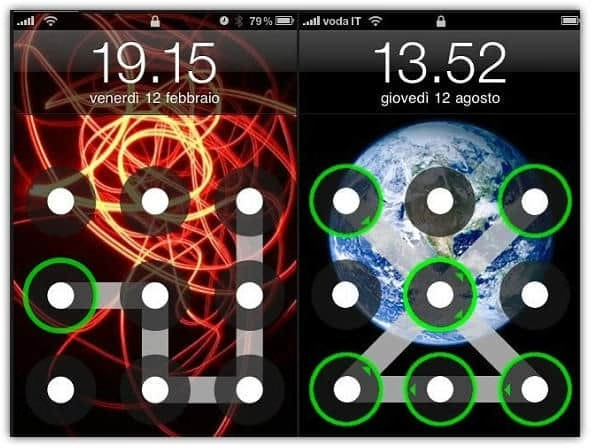
ilock is a tweak which lets you add a pattern unlock to the iphone so whenever you arrive at the lock screen you are presented with the dots which you need to connect to enter the home screen. You can choose how many dots you would like to have, [3×3] ,  [4×4] or [5×5] and if you want to repeat lines etc. All you need is an iPhone or an iPod touch with iOS version of 3.1 or higher.

First make sure that you have jailbreaked your iPhone. If you have jail breaked, you can install cydia from jailbreakme.org.

Installing the extension

Once you have got cydia installed, you can go to Cydia app. In the app, on the bottom you will find a button called ‘manage’. Click on that button and then click on Sources . Click edit from the upper right and an ‘add’ button will appear on the upper left. On the pop-up box enter this url – “repo.insanelyi.com” without the quotes. Once you have gone through the process, Return to Cydia, and then go to search and type ” AndroidLock XT” without the quotes. From the search results select the app with the same name and open it. Then install it! Once it is install, click the reboot button from the screen.

Configuring the tweak

Go to settings and then click in AndroidLock XT. Then enable it. You can also select a theme amongst the 5 themes present and also change the pattern which you will need to enter to unlock .That will do it. You can change the behaviour of your android lock screen for max attempts and pattern required found in the AndroidLock XT settings also.You can now sit back and relax as nobody unlocks your phone without asking you. Go and show off to your friends that even iPhone can do what other phones can do! And yes, don’t ever forget your lock code!

Also Read :  Moborobo- All in one PC Suit for Android and iPhone Smartphones

Shop for awesome iPhone cases here

DVDFab Blu-ray 3D Ripper- An All In One Solution for Blu-Ray Manipulation

0

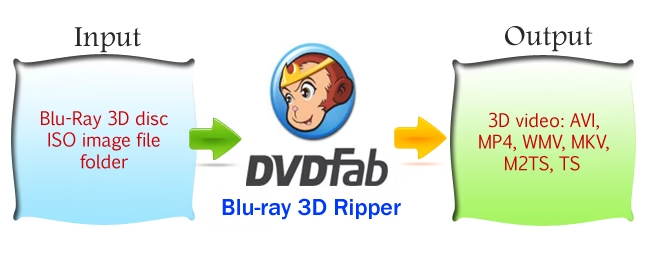
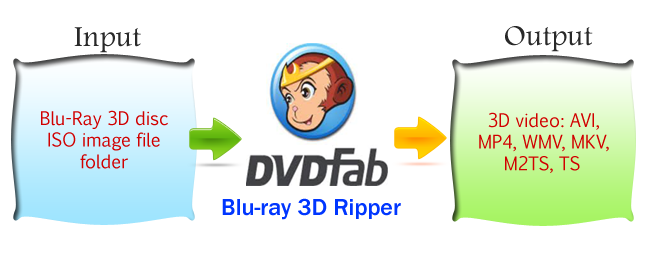
Blu-ray 3D Ripper is the first Blu-ray 3D converter  software which is capable of converting Blu-ray 3D to 3D video files like AVI, MP4, WMV, MKV, M2TS and TS for playback on 3D TV, glasses-free 3D smartphones, and other 3D display devices.  Blu-ray 3D Ripper provides various functions with outstanding quality and speed, it has a user-friendly interface where it is possible to rip the blu-ray in few clicks.

dvd fab review techgyo

Features of Blu-ray 3D Ripper

Rip and convert 3D Blu-ray: Blu-ray 3D Ripper functions as a as a ripping software for Blu-ray 3D, DVDFab Blu-ray 3D Ripper removes all known AACS copy protections including the newly released MKB v26 and bus encryption, all types of known BD+ copy protections including newest 3D BD+ and 10th generation BD+, region code, BD-Live, and UOPs hence giving access to any kind of 3D Blu-ray content.

Output 3D video files: Blu-ray 3D Ripper can convert Blu-ray 3D content to various video files like AVI, MP4, WMV, MKV, M2TS and TS retaining all the 3D effect.

Playback on PC, 3D TV, glasses-free 3D smartphones: The output 3D video given by Blu-ray 3 D Ripper can be played on computer using certain software players like Stereoscopic Player and NVIDIA 3D Vision Video Player, directly on 3D TV, and can also be played on various glasses-free 3D smartphones like HTC EVO 3D, Sharp SH-12C Aquos 3D, and LG Optimus 3D P920 etc.

Real Time Preview:  This feature displays the preview of the work in real time to see the results and compare with the original one while editing.

Blu ray 3d ripper interface

Advanced Features for Pros

Blu-ray 3D Ripper supports side-by-side 3D Blu-ray format which being the popular format for 3D Blu-ray content’s transmission used by cable TV providers. One can set bit rate, frame resolution, aspect ratio, frame rate and more for video format, and bit rate, channel and volume for audio and also can select whichever audio and subpicture streams to be included in the output file. One can choose to directly render the subtitles into the video or export them as files and output 3D video can be set to use only forced subpicture. Also one can customize the video effect freely to make it as preferred. Resetting the frame resolution, crop the play region automatically or manually, remove black bars if there is any, and many other settings can be done.

Minimum System Requirements:

  • Windows 7/Vista/XP (32-bit/64-bit)
  • Pentium II 500 MHz
  • 512 MB of RAM
  • 100 GB of Free Hard Disk Space
  • A Blu-ray Drive
  • Internet Connection


Blu-ray 3D Ripper stands first amongst its field. This is the a complete package that provides all the basic as well as advanced functionalities and features to work with Blu-Ray disc. Apart from 3D Bluray Ripper, DVDFab also makes 2D to 3D Converter

Top Computer Tips to Reduce Viruses Attacks

3

Computer with internet makes it possible to access some of our basic information such as for entertainment, financial services, products from the mean corner of the world, and a lot. Along with the increasing applications on computers, there is also an increase in the issues with computer security.

An unprotected computer is an open door for threats like viruses, malware, spyware, Trojan horses and hackers. When the security settings of your computer are very low, the chances of the computer to get infected will be high. There are some recommendations to increase the security of the computer.

Top Computer tips for virus attacks

Install Good Security software on Your PC and Keep It Active

The minimum security software to be installed in a computer must include anti-virus, anti-spyware and firewall. Some computers have pre-included security software which generally works for only a short period of time. The security suits which include this software from various sources can be bought from the internet or the commercial vendors. Anti-virus software provides security from viruses. The viruses present on your computer will ceratainly destroy the data stpored on it, affects the system performance and even totally crash the system if care is not well taken.

The anti-virus software scans the computer and each email received for viruses and deletes them. Spyware sends pop-ups, records the key strokes, and monitors the internet browsing and is installed without the approval of the user. Anti-spyware software is used to get rid of the spyware and malware present in the computer. It is also necessary to monitor the safety of the personal information. There are chances of accessing of a third party into the computer and steal the data. The security software firewall blocks the illegal accessing of any third parties. Besides installing the security software, it is utmost important to update them to have a better protection.

Use Copyrighted Operating System

Install a good and licensed operating system and web browser and keep it updated regularly. Security patches which are issued by the operating system companies for flaws which are find the systems developed by them must be downloaded and installed automatically.

Change the built-in security and privacy settings in the browser or operating system to increase the online security. Leaving the computer idle with connected to the internet for a long time will make vulnerable to hackers.

Don’t Surf The Net without Care

Disconnect the computer from internet when it is not to be used for a long period.Browsing the internet unneccessarily can results into virus attack because you can unnoticely download unwanted files from the web.

Always Scan Your Computer

Run daily scans or schedule the scans automatically for specified period of time.

Backup Your Data Consistently

Back up the important data using external hard drive devises. Make sure to have a special backup of all your data’s in a storage device in case of attacks.

Browse The Internet Securely Everytime

Secure browsing will prevent the dangers of virus attacks. Don’t be curious and open the unsolicited emails as opening them may install adware, spyware or malware in the computer.

Only Download Secure Files from the Web

Don’t download from unknown sites. Before downloading any data from it, search for that using the search engines.

Always-on Your Firewall for Protection

Never turnoff the firewall or security software features.

Turn off When Your PC not in Use

Turnoff the computer when it is not in use, by powering it off only after the windows application is shutdown completely.

These are the basic computer tips that can help you secure your computer for better security. Thanks for reading and you can share your comments in the comment section below for proper answers.

DVDFab DVD Copy Review

DVDs once scratched are the assets of your dust bin therefore it is an important task to copy the DVD to your hard disk. DVDfab DVD Copy is an easy to use all-in-one solution for making DVD backup of your expensive DVD collection. Using DVD Copy you can rip, copy ,burn or clone DVD, Blue-Ray and Blue-ray 3D disk supporting the most recent formats such as Xbox 360, PS3, PSP, iPhone/iPod, 3D format etc.. DVD Copy software includes 8 DVD copy modes to customize your DVD as the way you wish.

dvd fab review image

Features and Options 

DVDFab DVD copy is best in its class and has all the necessary features to manipulate DVD content. This is well designed for copying DVDs to blank discs or your hard disk as an ISO format. It is able to perform 1:1-ratio copies and add compression which can be used to fit bigger movies onto single-layer discs. Other useful features include-

  • DVDFab DVD Copy can remove all known DVD copy protections, like CSS, CPPM, RC, RCE, APS, UOPs, ARccOS, RipGuard, etc
  • Copy DVD+R/RW, DVD-R/RW, DVD+R DL, and DVD-R DL to hard disk with high speed
  • It can compress DVD-9 to a single DVD-5 (or vice-versa) with amazing output effect
  • Has the ability to copy discs that are badly scratched or damaged

User-Interface 

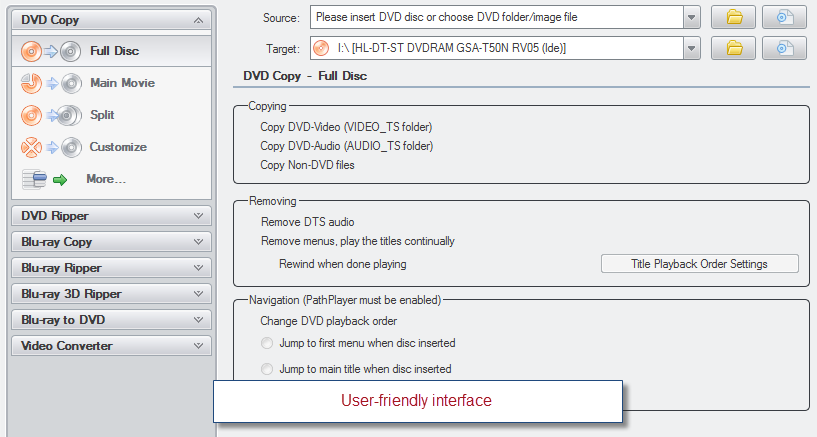
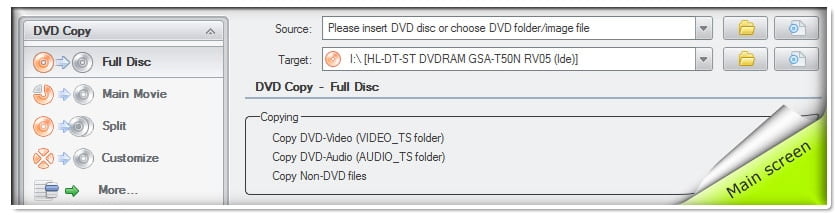
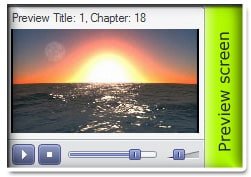
DVD copy has a user-friendly interface with highly customizable settings panel. It enables you to copy DVD with one or two mouse clicks and customize the output with many settings. The progress of the copying is reported in detail in a preview screen which let you see and hear the content before you start the copy process to avoid setup errors. DVD Copy has a classic look which brings the memories of the old versions of Windows such as Windows 98 or 2000 therefore modern geeks who like the feel of Windows 7 might not like the classic color style that comes with it and skinning option is not provided. It supports 28 languages around the world to choose from for non-English users.

System Requirements

  • Windows7/Vista/XP (32-bit/64-bit)
  • Pentium II 500 MHz
  • 512 MB of RAM
  • 20 GB of Free Hard Disk Space
  • A DVD-R(W) or DVD+R(W) Drive

Final Thoughts

DVDFab DVD Copy can be rewarded with 4/5 stars in all the aspects including its wide range of features/options, compatibility and it’s easy to use user friendly interface. DVDFab team works continuously and provides regular updates to override the new copy protections therefore it is the worth software for 50$ which is able to handle the whole family of DVD and Blue-Rays.

Website: http://www.dvdfabb.com/dvd-copy.htm