Home Blog Page 335

4 Best Apps For Automating Your Living Space

2

Automating our living space is a hardwired part of mankind’s lazy, collective unconscious. The idea reoccurs in the work of Isaac Asimov (and in virtually all sci-fi), pops up in our cartoons (The Jetsons anyone?), and has recently flooded all our commercials.


While limited forms of home automation have been available commercially for decades—Lutron, for instance, focused on “lighting control” and window shades before including remotely locked doors. Smartphones and wi-fi have redefined the possibilities for automation. Lights, thermostats, doors, and cars can be controlled through apps using built-in software or a system of augmentations to your home’s original infrastructure. None of it is cheap, but as a guide, here are the four most comprehensive home automation apps.


(Warning: simply buying an app won’t enable you to control parts of your home, each of these apps is accompanied by hardware and/or software that must be installed alongside the app.)


Control4My Home
control4 my home apps

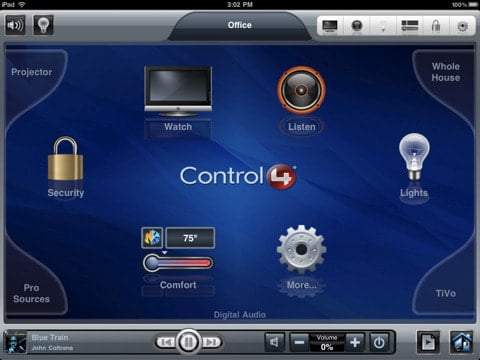
With the power of Google at their command—a “home automation” search targets them almost exclusively—Control4 is the most promising of all automation apps. It works through Director 1.7 (or higher) and with it, users can control their lights and HVAC system as well as other audio and visual devices. This enables consumers to enjoy multi-room music (playing different tunes in different areas of the home) and lock their doors remotely as well. It’s 3G compatible, so you don’t even need Wi-Fi to have ultimate power.


  • SYSTEM REQUIREMENTS: Control4 System running 1.7.4 or above. A device driver and license from Control4.
  • 4+ Rating on iTunes
  • Free to download

You can find this app here:  Control 4My Home


HomeWorks (Lutron Electronics)
lutron homeworks-light-control

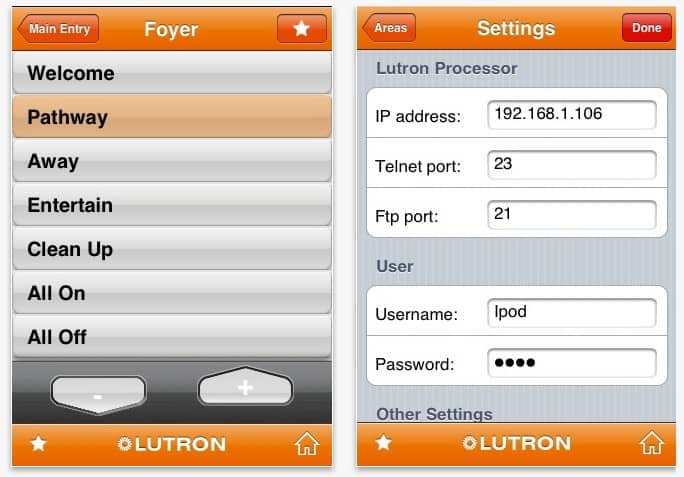
Lutron created the dimmer light switch, which is basically the earliest success in electrical home automation. From that moment on, they led the lighting industry, which bled into controlling outside light (through window shades) and eventually grew into the remote-control home. Now phones can replace their flimsy remotes and users can enjoy the superior interface Lutron designed for this free app. Homeworks is light-specific, but their $20 Home Control + system offers a thinned-out, Control4-type automation network that runs on its own system.


  • This application works with Lutron’s HomeWorks system and requires setup by a qualified HomeWorks installer.
  • Rated 4+ on iTunes
  • Free App

Find this app here: Home Control +

Haiku Home Automation (for HAI)
Haiku Home Automation (for HAI)

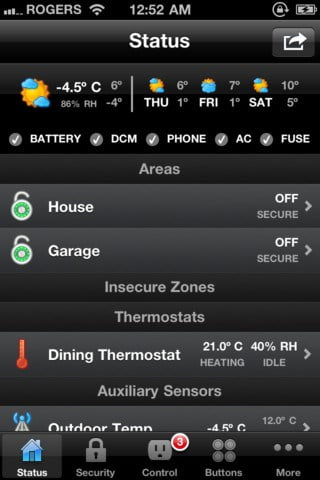
In addition to typical automation offerings, it will display temperature and humidity levels, allowing users to improve the energy efficiency in their home. Haiku also has a Status Tab that provides a summary of the alarms, thermostat, and other sensors in the home. The Security Tab organizes your home by areas, allowing you to see the zones and their status. The icon at the bottom of the screen shows any insecure areas. In addition to security, this app also lets you control your climate, by setting the temperature and humidity controls.


Green is good, and aren’t haiku’s all about nature?

  • System Requirements: Haiku supports all recent Ethernet-enabled HAI home automation and security controllers, including: Lumina, Lumina Pro, OmniPro II and Omni IIe. Controller firmware 3.0 or later is required.
  • 4+ iTunes rating
  • Price: $49.99

You can find this app here: Haiku Home Automation (for HAI)

HSTouch
 

HSTouch By HomeSeer

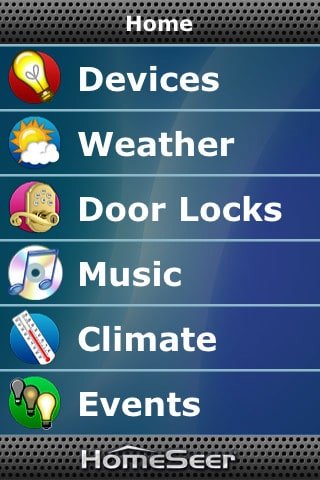
The HSTouch works together with the Homeseer automation system. They offer standard automation fare, but have made their interface customizable to the extent that users can create their own graphics and buttons within the app. It also includes an RSS browser that can display news, weather, stock quotes, or sports scores. That way, you can keep playing XBOX in optimum lighting conditions and stay current on world affairs without having to flip on CNN.


If we sidestep concerns about your family being systematically killed off by HAL, home automation is the new American Dream. The two-car garage won’t cut it anymore unless you can open and close it from Yakutsk, Siberia; and getting up to close the blinds when you start a movie is so passé. So pick up any one of these automation systems and we’ll all be one step closer to achieving Skynet.


  • System Requirements: HomeSeer HS2™, HSPRO™, HomeTroller™ or PRO-100™ systems with HSTouch server enabled.
  • 4+ iTunes rating
  • Free App

You can find this app here: HSTouch
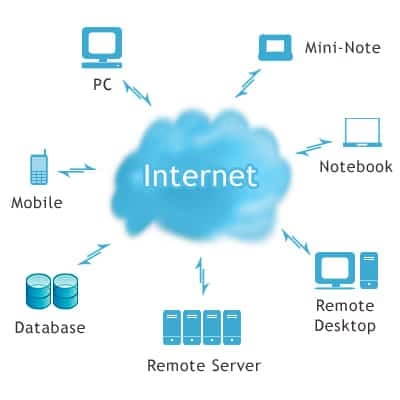
Cloud Storage as an alternative to hard drives

1

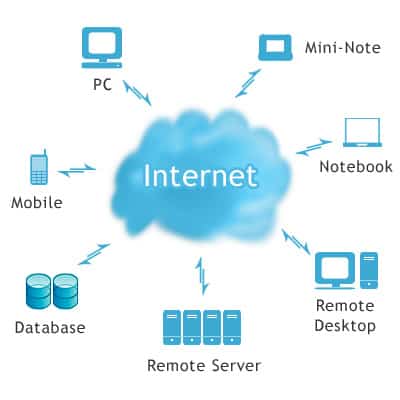
Some people desperately need more room to store their files, but they don’t want anymore clutter around the house or office, so naturally they might want to consider using an online storage service their data.

Although many internal and external hard drives cost over $80, many online storage websites are free, allowing people to store large amounts of data.


cloud computing cloud storage

Less Important Files

Technically, this is not the safest method for anyone to backup their hard drive. However, it is the most inexpensive way to store a bulky collection of photos, videos and mp3s. As most people know, these files often take up the most space on a computer’s hard drive. Mp3 collections often use up more than 10 gigabytes of space, while some audiophiles keep their music in lossless formats like FLAC and WAV files, which necessitate a ton of storage space, making online storage an appealing option.

Nothing In Life Is Free

Of course, most storage websites limit people to only two to five gigabytes of space under their free pricing plan. However, their pricing plans are still attractive to tech companies that always need extra space for their employees to store their files. With a single storage website, a company has a smorgasbord of space with which everyone can distribute their files and information quickly amongst each other.

Communicability

If people love to use their iPhones, iPads or various other tablets and smartphones, storage websites become even more useful. If the website is a cloud storage service, employees can easily read all of their files on their mobile devices. Depending on which storage service they are using, people might even be able to edit their files straight from their tablet or mobile phone.

Questions of Security

Websites such as Dropbox often lack essential security features, such as an SSL (Secure Sockets Layer) license to protect files from hackers. Fortunately, most of the highly acclaimed websites at least have an SSL license to protect the files with dense amounts of code.

Automatic Backup

Some websites even backup people’s files on multiple servers, so that people can still access their files if one server fails. Many technology website publications gave high ratings to SugarSync for implementing this feature on their website. The backup process is time-consuming, though — People often need to keep the SugarSync application active on their computer so that the server can backup all the files. Thankfully, the added benefit of holding replacement files is a big benefit that proves how reliable the service is.

Take Away

Although online storage has evolved dramatically from its earliest forms, the technology behind storage websites and cloud services is still relatively new. Apple is still developing its own cloud servers for its iCloud service in the future. Dropbox is still the most popular cloud storage site despite its security flaws, but many storage sites are increasing their features to compete against Dropbox.

The storage website business has great potential for growth in the near future. External hard drives might work as ideal devices for individuals to store all their personal files. However, storage websites are essential services for technology companies and other corporations that need to share massive amounts of data with other employees. Businesses should take advantage of these websites, because the organization involved with consolidating information can lend itself to increased productivity.

How to Keep WordPress Blog Away from Attackers

6

You might have started your blogging journey to be a Great Blogger and may be writing killer articles for your visitors. But what if your Blog gets Hacked, Yes Hacking of WordPress Blogs is common these days. So you should not only post Articles in Blog, but also try to protect it from Hackers.

Its not that you should always blame hackers for Hacking. The Top most Reason behind the Blog being Hacked is that you don’t follow any Security Tips for your Blog. Being a Certified Ethical Hacker, I would Like to share some of the Basic Security Tips.

secure-wordpress

Some Usefull Tips to Follow to Protect your Blog

1. Install WordPress Security Plugins

Having a Security Plugin is must for every Blog. They don’t only protect your Blog but also alerts you when somebody tries to Break into your Blog or when they record any unusual activity. These Plugins also doesn’t affects the Loading Time.

I would Personally prefer you to Install WebsiteDefender Plugin for WordPress. This Plugin is fully Capable of protecting your Blog from any Kind of Hacks. Visit Website Defender Official Website to know more about this Plugin. So Install the Security Plugins and keep hackers away.

2. Never Disclose your Password

This is the very common mistake that most of the Bloggers do. They usually tries to share there passwords with there Friends, Relatives or even Blogging Friends. Never disclose your passwords to anybody because you dont know, even your Friends can Hack it for some Fun or Revenge. These Passwords are also easily gets hack by Social Engineering Attack. So always tries to remain active in Social Media and never disclose your password to anybody.

3. Set Strong Password

Try to set strong Password for your Blog. If you don’t have a strong password, then you are indirectly inviting hackers to come and break into your Blog. Always set strong password with more than 9 characters and combination of special symbols like #, $, %, :, @, etc. This will keep your password safe and it will also not be hacked by Bruteforce Attack. So it’s always advised to set stronger passwords.

4. Hide & Update to Latest WordPress Version

Its most important for every Blog Owner to Hide there WordPress Version. As This allows the Hackers to easily hack into your Blog, by just applying known Version Exploits on your WordPress Blog.

For Example- If Hackers gets to Know your WordPress Version, say 3.1.2, then he can easily search exploits for this Version No. and can break into your Blog.

The Plugin I mentioned in the 1st Point easily hide your WordPress Version. Updating to Latest WordPress version always keeps your blog protected. Whenever there is any WordPress Update, it will show at the top of the Dashboard. So update your WordPress blog ASAP and don’t forget to Backup before Updating.

5. Remove Contact Form Plugins

This may sound odd to you, but let me make your attention to this critical vulnerability which is the most common method adopted by Hackers. Want to know How? Then Read Further.

The Hacker(Anonymous Visitor) when contact you through your Contact Form, then they secretly injects some codes in the form which remains hidden and can only be found after scanning the Message.This will then allow any Hacker to easily Compromise your Blog. These Hackers act as your Daily Blog Readers and provides you feedback through contact forms and you totally remain unknown to these type of Attacks. The Only solution of this is to remove the Contact Form.

I know it’s nearly Impossible to run a Blog without the Contact Form, so I advise you to Frequently Backup your Blog.

6. Never Share your Blog Plugin

Its not new to most of you that WordPress Blogs are easily getting hacked by poorly coded plugins. So its really important for all of us to install tested plugins in our Blogs.

Its seen that most of the Blogs(nearly every blog) share the plugin they use with there Readers. The post with the title “15 Plugins that Power our Blog” or “16 Plugins that we use in our Blog” is commonly seen on most of the Blogs. According to Security Point of view, sharing your Blog’s plugin is not a good practise, As this directly invites the Hacker to Search for the Vulnerabilities mentioned in the plugins you use, which further leads to compromise of the blog.

Are you Following any Security for your Blog?

Codecademy – An Ultimate Web Resource to Learn Programming Online

Codecademy techgyo review

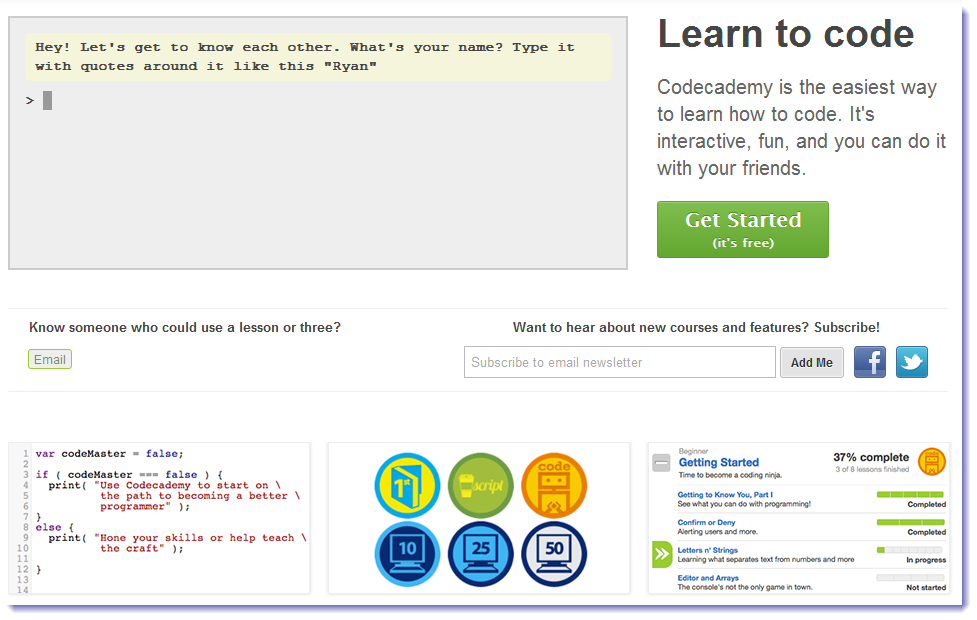
Are you interested in coding the apps? But don’t know from where to start? Here is the web resource you can get help from i.e. Codecademy. You don’t need to keep the bulky programming books in your cupboard as Codecademy will teach you to create great websites, games, and apps. Codecademy is the ultimate website where your appetite of programming ends. Having the user friendly appearance Codecademy teaches you with interactivity and fun, even you can compare the progress of your learning with your friends.

Codecademy interface techgyo review

How to learn programming with Codecademy?

Simply create an account and get started, follow the on-screen instructions and dig deeper into the world of programming. First it asks you to write your name in a gray colored console, then you get the length of your name… and so on, the possibilities are just endless. Logging in into your account and then start coding is a good habit as it saves your progress of coding automatically. You begin with naming conventions and math equations, later you will be provided with complex programming to solve. After the completion of lessons you will be awarded with badge which you can share on your favorite social media sites.

With Codecademy one can learn to code the various segments of programming including functions, booleans, strings, arrays and objects etc. easily. Thanks to Ryan and Zach who created Codecademy website which is an interactive way to learn programming online by actually coding. If you are already skilled in programming then you can join your hands with the developers to add more lessons in its library. Codecademy is a great resource for students and of course for all who are eager to learn coding, For now Codecademy is free to work with, Have a happy coding @ http://www.codecademy.com

How To Get More Subscribers To Your Blog

2

Blogging is a great way to make money online, but it requires consistent efforts over a period of time to see results. Getting traffic to your blog is the most important aspect of being a successful blogger. Traffic is important as it helps to make more sales, get more subscribers etc. If you want to get more subscribers to your blog you have to work on improving your traffic. Blog subscribers are of various types like subscribers who subscribe to your mailing list or to your feed, but traffic is vital to get all type of subscribers.

subscribers, blogging tips

Here are a few helpful tips to increase your blog subscribers:

1) Let blog visitors know about subscription option

Most people who visit your blog don’t spend too much time and will not subscribe if they are not informed about the subscription option. You need to ensure that your blog visitors know that there is a way to subscribe to your blog. This can help to improve your blog’s subscription rate.

2) Placement matters

If you want to get more subscribers to your blog, take a look at the placement of your subscribe option. When you want more subscribers to your feed you should place the feed icon above the fold. Similarly, if you want people to subscribe to your mailing list place your subscribe icon full screen so that readers don’t need to scroll down the page.

3) Write unique and valuable content Unique and valuable content is the lifeline of any blog.

It is also one of the most powerful ways to increase your blog subscribes. When you consistently produce quality content for your blog, it improves your credibility and helps to increase your blog subscribers.

4) List the benefits You should try and list the benefits of subscribing to your blog.

If you don’t mention the benefits of subscribing to your blog people may not even subscribing to it. When you give your blog readers a few solid reasons to subscribe, it can dramatically improve your blog subscription rate.

5) Get more traffic Getting more traffic is probably the most important technique to increase your blog subscribers.

You can never get subscribers to your blog without getting traffic to your blog. Try and get free targeted high quality traffic from search engines to increase your blog subscribers.

6) Make it Easy to Subscribe You should try and make is easy to subscribe to your blog.

Most blog readers prefer receiving blog post updates is via email and you should have this option to increase your blog subscribers. You should try to convert your blog traffic into subscribers as this will help you build a list of loyal visitors who will read your blog posts regularly. Increasing blog subscribers is important part of being a successful blogger and improving your sales.

Five Free Alternatives to iTunes 10.5 for managing your Apple devices iPad, iPhone & iPod

2

With the recent release of iTunes 10.5, you can store your music and TV purchases in iCloud and get them on your iPad, iPhone or iPod any where and anytime. However, its speed and performance still hasn’t been updated in any meaningful way so that many Apple devices fans think it as a clunky, slow and bloat software and try to search for alternative ways to manage their Apple devices content easier.

This passage rounds up Five free alternatives to iTunes for easily managing your iPad, iPhone and iPod:

Alternative 1: CopyTrans Manager


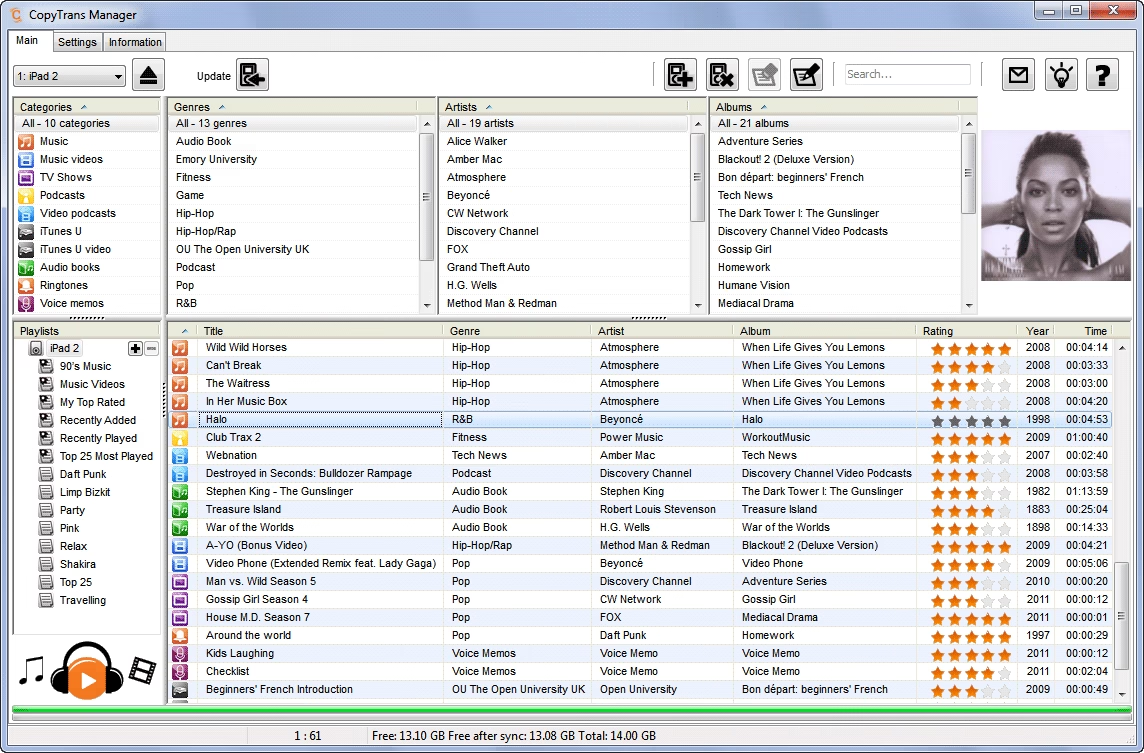
CopyTrans Manager is a free iTunes replacement to fully support the iPad, the iPhone and the iTouch.It is designed for Windows XP, Vista, and Windows 7 and portable so that you don’t need to install any program and just take it with you on your iPad, iPhone, iTouch to use on any PC on-the-go.

CopyTrans Manager works with a range of models:
iPhone, 3G, 3GS, 4 and 4S up to iOS 5
iPod Touch, 2G, 3G, 4G and 5G up to iOS 5
iPad 1 and 2 up to iOS 5
iPod Nano up to iPod Nano 5G
iPod Classic, iPod Video and iPod Photo
iPod Shuffle up to iPod Shuffle 4G
iPod Mini
Now reads Mac formatted iPods (HFS+)
copytrans-manager

Alternative 2: YamiPod


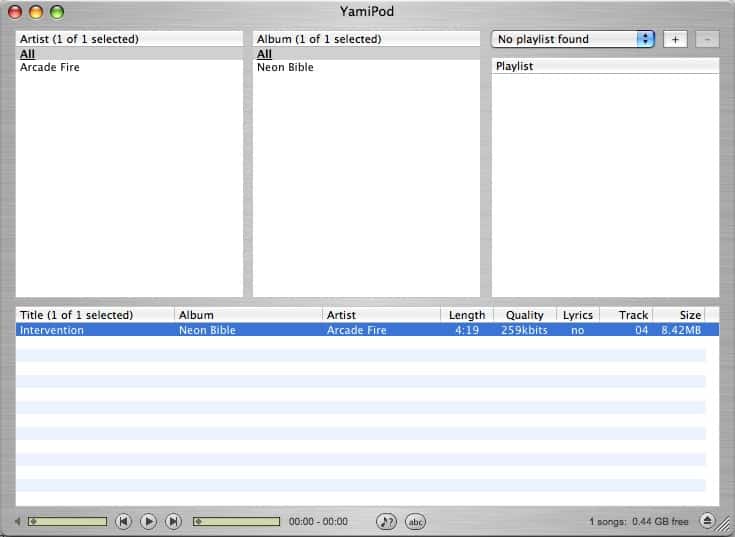
YamiPod is a iTunes alternative freeware for you to efficiently manage your iPod. It can be run directly from your iPod and needs no installation in Mac OS X, Windows and Linux. YamiPod is now available in 28 languages including English, French, German, Italian and so on. With YamiPod, you can copy music to iPod and move music from iPod back to your computer.

yamipod screenshot

Alternative 3: gtkpod iPod Manager


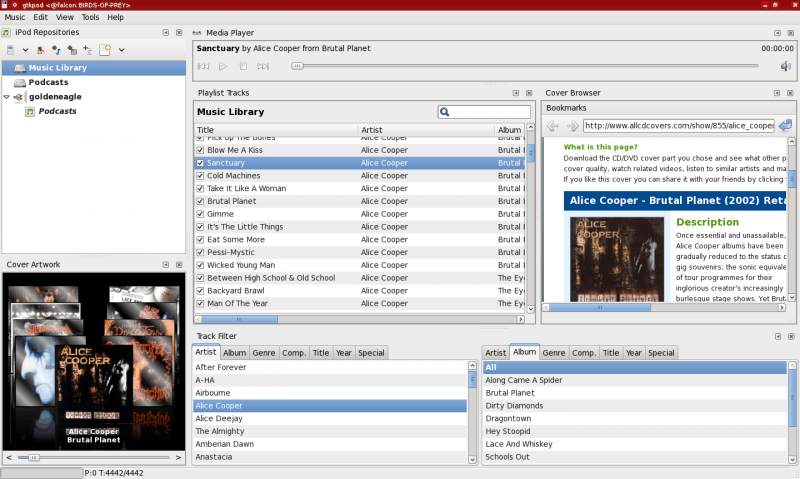
gtkpod iPod Manager is a free iTunes replacement for Linux users, which supports all iPod models and supports various file types. With gtkpod, you can add MP3, WAV, M4A (non-protected AAC), M4B (audio book), podcasts, and various video files (single files, directories or existing playlists) to your iPod and create, modify playlists. gtkpod has the ability to modify ID3 tags and refresh ID3 tags from file.

gtkpod ipod manager

Alternative 4: Songbird


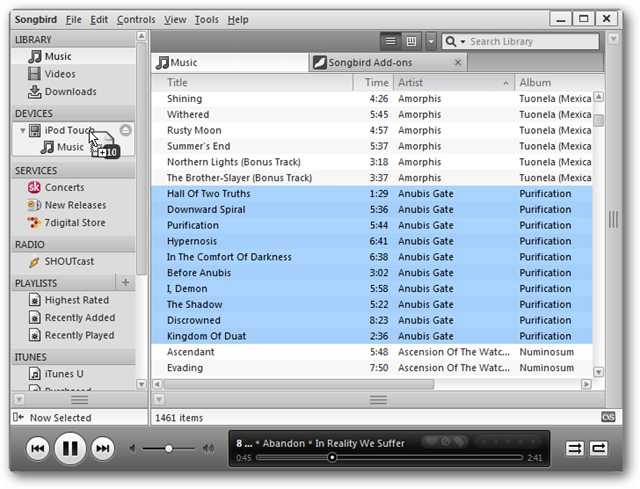
As iTunes alternative software, Songbird is a intergration of desktop Web player, a digital jukebox and Web browser. it supports add-ons and skins feathers, for example, with Last.fm Radio Add-on, you can listen to tracks based on your Songbird, scrobble your last.fm labrary, or tune in to your friend’s favorite songs. And Songbird is a cross-platform and open source software. Some of the most popular handsets in the world are fully supported by Songbird like Samsung Captivate, Epic 4G, Vibrant, Fascinate and Samsung Galaxy Tab.
itunes-sonybird

Alternative 5: Winamp


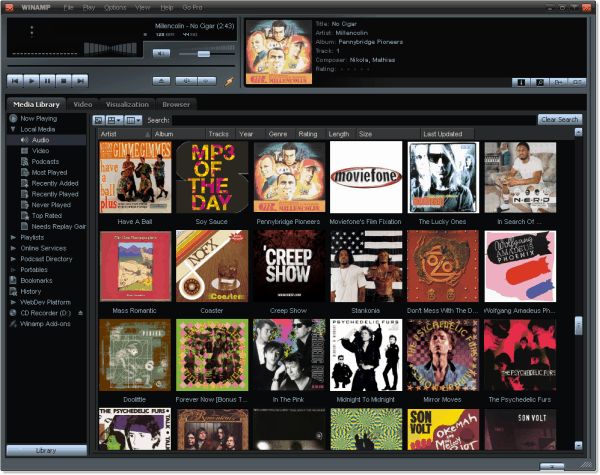
With Winamp, you can listen, watch and manage music, video, podcasts and internet radio on your desktop and devices. Winamp is for people who like to customize, tinker and tweak: offering the widest range of extensions, skins, and services to add to your experience. And Winamp allows you to significantly customize your experience with over 6,000 add-ons (skins, plug-ins, online services and visualizations) created by a loyal development community. The Winamp Media Player is used worldwide and comes available in 16 different languages.
winamp media player

Author Bio : Conielben is a blogger who works for Software Review which is a technology blog.

5 FREE Android Apps One Must Install

Android has millions of awesome apps in its Playstore repository, let’s look at some of the best apps one must install.

Dolphin Browser HD

dolphin browser for android - techgyo review

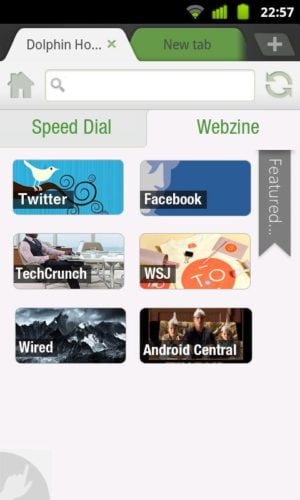
Dolphin Browser HD is a high-end TAB supported browser which is very intelligent, fast and robust. You can change the look and feel through custom themes, add capability with add-ons, or even navigate by gesture. The address bar is smart that can auto-complete URL when you type the first few characters of a URL, Dolphin auto-completes the URL by displaying all results from both bookmarked items and your browsing history. You can rapidly visit the website you often visit with speed-dial. Dolphin HD has a side bar loaded with all the necessary tools including full-screen mode and add-ons etc. This android app can be downloaded from

Google Maps

Google maps android app - techgyo review

Google Maps is indispensable for finding addresses, service providers nearby, and just for simply getting around. You never need to get the map with you once you installed this app as you can easily find the hotels, restaurants, hospitals etc. and also rate them as per your experience. Google Map’s Latitude let you quickly find your friends and it also supports voice-guided GPS navigation system.  This android app can be downloaded from


LastPass Password Manager Premium

Last Pass android app - techgyo review

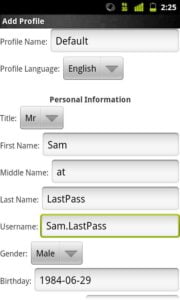
LastPass manages and fills in your usernames and passwords for you automatically. You’ll only have to remember one password ever again and i.e. LastPass’s master password. Another advantage of using a password manager is it ensures you to use a different password for all the sites you visit, as reusing the same passwords leaves you prone to identity theft and other online crimes. LastPass Password Manager is an award-winning password manager which is fast and easy. This android app can be downloaded from

Where’s My Droid

Wheres my droid android app - techgyo review

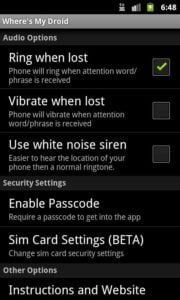
Wheres My Droid helps people find their lost or stolen Android phones by forcing it to ring at maximum volume or vibrate when the phone receives a text message containing a specified text  or email such as “Where’s my Droid?”. The app is also capable to show you the phone’s location as long as its GPS is enabled. You can remotely wipe the data of you phone’s memory and memory card as well if you confirm that your mobile has got theft. This feature protect your important data from being theft. “Wheres My Droid” also notices if the SIM of your mobile gets changed. This android app can be downloaded from


ooVoo Video Calls

ooVoo video chat android app - techgyo review

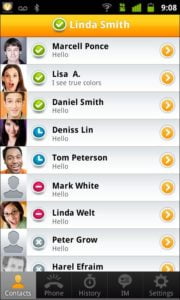
With the ooVoo video calls you can video chat with your ooVoo friends whether they are on Android, iPhone, PC and Mac and over 3G, 4G, and Wifi for FREE!. This Android video chat app supports group video, voice calls, and instant messaging. You can make the video calls from mobile to mobile and mobile to computer. ooVoo to ooVoo voice calls are unlimited and free as well. This android app can be downloaded from