Home Blog Page 293

How to create beautiful HTML form for your website in minutes?

Creating a professional website is a time taking job, web developer should concentrate on all the elements of the webpage such as header, navigation, content, footer and of course HTML form.  Forms with colorful and rounded edges buttons and input box are catchy and it has become trend now to use such forms, you can see such forms in Twitter or Mediafire websites.

Also read:

So how to create such professional HTML form for your website?, usually web developers write a long CSS code for it which consumes much time or hunt for the code on the web. But do you know there is a free software available to create beautiful HTML forms with rounded edges buttons, input box and other form elements. Formoid is such a HTML form generator with which you can create stunning feedback form, contact form, signup form and order form etc.
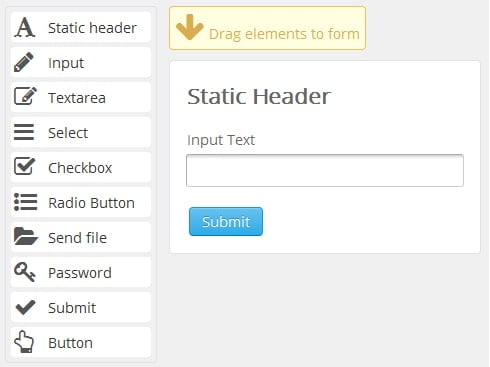
html form generator

Key features of Formoid HTML form generator tool

  • Formoid HTML form generator comes up with drag and drop feature, all you need is to just drag and drop the form elements such as buttons, input box, text area, check box and radio buttons on the form.
  • All the form elements get arranged in a proper format automatically, you need not write a single CSS line for it.
  • You can specify form background color and font size
  • Formoid is available for both Windows and Mac operating systems.

How to create HTML form with Formoid?

Formoid is in beta stage and hence it can be used to beautify form elements, once you are done with form designing, click on the publish button from the toolbar and further you can write PHP code in Notepad++ or any other PHP editor to make your form work as per your needs.

Download Formoid HTML form generator tool here.

5 Ways How Cloud Computing is Revolutionising the Banking Industry

Technological innovations have led to improvements in operations and facilities of thriving businesses. Take the example of Cloud Computing: it is one massive and revolutionary contribution still in its infancy. Cloud Computing can be found in many different sectors with the most developed applications, so much so that the banking industry has tremendously benefitted from its perks. For bank executives looking for ways to expand their services to existing customers, the time is now for Cloud Computing to introduce its capacity and opportunities for growth.

cloud computing

The Gist of Cloud Computing

Cloud computing has always been used in various forms, but they all boil down to one concept: the Internet. Business executives and strategists can gain information leverage with the use of the Internet. Offices would usually store information in bulky servers in the past, while the present world of information storage can be kept “up in the clouds,” or through a major “cloud,” where the information is digitally stored and available to all those who have been granted access.

Through the Cloud, computations are done at higher speed rates with the use of software applications and servers that share data processing capacity. This has been revolutionary, as companies can avail of limitless information storage for operational processes and consumer behavior, even with Software as a Service (or SaaS) tools. With Cloud Computing, executives can view relevant data and remotely access information while they are on the go – all they need is access to the Internet.

A Mirror of the Past

The traditional banking scenario for customers is done through a branch visit. A customer walks up and claims a numbered stub and gets in line for a service. Upon a monitor’s cue, the teller then calls on the next number for the customer to finally get served. Only then can the actual banking transaction actually happen.

The Age of Online Revolution

The Internet reach is widely available today and an increasing number of customers can sign up for an online account. Now, there is no need to schedule up two hours or half a day to get all money matters done. Through sophisticated storage systems, Cloud Computing has revolutionised the way consumers deal with banking. Most of the usual brick and mortar banking transactions can be done online. Through trusted security prompts, consumers can check their account statuses, transfer funds, invest on stocks and even apply for house or car loans.

A Plethora of Innovative Services, But With a Word of Caution

More innovative online services are starting to thrive. Financial support can be provided for entrepreneurial startups, mentorships are offered on wealth management and all other customised services can also be in the format of mobile applications. Increasing niches have also found further market oppurtunities for the banking sector. Still, a decision maker may need to be crucially aware that innovations are not glitch-free. As much as Cloud Computing is highly promising, it is important to see the complexities of the tool. Companies have to assess the set of risks that may ensue out of availing aspects of cloud storage and computation. Executives also need to know the extent by which specific sets of information can be placed online. It would even be practical to use software services based on a company’s specifications. In a nutshell, a business executive needs to strike the sensible balance of efficiency and security.

More to Look Forward to

Every customer has a unique set of needs and wants when it comes to investing. Thus, every bank account can be considered as already customised, one way or the other. With the era of mass customisation aligned with the technological contribution of Cloud Computing, it is no wonder that the banking sector is yet to fully flourish with several more opportunities to gain throughout the market.

Author Bio:

Anna Francesca writes about technological developments for efficient business processes and identification of enterprise opportunities. She currently contributes to Data#3, a Cloud Solutions provider. She’s also a strong supporter of leading consumer trends which bring lifestyle solutions. For thoughts on latest tech news, you may follow her on Google+.

Apps to Watch Videos on Floating Windows on Android

0

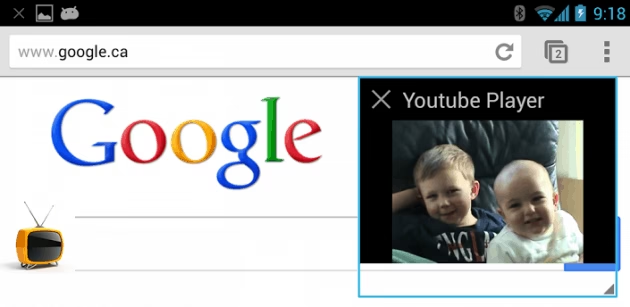
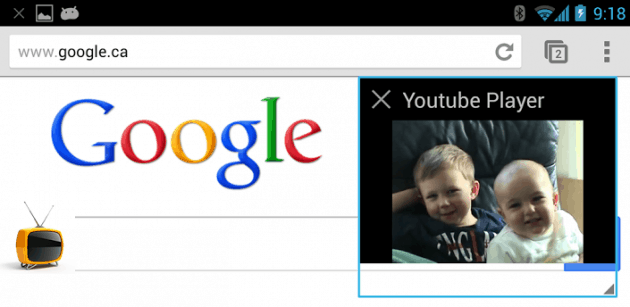
Smartphones and android phones have now become competent multi-taskers. With the recent developments in the android arena, there has been a fast paced progress regarding multi-tasking in these phones. These multi-tasking issues are made easier with the help of floating apps available to the android phones. The notable feature about this application is that it allows the running of other objects on the top of already initiated objects which in turn increases the rate of work in these phones. These apps are readily available on any android device which makes it realistic for an android user to perform multi-tasking with these phones. Thanks to this app available with android phones that the user can also view YouTube videos simultaneously while also browsing the web on the floating window. This feature could not be thought of some time ago, but with the introduction of floating apps, it has come as a boon for the users who like multi-tasking.

With the accelerated need of the society, multi-tasking has become a common feature, and the floating apps derive the solution towards this tendency to a great extent. Thus, below is the description of the apps that facilitate the multi-tasking with playing YouTube videos while surfing the web on the other floating window:

1. Floating Browser Flux:

Floating-Browser-Flux

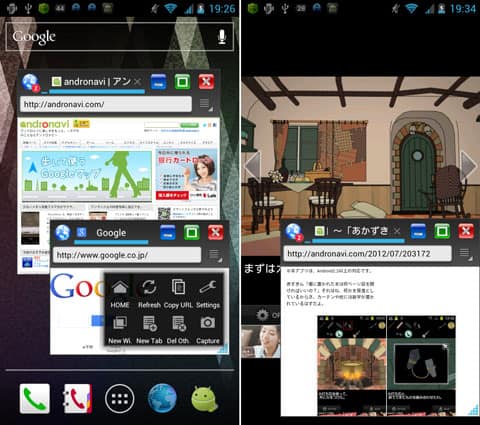
Floating Browser Flux provides a fantastic browser for the android phones to surf the internet in a floating window on the top of any other application being worked upon by the user. The installation of this application is the easiest. The user is required to just derive the app from the Play store and choose the “floating browser flux” icon for starting the float browsing. This browser has a user-friendly interface and is quite easy to install and use. This web browser is unique in its features and gives Chrome and other similar browsers a run for their money. Another feature of this browser that earns a lot of applause is its ability to let the user maximize or minimize the browser according to his requirements. This browser facilitates the use of more than one application simultaneously on the floating windows which
can referred as parallel application run. This browser has the efficient features like keeping a record of the sites visited and all your browsing history.

Download this app from Playstore

2. Floating YouTube Popup Video:
Floating YouTube Popup Video android app

Floating YouTube popup video enables the user to play YouTube videos while doing some other important work in a floating window. The credibility of this application is residing in the fact that there is no loss of voice while playing the YouTube video; this paves way for a wonderful YouTube experience, at the same time not compromising with the
important work that can be done simultaneously using this incredible app. The installation of this app is quite easy and use of this app isn’t complicated either. Once the app is installed, the user is required to launch the YouTube station and after selecting the video to be played, the user is supposed to click on the “Share” button and consequently choose the app “Floating YouTube”. The remaining work that the user is supposed to do is to just enjoy the YouTube experience along with the running of other important apps in the background.

Download from Google playstore

This article is written by Mike Wagner from Texas, USA. He is a web developer currently working for Iflexion web development company which allow best php application development.

Sponsored Video; Draw Raplh and Take home a Galaxy Note II

0

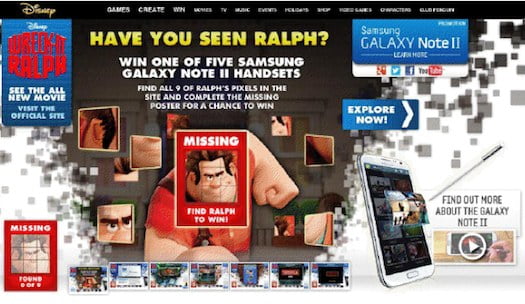
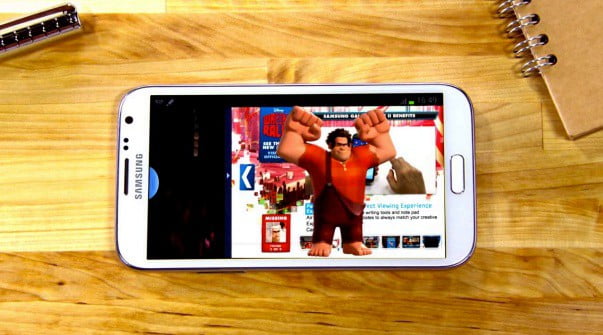
The title gave you a lot of hope isn’t it. Well yes you can take home a Galaxy Note II by participating in the Draw Ralph contest at the Find Ralph website(http://unr.ly/UqFeUY). This contest is sponsored by Samsung, and they are giving away Galaxy Note II and Exclusive goodie bags to the lucky winners who complete the missing pixel on the Ralph poster. Ralph is the new animated character Disney is about to release in their latest movie “Wreck-it Ralph”. It is going to be their 52nd animated feature in under the Walt Disney Animated Classic Series. The contest is simple, you just have to add the missing pixels to complete the Ralph poster.
galaxynoteII-Draw-ralph

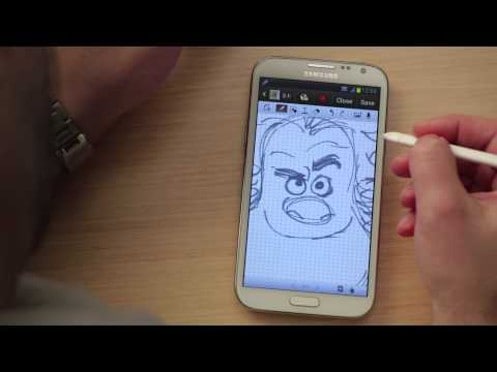
They’ve also created a short video clip to introduce Ralph by drawing him on Samsung Galaxy Note II. You can find the clip below.

In this video , the creator the Ralph’s character Bill Schwab who animated the Disney movie ‘Wreck it Ralph’ does great job by drawing his character Ralph from scratch and imports other characters into his sketch, demonstrating how smoothly you can create your own animations using with the S-Pen and smart features that come with the new GALAXY Note II. Bill also shows how to use some editing features and tools like the lasso tool to cut and paste the Wreck It Ralph logo to complete the sketch.


By the way, Disney is about to release this movie soon, you should checkout the trailer. I saw the some parts of the Wreck-It Ralph trailer some days ago and I’ve decided that I should definitely watch it on the big screen. Ralph’s character in the movie Wreck-It Ralph is not-so-very good guy. But no story is complete without some twist and turns. You can know more about Wreck it Ralph movie at this web page.
Ralph
The executive producer, John Lasseter, was the director of Toy Story and A Bug’s Life, which I loved a lot back in the days. John Lasseter also worked with Steve Jobs at Pixaar which is now owned by Disney.

galaxynoteII-Draw-ralphnote2
So, you could be lucky one to grab the awesome Galaxy Note II smartphone and goodies by simply arranging the missing pixels in the Ralph Poster on this contest page.
You can checkout more great features of Galaxy Note II at official Samsung webpage. And don’t forget to check Wreck it Ralph website out.

This post is sponsored by Samsung. All opinions are mine.

Nokia Lumia 720: A Quick Review and Specifications

0

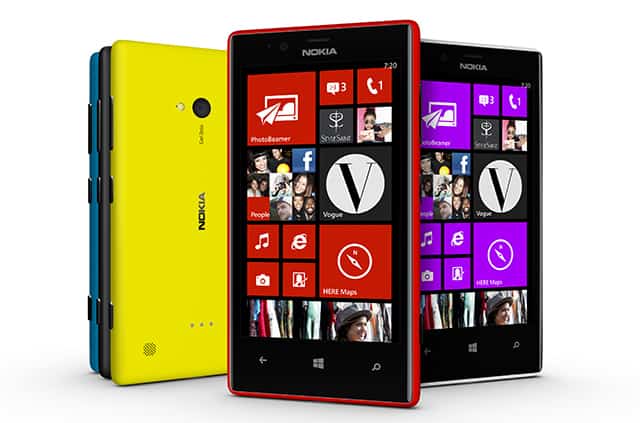
Nokia Lumia 720 is certainly a device apt for the social life. Powered by the Windows 8, the Nokia Lumia 720 is simply stunning. You get a variety of colors and different ranges. Loads of features that are stunning to consider are available. A very convenient and comfortable way to make the best use of cell phones is to buy mobile accessories. You can buy these online accessories from various popular websites which provide great deals.

External looks

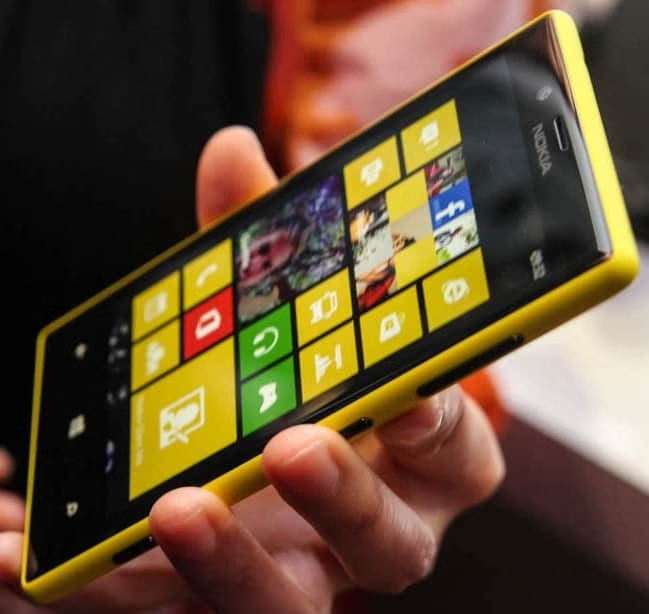
Nokia Lumia 720 Review

The design is a unibody, and it looks slim, sleek and stylish. When you take this out of your pocket, you will not be surprised to see people turning to your phone. Is that all? Is only the appearance alluring? Never, the battery life of Nokia Lumia 720 is breathtaking. It has a longer battery life than other gadgets, and this is what people who use smart phones yearn for. Another outstanding feature is the large touchscreen functionality. If you are a fashion freak girl and do not want to sacrifice your nails for the touchscreen, switch over to Nokia Lumia 720, as it works even with gloved hands.

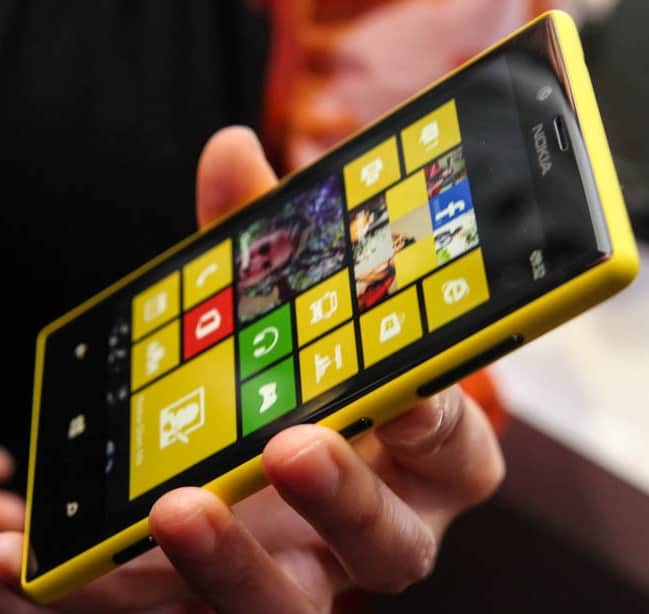
nokia lumia 720 techgyo REVIEW

Social Connectivity and the Great Video Calling

Now, you can use the Nokia Lumia 720 and simply call through Skype. You can also capture a gang of friends in a single shot. Front facing camera of this gadget is another remarkable feature. Not only that, you get features that allow you capture your photo and tan it or whiten the teeth. You can actually play with this. While the front facing camera can offer you so much, the back camera of Nokia Lumia never lets you miss a perfect shot. You get incredible technological feature like wide angle lens and the low light tools. You can actually combine the effects of different shots and even erase an element you do not like in a photo.

The GPS feature is accomplished with the GLONASS. Accelerometer, proximity, gyrometer and the compass features are also available.


Hands on video:


Entertainment

Nokia Mix Radio comes to you for free. You can buy tickets, send invites to your contacts in Facebook, and you can also download music. However, the download process involves getting loads of data to your phone, so you need to get details relevant to this from your network service provider. Accelerometer, proximity, gyrometer and the compass features are available.

Specs

  • It is the first ever gadget to mix SD card slot with an unibody design.
  • The magnificent clear black screen is offered by Nokia Lumia 720.
  • Nokia Lumia 720 supports wireless charging with the branded case, and it has a non removable battery with 2000 mAh capacity to provide good battery life.
  • Car dock gadget for the wireless version of charging is about to be released by Nokia.
  • A decently bigger display is also appreciated.
  • It weighs just 128 grams and is of just 9 mm thickness, which means easy to carry in your palms.
  • The internal storage is of 8 GB and can be expanded to 64 Gb through an SD card.

Updates

Being a Windows 8 phone, the Nokia Lumia 720 can get updates every now and then. WhatsApp, stylesaint features are available. USE LIVE TILEs lets you see all the updates. In fact, the feature makes it possible to see all the updates right in the home screen from your friends.

Verdict

The Nokia Lumia 720 has excellent features and, in fact, the top of Nokia Lumia series. If you are looking for a Windows 8 phone, then the Nokia Lumia 720 is the smart choice. It is the slimmest phone from the manufacturer. The elements are got from the 820 and 920.

Price and availability

The device is said to be launched in April of this year. This is considered to be a groundbreaking device from Nokia. So, the price is expected to be around 249 Euro. Few sites expect it to be the Indian money price of around Rs. 20,000.

Information Security: A How-To Guide for Protecting Your Business

0

While it is tempting to say that antivirus software and firewalls have curbed, or at least reduced the risk and damage that results from cyber crime, this statement couldn’t be further from the truth. It is estimated that cyber criminals reap £9.2 billion per annum in theft from UK businesses.

Cyber threats can never be completely negated or extinguished. This is because cyber crime is the most sophisticated form of crime there is. It is in constant flux, meaning that security measures have to be adaptable to changing methods of attack on a daily basis.

cyber security

Information security shouldn’t be seen as an optional advantage for your company: it is a necessity that will prevent your business from suffering significant losses.

The first step: self-assessment

If your company went into operation without a security response plan in place, a thorough, in-depth self-assessment is in order. In order to tighten security and reduce the risk of exposure and vulnerability, you need to know where your company stands before moving forward.

A rigorous self-assessment usually involves the following:

  • Detailed documentation of all information assets
  • An accurate measurement of security preparedness
  • An assessment of roles and responsibilities in the event of a security breach
  • An assessment of what devices employees store company information on and what would happen if those devices were lost or compromised.

Creating a CSIRP

Having a Computer Security Incident Response Plan (CSIRP) in place for when a security breach occurs is absolutely essential to both the short- and long-term survival of your business. This involves making a note of which authorities need to be contacted, what information access you’ll be required to provide and so on.

Security policies that all staff will stand by will have to be determined. All employees should be educated on said policies: you may have to provide them with security training to reduce the chance of human error, which is usually significant.

Monitoring your security system and backing up data

As stated before, information security isn’t a one-off concern: it is of paramount importance that you monitor the system on an ongoing basis for cyber attacks. You also need to keep an eye out for certain hints that a larger, hidden attack is taking place (this includes things like unauthorised employee access or crashing systems).

Your data should also be backed up on a regular basis, on different servers, if possible. Cloud storage has become quite popular with businesses, but make sure that it is 100 per cent secure. You should also make sure that your information is backed up regularly on additional channels, in case the others are themselves compromised in an attack.

The steps outlined above are merely starting points for your business to follow. Information security is complex and requires regular attention: make sure that you consult professionals about best practices.

This is a guest post by +Ben Williams

How To Watch 3D Videos on YouTube -Tips and Tricks

Watching videos in 3D is an awesome experience. You can get to watch 3D movies in 3D theaters and also on 3D TVs. It’s also possible to watch 3D movies on YouTube. Yeah, you read it right. You need to have appropriate 3D glasses and videos. 3D glasses can be obtained from your nearby stores or you can buy them online. An important fact to be known is that you need to watch videos in the appropriate 3D mode as supported by the 3D glasses.

YouTube 3D

What you need to watch 3d videos?

To watch 3D videos you should have the right set of 3D glasses. Also the 3D mode of the video you watch should match the 3D mode supported by your glasses. This matching is necessary because a particular type of 3D glasses use a specific type of technology to bifurcate the images seen by our left and right eyes. These images are processed by our brain to give us the 3D depth effect. So it’s important to know what type of 3D glasses you are using.

Types of 3d glasses.

3D glasses are of four major types. Let’s take a look at each of them.

Polarized 3D Glasses

Polarized 3D Glasses

Polarized 3D glasses use polarizing filters and works by restricting the amount of light entering each of our eyes through these filters present in the lenses. Since it uses different light frequencies to separate images without giving up the quality, polarized 3D glasses deliver a superior quality viewing experience. These glasses are usually used in 3D movie theaters.

Anaglyph 3D Glasses

Anaglyph 3D Glasses

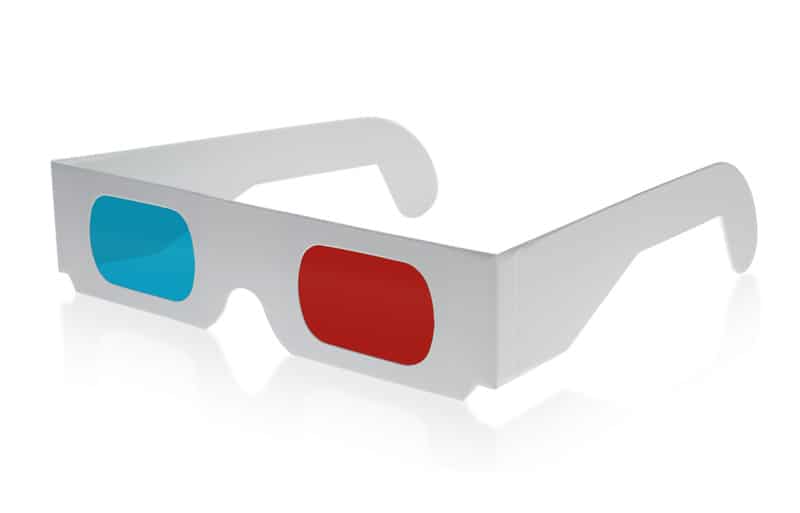
This kind of 3D glasses are available for a reasonable and low cost and hence also most popularly used. It’s one of the oldest 3D technologies and provides a good 3D viewing experience, but not as good as Polarized 3D glasses. It uses color filters to bifurcate the left and right images. Anaglyph 3D Glasses are present in red cyan, red green, red blue, green magenta and blue amber filters.

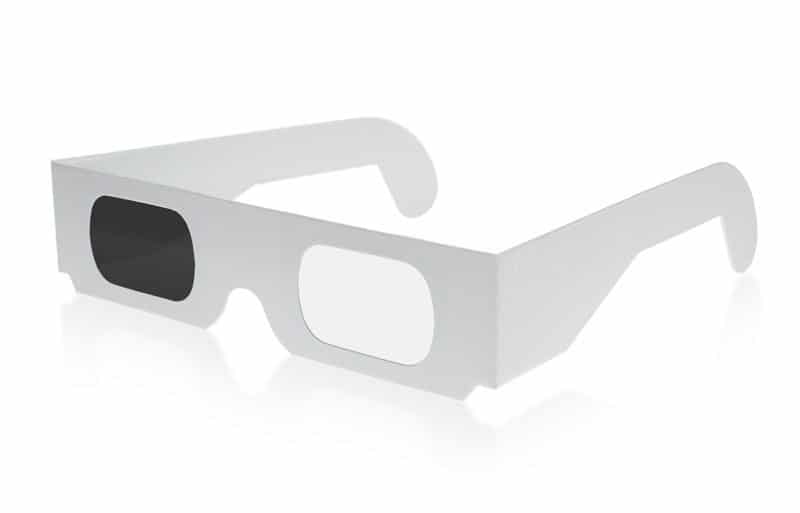
Pulfrich 3D Glasses

Pulfrich 3D Glasses

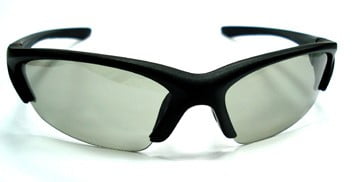
This type uses two lenses one completely transparent and other heavily tinted. A delay is introduced in detecting the light passing through the two lenses by our brain which in turn produces a 3D viewing effect.

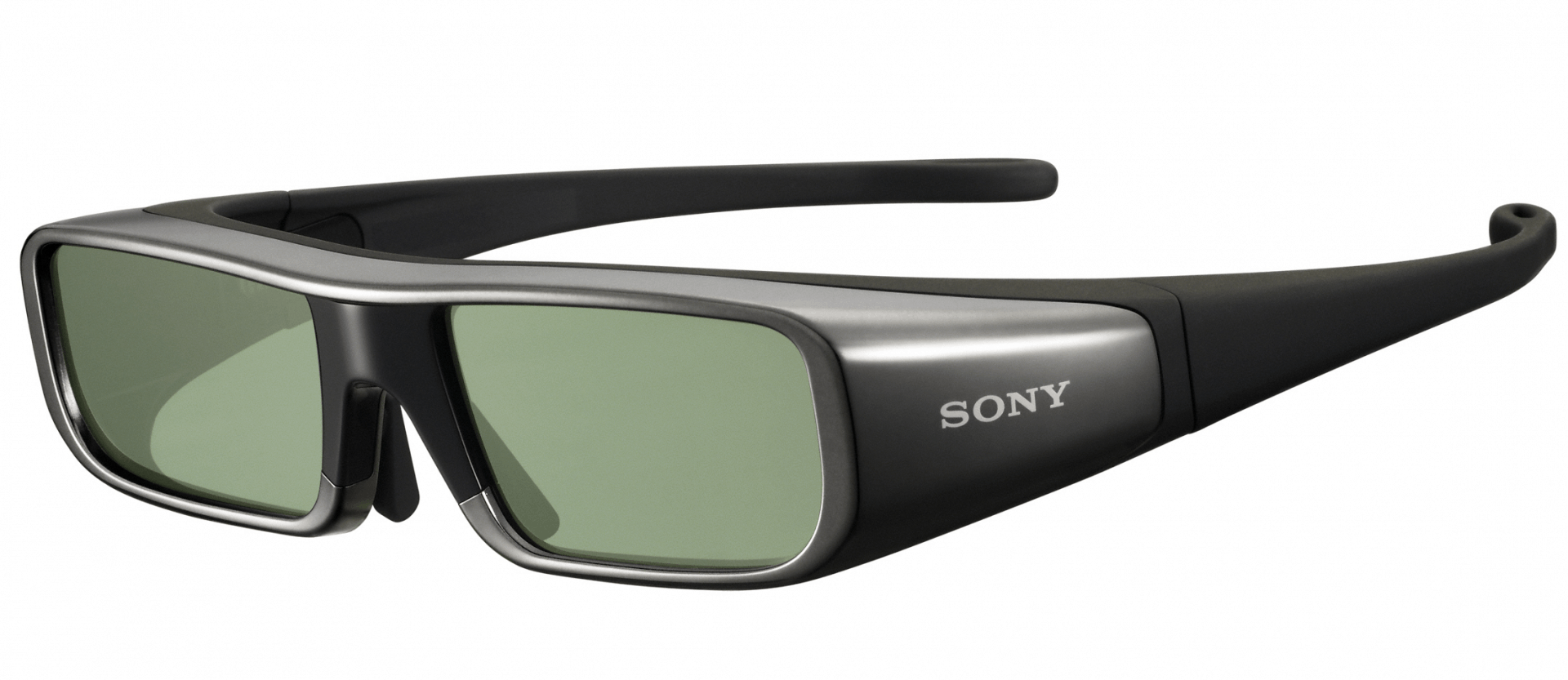
3D Shutter Glasses

3D Shutter Glasses

This technology uses a dynamic set of 3D glasses which block the view of one eye then the other in successions. This type is used in 3D TVs. The TV displays two alternating images. The combined effect produces a 3D effect. The glasses are synced with the TV to keep the cycling synchronized.

Watching 3D videos on YouTube

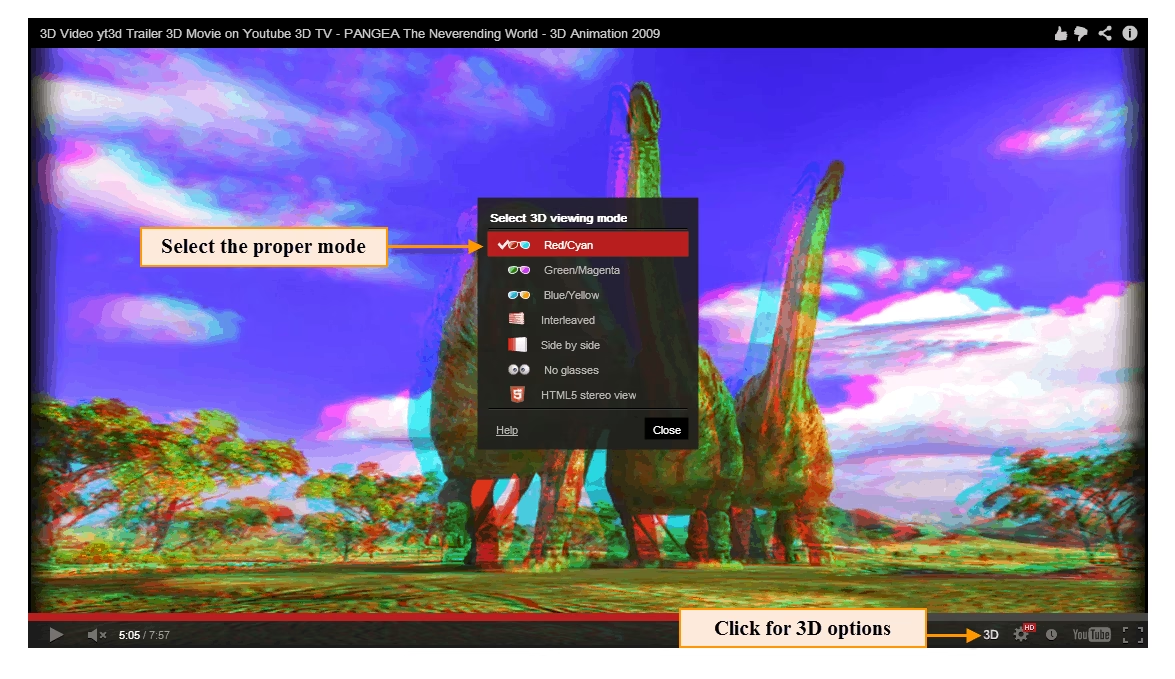
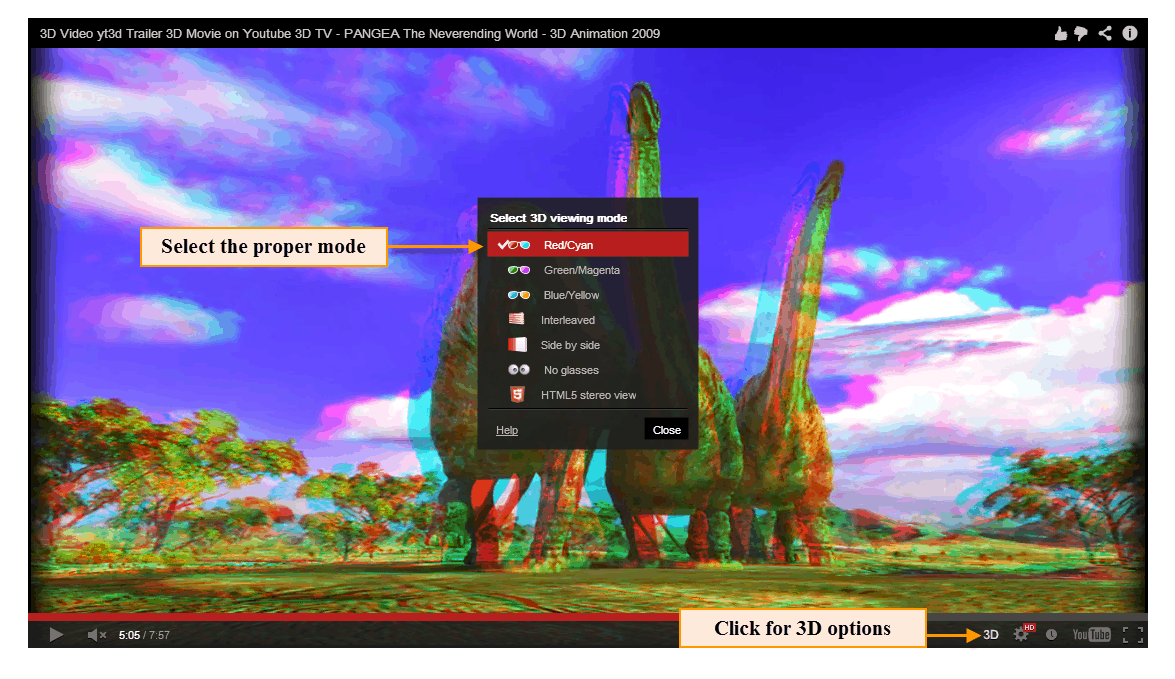
You can watch 3D videos on YouTube provided you have 3D glasses. YouTube supports anaglyph red cyan, anaglyph green magenta, anaglyph blue yellow, interleaved, side by side and the new HTML5 stereo view. Going with the anaglyph glasses is reasonable since they are available at a lesser price. YouTube provides various 3D channels specially having 3D videos. Take a look at Top 10 3D YouTube Videos One Must Watch.

Watching 3D videos on YouTube -Tips and Tricks

Tips and Tricks for watching 3d videos on YouTube

  • Ensure you have the proper 3D glasses to get a good 3D viewing experience.
  • Ensure that you are watching a 3D video specially made for 3D viewing.
  • Set the appropriate mode i.e. if you have red cyan anaglyph glasses set the mode to RedCyan.
  • Go for anaglyph type of 3D glasses as they cost less and are easily available.
  • While watching 3D videos get yourself in a dark room or just turn off the lights in your room. This gives a much better 3D experience.
  • Watch in full screen mode for a good 3D viewing experience.

Enjoy watching 3D videos on YouTube.

If you are have a 3D video and want to try something even more better than Youtube to stream your video, you should definitely check out wowza media server