Home Blog Page 162

12 Windows Command Prompt Tricks That Will Make You Feel Like A Genius

All the Command Prompt Tricks given to a computer is executed by this CMS. That is why cmd prompt tricks or cmd tricks plays an important role in our PCs. You might be wondering why you should use command prompt tricks when you can change your computer’s settings the easy way.
CMD Prompt

Command prompt tricks or cmd prompt tricks is very powerful and you can do anything using it. You will have more freedom to boss around by customizing loads of things. People who have at least some knowledge about cmd tricks know that learning a few things about it will not be harmful. Instead, they can save some time for themselves while working. These cmd prompt tricks mentioned below will help you out to ease up your work. These commands can be used by both the beginners and users who already know a lot about command prompt tricks.

Using Command prompt tricks in Windows:

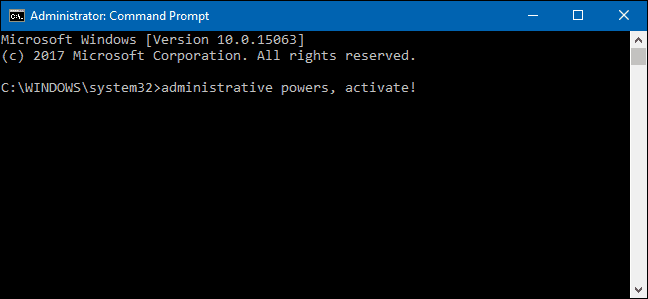
Probably you might be knowing about command prompt tricks, that is why you are reading this right now! But, as a blogger it’s my responsibility to explain to you everything from scratch. You just have to go on the Windows Search option and type cmd tricks. This will pop up a small black window inside which you have to use your command prompt tricks.

Another way to do it is, press Windows + R which will open the Run window. Then type and enter cmd tricks or cmd prompt tricks anything will do.

Here are few command prompt tricks:

1. Find Help for almost each Command:

This is a very useful command prompt tricks, especially for budding users. Users familiar with cmd tricks can also gain some knowledge about it if they didn’t know this method. One can easily gather some information on almost each and every command they give by using cmd prompt tricks.

All you have to do is use your keyboard and insert ‘/?‘ at the very end of any command about which you want to know. For instance, try typing ‘ipconfig/?‘ this will provide you with the information you need to know. The information you get consists of a detailed description of what is the function of that command prompt tricks and the process which is used in executing the command. It might even provide you with few examples.

2. Command History:

This command prompt tricks will help you find some command you might have used earlier which you don’t recall. This will bring down a list of all the commands you’ve used previously.  Type the ‘doskey /history’ in your CMD and enter.

3. Running Multiple Commands:

If you like multitasking then you can use two commands together. You can use this command prompt tricks to ease your work. Add the attribute “& &” between the commands which you want to proceed with. For instance, for running both ipconfig and MSPaint type ‘ipconfig&&mspaint

4. Windows Command To View the driver list:

As the name suggests, this command prompt tricks will help you know all the drivers which are currently installed in your PC. Insert the command driver query which will present you with a detailed report of the driver’s name, file type, and the few more information related to it.

5. Command To Send the Output directly to Clipboard:

Frequently, one might want to save outputs of certain command prompt tricks. To do this you do the regular process of copy-pasting. But there is another way of doing this, by sending the output of the command directly to the clipboard. You can use the command ‘|clip‘ in front of any command.

For example for ipconfig, you can input the command as ipconfig|clip.

6. Terminate a Command:

This might make you very happy because one might think they can terminate any command! Well, that’s not the case. You can surely use this command prompt tricks to a lot of commands you’ve pressed enter too but some commands can just not be cancelled. You can press Ctrl + C to terminate a command.

7. Command to Make CMD colourful:

If you are bored about anything just make it colourful and you’ll feel all lively. Even for command prompt tricks. It is not as boring as it looks, you can make it colourful by clicking (right-click) on to the top side corner of CMD prompt tricks and choose the properties option. You will find a colour tab then search for the option set up the background and text colour.

8. Setting up WiFi hotspot from Windows Command prompt tricks itself:

There is the groundwork you’ll have to do before starting with the cmd tricks. First, go to Control Panel and then hit on the Change adapter settings further go for Network & Sharing Option. Further, click the connection which you currently use and then go to properties. Now, search for a shared tab and tick the option ‘Allow other network users to connect through this computer’s internet connection.’ by clicking on it.

Using the administrative privileges (described in detail in the next point), open the cmd tricks and use the below mentioned commands:

A. netsh wlan set hostednetwork mode=allow ssid=Youthotspotname key=yourpassword

After you turn it on, use the commands given below to initiate the Wifi hotspot:

B. netsh wlan start hostednetwork

If you want to stop this hotspot, use this:

C. netsh wlan stop hostednetwork

Fortunately, Windows 10 users have the freedom to set up a Wifi Hotspot with the built- in facilities they are provided with.

9. Command To System Scan to fix problems:

This process will need you to run the command prompt as an administrator, also referred to as administrative privileges. To run CMD prompt tricks as an administrator, you’ll first have to search for command prompt in the system search. Then right-click on the command prompt tricks option and select Run as Administrator.

Then use the command ‘sfc /scannow‘ to scan for any problems or corrupt files. This command will automatically fix any problem existing in your system. So, enjoy! This is by far the best hack I discovered lately.

10. Utilizing Batch files:

Batch files are really effective when you need use many commands for repetitive use. This is where batch files come into use. You can reduce your efforts of typing all the commands over and over again by running batch files.  All you to do is make a batch file with all your commands in it.

11. Improve your Internet:

Everyone goes through the struggle of improving the Internet speed. And the struggle is real. No matter how much we complain about it, it does not fix our problems. I have a few steps for you to carry out to help you with this problem:

A. Command Prompt Tricks To Know the Current Speed of your Internet:

Sending ping packets to default gateway will help you to check your internet speed. But before running any of these commands open cmd tricks as an administrator.

You can get the details of your network’s default gateway by using command ‘ipconfig /all‘. After gathering the default gateway, use the command ‘ping –t (enter the IP of your default gateway)’ and press enter. There will be a column of the time slot which will show you the time it’s taking to get an acceptance for the gateway. If the time it takes is low then your network is fast.

B. Flushdns and improve the Internet Speed:

There is a lot of data that becomes old information and gets piled up for weeks and months. If we get rid of this then you can prepare your system for new data in the DNS Resolver Cache.

By typing the command ‘ipconfig/flushdns’ you can get rid of the data. Initially this your browsing speed might become slower in search of new DNS.  But eventually the loading time will catch up speed.

C. Enhance your Internet Speed:

Use these cmd prompt tricks and see what happens step by step:

If the Receive Window Autotuning level is not depicted as Normal the use the below mentioned steps:

a. netsh int tcp set global autotuninglevel=normal

b. netsh interface tcp show heuristics

If the Window Scaling heuristics is shown as enabled then that means, Microsoft is restricting the internet connection you are using. To overcome this problem use the cmd prompt tricks below and hit enter:

c. netsh interface tcp set heuristics disabled

After entering this cmd prompt tricks the system will accept your command with an ‘OK’ message. As a result, your internet will speed up.

You can check the time column to know the Internet speed using the ping-t command given above.

12. Windows Command to know the password of the Wifi Network:

You can use this during emergencies but I expect you not to misuse it. I feel like an evil person right now to share this with you. Anyway, lets unveil this secret.

Start the cmd prompt tricks programme as an administrator.

Next you have to go see all the connections stored in your PC that you’ve used from the beginning. For this, use the command ‘netsh wlan show profile’. As soon as you press enter, the system will present you with the list of WiFis you have connected to till date.

Then to know the WiFi password of any network, use this command and hit enter, ‘netsh wlan show profile WiFi-name key=clear’ This command will present you with all the details of the network. You’ll have to check for the password under Security Settings in the key content. I cross checked these using these cmd prompt tricks on my own network. So there’s no doubt it works! Feels like ultimate power.

13. Using Function keys for more control:

The F keys or the Function keys are of major use when it comes to command prompt tricks. You can do the following using the F keys:

F1: You can easily paste the last command (character by character) you executed

F2: You can easily paste the last command (up till the entered character) you executed

F3: Easily paste the last command executed

F4:  Will delete the Current Prompt Texts till the entered character

F5: Copy Pastes the executed commands recently used (doesn’t cycle)

F6:  Will paste ^Z in the prompt

F7: Provide you with a list of selectable commands executed recently

F8:  The recently executed commands are pasted (it cycles)

And so goes on the list of the F keys and their functions.

Well, Command prompt tricks are used for recovering your system from several viruses. But, be careful with this. You might even want to misuse the power of cmd tricks. All these hacks are for you to know the power of this programme and only use cmd prompt tricks for good purpose. Let us know which cmd trick you use for making your work easier in the below-mentioned comments.


Asus ZenFone 5Z: An Affordable Flagship Killer

This Flipkart exclusive smartphone is strategically designed to fit in the needs of any modern-day shopper. Asus has always been known to launch gadgets with some cool, quirky as well as high-end features. Yet, it couldn’t capture a pro level market. This time it seems they’ve done their homework with the all new Asus Zenfone 5Z. It has come out as a solid contender to several devices out there. The Asus Zenfone 5Z is cheaper, powerful and feels luxurious! But what else sets it apart, let’s have a look!

Asus Zenfone 5Z Review _ TechGYO

(This image is for representational purposes)

Asus ZenFone 5Z – Looks & Design

All thanks to that glossy-glass and metallic finish, the phone feels sturdy as well as premium. It feels light when you hold it in the palm. There is a flat surface at the back and sweet curvy edges take you back to the roots of Zenfone. You get a better grip and a seamless operation. Minimum camera protrusion, 6.2-inch IPS LCD display, faster performance, comfortable hold, correctly placed fingerprint sensor and no tacky stuff sums up how the device feels when you take a look at it for the first time.

Zenfone 5z

Operating System

The OS is up to date being Android 8.0 and supports a great user experience. Talking of the user interface, every Zenfone device reminds us of that clunky ZenUI that has definitely been not so pleasant. Designing sense too has been a bit poor but with Asus Zenfone 5Z, the game has been flipped! Its user interface is fluid, does not slow down the phone and is a lot better than the previous devices. Occasional stumbles are however found but those are pretty insignificant.

Zenfone 5z review

Storage & Performance

We received the basic model for review that’s coupled with a 6 GB RAM and supports 64 GB internal storage. You can get two other variants i.e. 128 GB and 256 GB with 8 GB RAM. For your information, the basic model comes with a hybrid SIM slot that supports storage expansion for up to 256 GB. Well, I really would like to purchase this phone!

The configuration is fantastic and springs up no lag at all. Even gaming is hassle-free without any heating issues. Qualcomm Snapdragon 845 SoC doesn’t make the device feel too heavy in terms of software. As far as the speed is concerned, this phone is intelligent enough to self-optimize the system and run the apps accordingly.

The AnTuTu score comes up to 264818. Graphics are very much intense and network reception is fine. Several things have drastically been modified keeping in mind the current requirements of the customers. Keep reading!

Camera Quality

The camera quality is commendable. You will not be disappointed, what may ever be the lighting conditions. It’s simply picture perfect. Designed with utmost precision, the Asus Zenfone 5Z smartphone’s camera intelligently adjusts the settings to bring out the shots of your dreams. And, talking about the selfie camera, it’s magnificent!

asus zenfone 5z review

Images turn out sharp and natural. The details are brilliantly showcased. In case you do not want AI to force any settings, you can tweak them yourself. Nonetheless, considering the price tag, the camera quality is impressive.

The Zenfone 5Z is a great choice as it also comes in with a wide angle lens to bring out some great Insta pictures. Video recording, however, isn’t much appreciated. You can observe focus issues but with the 12 MP primary and 8 MP front camera, you can definitely capture some fantastic shots.

Audio

People don’t really talk or think about taking of the audio quality. But let me tell you, there aren’t any issues as such. The voice quality is as expected and the speaker system offers convenient stereo sounds. If you are a movie or music buff and prefer to experience high fidelity sound, this device is for you!

asus zenfone 5z review india

AI Technology

Asus has significantly worked on integrating the AI technology in a majority of apps on the Asus Zenfone 5Z. Camera for instance automatically switches between suitable modes and relevant settings. The display can smartly adjust its color temperature. And, not to forget the Gallery app that can smartly categorize pictures based on the people in it – similar to Google Photos.

Battery Backup

This power master comes with a 3300mAh battery backup. It also offers a customizable setting that improves the overall functioning of this phone.

Verdict

This phone is in close competition with some of the best available top-notch brands. The Asus Zenfone 5Z is a balance of both goods as well as bads – a few lags but more than better performance. The success formula for this one seems to work well. And, the trendsetter would probably stay in the race.

Therefore, you are essentially paying a price close to the new [amazon_textlink asin=’B07D6FVKX6′ text=’OnePlus 6′ template=’ProductLink’ store=’123tunestore-20′ marketplace=’US’ link_id=’136e425d-9e52-11e8-b163-27a9cae2a893′] device which is one worthy competitor of the Asus Zenfone 5Z.

Talking of the price bracket, here’s what you get :

Variant 1 – 6+64 GB for Rs. 29,999

Variant 2 – 6+128 GB for Rs. 32,999

Variant 3 – 8+256 GB for Rs. 36,999

And, here’s the deal – if you need quick updates and stock android, then this phone isn’t the one. But, think of it in the other way – storage expansion, wide angle lens, AI features and dual speaker setup that too at a much cheaper price as compared to the ones ruling the market?

Who do you choose – totally your call! Let us know how did you like the review. Also, share your opinions/ suggestion with us in the comment section below. We’d love to hear from you. 

How Can A Digital Marketing Agency Help Your Business?

0

Whether you are an established business or you are a start-up, it is important to note that a marketing agency can benefit you in several different ways. Whether it is putting together strategies or searching for relevant keywords, this can improve the success of marketing campaigns and grow your business. But what are the other benefits? In this article, we will be looking into several ways that a marketing agency can benefit your business

digital marketing online business

They Provide A Strategy To Your Marketing 

Marketing your business is a challenge that many of us face as boosting your marketing effort and reaching the right audience requires in-depth knowledge and an effective marketing strategy. By hiring the help of an agency, you can capitalise on their knowledge of marketing to get the most out of your marketing across several platforms. This can, therefore, aid the growth of the business over time. 

Can Aid In Establishing Brand Identity 

In addition to having a strategy for your marketing, it is important that you have established a brand identity. This can do wonders for the company and can create a recognisable logo and slogan that people will be able to easily recognise when they find you online. By enlisting the help for an agency, you are gaining an expert opinion on this and will also ensure that the slogan, images and other important aspects of the brand perfectly reflect the company and what you stand for. Not only will this make a great first impression, but it will ensure that your website looks professional. 

Can Aid In Building A Secure Website 

Website building is another great way that a digital marketing agency can benefit you as it can aid in building a secure website. A majority of digital marketing agencies also provide a web design Essex service that you can trust to completely optimise your website and ensure that is working properly. This can not only improve ranking, but it can also improve loading time and reduce bounce rate. Though this can take time to implement, it is important to note that a well-executed website can carry the business forward and improve the customer experience. 

Implementing Planned Out SEO Strategies 

Implementing an SEO strategy can be done in several ways, however, each strategy requires careful planning and knowledge of particular business sectors. Therefore, implementing them yourself without this knowledge can seem like an impossible task. However, an agency can take all the stress out of SEO and work seamlessly with your business to generate an amazing SEO strategy with your business. In addition to this, they can also take over the creation of content as well as keyword research to generate posts on a blog or landing [age content that is fully optimised. 

Though all of these strategies can be implemented in house, the benefits of a digital marketing agency is the expertise that you can gain from it. Whether it is a PPC campaign, web design or SEO, an agency can help you to achieve the perfect results, regardless of the business that you are running. 

How to Save Money on Tech Items Online

0

Getting anything online today is easier than it ever has been. No matter if you are looking at iShopChangi online shopping link markets to find the best in new tech items. There is everything to be found online. You can get the best from places like iShopChangi online shopping link and other shopping areas that enable you to find great deals and get it all sent right to your door. If you are shopping for yourself or if you are looking to find something special for a gift for someone else, the best way to do it is to start online. Search for https://www.ishopchangi.com/en/category/electronics/audio-devices/headphones to get the best deals and save your time from going into the mall to look for what you need.

Save Money on Tech Items Online

Saving Time When Shopping Online

The best way to save time in shopping is to go to a place like iShopChangi online shopping link that is going to have more than one option. You do not want to be limited in your choices. Sometimes when you go to places like iShopChangi online shopping link there is going to be much more than you need. You are going to be able to find the best items and deals for anything from headphones to other products.

This is a place that has products that can meet your needs and enable you to get fast delivery, wherever you go looking to order online for what you need. And the best news is that there are multiple places to go looking to get it. If you are looking to get some new headphones today or any other products then starting online is where you should begin. This is where the deals are. But there is something even better than that which you can find also and that is reviews. The reviews can be written or video, sometimes video gives a great look at the product all the way around.

Take Your Time With It

Before you buy, how are you going to know what you should be buying? If you are not certain of the product or what it looks like then how can you find more information? Luckily for you there is plenty of it online today. You just need to know where to go looking for it. If you are looking for some new information about a product then search for reviews first. The reviews online from everything to headphones and more are going to help you to find what are the best options in price and more. Sometimes you will find out something from reviews that wasn’t listed on the site about the item.

Save cash on Tech Items Online

The best phones and gadgets can be found online today and you can find deals on them too. You do not always have to pay full price even when you want a new tech item that has come out. If you wait and shop for deals there will often be chances to get them. You just need patience at times and putting in the effort to shop around. You never know what you might find and come across, the money that you might be able to save.

Selecting Cost-effective Telecom Enterprise Services

0

Modern business has turned extremely competitive. Ventures that don’t cut down their cost get thrown out of the race. On the flip side, efficient costing paves the path to success even in a saturated market. Businesses understand this vital point and thrive to reduce the cost at all levels, including production, finance, and administration. One important aspect of business management is communication. Thankfully, data or telecom services come in handy for communication within and outside the organization. However, the efficient use of communication channels comes at a cost. It’s advised to rely on telecom enterprise services that offer cost-effective data plans.

Cost-effective Telecom Enterprise

Tips to choose a cost-effective service for telecommunication

When it comes to choosing telecom services, most businesses seem stressed for time. They don’t do much labor and commit to the company that they stumble upon first. This is especially the scene with newbie companies. Sadly, a substantial number of these ventures end up paying too much. No prudent businessman would ever want to get ripped off on any aspect. It’s best to review various telecom enterprise services to arrive at a better decision.

Figure out your needs

Choosing a telecom service provider begins with thorough research. Without dedicating time to your preliminary homework, you can’t expect to pick the right service. Ideally, you want a provider that can match your expectations from all perspectives. So, jot down your monthly specifics on a piece of paper. Determine the number of downloads you need.

Also, figure out how many calls you make to your clients, customers, and investors. Above all, calculate online data usage and streaming activities. Your homework will avoid paying for unnecessary services. At the same time, you’ll get to concentrate on companies matching your particular requirements.

Search around

It doesn’t hurt to search and find telecom enterprise services. The more telecom services you check, the more realistic and better your choice will be. In view of this point, make a big list of telecom companies in your local area. Inquire within your business network about reliable telecom service providers.

Local directories and trade magazines could also offer some help on this matter. Search these venues meticulously. If you get lucky, you could stumble upon a few reputed services matching your needs.

In addition to this, explore online platforms. Many telecom companies promote their services on the web. So, you get an opportunity to find numerous telecom service providers without leaving your desk. Hit the web using suitable search phrases and pen down reliable companies in your vicinity.

Check reviews

Not all telecom enterprise services are genuine. Some companies charge too much. Then others offer substandard data plans. You want the best provider for your organization. So, read reviews about services on your list. In accordance with your findings, confine your watch-list to a few highly applauded services.

Telecom Enterprise

Pick the right service

Compare the data plans, phone call facilities, and other options offered by all telecom enterprise services. Go through their support and terms of usage. Finally, settle with the provider that offers cost-effective telecom solutions for your venture.

How to get your WordPress Site to Comply with GDPR Regulations

From May 25, 2018, the General Data Protection Regulation (GDPR) has taken effect. It’s a law passed by the European Union (EU) to protect the data of EU citizens that could identify an individual. This data is called PII or Personally Identifiable Information. It is applicable to all websites which have visitors from the EU. The data includes IP address, name, email address, income information, health details, etc. The law will hold businesses responsible for the way they collect, manage, and store the data.

gdpr wordpress

What are the GDPR regulations?

Ah well, that is a 200-page document! If we could summarize it, then it simply means that without the explicit consent of a person:

  • Businesses can’t send marketing emails or newsletters to him/her
  • Can’t sell their data

Further, if a user asks for deletion of his/her account and/or wishes to unsubscribe from a mailing list, then businesses have to comply. They need to report data breaches, if any and be careful about the way they manage and store data.

Check this out: Find the Theme or Plugins Installed in any WordPress site.

And this will also be helpful Ransomware threats ramp up for WordPress eCommerce users when it comes to privacy and security.

What areas of my website are affected by the GDPR?

While this depends on the type of plugins used on your website, we will list the two most common areas that most websites need to work on to make their site GDPR compliant:

01. Contact Forms

The following aspects need to be considered if you are using a contact form on WordPress:

  • Consent from users to store their information and send them emails.
  • Immediately disable all cookies and IP tracking for forms.
  • Sign a data processing agreement with your SaaS provider, if the user data is being stored by the provider.
  • Adhere to all user requests for deletion instantly.

02. Google Analytics

Google Analytics uses a lot of personal data to offer website statistics. If you are using it, then ensure that –

  • Before you start storing and processing the data, you anonymize it.
  • Take user consent for tracking cookies.

There are many plugins available now that can help you automate at least some areas of GDPR compliance. Here are a few for your quick reference:

  1. GDPR Cookie Consent – A plugin that allows you to show a consent banner and block and set cookies according to user consent on a website. This plugin also has a premium version for cookie consent that has multiple features like automatic scanning, blocking of cookies, etc.
  2. WPForms – Offering all mandatory GDPR fields in their contact forms.
  3. Cookies Notice – A free plugin which adds the EU cookie notice and integrates with most analytics plugins.
  4. OptinMonster – A lead-generation software that helps increase conversions while being GDPR compliant.
  5. MonsterInsights – A plugin for Google analytics which offers an EU add-on for GDPR compliance.

Ending note

With the GDPR into effect, many websites have started focusing on the security of the data as an important integral part of running a website. While users are happy that the EU is looking after their privacy rights, as a website owner enhancing the security aspects of your website can go a long way in further winning the trust of your customers. Apart from ensuring that your website is GDPR compliant, the choice of hosting plays a huge role in offering a secure browsing option to users. At the end of the day if your site does not employ the latest security measures, then you are exposing data to potential hackers. Look for a WordPress Hosting provider who offers various security features like advanced antivirus, scanning and removal of malware, database backup using Codeguard, and DDoS protection, among others.

5 Questions to Answer Before Building Your Website

0

If you are ready to stake your claim with your own online real estate, this is an exciting time for you. A whole new world of possibility comes alive when you have your own website. Whether you are building your website for personal reasons or for business, you will discover a lot about yourself in the process.

Let’s See the major objective while Building Your Website.

1. What Is My Primary Objective?

Before you work on anything technical with your new website, you need to ask yourself what your objective is with your site. You may have multiple things that you want to do with your site and multiple reasons that you want to have it, but you need to figure out your primary goal and the other things will have to fall in line behind.

Building Your Website checklist
Building Your Website Checklist

If you have too many irons in the fire when you first get started, you will not only confuse yourself, but you can confuse the visitors that come to your site as well. Confused visitors don’t stay on your site so you want to make sure to plan everything out well before you get started on structuring your site or generating any content.

Most people start websites because they either have a business or a talent that they want to showcase. If that is your case, you can start with this objective and then dive deeper.

What part of your business or talent do you want to showcase first? Which part is more important? How can you best communicate your message through your website?

2. Which Platform Am I Going to Use?

Whether you are new to the online space or you have been around for a long time, you want to find a platform that is going to give you the function that you need, but also the ease of use that you desire. This is vital when it comes for building your website. 

The most popular CMS out there is WordPress. WordPress runs 30% of the internet and is a favourite with professional bloggers, marketers, authors and more due to its ability to be customized, but also remain simple is the sense that you don’t necessarily have to learn a lot of code to create a site that looks and operates the way that you want it to.

If you are thinking about using WordPress, you need to understand the difference between WordPress.com and WordPress.org. Yes, they are different platforms and yes, this is confusing, but they are very different.

The main difference that you need to pay attention to is the fact that WordPress.com is very limited and should not be used if you are creating a serious website. WordPress.org, however, is a platform that will allow you to own your blog and content while using the CMS absolutely free. You will have to pay for hosting, but the WordPress.org platform is free.

3. Which Hosting Will I Choose?

You are going to have to pay for hosting and that means sifting through the endless amounts of hosting companies that offer to take care of your website and serve your visitors.This is important while building your website.

What should I look for in a web host?

When you are researching your web host, you need to find a reputable hosting company that offers you security and high uptime. If your Webhosting has a low uptime, that means that your website is going to be down when visitors come to view it.

You can ask about the uptime percentage to make sure that your site is available to users as much as possible. The truth is that even if your host, you are rarely compensated if your site goes down so knowing their guarantee is good but make sure you find other customers that are happy with their service is more important.

4. Will I Have a Blog?

If you are going back and forth about whether or not to have a blog, the easy answer is yes. Having a blog allows you to continue to update your website with fresh content and speak to your users via the post and with your users via the comments section. Blogging is also an essential aspect of SEO practice and is essential to business in this growing digital age.

You should ask yourself how much time you will be able to commit to your blog and how many blog posts you plan on writing on a weekly basis.

The more you know before you get into the project the better.

No matter what type of business or project you are working on, when people come to visit your site, they have been trained to look through a website and find their blog to learn more. People look for relevant content, updates and more through the blog and if you don’t have one, you are missing out on a conversation you could be having with your visitor.

5. Will I Be Able to Handle the Project On My Own?

When you start working on your website, you may want to do the entire project yourself. It is possible to work on your project and build the whole website out yourself. Depending on your level of comfort with technology, this may be harder for you than other people or if you are a whiz, you shouldn’t need any help.

If you get stuck on a certain part of the project, there are many web developers available to help you even with a small piece of what you are working on so don’t be afraid to get started on your own and see how the process goes.

Conclusion

Building your website can be as difficult or as simple as you make it. If you find that you don’t have the attention or time to devote to building a website, you may want to consider outsourcing the task to a WordPress certified developer.

Was this article helpful and informative? Leave us a comment with your thoughts in the section below.