With the current COVID-19 situation surging massively in India and the daily case count surpassing all global records, we come down to asking this echoing question: “What really landed India in this ugly mess?” The answer here is “collective failure”. While social media platforms like Instagram, Twitter, LinkedIn, etc are doing a better job than our Government, which failed us as a nation in preventing the second wave, many Global MNCs have come together to help India fight COVID-19. The number of cases in India per day currently stands at 20,764,074 and the number of reported deaths per day is 226,720.
The current situation in India has gained a lot of support from national and international celebrities. Global sensation Priyanka Chopra Jonas took to Twitter to acknowledge the current Covid scenario and raised a fund in collaboration with GiveIndia, an online donation platform.
She said in her video,” India is my home and India is bleeding. And we, as a global community, need to care. And I’ll tell you why we need to care: Because unless everyone is safe, no one is safe”. Twitter CEO Jack Dorsey pledged $1billion toward efforts to tackle the pandemic.
Talking about the Indian companies who have helped India fight this war, Tata sons and Tata trusts have contributed a handsome amount of Rs. 1,500 crores for the cause.
Reliance Industries contributed Rs. 5 crores to the Maharashtra CM relief fund. Mahindra & Mahindra has taken up the initiative to use its industries to build ventilators.
But the MNC that caught everyone’s attention is Samsung. Samsung recently announced to pledge USD 5 millions (INR 37 crores) to help India fight against Covid.
Samsung has planned to make a donation of $3 million to the Center along with the states of Uttar Pradesh and Tamil Nadu. In addition, they’re providing $2 million worth of medical utilities which include 100 oxygen concentrators, 3000 oxygen cylinders, and 1 million LDS syringes.
100 Oxygen Concentrators, 3,000 Oxygen Cylinders and one million innovative LDS syringes that will help reduce vaccine wastage are being airlifted from South Korea
Company will also cover Covid-19 vaccination costs for over 50,000 employees & beneficiaries in the country.
Samsung also promised to cover the vaccination charges of more than 50,000 eligible employees and beneficiaries in the country. In April 2020, Samsung made a contribution of INR 20 crores to help India tackle the pandemic.
Many firms have stepped up and taken an initiative to help India fight the latest surge of COVID-19. Google had also announced to fund Rs.135 crores towards the cause and help the communities.
The Center failed to anticipate the dangers of the mutant strains found in India. After the worst bout of COVID-19, the whole of 2020- our entire healthcare system was maxed out. At a time like that, one would imagine that our Central and State government would step up and strengthen all their healthcare facilities but that’s exactly where the State government malfunctioned. They failed to anticipate the shortage of oxygen supply, they’ve in fact gone a step further to dismantle the Covid facilities that were already set up during the first wave of COVID-19. They should have anticipated this crisis, raised a red flag, revamped their healthcare system, and asked for help much in advance.
Grammarly is an AI writing assistant that detects and rectifies typos, grammatical errors and plagiarism. Besides that, Grammarly also has a built-in feature that detects tones, suggests better synonyms and helps your writing look cleaner and much more professional.
Features:
Grammarly can be added to chrome and also has a Windows, Android, Mac and IOS app available. It finds and fixes grammatical errors, spelling mistakes and is user-friendly.
Pros:
A very popular choice as it has over 20 million+ users worldwide.
It detects most of the common grammatical errors and even suggests alternatives to rectify them.
It has a built-in plagiarism checker.
It’s super user-friendly and doesn’t require any additional skill to operate.
There’s also a free version available for those who don’t wish to spend.
The Grammarly Toolkit is available on all leading devices, and it has an extension for Google Chrome as well.
Cons:
The premium version is more on the expensive side and won’t fit everyone budget
The plagiarism check has a word limit, even for premium users.
It’s not for professional writers as it sometimes doesn’t detect incorrect sentences and such.
The free version has limited features usually doesn’t help much.
Best suited for: Grammarly is best suited for casual content creators and students as their writings aren’t word-heavy.
Mobile apps: Android, iOS Extensions: Chrome extension, Firefox Plagiarism checker: Yes Pricing: $29.95 per month or $139.95 per annum Free plan or free trial: Available.
Grammarly is far from the best software available on the market for improving your content. So without further ado, here are the 15 best alternatives to Grammarly that’ll give it a run for its money.
1. Linguix
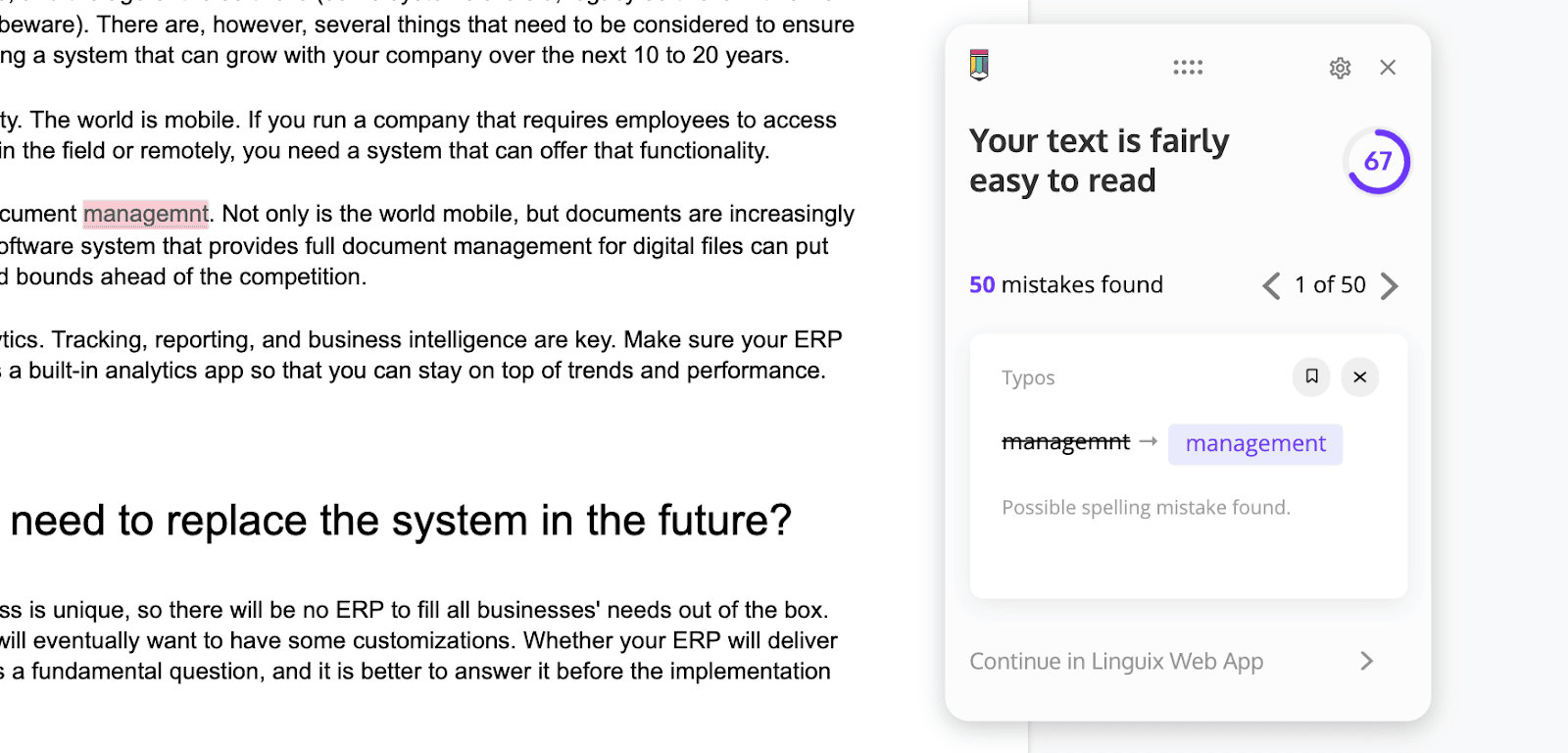
Linguix is an AI-powered typing aid that assists users in making their content more aesthetically pleasing and fault-free. It can be used for anything, from writing science papers to writing social media profiles. Linguix scans the written piece for hundreds of grammar, spelling, and format errors. This is an amazing sentence fragment checker alternative compared to Grammarly. Read our detailed review of Linguix.
Features: With a built-in plagiarism checker, citation finder and much more, Linguix does everything Grammarly does but better, making it the best low-budget alternative to Grammarly.
Pros:
Budget-friendly and includes free plans.
Offers user-friendly UI.
Extensions are available for multiple browsers and support editing on multiple platforms such as Google Docs, Facebook etc.
Has a built-in template and shortcode feature that speeds up the writing process.
It features active voice and style suggestions which is helpful for expressive writers.
Cons:
There is no application available for download.
It isn’t 100 per cent accurate most of the time.
The free version offers limited tools.
Stand out feature: Snippet shortcuts
Best suited for: Large business/companies, freelancers, individuals who wish to write professionally.
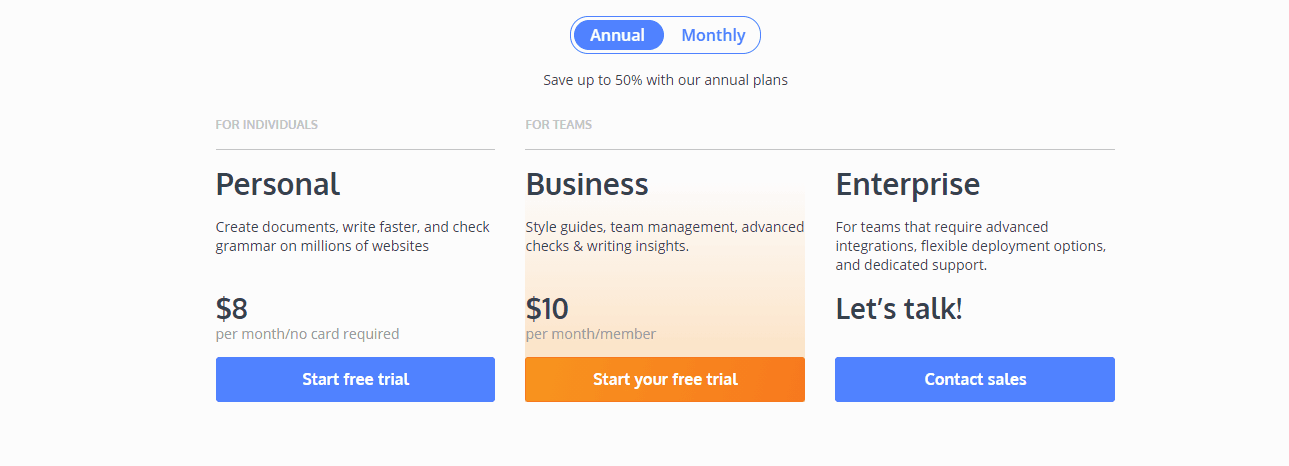
Mobile apps: Android, iOS Extensions; Chrome, Firefox, Safari, Microsoft Edge Plagiarism checker: Available for the premium version. Pricing: Linguix offers a free plan and a premium plan which costs $20 (1,481.72 INR) per month or an annual plan which is $96 (7,112.26 INR) per annum Free plan or free trial: Free plan available.
ProWritingAid is a writing-aid software that provides suggestions to the user based on their content, proofreads their material and helps improve the overall presentation of their work.
Features: one of the best Grammarly alternatives, this eccentric tool is loaded with various features that make your writing stronger, faster and overall better.
Pros:
It offers an elaborate report of all your grammatical errors.
Shows your text may sound to readers and provides a readability score.
It can be integrated with multiple applications, such as Google Docs, Chrome etc and offers an easy-to-use user interface.
The built-in thesaurus provides synonyms for when you can’t think of other words to use.
Aids in noticing redundant sentences, readability, grammatical mistakes, and a variety of other issues.
Cons:
Does not support browsers such as Firefox, Safari.
It doesn’t include a monthly plan but offers a lifetime plan and a yearly one.
There is no plagiarism checker.
Stand out feature: Provides an elaborate report of all your errors
Best suited for: Small businesses, entrepreneurs
Mobile apps: Not available Extensions: Chrome, Firefox, Microsoft Edge Plagiarism checker: No plagiarism checker. Pricing: The premium version costs $79 annually and $299 for a lifetime plan. Free plan or free trial: A free trial is available for all users. Visit ProWritingAid here: prowritingaid.com
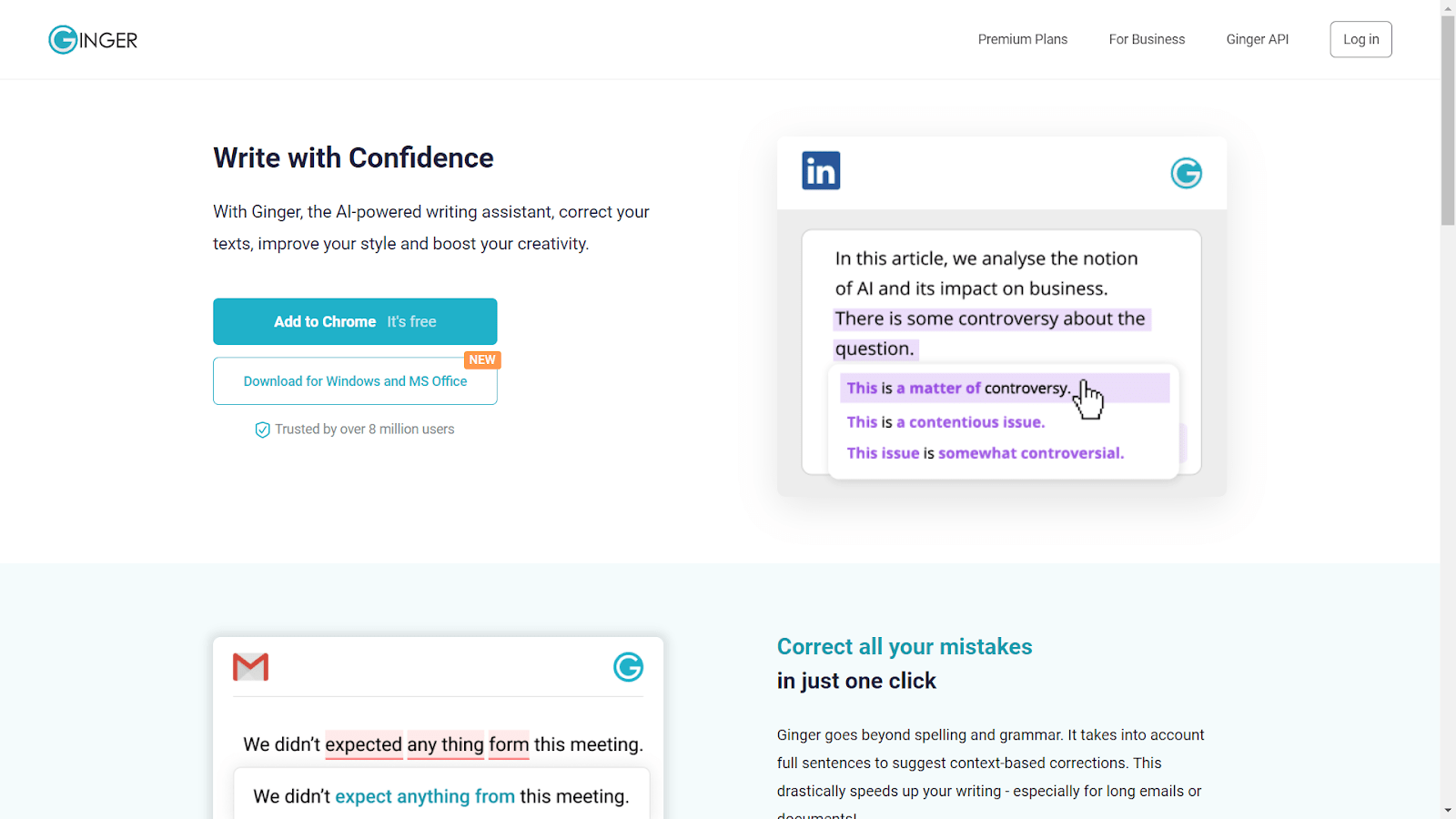
3. Ginger
Ginger is one of the most efficient proofreading plugins that uses artificial intelligence to ensure text consistency and language processing engines to identify and interpret over 50 languages.
Features: This free Grammarly substitute provides real-time grammar and spell-check. It also provides multiple device integration and interface and can be used with almost any device or app.
Pros:
includes a sentence rewording aid that can assist you with writing more fluid sentences.
Detects and rectifies Sentence structure and vocabulary.
Has a built-in text-to-Speech functionality that allows you to hear your writing read aloud by a native speaker.
The Translation function allows you to translate your text into and from 50 different languages.
Personal trainer function that analyses your content’s shortcomings and offers personalized exercises to help develop your Writing proficiency.
Cons:
Doesn’t support Mac devices yet.
Doesn’t include a plagiarism checker.
Not meant for lengthy writings.
Stand out feature: Has a built-in text-to-Speech function
Best suited for: Translators, New English speakers.
Mobile apps: Android, iOS Extensions; Chrome, Firefox, Safari Plagiarism checker: Not available. Pricing: Ginger has a free version as well as a premium version which costs Monthly- $20.97 or $89.88 yearly. Free plan or free trial: Free plan available.
Online Correction, is a website that assists you in correcting errors in your content. This online correction tool helps rectify errors in your copy-pasted articles, highlighting the mistakes as well.
Features: Spelling errors can be found and highlighted using the Online Correction webpage. It also highlights several grammatical and stylistic errors. This tool makes it simple to proofread any text because it has a minimalist interface that is easy to use and fast. Other than that, The tool is free to use and doesn’t require any sign-up.
Pros:
Examines stylistic concerns and provides hints.
Examine Mistakes in grammar and vocabulary.
This free service, similar to Grammarly, provides sentence structure and grammar tips.
Supports different dialects such as English in the United States, South Africa, Australia, New Zealand, and the United Kingdom.
The self-correction tool highlights the mistakes and rectifies them, saving time.
Cons:
Since it’s a free software, the web page has multiple ads.
Being free to use, the software also has limited features.
The user interface isn’t the best.
Stand out feature: Has different dialects.
Best suited for: Bloggers, casual writers.
Mobile apps: Not supported. Extensions; Not supported. Plagiarism checker: Not available. Pricing: it’s completely free to use. Free plan or free trial: Free plan available.
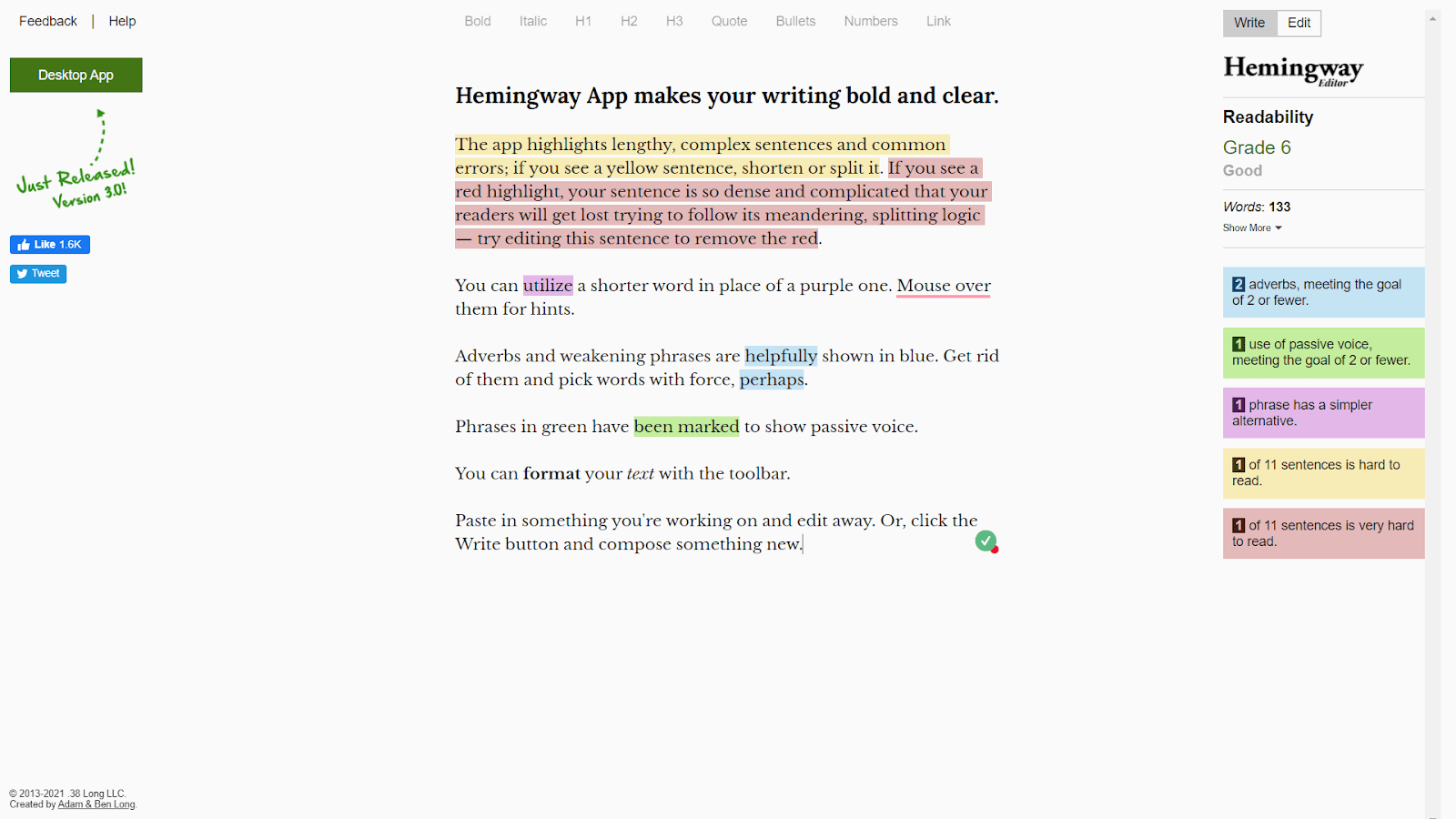
Hemingway is unlike any other tool on this list. Instead of rectifying errors, it suggests how to make complex sentences simpler. The tool put a greater emphasis on the readability of the content. This grammar checker method focuses on long sentences, incorrect adverb use, and difficult phrases.
Features: This application can be used by fluent writers to hone their writing skills even more. Once you insert the text into it, it will show the parts that need to be improved for more concise and professional looking writings.
Pros:
There is no need for an internet connection while using the application.
The AI makes the flow of your writing much smoother and cleaner.
The GUI is minimalistic and user.
Long sentences, difficult phrases, and passive voice are highlighted, making them easy to identify and modify.
Information such as reading speed, chapters, and so on are also given.
It assists you in breaking down long sentences into smaller chunks to make them more concise.
Cons:
It does not detect and rectify grammatical and spelling errors like others on this list.
Only the online version of the software is available for free use.
Stand out feature: There is no need for an internet connection while using the application.
Best suited for: Anyone who wishes to improve their writing and make it more concise.
Mobile apps: Not supported. Desktop app is available for Windows. Extensions: Not supported. Plagiarism checker: Not available. Pricing: The online version is available to users free of cost but the app costs $19.99. Free plan or free trial: The online version is available to use for free.
Writer is a fantastic Grammarly Business alternative that is ideal for organizations and corporations. Multimillion-dollar organizations all over the globe use this software. It uses Artificial intelligence format aids to ensure that the text writing quality is accurate and consistent. Custom abbreviations can be inserted, and the app will automatically fill them out. Writer contains precise grammatical tips as well as informative mistake recommendations.
Features: Writer will help you describe your writing style guide by asking you a set of questions after answering the questions, the app will then compare the content to the company standards and ensure that it is consistent and on-target, making it a perfect tool for the arsenal of a team or a corporation. Writer identifies spelling and grammar issues as well as typing errors, allowing you to improve your content.
Pros:
includes a sentence rewording aid that can assist you with writing more fluid sentences.
Custom style guides and vocabulary insertion with a capacity of hundreds of words are included.
It has a powerful plagiarism checker with source ties.
A wide range of vocabulary and sentence structure tips to hold the readers interested.
All major applications and browsers such as Chrome, Word, and Google Docs are all supported.
It’s a perfect tool for organizations, teams and businesses due to its personalized interface.
Cons:
There is no free version available for this software, making it a premium only software.
There is no mobile application yet.
Stand out feature: It has a powerful plagiarism checker with source ties
Best suited for: corporations, large business, a team of content writers.
Mobile apps: Not supported. Extensions; Chrome. Plagiarism checker: Available. Pricing: There isn’t a free version available and the total cost of all features is $11 a month per individual. Free plan or free trial: demo for the paid version is available for users.
Slick Write is a wonderful no charge resource for editing and proofreading your writing. It tests the written content’s readability, adverb use, the flow of the writing and sentence structure, as well as basic spelling and grammar errors. It has a user-friendly interface that uses colours to show various sorts of issues. When you click on a certain colour, it can tell you what mistake it has, why it needs to be improved, and what substitutes you should use. It’s ideal for budget authors and academic trainees because it’s completely free to use.
Features: Slick Write is a concise and easy-to-use writing aid. There are extensions available, and the online version can be used without signing up. It will search for grammatical errors and typos if you paste a text.
Pros:
it Finds grammatical errors, strengthens sentence form, and expands the vocabulary by using tools designed for specific uses.
It is available for free.
It provides plugins for Open Office, WordPress, LibreOffice.
It checks The flow of your material, the duration of your sentences, and the length of your words and helps you to double-check your work.
Cons:
Since it’s free, the web page has a lot of ads.
There is no plagiarism checker.
Stand out feature: It has free plugins available for Open Office, WordPress, LibreOffice.
Best suited for: students, freelancers, bloggers.
Mobile apps: Not supported. Extensions; Chrome, Firefox Plagiarism checker: Not available. Pricing: It’s completely free of cost. Free plan or free trial: Free to use.
Paper Rater proofreads every document or article quickly and efficiently. It’s really helpful for students who write academic papers as It corrects spelling and grammatical errors while also suggesting ways to improve word use and sentence structure.it’s a straightforward error-checker program. It may also be used to search for plagiarism. It does not have any applications or extensions that can be downloaded. You must manually copy/paste the text into the box or upload your document, and it will be analyzed for you.
Features: Paper Rater works on producing error-free and streamlined writing pieces which you can be proud of. It also includes style guides to help you improve your writing and keep it consistent.
Pros:
Plagiarism checker is available for free which tests for plagiarism and assigns an originality value.
Passive speech is detected and active substitutes are suggested.
Grammar and pronunciation will be checked and corrected.
Provides useful information for identifying errors.
Cons:
The free edition of the plagiarism checker allows for a limit of five pages.
It requires a long time to go over the text and interpret it.
There are advertisements in the free edition.
Not very precise.
Stand out feature: Passive speech is detected and active substitutes are suggested.
Best suited for: Teachers, students.
Mobile apps: Not supported. Extensions; Not supported. Plagiarism checker: Available. Pricing: Paper Rater has a free version, as well as a premium version which costs $11.21(827.95 INR) per month and a yearly plan which costs $71.55. Free plan or free trial: Free plan available.
Writefull is one of the best Grammarly alternatives on the market. With a feature that helps you enhance your content and accuracy, it provides its fair share of help with unlimited open source libraries at your fingertips.
Features: Writefull gives you immediate input on your content by comparing it to vast open source libraries like Google Scholar, Google books, etc.
Pros:
Find out what words were used most in the paper you’ve written and reduced redundancy.
Allows you to hear the text read aloud.
Look up synonyms for certain words and expand your vocabulary.
Assists you in translating your text into the English language.
Helps develop your Writing proficiency.
Cons:
Since it’s a free software, its abilities are limited.
Doesn’t include a plagiarism checker.
Not meant for professional writings.
Stand out feature: This allows you to hear the text read aloud.
Best suited for: Students, Translators.
Mobile apps: Not supported. Extensions; Not supported. Plagiarism checker: Not available. Pricing: This is a free and open-source program. There isn’t a premium option. Free plan or free trial: Free plan available only.
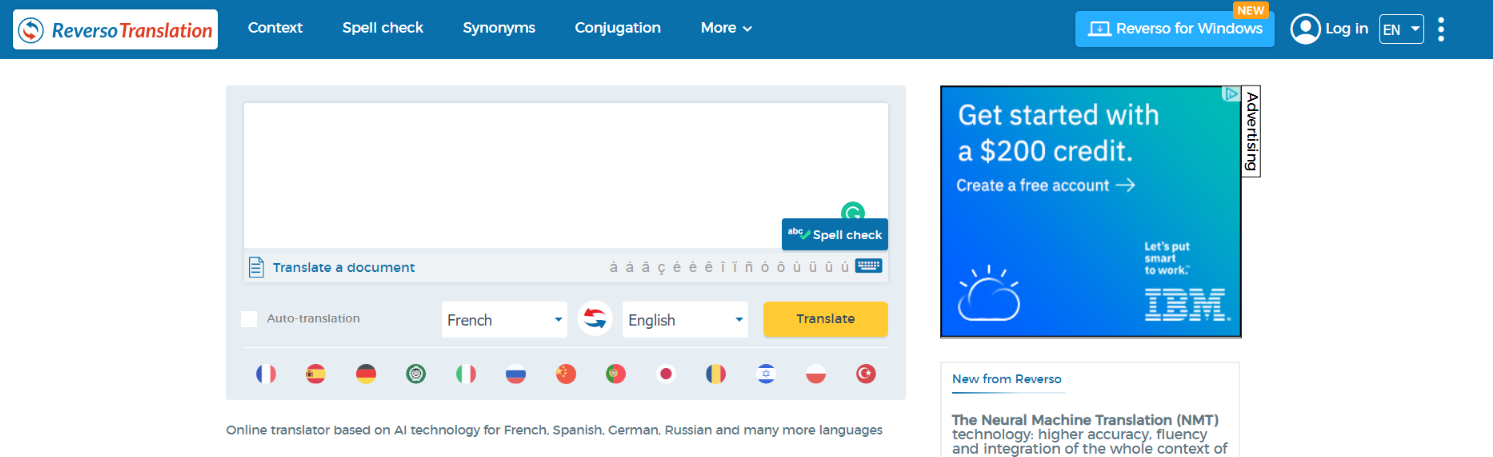
Reverso is just like Ginger, the software described earlier in this post, and is best known for its language converter. It has a simple spelling and sentence review function, much like its cousin Ginger. It also has a number of special capabilities, including a robust reference collection for storing all of your information and a private vocabulary database for adding unique abbreviations.
Features: Reverso is primarily a translating service. After copying and pasting your text into it, it will interpret the said in different languages. The different languages it includes are English, French, German, Arabic etc. It also has the ability to correct sentence structure, grammatical errors and more.
Pros:
It’s completely free to download.
Detects and rectifies Sentence structure and vocabulary.
It also works in offline mode.
The Translation function allows you to translate your text into different languages.
By proposing synonyms and conjugations, it aids in the elimination of duplication.
Cons:
Includes ads.
It’s really basic and cannot be used for professional writing.
Stand out feature: It also works in offline mode
Best suited for: Translators, New English speakers, students.
Mobile apps: Android, IOS. Desktop App is available for Windows. Plagiarism checker: Not available. Pricing: Free of cost. Free plan or free trial: it’s completely free to use.
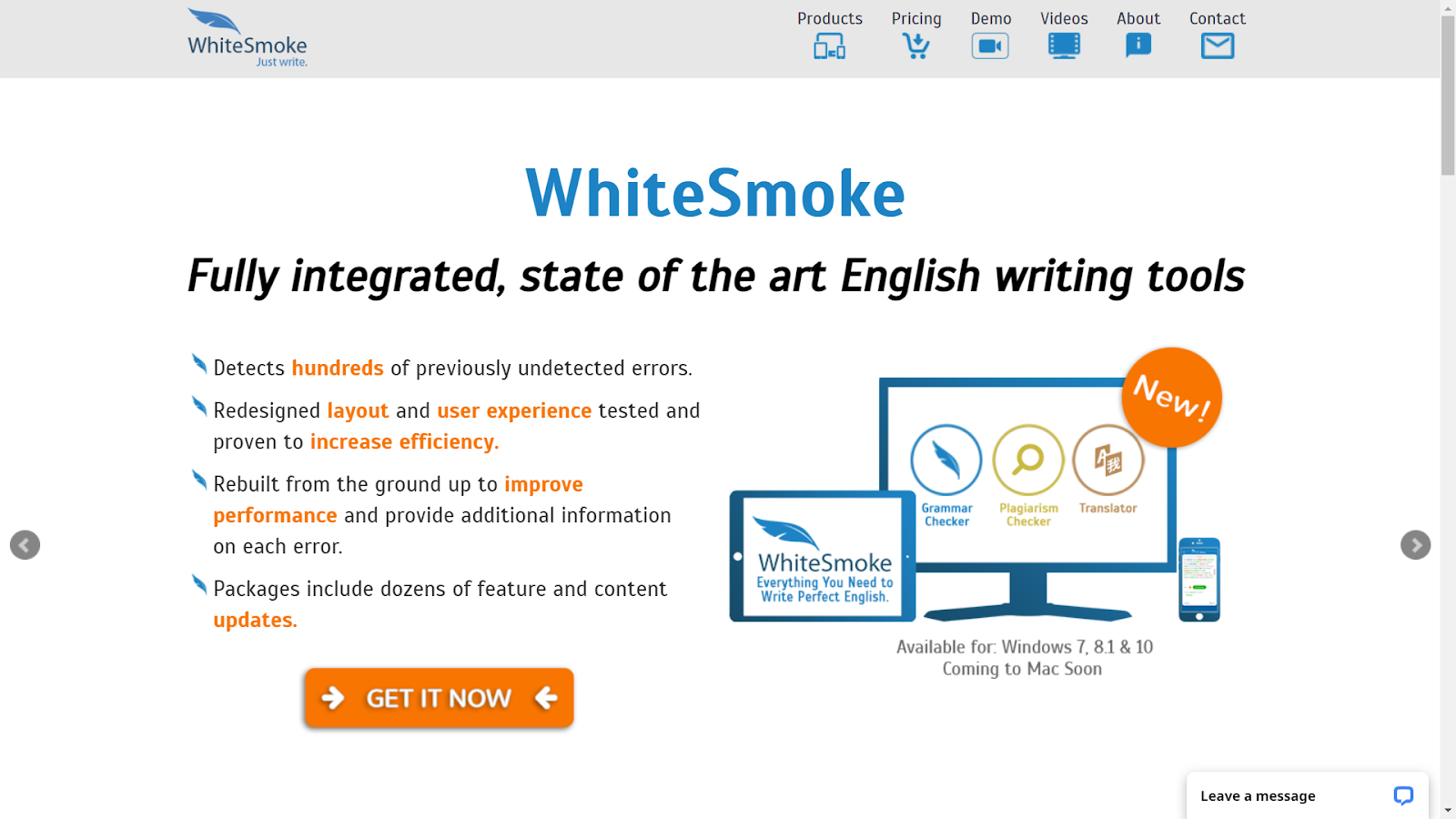
Another writing-aid software that you can incorporate instead of Grammarly is WhiteSmoke. It examines your writing and provides valuable feedback on how you can improve your vocabulary and sentence structure. It may also aid in the translation process.
Features: WhiteSmoke is completely automated and its writing platform ensures that the job is error-free. It senses the writer’s style and corrects syntax, sentence structure, pronunciation, and sentence structure.
Pros:
It comes with a personal dictionary which is less expensive than most correction software programs.
It analyses text and recommends the best options using Artificial intelligence and language analysis.
It not only identifies mistakes but also gives you more detail about them. This will help you from making the same mistake again.
Checks for dangling modifiers, run-on sentences, scraps, and other sentence constructs.
There are over a hundred layouts for everything ranging from formal letters to applications thank you notes and other documents.
Cons:
It’s a bit more sluggish than Grammarly.
When it comes to detecting errors, there is a lower level of precision.
There is no free plan available, only a free trial.
Stand out feature: There are custom layouts available for applications and other documents
Best suited for: New English speakers, those who wish to make their writing more proficient.
Mobile apps: Android, iOS Extensions; Chrome, Firefox, Safari, Microsoft Edge, Opera Plagiarism checker: Available. Pricing: Chrome White Smoke Extension costs $4.16 a month and The Web version costs $5 a month. The premium version costs $6.66 per month and $11.50 for a company. Free plan or free trial: Free plan not available but a trial version is available.
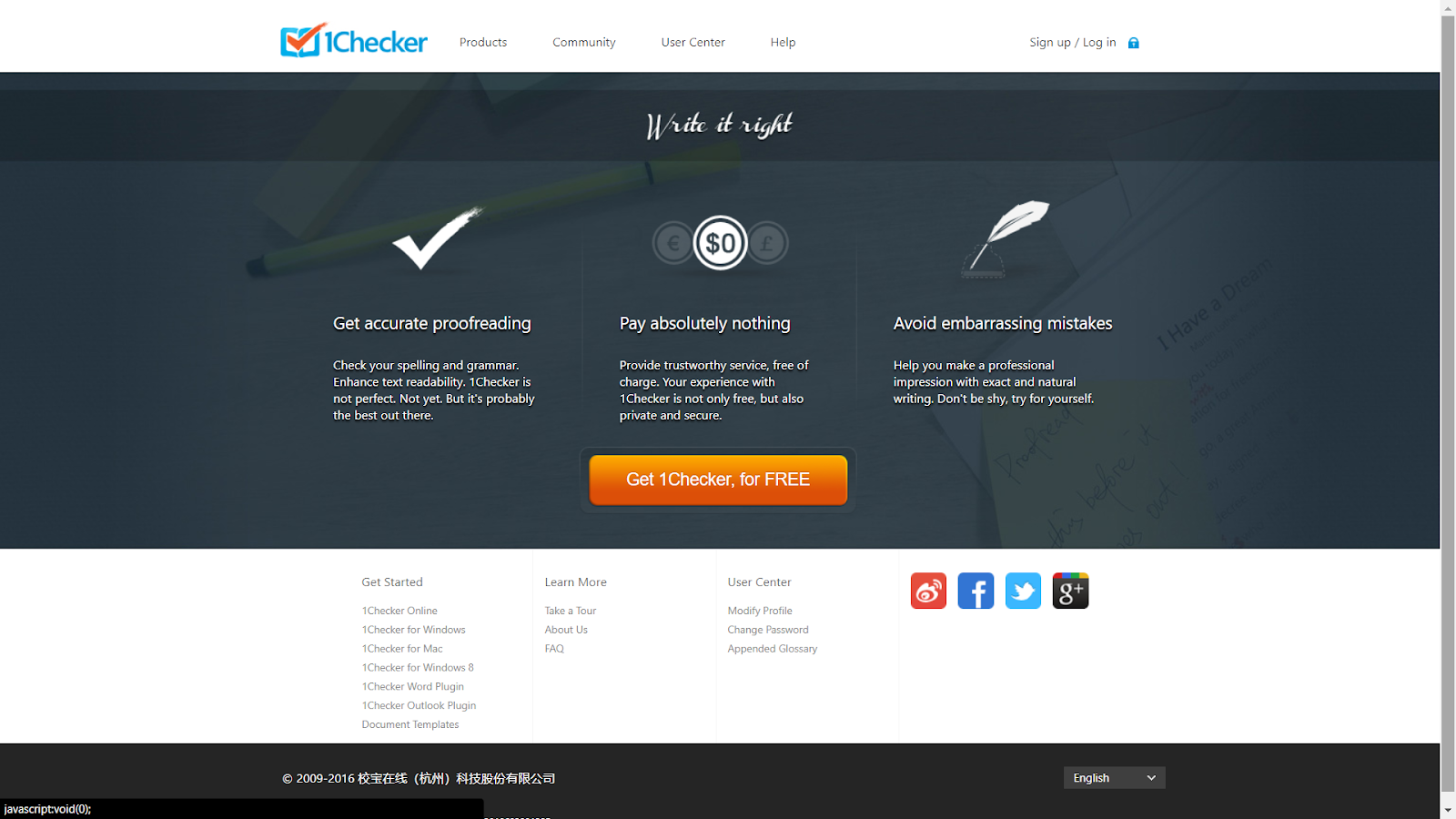
1Checker is an extension similar to Grammarly which detects spelling and grammatical mistakes, so you can locate and correct them. It explains in-depth about all the errors you’ve made, helping to prevent possible reproductions.
Features: It is aimed at fixing typical mistakes that may be made by a non-native speaker, such as misuse of articles, verbs, pronouns and prepositions and also corrects terms that could confuse English speakers like homophones for beginners.
Pros:
Multi-platform service. Windows and Mac applications, Word and Outlook extensions and online versions are available for free.
Detects and rectifies Sentence structure and vocabulary.
It Uses Analytics and Artificial intelligence to easily edit your projects.
Gives a summary of the mistakes with colour highlights and change tips.
Cons:
An enhancement is needed for the UI as it’s not very user-friendly.
Sometimes, it ignores mistakes like passive speech and proper nouns.
There is no plagiarism checker.
Stand out feature: Gives a summary of the mistakes with colour highlights and change tips
Best suited for: Students.
Desktop apps: Windows, Mac Extensions; not supported. Plagiarism checker: Not available. Pricing: It’s completely free on every platform. Free plan or free trial: This software is free of cost.
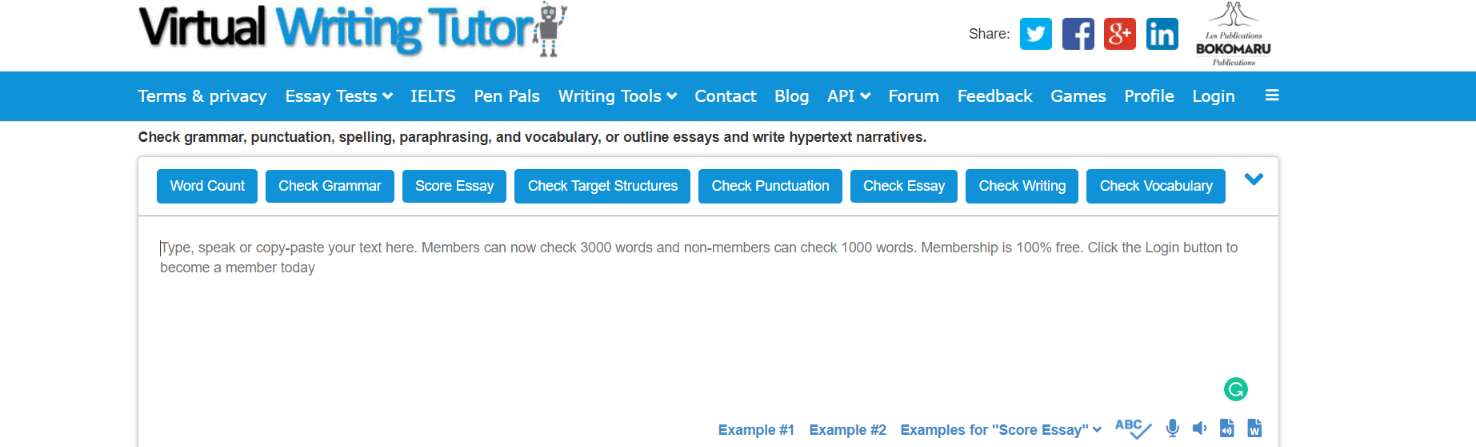
This unique tool mentors you while you write your piece. It checks for grammatical defects, improper punctuation usage, incorrect English etc. this tool is especially useful for teachers as it provides free revising instruction and the opportunity to delegate assignments from the tool itself to students.It also has an objective structure analyzer to help authors develop phrase construction immediately. This a complete all in one software which almost anyone can use, making it almost perfect.
Features: It is an effective method for grammar control. Bloggers, journalists, and other experts use the tool extensively. The instructor uses scripting, syntax, paraphrase, sentence structure, and vocabulary controls. It is one of the top grammar competitions including a word counting function, showing the number of words in an article, post or some other material.
Pros:
includes a sentence rewording aid that can assist you with writing more fluid sentences.
It uses a two-way editing technique that first runs via revision tools and then reaches this platform.
For novice authors, it is absolutely free and perfect.
According to feedback, customer service is great and it’s rated a whopping 4.7 out of 5 on multiple forums.
It has multiple vocabulary and grammar checks which improve overall sentence structure and make the piece look better in every way,
Cons:
Might take some getting used to.
Android application not available.
There is no option that shows the writing style of the user.
Stand out feature:It uses a two-way editing technique that first runs via revision tools and then reaches this platform.
Best suited for: everyone from teachers, bloggers, writers, students to kids can use this tool.
Mobile apps: Not supported. Extensions; Not supported. Plagiarism checker: Available. Pricing: It’s completely free of charge on all platforms. Free plan or free trial: Yes, it’s completely free of cost.
After the Deadline is a web-based syntax and spell checker that is free to download.
Features: This application domain helps you in detecting errors and making intelligent recommendations for your material.
Pros:
It is completely free to use.
An open-source code is freely available in this Grammarly substitute.
It checks and informs the user about their writing style.
Detects incorrect grammar spellings, improper word usage and much more.
Gives a detailed analysis of the errors made by the user so that they don’t repeat it again.
Cons:
Too basic.
The website has ads that can be annoying at times.
Not meant for lengthy writings as it’s not a hundred percent accurate.
Stand out feature: It is completely free to use.
Best suited for: academic writers, researchers, content writers.
Mobile apps: Not supported. Extensions; Not supported. Plagiarism checker: Not available. Pricing: it’s available for free of cost. Free plan or free trial: Free of charge.
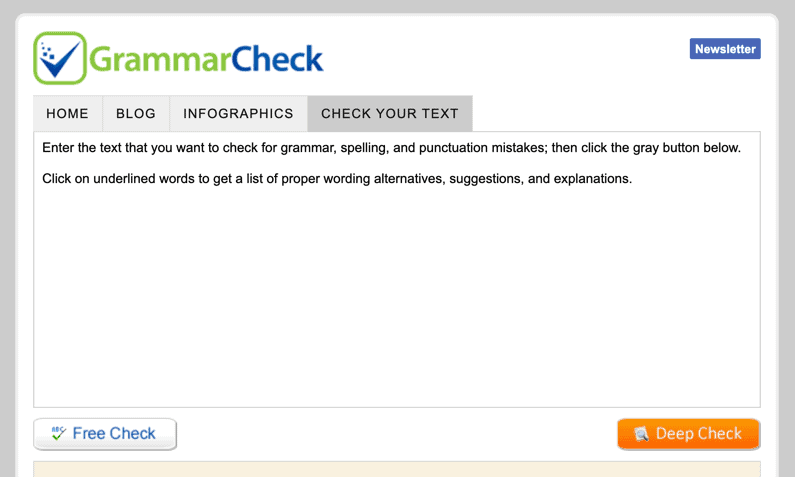
A rather simple software, GrammarCheck checks for errors in your pasted content. It analyses it and detects syntax and orthographic errors.
Features: GrammarCheck is an application for basic writing. It’s a web-based service with features to enhance and effortlessly write your material. By typing or copying a writing-up in a given dialogue box you can check your texts for errors.
Pros:
Completely free of cost.
Really convenient to use and simple.
This free grammar alternative offers simple syntax and the Web-hosted spellcheck and error detector is convenient to use.
Cons:
Since it’s free, it has limited features.
It’s actually too basic and cannot be used professionally.
Stand out feature: Really convenient to use and simple.
Best suited for: students or anyone who wants to do a quick proofread.
Mobile apps: Not supported. Extensions; Not supported. Plagiarism checker: Not available. Pricing: Completely free. Free plan or free trial: Free software.
The new update has been made recently by the Mankind Company that it is doing a collaboration with the Accenture for its technological advancement. Mankind, is India’s 4th largest Pharma company. Mankind has a broad connection which operates in 34 overseas destinations having its grasp over 14,000 happy agents. This company is now collaborating with Accenture, which is a global professional servicing company specializing in digital, cloud, and security for accelerating and transforming their business into an intelligent enterprise with the data-driven cloud platform. Mankind is regarded as the leading research-driven Pharma Manufacturing Company with its best products named Unwanted 72, Manforce Tablets, Manforce Condoms, Prega News, Manforce Staylong Gel, Gas-O-Fast, Adiction, Kaloree 1, and many more.
“At Mankind Pharma, we are committed to product innovation so we can provide high quality and affordable pharmaceutical products to people across the world,” said Arjun Juneja, chief operating officer, Mankind Pharma. “Digitally transforming our business processes with support from Accenture has been key to unlocking value trapped within the organization, accelerating real-time decision making and improving our product innovation lifecycle.”
The sole agenda of this partnership is improving digital performance as well as operational efficiency which in return will make their business more agile. Accenture is helping the pharmaceutical company in redesigning certain business processes like finance, supply chain, sales, and procurement for better inventory optimization, demand planning, productivity, and product availability. Accenture has set up a digital platform of Microsoft Azure cloud-based data lake named SAP S/4HANA® and Tableau dashboards. All these integrations are successful in providing cloud-based analytics for getting more depth insights. All these insights can be helpful for the management team in making the decisions around the strategies, plannings as well as development. Even in the pandemic, the ongoing project was not ceased, instead, it was carried out remotely leading to zero loss impact in the business.
Rishabh Bindlish, India Life Sciences, and global generics lead, Accenture, added: “Digital reinvention can not only help pharma companies deliver high-quality and hyper-personalized services, but also improve business performance and build resilience against future disruptions. We are focused on helping Mankind Pharma embrace change and emerge as a data-driven enterprise to enhance its customer-centricity bringing innovative offerings to market at a faster pace and scale for patients.”
Accenture has its specialization in skills powered by the world’s largest network of Advanced Technology strategy and Intelligent operation centers in Technology, Consultation, Interactive and Operations services. The management team of Accenture is totally capable of making the informed decision around market strategies. This platform helps in integrating data in real-time from various sources across the supply chain, workforce, and sales for the collection of the consolidated view of market insights. The company has made its bond and trust stronger with the clients from over 120 countries by serving them with the best technical services. They hold the power to make the change by combining the unique and specialized skills along with experiences.
Whether you are writing an email to your boss, or preparing your resume, or writing a blog, or simply posting on social media, some common grammatical mistakes can make you look silly and It can be embarrassing to be called out for simple spelling mistakes and grammatical errors.
Have you ever wished for an extra pair of eyes to proofread the content for you? Linguix is here to save you, it is an AI-based writing assistant that works seamlessly to help you to prevent any writing errors. Linguix is one step ahead with 2700+ advanced grammar, spelling, and style corrections and a lot more. Our content team here at techgyo.com use it every day, and so we wanted to share our honest review of Linguix and why you should use it too.
Why should you use Linguix?
Linguix can be a lifesaver when it comes to writing content. We can probably list down 100 things you can do with Linguix, but to keep things simple, here are the reasons for which you should use it:
Eliminating writing mistakes and improving grammar
It also provides consistency to your writing
Create quick snippet shortcuts for long statements for emails
Speed up email response with canned statement shortcuts
Get context-appropriate writing recommendations
Get 2700+ advanced grammar, spelling, and style corrections
Linguix fixes grammar errors as you write to improve your content
Features:
Web Editor:
The speed of the Linguix app is a lot faster than other softwares. All the errors get highlighted with the help of Linguix extension as soon as you start viewing your documents or texts on the Web.
Browser Extensions:
Extensions are available for Chrome, Mozilla, and Edge. After downloading the extension you can easily use the Linguix while typing on any software or applications. The web extension provides you seamless integration in the existing web writing works. You are also provided with refined word definitions as well as the suitability of the synonyms.
Advanced Writing Insights:
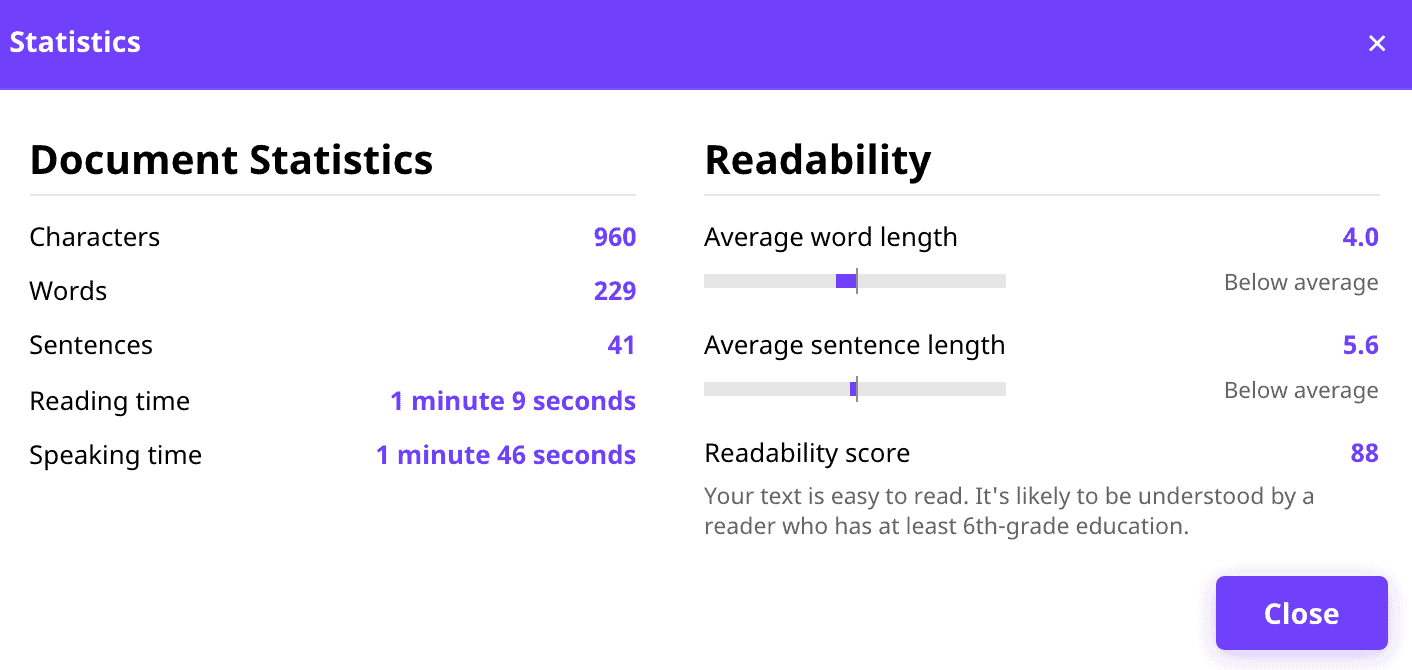
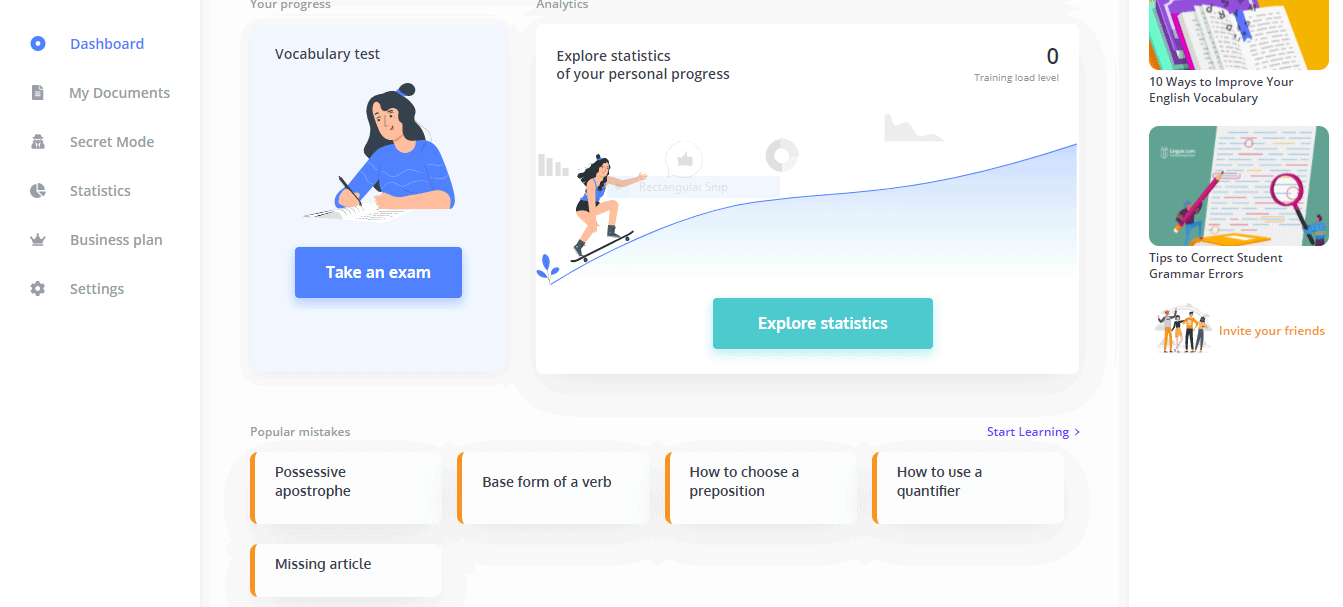
The advanced writing insights are already present in the applications and are now available in the extensions as well and it highlights the texts on the web which require correction. You can view your writing insights from the Statistic Module on the left side of the page. From there you can easily view the stats of characters, words, sentences and even readability score.
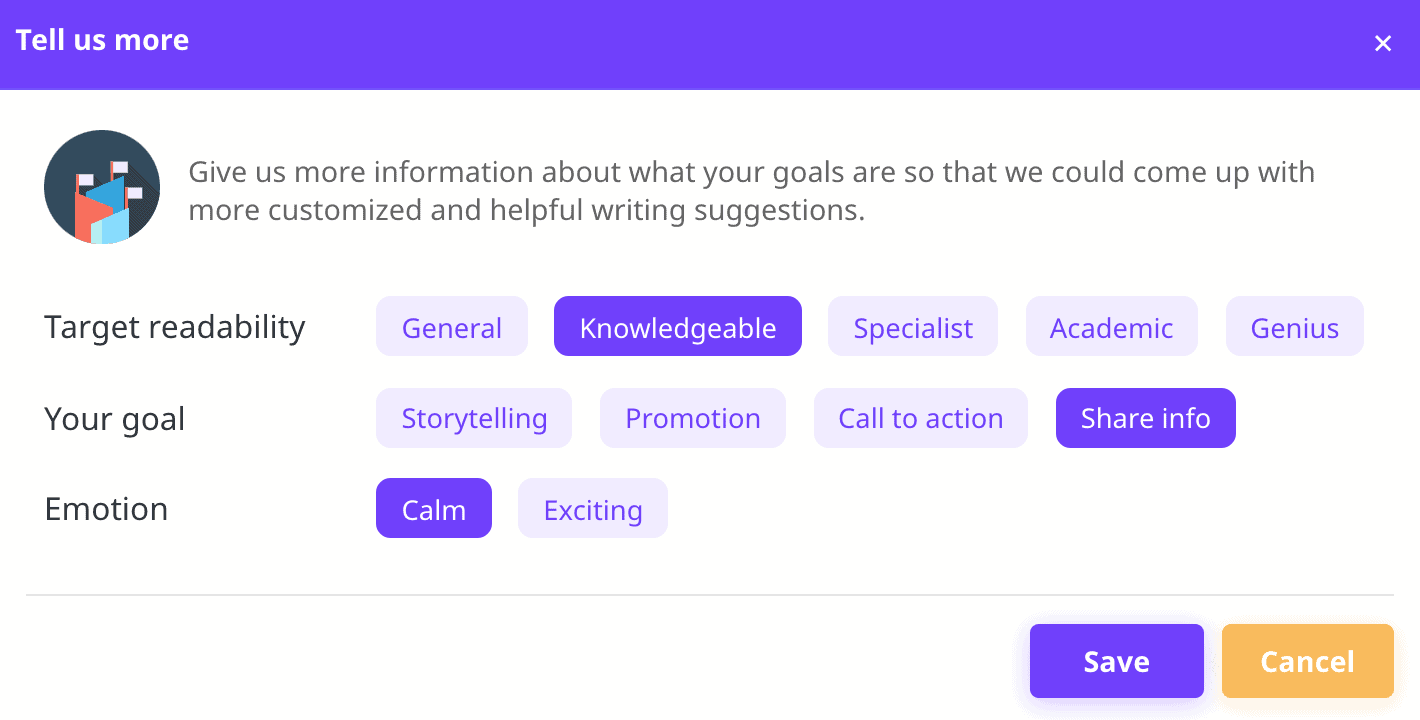
In addition, you can find more insights in the Audience tab, where you can set your goals. You will be able to view the words, characters and the length of sentences that you have entered.
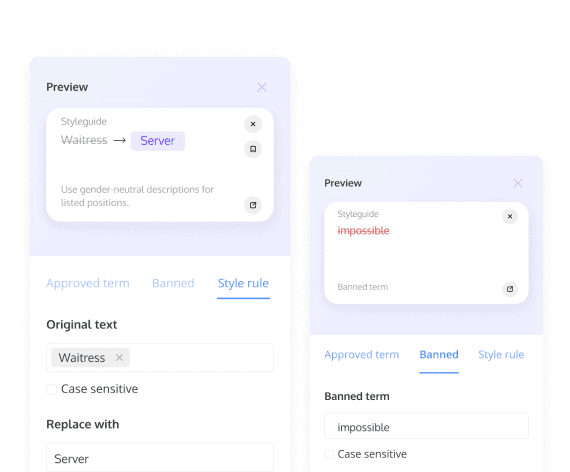
Style guide:
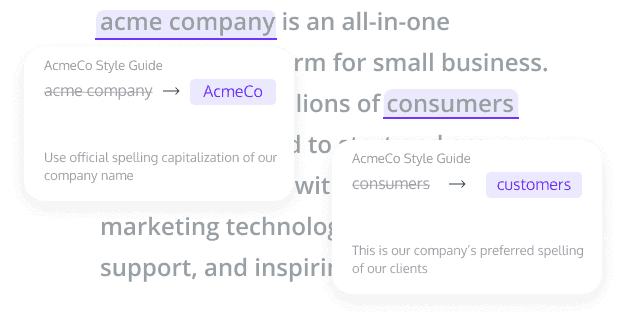
This feature helps to keep the teams aligned with the shared library of words, terms, software and, phrases that are only available.
Suggestions :
2. Preview:
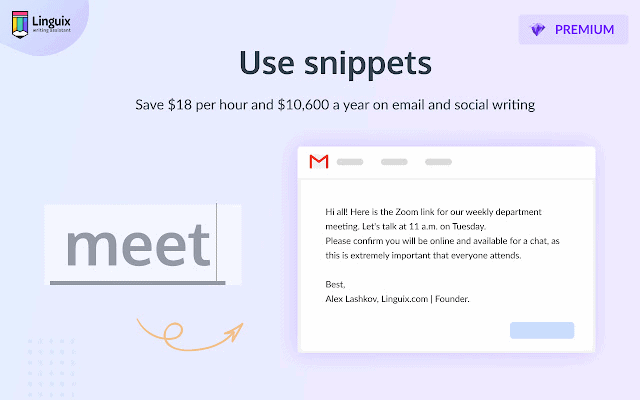
Snippets:
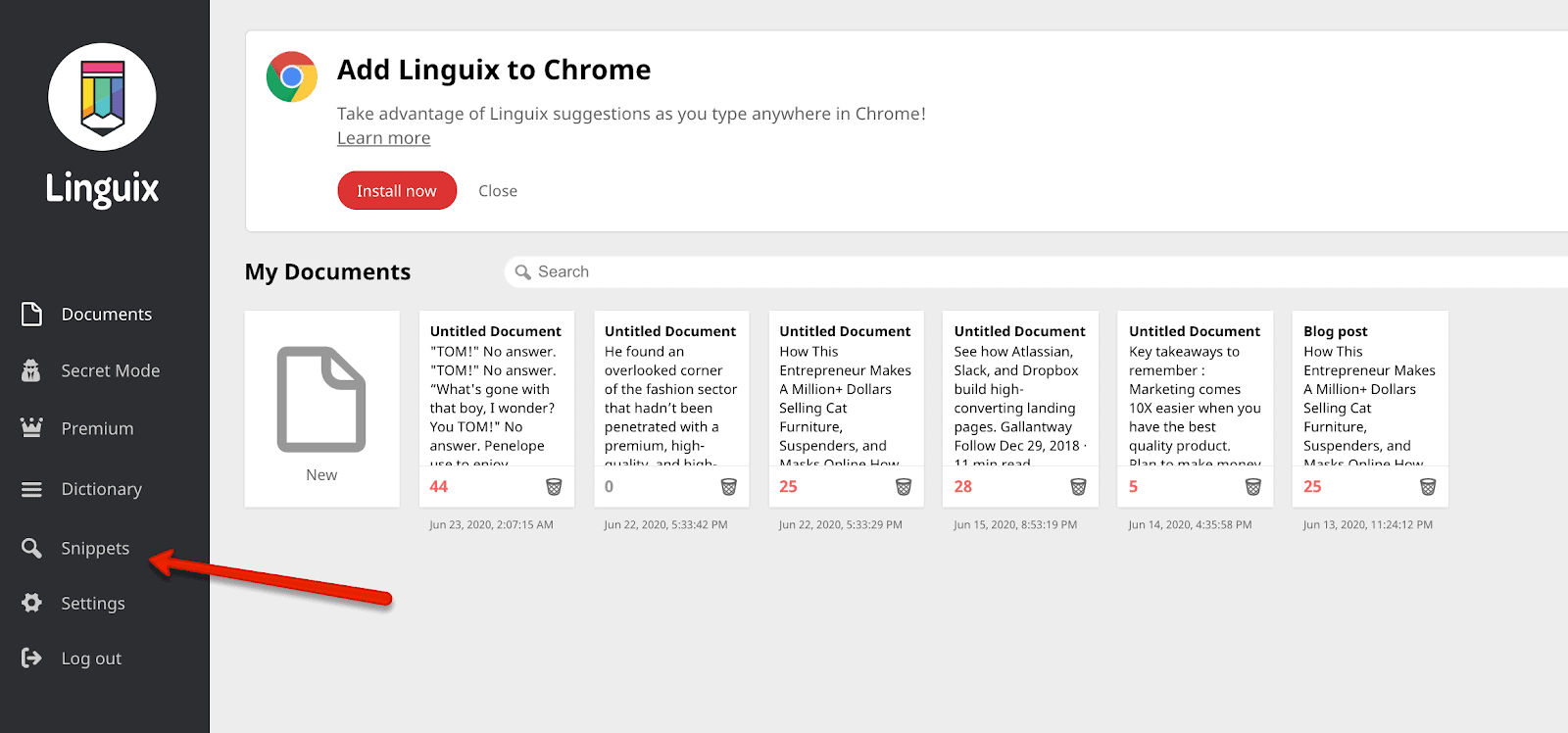
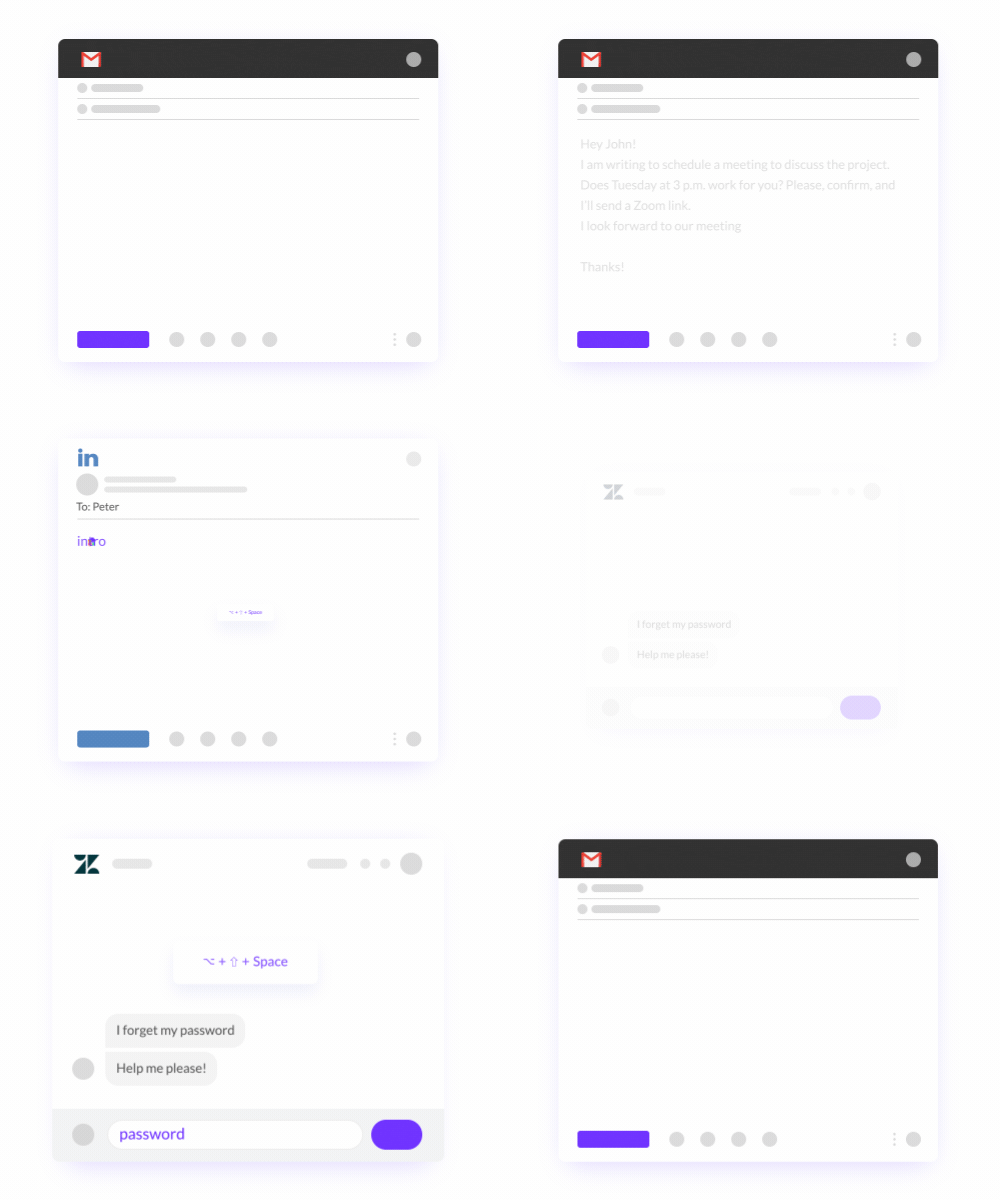
This feature allows you to complete your email and social writing at a much faster rate. You can assign a shortcut by hitting ?? Space on Mac or Shift+Ctrl+Space on Windows for instantly inserting the template.
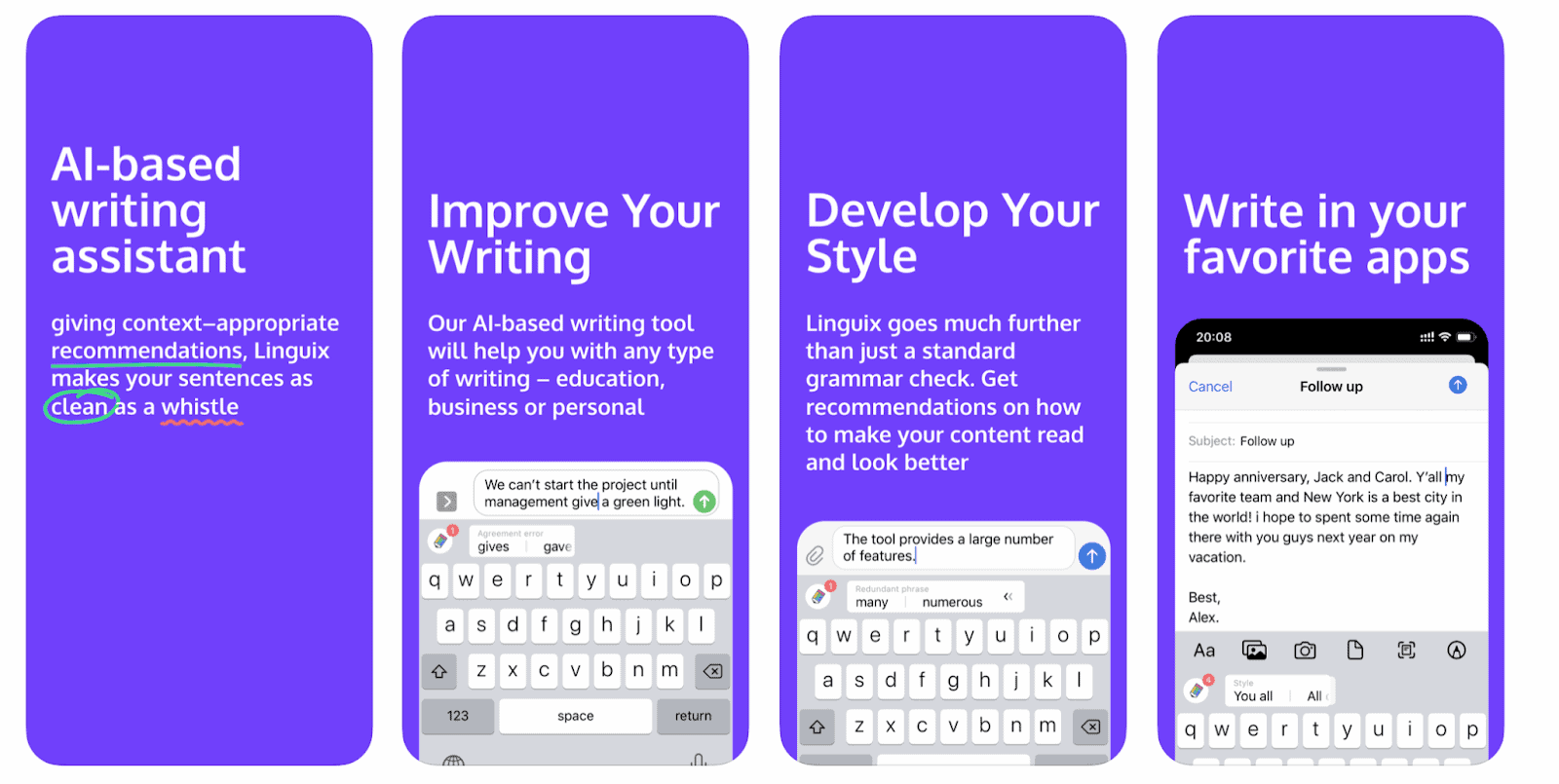
Keyboards:
Linguix also provides the user keyboard suggestions. It helps to work faster and efficiently.
In February 2021 they added a Plagiarism checking engine released for early adopters and moving onwards in the last few months they have added a lot of features like sentence rephrasing, additional add-on, Outlook for words, and many other features that will also be added in consecutive months. After adding the Linguix as a Google Chrome extension on the web, it will make the corrections by highlighting the texts and suggesting the lists of suitable options. You can even overcome the common mistakes done while writing like missing proper articles, the base form of a verb, and insertion of the possessive apostrophe. Linguix can also help in correcting the propositions and quantifiers.
Example of preposition correction:
Incorrect
A lot people turned out for the election.
Correct
A lot of people turned out for the election.
Example of quantifier correction:
Incorrect
Jim has taken many flight.
Correct
Jim has taken many flights.
Pros:
It is easy to use and has a clean interface.
It provides Vocabulary tests and English webinars that help in the improvement of English.
It is affordable to use
Snippet shortcuts
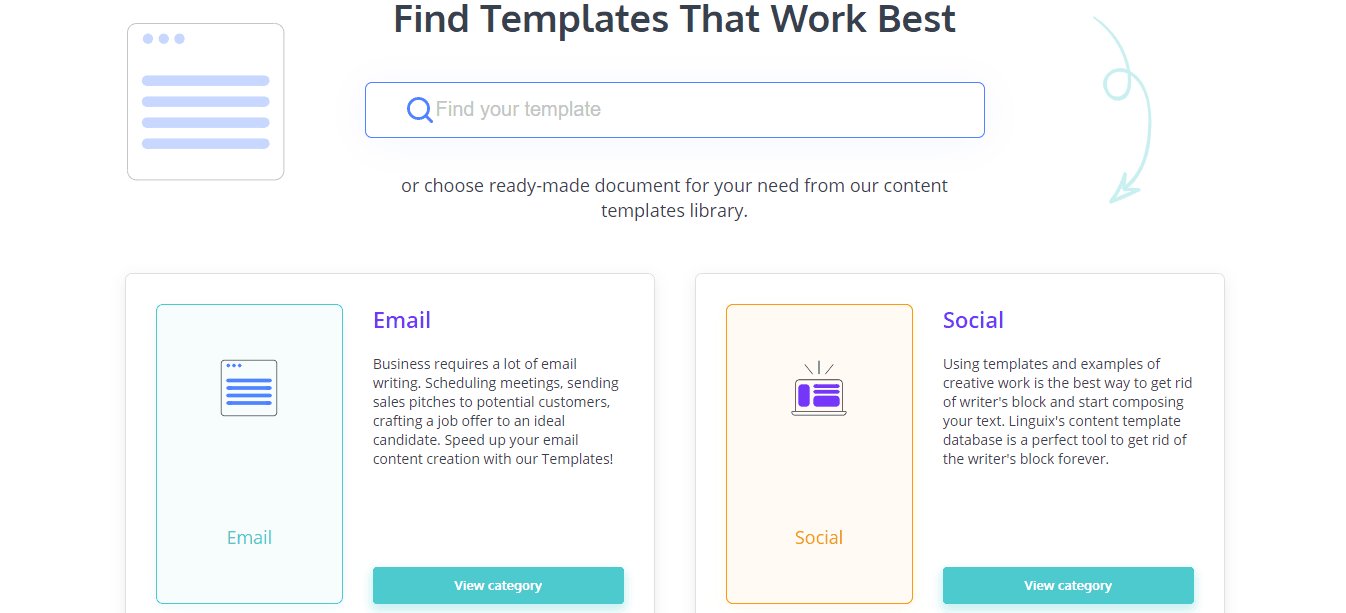
Templates
It offers lifetime plan and integrations with Firefox, Chrome, Edge, Safari
It also provides an iOS keyboard as well as an Android keyboard
It is also well-designed for Education purposes.
Cons:
If you have both Linguix and Grammarly extensions then you will find that sometimes the Linguix shows suggestions lately.
There is no free version available.
Unique Selling Point
Beside grammar and plagiarism checking it has its unique property of content creation. It is still difficult for many students as well as the content writer beginners to complete their task without any grammar and typographical errors. So the Linguix has come up with the inbuilt template for different topics. There is a unique library of 20 templates consisting of documents of different types like essays, business-related texts (press releases about new hires), marketing(white papers, blog posts).
Another unique point there are Chrome and Firefox extensions available which you can instantly use while writing on the web. There is also a paste bin app where you can paste your message and a fixing option will be available to you, once you apply them your text will be corrected and as you leave the page the information will be deleted.
Last but not least there is also an option of Snippet with the help of which you can automate your typing tasks
Grammarly is mainly used by teams of all sizes whether the team is writing emails or articles. Whereas Linguix is mainly used for reaching out to the right audience with the right message and fewer efforts
Grammarly does not have the option of snippet whereas Linguix does
Grammarly provide support through emails, tickets, and live support whereas Linguix provides support through email, phone, and tickets
Grammarly is quite expensive in comparison to Linguix
Grammarly does not provide team collaboration and ready-made templates whereas Linguix does.
Grammarly starts from $11.66 whereas Linguix starts from $5
Training in Grammarly is done online and also via documentations whereas in Linguix it is only done via documentations
Pro WritingAid does not work on mobile applications whereas Linus works on both desktop and mobile applications.
Pro WritingAid allows both free trial and free version whereas Linguix only provides a free trial, no free version is available
Pro WritingAid provides the support of emails and tickets whereas Linguix only provides support through email, phone, business-related to the end tickets
Pro WritingAid starts from $70 per year whereas Linguix starts from $18.95 per month.
White Smoke is used for writing professional business reports and documentations whereas Linguix is used so that the right message is delivered to the right audience
White Smoke points out when there is too much use of the same words whereas Linguix does not do the same
In White Smoke, the training is available in documentation and videos whereas in Linguix the training is available only in documentation
White Smoke starts from $5 per month whereas Linguix starts from $18.95 per year.
White Smoke provides support of phone calls whereas Linguix does not.
Hardware device drivers are integral to the functioning of computers. Whether a Mac or a Windows PC, it’s necessary for the computer’s operating system to communicate with, and control, the hardware present on the computer. A device driver is a piece of software which enables the computer’s operating system to perform this function.
Each element of active hardware in a computer requires a device driver in order to carry out its function. If the driver is missing or corrupted, that element of the computer will fail to work correctly. For example, a missing audio driver would mean the computer generates no sound, or a missing WiFi driver would mean that the computer is unable to connect to a WiFi network.
When a Microsoft Windows operating system is first installed on a computer most, if not all, of the required device drivers will be installed by default. However, it’s always possible that certain drivers may be missing, or may become corrupted at some later stage. In either of these scenarios, it’s necessary to install or update device drivers. Various methods are available to accomplish this.
Let’s look at four methods which can be used to install or update device drivers in a Microsoft Windows PC.
Update the Drivers Manually Using Device Manager
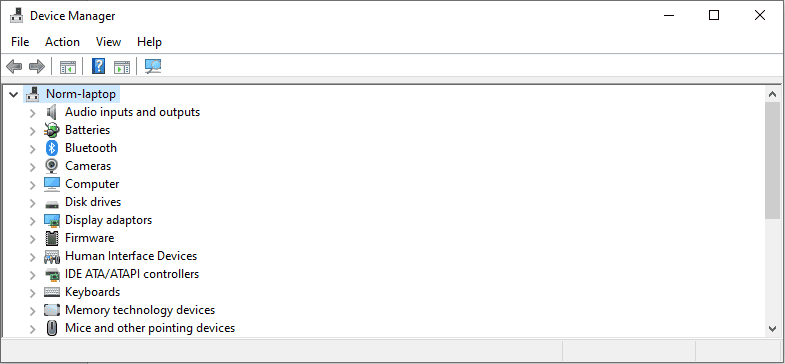
The first method for updating device drivers is the manual method using Device Manager. The easiest way to launch Device Manager is to hold down the Windows key then press X and then select it from the resulting menu. You will be presented with a window listing all the hardware in your computer requiring a device driver.
Any devices which don’t currently have a driver installed will have an exclamation mark in a yellow symbol beside them. You can expand any of the categories in Device Manager. To install or update a device driver, simply right-click on the hardware item and select Update driver. You will then be presented with the option to search automatically for drivers on the internet, or to browse your computer for drivers.
Normally you would search automatically, unless you have a disk or flash drive containing the required driver, or you’ve already downloaded the driver to your computer.
This manual method is somewhat tedious, unless you’re updating just one or two drivers. There will also be occasions when Windows is actually unable to identify the item of hardware in order to locate and download its driver. For these reasons, it may be necessary to consider an alternative method.
Update the Drivers From the Manufacturer’s Website
It’s invariably possible to download device drivers from the websites of hardware manufacturers. In the case of a laptop, this will be the laptop manufacturer and, in the case of a desktop, it will be the manufacturer of the motherboard.
If you know which drivers you require, you can simply locate the relevant section on the manufacturer’s driver downloads page, and download them from there. The drivers required can be identified using Device Manager as above.
In the case of many laptops, the manufacturer will also have provided an option, via their website, to scan the laptop and automatically install any required drivers. This option can often be found in the driver downloads section of the website.
Use Driver Update Software
Using driver update software to update device drivers is the option I least recommend. It is the most straightforward way to install device drivers, and driver update software is used by many people. Generally you can simply run the software once to update your drivers, or install it and leave it running in the background to do so continuously. The problem with this method is that many driver update programs are riddled with malware. In fact, one of the first things I do when cleaning up a client’s computer is to uninstall driver update software. Many times these programs have been installed inadvertently and they continually present nagging pop-up windows.
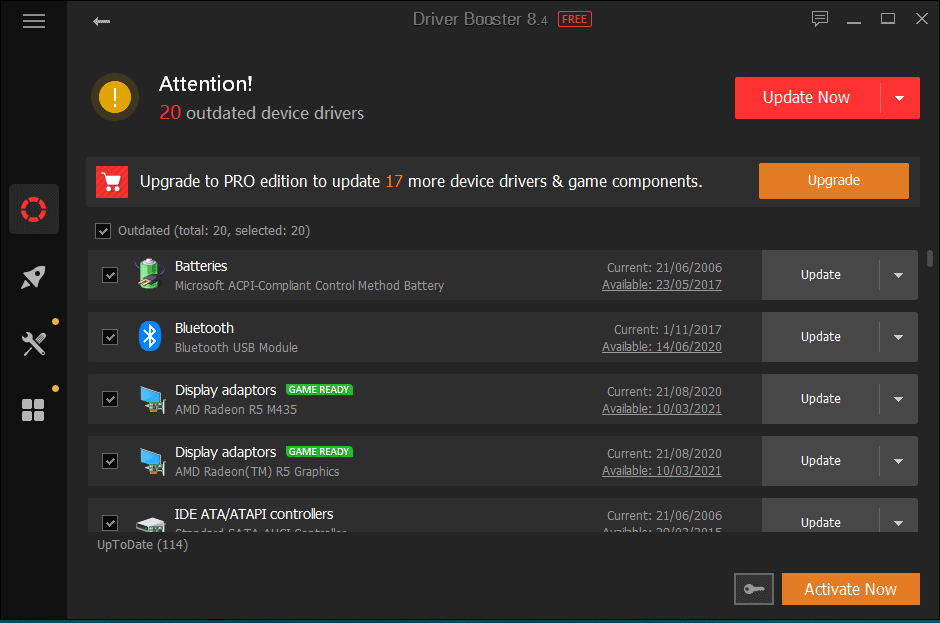
If you do want to use driver update software, I would recommend Driver Booster from IObit. When installing Driver Booster, take care to avoid installing the additional recommended products, unless you really want to use them.
After installing and launching Driver Booster, it will scan your computer and you will be presented with a window showing you which drivers are required.
You can then click Update Now to install the driver updates.
Use Snappy Driver Installer
This is undoubtedly the least known of the four methods I’m describing, but my personal favourite. By using Snappy Driver Installer (SDI) you can install or update almost any driver without the need to be online when doing so, and without needing to install any software on your computer.
As an IT support professional, SDI is one of the tools I always have available on a portable flash drive. I use it regularly, particularly after carrying out a fresh install of Windows on a PC. Often after installing Windows, a number of drivers will be missing. SDI has the capability to install the missing drivers without the need to locate them on the internet and download them.
SDI is a simple application but a very large download since it contains almost any driver you will ever need for use on a Windows computer. At the time of writing, it’s 21.7 GB in size and the tool is updated regularly with new drivers.
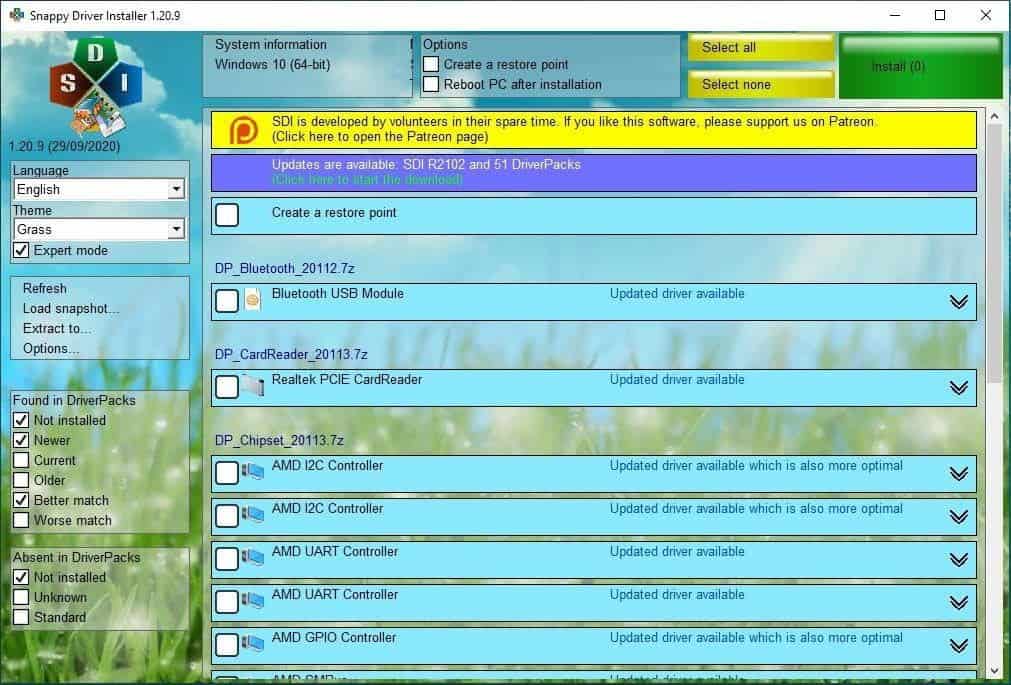
After downloading SDI to your flash drive or computer, you can launch either the 32-bit or the 64-bit version. SDI will scan your computer for missing drivers, or drivers which have updates available, and you will then be presented with a window similar to the following.
The window lists all the hardware which is either missing drivers, or for which an updated driver is available. You can then select all drivers to be updated, or specific drivers, by ticking the appropriate boxes. Then just click on Install to proceed with the installation.
If All Else Fails
Once in a while, you may encounter a piece of hardware for which none of the above methods succeeds in installing its driver. This is more likely to happen with an older computer. You can always identify a missing device driver by the symbol with the exclamation mark in Device Manager.
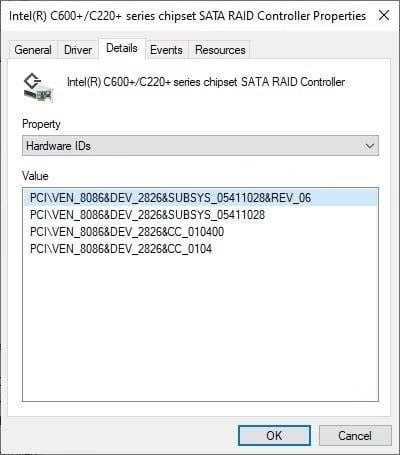
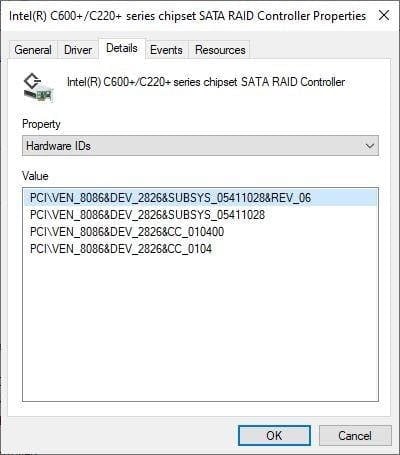
If indeed none of the methods described have succeeded in installing a particular driver, it will be necessary to search the internet for the driver. In order to ascertain what exactly to search for, you may need to look at the Details tab in the Properties of the relevant item of hardware in Device Manager. There are often numerous properties available on this tab, the most useful of which for this purpose is the Hardware IDs property.
You can search the internet using the hardware IDs in an attempt to locate a matching driver. Then download and install it. However, you do need to take care to avoid downloading from disreputable sites which may introduce malware to your computer.
Conclusion
I’ve described four different methods which can be used to install and update drivers on a Windows computer. One method is built in to Windows but doesn’t always succeed. One relies on the hardware manufacturer to provide the drivers. The third method requires the installation of driver update software, and many applications used for this purpose will introduce malware to your computer. The final method can be used to install or update almost any driver without installing any software and without the need for an internet connection. This is my preferred method and the one I use most regularly when setting up Windows computers.
This Windows device driver update guide was written by Norm McLaughlin. Norm is the founder of Norm’s Computer Services, a computer repair and IT support business in Brisbane, Australia.
Web design is responsible for a bunch of factors, which directly influence the number of new visitors and the website’s position in search engines. Even the likability of consumers’ clicks on the sponsored links and their readiness to purchase the site’s services or goods significantly depends on the web design. In case you are a new business and haven’t developed your website yet, consider hiring developers for startup because a focus on your online presence will help to attract customers within the shortest terms.
Up-to-date Web Design Statistics
It’s rather challenging to read plain text, where there is no separation into paragraphs, subheadings, or visual elements to represent the mentioned data. Let’s take a look at some of the most significant web design stats:
48% of users find website design the determining factor of a business’s credibility.
38% of users won’t continue browsing the website if its layout is unattractive or inconvenient.
50 milliseconds is the time the average consumer needs to form one’s opinion about the website if users base their opinion about the site based solely on its design.
400% is the number to which your conversion rates will rise when you implement a superb UX design.
82% of users’ trust in the company is due to custom content.
The website’s appearance is of paramount importance for the users. For example, you can imagine the situation when you decide to buy a house. If the building is old, unattractive, and requires a lot of work and time for renovation, the probability that you will decide to check another house is relatively high.
Although the design is not the decisive factor for the users, it makes them feel more confident and comfortable and establishes a certain level of trust in the resource. It’s not about investing large sums into web designers’ services and trying to implement fantastic graphics (although it’s worth striving for) but more about constant updates to the site and proper maintenance.
What factors of Web Design Affect the Conversion?
User-friendliness is a top priority of web design, so a specialist engaged in creating it has to consider analytics and thoughtful information structuring on the site. The website’s primary task is to introduce the webpage to the user and make one’s interaction with it easy and smooth, resulting in enhanced conversion. Here are the main principles, due to which you can increase the number of customers and ensure rapid business development:
Attractive illustrations
These are the pictures that explain the text, visualize the information, and create a specific “atmosphere.” They help draw attention to the described services or other concepts, which helps increase the targeted audience’s interest. Yet, it’s necessary to remember about rationality when adding the pictures and not getting carried away.
Font and color
You can create a coherent stylistic system with the fonts because the more readable they are, the faster the users will perceive the information. It’s useful to review several fonts’ types before choosing one because no matter how well-conceived your website is, low readability will overlap all other advantages. Color is a critical aspect of web design because it helps convey the general sense of a brand and its “spirit.” Take a look at the emotional meanings of certain colors and define what feelings the chosen color combinations can cause.
Creativity
There are numerous templates one can use to create a website, but it’s hard to stand out if your website is just like every other one. Consumers call for uniqueness; they want to see interactive components, unusual elements, and various innovative ideas. When leveraging creativity, the customers will see you’ve put effort into the product and are more likely to check what you have to offer.
Usability
It is necessary to create a design, which will meet the customers’ needs. However, to define them, you will have to consider the following steps:
Examine the target audience and create the clients’ portraits.
Define the audience’s motivation and values to understand what can encourage people to make certain actions on the website.
Identify the mechanisms based on which the user interacts with the site or product.
Create a user journey map and determine the channels through which a person can find your site.
Put the user experience in the first place.
Develop different solutions for the target markets.
An in-depth study of your audience is an effective way to improve the user experience and come up with solutions, which aren’t present in the market yet. When implementing the mentioned stages at the outset, you will save costs and have additional time for releasing new versions of the website and mobile app. Besides, it provides for an adjustable digital strategy.
Efficient use of space
This implies paying attention to the gaps between, for example, headlines and content. In case everything is in a chaotic order, it will be complicated for the readers to perceive the information correctly and remember it.
Navigation
Make sure it’s convenient for the consumers to use the website, namely whether one can easily find a necessary service/product or jump to any page. Create the filters and locate the menu at the top of the page or on the left side. Besides, it’s necessary to make sure the site is responsive and correctly displayed on different-sized screens.
The speed of page loading
Modern consumers don’t like to wait, so if your resource takes much time to load, the conversion is likely to drop to 7-9%, and the customers’ loyalty will decrease as well. Thus, it’s necessary to optimize all the images on the website because no matter how great your content is, if the layout doesn’t draw attention.
CTA
Information overload doesn’t allow users to review the web pages thoroughly. Instead, they pay attention to the key elements, so it’s critical to understand when to introduce a call to action. A CTA can be in the form of a button, picture, text, or animation, encouraging customers to perform specific actions based on your business goals.
Summing Up
Web design is a core issue in achieving success on the competitive market, and one can’t underestimate its importance. It helps the companies and startups to win over the clients and receive high profits. It’s a forward-looking decision to actively invest time and resources into creating an appealing website design because it will pay off in the increased traffic and doubled conversion rates.
The RapiPay is finally out, one of the leading assisted payments Fintech companies has finally announced the free service of AEPS(Aadhaar Enabled Payment System) for merchants and retailers in order to make growth in financial inclusion. This step can bring about a huge impact on the Indian market since the pandemic has disrupted the economical status of the country especially the rustic areas. The customers can easily make cash withdrawals from the neighboring agent outlet of RapiPay. RapiPay has decided to activate over 1 lakh new AEPS ids to Rapipay agents which directs you to the conclusion that there will be available more than 1 lakh ATMs for the people.
RapiPay is one of the most trusted payment service providers and it is entrusted by lakhs of Indian retailers. It is an RBI(PPI) license holder company as well as it also leads in banking and financial services like Domestic Remittance, AePs, Micro ATM, and others. Besides this, the other facilities that are provided by them are Online Money Transfer, Mobile Recharge, Online Booking, DTH Recharge, Nepal Transfer, Bill Payments, and many more. You can easily log in on RapiPay by completing the simple KYC. The benefits which you can easily gain from RapiPay are listed below:
Zero investment
Higher Commission
Regular Income
More footfall
Business Expansion
Empowering yourself
You can also become a RapiPay agent, all you have to do is open the official website of RapiPay via Chrome or the mobile application. After that you have to insert your User ID and password. Now, fill in the CAPTCHA details and log in. You can download the RapiPay Agent App from Google Play Store: https://play.google.com/store/apps/details?id=com.rapipay.android.agents&hl=en_IN&gl=US. You can now find the Agent ID on the dashboard after login or even you can contact customer care after completing Agent Registration Process.
Mr. Yogendra Kashyap, CEO of RapiPay said, “At a time when small businesses and people are facing challenges like partial lockdown, social distancing, curfew, etc., the need of easy access of basic financial services to the under banked population is paramount. This initiative will help lakhs of retailers to use AEPS and offer cash withdrawal facility to consumers. RapiPay Saathis are also benefited with one of the best commissions in the industry. We have already seen with the second wave of the lockdown our cash out business has grown by 30% for AEPS and 27% for Micro ATM transaction value for April 2021 over March 2021.”
The pandemic has created a huge loss in the small local businesses and only those businesses were able to overcome the hindrance where the businesses who had access to the digital mediums and who had adopted numerous avenue to sustain their business. RapiPay helps merchants and retailers to provide assisted services to the rural population.
RapiPay has left its footprint on the run of providing the best services to shopkeepers and retailers. The company has also witnessed that in the last year they were able to make growth by over 250% from last year to March 2021. Along with this the number of agents also increased from 50k in Feb 2020 to 2 Lakhs in April 2021. It has also been noticed that the cash-out business has grown by 30% transaction value in April’21 over March’21. The new step taken by the company thinks that the free AEPS activation will encourage more retailers to start providing their customers the services of AEPS.
This lockdown has lead to the urge of the need for AEPS and Micro ATMs because of the doorstep services delivered by Banking Business Correspondents. The customers were also credited with the funds that they availed under the schemes like Jan Dhan Yojana, PM Kisan Samman Nidhi, and others.