Home Blog Page 299

How to Bootstrap Center Website Content Center in Twitter Bootstrap’s Fluid Layout

Twitter Bootstrap is one of the most advanced responsive frameworks to build website for PC, mobile or tablet, it comes up with a 12 column responsive grid to create an outstanding responsive website, you can see the list of all the responsive frameworks in our previous post Useful Resources to Create Responsive Website That Runs on PC, Mobile and Tablet.

Also read:

What is the glitch with Twitter Bootstrap’s Fluid Layout?

A glitch is that your website gets aligned to left by default when you use “row-fluid” class in Twitter Bootstrap. This class makes your website fluid to fit in any device but not aligns it to center in the screen. I have seen many web developers asking for this question on forums and blogs so I too decided to hunt for the most comprehensive solution. I tried to modify the CSS bundled with twitter bootstrap package to make the content align center but could not succeed.

What is the Solution?

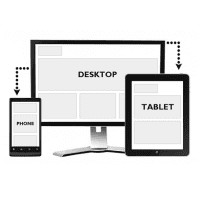
The solution to centering your website content in twitter bootstrap’s fluid layout is pretty simple, just add 2 spans in the right and left side of your main span. Below are the screenshots of the concept and the result along with the html code.

The Concept

 bootstrap center fluid layout

Html Code to Center the Content in Twitter Bootstrap’s Fluid Layout

<html>


  <head>


    <title>Bootstrap 101 Template</title>


    <!– Bootstrap –>


    <link href=”css/bootstrap.min.css” rel=”stylesheet” media=”screen”>


  </head>


  <body>


<div>


    <div class=”span1″>


    </div>


        <div class=”span10″ >


          <div>


            <h1>Centered Fluid Layout</h1>


            <p> Website content</p>


          </div>


        </div><!–/span–>


    <div class=”span1″>


    </div>


</div><!–/row–>


<script src=”http://code.jquery.com/jquery-latest.js”></script>


<script src=”js/bootstrap.min.js”></script>


  </body>


</html>

The Result

center fluid website with bootstrap


Best 5 Free Pinterest WordPress Plugins

While everyone is busy with Facebook and Twitter, another social network, Pinterest is rapidly gaining popularity on the web. If you are bored with your Facebook account, Pinterest can revitalize your interest in social networking. The latest in the social networking, Pinterest is like a virtual pin board that allows you to ‘pin-up’ literally anything- information, image, or videos to your profile. A great place to share, work, organize, and even invite comments, it resembles an online social scrapbook where you can gather information and images of your interest while inviting others comments and ideas.

Pinterest

An innovative way to promote your ideas, Pinterest has become a platform for individuals and businesses to promote their stuff. You can even organize your recipes, share outstanding ideas for decorating homes or planning weddings. Easy to handle and install, this free site has a clean interface, attracting brands to use it for content marketing. Therefore, if you also want to cash in on it for your WordPress website, we recommend you some startling Pinterest WordPress Plugins:

1. Pinterest Badge

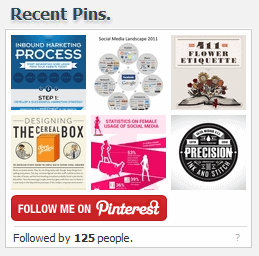
pinterest recent pin widget

This is an ideal plugin for blogs allowing you ample flexibility. It links your profile to your blog and shows up the list of your blogs followers in the ‘follow’ button. Pinterest Badge also installs a widget for your pinned images on your Pinterest profile that are displayed on your blog. This badge can feature on your website as pin up posts similar to those on Pinterest. It keeps your website updated and gives it a formatted and stylish look.

2. Pretty Pinterest Pins

Suitable for sidebars, this plugin shows updated pins and thumbnails from Pinterest. Easily customizable, this plugin helps you decide on the number of pins you choose to display while guarding the content you wish to keep privately. It updates you with other’s pin ups and is designed with an easy, to use interface, which can connect your site directly to your Pinterest profile through the “Follow me on Pinterest” button.

3. Pinterest Pin It Button

If you want to promote your stuff online, you can let your website visitors pin up your products by simply adding a “Pin It” button to your site. This lets you add vertical or horizontal pins and has features for text aligning. The “Pin It” Button allows the reader to select the image he wishes to pin. Once placed beneath or next to your content on the website, it allows visitors to pin content by even selecting a few excerpts from your site.

4. The Pinterest “Pin It” Button for images.

This is another version of Pinterest “Pin It” button that allows visual bookmarking, by simply clicking on the image, to pin it to your Pinterest profile. This automatically transfers its description along with its link. It does not require any configuration, and you only need to enable the plugin.

5. Pinterest RSS Widget

The Pinterest user’s RSS feed is constantly updated with the latest content by just placing a widget on your sidebar, which also shows up its thumbnail images alongside. A quick customization can provide you to determine the size and placement of your “Follow Me on Pinterest” button.

6. ETH Ultimate Photo Widget

This Widget is best suited for photo galleries and sites that have a large collection of photos such as Tumblr and Flickr. It allows easy retrieval of photos and sets them methodically in four display settings.

Pinterest is certainly the most convenient way to connect to people with common interests and get many inspirational ideas for discovering new things.

This guest post has been written by Sunil Makhan

5 Critical Factors That Improve Mobile Apps Success

This is the time when the whole world is shifting its focus from computers to smart phone and tablets, to do tasks like surfing the web, social networking, shopping online and for business. According to recent studies, 49% of smartphone and tablet owners are using apps to find local information. Mainly because mobile networks and wifi connections are ubiquitous, people carry it everywhere and use it more often than they use their computers. So it is obvious that mobile apps are great way to launch a business. Here, we discuss about some factors that significantly increases the chance of mobile app success.

sucess factors for mobile apps

So here we list 5 major success factors which makes a Mobile app lovable and fun experience for users.

Also read:

1. User interface designed for Humans:

Yes people do judge a book by its cover. No matter what your app does, it should feel appealing to users, otherwise they wouldn’t even consider trying it out, so the design shouldn’t be just good, it should be simply exceptional. Most people dislike the or like the app based on its presentation and color scheme, navigation, layout and forms. It should not be heavily designed but should be simple yet impressive and smart in layout. User interface can be a real game changer, it can either engage the user or make him frustrated.

mobile app success people buy why you do it

Also read:

2. Time it takes to get working. SPEED!

No matter whether its a native app or a web apps or it needs data connection, for the user, he only cares how fast it gets the work done. While the other factors need more skill to implement, the speed factor can be something you can easily solve with a good hosting, if your hosting is bad, then no matter how good your app is, its not going to serve its purpose, Citrix Hosting experts say, a  good hosting with high performance and security is a must to offer best experience to your app users.

Also read: 5 Must have Safety Apps to Help Women During Emergencies.

3. Performance and simplicity.

Smartphones are powerful but are power hungry too, and since most smart phone users have an average of 30 apps, so it is very important to make your app resource friendly and capable of running smoothly with other apps without crashing too often. Mobile users would not be interested to struggle with your app it simply sucks no matter what they do. Most users don’t even report to developers and simply remove the app. So a good app should be super smooth experience.

Also check:

4. Offer what you promise, promise what you can offer

There are millions of apps and billions of downloads happening, so if your app has to beat the competition, your app should do what it says, there are lots of misleading apps over there which doesn’t actually do what it promises, but instead take you through endless boring steps to get through what user what. This can be really frustrating for a user who may end up giving a very bad review for your app.

Also read: 4 Best Apps For Automating Your Living Space

5. Price

Just like I said above, there are millions of apps over there and its a tough competition, initially if you need to grab some attention, you pricing should be attractive too, but it doesn’t really mean it should be too cheap but it should be competitive in that category if you have too many apps with better pricing and performance. But people

Read: AirDroid apps lets you Control & Backup your Android smartphone From your Computer 

The above factors are play a very vital role in the success of any mobile app. There could be more factors I might have missed, drop your comment if you want to add any.

Useful Resources to Create Responsive Website That Runs on PC, Mobile and Tablet

The thing what is new today becomes old tomorrow and updating ourselves is a one and only formula to survive and get success, the same rule applies for technology and web world. Web developers used to design websites only for PCs few years ago as there were no other devices other than a computer but now web designer has to create a website that need to run on PC, Mobile and Tablet as well.

Creating alternative websites for each device is not a good practice and practically a difficult task especially in updating the website, you need to update each website even if you are going to update a single line. So what is the solution? The answer is Responsive Framework.

Also read:

So what is Responsive Framework?

responsive design

Responsive framework or fluid framework makes your website fit properly in any devices including PC, Mobile and Tablet. A library works behind that make your website fluid.  Of course you can buy a fluid template from template selling websites but what if you want to create of your own? There are some free responsive frameworks and libraries available on the web to create fluid website.

List of Free Responsive Frameworks and Libraries To Create Fluid Website

Twitter Bootstrap

bootstrap

Bootstrap by Twitter is the most popular front-end framework that can make your website responsive. It seamlessly fits your website on PC, Mobile and Tablet. You can utilize its 12 column responsive grid to make an attractive and fluid website. It has many other useful features and components such as dropdowsn, button groups, navbar, pagination, breadcrumbs, typography, thumbnails, progress bars and alerts etc. You can add attractive and colorful buttons to your website’s feedback form.

Simpliste

simplesite

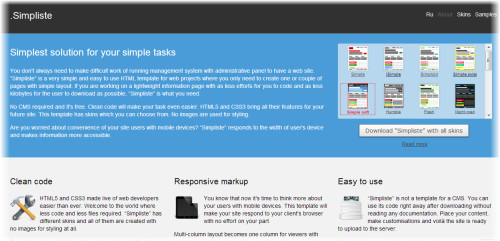
Simpliste is a free responsive HTML5 template which comes up with vivid skins, creating the fluid website with Simplesite is really simple, just pick a skin and start customizing it. Simplesite templates utilize the advanced features of HTML5 and CSS3. It also replaces default html form button with a stylish one.

Gumby Framework

gumby framework

Gumby framework is a free responsive framework based on the 960 grid CSS, it has flexible grids with hybrid system that makes your website easily fit on any modern device. Gumby Framework even comes up with cool form elements, dropdowns, tabs and drawers etc. Just download the Gumby framework package and start building your fluid website.

Responsive Grid System

responsive gs

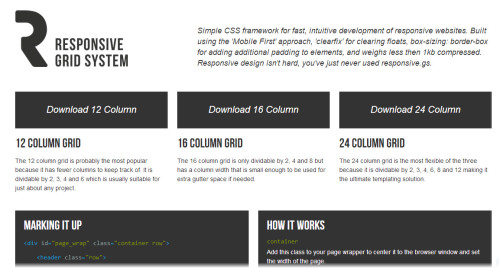
Responsive Grid System by Denis Leblanc is a lite CSS framework for fluid web development, It comes in 12, 16 and 24 columns, you can download any package available from 3 and start building your fluid website with ease.

Less+ Framework

less framework

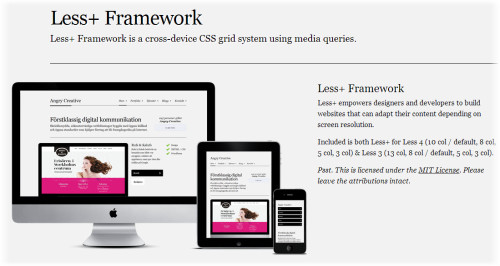
Less+ Framework by Angry Creative is another easy to use responsive framework to display your website in any device. Less+ Framework is an extension of Less Framework which has been developed using jQuery Media Queries.


5 Must have Safety Apps to Help Women During Emergencies.

Woman’s safety is a burning topic around the world when India witnessed brutal crime in its national capital Delhi where a 23 year psychotherapist was brutally gang raped by six drunken criminals inside a moving chartered bus. Rapes and molestation and mistreatment of women happen all over the world, but crimes are not stopping despite protests the crime against women are ever increasing. Its really tough for woman in the streets and it should be best if women ensure some safety measures. Thankfully technology helps us in a number of ways and with the rise of usage of apps in our everyday life we also have many apps which should be helpful for women to ensure safety.

Apps

We bring you the top five apps that will help you ensure safety in a world full of animals.

  • Circle of 6

Circle of 6 is the winner of the Department of Health and Human Services White House “Apps Against Abuse” Challenge so you can be pretty sure of its reliability. This app as the name says allows you to add six trusted friends or relatives to your circle. You can have a text message pre-programmed in the app and when you feel you are in a threatening situation then you can use the app to automatically send the text message you programmed to the circle of friends you selected. The app along with the text you programmed also sends your exact location.

The app is fast and very easy to use which should let you fell safe. The app also contains some important numbers you would need such as helpline numbers and numbers of police stations. The app is free of cost and is available for Android and iOS devices.

Price: Free
Availability: Google Play Store, Apple App Store

  • bSafe

bSafe is a great app which is really quick in notifying your friends and relatives in case you are in trouble. The app’s slogan is “Never Walk Alone”. In this app you can choose your set of ‘guardians’, out of all the guardians you can set, one will be called and others will be sent an text message. The app also uses GPS and sends your exact location to the guardians you have set. The guardians can even go ahead and follow your lead. You can get the free version or the subscription one in which you get more advanced features and you can add more people to the guardians list.

The ease of use is great as when you are in trouble its just needs a single tap to inform your close ones. The app is available on iOS, Android and BlackBerry devices. The basic plan is free although you can get the more advanced version  $1.99/mo ($14.99/yr).

Price: Free; Advanced version subscription at $1.99/mo ($14.99/yr)
Availability: Google Play Store, Apple App Store, BlackBerry

  • Fightback

Fightback is a great application to ensure woman safety since it works across a large range of devices including even feature phones. It uses GPS, GPRS, SMS, emails and even Facebook to inform your friends that you need help. It has a ‘panic’ button which when pressed gets the portal page to update and a Facebook update will be posted which will show your location on Google Maps. It will also sent SOS emergency text messages to your loved ones.

The app is available for free on Android and Nokia feature phones and phones which support Java apps. You need to register with them in order to download the app.

Price: Free
Availablity: Google Play Store, Nokia Store

  • Life 360 Family locator

This is more than an app which notifies your close ones you are in trouble. The app provides some very useful information like you can get to know about the criminals in your neighborhood, it also keeps track of your most visited locations. Life 360 also keeps you connected with all the family members you care for.

It also uses GPS to inform your friends and relatives on your exact location through emails, text and even phone calls once you are in trouble and you press the panic button. You can even keep track of your closed ones as to where they are.

Price: Free
Availability: Google Play StoreApple App StoreBlackBerry

  • Street Safe

Last but not the least, Street Safe is a real premium app which truly takes care of your security. In case you think you are in trouble, Street Safe helps you with a personal Safety Advisor, the feature is called “Walk with me” which will get the details of your situation and stay on line with you to ease you up until you reach home safe and sound. In case due to some trouble, the call is cut the safety advisor will get you local police help.

In case of a more emergency situation, there is a feature called “silent alarm”, they will get local help for you on your exact location immediately using GPS and also get the authorities your physical description.

Both the features are truly great and should make you feel secure. Another great thing is that app being free is available across wide range of platforms.

Price: Free
Availability: Google Play StoreApple App StoreBlackBerry, Windows Phone Store

So these are the top apps for safety of Women according to my opinion. Be sure women to download one of them and be safe!

Nintendo 3DS XL Gaming console Better 3D & Bigger screen

0

In the age of powerful multi-core and graphic rich smartphones, gaming isn’t just like how it was few years ago. But Nintendo 3DS is for anybody who wants to take portable gaming beyond the smartphone standards. A super-sized version of the original Nintendo 3DS—a two-screen clamshell device with a touchscreen on the bottom and a glasses-free 3D display up top.

Like the DSi XL, the 3DS XL shares the vast majority of its components with the original 3DS, only three major differences exist between them: the overall size, the size of both screens, and the size of the battery. XL actually feels skinnier and far more comfortable than its predecessor.

nintendo xlarge

The 3DS’s clamshell exterior was a glossy fingerprint lure, whereas the 3DS XL employs a smudge-resistant matte finish that feels sleek and clean Games don’t lag, take very little time to load (in general), and take good advantage of the available hardware. The 3DS XL is pretty rugged, but its matte finish does pick up scratches more prominently than the shinier 3DS shell.

Specs and performance

The internal components — which include a relatively meager dual-core ARM processor, 128MB of RAM, and 2GB of internal storage 4.88-inch display transforms the 3DS into the best 3D display for a gaming console and its screens are significantly less reflective. 3DS had three lid positions: closed, 160 degrees and 180 degrees, the 3DS XL has four: the 3DS’s three, plus a new 110-degree angle, laptop-style The one hardware compromise is in the speakers.

The system has only one major inconvenience and that’s the requirement of high brightness to fully see the 3D effects without glare or reflection.

The camera on the 3DS XL which is 0.3-megapixel shooters is no improvement over the 3DS; The onboard cameras are not very good. They produce grainy images, which is mostly fine for AR features, but basically unusable for capturing photos or videos. The 3D capability of the 3DS makes the poor camera quality a real missed opportunity.


Unboxing video:


Battery;

The 3DS XL’s larger frame should theoretically provide room for a more spacious battery, but of course it also has bigger screens to power. In practice, I tended to see around four hours solid game time, and the XL lasted three and a half hours

At the lowest price of £165.00 you can grab the new Nintendo 3DS from Tesco

Offers: 4 GB SD Memory Card Include. Register your new Nintendo 3DS XL with Club Nintendo before January 15th, 2013 and download one of five top Nintendo 3DS games for free from Nintendo eShop.

Reasons Why Should You Use Local Copy of jQuery Rather Than from JQuery Website

jQuery is the most useful JavaScript library to handle events and portray the website with cool effects and animations, it also allows you to interact with Ajax that makes the whole development work easy. jQuery is cross browser compatible that runs in Internet explorer, Firefox, Safari , Opera and Google Chrome. It complies with the CSS 1 to CSS 3 selectors so Jquery is a prominent JavaScript library which is free to use.

Also Read:

Now the question is whether one should use a local copy of jQuery or from JQuery website by linking? First let me clarify what I mean is the local copy, local copy of jquery is the jquery file which you upload to your server so your webpage uses the script from your own server instead of using the script from jQuery website, below is the linking script which we usually use within html head tags that clarifies this-

Jquery with self hosted script

<script type=”text/javascript” src=” jquery.js “></script>

Jquery linked to the jquery website (CDN)

<script src=”http://code.jquery.com/jquery-latest.min.js” type=”text/javascript”></script>

jquery

So Why Should You Go For Local Copy of Jquery Instead from JQuery Website?

Hosting jQuery by your own is the best method which is recommended by many professional web developers, your website loads faster when use the self hosted jquery file as it uses the resource of its own server. You will have full access over locally hosted file which assures great reliability.

This applies not only for jquery but using any other similar libraries with self-hosted method is the good practice which keeps your website running even if library’s website goes down.