Home Blog Page 271

The 5 Decisions You Must Make About Your Business Website

As a small business owner you realize it’s important to have an effective website but you may be confused about exactly what the elements are the most important. Your website is an important extension and presentation of your business and because you know your business better than anyone else it’s important that you have input into certain aspects of the website.  Here are some questions you can ask yourself that can assist you in the website creation process and ensure that the end result is the best possible representation of you business.
website development

  1. What is the Point of Your Website?

Do you know what you want your website to accomplish? Will it be a point of contact for potential customers? Should it generate inquiries? Will it serve as a digital showcase for your products? You may be able to cut down on employee hours by automating sales. Perhaps it will be a space for you to establish yourself as an authority in your field. It may even provide income from ads or affiliate referrals. Clarity about what you want to accomplish will make your website more focused and effective.


  1. DIY Template Website or Custom Web Design?

Your first big web design decision is whether to use a template that you can install yourself or to hire a web designer who can give you a custom design that completely meets the needs of your business.


An off-the-shelf solution is affordable and is a popular choice for start-ups and small businesses with limited budgets. It’s adequate for a business that needs a simple website, especially when the owner has some technical skills. However, there websites can be difficult to maintain for owners who aren’t technically minded.


A custom website, on the other hand, allows you to have every aspect of your site exactly the way you want it. The disadvantage is the cost and the lengthier development time frame.


  1. How Will You Organize Your Content?

Whether your website is an ecommerce platform or a portfolio showcasing your products, your content needs to be logically organized and easy for your visitors to navigate. A well designed website should have readily apparent road signs that make it easy and intuitive for visitors to find whatever they’re looking for. It’s generally useful to look at competitors’ websites to get ideas about what works.


  1. Who Will Create Your Website Content?

it is almost always best to hire someone to write your copy, however you’re the one who really understands your business so you should expect to spend plenty of time with your copywriter as you want your content to be a real reflection of your business and your brand.


  1. Who Will Maintain Your Website?

Building a website requires a design, knowledge of the technical elements, and the creation of content. This is just the beginning: all three to these areas need continuing attention to stay fresh and functional. Search engines and visitors both like to see updated content. You need a plan that’s going to keep your website shining year after year. You may want to have it maintained in-house by a staff member, you may choose to hire freelancers, or you may pay a web designer. What’s essential is that your site always shows your business at its best.


These questions should provide a good basis for getting your website off the ground and for keeping it on course and effective year after year.

About Guest Author:

This article was contributed by Magicdust, a small business focused agency offering digital marketing and professional but cheap website design services.
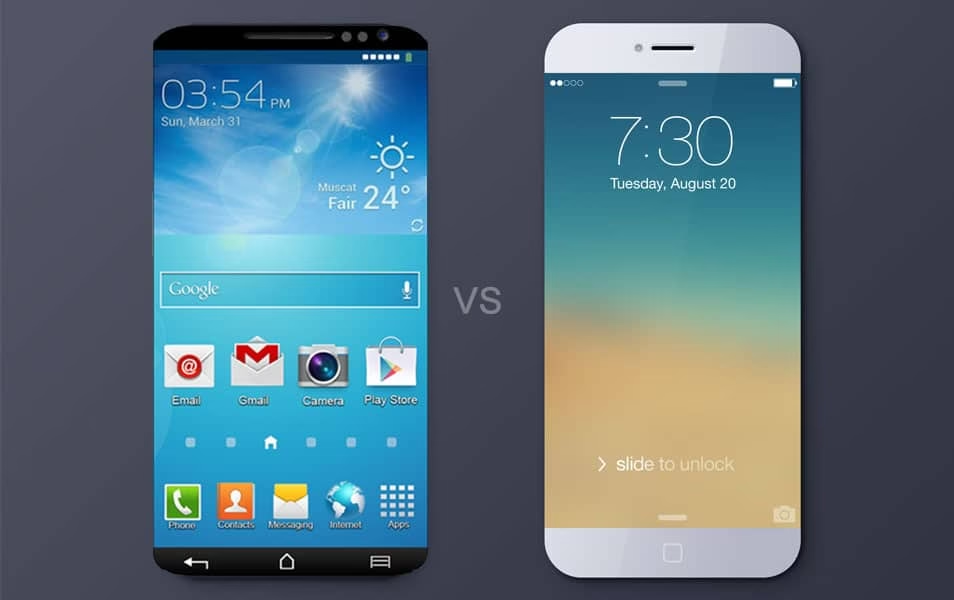
All Sixes: How Will the iPhone 6 and the Galaxy S6 Compare?

0

It’s no secret that the tech world is always looking for the next best thing. This battle of “one-upping” each other is most visible in the smartphone market, where Apple, the currently reigning juggernaut, is being kept on its toes by its Android counterparts. With the iPhone 6 looming on the horizon, the Android faithful look to the Samsung Galaxy S6. Although there are faithful Apple followers, and devoted Samsung fans, some consumers are undecided. Keep reading to learn how the iPhone 6 and Galaxy S6 stack up to one another, and what it could mean for loyal followers.

iPhone 6 and the Galaxy S6 Compare

Size Matters

Right now it is assumed the iPhone 6 will feature a slightly larger screen than the iPhone 5 and iPhone 5s, clocking in at 4.7-inches. Meanwhile, the Samsung Galaxy S6 will likely be slightly larger than the Samsung Galaxy S5, and will clock in at around 5.2 or 5.3 inches. While the Samsung Galaxy S6 will be the larger phone, it’s important to remember that numerous rumors claim Apple will be releasing a larger iPhone (rumored to be dubbed the iPhone Air) that will clock in at about 5.5 inches.

Competing Cameras

The Samsung Galaxy S5 boasted a gorgeous 16 MP camera, and it seems the Samsung Galaxy S6 will further improve its camera tech with a 20 MP camera. Apple, on the other hand, is likely to stick with its current resolution (8 MP) and instead rely on its image processing software for improved picture quality. This could hurt Apple as their competitors continue to develop advancements for their built-in camera apps instead on expecting customers to purchase additional software.

The Price Game

Price may not be the deciding factor in buying a phone for everyone, but for some, this makes a huge difference. Both Apple and Samsung will likely be pricing their respective phones similarly, both ranging between $650 (for a base model) and $1,000 (for the high end, full capacity models). While the high price might deter some customers, it won’t keep the device die-hards from lining up and camping outside the store before the releases of these two phones.

Resolution and Screen Quality

All signs point towards Samsung maintaining their Super AMOLED screens, while the resolution itself will receive a boost to the tune of 2560 x 1440. The screen resolution of the next iPhone is a bit more ambiguous. Some say Apple has been testing a technology that triples the number of visible pixels, and that the iPhone 6 could sport a resolution of 1704 x 960. Others say a 2560 x 1600 display is more reasonable. While actual screen size is a big element in the competition of smartphones these days, the resolution is becoming increasingly more important with new technology that can improve this feature.

Both Apple and Samsung are notorious for their secrecy. While rumors, photos from the factory lines and inside sources have all leaked information, it’s important to remember that nothing is a fact until announced. Still, take some of the rumors on this list to heart and you might hear them confirmed as company announcements start rolling out later this year. The information for this article was provided by the smartphone experts at appleshark.com who provide an iPhone trade in program for those with outdated or broken iPhones.


AUTHOR BIO: This article was written by Dixie Somers, a freelance writer who love to write for business, finance, women’s interests, and technology. Dixie lives in Arizona with her husband and three beautiful daughters.

5 Ways You Can Ditch The Office

It’s never been easier to work remotely, or even operate a completely mobile, multi-staff business. If your work is in front of a computer, maybe it’s time you considered ditching the office.

work from home

Going mobile means less commute time, less stress, and a more flexible schedule. An increasing number of businesses are also encouraging their employees to telecommute and work from home or other locations to reduce office-related expenses like equipment costs and office size. Governments are also keen to get people out of the office to help decrease traffic congestion during rush hour. In fact, a recent survey of business leaders at the 2014 Global Leadership Summit in London suggests that half of employees could be working remotely by 2020.

Don’t feel you need to be confined to your home, either. Thanks to a proliferation of free WiFi, there are all sorts of other options for the mobile worker, from your local coffee shop to working from an exotic location. I spent several days, for example, working from an AirBnB apartment in Budapest. It was a working vacation, for sure, but the novelty of being walking distance from cafes, pubs, and restaurants in a foreign locale sure beat a long commute home and a late dinner. There may even be some advantages to working in a noisy cafe. A recent study in Journal of Consumer Research suggests that “a moderate level of noise not only enhances creativity but also leads to greater adoption of innovative products.”

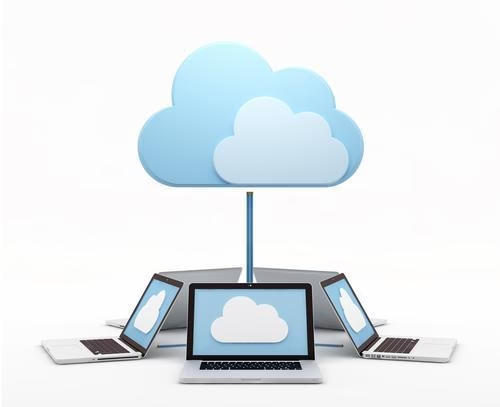
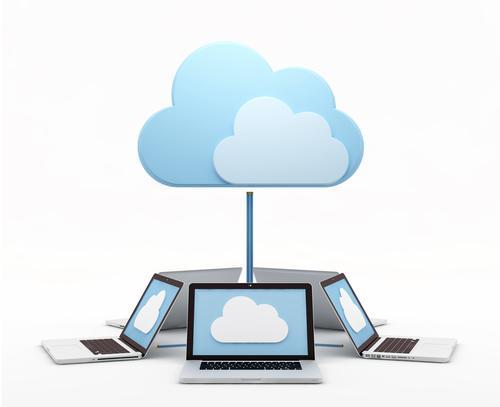
Easy access to Wifi, cloud computing to access office files and the ability to work from smartphones and tablets means the mobile worker can take advantage of a number of tips and tools like never before. Here are a few of my favorites, that I hope will help you to make the break from the office.

Virtual phone number: Want to have a New York phone number? How about LA?  With a virtual phone number you can work from anywhere, while maintaining the appearance of an office somewhere else. I like the new netTALK smartphone app. Once installed, netTALK is also giving away free US and Canadian phone numbers with unlimited free incoming calls from friends and family. You can also make free App-to-App calls only using an email address. The netTALK App for Android and iOS also enables highly discounted calls to mobiles and landlines: 30% – 40% less on International Calling to mobiles and landlines worldwide. If you’re dealing with international customers, that can be a huge money-saver.

Try a virtual office assistant app: If you’re a one-person business, chances are you will still need help from time to time. 24me is a multi-purpose app built around the idea of being an ‘all-in-one’ personal assistant. The app comes with a full suite of productivity tools that integrates with your calendars, service providers, financial institutions, and social networks.  It not only automatically adds events to your calendar and reminds you about upcoming bills, meetings, or other tasks but can even take actions such as paying bills and sending gifts.

Handle your own travel arrangements: Try using a travel app like Quicket. I don’t want to put personal assistants out of work, but smartphones and apps make it possible to run an office from your pocket. Travel apps mean being able to book your own flights, hotels, and rental cars in minutes. Plus, all of the confirmations, boarding passes, and tourist info are always close at hand.

Virtual office: Sometimes you actually need an office. But, there’s no reason to spend thousands of dollars on a space that’s empty most of the time. For a fraction of that, you can have access to a space in a desirable zip code likeManhattan. Virtual offices generally provide a mailing address, a call center service, and have a space that can be used as needed to meet with clients at a fraction of the cost of renting or buying such an address.

Digital signatures: If you’re dealing with contracts, you’ve undoubtedly faced the ‘I need you to email, print, sign, scan, and email this contract back to me’ impasse. Working from a mobile office complicates matters even more. It’s unlikely you’re carrying around a printer, scanner, and fax.SignNow has a solution. The service lets users sign digital documents with the swipe of a finger using iPads and mobile devices. Adding a signature is easy. You can use a mouse, trackpad, or touchscreen input or upload an image file of your signature.


What is Online Texting and How Does it Work?

0

Today, technology has made life easier for everyone. From the traditional way of sending messages, you can now reach out to numerous people at the touch of a button on your smartphone with an internet connection. Online texting has changed the way people send messages and has created a more flexible means to reach out to as many people. Below is everything you need to know about online texting.

sms-gateway


What is Online Texting? 

Online texting is a process where you send a message from the internet using a computer to a mobile device. The recipient gets the information through a text message popularly known as an SMS (Standard Short Message). The message is then converted to the right format in-line with the device used, such as a desktop computer, tablet, laptop, or mobile phone. 

How Does Online Texting Work?

The process is as easy as any other texting channel. If you’ve sent an email before, texting online will be a walk in the park since you already have the skills to send a mass text. 

With online SMS gateway from Edgility services, all you require is to sign up for the service, upload your targeted contacts, and send online messages. The process works anytime as long as you’ve got an internet connection, and you can use any device.

What are the Benefits of Online Texting?

Unlike the traditional way of sending messages using a cellular network from phone to phone, online texting offers multiple benefits. First, this method has no limitation, meaning you can send unlimited messages to many people in your contact list at once. 

• Online texting gives you a platform to answer questions using specific keywords. 

• You can schedule to send messages in advance and at your preferred time 

• You can also send out messages through group texts conveniently. 

• Additionally, online texting enables you to send standard messages through reusable text message templates repeatedly. 

Texting online offers flexibility, even if you choose to send texts to over 100 contacts, no matter the type of phone or software used by the recipients. 

Most people read messages within the first three minutes of getting the text. That’s why online texting is timely, and you’re sure that all the people on your contact list will read your messages. It makes things easy, especially for business people who want to reach out to several customers.

What are Your Online Texting Goals?

When planning for online texting, there’re various factors to consider, for a seamless experience with the service. First, know what you want to accomplish with texting. It can be generating leads or boosting sales. Decide when you want to get started, and as you prepare, get the contacts of your target audience. Get the relevant content to share with your target group and, finally, establish channels to measure success. 

Summary

There’s no better way of reaching out to your target audience than through online texting. It offers a smooth experience and eliminates many hustles of reaching out to many people. You’re sure of security and reliability as you send the messages.

Things you can do to Improve your Wireless Internet Speed

When it works well wireless Internet is extremely useful.  The problems start when you experience issues with the signal.  This is particularly frustrating if you’re completing an important project when the problems occur.

You may get irritated if you continually experience interruptions with your wireless Internet even when you take into consideration the benefits of more freedom from a wireless environment. The good news is that there are things you can do to make these interruptions less frequent and improve the reliability of your wireless Internet. Visit the iiNet website to see their NBN rollout, you can find out when it’s going to reach your area & start planning ahead.

wireless internet speed

Location is vital

It is important to think about where you’re positioning your router.  If you place it far away from your desktop PC, and with a lot of walls and other solid object in-between, you’re asking a lot for the signal to be reliable.  You need to make sure that the space between your router and your PC is as reduced and obstacle free as possible.  If the location of your router is not currently maximised you’ll be surprised at how much making a change can improve your service.

Only use Wireless when Necessary

A wireless signal only has so much power and if that power is split then the speed and efficiency of the signal can be adversely affected.  If you are running devices other than your PC wirelessly you should reconsider this.  There is usually no reason to use wireless for these devices as they don’t need to be mobile and can quite easily be run off a wired connection.  This frees up the wireless connection for use on your PC.

Encryption needs to be current

You need to ensure that you use WPA2 encryption.  Not only is this the most secure solution it’s also the most efficient with regards to wireless Internet speed.  The previously used WEP encryption can make your wireless speeds a lot slower.

Change your channel

Each wireless channel supports several different routers.  This means that if there are a lot of routers in use in the area where you live the speed of each router can be seriously reduced.  It stands to reason that you need to try and find the quietest channel possible to optimise the strength of your signal.

First you need to find a baseline by establishing the strength of your current signal, then you need to use the channel selection on your router to locate a new channel and check the strength of the signal again.  Make sure you choose a variety of channels across the range so that you can locate the one that gives you the best speed possible.

Taking any of these courses of action can help to improve your wireless Internet speeds.  This is important not just so that you can make the most efficient use of your PC but also to get the best value for money from your wireless Internet provision.

25 Best Games for iPhone and iPad

0

2014 has been yet another wonderful year for gamers with iPhone or iPad. When it comes to new titles, you have plenty of creative and innovating games for serious gamers.

We’ve decided to compile a list of best iOS games of 2014(till August). The list is based on the reviews from App store, gaming forums and recommendations from friends.

The list comprises of games that have modest price tag and best rated gaming quality. However, the list isn’t concerned with the number of downloads.

You are welcome to contribute your own recommendations for games you feel should be in this list. Feel free to use the comment box below.
#1 Fates Forever (FREE + In App Purchases)

Fates Forever App


Requires iOS 7.0 or later
Designed for: iPad
AppStore rating: 4 Stars
#2 MONSTER HUNTER FREEDOM UNITE ($14.99)

MONSTER HUNTER FREEDOM UNITE


Requires iOS 6.0 or later
Designed for: iPad and iPhone

#3 Boom Beach (FREE + In App Purchases)

boom beach


Designed for: iPad and iPhone
Requires iOS 7.0 or later.
AppStore rating: 4.5 stars

#4 Slotomania free video slots games (FREE + In App Purchases)

slotomania


Designed for: iPad and iPhone
Requires iOS 4.3 or later.
AppStore rating: 4 stars

#5 Broken Age($ 9.99)

Broken Age


Designed for: iPad
Requires iOS 5.0 or later
AppStore rating: 4.5 stars

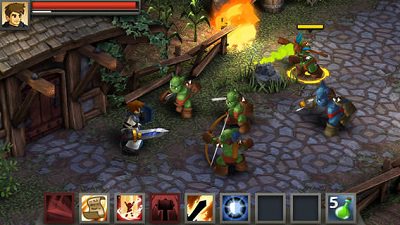
#6 Battleheart Legacy $ 4.99

Battleheart Legacy


Designed for: iPad and iPhone
Requires iOS 5.0 or later
AppStore rating: 4.5 stars

#7 PlunderNauts (FREE + In App Purchases)

PlunderNauts


Requires iOS 6.0 or later.
Designed for: iPad and iPhone
AppStore rating: 4.5 stars

#8 Hearthstone: Heroes of Warcraft (FREE + In App Purchases)

Hearthstone Heroes of Warcraft


Requires iOS 5.0 or later
Designed for: iPad and iPhone
AppStore rating: 3.5 stars

#9 Modern Combat 5: Blackout ($6.99)

Modern Combat 5

Requires iOS 7.0 or later
Designed for: iPad and iPhone
AppStore rating: 4 stars

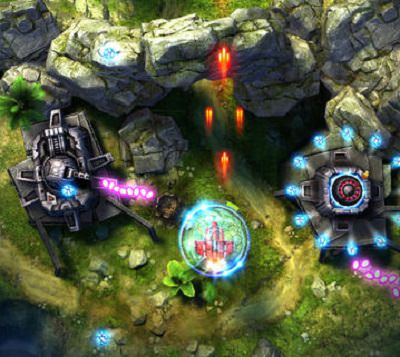
Sky Force 2014

#10 Sky Force 2014 (FREE + In App Purchases)

Requires iOS 5.0 or later
Designed for: iPad and iPhone
AppStore rating: 4.5 stars

World of Tanks Blitz

#11 World of Tanks Blitz (FREE + In App Purchases)

Requires iOS 7.0 or later
Designed for: iPad and iPhone
AppStore rating: 4 stars
#12 Leo’s Fortune ($4.99)

Requires iOS 7.0 or later
Designed for: iPad and iPhone
AppStore rating: 4.5 stars
#13 Monument Valley ($3.99)

Requires iOS 6.0 or later
Designed for: iPad and iPhone
AppStore rating: 4.5 stars
#14 Wayward Souls ($5.99)

Requires iOS 5.0 or later
Designed for: iPad and iPhone
AppStore rating: 4.5 stars
#15 Wind-up Knight 2 (FREE + In App Purchases)

Requires iOS 7.0 or later
Designed for: iPad and iPhone
AppStore rating: 4.5 stars
#16 Tiny Space Adventure – A Point & Click Game ($1.99)

Requires iOS 7.0 or later
Designed for: iPad and iPhone
AppStore rating: 6 stars

#17 Wind-up Knight 2 (FREE + In App Purchases)
Requires iOS 7.0 or later
Designed for: iPad and iPhone
AppStore rating: 4.5 stars

#18 Hitman GO ($4.99 + In App Purchases)
Requires iOS 6.0 or later
Designed for: iPad and iPhone
AppStore rating: 4.5 stars

#19 DRAGON QUEST IV Chapters of the Chosen ($14.99 + In App Purchases)
Requires iOS 7.0 or later
Designed for: iPad and iPhone
AppStore rating: 4.5 stars

#20 Micromon ($0.99 + In App Purchases)
Requires iOS 6.0 or later
Designed for: iPad and iPhone
AppStore rating: 4.5 stars

#21 80 Days ($4.99 )
Requires iOS 6.0 or later
Designed for: iPad and iPhone
AppStore rating: 4.5 stars

#22 Oceanhorn ($8.99)

Requires iOS 7.0 or later
Designed for: iPad and iPhone
AppStore rating: 4.5 stars
#23 BADLAND ($3.99 + In-App purchases)

Requires iOS 5 or later
Designed for: iPad and iPhone
AppStore rating: 4.5 Stars

#24 Nimian Legends : BrightRidge ($0.99 )

Requires iOS 7.0 or later
Designed for: iPad and iPhone
AppStore rating: 3.5 stars

#25 Mad Bullets (FREE + In App Purchases)
Requires iOS 7.0 or later
Designed for: iPad and iPhone
AppStore rating: 4.5 stars

Scientists Coming up with a Technology to Charge Mobile from Sound

Ever had a moment when you shouted at your phone in frustration? Well, scientists have decided to make use of the wasted sound energy with a new gadget in making which could soon charge mobile from sound.

Researchers from Queen Mary University and scientists from Nokia created an energy harnessing prototype device of the size of a mobile phone which could convert sound waves from speech or background noise into small five volts of electricity to charge the phone. 4 years ago Korean scientists had proposed and explain that it could be possible to generate electricity from sound, now it has come true.

Now scientists from london have succeeded in creating a working prototype. The invention they say was inspired by a previous research in which they found that playing pop and rock music improves the performance of solar cells. It was found vibrations from rock music triggered the solar cells to improve efficiency by up to 40%.


Electricity is generated via a piezoelectric effect where zinc oxide nanowires produces electricity.

Research was a combined effort of Queen mary university and scientists from Nokia. Zinc oxide was used in the form of tiny nanorods. Zinc oxide produces an electric current when subject to mechanical stress. In this case mechanical stress from sound vibrations. The nanorods are so tiny that they will bend in response from the sound, hence creating the stress required to generate electricity.
nanorods electricity from sound


Scientists created the nanorods by spraying a coating of zinc oxide onto a plastic sheet and placing the sheet in a mixture of chemicals and heating it to 90ºC (194ºF). Zinc oxide grew into an array of nanorods due to heat.Nanosheet was sandwiched between two aluminium electrical contact sheets to harvest the voltage generated. Gold is traditionally used as electrical contact but as a cost cutting technique the team were able to successfully produce a method of using cheap aluminum foil as a replacement for gold.

“Being able to keep mobile devices working for longer, or do away with batteries completely by tapping into the stray energy that is all around us is an exciting concept,” said QMUL’s Dr. Joe Briscoe. “We hope that we have brought this technology closer to viability.”

Hope one day we can use our smart phones endlessly without the hassle or worry about charging it everyday.