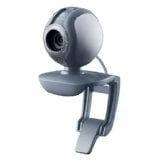
Webcam can be very useful to interact with friends and people on the other part of the world. Webcams are very common with laptops available today, and webcams of great brands like Logitech are available for cheap rates on online. If you’ve missed lot of fun with webcam. Then Click here to see some best selling webcams on amazon. You can just purchase one for affordable price.
But you already own a webcam or having issues with the software supplied with the webcam, then I’m here to give you the list of web services which lets you capture pictures and videos using just your webcam, without installing any software.
Sites that let you take picture using from your webcam online.
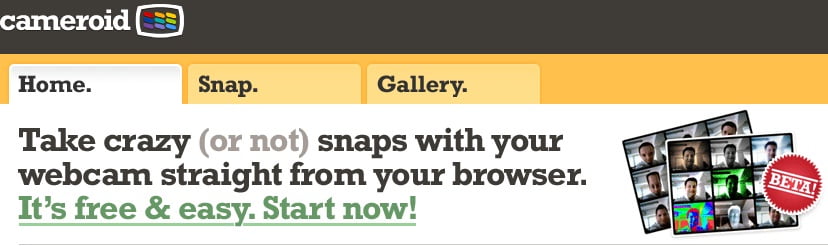
Cameroid.com
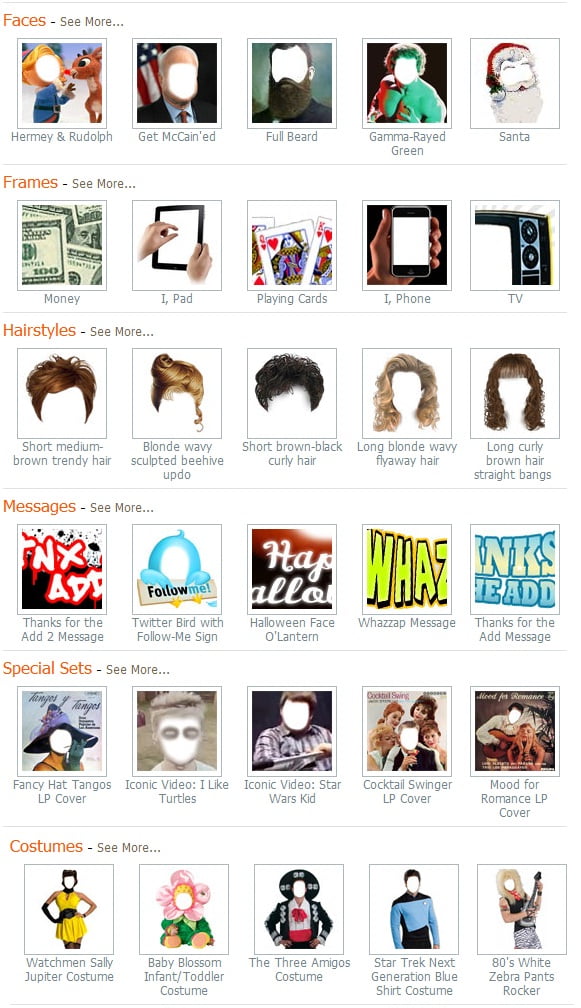
Cameroid is free online service that can take access your webcam (only if you allow) from your computer to take photos. It is “THE” easiest way to capture images from a webcam without using any software to install. To add surprise Cameroid also offers you fun features to add picture effects to your picture. You have plenty of fun photo effects to add in photos you take. Some of my favorites are monalisa effect, night backround, and more options like adding fun frames, scenes in the backround, blurry effect, distored effect like Maronface.
Now back to Cameriod. To get your pictures you just need to allow Cameriod access your webcam. Get started here. Please make your you have enabled and switched ON your webcam
The service automatically detects if there is a webcam attached to your system and if it is functional. If it does detect a webcam, the feed from the camera is displayed on the screen. There are two buttons available for you take photos. The first one automatically takes the photo as soon as you click it. The second one is the timer, which counts down to 3 before taking the snap.
Once the photo is snapped, you are again provided with a few more options. You can save the photo to the public gallery of cameroid if you choose to. Else you can download the photo as a .jpeg file or even print it without downloading. You can also trash or delete the image if you want to try again.
Special Effects:
After your picture or image is ready, you are able to apply a variety of special effects to it. There is a possibility to choose from 9 different color modes for your picture to give it a makeover.
Funfacecame is a web service which allows you to customize and add special effects to pictures, you can edit your photos captured from webcam and add very funny special effects to the photos, they have a huge collection of special effects to choose from. If your so lucky, then your photo can be featured on the front page, giving you more exposure.
Here’s a quick preview of the most popular special effects they have.
Watching TV have been never so easy in these days. Are you missing TV in your office? Did you miss your favorite TV program? Worried about TV subscription charges? Are you trying hard to get TV on the go on mobile? Then here is an alternative. Mundu TV is free application for both Window and Mac desktop PCs and Mobile phones. Mundu TV currently supports Symbian phones though apps for BlackBerry, iPhone and Android devices are yet to come. We will keep you updated with the upcoming features of this application.
To get this application on mobile. Just send sms “TV” to 9212401234 and you’ll get Mundu TV on your mobile.
How much does it cost?
You can enjoy watching live television instantly for 3 days once you’ve downloaded Mundu TV. After 3 days, you can register for an account and then you get to use this application completely free for a month. So thats cool right? And we don’t have any information on the monthly subscription charge of this service, as this is still on BETa label. But they are soon going to lauch it officially, We expect the prices likely to be around Rs. 49 per month for any four channels and Rs. 120 for unlimited number of channels. Anyway, we’ll update this information after it’s official lauch. So do bookmark us to stay updated. (by pressing CTRL + D)
How does it feels on Desktop?
I have personally tried Mundu TV on my PC, so here are some screenshots if you are curious about how it looks on screen.
Mundu.Tv on full screen, I was watching NDTV India while taking this screenshot.
Please visit : http://mundu.tv for more details. We are not affiliated with or endorsed by Mundu.tv. Please donot contact us for support!
This is a guest post by Akshay who blogs at Scremable.com. If you like to write for TechGyo, read: TechGyo’s 100% Adsense revenue sharing program.
Electronic records lasts for like ever.Many times after sending a email you might have thought that you might not have send that mail. If you want it to never happen again you should definitely read this post .In the current e-mail system once the message has been send sender has no control over it. Receiver may duplicate your Email data,forward it and other things. If you want to protect this things and want control over your send Email’s you are reading the right post.
Self-destructing email are an electronic mail that vanishes or becomes unreadable after a certain length of time or sender can destruct the send email whenever he wants. They also help prevent printing, copying, forwarding, and saving of the sent email. There best feature is auto expire after a predefined interval.
You can also use these emails for tracking purposes i.e Self Destructing Email also let you know when was your email opened etc
How Do these Emails works? These Email works in numerous ways. Most common methods by which these emails work are :
1.BY providing message recipients one-time access to a secure Web page that contains your message.Recipients get an email containing a link to secure webpage and direct readers to the page with the message, which is accessible only once. After that, the message is deleted.
2.The way most of these emails seem to work is by replacing the plain text of your email with a graphic image of the text, which is stored at the Web site’s server rather than in the email message itself.The original message just contains a link to this image. So user can view the image only and sender can delete the image whenever he wants
Online Sites which provide these services:
There are numerous sites which provide such services. Some of the popular sites are :
This is a guest post by Hitesh who is a budding blogger. If you like to write for TechGyo, read: TechGyo’s 100% Adsense revenue sharing program.
The Indian Govt has just Announced the Symbol for Rupee currency and It will take almost one year to implement the same in all over the world as there are many regulatory requirement involved in implementation .However I have found a trick from the net by which you can start using the Rupee symbol from now .It is very easy to use the trick .Trick is developed by Foradian Technologies .
Steps To Install the Rupee symbol.
How to use ?
1. Download the above attached font Rupee.ttf or the new version Rupee_Foradian. ttf
2. Install the font. (It is easy. Just copy the font and paste it in “Fonts” folder in control panel)
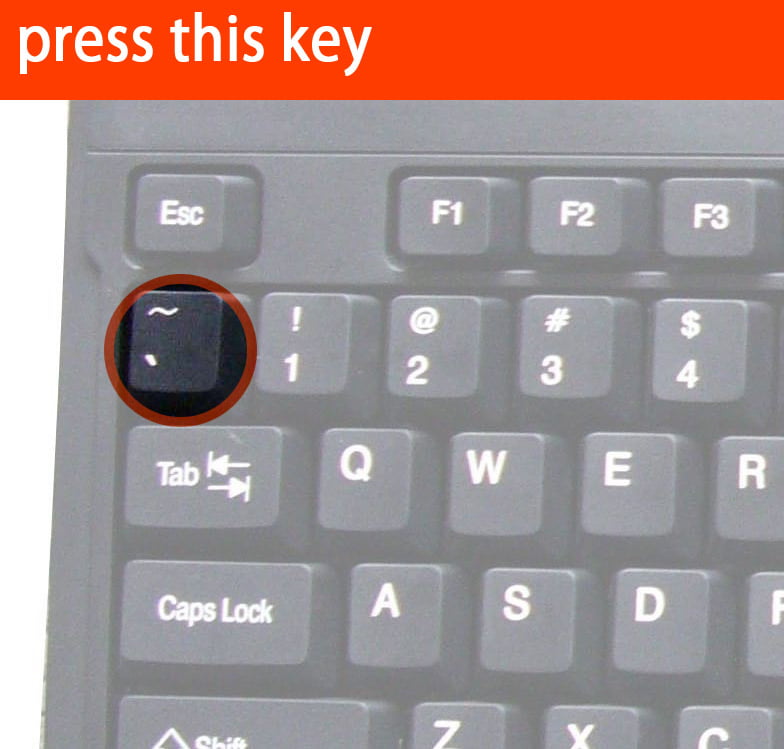
Rupee symbol mapped the grave acent symbol – ` (the key just above “tab” button in your keyboard) with the new Rupee symbol. Just select “Rupee” font from the drop down list of your fonts in your application and press the key just above your tab button. It will display our new rupee symbol. Try it.
Limitations
The “Rupee.ttf” font is necessary to view the currency symbol. So as long as the new symbol is not encoded in to Unicode font by default, we cant use the symbol universally. means if you type the symbol in your letter and send to other person but the receiver has not installed the font then he can not see the rupee symbol
This is a guest post by Akshay who blogs at Scremable.com. If you like to write for TechGyo, read: TechGyo’s 100% Adsense revenue sharing program. Hi, in this post i m going to discuss about how to lock a folder without using any software.Locking a folder means nobody else should be able to access it. Locking a folder will enable you to protect your valuable documents and files from unauthorized access.I will use a simple registry trick to achieve the Task.
How To Lock The Folder?
Create a new folder or use any already created folder which you want to lock. I am going to lock folder akshay which is present on my desktop. To begin right click on the folder and rename it to akshay.{2559a1f2-21d7-11d4-bdaf-00c04f60b9f0} or yourfoldername.{2559a1f2-21d7-11d4-bdaf-00c04f60b9f0}.After renaming it you can see that the folder becomes locked and its icon changes.
How To Unlock The Folder?
In the previous step you locked a folder now i will teach you how to unlock the folder. To begin Open command prompt and then navigate to location where your locked folder is. My folder is placed on desktop so ill change working directory to desktop. So i will type cd Desktop to change directory to desktop. You can simply type cd /yourpath. After that type command ren akshay.{2559a1f2-21d7-11d4-bdaf-00c04f60b9f0} akshay this commands rename it back to just akshay and folder will become unlocked
This is a guest post by Amit who is a budding blogger. If you like to write for TechGyo, read: TechGyo’s 100% Adsense revenue sharing program.
Well, you might think you are smart enough to not loose your precious mobile phone. But, are you really that smart? (That’s the kind of question that I’ve been dodging for a while). Anyway, everyone on this planet, rich or poor, male or female will have a bad-mobile-day. Yeah sounds stupid. But what will you do if you loose your handset? May be that’s a good reason to buy the latest model of some blackberry look-alike(or, are you going to cry?). Now let’s cut the crap and see what this wonderful mobile application F-Secure Anti-Theft can do.
Why use F-Secure anti-theft?
If you lose your mobile phone, You can Remotely lock it or even wipe out all the data from your phone. What’s more, it is a free software which anyone can use. So at least you can prevent any illegal transactions through your phone or disable the phone. You can also locate your phone remotely and get info about the one who stole it.
How does it work?
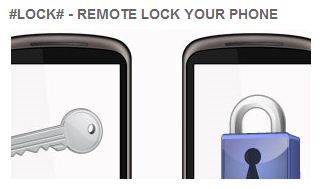
You can lock your phone quickly with a single text message. The phone remains locked until you reset it.
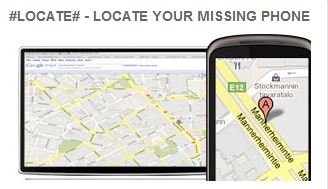
You can locate your phone simply by using the map. Again, all you have to do is, send a text message to see the location on the map.
If you are sure that you are not getting your phone back, erase all the data in your phone by, wait for it, sending a text message.
All this is good, but this is even better. If the thief tries to replace your SIM with another one, the phone will be locked automatically and you will receive the SIM number.
You must have always wondered how would it have been to run, all your frequently used applications directly from your flash drive or your Pendrive. Yes, it is a great pleasure to run all the needed application from your own flash drive as you do not need to carry even your own laptop in that case. All you need is just to access any PC somewhere, and insert the flash drive in the USB, and it’s all your computer. You don’t feel any difference. Now, days you can find almost all sort of portable application ranging from your favourite web browser to Office to antivirus. Today we are going to present to you two different websites which provide such applications for free.
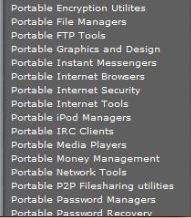
This website boasts of many frequently used application in various categories and it is all free for download. Once you download the application you will be getting onscreen help on how to install the application from your flash drive and run it. This site also provides support for all their portable applications. They have a very happening forum in which you can get answers for your questions. We will provide the detailed list of application this site hosts below:
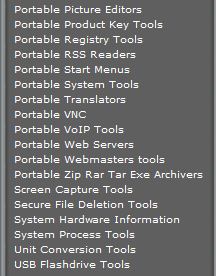
This website is really wonderful and hosts hundreds of portable applications, all of which cannot be enlisted here. The stock of the website is divided into the main category of applications and then the subcategory so it is very easy to navigate and find a similar application of different flavour. I will give an overview of the screenshot of this wonderful website.
In this website the applications are listed in the below following categories:
Using a portable application from your own flash drive is safer if taken care of since you do not miss any of the vital information from your part if taken care off, than just merely using the other persons desktop or a cyber cafe. You have almost all of the applications in both of the websites, to fulfil your general computational need.
In my next article, I will be writing about how to install an operating system directly into a pen drive and use it from it. So you can carry just the whole of your system with you in your pocket.
If you liked the article or you didn’t please leave a reply, it takes a moment and helps us to improve in writing our future articles.

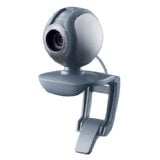
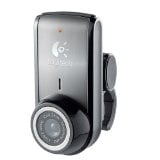 Webcam can be very useful to interact with friends and people on the other part of the world. Webcams are very common with laptops available today, and webcams of great brands like Logitech are available for cheap rates on online. If you’ve missed lot of fun with webcam. Then Click here