Home Blog Page 101

Ecobee vs Nest – Know These Critical Differences

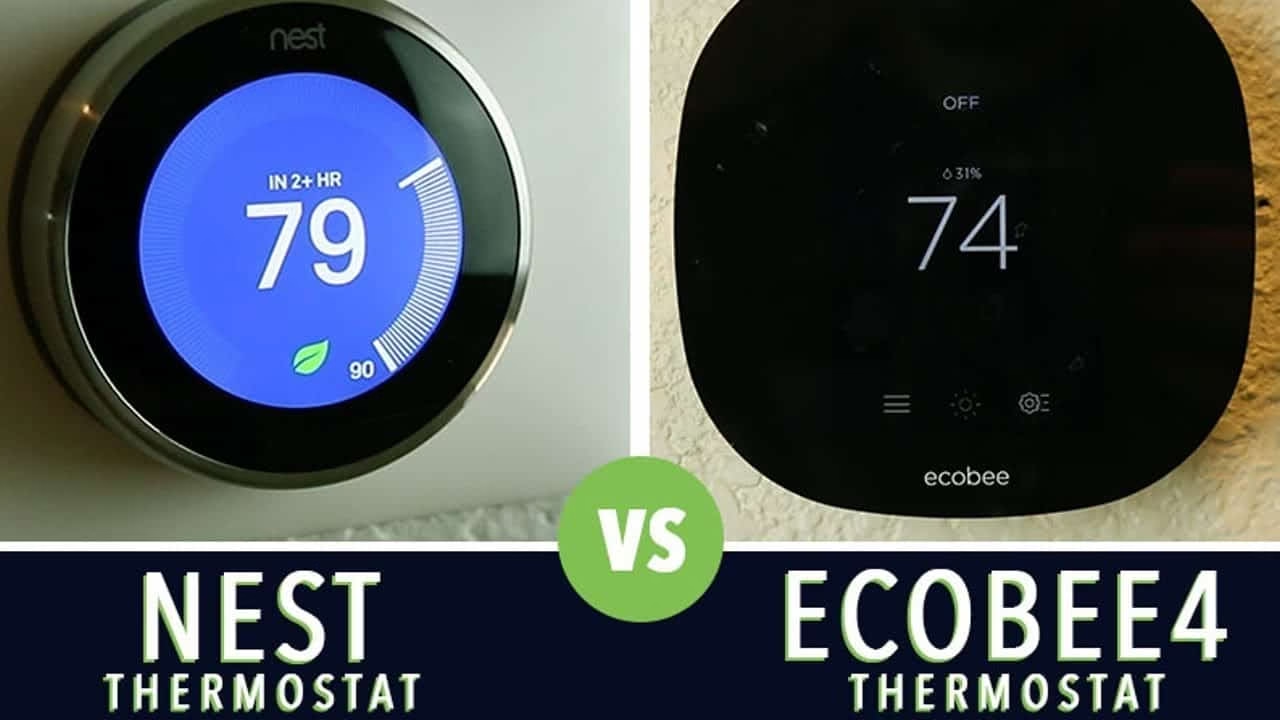
Smart thermostats are excellent way to make your home a smart home. These thermostats allow you to control the temperature of your home through your smartphone. You can impress everyone by putting a thermostat on your wall. Ecobee and nest are two best thermostats which rank top positions in the list of most recommended thermostats. Both of these thermostats are different but difference is not huge. Here I am going to discuss some differences between ecobee and nest. 

C:\Users\rads\Desktop\Capture.PNG

Both of these thermostats are great picks and both are dominant smart thermostats but still you should also know the key differences between ecobee vs net . If you want endless data with customization you would love to have ecobee. If you need a great looking thermostat that work with any thought from you then nest is the best match to your requirement.

Basic Features:

Nest learning thermostat is the best looking as it looks like a classic Honeywell round. The outer ring of nest is made of stainless steel that reflects the color of wall. When it is cooling its face light up with blue and turns orange when your system is heating.  It feels heavy and sturdy. You can turn the ring to make changes in the temperature. Nest thermostat has 2 models Nest thermostat E and Classic Nest learning thermostat. It has a simple interface and it comes in different styles including black, white, copper and stainless steel. It has more sensors than ecobee so it can track more metrics.

Ecobee has a rectangular body that makes it look like an oversized smart watch. It has a black color plastic body with glass screen. It has significantly larger screen than nest. Its touch screen feature gives you access for many control settings.

Preferences:

Nest is a great option if you are looking to buy a smart thermostat that can learn your behaviors. Over the time it learns your heating and cooling preferences so it automatically makes the adjustments for you. With nest thermostat you can create an automatic schedule and also do temperature adjustments on the thermostat or with Google assistant and alexa.

Ecobee is a better option if you are looking for a thermostat with HomeKit support, amazing external room sensors and inbuilt alexa support. Its HomeKit support offers you more options while setting up your smart home. 

Technology:

Nest utilizes the geofencing technology for occupancy detection. Technically the Nest application uses your locations to detect that you are at home or not. If you are not at home it automatically switches to money saving mode. When you come back to home it resumes the heating or cooling process. This feature of Nest thermostat actually works like a magic.

Ecobee has three setting options including home, sleep and away. You can make the temperature settings according to what temperature you prefer when you are at home, sleeping or away from home. You can schedule each mode individually. It also has another option i.e. “I am usually at home” which you can activate if you usually stay at home. You can also use its “smart away” and “follow me” option to detect occupancy through geofencing. Ecobee has inbuilt alexa feature. 

If you are looking for intelligence and style in your thermostat, Nest is the answer and if you are looking for integration and maximum control, you should choose Ecobee.

Pros of Nest Thermostat:

The build quality of Nest is excellent including glass display and stainless steel ring.

It supports two and three speed fans.

It has built in lithium battery that defends the system against power outages.

It has temperature, motion, humidity, ambient, proximity, magnetic and light sensors.

It is compatible with other products of Nest.

Cons of Nest thermostat:

Occasional connectivity issues with WLAN routers.

Sometimes the remote sensors measure only temperature not the occupancy.

For home automation platforms it provides limited support.

Pros of Ecobee thermostat:

The touch screen display of Ecobee works excellent.

Entering the wifi or WLAN passwords is just breeze in case of ecobee.

Its remote sensors give exact temperature readings for multiple rooms.

It has inbuilt humidity, temperature, proximity and occupancy sensors.

Ecobee is compatible with every smart home platform such as alexa, AppleHomeKiT

It works with Siri and Google assistant.

Cons of Ecobee thermostat:

It does not support two and three speed fans.

It requires a power extender kit which comes along.

Its build quality is not that much good.

Conclusion:

If you want to improve the heating and cooling infrastructure of your house Nest and Ecobee both thermostats are great choices. Ecobee is a leading thermostat with many options and Nest is an intelligent thermostat that learns your behavior. You can communicate with these thermostats with your smart phones and smart speakers. Which brand you prefer that completely depends on your particular choices and requirements. 
How To Access Whatsapp Web Without QR Code

Whatsapp is a most popular messaging app. Almost everyone knows about whatsapp and use this application for instant messaging. Mostly people access whatsapp on their smart phones. But sometimes people feel more comfortable to access the whataspp on their PCs or laptops. When people need to send a lot of messages or data (professional) they prefer using whatsapp on their computer or laptop to avoid checking their mobile phones again and again. 

Possible reasons for using whataspp on PC or laptop:

Your phone has some problem that needs repair.

You have a lot of data on your PC which you want to share through whatsapp.

Mostly work on your PC and do not want to get distracted by your mobile phone.

If you want to access your whatsapp on computer or laptop you can simply use whatsapp on web. To use whatsapp web you have to scan the QR code available on your computer screen. But there are few people who do not like scanning QR code again and again. They may want a way to access whatsapp web without scanning QR code.

So now coming to the main topic “how to access whataspp web without QR code”? 

There are a lot of people who do not prefer scanning QR code while using whatsapp web. They must be looking for solution for this issue, many people say that it is not possible to access whatsapp web without scanning QR code. But that’s wrong. You can access whatsapp web without scanning QR code with the help of BlueStacks. All you have to do is to install your whatsapp in BlueStacks. BlueStacks allow you to access whatsapp web without scanning QR code in both Windows and Mac.

C:\Users\rads\Desktop\main.PNG

There may be so many people who do not know about BlueStacks because this name is not very common. So there are few people who know about BlueStacks. BlueStacks is an android emulator. This platform allows you to access android applications (Eg Whatsapp) on your PC. Here you can use the android applications in the same way you use on android devices. BlueStacks allow you to access whatsapp web without scanning QR code and without your mobile phone. Other ways that allow you to use whataspp on your PC require your phone with you but not BlueStacks. 

First of all install BlueStacks on your PC (windows or Mac) following these steps:

Installing BlueStacks on your PC is a very simple process. Go to download BlueStacks, click download and then install BlueStacks app player on your computer. 

C:\Users\rads\Desktop\Capture.PNG

After the Bluestacks is installed on your PC we can proceed with next step.

C:\Users\rads\Desktop\installing bluestacks.PNG

Then you have to install whatsapp in BlueStacks android app player manually following below mentioned steps:

Now Bluestacks is there on your PC so you have to download and configure whatsapp manually on your computer. This process is little different from your smartphone because you are doing this on your PC. Here you don’t have to download the whatsapp on apple store or play store like your smartphone because BlueStacks has its own app store having thousands of applications. 

C:\Users\rads\Desktop\bluestacks app player.PNG

Open BlueStacks app store and search for whatsapp.

C:\Users\rads\Desktop\search whtasapp.PNG

Now you have whatsapp, click “download”.

Let the download process finish then click “install” and it’s done. 

C:\Users\rads\Desktop\install whatsapp.PNG

Whatsapp requires your mobile number for verification. Now you have to add a contact number which you want to use for whatsapp. Enter the number and you have successfully installed whatsapp and now you can use it without scanning QR code. 

C:\Users\rads\Desktop\verify mobile.PNG

You cannot use same contact number for both whatsapp (phone and PC). Sms verification process is same as in your smartphone. You can add your contacts you want to chat with in your address book. 

Open BlueStacks (virtual android emulator). Click the menu icon in top right corner of your screen and then click “manage contacts”. Now you are all set. 

Conclusion:

Whatsapp web is free and safe to use. It provides a richer communication experience on your PC. This is the easiest method to use whatsapp on web without scanning QR code.  By following this process you don’t have to worry about scanning QR code again and again and you can access your whatsapp quickly and smoothly.

4 Ways to Improve Employee Recruiting and Retention Efforts

There is a saying that it is hard to find good help these days. If your company is having trouble finding talented employees, then you need to make sure that you put just as much effort into recruiting talented employees as you do in retaining them. It starts with understanding the factors that employees consider when they are looking for jobs. If you are able to tailor the benefits that your company provides to the desires of employees, then you should be able to not only recruit talented employees but also retain them. Take a look at a few of the most important pieces of information below that can help you make sure that you recruit and retain talented employees. 

Improve Employee Recruiting and Retention

What Factors do Employees Consider When Choosing Jobs?

Even though every employee is different, there are a few common things that employees consider when they are looking for jobs. Some of the most important factors that employees are looking for when they are looking for employment include: 

  • Compensation: Of course, one of the first factors that employees considered as compensation. Everyone wants to be compensated appropriately for the work that they do. This includes those who are looking for a job. Be sure to understand what the going rate is for that open position. Then, price the compensation of that position at your company to be competitive with the market. 
  • Work Hours: The other major factor that employees are going to consider when they are looking for a job at the number of hours they will have to work. Employees would rather not work nights, weekends, and holidays. Even though there are some positions where employees are going to have to pick up these off shifts from time to time, it is important to keep these requirements as low as possible.
  • Vacation Time: Today, employees care about work-life balance more than ever before. Therefore, you should make sure that you provide your employees are plenty of vacation time as well. Even though most positions only start with 12 vacation days, you can recruit talented employees to your company if you are willing to offer a few extra days off. 

These are a few of the most common examples of important factors that employees look for when they are looking for jobs. Make sure that you tailor the benefits that your company provides to the factors that employers consider when they’re looking for a new position. 

The Main Factors to Keep in Mind

If you would like to improve your efforts when it comes to employee recruiting and retention, there are a few key points that you should know. These include: 

  • Identify the Right Candidates: In addition to tailoring what your company provides to meet what employees demand, it is also important to identify the right candidates who are going to stick around. It is a good idea to take a look at the prior employment records of employees who are applying for the position. If they stuck around for a while at their last job, they are likely to stick around for a while at their next position as well. Be sure to identify candidates who are going to stay the course. 
  • Provide Chances to Move Up: The vast majority of employees who are applying for a position or looking for opportunities for advancement. They are looking for a career, not just a job. A career implies that there is going to be a chance for them to move up. When you are interviewing candidates for a specific position, make sure to provide employees with a clear path for advancing. For example, you might want to provide employees with access to continuing education opportunities that allow them to improve their skills, making them more competitive for advanced positions. In addition, you may also want to provide tuition reimbursement, making it easier for employees to take out those educational opportunities. 
  • Provide the Right Employee Benefits: It is true that compensation and the number of hours worked are still the most important factors when it comes to recruiting talented employees. On the other hand, by focusing on additional benefits, you can set yourself apart from other companies in the industry. For example, think about offering competitive retirement packages that provide your employees with a chance to plan for the future. You may also want to provide competitive health insurance benefits as well. When you provide these added benefits, you are able to separate yourself from others who might want to recruit the same talented individuals. 
  • Be Open and Honest: Finally, employees also care about the company culture. Therefore, make sure that you are open and honest with employees when they are applying for a position. Do not try to hide efficiencies in your company. Instead, be open and honest about what your company has to do better. When you take the time to be transparent with candidates, they are going to appreciate it. This will make it more likely for them to take the position and stick around because they will feel like they have a chance of improving the company culture. 

When you take the time to identify the right employees for the position, you improve not only your recruiting efforts but all retention efforts. The last time your company has to spend recruiting talented employees, the more your business can focus on growing. 

Get Help with Retention and Recruiting Today

If you are looking for help with employee retention and recruitment, then reach out to trained professionals who have experience in this area. That is where we can help. At the GOALL Program, we provide companies with access to a wide variety of benefits that they can offer to their employees, helping them stick around. This includes access to universal life insurance policies, which can be a competitive retirement package you can provide to your employees. Give us a call today to learn more about how we can help you with recruitment strategies and retention strategies. 

Know The Secrets Of Instagram Algorithm To Make It Work For You

The fate of your Instagram account in terms of engagement and reach will entirely depend on the Instagram algorithm. This algorithm keeps on changing, and the changes are kept a secret from the users. However, if only you know about these changes, you will be able to react as required and satisfy all its requirements to gain a better and wider exposure. 

The Big Three of the Instagram algorithm is no more a secret. According to Instagram, the three principal factors that will determine the content of your Instagram feed are:

  • Interest: Using the image recognition technology, the platform assesses the content of any given post. It identifies the interest if you frequently engage with posts that feature a particular element or object. The algorithm will give preference to those images and videos only while organizing your feed. 
  • Timeliness: This is the date and time of posting the image or video. It is more unlikely that any regular user will see a post that is posted a few days ago.
  • Relationships: Since Instagram is all about relationships with friends, family, celebrities, and others, the platform looks into the likes, comments, tags, and DMs to look into the established relationship.

Apart from the above, there are also three secondary ranking factors followed by Instagram, such as frequency, usage, and following.

Consider what you post

If you want to make the Instagram algorithm work in your favor, you will need to consider what you post, how often you post, and how you post.

  • Posting frequency: When it comes to posting on Instagram, you should post more often, but make sure that all your posts are of high quality. Posting great content regularly will ensure that the followers do not miss it.
  • What to post: Apart from the best pictures, make sure that you also post videos. This will make your posts more appealing, informative, and interactive. It will increase visibility by 80%, which will make the algorithm find more videos for the users who stop by to watch a video.
  • How to post: Post when the users are active, be specific and personable, use proper and relevant hashtags, run a contest, and encourage the users to turn on notifications.

All these will make sure that your posts are genuinely appealing and incredible, increasing its reach and likeability to the Instagram algorithm.

Outsmart Instagram algorithm

You will need to outsmart the Instagram algorithm if you want to survive the stiff competition. One of the most effective ways to do so is to post during peak hours only. This is the most straightforward way to provide Instagram algorithm what it wants. You will, therefore, need to research a lot to know about the peak hours to post. 

All you have to do is ensure that you do not post when the followers are asleep, and this will not need you to perform a hell lot of activities. You can use different tools to know the times when the followers are most likely to see your content. Accordingly, you can schedule your posts in advance. You can take the help of experts like https://blastup.com/ for that matter as well.

If you are unsure about the best times to post, post more often. Just make sure that:

  • You break up the posts and 
  • Your feed feels fresh and diverse.

This is the best process when you are in doubt to ensure that you hit the right times, some time or the other.

Few FAQs answered

While using the Instagram platform and to make its algorithm work, you will need to clarify all doubts in your mind. 

  • One common question that users ask is whether or not the chronological Instagram feed will come back anytime soon. Well, no, it will not. This is beaches Instagram does not want to add to the complexity, according to TechCrunch, because if done, the users may forget the set feed.
  • Another question that may come up in your mind is whether or not your reach will reduce according to the new algorithm if you switch to an Instagram business profile. Once again, the answer is no, it won’t because Instagram does not give and additional exposure to none, whether it is personal or a business account.

Some other common questions can be whether a video or Instagram new features will perform well in the Instagram algorithm. Well, not anymore.

Know the principles

You will also need to know a few specific principles based on which the Instagram algorithm works.

Ideally, the Instagram algorithm will allow only those posts to stay longer that have a high rate of engagement. While determining engagement, the algorithm follows a specific process.

  • It collects the number of likes, shares, comments, and saves and 
  • Then divides it by the total number of followers.

It also considers the interactions, which in Instagram refers to likes, shares, comments, time spent while viewing a post, DMs, saves, and other different metrics. All these metrics are also divided by the total number of followers that the specific post has.

The algorithm ranks the high-engagement posts first because the chronological order of listing the posts is much less effective.

Important actions to take

There are a few specific actions that you should take to make the Instagram algorithm work your way. 

  • First, you can ask your followers to turn on post notifications. This will ensure that they see you more on the platform.
  • Secondly, you can run a content or giveaway valuables that will encourage them to tag their friends. 
  • Thirdly, partner with the influencers to increase your ROI and profits. Do not just tag username but create a perfect blend of their talent and your creativity in your Stories. 

Lastly, make sure that you repost the content of others as well by tagging their name after taking consent. This will save a lot of time and hassle to create fresh content every time. You can tag the entire account or write the username in the caption.

All these tips and practices will help you to keep up with the requirements of the Instagram algorithm.

About the Guest Contributor

Walter Moore is a notable management consultant and digital marketing expert. He is an experienced digital marketer and has helped e-commerce businesses in all niches gain with his effective marketing strategies and guidance.

How to format a hard drive

0

Formatting an external hard drive is a conventional practice worldwide for some reasons. Both brand new and old drives may need formatting to make them compatible with your device operating system, clean the drive safely, erase the existing partitions, and switch the file system. There are several types of formats for a drive you should consider. You need to pick the best format according to your task for having the maximum performance. In this post, we are going to talk about the hard drive formatting and the handy process to do it. Let’s get started.

How to format a hard drive

Does hard drive format erase all files permanently?

Companies that provide hard drive recovery in usa are often asked this question. Sometimes, users intentionally or accidentally format their drive and become worried if the files can be recovered anymore. It is crucial to note that formatting a drive does not erase files permanently. An expert can simply access them again after rebuilding the volume. Though it appears like the data in the drive have been erased forever, it does not happen actually. Without erasing the files, formatting removes the address table only, making the file recovery and reading process difficult. But, formatting is more secure than deleting files directly if you want to get rid of unused files. 

Types of hard drive formats

You possibly have formatted an external hard drive before. But, a question regarding the hard drive format should rotate in your mind because there are several format options. Most users are familiar with NTFS and FAT32 while formatting their hard drive. However, a user should have knowledge about the other formats and their advantages. We are going to discuss them. 

NTFS 

New Technology File System [NTFS] is the most common hard drive format for a Windows user. The format was launched in 1993 and upgraded gradually till now. It has a huge file storing and partition capacity. Besides, it provides a few convenient features to users. NTFS is the default hard drive format for Windows and it works readily on the OS. However, it might have some limitations while using other OS like Mac. 

FAT32

File Allocation Table [FAT] is another most used format which is updated from FAT16 to FAT32. FAT is an older hard drive format, but it is consistent with both old and modern operating systems. Since it was invented many years ago, FAT32 has yet some limitations. For instance, it does not allow users to create a file name of more than 8 characters. Besides, a single file can not be larger than 4GB. 

HFS+

NTSF is undoubtedly the most eligible format for Windows OS. But, a clear drawback of this format is not to work with other OS decently like Windows. Hierarchical File System [HFS] is the best drive format for Mac users in that case. HFS+ is the upgraded version of HFS that uses Unicode and allows large files and file names. Unfortunately, HFS+ is only designed for Mac computers. Other OS and devices even can’t detect a drive that is formatted with HFS+. 

exFAT

exFAT is a particular format that consists of both NTFS and FAT32 features. It allows large file sizes like NTFS and has flexibility like FAT32. The best thing is you can use it on both Windows and Mac and transfer files between them without any complication. exFAT supports other OS like Linux as well. However, the format won’t work if the drive is older.

APFS

Apple File System [APFS] is only usable on Apple’s devices run by macOS High Sierra or later. It is a versatile drive format that is supported by all kinds of flash drives. Besides, it offers excellent and useful features like encryption, space sharing, and more. 

Quick format vs. Full format

When it comes to formatting a hard drive, especially on Windows, most users cannot decide the best one to format the drive. Though we generally choose the quick format due to its less time consumption, both have different purposes. 

When we pick the quick format, the system won’t check any bad sectors on the drive and the processing will be very fast. The drive may seem to be empty after a quick format, but the files still remain there and you can have their access again after rebuilding the volume.

The system checks out if there are any bad sectors on the hard drive during a full format. Though it takes more time than quick format, the drive’s files do not get erased permanently and can be reaccessed like quick format. 

How to format an external hard drive

Windows and MacOS are two giant operating systems that allow hard drive formatting by default. As we already know the compatible drive formats of both systems, check out the formatting process.

Formatting a drive in Windows OS:

  1. Connect the external drive with the computer and open Windows Explorer.
  2. Right-click on the drive to open a drop-down menu. Select “Format” from the menu.
  3. A pop-up box will appear. You can rename the drive by typing the name on the “Volume label” box. 
  4. Select “Quick Format” under the format option and click the “Start” button.

Formatting a drive in MacOs:

  1. Connect the external drive with your Mac desktop and open “Finder”.
  2. Click on the “Go” menu to explore the drop-down menu. Select “Utilities” from the menu and open Disk Utility.
  3. Find the external drive from the left sidebar. Select it and click “Erase”.
  4. Rename the drive and select the file system from the “Format” drop-down.
  5. Click the “Erase” button so that MacOS can reformat the drive.

Fortunately, both Windows and MacOS provide default drive formatting options that require no additional skill to implement. However, we are mentioning again that you need to understand and consider the best type of format for your hard drive because each of them has both advantages and disadvantages. If you are a Windows user, NTFS is the best format to go. On the other hand, APFS is the ideal format for a full-time Mac desktop user. 

How to set up business credit

Business credit is the ability of your company to obtain borrowed money. This helps you to purchase products and services that you will pay back in the future. Now there are different types of business credit that you can attain for your company. First of all, revolving credit is the type of credit that you can use up to a certain credit limit, which allows you to either pay it in full at the end of the month or carry it, which is called revolving debt.

setting-up-business-credit-

Importance of Business Credit

As we all know, managing money and cash flow is probably the most important thing that separates a successful business from a failed business. Most small businesses fail because of a lack of money, not because of a lousy team or bad technology. More lending institutions are now looking at you to know business credit scores and trying to decide whether they want to extend a lot of credit to you or not. 

If you are running a small business and want to expand your business into a high-tech adventure, you need to establish good business practices and a credit score. So that it may cost you less money and less interest to raise capital from different lenders. At the end of the day, it will build your brand as a good business.

How to build business credit step-by-step

If you’re interested in building business credit for your company, get this business credit application template. This content will help you more to learn. In this context, you will find a step-by-step way to establish business credit.

Incorporating your business

The very first step is incorporating your business. The process of incorporating allows your company to become its own separate legal entity separate from you as the business owner? Through this, you can truly separate yourself from your business. It doesn’t matter your company is a limited liability company or corporation. This particular structure allows your company to be treated as a separate identity or person. This is of course, there are liability protection and tax benefits to incorporating.

Federal tax identification

You will need a federal tax identification number, which is also called EIN. It will be needed when you do your personal tax returns. It’s used to create your personal credit file, the same thing as your employer identification number. It’s linked to your company, so the employer identification number allows your company to create its own credit file. It’s also used when the company does its own tax returns etc. One of the most important things is actually having your company become what’s called credit reading. This is laying the actual foundation for building your company’s business credit.

Lender compliance

This is where you actually go through lender compliance. It would help if you did all these things to set up your businesses as a real business. There are a lot of details and the necessary things that you need to know about this. Whether it’s setting up a dedicated business phone number, setting up your business address, mailing address, and making sure you have a business directory listed from my details like regulatory compliance. Ensure your corporation is active within the state that you have all these other details covered before you actually move on to the next step. Once you have that foundation, you have the company ready to start applying for credit.

Business bank account

The next thing is actually opening up a business bank account. If you don’t want to actually start applying for credit, open up your company’s business bank account. When you do that, you’re going to need your organization’s certificate, depending on what structure you chose. This is all the information you have to provide the bank; all that information has to be consistent in exactly the same, even your business description.

Establish a dedicated business address

Establish a dedicated business address and phone number. So you might not think that this is a step that establishes your business credit, but it does because of business directories. Business Bureau and Yelp require an address and phone number in order to sign up from their credit bureaus to pull information from those directories. When they are establishing your credit file, we’re going to get into this a bit later. Having a business phone number is actually an example of a trade credit relationship with a vendor. This is one way you can build business credit, but again we’ll get into that suffice to say, it’s one of the many potential files that you can have that make up a credit report.

Applied for a business D U N S number

The biggest credit bureau is the business credit bureau that is on Bradstreet. They’re the most well-known for obtaining a Duns number. This is how you open a file with them to get your unique number from D & B. It takes a little bit longer, about a month to receive your number directly. This is not a requirement unless down the road in the future. You can look to get an SBA loan or a government contract. This is a great example of something that would be good to get done. It’s still a good idea like we said it’s free. It’s easy to get and you might want it in the future. So why not use it to establish your business credit. So at this point, with these prior steps, you actually have a pretty solid foundation for an established business credit score from here. It’s all about doing things that are actually going to boost your score.

Conclusion

You know some type of business that needs inventory. They’ll give you the product, and you’ll pay them, maybe days or weeks. After you receive the items, you need to see if those vendors will report your payments to the business credit bureaus. This is kind of like a little loan and it’s treated as such by business credit bureaus.

Ease US Data Recovery Wizard

0

We live in a data-driven world – almost! In a world where computers have become an essential part of life, any type of data loss can create a lot of problems as well as problems. Data loss is controlled by many factors which include physical, logical and mechanical problems. 99% of the time, EaseUS Data Recovery Wizard is possible, but 1% of the time the data cannot be recovered.

There are many types of data recovery programs on the Internet that will help you recover all of your important information in no time. The programs can initiate data recovery on various storage devices like hard drive, CD, DVD, USB drive, Zip drive and other multimedia devices.

The common factor causing data loss are hard drive malfunction and virus attack. High-end recover data from formatted hard disk software can recover all data from a virus-infected CD or hard drive even if your hard drive has crashed. There are many companies that develop their own data recovery programs, which they use to recover lost data and to minimize damage to your hard drive or system.

You can use the following Ease US Data Recovery Wizard procedures if you have problems accessing your data:

Most data loss occurs due to hardware failure, so you must first identify the reason for the inaccessibility of the data. This will help you understand which process should be followed for data recovery.

If the data loss is minimal, you no need to consult an expert. Data recovery can charge a lot, even to recover a small amount of data. If the data loss is due to some problem deletion or virus problem, you can still download some programs from the Internet and run them. Most free programs available on the Internet can easily recover data.

When looking for recover data from ormatted hard disk software on the Internet, look for programs that have received good reviews from various online magazines on PC or computer. This will help you download the best programs. Some require you to register before you can download them.

Look for programs that have built-in troubleshooting or a help manual. This will provide you with a step-by-step guide to data recovery and will also provide information on what to do in a problem.

Another good option is to remove the hard drive and connect it to another computer to recover the data. Always connect it to a computer whose configuration is similar to yours. 

If you using computers for a while, you should have heard that the data stored on your hard drive is not necessarily safe.

Those of you who think it is not true will have to face reality and be aware that it is really true. It can be attributed to fact that hard drives are not as robust as other storage methods like CDs and DVDs.

Hard drives are mechanical and active devices that will give them a higher tendency to crash compared to other non-mechanical devices.

When a hard drive fails, the data on it may be lost. This raises the question of how to recover data from the hard drive.

Another factor that can contribute to data loss is the user who uses this computer. It can be done by erasing data from the hard drive by mistake or causing data loss by the use of malware.

You might find that the computer was in use by someone other. If you Windows XP user, you can very easily recover data from the hard drive.

You need to go to the Start button and click on it. Once the options are displayed, access all the programs and click on accessories button. On that appear after the accessories, click the system tools button.

You will see options like disk defragmenter, backup, system information, etc. Click the button called System Restore.

In the window that appears, click restores my computer to an earlier time, then click on next.

The window that appears will have a calendar from which you can choose a date to restore your computer. Be sure to choose a date close to the last time you viewed the file.

Once you confirm, you can restore your computer at that time.