
Home Blog Page 369

Find Any Type of Audio Sound from Roaring Lion to Mickey Mouse

audio soundHi, I was just searching to find some unique audio sound to set as my ringtone. In search of a audio sound I found plenty of audio resources which anyone would love to hear. I found many sites where I can download sound, but none of them had much of choices to select from. But Findsounds.com had plenty of stuff what I was looking for.

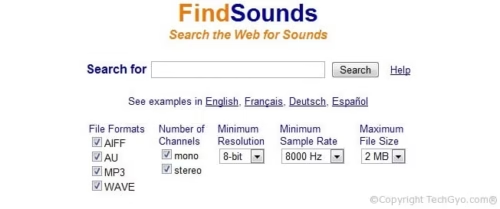
Firstly they had a very user friendly home page to search sound files based on File Formats like; AIFF, AU, MP3, WAVE. Number of Channels (mono, stereo). minimum resolution and file size. And Home page also contains categories based on Animals, Birds, Holidays, Household, Insects, Mayhem, Musical Instruments, Nature, Noisemakers, Office, People, Sports and Recreation, Tools like axe, broom etc. Vehicles.
find sounds

For you convenience, I’ve added the search box right in this page. So start searching for rare audio files.


FindSounds.com - Search the Web for Sounds


Help


Sound Types

Do share your experience in finding the right tone for your needs.

Smart Home Page With Google, Yahoo, Bing and many other services in one place

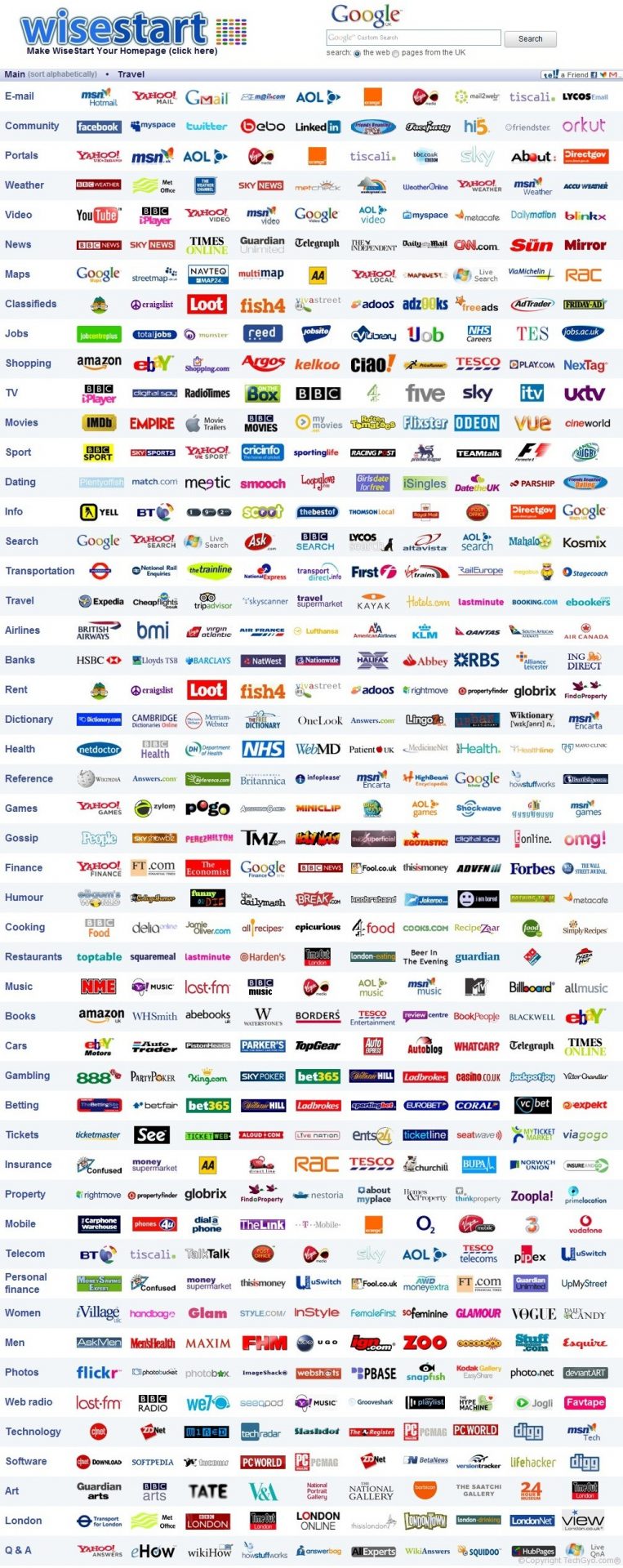
Getting everything in reach is a very convenient thing isn’t it? You might like many sites but in your browser you can have only one Home Page right? So I have some interesting websites which serves you with all your favorite websites at one place. Wisestart.co.uk and Lowgolink.com are great sites which you should know about. These websites have everything you need. They have listed major websites based on categories using icons so that It would be interactive.  They have more websites which you’ve never come across in the lifetime. You can save a lot of time search for what you are looking for. It has a very user-friendly interface.

You can find sites based on below categories:

Email, Community, Portals, Weather, Video, News, Maps, Classifieds, Jobs, Shopping, TV, Movies, Sport, Dating, Info, Search, Transportation, Travel, Airlines, Banks, Rent, Dictionary, Health, Reference, Games, Gossip, Finance, Humour, Cooking, Restaurants, Music, Books, Cars, Gambling, Betting, Tickets, Insurance, Property, Mobile, Telecom, Personal, finance, Women, Men, Photos, Web radio, Technology, Software, Art, London, Q & A.

Here’s a quick screenshot of how the Wise Home Page looks like: (I know its really a big screenshot LOL :))

all logos of major sites like google

So, do you think a smart Home Page would save your time? Do share your comments on Smart Home page and do let us know if you know more interesting websites.

Show Related Posts Link Below Posts & Email Feeds

wordpress related posts pluginHey, you might be thinking how to reduce bounce rate of your blog. And showing related posts below the posts and in feeds will greatly reduce bounce rate of your blog. Here’s a plugin for WordPress which can show related posts in your feeds. YARP is Yet Another Related Post plugin which has some wonderful usages and features which will help you reduce the bounce rate of your blog and greatly increase user experience for reading more and more pages. YARP calculates a “match score” for posts on your blog. You can choose limit for relevance and you get more related posts if there are more related posts and less if there are less respectively. All depends on the type of related posts you make. YARP is actually faster than any other plugin which would do that same job, bacause YARP uses a Pre-fetching system for showing related posts relevant to your articles.

Features:

  • Show related posts in Feeds.
  • Show related posts below posts with selective categories which you can remove or add.
  • Show related posts in Pages and Posts.
  • Related posts as Side bar widget.
  • Easy customization matching to your template if you hav some PHP knowledge.
related posts plugin in feeds
Image credits: mitcho.com

Unfortunately YARP plugin is only for WordPress and cannot be used for Blogger (blogspot). I’ll be writing another article once I find a trick to show related.

Link: YARP, Author Page

TVARK: A Unique Online Television Museum

old classic televisionHey, ever wanted to know how television ads in the old looked like? Just have a look at Tv-Ark. It is a great resource for exploring the history of television channels and television media. And you can also find some funny advertisement of giant companies in past. In-fact it has a very interesting Home page which is a bit confusing for a first time visitor but very interesting. The home page has a lots of old televisions listed and when you hover over one of them you’ll find the categories to search for, it is worth clicking on any part of the page coz you’ll get something interesting for each click. You can watch very interesting Classic TV shows.
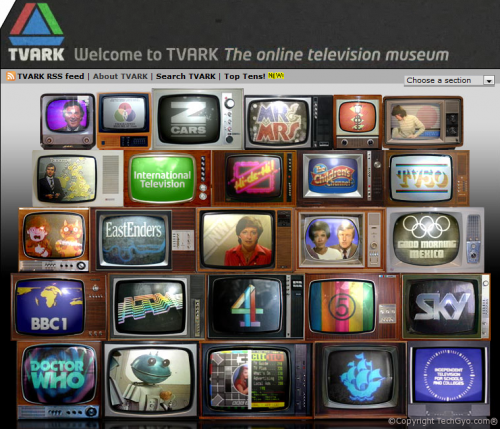
TVARK was the winer of TELLYWEBS Award 2003. Voted 1. Most popular site TV Ark 2. Best updated and maintained site TV Ark 3. Best named site TV Ark 4. Best site for media clips TV Ark 5. Best site for BBCtv TV Ark 6. Best site for ITV1 TV Ark 7. Best site for Satellite and Cable stations TV Ark 8. Best.

television museam

Do let us know your thoughts about TV ARK Television museam

How to: Schedule Message for the Future For Free

send future message-sms email and tweetEver wanted to schedule a message for a period of time to be sent as an Email, Text message, or Tweet? Then here’s the answer for you. Futuremessage.org. This website allows you to send a your message into the future for Free! Yeah I’m right. This service is absolutely free for you.
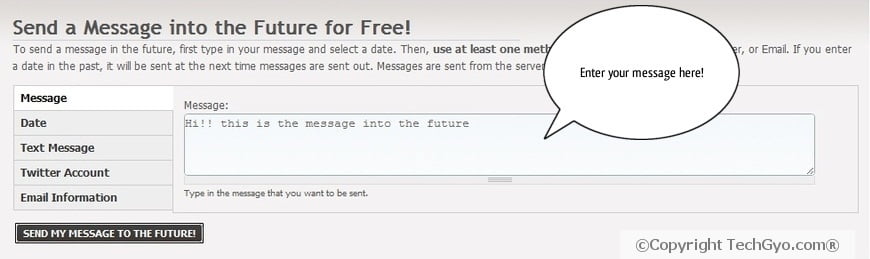
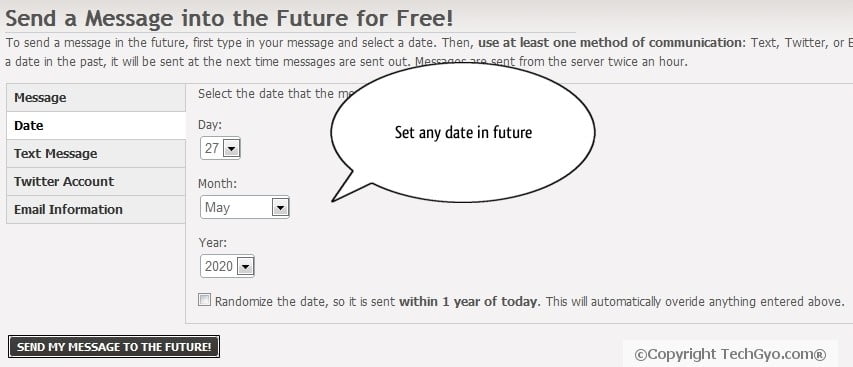
Future message stores your messages for a period of time and then sends them as you set it as an Email, Text (SMS), or Tweet. To schedule your message in the future, just type in your message in Futuremessage.org and set a date. Then, select your option: Text, Twitter, or Email.  The SMS option is only available for U.S residents at the moment. This service will surely help those who like to greet their friends in happy occasions or for people who are busy. Interesting thing is that you need not register here to send a future message

Dan Silver is the man behind Futuremessage.org. he is a high school student and an upcoming web developer.  This is what he says:

Send Emails, Texts, and Tweets into the Future! You write it now and we will send it when the time comes!

Here’s a brief about upcoming features in Futuremessage.org:

Some of the future plans are:

  • Adding the ability to send to a specific time.
  • Multiple recipients.
  • Log in to manage your messages and really far off is the ability to send repeating messages.
  • Random feature to let people specify a range of dates to send it in (For example, a message could be sent within the range of 2015-2020 if someone wanted).
  • And much more coming!!!..

So how would you start sending messages into future?

Step1.

Future message enter message to future

Step2.

set date to send message in future

Step3.

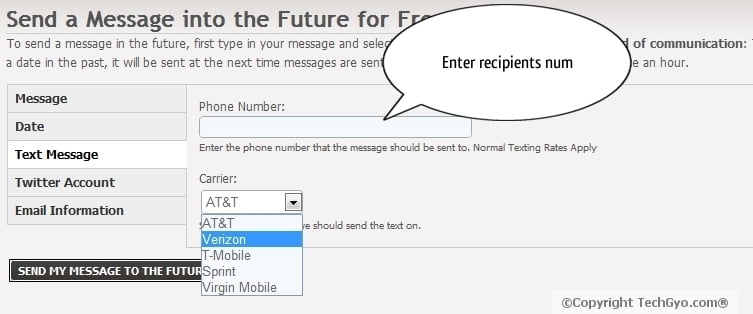
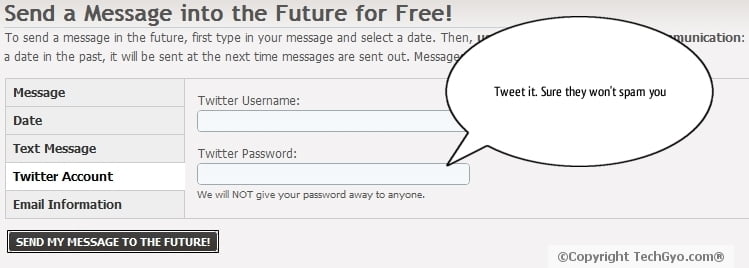
You have three options here: You can either set the message as SMS(US only), Email or Tweet message.

To send SMS message, just enter a valid number of your recipient and select the service provider. If you don’t know who is the service provider just enter the first 4 digits of the number in Google and search for the service provider. (Ex: 8945 service provider in U.S)

Future message enter sms number 1

And if you want to Tweet message into future. Then enter your twitter username and password and they’ll do what you need.

schedule future sms

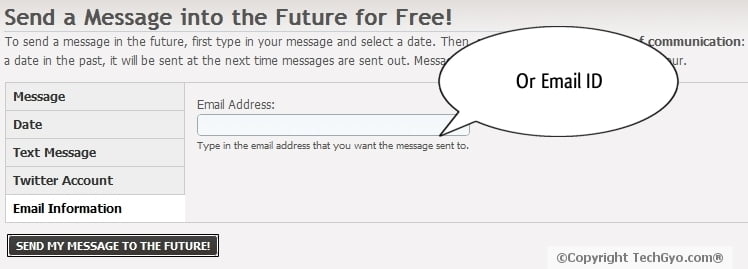
Or if you want to set the message sent as Email then straight away enter the email id of the recipient.

enter future email message

Step4.

That’s it! when you are done, just click on the “SEND MY MESSAGE TO THE FUTURE” button and they’ll deliver your message into future.

Also read how to add speech bubbles to the images like I’ve done above.

[ Link: Futuremessage.org ]
Will future message be helpful to you? Do let us know your thoughts about sending a message into future. Leave a message to let us know what you think about future message.

Now See the Moon in 3D using Google Moon

Nasa Moon Landing imageI was just stumbling around and saw a page where it says “See the Moon in 3D” I was curios whether Google has launched new product. Yes I was correct. Google has introduced new feature in Google Earths’ new version Version 5. 0. Not only that you can view moon in 3D but also checkout the exact land site marked with Placemarks with the details of the different Apollo missions. I just clicked on Apollo 14 to checkout more. It gives a summary of the mission. Including date of launch, name of the landing site etc which you can checkout below.  You can find 20 such Placemarks where Apollo 14 mission landed. You can find Placemarks in each Apollo missions. Google teamed up with scientists at the NASA Ames Research Center to prepare the collection of lunar maps and charts. You can explore all the Apollo missions to landed on Moon
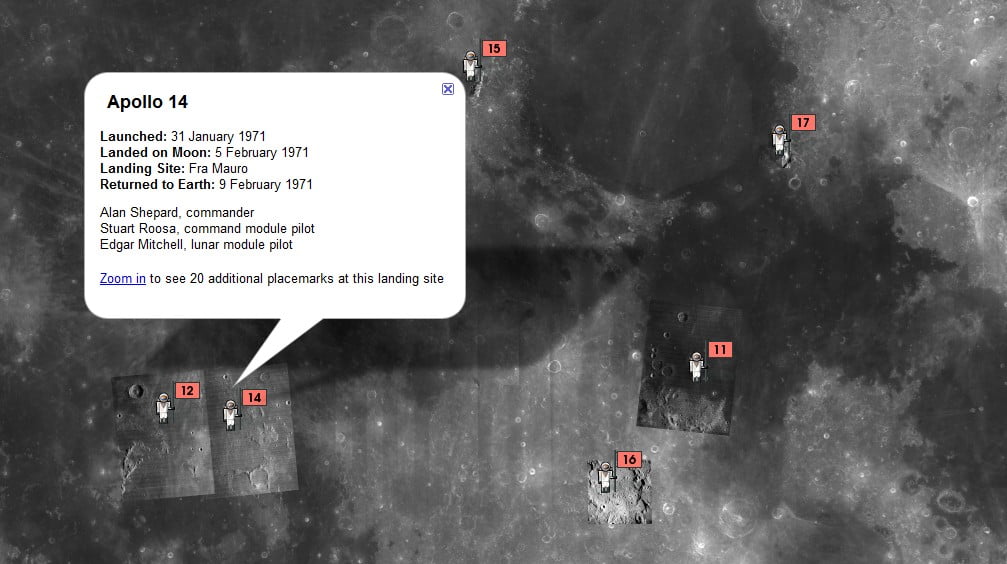
Apollo 14 Launched: 31 January 1971

Landed on Moon: 5 February 1971

Landing Site: Fra Mauro

Returned to Earth: 9 February 1971

Crew: Alan Shepard, commander Stuart Roosa, command module pilot Edgar Mitchell, lunar module pilot

Google moon
Google moon

With Moon in Google Earth, you can:

  • Take tours of landing sites, narrated by Apollo astronauts
  • View 3D models of landed spacecraft
  • Zoom into 360-degree photos to see astronauts’ footprints
  • Watch rare TV footage of the Apollo missions

How do I watch Moon on 3D using Google Earth?

  • Just download Google Earth version 5
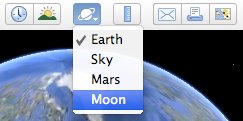
  • Now launch Google Earth and Select Moon from the top toolbar to start exploring.

google earth moon toolbar option

If I’ve missed anything or if you’ve found some more interesting options to explore Apollo Moon Mission by Nasa, please let others know by commenting below.

How To Know Which Is The Best Decision For You?

Should I Be Doing That?

Ever got caught in a dilemma, that what would be the right choice for you in any situation. If yes then there is someone to help you next time. This is a web tool designed by MIT students, to help you out of any situation to make your decision. It asks you a series of psychoanalytic questions, depending upon your situation. Ranging from whether you should part with your girlfriend/boyfriend to choosing a car or making a piercing. You can ask any questions here and you would be answered for it. So you always get the best decision for you.