 If you want to learn how cell phones work, then Cellacademy.com is the site you should visit. This site teaches everyone about everything related to cellphones. The site features a regularly updated blog and an enthusiastic community, which will be very interesting to follow if you are a cell phone enthusiast. Wondering what type of information or articles you can read in Cellacademy.com? You will find interesting articles range from how to transfer data from one phone to another to hardcore ones like unlocking phones, hack and mobile application and so on goes the list.
Cell Academy was not only created just for cell phone information but also as a community to help those with issues, problems and questions related to their cellular device, provider, or accessory. This is a one stop solution for cell phone users to meet and discuss their issues, concerns and problems and have them troubleshot and solved. The exciting thing is that they allow you you to contribute by writing articles which might help others. you can write about cell phone hack, mobile applications, known issues, wireless technology and anything related to mobile phones.
I use a Nokia phones but don’t know much about the secret codes I can use in it. I found it all at Cellacademy.com. Just have a look at the below screenshot.
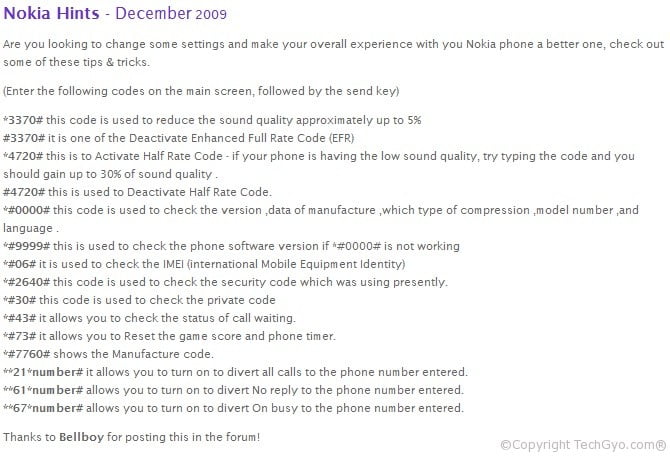
They have a cellular 101 page for finding and sharing cell phone tricks and tips. They have a frequently updated content which covers the latest and upcoming and future cellphone releases.
Do let us know your thoughts about Cellacademy.com
Link: Cellacademy.com

 Are you curious about the source code of a flash, PHP file, Java class, .NET? Then, I have a solution for you using which you can find the source code of the flash object.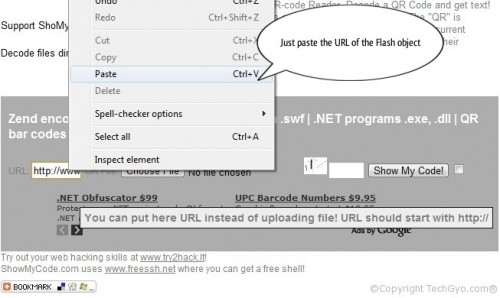




 Hi, today’s site is all about manuals and user guides. And it doesn’t matter what brand of equipment you own, they have the user guide for any electronic and electric equipment according to the manufacturer. The PDF manual, user guide or any files related to your equipment is available out there. They have a very hardworking crew who constantly update their database. They have manuals from brand like Panasonic, SHARP, CASIO, Samsung, KENWOOD, Yamaha Audio, Funai, ICOM, Philips and SANYO.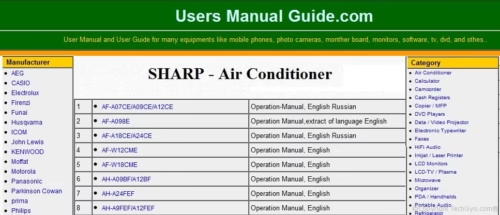




 Do you have the habit of writing down notes on sticky notes? I hope you know what is Sticky notes. if you don’t know then just have a look at the picture below. So now you know what is sticky notes and you must have used it as a sidebar widget in Windows Vista Operating System. But even wanted to have share sticky notes when you surf the web? The sticky notes can help you track and share good Web sites, news stories or whatever grabs your attention. Stickr.com lets you use sticky notes wherever you go on web. However, to make the sticky notes work you will have to register and install a plug-in for your Web browser. Moreover you can drag and drop the sticky notes anywhere on your desktop screen. To add notes to sticky notes just highlight the text on a web page and “Stick It” button will appear next to the text. You can get this add on here

 I hope you surely know about