Home Blog Page 278

What Your Small Business Can Learn From the Top Free Apps

You may have heard of the legendary popularity of a few game apps (Flappy Bird, for example), but they are not the most important thing in the app store. Game apps come and go, but the most popular apps are social networks.

As a small business owner, you can cash in on the popularity of social networks within your own app by studying what makes apps popular with users.
free app interface tips

Let’s take a look at five of the most popular free apps (according to the Apple and Android app stores) and what they offer users.

5 of the Top Free Apps

1. Facebook

The most popular social networking site of all time, Facebook allows its users to exchange photos and instant messages in real time, as well as providing a blog-like setting for status updates and photos. While an optimized mobile version of the site is accessible via the Internet browser on smartphones and tablets, the Facebook app is the most popular app for both Apple and Android users.

2. Pandora

Pandora Internet Radio works with the Music Genome Project, which analyzes the musical characteristics of songs and groups songs according to these characteristics. The Pandora mobile app, which launched in 2008, allows users to stream music to their smartphone via Wi-Fi or cellular data. Unlike other music streaming programs, Pandora does not charge for mobile service, which may speak to its popularity with smartphone users.

3. Instagram

Instagram is a photo sharing app that allows users to put a stylized filter on their photo and share it to their Facebook, Twitter, Tumblr, and Flickr accounts. Unlike other social networking programs, Instagram was first developed as a smartphone app that then evolved into a website. Part of Instagram’s popularity stems from the ease with which it allows users to share photos to other social networks.

4. Facebook Messenger

Facebook Messenger is an instant messaging program that allows users to contact all of their Facebook friends without being logged into the Facebook app or website. Much like other messaging apps, it also has voice call capability. Unlike standard phone calls and text messages, it can be used via Wi-Fi or cellular data; because of this, it can be used on devices other than cell phones, such as tablets.

5. Skype

Skype allows users to make voice calls and send text messages over Wi-Fi or a cellular network, similar to Facebook Messenger. Skype allows free Skype-to-Skype calls, and also allows users to call landline and mobile phones for a fee. Because of this capability, Skype is popular with iPod and tablet users as well as smartphone users.

What Can You Learn From These Apps?

Looking at these five apps, it’s easy to see what consumers want from their smartphone experience: they want to connect, whether that’s with real life friends and family members, or friends around the Internet. Even the Pandora app has a social aspect. It allows users to connect to their Facebook accounts and see what their friends are listening to.

Any small business, from a mechanic to a dentist, can benefit by connecting with their customers. Here are a few ways an app can help you connect with your customers:

  • Quick access to your contact info or in-app contacting

  • Notifications about appointments

  • Automatic appointment scheduling or scheduling forms

  • Quick access to helpful company info such as pricing and services

  • Customer reviews

Investing in an app for your business can help you connect to your customers, which will help boost your reputation. It’s important for a business to be accessible, and an app is a great way to accomplish this goal.

And if you want to include a game in your app, it couldn’t hurt.

Chris Miller is a professional writer, blogger, and English grammar enthusiast. Chris enjoys learning about new products, procedures, and ideas across a range of topics.


How to Choose a Business Hosting Service

Most organizations today have a website to market their product, service or brand and generate sales. Thousands of web hosting companies exist to support various services, from Internet connectivity and visitor traffic to file sharing and email management. The choices can be overwhelming. Fortunately, a few general guidelines can help companies find the right hosting service for their needs.

business hosting magento

1. Customer service

Good customer service should be a top priority when choosing a web hosting service. High-quality customer service is important to the overall satisfaction a business will find with hosting service provider. Companies should not hesitate to do their research, conduct interviews and talk to other companies about their hosting service.

2. Experience

Experience is another important consideration when choosing a business hosting service. Providers with an established track record are especially important for businesses that use their websites for sales and cannot afford to be offline. Businesses can turn to research, reports and testimonials to determine a hosting company’s experience.

3. Affordability

A “one size fits all” approach to web hosting may be an affordable option for some businesses. However, the best hosting companies tailor their services to meet the specific needs of the organizations they serve. In most cases, tailored plans cost less than all-encompassing packages that include services a business may not need.

4. Security

Security is essential for businesses that operate in a digital world, especially those that generate sales online. This applies not only to secure and encrypted electronic transactions, but also to contracts and agreements between businesses. It also applies to the business relationship between a company and its web hosting provider.

Creating and launching an online presence can be an exciting and profitable venture for businesses of all sizes. Choosing the right hosting provider can help ensure success. Magento business hosting is an example of a hosting provider that meets the general guidelines above. Whatever company that businesses choose for their Internet hosting needs, they should look for the best people, services and price.

This post is brought to you by zerolag.com

Smart Tips for Recycle Your Old Gadgets into Money

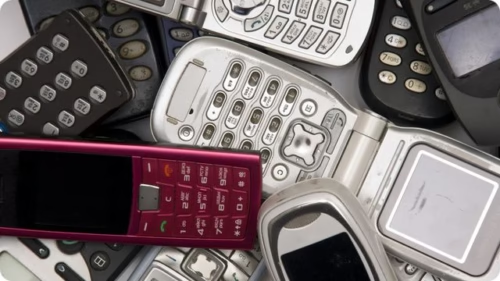
Living in the era of electronics and gadgets, most of us have a sort of collection of devices that are outdated or simply are not currently used (like photo cameras – every smartphone today has it, so people tend to lose interest in cameras). But such gadgets shouldn’t turn into dust collectors – you can still get use from them, or even earn some cash. Give the gadgets you’ve once appreciated a new home without having to dump e-waste into landfill (which is a pleasant bonus) – there are plenty of resources you can use for such deed.

recycle old gadget money

The first thing you should do when decided to get rid of the old device is researching its current value. There are several resources you can use for that. All you will have to do is choosing the category of the product you want to get a quote for, find the specific make and model in the list and describe the current item’s condition (whether there are any cracks, if all the buttons are working, is it Wi-Fi working device, etc.).

No matter what kind of device you are selling or what service you’ve chosen for this trade, there are several things you should consider.

    1. Always compose an honest description of your device. First of all, it is fair, and moreover, it will later be assessed by a professional, who will surely notice all the scratches and broken buttons you failed to mention. If it will happen so, you will most likely get a notification that your gadget will only be accepted at a lower price.

    1. Trading used iPhones brings the most money, but only if you do it at the right time. Even though used Apple phones hold their value better than others, its resale value usually drops before the company is about to introduce a new version. That is why, if you decide to part with your old iPhone, check out if there is no other newbie ahead.

  1. Before you sell any gadget, take care of your personal information – there is plenty of it on a phone or laptop, so make sure it is secured, so that nothing would get to the new owner of your device.

First you should backup the data you have – the method depends on the type of device. Generally, if you have a gadget of the Apple family, you can use iTunes for backup, while for the Android devices and Google accounts some things like apps and calendar are backed up there.

After you’ve backed up all the information, you can proceed to deleting. With phones and tables it is simple – you can just restore to factory settings and you are done. With a computer you will have to work a little more, as any recovery software can find your files. The easiest way would be removing the old hard drive and replacing it with a brand new before selling.

The additional step you can take is reinstalling the OS if you’ve wiped it together with your data.

Winners of Three New Things Campaign by Virgin Media Business

0

In the earlier article Three New Things Campaign by Virgin Media Business, we had penned about Three New Things Campaign by Virgin Media Business and now here in this article we have discussed about the winners and their innovations of the same campaign.

Virgin Media Business

After the thorough evaluation of inventions, judges selected those THREE winners who got announced at the British Film Museum on 12th of March. The entries were evaluated by technology commentator Monty Munford, Dr Ling Ge who has expertise in quantum computing and nanotechnology, Ella Weston, who leads WPP’s Stream series of digital events and Emily Memarzia who is a digital consultant for the IC tomorrow programme managed by the Government’s Technology Strategy Board.

Of course it was a hard time for judges to select the best inventions as there were 250 contestants and it was up to audience who were present in the event to select the best invention among those three inventions. So which were those three new things? And which of them got the audience attention? Read it below.

Which Are Those Three New Things?

I am quite sure that you are eager to know those three new innovations and the selected three new things by Virgin Media Business campaign are CubeSat, Buffalo Grid and Three Over Seven, and one which got the highest votes by the audience from the three innovations was Three Over Seven. 7% of audience voted for CubeSat, 39% casted their votes to Buffalo Grid and 54% of the audience went for Three Over Seven invention.

Let’s know these three new things in brief.

3D CubeSat

Phillip Keane has brought the people-powered 3D space-based connectivity solution in a very low budget. CubeSat structures are the casings for tiny satellites which are now being sold for $2,500, but the 3D CubeSat pulls down the expenses by 75%. It also saves the launch cost as this space-resistant material can be 3D printed inside another structure already exist in space.

Overall this new 3D CubeSat makes it easy to explore the space affordable for everyone including schools and Universities.

Buffalo Grid

Buffalo Grid is a solar powered mobile charging hub which are being distributed to African entrepreneurs for free who are not connected to the main electrical grid. The Buffalo Grid allows them to charge the mobile phones of their customers. Customers just send a SMS to pay for charging and the Buffalo Grid unlocks a charge port.

Three Over Seven

Three over Seven let you scan your feet with your mobile and craft a pair of shoes for you with the 3D printing. You will get your custom made shoes day after the placing of the order which perfectly fits to your feet. Three Over Seven among the three innovation grabbed most of the audience attention and got highest votes.

All three winners will get support and free business telecoms from Virgin Media Business and along with this they will be given a chance to meet Mr. Richard Branson to discuss their ambitions.

This post is sponsored by Virgin. All opinions are mine.

How to Edit Music Video with Wondershare Video Editor

0

The music industry has changed a lot since the internet came along and computers becoming very affordable with all kinds of software have also allowed for artists to start producing their own music and videos. Before technology became so advanced, it was very difficult for people to produce videos without having to hire a production company that spend thousands of dollars on equipment that they would end up charging the customer with. The cost of producing a video was pretty high and very few artists could afford this.

Music Video Wondershare Editor

Then the revolution of software came along and video editing became an affordable reality for thousands of unsigned artists all over the world. In this article we are going to talk about one of the most efficient and easy to use music video editing software that is out on the market. It’s called Wondershare Video Editor and it has enough features to help you create one of the most.

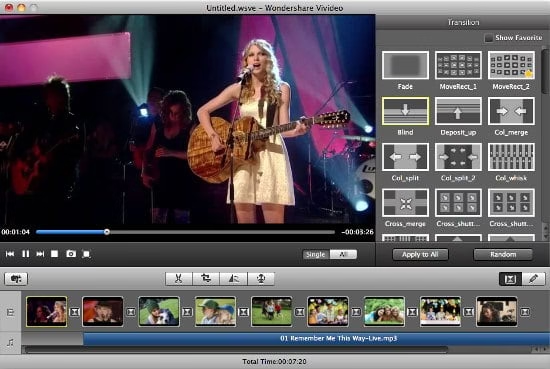
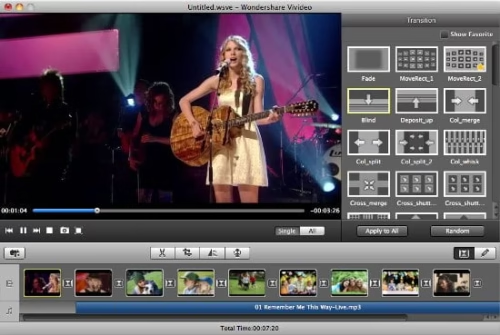
The software comes with all the tools you need to be able to crop, snap, merge and export videos with ease. The interface is very simple and easy to use and you have separate bars for video and audio. You can detach the original audio of a video and then import a sound file that you can then mix with the video file. These are the basic steps you take in order to start creating a music video.

You have a feature called user album that allows you to browse all the material you upload to use on your video project. The sample colors feature can help you to get transitions and there are all kinds of great effects that you can choose from in combination with the sample colors to get the desired effect. You can easily shorten or lengthen the amount of time of each effect too.

Wondershare Video Editor

You can also incorporate images into your video clips. You can crop images and also make them larger if you want. There could be several images on display in small frames inside the video too. Text is also very easy to incorporate into your videos and this is something that will expand the possibilities of creating a very attractive video too. There are special text animations that you can choose from too. You can also select fonts, size and color with the animations.

You could have many layers that contain sound files, videos, images and text and the software has a very intuitive set of windows that you can make larger or smaller depending on the kind of project you are working on and the amount of files you have imported into it. There are also many effects that are not linked to images or text and they can do all kinds of things that go from changing the color of the video files to creating an old looking film style. There are glows, glares, fogs and much more.

This is without a doubt one of the best video editing software solutions that artists and video editors can find on the market right now. It’s extremely versatile and the learning curve is very fast. As long as you have some creativity and some imagination to edit and mix your ideas, you can come up with very professional looking music videos. Wondershare has a great support system for all their users and it has no bugs that you should worry about at all. If you do encounter any issues you can easily contact them to get some help with any problems or doubts you may have. They also release new versions of the software with other effects and plugging packages.


Three New Things Campaign by Virgin Media Business

0

Innovative thinking of human being changed the entire world by converting it to digital form from analogue, the digital world has simplified the life today, a television, a computer or a smartphone, whatever gadget we use is the result of digital innovation.

But innovative mind never stops thinking, it is like a flowing water which always craves to innovate something new which is helpful for society and make the human life easier. Virgin Media Business has come up with “Three New Things” campaign to shed light on innovative thinkers and introduce their innovations to the world. This is the right opportunity for the innovative minds to unveil their helpful innovations as they will get the best platform to reach the audience by Virgin Media Business.

Virgin Media Business’s Three New Things Campaign

Virgin Media BusinessVirgin Media Business has come up with “Three new things” campaign in search of three game changing digital innovations which should help to revamp and face-lift the human life, Three new things are nothing but the three new digital innovations which will be unveiled at the end of the campaign, no matter how small or big the innovations are, all they should have the quality to make the life better.

What is the Aim of ‘Three New Things’ Campaign?

The aim of Virgin Media Business’s “Three new things” campaign is to unleash the new ideas and thoughts which are hidden or not yet got the exposure. The “Three new things” campaign is the platform for innovative thinkers to publicize their innovations. Of course the selected innovations will get good exposure as the unveiling event will be attended by the United Kingdom’s top 250 influential personals with high profile telecommunication companies, tech geeks, key industry journalists and influential analysts.

When ‘Three New Things’ will be Unveiled?

Virgin Media Business has launched the competition in the month of January 2014 and it is about to unveil the selected ‘Three New Things’ innovations in the month of March, this year. The innovations presented in the campaign are selected by a leading panel of venture capitalists, digital experts and innovators.

The judging panel consist of international computing expert Dr Ling Ge, Emily Memarzia from the Technology Strategy Board, famous tech journalist Monty Munford, Ella Weston and Virgin Media’s Executive Director, Engineering, Rob Evans.

Three New Things Campaign

Reward for Innovators

The reward for winning innovation includes a unique package of mentoring and support from the company along with an opportunity to speak to Mr Richard Branson about the experiences of launching a new brand into the market and Up to £25,000 FREE business telecoms for a year and the innovations will be tracked by Virgin Media Business.

Would you like to participate in the campaign? or want to check the status? check out the links below.

This post has been sponsored by Virgin Media Business, but all thoughts are our own

What Are the Different Nook Tablets?

0

Essentially, Nook tablets are eReader devices that allow you to read and store thousands of books and other reading materials. They are light and compact devices, designed to be portable and economical with space. However, there is a variety of Nook tablets currently available, which provide many different types of readers and tablet users with a host of solutions to their desires, needs, and problems.

How to Decide Which Is the Right Nook Tablet for You

Each Nook tablet provides its own unique design, size (6 inch to 8 inch), as well as its own unique set of features (books, magazines, games, apps) and prices. This is why it is a good idea to ask yourself the following questions before deciding which eReader tablet is right for you:

  • What do I want to do with my eReader tablet?

  • What do I envision my eReader tablet to look like?

  • What is the most important thing my eReader must have?

  • Where do I want to use my eReader?

  • Who will use my eReader? If you have a family, could young people and children make use of your eReader?

  • What is my budget?

If you know what you want, take a look at the variety of Nook tablets available below, to see which is the best fit for your life.

Nook Simple Touch

nook simple touch tablet for 2014

This Nook tablet is the most affordable reader device, and is a good choice if you are looking for a simple device with which to read your eBooks at a lesser price.

It is the to-the-point version, for all those bookworms who are ardent readers, and know what they like; they are committed book devotees. The text is clear and crisp, and you can make the most of an E Ink screen. E Ink, also known as electrophoretic ink, provides a paper-like look with no glare of light coming from the screen, allowing readers to enjoy their books without distraction.

Size wise, there is a 6 inch, 600 x 800 screen. For those with an eye for detail, the screen has 167 pixels/ inch.

The weight is optimal to carry around with you, and the battery life lasts up to 8 weeks, allowing you to read while travelling. You also have access to free Wi-Fi if you purchase at a B&N Store, which you can use to buy new books, access Free Sample Books and borrow and lend books to and from others, giving you access to a plethora of different types of books, magazines and newspapers to feed the mind. You can keep up to 1,000 of your downloaded books on your device.

Nook GlowLight

nook tablet

The Nook GlowLight is right choice for the nighttime reader.

Much similar in size, look, battery life, and usability as the Nook Simple Touch, it is perhaps the innovative light feature making this a good option for nighttime readers. The Mayo Clinic suggests reading as an optimal evening activity to promote a good night’s sleep. They suggest being wary of using bright screens, however, as this can trigger your mind to wake up and be out of sync with your body clock. The benefit with the Nook’s GlowLight technology is that it allows you to adjust the level of brightness the screen emits, making your evening reading practical and healthier. So if you enjoy a good read in the evening, this is the tablet for you. The feature also provides the screen with a sharp, paper-like look.

Unlike the Simple Touch, it can store twice the amount of books, and is reasonably lighter to hold.

Nook HD

If it is the enhanced experience tablet you are looking for, the Nook HD may be the right choice. This Nook 7 inch tablet has a HD Display, and although it is an excellent reader, it’s perhaps its extensive possibilities and features that set this one apart. Along with the variety of reading materials available on the Nook Simple Touch, you can also download Android apps, movies and TV shows, and access your email or browse the web. You can also seamlessly access Google Maps™, Gmail™ and YouTube™, and can make use of Bluetooth Support.

It really is your life in your pocket for all the family, being lightweight and slimly fitting into your bag.

By providing you with so much choice, the battery life is lower than the simpler readers, lasting up to 10.5 hours when reading, or up to 9 hours when watching videos.

Nook HD+

The Nook HD+ is the all-singing, all dancing tablet. This is an ideal eReader tablet for entertaining and sharing, particularly for families as it has the unique feature of Parental Control. It’s also an enhanced experienced for solo users, with a 9 inch screen and Full High Definition with 256 pixels/ inch display and Nook’s fastest processor speed, as well as Dual Stereo Speakers, making it the right multi-sensory choice for ultimate, beautiful viewing of movies, TV shows and magazines.

It is significantly larger and slightly heavier than the other 3 models, which optimizes experience over portability. That said, it is still much lighter and more compact than many laptop devices.