Home Blog Page 302

3 Tools to Check Website Stats online

1

Google Analytics is, of course, a best online service by Google to check website stats, you can thoroughly analyze your website or blog using its cool features but what if you want to check website revenue or stats competitor’s website or blog? It is avid to know our competitor blog stats that helps to take some measures and implement new strategies in our blog to beat the competitor blogs. Here we have come up with some useful online services to check website traffic free online including page views, adsense revenue, Alexa traffic rank, number of backlinks the blog has and also the rough cost the blog worth. If you want to check website revenue of your or your competitor’s blog then below are some very useful resources to estimate it.

Let me clarify the terms of daily page views and daily ads revenue in simple words. A page view is nothing but the number of views the blog gets from all the visitors the blog gets, it does not mean unique visits but the total count of views the blog gets in a day. Daily Ads Revenue is the estimation of the amount of revenue that a website or blog can earn from the advertisements kept on it.

Also read:

Free Online Tools to check Website Stats

 Website Evaluator
check website stats-check website revenue

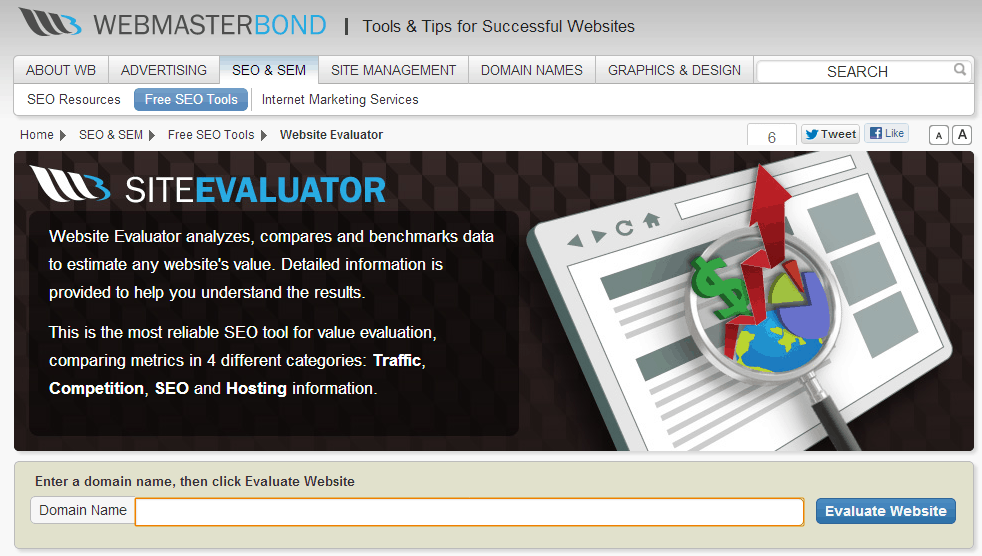
Website Evaluator is a professionally designed free online tool to check website stats of your competitors. Here you will able to check website traffic free online with daily page views, daily Ad revenue, Alexa traffic rank, the loading time of blog and a rough estimation and server location etc. Website Evaluator identifies the number of links along with its quality in a website and on this base it elaborates Traffic, Competition, SEO, Hosting information and website’s rough estimation etc.

Website Evaluator comes up with the most useful information about a website or blog with accurate and updated data that can be trusted without any doubts. There is no restriction, small or corporate website, startup or advanced blog, you can check website stats.

Website Outlook
check website stats-check website revenue

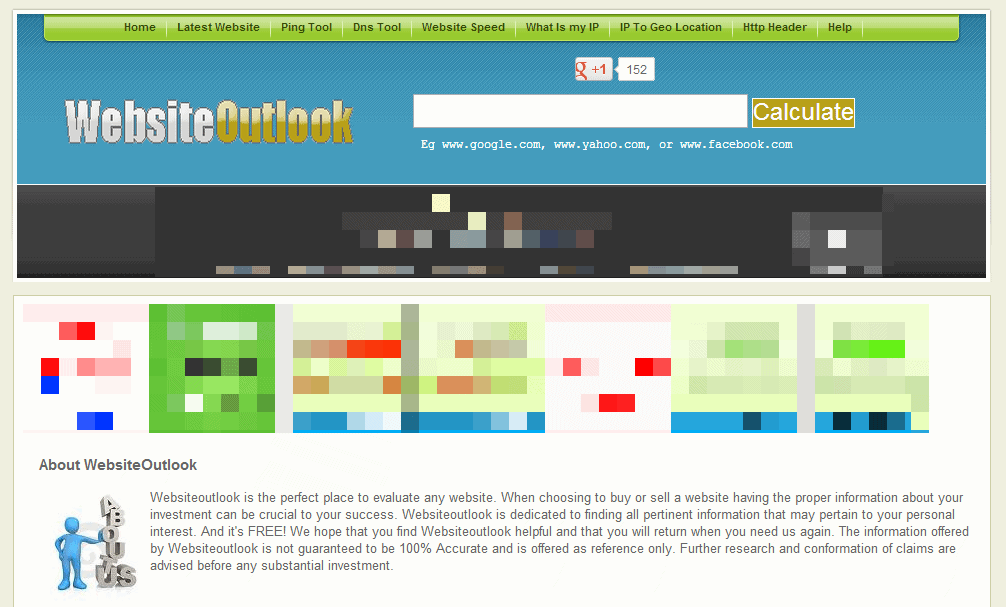
Website Outlook is a handy online service to check website stats such as daily page views, Adsense revenue, backlinks, rating and the rough estimation of the website. Along with this, you will also come to know index data, traffic history and server location etc. Of course you won’t get the accurate data but surely it helps you in evaluating your competitor website.

Using Website Outlook is easy, just specify the domain name and hit “Calculate” button, you can check website stats, in brief, the box and as you scroll down you can get more info including index data, traffic history and server location. This is the best way to check website stats for advertisers who are going to display their ads on your site.

Though Website Outlook provides useful stats of blogs and websites the output is not arranged professionally and it has too many ads. It has some drawbacks; sometime it won’t properly display the Google page rank.

Website Informer
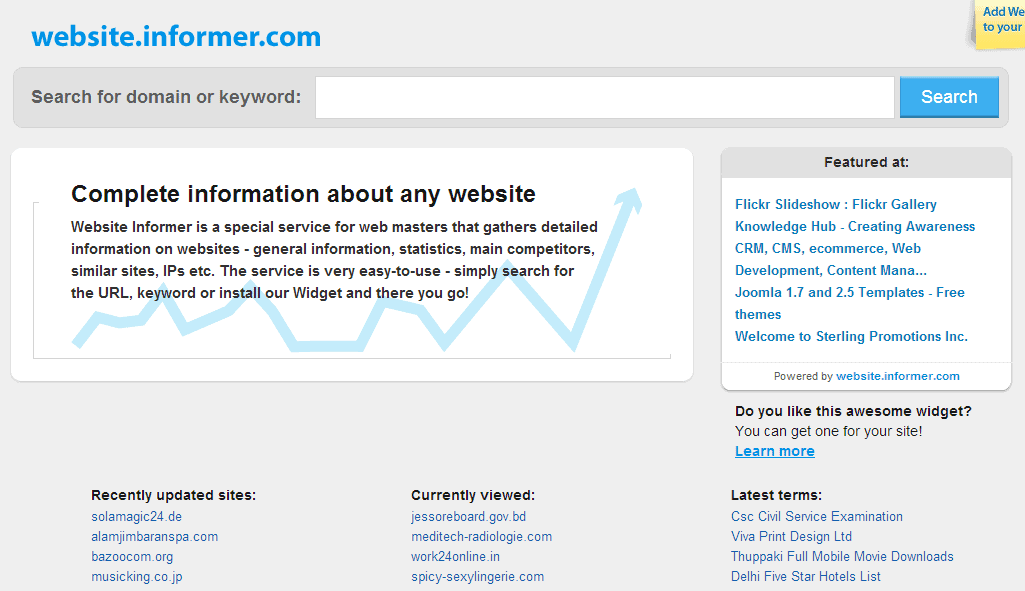
check website stats-check website revenue

Website Informer give the data that is mostly related to domain and server, here you will able to check website stats such as daily visitors, daily page views, Alexa ranking, the blog or website (domain) created date, expiry date, owner of the blog or website, hosting company and registrar etc. most importantly you will also get Whois and IPWhois information over here.

Website Informer also has Google Chrome extension to check website traffic free online while you surfing the web. This plugin serves Siteadvisor and MyWot reputation, page view statistics etc. Download it here.


Top 10 Most Downloaded Android Games Till Date

2

The Android mobile operating system doesn’t need any introduction in the present scenario. Beside with providing a platform for thousand of utility applications; Android is undoubtedly the foremost priority for the mobile game lovers. If we put a limelight on the data figure of the Google Play Store; it is simply clear that Android apps are soundly hitting the market charts.

Android Games are highly engaging and offers brilliant User Interface; this is the main reason that pushes every Android user to get his favorite game from a wide genre of categories. The growing popularity of mobile games had announced a neck to neck competition in the market and a lot of application developers are trying their luck and skills in this field.

At present Google Play Store has more than 675,000 mobile applications, the avalanche in the scope of Android applications and games had made a wall of confusion for the Android users. At present time it is really a very hard task for any user to choose the BEST from the best. [Also read: Top 5 Free Addictive Android Games]

So as to offer a helping hand to every game lover, below I am providing the list of top 10 Android games till now. These games are downloaded by millions of Android game aficionados all around the globe for different devices.

Angry Bird

angry bird Android Game

An Amazing concept employed the Rovio Entertainment; Angry Bird is one of the most popular mobile game across all over the world. With more than 1 billion downloads till date; the popularity and download digits are increasing sharply for Angry Bird. The basic concept of Angry bird revolves around the theme of destroying the Pigs with the help of birds on the slingshot.

Temple Run

temple run Android Game

More than 1 million downloads in the first 3 days of release on Android; Temple Run is an endless addictive game. If you don’t want to get caught after stealing the idol of the temple then run hard and keep collecting the gold coins that comes in the way. You can unlock various tools and even more players by earning these gold coins.

Fruit Ninja

Fruit Ninja Android Game

Fruit Ninja is a very popular game which is available for different operating systems including Android, iOS, Windows Phone, Symbian, BADA, Xbox and Adobe flash (Facebook). This amazing game crossed the milestone of 300 million downloads till May 2012. If you love the juicy fruits then play this game and be rude for the fruits.

Doodle Jump

Doodle Jump Android Game

Doodle Jump is another cross-platform compatible Android game. Doodle Jump was first released on iOS where it marked a record of enormous selling rate of 25000 copies per day for continuous 4 months. Doodle Jump is Downloaded by more than 15 million mobile users. The attractive interface and simple yet engaging concept behind the theme of this game tag it in the category of top 10 most downloaded Android game till now.

Cut The Rope

Cut the Rope Android Game

This is undoubtedly one of the best and most downloaded puzzle game available on the Google Play. This game has been downloaded more than 1 billion times since its release. In this amazing puzzle game the user has to cut the ropes to feed the frog with the hanging candy.

Asphalt6 : Adernaline

Asphatt6 Android Game

Asphalt is the best choice of every Android user who loves the thrill and excitement of car racing games. Asphalt6 was first launched for iOS but was later introduced for the Android users too. This one of the most downloaded Android game provides amazing graphics and control option to the user. Asphalt6 comes with engaging game play options and more than 42 cards and cars to unlock.

Bubble Blast

Bubble Blast Android Game

Bubble Blast is yet another puzzle game that earned the status of being the member of most downloaded Android games. Bubble blast is downloaded by more than 95000 Android users. This game comes with two modes in which you have to blast the bubbles to create a chain reaction. This game is absolutely free of cost and is complemented by lot of market experts.

Slice It!

Slice it Android Game

With more than 2.5 million downloads on Google Play; Slice It! Is unquestionably one of the top 10 most downloaded Android games. This game is the best choice for every user who loves the light brain exercise games.

Jewels Star

Jewels Star Android Game

Jewel Star is a very popular and interesting game which is downloaded for more than 4 million times. Jewel Star was first introduced as a computer game in the late 90’s; this game was a blockbuster at that time too. In this game the user has to clear the board by eliminating the jewels before the time run out.

Paper Toss

Paper Toss Android Game

Paper Toss is a simple yet very interesting game. Isn’t really amazing to test our shooting skills by tossing the paper in the dustbin? This amazing concept is beautifully offered on the mobile screens by Backflip Studio.

I hope that this list of top 10 most downloaded Android games till now will help you to make a more definite choice about choosing the best mobile game. Always ensure that you are downloading the applications and games from a secured source.

This was guest post by David Meyer. He is a regular author of  Webgranth, and currently working with Appschopper.com which is a renowned mobile application development company . If you’d like to write for us, click here to get started

Trick to Get Google Apps for Free for your Business

0

Google has stopped accepting new free sign ups for Google apps for business from 6th December, this update won’t affect your account as you are already a customer. Mr. Clay Bavor the director of product management at Google Apps updated this news in official Google enterprise blog. Many people started commenting on this action that Google is intended to increase its profit by changing the free service to paid but according Google it just want to enhance the support for business and increase the productivity.

Why Google Stopped New Free Sign-ups for Google Apps?

google apps

According to Google stopping new free sign ups to Google apps will help it to focus more on business customers to fulfill business needs. Mr. Clay Bavor clarifies in enterprise blog that-

“When we launched the premium business version we kept our free, basic version as well. Both businesses and individuals signed up for this version, but time has shown that in practice, the experience isn’t quite right for either group. Businesses quickly outgrow the basic version and want things like 24/7 customer support and larger inboxes.”

How Much Does It Costs For Google Apps For Business?

Google Apps are only available in premium version for business purpose. No matter whether you have small or large scale business you have to choose premium version for $50 per year. This package includes 25 GB inbox, 24/7 customer support via phone and a 99.9% uptime without any scheduled downtime. Google continued to offer Google Apps for Government for $50 per per year, Google has not made any changes to Google Apps for education purpose, it will remain free service for schools and universities.

Then How to Get  Google Apps for Free for Business?

Though Google has stopped receiving free sign ups, there is a trick available to get  Google Apps for free for your business, to execute this you simply need a free Gmail account. Just go through the steps below.

  1. First of all navigate your browser to appengine.google.com and login with your Gmail account (Keep your mobile with you as it verify your account by SMS or voice call)
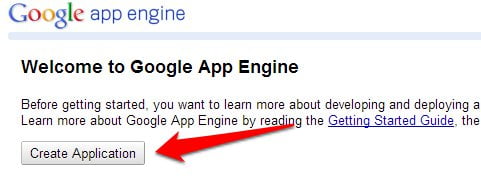
  2. Click on “Create Application” button and specify some dummy text for application identifier and application title. Click on “Create a new Application” button once done with it.
    google free business app step 1
    google free business app step 2
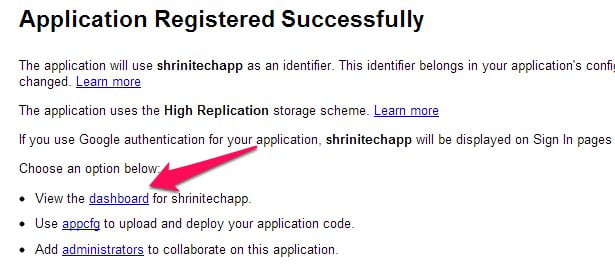
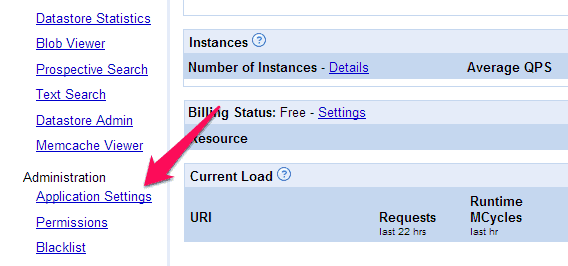
  3. Now click on the “Dashboard” link from “Application Registered Successfully” and further on “Application Settings” link.
    google free business app step 3google free business app step 4
  4. Click on “Add Domain” button and the new page gets open, We are doing all this stuff to just get a link that allows us to  get  Google apps for free for business.
    google free business app step 5
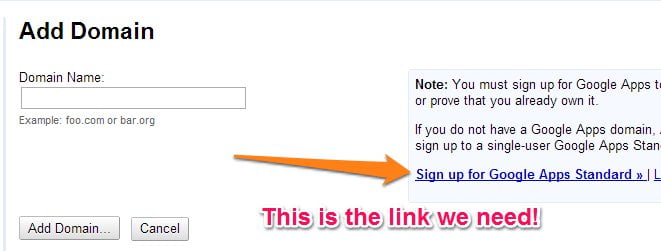
  5. Finally click on the link “Sign up for Google Apps Standard” as shown in the image below.. A new page will be opened where you get Google apps for free. Don’t try this link directly as it won’t work!.
    google free business app step 6

What are the Free or Less Expensive Alternatives to Associate Your Domain Name with Email?

Of course there are many free and less expensive alternatives available for business use. You can go for domains.live.com which is easy to setup than free GoogleApps. Other alternatives for email hosting for your domain are Zoho, Yahoo Small BusinessGodaddy Email hosting and BigRock.

How to Create and Sell Products on Your Blog

The days of earning an income by slapping some ads on your blog are gone. Online advertising might pay your hosting bills, but it won’t let you realize the dream of taking your blog to the next level. In order to do that you’ll have to change focus from selling your readers’ attentions to advertisers, to selling products directly to your readers.


Sell Products on Your Blog

Making the switch

The transition isn’t easy by any means. It means many changes for the blogger. When working with CPM ads, the blogger’s incentive is to maximize page views. More page views means more paying impressions, and can also lead to higher CPM rates. That is to say, when making money via CPM ads, there is no such thing as bad traffic. Every page view makes the blogger equal money.

When selling products, a blogger’s goal is to attract the right audience. That means focusing marketing efforts not on generating the most page views, but attracting the people most likely to buy. Only intensive research will reveal to the blogger how to attract that particular audience. But the efforts will pay off; instead of attracting more and more people, no matter their intentions, bloggers can seek out the people who will benefit most from their products.

What products to sell?

For most bloggers, seeing up manufacturing operations is a nonstarter. Who has the time, resources, and space to create physical products? In modern times, though, the lack of manufacturing capabilities is no real hindrance. There are many ways to sell products without having a physical inventory.

Affiliate marketing: There are companies that will pay you to refer sales. Affiliate marketing is a way for bloggers to earn money by selling other companies’ products. It takes plenty of work, hence the term “marketing,” but done properly it can earn far more than CPM advertising.

Drop shipping: Some companies take matters further than a mere affiliate relationship. Some offer bloggers a way to sell their products in a more direct manner. The company then takes care of processing and shipping. The TechGyo Editorial Team wrote a nice introduction to drop shipping, so it’s probably best to start there.

Information products: This is where bloggers can really shine. Anyone can create an information product, but bloggers have an advantage. They already have areas of expertise. If they can leverage those areas of expertise they can create unique products such as ebooks, videos, and audio guides that they can then sell to readers. It requires more work than affiliate marketing or drop shipping, but the rewards can be much greater, too.

How to create and sell

How can bloggers create and then sell products? First, of course, they must decide on what type of product works best. Since bloggers already write on their blogs, ebooks are a popular option. They are versatile and easy to produce. Articulate speakers might want to produce audio programs. Bloggers who focus on how-to items should add video courses to their product lineups.

Once you decide on the type of product you want to create, it’s time to get down to the tools you’ll need.

Ebooks require little more than a word processor. You can even create an ebook using Microsoft Word alone. In order to create a good ebook, though, bloggers should follow this process.

  1. Research. Make sure you know almost everything about your topic before you sit down to write. That will make the writing process go more smoothly.
  2. Outline. Before you write a single word, you need to structure your ebook. Pick out the biggest topics and create chapters for them. Then figure out what points will be included with each chapter. Having a strong outline will make it easy to continue when writing gets difficult.
  3. Freewrite. When you first sit down to write, concentrate on getting as many words on the page as possible. Write what you know, and make notes for what you don’t know. You’ll go back and edit everything later.
  4. Revise for content. After you’re done writing, go back and read your ebook. What seems unnecessary? What could use more elaboration? Chances are you’ll cut a good chunk of your book, but that’s a good thing. Include only what is necessary.
  5. Revise for style. The final step is to polish off your manuscript. Check it for spelling and grammatical errors. Make sure everything makes sense and is coherent. If possible, read it aloud to yourself.

Once you’re done with that you can follow the conversion process, set up a sales website with a solid landing page. You’ll then need to market the product on your blog and elsewhere, but that’s an entirely different topic.

Audio and video programs require a bit more production. You can still follow the same creation process as for ebooks: reserach, outline, record, revise, polish. You won’t be speaking freely into the mic and on camera, because editing audio and video is more difficult than text. You’ll need audio and video editing software, and plenty of hardware: video camera, microphone, sound board, and more. It’s quite an involved process for the professional. But it can also pay off far more than an ebook, because audio and video learning programs are not as common.

You’ll also need a selling apparatus. Most bloggers don’t think of this. They make money off ads, and are paid by the ad network. Selling products means handling customers throughout the entire process. That requires them to sign up for services such as Intuit credit card processing service. Don’t worry, though: they work on commission. You don’t pay until people buy from you.

Yes, it will take a lot of effort to create and sell products on your blog. But the payoff is far, far greater than it is for CPM ads. It’s even greater than the potential for affiliate sales and drop shipping. Selling products requires bloggers to change focus and spend much time on content creation. Done properly, selling products is the most effective method of makign money online.

Best Google Adwords Alternatives for businesses online


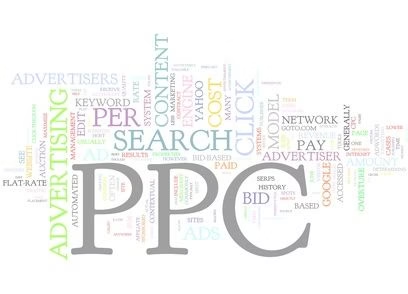
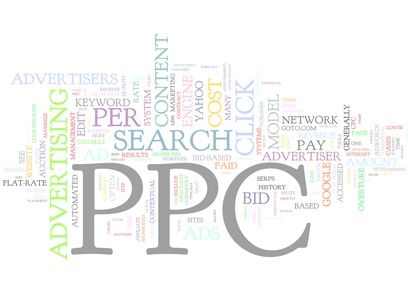
What is a company that comes to mind when considering how to get more traffic to your website? Google or Bing would most likely be the answer to such a question. Google AdWords sells search keywords to their customers. It is a pay per click set up where companies can buy ad space online, and each time someone clicks an ad they have put up for their good or service, they earn money.


google adwords alternatives


Google is not the only player

It sounds very simple and profitable. However, it can be very costly to do business with Google in this manner. Before now, there weren’t many alternatives to Google Adwords for a business to self-promote. Now lets see who else are up to compete with Adwords as a cost effective and more traffic driving and more lead generating alternative.

Facebook ads

Facebook sponsored ads offer much more features to filter and target your potential users based on Age, Gender, hobies and geographical location which are far better than what is offered by Adwords, but user engagement is low compared to that of adwords.

Linkedin ads

Linkedin sponsored ads works pretty much like Facebook ads which also enabled you to filter your audience based on your criteria, however it does not come at a cheap price like the others. Before you do begin your campaign with Linkedin, do a market research and analyse whether the site’s users are what your product range matches with.

So above you are the social media, lets also consider, Outbrain and Virurl. Outbrain and Virurl approach advertising for their clients in a different manner, and can be more cost effective for them too.

Outbrain

Outbrain, for the most part works with media companies such as CNN or Time. According to the CEO of Outbrain; Yaron Galai,they are very choosy in clientele and “the company rejects half of all would be clients”. Recently they started providing services to small and medium businesses, as well, through their publishing tool “Amplify”. They offer a website for linking content and then they put this content on third party sites. Their approach is to push traffic to the client to increase their profitability. This is along the lines of Virurl.

Virurl is less choosy

Virurl works with a large variety of clients. They promote small and medium sized businesses with any type of budget. Virurl does not reject nearly as many potential companies as does Outbrain through “Amplify”. They do screen applicants but are much more apt to work with many companies that may be rejected by Outbrain for one reason or another. Virurl uses social media outlets such as Twitter or Tumblr to saturate the market and get their clients promoted. Through content links, set budgets and specific time run ad campaigns their companies are seeing increased traffic and profits.

Better than Adwords?

An advantage to using a company like Virurl or Outbrain is how quick and easy it is to set up your ad campaign. Google Adwords can take about a week in some cases to verify content of a potential client and approve or refuse their site. These new start up companies can be set up with a credit card and be up and running; making money the same day. This is important when dealing with a small business which does not have a large budget or many resources to handle their internet marketing. These companies need a streamlined process so they can get the word out, and grow their business in the most cost effective manner possible.
In my opinion, Google Adwords and Bing have their approach down to a science for helping companies self-promote. They are simply too expensive for the little guy to use their services. Any small or medium size business could do well taking a look at these new start ups.

Source: Samantha Adkins writing for BetterMerchantAccounts

Socl- Get Ready For One More Social Network By Microsoft

Microsoft unveiled the new social network “SocL” on Thursday which is open to public for registration. Socl is a research project developed by Microsoft Research FUSE Labs which first initiated to emphasis on students for learning purposes. In fact Socl was launched in the last year as beta release only for college students and employees of Microsoft, now Socl is accepting public registration, you can sign up using your Facebook or Hotmail ID.

Also read:

What Exactly is Socl?

socl

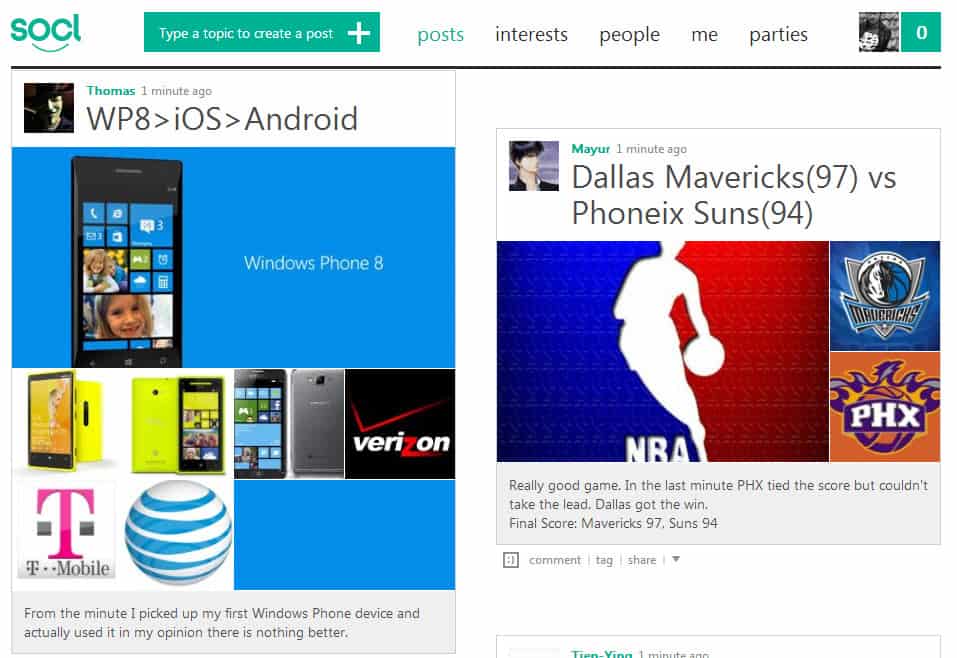
Socl which is pronounced as social is an another social network website by Microsoft to share posts, interests and follow the people. One more interesting thing in Socl is “video parties” where you can watch movies as well as YouTube videos and chat with a group about your experience, this one is something new stuff in Socl that you won’t get in other popular social network sites.  You will also mess with some new keywords over here, one of them is “riff” and riff is nothing but a visual response to a post.

How Socl is different from Facebook?

Socl looks completely different comparing to facebook, it seems the mixture of Pinterest and Metro UI which was introduced recently in Windows 8. According to Microsoft’s statements in FAQ page Socl is not intended to compete with the established social networks such as Facebook instead Socl is a experimental research project with a minimal set of features such as sharing posts, interests and make a profile.

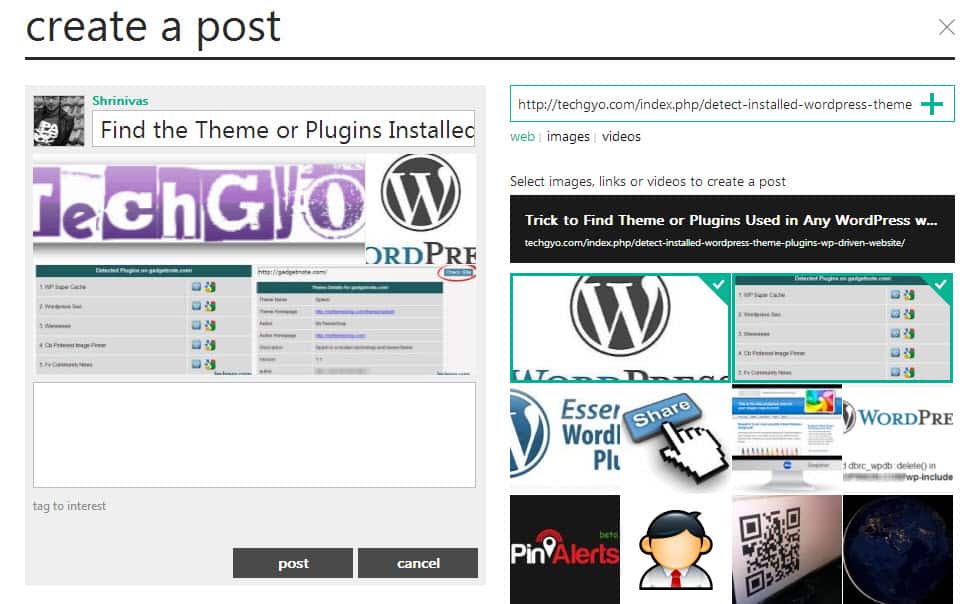
Posting on Socl is a new experience, you can share videos and photos along with your thoughts over here. You will be taken to the post creator to discover images, videos  and links to create your post, once done with this the post creator assembles all the stuff into a collage that will posted in your “Posts” panel.

My Experience with Socl

how to create post in socl

I shared on of my blog post “Find the Theme or Plugins Installed in any WordPress site” in Socl and it was really a cool experience. I specified the title and article link and click on “+” sign that allowed me to choose images from my post. After adding some 4 images I posted it and looked awesome in posts panel.

Check out Socl @ www.so.cl

The New Features in Microsoft Dynamics CRM 2012 Update

0

We recently gave you the basic idea about getting started with cloud based CRM solutions and if you want the best CRM soution then surely Salesforce has been the leader although Microsoft with its Dynamics CRM  system has been closing the gap with its upgrades.

Dynamics CRM

Microsoft recently announced that it’ll be bringing three significant Dynamics CRM application upgrades this month: Dynamics AX 2012 R2, Dynamics GP 2013 and the December update of Dynamics CRM Online. The update is going to be available this month although Microsoft is yet to announce a specific date.  Bob Stutz, corporate VP of Microsoft Dynamics CRM said in a statement, “This release, the first in a planned set of rapid innovation, puts us in a position to redefine user experiences for business professionals”.

So what features does the new upgrades bring, well we are going to tell you the same in this article.  Well we’ll also be telling you on the features Microsoft have missed.

Dynamics CRM

The Features coming to Microsoft’s Dynamics CRM systems

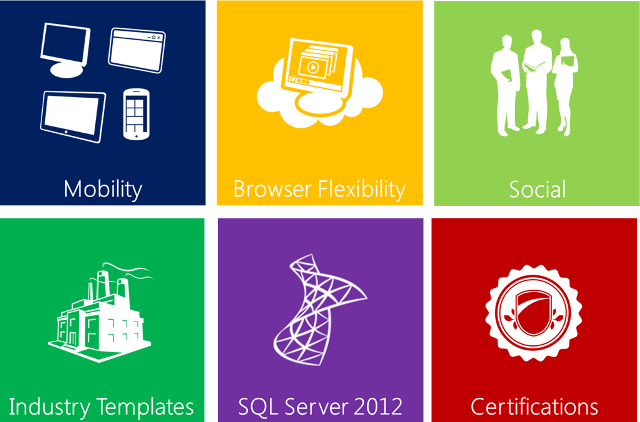
  • Now the users will have the ability to use Skype and Yammer directly from within the Dynamics CRM as they are integrated deep in the system.
  • The update will bring the highly anticipated feature that is deeper integration with Bing Maps, which will help the users generate addresses about prospects and leads and also other useful information.
  • Don’t like Internet Explorer, well most of the geeks like us feel that so Microsoft has also added compatibility for Dynamics CRM on Windows versions of Firefox and Chrome and adding to that the Mac OS versions of Chrome and Safari.
  • Dynamics CRM will now also include enhancements for security and administration. With the addition of the custom feature, cloud deployments will be a lot more extensive.
  • We have recently seen Microsoft giving huge importance on the security side of things and it continues with the latest update to its Dynamics CRM as the company wants to establish a framework for data encryption and is doing so by adding support for Federal Information Processing Standard (FIPS) 140-2.
  • Microsoft has also integrated Office 2013 in this update to their Dynamics CRM system, the most interesting for me is to see how  well they have managed to the integrate with Word and Excel.
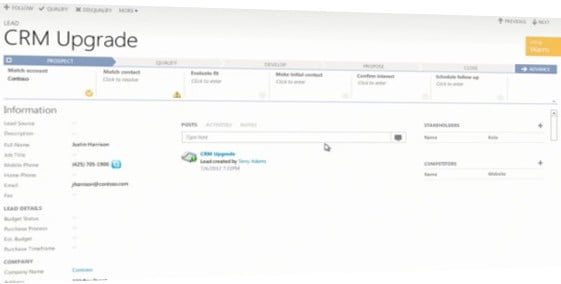
  • Microsoft will put a prescriptive stake in the ground by including “…three pre-defined sales and service process definitions for lead, opportunity, and case management” with this update.  The following figure provides an overview of one of the sales processes, with stages (qualify, develop, propose, close), each of which contains several steps (identify contact, identify account, identify decision maker…).
  • The new upgrade also introduces Collaborative Selling which is described as additional capabilities to track and manage stakeholders, competitors, and sales teams for leads, opportunities, contacts, and accounts.

What’s missing

Athough Microsoft stoked expectations for hybrid cloud, cross-mobile-platform and cross-browser capabilities at the Dynamics Convergence Conference in March, it was reported that anticipated Microsoft Azure public-cloud deployment option for Dynamics NAV and Dynamics GP ERP apps has been pushed back into the second half of next year.

And on the mobile front, cross-platform HTML5 capabilities won’t show up until 2014, so access on iPad, iPhone and Android devices is limited to Dynamics CRM.

Responding to Salesforce.com’s push into the marketing arena, Microsoft executives said earlier this year that Dynamics CRM would gain social media monitoring capabilities by year end. This development, too, appears to be delayed, but in October Microsoft acquired MarketingPilot , a marketing management software provider, to bulk up cross-channel digital campaign management capabilities.

Conclusion

Dynamics CRM

With the new updates and features, Microsoft is hoping to match up with CRM favourites such as Salesforce and SugarCRM and also plans to take on enterprise players like Oracle. According to the reports by Microsoft, Dynamics CRM revenues have increased 6% in recent quarter which is good enough but Microsoft didn’t reveal the total sales it made with its Dynamics CRM service. The company also added that Dynamics CRM now has more than 3 million  users in enterprises worldwide.

Well its surely more hit and less miss with the recent updates but we hope Microsoft cleans out the things we added in misses.